From UIKit to SwiftUI, one lesson at a time.
You have shipped apps for years. What you are missing is not iOS — it is the last ten years of Swift. This course teaches SwiftUI from there: 57 lessons, each with something to build, questions to answer and cards to drill. The goal is to pass a senior iOS interview.
One click, no password. It keeps your place on every device you use. Only your email address and what you tick off are stored.
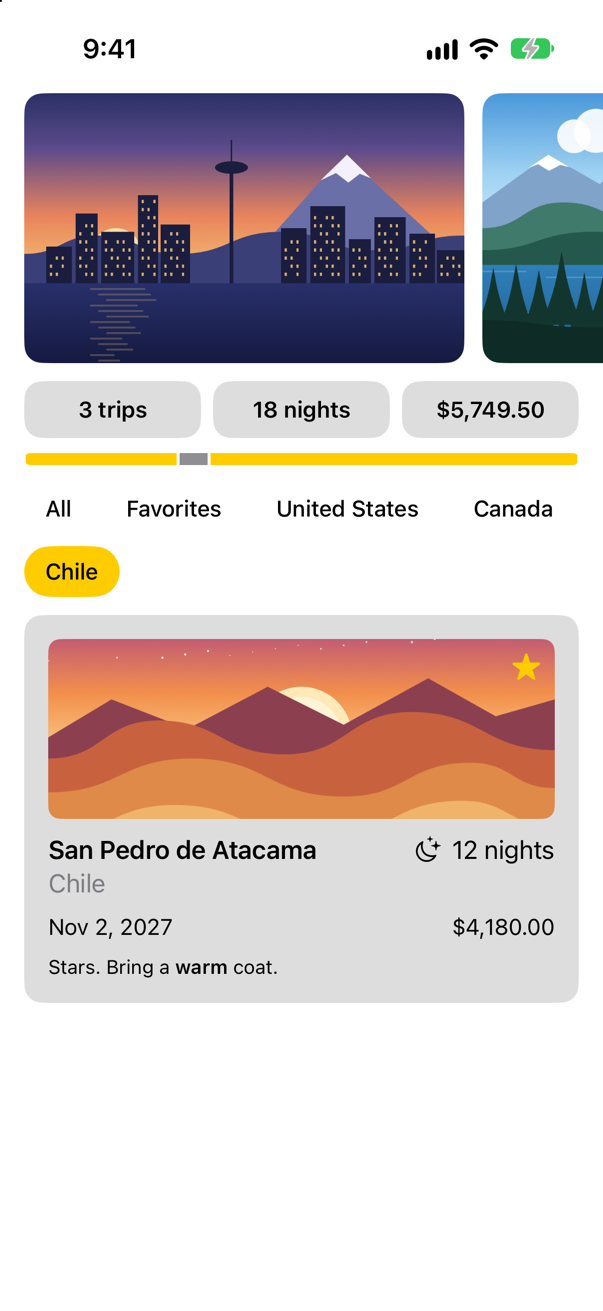
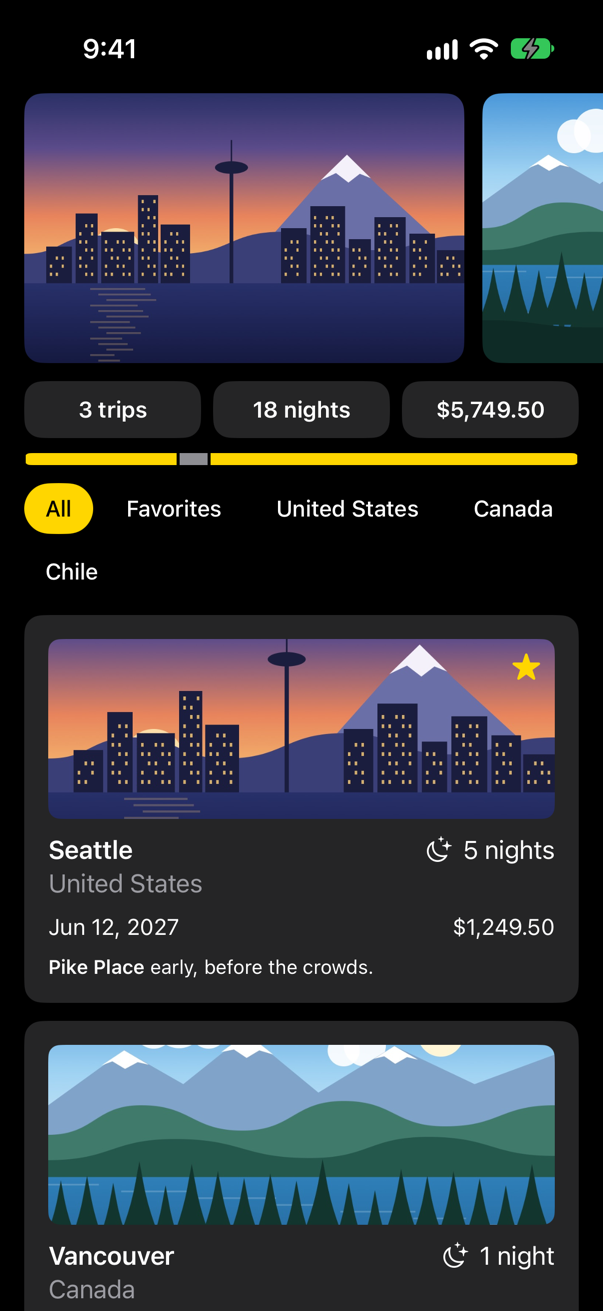
Trips, the app you build from lesson 5, as it stands at the end of lesson 11 — in light and in dark. Every screenshot in the course is the app really running.
Why SwiftUI looks strange
✦Every strange-looking piece of SwiftUI is a Swift feature added after 2016.
some View, @State, $text, a body with no commas and no return — none of it is special syntax. It is ordinary Swift that arrived after most UIKit code was written. So after a first lesson in Xcode the course starts with the language: property wrappers, opaque types and result builders — and comes back for macros, key paths, Codable, async and Observation once you have built some screens. Once you have built each one yourself, SwiftUI stops being a mystery.
+--------------+
| Seattle      |
| * favorite   |
| - Pike Place |
| - Alki Beach |
+--------------+
Bordered<Column<Column<Line, Optional<Line>>, LoopEach<Array<String>, String, Line>>>
Lessons 2 to 4: TinyUI, a miniature SwiftUI you write yourself. Here it prints a card to the console — and the type that its result builder made of the card.
What a lesson gives you
✦All 55 lessons before the practice interviews are step-by-step tutorials in Xcode. You make the project, type the code, press Run, and compare what you see with the page. Lesson 1 — make a project, and look inside it — takes about two hours.
The last two lessons are practice: mock interviews, timed, and a review of whatever is not yet solid.
Each tutorial ends with flash cards: how you would write something, and questions written to catch a misunderstanding. There are 948 in all. Try one — answer in your head, then tap it.
Trick question · Opaque typesDoes some Widget mean "any type that conforms to Widget"?
No — that describes any Widget. some Widget means one particular type, picked by the function and fixed when the code is compiled. The caller simply is not told which one.
Each of the 13 parts ends with a problem of the kind asked in senior iOS interviews — with where it comes from, and what interviewers listen for in the answer.
The eleven weeks
✦- Before you start: a project in XcodeLesson 1
- Modern Swift: what changed since 2016Lessons 2–4
- Getting started with SwiftUILessons 5–7
- Views and layoutLessons 8–11
- Modern Swift, part 2: macros, key paths, Codable, async and observationLessons 12–16
- State and data flowLessons 17–20
- Lists and navigationLessons 21–24
- Drawing and animationLessons 25–29
- Input and interactionLessons 30–32
- Data, persistence, and networkingLessons 33–36
- Swift concurrencyLessons 37–45
- Architecture, testing, and performanceLessons 46–48
- Platform features and shippingLessons 49–55
Start when you like, at your own pace. You choose a start date and a finish date — about eleven weeks at one lesson each weekday, sooner with two on some days, or longer — and the lessons lay themselves out on the weekdays between them. Tick off each lesson as you finish it. Your place follows you from laptop to phone.
Lesson 1 starts where every app starts: a new project.
By the end of it you will have made an app in Xcode 27 from scratch, found your way round its settings, written and run a unit test, and looked inside the app at its scene and its actors. Lesson 2 starts on the language: property wrappers — after which $text is something you understand, not something you memorized.
Already started? Sign in
Current to Xcode 27, iOS 27 and Swift 6.4.
Every piece of code in the course was compiled before it was published, and every screenshot was taken from a running app.