Drag, drop, and share
Drag and drop, and haptics
You will buildCards on the Overview that you rearrange with a finger, a photo you drop on the Favorites chip to make the trip a favorite — with a haptic to confirm it — and a Share button that hands the trip to any other app. Then Part 9's interview problem.
TimeAbout 70 minutes, then the interview problem
WhyThe last lesson's gestures moved views around inside one screen. Drag and drop moves data: a trip leaves one place and arrives in another — a different spot in the list, a different view, even a different app. SwiftUI keeps the two halves apart. The thing being moved says what it can turn into (Transferable); the place it lands says what it accepts. Reordering, new in iOS 27, is a special case that needs neither, and feedback you can feel is one modifier.
Open your project
Open your
Tripsproject as lesson 31 left it: double-clickTrips.xcodeprojin Finder, or use File ▸ Open… (⌘O) in Xcode.If you did not finish lesson 31, or would rather start from a known state, download Trips-lesson-31.zip instead. It is the project exactly as it stood at the end of lesson 31. Unzip it and open
Trips.xcodeproj.Run it (⌘R) to check that it builds. You should see where lesson 31 ended:
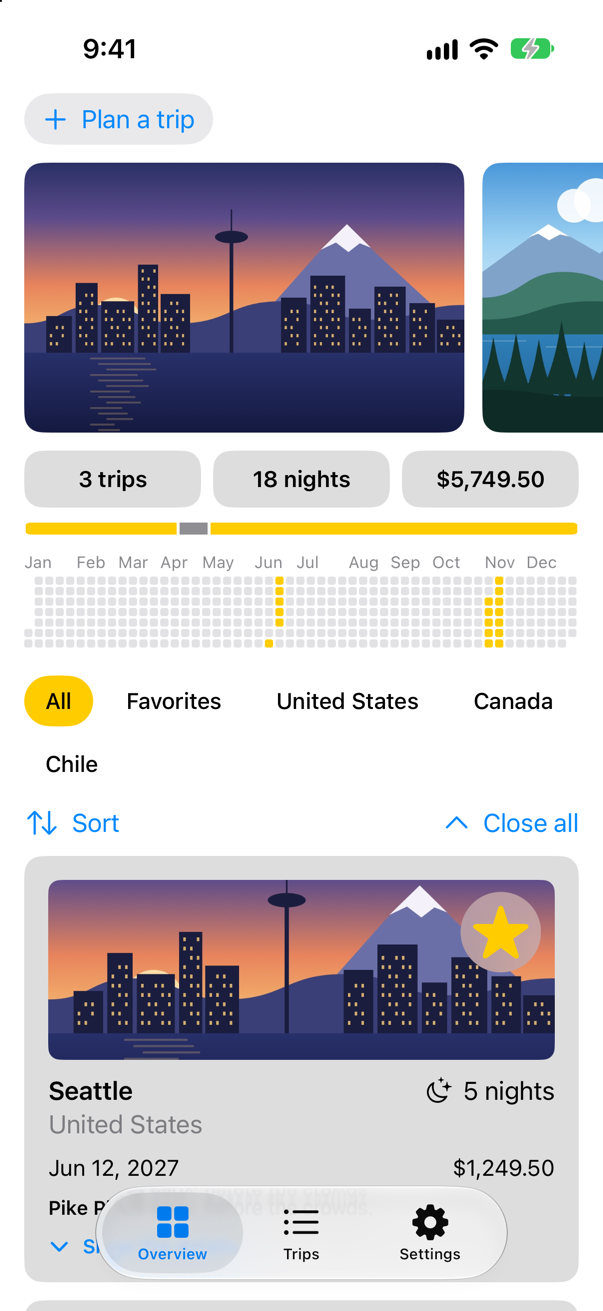
Trips, as it stood at the end of lesson 31Screenshot · iPhone 17, iOS 27.0
Rearrange the cards
iOS 27 can reorder the views in any stack or grid. Two modifiers do it: .reorderable() on the ForEach, to say which views can be picked up, and .reorderContainer(for:) on the stack or grid, to receive the change. Apple: "A person can lift a reorderable view within the container using a drag gesture. As they lift the item, the system puts a placeholder view in its place to indicate where the view can drop." When the card is dropped, the container hands you a difference — which trips moved (sources) and where to (destination) — and the store makes it so.
The store gets a method that knows nothing about SwiftUI: move these trips in front of another one, or to the end. In TripStore.swift:
/// The trips, for the whole app. `@MainActor`: the views read it, and the views/// are drawn on the main thread.@MainActor@Observablefinal class TripStore { var trips = Trip.samples /// Adds the trip a draft describes, with an id no other trip has. func add(_ draft: TripDraft) { let id = (trips.map(\.id).max() ?? 0) + 1 trips.append(draft.trip(id: id)) } /// Removes these trips, whatever order they are in. func delete(_ doomed: [Trip]) { let ids = Set(doomed.map(\.id)) trips.removeAll { ids.contains($0.id) } } /// Makes a trip a favorite, or not. func toggleFavorite(_ trip: Trip) { if let index = trips.firstIndex(where: { $0.id == trip.id }) { trips[index].isFavorite.toggle() } } /// Replaces the trip with the same id. func update(_ trip: Trip) { if let index = trips.firstIndex(where: { $0.id == trip.id }) { trips[index] = trip } } /// Moves these trips in front of another one — or, with no other one, to the end. func move(_ ids: [Trip.ID], before target: Trip.ID?) { let moving = trips.filter { ids.contains($0.id) } trips.removeAll { ids.contains($0.id) } let index = target.flatMap { id in trips.firstIndex { $0.id == id } } ?? trips.endIndex trips.insert(contentsOf: moving, at: index) } func save() { print("Saving \(trips.count) trips") // a real save comes in Part 10 }}/// The trips, for the whole app. `@MainActor`: the views read it, and the views
/// are drawn on the main thread.
@MainActor
@Observable
final class TripStore {
var trips = Trip.samples
/// Adds the trip a draft describes, with an id no other trip has.
func add(_ draft: TripDraft) {
let id = (trips.map(\.id).max() ?? 0) + 1
trips.append(draft.trip(id: id))
}
/// Removes these trips, whatever order they are in.
func delete(_ doomed: [Trip]) {
let ids = Set(doomed.map(\.id))
trips.removeAll { ids.contains($0.id) }
}
/// Makes a trip a favorite, or not.
func toggleFavorite(_ trip: Trip) {
if let index = trips.firstIndex(where: { $0.id == trip.id }) {
trips[index].isFavorite.toggle()
}
}
/// Replaces the trip with the same id.
func update(_ trip: Trip) {
if let index = trips.firstIndex(where: { $0.id == trip.id }) {
trips[index] = trip
}
}
/// Moves these trips in front of another one — or, with no other one, to the end.
func move(_ ids: [Trip.ID], before target: Trip.ID?) {
let moving = trips.filter { ids.contains($0.id) }
trips.removeAll { ids.contains($0.id) }
let index = target.flatMap { id in trips.firstIndex { $0.id == id } } ?? trips.endIndex
trips.insert(contentsOf: moving, at: index)
}
func save() {
print("Saving \(trips.count) trips") // a real save comes in Part 10
}
}And the Overview's grid becomes a reorder container. It is switched off while a filter is on, because moving a trip among the favorites alone would have no clear meaning for the full list. One more change hides in it: the filter moves out of the ForEach. The grid used to hold an if inside the loop; reordered, a ForEach with an if inside makes iOS 27.0 stop the app with a fatal error of SwiftUI's own (an edge case in this lesson shows it). So the loop is given only the trips the filter lets through — filter on the array of bindings, whose wrappedValue is each trip. In ContentView.swift:
struct ContentView: View { @Environment(TripStore.self) private var store @Environment(Settings.self) private var settings @State private var filter = TripFilter.all @State private var closings = 0 var body: some View { @Bindable var store = store ScrollView { LazyVStack(spacing: 12) { TripPlanner() .environment(\.highlight, .mint) PhotoStrip(trips: store.trips) TripSummary(trips: store.trips) if settings.showsYear { YearGrid(trips: store.trips) } FilterBar(filters: filters, selection: $filter) .frame(maxWidth: .infinity, alignment: .leading) .padding(.horizontal) HStack { Menu("Sort", systemImage: "arrow.up.arrow.down") { Button("By date") { store.trips.sort { $0.start < $1.start } } Button("By price") { store.trips.sort { $0.price < $1.price } } } Spacer() Button("Close all", systemImage: "chevron.up") { closings += 1 } } .padding(.horizontal) LazyVGrid(columns: [GridItem(.adaptive(minimum: 300))], spacing: 12) { ForEach($store.trips) { $trip in if filter.includes(trip) { TripCard(trip: $trip) } ForEach($store.trips.filter { filter.includes($0.wrappedValue) }) { $trip in TripCard(trip: $trip) } .reorderable() } .reorderContainer(for: Trip.self, isEnabled: filter == .all) { difference in switch difference.destination.position { case .before(let id): store.move(difference.sources, before: id) case .end: store.move(difference.sources, before: nil) } } .id(closings) } } } /// All, Favorites, and then a filter for each country that has a trip. private var filters: [TripFilter] { var countries: [String] = [] for trip in store.trips where !countries.contains(trip.country) { countries.append(trip.country) } return [.all, .favorites] + countries.map { TripFilter.country($0) } }}struct ContentView: View {
@Environment(TripStore.self) private var store
@Environment(Settings.self) private var settings
@State private var filter = TripFilter.all
@State private var closings = 0
var body: some View {
@Bindable var store = store
ScrollView {
LazyVStack(spacing: 12) {
TripPlanner()
.environment(\.highlight, .mint)
PhotoStrip(trips: store.trips)
TripSummary(trips: store.trips)
if settings.showsYear {
YearGrid(trips: store.trips)
}
FilterBar(filters: filters, selection: $filter)
.frame(maxWidth: .infinity, alignment: .leading)
.padding(.horizontal)
HStack {
Menu("Sort", systemImage: "arrow.up.arrow.down") {
Button("By date") { store.trips.sort { $0.start < $1.start } }
Button("By price") { store.trips.sort { $0.price < $1.price } }
}
Spacer()
Button("Close all", systemImage: "chevron.up") { closings += 1 }
}
.padding(.horizontal)
LazyVGrid(columns: [GridItem(.adaptive(minimum: 300))], spacing: 12) {
ForEach($store.trips.filter { filter.includes($0.wrappedValue) }) { $trip in
TripCard(trip: $trip)
}
.reorderable()
}
.reorderContainer(for: Trip.self, isEnabled: filter == .all) { difference in
switch difference.destination.position {
case .before(let id): store.move(difference.sources, before: id)
case .end: store.move(difference.sources, before: nil)
}
}
.id(closings)
}
}
}
/// All, Favorites, and then a filter for each country that has a trip.
private var filters: [TripFilter] {
var countries: [String] = []
for trip in store.trips where !countries.contains(trip.country) {
countries.append(trip.country)
}
return [.all, .favorites] + countries.map { TripFilter.country($0) }
}
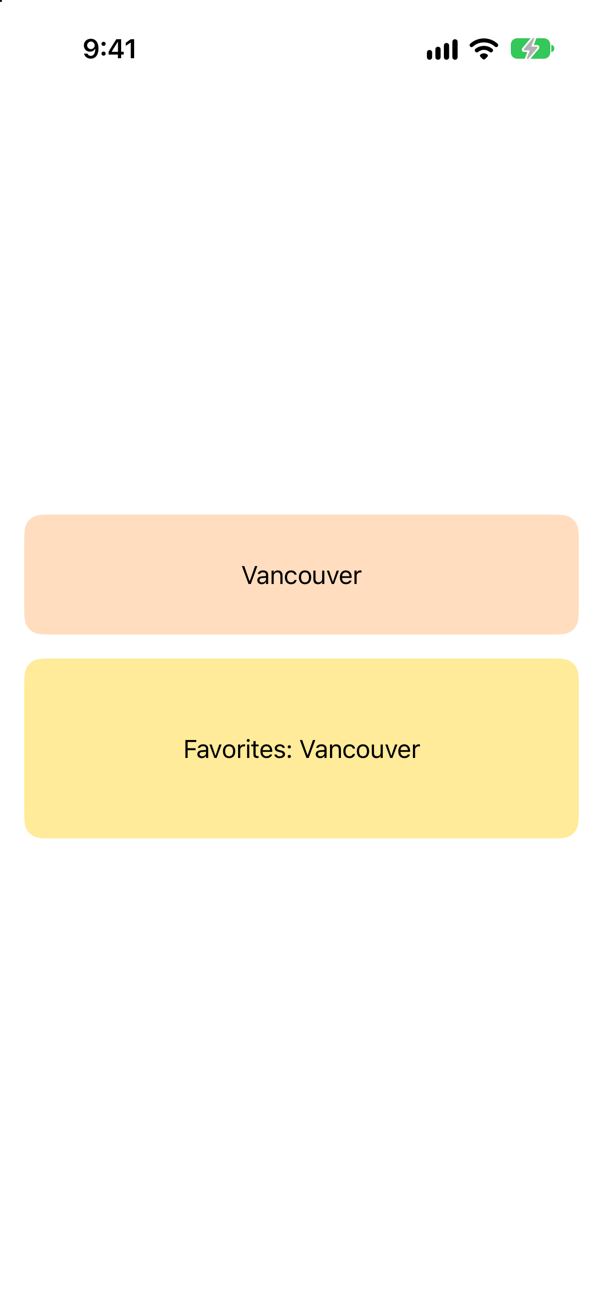
}Run the app, scroll down to the cards, then press and hold the Vancouver card and drag it onto Seattle's:
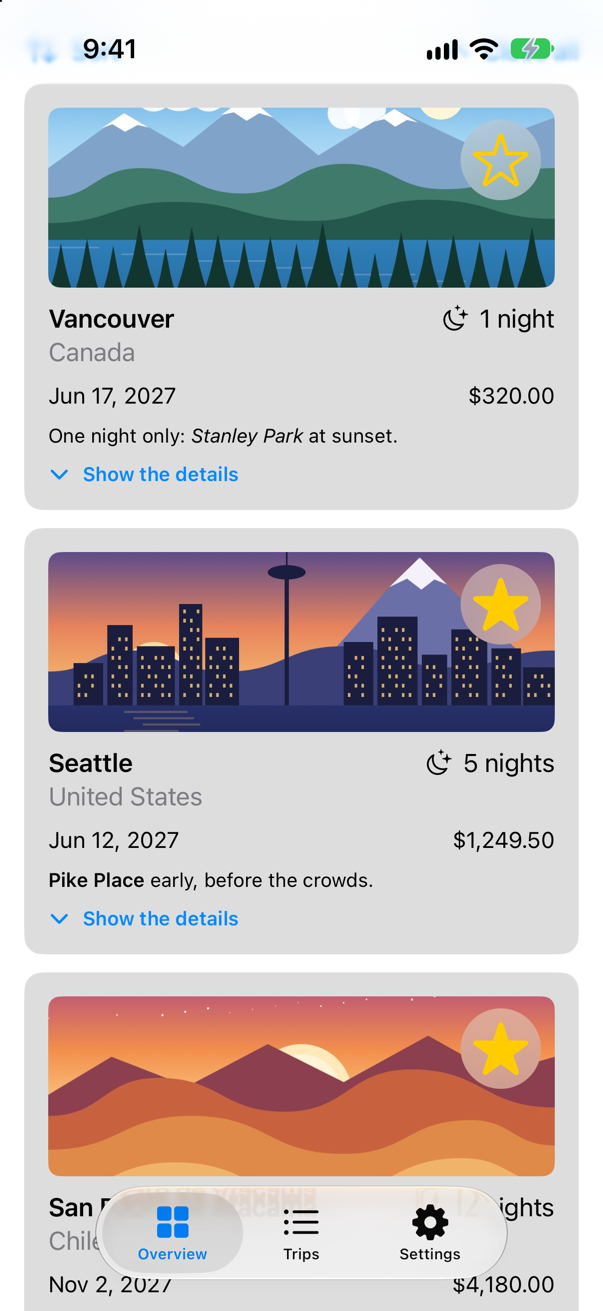
The card lifted, and Vancouver now comes first — in the store, so every other view that shows the trips agrees.
A trip you can drop
Dragging a trip to somewhere else is the general case, and it needs the trip to say what it can become while it travels. That is Transferable. Apple: "A protocol that describes how a type interacts with transport APIs such as drag and drop or copy and paste." A type describes itself as a list of representations, most precise first: here, the whole trip as JSON — which the compiler can write once Trip is Codable (lesson 33, the next lesson, is about exactly that) — and, for apps that only understand text, a sentence. In Trip.swift, the struct:
/// One trip: plain data. `Sendable`: a copy may be handed to any actor, and the/// compiler checks that every property may be too.struct Trip: Identifiable, Sendable {struct Trip: Identifiable, Codable, Sendable { let id: Int var city: String var country: String var nights: Int var isFavorite: Bool var imageName: String var price: Decimal var start: Date var notes: String}/// One trip: plain data. `Sendable`: a copy may be handed to any actor, and the
/// compiler checks that every property may be too.
struct Trip: Identifiable, Codable, Sendable {
let id: Int
var city: String
var country: String
var nights: Int
var isFavorite: Bool
var imageName: String
var price: Decimal
var start: Date
var notes: String
}Make a new Swift File named TripTransfer, and replace everything in it:
import SwiftUI
import UniformTypeIdentifiers

// On no actor, as everything in Trips is unless it says otherwise: a transfer runs away from the
// main actor, and `Transferable` asks for a `Sendable` type — which a trip is.
extension Trip: Transferable {
    /// Inside Trips a trip travels whole, as JSON; anywhere else, as a sentence of text.
    static var transferRepresentation: some TransferRepresentation {
        CodableRepresentation(contentType: .json)
        ProxyRepresentation(exporting: \.sentence)
    }

    /// The trip in words, for apps that only understand text.
    var sentence: String {
        let stay = nights == 1 ? "1 night" : "\(nights) nights"
        return "\(city), \(country): \(stay) from \(start.formatted(date: .long, time: .omitted))"
    }
}
Neither declaration names an actor, and in Trips that says something: since lesson 17 nothing here is on an actor unless it says so. A trip is data that drag and drop carries away from the main actor — Apple's page for draggable(_:) warns: "Don't perform work on the main actor while exporting the item." So the struct and its transfer code belong to no actor, and the struct has said Sendable since lesson 17: the promise that a trip can safely be handed to another thread. Transferable requires it (Apple declares protocol Transferable : Sendable). A new Xcode project is different: there everything is on the main actor unless it says otherwise, so both declarations would need nonisolated, and without it Xcode stops with "main actor-isolated conformance of 'Trip' to 'Decodable' cannot satisfy conformance requirement for a 'Sendable' type parameter" — an edge case in this lesson shows it, and Part 11 is all about why.
Leave out import UniformTypeIdentifiers and Xcode stops at .json: Xcode 27 compiles with "member import visibility" on, so a type's members are visible only in files that import the module that defines them. The error says so — an edge case in this lesson shows it.
The strip's photos become the things you drag: .draggable(trip) "Activates this view as the source of a drag and drop operation", in Apple's words. The cards stay as they are — a card that is both reorderable and draggable reorders no more (an edge case tries it). In PhotoStrip.swift:
struct PhotoStrip: View { let trips: [Trip] @Namespace private var photos @State private var enlarged: Trip.ID? @GestureState(resetTransaction: Transaction(animation: .spring(duration: 0.4))) private var drag = CGSize.zero @State private var zoom = 1.0 @GestureState private var pinch = 1.0 var body: some View { VStack(spacing: 12) { if let trip = trips.first(where: { $0.id == enlarged }) { Image(trip.imageName) .resizable() .scaledToFill() .scaleEffect(zoom * pinch) .matchedGeometryEffect(id: trip.id, in: photos) .frame(height: 260) .clipShape(RoundedRectangle(cornerRadius: 16)) .overlay(alignment: .bottomLeading) { Text(trip.city) .font(.title2.bold()) .foregroundStyle(.white) .shadow(radius: 4) .padding() } .overlay(alignment: .topTrailing) { if zoom * pinch > 1 { Text("\(zoom * pinch, format: .number.precision(.fractionLength(1)))×") .font(.caption.bold()) .padding(.horizontal, 10) .padding(.vertical, 6) .background(.ultraThinMaterial, in: Capsule()) .padding() } } .padding(.horizontal) .offset(y: max(drag.height, 0)) .zIndex(1) .accessibilityElement(children: .ignore) .accessibilityLabel("Photo of \(trip.city)") .accessibilityValue(zoom > 1 ? "Zoomed in" : "") .accessibilityAddTraits(.isButton) .onTapGesture(count: 2) { withAnimation(.spring(duration: 0.4)) { zoom = zoom > 1 ? 1 : 2 } } .onTapGesture { close() } .gesture(dragToClose.simultaneously(with: pinchToZoom)) } ScrollView(.horizontal) { HStack(spacing: 12) { ForEach(trips) { trip in if trip.id == enlarged { Color.clear .containerRelativeFrame(.horizontal, count: 5, span: 4, spacing: 12) .frame(height: 180) } else { Image(trip.imageName) .resizable() .scaledToFill() .matchedGeometryEffect(id: trip.id, in: photos) .containerRelativeFrame(.horizontal, count: 5, span: 4, spacing: 12) .frame(height: 180) .clipShape(RoundedRectangle(cornerRadius: 12)) .contentShape(Rectangle()) .accessibilityLabel("Photo of \(trip.city)") .accessibilityAddTraits(.isButton) .onTapGesture { withAnimation(.spring(duration: 0.5)) { enlarged = trip.id } } .draggable(trip) } } } .scrollTargetLayout() } .scrollTargetBehavior(.viewAligned) .safeAreaPadding(.horizontal) .scrollIndicators(.hidden) } .onChange(of: enlarged) { zoom = 1 } } /// Pulls the big photo down with the finger; let go past 120 points, and it goes back into the strip. private var dragToClose: some Gesture { DragGesture() .updating($drag) { value, drag, _ in drag = value.translation } .onEnded { value in if value.translation.height > 120 { close() } } } /// Two fingers zoom the big photo, between 1× and 4×; the zoom stays when they lift. private var pinchToZoom: some Gesture { MagnifyGesture() .updating($pinch) { value, pinch, _ in pinch = value.magnification } .onEnded { value in zoom = min(max(zoom * value.magnification, 1), 4) } } /// Puts the big photo back into the strip. private func close() { withAnimation(.spring(duration: 0.5)) { enlarged = nil } }}struct PhotoStrip: View {
let trips: [Trip]
@Namespace private var photos
@State private var enlarged: Trip.ID?
@GestureState(resetTransaction: Transaction(animation: .spring(duration: 0.4)))
private var drag = CGSize.zero
@State private var zoom = 1.0
@GestureState private var pinch = 1.0
var body: some View {
VStack(spacing: 12) {
if let trip = trips.first(where: { $0.id == enlarged }) {
Image(trip.imageName)
.resizable()
.scaledToFill()
.scaleEffect(zoom * pinch)
.matchedGeometryEffect(id: trip.id, in: photos)
.frame(height: 260)
.clipShape(RoundedRectangle(cornerRadius: 16))
.overlay(alignment: .bottomLeading) {
Text(trip.city)
.font(.title2.bold())
.foregroundStyle(.white)
.shadow(radius: 4)
.padding()
}
.overlay(alignment: .topTrailing) {
if zoom * pinch > 1 {
Text("\(zoom * pinch, format: .number.precision(.fractionLength(1)))×")
.font(.caption.bold())
.padding(.horizontal, 10)
.padding(.vertical, 6)
.background(.ultraThinMaterial, in: Capsule())
.padding()
}
}
.padding(.horizontal)
.offset(y: max(drag.height, 0))
.zIndex(1)
.accessibilityElement(children: .ignore)
.accessibilityLabel("Photo of \(trip.city)")
.accessibilityValue(zoom > 1 ? "Zoomed in" : "")
.accessibilityAddTraits(.isButton)
.onTapGesture(count: 2) {
withAnimation(.spring(duration: 0.4)) { zoom = zoom > 1 ? 1 : 2 }
}
.onTapGesture { close() }
.gesture(dragToClose.simultaneously(with: pinchToZoom))
}
ScrollView(.horizontal) {
HStack(spacing: 12) {
ForEach(trips) { trip in
if trip.id == enlarged {
Color.clear
.containerRelativeFrame(.horizontal, count: 5, span: 4, spacing: 12)
.frame(height: 180)
} else {
Image(trip.imageName)
.resizable()
.scaledToFill()
.matchedGeometryEffect(id: trip.id, in: photos)
.containerRelativeFrame(.horizontal, count: 5, span: 4, spacing: 12)
.frame(height: 180)
.clipShape(RoundedRectangle(cornerRadius: 12))
.contentShape(Rectangle())
.accessibilityLabel("Photo of \(trip.city)")
.accessibilityAddTraits(.isButton)
.onTapGesture {
withAnimation(.spring(duration: 0.5)) { enlarged = trip.id }
}
.draggable(trip)
}
}
}
.scrollTargetLayout()
}
.scrollTargetBehavior(.viewAligned)
.safeAreaPadding(.horizontal)
.scrollIndicators(.hidden)
}
.onChange(of: enlarged) { zoom = 1 }
}
/// Pulls the big photo down with the finger; let go past 120 points, and it goes back into the strip.
private var dragToClose: some Gesture {
DragGesture()
.updating($drag) { value, drag, _ in
drag = value.translation
}
.onEnded { value in
if value.translation.height > 120 {
close()
}
}
}
/// Two fingers zoom the big photo, between 1× and 4×; the zoom stays when they lift.
private var pinchToZoom: some Gesture {
MagnifyGesture()
.updating($pinch) { value, pinch, _ in
pinch = value.magnification
}
.onEnded { value in
zoom = min(max(zoom * value.magnification, 1), 4)
}
}
/// Puts the big photo back into the strip.
private func close() {
withAnimation(.spring(duration: 0.5)) { enlarged = nil }
}
}The store learns to make trips favorites, and the filter bar's Favorites chip becomes a drop destination for trips. dropDestination(for:isEnabled:action:) takes the type it accepts and hands the dropped trips to its action; isEnabled keeps the other chips out of it. In TripStore.swift:
/// The trips, for the whole app. `@MainActor`: the views read it, and the views/// are drawn on the main thread.@MainActor@Observablefinal class TripStore { var trips = Trip.samples /// Adds the trip a draft describes, with an id no other trip has. func add(_ draft: TripDraft) { let id = (trips.map(\.id).max() ?? 0) + 1 trips.append(draft.trip(id: id)) } /// Removes these trips, whatever order they are in. func delete(_ doomed: [Trip]) { let ids = Set(doomed.map(\.id)) trips.removeAll { ids.contains($0.id) } } /// Makes a trip a favorite, or not. func toggleFavorite(_ trip: Trip) { if let index = trips.firstIndex(where: { $0.id == trip.id }) { trips[index].isFavorite.toggle() } } /// Replaces the trip with the same id. func update(_ trip: Trip) { if let index = trips.firstIndex(where: { $0.id == trip.id }) { trips[index] = trip } } /// Moves these trips in front of another one — or, with no other one, to the end. func move(_ ids: [Trip.ID], before target: Trip.ID?) { let moving = trips.filter { ids.contains($0.id) } trips.removeAll { ids.contains($0.id) } let index = target.flatMap { id in trips.firstIndex { $0.id == id } } ?? trips.endIndex trips.insert(contentsOf: moving, at: index) } /// Makes these trips favorites. func makeFavorites(_ dropped: [Trip]) { for trip in dropped { if let index = trips.firstIndex(where: { $0.id == trip.id }) { trips[index].isFavorite = true } } } func save() { print("Saving \(trips.count) trips") // a real save comes in Part 10 }}/// The trips, for the whole app. `@MainActor`: the views read it, and the views
/// are drawn on the main thread.
@MainActor
@Observable
final class TripStore {
var trips = Trip.samples
/// Adds the trip a draft describes, with an id no other trip has.
func add(_ draft: TripDraft) {
let id = (trips.map(\.id).max() ?? 0) + 1
trips.append(draft.trip(id: id))
}
/// Removes these trips, whatever order they are in.
func delete(_ doomed: [Trip]) {
let ids = Set(doomed.map(\.id))
trips.removeAll { ids.contains($0.id) }
}
/// Makes a trip a favorite, or not.
func toggleFavorite(_ trip: Trip) {
if let index = trips.firstIndex(where: { $0.id == trip.id }) {
trips[index].isFavorite.toggle()
}
}
/// Replaces the trip with the same id.
func update(_ trip: Trip) {
if let index = trips.firstIndex(where: { $0.id == trip.id }) {
trips[index] = trip
}
}
/// Moves these trips in front of another one — or, with no other one, to the end.
func move(_ ids: [Trip.ID], before target: Trip.ID?) {
let moving = trips.filter { ids.contains($0.id) }
trips.removeAll { ids.contains($0.id) }
let index = target.flatMap { id in trips.firstIndex { $0.id == id } } ?? trips.endIndex
trips.insert(contentsOf: moving, at: index)
}
/// Makes these trips favorites.
func makeFavorites(_ dropped: [Trip]) {
for trip in dropped {
if let index = trips.firstIndex(where: { $0.id == trip.id }) {
trips[index].isFavorite = true
}
}
}
func save() {
print("Saving \(trips.count) trips") // a real save comes in Part 10
}
}In FilterBar.swift:
struct FilterBar: View { let filters: [TripFilter] @Binding var selection: TripFilter /// What to do with trips dropped on the Favorites chip. var onFavorite: ([Trip]) -> Void = { _ in } var body: some View { FlowLayout { ForEach(filters, id: \.self) { filter in Button { selection = filter } label: { Text(filter.title) .chip(isSelected: filter == selection) } .buttonStyle(.plain) .dropDestination(for: Trip.self, isEnabled: filter == .favorites) { trips, _ in onFavorite(trips) } } } .font(.subheadline.weight(.medium)) }}struct FilterBar: View {
let filters: [TripFilter]
@Binding var selection: TripFilter
/// What to do with trips dropped on the Favorites chip.
var onFavorite: ([Trip]) -> Void = { _ in }
var body: some View {
FlowLayout {
ForEach(filters, id: \.self) { filter in
Button {
selection = filter
} label: {
Text(filter.title)
.chip(isSelected: filter == selection)
}
.buttonStyle(.plain)
.dropDestination(for: Trip.self, isEnabled: filter == .favorites) { trips, _ in
onFavorite(trips)
}
}
}
.font(.subheadline.weight(.medium))
}
}And the Overview tells the bar what to do with them. In ContentView.swift:
struct ContentView: View { @Environment(TripStore.self) private var store @Environment(Settings.self) private var settings @State private var filter = TripFilter.all @State private var closings = 0 var body: some View { @Bindable var store = store ScrollView { LazyVStack(spacing: 12) { TripPlanner() .environment(\.highlight, .mint) PhotoStrip(trips: store.trips) TripSummary(trips: store.trips) if settings.showsYear { YearGrid(trips: store.trips) } FilterBar(filters: filters, selection: $filter) FilterBar(filters: filters, selection: $filter) { trips in store.makeFavorites(trips) } .frame(maxWidth: .infinity, alignment: .leading) .padding(.horizontal) HStack { Menu("Sort", systemImage: "arrow.up.arrow.down") { Button("By date") { store.trips.sort { $0.start < $1.start } } Button("By price") { store.trips.sort { $0.price < $1.price } } } Spacer() Button("Close all", systemImage: "chevron.up") { closings += 1 } } .padding(.horizontal) LazyVGrid(columns: [GridItem(.adaptive(minimum: 300))], spacing: 12) { ForEach($store.trips.filter { filter.includes($0.wrappedValue) }) { $trip in TripCard(trip: $trip) } .reorderable() } .reorderContainer(for: Trip.self, isEnabled: filter == .all) { difference in switch difference.destination.position { case .before(let id): store.move(difference.sources, before: id) case .end: store.move(difference.sources, before: nil) } } .id(closings) } } } /// All, Favorites, and then a filter for each country that has a trip. private var filters: [TripFilter] { var countries: [String] = [] for trip in store.trips where !countries.contains(trip.country) { countries.append(trip.country) } return [.all, .favorites] + countries.map { TripFilter.country($0) } }}struct ContentView: View {
@Environment(TripStore.self) private var store
@Environment(Settings.self) private var settings
@State private var filter = TripFilter.all
@State private var closings = 0
var body: some View {
@Bindable var store = store
ScrollView {
LazyVStack(spacing: 12) {
TripPlanner()
.environment(\.highlight, .mint)
PhotoStrip(trips: store.trips)
TripSummary(trips: store.trips)
if settings.showsYear {
YearGrid(trips: store.trips)
}
FilterBar(filters: filters, selection: $filter) { trips in
store.makeFavorites(trips)
}
.frame(maxWidth: .infinity, alignment: .leading)
.padding(.horizontal)
HStack {
Menu("Sort", systemImage: "arrow.up.arrow.down") {
Button("By date") { store.trips.sort { $0.start < $1.start } }
Button("By price") { store.trips.sort { $0.price < $1.price } }
}
Spacer()
Button("Close all", systemImage: "chevron.up") { closings += 1 }
}
.padding(.horizontal)
LazyVGrid(columns: [GridItem(.adaptive(minimum: 300))], spacing: 12) {
ForEach($store.trips.filter { filter.includes($0.wrappedValue) }) { $trip in
TripCard(trip: $trip)
}
.reorderable()
}
.reorderContainer(for: Trip.self, isEnabled: filter == .all) { difference in
switch difference.destination.position {
case .before(let id): store.move(difference.sources, before: id)
case .end: store.move(difference.sources, before: nil)
}
}
.id(closings)
}
}
}
/// All, Favorites, and then a filter for each country that has a trip.
private var filters: [TripFilter] {
var countries: [String] = []
for trip in store.trips where !countries.contains(trip.country) {
countries.append(trip.country)
}
return [.all, .favorites] + countries.map { TripFilter.country($0) }
}
}Run the app and swipe the strip along to Vancouver's photo. Press and hold it until it lifts, drag it onto the Favorites chip and let go. Then tap the chip, and scroll down to the cards:
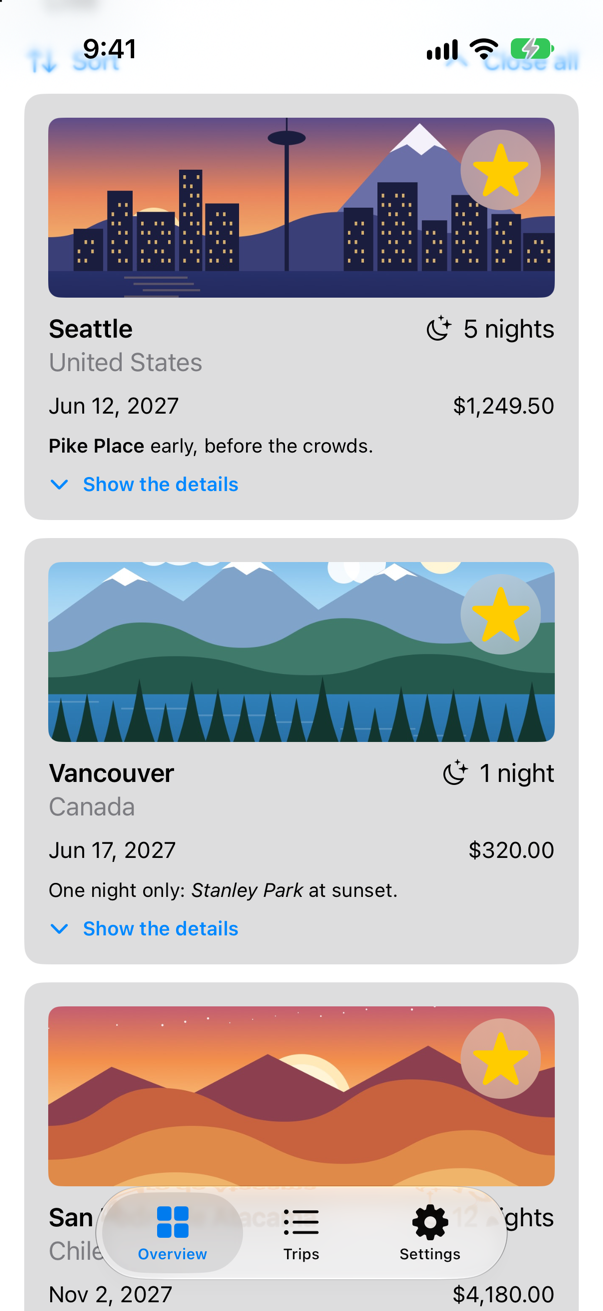
Vancouver was not a favorite; now it is, and its star says so. (There is no picture of the drag itself: a screenshot of the simulator taken during a drag leaves out the copy of the photo that follows the finger.)
Feel it
A drop that worked deserves a little confirmation in the hand. .sensoryFeedback plays a haptic whenever a value changes. Apple: it "Plays the specified feedback when the provided trigger value changes." The value here is the number of favorites, so every drop that adds one plays .success. In ContentView.swift:
struct ContentView: View { @Environment(TripStore.self) private var store @Environment(Settings.self) private var settings @State private var filter = TripFilter.all @State private var closings = 0 var body: some View { @Bindable var store = store ScrollView { LazyVStack(spacing: 12) { TripPlanner() .environment(\.highlight, .mint) PhotoStrip(trips: store.trips) TripSummary(trips: store.trips) if settings.showsYear { YearGrid(trips: store.trips) } FilterBar(filters: filters, selection: $filter) { trips in store.makeFavorites(trips) } .frame(maxWidth: .infinity, alignment: .leading) .padding(.horizontal) HStack { Menu("Sort", systemImage: "arrow.up.arrow.down") { Button("By date") { store.trips.sort { $0.start < $1.start } } Button("By price") { store.trips.sort { $0.price < $1.price } } } Spacer() Button("Close all", systemImage: "chevron.up") { closings += 1 } } .padding(.horizontal) LazyVGrid(columns: [GridItem(.adaptive(minimum: 300))], spacing: 12) { ForEach($store.trips.filter { filter.includes($0.wrappedValue) }) { $trip in TripCard(trip: $trip) } .reorderable() } .reorderContainer(for: Trip.self, isEnabled: filter == .all) { difference in switch difference.destination.position { case .before(let id): store.move(difference.sources, before: id) case .end: store.move(difference.sources, before: nil) } } .id(closings) } } .sensoryFeedback(.success, trigger: store.trips.filter(\.isFavorite).count) } /// All, Favorites, and then a filter for each country that has a trip. private var filters: [TripFilter] { var countries: [String] = [] for trip in store.trips where !countries.contains(trip.country) { countries.append(trip.country) } return [.all, .favorites] + countries.map { TripFilter.country($0) } }}struct ContentView: View {
@Environment(TripStore.self) private var store
@Environment(Settings.self) private var settings
@State private var filter = TripFilter.all
@State private var closings = 0
var body: some View {
@Bindable var store = store
ScrollView {
LazyVStack(spacing: 12) {
TripPlanner()
.environment(\.highlight, .mint)
PhotoStrip(trips: store.trips)
TripSummary(trips: store.trips)
if settings.showsYear {
YearGrid(trips: store.trips)
}
FilterBar(filters: filters, selection: $filter) { trips in
store.makeFavorites(trips)
}
.frame(maxWidth: .infinity, alignment: .leading)
.padding(.horizontal)
HStack {
Menu("Sort", systemImage: "arrow.up.arrow.down") {
Button("By date") { store.trips.sort { $0.start < $1.start } }
Button("By price") { store.trips.sort { $0.price < $1.price } }
}
Spacer()
Button("Close all", systemImage: "chevron.up") { closings += 1 }
}
.padding(.horizontal)
LazyVGrid(columns: [GridItem(.adaptive(minimum: 300))], spacing: 12) {
ForEach($store.trips.filter { filter.includes($0.wrappedValue) }) { $trip in
TripCard(trip: $trip)
}
.reorderable()
}
.reorderContainer(for: Trip.self, isEnabled: filter == .all) { difference in
switch difference.destination.position {
case .before(let id): store.move(difference.sources, before: id)
case .end: store.move(difference.sources, before: nil)
}
}
.id(closings)
}
}
.sensoryFeedback(.success, trigger: store.trips.filter(\.isFavorite).count)
}
/// All, Favorites, and then a filter for each country that has a trip.
private var filters: [TripFilter] {
var countries: [String] = []
for trip in store.trips where !countries.contains(trip.country) {
countries.append(trip.country)
}
return [.all, .favorites] + countries.map { TripFilter.country($0) }
}
}There is nothing to feel in the simulator: asked whether this hardware can play haptics, Core Haptics answers no (an edge case in this lesson prints the answer). On an iPhone, the drop now taps back.
Share a trip
The same Transferable conformance powers sharing. A ShareLink is a button that opens the share sheet with an item — any Transferable value, so the trip as it is — and SharePreview gives the sheet a title and a picture to show. In TripDetail.swift:
struct TripDetail: View { let id: Trip.ID @Binding var selection: Trip.ID? @Environment(TripStore.self) private var store @State private var editing: Trip? @State private var isConfirmingDelete = false var body: some View { @Bindable var store = store if let index = store.trips.firstIndex(where: { $0.id == id }) { ScrollView { VStack(spacing: 16) { BoardingPass(trip: store.trips[index], totalNights: store.trips.reduce(0) { $0 + $1.nights }) TripCard(trip: $store.trips[index]) if let next = next(after: store.trips[index]) { NavigationLink("Next: \(next.city)", value: next.id) } } } .navigationTitle(store.trips[index].city) .toolbar { ToolbarItem { Button("All trips", systemImage: "list.bullet") { selection = nil } } ToolbarItem { Button("Edit") { editing = store.trips[index] } } ToolbarItem { ShareLink(item: store.trips[index], preview: SharePreview(store.trips[index].city, image: Image(store.trips[index].imageName))) } ToolbarOverflowMenu { Button("Delete trip", systemImage: "trash", role: .destructive) { isConfirmingDelete = true } } } .alert("Delete \(store.trips[index].city)?", isPresented: $isConfirmingDelete) { Button("Delete", role: .destructive) { store.delete([store.trips[index]]) } Button("Cancel", role: .cancel) { } } message: { Text("This cannot be undone.") } .sheet(item: $editing) { trip in TripEditor(trip: trip) { edited in store.update(edited) } .presentationDetents([.medium, .large]) } } else { ContentUnavailableView("This trip is gone", systemImage: "airplane.departure") } } /// The trip that starts soonest after this one, if there is one. private func next(after trip: Trip) -> Trip? { store.trips.filter { $0.start > trip.start }.min { $0.start < $1.start } }}struct TripDetail: View {
let id: Trip.ID
@Binding var selection: Trip.ID?
@Environment(TripStore.self) private var store
@State private var editing: Trip?
@State private var isConfirmingDelete = false
var body: some View {
@Bindable var store = store
if let index = store.trips.firstIndex(where: { $0.id == id }) {
ScrollView {
VStack(spacing: 16) {
BoardingPass(trip: store.trips[index],
totalNights: store.trips.reduce(0) { $0 + $1.nights })
TripCard(trip: $store.trips[index])
if let next = next(after: store.trips[index]) {
NavigationLink("Next: \(next.city)", value: next.id)
}
}
}
.navigationTitle(store.trips[index].city)
.toolbar {
ToolbarItem {
Button("All trips", systemImage: "list.bullet") {
selection = nil
}
}
ToolbarItem {
Button("Edit") {
editing = store.trips[index]
}
}
ToolbarItem {
ShareLink(item: store.trips[index],
preview: SharePreview(store.trips[index].city, image: Image(store.trips[index].imageName)))
}
ToolbarOverflowMenu {
Button("Delete trip", systemImage: "trash", role: .destructive) {
isConfirmingDelete = true
}
}
}
.alert("Delete \(store.trips[index].city)?", isPresented: $isConfirmingDelete) {
Button("Delete", role: .destructive) {
store.delete([store.trips[index]])
}
Button("Cancel", role: .cancel) { }
} message: {
Text("This cannot be undone.")
}
.sheet(item: $editing) { trip in
TripEditor(trip: trip) { edited in
store.update(edited)
}
.presentationDetents([.medium, .large])
}
} else {
ContentUnavailableView("This trip is gone", systemImage: "airplane.departure")
}
}
/// The trip that starts soonest after this one, if there is one.
private func next(after trip: Trip) -> Trip? {
store.trips.filter { $0.start > trip.start }.min { $0.start < $1.start }
}
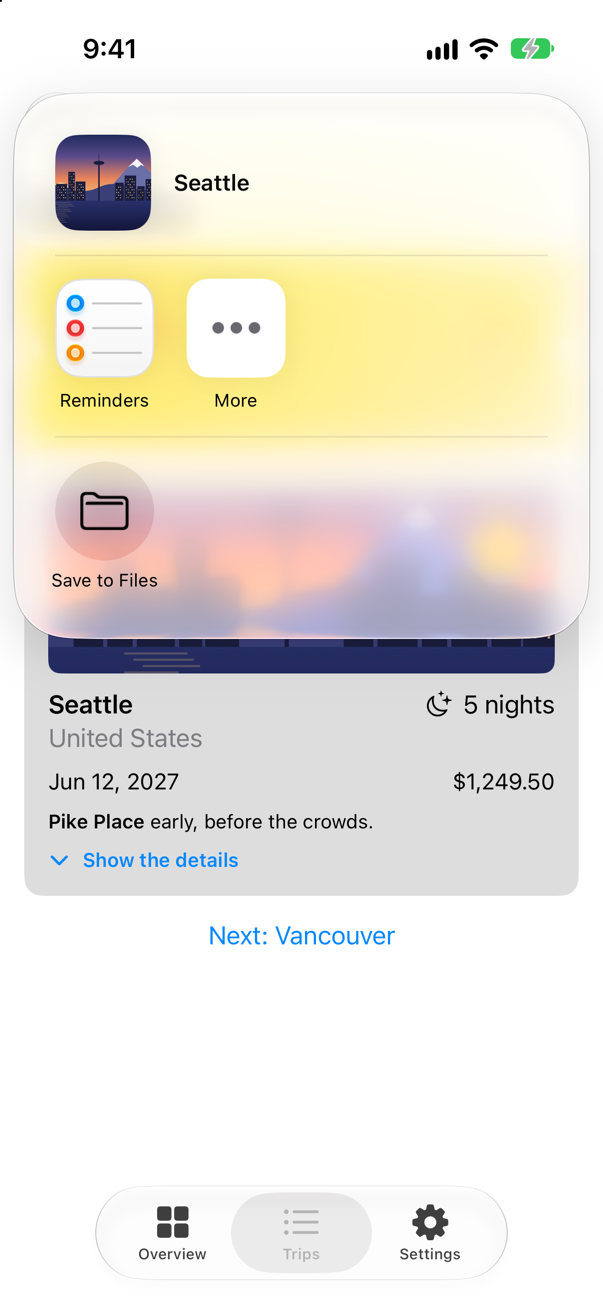
}Run the app, open Seattle in the Trips tab, and tap the share button — VoiceOver calls it "Share…":
What you built
- Cards you rearrange with a finger:
.reorderable()and iOS 27's.reorderContainer. - A
Transferabletrip — JSON in the app, a sentence elsewhere — dragged from the strip onto the Favorites chip, a drop destination. - A haptic that confirms the drop, with
.sensoryFeedback. - A
ShareLinkthat hands the trip to the share sheet.
That is Part 9. Below the cards and the edge cases is its interview problem. Next, Part 10 begins, with Codable and JSON.
The finished project
Stuck, or want to compare with your own? This is the project as it stands at the end of this lesson, built and run before it was put here.
- Trips-lesson-32.zip — unzip it, then open
Trips.xcodeprojin Xcode.
Flash cards
16 cards for this lesson, each labelled with its topic. 10 ask how you would write something; the other 6 are trick questions, written to catch a misunderstanding. Answer in your head first, then tap the card.
Syntax · ReorderingLet people rearrange the views of a stack with a finger (iOS 27).
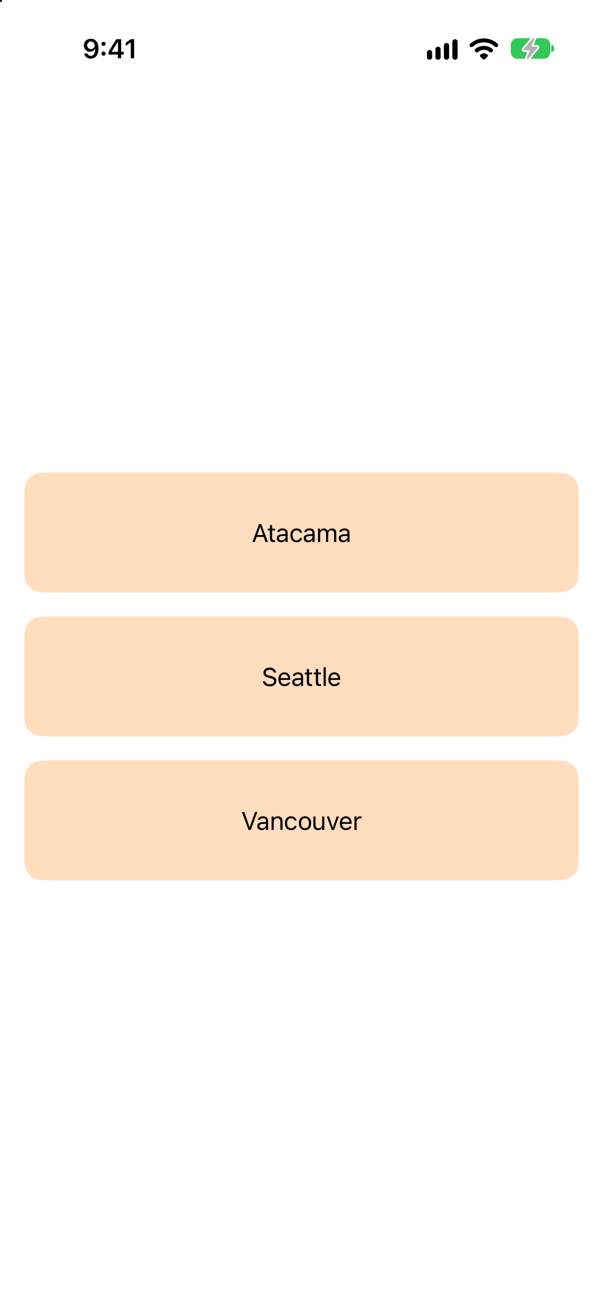
.reorderable() on the ForEach, .reorderContainer(for:) on the stack. The closure gets a difference — sources, and a destination that is .before(id) or .end — to apply to your data. The run dragged Atacama onto Seattle: "order: ["Atacama", "Seattle", "Vancouver"]".
Syntax · TransferableLet a Codable struct of your own be dragged, dropped and shared as JSON.
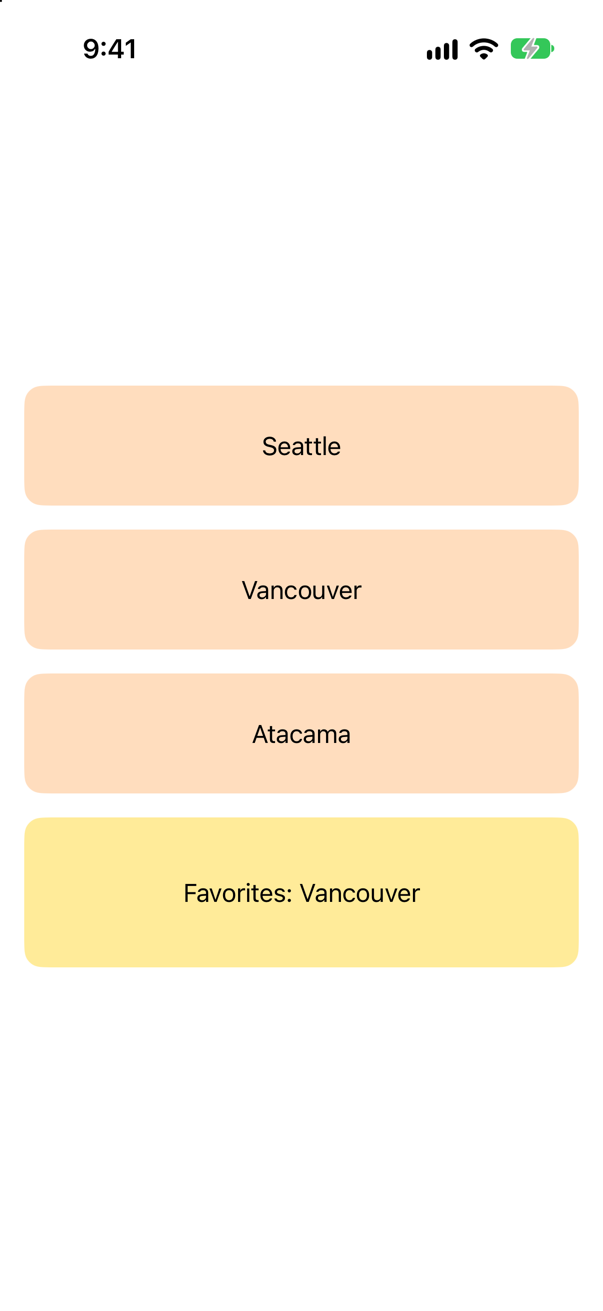
Conform to Transferable and list a CodableRepresentation — it uses the Codable conformance to turn the value into data and back. .json is a UTType, which UniformTypeIdentifiers provides — the second import. The run dragged Vancouver onto Favorites: "dropped ["Vancouver"]".
Syntax · TransferableGive a type a plain-text form for apps that do not know it.
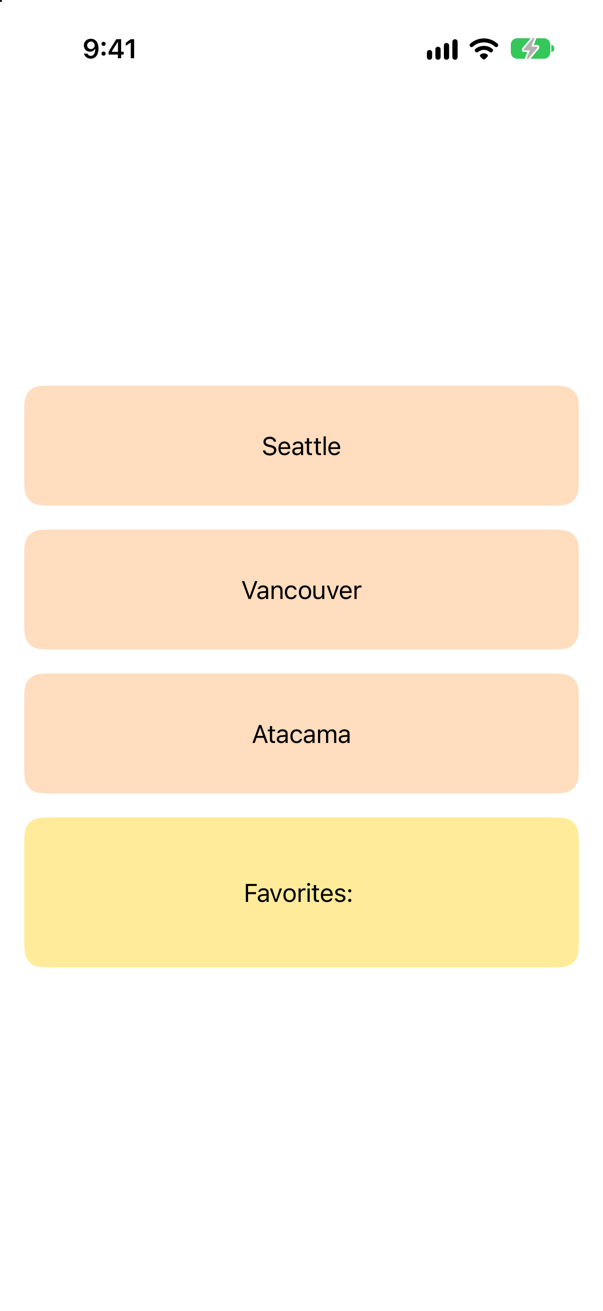
A ProxyRepresentation, which borrows another type's representation — here String's. List it after the precise one: Apple says to order representations "from more preferred to less preferred".
Syntax · Drag and dropMake a view something you can drag, carrying a value.
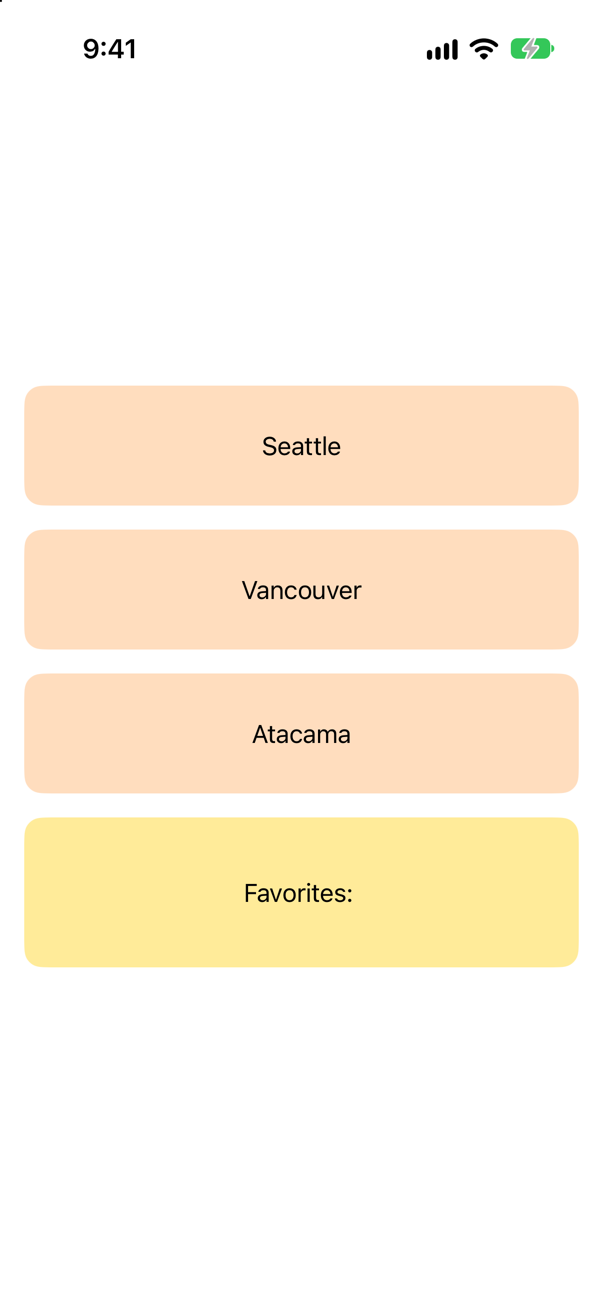
.draggable(_:) with any Transferable value. A long press lifts the view, and the value travels with it.
Syntax · Drag and dropAccept dropped values of one type on a view (iOS 26 and later).
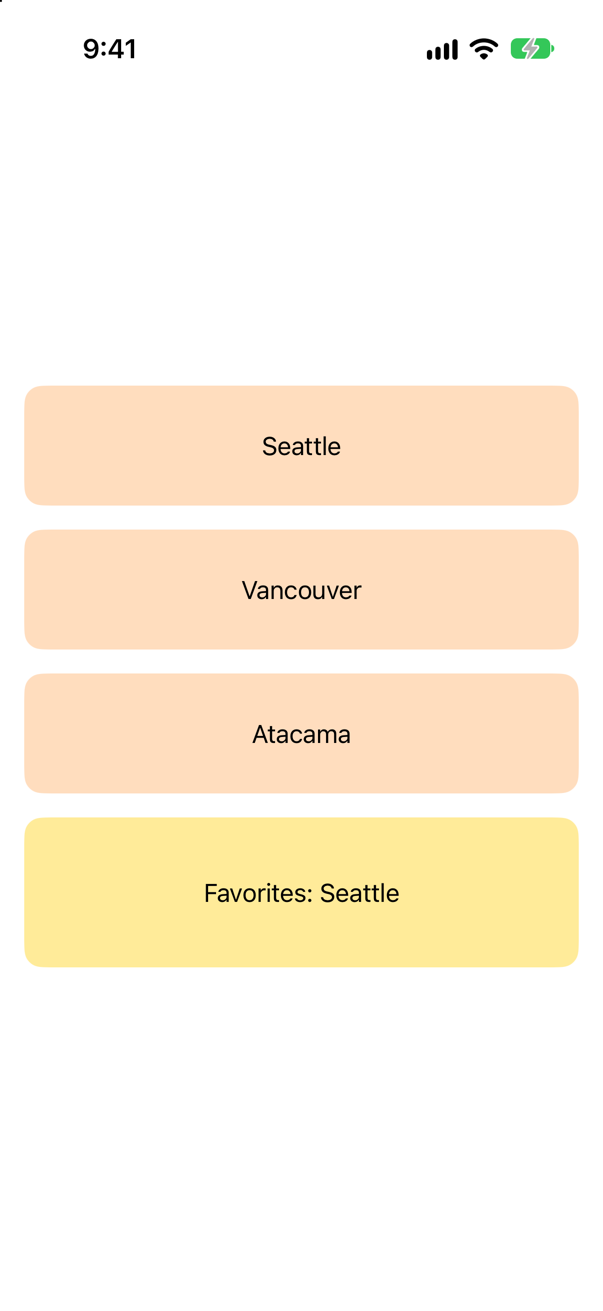
.dropDestination(for:isEnabled:action:): the type it accepts, and an action that gets the dropped values and the drop session. (The older dropDestination(for:action:isTargeted:), which returned a Bool, is marked deprecated from iOS 27.2.) The run dropped Seattle: "dropped ["Seattle"]".
Syntax · HapticsPlay a haptic each time a value changes.

.sensoryFeedback(_:trigger:) — the feedback, and the value to watch. Every change of favorites plays .success on an iPhone; the simulator has no haptics hardware to play it on.
Syntax · SharingA button that opens the share sheet with a value of your own.
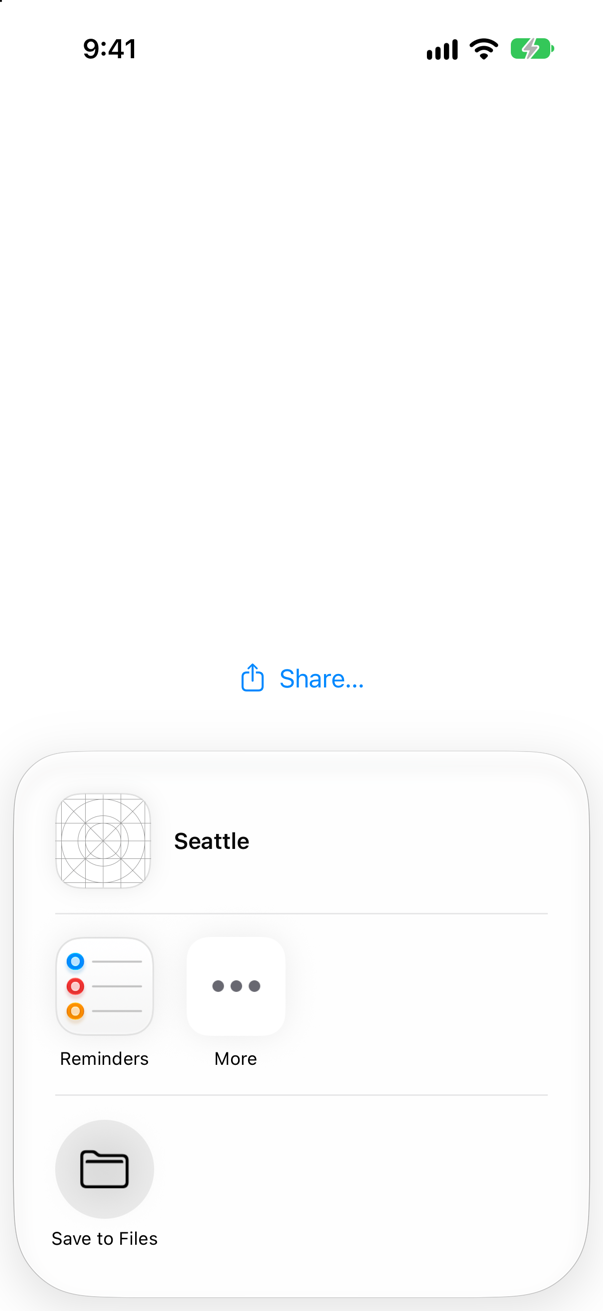
ShareLink(item:preview:) with any Transferable item; SharePreview titles the sheet. The picture is after a tap on it.
Syntax · HapticsFind out in code whether the device can play haptics.

Core Haptics: CHHapticEngine.capabilitiesForHardware().supportsHaptics. In the simulator it printed "supports haptics: false".
Syntax · TransferableLet a type be made from dropped text, as well as turned into text.
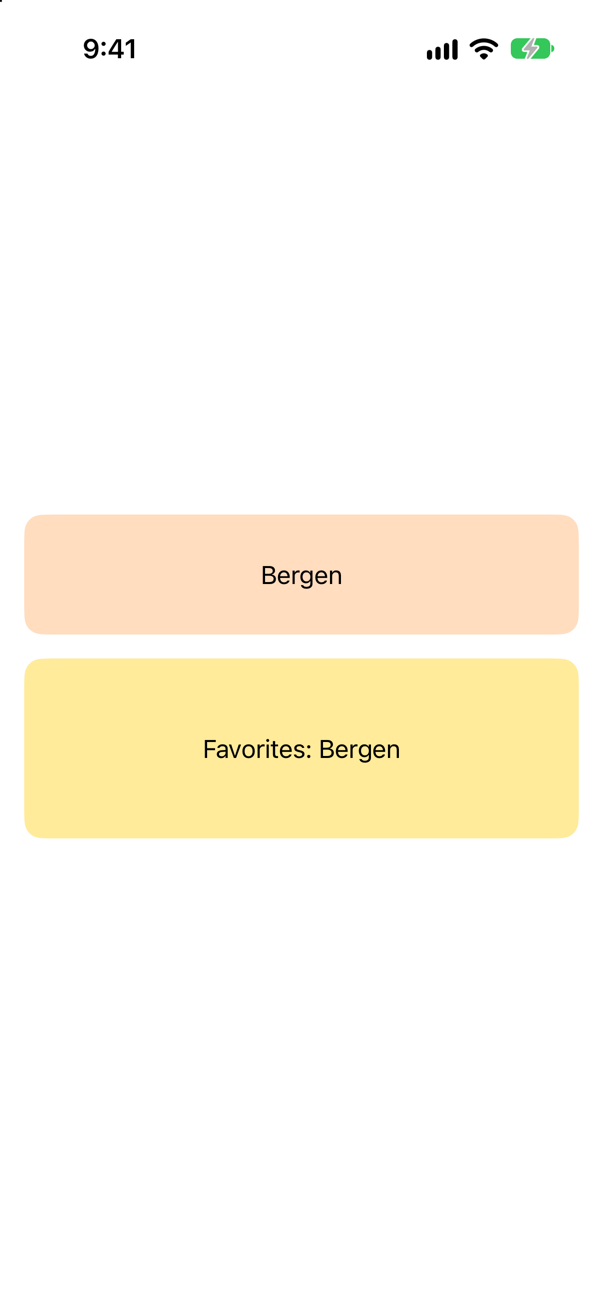
ProxyRepresentation(exporting:importing:): out as text, and back in from text. A dropped string arrived as a Place: "dropped ["Bergen"]".
Syntax · Drag and dropFollow a drag while it hovers over a drop destination.
.onDropSessionUpdated(_:), whose DropSession has a phase — entering, active, exiting, and how it ended. The run printed "a drag came in" before the drop arrived.
Trick question · ReorderingThe views in a reorder container are also .draggable(place), so they can be dropped elsewhere too. Can they still be rearranged?
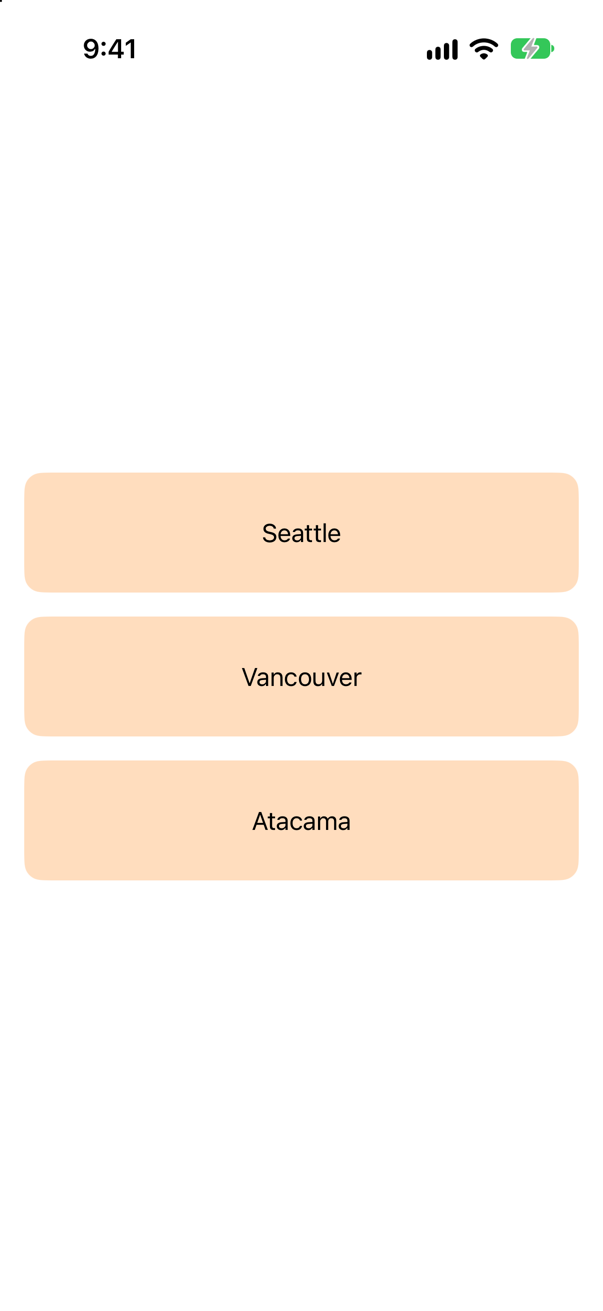
No. The run dragged Atacama onto Seattle and nothing moved: the drag became a drag of the value, and the reorder container never heard of it. Keep the two apart — in this lesson's Trips the cards reorder and the strip's photos are the ones you drop.
Trick question · ReorderingA reorderable ForEach has an if inside it, to leave some views out. What happens when a view is dropped in a new place?
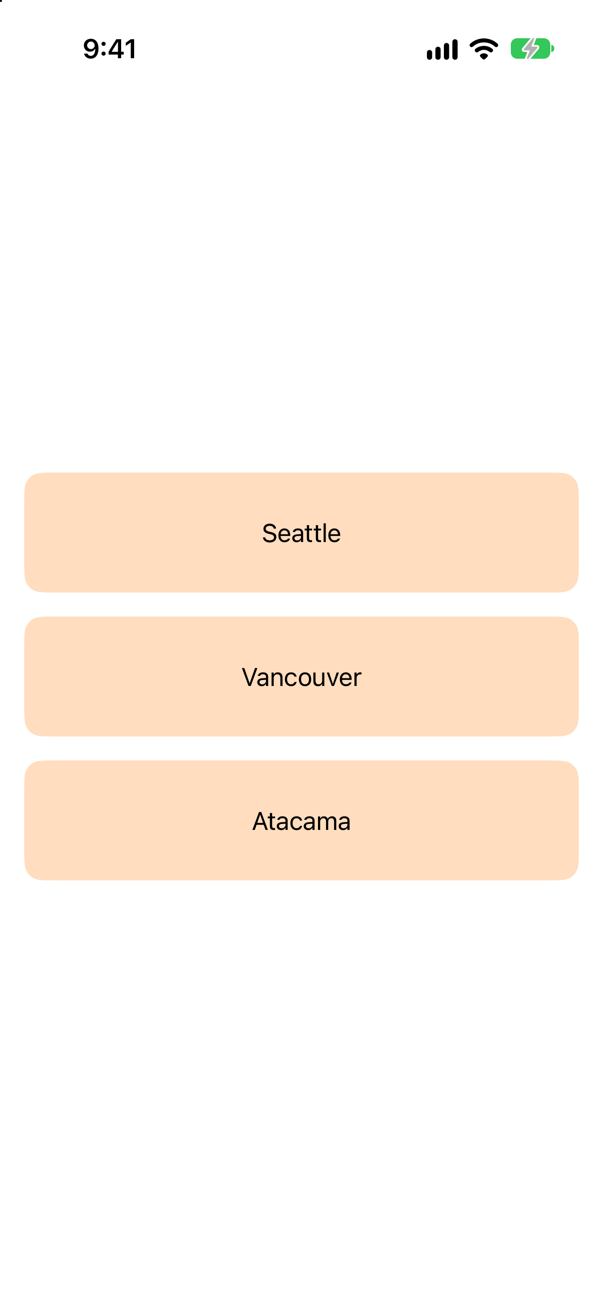
On iOS 27.0, the app stops: "SwiftUICore/Logging.swift:232: Fatal error: Unexpected identifier type. Expected Int, got Int". Filter the data before the ForEach instead — ForEach(places.filter { … }) — as this lesson's Overview does.
Trick question · TransferableA file uses CodableRepresentation(contentType: .json) and imports only SwiftUI. Does it compile?
No: "static property 'json' is not available due to missing import of defining module 'UniformTypeIdentifiers'" Xcode 27 builds with member import visibility on: a member such as .json is visible only where its module, UniformTypeIdentifiers, is imported.
Trick question · TransferableA type transfers as UTType(exportedAs: "com.example.probe.place"), declared in code but not in Info.plist. Does a drop inside the app work?
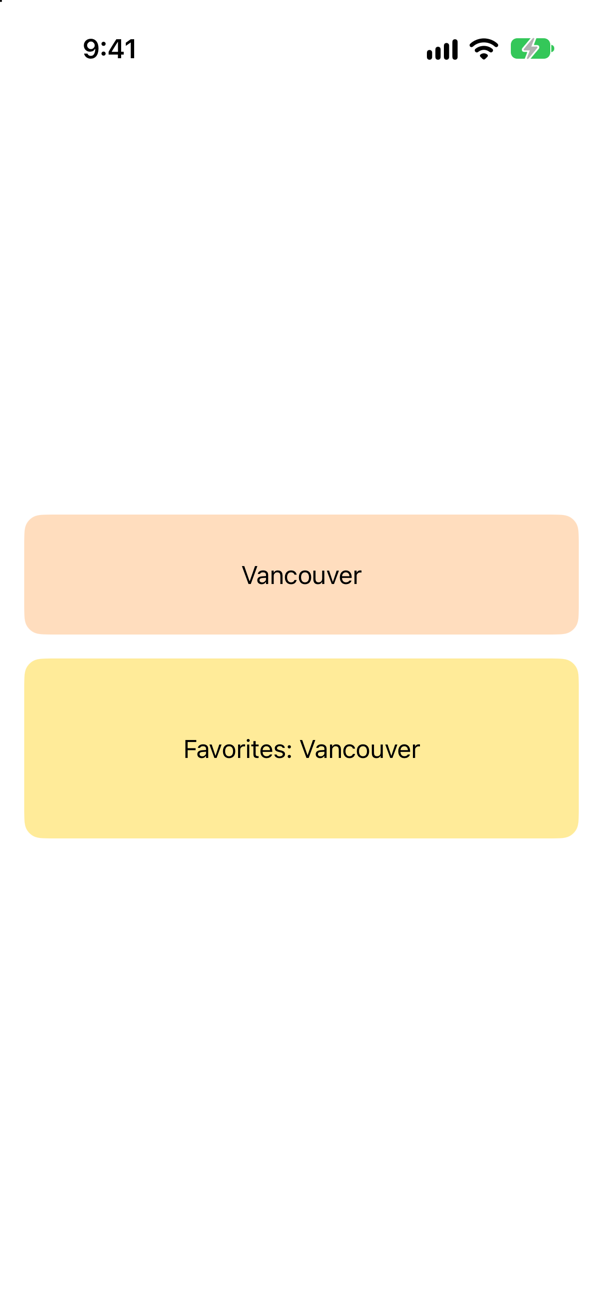
Yes — with a warning: "Type "com.example.probe.place" was expected to be declared and exported in the Info.plist of Probe.app, but it was not found." A type you invent belongs in the app's Info.plist.
Trick question · HapticsDoes .sensoryFeedback play anything in the simulator?

No: Core Haptics reports "supports haptics: false". Nothing fails — there is simply nothing to feel. Test haptics on an iPhone.
Trick question · SharingShareLink(item: place), where Place is a plain struct. Does it compile?
No: "no exact matches in call to initializer" A ShareLink needs something the system can carry: make the type Transferable.
Edge cases and tricky questions
10 questions of the kind an interviewer uses to find out whether you really know this — the corners, the traps, and the things that changed recently. Each has its source. Wherever the answer is what some code does, that code was compiled and run, and what you see under “Show the answer” is what it really did. Say your answer aloud before you open it.
Place transfers as JSON first and, through a ProxyRepresentation, as its name. A place is dragged onto a TextField in the same app. What lands in the field?
Show the answer
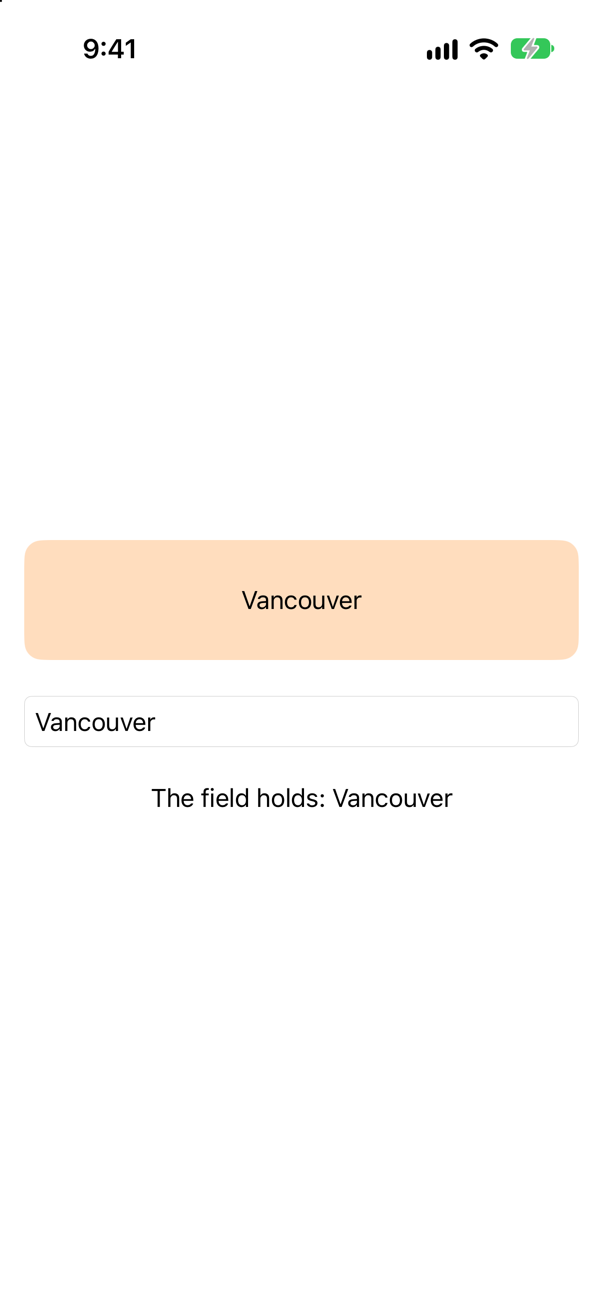
The name. A text field does not know what a Place is, so it took the first representation it could use — the plain text the ProxyRepresentation makes. Apple's page on Transferable: "The order of the representations in the transfer representation matters; place the representation that most accurately represents your type first, followed by a sequence of more compatible but less preferable representations."
A drop destination for Place itself gets the JSON, decoded back into a Place; anything that only reads text gets the name. One conformance serves both, and the share sheet too.
Where this comes from: Transferable · ProxyRepresentation — Measured on iOS 27.
Place transfers as a content type of its own: UTType(exportedAs: "com.example.probe.place"), declared in code and nowhere else. Does drag and drop still work?
Show the answer
It works — and the system complains. The drop arrived ("dropped ["Vancouver"]"), and the log got this:
iOS wrote this while the app ran
Type "com.example.probe.place" was expected to be declared and exported in the Info.plist of Probe.app, but it was not found.
Adding '_UIPlatterView' as a subview of UIHostingController.view is not supported and may result in a broken view hierarchy. Add your view above UIHostingController.view in a common superview or insert it into your SwiftUI content in a UIViewRepresentable instead.
A content type that an app invents belongs in the app's Info.plist. Apple: "If your app declares custom uniform type identifiers, include corresponding entries in the app’s Info.plist." Inside one app the drop works without the entry, as the run shows — the warning is the system saying that something is missing. This lesson's Trips uses JSON, a type the system already declares, and needs no entry.
Where this comes from: Transferable · CodableRepresentation — Measured on iOS 27; the line is the system's own, from the simulator's log.
A reorderable ForEach leaves some places out with an if inside the loop. A place is dragged to a new position. What happens — and what is the fix?
Show the answer
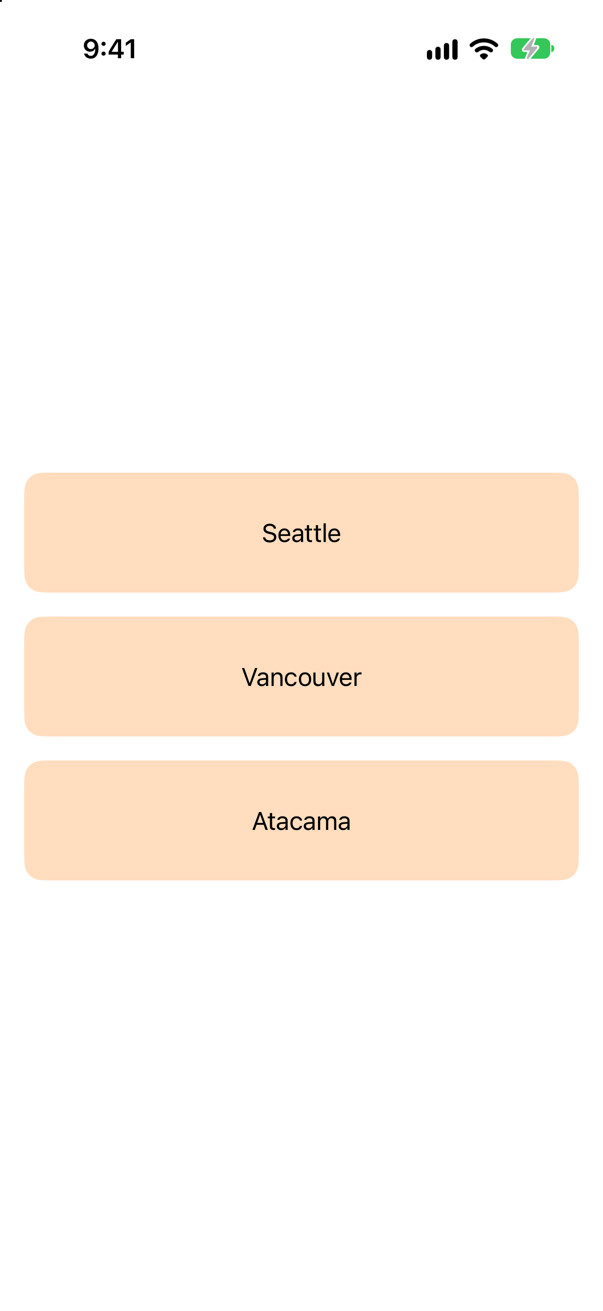
On iOS 27.0, the app stops — a fatal error inside SwiftUI:
SwiftUICore/Logging.swift:232: Fatal error: Unexpected identifier type. Expected Int, got IntThe error is SwiftUI's own, and the if is the only difference from a loop that reorders. Filter the data instead, and give the loop only what it should show:
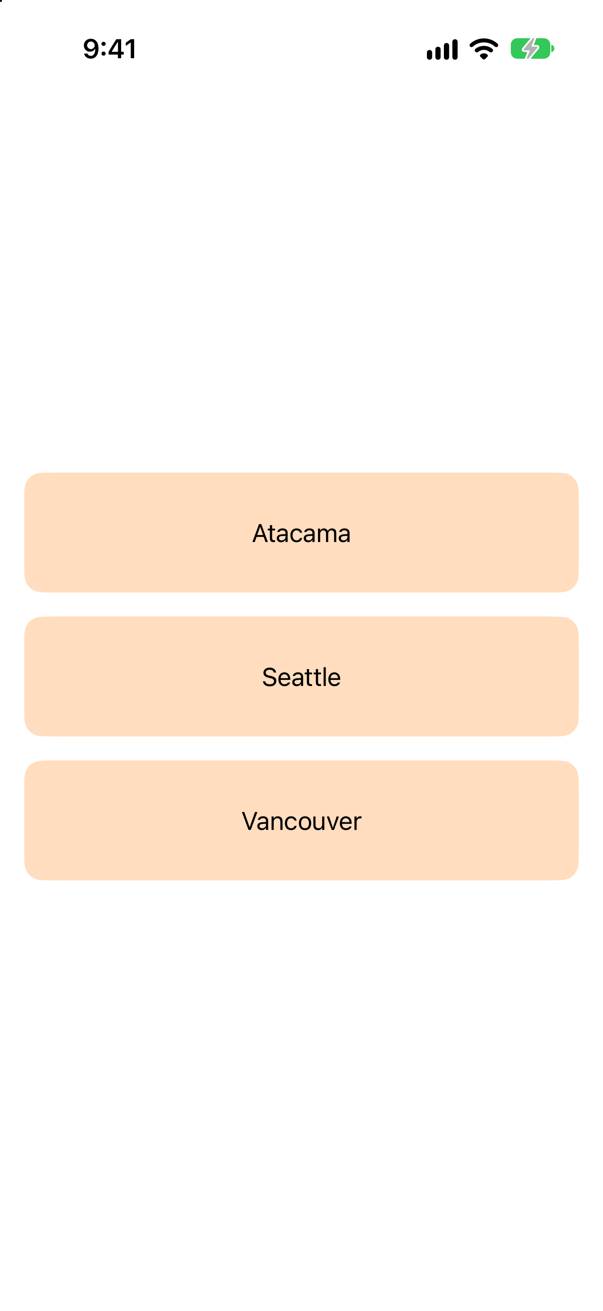
Now the drop works: "order: ["Atacama", "Seattle", "Vancouver"]". This lesson's Overview does the same with its trip filter, on the array of bindings.
Where this comes from: reorderContainer(for:isEnabled:move:) — Measured on iOS 27.0: the same drag, with an if inside the loop and with the data filtered first.
The views of a reorder container are also .draggable, so that they can be dropped outside it. A view is dragged onto another view in the same container. What happens?
Show the answer
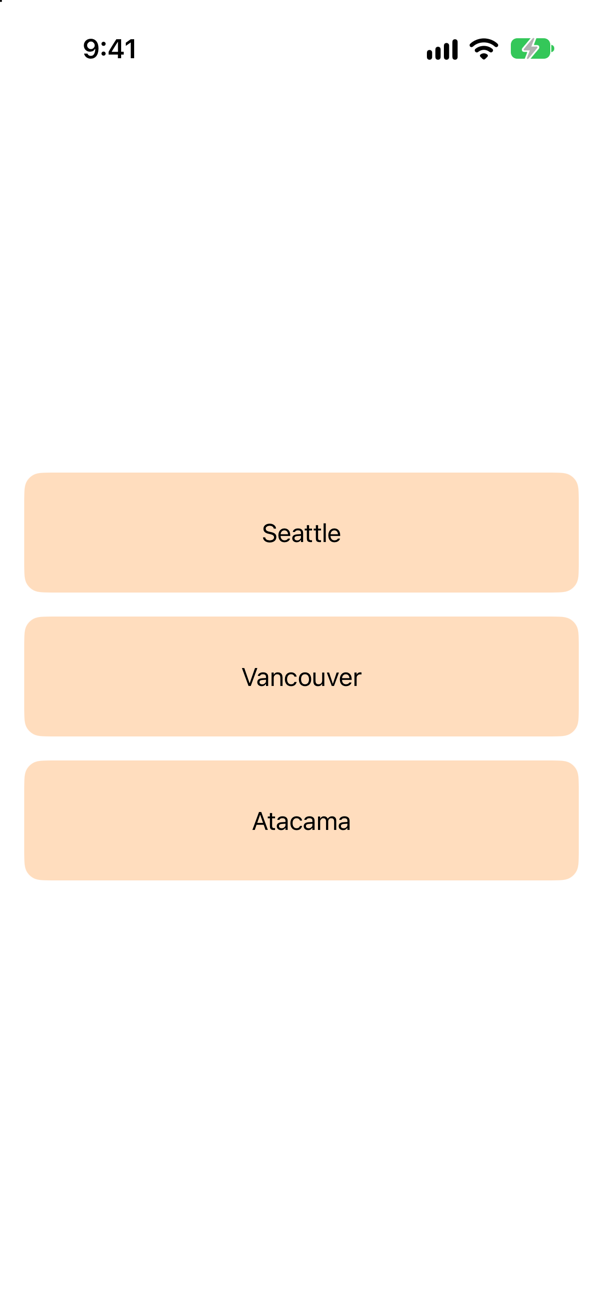
Nothing. The reorder container's move closure never ran, and the order stayed Seattle, Vancouver, Atacama. With .draggable on them, a lifted view starts a drag of its value, not a reorder. The same views without .draggable reorder (this lesson's first flash card).
So decide what each view is for: rearranging inside a container, or carrying data out of it. Trips does both — with different views.
Where this comes from: reorderContainer(for:isEnabled:move:) · draggable(_:) — Measured on iOS 27.
A drop destination also has .onDropSessionUpdated, which prints the session's phase each time it changes. A place is dragged over it and dropped. Which phases are printed, in what order — and where does the drop's own action come?
Show the answer
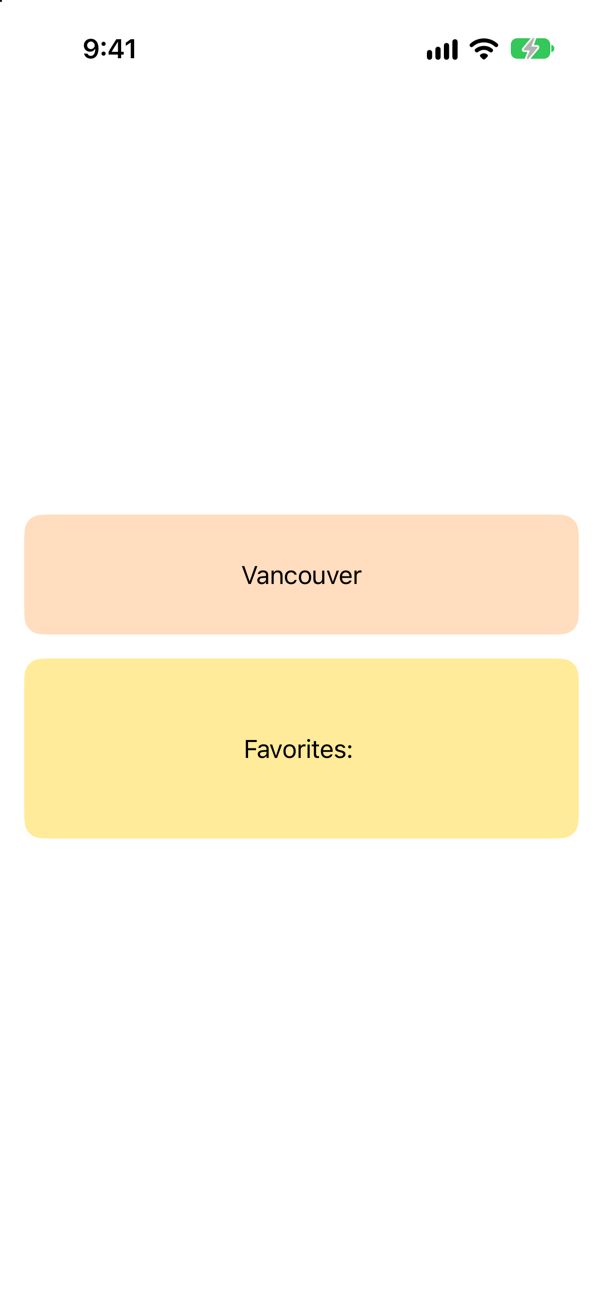
Entering, active, then — after the drop's action — the end of the transfer and of the session:
phase: entering
phase: active
dropped ["Vancouver"]
phase: data transfer completed
phase: ended with operation copy
The session reports where the drag is (entering, active, exiting) and how it finished (dataTransferCompleted, ended with the operation), and the action runs when the data arrives. Apple: a DropSession is "A description of a drop that is in progress", and onDropSessionUpdated is where to follow it: "To follow a drag while its phases change, apply onDropSessionUpdated(_:)." Use it for feedback while a drag hovers; do the work in the action.
Where this comes from: DropSession · onDropSessionUpdated(_:) — Measured on iOS 27; the phases were printed only when they changed.
ShareLink(item: place), where Place is a plain struct that is not Transferable. Does it compile?
Show the answer
It does not compile. Xcode reports
no exact matches in call to initializerNo. A ShareLink shares a value the system can carry — a Transferable one, or a string or URL, which are. Conform the type, as Trip does in this lesson, and the same conformance that powers drag and drop powers sharing: Apple's page for Transferable describes it as "how a type interacts with transport APIs such as drag and drop or copy and paste".
Where this comes from: ShareLink · Transferable — Measured with Xcode 27.
After any drag — a reorder or a drop — the console shows "Adding '_UIPlatterView' as a subview of UIHostingController.view is not supported and may result in a broken view hierarchy." Is that your bug?
Show the answer
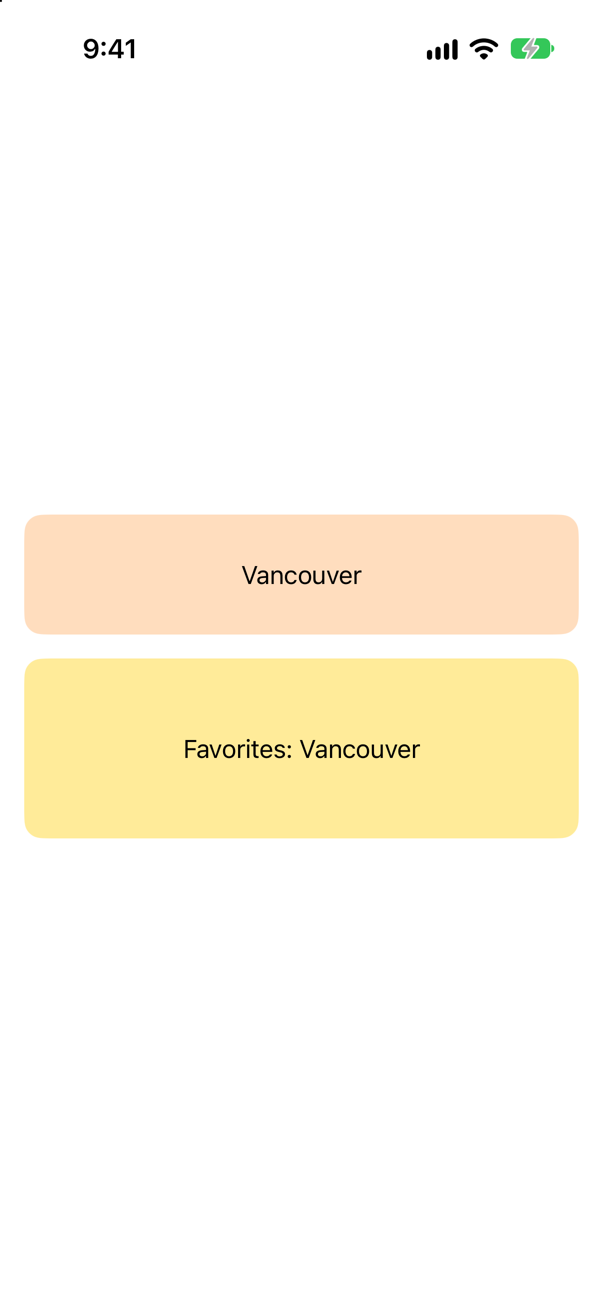
No — it is UIKit's own, on iOS 27. This app adds no subview to anything; it has one draggable text and one drop destination. The drag still logged:
Logged during the drag
Adding '_UIPlatterView' as a subview of UIHostingController.view is not supported and may result in a broken view hierarchy. Add your view above UIHostingController.view in a common superview or insert it into your SwiftUI content in a UIViewRepresentable instead._UIPlatterView is a private UIKit class — the underscore says so — and nothing in the app names it: it is UIKit reporting on its own drag. It does not appear every time — the tutorial's drags in Trips ran without it — so this lesson's claims allow exactly such lines, and do not ask for them.
Where this comes from: draggable(_:) — Measured on iOS 27.
A drop destination accepts Place. A plain string — .draggable("Bergen") — is dropped on it. Can a Place be made from it?
Show the answer
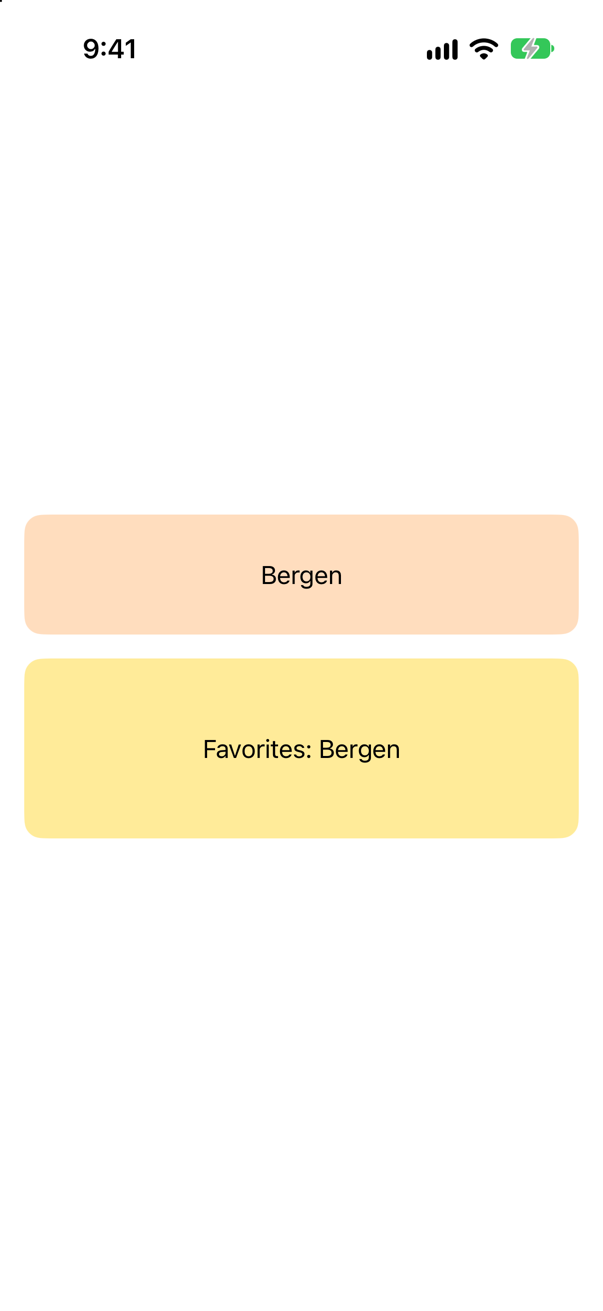
Yes, when the type says how. A ProxyRepresentation can go both ways: exporting: turns a place into text, and importing: makes a place from text. Dropped text then arrives as a Place: "dropped ["Bergen"]".
Without importing:, the representation only goes out — the drop destination would never be offered the string. Apple: a ProxyRepresentation is "A transfer representation that uses another type’s transfer representation as its own."
Where this comes from: ProxyRepresentation — Measured on iOS 27.
.sensoryFeedback(.success, trigger: favorites) is on the screen and favorites changes. What happens in the simulator — and how would you know whether a device can play haptics at all?
Show the answer

Nothing you can feel — and nothing goes wrong. The tap changed favorites, SwiftUI logged no complaint, and Core Haptics answered the question of the hardware:
supports haptics: falseSo test haptics on an iPhone. In code, CHHapticEngine.capabilitiesForHardware().supportsHaptics tells you whether to offer another kind of feedback; .sensoryFeedback itself needs no check — Apple's page: it "Plays the specified feedback when the provided trigger value changes."
Where this comes from: sensoryFeedback(_:trigger:) · CHHapticEngine — Measured on an iPhone 17 simulator.
In a new Xcode project, struct Trip: Identifiable, Codable { … } has var properties, and an extension makes it Transferable with CodableRepresentation(contentType: .json). Does it compile?
Show the answer
It does not compile. Xcode reports
main actor-isolated conformance of 'Trip' to 'Decodable' cannot satisfy conformance requirement for a 'Sendable' type parameter
main actor-isolated conformance of 'Trip' to 'Encodable' cannot satisfy conformance requirement for a 'Sendable' type parameter
No. A new Xcode project puts everything on the main actor by default (lesson 12), and a new project also turns on Swift 6.2's isolated conformances (SE-0470 — the error's tag says so): the struct's Codable conformance belongs to the main actor too, and is usable only from there. CodableRepresentation needs a conformance that any thread can use, because a transfer runs away from the main actor. Mark the type, and the extension, nonisolated:

It compiles and runs. The rule of thumb for such a project: plain data — models that are encoded, sent, dragged or shared — is declared nonisolated; views and the objects they observe stay on the main actor. In this course's projects nothing is on an actor unless it says so, so the same Trip needs no nonisolated — only Sendable, which says what it is.
Where this comes from: SE-0466: Default actor isolation · SE-0470: Global-actor isolated conformances · draggable(_:) · CodableRepresentation — Measured with Xcode 27 and a new app project's default settings.
Further reading
Testing a debounced search
“This waits 300 ms after the last keystroke before searching. How would you unit test it? I do not want a test suite that sleeps.”
Where this comes from: swift-clocks: TestClock (package) · Testing asynchronous code — the standard senior question about time-dependent code: “how do you test this without waiting?”
Show the answer
As written it cannot be tested well. It hides two dependencies: time (Task.sleep uses the real clock) and the network (API.shared). Name them, then turn each into something the test can supply:
Now the test controls time. It types three characters, advances the clock to one millisecond before the 300 ms are up and proves that nothing has happened, then advances one more millisecond and proves that exactly one search ran, for the last keystroke. The whole test takes microseconds:
What interviewers listen for: That you say "hidden dependency" before you write anything; that you assert the negative case (no call at 299 ms); and that no line of the test waits on real time.