A photo you can handle
Gestures
You will buildThe big photo on the Overview, with three gestures: pull it down and let go to put it back in the strip (it springs back if you stop short), pinch it to zoom, and tap it twice for 2× — while one tap still closes it.
TimeAbout 60 minutes
WhyThe last lesson's controls were finished parts: a toggle already knows how to be flipped. A gesture is the material underneath — a finger's movement, reported while it happens — and you decide what it does. The questions are always the same three: which value follows the finger and must go back when it lifts (@GestureState), what the finished gesture changes for good (onEnded), and what happens when two gestures want the same touch.
Open your project
Open your
Tripsproject as lesson 30 left it: double-clickTrips.xcodeprojin Finder, or use File ▸ Open… (⌘O) in Xcode.If you did not finish lesson 30, or would rather start from a known state, download Trips-lesson-30.zip instead. It is the project exactly as it stood at the end of lesson 30. Unzip it and open
Trips.xcodeproj.Run it (⌘R) to check that it builds. You should see where lesson 30 ended:
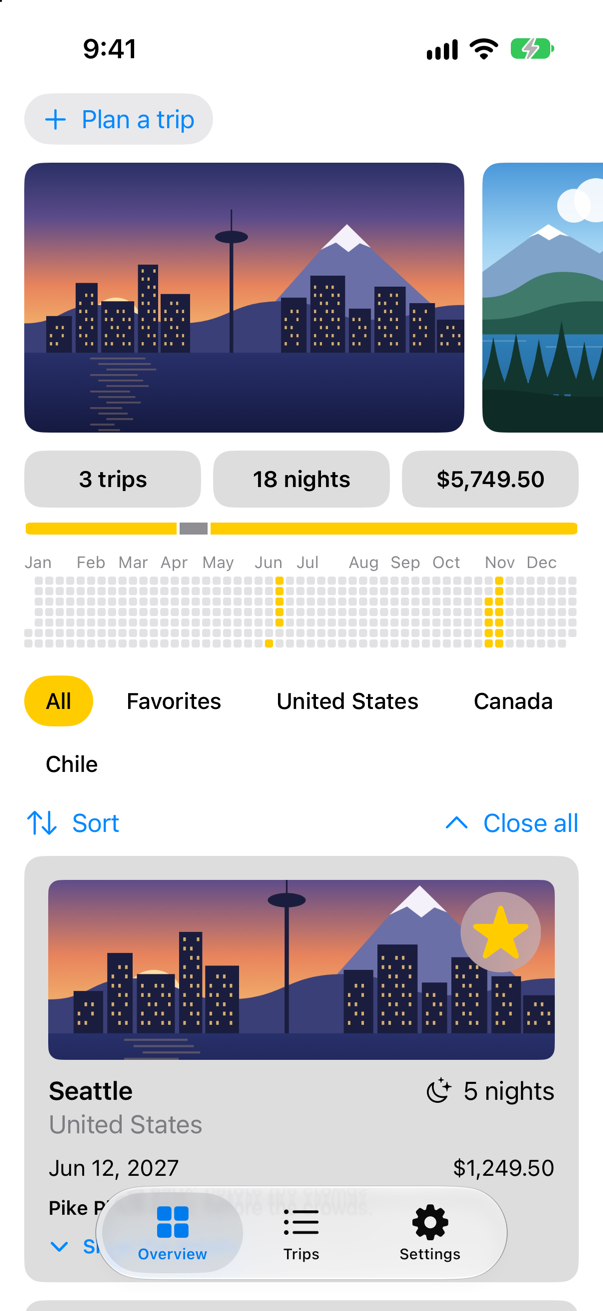
Trips, as it stood at the end of lesson 30Screenshot · iPhone 17, iOS 27.0
Pull the photo away
Tap the first picture in the photo strip and it grows into the big photo (lesson 29); a tap puts it back. In this lesson the big photo learns to be pulled down and let go, as in the Photos app: short of 120 points it springs back, past them it goes back into the strip.
A DragGesture reports how far the finger has moved — its translation. The offset that follows the finger is a @GestureState. Apple: "A property wrapper type that updates a property while the user performs a gesture and resets the property back to its initial state when the gesture ends." The gesture's updating closure sets it as the finger moves, and when the finger lifts, SwiftUI puts it back to .zero without being asked; resetTransaction: says how, here with a spring. What the finished gesture should change for good goes in onEnded: past 120 points, close the photo. Both the tap and the drag close it now, so that moves into a close() method of its own. And .zIndex(1) (lesson 29) keeps the photo above the strip as it slides down over it. In PhotoStrip.swift:
struct PhotoStrip: View { let trips: [Trip] @Namespace private var photos @State private var enlarged: Trip.ID? @GestureState(resetTransaction: Transaction(animation: .spring(duration: 0.4))) private var drag = CGSize.zero var body: some View { VStack(spacing: 12) { if let trip = trips.first(where: { $0.id == enlarged }) { Image(trip.imageName) .resizable() .scaledToFill() .matchedGeometryEffect(id: trip.id, in: photos) .frame(height: 260) .clipShape(RoundedRectangle(cornerRadius: 16)) .overlay(alignment: .bottomLeading) { Text(trip.city) .font(.title2.bold()) .foregroundStyle(.white) .shadow(radius: 4) .padding() } .padding(.horizontal) .offset(y: max(drag.height, 0)) .zIndex(1) .accessibilityElement(children: .ignore) .accessibilityLabel("Photo of \(trip.city)") .accessibilityAddTraits(.isButton) .onTapGesture { withAnimation(.spring(duration: 0.5)) { enlarged = nil } } .onTapGesture { close() } .gesture(dragToClose) } ScrollView(.horizontal) { HStack(spacing: 12) { ForEach(trips) { trip in if trip.id == enlarged { Color.clear .containerRelativeFrame(.horizontal, count: 5, span: 4, spacing: 12) .frame(height: 180) } else { Image(trip.imageName) .resizable() .scaledToFill() .matchedGeometryEffect(id: trip.id, in: photos) .containerRelativeFrame(.horizontal, count: 5, span: 4, spacing: 12) .frame(height: 180) .clipShape(RoundedRectangle(cornerRadius: 12)) .contentShape(Rectangle()) .accessibilityLabel("Photo of \(trip.city)") .accessibilityAddTraits(.isButton) .onTapGesture { withAnimation(.spring(duration: 0.5)) { enlarged = trip.id } } } } } .scrollTargetLayout() } .scrollTargetBehavior(.viewAligned) .safeAreaPadding(.horizontal) .scrollIndicators(.hidden) } } /// Pulls the big photo down with the finger; let go past 120 points, and it goes back into the strip. private var dragToClose: some Gesture { DragGesture() .updating($drag) { value, drag, _ in drag = value.translation } .onEnded { value in if value.translation.height > 120 { close() } } } /// Puts the big photo back into the strip. private func close() { withAnimation(.spring(duration: 0.5)) { enlarged = nil } }}struct PhotoStrip: View {
let trips: [Trip]
@Namespace private var photos
@State private var enlarged: Trip.ID?
@GestureState(resetTransaction: Transaction(animation: .spring(duration: 0.4)))
private var drag = CGSize.zero
var body: some View {
VStack(spacing: 12) {
if let trip = trips.first(where: { $0.id == enlarged }) {
Image(trip.imageName)
.resizable()
.scaledToFill()
.matchedGeometryEffect(id: trip.id, in: photos)
.frame(height: 260)
.clipShape(RoundedRectangle(cornerRadius: 16))
.overlay(alignment: .bottomLeading) {
Text(trip.city)
.font(.title2.bold())
.foregroundStyle(.white)
.shadow(radius: 4)
.padding()
}
.padding(.horizontal)
.offset(y: max(drag.height, 0))
.zIndex(1)
.accessibilityElement(children: .ignore)
.accessibilityLabel("Photo of \(trip.city)")
.accessibilityAddTraits(.isButton)
.onTapGesture { close() }
.gesture(dragToClose)
}
ScrollView(.horizontal) {
HStack(spacing: 12) {
ForEach(trips) { trip in
if trip.id == enlarged {
Color.clear
.containerRelativeFrame(.horizontal, count: 5, span: 4, spacing: 12)
.frame(height: 180)
} else {
Image(trip.imageName)
.resizable()
.scaledToFill()
.matchedGeometryEffect(id: trip.id, in: photos)
.containerRelativeFrame(.horizontal, count: 5, span: 4, spacing: 12)
.frame(height: 180)
.clipShape(RoundedRectangle(cornerRadius: 12))
.contentShape(Rectangle())
.accessibilityLabel("Photo of \(trip.city)")
.accessibilityAddTraits(.isButton)
.onTapGesture {
withAnimation(.spring(duration: 0.5)) { enlarged = trip.id }
}
}
}
}
.scrollTargetLayout()
}
.scrollTargetBehavior(.viewAligned)
.safeAreaPadding(.horizontal)
.scrollIndicators(.hidden)
}
}
/// Pulls the big photo down with the finger; let go past 120 points, and it goes back into the strip.
private var dragToClose: some Gesture {
DragGesture()
.updating($drag) { value, drag, _ in
drag = value.translation
}
.onEnded { value in
if value.translation.height > 120 {
close()
}
}
}
/// Puts the big photo back into the strip.
private func close() {
withAnimation(.spring(duration: 0.5)) { enlarged = nil }
}
}Run the app, tap the first photo in the strip, and pull the big photo down without letting go:
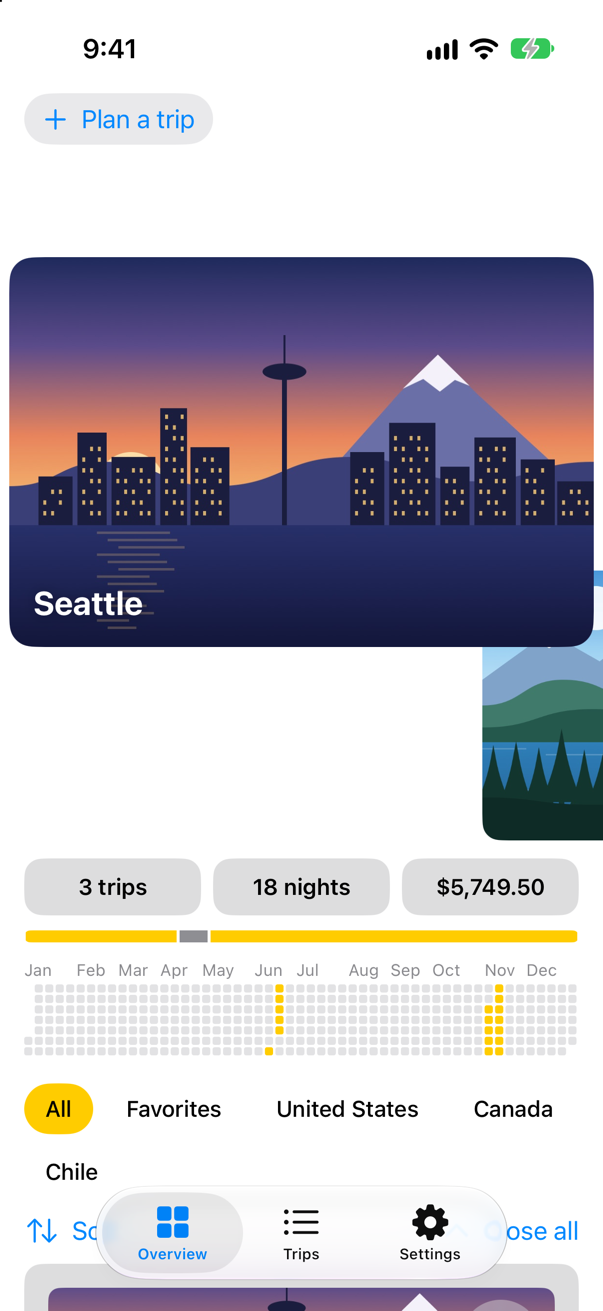
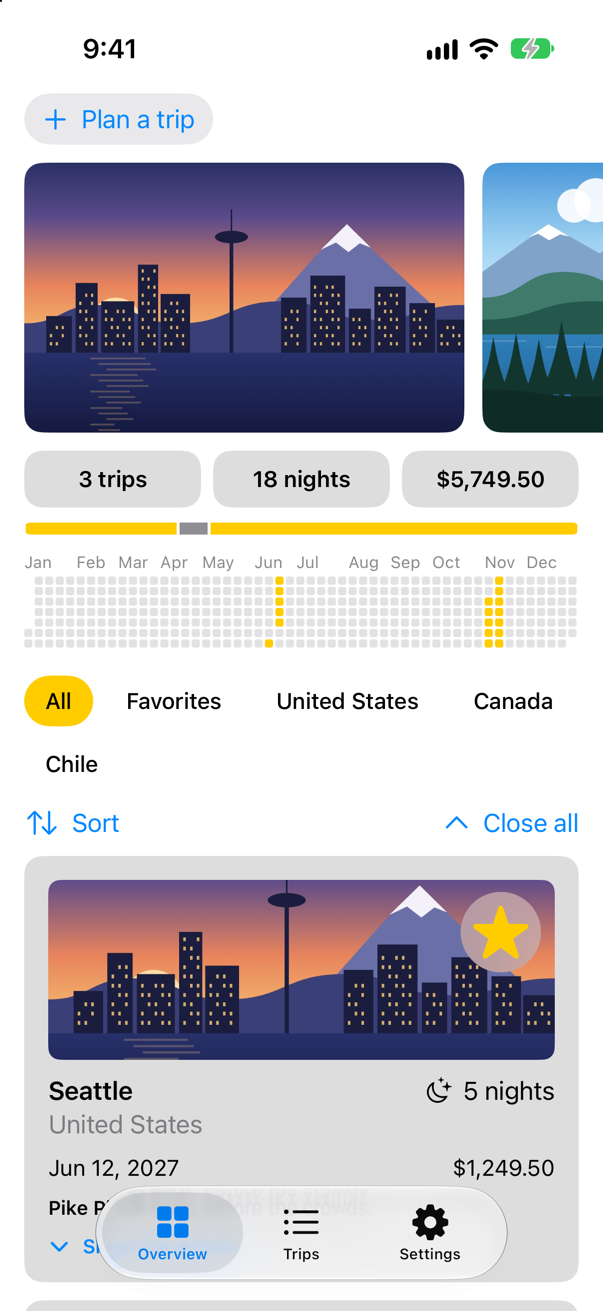
The photo follows the finger, because drag holds the translation and .offset(y:) reads it. Let go there, and it springs back: 100 points is short of 120, and drag went back to .zero the moment the finger lifted. Pull it further, past 120 points, and let go:
Pinch to zoom
A MagnifyGesture reports how far two fingers have spread: its magnification is 1 when they touch down and 2 when they are twice as far apart. Every pinch starts again at 1, so a zoom that lasts needs two values: the one kept between pinches, zoom, in @State, and the live one, pinch, in @GestureState, which goes back to 1 when the fingers lift. The photo is drawn at zoom * pinch, and onEnded folds the finished pinch into zoom — between 1× and 4×.
The drag is still there, and a photo should be pinched and moved at once. simultaneously(with:) makes one gesture of the two; Apple: it "Combines a gesture with another gesture to create a new gesture that recognizes both gestures at the same time." A badge in the corner shows the zoom, and .accessibilityValue says it to VoiceOver, which cannot see the badge inside the photo's one accessibility element. When another photo is chosen, the zoom starts again at 1. In PhotoStrip.swift:
struct PhotoStrip: View { let trips: [Trip] @Namespace private var photos @State private var enlarged: Trip.ID? @GestureState(resetTransaction: Transaction(animation: .spring(duration: 0.4))) private var drag = CGSize.zero @State private var zoom = 1.0 @GestureState private var pinch = 1.0 var body: some View { VStack(spacing: 12) { if let trip = trips.first(where: { $0.id == enlarged }) { Image(trip.imageName) .resizable() .scaledToFill() .scaleEffect(zoom * pinch) .matchedGeometryEffect(id: trip.id, in: photos) .frame(height: 260) .clipShape(RoundedRectangle(cornerRadius: 16)) .overlay(alignment: .bottomLeading) { Text(trip.city) .font(.title2.bold()) .foregroundStyle(.white) .shadow(radius: 4) .padding() } .overlay(alignment: .topTrailing) { if zoom * pinch > 1 { Text("\(zoom * pinch, format: .number.precision(.fractionLength(1)))×") .font(.caption.bold()) .padding(.horizontal, 10) .padding(.vertical, 6) .background(.ultraThinMaterial, in: Capsule()) .padding() } } .padding(.horizontal) .offset(y: max(drag.height, 0)) .zIndex(1) .accessibilityElement(children: .ignore) .accessibilityLabel("Photo of \(trip.city)") .accessibilityValue(zoom > 1 ? "Zoomed in" : "") .accessibilityAddTraits(.isButton) .onTapGesture { close() } .gesture(dragToClose) .gesture(dragToClose.simultaneously(with: pinchToZoom)) } ScrollView(.horizontal) { HStack(spacing: 12) { ForEach(trips) { trip in if trip.id == enlarged { Color.clear .containerRelativeFrame(.horizontal, count: 5, span: 4, spacing: 12) .frame(height: 180) } else { Image(trip.imageName) .resizable() .scaledToFill() .matchedGeometryEffect(id: trip.id, in: photos) .containerRelativeFrame(.horizontal, count: 5, span: 4, spacing: 12) .frame(height: 180) .clipShape(RoundedRectangle(cornerRadius: 12)) .contentShape(Rectangle()) .accessibilityLabel("Photo of \(trip.city)") .accessibilityAddTraits(.isButton) .onTapGesture { withAnimation(.spring(duration: 0.5)) { enlarged = trip.id } } } } } .scrollTargetLayout() } .scrollTargetBehavior(.viewAligned) .safeAreaPadding(.horizontal) .scrollIndicators(.hidden) } .onChange(of: enlarged) { zoom = 1 } } /// Pulls the big photo down with the finger; let go past 120 points, and it goes back into the strip. private var dragToClose: some Gesture { DragGesture() .updating($drag) { value, drag, _ in drag = value.translation } .onEnded { value in if value.translation.height > 120 { close() } } } /// Two fingers zoom the big photo, between 1× and 4×; the zoom stays when they lift. private var pinchToZoom: some Gesture { MagnifyGesture() .updating($pinch) { value, pinch, _ in pinch = value.magnification } .onEnded { value in zoom = min(max(zoom * value.magnification, 1), 4) } } /// Puts the big photo back into the strip. private func close() { withAnimation(.spring(duration: 0.5)) { enlarged = nil } }}struct PhotoStrip: View {
let trips: [Trip]
@Namespace private var photos
@State private var enlarged: Trip.ID?
@GestureState(resetTransaction: Transaction(animation: .spring(duration: 0.4)))
private var drag = CGSize.zero
@State private var zoom = 1.0
@GestureState private var pinch = 1.0
var body: some View {
VStack(spacing: 12) {
if let trip = trips.first(where: { $0.id == enlarged }) {
Image(trip.imageName)
.resizable()
.scaledToFill()
.scaleEffect(zoom * pinch)
.matchedGeometryEffect(id: trip.id, in: photos)
.frame(height: 260)
.clipShape(RoundedRectangle(cornerRadius: 16))
.overlay(alignment: .bottomLeading) {
Text(trip.city)
.font(.title2.bold())
.foregroundStyle(.white)
.shadow(radius: 4)
.padding()
}
.overlay(alignment: .topTrailing) {
if zoom * pinch > 1 {
Text("\(zoom * pinch, format: .number.precision(.fractionLength(1)))×")
.font(.caption.bold())
.padding(.horizontal, 10)
.padding(.vertical, 6)
.background(.ultraThinMaterial, in: Capsule())
.padding()
}
}
.padding(.horizontal)
.offset(y: max(drag.height, 0))
.zIndex(1)
.accessibilityElement(children: .ignore)
.accessibilityLabel("Photo of \(trip.city)")
.accessibilityValue(zoom > 1 ? "Zoomed in" : "")
.accessibilityAddTraits(.isButton)
.onTapGesture { close() }
.gesture(dragToClose.simultaneously(with: pinchToZoom))
}
ScrollView(.horizontal) {
HStack(spacing: 12) {
ForEach(trips) { trip in
if trip.id == enlarged {
Color.clear
.containerRelativeFrame(.horizontal, count: 5, span: 4, spacing: 12)
.frame(height: 180)
} else {
Image(trip.imageName)
.resizable()
.scaledToFill()
.matchedGeometryEffect(id: trip.id, in: photos)
.containerRelativeFrame(.horizontal, count: 5, span: 4, spacing: 12)
.frame(height: 180)
.clipShape(RoundedRectangle(cornerRadius: 12))
.contentShape(Rectangle())
.accessibilityLabel("Photo of \(trip.city)")
.accessibilityAddTraits(.isButton)
.onTapGesture {
withAnimation(.spring(duration: 0.5)) { enlarged = trip.id }
}
}
}
}
.scrollTargetLayout()
}
.scrollTargetBehavior(.viewAligned)
.safeAreaPadding(.horizontal)
.scrollIndicators(.hidden)
}
.onChange(of: enlarged) { zoom = 1 }
}
/// Pulls the big photo down with the finger; let go past 120 points, and it goes back into the strip.
private var dragToClose: some Gesture {
DragGesture()
.updating($drag) { value, drag, _ in
drag = value.translation
}
.onEnded { value in
if value.translation.height > 120 {
close()
}
}
}
/// Two fingers zoom the big photo, between 1× and 4×; the zoom stays when they lift.
private var pinchToZoom: some Gesture {
MagnifyGesture()
.updating($pinch) { value, pinch, _ in
pinch = value.magnification
}
.onEnded { value in
zoom = min(max(zoom * value.magnification, 1), 4)
}
}
/// Puts the big photo back into the strip.
private func close() {
withAnimation(.spring(duration: 0.5)) { enlarged = nil }
}
}Run the app, open the big photo again, and spread two fingers on it:
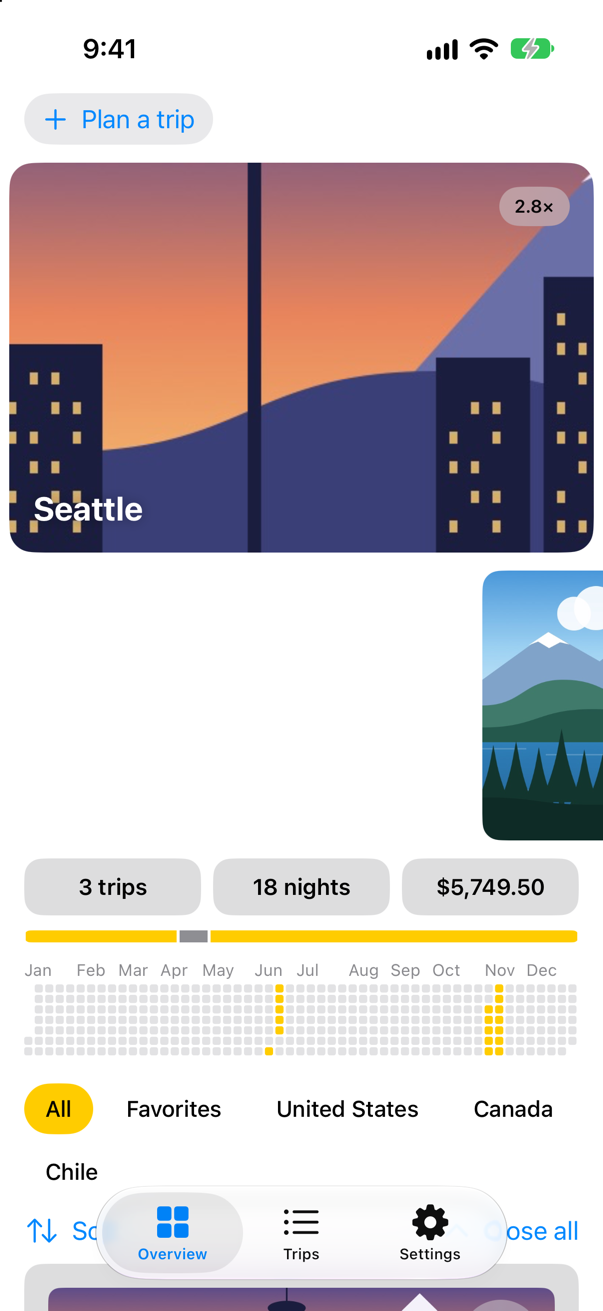
Device Hub cannot put two fingers on the screen yet: Xcode 27's release notes list "Device Hub doesn’t currently support sending a two-finger touch to a device or simulator." as a known issue. The pictures here were taken by a UI test, which can. To pinch the photo yourself, run Trips on an iPhone. The same notes say that a pinch on a Mac trackpad now reaches "standard UIKit components" on a simulated device; they do not say whether SwiftUI's gestures receive it.
Where this comes from: Apple: Xcode 27 release notes
.scaleEffect draws the photo bigger without making room for it — Apple: "The original dimensions of the view are considered to be unchanged by scaling the contents." — and the clipShape after it keeps the bigger picture inside the rounded frame. Lift the fingers:
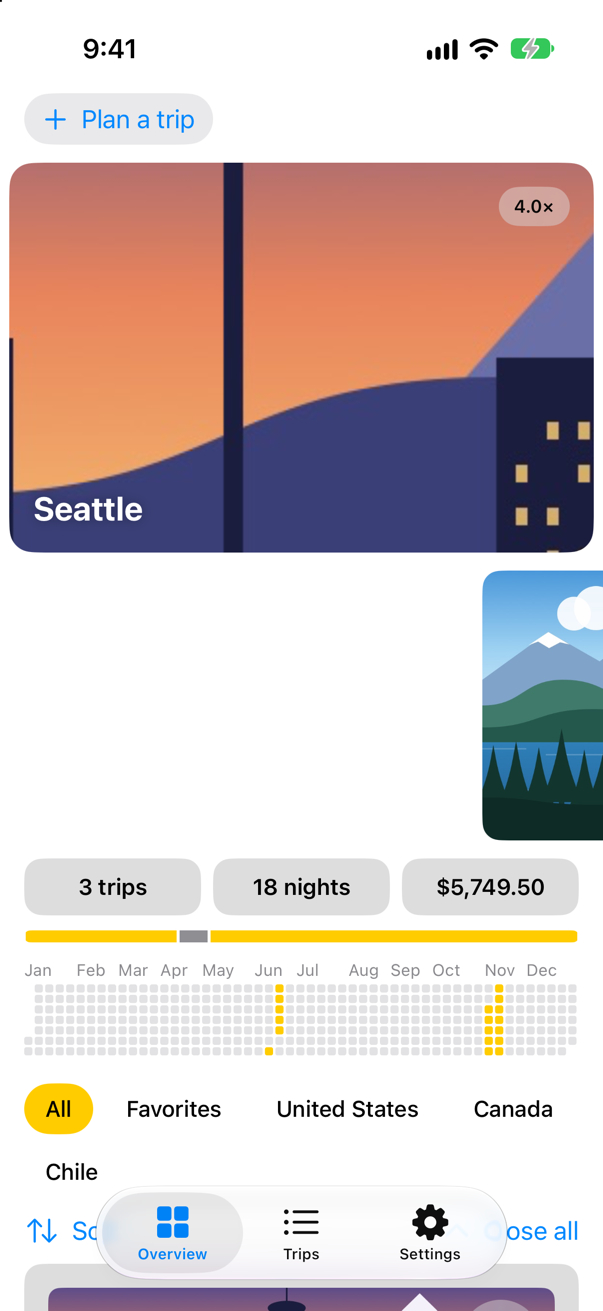
The badge says 4.0×: this pinch went further than that, and onEnded kept the zoom at its limit. VoiceOver, which cannot see the badge, now hears the photo as "Zoomed in".
Two taps
Last, two taps: straight to 2×, and back to 1× if the photo is already zoomed. The photo already answers one tap — it closes — so the question is what two taps do to a view that has both. On iOS 27, only the two-tap action runs, whichever order the two modifiers are written in — so a single tap is held back until SwiftUI has seen that no second tap is coming (an edge case in this lesson tries both orders). In PhotoStrip.swift:
struct PhotoStrip: View { let trips: [Trip] @Namespace private var photos @State private var enlarged: Trip.ID? @GestureState(resetTransaction: Transaction(animation: .spring(duration: 0.4))) private var drag = CGSize.zero @State private var zoom = 1.0 @GestureState private var pinch = 1.0 var body: some View { VStack(spacing: 12) { if let trip = trips.first(where: { $0.id == enlarged }) { Image(trip.imageName) .resizable() .scaledToFill() .scaleEffect(zoom * pinch) .matchedGeometryEffect(id: trip.id, in: photos) .frame(height: 260) .clipShape(RoundedRectangle(cornerRadius: 16)) .overlay(alignment: .bottomLeading) { Text(trip.city) .font(.title2.bold()) .foregroundStyle(.white) .shadow(radius: 4) .padding() } .overlay(alignment: .topTrailing) { if zoom * pinch > 1 { Text("\(zoom * pinch, format: .number.precision(.fractionLength(1)))×") .font(.caption.bold()) .padding(.horizontal, 10) .padding(.vertical, 6) .background(.ultraThinMaterial, in: Capsule()) .padding() } } .padding(.horizontal) .offset(y: max(drag.height, 0)) .zIndex(1) .accessibilityElement(children: .ignore) .accessibilityLabel("Photo of \(trip.city)") .accessibilityValue(zoom > 1 ? "Zoomed in" : "") .accessibilityAddTraits(.isButton) .onTapGesture(count: 2) { withAnimation(.spring(duration: 0.4)) { zoom = zoom > 1 ? 1 : 2 } } .onTapGesture { close() } .gesture(dragToClose.simultaneously(with: pinchToZoom)) } ScrollView(.horizontal) { HStack(spacing: 12) { ForEach(trips) { trip in if trip.id == enlarged { Color.clear .containerRelativeFrame(.horizontal, count: 5, span: 4, spacing: 12) .frame(height: 180) } else { Image(trip.imageName) .resizable() .scaledToFill() .matchedGeometryEffect(id: trip.id, in: photos) .containerRelativeFrame(.horizontal, count: 5, span: 4, spacing: 12) .frame(height: 180) .clipShape(RoundedRectangle(cornerRadius: 12)) .contentShape(Rectangle()) .accessibilityLabel("Photo of \(trip.city)") .accessibilityAddTraits(.isButton) .onTapGesture { withAnimation(.spring(duration: 0.5)) { enlarged = trip.id } } } } } .scrollTargetLayout() } .scrollTargetBehavior(.viewAligned) .safeAreaPadding(.horizontal) .scrollIndicators(.hidden) } .onChange(of: enlarged) { zoom = 1 } } /// Pulls the big photo down with the finger; let go past 120 points, and it goes back into the strip. private var dragToClose: some Gesture { DragGesture() .updating($drag) { value, drag, _ in drag = value.translation } .onEnded { value in if value.translation.height > 120 { close() } } } /// Two fingers zoom the big photo, between 1× and 4×; the zoom stays when they lift. private var pinchToZoom: some Gesture { MagnifyGesture() .updating($pinch) { value, pinch, _ in pinch = value.magnification } .onEnded { value in zoom = min(max(zoom * value.magnification, 1), 4) } } /// Puts the big photo back into the strip. private func close() { withAnimation(.spring(duration: 0.5)) { enlarged = nil } }}struct PhotoStrip: View {
let trips: [Trip]
@Namespace private var photos
@State private var enlarged: Trip.ID?
@GestureState(resetTransaction: Transaction(animation: .spring(duration: 0.4)))
private var drag = CGSize.zero
@State private var zoom = 1.0
@GestureState private var pinch = 1.0
var body: some View {
VStack(spacing: 12) {
if let trip = trips.first(where: { $0.id == enlarged }) {
Image(trip.imageName)
.resizable()
.scaledToFill()
.scaleEffect(zoom * pinch)
.matchedGeometryEffect(id: trip.id, in: photos)
.frame(height: 260)
.clipShape(RoundedRectangle(cornerRadius: 16))
.overlay(alignment: .bottomLeading) {
Text(trip.city)
.font(.title2.bold())
.foregroundStyle(.white)
.shadow(radius: 4)
.padding()
}
.overlay(alignment: .topTrailing) {
if zoom * pinch > 1 {
Text("\(zoom * pinch, format: .number.precision(.fractionLength(1)))×")
.font(.caption.bold())
.padding(.horizontal, 10)
.padding(.vertical, 6)
.background(.ultraThinMaterial, in: Capsule())
.padding()
}
}
.padding(.horizontal)
.offset(y: max(drag.height, 0))
.zIndex(1)
.accessibilityElement(children: .ignore)
.accessibilityLabel("Photo of \(trip.city)")
.accessibilityValue(zoom > 1 ? "Zoomed in" : "")
.accessibilityAddTraits(.isButton)
.onTapGesture(count: 2) {
withAnimation(.spring(duration: 0.4)) { zoom = zoom > 1 ? 1 : 2 }
}
.onTapGesture { close() }
.gesture(dragToClose.simultaneously(with: pinchToZoom))
}
ScrollView(.horizontal) {
HStack(spacing: 12) {
ForEach(trips) { trip in
if trip.id == enlarged {
Color.clear
.containerRelativeFrame(.horizontal, count: 5, span: 4, spacing: 12)
.frame(height: 180)
} else {
Image(trip.imageName)
.resizable()
.scaledToFill()
.matchedGeometryEffect(id: trip.id, in: photos)
.containerRelativeFrame(.horizontal, count: 5, span: 4, spacing: 12)
.frame(height: 180)
.clipShape(RoundedRectangle(cornerRadius: 12))
.contentShape(Rectangle())
.accessibilityLabel("Photo of \(trip.city)")
.accessibilityAddTraits(.isButton)
.onTapGesture {
withAnimation(.spring(duration: 0.5)) { enlarged = trip.id }
}
}
}
}
.scrollTargetLayout()
}
.scrollTargetBehavior(.viewAligned)
.safeAreaPadding(.horizontal)
.scrollIndicators(.hidden)
}
.onChange(of: enlarged) { zoom = 1 }
}
/// Pulls the big photo down with the finger; let go past 120 points, and it goes back into the strip.
private var dragToClose: some Gesture {
DragGesture()
.updating($drag) { value, drag, _ in
drag = value.translation
}
.onEnded { value in
if value.translation.height > 120 {
close()
}
}
}
/// Two fingers zoom the big photo, between 1× and 4×; the zoom stays when they lift.
private var pinchToZoom: some Gesture {
MagnifyGesture()
.updating($pinch) { value, pinch, _ in
pinch = value.magnification
}
.onEnded { value in
zoom = min(max(zoom * value.magnification, 1), 4)
}
}
/// Puts the big photo back into the strip.
private func close() {
withAnimation(.spring(duration: 0.5)) { enlarged = nil }
}
}Run the app, open the big photo, and tap it twice:
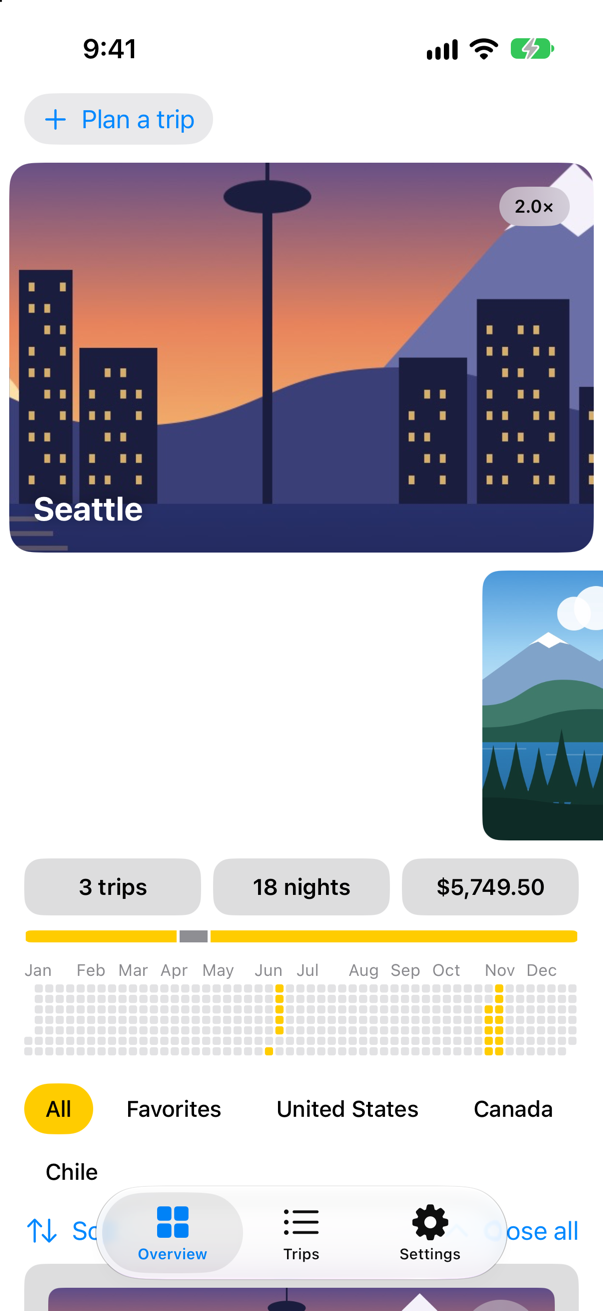
Two more taps take it back to 1×, and one tap still closes it. One detail the run measured: the outline VoiceOver draws round the photo grows with the zoom — after two taps it was 520 points tall, twice its 260 — even though, for the layout, the photo kept its size.
What you built
- A big photo that follows a finger down and springs back, or closes past 120 points: a
DragGesturewith@GestureState. - Pinch to zoom, kept after the fingers lift: a
MagnifyGesturewith@GestureStateand@State, recognized at the same time as the drag. - Two taps to zoom and one tap to close, on the same photo.
Next, drag and drop: trips you move with a finger, a Favorites area to drop them on, and a tap you can feel when a drop lands.
The finished project
Stuck, or want to compare with your own? This is the project as it stands at the end of this lesson, built and run before it was put here.
- Trips-lesson-31.zip — unzip it, then open
Trips.xcodeprojin Xcode.
Flash cards
21 cards for this lesson, each labelled with its topic. 14 ask how you would write something; the other 7 are trick questions, written to catch a misunderstanding. Answer in your head first, then tap the card.
Syntax · TapsRun some code when a view is tapped twice.
.onTapGesture(count:perform:). The run tapped twice, and it printed once: "two taps".
Syntax · Long pressRun some code when a finger has stayed on a view for a whole second.

.onLongPressGesture(minimumDuration:perform:). The run held it for 1.6 seconds and it printed "checked in"; let go sooner, and nothing happens.
Syntax · DragA circle that follows a finger, and goes back to where it was when the finger lifts.
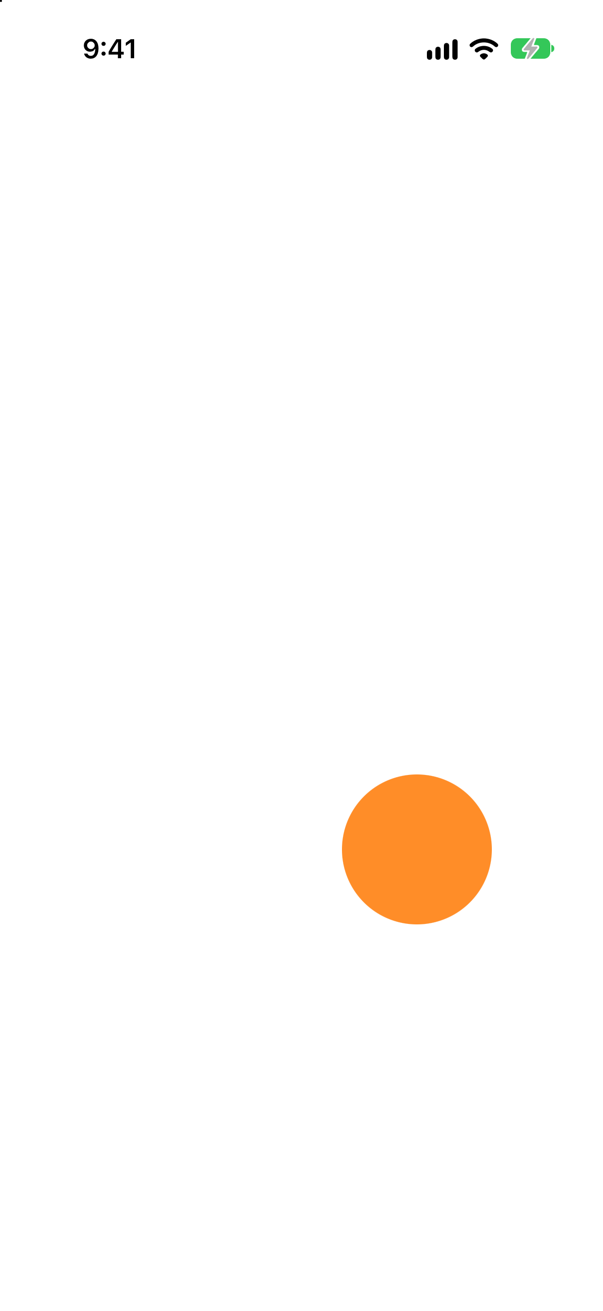
A @GestureState offset, set in the drag's updating closure and read by .offset. The picture was taken with the finger still down; when it lifted, offset went back to .zero by itself.
Syntax · DragWhen a drag ends, find out how far it went.
onEnded, with the final value: translation is how far the finger moved from where it touched down. The run dragged 60 points right and 40 up: "moved 60 -40".
Syntax · PinchScale a view with two fingers, and keep the scale when they lift.
A MagnifyGesture: the live pinch in @GestureState, folded into a @State scale when it ends — each pinch's magnification starts again at 1. The picture is after one pinch: the scale stayed.
Syntax · RotateTurn a view with two fingers.
RotateGesture: its value's rotation is an Angle, added to the card's with .rotationEffect. The run asked XCTest for a 45-degree twist of two fingers; the gesture measured "turned 52 degrees".
Syntax · CombiningRecognize a drag and a pinch on the same view at the same time.
simultaneously(with:), which makes one gesture of two: both are recognized at once, and each updates its own @GestureState. The picture was taken during a pinch.
Syntax · CombiningLet a view be dragged only after it has been held for half a second.
sequenced(before:): the drag receives touches only once the long press has succeeded. The value is an enum — .first during the press, .second(true, drag) once dragging. The run held for 0.8 seconds, then dragged: "dragged right after holding".
Syntax · Hit testingMake the whole row tappable, gaps included, not just its texts.

.contentShape(Rectangle()) before the gesture: the tappable area becomes the whole frame. The run tapped the middle of the row — the empty space the Spacer makes — and it printed "row tapped".
Syntax · PriorityMake a container's tap win over the taps of the views inside it.
highPriorityGesture(_:including:). The run tapped the child, and only the parent's tap ran: "parent".
Syntax · PriorityRun a container's tap as well as the tap of the view inside it.
simultaneousGesture(_:including:). One tap on the child ran both — "parent" first, then "child".
Syntax · DragMake a @GestureState spring back to its starting value instead of jumping there.

@GestureState(resetTransaction:) with a Transaction that carries an animation: when the finger lifts, the reset to .zero animates. The picture is after the drag — back where it started.
Syntax · CombiningOf two gestures, let only one succeed — the first, if it can.
exclusively(before:): "only one gesture succeeds, giving precedence to the first gesture". Two taps printed "two taps"; one tap, "one tap".
Syntax · Long pressKnow when a finger comes down on a view and lifts again — before a long press has succeeded.

The onPressingChanged closure of onLongPressGesture. A press of 0.3 seconds printed "pressing: true" and "pressing: false" — and no check-in, which needs the whole second.
Trick question · TapsA view has .onTapGesture { print("one tap") } and then .onTapGesture(count: 2) { print("two taps") }. The user taps twice. What is printed?
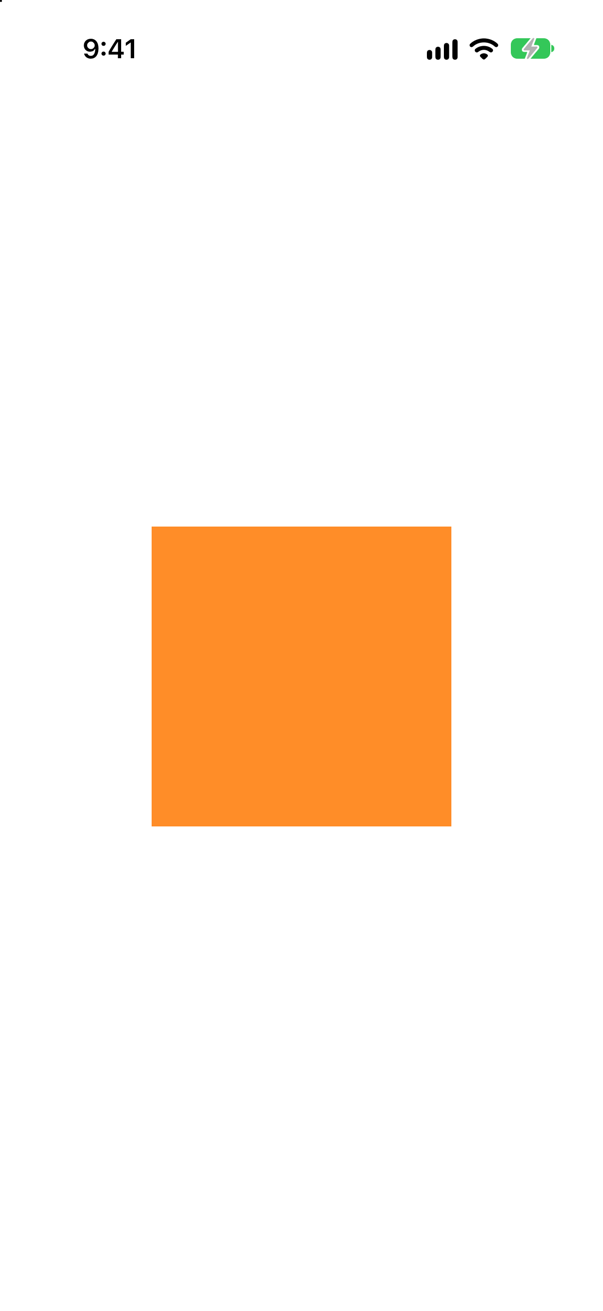
Only "two taps", on iOS 27 — in either order. A single tap waits until SwiftUI knows no second tap is coming. (exclusively(before:) states the same rule explicitly.)
Trick question · TapsA Button whose action prints "button action" also has .onTapGesture { print("tap gesture") }. The user taps it. What is printed?

"button action" only. The button's own gesture wins. To run something as well, attach it with simultaneousGesture.
Trick question · PriorityA text with its own .onTapGesture sits in a stack that also has .onTapGesture. Which runs when the text is tapped?
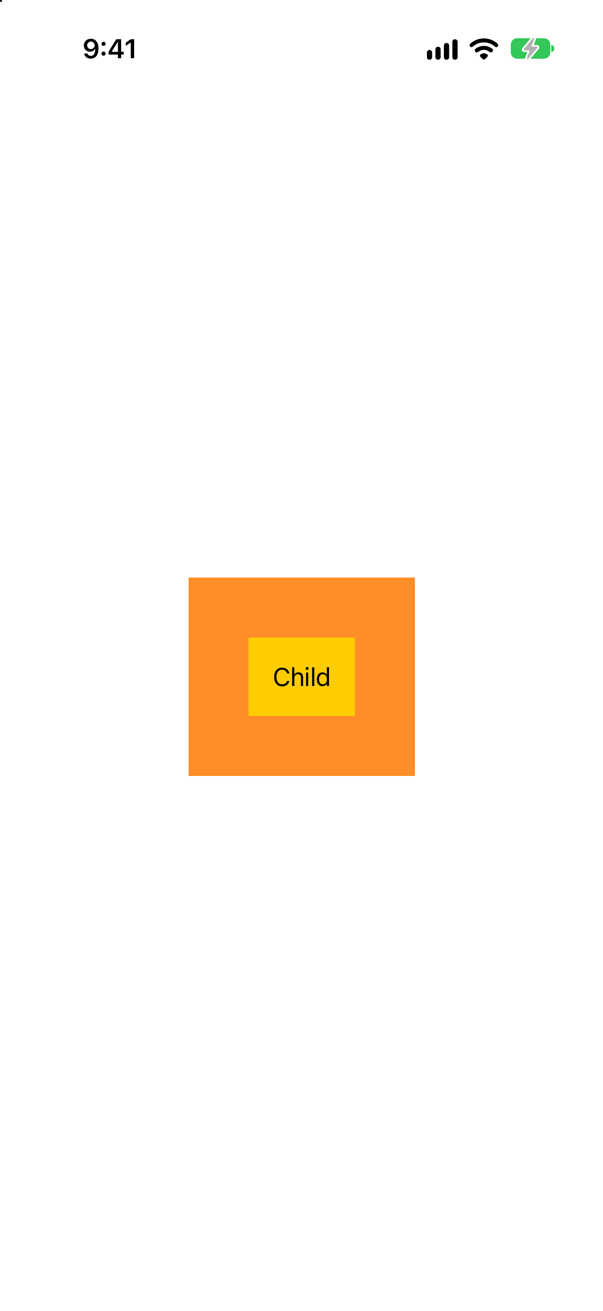
The child's. A gesture on a container has lower precedence than the gestures of the views inside it. highPriorityGesture on the parent reverses that; simultaneousGesture runs both.
Trick question · Hit testingHStack { Text("Seattle"); Spacer(); Text("5 nights") }.padding().onTapGesture { … }. Does a tap on the empty middle of the row run it?

No. Only what is drawn answers a tap: the texts. Add .contentShape(Rectangle()) before the gesture to make the whole frame answer.
Trick question · PriorityOne view, two tap gestures: .gesture(TapGesture().onEnded { print("first") }) and then .gesture(TapGesture().onEnded { print("second") }). A tap prints what?
"first" only. Each .gesture attaches "with a lower precedence than gestures defined by the view" — and by the time the second is attached, the view already has the first.
Trick question · DragA square has DragGesture().onEnded { print("dragged") }. The user puts a finger down, moves it 5 points, and lifts it. Is anything printed?
No. A drag has to travel before it counts: its initializer is init(minimumDistance: CGFloat = 10, coordinateSpace: some CoordinateSpaceProtocol = .local). The 5-point move printed nothing; a 30-point one printed "dragged 30".
Trick question · DragA 200-point square has DragGesture(minimumDistance: 0) whose onEnded prints value.location. The user taps the middle of the square. What is printed — measured from where?
(100, 100) — the square's own coordinates. A drag reports in .local space unless told otherwise: its initializer is init(minimumDistance: CGFloat = 10, coordinateSpace: some CoordinateSpaceProtocol = .local). Asked for .global, the same tap printed "global: 201 451".
Edge cases and tricky questions
10 questions of the kind an interviewer uses to find out whether you really know this — the corners, the traps, and the things that changed recently. Each has its source. Wherever the answer is what some code does, that code was compiled and run, and what you see under “Show the answer” is what it really did. Say your answer aloud before you open it.
A view has .onTapGesture { print("one tap") } and, after it, .onTapGesture(count: 2) { print("two taps") }. The user taps twice. What is printed — and does the order of the two modifiers matter?
Show the answer
Only "two taps" — and, on iOS 27, the order does not matter. The run tapped twice, then once:
The console shows
two taps
one tapWritten the other way round, exactly the same: two taps printed "two taps", one tap printed "one tap".
Which means a single tap cannot run the moment the finger lifts: if a second tap followed, only the two-tap action would run. SwiftUI waits to see that none does before it runs the one-tap action.
It was not always this tidy: in an Apple Developer Forums thread, a developer with both modifiers reported that "on a double tap it returns both the 1st the double tap then the single tap", and was pointed to exclusively(before:). That still says the rule out loud, which makes it the clearest way to write it. Apple: it "Combines two gestures exclusively to create a new gesture where only one gesture succeeds, giving precedence to the first gesture."
Where this comes from: onTapGesture(count:perform:) · exclusively(before:) · Apple Developer Forums: recognize one of two gestures — Measured on an iPhone 17 simulator with iOS 27.
A row — HStack { Text("Seattle"); Spacer(); Text("5 nights") }, padded — has .onTapGesture. The user taps the empty middle of the row. Does it fire? And on the word "Seattle"?
Show the answer

Not in the middle; yes on the word. The tap in the gap printed nothing, and the tap on "Seattle" printed "row tapped". A gesture on a stack answers only where the stack has something drawn: its texts. A Spacer is empty space, and so is padding.
To make the whole frame answer, give it a shape to hit:

Now the tap in the gap printed "row tapped" too. The order matters: the shape is for the gestures after it. Written after the gesture, it changed nothing — the tap in the gap printed nothing again:

Apple's page for the modifier: it "Defines the content shape for hit testing."
Where this comes from: contentShape(_:eoFill:) · onTapGesture(count:perform:) — Measured on iOS 27: the taps were made at the middle of the row and on its first word.
Button("Check in") { print("button action") } with .onTapGesture { print("tap gesture") } attached. The user taps the button. What is printed?
Show the answer

Only the button's action:
button actionThe button's own gesture won, and the tap gesture attached with onTapGesture never ran. To run something as well as the action — logging a tap, say — attach it with simultaneousGesture. Apple: it "Attaches a gesture to the view to process simultaneously with gestures defined by the view."

Both ran, the tap gesture first. Usually neither is the right tool: put the extra work in the button's action, where it belongs, and keep gestures for views that are not controls.
Where this comes from: simultaneousGesture(_:including:) · gesture(_:including:) — Measured on iOS 27.
A text with .onTapGesture { print("child") } sits inside a stack with .onTapGesture { print("parent") }. The user taps the text. What is printed? How would you make the parent win — or both run?
Show the answer
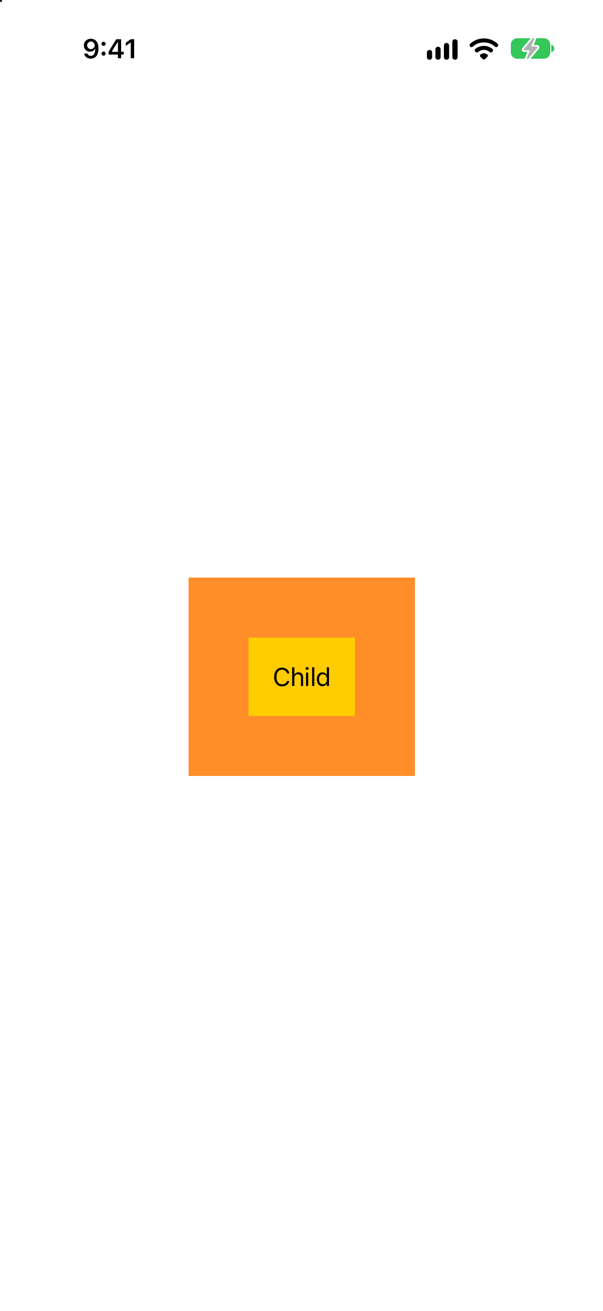
"child" only. A gesture attached with onTapGesture or .gesture comes after the gestures of the views inside: Apple's page for gesture(_:including:) says it "Attaches a gesture to the view with a lower precedence than gestures defined by the view." So the text's own tap won, and the stack's never ran.
To let the parent win, attach its gesture with highPriorityGesture — "with a higher precedence than gestures defined by the view":
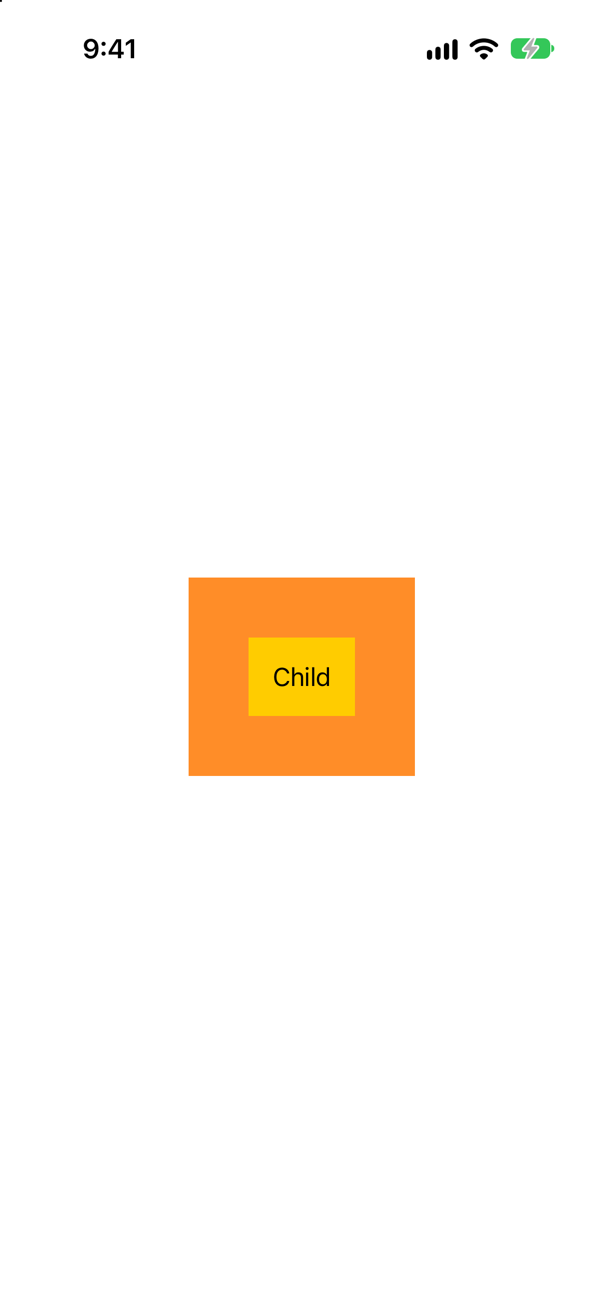
Now a tap on the child printed "parent", and the child's own tap did not run. To run both, simultaneousGesture:
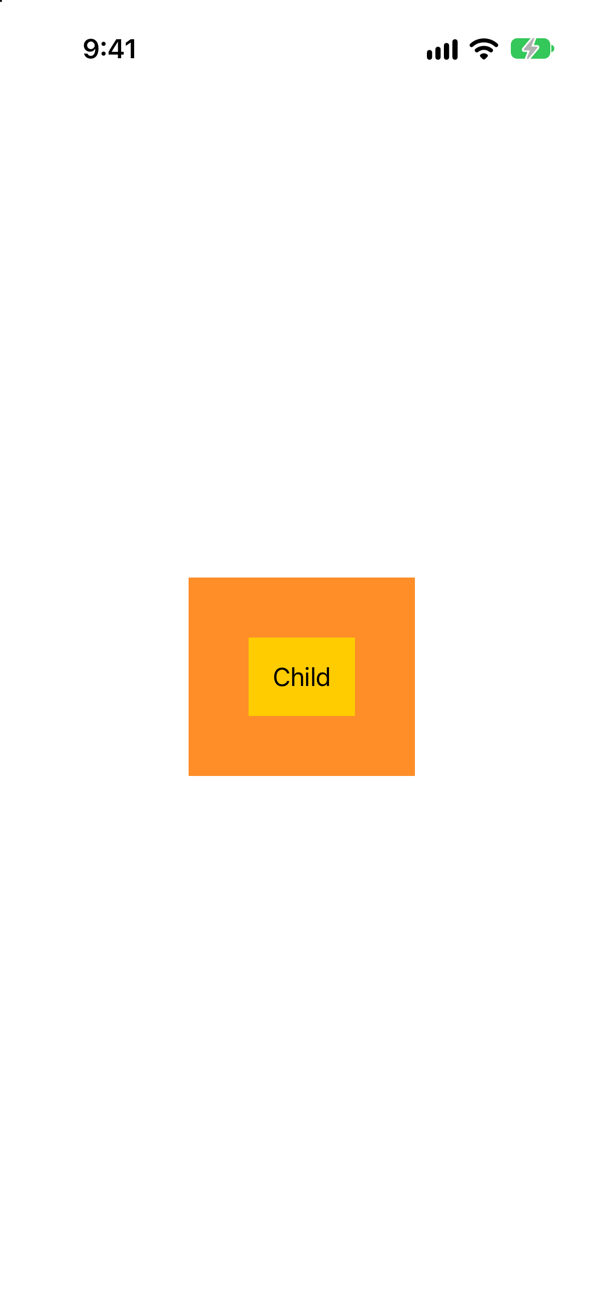
Both ran — "parent" first, then "child". The three modifiers are the whole of SwiftUI's answer to "two views want the same touch": lower, higher, or together.
Where this comes from: gesture(_:including:) · highPriorityGesture(_:including:) · simultaneousGesture(_:including:) — Measured on iOS 27.
Two circles, each dragged 100 points to the right and let go. The orange one's offset is a @State, set in the drag's onChanged; the teal one's is a @GestureState, set in updating. Where does each end up?
Show the answer
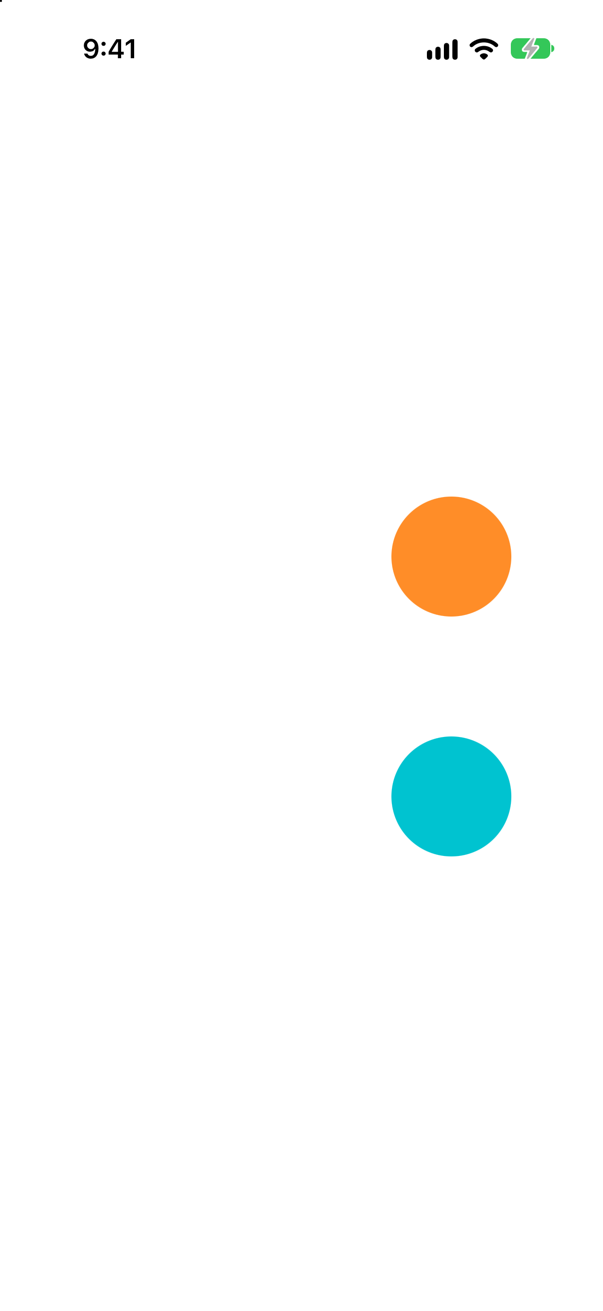
The orange one stays where the finger let go; the teal one goes back. While the finger was on it, the teal circle had moved just as far — the picture above was taken then. When the finger lifted:
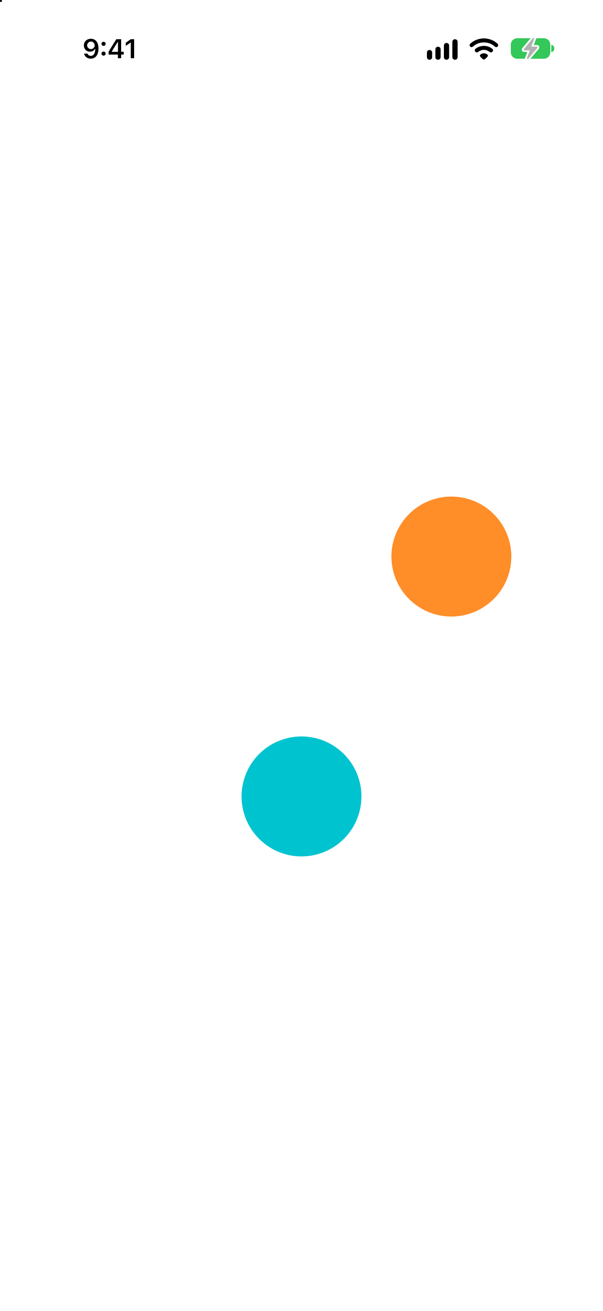
The run read their positions: the orange circle ended exactly 100 points to the right, and the teal one exactly where it began. Apple's article on gestures: "SwiftUI doesn’t invoke the updating callback when the user ends or cancels a gesture. Instead, the gesture state property automatically resets its state back to its initial value."
Notice "or cancels". A gesture can be cancelled — by a phone call, an alert, the system taking the touch — and "SwiftUI only invokes the onEnded(_:) callback when the gesture succeeds." So a @State offset that you reset yourself in onEnded can be left stranded; a @GestureState one cannot. Use @GestureState for whatever should last only as long as the finger, and @State, written in onEnded, for what the gesture changes for good.
Where this comes from: GestureState · Adding interactivity with gestures — Measured on iOS 27; the first picture was taken while the UI test's finger was still on the screen.
A circle's gesture is LongPressGesture(minimumDuration: 0.5).sequenced(before: DragGesture()), and its onEnded prints either "dragged … after holding" or "ended without a drag". The user drags it straight away. Then they hold it for most of a second and drag. What is printed each time?
Show the answer
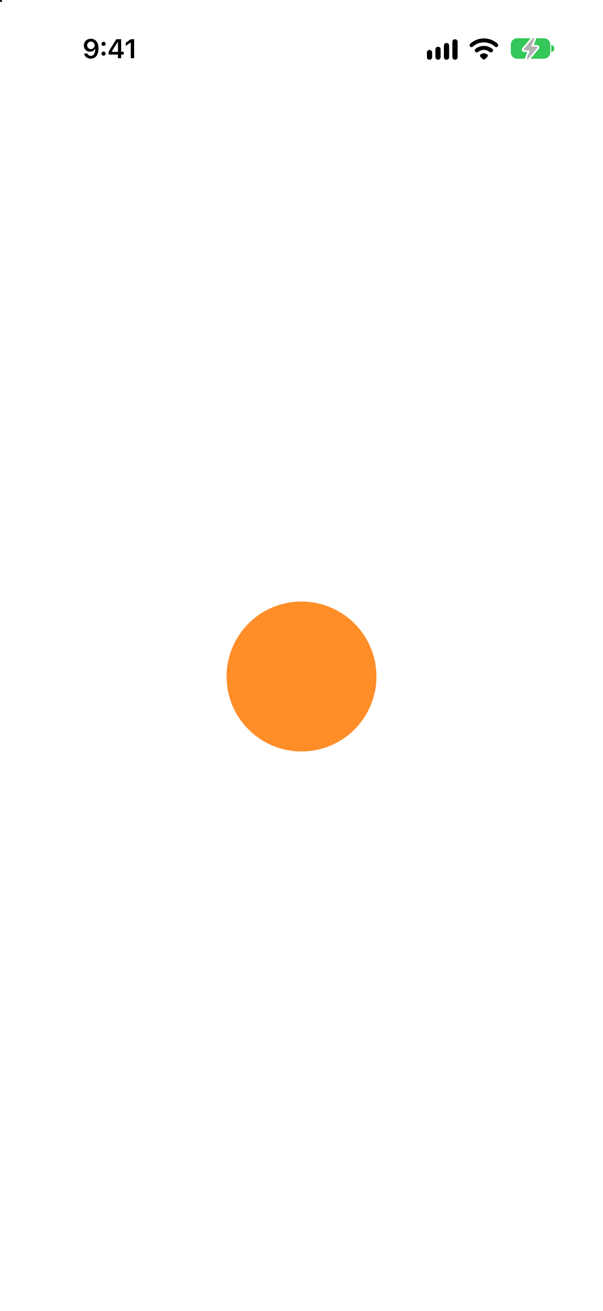
Nothing at all, and then "dragged right after holding". The quick drag moved before half a second was up, so the long press failed, the whole sequence failed with it — and its onEnded did not run, not even the default branch. Apple: "SwiftUI only invokes the onEnded(_:) callback when the gesture succeeds."
After a hold of 0.8 seconds, the drag was let in:
dragged right after holdingThat is the answer to the classic question "how do you require a long press before a drag can begin?" Apple: sequenced(before:) "results in the second gesture only receiving events after the first gesture succeeds." Its value is an enum that says how far the sequence has got — .first while the press is going on, .second once it has succeeded, with the drag's value once there is one — which is why the code matches .second(true, let drag?).
Where this comes from: sequenced(before:) · LongPressGesture · Adding interactivity with gestures · Composing SwiftUI gestures — Measured on iOS 27.
A photo closes when it is dragged down more than 120 points. A user flicks it — a fast, short movement of 100 points. To translation, that is the same as a slow 100-point drag. What does DragGesture give you to tell them apart?
Show the answer
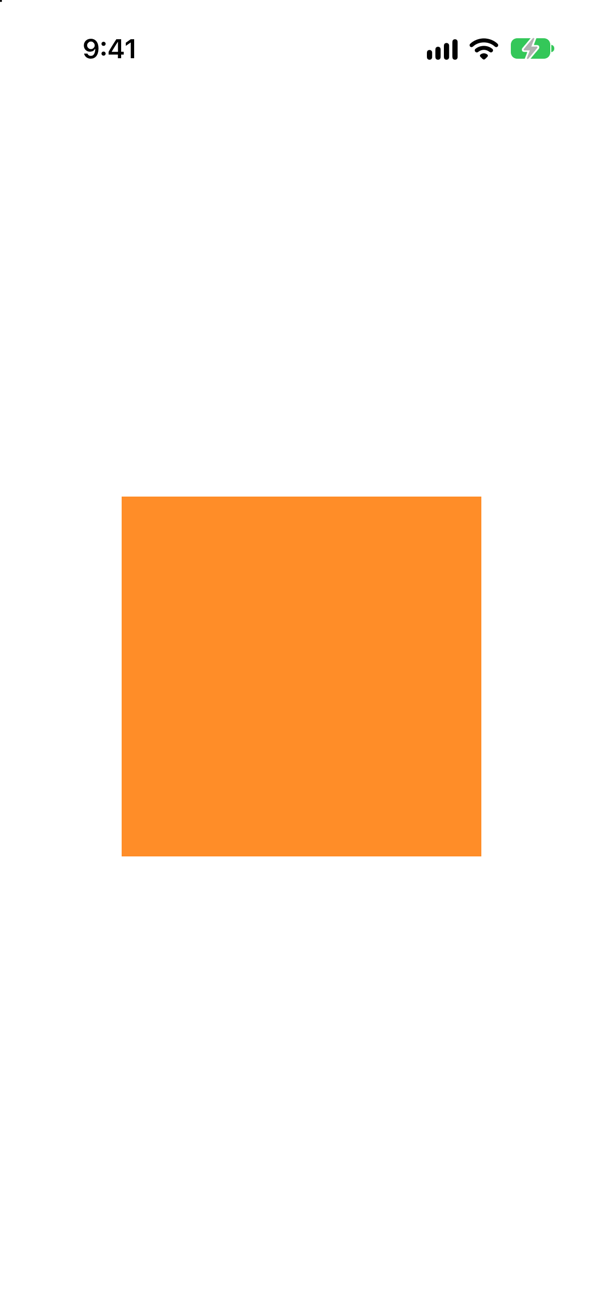
predictedEndTranslation. Both drags moved 100 points; the prediction did not agree. The slow drag, at 100 points a second, printed "moved 100 predicted 113"; the flick, at 3,000 points a second, "moved 100 predicted 643".
Apple: it is "A prediction, based on the current drag velocity, of what the final translation will be if dragging stopped now." In other words, where the finger's momentum would have carried it. A dismiss that answers flicks as well as long pulls checks both: value.translation.height > 120 || value.predictedEndTranslation.height > 400.
Where this comes from: DragGesture.Value.predictedEndTranslation · DragGesture — Measured on iOS 27: the same 100 points, dragged at 100 and at 3,000 points a second.
A photo's scale comes straight from MagnifyGesture: .onChanged { scale = $0.magnification }. The user pinches it bigger, lets go, and pinches again. What happens as the second pinch begins?
Show the answer
It jumps back. The first pinch printed "began at 1.57" and "ended at 4.29"; the second printed "began at 1.19" as it began — nowhere near where the first had left the photo. magnification is measured from the start of each pinch, so assigning it straight to scale throws the first pinch away the moment the second begins:
Keep the zoom that lasts in its own @State and multiply: draw at zoom * pinch while the fingers move, and fold the finished pinch into zoom in onEnded — the pattern in this lesson's tutorial.
Where this comes from: MagnifyGesture — Measured on iOS 27; the second picture was taken while the UI test's fingers were still on the screen.
The first view in a ScrollView has .gesture(DragGesture().onEnded { … }). The user swipes up, starting on that view. Does the page scroll? And with .simultaneousGesture instead?
Show the answer
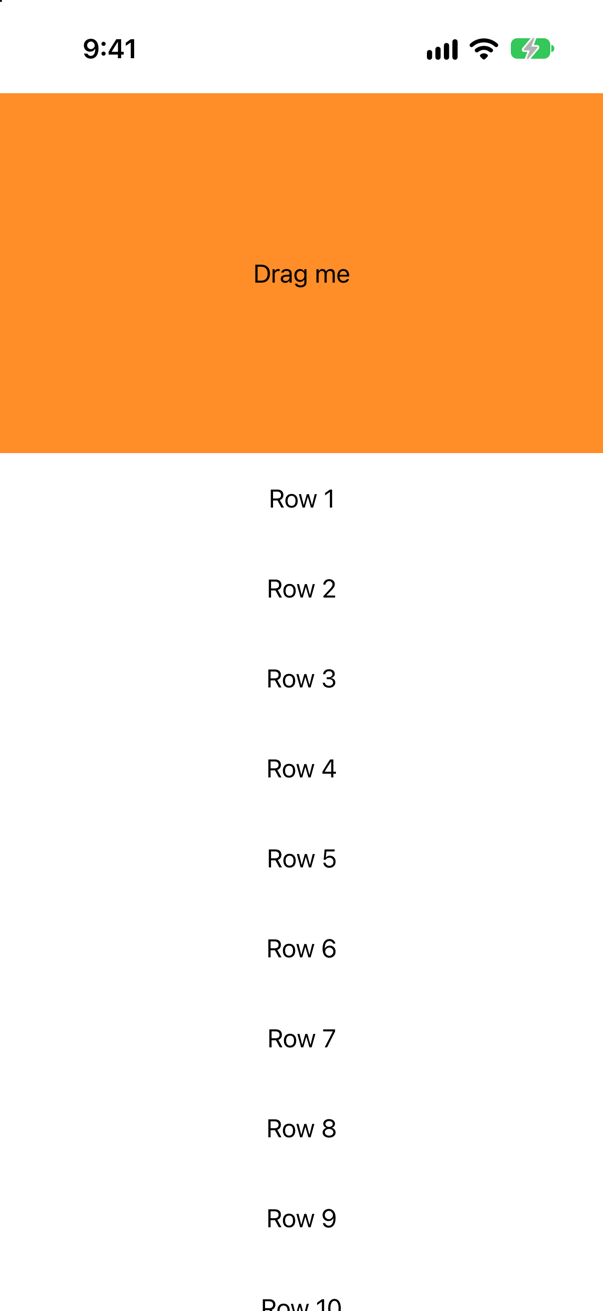
No — and not with simultaneousGesture either, on iOS 27. The drag gesture got the swipe (it printed "drag ended -182"), and the run read Row 1 at the same place before and after: the page did not scroll. Attached with simultaneousGesture, the same:
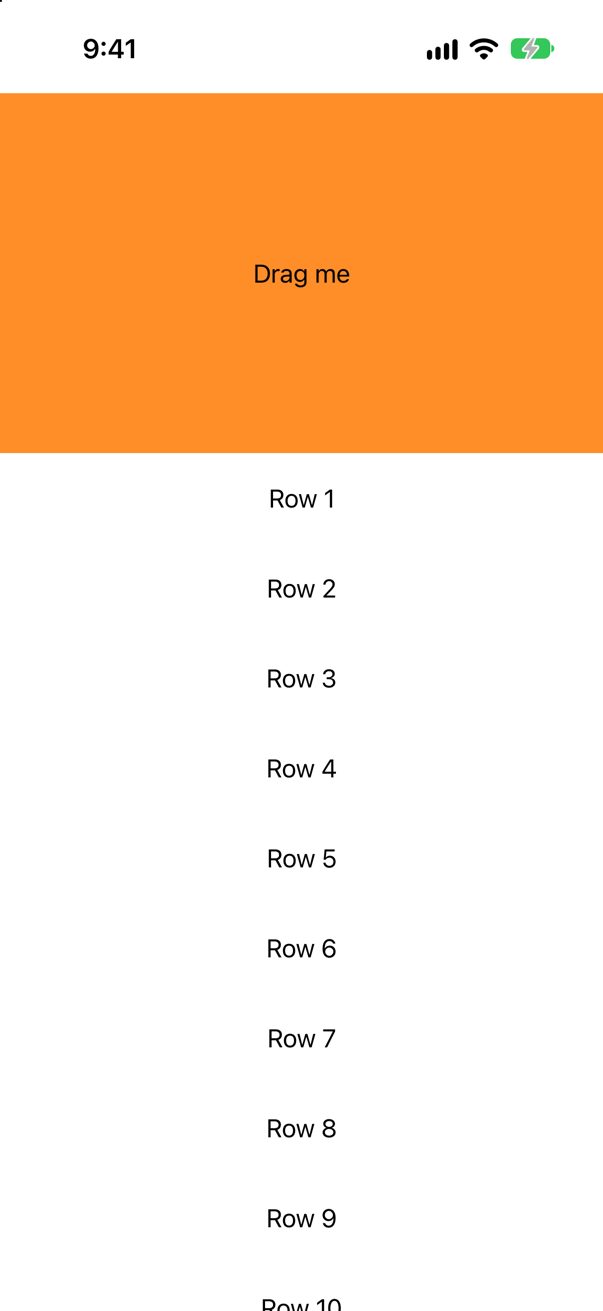
The gesture still printed "drag ended -182", and the page still stayed. Without any gesture on that view, the same swipe scrolled the page — Row 1 moved up and off the screen.
So a drag gesture inside a scroll view claims the area it covers. In this lesson's Overview that is what the big photo wants — a drag that starts on it moves the photo, not the page. On a row of a long list it would be a trap: the list could no longer be scrolled from that row.
Where this comes from: DragGesture · simultaneousGesture(_:including:) — Measured on iOS 27: the same 200-point swipe, with a drag gesture, with a simultaneous one, and with none.
.onLongPressGesture(minimumDuration: 1) { print("checked in") } onPressingChanged: { print("pressing:", $0) }. The user presses for a third of a second; then for a second and a half. What is printed each time, and in what order?
Show the answer

The short press: pressing, then not, and no check-in.
pressing: true
pressing: false
The long one: the check-in arrives while the finger is still down, after the full second.
pressing: true
checked in
pressing: false
onPressingChanged follows the finger whatever happens; the action needs the whole minimumDuration. Apple's article on gestures gives the rule: "during a LongPressGesture if the user stops touching the view before minimumDuration seconds have elapsed or moves their finger more than maximumDistance points SwiftUI does not invoke the onEnded(_:) callback." Together the two make a press-and-hold control: show progress while pressing is true, and do the thing in the action.
Where this comes from: onLongPressGesture(minimumDuration:maximumDistance:perform:onPressingChanged:) · Adding interactivity with gestures — Measured on iOS 27: presses of 0.3 and 1.6 seconds.