The weather, from the network
Loading data with async/await
You will buildThe weather where each trip goes, now, on the trip's screen — asked of a real web service with async/await, started and cancelled with the screen by .task and started again when the city changes by .task(id:) — with a loading state, an error state with a Retry button, and pull-to-refresh.
TimeAbout 70 minutes
WhyThe last lesson's JSON came from a string inside the app. Most JSON comes from a server, and a server takes its time: a fraction of a second on a good day, for ever on a bad one. Swift's answer is async/await — a function that can pause while it waits, without holding up the screen — and SwiftUI's is .task, which ties that work to the life of a view. Coming from UIKit, they replace completion handlers, DispatchQueue.main.async, and cancelling requests by hand in viewWillDisappear.
Open your project
Open your
Tripsproject as lesson 33 left it: double-clickTrips.xcodeprojin Finder, or use File ▸ Open… (⌘O) in Xcode.If you did not finish lesson 33, or would rather start from a known state, download Trips-lesson-33.zip instead. It is the project exactly as it stood at the end of lesson 33. Unzip it and open
Trips.xcodeproj.Run it (⌘R) to check that it builds. You should see where lesson 33 ended:
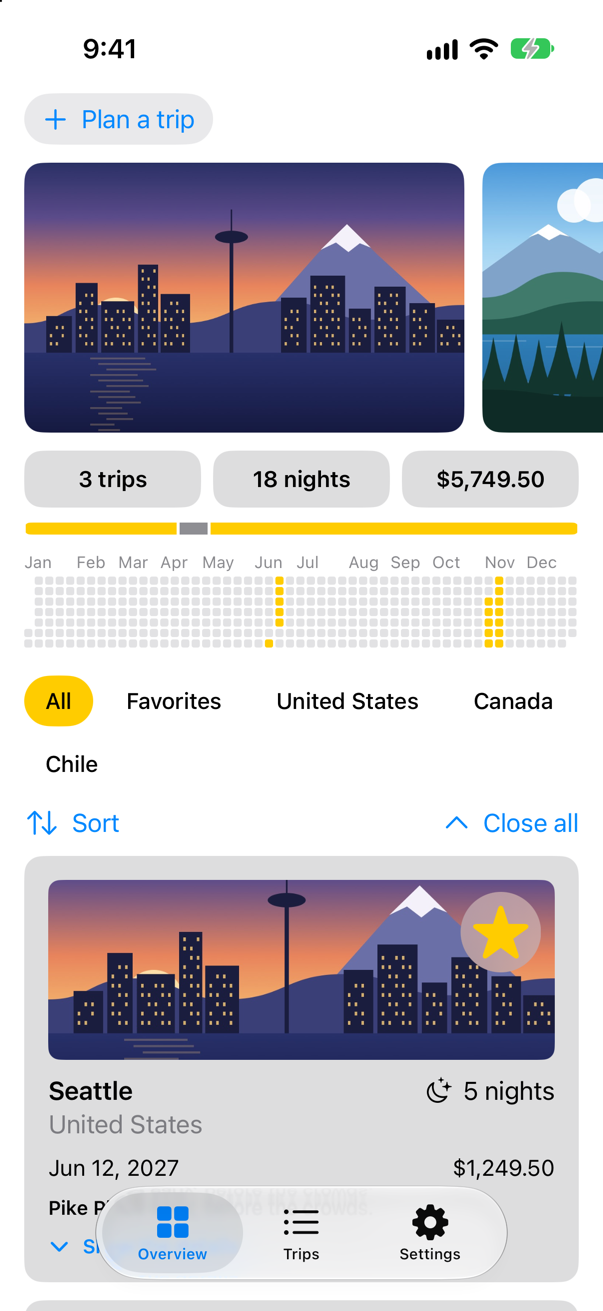
Trips, as it stood at the end of lesson 33Screenshot · iPhone 17, iOS 27.0
Ask Open-Meteo
The trip screen will show the weather where the trip goes, as it is right now. It comes from Open-Meteo (open-meteo.com), a weather service that is free for non-commercial use and needs no key or account. Two of its addresses answer in JSON: a search, which turns a place name into a latitude and longitude, and a forecast, which reports the weather at a latitude and longitude. So it takes two requests, and the second needs the first one's answer. (Lesson 8's AsyncImage fetched a picture by itself; this time your code asks, and what comes back is data to decode.)
One call makes a request: URLSession.shared.data(from: url), which "Retrieves the contents of a URL and delivers the data asynchronously," in Apple's words. It is marked async, so you call it with await. The function pauses there, and the main thread is free to draw the screen and answer taps until the answer comes; then the function carries on from the next line. The call also throws — no connection, no answer, a request cancelled. Two requests in a row are two lines in a row. With completion handlers they were a closure inside a closure, each with its own Error? to check, and a hop back to the main queue at the end.
Three types describe the answers, the way lesson 33 described the ideas feed, and each takes only the keys Trips reads. Two details come from the real answers. When the search finds nothing, Open-Meteo leaves results out altogether, so it is optional. And the forecast calls the temperature temperature_2m — the temperature two meters above the ground — which CodingKeys renames (.convertFromSnakeCase would make it temperature2M: an edge case shows why). WeatherError says what neither URLSession nor the decoder can: that there is no such place. Because it is a LocalizedError, its errorDescription is what localizedDescription gives back. Each answer says Sendable, as plain data in Trips does since lesson 17 — and so does each type nested inside one, for itself; WeatherError needs no word, because Swift asks every Error to be Sendable.
The json helper does the work both requests share — and one thing that is easy to forget. URLSession throws only when there is no answer at all. A server that answers "400 Bad Request" or "404 Not Found" has answered, and data(from:) returns as usual, with the error page as its data (an edge case shows it). So the helper checks the status code itself. For now now(in:) also prints each request, so the console shows when one is made. Make a new Swift File named Weather, and replace everything in it:
import Foundation

/// The weather somewhere, now — from Open-Meteo, a free weather service that needs no key.
/// `Sendable`: plain data, like a trip.
struct Weather: Sendable {
    let place: String           // where Open-Meteo found the city, such as "Vancouver, Canada"
    let temperature: Double     // in °F
    // the sky, as a WMO weather code: 0 is a clear sky, 3 overcast, 61 rain…
    let code: Int

    /// Finds the city, then asks for the weather there: two requests, one after the other.
    /// `nonisolated(nonsending)`: it runs on whatever actor calls it — the main actor, from the trip's
    /// screen. It mostly waits, and waiting needs no other thread.
    nonisolated(nonsending) static func now(in city: String) async throws -> Weather {
        print("Asking Open-Meteo about \(city)")
        let search = try await URLSession.shared.json(PlaceSearch.self,
                                                      from: "https://geocoding-api.open-meteo.com/v1/search",
                                                      query: ["name": city, "count": "1"])
        guard let place = search.results?.first else {
            throw WeatherError.noSuchPlace(city)
        }
        let forecast = try await URLSession.shared.json(Forecast.self,
                                                        from: "https://api.open-meteo.com/v1/forecast",
                                                        query: ["latitude": "\(place.latitude)",
                                                                "longitude": "\(place.longitude)",
                                                                "current": "temperature_2m,weather_code",
                                                                "temperature_unit": "fahrenheit"])
        return Weather(place: [place.name, place.country].compactMap { $0 }.joined(separator: ", "),
                       temperature: forecast.current.temperature,
                       code: forecast.current.weatherCode)
    }

    /// The code in words, with an SF Symbol to match.
    var sky: (words: String, symbol: String) {
        switch code {
        case 0: ("Clear sky", "sun.max")
        case 1: ("Mainly clear", "sun.min")
        case 2: ("Partly cloudy", "cloud.sun")
        case 3: ("Overcast", "cloud")
        case 45, 48: ("Fog", "cloud.fog")
        case 51...57: ("Drizzle", "cloud.drizzle")
        case 61...67, 80...82: ("Rain", "cloud.rain")
        case 71...77, 85, 86: ("Snow", "cloud.snow")
        case 95...99: ("Thunderstorm", "cloud.bolt.rain")
        default: ("Weather code \(code)", "questionmark.circle")
        }
    }
}

/// Open-Meteo's answer to a search for a place. When nothing is found, `results` is not there at all.
/// `Sendable`, like each answer here: plain data — and so is the type inside it.
struct PlaceSearch: Decodable, Sendable {
    let results: [Place]?

    struct Place: Decodable, Sendable {
        let name: String
        let country: String?        // some places have none: Hong Kong, for one
        let latitude: Double
        let longitude: Double
    }
}

/// Open-Meteo's answer to a request for the weather now — as much of it as Trips reads. `Sendable`: plain data.
struct Forecast: Decodable, Sendable {
    let current: Current

    struct Current: Decodable, Sendable {
        let temperature: Double
        let weatherCode: Int

        enum CodingKeys: String, CodingKey {
            case temperature = "temperature_2m"
            case weatherCode = "weather_code"
        }
    }
}

/// What can go wrong that URLSession and JSONDecoder do not already describe. `Sendable` without a word:
/// Swift asks it of every `Error`.
enum WeatherError: LocalizedError {
    case noSuchPlace(String)

    var errorDescription: String? {
        switch self {
        case .noSuchPlace(let city): "Open-Meteo knows no place called \(city)."
        }
    }
}

extension URLSession {
    /// Asks for JSON and decodes it. An answer other than 200 OK is an error too — URLSession does not think so.
    /// `nonisolated(nonsending)`, like `now(in:)`: it runs on its caller's actor.
    nonisolated(nonsending) func json<Answer: Decodable>(_ type: Answer.Type, from address: String, query: [String: String]) async throws -> Answer {
        var components = URLComponents(string: address)!
        components.queryItems = query.map { URLQueryItem(name: $0.key, value: $0.value) }
        let (data, response) = try await self.data(from: components.url!)
        guard (response as? HTTPURLResponse)?.statusCode == 200 else {
            throw URLError(.badServerResponse)
        }
        return try JSONDecoder().decode(type, from: data)
    }
}
Now the trip screen. The .task modifier "Adds an asynchronous task to perform before this view appears," and "SwiftUI will automatically cancel the task at some point after the view disappears before the action completes." So the request starts when the trip's screen appears, and if the screen goes first, the request is cancelled for you. A first version keeps the answer in an optional — nil until it comes — and try? turns any error into nil as well. The label names the place Open-Meteo found, so that you can see what it understood. In TripDetail.swift:
struct TripDetail: View { let id: Trip.ID @Binding var selection: Trip.ID? @Environment(TripStore.self) private var store @State private var editing: Trip? @State private var isConfirmingDelete = false @State private var weather: Weather? var body: some View { @Bindable var store = store if let index = store.trips.firstIndex(where: { $0.id == id }) { ScrollView { VStack(spacing: 16) { BoardingPass(trip: store.trips[index], totalNights: store.trips.reduce(0) { $0 + $1.nights }) if let weather { Label("\(weather.place): \(weather.temperature, format: .number.precision(.fractionLength(0)))°F, \(weather.sky.words)", systemImage: weather.sky.symbol) } else { ProgressView("Asking about the weather…") } TripCard(trip: $store.trips[index]) if let next = next(after: store.trips[index]) { NavigationLink("Next: \(next.city)", value: next.id) } } } .task { weather = try? await Weather.now(in: store.trips[index].city) } .navigationTitle(store.trips[index].city) .toolbar { ToolbarItem { Button("All trips", systemImage: "list.bullet") { selection = nil } } ToolbarItem { Button("Edit") { editing = store.trips[index] } } ToolbarItem { ShareLink(item: store.trips[index], preview: SharePreview(store.trips[index].city, image: Image(store.trips[index].imageName))) } ToolbarOverflowMenu { Button("Delete trip", systemImage: "trash", role: .destructive) { isConfirmingDelete = true } } } .alert("Delete \(store.trips[index].city)?", isPresented: $isConfirmingDelete) { Button("Delete", role: .destructive) { store.delete([store.trips[index]]) } Button("Cancel", role: .cancel) { } } message: { Text("This cannot be undone.") } .sheet(item: $editing) { trip in TripEditor(trip: trip) { edited in store.update(edited) } .presentationDetents([.medium, .large]) } } else { ContentUnavailableView("This trip is gone", systemImage: "airplane.departure") } } /// The trip that starts soonest after this one, if there is one. private func next(after trip: Trip) -> Trip? { store.trips.filter { $0.start > trip.start }.min { $0.start < $1.start } }}struct TripDetail: View {
let id: Trip.ID
@Binding var selection: Trip.ID?
@Environment(TripStore.self) private var store
@State private var editing: Trip?
@State private var isConfirmingDelete = false
@State private var weather: Weather?
var body: some View {
@Bindable var store = store
if let index = store.trips.firstIndex(where: { $0.id == id }) {
ScrollView {
VStack(spacing: 16) {
BoardingPass(trip: store.trips[index],
totalNights: store.trips.reduce(0) { $0 + $1.nights })
if let weather {
Label("\(weather.place): \(weather.temperature, format: .number.precision(.fractionLength(0)))°F, \(weather.sky.words)",
systemImage: weather.sky.symbol)
} else {
ProgressView("Asking about the weather…")
}
TripCard(trip: $store.trips[index])
if let next = next(after: store.trips[index]) {
NavigationLink("Next: \(next.city)", value: next.id)
}
}
}
.task {
weather = try? await Weather.now(in: store.trips[index].city)
}
.navigationTitle(store.trips[index].city)
.toolbar {
ToolbarItem {
Button("All trips", systemImage: "list.bullet") {
selection = nil
}
}
ToolbarItem {
Button("Edit") {
editing = store.trips[index]
}
}
ToolbarItem {
ShareLink(item: store.trips[index],
preview: SharePreview(store.trips[index].city, image: Image(store.trips[index].imageName)))
}
ToolbarOverflowMenu {
Button("Delete trip", systemImage: "trash", role: .destructive) {
isConfirmingDelete = true
}
}
}
.alert("Delete \(store.trips[index].city)?", isPresented: $isConfirmingDelete) {
Button("Delete", role: .destructive) {
store.delete([store.trips[index]])
}
Button("Cancel", role: .cancel) { }
} message: {
Text("This cannot be undone.")
}
.sheet(item: $editing) { trip in
TripEditor(trip: trip) { edited in
store.update(edited)
}
.presentationDetents([.medium, .large])
}
} else {
ContentUnavailableView("This trip is gone", systemImage: "airplane.departure")
}
}
/// The trip that starts soonest after this one, if there is one.
private func next(after trip: Trip) -> Trip? {
store.trips.filter { $0.start > trip.start }.min { $0.start < $1.start }
}
}Run the app, tap Trips, and open Seattle:
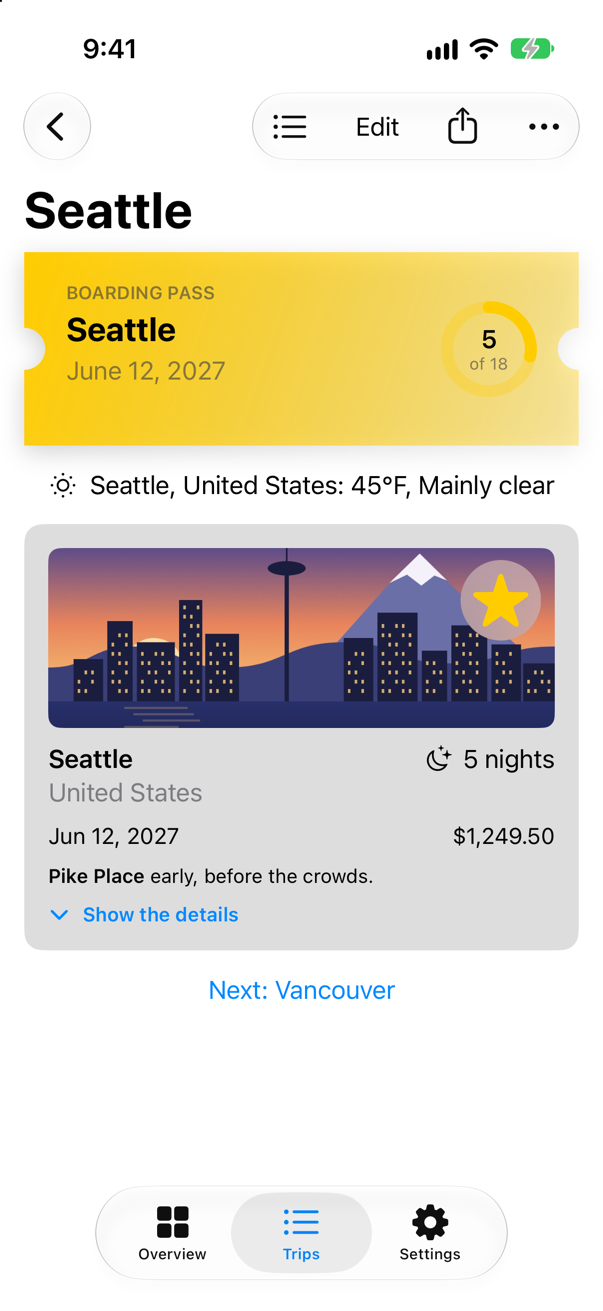
Below the pass is the weather in Seattle, United States, as Open-Meteo reported it when the picture was taken. The search's first answer is the place it thinks most likely, which here is the right Seattle. The console shows the one request:
Asking Open-Meteo about SeattleOne question is worth settling here, because it decides where every request in an app belongs. now(in:) and json say nonisolated(nonsending), the words lesson 15 gave a function that only waits: each runs on the actor of the code that calls it. With no word, in this project, an async function would run on the shared pool of threads instead — Approachable Concurrency is off. So TripDetail awaits the weather on the main actor — no @concurrent, no background queue. Is the main actor blocked for the second the request takes? No: one of this lesson's flash cards puts a counter on the main actor beside the same request, and the counter keeps counting while the request is out. await suspends the task that waits, not the actor it waits on. Lesson 37 takes that apart properly, and shows the one kind of work that does freeze the main actor.
When the city changes
Now give the trip another city. With Seattle open, tap Edit, change the city to Bergen and the country to Norway, and tap Save:
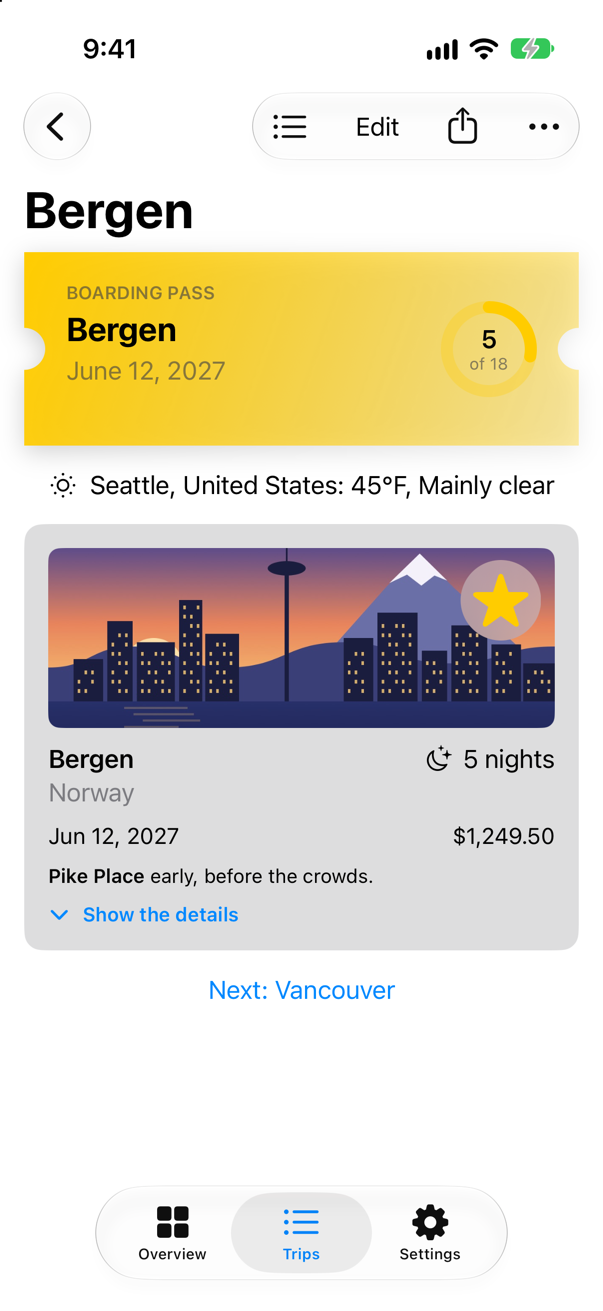
The pass says Bergen; the weather still says Seattle. The console shows the store saving the change (lesson 33) — and no request:
Saved 3 trips: 790 bytes.task runs when its view appears, and this view did not appear again: it was on the screen all along, showing a trip whose city changed. (On an iPad, choosing another trip in the sidebar does the same, because the detail view stays where it is and is given another trip — an edge case in this lesson shows it.)
.task(id:) is made for this. It "Adds a task to perform before this view appears or when a specified value changes," and "If the id value changes, SwiftUI cancels and restarts the task." Give it the city. The value has to be Equatable, because SwiftUI decides whether it changed by comparing the new value with the old one. In TripDetail.swift:
struct TripDetail: View { let id: Trip.ID @Binding var selection: Trip.ID? @Environment(TripStore.self) private var store @State private var editing: Trip? @State private var isConfirmingDelete = false @State private var weather: Weather? var body: some View { @Bindable var store = store if let index = store.trips.firstIndex(where: { $0.id == id }) { ScrollView { VStack(spacing: 16) { BoardingPass(trip: store.trips[index], totalNights: store.trips.reduce(0) { $0 + $1.nights }) if let weather { Label("\(weather.place): \(weather.temperature, format: .number.precision(.fractionLength(0)))°F, \(weather.sky.words)", systemImage: weather.sky.symbol) } else { ProgressView("Asking about the weather…") } TripCard(trip: $store.trips[index]) if let next = next(after: store.trips[index]) { NavigationLink("Next: \(next.city)", value: next.id) } } } .task { .task(id: store.trips[index].city) { weather = try? await Weather.now(in: store.trips[index].city) } .navigationTitle(store.trips[index].city) .toolbar { ToolbarItem { Button("All trips", systemImage: "list.bullet") { selection = nil } } ToolbarItem { Button("Edit") { editing = store.trips[index] } } ToolbarItem { ShareLink(item: store.trips[index], preview: SharePreview(store.trips[index].city, image: Image(store.trips[index].imageName))) } ToolbarOverflowMenu { Button("Delete trip", systemImage: "trash", role: .destructive) { isConfirmingDelete = true } } } .alert("Delete \(store.trips[index].city)?", isPresented: $isConfirmingDelete) { Button("Delete", role: .destructive) { store.delete([store.trips[index]]) } Button("Cancel", role: .cancel) { } } message: { Text("This cannot be undone.") } .sheet(item: $editing) { trip in TripEditor(trip: trip) { edited in store.update(edited) } .presentationDetents([.medium, .large]) } } else { ContentUnavailableView("This trip is gone", systemImage: "airplane.departure") } } /// The trip that starts soonest after this one, if there is one. private func next(after trip: Trip) -> Trip? { store.trips.filter { $0.start > trip.start }.min { $0.start < $1.start } }}struct TripDetail: View {
let id: Trip.ID
@Binding var selection: Trip.ID?
@Environment(TripStore.self) private var store
@State private var editing: Trip?
@State private var isConfirmingDelete = false
@State private var weather: Weather?
var body: some View {
@Bindable var store = store
if let index = store.trips.firstIndex(where: { $0.id == id }) {
ScrollView {
VStack(spacing: 16) {
BoardingPass(trip: store.trips[index],
totalNights: store.trips.reduce(0) { $0 + $1.nights })
if let weather {
Label("\(weather.place): \(weather.temperature, format: .number.precision(.fractionLength(0)))°F, \(weather.sky.words)",
systemImage: weather.sky.symbol)
} else {
ProgressView("Asking about the weather…")
}
TripCard(trip: $store.trips[index])
if let next = next(after: store.trips[index]) {
NavigationLink("Next: \(next.city)", value: next.id)
}
}
}
.task(id: store.trips[index].city) {
weather = try? await Weather.now(in: store.trips[index].city)
}
.navigationTitle(store.trips[index].city)
.toolbar {
ToolbarItem {
Button("All trips", systemImage: "list.bullet") {
selection = nil
}
}
ToolbarItem {
Button("Edit") {
editing = store.trips[index]
}
}
ToolbarItem {
ShareLink(item: store.trips[index],
preview: SharePreview(store.trips[index].city, image: Image(store.trips[index].imageName)))
}
ToolbarOverflowMenu {
Button("Delete trip", systemImage: "trash", role: .destructive) {
isConfirmingDelete = true
}
}
}
.alert("Delete \(store.trips[index].city)?", isPresented: $isConfirmingDelete) {
Button("Delete", role: .destructive) {
store.delete([store.trips[index]])
}
Button("Cancel", role: .cancel) { }
} message: {
Text("This cannot be undone.")
}
.sheet(item: $editing) { trip in
TripEditor(trip: trip) { edited in
store.update(edited)
}
.presentationDetents([.medium, .large])
}
} else {
ContentUnavailableView("This trip is gone", systemImage: "airplane.departure")
}
}
/// The trip that starts soonest after this one, if there is one.
private func next(after trip: Trip) -> Trip? {
store.trips.filter { $0.start > trip.start }.min { $0.start < $1.start }
}
}Run the app, open Seattle, and change it to Bergen, Norway, again:
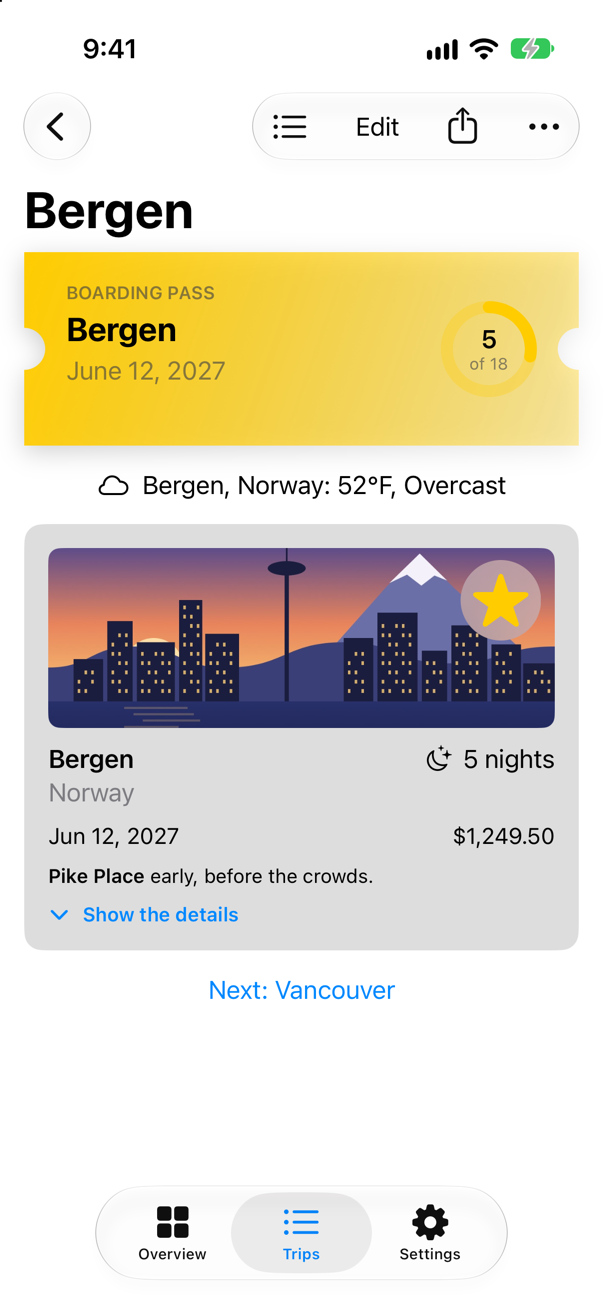
This time the change was followed by a request for Bergen:
Asking Open-Meteo about Bergen
Saved 3 trips: 790 bytesNot yet — or never?
Try a city that is nowhere: open Seattle again, tap Edit, change the city to Hogsmeade — a village that exists only in books — and tap Save:
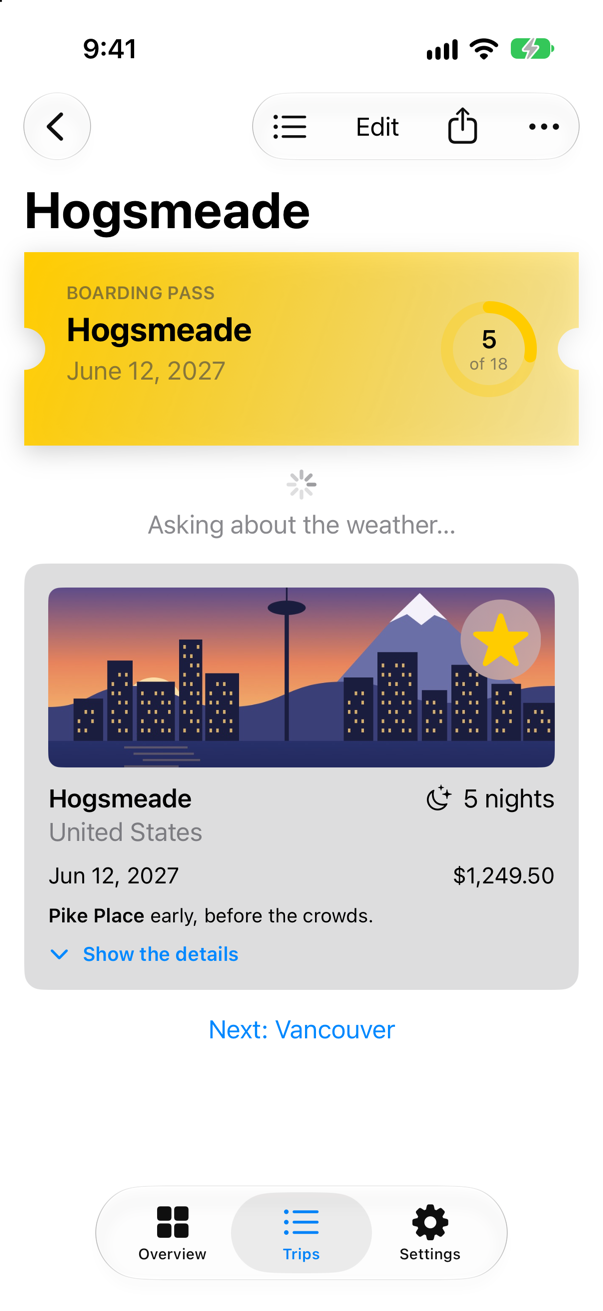
Open-Meteo answered at once: its search found nothing. Yet the screen will say "Asking about the weather…" for ever. try? turned the error into nil, and nil already meant "not yet". One optional cannot say three things: still asking, here it is, and there is none.
The usual patch makes it worse: an isLoading Boolean, an optional weather and an optional error — three properties and eight combinations, of which three make sense. Nothing stops the code from setting isLoading and error at the same time, and the screen then has to guess. An enum with one case for each state of the screen cannot contradict itself. It is .loading, or .loaded with the weather, or .failed with the reason — exactly one of them — and each case carries only the data that goes with it.
A model holds that state and does the asking. It is the main actor's, like the store, because the screen reads it — so its methods run there, and so does now(in:) when they call it. Its Phase says Sendable: plain data, and a type nested in the class does not take the class's actor. load(for:) starts from nothing, so the screen says the weather is on its way; the screen calls it when it appears and when the city changes. refresh(for:) asks again and leaves the old weather on the screen until the new one comes; pull-to-refresh will use it. The last lines guard against a race. When the city changes, .task(id:) cancels the old task, and the old request then ends with an error of its own: URLSession reports a cancelled request as URLError.cancelled, whose description is "cancelled". Without the check, that error can arrive after the new city's request has begun, and the screen says "cancelled" about a request nobody wants any more (an edge case catches it happening). Task.isCancelled tells a task whether it has been cancelled, and in Apple's words, "After the value of this property becomes true, it remains true indefinitely." Make a new Swift File named WeatherModel, and replace everything in it:
import Foundation

/// The weather where a trip goes, as its screen shows it: on its way, here, or not to be had.
/// `@MainActor`: the screen reads it.
@MainActor
@Observable
final class WeatherModel {
    /// `Sendable`: plain data — and a type nested in the class does not take the class's actor.
    enum Phase: Sendable {
        case loading
        case loaded(Weather)
        case failed(String)
    }

    private(set) var phase = Phase.loading

    /// Starts from nothing: the screen says the weather is on its way.
    func load(for city: String) async {
        phase = .loading
        await refresh(for: city)
    }

    /// Asks again, and keeps what the screen shows until the answer comes.
    func refresh(for city: String) async {
        let next: Phase
        do {
            next = .loaded(try await Weather.now(in: city))
        } catch {
            next = .failed(error.localizedDescription)
        }
        // the screen went away, or the city changed: nobody is waiting for this answer now
        if !Task.isCancelled {
            phase = next
        }
    }
}
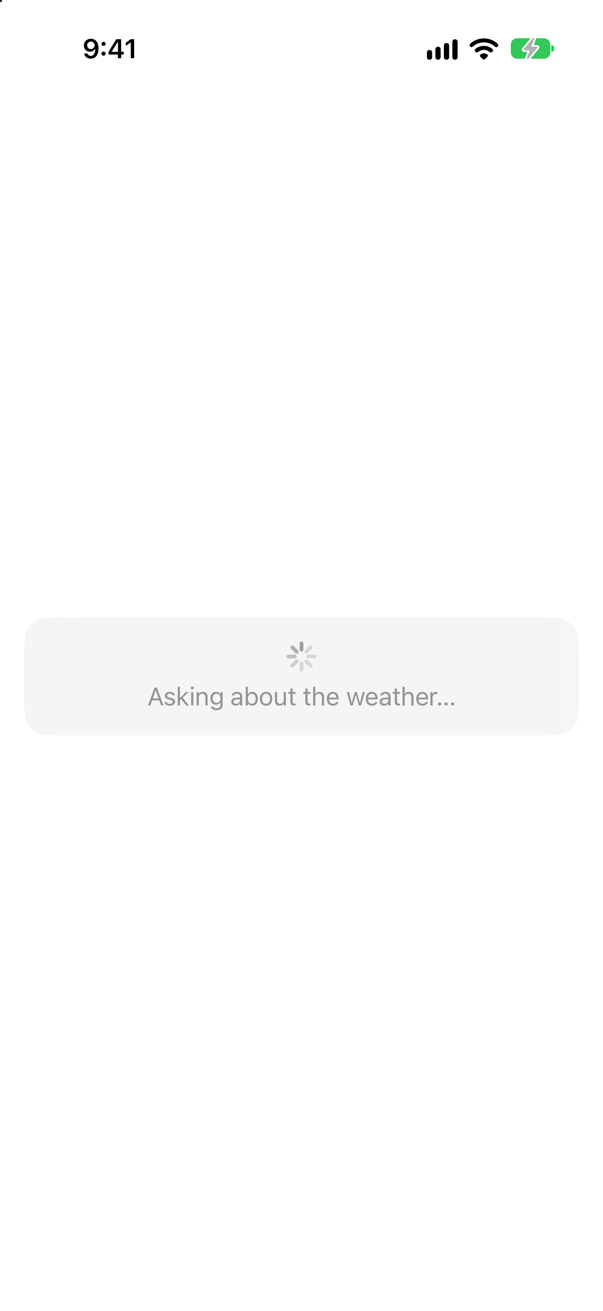
The view draws the three cases and nothing else: it is given the phase, and a closure for its Retry button. That makes each state easy to look at in a preview, with no network at all — the loading state in particular, which in the app lasts less than a second. Make a new SwiftUI View named WeatherView, and replace everything in it:
import SwiftUI

/// The weather on a trip's screen, in each of its three phases.
struct WeatherView: View {
    let phase: WeatherModel.Phase
    var retry: () -> Void = {}

    var body: some View {
        Group {
            switch phase {
            case .loading:
                ProgressView("Asking about the weather…")
            case .loaded(let weather):
                Label("\(weather.place): \(weather.temperature, format: .number.precision(.fractionLength(0)))°F, \(weather.sky.words)",
                      systemImage: weather.sky.symbol)
            case .failed(let reason):
                VStack(spacing: 8) {
                    Label(reason, systemImage: "exclamationmark.triangle")
                    Button("Retry", action: retry)
                        .buttonStyle(.bordered)
                }
            }
        }
        .frame(maxWidth: .infinity, minHeight: 44)
        .padding()
        .background(.thinMaterial, in: .rect(cornerRadius: 16))
        .padding(.horizontal)
    }
}

#Preview("Loading") {
    WeatherView(phase: .loading)
}

#Preview("Loaded") {
    WeatherView(phase: .loaded(Weather(place: "Seattle, United States", temperature: 61, code: 2)))
}

#Preview("Failed") {
    WeatherView(phase: .failed(WeatherError.noSuchPlace("Hogsmeade").localizedDescription))
}
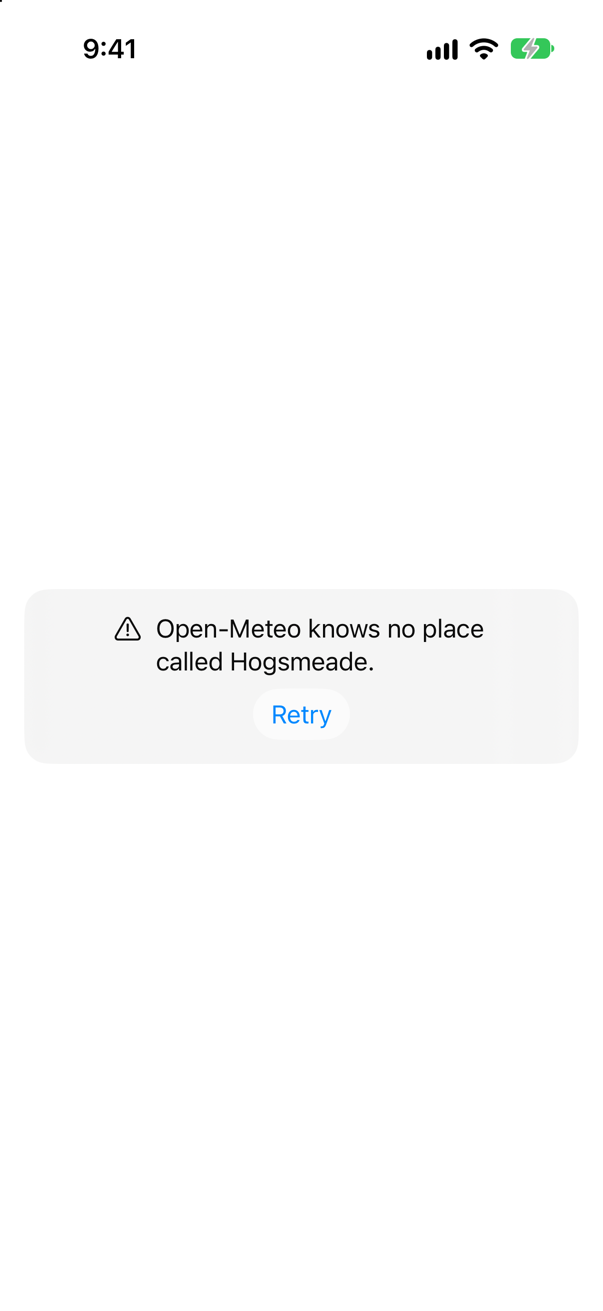
And the screen uses them. The Retry button's action is an ordinary closure, which cannot await, so Task { } starts the asynchronous work from it. Written in the view, the closure is the main actor's, and a task takes the actor of the code that makes it — so this one may call the model, which is the main actor's too. A Task made like this belongs to no view: unlike the work .task starts, leaving the screen does not cancel it (an edge case shows the difference). In TripDetail.swift:
struct TripDetail: View { let id: Trip.ID @Binding var selection: Trip.ID? @Environment(TripStore.self) private var store @State private var editing: Trip? @State private var isConfirmingDelete = false @State private var weather: Weather? @State private var weather = WeatherModel() var body: some View { @Bindable var store = store if let index = store.trips.firstIndex(where: { $0.id == id }) { ScrollView { VStack(spacing: 16) { BoardingPass(trip: store.trips[index], totalNights: store.trips.reduce(0) { $0 + $1.nights }) if let weather { Label("\(weather.place): \(weather.temperature, format: .number.precision(.fractionLength(0)))°F, \(weather.sky.words)", systemImage: weather.sky.symbol) } else { ProgressView("Asking about the weather…") WeatherView(phase: weather.phase) { Task { await weather.load(for: store.trips[index].city) } } TripCard(trip: $store.trips[index]) if let next = next(after: store.trips[index]) { NavigationLink("Next: \(next.city)", value: next.id) } } } .task(id: store.trips[index].city) { weather = try? await Weather.now(in: store.trips[index].city) await weather.load(for: store.trips[index].city) } .navigationTitle(store.trips[index].city) .toolbar { ToolbarItem { Button("All trips", systemImage: "list.bullet") { selection = nil } } ToolbarItem { Button("Edit") { editing = store.trips[index] } } ToolbarItem { ShareLink(item: store.trips[index], preview: SharePreview(store.trips[index].city, image: Image(store.trips[index].imageName))) } ToolbarOverflowMenu { Button("Delete trip", systemImage: "trash", role: .destructive) { isConfirmingDelete = true } } } .alert("Delete \(store.trips[index].city)?", isPresented: $isConfirmingDelete) { Button("Delete", role: .destructive) { store.delete([store.trips[index]]) } Button("Cancel", role: .cancel) { } } message: { Text("This cannot be undone.") } .sheet(item: $editing) { trip in TripEditor(trip: trip) { edited in store.update(edited) } .presentationDetents([.medium, .large]) } } else { ContentUnavailableView("This trip is gone", systemImage: "airplane.departure") } } /// The trip that starts soonest after this one, if there is one. private func next(after trip: Trip) -> Trip? { store.trips.filter { $0.start > trip.start }.min { $0.start < $1.start } }}struct TripDetail: View {
let id: Trip.ID
@Binding var selection: Trip.ID?
@Environment(TripStore.self) private var store
@State private var editing: Trip?
@State private var isConfirmingDelete = false
@State private var weather = WeatherModel()
var body: some View {
@Bindable var store = store
if let index = store.trips.firstIndex(where: { $0.id == id }) {
ScrollView {
VStack(spacing: 16) {
BoardingPass(trip: store.trips[index],
totalNights: store.trips.reduce(0) { $0 + $1.nights })
WeatherView(phase: weather.phase) {
Task { await weather.load(for: store.trips[index].city) }
}
TripCard(trip: $store.trips[index])
if let next = next(after: store.trips[index]) {
NavigationLink("Next: \(next.city)", value: next.id)
}
}
}
.task(id: store.trips[index].city) {
await weather.load(for: store.trips[index].city)
}
.navigationTitle(store.trips[index].city)
.toolbar {
ToolbarItem {
Button("All trips", systemImage: "list.bullet") {
selection = nil
}
}
ToolbarItem {
Button("Edit") {
editing = store.trips[index]
}
}
ToolbarItem {
ShareLink(item: store.trips[index],
preview: SharePreview(store.trips[index].city, image: Image(store.trips[index].imageName)))
}
ToolbarOverflowMenu {
Button("Delete trip", systemImage: "trash", role: .destructive) {
isConfirmingDelete = true
}
}
}
.alert("Delete \(store.trips[index].city)?", isPresented: $isConfirmingDelete) {
Button("Delete", role: .destructive) {
store.delete([store.trips[index]])
}
Button("Cancel", role: .cancel) { }
} message: {
Text("This cannot be undone.")
}
.sheet(item: $editing) { trip in
TripEditor(trip: trip) { edited in
store.update(edited)
}
.presentationDetents([.medium, .large])
}
} else {
ContentUnavailableView("This trip is gone", systemImage: "airplane.departure")
}
}
/// The trip that starts soonest after this one, if there is one.
private func next(after trip: Trip) -> Trip? {
store.trips.filter { $0.start > trip.start }.min { $0.start < $1.start }
}
}Run the app, open Seattle, and change its city to Hogsmeade again:
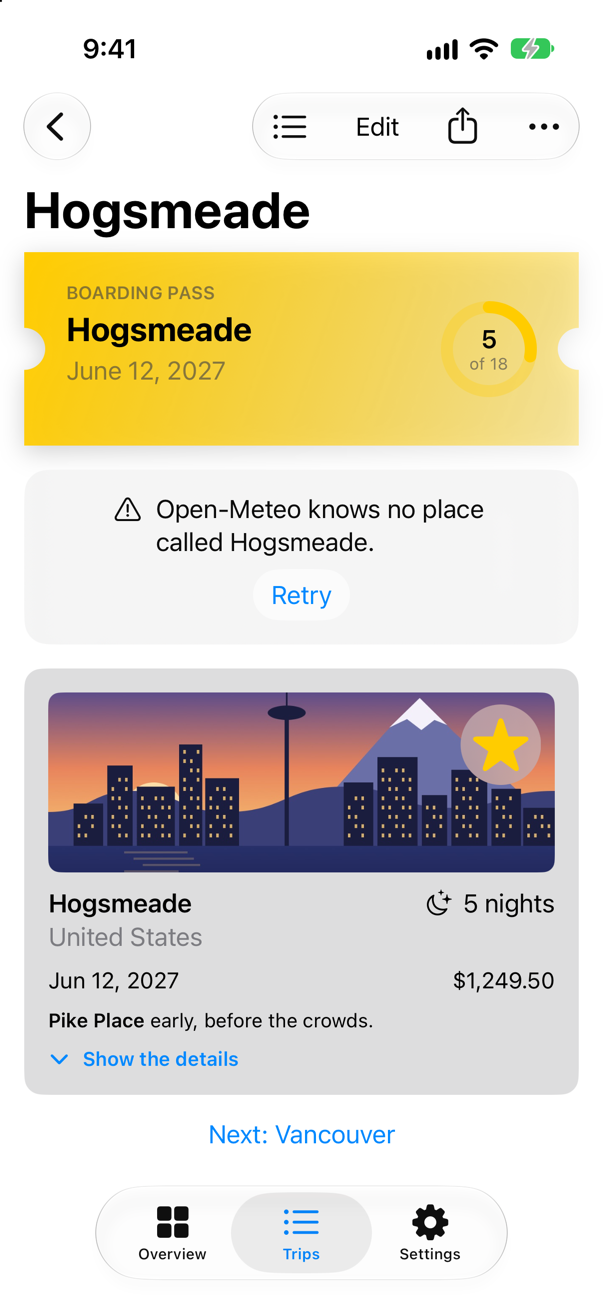
The screen says what happened, in WeatherError's words, and offers to try again. Retry would fail the same way here — Hogsmeade will not turn up — but it is the right button for failures that pass: no signal on a train, a server that is down for a minute.
Pull to refresh
.refreshable "Adds an asynchronous handler that can update the data the view displays when a person initiates a request, such as by pulling to refresh." On a List or a ScrollView that is the standard pull-down: "When a person drags the top of the scrollable area downward, the view reveals a progress indicator and executes the specified handler. The indicator remains visible for the duration of the refresh, which runs asynchronously." Because the handler is async, the duration of the refresh is exactly as long as its await takes. It calls refresh(for:) rather than load(for:), so the weather stays where it is while the new answer comes. In TripDetail.swift:
struct TripDetail: View { let id: Trip.ID @Binding var selection: Trip.ID? @Environment(TripStore.self) private var store @State private var editing: Trip? @State private var isConfirmingDelete = false @State private var weather = WeatherModel() var body: some View { @Bindable var store = store if let index = store.trips.firstIndex(where: { $0.id == id }) { ScrollView { VStack(spacing: 16) { BoardingPass(trip: store.trips[index], totalNights: store.trips.reduce(0) { $0 + $1.nights }) WeatherView(phase: weather.phase) { Task { await weather.load(for: store.trips[index].city) } } TripCard(trip: $store.trips[index]) if let next = next(after: store.trips[index]) { NavigationLink("Next: \(next.city)", value: next.id) } } } .task(id: store.trips[index].city) { await weather.load(for: store.trips[index].city) } .refreshable { await weather.refresh(for: store.trips[index].city) } .navigationTitle(store.trips[index].city) .toolbar { ToolbarItem { Button("All trips", systemImage: "list.bullet") { selection = nil } } ToolbarItem { Button("Edit") { editing = store.trips[index] } } ToolbarItem { ShareLink(item: store.trips[index], preview: SharePreview(store.trips[index].city, image: Image(store.trips[index].imageName))) } ToolbarOverflowMenu { Button("Delete trip", systemImage: "trash", role: .destructive) { isConfirmingDelete = true } } } .alert("Delete \(store.trips[index].city)?", isPresented: $isConfirmingDelete) { Button("Delete", role: .destructive) { store.delete([store.trips[index]]) } Button("Cancel", role: .cancel) { } } message: { Text("This cannot be undone.") } .sheet(item: $editing) { trip in TripEditor(trip: trip) { edited in store.update(edited) } .presentationDetents([.medium, .large]) } } else { ContentUnavailableView("This trip is gone", systemImage: "airplane.departure") } } /// The trip that starts soonest after this one, if there is one. private func next(after trip: Trip) -> Trip? { store.trips.filter { $0.start > trip.start }.min { $0.start < $1.start } }}struct TripDetail: View {
let id: Trip.ID
@Binding var selection: Trip.ID?
@Environment(TripStore.self) private var store
@State private var editing: Trip?
@State private var isConfirmingDelete = false
@State private var weather = WeatherModel()
var body: some View {
@Bindable var store = store
if let index = store.trips.firstIndex(where: { $0.id == id }) {
ScrollView {
VStack(spacing: 16) {
BoardingPass(trip: store.trips[index],
totalNights: store.trips.reduce(0) { $0 + $1.nights })
WeatherView(phase: weather.phase) {
Task { await weather.load(for: store.trips[index].city) }
}
TripCard(trip: $store.trips[index])
if let next = next(after: store.trips[index]) {
NavigationLink("Next: \(next.city)", value: next.id)
}
}
}
.task(id: store.trips[index].city) {
await weather.load(for: store.trips[index].city)
}
.refreshable {
await weather.refresh(for: store.trips[index].city)
}
.navigationTitle(store.trips[index].city)
.toolbar {
ToolbarItem {
Button("All trips", systemImage: "list.bullet") {
selection = nil
}
}
ToolbarItem {
Button("Edit") {
editing = store.trips[index]
}
}
ToolbarItem {
ShareLink(item: store.trips[index],
preview: SharePreview(store.trips[index].city, image: Image(store.trips[index].imageName)))
}
ToolbarOverflowMenu {
Button("Delete trip", systemImage: "trash", role: .destructive) {
isConfirmingDelete = true
}
}
}
.alert("Delete \(store.trips[index].city)?", isPresented: $isConfirmingDelete) {
Button("Delete", role: .destructive) {
store.delete([store.trips[index]])
}
Button("Cancel", role: .cancel) { }
} message: {
Text("This cannot be undone.")
}
.sheet(item: $editing) { trip in
TripEditor(trip: trip) { edited in
store.update(edited)
}
.presentationDetents([.medium, .large])
}
} else {
ContentUnavailableView("This trip is gone", systemImage: "airplane.departure")
}
}
/// The trip that starts soonest after this one, if there is one.
private func next(after trip: Trip) -> Trip? {
store.trips.filter { $0.start > trip.start }.min { $0.start < $1.start }
}
}Run the app, open Seattle, and pull the screen down:
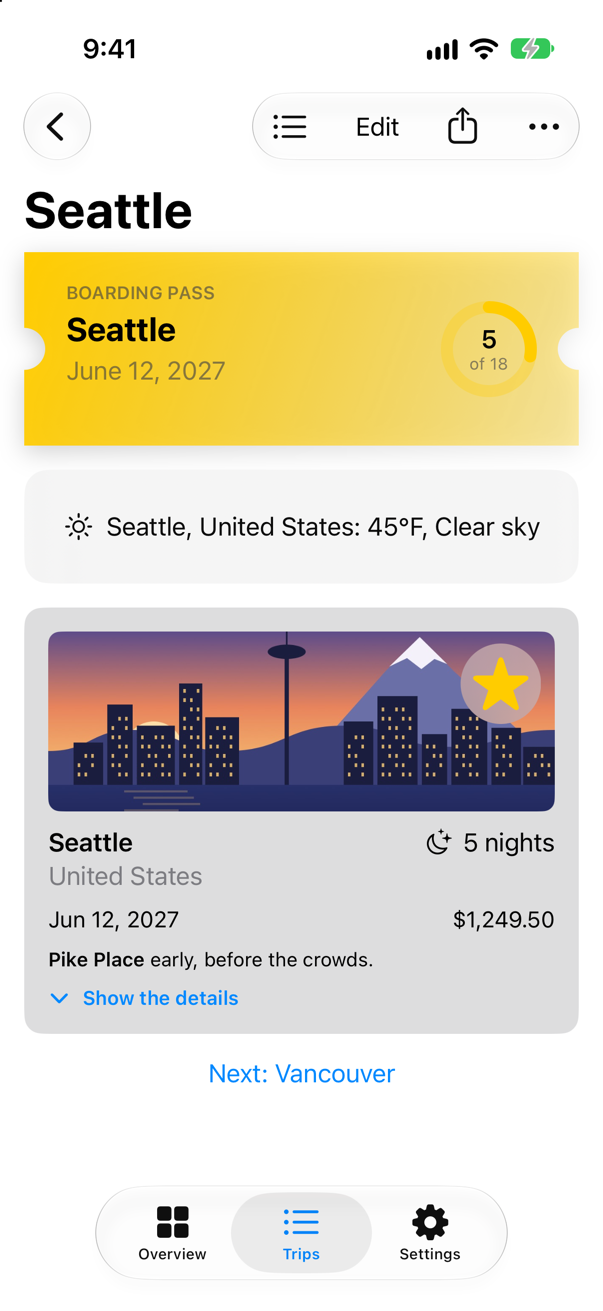
The pull asked Open-Meteo again, and the weather stayed on the screen while it did:
Asking Open-Meteo about SeattleWhat you built
- The weather on each trip's screen, from a real web service: two requests in a row, each one an
await. .taskto start the work with the screen, and.task(id:)to start it again when the city changes.- One enum for the state of the screen — loading, loaded, failed — with a preview of each, and a Retry button.
- Pull-to-refresh with
.refreshable.
Next, SwiftData: saving model objects to disk, and showing them in a view that keeps itself up to date.
The finished project
Stuck, or want to compare with your own? This is the project as it stands at the end of this lesson, built and run before it was put here.
- Trips-lesson-34.zip — unzip it, then open
Trips.xcodeprojin Xcode.
Flash cards
17 cards for this lesson, each labelled with its topic. 9 ask how you would write something; the other 8 are trick questions, written to catch a misunderstanding. Answer in your head first, then tap the card.
Syntax · URLSessionFetch the data at a URL with async/await.
try await URLSession.shared.data(from: url) gives back the data and a URLResponse — an HTTPURLResponse for an http or https address. The function pauses at the await without blocking its thread. It printed 200 true.
Syntax · URLSessionAdd query parameters to a URL, escaped as they should be.
appending(queryItems:), since iOS 16 — or URLComponents and its queryItems, as this lesson's helper does. Either escapes what needs it: https://geocoding-api.open-meteo.com/v1/search?name=San%20Pedro%20de%20Atacama&count=1.
Syntax · .taskStart asynchronous work when a view appears — and have it cancelled if the view goes first.

.task { … }: its closure is async, it starts as the view appears, and SwiftUI cancels it if the view goes away before it ends. It printed shown: 61°F, partly cloudy.
Syntax · .taskStart the work again whenever a value changes.
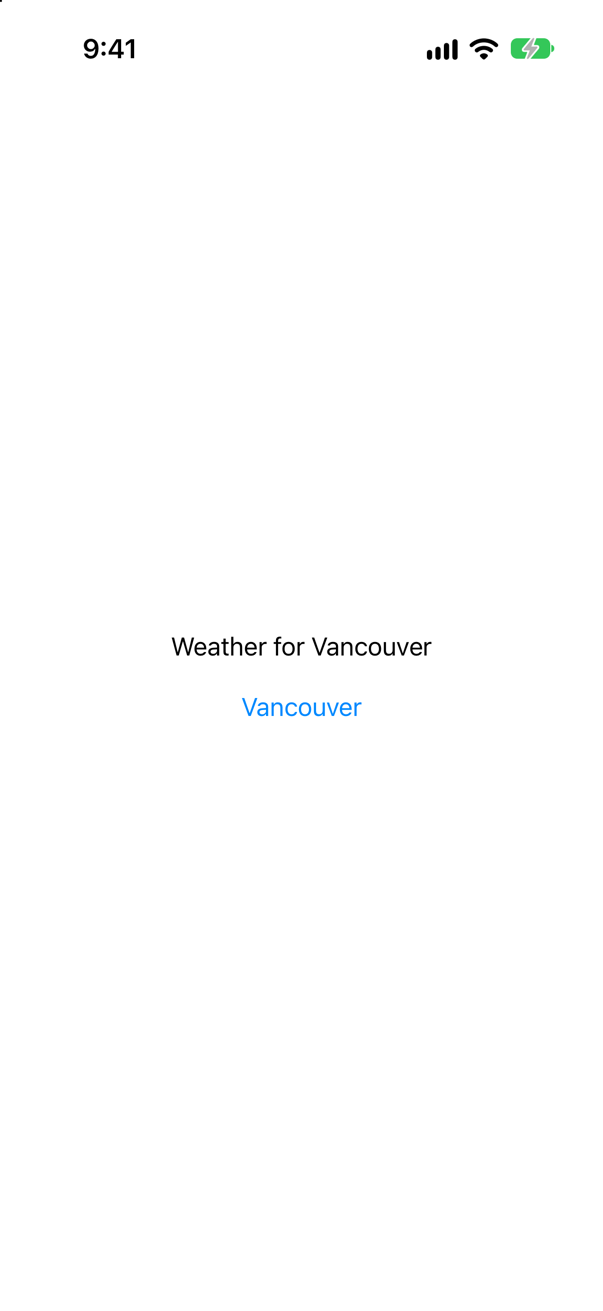
.task(id: city). When city changes, SwiftUI cancels the task if it is still running and starts it again. The value must be Equatable. After a tap on Vancouver: "asking about Seattle", then "asking about Vancouver".
Syntax · .refreshableGive a list pull-to-refresh.
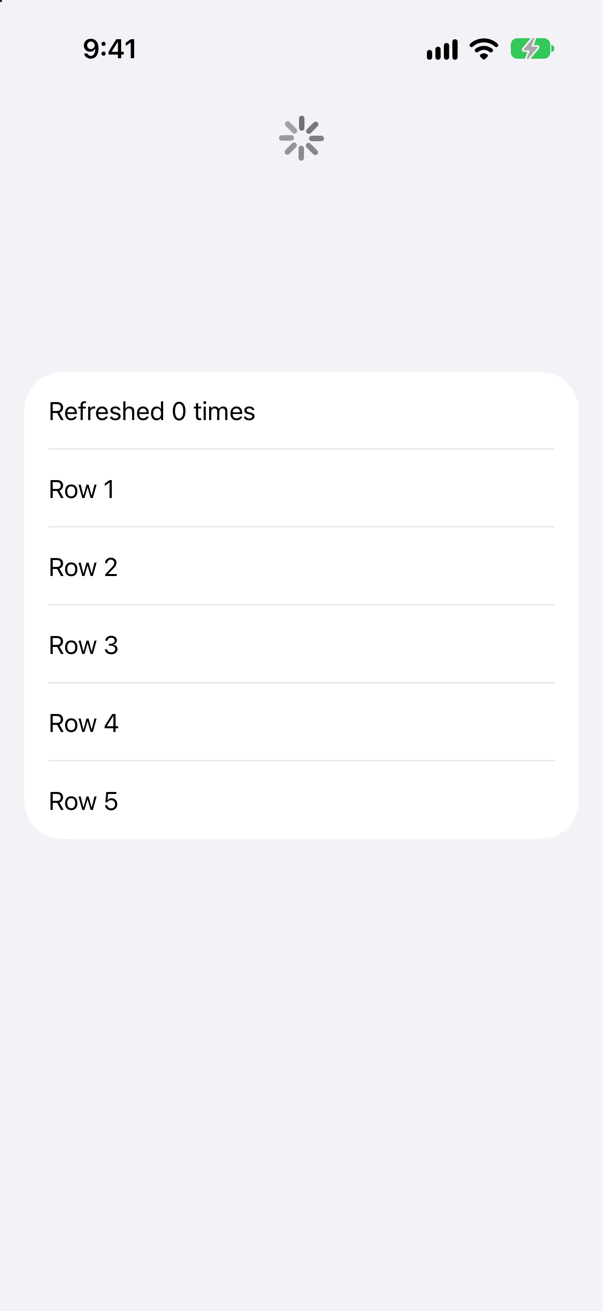
.refreshable { … } on the List (or a ScrollView). The progress indicator stays for as long as the closure runs — in the picture, partway through its four seconds. Then: "refreshed".
Syntax · TaskCall an async function from a button.
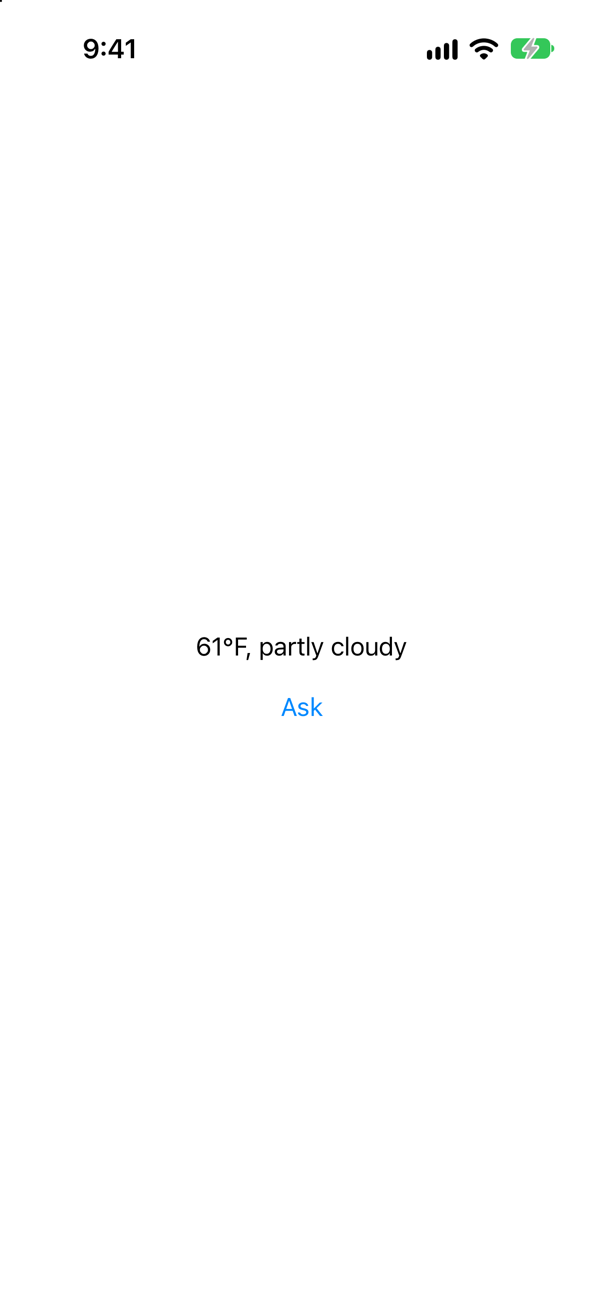
A button's action cannot await, so start a Task { … } in it. That task belongs to no view: leaving the screen does not cancel it, as it would cancel the work .task started. It printed shown: 61°F, partly cloudy.
Syntax · StateDescribe a screen that is loading, loaded or failed — with one type.
An enum with a case for each state, each carrying only its own data. It can never be loading and failed at once, which three separate properties can. It printed a spinner, a list of 2 and the error: offline.
Syntax · CancellationInside a task, find out whether it has been cancelled.
Task.isCancelled to ask; try Task.checkCancellation() to throw CancellationError if it has. Cancelling only raises a flag, and code has to look at it — Task.sleep does, so the sleep ended at once. Then: "isCancelled: true", "checkCancellation threw CancellationError()".
Syntax · URLSessionMake sure the server answered 200 OK.
Cast the response to HTTPURLResponse and check statusCode. URLSession itself throws only when there is no answer at all; a latitude of 999 got an answer — not OK: 400.
Trick question · URLSessionA server answers 404 Not Found. Does try await URLSession.shared.data(from:) throw?
No: "no error; status 404" — and the data is the server's error page, {"reason":"Not Found","error":true}. A 404 is an answer, and URLSession throws only when there is none: no connection, a timeout, a cancelled request. Check the status yourself.
Trick question · .task.onAppear { Task { … } } instead of .task { … }: is the work cancelled when the view goes?
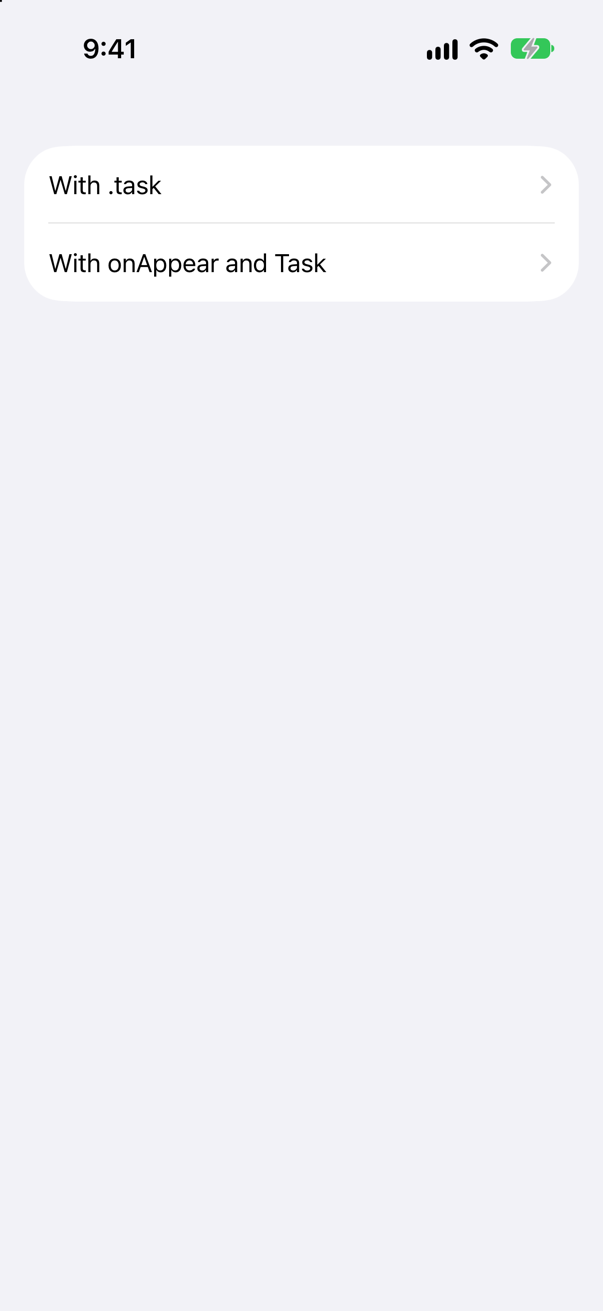
No. Each screen was left about a second after it opened. The .task was cancelled — ".task: stopped by CancellationError()" — while the Task from onAppear ran on to "onAppear: finished", for a screen that was gone. .task ties the work to the view; a bare Task belongs to no one.
Trick question · .task.task { let (data, _) = try await URLSession.shared.data(from: url) … } — no do/catch. Does it compile?
No: "invalid conversion from throwing function of type '() async throws -> Void' to non-throwing function type '@isolated(any) () async -> Void'" The closure .task takes is async but not throws. Handle the error inside it — with do/catch, or with try? when failing quietly is right.
Trick question · CancellationA request is cancelled because its view went away. Is the error a CancellationError?

No — "is CancellationError: false". URLSession reports a cancelled request its own way, as a URLError with the code .cancelled: "is URLError.cancelled: true". So catch is CancellationError misses it. Task.isCancelled is right either way: "Task.isCancelled: true". (The address, 10.255.255.1, has nothing behind it, so the request was still waiting.)
Trick question · .taskA view loads the weather for its city in .task. It stays on the screen and is given another city. Does the task run again?
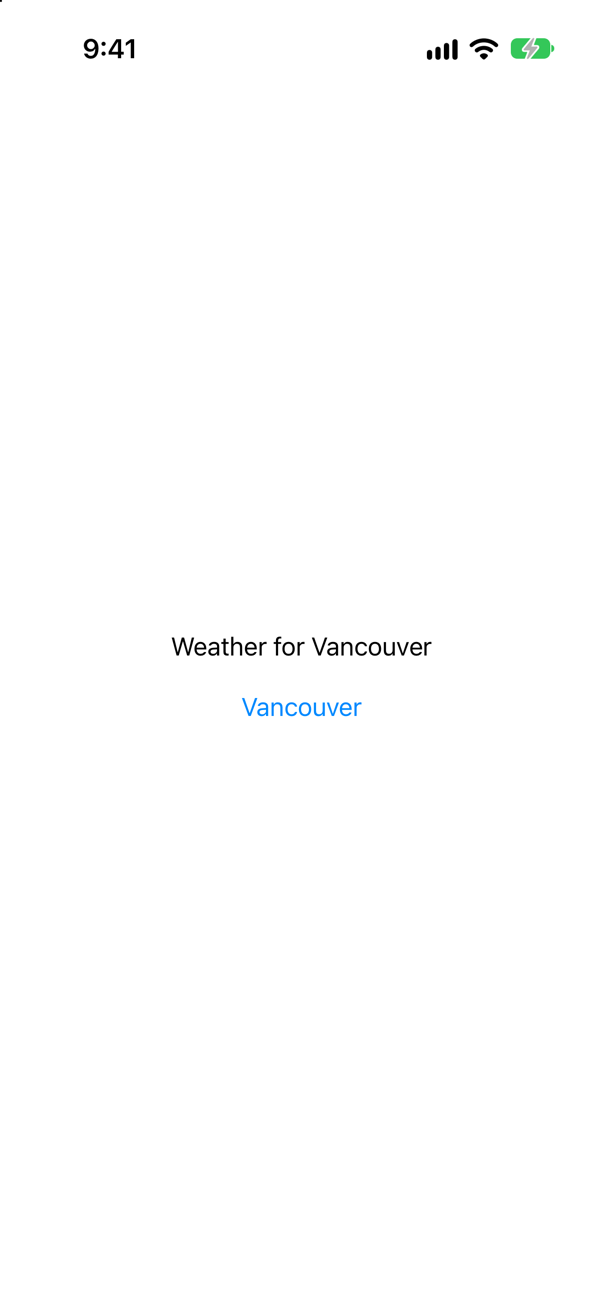
No. The text says Vancouver, but all that was printed is "asking about Seattle". The view did not appear again — it was there all along, with a new city. .task(id: city) starts the work again when the city changes.
Trick question · awaitWhile a .task waits a minute in Task.sleep, can the user still tap a button on that screen?

Yes. After "waiting a minute", the three taps landed — "tap 1", "tap 2", "tap 3" — while the task was still waiting. await suspends the task, not the thread; the main thread goes on drawing and handling taps, and the task carries on when its wait is over.
Trick question · .taskA view has both .onAppear and .task. Which runs first?

onAppear. The body ran first ("body: first"), then onAppear, then the task, straight through to its first await ("task: before the first await"); the change it made drew the body again ("body: set by the task"), and the rest of the task came after its wait ("task: after the first await"). Apple's page for .task says that on iOS 27 "The task is created by Task.immediate. Its action begins execution synchronously until it suspends at the first await."
Trick question · awaitTrips awaits the weather on the main actor, with no @concurrent and no background queue. While the request is out — a second or so — is the main actor blocked, or does it run the rest of the app?
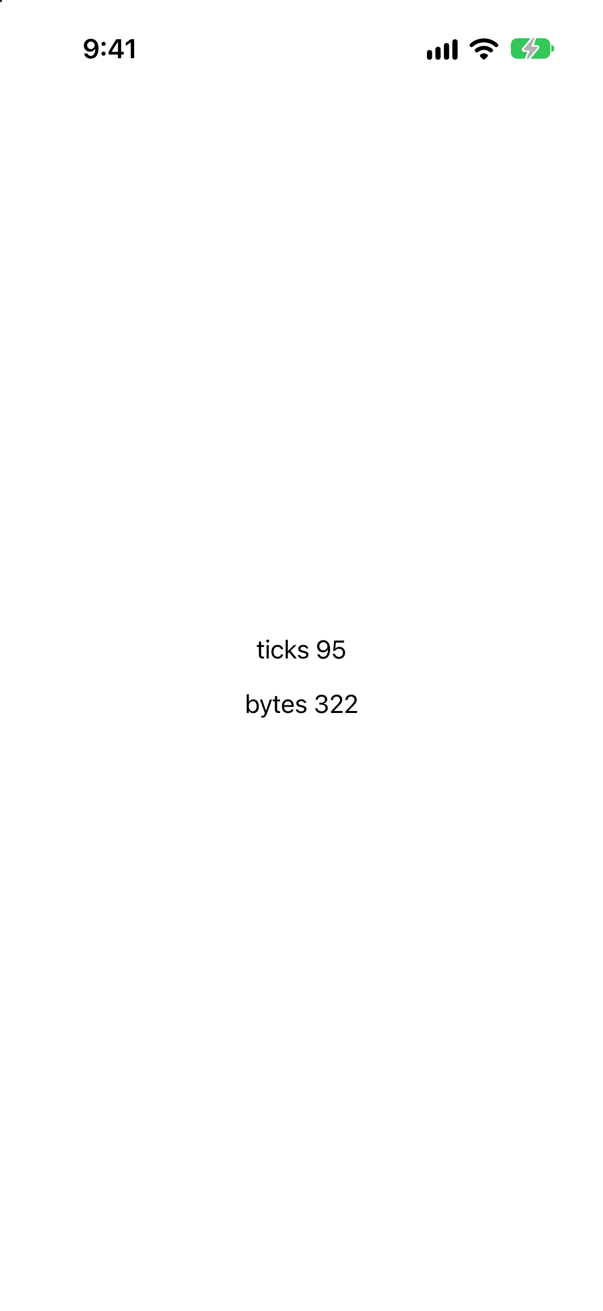
It runs the rest of the app. A second task on the same main actor, counting ten times a second, kept counting while the request was out: 322 bytes; the main actor ticked 3 times while the request was out. await suspends the task that is waiting, not the thread or the actor it was on; the request itself runs in URLSession's own machinery, and the code after the await picks up again on the main actor when the data arrives. A request never needs to leave the main actor. Lesson 37 takes the whole picture apart — and shows the one kind of work that does freeze it.
Edge cases and tricky questions
10 questions of the kind an interviewer uses to find out whether you really know this — the corners, the traps, and the things that changed recently. Each has its source. Wherever the answer is what some code does, that code was compiled and run, and what you see under “Show the answer” is what it really did. Say your answer aloud before you open it.
A request for the weather at latitude 999 — a typo — is made with URLSession.shared.data(from:), and the answer decoded as a Forecast. Where does it fail, and what does the error say?
Show the answer
Not where you would look. data(from:) did not throw — the server answered, with status 400 and the reason in JSON — and the decoder then failed on the error page:
What it printed
status: 400
data: {"reason":"Latitude must be in range of -90 to 90°. Given: 999.0.","error":true}
DecodingError.keyNotFound: Key 'current' not found in keyed decoding container. Debug description: No value associated with key CodingKeys(stringValue: "current", intValue: nil) ("current").
The decoder is right that there is no current, and no help at all. Check the status before decoding, and when the server explains a refusal, decode the explanation:
Now the reason reaches you: "Open-Meteo says: Latitude must be in range of -90 to 90°. Given: 999.0.".
Where this comes from: URLSession data(from:delegate:) · HTTPURLResponse · Open-Meteo: Weather Forecast API · WWDC21: Use async/await with URLSession (2021 — the API is unchanged) — Measured against Open-Meteo, live, from the simulator.
The forecast's key is temperature_2m. The decoder uses .convertFromSnakeCase, and the property is temperature2m. Does it decode?
Show the answer
No: "DecodingError.keyNotFound: Key 'temperature2m' not found in keyed decoding container. Debug description: No value associated with key CodingKeys(stringValue: "temperature2m", intValue: nil) ("temperature2m")."
The strategy's first step, in Apple's words, is to "Capitalize each word that follows an underscore" — and the word after the underscore is 2m, which capitalized is 2M:
So the key it looks for is temperature2M, and a property of that name decodes ("61.3"). Clearer still is to leave the strategy off and name the key yourself, as this lesson's Forecast does: case temperature = "temperature_2m".
Where this comes from: JSONDecoder.KeyDecodingStrategy.convertFromSnakeCase · Open-Meteo: Weather Forecast API — Measured on iOS 27.
A view starts its request in init — Task { … } — instead of in .task. Its parent redraws three times. How many requests are made?
Show the answer
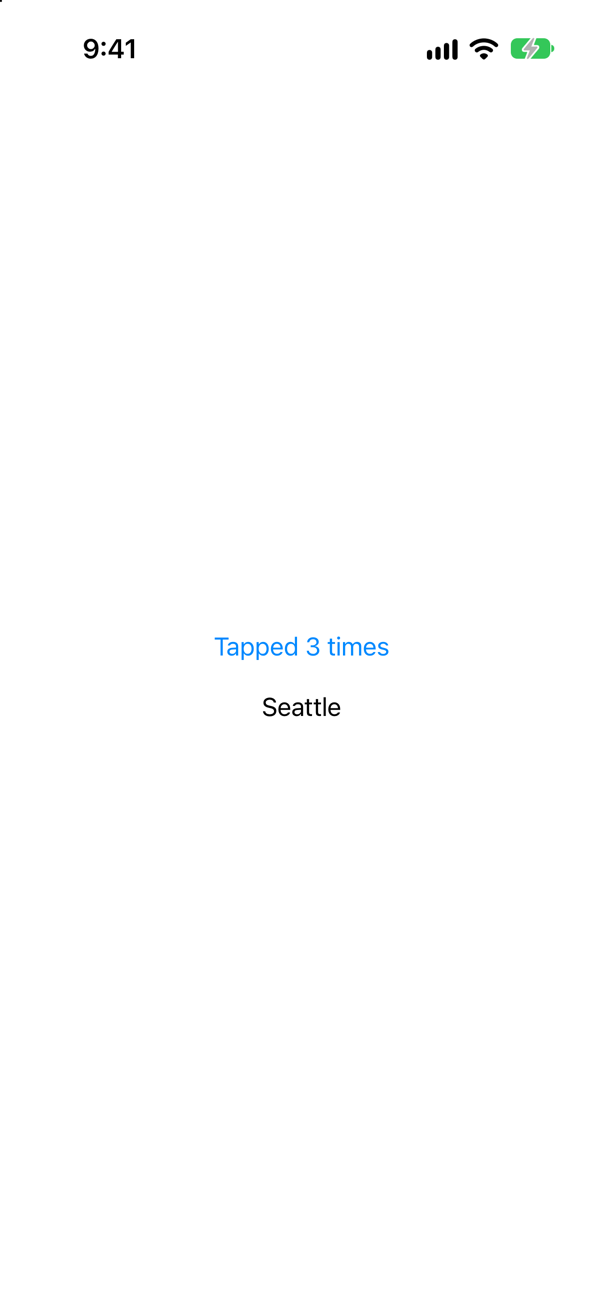
Four: one at launch, and one for each tap. At launch:
asking about SeattleAnd during the three taps:
asking about Seattle
asking about Seattle
asking about Seattle
A view's init runs every time its parent's body runs (lesson 7 counted them), whether or not anything on the screen changes — and nothing cancels those tasks. In .task the request belongs to the view's appearance instead, which happened once:
With it, the launch asked once and the taps asked nothing more.
Where this comes from: task(name:priority:file:line:_:) · Hacking with Swift: the task() modifier (updated for Xcode 16.4) — Measured on iOS 27.
A tab loads its data in .task. The user switches to another tab and back, twice. How many times does the task run?
Show the answer
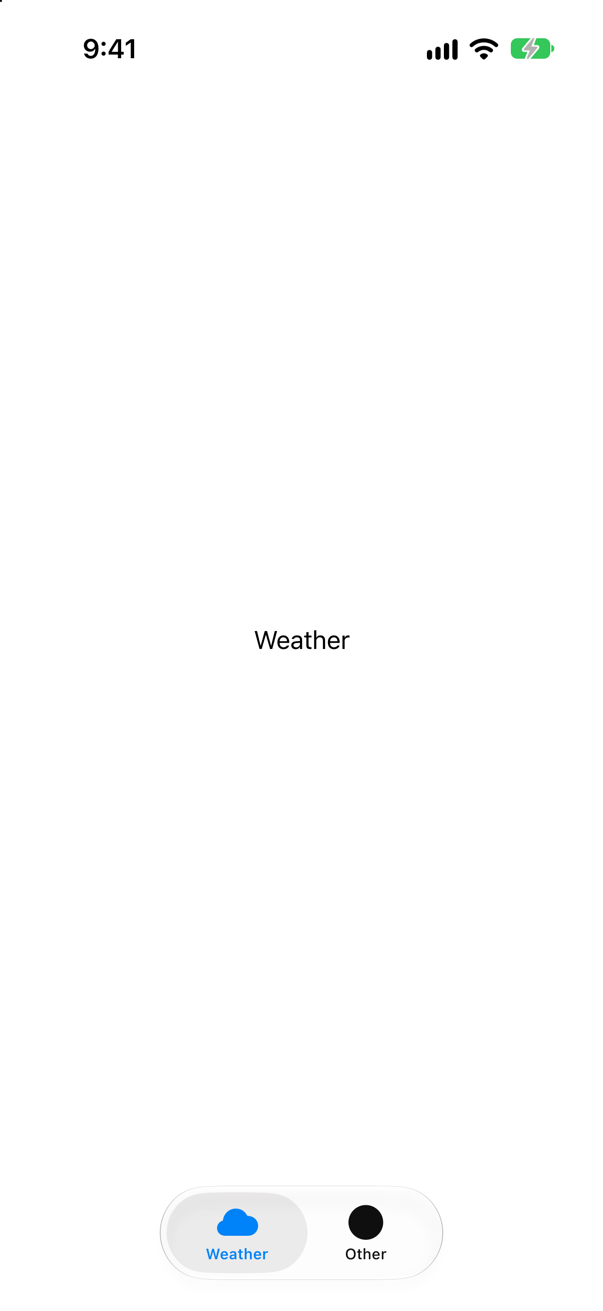
Three times: at launch, and each time the tab came back.
task ran
task ran
task ran
.task belongs to an appearance, and a tab that is switched away disappears — its state is kept, but it appears again when it comes back. When loading again would be a waste, keep the result in a model that outlives the view and skip the work when it is already done:
The task still runs each time; it simply has nothing to do — "loading" at launch, then "already loaded" each time the tab came back.
Where this comes from: task(name:priority:file:line:_:) · WWDC21: Discover concurrency in SwiftUI (2021 — .task and .refreshable are unchanged) — Measured on iOS 27.
On an iPad, a split view's detail column shows CityWeather(city:) for the city chosen in the sidebar, and CityWeather asks for the weather in .task. The user chooses Seattle, then Vancouver. What does the detail say?
Show the answer
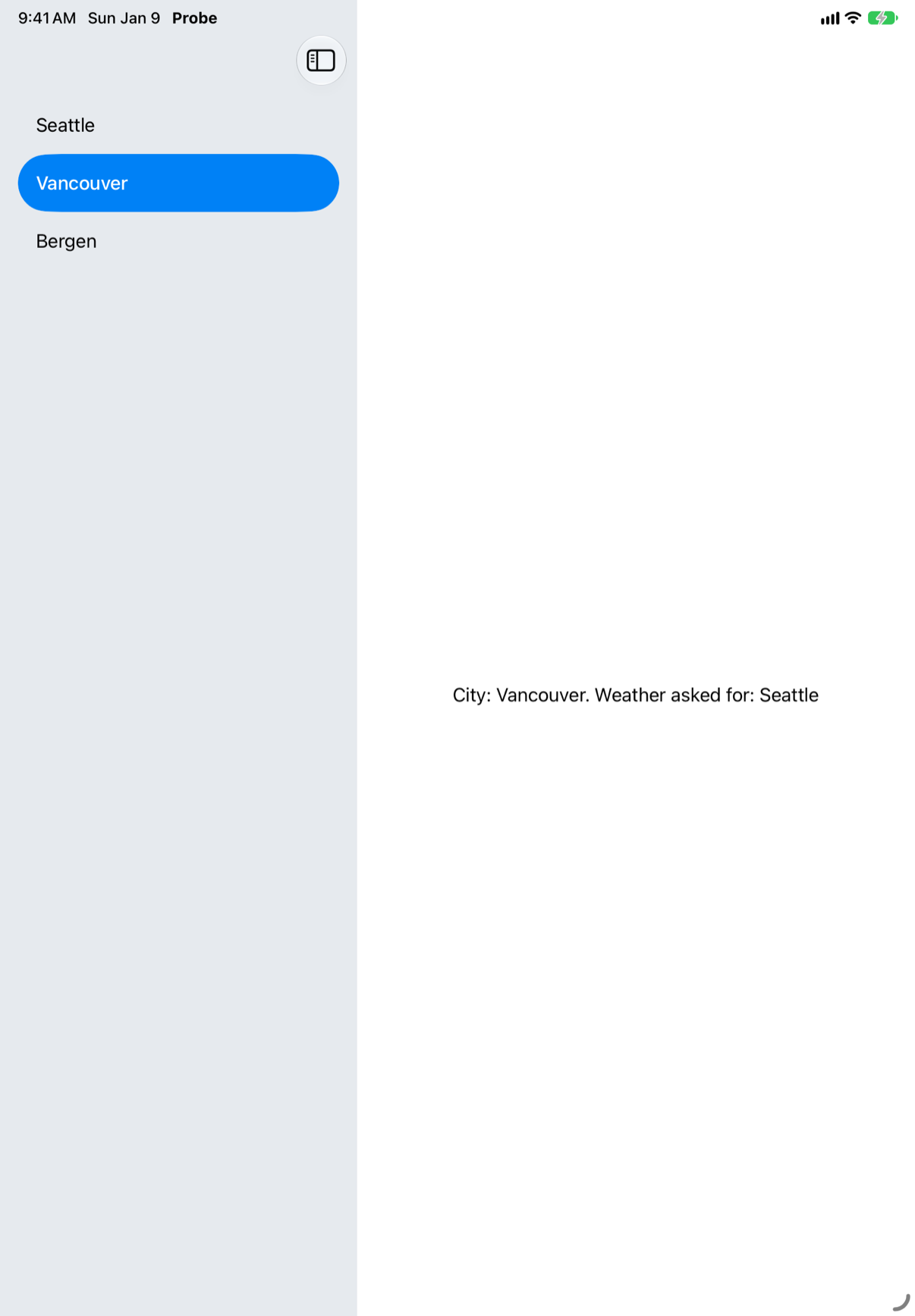
Vancouver, with Seattle's weather. Only one request was made:
asking about SeattleThe detail column did not get a new view: the same CityWeather stayed where it was and was given another city, so it never appeared again — and .task runs on appearance. .task(id: city) asks again when the city changes:
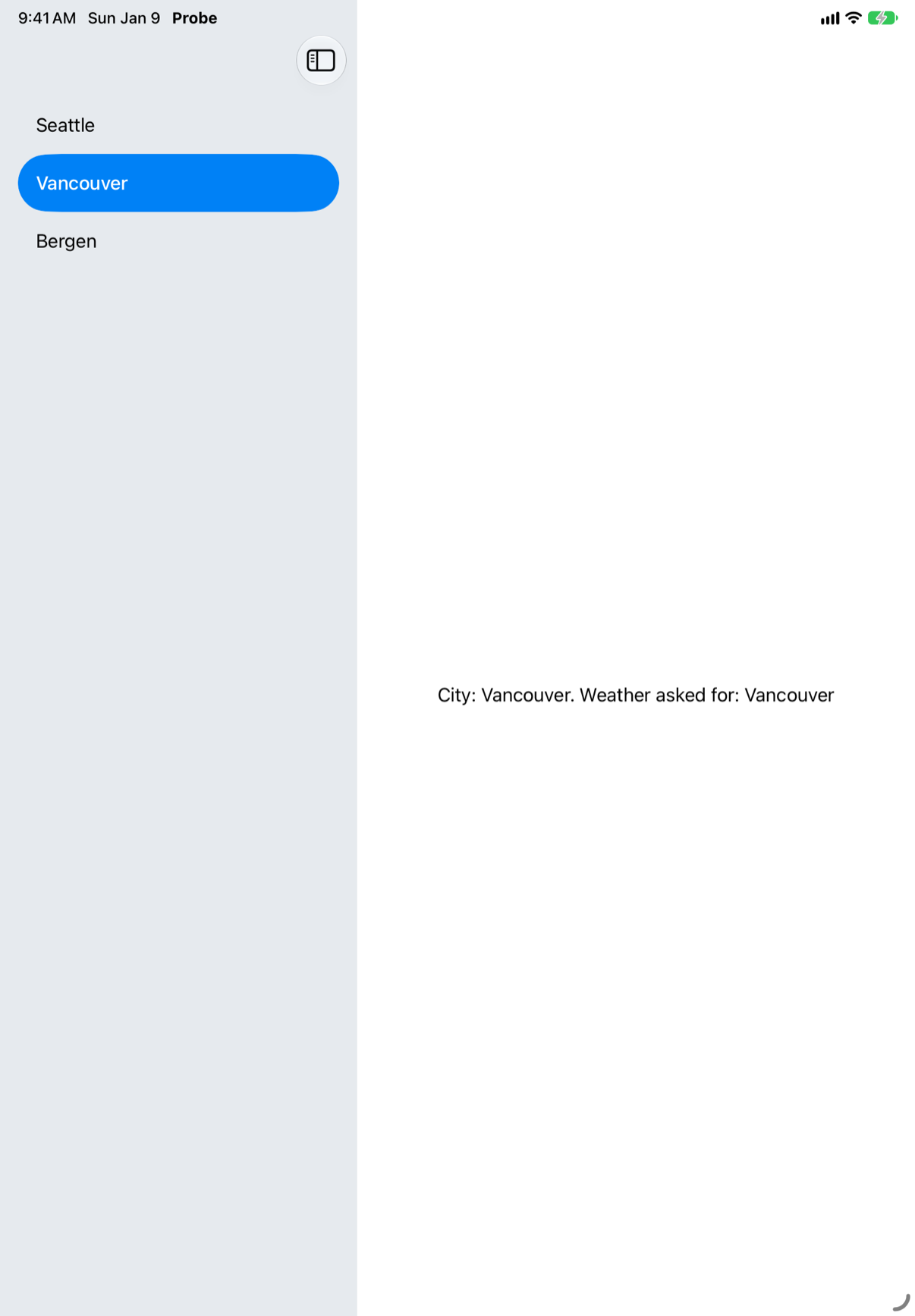
Step 3 of this lesson is the same thing on an iPhone, where editing the trip changes its city under the same view.
Where this comes from: task(id:name:priority:file:line:_:) · task(name:priority:file:line:_:) — Measured on the iPad Air 11-inch (M4) simulator, iOS 27.
.task(id: city) loads the weather into a model, whose catch sets the phase to failed. Seattle's request goes to a server that never answers; while it waits, the city changes to Bergen. What does the screen go through?
Show the answer
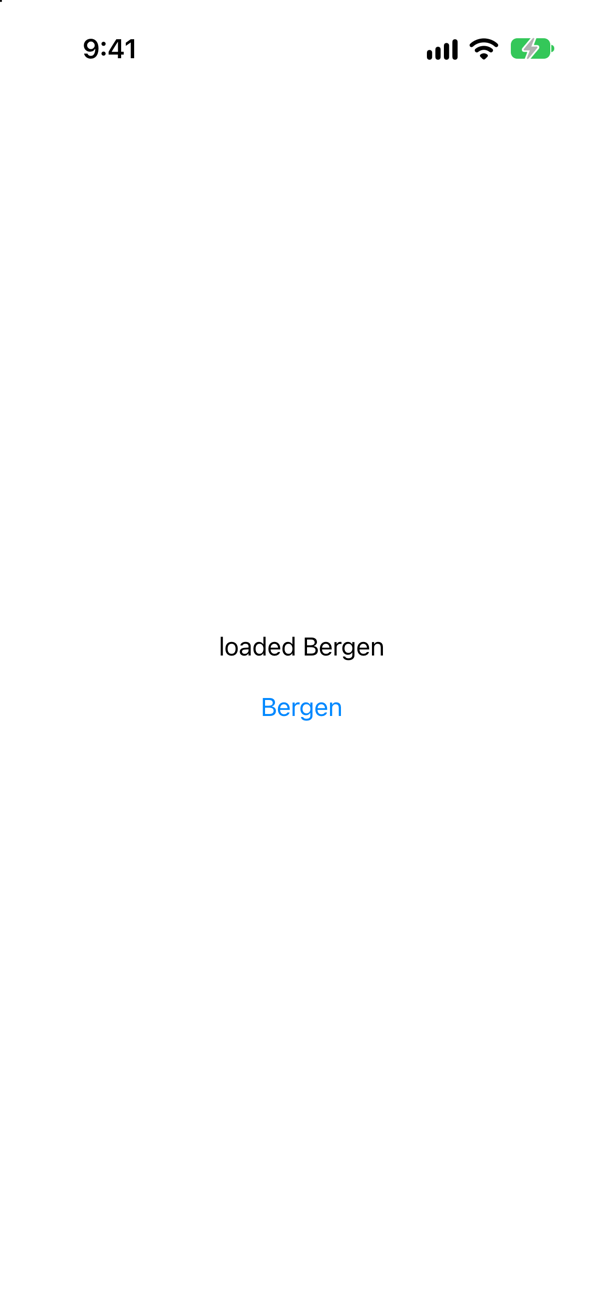
A failure nobody caused. Between "loading Bergen" and Bergen's weather, the screen said that Seattle had failed:
phase: loading Seattle
phase: loading Bergen
phase: failed Seattle: cancelled
phase: loaded Bergen
When the city changed, SwiftUI cancelled Seattle's task, and URLSession ended its request with URLError.cancelled — after Bergen's task had already begun. The old catch then wrote over the new state. With a slow network, that "cancelled" stays on the screen until Bergen's answer comes. A cancelled task has nobody waiting for it, so it should leave the state alone:
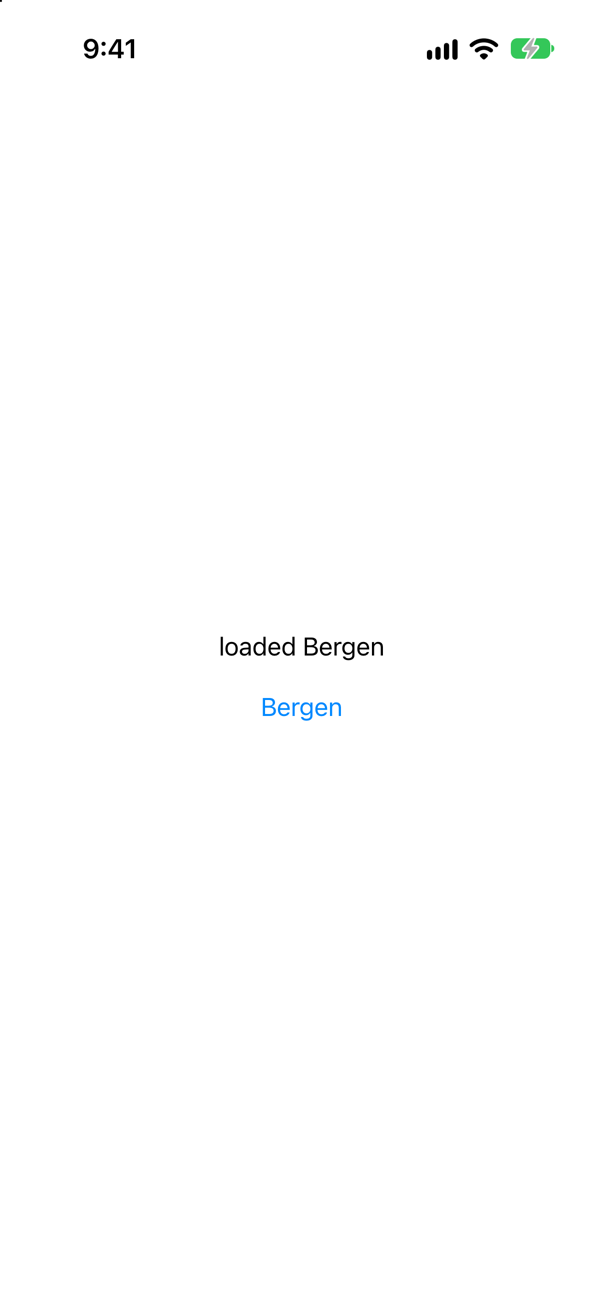
It printed
phase: loading Seattle
phase: loading Bergen
phase: loaded Bergen
No failure this time. This lesson's WeatherModel does the same, for the weather as well as for the error.
Where this comes from: task(id:name:priority:file:line:_:) · URLError.cancelled · Task.isCancelled — Measured on iOS 27. 10.255.255.1 is a private address with nothing behind it, so a request to it waits until it is cancelled or times out.
A screen shows a ProgressView while loading and a List with .refreshable once loaded. The refresh action sets the state back to .loading, then fetches. The list is pulled. What happens?
Show the answer

It never finishes. Setting .loading took the List off the screen — and the .refreshable with it, which was running the action. SwiftUI cancelled the action, and the sleep that stood in for a request threw:
refresh stopped by CancellationError()With a real request it is the same, in URLSession's words ("refresh stopped: cancelled"). Either way nothing sets the state again, and the screen says Loading for good. Keep the list on the screen while it refreshes — the pull already shows progress — and show .loading only when there is nothing to show yet:
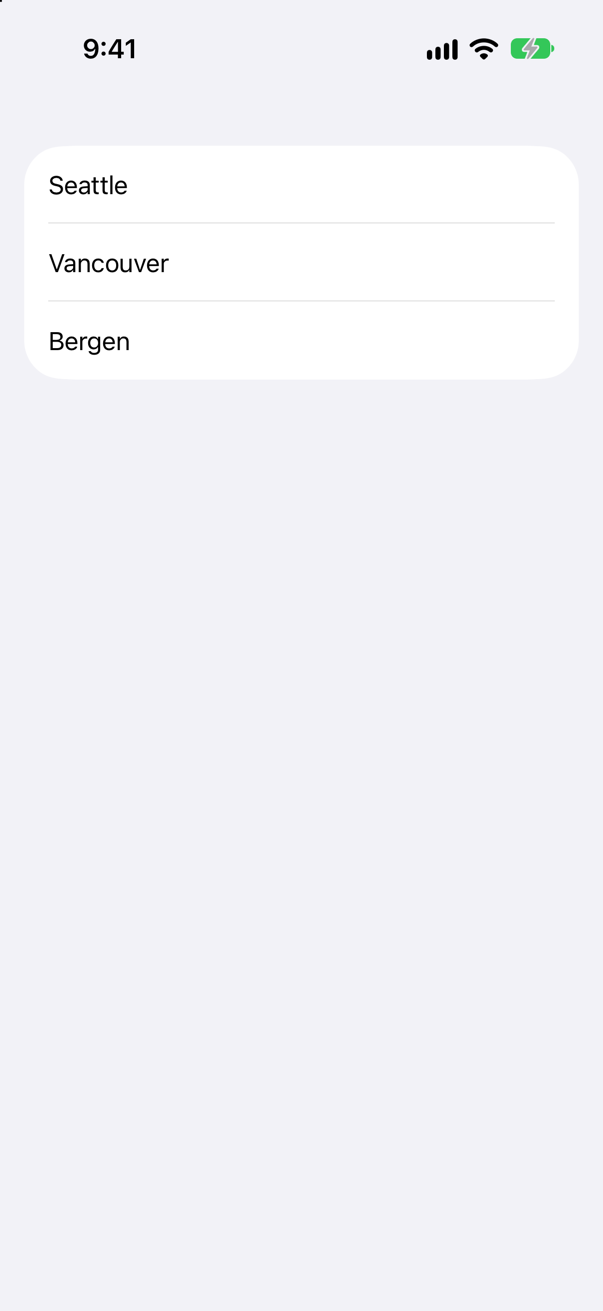
This lesson's model does this with two methods: load(for:) starts from nothing, refresh(for:) keeps what is there.
Where this comes from: refreshable(action:) · WWDC21: Discover concurrency in SwiftUI (2021 — .task and .refreshable are unchanged) — Measured on iOS 27, with a sleep and with a real request.
A request goes to http://api.open-meteo.com/… — http, not https. The server answers plain http happily. What does the app get?
Show the answer

An error — and no request at all:
The resource could not be loaded because the App Transport Security policy requires the use of a secure connection.
code: -1022
App Transport Security stopped it before it left the phone. In Apple's words, "ATS blocks connections that don’t meet minimum security requirements," and it "operates by default for apps linked against the iOS 9.0 or macOS 10.11 SDKs or later." Use https; nearly every service offers it, Open-Meteo included. An app can list exceptions under NSAppTransportSecurity in its Info.plist, but "Exceptions reduce the security of your app. Some also require justification when submitting an app to the App Store."
Where this comes from: Preventing insecure network connections · URLSession — Measured on iOS 27. The same address answers with status 200 over http from a Mac's command line.
A request goes to a server that never answers. How long does data(for:) wait — and how do you make it give up sooner?
Show the answer
Sixty seconds, unless you say otherwise:
What it printed
the default: 60.0
gave up after 3 s: The request timed out.
Apple: "If during a connection attempt the request remains idle for longer than the timeout interval, the request is considered to have timed out. The default timeout interval is 60 seconds." A minute is a long time to look at a spinner. The same page also warns against going too far the other way: "As a general rule, you should not use short timeout intervals. Instead, you should provide an easy way for the user to cancel a long-running operation." On a screen, leaving it is that easy way — .task cancels the request.
Where this comes from: URLRequest timeoutInterval — Measured from the simulator, against 10.255.255.1, a private address with nothing behind it.
Open-Meteo's place search is decoded into a Place with let country: String. Seattle decodes. What about Hong Kong?
Show the answer
Hong Kong fails:
What it printed
Seattle → Seattle, United States
Hong Kong → DecodingError.keyNotFound: Key 'country' not found in keyed decoding container. Path: results[0]. Debug description: No value associated with key CodingKeys(stringValue: "country", intValue: nil) ("country").
Open-Meteo leaves country out for places it does not file under a country — Hong Kong, Macau, Antarctica — and a missing key fails the whole decode (lesson 33). Test against real answers, and make optional whatever a real answer can leave out:
It printed
Seattle → Seattle, United States
Hong Kong → Hong Kong
This lesson's PlaceSearch says let country: String? for this reason.
Where this comes from: Open-Meteo: Geocoding API · DecodingError — Measured against Open-Meteo, live, from the simulator.