A packing list that SwiftData keeps
SwiftData
You will buildA packing list for every trip, kept by SwiftData: a @Model class, a model container on the app's scene, a @Query that shows one trip's items — in sections by category, new in iOS 27 — and the model context to add, pack and delete. Then the app is stopped and run again, and the list has to still be there.
TimeAbout 70 minutes
WhyLesson 33 saved the trips as one JSON file, written whole at every change. That is right for three trips, and for data you send or receive. For data an app keeps for itself and changes a piece at a time, Apple's framework is SwiftData: you describe the data as ordinary Swift classes, and SwiftData keeps them in a database on the device, fetches them for you, and keeps the views that show them up to date. Coming from UIKit, it is the successor to Core Data, and @Query does the job of NSFetchedResultsController.
Open your project
Open your
Tripsproject as lesson 34 left it: double-clickTrips.xcodeprojin Finder, or use File ▸ Open… (⌘O) in Xcode.If you did not finish lesson 34, or would rather start from a known state, download Trips-lesson-34.zip instead. It is the project exactly as it stood at the end of lesson 34. Unzip it and open
Trips.xcodeproj.Run it (⌘R) to check that it builds. You should see where lesson 34 ended:
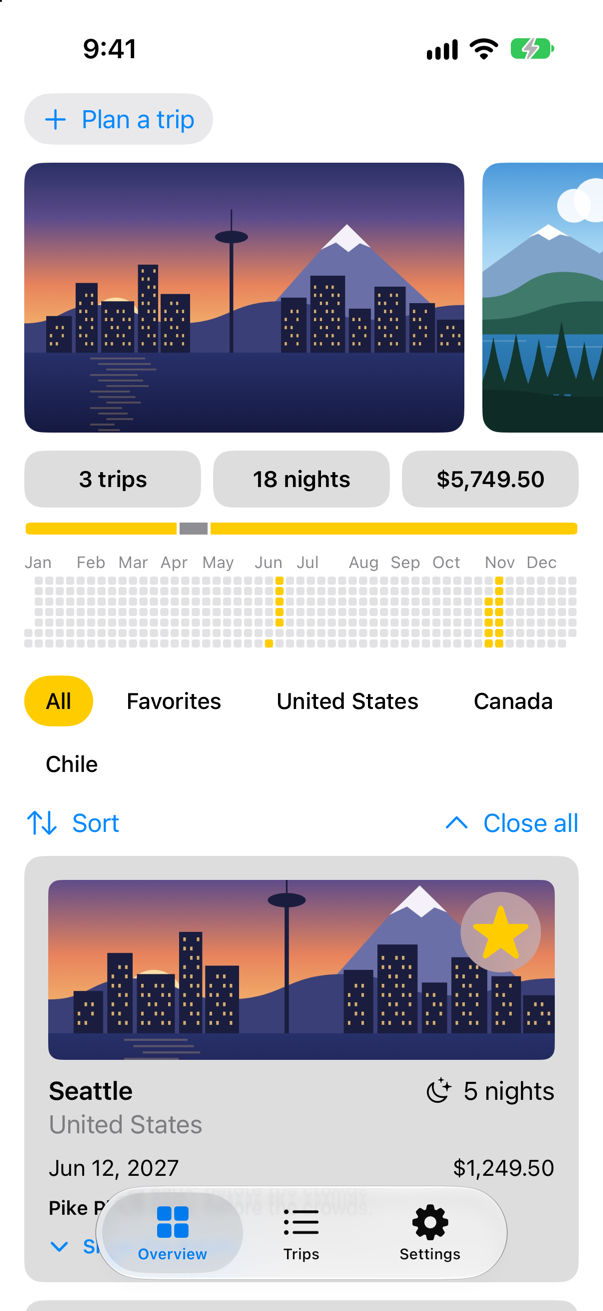
Trips, as it stood at the end of lesson 34Screenshot · iPhone 17, iOS 27.0
A model, and somewhere to keep it
Each trip gets a packing list: things to take, in categories, ticked off as they go into the bag. That is data the app keeps for itself and changes one item at a time — what SwiftData is for. A SwiftData model is an ordinary class with one macro on it. @Model "Converts a Swift class into a stored model that’s managed by SwiftData," in Apple's words, and "At build time, the macro expands to provide conformance to the PersistentModel and Observable protocols." Every stored property is saved, isPacked with its default value too. It has to be a class: SwiftData hands the same object to every view that shows it and changes it in place (a flash card shows what @Model says to a struct). The trips themselves are not SwiftData models — they live in lesson 33's file — so an item remembers its trip by the trip's id. Make a new Swift File named PackingItem, and replace everything in it:
import Foundation
import SwiftData

/// One thing to pack for a trip. SwiftData keeps it on disk.
/// On no actor, and not `Sendable`: a model belongs to the model context that holds it — the app's
/// main context, which the views use on the main actor. `@MainActor` is refused: step 2 says why.
@Model
final class PackingItem {
    var name: String
    var category: String
    var isPacked = false
    var tripID: Int

    init(name: String, category: String, tripID: Int) {
        self.name = name
        self.category = category
        self.tripID = tripID
    }

    static let categories = ["Clothes", "Documents", "Gear"]
}
One word is missing that every other class in Trips has: one that says whose it is. A SwiftData model belongs to the model context that holds it, and SwiftData calls the code @Model writes for it from whichever context that is, on whatever actor that context runs on. So Swift 6 will not put a model on the main actor:
- With
@MainActorabove@Model:conformance of 'PackingItem' to protocol 'PersistentModel' crosses into main actor-isolated code and can cause data races
Nor is a model Sendable: it stays with the context that holds it. Code on another actor is given the model's persistentModelID, which is Sendable, and fetches a model of its own through a context of its own. Trips needs none of that. Its one context is the app's main context, which the views use on the main actor — so PackingItem stays as @Model makes it, and its comment says why.
SwiftData keeps its models in a model container: the database — a file called default.store in the app's own Application Support folder — together with the schema that describes what is in it. One modifier on the scene makes the container. .modelContainer(for:) "Sets the model container in this view for storing the provided model type, creating a new container if necessary, and also sets a model context for that container in this view’s environment." In TripsApp.swift:
import SwiftUIimport SwiftData@mainstruct TripsApp: App { @Environment(\.scenePhase) private var scenePhase @State private var store = TripStore() @State private var settings = Settings() var body: some Scene { WindowGroup { TabView { Tab("Overview", systemImage: "square.grid.2x2") { ContentView() } Tab("Trips", systemImage: "list.bullet") { TripList() } Tab("Settings", systemImage: "gearshape") { SettingsView() } } .environment(store) .environment(settings) .environment(\.highlight, settings.highlight.color) .task { // On the main actor, as the store is: `.task` and the closure take // the actor of the code they are written in. Each value is a [Trip], // handed on because a trip is Sendable. for await _ in Observations({ store.trips }) { store.save() } } } .modelContainer(for: PackingItem.self) .onChange(of: scenePhase) { _, new in if new == .background { store.save() } } }}import SwiftUI
import SwiftData
@main
struct TripsApp: App {
@Environment(\.scenePhase) private var scenePhase
@State private var store = TripStore()
@State private var settings = Settings()
var body: some Scene {
WindowGroup {
TabView {
Tab("Overview", systemImage: "square.grid.2x2") {
ContentView()
}
Tab("Trips", systemImage: "list.bullet") {
TripList()
}
Tab("Settings", systemImage: "gearshape") {
SettingsView()
}
}
.environment(store)
.environment(settings)
.environment(\.highlight, settings.highlight.color)
.task {
// On the main actor, as the store is: `.task` and the closure take
// the actor of the code they are written in. Each value is a [Trip],
// handed on because a trip is Sendable.
for await _ in Observations({ store.trips }) {
store.save()
}
}
}
.modelContainer(for: PackingItem.self)
.onChange(of: scenePhase) { _, new in
if new == .background {
store.save()
}
}
}
}Now the list. @Query fetches models and keeps them current — "A type that fetches models using the specified criteria, and manages those models so they remain in sync with the underlying data." This one fetches every PackingItem, sorted by name. To add one, the view takes the model context from the environment — the object you insert into, delete from and save through — and inserts a new item; the query sees it, and the list draws it. The preview needs a container of its own, or @Query has nothing to read: inMemory: true makes one that disappears when the preview stops. Make a new SwiftUI View named PackingList, and replace everything in it:
import SwiftUI
import SwiftData

/// What to pack for a trip, kept by SwiftData.
struct PackingList: View {
    let trip: Trip
    @Environment(\.modelContext) private var context
    @Environment(\.dismiss) private var dismiss
    @Query(sort: \PackingItem.name) private var items: [PackingItem]
    @State private var newName = ""
    @State private var newCategory = "Clothes"

    var body: some View {
        NavigationStack {
            List {
                Section {
                    TextField("Something to pack", text: $newName)
                    Picker("Category", selection: $newCategory) {
                        ForEach(PackingItem.categories, id: \.self) { Text($0) }
                    }
                    Button("Add to the list", systemImage: "plus") {
                        context.insert(PackingItem(name: newName, category: newCategory, tripID: trip.id))
                        newName = ""
                    }
                    .disabled(newName.isEmpty)
                }
                Section("To pack") {
                    ForEach(items) { item in
                        Text(item.name)
                    }
                }
            }
            .navigationTitle("Packing for \(trip.city)")
            .navigationBarTitleDisplayMode(.inline)
            .toolbar {
                ToolbarItem(placement: .confirmationAction) {
                    Button("Done") { dismiss() }
                }
            }
        }
    }
}

#Preview {
    PackingList(trip: .seattle)
        .modelContainer(for: PackingItem.self, inMemory: true)
}
The trip screen opens the list in a sheet, from a suitcase button in its toolbar. In TripDetail.swift:
struct TripDetail: View { let id: Trip.ID @Binding var selection: Trip.ID? @Environment(TripStore.self) private var store @State private var editing: Trip? @State private var isConfirmingDelete = false @State private var isPacking = false @State private var weather = WeatherModel() var body: some View { @Bindable var store = store if let index = store.trips.firstIndex(where: { $0.id == id }) { ScrollView { VStack(spacing: 16) { BoardingPass(trip: store.trips[index], totalNights: store.trips.reduce(0) { $0 + $1.nights }) WeatherView(phase: weather.phase) { Task { await weather.load(for: store.trips[index].city) } } TripCard(trip: $store.trips[index]) if let next = next(after: store.trips[index]) { NavigationLink("Next: \(next.city)", value: next.id) } } } .task(id: store.trips[index].city) { await weather.load(for: store.trips[index].city) } .refreshable { await weather.refresh(for: store.trips[index].city) } .navigationTitle(store.trips[index].city) .toolbar { ToolbarItem { Button("All trips", systemImage: "list.bullet") { selection = nil } } ToolbarItem { Button("Edit") { editing = store.trips[index] } } ToolbarItem { Button("Packing list", systemImage: "suitcase") { isPacking = true } } ToolbarItem { ShareLink(item: store.trips[index], preview: SharePreview(store.trips[index].city, image: Image(store.trips[index].imageName))) } ToolbarOverflowMenu { Button("Delete trip", systemImage: "trash", role: .destructive) { isConfirmingDelete = true } } } .alert("Delete \(store.trips[index].city)?", isPresented: $isConfirmingDelete) { Button("Delete", role: .destructive) { store.delete([store.trips[index]]) } Button("Cancel", role: .cancel) { } } message: { Text("This cannot be undone.") } .sheet(isPresented: $isPacking) { PackingList(trip: store.trips[index]) } .sheet(item: $editing) { trip in TripEditor(trip: trip) { edited in store.update(edited) } .presentationDetents([.medium, .large]) } } else { ContentUnavailableView("This trip is gone", systemImage: "airplane.departure") } } /// The trip that starts soonest after this one, if there is one. private func next(after trip: Trip) -> Trip? { store.trips.filter { $0.start > trip.start }.min { $0.start < $1.start } }}struct TripDetail: View {
let id: Trip.ID
@Binding var selection: Trip.ID?
@Environment(TripStore.self) private var store
@State private var editing: Trip?
@State private var isConfirmingDelete = false
@State private var isPacking = false
@State private var weather = WeatherModel()
var body: some View {
@Bindable var store = store
if let index = store.trips.firstIndex(where: { $0.id == id }) {
ScrollView {
VStack(spacing: 16) {
BoardingPass(trip: store.trips[index],
totalNights: store.trips.reduce(0) { $0 + $1.nights })
WeatherView(phase: weather.phase) {
Task { await weather.load(for: store.trips[index].city) }
}
TripCard(trip: $store.trips[index])
if let next = next(after: store.trips[index]) {
NavigationLink("Next: \(next.city)", value: next.id)
}
}
}
.task(id: store.trips[index].city) {
await weather.load(for: store.trips[index].city)
}
.refreshable {
await weather.refresh(for: store.trips[index].city)
}
.navigationTitle(store.trips[index].city)
.toolbar {
ToolbarItem {
Button("All trips", systemImage: "list.bullet") {
selection = nil
}
}
ToolbarItem {
Button("Edit") {
editing = store.trips[index]
}
}
ToolbarItem {
Button("Packing list", systemImage: "suitcase") {
isPacking = true
}
}
ToolbarItem {
ShareLink(item: store.trips[index],
preview: SharePreview(store.trips[index].city, image: Image(store.trips[index].imageName)))
}
ToolbarOverflowMenu {
Button("Delete trip", systemImage: "trash", role: .destructive) {
isConfirmingDelete = true
}
}
}
.alert("Delete \(store.trips[index].city)?", isPresented: $isConfirmingDelete) {
Button("Delete", role: .destructive) {
store.delete([store.trips[index]])
}
Button("Cancel", role: .cancel) { }
} message: {
Text("This cannot be undone.")
}
.sheet(isPresented: $isPacking) {
PackingList(trip: store.trips[index])
}
.sheet(item: $editing) { trip in
TripEditor(trip: trip) { edited in
store.update(edited)
}
.presentationDetents([.medium, .large])
}
} else {
ContentUnavailableView("This trip is gone", systemImage: "airplane.departure")
}
}
/// The trip that starts soonest after this one, if there is one.
private func next(after trip: Trip) -> Trip? {
store.trips.filter { $0.start > trip.start }.min { $0.start < $1.start }
}
}Run the app, open Seattle, and tap the suitcase. Add a rain jacket; then type Passport, choose the category Documents, and add it:
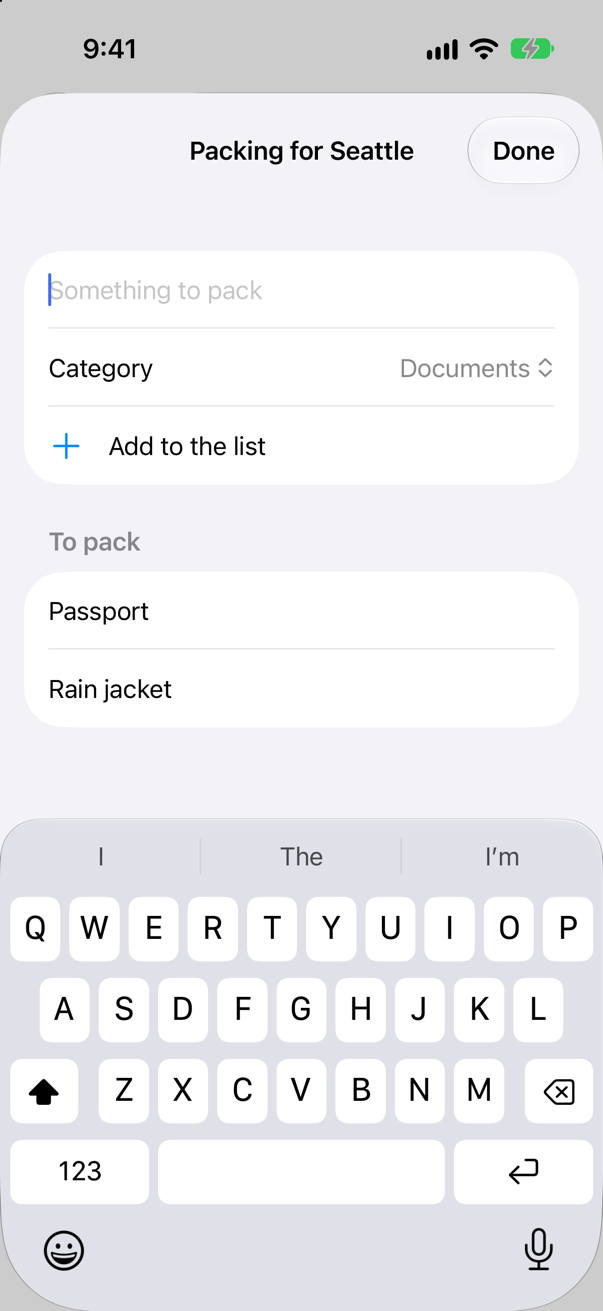
Two items, in alphabetical order — the query's sort — and nothing written anywhere to keep them. Saving is the model context's job; step 5 looks at when it does it.
Only this trip's
Add a passport to Seattle's list, tap Done, go on to Vancouver with Next: Vancouver, and open its packing list:
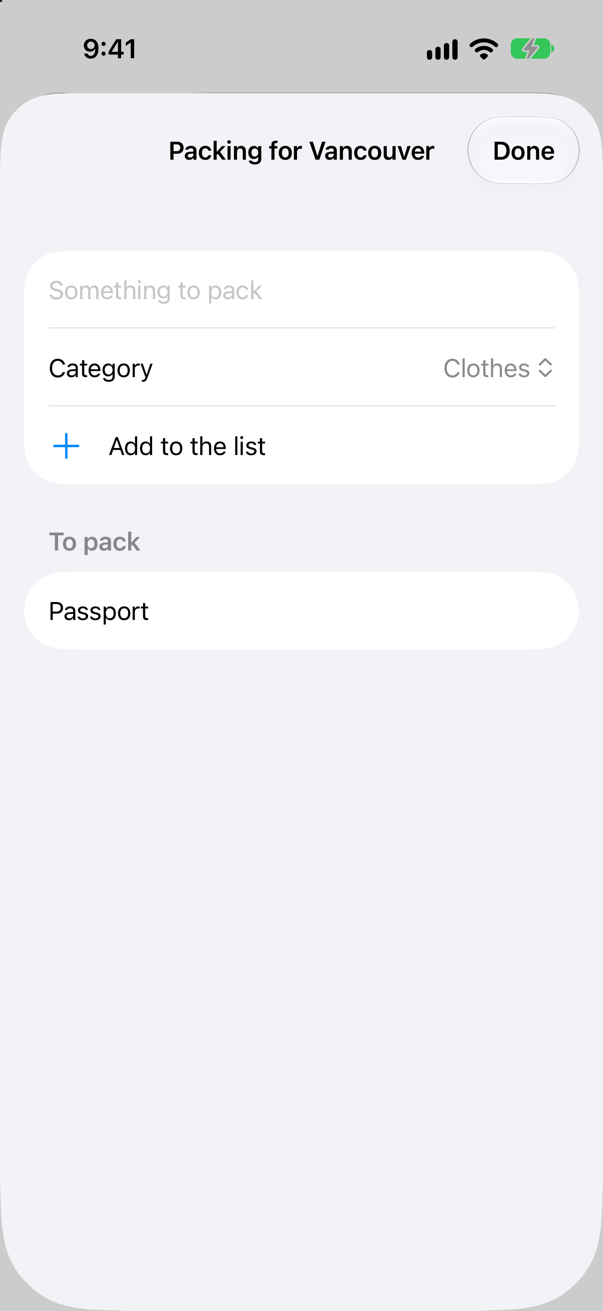
Vancouver's list has Seattle's passport on it. Of course: the query asked for every PackingItem there is.
A query narrows its results with a predicate. #Predicate is a macro that turns an ordinary closure — { $0.tripID == id } — into a query the database runs itself, so only the matching items are ever read. This predicate depends on the trip, and the view only knows the trip in its initializer, so the query is made there: _items is the property wrapper behind items, and assigning to it replaces the query. The trip's id is copied into a constant first, because a predicate can use only values it can carry into the database — an Int always; a whole struct only if it is Codable and Sendable, which Trip happens to be (an edge case shows the error for one that is not). In PackingList.swift:
import SwiftUIimport SwiftData/// What to pack for a trip, kept by SwiftData.struct PackingList: View { let trip: Trip @Environment(\.modelContext) private var context @Environment(\.dismiss) private var dismiss @Query(sort: \PackingItem.name) private var items: [PackingItem] @Query private var items: [PackingItem] @State private var newName = "" @State private var newCategory = "Clothes" /// The query is made here, because only here is the trip known. init(trip: Trip) { self.trip = trip let id = trip.id _items = Query(filter: #Predicate<PackingItem> { $0.tripID == id }, sort: \.name) } var body: some View { NavigationStack { List { Section { TextField("Something to pack", text: $newName) Picker("Category", selection: $newCategory) { ForEach(PackingItem.categories, id: \.self) { Text($0) } } Button("Add to the list", systemImage: "plus") { context.insert(PackingItem(name: newName, category: newCategory, tripID: trip.id)) newName = "" } .disabled(newName.isEmpty) } Section("To pack") { ForEach(items) { item in Text(item.name) } } } .navigationTitle("Packing for \(trip.city)") .navigationBarTitleDisplayMode(.inline) .toolbar { ToolbarItem(placement: .confirmationAction) { Button("Done") { dismiss() } } } } }}#Preview { PackingList(trip: .seattle) .modelContainer(for: PackingItem.self, inMemory: true)}import SwiftUI
import SwiftData
/// What to pack for a trip, kept by SwiftData.
struct PackingList: View {
let trip: Trip
@Environment(\.modelContext) private var context
@Environment(\.dismiss) private var dismiss
@Query private var items: [PackingItem]
@State private var newName = ""
@State private var newCategory = "Clothes"
/// The query is made here, because only here is the trip known.
init(trip: Trip) {
self.trip = trip
let id = trip.id
_items = Query(filter: #Predicate<PackingItem> { $0.tripID == id }, sort: \.name)
}
var body: some View {
NavigationStack {
List {
Section {
TextField("Something to pack", text: $newName)
Picker("Category", selection: $newCategory) {
ForEach(PackingItem.categories, id: \.self) { Text($0) }
}
Button("Add to the list", systemImage: "plus") {
context.insert(PackingItem(name: newName, category: newCategory, tripID: trip.id))
newName = ""
}
.disabled(newName.isEmpty)
}
Section("To pack") {
ForEach(items) { item in
Text(item.name)
}
}
}
.navigationTitle("Packing for \(trip.city)")
.navigationBarTitleDisplayMode(.inline)
.toolbar {
ToolbarItem(placement: .confirmationAction) {
Button("Done") { dismiss() }
}
}
}
}
}
#Preview {
PackingList(trip: .seattle)
.modelContainer(for: PackingItem.self, inMemory: true)
}Run the app and do the same again:
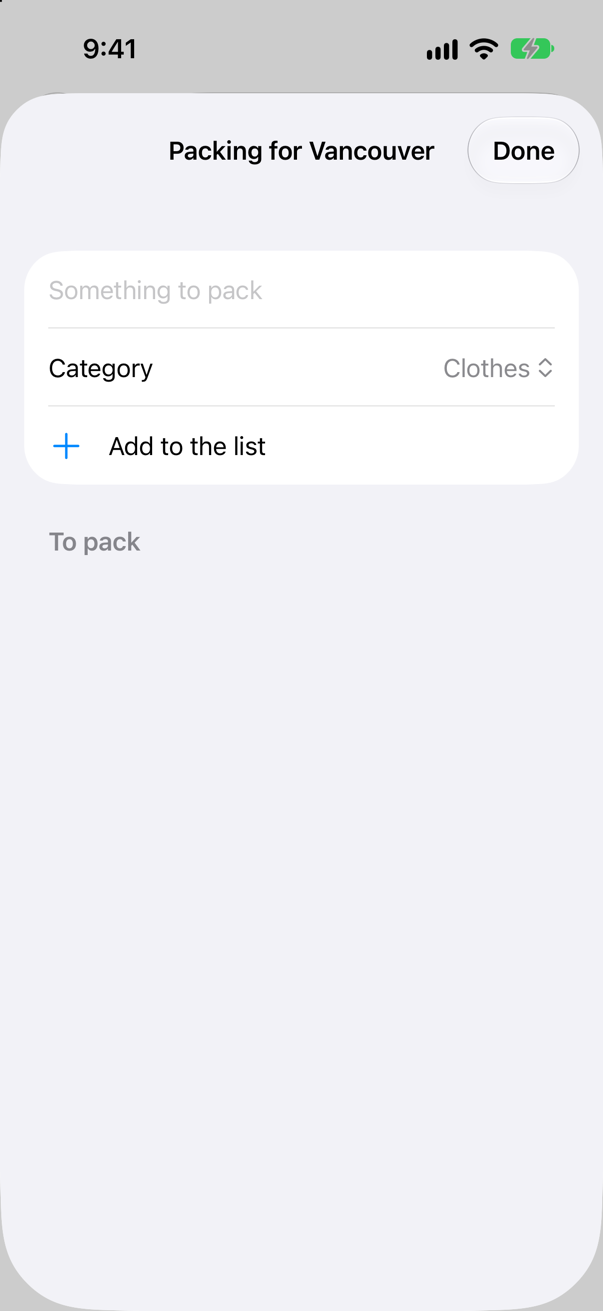
Vancouver has nothing to pack yet. Seattle's passport is still Seattle's.
Packed, deleted, and in sections
A model object is Observable — @Model made it so — so changing a property is all it takes to redraw the views that show it: a tap toggles isPacked, and the row's circle fills. Swiping a row to delete it calls the model context's delete(_:). And iOS 27 adds sectioned queries: give @Query a sectionBy: key path, and it returns SectionedResults instead of an array. Apple: "Iterating it yields sections; each section is itself a RandomAccessCollection of model elements." The sections come in the order of their titles. The declaration needs sectionBy: even though the initializer replaces the query, because the macro decides the property's type from it (an edge case shows the error without it). Each row also tells VoiceOver whether it is packed. In PackingList.swift:
import SwiftUIimport SwiftData/// What to pack for a trip, kept by SwiftData.struct PackingList: View { let trip: Trip @Environment(\.modelContext) private var context @Environment(\.dismiss) private var dismiss @Query private var items: [PackingItem] @Query(sort: \PackingItem.name, sectionBy: \PackingItem.category) private var sections: SectionedResults<PackingItem, String> @State private var newName = "" @State private var newCategory = "Clothes" /// The query is made here, because only here is the trip known. init(trip: Trip) { self.trip = trip let id = trip.id _items = Query(filter: #Predicate<PackingItem> { $0.tripID == id }, sort: \.name) _sections = Query(filter: #Predicate<PackingItem> { $0.tripID == id }, sort: \.name, sectionBy: \.category) } var body: some View { NavigationStack { List { Section { TextField("Something to pack", text: $newName) Picker("Category", selection: $newCategory) { ForEach(PackingItem.categories, id: \.self) { Text($0) } } Button("Add to the list", systemImage: "plus") { context.insert(PackingItem(name: newName, category: newCategory, tripID: trip.id)) newName = "" } .disabled(newName.isEmpty) } Section("To pack") { ForEach(items) { item in Text(item.name) ForEach(sections) { section in Section(section.title) { ForEach(section) { item in Button { item.isPacked.toggle() } label: { Label(item.name, systemImage: item.isPacked ? "checkmark.circle.fill" : "circle") } .accessibilityValue(item.isPacked ? "Packed" : "Not packed") } .onDelete { offsets in for offset in offsets { context.delete(section[offset]) } } } } if sections.isEmpty { ContentUnavailableView("Nothing to pack yet", systemImage: "suitcase", description: Text("Add the first thing above.")) } } .navigationTitle("Packing for \(trip.city)") .navigationBarTitleDisplayMode(.inline) .toolbar { ToolbarItem(placement: .confirmationAction) { Button("Done") { dismiss() } } } } }}#Preview { PackingList(trip: .seattle) .modelContainer(for: PackingItem.self, inMemory: true)}import SwiftUI
import SwiftData
/// What to pack for a trip, kept by SwiftData.
struct PackingList: View {
let trip: Trip
@Environment(\.modelContext) private var context
@Environment(\.dismiss) private var dismiss
@Query(sort: \PackingItem.name, sectionBy: \PackingItem.category) private var sections: SectionedResults<PackingItem, String>
@State private var newName = ""
@State private var newCategory = "Clothes"
/// The query is made here, because only here is the trip known.
init(trip: Trip) {
self.trip = trip
let id = trip.id
_sections = Query(filter: #Predicate<PackingItem> { $0.tripID == id }, sort: \.name, sectionBy: \.category)
}
var body: some View {
NavigationStack {
List {
Section {
TextField("Something to pack", text: $newName)
Picker("Category", selection: $newCategory) {
ForEach(PackingItem.categories, id: \.self) { Text($0) }
}
Button("Add to the list", systemImage: "plus") {
context.insert(PackingItem(name: newName, category: newCategory, tripID: trip.id))
newName = ""
}
.disabled(newName.isEmpty)
}
ForEach(sections) { section in
Section(section.title) {
ForEach(section) { item in
Button {
item.isPacked.toggle()
} label: {
Label(item.name, systemImage: item.isPacked ? "checkmark.circle.fill" : "circle")
}
.accessibilityValue(item.isPacked ? "Packed" : "Not packed")
}
.onDelete { offsets in
for offset in offsets {
context.delete(section[offset])
}
}
}
}
if sections.isEmpty {
ContentUnavailableView("Nothing to pack yet", systemImage: "suitcase",
description: Text("Add the first thing above."))
}
}
.navigationTitle("Packing for \(trip.city)")
.navigationBarTitleDisplayMode(.inline)
.toolbar {
ToolbarItem(placement: .confirmationAction) {
Button("Done") { dismiss() }
}
}
}
}
}
#Preview {
PackingList(trip: .seattle)
.modelContainer(for: PackingItem.self, inMemory: true)
}Run the app, open Seattle's list, and add a rain jacket, boots, a passport (Documents) and a charger (Gear). Tap the rain jacket, then swipe the boots away and tap Delete:
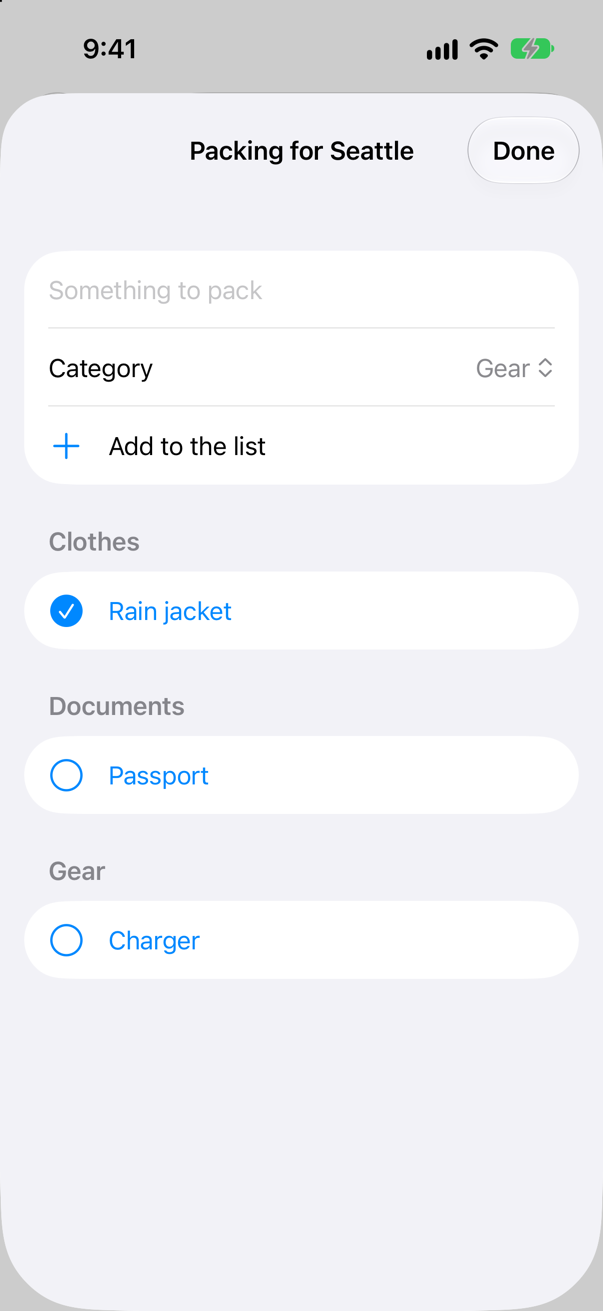
Three sections — Clothes, Documents, Gear — each sorted by name; the rain jacket is packed, and the boots are gone.
Still there after a restart?
Add a passport to Seattle's list. Straight away, stop the app in Xcode (Stop, ⌘.), run it again (⌘R), and open Seattle's packing list:
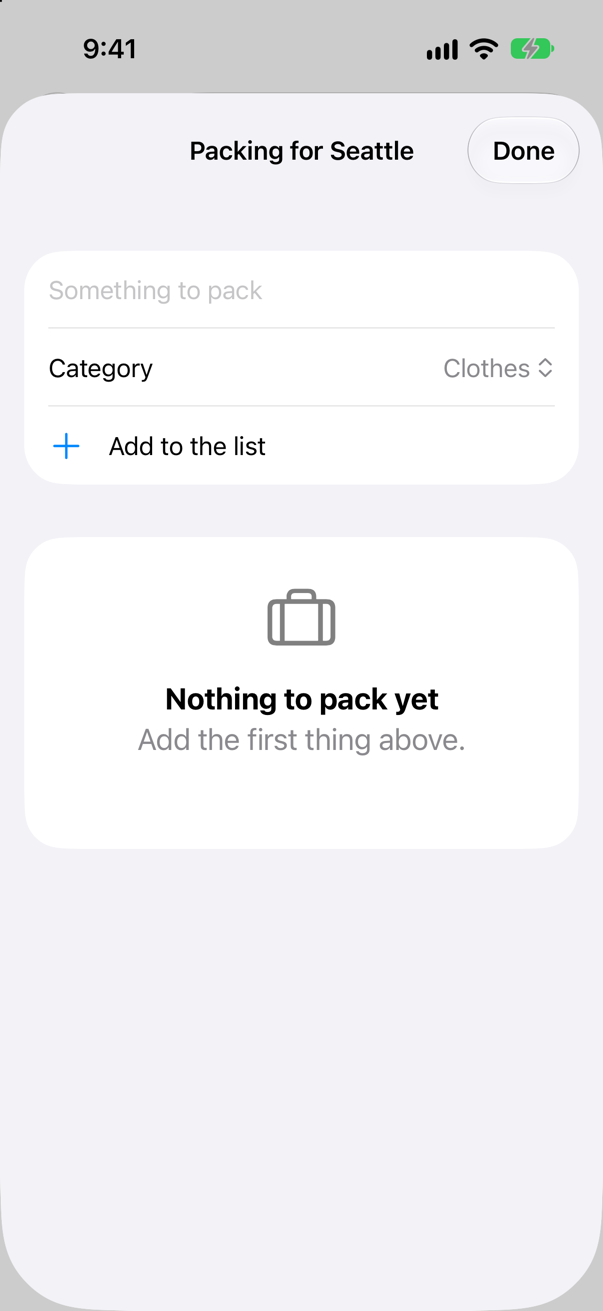
Gone. Nothing was wrong with the insert; it was never written to disk. The model container's main context autosaves, and Apple's page for autosaveEnabled says: "When true, the context calls save() after you make changes to any inserted or registered models. The context also calls save() at various times during the lifecycle of windows, scenes, views, and sheets." But not at once. Measured in iOS 27, an item added with a tap was still not on disk ten seconds later, while going to the background wrote it (an edge case shows both). Stop in Xcode ends the app before any of that happens — and so does a crash.
So when a change matters, save it yourself. save() "Writes any pending inserts, changes, and deletes to the persistent storage." It can throw — a full disk, a broken store — so it goes in a do/catch. The list saves after each add, each tick and each delete. In PackingList.swift:
import SwiftUIimport SwiftData/// What to pack for a trip, kept by SwiftData.struct PackingList: View { let trip: Trip @Environment(\.modelContext) private var context @Environment(\.dismiss) private var dismiss @Query(sort: \PackingItem.name, sectionBy: \PackingItem.category) private var sections: SectionedResults<PackingItem, String> @State private var newName = "" @State private var newCategory = "Clothes" /// The query is made here, because only here is the trip known. init(trip: Trip) { self.trip = trip let id = trip.id _sections = Query(filter: #Predicate<PackingItem> { $0.tripID == id }, sort: \.name, sectionBy: \.category) } var body: some View { NavigationStack { List { Section { TextField("Something to pack", text: $newName) Picker("Category", selection: $newCategory) { ForEach(PackingItem.categories, id: \.self) { Text($0) } } Button("Add to the list", systemImage: "plus") { context.insert(PackingItem(name: newName, category: newCategory, tripID: trip.id)) newName = "" save() } .disabled(newName.isEmpty) } ForEach(sections) { section in Section(section.title) { ForEach(section) { item in Button { item.isPacked.toggle() save() } label: { Label(item.name, systemImage: item.isPacked ? "checkmark.circle.fill" : "circle") } .accessibilityValue(item.isPacked ? "Packed" : "Not packed") } .onDelete { offsets in for offset in offsets { context.delete(section[offset]) } save() } } } if sections.isEmpty { ContentUnavailableView("Nothing to pack yet", systemImage: "suitcase", description: Text("Add the first thing above.")) } } .navigationTitle("Packing for \(trip.city)") .navigationBarTitleDisplayMode(.inline) .toolbar { ToolbarItem(placement: .confirmationAction) { Button("Done") { dismiss() } } } } } /// Writes the changes to disk now. Autosave would too — but at moments of its own choosing. private func save() { do { try context.save() } catch { print("Could not save the packing list:", error) } }}#Preview { PackingList(trip: .seattle) .modelContainer(for: PackingItem.self, inMemory: true)}import SwiftUI
import SwiftData
/// What to pack for a trip, kept by SwiftData.
struct PackingList: View {
let trip: Trip
@Environment(\.modelContext) private var context
@Environment(\.dismiss) private var dismiss
@Query(sort: \PackingItem.name, sectionBy: \PackingItem.category) private var sections: SectionedResults<PackingItem, String>
@State private var newName = ""
@State private var newCategory = "Clothes"
/// The query is made here, because only here is the trip known.
init(trip: Trip) {
self.trip = trip
let id = trip.id
_sections = Query(filter: #Predicate<PackingItem> { $0.tripID == id }, sort: \.name, sectionBy: \.category)
}
var body: some View {
NavigationStack {
List {
Section {
TextField("Something to pack", text: $newName)
Picker("Category", selection: $newCategory) {
ForEach(PackingItem.categories, id: \.self) { Text($0) }
}
Button("Add to the list", systemImage: "plus") {
context.insert(PackingItem(name: newName, category: newCategory, tripID: trip.id))
newName = ""
save()
}
.disabled(newName.isEmpty)
}
ForEach(sections) { section in
Section(section.title) {
ForEach(section) { item in
Button {
item.isPacked.toggle()
save()
} label: {
Label(item.name, systemImage: item.isPacked ? "checkmark.circle.fill" : "circle")
}
.accessibilityValue(item.isPacked ? "Packed" : "Not packed")
}
.onDelete { offsets in
for offset in offsets {
context.delete(section[offset])
}
save()
}
}
}
if sections.isEmpty {
ContentUnavailableView("Nothing to pack yet", systemImage: "suitcase",
description: Text("Add the first thing above."))
}
}
.navigationTitle("Packing for \(trip.city)")
.navigationBarTitleDisplayMode(.inline)
.toolbar {
ToolbarItem(placement: .confirmationAction) {
Button("Done") { dismiss() }
}
}
}
}
/// Writes the changes to disk now. Autosave would too — but at moments of its own choosing.
private func save() {
do {
try context.save()
} catch {
print("Could not save the packing list:", error)
}
}
}
#Preview {
PackingList(trip: .seattle)
.modelContainer(for: PackingItem.self, inMemory: true)
}Run the app and do the same again: add a passport, stop at once, run, and open the list:
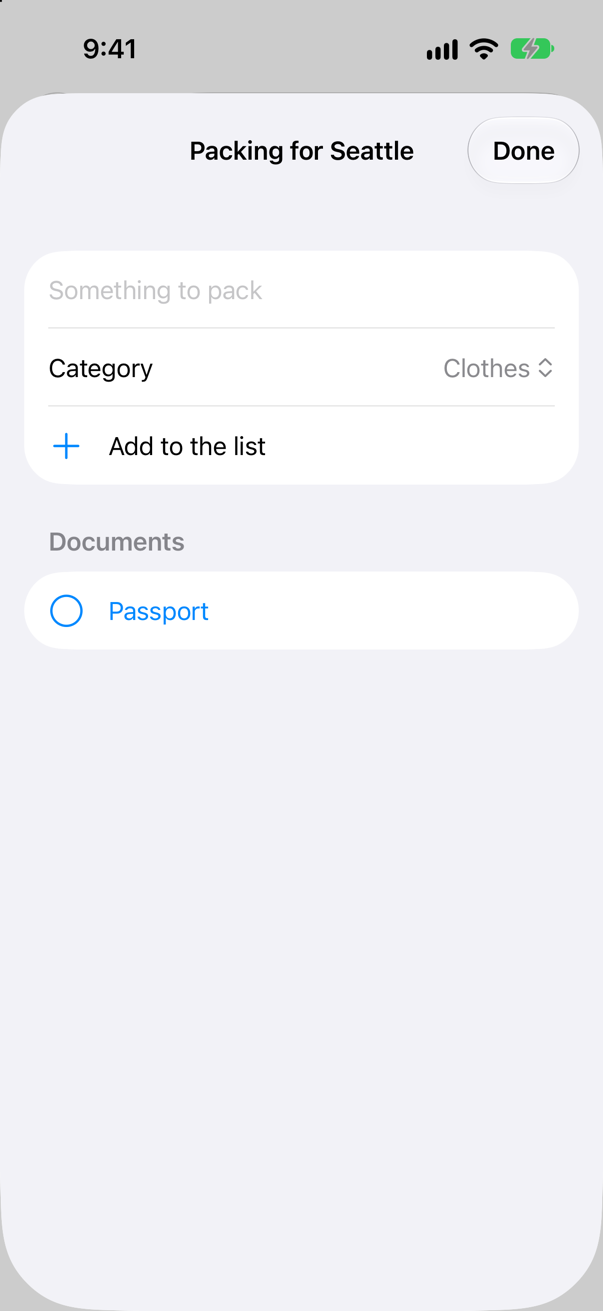
The passport survived the restart: it was on disk the moment it was added.
What you built
- A
@Modelclass,PackingItem, and a model container for it on the app's scene. - A packing list that fetches one trip's items with
@Queryand a#Predicatemade in the view's initializer. - Items added, packed and deleted through the model context, in sections by category with iOS 27's sectioned queries.
- Changes saved with
save()the moment they are made — because autosave waits, and a stopped app loses what it has not written.
Next, other places an app keeps things: @AppStorage for small settings, @SceneStorage for where each window was — and Part 10's interview problem.
The finished project
Stuck, or want to compare with your own? This is the project as it stands at the end of this lesson, built and run before it was put here.
- Trips-lesson-35.zip — unzip it, then open
Trips.xcodeprojin Xcode.
Flash cards
14 cards for this lesson, each labelled with its topic. 10 ask how you would write something; the other 4 are trick questions, written to catch a misunderstanding. Answer in your head first, then tap the card.
Syntax · ModelsMake a class that SwiftData stores — then store one, and count them.
@Model on a final class — it needs an initializer, like any class. A model container holds the store; a model context inserts into it and fetches from it. It printed 1.
Syntax · ModelsGive a whole app a SwiftData store, and every view a model context.

.modelContainer(for: Item.self) on the scene. It makes the container — default.store in the app's Application Support folder — and puts its main context in the environment, where @Query and @Environment(\.modelContext) find it.
Syntax · @QueryShow every stored item in a list, sorted by name — and add one.
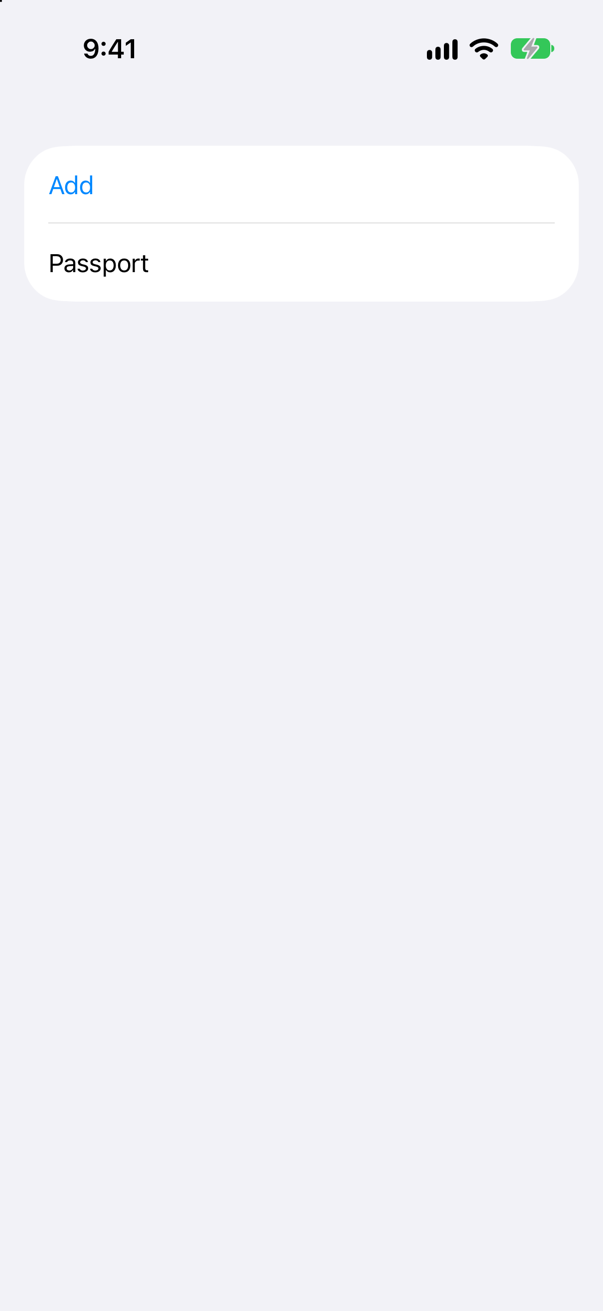
@Query(sort: \Item.name) fetches and keeps the array current; context.insert(_:) adds. The list drew the new item without being told: "items: ["Passport"]".
Syntax · @QueryMake a query whose filter depends on what the view is given.

Make the query in the initializer and assign it to _items, the property wrapper behind items. The predicate can use tripID because it is a plain Int the database can be given.
Syntax · ContextDelete a stored item.
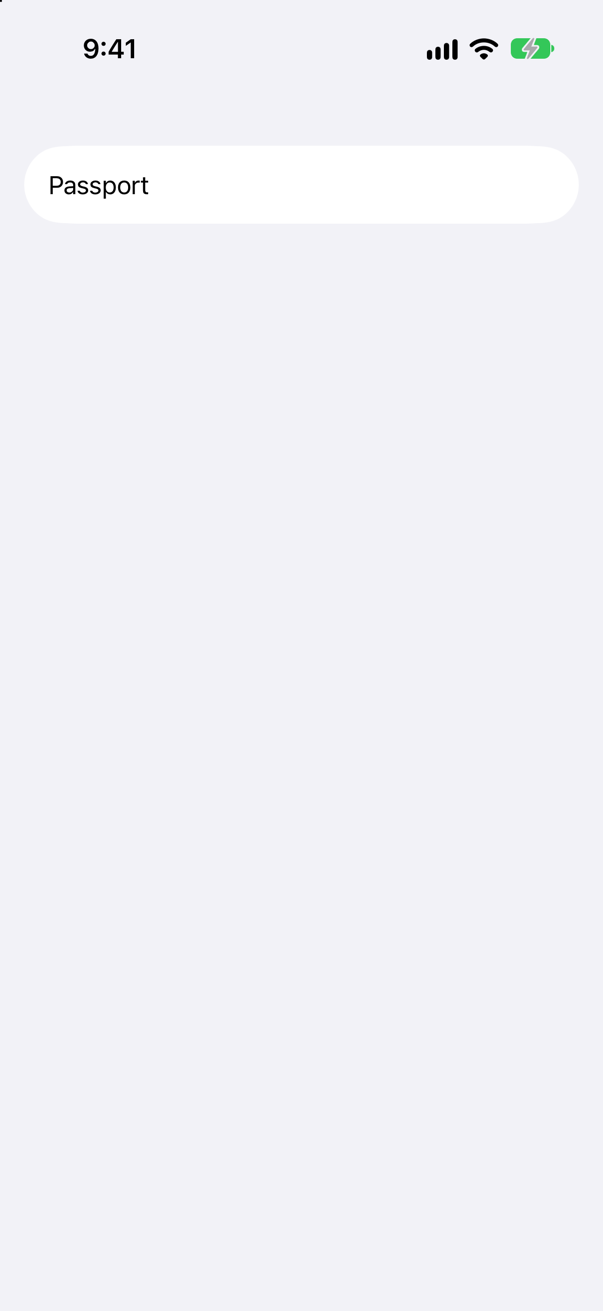
context.delete(_:) with the model object. Here a swipe on Boots, and the query followed: "items: ["Passport"]".
Syntax · PreviewsGive a preview its own SwiftData store, with something in it.
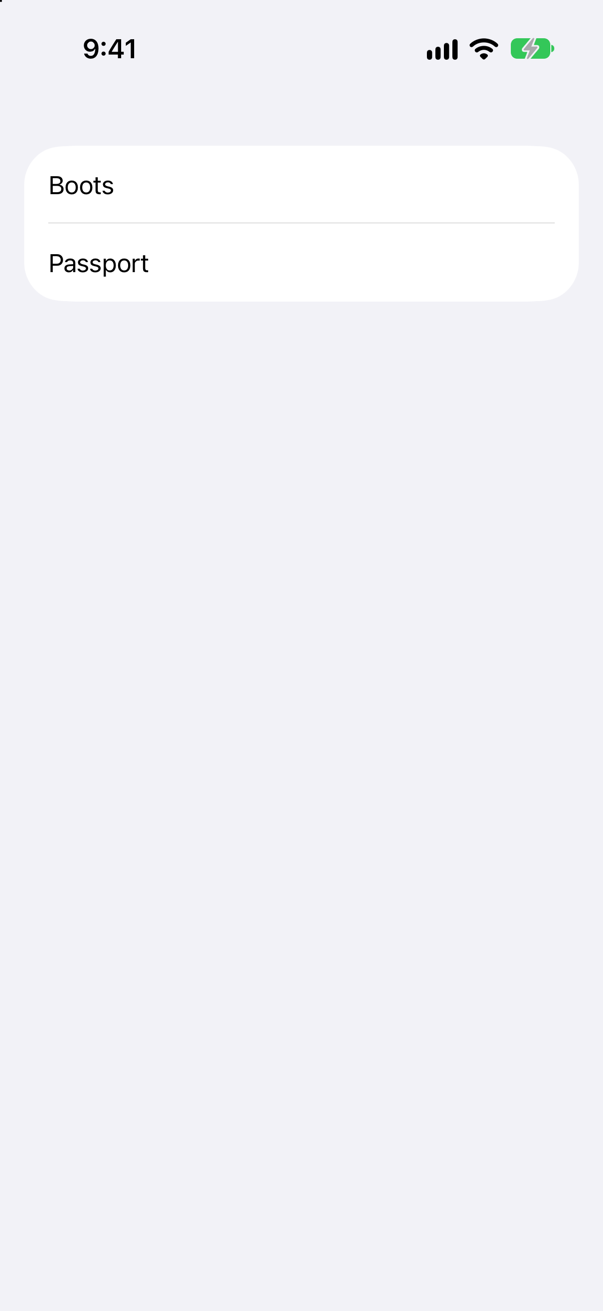
A container made with isStoredInMemoryOnly: true, filled through its mainContext, and passed with .modelContainer(_:). For an empty one, .modelContainer(for: Item.self, inMemory: true) is enough.
Syntax · FetchingFetch some items in code, outside a view — and count them without fetching them.
A FetchDescriptor — predicate and sort — given to context.fetch(_:), or to fetchCount(_:) when only the number matters. It printed ["Boots", "Charger"] and 2.
Syntax · RelationshipsDelete a trip's items along with the trip.
@Relationship(deleteRule: .cascade). Without it the rule is .nullify, and the items stay behind with no trip (an edge case counts them). With it, deleting the trip left 0 items.
Syntax · @QueryShow a query's results in sections (iOS 27).
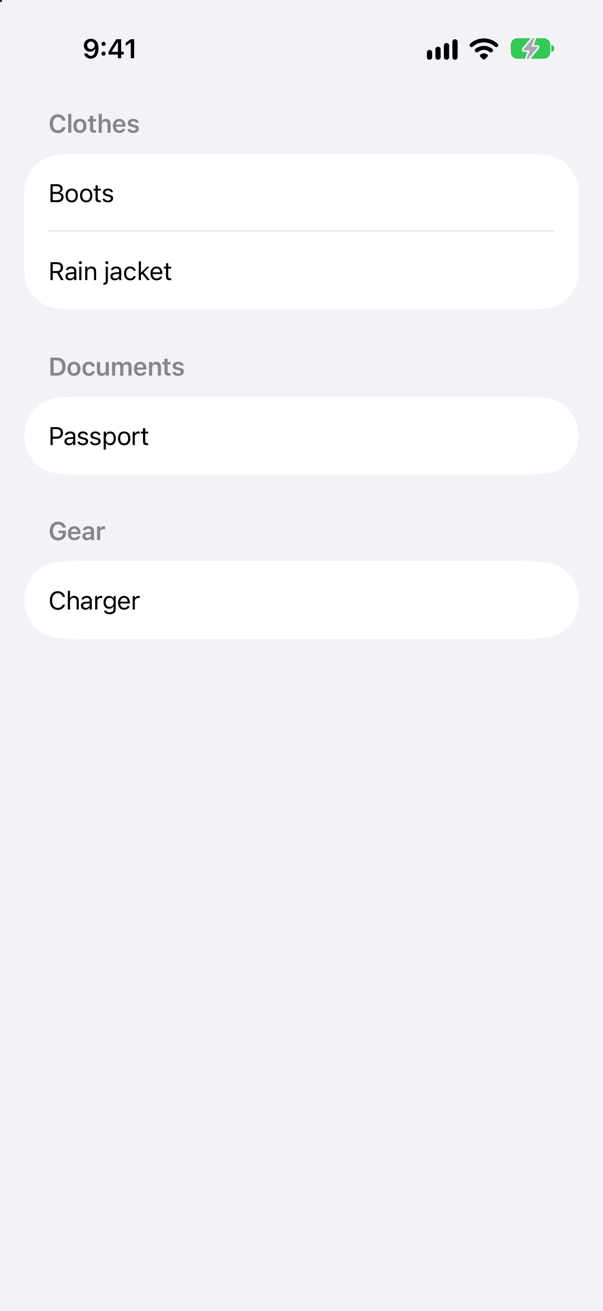
@Query(sort:sectionBy:) with the type SectionedResults<Item, String>. Each section has a title and is itself a collection of items. The sections come in title order, the items sorted within each.
Syntax · ContextWrite pending changes to disk now, and find out whether there are any.
try context.save(); hasChanges says whether there is anything to save. Apple suggests checking it first, so that SwiftData does no needless work. It printed before: true, then after: false.
Trick question · ModelsCan @Model go on a struct?
No: "'@Model' cannot be applied to struct type 'Item' (from macro 'Model')" A model is a class: SwiftData gives every view the same object and changes it in place.
Trick question · ContextTwo model contexts share one container. One inserts an item. Does the other see it?
Not until it is saved: "first sees 1 — second sees 0", then "after save(): 1". An insert lives in its context until save() writes it to the store, which every context reads.
Trick question · ModelsA view shows a model object's property. The property changes. Does the view redraw?

Yes. @Model makes the class Observable, so a view that reads isPacked redraws when it changes — the same mechanism as lesson 18's store.
Trick question · ContextApple's page says a ModelContext you make yourself does not autosave. What does autosaveEnabled say on iOS 27?

It says true: "a new context: true". Apple's page for autosaveEnabled: "The default value is false. SwiftData automatically sets this property to true for the model container’s mainContext." On iOS 27 a new context reports true as well. Do not lean on either: when a change has to be on disk, call save().
Edge cases and tricky questions
9 questions of the kind an interviewer uses to find out whether you really know this — the corners, the traps, and the things that changed recently. Each has its source. Wherever the answer is what some code does, that code was compiled and run, and what you see under “Show the answer” is what it really did. Say your answer aloud before you open it.
An item is inserted into the main context with a tap. Ten seconds later the app is stopped — by Xcode's Stop button, or a crash. After it starts again, is the item there? And what if the app went to the background first?
Show the answer

Gone. The screen said "1 items" for ten seconds; after the restart:
at launch: 0 itemsThe main context autosaves, but not straight after a change: ten seconds were not enough. Going to the background is one of the moments it does save — the same tap, then the Home button, then the stop, kept the item ("at launch: 0 items
at launch: 1 items"). And a save() of your own writes it at once, even with the stop straight after the tap:

"at launch: 0 items at launch: 1 items". Developers reporting the same thing on Apple's and Hacking with Swift's forums land on the same advice: save explicitly when a change matters.
Where this comes from: ModelContext autosaveEnabled · ModelContext save() · Hacking with Swift forums: SwiftData autosave appears not to work when connected to Xcode — Measured on iOS 27: the harness stops the app the way Xcode does, then runs it again.
A view uses @Query, but nobody set a model container — the app forgot .modelContainer(for:). Does the app crash?
Show the answer

No — it shows nothing, quietly. The list is empty, and the only sign is a line in Xcode's console:
What SwiftUI logged
Set a .modelContext in view's environment to use QueryAn empty list with no error is easy to mistake for a store with nothing in it. When a query shows nothing, look for that line first.
Where this comes from: Query · modelContainer(for:inMemory:isAutosaveEnabled:isUndoEnabled:onSetup:) — Measured on iOS 27.
@Attribute(.unique) var name. An item called Passport is saved; then another item called Passport is inserted and saved. Does the second save fail?
Show the answer
No — it replaces the first. No error; one item, with the second one's note: 1 ["Passport: second"]. A unique attribute makes SwiftData upsert: insert, or update the one with that value.
Inserted together and saved once, the two still make one item: 1 ["Passport: first"] in this run. Apple's page promises only that the attribute "Ensures the property’s value is unique across all models of the same type" — not which of two you keep. Either way, a unique attribute is not a check that warns you about duplicates — it quietly merges them.
Where this comes from: Schema.Attribute.Option.unique — Measured on iOS 27, saving between the two inserts and not.
Item has var category: Category, an enum. The query is #Predicate<Item> { $0.category == .documents }. Does it compile?
Show the answer
It does not compile. Xcode reports
Member access without an explicit base is not supported in this predicate (from macro 'Predicate')No: "Member access without an explicit base is not supported in this predicate (from macro 'Predicate')" Inside #Predicate, .documents with nothing in front of it is not allowed. Spelling it out as Category.documents fails too, differently: "key path cannot refer to enum case 'documents'" Put the value in a constant outside the closure, and compare with that:
It printed ["Passport"]: the constant is a value the predicate carries to the database, like any other.
Where this comes from: Predicate · Query — Measured on iOS 27.
TripItems takes a Trip — a plain struct — and builds its query with #Predicate<Item> { $0.tripID == trip.id }. Does it compile?
Show the answer
It does not compile. Xcode reports
cannot convert value of type 'PredicateExpressions.Equal<PredicateExpressions.KeyPath<PredicateExpressions.Variable<Item>, Int>, PredicateExpressions.KeyPath<PredicateExpressions.Value<Trip>, Int>>' to closure result type 'any StandardPredicateExpression<Bool>'No — and the error is long:
"cannot convert value of type 'PredicateExpressions.Equal<PredicateExpressions.KeyPath<PredicateExpressions.Variable<Item>, Int>, PredicateExpressions.KeyPath<PredicateExpressions.Value<Trip>, Int>>' to closure result type 'any StandardPredicateExpression<Bool>'"
What it means: a predicate is sent to the database, and every value it captures has to go with it — trip here, a struct the predicate does not know how to carry. Copy what you need into a constant first:

A Codable, Sendable struct can be captured whole — Trips' own Trip is one — but the constant works for any type, which is why this lesson's PackingList uses it.
Where this comes from: Predicate · Query — Measured on iOS 27, with a plain struct, with a constant, and with a Codable, Sendable struct.
Item has a computed property, var isHeavy: Bool { weight > 1 }. A fetch uses #Predicate<Item> { $0.isHeavy }. Does it work?
Show the answer
It compiles — and the app stops:
SwiftData/DataUtilities.swift:85: Fatal error: Couldn't find \Item.isHeavy on Item with fields [SwiftData.Schema.PropertyMetadata(name: "name", keypath: \Item.name, defaultValue: nil, metadata: nil), SwiftData.Schema.PropertyMetadata(name: "weight", keypath: \Item.weight, defaultValue: nil, metadata: nil)]The database has a column for each stored property, and isHeavy is not one of them, so there is nothing to ask it about. Say it with stored properties: ["Boots"] from $0.weight > 1.
Calling functions is narrower still, and there the compiler catches it — lowercased(), for one: "The lowercased() function is not supported in this predicate (from macro 'Predicate')" For case-insensitive search, localizedStandardContains(_:) is supported.
Where this comes from: Predicate · Query — Measured on iOS 27.
A Trip model has @Relationship var items: [Item], with no delete rule given. The trip is deleted. What happens to its items?
Show the answer
They stay — items left: 2 — still in the store, belonging to nothing. The default rule is .nullify: the items' link to the trip is cleared, and that is all. If the items mean nothing without their trip, say so:
items left: 0.
Where this comes from: Schema.Relationship.DeleteRule — Measured on iOS 27.
To keep the view small, a packing model — an @Observable class — gets the @Query property instead of the view. Does it compile?
Show the answer
It does not compile. Xcode reports
variable already has a getter
expansion of macro 'Query()' produced an unexpected 'init' accessor
No — a cascade of errors from the two macros, beginning with "variable already has a getter"
@Query works only in a view: it reads the model context from the view's environment and redraws the view. Outside a view, fetch with the context — context.fetch(FetchDescriptor<Item>()) — or, new in iOS 27, keep a ResultsObserver, which "Observes and tracks changes to a collection of persistent models in a model context" and is itself Observable.
Where this comes from: Query · ResultsObserver — Measured on iOS 27.
A @Model class has a property of a Codable struct of yours — var place: Place. In a new Xcode project, does that compile cleanly?
Show the answer

It compiles, with a warning
main actor-isolated conformance of 'Place' to 'Encodable' cannot be used in nonisolated context; this is an error in the Swift 6 language modeWith a warning: "main actor-isolated conformance of 'Place' to 'Encodable' cannot be used in nonisolated context; this is an error in the Swift 6 language mode"
Lesson 32's trap again. A new Xcode project puts your types on the main actor, so Place's Codable conformance belongs to the main actor — and SwiftData encodes and decodes stored values elsewhere. Swift 6 language mode makes it an error. Declare the struct nonisolated, as an edge case of lesson 32 did for Trip, and the warning goes:

In Trips nothing is on an actor unless it says so, and Place would need no nonisolated — only Sendable, which says what it is: plain data.
Where this comes from: SE-0470: Global-actor isolated conformances · Model() macro — Measured on iOS 27, with a new Xcode 27 project's settings.