Local time, from Combine to SwiftUI
Combine: reading legacy code
You will buildThe local time in each trip's city, ticking on its weather card — written first the way a 2020 codebase has it, with an ObservableObject and a Combine timer, then moved to Observation, and then to SwiftUI's TimelineView, with no Combine left. The app runs after every step.
TimeAbout 60 minutes
WhyCombine is the reactive framework Apple shipped in 2019, and SwiftUI's first data flow was built on it: ObservableObject, @Published, @StateObject. Much of the SwiftUI code in production was written that way, so an interview may hand you some and ask what it does and how you would move it on. If you have used RxSwift, you can already read it — a Publisher is an Observable, sink is subscribe, an AnyCancellable is a Disposable. In this lesson Trips gets a small feature written in that style on purpose, and you migrate it the way you would in a real app: one step at a time, running it after each.
Open your project
Open your
Tripsproject as lesson 40 left it: double-clickTrips.xcodeprojin Finder, or use File ▸ Open… (⌘O) in Xcode.If you did not finish lesson 40, or would rather start from a known state, download Trips-lesson-40.zip instead. It is the project exactly as it stood at the end of lesson 40. Unzip it and open
Trips.xcodeproj.Run it (⌘R) to check that it builds. You should see where lesson 40 ended:
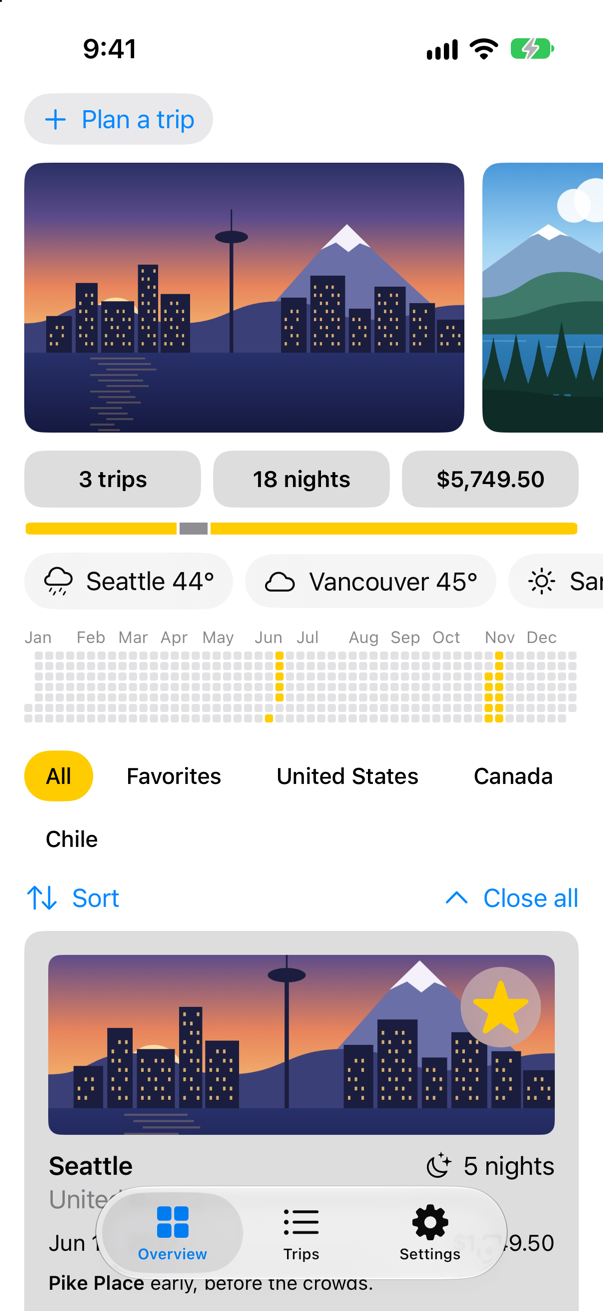
Trips, as it stood at the end of lesson 40Screenshot · iPhone 17, iOS 27.0
The time zone
A clock for a city needs the city's time zone. Open-Meteo's place search already sends one with every place — "timezone": "America/Los_Angeles" for Seattle — and TimeZone(identifier:) turns that name into a TimeZone. Weather keeps it, as an optional with a default of nil, so that the previews which make a Weather by hand still compile. In Weather.swift, three things change: a property on Weather, the argument that fills it in now(in:), and the field in PlaceSearch.Place:
import Foundation/// The weather somewhere, now — from Open-Meteo, a free weather service that needs no key./// `Sendable`: plain data, like a trip.struct Weather: Sendable { let place: String // where Open-Meteo found the city, such as "Vancouver, Canada" let temperature: Double // in °F // the sky, as a WMO weather code: 0 is a clear sky, 3 overcast, 61 rain… let code: Int var timeZone: TimeZone? = nil // the city's, when Open-Meteo knows it /// Finds the city, then asks for the weather there: two requests, one after the other. /// `nonisolated(nonsending)`: it runs on whatever actor calls it — the main actor, from the trip's /// screen. It mostly waits, and waiting needs no other thread. nonisolated(nonsending) static func now(in city: String) async throws -> Weather { print("Asking Open-Meteo about \(city)") let search = try await URLSession.shared.json(PlaceSearch.self, from: "https://geocoding-api.open-meteo.com/v1/search", query: ["name": city, "count": "1"]) guard let place = search.results?.first else { throw WeatherError.noSuchPlace(city) } let forecast = try await URLSession.shared.json(Forecast.self, from: "https://api.open-meteo.com/v1/forecast", query: ["latitude": "\(place.latitude)", "longitude": "\(place.longitude)", "current": "temperature_2m,weather_code", "temperature_unit": "fahrenheit"]) return Weather(place: [place.name, place.country].compactMap { $0 }.joined(separator: ", "), temperature: forecast.current.temperature, code: forecast.current.weatherCode) code: forecast.current.weatherCode, timeZone: place.timezone.flatMap(TimeZone.init(identifier:))) } /// The code in words, with an SF Symbol to match. var sky: (words: String, symbol: String) { switch code { case 0: ("Clear sky", "sun.max") case 1: ("Mainly clear", "sun.min") case 2: ("Partly cloudy", "cloud.sun") case 3: ("Overcast", "cloud") case 45, 48: ("Fog", "cloud.fog") case 51...57: ("Drizzle", "cloud.drizzle") case 61...67, 80...82: ("Rain", "cloud.rain") case 71...77, 85, 86: ("Snow", "cloud.snow") case 95...99: ("Thunderstorm", "cloud.bolt.rain") default: ("Weather code \(code)", "questionmark.circle") } }}/// Open-Meteo's answer to a search for a place. When nothing is found, `results` is not there at all./// `Sendable`, like each answer here: plain data — and so is the type inside it.struct PlaceSearch: Decodable, Sendable { let results: [Place]? struct Place: Decodable, Sendable { let name: String let country: String? // some places have none: Hong Kong, for one let latitude: Double let longitude: Double let timezone: String? // such as "America/Los_Angeles" }}/// Open-Meteo's answer to a request for the weather now — as much of it as Trips reads. `Sendable`: plain data.struct Forecast: Decodable, Sendable { let current: Current struct Current: Decodable, Sendable { let temperature: Double let weatherCode: Int enum CodingKeys: String, CodingKey { case temperature = "temperature_2m" case weatherCode = "weather_code" } }}/// What can go wrong that URLSession and JSONDecoder do not already describe. `Sendable` without a word:/// Swift asks it of every `Error`.enum WeatherError: LocalizedError { case noSuchPlace(String) var errorDescription: String? { switch self { case .noSuchPlace(let city): "Open-Meteo knows no place called \(city)." } }}extension URLSession { /// Asks for JSON and decodes it. An answer other than 200 OK is an error too — URLSession does not think so. /// `nonisolated(nonsending)`, like `now(in:)`: it runs on its caller's actor. nonisolated(nonsending) func json<Answer: Decodable>(_ type: Answer.Type, from address: String, query: [String: String]) async throws -> Answer { var components = URLComponents(string: address)! components.queryItems = query.map { URLQueryItem(name: $0.key, value: $0.value) } let (data, response) = try await self.data(from: components.url!) guard (response as? HTTPURLResponse)?.statusCode == 200 else { throw URLError(.badServerResponse) } return try JSONDecoder().decode(type, from: data) }}import Foundation
/// The weather somewhere, now — from Open-Meteo, a free weather service that needs no key.
/// `Sendable`: plain data, like a trip.
struct Weather: Sendable {
let place: String // where Open-Meteo found the city, such as "Vancouver, Canada"
let temperature: Double // in °F
// the sky, as a WMO weather code: 0 is a clear sky, 3 overcast, 61 rain…
let code: Int
var timeZone: TimeZone? = nil // the city's, when Open-Meteo knows it
/// Finds the city, then asks for the weather there: two requests, one after the other.
/// `nonisolated(nonsending)`: it runs on whatever actor calls it — the main actor, from the trip's
/// screen. It mostly waits, and waiting needs no other thread.
nonisolated(nonsending) static func now(in city: String) async throws -> Weather {
print("Asking Open-Meteo about \(city)")
let search = try await URLSession.shared.json(PlaceSearch.self,
from: "https://geocoding-api.open-meteo.com/v1/search",
query: ["name": city, "count": "1"])
guard let place = search.results?.first else {
throw WeatherError.noSuchPlace(city)
}
let forecast = try await URLSession.shared.json(Forecast.self,
from: "https://api.open-meteo.com/v1/forecast",
query: ["latitude": "\(place.latitude)",
"longitude": "\(place.longitude)",
"current": "temperature_2m,weather_code",
"temperature_unit": "fahrenheit"])
return Weather(place: [place.name, place.country].compactMap { $0 }.joined(separator: ", "),
temperature: forecast.current.temperature,
code: forecast.current.weatherCode,
timeZone: place.timezone.flatMap(TimeZone.init(identifier:)))
}
/// The code in words, with an SF Symbol to match.
var sky: (words: String, symbol: String) {
switch code {
case 0: ("Clear sky", "sun.max")
case 1: ("Mainly clear", "sun.min")
case 2: ("Partly cloudy", "cloud.sun")
case 3: ("Overcast", "cloud")
case 45, 48: ("Fog", "cloud.fog")
case 51...57: ("Drizzle", "cloud.drizzle")
case 61...67, 80...82: ("Rain", "cloud.rain")
case 71...77, 85, 86: ("Snow", "cloud.snow")
case 95...99: ("Thunderstorm", "cloud.bolt.rain")
default: ("Weather code \(code)", "questionmark.circle")
}
}
}
/// Open-Meteo's answer to a search for a place. When nothing is found, `results` is not there at all.
/// `Sendable`, like each answer here: plain data — and so is the type inside it.
struct PlaceSearch: Decodable, Sendable {
let results: [Place]?
struct Place: Decodable, Sendable {
let name: String
let country: String? // some places have none: Hong Kong, for one
let latitude: Double
let longitude: Double
let timezone: String? // such as "America/Los_Angeles"
}
}
/// Open-Meteo's answer to a request for the weather now — as much of it as Trips reads. `Sendable`: plain data.
struct Forecast: Decodable, Sendable {
let current: Current
struct Current: Decodable, Sendable {
let temperature: Double
let weatherCode: Int
enum CodingKeys: String, CodingKey {
case temperature = "temperature_2m"
case weatherCode = "weather_code"
}
}
}
/// What can go wrong that URLSession and JSONDecoder do not already describe. `Sendable` without a word:
/// Swift asks it of every `Error`.
enum WeatherError: LocalizedError {
case noSuchPlace(String)
var errorDescription: String? {
switch self {
case .noSuchPlace(let city): "Open-Meteo knows no place called \(city)."
}
}
}
extension URLSession {
/// Asks for JSON and decodes it. An answer other than 200 OK is an error too — URLSession does not think so.
/// `nonisolated(nonsending)`, like `now(in:)`: it runs on its caller's actor.
nonisolated(nonsending) func json<Answer: Decodable>(_ type: Answer.Type, from address: String, query: [String: String]) async throws -> Answer {
var components = URLComponents(string: address)!
components.queryItems = query.map { URLQueryItem(name: $0.key, value: $0.value) }
let (data, response) = try await self.data(from: components.url!)
guard (response as? HTTPURLResponse)?.statusCode == 200 else {
throw URLError(.badServerResponse)
}
return try JSONDecoder().decode(type, from: data)
}
}Code from 2020
Here is the clock as a codebase from before Observation has it. Make a new Swift File named LocalTime, and replace everything in it:
import SwiftUI
import Combine

/// The time now, refreshed every second — written the way SwiftUI code was written before Observation.
/// `@MainActor`: the screen reads it, and the timer ticks on the main run loop.
@MainActor
final class Clock: ObservableObject {
    @Published private(set) var now = Date.now
    private var ticking: AnyCancellable?

    init() {
        ticking = Timer.publish(every: 1, on: .main, in: .common)
            .autoconnect()
            .sink { [weak self] date in
                self?.now = date
            }
    }
}

/// The time in a trip's city, as its weather card shows it.
struct LocalTime: View {
    let timeZone: TimeZone
    @StateObject private var clock = Clock()

    var body: some View {
        Label("Local time \(clock.now.formatted(Date.FormatStyle(date: .omitted, time: .standard, timeZone: timeZone)))",
              systemImage: "clock")
    }
}
Read it from the top. Clock says @MainActor, as every model in Trips does: the screen reads it, and the timer, scheduled on the main run loop, ticks there too — so the closure that sets now runs on the main actor, where now belongs. It is an ObservableObject, and now is @Published: setting it makes the object announce, through its objectWillChange publisher, that it is about to change, and SwiftUI redraws whatever reads it. Timer.publish(every:on:in:) is a publisher of dates; .autoconnect() starts the timer as soon as something subscribes; .sink subscribes, with a closure for each value. sink returns an AnyCancellable, and the subscription lasts only as long as that object does — which is why it is kept in a property (an edge case shows what happens when it is not). [weak self], because the timer would otherwise keep the clock alive. In the view, @StateObject makes the clock once, and keeps it for as long as the view is on the screen.
The weather card shows the clock under the weather, when the city's time zone is known. In WeatherView.swift:
import SwiftUI/// The weather on a trip's screen, in each of its three phases.struct WeatherView: View { let phase: WeatherModel.Phase var retry: () -> Void = {} var body: some View { Group { switch phase { case .loading: ProgressView("Asking about the weather…") case .loaded(let weather): Label("\(weather.place): \(weather.temperature, format: .number.precision(.fractionLength(0)))°F, \(weather.sky.words)", systemImage: weather.sky.symbol) VStack(spacing: 6) { Label("\(weather.place): \(weather.temperature, format: .number.precision(.fractionLength(0)))°F, \(weather.sky.words)", systemImage: weather.sky.symbol) if let timeZone = weather.timeZone { LocalTime(timeZone: timeZone) .font(.subheadline) .foregroundStyle(.secondary) } } case .failed(let reason): VStack(spacing: 8) { Label(reason, systemImage: "exclamationmark.triangle") Button("Retry", action: retry) .buttonStyle(.bordered) } } } .frame(maxWidth: .infinity, minHeight: 44) .padding() .background(.thinMaterial, in: .rect(cornerRadius: 16)) .padding(.horizontal) }}#Preview("Loading") { WeatherView(phase: .loading)}#Preview("Loaded") { WeatherView(phase: .loaded(Weather(place: "Seattle, United States", temperature: 61, code: 2)))}#Preview("Failed") { WeatherView(phase: .failed(WeatherError.noSuchPlace("Hogsmeade").localizedDescription))}import SwiftUI
/// The weather on a trip's screen, in each of its three phases.
struct WeatherView: View {
let phase: WeatherModel.Phase
var retry: () -> Void = {}
var body: some View {
Group {
switch phase {
case .loading:
ProgressView("Asking about the weather…")
case .loaded(let weather):
VStack(spacing: 6) {
Label("\(weather.place): \(weather.temperature, format: .number.precision(.fractionLength(0)))°F, \(weather.sky.words)",
systemImage: weather.sky.symbol)
if let timeZone = weather.timeZone {
LocalTime(timeZone: timeZone)
.font(.subheadline)
.foregroundStyle(.secondary)
}
}
case .failed(let reason):
VStack(spacing: 8) {
Label(reason, systemImage: "exclamationmark.triangle")
Button("Retry", action: retry)
.buttonStyle(.bordered)
}
}
}
.frame(maxWidth: .infinity, minHeight: 44)
.padding()
.background(.thinMaterial, in: .rect(cornerRadius: 16))
.padding(.horizontal)
}
}
#Preview("Loading") {
WeatherView(phase: .loading)
}
#Preview("Loaded") {
WeatherView(phase: .loaded(Weather(place: "Seattle, United States", temperature: 61, code: 2)))
}
#Preview("Failed") {
WeatherView(phase: .failed(WeatherError.noSuchPlace("Hogsmeade").localizedDescription))
}Run the app, and open San Pedro de Atacama, in Chile:
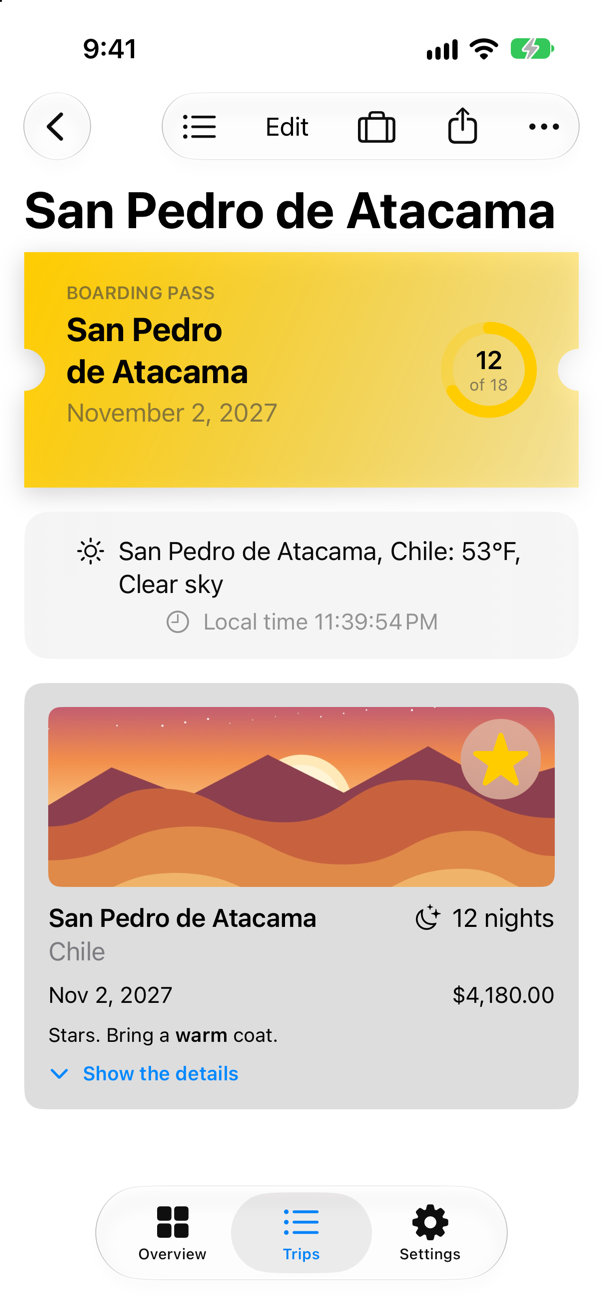
The time under the weather is Chile's, not the phone's, and it moves on every second.
Into Observation
The first move is the one Apple describes for every ObservableObject: the class becomes @Observable, @Published goes, and the view's @StateObject becomes @State. Observation then tracks now by itself. The AnyCancellable is not something a view should watch, so it is marked @ObservationIgnored. Combine stays, inside the class, for now. In LocalTime.swift:
/// The time now, refreshed every second — written the way SwiftUI code was written before Observation./// `@MainActor`: the screen reads it, and the timer ticks on the main run loop./// The time now, refreshed every second — Observation outside, Combine still inside./// `@MainActor`, as before: the screen reads it.@MainActorfinal class Clock: ObservableObject { @Published private(set) var now = Date.now private var ticking: AnyCancellable?@Observablefinal class Clock { private(set) var now = Date.now @ObservationIgnored private var ticking: AnyCancellable? init() { ticking = Timer.publish(every: 1, on: .main, in: .common) .autoconnect() .sink { [weak self] date in self?.now = date } }}/// The time now, refreshed every second — Observation outside, Combine still inside.
/// `@MainActor`, as before: the screen reads it.
@MainActor
@Observable
final class Clock {
private(set) var now = Date.now
@ObservationIgnored private var ticking: AnyCancellable?
init() {
ticking = Timer.publish(every: 1, on: .main, in: .common)
.autoconnect()
.sink { [weak self] date in
self?.now = date
}
}
}/// The time in a trip's city, as its weather card shows it.struct LocalTime: View { let timeZone: TimeZone @StateObject private var clock = Clock() @State private var clock = Clock() var body: some View { Label("Local time \(clock.now.formatted(Date.FormatStyle(date: .omitted, time: .standard, timeZone: timeZone)))", systemImage: "clock") }}/// The time in a trip's city, as its weather card shows it.
struct LocalTime: View {
let timeZone: TimeZone
@State private var clock = Clock()
var body: some View {
Label("Local time \(clock.now.formatted(Date.FormatStyle(date: .omitted, time: .standard, timeZone: timeZone)))",
systemImage: "clock")
}
}Run the app, and open San Pedro de Atacama again:
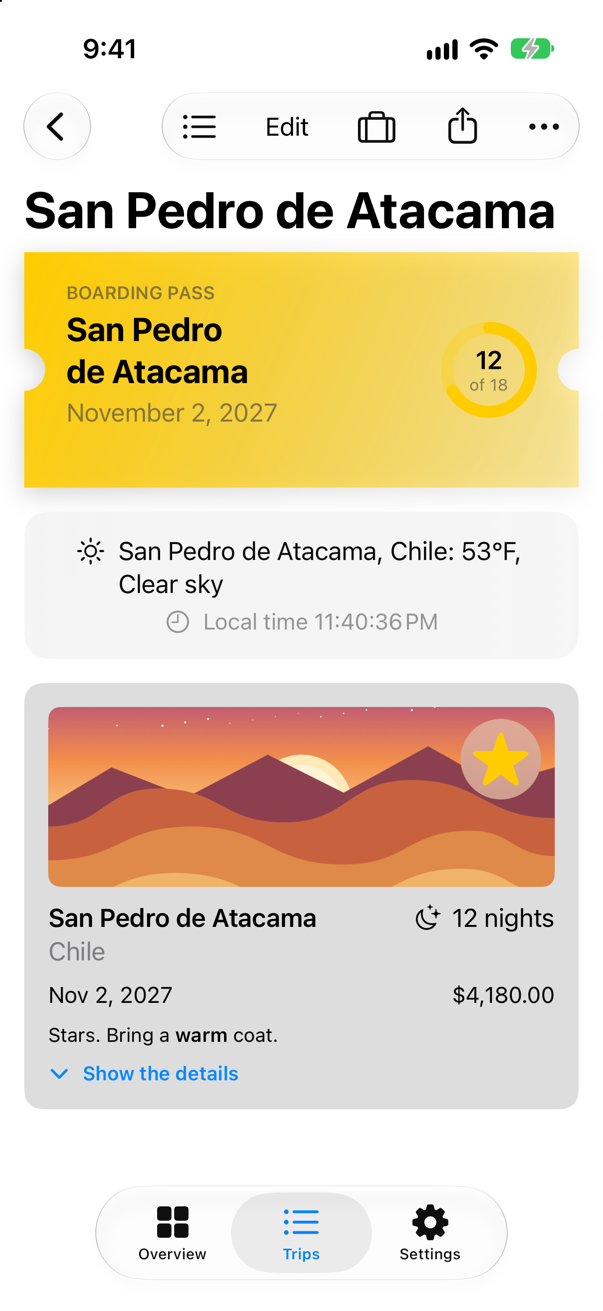
Nothing on the screen changed, which is the point of moving in small steps. In a larger class this is often where you stop for a while: the views are on Observation, and the Combine inside can go later, one pipeline at a time. Where a publisher must stay — one that comes from a library, say — its values property is an async sequence, so a .task can loop over it with for await (a flash card shows it).
No Combine at all
A clock does not need an object at all. TimelineView redraws its content on a schedule — .periodic(from:by:), every second here — and hands it the date to draw. No timer, no subscription, nothing to cancel: when the view goes, so does the schedule. In LocalTime.swift, delete the Clock class, and replace the view:
/// The time now, refreshed every second — Observation outside, Combine still inside./// `@MainActor`, as before: the screen reads it.@MainActor@Observablefinal class Clock { private(set) var now = Date.now @ObservationIgnored private var ticking: AnyCancellable? init() { ticking = Timer.publish(every: 1, on: .main, in: .common) .autoconnect() .sink { [weak self] date in self?.now = date } }}/// The time in a trip's city, as its weather card shows it./// The time in a trip's city, as its weather card shows it. SwiftUI redraws it every second.struct LocalTime: View { let timeZone: TimeZone @State private var clock = Clock() var body: some View { Label("Local time \(clock.now.formatted(Date.FormatStyle(date: .omitted, time: .standard, timeZone: timeZone)))", systemImage: "clock") TimelineView(.periodic(from: .now, by: 1)) { context in Label("Local time \(context.date.formatted(Date.FormatStyle(date: .omitted, time: .standard, timeZone: timeZone)))", systemImage: "clock") } }}/// The time in a trip's city, as its weather card shows it. SwiftUI redraws it every second.
struct LocalTime: View {
let timeZone: TimeZone
var body: some View {
TimelineView(.periodic(from: .now, by: 1)) { context in
Label("Local time \(context.date.formatted(Date.FormatStyle(date: .omitted, time: .standard, timeZone: timeZone)))",
systemImage: "clock")
}
}
}And the file no longer needs Combine. At the top of LocalTime.swift:
import SwiftUIimport Combineimport SwiftUIRun the app, and open San Pedro de Atacama once more:
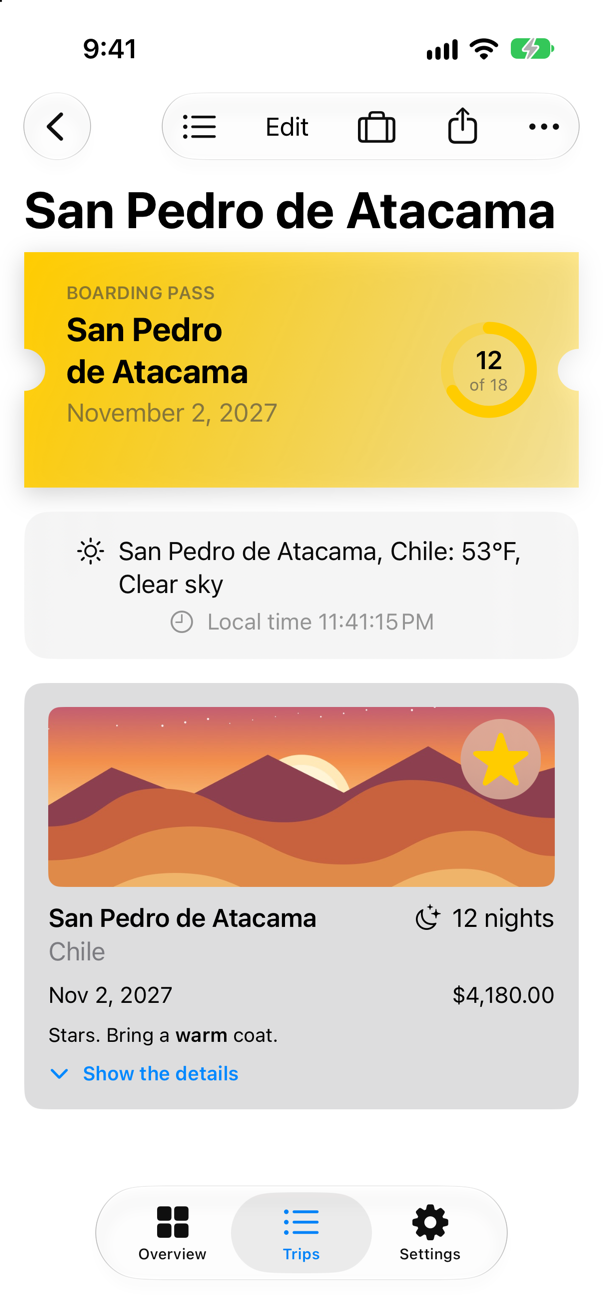
The same clock, with no class, no timer and nothing to cancel. That is the usual shape of a Combine migration: some pipelines become async code, some become a plain property that Observation tracks, and some, like this one, turn out to be something SwiftUI already does.
What you built
- The city's time zone, from Open-Meteo's place search, kept on
Weather. - A clock on the weather card, written the 2020 way:
ObservableObject,@Published, a CombineTimer.publishpipeline and@StateObject. - The same clock on Observation —
@Observable,@State— with Combine still inside. - The same clock with
TimelineView, and no Combine left in the project.
Next, concurrency in SwiftUI: starting work from a view so that it is cancelled when the view goes, and a search that never shows the answer to an older question.
The finished project
Stuck, or want to compare with your own? This is the project as it stands at the end of this lesson, built and run before it was put here.
- Trips-lesson-41.zip — unzip it, then open
Trips.xcodeprojin Xcode.
Flash cards
15 cards for this lesson, each labelled with its topic. 9 ask how you would write something; the other 6 are trick questions, written to catch a misunderstanding. Answer in your head first, then tap the card.
Syntax · PublishersTransform the values of a publisher, and receive them.
Operators — map, filter, compactMap, removeDuplicates — each make a new publisher; sink subscribes. Keep the AnyCancellable it returns (store(in:) puts it in a set), or the subscription ends at once. It printed 10, 20, 30.
Syntax · @PublishedWatch a @Published property from code.
$city is the property's publisher. It sends the current value as soon as you subscribe — "city: Seattle" — and every change after: "city: Bergen". @Observable properties have no $ publisher; that is one thing to replace when migrating.
Syntax · SubjectsA publisher that your own code sends values into, and finishes.
PassthroughSubject: send(_:) for each value, send(completion:) to end. The Combine cousin of an AsyncStream's continuation — except that any number of subscribers each get every value. It printed "done: finished" at the end.
Syntax · SubjectsA subject that always has a current value you can read.
CurrentValueSubject starts with a value, keeps the latest in value, and gives it to each new subscriber at once. It printed "now: 56", then "now: 61".
Syntax · SchedulersWait until typing pauses before acting on it, and skip a repeat.
debounce(for:scheduler:) sends a value only after a quiet spell; removeDuplicates() drops one equal to the last. Three keystrokes, one search — "search for Sea" — and typing "Sea" again started none. The next lesson does the same without Combine.
Syntax · BridgesLoop over a Combine publisher with for await.
values turns any publisher into an async sequence — the bridge from Combine to async code. When the publisher finishes, so does the loop: "the loop ended". A publisher that can fail gives a throwing sequence, read with for try await.
Syntax · BridgesRun code in a view whenever a publisher sends a value.

.onReceive(_:perform:) subscribes while the view is on the screen, and runs the closure for each value — here, a tick a second. The usual way older SwiftUI code consumes a publisher.
Syntax · PublishersReturn a publisher from a function without spelling out its type.
eraseToAnyPublisher() hides a chain of operators behind AnyPublisher<Output, Failure>. Just sends one value and finishes. Where Combine predates some, you will see AnyPublisher in every signature. It printed "Seattle: 58°F".
Syntax · PublishersCombine the latest values of two publishers.
combineLatest sends a pair whenever either side changes, once both have sent something. Form validation was its classic job. It printed incomplete, incomplete, then "Kim in Bergen". With Observation, a computed property does it.
Trick question · @PublishedDuring a migration, an @Observable class keeps one @Published property. Does it compile?
No: "invalid redeclaration of synthesized property '_city'" Both want to own the property's storage. Move a class across whole: @Published goes when @Observable comes.
Trick question · PublishersURLSession.shared.dataTaskPublisher(for:) followed by .sink { … } with one closure. Does it compile?
No: "referencing instance method 'sink(receiveValue:)' on 'Publisher' requires the types 'URLSession.DataTaskPublisher.Failure' (aka 'URLError') and 'Never' be equivalent" A publisher that can fail must be subscribed with sink(receiveCompletion:receiveValue:), so that the failure goes somewhere. The one-closure sink exists only when Failure is Never.
Trick question · PublishersCan map take a closure that throws?
No: "no exact matches in call to instance method 'map'" — not the clearest message. A throwing step is tryMap; it turns the publisher's failure type into any Error, and a thrown error ends the stream.
Trick question · @StateObjectA child view makes its model with @ObservedObject var counter = Counter(). The counter reaches 2, then the parent redraws. What does the child show?
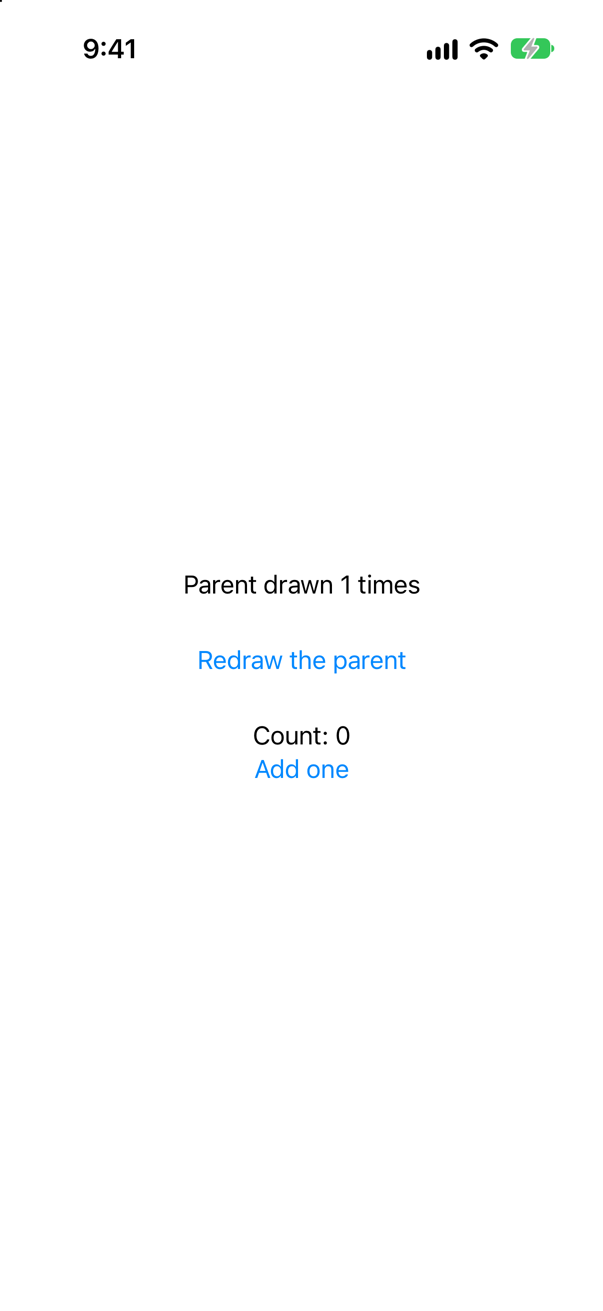
Count: 0. Redrawing the parent made a new CounterView, and with it a new Counter: @ObservedObject does not own what it watches. @StateObject makes the object once and keeps it — the classic bug of the ObservableObject era, and the reason @State holds an @Observable model today.
Trick question · @PublishedCan a struct have a @Published property?
No: "'wrappedValue' is unavailable: @Published is only available on properties of classes" @Published announces changes through its object's objectWillChange, and only a class has one identity for subscribers to watch.
Trick question · Bridgesfor await over the values of URLSession.shared.dataTaskPublisher(for:). Does it compile?
No: "call can throw, but it is not marked with 'try' and the error is not handled" A publisher that can fail gives a throwing sequence: for try await, inside do/catch. The failure comes out of the loop — "the loop threw Offline()".
Edge cases and tricky questions
10 questions of the kind an interviewer uses to find out whether you really know this — the corners, the traps, and the things that changed recently. Each has its source. Wherever the answer is what some code does, that code was compiled and run, and what you see under “Show the answer” is what it really did. Say your answer aloud before you open it.
_ = subject.sink { … } — the AnyCancellable is not kept. A value is sent. Does the closure run?
Show the answer
No. The program printed only "kept, got 2".
An AnyCancellable cancels its subscription when it is released, and a value assigned to _ is released at once. So a sink whose result is not stored in a property or a set ends before anything arrives — silently. Apple's page: an AnyCancellable instance "automatically calls cancel() when deinitialized."
Where this comes from: AnyCancellable · Combine — Run in the iOS 27 simulator.
A Future and a Deferred { Future … } each print when their work runs. Nobody subscribes to the first. When does each one's work run?
Show the answer
The Future's at once; the Deferred one only when subscribed:
What it printed
the Future's work runs
nobody has subscribed to the Future
nobody has subscribed to the Deferred
the Deferred Future's work runs
got 2
A Future starts its work when it is created, and does it only once, however many subscribe:
It printed
the Future's work runs
first subscriber got 1
second subscriber got 1
So a Future returned from a function does its work even if nobody subscribes, and a retry that subscribes again gets the old answer. Deferred — "A publisher that awaits subscription before running the supplied closure to create a publisher for the new subscriber" — waits, and makes a new Future each time.
Where this comes from: Future · Deferred — Run in the iOS 27 simulator.
A sink on model.$city reads model.city when it is called. The city changes from Seattle to Bergen. What does the sink see?
Show the answer
The new value as its argument, and the old one in the property:
What it printed
the sink got Seattle — model.city says Seattle
the sink got Bergen — model.city says Seattle
Apple's page for Published: "When the property changes, publishing occurs in the property’s willSet block, meaning subscribers receive the new value before it’s actually set on the property." Code in a sink must use the value it is given, not read the object back — a bug that shows up as a screen always one change behind.
Where this comes from: Published (Combine) · Combine — Run in the iOS 27 simulator.
Two classes subscribe a subject to their own @Published property: one with .assign(to: \.ticks, on: self) and a stored AnyCancellable, the other with .assign(to: &$ticks). Both go out of scope. Are both freed?
Show the answer
Only the second:
What it printed
ticks: 1 1
assign(to: &$ticks) clock freed
both clocks out of scope
Apple's page for assign(to:on:): the subscriber it makes "maintains a strong reference to object, and sets it to nil when the upstream publisher completes" — and a subject that never completes never lets go, while the object keeps the subscription: a cycle, and a leak. For assign(to:): it "manages the life cycle of the subscription, canceling the subscription automatically when the Published instance deinitializes."
Where this comes from: Publisher assign(to:on:) · Publisher assign(to:) — Run in the iOS 27 simulator.
A for await loop over a PassthroughSubject's values takes 50 ms per value. Five values are sent at once. How many does the loop get?
Show the answer
One: "the loop got: [1]"
values asks for one value at a time, when the loop is ready for it, and Apple's page for PassthroughSubject says what happens to the rest: it "drops values if there are no subscribers, or its current demand is zero." An AsyncStream would have kept them all (lesson 40). A buffer in front of values keeps them too:
It printed
the loop got: [1, 2, 3, 4, 5]Where this comes from: Publisher values (an async sequence) · PassthroughSubject — Run in the iOS 27 simulator.
A publisher that makes a request is subscribed by the strip and by the trip screen. How many requests — and with .share()?
Show the answer
Two, and with share() one:
What it printed
the strip got 58°F
the screen got 58°F
requests without share(): 2
the strip got 58°F
the screen got 58°F
requests with share(): 1
Each subscription to an ordinary publisher runs the whole chain again — here, the request. share() makes one subscription upstream and hands every value to all of its subscribers — something an AsyncStream cannot do (lesson 40), and the reason Combine still suits a value that several parts of an app must all receive.
Where this comes from: Publisher share() · Combine — Run in the iOS 27 simulator.
An ObservableObject in a new Xcode project subscribes with .subscribe(on: DispatchQueue.global()) and sets a property in its sink. What happens in Swift 5 mode, and in Swift 6 mode?
Show the answer
Swift 5 mode runs it off the main thread without a word; Swift 6 mode stops the program. In Swift 5 mode:
What it printed
the sink ran on the main thread: false
value: 1
In Swift 6 mode the same code compiles, and then:
What the simulator reported
Child process terminated with signal 5: Trace/BPT trapIn a new Xcode project the class — and the closure written inside it — belong to the main actor; in Trips the class says @MainActor itself, to the same effect. Combine knows nothing of actors, and called the closure on its background queue: Swift 5 mode let that pass, and Swift 6 mode stopped the program at that call. The compiler cannot see it coming, and no warning comes before the crash. .receive(on: DispatchQueue.main) before the sink fixes it:
It printed
the sink ran on the main thread: true
value: 1
Where this comes from: Publisher receive(on:options:) · Adopting strict concurrency in Swift 6 apps — Run in the iOS 27 simulator, in Swift 5 and Swift 6 mode.
A view keeps let timer = Timer.publish(every: 1, on: .main, in: .common) and counts its values in .onReceive(timer). How many ticks after three seconds?
Show the answer

None. Apple's page for Timer.publish: its publisher "conforms to ConnectablePublisher, which means you must explicitly connect to the Timer publisher to begin publishing events." .autoconnect() does that on the first subscription — leave it out, and the timer never fires, with no error anywhere.
Where this comes from: Timer publish(every:tolerance:on:in:options:) · ConnectablePublisher autoconnect() — Measured in the iOS 27 simulator.
A view uses .onReceive(model.$city) to log the city. Nothing has changed yet. Does it log anything when the view appears?
Show the answer

Yes — the current value, at once:
onReceive got Seattleand after the tap:
onReceive got BergenA @Published publisher sends its current value to every new subscriber, and .onReceive subscribes when the view appears. Code that should run only on a change must skip the first value (.dropFirst()) — or, with Observation, use .onChange(of:), which does not fire for the initial value.
Where this comes from: onReceive(_:perform:) · Published (Combine) — Measured in the iOS 27 simulator.
"Seattle" is sent to a PassthroughSubject and to a CurrentValueSubject before anyone subscribes. Then each gets a subscriber, and "Bergen" is sent. What does each subscriber receive?
Show the answer
The passthrough subscriber only Bergen; the current-value subscriber both:
What it printed
current value: Seattle
passthrough: Bergen
current value: Bergen
A PassthroughSubject keeps nothing: what was sent before you subscribed is gone. A CurrentValueSubject — like a @Published property — hands a new subscriber the value it holds. Choose by whether a latecomer needs the state, or only the events.
Where this comes from: PassthroughSubject · CurrentValueSubject — Run in the iOS 27 simulator.