The weather in the city you are typing
Concurrency in SwiftUI
You will buildThe weather in the city being typed into the trip planner: first with a Task for every keystroke — a request per letter, and the last answer to arrive wins — then with .task(id:), which waits for typing to pause, asks once, and never shows an answer to an older question.
TimeAbout 45 minutes
WhySwiftUI views are on the main actor, and work started from them belongs somewhere: to the view, so that it ends when the view does, or to nothing, so that it runs on regardless. .task and .task(id:) give work to the view; a Task { } in a callback gives it to nobody. The difference decides whether a search field sends one request or six, and whether the answer on the screen matches the text in the field — the search-box bug that interviewers like to hand you.
Open your project
Open your
Tripsproject as lesson 41 left it: double-clickTrips.xcodeprojin Finder, or use File ▸ Open… (⌘O) in Xcode.If you did not finish lesson 41, or would rather start from a known state, download Trips-lesson-41.zip instead. It is the project exactly as it stood at the end of lesson 41. Unzip it and open
Trips.xcodeproj.Run it (⌘R) to check that it builds. You should see where lesson 41 ended:
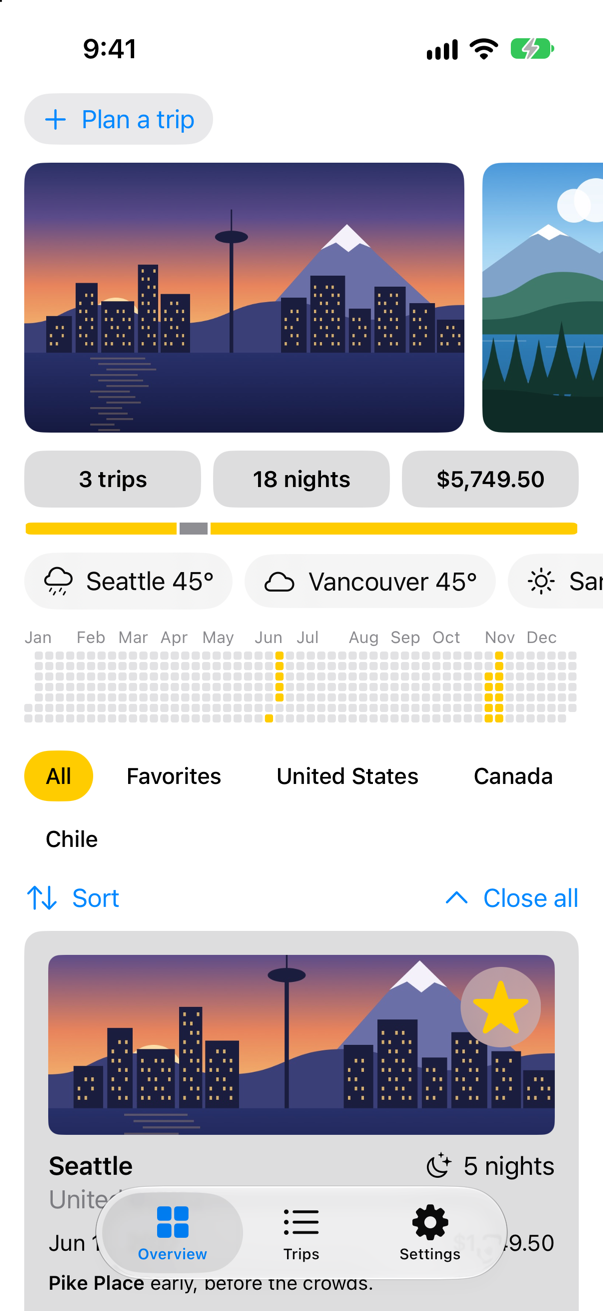
Trips, as it stood at the end of lesson 41Screenshot · iPhone 17, iOS 27.0
A task for every keystroke
The trip planner on the Overview gets a line under its City field: the weather there, as soon as there is a city to ask about. The first version is the one most people write: when the text changes, start a Task that asks the weather cache and puts the answer on the screen. In TripPlanner.swift:
struct TripPlanner: View { @Environment(TripStore.self) private var store @State private var isOpen = false @State private var draft = TripDraft() @State private var preview: Weather? @Environment(\.horizontalSizeClass) private var sizeClass var body: some View { VStack(spacing: 12) { VStack(alignment: .leading, spacing: 12) { Button(isOpen ? "Close the planner" : "Plan a trip", systemImage: isOpen ? "xmark" : "plus") { isOpen.toggle() } .buttonStyle(.bordered) if isOpen { IdeasRow { idea in draft.city = idea.city draft.country = idea.country draft.nights = idea.suggestedNights } let fields = sizeClass == .regular ? AnyLayout(HStackLayout()) : AnyLayout(VStackLayout(alignment: .leading)) fields { TextField("City", text: $draft.city) TextField("Country", text: $draft.country) } if let preview { Label("\(preview.place): \(preview.temperature, format: .number.precision(.fractionLength(0)))°F, \(preview.sky.words)", systemImage: preview.sky.symbol) .font(.subheadline) } Stepper(value: $draft.nights, in: 1...60) { Text("^[\(draft.nights) night](inflect: true)") } Stepper(value: $draft.price, in: 0...20_000, step: 250) { Text(draft.price, format: .currency(code: "USD")) } HStack { PicturePicker(selection: $draft.imageName) Spacer() FavoriteButton(isFavorite: $draft.isFavorite) } Button("Add to my trips") { store.add(draft) draft = TripDraft() isOpen = false } .buttonStyle(.borderedProminent) .disabled(draft.city.isEmpty) } } .textFieldStyle(.roundedBorder) .frame(maxWidth: .infinity, alignment: .leading) .padding(.horizontal) .onChange(of: draft.city) { let city = draft.city Task { preview = try? await WeatherCache.shared.weather(in: city) } } if isOpen { TripCard(trip: Binding( get: { draft.trip(id: 0) }, set: { draft.isFavorite = $0.isFavorite } )) } } }}struct TripPlanner: View {
@Environment(TripStore.self) private var store
@State private var isOpen = false
@State private var draft = TripDraft()
@State private var preview: Weather?
@Environment(\.horizontalSizeClass) private var sizeClass
var body: some View {
VStack(spacing: 12) {
VStack(alignment: .leading, spacing: 12) {
Button(isOpen ? "Close the planner" : "Plan a trip", systemImage: isOpen ? "xmark" : "plus") {
isOpen.toggle()
}
.buttonStyle(.bordered)
if isOpen {
IdeasRow { idea in
draft.city = idea.city
draft.country = idea.country
draft.nights = idea.suggestedNights
}
let fields = sizeClass == .regular ? AnyLayout(HStackLayout()) : AnyLayout(VStackLayout(alignment: .leading))
fields {
TextField("City", text: $draft.city)
TextField("Country", text: $draft.country)
}
if let preview {
Label("\(preview.place): \(preview.temperature, format: .number.precision(.fractionLength(0)))°F, \(preview.sky.words)",
systemImage: preview.sky.symbol)
.font(.subheadline)
}
Stepper(value: $draft.nights, in: 1...60) {
Text("^[\(draft.nights) night](inflect: true)")
}
Stepper(value: $draft.price, in: 0...20_000, step: 250) {
Text(draft.price, format: .currency(code: "USD"))
}
HStack {
PicturePicker(selection: $draft.imageName)
Spacer()
FavoriteButton(isFavorite: $draft.isFavorite)
}
Button("Add to my trips") {
store.add(draft)
draft = TripDraft()
isOpen = false
}
.buttonStyle(.borderedProminent)
.disabled(draft.city.isEmpty)
}
}
.textFieldStyle(.roundedBorder)
.frame(maxWidth: .infinity, alignment: .leading)
.padding(.horizontal)
.onChange(of: draft.city) {
let city = draft.city
Task {
preview = try? await WeatherCache.shared.weather(in: city)
}
}
if isOpen {
TripCard(trip: Binding(
get: { draft.trip(id: 0) },
set: { draft.isFavorite = $0.isFavorite }
))
}
}
}
}Run the app, tap Plan a trip, tap the City field, and type Bergen:
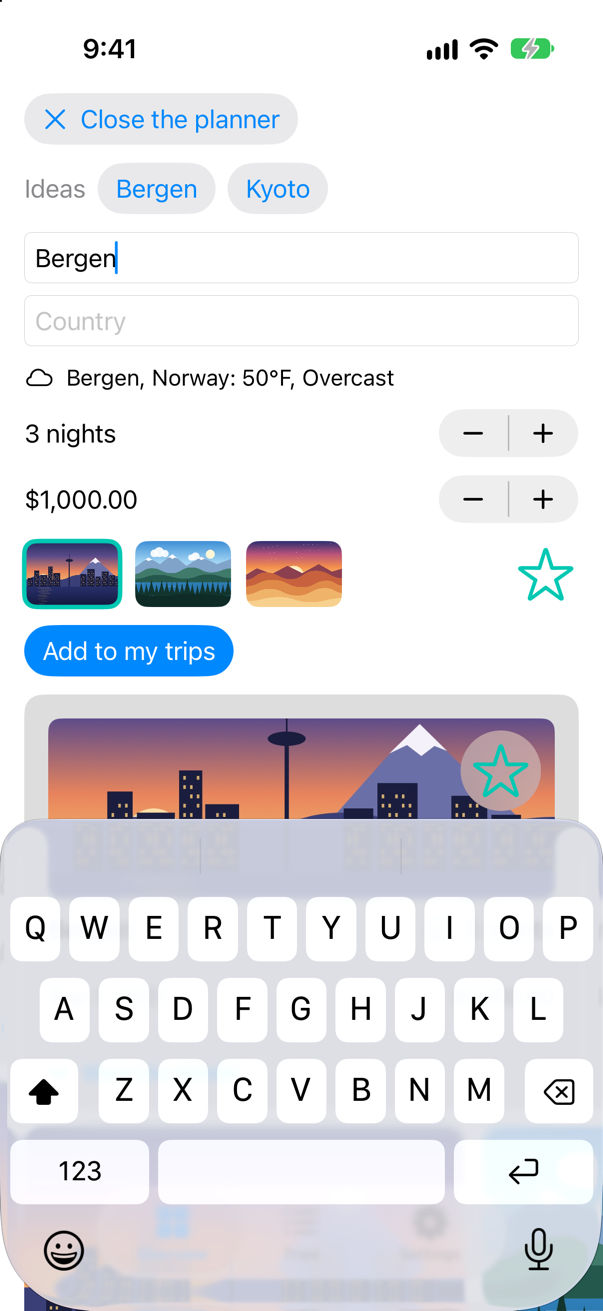
And the console, from the first letter:
Asking Open-Meteo about B
Asking Open-Meteo about Be
Asking Open-Meteo about Berg
Asking Open-Meteo about Berge
Asking Open-Meteo about Bergen
Saved Be to disk, on trips.weather
Saved Berg to disk, on trips.weather
Saved Berge to disk, on trips.weather
Saved Bergen to disk, on trips.weather
More than one request for one word. (The first lines are the Overview's weather strip, answering the questions it asked as the app started.) Each change of the text that SwiftUI reported started a Task, and each asked Open-Meteo — a city search and a forecast — about the word as it stood then. Worse, the line on the screen is whichever answer arrived last, and nothing makes that the answer to the last question: a short name can take longer to look up than a long one. The Task belongs to nobody, so nothing cancels the earlier ones when the text moves on, and nothing cancels any of them when the planner closes. (An edge case below makes the wrong answer win every time.)
One task, restarted by each keystroke
.task(id:) runs its closure when the view appears and again whenever the value changes — and before it starts again, it cancels the run before. Apple's page for it: "SwiftUI can automatically cancel the task after the view disappears before the action completes. If the id value changes, SwiftUI cancels and restarts the task." So the task can begin with a short wait. While letters keep coming, each one cancels the wait before it, and only when typing pauses for half a second does a task get past it and ask. A cancelled Task.sleep throws, and the catch returns at once. The second guard is after the await: if the city changed while the answer was on its way, the task has been cancelled, and the answer belongs to a question nobody is asking any more. In TripPlanner.swift:
struct TripPlanner: View { @Environment(TripStore.self) private var store @State private var isOpen = false @State private var draft = TripDraft() @State private var preview: Weather? @Environment(\.horizontalSizeClass) private var sizeClass var body: some View { VStack(spacing: 12) { VStack(alignment: .leading, spacing: 12) { Button(isOpen ? "Close the planner" : "Plan a trip", systemImage: isOpen ? "xmark" : "plus") { isOpen.toggle() } .buttonStyle(.bordered) if isOpen { IdeasRow { idea in draft.city = idea.city draft.country = idea.country draft.nights = idea.suggestedNights } let fields = sizeClass == .regular ? AnyLayout(HStackLayout()) : AnyLayout(VStackLayout(alignment: .leading)) fields { TextField("City", text: $draft.city) TextField("Country", text: $draft.country) } if let preview { Label("\(preview.place): \(preview.temperature, format: .number.precision(.fractionLength(0)))°F, \(preview.sky.words)", systemImage: preview.sky.symbol) .font(.subheadline) } Stepper(value: $draft.nights, in: 1...60) { Text("^[\(draft.nights) night](inflect: true)") } Stepper(value: $draft.price, in: 0...20_000, step: 250) { Text(draft.price, format: .currency(code: "USD")) } HStack { PicturePicker(selection: $draft.imageName) Spacer() FavoriteButton(isFavorite: $draft.isFavorite) } Button("Add to my trips") { store.add(draft) draft = TripDraft() isOpen = false } .buttonStyle(.borderedProminent) .disabled(draft.city.isEmpty) } } .textFieldStyle(.roundedBorder) .frame(maxWidth: .infinity, alignment: .leading) .padding(.horizontal) .onChange(of: draft.city) { let city = draft.city Task { preview = try? await WeatherCache.shared.weather(in: city) .task(id: draft.city) { guard !draft.city.isEmpty else { preview = nil return } do { try await Task.sleep(for: .milliseconds(500)) // until typing pauses } catch { // another letter came, or the planner closed return } let answer = try? await WeatherCache.shared.weather(in: draft.city) if !Task.isCancelled { preview = answer } } if isOpen { TripCard(trip: Binding( get: { draft.trip(id: 0) }, set: { draft.isFavorite = $0.isFavorite } )) } } }}struct TripPlanner: View {
@Environment(TripStore.self) private var store
@State private var isOpen = false
@State private var draft = TripDraft()
@State private var preview: Weather?
@Environment(\.horizontalSizeClass) private var sizeClass
var body: some View {
VStack(spacing: 12) {
VStack(alignment: .leading, spacing: 12) {
Button(isOpen ? "Close the planner" : "Plan a trip", systemImage: isOpen ? "xmark" : "plus") {
isOpen.toggle()
}
.buttonStyle(.bordered)
if isOpen {
IdeasRow { idea in
draft.city = idea.city
draft.country = idea.country
draft.nights = idea.suggestedNights
}
let fields = sizeClass == .regular ? AnyLayout(HStackLayout()) : AnyLayout(VStackLayout(alignment: .leading))
fields {
TextField("City", text: $draft.city)
TextField("Country", text: $draft.country)
}
if let preview {
Label("\(preview.place): \(preview.temperature, format: .number.precision(.fractionLength(0)))°F, \(preview.sky.words)",
systemImage: preview.sky.symbol)
.font(.subheadline)
}
Stepper(value: $draft.nights, in: 1...60) {
Text("^[\(draft.nights) night](inflect: true)")
}
Stepper(value: $draft.price, in: 0...20_000, step: 250) {
Text(draft.price, format: .currency(code: "USD"))
}
HStack {
PicturePicker(selection: $draft.imageName)
Spacer()
FavoriteButton(isFavorite: $draft.isFavorite)
}
Button("Add to my trips") {
store.add(draft)
draft = TripDraft()
isOpen = false
}
.buttonStyle(.borderedProminent)
.disabled(draft.city.isEmpty)
}
}
.textFieldStyle(.roundedBorder)
.frame(maxWidth: .infinity, alignment: .leading)
.padding(.horizontal)
.task(id: draft.city) {
guard !draft.city.isEmpty else {
preview = nil
return
}
do {
try await Task.sleep(for: .milliseconds(500)) // until typing pauses
} catch {
// another letter came, or the planner closed
return
}
let answer = try? await WeatherCache.shared.weather(in: draft.city)
if !Task.isCancelled {
preview = answer
}
}
if isOpen {
TripCard(trip: Binding(
get: { draft.trip(id: 0) },
set: { draft.isFavorite = $0.isFavorite }
))
}
}
}
}Run the app, and type Bergen into the planner again:
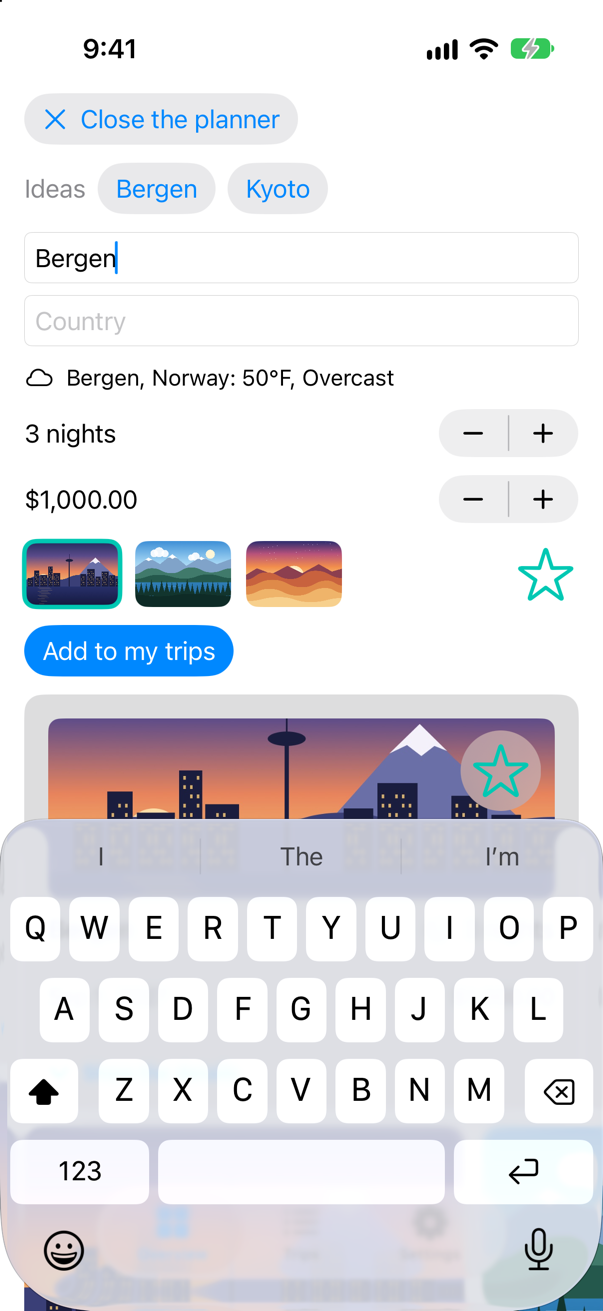
Asking Open-Meteo about Bergen
Saved Bergen to disk, on trips.weather
One request, for the word that was typed — after the strip's lines, as before. The task is the view's: close the planner and it is cancelled with it; type a new letter and it starts again. Nothing about it needs a timer, a Combine pipeline or a flag of your own — the debounce from lesson 41's Combine card, without Combine.
What you built
- The weather for the city being typed into the planner.
- First with a
Taskper change of the text from.onChange: several requests for one word, and no say over which answer is shown. - Then with
.task(id:): a wait that each keystroke cancels, one request when typing pauses, and an answer written only if its task was not cancelled.
Cheat sheet: the expansion from this lesson is collected, with the rest, on Expansions.
Next, tests: what ⌘U really does, how Swift Testing finds a test and reports a failure, and what a unit test can and cannot see of a SwiftUI view. Then testing async code, and code that waits.
The finished project
Stuck, or want to compare with your own? This is the project as it stands at the end of this lesson, built and run before it was put here.
- Trips-lesson-42.zip — unzip it, then open
Trips.xcodeprojin Xcode.
Flash cards
17 cards for this lesson, each labelled with its topic. 10 ask how you would write something; the other 7 are trick questions, written to catch a misunderstanding. Answer in your head first, then tap the card.
Syntax · .taskStart async work when a view appears, and stop it when the view goes.

.task { … }: it starts when the view appears, runs on the main actor like the view, and is cancelled when the view disappears. No Task to keep, nothing to cancel by hand.
Syntax · .task(id:)Run async work again whenever one of a view's inputs changes.
.task(id:): it runs when the view appears and again each time the value changes — cancelling the run before. It printed "asked about Seattle", then "asked about Bergen".
Syntax · .task(id:)Wait until typing pauses before searching — no Combine, no timer.
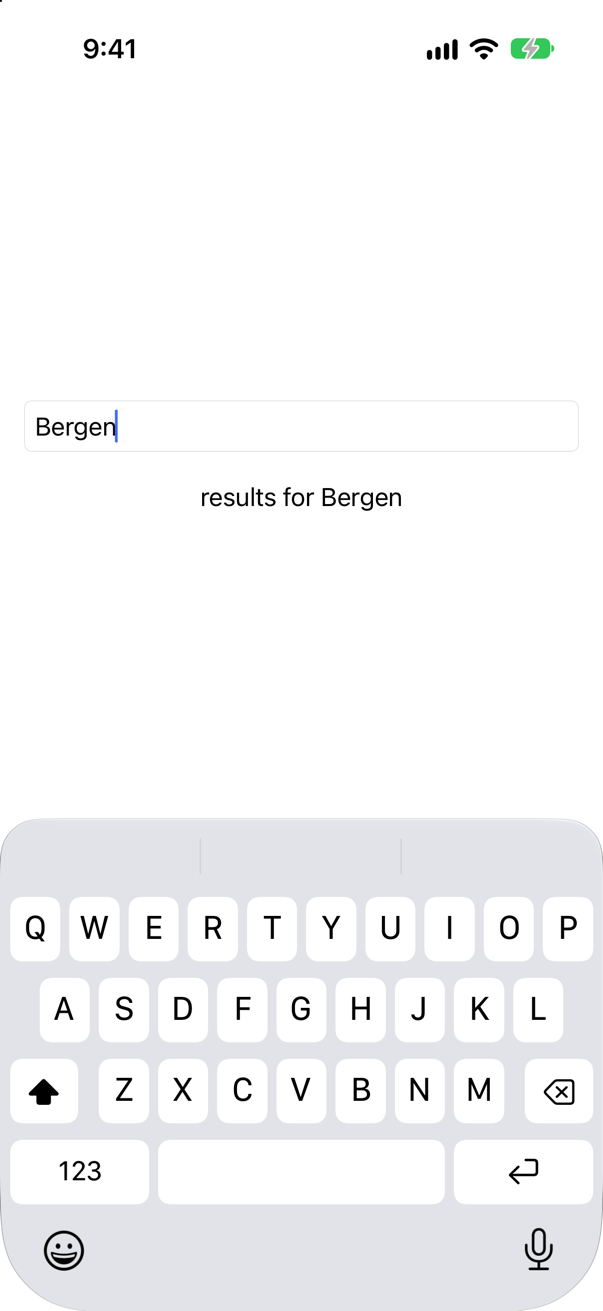
Sleep first: each keystroke cancels the sleeping task, and a cancelled Task.sleep throws, so only the task that sleeps through the pause searches. Typing six letters printed only "searching for Bergen".
Syntax · CancellationNever show an answer that arrived for an older question.
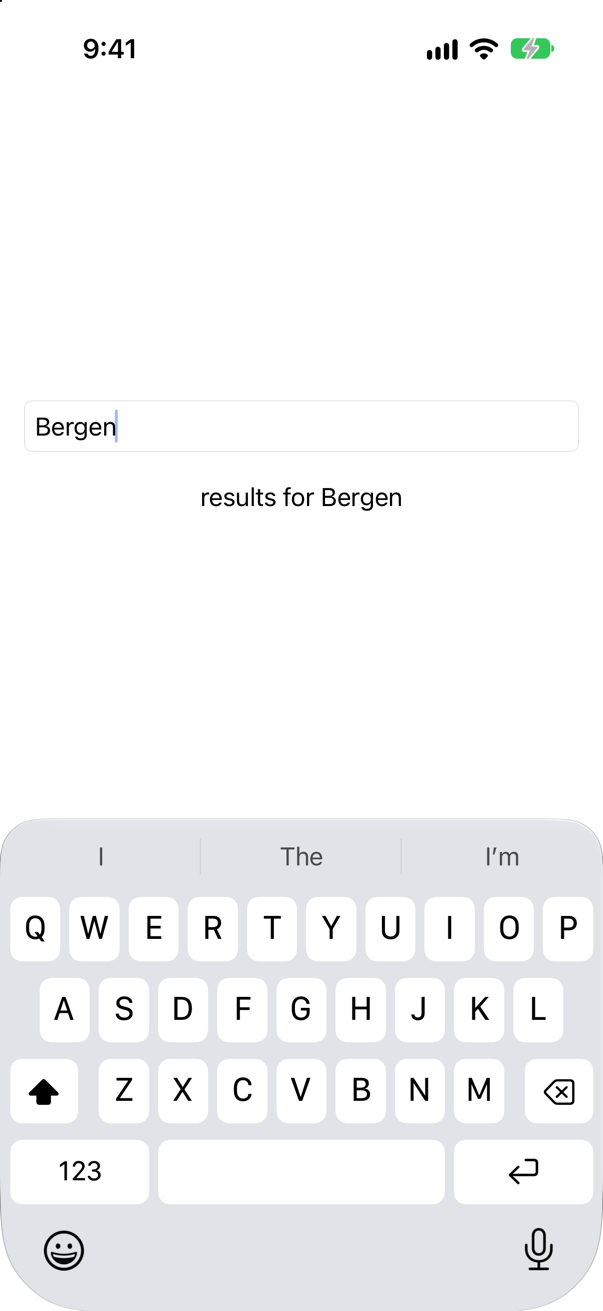
Check Task.isCancelled after the await, before writing: a task cancelled while it waited holds an answer to a question nobody is asking. Here the short questions answered last, and the screen still says "results for Bergen".
Syntax · Main actorKeep slow work off the main actor when a view asks for it.
@concurrent: the function leaves the main actor when called, and the caller is back on it after the await. "making the thumbnail on the main thread: false"; "back on the main thread: true with 128". Without it, in a new Xcode project, an async function would run on the main actor, like its caller; in Trips it would go to the pool anyway — Approachable Concurrency is off — and the word says so in the code.
Syntax · TaskStart async work from a button.
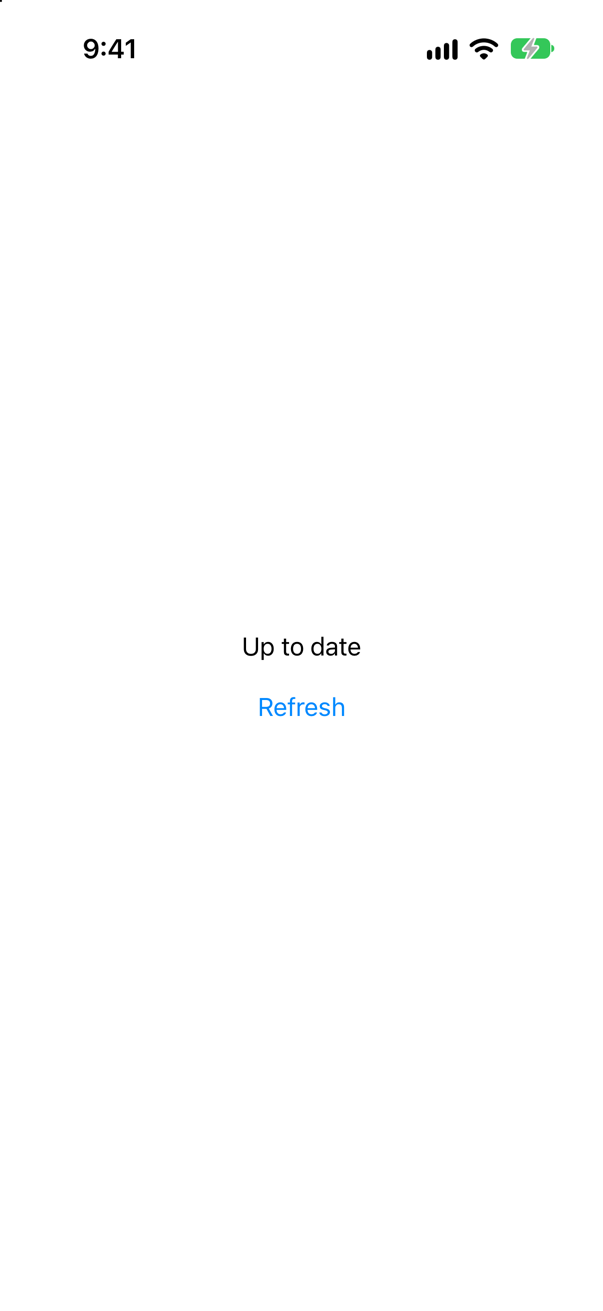
An action is synchronous, so it starts a Task. The task inherits the main actor from the view, so it may change @State directly. It belongs to nobody, though: it runs on even if the view goes away.
Syntax · .taskGive a view's task a lower priority.

.task(priority:). For prefetching or tidying up that should not compete with what the person is waiting for. It printed "priority: TaskPriority.background".
Syntax · .taskRepeat work every few seconds for as long as a view is on the screen.

A loop in .task that checks Task.isCancelled: hiding the view cancels the task, the sleep ends at once, and the loop stops — "stopped after 6". With while true and try?, it would never stop.
Syntax · Main actorLoad a screen's data in its model, and start it from the view.

The model says @MainActor, and the view is the main actor's because SwiftUI declares View so; after the await, the model sets its state with no hop and no DispatchQueue.main.async. (In a new Xcode project the model would be the main actor's without the word.) The view only says when: .task { await model.load() }.
Trick question · .onChangeCan the closure of .onChange(of:) await?
No: "cannot pass function of type '() async -> Void' to parameter expecting synchronous function type" onChange runs synchronously, as part of an update. Start a Task in it — and own the consequences, as step 2 shows — or use .task(id:), whose closure is async.
Trick question · .taskA view has a plain .task. A button changes the view's @State, and the view redraws. Does the .task run again?
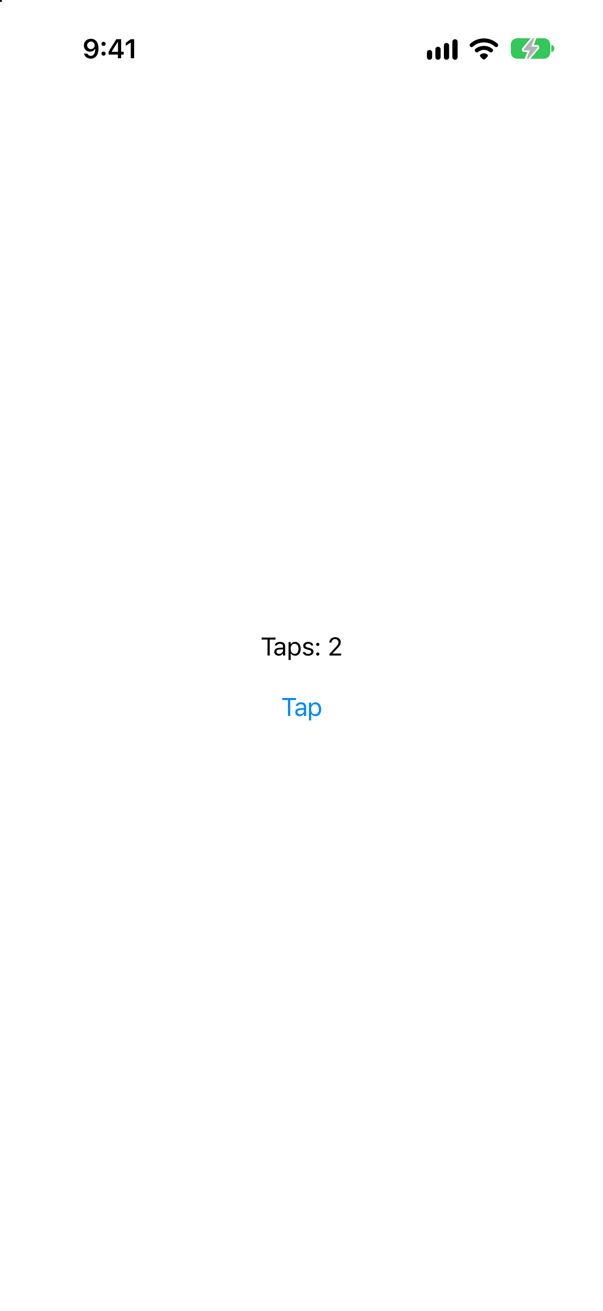
No — "the task ran", once, though the view redrew twice. A .task belongs to the view's appearance, not to its body. To run again when something changes, give it an id.
Trick question · .taskA List of 100 rows; each row has a .task that prints its number. How many print when the list appears?
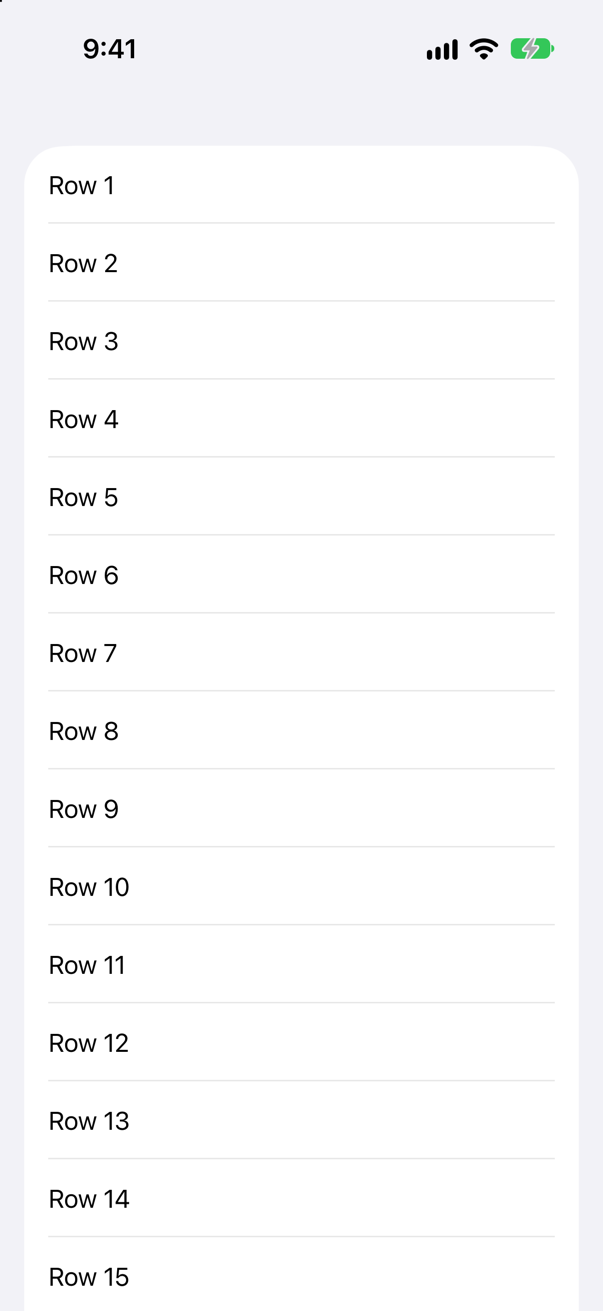
Only the rows on the screen — the first dozen or so, in no promised order (this run printed the last of them first), and never row 100. A List makes its rows lazily, and a row's .task starts when the row appears — and is cancelled when it scrolls away. That makes .task the place to load a row's thumbnail.
Trick question · .taskOne view, two .task modifiers, each with a loop that sleeps. Do both run?

Yes, side by side. Each .task is a task of its own; while one waits, the other runs, and all four lines were printed. Separate loops — say, two notification sequences — each need a .task of their own.
Trick question · .task(id:)A button sets the .task(id:) value to the value it already has. Does the task restart?

No — "the task ran for Seattle", once, at appearance. SwiftUI compares the new value with the old (the id must be Equatable) and restarts only when they differ.
Trick question · .taskA view is made invisible with .opacity(0). Does its .task run?

Yes — "the invisible view's task ran". An invisible view is still on the screen as far as SwiftUI is concerned; a view left out with if is not, and its task never runs. To stop work, remove the view, do not hide it.
Trick question · Main actorIn Swift 6 mode, a view's method is marked @concurrent and sets one of the view's @State properties. Does the compiler stop it?

Only with a warning: "main actor-isolated property 'status' can not be mutated from a nonisolated context" — while the same mistake on a @MainActor class is an error (lesson 38's edge cases). Treat it as one: do the slow part off the main actor, return its result, and set the state in the view, as the @concurrent card does.
Syntax · .taskWhat does the .task { } modifier expand to?

A task started in onAppear, kept in state, and cancelled in onDisappear — on the main actor, like the view. Hiding both views printed: onAppear and onDisappear: cancelled
the .task modifier: cancelled. The modifier does the keeping and the cancelling; Task { } in onAppear alone leaves a task running after its view is gone.
Edge cases and tricky questions
8 questions of the kind an interviewer uses to find out whether you really know this — the corners, the traps, and the things that changed recently. Each has its source. Wherever the answer is what some code does, that code was compiled and run, and what you see under “Show the answer” is what it really did. Say your answer aloud before you open it.
A view starts the same four-second job twice: once with Task { } in .onAppear, once in .task. The view is removed a moment after it appears. What happens to each?
Show the answer
The .task is cancelled; the Task runs to the end:
the .task finished; cancelled? true
the Task from onAppear finished; cancelled? false
The .task belonged to the view, so removing the view cancelled it, and its sleep ended at once. The Task from onAppear belonged to nobody: it slept its four seconds and carried on, after the view it was working for had gone. Apple, on task(priority:_:): "SwiftUI will automatically cancel the task at some point after the view disappears before the action completes."
Where this comes from: task(name:priority:file:line:_:) · WWDC25: Explore concurrency in SwiftUI — Measured in the iOS 27 simulator.
A search field starts a Task from .onChange for each keystroke. The search stands in for a server where short questions are slow. Bergen is typed. What does the screen show?
Show the answer
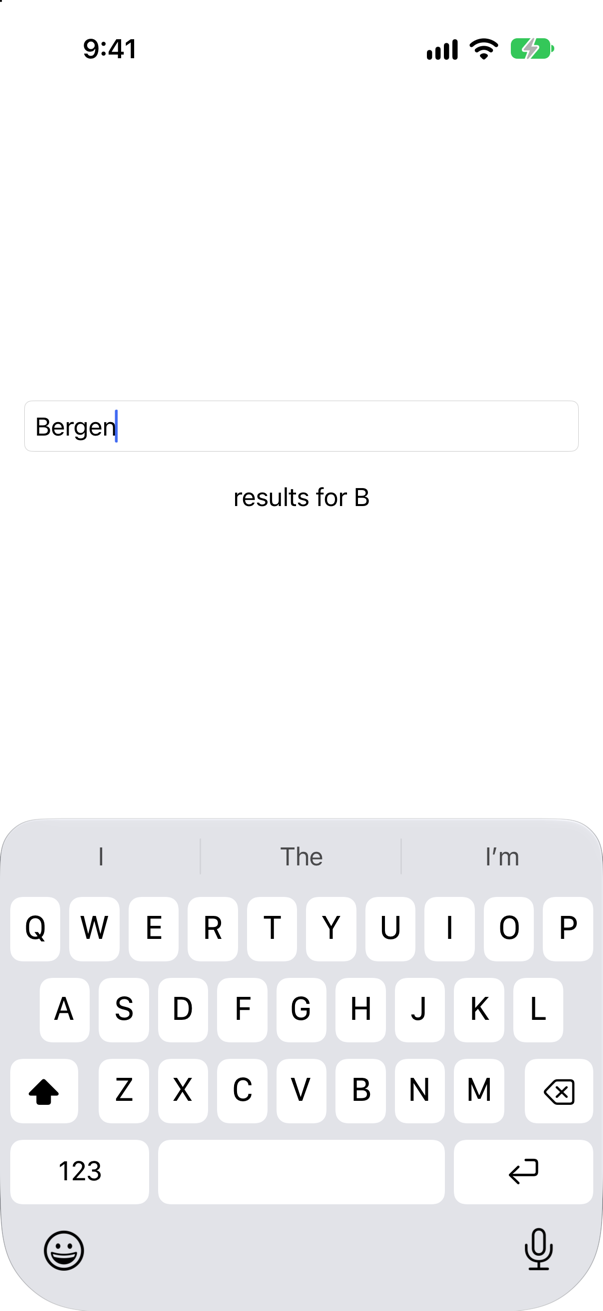
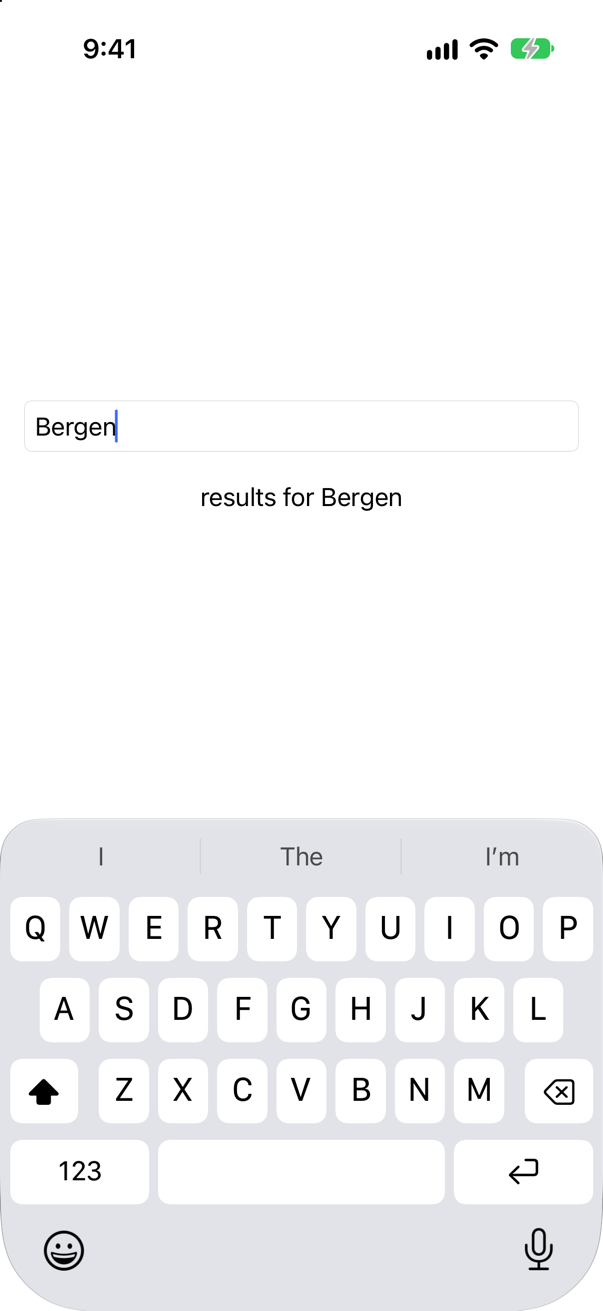
The answer to "B". Every keystroke started a search; the one for "B" took longest, arrived last, and overwrote the answer for Bergen. Nothing ties a Task to the text it was started for. With .task(id:), each keystroke cancels the task before, and a cancelled task does not write:
Where this comes from: task(id:name:priority:file:line:_:) · WWDC25: Explore concurrency in SwiftUI — Measured in the iOS 27 simulator; the delays are the stand-in's, so that the race comes out the same way every time.
A .task sits on the content of the first tab. The person switches to the second tab and back. What does the task do?
Show the answer
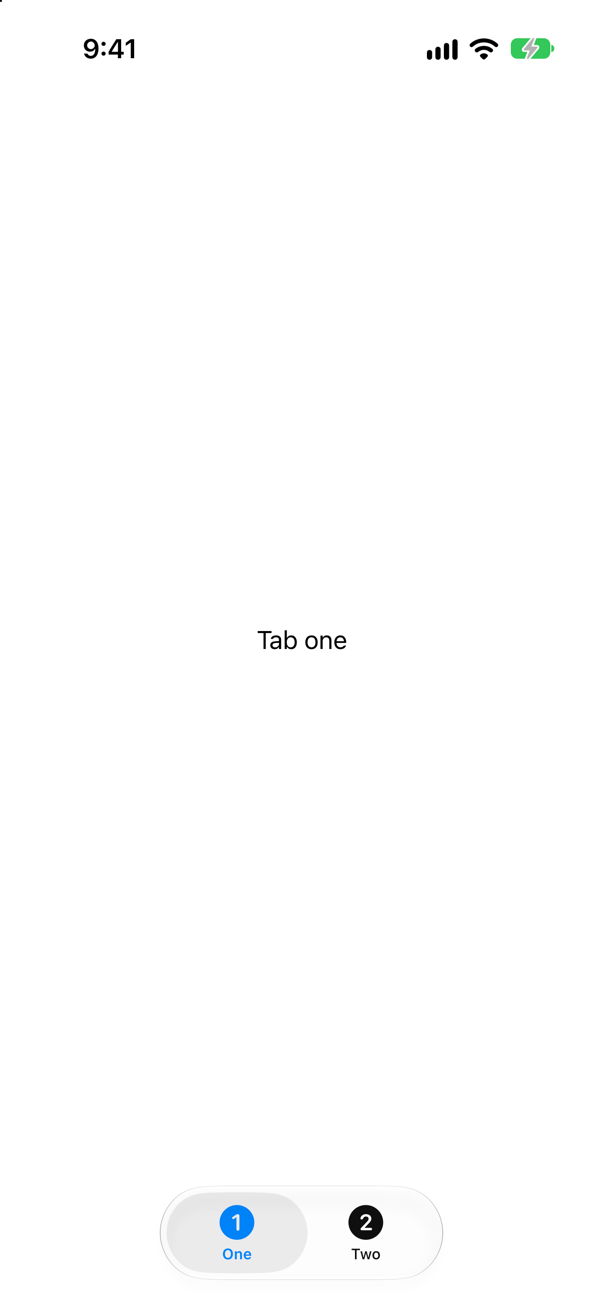
It is cancelled when the tab goes, and starts again when it comes back. At launch:
tab one's task startedafter a tap on Two:
tab one's task cancelledand back on One:
tab one's task startedA tab's content disappears and reappears, and its .tasks go with it. So a .task that loads data loads it again on every return — fine for something cheap or cached, like Trips' weather; for anything else, keep what was loaded in a model that outlives the tab.
Where this comes from: task(name:priority:file:line:_:) — Measured in the iOS 27 simulator.
Code in a .task calls a @concurrent function. On which thread does each part run?
Show the answer

The task on the main thread; the function off it:
the .task body, on the main thread: true
a @concurrent function, on the main thread: false
A view is on the main actor, and so is a .task written in it: it can set @State with no hop, and slow synchronous work in it would hold up the screen. Work that is slow — decoding a large file, resizing a picture — goes into a @concurrent function (or an actor), and the await hops there and back.
Where this comes from: SE-0461: nonisolated(nonsending) and @concurrent · WWDC25: Explore concurrency in SwiftUI — Measured in the iOS 27 simulator.
A view has .task(id: city), and the city never changes. Does the task run at all?
Show the answer

Yes, once, when the view appears: "the task ran for Seattle"
.task(id:) is .task plus a restart: it runs on appearance like any .task, and then again whenever the value changes. So one modifier covers both the first load and every later one — no onAppear beside it.
Where this comes from: task(id:name:priority:file:line:_:) — Measured in the iOS 27 simulator.
A debounce is written try? await Task.sleep(for: .milliseconds(500)), then the search. Bergen is typed quickly. How many searches start?
Show the answer
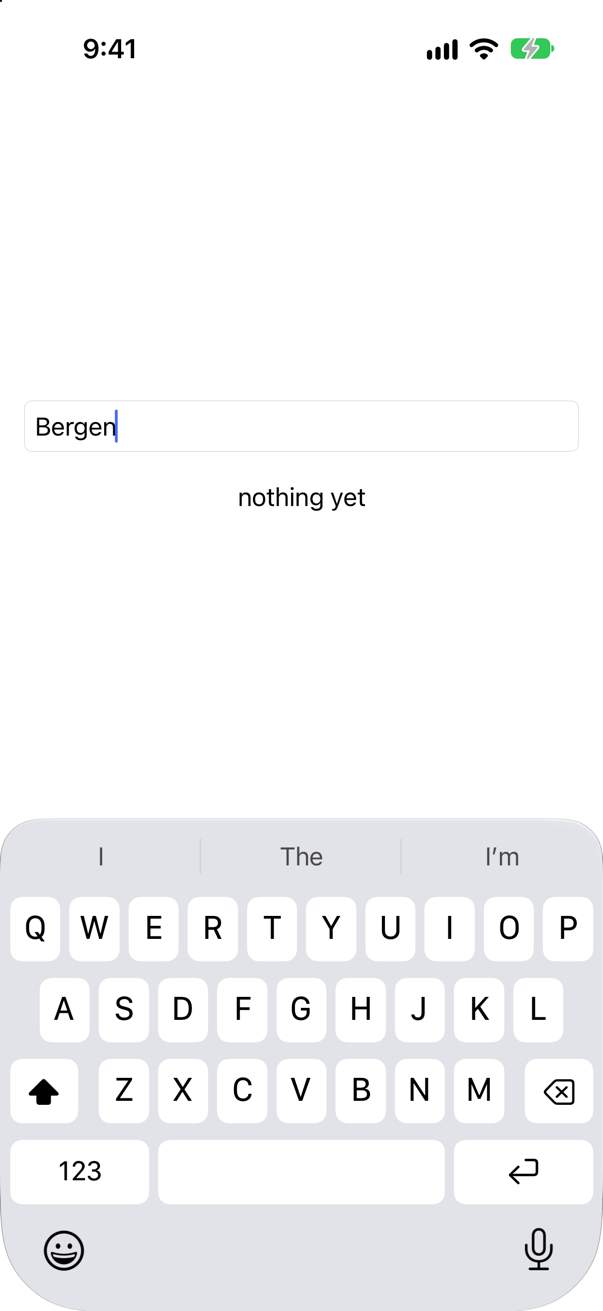
One for nearly every letter:
searching for B
searching for Be
searching for Ber
searching for Berg
searching for Berge
searching for Bergen
Each keystroke cancelled the task before it — and the cancelled Task.sleep threw, and try? threw the error away, so every cancelled task carried straight on to search. The wait waited only in the last task. Catch the error and return (as this lesson's planner does), or check Task.isCancelled after the sleep.
Where this comes from: Task.sleep(for:tolerance:clock:) · task(id:name:priority:file:line:_:) — Measured in the iOS 27 simulator.
.task(id: filter) is given a struct of filter settings that is not Equatable. Does it compile?
Show the answer
It does not compile. Xcode reports
instance method 'task(id:name:priority:file:line:_:)' requires that 'Filter' conform to 'Equatable'No: "instance method 'task(id:name:priority:file:line:_:)' requires that 'Filter' conform to 'Equatable'"
SwiftUI restarts the task when the new id differs from the old, so it must be able to compare them. Add Equatable — for a struct of Equatable properties, the conformance is written for you — and the task restarts when any field changes.
Where this comes from: task(id:name:priority:file:line:_:) — Compiled with Xcode 27.
A plain .task, with no priority given. What priority does it run at?
Show the answer

userInitiated — which prints as high: "priority: TaskPriority.high"
The two are one priority under two names: TaskPriority.userInitiated == .high is "true 25 TaskPriority.high" — equal, with the same raw value, and printed by the name high. Apple's page for the modifier: "The default priority is userInitiated." Right for what the person is looking at; for work they are not waiting for, pass a lower one (a flash card shows it).
Where this comes from: task(name:priority:file:line:_:) — Measured in the iOS 27 simulator.