Fix it with a property wrapper
Property wrappers
You will buildPip, a pet whose needs keep within 0 to 10 at last — through @Clamped, a wrapper of your own — who grows when he eats, says when he is full, and remembers his name through @Stored, a small version of @AppStorage.
TimeAbout 90 minutes
WhySwiftUI is full of things like @State, @Binding and $text. They look like special syntax. They are not: they are an ordinary Swift feature called property wrappers. In this lesson you meet the problem they solve — the same few lines of checking, again and again — and write wrappers of your own. After that, the SwiftUI ones will not be mysterious, because you will have built the same thing.
Meet Pip
This lesson's project begins as a download, as every project after lesson 1 does.
Download Wrappers-starter.zip, this lesson's starting point. Double-click it in Finder to unzip it, then double-click
Wrappers.xcodeprojto open it in Xcode.Run it before changing anything. In the toolbar, open the run destination menu and pick an iPhone simulator — iPhone 17, for example. Choose Product ▸ Run (⌘R). Device Hub opens with the app:
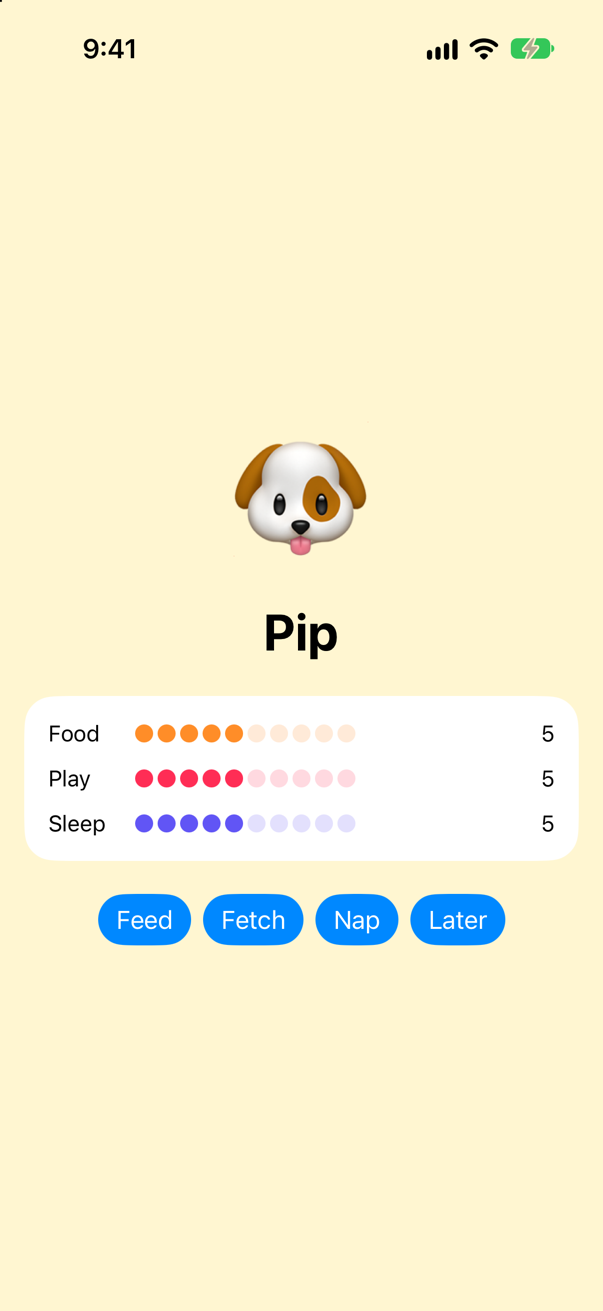
Pip, as the starter draws himScreenshot · iPhone 17, iOS 27.0
Pip has three needs — food, play and sleep — each meant to be a number from 0 to 10. The views that draw him are ready-made (you start writing views on lesson 5). This lesson's work is in Pet.swift, which looks like this:
/// Pip, the pet. Each need goes from 0 (none) to 10 (full) — or it should.
struct Pet {
    var food = 5
    var play = 5
    var sleep = 5

    mutating func feed() {
        food += 3
    }
    mutating func playWith() {
        play += 3
    }
    mutating func nap() {
        sleep += 4
    }
    mutating func timePasses() {
        food -= 2
        play -= 2
        sleep -= 2
    }
}The problem: nothing keeps the numbers in range
Tap Feed three times. Then tap Later five times, as hours go by.
Run it (⌘R). The simulator shows
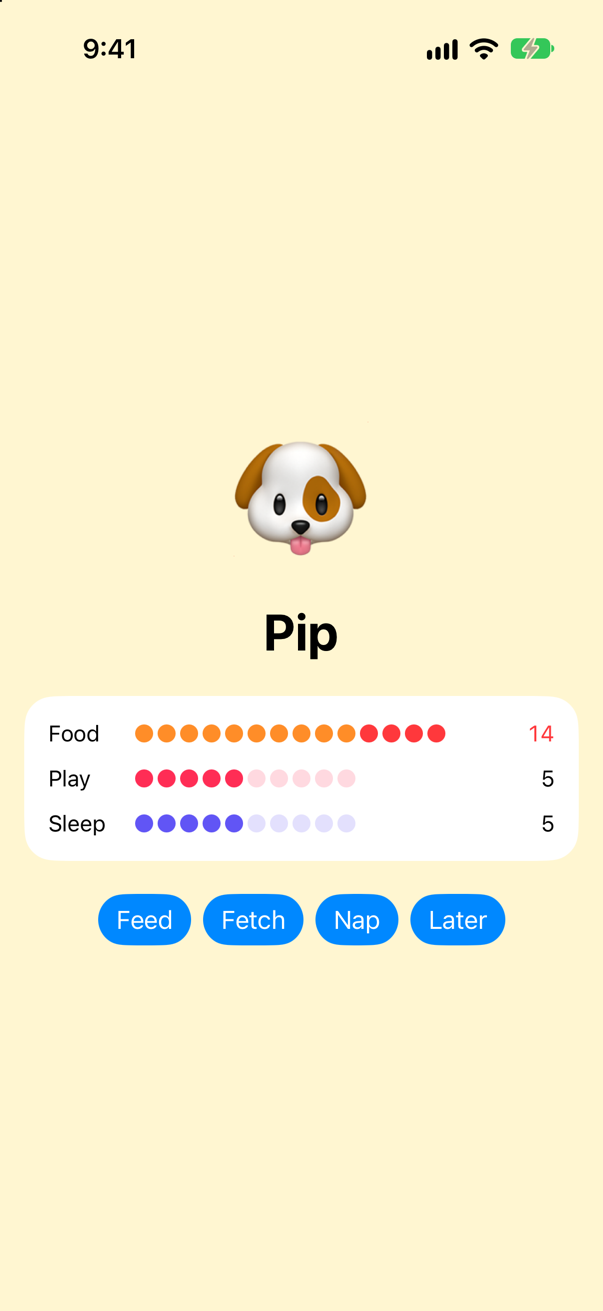
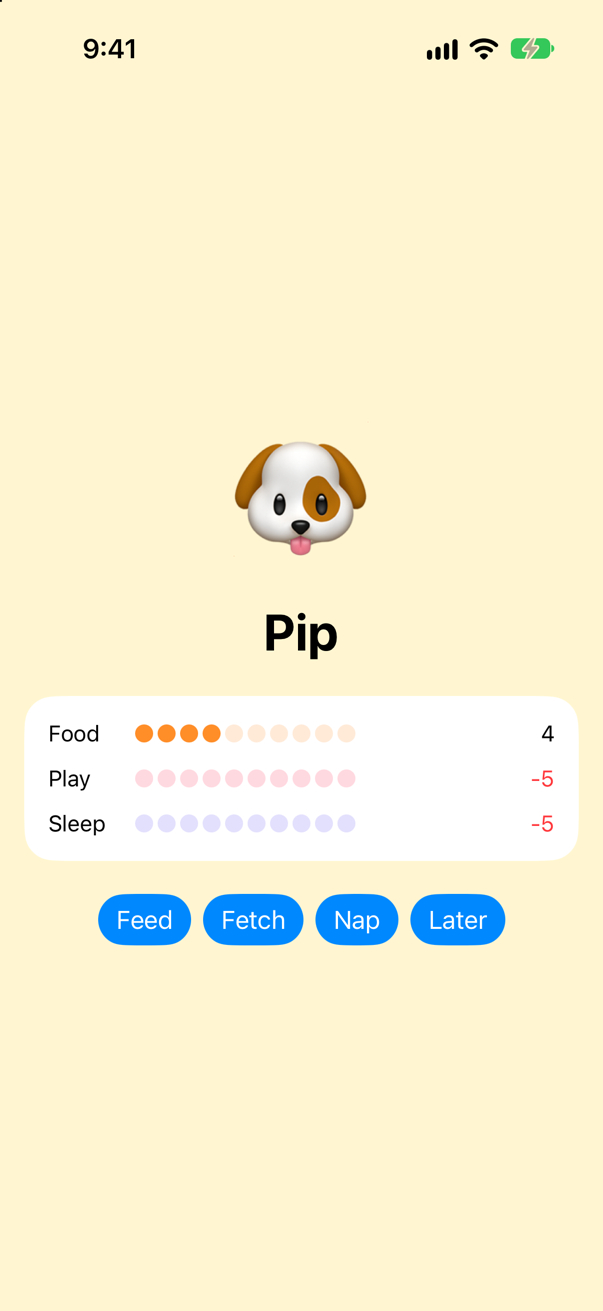
Nothing stops a need going past 10 or below 0. In UIKit you would have written a setter that checks, and that is the place to start.
Fix one need by hand
Hide the stored number, and let a computed property check every value on the way in. In Pet.swift, replace Pet with:
/// Pip, the pet. Each need goes from 0 (none) to 10 (full) — or it should.struct Pet { var food = 5 private var storedFood = 5 var food: Int { get { storedFood } set { storedFood = min(max(newValue, 0), 10) // keep it within 0...10 } } var play = 5 var sleep = 5 mutating func feed() { food += 3 } mutating func playWith() { play += 3 } mutating func nap() { sleep += 4 } mutating func timePasses() { food -= 2 play -= 2 sleep -= 2 }}/// Pip, the pet. Each need goes from 0 (none) to 10 (full) — or it should.
struct Pet {
private var storedFood = 5
var food: Int {
get {
storedFood
}
set {
storedFood = min(max(newValue, 0), 10) // keep it within 0...10
}
}
var play = 5
var sleep = 5
mutating func feed() {
food += 3
}
mutating func playWith() {
play += 3
}
mutating func nap() {
sleep += 4
}
mutating func timePasses() {
food -= 2
play -= 2
sleep -= 2
}
}Run it (⌘R). The simulator shows
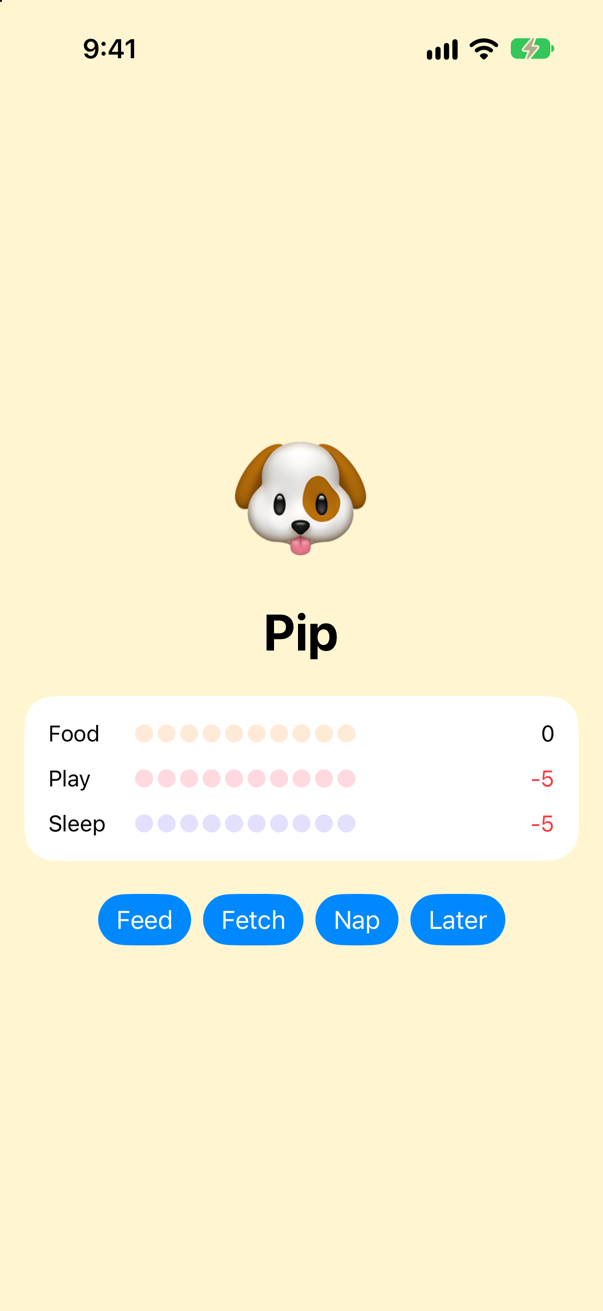
Food is fixed. Play and sleep are not, and fixing them the same way means two more copies of those six lines, with only the names changed — and a fourth copy for every need you add later. A property wrapper lets you write it once.
Move the logic into a wrapper
A property wrapper is a type marked @propertyWrapper that has a property named wrappedValue. Put the clamping there. In Pet.swift, add:
@propertyWrapper
struct ClampedToTen {
    private var value = 0

    var wrappedValue: Int {
        get {
            value
        }
        set {
            value = min(max(newValue, 0), 10)
        }
    }
}
Now use it, on all three needs. Writing @ClampedToTen in front of a property attaches the wrapper to it. Replace Pet with:
/// Pip, the pet. Each need goes from 0 (none) to 10 (full) — or it should./// Pip, the pet. Each need goes from 0 (none) to 10 (full).struct Pet { private var storedFood = 5 var food: Int { get { storedFood } set { storedFood = min(max(newValue, 0), 10) // keep it within 0...10 } } var play = 5 var sleep = 5 @ClampedToTen var food: Int @ClampedToTen var play: Int @ClampedToTen var sleep: Int mutating func feed() { food += 3 } mutating func playWith() { play += 3 } mutating func nap() { sleep += 4 } mutating func timePasses() { food -= 2 play -= 2 sleep -= 2 }}/// Pip, the pet. Each need goes from 0 (none) to 10 (full).
struct Pet {
@ClampedToTen var food: Int
@ClampedToTen var play: Int
@ClampedToTen var sleep: Int
mutating func feed() {
food += 3
}
mutating func playWith() {
play += 3
}
mutating func nap() {
sleep += 4
}
mutating func timePasses() {
food -= 2
play -= 2
sleep -= 2
}
}Run it (⌘R):
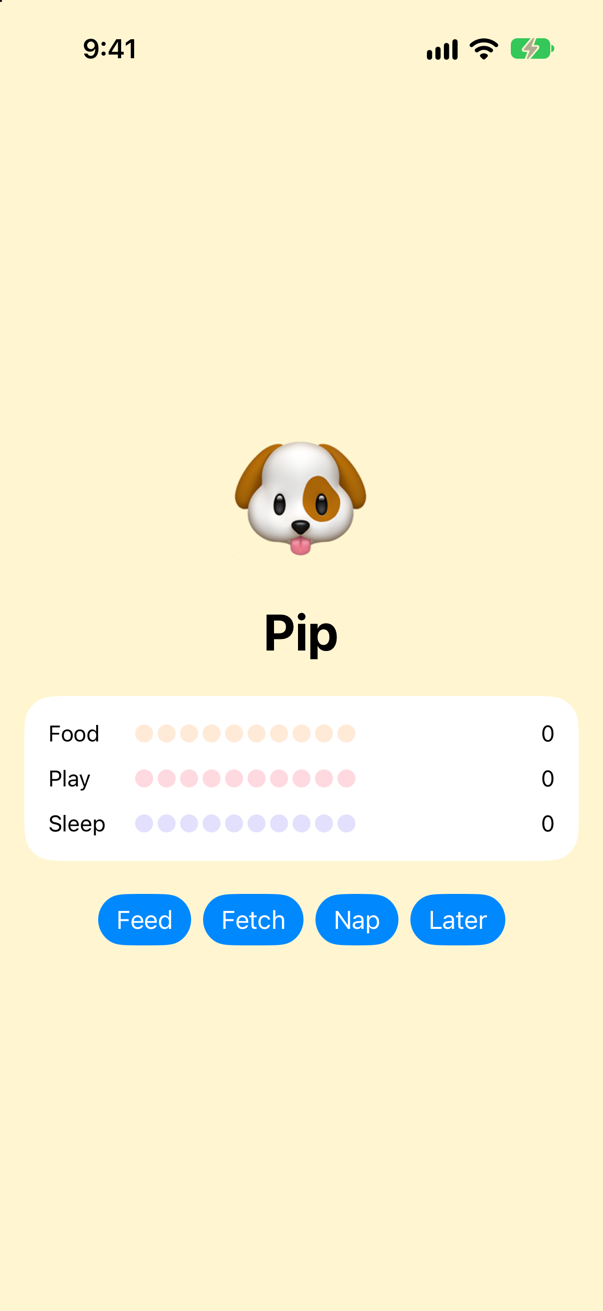
Poor Pip starts hungry: = 5 is gone, because this wrapper has no way to take a starting value, so each need begins at the wrapper's own 0. But tap each button until the need is full:
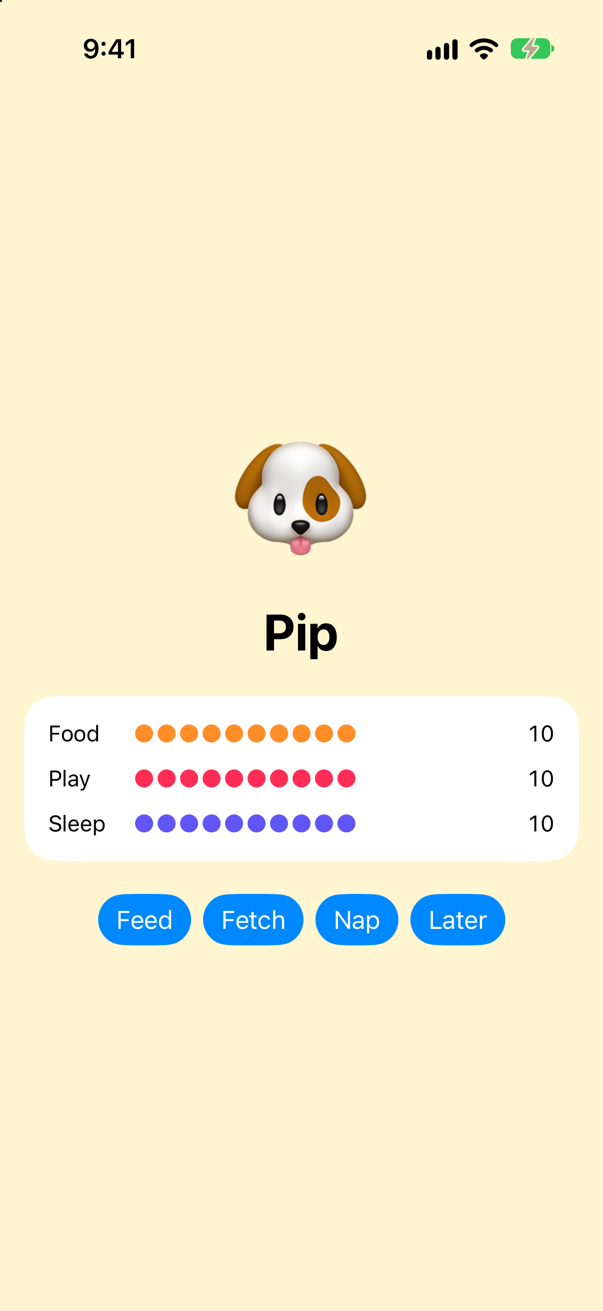
Three needs kept in range, and the checking written once.
There is no magic here. When you write @ClampedToTen var food: Int, the compiler stores a ClampedToTen value in a hidden property named _food, and turns food into a computed property that reads and writes _food.wrappedValue. Written by hand, that is:
struct HandWrittenPet {
    private var _food = ClampedToTen()        // the hidden storage: the wrapper itself

    var food: Int {
        get {
            _food.wrappedValue
        }
        set {
            _food.wrappedValue = newValue
        }
    }
}
A property wrapper is a shorter way to write the same thing.
Give the wrapper an argument and a starting value
ClampedToTen knows one range, and no starting value. A useful wrapper takes the range as an argument, and works for any type that can be compared. Make a new file for it — File ▸ New ▸ File from Template… (⌘N), Swift File, named Clamped — and make it read:
import Foundation

@propertyWrapper
struct Clamped<Value: Comparable> {
    private var value: Value
    private let range: ClosedRange<Value>

    init(wrappedValue: Value, _ range: ClosedRange<Value>) {
        self.range = range
        self.value = min(max(wrappedValue, range.lowerBound), range.upperBound)
    }

    var wrappedValue: Value {
        get {
            value
        }
        set {
            value = min(max(newValue, range.lowerBound), range.upperBound)
        }
    }
}
The initializer is the important part. Now Pip can start at 5 again, and he can have a need that is not a whole number: a size that grows a little at every meal, between 0.6 and 1.4. Replace Pet with:
/// Pip, the pet. Each need goes from 0 (none) to 10 (full)./// Pip, the pet. Each need goes from 0 (none) to 10 (full), and he grows a little when he eats.struct Pet { @ClampedToTen var food: Int @ClampedToTen var play: Int @ClampedToTen var sleep: Int @Clamped(0...10) var food = 5 @Clamped(0...10) var play = 5 @Clamped(0...10) var sleep = 5 @Clamped(0.6...1.4) var size = 1.0 mutating func feed() { food += 3 size += 0.2 } mutating func playWith() { play += 3 } mutating func nap() { sleep += 4 } mutating func timePasses() { food -= 2 play -= 2 sleep -= 2 }}/// Pip, the pet. Each need goes from 0 (none) to 10 (full), and he grows a little when he eats.
struct Pet {
@Clamped(0...10) var food = 5
@Clamped(0...10) var play = 5
@Clamped(0...10) var sleep = 5
@Clamped(0.6...1.4) var size = 1.0
mutating func feed() {
food += 3
size += 0.2
}
mutating func playWith() {
play += 3
}
mutating func nap() {
sleep += 4
}
mutating func timePasses() {
food -= 2
play -= 2
sleep -= 2
}
}When you write @Clamped(0...10) var food = 5, the compiler calls init(wrappedValue:_:). The value after = arrives as wrappedValue; the arguments in parentheses arrive after it. That is why the first parameter has to be named exactly wrappedValue. One wrapper now clamps an Int to 0…10 and a Double to 0.6…1.4.
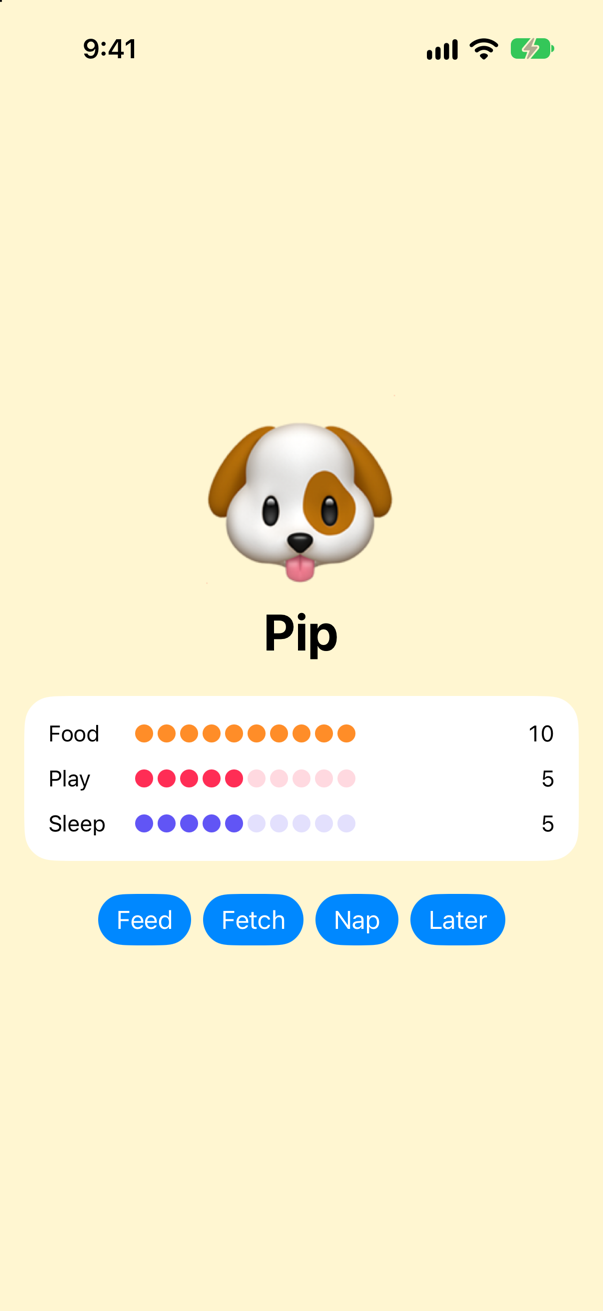
Let the screen show his size. Add a line under the dog, a .scaleEffect on the Text("🐶"):
struct ContentView: View { @State private var pet = Pet() var body: some View { VStack(spacing: 22) { Text("🐶") .font(.system(size: 90)) .scaleEffect(pet.size) Text("Pip") .font(.largeTitle.bold()) VStack(spacing: 12) { Meter(name: "Food", value: pet.food, color: .orange) Meter(name: "Play", value: pet.play, color: .pink) Meter(name: "Sleep", value: pet.sleep, color: .indigo) } .padding() .background(.background, in: .rect(cornerRadius: 20)) HStack { Button("Feed") { pet.feed() } Button("Fetch") { pet.playWith() } Button("Nap") { pet.nap() } Button("Later") { pet.timePasses() } } .buttonStyle(.borderedProminent) } .padding() .frame(maxWidth: .infinity, maxHeight: .infinity) .background(Color.yellow.opacity(0.18)) }}struct ContentView: View {
@State private var pet = Pet()
var body: some View {
VStack(spacing: 22) {
Text("🐶")
.font(.system(size: 90))
.scaleEffect(pet.size)
Text("Pip")
.font(.largeTitle.bold())
VStack(spacing: 12) {
Meter(name: "Food", value: pet.food, color: .orange)
Meter(name: "Play", value: pet.play, color: .pink)
Meter(name: "Sleep", value: pet.sleep, color: .indigo)
}
.padding()
.background(.background, in: .rect(cornerRadius: 20))
HStack {
Button("Feed") { pet.feed() }
Button("Fetch") { pet.playWith() }
Button("Nap") { pet.nap() }
Button("Later") { pet.timePasses() }
}
.buttonStyle(.borderedProminent)
}
.padding()
.frame(maxWidth: .infinity, maxHeight: .infinity)
.background(Color.yellow.opacity(0.18))
}
}Run it (⌘R). The simulator shows
Add a projected value: the $ prefix
A wrapper can offer a second value besides the wrapped one. It is called the projected value, and you reach it by putting $ in front of the property's name. You decide what it is. Make it report whether the last value had to be clamped. In Clamped.swift, replace Clamped with this version — the changes are the projectedValue property and the setter:
@propertyWrapperstruct Clamped<Value: Comparable> { private var value: Value private let range: ClosedRange<Value> private(set) var projectedValue = false // was the last write out of range? init(wrappedValue: Value, _ range: ClosedRange<Value>) { self.range = range self.value = min(max(wrappedValue, range.lowerBound), range.upperBound) } var wrappedValue: Value { get { value } set { value = min(max(newValue, range.lowerBound), range.upperBound) projectedValue = (value != newValue) } }}@propertyWrapper
struct Clamped<Value: Comparable> {
private var value: Value
private let range: ClosedRange<Value>
private(set) var projectedValue = false // was the last write out of range?
init(wrappedValue: Value, _ range: ClosedRange<Value>) {
self.range = range
self.value = min(max(wrappedValue, range.lowerBound), range.upperBound)
}
var wrappedValue: Value {
get {
value
}
set {
value = min(max(newValue, range.lowerBound), range.upperBound)
projectedValue = (value != newValue)
}
}
}pet.food is the wrapped value. pet.$food is the projected value: true when the last meal was more than he could eat. Let Pip say so. Change the Text("Pip"):
struct ContentView: View { @State private var pet = Pet() var body: some View { VStack(spacing: 22) { Text("🐶") .font(.system(size: 90)) .scaleEffect(pet.size) Text("Pip") Text(pet.$food ? "I'm full!" : "Pip") .font(.largeTitle.bold()) VStack(spacing: 12) { Meter(name: "Food", value: pet.food, color: .orange) Meter(name: "Play", value: pet.play, color: .pink) Meter(name: "Sleep", value: pet.sleep, color: .indigo) } .padding() .background(.background, in: .rect(cornerRadius: 20)) HStack { Button("Feed") { pet.feed() } Button("Fetch") { pet.playWith() } Button("Nap") { pet.nap() } Button("Later") { pet.timePasses() } } .buttonStyle(.borderedProminent) } .padding() .frame(maxWidth: .infinity, maxHeight: .infinity) .background(Color.yellow.opacity(0.18)) }}struct ContentView: View {
@State private var pet = Pet()
var body: some View {
VStack(spacing: 22) {
Text("🐶")
.font(.system(size: 90))
.scaleEffect(pet.size)
Text(pet.$food ? "I'm full!" : "Pip")
.font(.largeTitle.bold())
VStack(spacing: 12) {
Meter(name: "Food", value: pet.food, color: .orange)
Meter(name: "Play", value: pet.play, color: .pink)
Meter(name: "Sleep", value: pet.sleep, color: .indigo)
}
.padding()
.background(.background, in: .rect(cornerRadius: 20))
HStack {
Button("Feed") { pet.feed() }
Button("Fetch") { pet.playWith() }
Button("Nap") { pet.nap() }
Button("Later") { pet.timePasses() }
}
.buttonStyle(.borderedProminent)
}
.padding()
.frame(maxWidth: .infinity, maxHeight: .infinity)
.background(Color.yellow.opacity(0.18))
}
}Run it (⌘R). The simulator shows
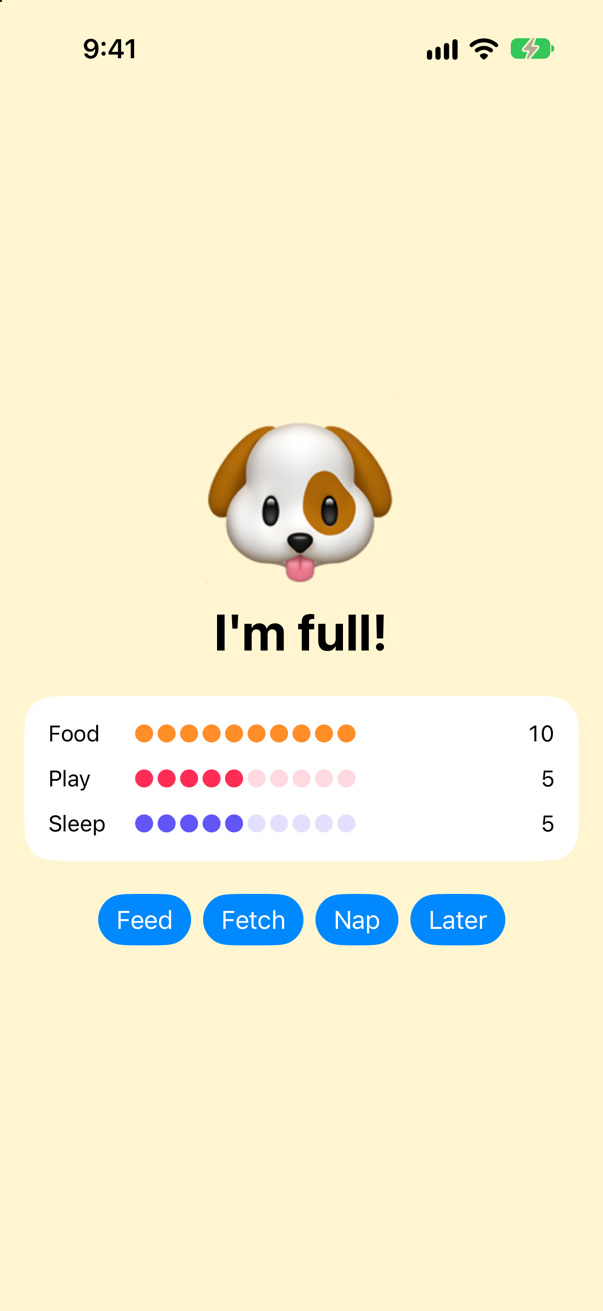
pet.$food is trueScreenshot · iPhone 17, iOS 27.0That is all $ means, anywhere in Swift: the wrapper's projected value.
When you see TextField("Name", text: $name), the $ is doing exactly this. name is declared with @State, and the projected value of @State happens to be a Binding. You build your own Binding in step 8.
Build a small @AppStorage
Wrappers are not limited to checking values. They can decide where a value is kept. This one keeps it in UserDefaults, so that it outlives the app. A new Swift file, Stored.swift:
import Foundation

@propertyWrapper
struct Stored<Value> {
    private let key: String
    private let defaultValue: Value

    init(wrappedValue: Value, _ key: String) {
        self.key = key
        self.defaultValue = wrappedValue
    }

    var wrappedValue: Value {
        get {
            UserDefaults.standard.object(forKey: key) as? Value ?? defaultValue
        }
        nonmutating set {
            UserDefaults.standard.set(newValue, forKey: key)
        }
    }
}

struct Preferences {
    @Stored("petName") var petName = "Pip"
}
Then let Pip's name come from it, and give him a way to be renamed. Replace the ContentView struct:
struct ContentView: View { @State private var pet = Pet() let preferences = Preferences() var body: some View { VStack(spacing: 22) { Text("🐶") .font(.system(size: 90)) .scaleEffect(pet.size) Text(pet.$food ? "I'm full!" : "Pip") Text(pet.$food ? "I'm full!" : preferences.petName) .font(.largeTitle.bold()) VStack(spacing: 12) { Meter(name: "Food", value: pet.food, color: .orange) Meter(name: "Play", value: pet.play, color: .pink) Meter(name: "Sleep", value: pet.sleep, color: .indigo) } .padding() .background(.background, in: .rect(cornerRadius: 20)) HStack { Button("Feed") { pet.feed() } Button("Fetch") { pet.playWith() } Button("Nap") { pet.nap() } Button("Later") { pet.timePasses() } } .buttonStyle(.borderedProminent) Button("Call him Biscuit") { // a `let`, and yet: the setter is nonmutating preferences.petName = "Biscuit" } } .padding() .frame(maxWidth: .infinity, maxHeight: .infinity) .background(Color.yellow.opacity(0.18)) }}struct ContentView: View {
@State private var pet = Pet()
let preferences = Preferences()
var body: some View {
VStack(spacing: 22) {
Text("🐶")
.font(.system(size: 90))
.scaleEffect(pet.size)
Text(pet.$food ? "I'm full!" : preferences.petName)
.font(.largeTitle.bold())
VStack(spacing: 12) {
Meter(name: "Food", value: pet.food, color: .orange)
Meter(name: "Play", value: pet.play, color: .pink)
Meter(name: "Sleep", value: pet.sleep, color: .indigo)
}
.padding()
.background(.background, in: .rect(cornerRadius: 20))
HStack {
Button("Feed") { pet.feed() }
Button("Fetch") { pet.playWith() }
Button("Nap") { pet.nap() }
Button("Later") { pet.timePasses() }
}
.buttonStyle(.borderedProminent)
Button("Call him Biscuit") {
// a `let`, and yet: the setter is nonmutating
preferences.petName = "Biscuit"
}
}
.padding()
.frame(maxWidth: .infinity, maxHeight: .infinity)
.background(Color.yellow.opacity(0.18))
}
}Look closely at the button. preferences is a let, and yet the button assigns to preferences.petName. Run it, tap Call him Biscuit — and then quit the app and open it again.
Run it (⌘R). The simulator shows
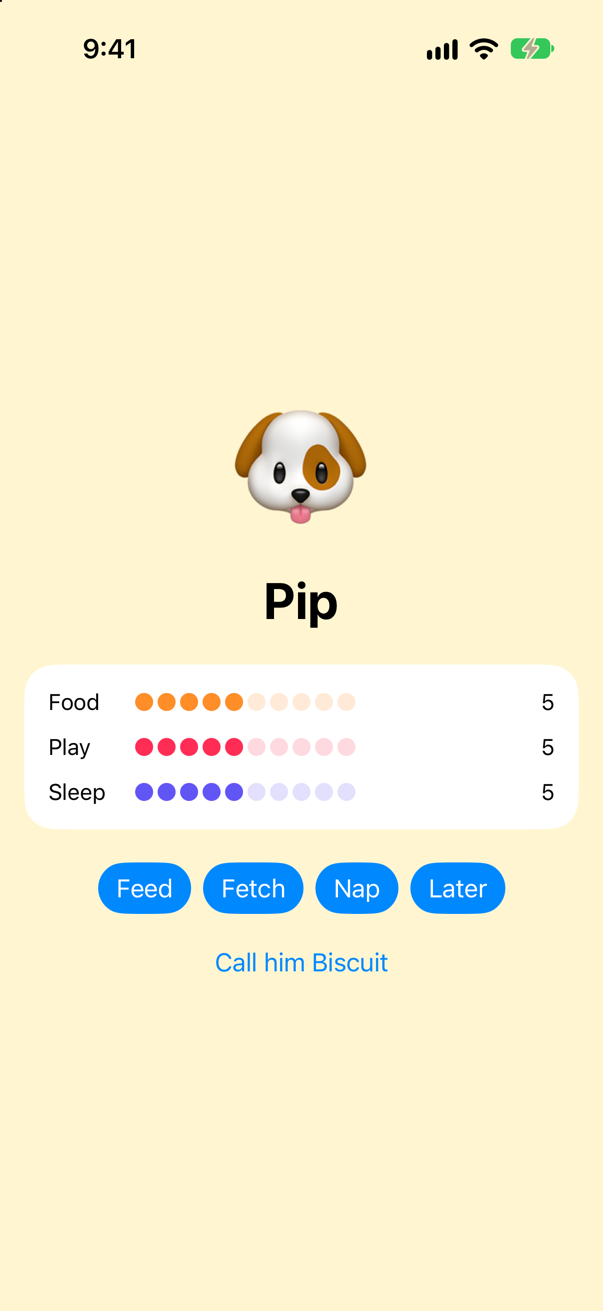
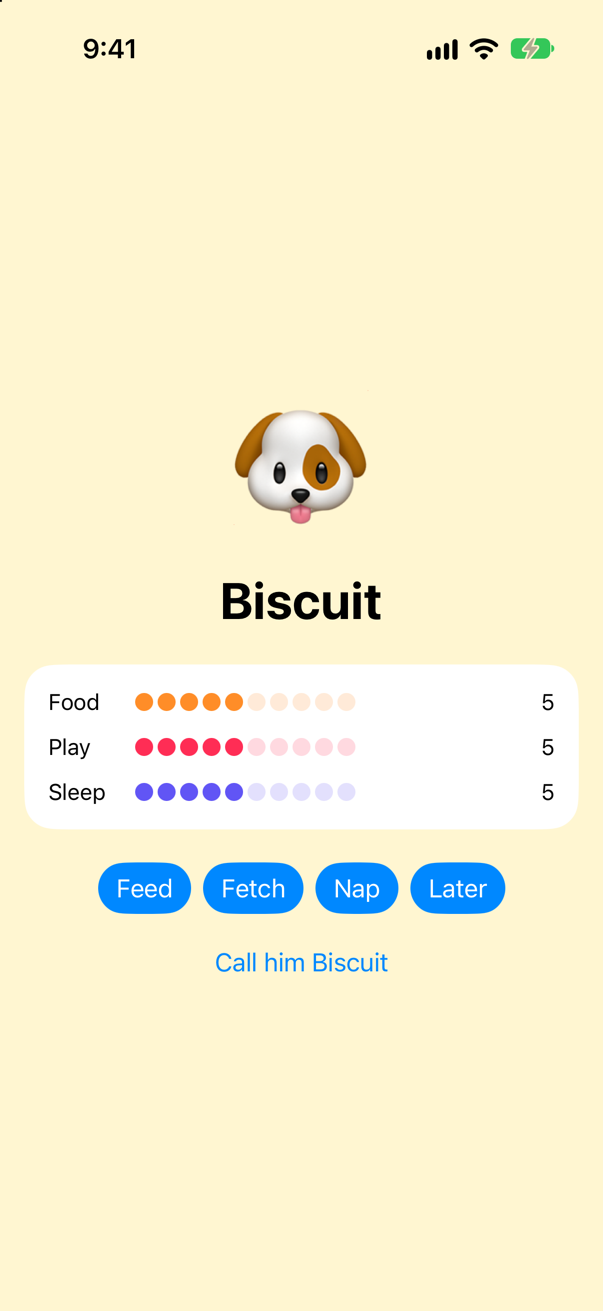
Two things happened. The name was saved — a brand-new launch read "Biscuit" back — although it is stored in no struct at all. And the screen did not change when you tapped: your wrapper keeps the value, but nothing tells SwiftUI to draw again. SwiftUI's own @AppStorage does both, which is the one thing it has that Stored lacks.
nonmutating set meansNormally, setting a property changes the struct, so the struct must be a var. The word nonmutating tells the compiler that this setter does not change the struct — it changes something outside it. That is how a SwiftUI view, which is an immutable struct, can still change its @State: the state is stored outside the view, and the setter is nonmutating.
Build a small Binding
Suppose a function should change Pip's name. If you pass it preferences.petName, it receives a copy of the string — changing the copy does nothing. What you want to pass is access: a way to read the value and a way to write it. Two closures do that. Add to Stored.swift:
struct Ref<Value> {
    let get: () -> Value
    let set: (Value) -> Void

    var value: Value {
        get {
            get()
        }
        nonmutating set {
            set(newValue)
        }
    }
}
Make Stored hand one out as its projected value. Replace Stored with this version — the addition is the projectedValue property at the end:
@propertyWrapperstruct Stored<Value> { private let key: String private let defaultValue: Value init(wrappedValue: Value, _ key: String) { self.key = key self.defaultValue = wrappedValue } var wrappedValue: Value { get { UserDefaults.standard.object(forKey: key) as? Value ?? defaultValue } nonmutating set { UserDefaults.standard.set(newValue, forKey: key) } } var projectedValue: Ref<Value> { Ref(get: { wrappedValue }, set: { wrappedValue = $0 }) }}@propertyWrapper
struct Stored<Value> {
private let key: String
private let defaultValue: Value
init(wrappedValue: Value, _ key: String) {
self.key = key
self.defaultValue = wrappedValue
}
var wrappedValue: Value {
get {
UserDefaults.standard.object(forKey: key) as? Value ?? defaultValue
}
nonmutating set {
UserDefaults.standard.set(newValue, forKey: key)
}
}
var projectedValue: Ref<Value> {
Ref(get: { wrappedValue }, set: { wrappedValue = $0 })
}
}And write a function that changes a string it does not own:
func shout(_ name: Ref<String>) {
    name.value = name.value.uppercased()
}
Give it a button. In ContentView.swift, replace the ContentView struct once more:
struct ContentView: View { @State private var pet = Pet() let preferences = Preferences() var body: some View { VStack(spacing: 22) { Text("🐶") .font(.system(size: 90)) .scaleEffect(pet.size) Text(pet.$food ? "I'm full!" : preferences.petName) .font(.largeTitle.bold()) VStack(spacing: 12) { Meter(name: "Food", value: pet.food, color: .orange) Meter(name: "Play", value: pet.play, color: .pink) Meter(name: "Sleep", value: pet.sleep, color: .indigo) } .padding() .background(.background, in: .rect(cornerRadius: 20)) HStack { Button("Feed") { pet.feed() } Button("Fetch") { pet.playWith() } Button("Nap") { pet.nap() } Button("Later") { pet.timePasses() } } .buttonStyle(.borderedProminent) Button("Call him Biscuit") { // a `let`, and yet: the setter is nonmutating preferences.petName = "Biscuit" } Button("Shout his name") { // read-and-write access, not a copy of the name shout(preferences.$petName) } } .padding() .frame(maxWidth: .infinity, maxHeight: .infinity) .background(Color.yellow.opacity(0.18)) }}struct ContentView: View {
@State private var pet = Pet()
let preferences = Preferences()
var body: some View {
VStack(spacing: 22) {
Text("🐶")
.font(.system(size: 90))
.scaleEffect(pet.size)
Text(pet.$food ? "I'm full!" : preferences.petName)
.font(.largeTitle.bold())
VStack(spacing: 12) {
Meter(name: "Food", value: pet.food, color: .orange)
Meter(name: "Play", value: pet.play, color: .pink)
Meter(name: "Sleep", value: pet.sleep, color: .indigo)
}
.padding()
.background(.background, in: .rect(cornerRadius: 20))
HStack {
Button("Feed") { pet.feed() }
Button("Fetch") { pet.playWith() }
Button("Nap") { pet.nap() }
Button("Later") { pet.timePasses() }
}
.buttonStyle(.borderedProminent)
Button("Call him Biscuit") {
// a `let`, and yet: the setter is nonmutating
preferences.petName = "Biscuit"
}
Button("Shout his name") {
// read-and-write access, not a copy of the name
shout(preferences.$petName)
}
}
.padding()
.frame(maxWidth: .infinity, maxHeight: .infinity)
.background(Color.yellow.opacity(0.18))
}
}Run it (⌘R). The simulator shows
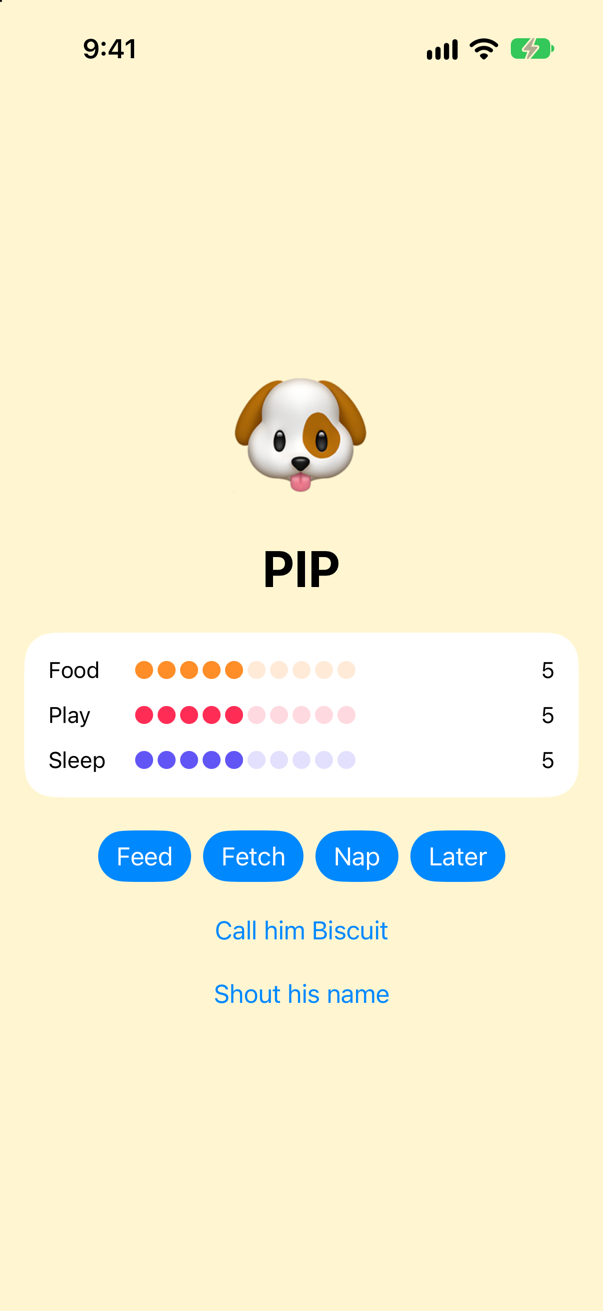
shout changed the stored name without knowing anything about Preferences or UserDefaults. It was handed $petName — the ability to read and write — and that was enough.
You have just built Binding. SwiftUI's version holds a getter and a setter, exactly like your Ref, and a parent view passes $something to a child view for exactly this reason.
Compare with Apple's version
You can read Apple's Binding and see that it has the same parts. Make one more file — File ▸ New ▸ File from Template… (⌘N), Swift File, named Glance — and replace everything in it with this small SwiftUI view:
import SwiftUI

struct Counter: View {
    @State private var count = 0
    @Binding var name: String

    var body: some View {
        Text("\(name): \(count)")
    }
}
Choose Product ▸ Build (⌘B) to check that it compiles. Now click on the word Binding and choose Navigate ▸ Jump to Definition (⌃⌘J). Xcode opens SwiftUI's interface at this declaration (shortened here):
@frozen @propertyWrapper @dynamicMemberLookup public struct Binding<Value> {
  public var wrappedValue: Value {
    get
    nonmutating set
  }
  public var projectedValue: Binding<Value> {
    get
  }
}
Every part of it is something you wrote in this lesson: @propertyWrapper, a wrappedValue with a nonmutating set, and a projectedValue. (A binding's projected value is itself, which is why you can write $name on a @Binding property and pass it further down.)
One more thing to look at. In Xcode 27, @State is a macro: a piece of code that writes code. Xcode can show you what it wrote. Go back to Glance.swift, click on @State, and choose Editor ▸ Expand Macro. Here is Counter with the generated code in place:
struct Counter: View {
    @State private var count = 0
    {
        get {
            __count.wrappedValue
        }
        nonmutating set {
            __count.wrappedValue = newValue
        }
    }

    private var __count = SwiftUICore.State._makeStorage({ 0 })

    @SwiftUICore._StateProjectedValue
    private var $count = SwiftUICore.State(initialValue: 0).projectedValue
    {
        get {
            __count.projectedValue
        }
    }

    // …and `_count`, and a private static that holds the starting value.

    @Binding var name: String

    var body: some View {
        Text("\(name): \(count)")
    }
}
It is the hand-written version from step 4 again. There is hidden storage, here named __count. count has become a computed property that reads and writes the storage's wrappedValue, and its setter is nonmutating — the same trick as your Stored. And $count returns the storage's projectedValue. Unlike your Stored, the storage also tells SwiftUI when the value changes: that is the redraw your wrapper could not ask for.
What you built
ClampedToTen, thenClamped— a generic wrapper with an argument, a starting value, and a projected value — keeping Pip's three needs and his size in range.Stored— a wrapper that keeps its value inUserDefaults, with anonmutatingsetter. A small@AppStorage, which remembers Pip's name.Ref— a getter and a setter passed around together. A smallBinding.
Cheat sheet: the 4 expansions from this lesson are collected, with the rest, on Expansions.
Next you start on TinyUI, a miniature SwiftUI that draws with text: things that can draw themselves, and the difference between some and any.
The finished project
Stuck, or want to compare with your own? This is the project as it stands at the end of this lesson, built and run before it was put here.
- Wrappers.zip — unzip it, then open
Wrappers.xcodeprojin Xcode.
Flash cards
19 cards for this lesson, each labelled with its topic. 12 ask how you would write something; the other 7 are trick questions, written to catch a misunderstanding. Answer in your head first, then tap the card.
Syntax · Property wrappersDeclare a property wrapper.
Mark the type @propertyWrapper and give it a wrappedValue property. That is the minimum.
Syntax · Property wrappersAttach a wrapper to a property, with an argument and a starting value.
The argument goes in parentheses after the wrapper's name. The starting value goes after =, as usual.
Syntax · Property wrappersWrite the initializer that makes @AtLeast(1) var quantity = 3 work.
The first parameter must be named wrappedValue: it receives the = 3. The arguments in parentheses come after it.
Syntax · Projected valuesRead a wrapper's projected value.
Put $ in front of the property name. You get the wrapper's projectedValue — here a Bool, and it prints true.
Syntax · Property wrappersWrite a setter that does not mutate the struct it belongs to.
Write nonmutating set. Use it when the value is stored somewhere outside the struct.
Syntax · Property wrappersFrom inside a type, reach the wrapper itself rather than the value it wraps.
The wrapper is stored in a property with a leading underscore: _food. It is private to the type that declares it.
Syntax · Projected valuesPass read-and-write access to a property into a function.
Pass the projected value, $petName. The function receives a way to read and write the original, not a copy of it. In SwiftUI the same idea is called Binding.
Trick question · Property wrappers@Clamped(0...10) var food = 50 — right after the struct is created, is food 50 or 10?
10. The starting value does not skip the wrapper. It is passed to init(wrappedValue:), and the initializer you wrote clamps it.
Trick question · Projected valuesDoes $food always give you a Binding?
No. $ gives you whatever the wrapper's projectedValue is. For your Clamped it is a Bool; for SwiftUI's @State it is a Binding. A wrapper with no projectedValue has no $ form at all. Using one on ClampedToTen does not compile: value of type 'Pet' has no member '$food'
Trick question · nonmutatinglet preferences = Preferences() is a constant. Does preferences.petName = "Biscuit" compile?
Yes — and it prints Biscuit. The setter is nonmutating: the value lives in UserDefaults, not in the struct, so nothing inside the constant changes. It is the same reason a SwiftUI view, which is an immutable struct, can change its @State.
Trick question · Property wrappersTwo Pet values each use @Clamped. Two Preferences values each use @Stored("petName"). Which pair shares its data?
Only the Preferences pair. Each Pet holds its own wrapper with its own value, so the two are independent (they print 9 5). Both Preferences read and write the same UserDefaults key, so they see the same value (Biscuit Biscuit). A wrapper shares data only when it stores that data somewhere outside itself.
Trick question · Property wrappersCan you put a property wrapper on a let?
No. property wrapper can only be applied to a 'var' A wrapped property is really a computed property backed by hidden storage, and a computed property cannot be a let.
Trick question · Projected valuesYou set pet.food = 42, then pet.food = 7. What is pet.$food now?
false. Your projected value describes only the most recent write, and 7 was in range. A projected value is ordinary state that you design: it means whatever you make it mean.
Syntax · Property wrappersAttach a wrapper to a local variable, and to a function's parameter.
Both are allowed. It printed local: 10 and parameter: 10: the wrapper clamped each one. What is not allowed is a wrapper on a global variable — one declared outside any type or function.
Trick question · Property wrappersCan a protocol require that a property is declared with a particular wrapper?
No. property 'level' declared inside a protocol cannot have a wrapper A wrapper is how a type chooses to store a property. A protocol can only say that the property exists.
Syntax · Property wrappersWhat does @ClampedToTen var food: Int expand to?
A hidden property _food holding the wrapper, and food as a computed property over its wrappedValue; $food would be _food.projectedValue. Set to 42, the sugar and the hand-written struct both printed 10 10.
Syntax · StateWhat does @State private var count = 0 expand to?
From Xcode’s expansion of the macro (shortened) — not code to type
Xcode's own expansion of the macro: hidden storage __count, made with State._makeStorage; count as a computed property over it with a nonmutating set; and $count as the storage's projectedValue — a Binding. The storage also tells SwiftUI when the value changes, which no hand-written wrapper can.
Syntax · BindingWhat is a Binding, written out?
A getter and a setter, passed together: access to a value that lives somewhere else. Writing through the hand-written Ref changed the original — it printed PIP. $name on a @State is one of these, and a @Binding property's own $name is itself.
Syntax · AppStorageWhat does @AppStorage("petName") var petName = "Pip" expand to?
A wrapper whose storage is UserDefaults: the getter reads the key (or the default), the nonmutating setter writes it. A second Preferences read what the first had set: Biscuit. Apple's version adds the one thing this lacks — it tells the view to draw again.
Edge cases and tricky questions
8 questions of the kind an interviewer uses to find out whether you really know this — the corners, the traps, and the things that changed recently. Each has its source. Wherever the answer is what some code does, that code was compiled and run, and what you see under “Show the answer” is what it really did. Say your answer aloud before you open it.
The same assignment appears twice in this initializer. Which one calls the wrapper's init(wrappedValue:), and which calls its setter?
Show the answer
Run it. The console shows
init(wrappedValue: 3)
4
The first one initializes; the second one sets. The wrapper's initializer printed once only, and the final value is 4. While a wrapped property has no value yet, Swift rewrites self.level = x into _level = Clamped(wrappedValue: x). Once it has one, the very same line means _level.wrappedValue = x.
Two things follow, and both come up with @State. If a wrapper has no init(wrappedValue:), the first form does not exist, and you have to write _level = Clamped(…) yourself — which is why you see _count = State(initialValue: start) in SwiftUI code. And if the property has a default value where it is declared, it is already initialized when your init starts, so even the first assignment is the setter, not an initialization.
Where this comes from: SE-0258: Property Wrappers · Apple: iOS & iPadOS 27 release notes — SE-0258, “Out-of-line initialization of properties with wrappers”. Apple's iOS 27 release notes describe the @State case: with an initial value at the declaration, a value assigned in init “is discarded”.
Three structs, each with one wrapped property. What does each struct's memberwise initializer take? Work out the three calls before you look.
Show the answer
Run it. The console shows
10 6 4It printed 10 6 4. The rule: the memberwise initializer asks for the plain value whenever the wrapper can be built from one — that is, when it has init(wrappedValue:). If the declaration already built the wrapper, as in B, the property is not a parameter at all. If neither is true, as in C, the parameter is the wrapper itself.
It is the reason a SwiftUI view with @Binding var name: String is created with Child(name: $name): Binding has no init(wrappedValue:), so the initializer takes the binding itself.
Where this comes from: SE-0258: Property Wrappers — SE-0258, “Memberwise initializers”.
@Logged @Trimmed var name. Which wrapper is on the outside — and what is the type of the hidden _name?
Show the answer
Run it. The console shows
stored: Trimmed(value: "Seattle")
[Seattle]
Logged<Trimmed>
The first one written is the outermost. The storage is a Logged<Trimmed>: a Logged that wraps a Trimmed that wraps the String. The first line of output shows what Logged saw being stored — a whole Trimmed, not a String.
So the order changes the behavior, and it also has to type-check: @Trimmed @Logged would not compile here, because Trimmed can only wrap a String, not a Logged<String>. Composition is rare in practice — and with @State it is no longer possible at all. In Xcode 27 @State is a macro, and Apple's release notes say: “Composing @State with other property wrappers or macros is not supported.”
Where this comes from: SE-0258: Property Wrappers · Apple: iOS & iPadOS 27 release notes — SE-0258, “Composition of property wrappers”.
A function in the same file reads a wrapped property three ways. Which lines compile?
Show the answer
It does not compile. Xcode reports
'_level' is inaccessible due to 'private' protection levelThe first two. The last one fails. The storage property _level is always private, whatever the access level of level itself. The wrapped value and the projected value have the same access as the property you declared.
That is the design: the wrapper is an implementation detail of the type that declares it, and $ is its public face. In SwiftUI it is why a parent can never reach into a child's @State. If the parent needs to change a value, the value belongs in the parent, and the child is handed $value — a Binding.
Where this comes from: SE-0258: Property Wrappers — SE-0258, “Detailed design”: the synthesized storage property is always private.
Mixer is Codable, and so is the wrapper. What JSON does a Mixer produce — and can it decode {"level": 7}?
Show the answer
Run it. The console shows
{"level":{"value":5}}
could not decode it
It encodes as {"level":{"value":5}}, and it cannot decode the JSON you would expect. What Codable stores is the hidden _level, which is a Clamped — so the wrapper's own shape ends up in the JSON. (If the wrapper were not Codable at all, Mixer would not compile.)
The fix is to give the wrapper its own init(from:) and encode(to:) that use a single-value container, so that it reads and writes just the number. Until you do, adding a wrapper to a model quietly changes its wire format.
Where this comes from: SE-0258: Property Wrappers — SE-0258, “Codable, Hashable, and Equatable synthesis”: synthesis uses the backing storage property.
Every read and every write of count takes a lock. Is counter.count += 1 safe to call from many threads at once?
Show the answer
Run it. The console shows
updates were lostNo. count += 1 is a read followed by a write. Each takes the lock on its own, but nothing holds it across both, so two threads can read the same value and both write back that value plus one.
A property wrapper can only protect one access at a time. To make a read-modify-write safe, the whole operation has to happen inside the lock: give the wrapper a method that takes a closure and runs it while locked — or do not use a wrapper at all, and use an actor or Mutex from the Synchronization framework.
Where this comes from: Donny Wals: Why your @Atomic property wrapper doesn’t work for collection types (2020) · SE-0258: Property Wrappers — Donny Wals shows the same failure with collections (2020). SE-0258 lists atomic access among the uses property wrappers were designed for, which is why this gets asked.
@Published announces a change through the object it belongs to. But a wrapper is a separate value that knows nothing about its owner. How can a property wrapper reach the object that contains it?
Show the answer
Run it. The console shows
Settings is about to change
7
Through a static subscript whose first parameter is named _enclosingInstance. When a wrapper has one, and the wrapped property is in a class, Swift calls the subscript instead of wrappedValue and hands it the owning object. The code above does exactly that.
This is how @Published finds its object's objectWillChange. Notice the underscore: the feature was never formally accepted into the language. SE-0258 mentions it only as a future direction, and it works only in classes. Apple's eventual answer was a different tool. @Observable is a macro, and it writes its tracking code inside the class itself, so nothing has to reach outward — that is lesson 12.
Where this comes from: SE-0258: Property Wrappers · Swift by Sundell: Accessing a property wrapper’s enclosing instance (2020) — SE-0258, “Referencing the enclosing 'self' in a wrapper type” (under Future Directions).
volume is declared outside any type or function. Does this compile?
Show the answer
It does not compile. Xcode reports
property wrappers are not yet supported in top-level codeNo. property wrappers are not yet supported in top-level code A variable declared outside any type or function is a global variable, and wrappers are not supported there. Move the same line inside a function and it compiles, and prints 10: a wrapper can be attached to a local variable, and even to a function's parameter (there is a flash card above that runs both).
The full list of places a wrapper cannot go is short: not on a global variable; not on a let; not in a protocol's requirements; not on a stored property in an extension or an enum; and not together with lazy, weak or unowned.
Where this comes from: SE-0258: Property Wrappers · SE-0293: Property wrappers on function and closure parameters — SE-0258, “Restrictions on the use of property wrappers”. SE-0293 later allowed wrappers on parameters.