Build the pieces of a tiny UI framework
Opaque types and existentials: some vs any
You will buildA Widget protocol, three widgets that draw themselves as text, and a boxed card printed in Xcode's console.
TimeAbout 80 minutes
WhyEvery SwiftUI view has var body: some View. In this lesson you find out what some means — and why it is not any — by building a small framework that needs it. You will hit the same compiler error that every SwiftUI beginner hits, and you will know exactly why it happens.
Open the starter
Over this lesson and the next you build TinyUI, a miniature SwiftUI that draws with text. This lesson's project holds its widgets, and it begins as a download:
Download Widgets-starter.zip, this lesson's starting point. Double-click it in Finder to unzip it, then double-click
Widgets.xcodeprojto open it in Xcode.Run it before changing anything. In the toolbar, open the run destination menu and pick an iPhone simulator — iPhone 17, for example. Choose Product ▸ Run (⌘R). Device Hub opens with the app:
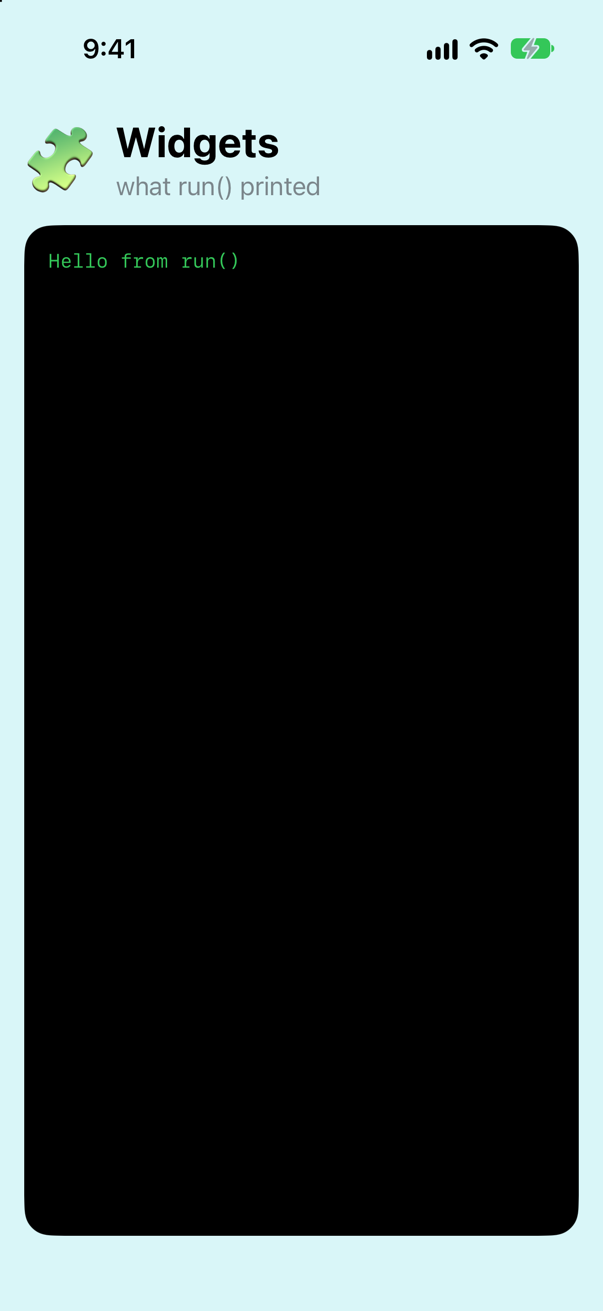
The starter: what run() printed, on the phoneScreenshot · iPhone 17, iOS 27.0
Hello from run()The starter is an iOS app like lesson 1's, with three files more. Run.swift holds a function, run, that the app calls as it starts (look in WidgetsApp.swift: its init calls it). Widgets.swift is empty, for this lesson's types. And Screen.swift puts on the phone whatever the app prints, as well as in Xcode's console — it declares a print of its own, which Swift finds before the standard library's. You do not need to read it yet.
From here on: types go in Widgets.swift, and the code that tries them out goes in the run function in Run.swift. Run the app (⌘R), and read what it printed — in Xcode's console, or on the phone.
A protocol for things that can draw themselves
In TinyUI, a widget is anything that can turn itself into lines of text. That is the whole protocol. Line is the simplest widget: one line of text. (It is TinyUI's version of SwiftUI's Text. It has a name of its own because the app template's ContentView already uses SwiftUI's Text, and one project cannot have two types by that name.)
protocol Widget {
    func render() -> [String]          // a widget draws itself as lines of text
}

struct Line: Widget {
    let string: String
    init(_ string: String) {
        self.string = string
    }

    func render() -> [String] {
        [string]
    }
}

func show(_ widget: some Widget) {
    print(widget.render().joined(separator: "\n"))
}func run() { print("Hello from run()") show(Line("Seattle"))}func run() {
show(Line("Seattle"))
}Run the app (⌘R). Xcode’s console shows
Seattle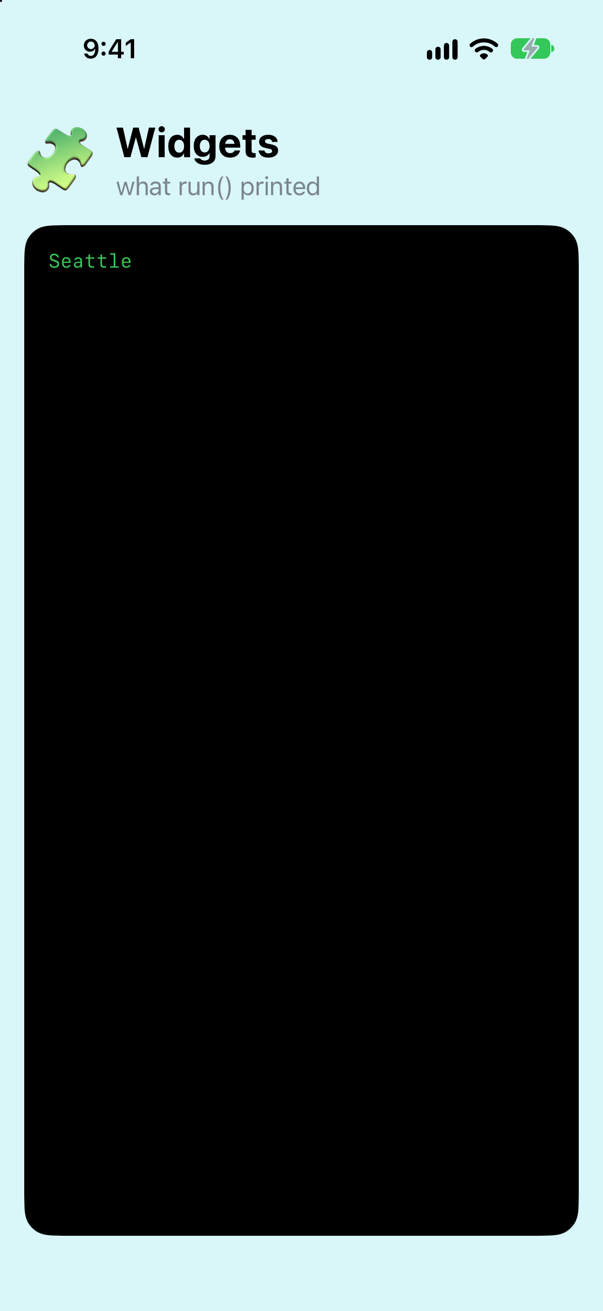
Containers: Column and Bordered
A container is a widget that holds other widgets. Column holds two and puts one above the other. Bordered holds one and draws a box around it.
struct Column<Top: Widget, Bottom: Widget>: Widget {
    let top: Top
    let bottom: Bottom
    init(_ top: Top, _ bottom: Bottom) {
        self.top = top
        self.bottom = bottom
    }

    func render() -> [String] {
        top.render() + bottom.render()
    }
}struct Bordered<Content: Widget>: Widget {
let content: Content
init(_ content: Content) {
self.content = content
}
func render() -> [String] {
let lines = content.render()
let width = lines.map(\.count).max() ?? 0
let edge = "+" + String(repeating: "-", count: width + 2) + "+"
let rows = lines.map { "| " + $0.padding(toLength: width, withPad: " ", startingAt: 0) + " |" }
return [edge] + rows + [edge]
}
}func run() { show(Line("Seattle")) show(Bordered(Column(Line("Seattle"), Line("Aug 22 - Sep 3"))))}func run() {
show(Bordered(Column(Line("Seattle"), Line("Aug 22 - Sep 3"))))
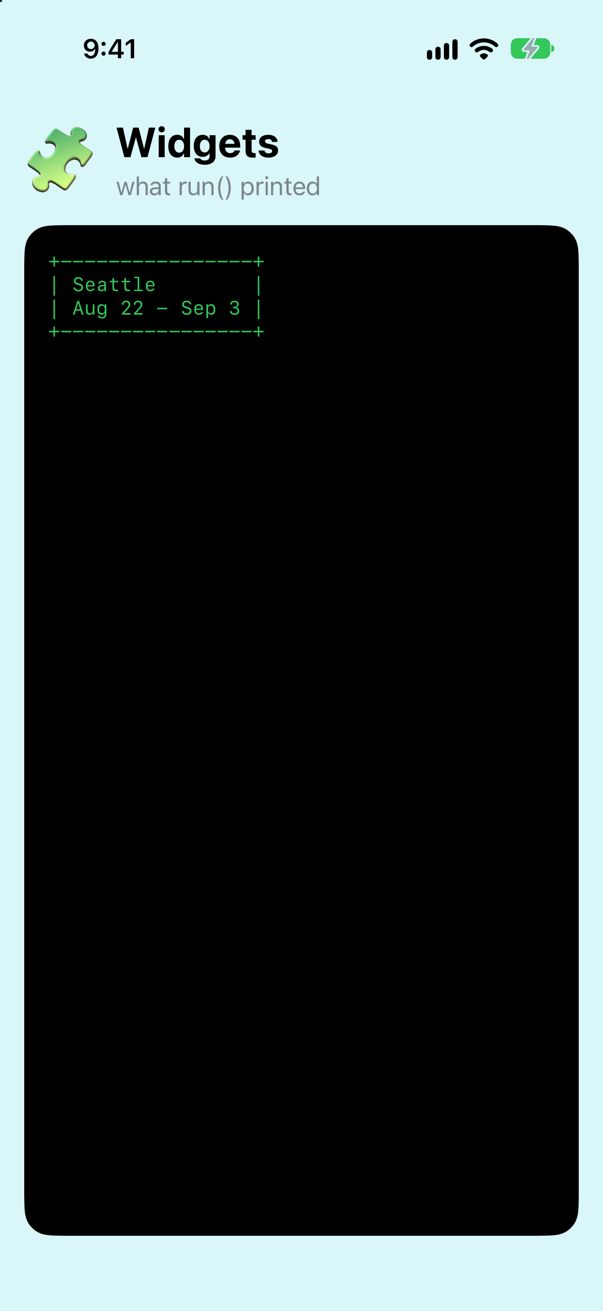
}Run the app (⌘R). Xcode’s console shows
+----------------+
| Seattle        |
| Aug 22 - Sep 3 |
+----------------+
Notice the angle brackets. Bordered<Content: Widget> is generic: it works with any content that is a Widget, and the type of that content becomes part of Bordered's own type. That detail is about to matter.
A function that returns a widget
Move the card into a function. A function has to declare what type it returns, so write it out:
func tripCard() -> Bordered<Column<Line, Line>> {
    Bordered(Column(Line("Seattle"), Line("Aug 22 - Sep 3")))
}func run() { show(Bordered(Column(Line("Seattle"), Line("Aug 22 - Sep 3")))) let card = tripCard() show(card) print(type(of: card))}func run() {
let card = tripCard()
show(card)
print(type(of: card))
}Run the app (⌘R). Xcode’s console shows
+----------------+
| Seattle        |
| Aug 22 - Sep 3 |
+----------------+
Bordered<Column<Line, Line>>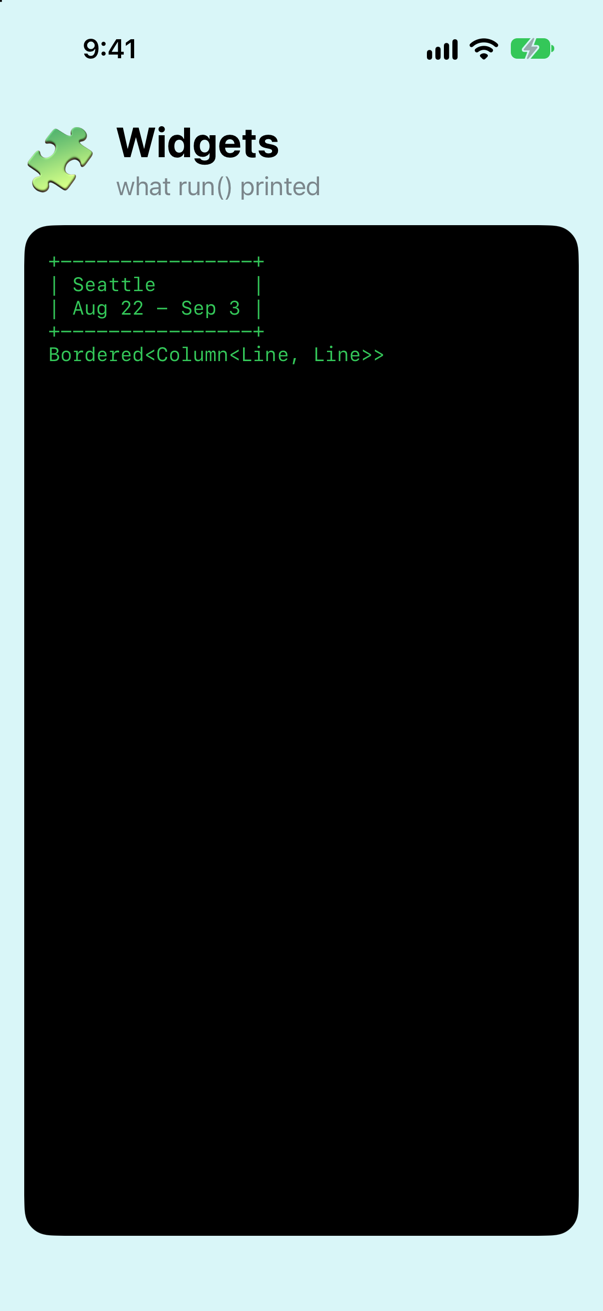
The last line of output is the type: Bordered<Column<Line, Line>>. The type records the whole structure of the card. That is useful to the compiler, and unpleasant for you: every time you change what is inside the card, you must rewrite the return type to match. With ten nested widgets it would be unreadable.
some Widget: let the compiler keep track of the type
Change one thing: the return type.
func tripCard() -> Bordered<Column<Line, Line>> {func tripCard() -> some Widget { Bordered(Column(Line("Seattle"), Line("Aug 22 - Sep 3")))}func tripCard() -> some Widget {
Bordered(Column(Line("Seattle"), Line("Aug 22 - Sep 3")))
}Run the app (⌘R). Xcode’s console shows
+----------------+
| Seattle        |
| Aug 22 - Sep 3 |
+----------------+
Bordered<Column<Line, Line>>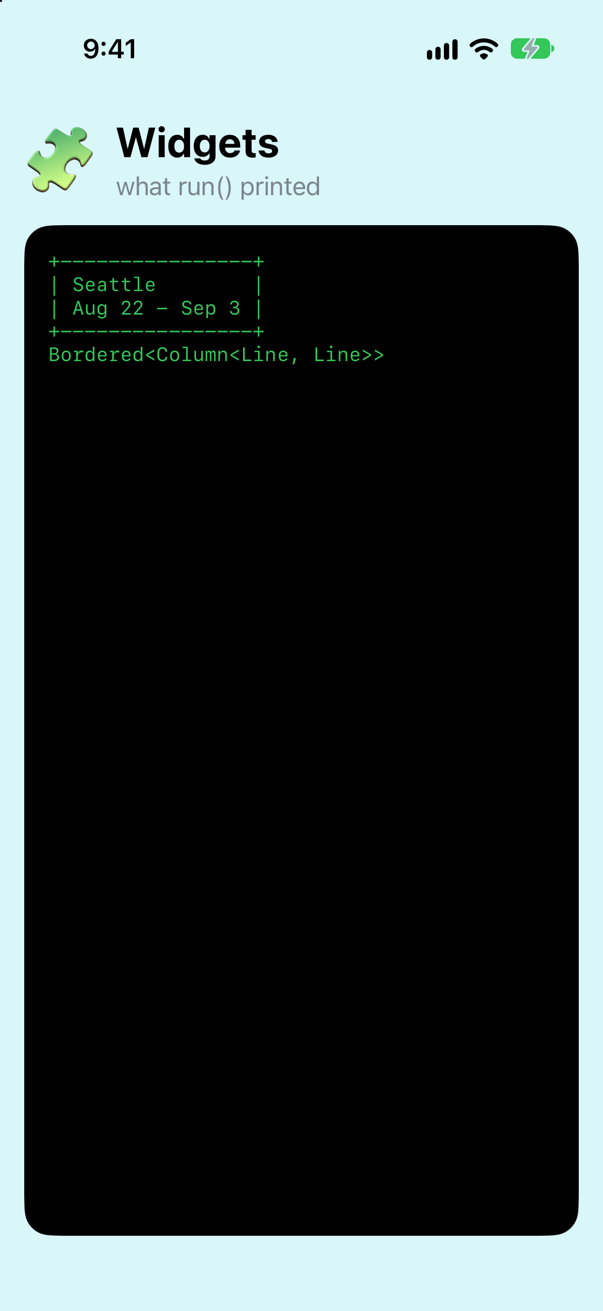
The output is identical, including the type on the last line. some Widget did not change what the function returns. It still returns exactly a Bordered<Column<Line, Line>>, and the compiler still knows that. You simply no longer have to write it.
This is called an opaque type. The function promises: "I return one specific type that is a Widget. I know which. You do not need to." Code that calls the function cannot depend on the hidden type:
func run() { let card = tripCard() let card: Bordered<Column<Line, Line>> = tripCard() show(card) print(type(of: card))}func run() {
let card: Bordered<Column<Line, Line>> = tripCard()
show(card)
}It does not compile. Xcode reports
cannot convert value of type 'some Widget' to specified type 'Bordered<Column<Line, Line>>'Undo that change (⌘Z), so that run() is back to the three lines that ran. The point is made: the type is hidden from callers, not erased.
The rule you will meet in SwiftUI: one type only
Now write a function that returns a different widget depending on a condition:
func badge(isNew: Bool) -> some Widget {
    if isNew {
        return Line("NEW")
    } else {
        return Bordered(Line("seen"))
    }
}
It does not compile. Xcode reports
function declares an opaque return type 'some Widget', but the return statements in its body do not have matching underlying typesRead that message carefully, because you will see it in SwiftUI with the word View in place of Widget. some Widget means one type. This function tries to return a Line on one path and a Bordered<Line> on the other. Those are two types, and the promise is broken.
There are three ways out. Each one is a real technique that SwiftUI uses, and the next three steps try them in turn.
Way out 1: any Widget
Change some to any:
func badge(isNew: Bool) -> some Widget {func badge(isNew: Bool) -> any Widget { if isNew { return Line("NEW") } else { return Bordered(Line("seen")) }}func badge(isNew: Bool) -> any Widget {
if isNew {
return Line("NEW")
} else {
return Bordered(Line("seen"))
}
}func run() { let card = tripCard() show(card) print(type(of: card)) show(badge(isNew: true)) show(badge(isNew: false)) print(type(of: badge(isNew: true)), type(of: badge(isNew: false)))}func run() {
show(badge(isNew: true))
show(badge(isNew: false))
print(type(of: badge(isNew: true)), type(of: badge(isNew: false)))
}Run the app (⌘R). Xcode’s console shows
NEW
+------+
| seen |
+------+
Line Bordered<Line>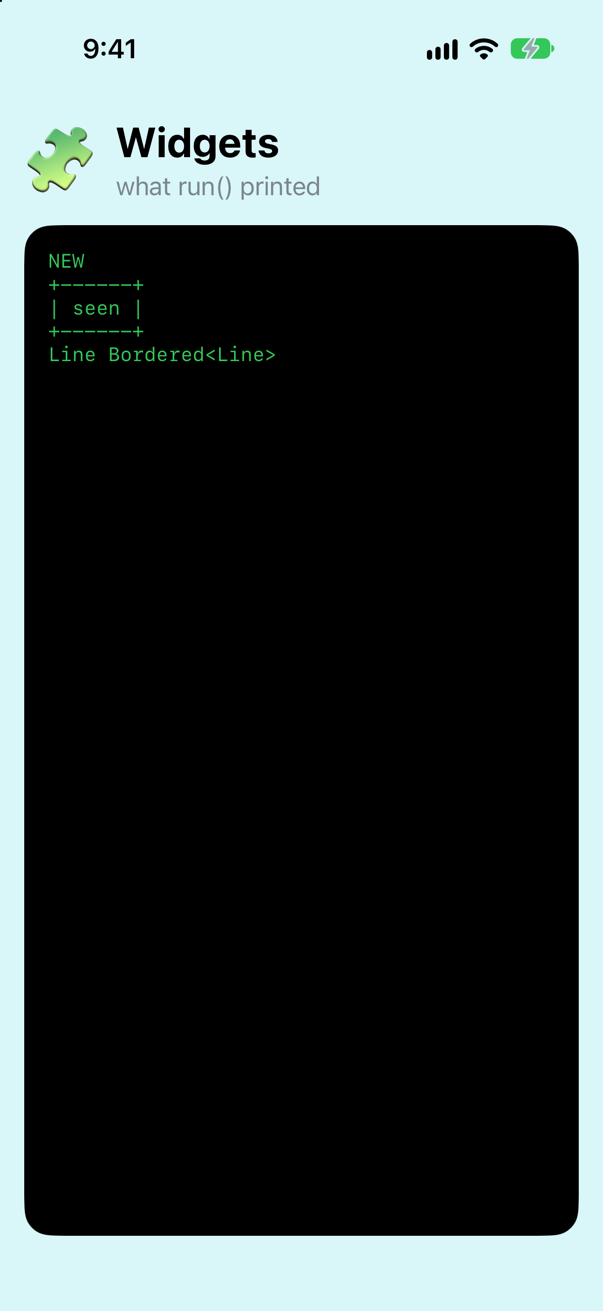
It compiles, and the last line shows why: the two calls really did return values of two different types. any Widget is a box that can hold a value of any type that conforms to Widget. Which type is inside is only known while the program runs.
That flexibility has a price. Try to put the result in a border:
func run() { show(badge(isNew: true)) show(badge(isNew: false)) print(type(of: badge(isNew: true)), type(of: badge(isNew: false))) show(Bordered(badge(isNew: true)))}func run() {
show(Bordered(badge(isNew: true)))
}It does not compile. Xcode reports
type 'any Widget' cannot conform to 'Widget'Bordered is generic: it needs to know the exact type of its content when the code is compiled. A box whose contents are only known later cannot tell it. (Calling show worked because Swift can open the box for the length of a single function call. It cannot do that when the type would have to become part of another type.)
Way out 2: erase the type
You can write a concrete type whose job is to hide another widget inside it. It holds on to the widget's render function and forgets everything else:
struct AnyWidget: Widget {
    private let renderer: () -> [String]
    init(_ widget: some Widget) {
        renderer = widget.render
    }

    func render() -> [String] {
        renderer()
    }
}func badge(isNew: Bool) -> any Widget {func badge(isNew: Bool) -> AnyWidget { if isNew { return Line("NEW") return AnyWidget(Line("NEW")) } else { return Bordered(Line("seen")) return AnyWidget(Bordered(Line("seen"))) }}func badge(isNew: Bool) -> AnyWidget {
if isNew {
return AnyWidget(Line("NEW"))
} else {
return AnyWidget(Bordered(Line("seen")))
}
}func run() { show(Bordered(badge(isNew: true))) print(type(of: badge(isNew: true)), type(of: badge(isNew: false)))}func run() {
show(Bordered(badge(isNew: true)))
print(type(of: badge(isNew: true)), type(of: badge(isNew: false)))
}Run the app (⌘R). Xcode’s console shows
+-----+
| NEW |
+-----+
AnyWidget AnyWidget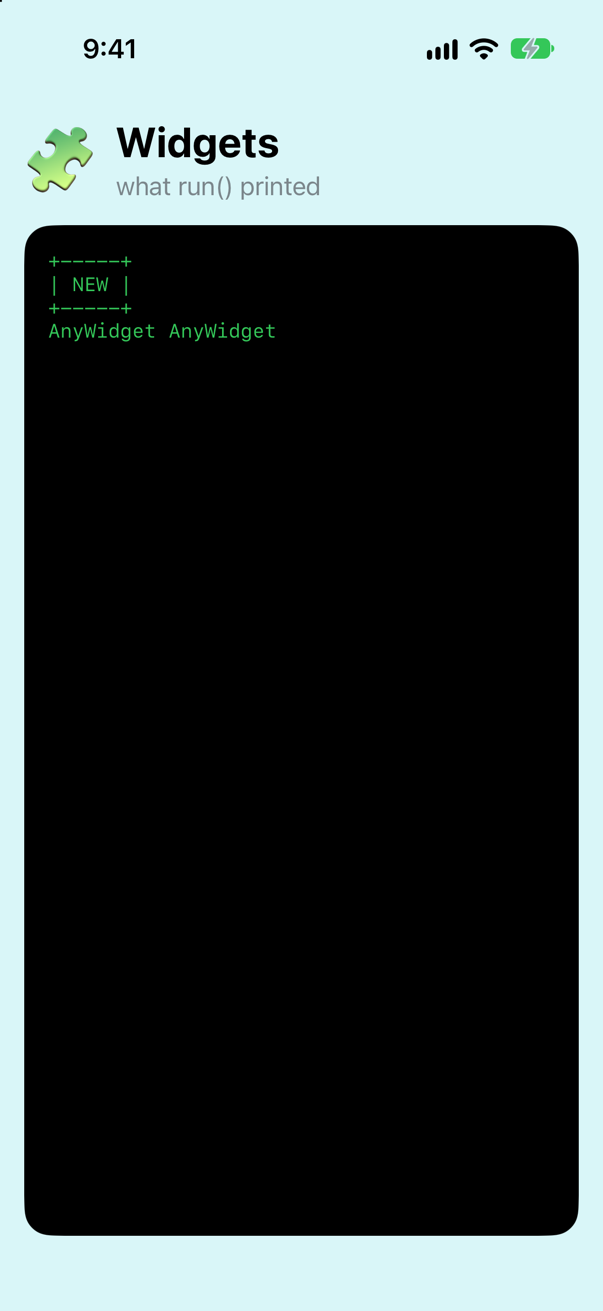
Now Bordered is happy, because AnyWidget is one concrete type. But look at the last line: both badges report the type AnyWidget. The information about what is inside has been thrown away.
AnyViewSwiftUI has exactly this type, called AnyView, and its documentation advises against using it freely. Now you can see why: SwiftUI compares the type of your view tree before and after a change to work out what to update. Erase the types and it can no longer tell what changed.
Way out 3: one type that can hold either
The third way keeps all the type information. Define a single type with two cases, one for each possibility:
enum Either<First: Widget, Second: Widget>: Widget {
    case first(First)
    case second(Second)

    func render() -> [String] {
        switch self {
        case .first(let widget):  widget.render()
        case .second(let widget): widget.render()
        }
    }
}func badge(isNew: Bool) -> AnyWidget {func badge(isNew: Bool) -> some Widget { if isNew { return AnyWidget(Line("NEW")) return Either<Line, Bordered<Line>>.first(Line("NEW")) } else { return AnyWidget(Bordered(Line("seen"))) return Either<Line, Bordered<Line>>.second(Bordered(Line("seen"))) }}func badge(isNew: Bool) -> some Widget {
if isNew {
return Either<Line, Bordered<Line>>.first(Line("NEW"))
} else {
return Either<Line, Bordered<Line>>.second(Bordered(Line("seen")))
}
}func run() { show(Bordered(badge(isNew: true))) print(type(of: badge(isNew: true)), type(of: badge(isNew: false))) show(badge(isNew: true)) show(Bordered(badge(isNew: false))) print(type(of: badge(isNew: true)))}func run() {
show(badge(isNew: true))
show(Bordered(badge(isNew: false)))
print(type(of: badge(isNew: true)))
}Run the app (⌘R). Xcode’s console shows
NEW
+----------+
| +------+ |
| | seen | |
| +------+ |
+----------+
Either<Line, Bordered<Line>>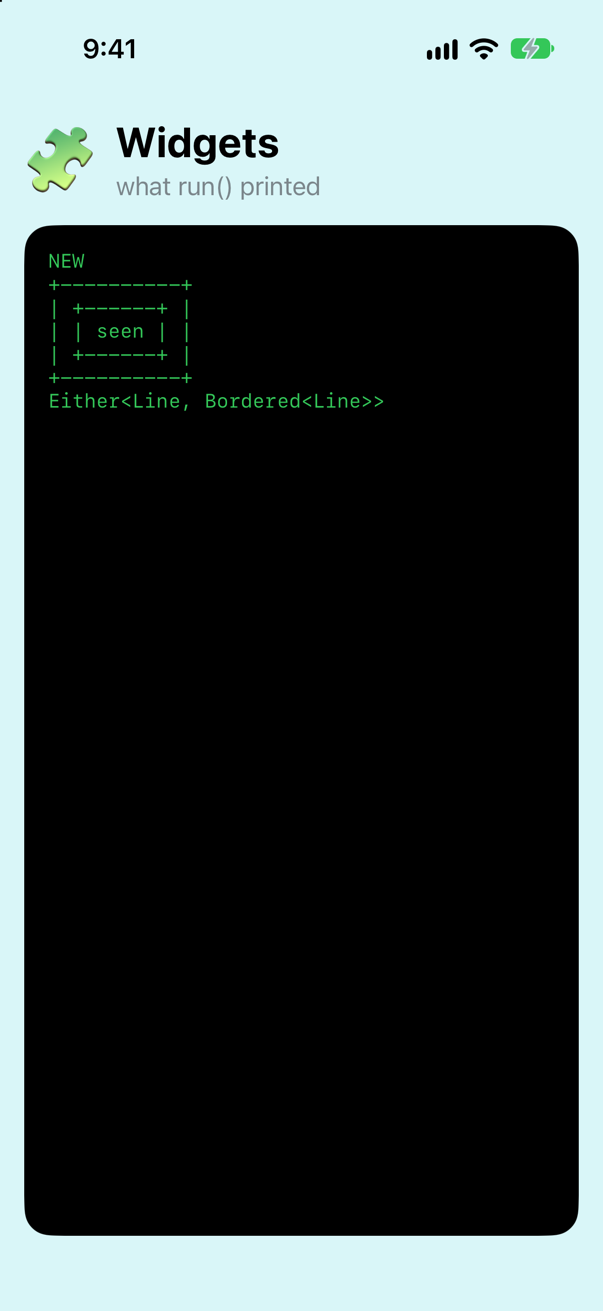
The function returns some Widget again, and the promise holds, because both branches return the same type: Either<Line, Bordered<Line>>. The type spells out both possibilities, so nothing is lost.
SwiftUI does precisely this. Its version is called _ConditionalContent, and it is what an if/else inside a view's body turns into. You never write it yourself — in the next lesson you will build the feature that writes it for you.
some in a parameter
Look back at the first function you wrote in this lesson: func show(_ widget: some Widget). That is some used in a parameter. There it is shorthand for a generic function, func show<W: Widget>(_ widget: W). The two mean the same thing.
So, in one sentence each. In a return type, some means "one specific type, chosen by the function, which the caller is not told". In a parameter, it means "any one type the caller chooses". And any means "a box that can hold a value of any conforming type, decided while the program runs".
Keep this lesson's project. The next one builds on Widgets.swift.
What you built
- The
Widgetprotocol, andLine,ColumnandBordered. AnyWidget, a type-erasing wrapper — TinyUI'sAnyView.Either, one type that can hold either of two widgets — TinyUI's_ConditionalContent.
Next you give TinyUI SwiftUI's syntax: blocks of widgets with no commas, if and for inside them, and a body property. Then you run the same card in real SwiftUI.
The finished project
Stuck, or want to compare with your own? This is the project as it stands at the end of this lesson, built and run before it was put here.
- Widgets.zip — unzip it, then open
Widgets.xcodeprojin Xcode.
Flash cards
13 cards for this lesson, each labelled with its topic. 7 ask how you would write something; the other 6 are trick questions, written to catch a misunderstanding. Answer in your head first, then tap the card.
Syntax · Opaque typesWrite a function whose return type is hidden from callers but fixed.
some Widget: one concrete type, chosen by the function and known to the compiler.
Syntax · ExistentialsWrite a function that can return values of different conforming types.
any Widget: a box that holds a value of some conforming type, decided while the program runs.
Syntax · Opaque typesWrite some in a parameter — and the longer generic form it stands for.
In a parameter, some Widget is shorthand for a generic parameter constrained to Widget. The two functions are equivalent.
Syntax · GenericsDeclare a generic container whose content must be a Widget.
Write <Content: Widget> after the type's name. The container's full type then includes the type of its content: Indented<Line>.
Syntax · Type erasureWrite a type-erasing wrapper.
Keep a closure that captures what the original value does, and forget what type it was. SwiftUI's version is AnyView.
Syntax · ExistentialsStore widgets of different types in one array.
An array has a single element type, so use any Widget. This is a case where any is the right tool.
Syntax · Opaque typesPrint the concrete type of a value.
Use type(of:). It reports the real type, even for a value returned as some Widget. Here it prints Bordered<Column<Line, Line>>.
Trick question · Opaque typesa() and b() are two functions, each declared -> some Widget, and each returns a Line. Does [a(), b()] compile?
No. heterogeneous collection literal could only be inferred to '[Any]'; add explicit type annotation if this is intentional Every function has its own opaque type. The compiler treats the two as different types even though both are secretly Line, because it has promised callers nothing about what is inside. [a(), a()] does compile.
Trick question · Opaque typesDoes some Widget mean "any type that conforms to Widget"?
No — that describes any Widget. some Widget means one particular type, picked by the function and fixed when the code is compiled. The caller simply is not told which one.
Trick question · ExistentialsA value of type any Widget holds a widget, so Bordered(thatValue) should compile. Does it?
No. type 'any Widget' cannot conform to 'Widget' Bordered has to know the concrete type of its content when the code is compiled, and an any Widget box hides it. Calling show(thatValue) does work, because Swift can open the box for the length of a single function call.
Trick question · Opaque typesA function returns some Widget. One branch returns Line("NEW"), the other Line("old"). Does it compile?
Yes. The rule is one type, not one value. Both branches return a Line.
Trick question · Opaque typesWhat does type(of:) print for a value returned as some Widget — the words "some Widget"?
No. It prints the real type: Bordered<Column<Line, Line>>. An opaque type hides the type from the code that calls the function. It does not erase it. While the program runs, the value is exactly what it always was.
Trick question · Type erasureAfter you wrap a value in AnyWidget, can type(of:) still tell you what was inside?
No. It prints AnyWidget. That is what erasing a type means — and it is why SwiftUI discourages AnyView: once the type is gone, SwiftUI can no longer see what changed.
Edge cases and tricky questions
9 questions of the kind an interviewer uses to find out whether you really know this — the corners, the traps, and the things that changed recently. Each has its source. Wherever the answer is what some code does, that code was compiled and run, and what you see under “Show the answer” is what it really did. Say your answer aloud before you open it.
title() and subtitle() both return some Widget, and both really return a Line. Which of the two assignments compiles?
Show the answer
It does not compile. Xcode reports
cannot assign value of type 'some Widget' (result of 'subtitle()') to type 'some Widget' (result of 'title()')Only the first. The compiler's message names the problem exactly: the two values have different types, and it tells them apart by which function they came from. An opaque type is "the type title() returns". The fact that both happen to be Line is hidden from you on purpose, so that either function could change what it returns without breaking its callers.
At run time nothing is hidden: print(type(of: title()) == type(of: subtitle())) prints true. The distinction exists only for the compiler. This is why, in SwiftUI, two computed properties that both return some View cannot be used as the two sides of a ? :, even when you know they are the same view.
Where this comes from: SE-0244: Opaque Result Types · Hacking with Swift interview question: What are opaque return types? — SE-0244: “opaque result types are a different type for each function declaration”.
A variable is declared some Widget and holds a Line. Can you assign another Line to it?
Show the answer
It does not compile. Xcode reports
cannot assign value of type 'Line' to type 'some Widget'No — even though the new value is exactly the same type. Once you write some Widget, the code that follows is not allowed to know that the type is Line; all it knows is "one fixed type that is a Widget". So nothing can be shown to match it, apart from the variable's own value.
The lesson: some is for hiding a type from the users of an API. On a local variable it only takes information away from yourself. Write var badge = Line("NEW") and let the type be inferred.
Where this comes from: SE-0244: Opaque Result Types · The Swift book: Opaque and Boxed Protocol Types — The Swift book, “Opaque and Boxed Protocol Types”; SE-0328 extended where some may be written.
What does this print — and would it still compile if stack were declared func stack<W: Widget>(_ top: W, _ bottom: W)?
Show the answer
Run it. The console shows
Line RuleIt prints Line Rule. Each some Widget in a parameter list is its own generic parameter, so the two arguments are free to be different types: the function above is short for func stack<A: Widget, B: Widget>(_ top: A, _ bottom: B).
The version with a single W says something stricter — both arguments must be the same type — and with a Line and a Rule it does not compile: conflicting arguments to generic parameter 'W' ('Line' vs. 'Rule') So some in a parameter is not always a drop-in replacement for a named generic. When two values must share a type, you still need the name.
Where this comes from: SE-0341: Opaque parameter declarations · WWDC22: Embrace Swift generics — SE-0341, “Opaque parameter declarations”.
A Line here is 16 bytes and a Big is 40. How big is a variable of type any Widget — and where does a Big go when you store one in it?
Show the answer
Run it. The console shows
16 40
40
40
40 bytes, always — whatever is inside. An any Widget is a fixed-size box: room for three machine words of value (24 bytes), plus a pointer to the value's type and a pointer to the table of its Widget methods. A Line fits in the 24 bytes. A Big does not, so Swift allocates it on the heap and stores a pointer.
That is the price of any: possibly an allocation, and every method call looked up through the table while the program runs. With some or a generic, the compiler knows the real type, stores the value directly, and can call — even inline — the method itself. It is the performance half of why SwiftUI is built on some View.
Where this comes from: WWDC16: Understanding Swift Performance (2016 — still the reference on how existentials are stored) · WWDC22: Embrace Swift generics · Hacking with Swift interview question: What is type erasure and when would you use it? — WWDC16 “Understanding Swift Performance” is still the reference for how existential containers are laid out.
widget is an any Widget holding a Line. Both calls compile. What does each line print?
Show the answer
Run it. The console shows
Line
Array<Widget>Line, then Array<Widget>. When you pass an any Widget to a generic function, Swift opens the box for the length of that call: inside show, the parameter really is a Line. This is what lets existential and generic code work together.
But the type cannot escape. twice returns [W], and outside the call there is no name for W — so the result is erased again, to an array of any Widget. (That is what the second line shows; Swift prints the box type as plain Widget.) And when the opened type would have to become part of another type you are constructing, as in Bordered(widget) in the tutorial, there is nothing to erase to, and it does not compile.
Where this comes from: SE-0352: Implicitly opened existentials — SE-0352, “Implicitly opened existentials” (Swift 5.7).
Shape refines Equatable. An array of any Shape is allowed. Which of the two print lines compiles?
Show the answer
It does not compile. Xcode reports
type 'any Shape' cannot conform to 'Equatable'The first. Since Swift 5.7 any protocol can be used as any P, even one with Self or associated-type requirements, and you may use every member that does not depend on knowing the concrete type. area is one of those.
== is not. Equatable compares two values of the same type, and two boxes might hold different shapes, so the compiler cannot offer it. To compare them you have to open one and cast the other — or avoid the question by keeping the concrete type with generics. It is the reason you cannot write [any Equatable] and call == on its elements, and the reason SwiftUI asks for Hashable values through generics rather than boxes.
Where this comes from: SE-0309: Unlock existentials for all protocols · SE-0335: Introduce existential any — SE-0309, “Unlock existentials for all protocols”.
True or false: "In Swift 6 you must write any Widget. A bare protocol name used as a type no longer compiles."
Show the answer
False, as of Swift 6.4. The code above was compiled in the Swift 6 language mode and was accepted without a word. SE-0335, which introduced any, said a missing any would become an error "in Swift 6 or a later language mode". It turned out to be later: the rule is an opt-in feature named ExistentialAny.
With that feature switched on, the same code gets: use of protocol 'Widget' as a type must be written 'any Widget'; this will be an error in a future Swift language mode So write any everywhere — it is clearer, and one day it will be required — but do not tell an interviewer that Swift 6 enforces it. Plenty of articles written in 2022 and 2023 still say so.
Where this comes from: SE-0335: Introduce existential any — SE-0335, “Transitioning to any”.
In a SwiftUI body, if big { Text("Big") } else { Image(systemName: "star") } compiles. Does this shorter version?
Show the answer
It does not compile. Xcode reports
result values in '? :' expression have mismatching types 'Text' and 'Image'No. A ? : is a single expression, and a single expression has a single type. Text and Image are two.
The if/else form works for a different reason from the one people assume. body is a result-builder block, and inside a builder an if/else is turned into one value of the type _ConditionalContent<Text, Image> — your Either from the tutorial. Keep the ternary for choosing between two values of the same type, such as .foregroundStyle(big ? .red : .blue). That form has an advantage you will meet in lesson 7: it leaves the view's identity alone.
Where this comes from: SE-0244: Opaque Result Types · ViewBuilder · Senior iOS Interview Preparation (GitHub) — The interview-preparation repository lists it under view identity: “if/else vs modifier”.
You want body to be able to return different kinds of view, so you change some View to any View. Does it compile?
Show the answer
It does not compile. Xcode reports
type 'ContentView' does not conform to protocol 'View'No. The View protocol requires body to have one concrete type that is itself a View. any View is a box, and the box does not conform to View — the same thing you saw in the tutorial with Bordered(badge(isNew: true)).
This is why SwiftUI has AnyView: a real struct that conforms to View and hides another view inside itself. Reach for it last. The usual ways to return "different views" are an if/else or switch in a builder, or @ViewBuilder on a helper — both keep the types visible to SwiftUI.
Where this comes from: Hacking with Swift interview question: What is type erasure and when would you use it? · ViewBuilder — Hacking with Swift lists “What is type erasure and when would you use it?” among its interview questions.