Give TinyUI the syntax of SwiftUI
Result builders
You will buildA result builder, so that you can write Bordered { … } with an if inside it, and a loop that is a widget — then a var body: some Widget, and finally the same card in real SwiftUI, on the simulator's screen.
TimeAbout 2 hours
WhyA SwiftUI body lists views one per line, with no commas and no return, and allows an if or a switch in the middle of the list. That syntax is not SwiftUI's doing. It is a Swift feature called a result builder, and in this lesson you write one — including a method for for loops, which SwiftUI's builder leaves out, and the reason it does. By the end you will have a type with a body, in a framework you made — and then the same type in SwiftUI itself.
Open the starter
One more project, named TinyUI, because by the end of this lesson that is what it holds: a small framework with SwiftUI's syntax. You will come back to it on lesson 12. Like the last lesson's, it begins as a download — Run.swift, a Screen.swift that shows on the phone what the app prints, Widgets.swift exactly as lesson 3 left it, and an empty Builder.swift for this lesson's code:
Download TinyUI-starter.zip, this lesson's starting point. Double-click it in Finder to unzip it, then double-click
TinyUI.xcodeprojto open it in Xcode.Run it before changing anything. In the toolbar, open the run destination menu and pick an iPhone simulator — iPhone 17, for example. Choose Product ▸ Run (⌘R). Device Hub opens with the app:
The starter: what run() printed, on the phoneScreenshot · iPhone 17, iOS 27.0
Hello from run()The last lesson's types are already here: open
Widgets.swiftand you will find them. Check that they work by putting this inrun()—tripCard()is one of the last lesson's functions:func run() {print("Hello from run()")show(tripCard())}func run() { show(tripCard()) }Run the app (⌘R). Xcode’s console shows
+----------------+
| Seattle        |
| Aug 22 - Sep 3 |
+----------------+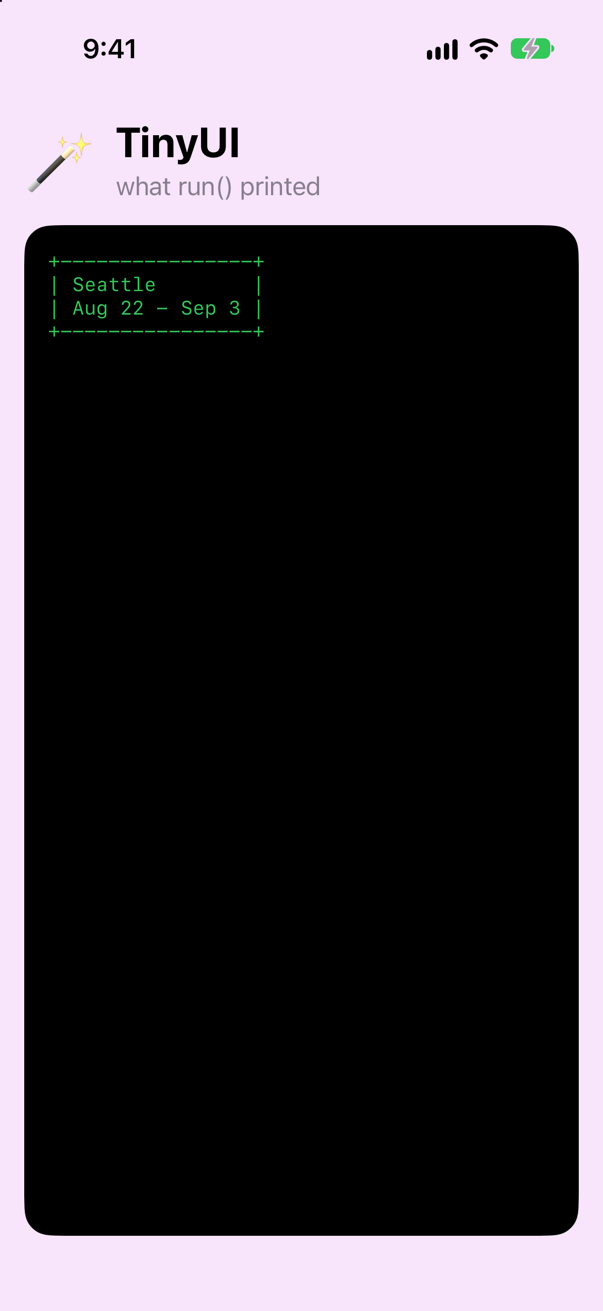
The same lines, on the phoneScreenshot · iPhone 17, iOS 27.0
The new code for this lesson goes in Builder.swift.
The goal
In the last lesson, building a card looked like this: Bordered(Column(Line("Seattle"), Line("Aug 22 - Sep 3"))). It works, but it reads inside-out, and Column can only hold two things. This lesson's goal is to write this instead, and have it mean the same thing:
func run() {
    show(Bordered {
        Line("Seattle")
        Line("Aug 22 - Sep 3")
    })
}A builder that combines statements
A result builder is a type marked @resultBuilder with static methods whose names begin with build. The compiler calls those methods to combine the statements in a block. Start with the two that handle a plain list:
@resultBuilder
enum WidgetBuilder {
    static func buildPartialBlock<W: Widget>(first: W) -> W {
        first
    }

    static func buildPartialBlock<A: Widget, B: Widget>(accumulated: A, next: B) -> Column<A, B> {
        Column(accumulated, next)
    }
}
And a function that accepts a block built this way. The attribute @WidgetBuilder on the parameter is what switches the feature on:
func stack<Content: Widget>(@WidgetBuilder _ content: () -> Content) -> Content {
    content()
}func run() { show(tripCard()) let list = stack { Line("Seattle") Line("Vancouver") Line("Victoria") } show(list) print(type(of: list))}func run() {
let list = stack {
Line("Seattle")
Line("Vancouver")
Line("Victoria")
}
show(list)
print(type(of: list))
}Run the app (⌘R). Xcode’s console shows
Seattle
Vancouver
Victoria
Column<Column<Line, Line>, Line>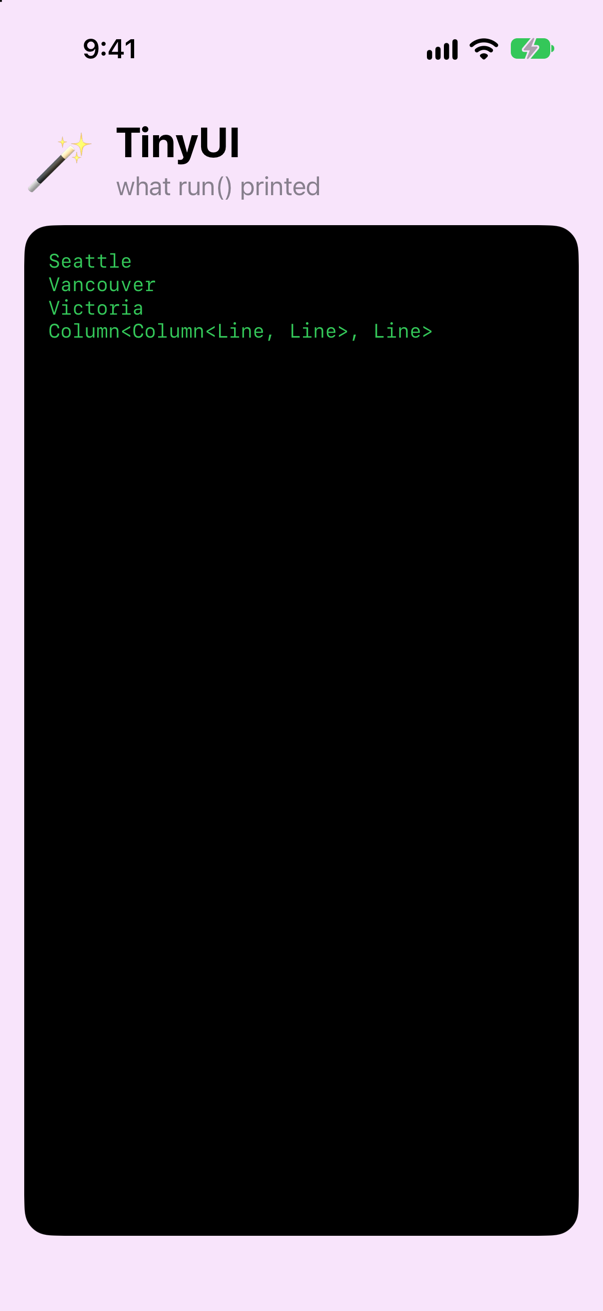
Three widgets, no commas, no return. And the last line shows what the block became: Column<Column<Line, Line>, Line>. It is not an array. It is one value, of a nested type.
It rewrote your block into calls on the builder. The first statement goes to buildPartialBlock(first:). Each later statement goes to buildPartialBlock(accumulated:next:), together with everything gathered so far. You could write the result by hand, and it prints exactly the same thing:
func run() { let list = stack { Line("Seattle") Line("Vancouver") Line("Victoria") let v0 = WidgetBuilder.buildPartialBlock(first: Line("Seattle")) let v1 = WidgetBuilder.buildPartialBlock(accumulated: v0, next: Line("Vancouver")) let v2 = WidgetBuilder.buildPartialBlock(accumulated: v1, next: Line("Victoria")) return v2 } show(list) print(type(of: list))}func run() {
let list = stack {
let v0 = WidgetBuilder.buildPartialBlock(first: Line("Seattle"))
let v1 = WidgetBuilder.buildPartialBlock(accumulated: v0, next: Line("Vancouver"))
let v2 = WidgetBuilder.buildPartialBlock(accumulated: v1, next: Line("Victoria"))
return v2
}
show(list)
print(type(of: list))
}Run the app (⌘R). Xcode’s console shows
Seattle
Vancouver
Victoria
Column<Column<Line, Line>, Line>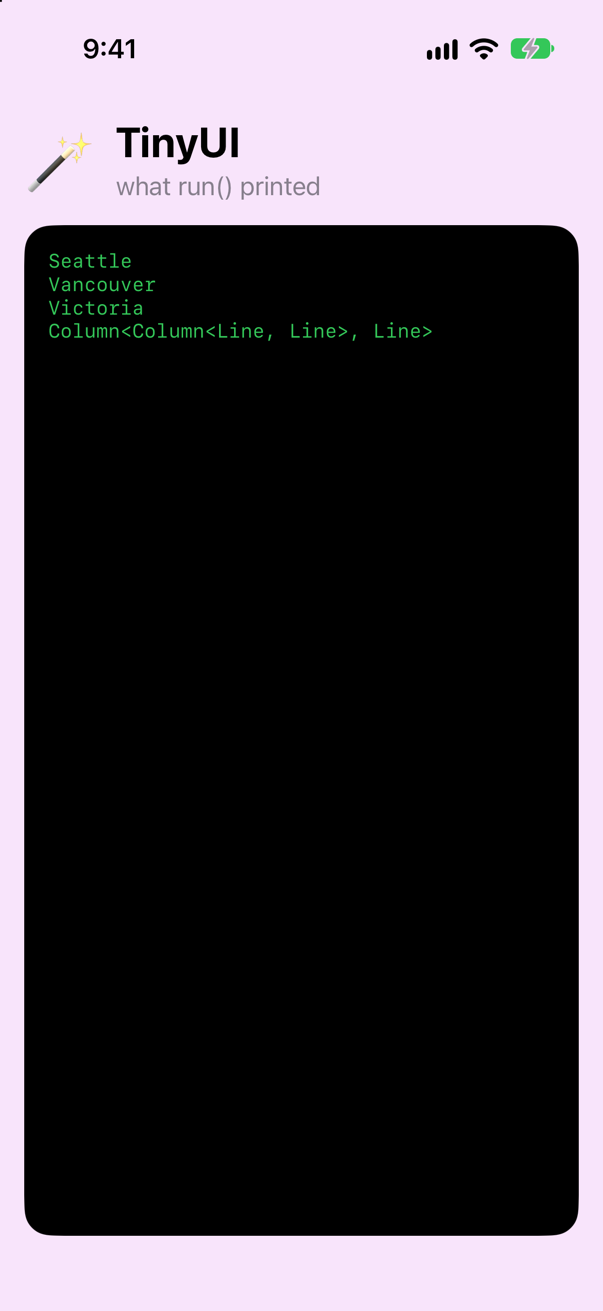
That hand-written version is what the builder saves you from writing.
Builder syntax on Bordered
Give Bordered a second initializer that accepts a builder block:
extension Bordered {
    init(@WidgetBuilder content: () -> Content) {
        self.init(content())
    }
}func run() { let list = stack { let v0 = WidgetBuilder.buildPartialBlock(first: Line("Seattle")) let v1 = WidgetBuilder.buildPartialBlock(accumulated: v0, next: Line("Vancouver")) let v2 = WidgetBuilder.buildPartialBlock(accumulated: v1, next: Line("Victoria")) return v2 } show(list) print(type(of: list)) show(Bordered { Line("Seattle") Line("Aug 22 - Sep 3") })}func run() {
show(Bordered {
Line("Seattle")
Line("Aug 22 - Sep 3")
})
}Run the app (⌘R). Xcode’s console shows
+----------------+
| Seattle        |
| Aug 22 - Sep 3 |
+----------------+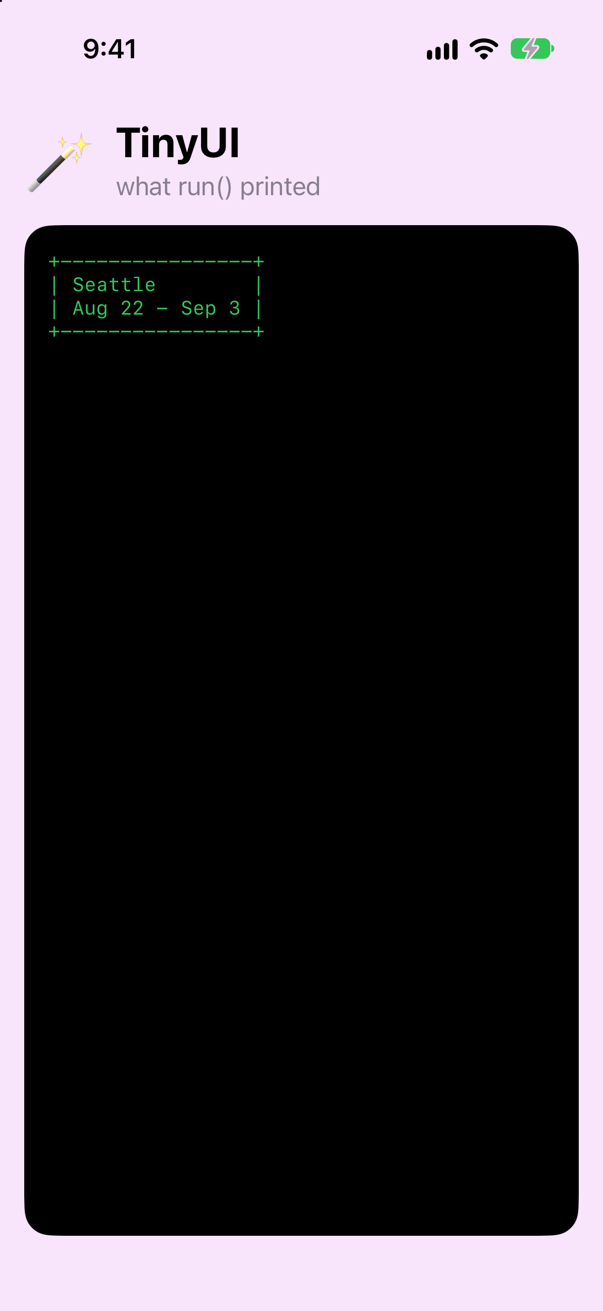
That is the goal from step 2, working.
if inside a block
Try to show a line only when a condition is true:
func run() { let isFavorite = true show(Bordered { Line("Seattle") Line("Aug 22 - Sep 3") if isFavorite { Line("* favorite") } })}func run() {
let isFavorite = true
show(Bordered {
Line("Seattle")
if isFavorite {
Line("* favorite")
}
})
}It does not compile. Xcode reports
type '() -> ()' cannot conform to 'Widget'The message is not helpful, but the cause is simple. Your builder has no method for handling an if, so the compiler cannot treat the block as a builder block at all.
The method it needs is buildOptional. An if with no else either produces a widget or produces nothing — in other words, an optional widget. So two things are needed: the builder method, and a way for an optional widget to draw itself (as nothing, when it is nil).
extension Optional: Widget where Wrapped: Widget {
    func render() -> [String] {
        self?.render() ?? []
    }
}@resultBuilderenum WidgetBuilder { static func buildPartialBlock<W: Widget>(first: W) -> W { first } static func buildPartialBlock<A: Widget, B: Widget>(accumulated: A, next: B) -> Column<A, B> { Column(accumulated, next) } static func buildOptional<W: Widget>(_ widget: W?) -> W? { widget }}@resultBuilder
enum WidgetBuilder {
static func buildPartialBlock<W: Widget>(first: W) -> W {
first
}
static func buildPartialBlock<A: Widget, B: Widget>(accumulated: A, next: B) -> Column<A, B> {
Column(accumulated, next)
}
static func buildOptional<W: Widget>(_ widget: W?) -> W? {
widget
}
}func run() { let isFavorite = true show(Bordered { Line("Seattle") if isFavorite { Line("* favorite") } }) for isFavorite in [true, false] { show(Bordered { Line("Seattle") if isFavorite { Line("* favorite") } }) }}func run() {
for isFavorite in [true, false] {
show(Bordered {
Line("Seattle")
if isFavorite {
Line("* favorite")
}
})
}
}Run the app (⌘R). Xcode’s console shows
+------------+
| Seattle    |
| * favorite |
+------------+
+---------+
| Seattle |
+---------+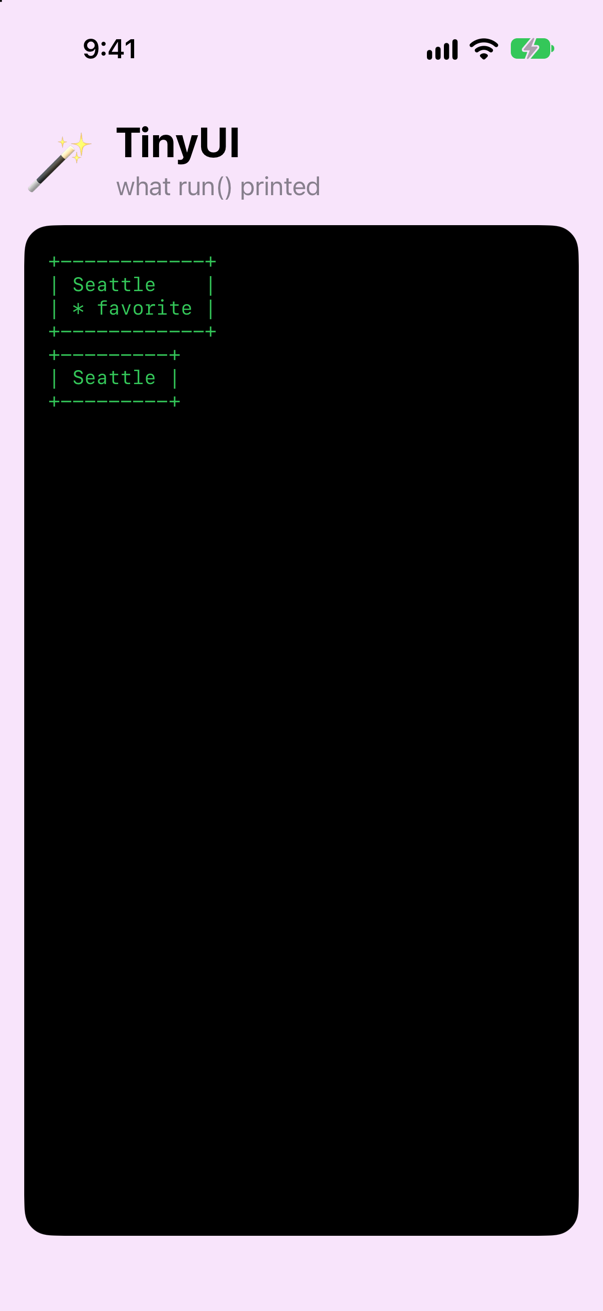
The first card has the extra line and the second does not.
if with else
With an else, the two branches can be different types. You solved that problem in the last lesson with Either. The builder method for it is buildEither, and there are two of them — one for each branch:
@resultBuilderenum WidgetBuilder { static func buildPartialBlock<W: Widget>(first: W) -> W { first } static func buildPartialBlock<A: Widget, B: Widget>(accumulated: A, next: B) -> Column<A, B> { Column(accumulated, next) } static func buildOptional<W: Widget>(_ widget: W?) -> W? { widget } static func buildEither<First: Widget, Second: Widget>(first: First) -> Either<First, Second> { .first(first) } static func buildEither<First: Widget, Second: Widget>(second: Second) -> Either<First, Second> { .second(second) }}@resultBuilder
enum WidgetBuilder {
static func buildPartialBlock<W: Widget>(first: W) -> W {
first
}
static func buildPartialBlock<A: Widget, B: Widget>(accumulated: A, next: B) -> Column<A, B> {
Column(accumulated, next)
}
static func buildOptional<W: Widget>(_ widget: W?) -> W? {
widget
}
static func buildEither<First: Widget, Second: Widget>(first: First) -> Either<First, Second> {
.first(first)
}
static func buildEither<First: Widget, Second: Widget>(second: Second) -> Either<First, Second> {
.second(second)
}
}func run() { for isFavorite in [true, false] { for isBooked in [true, false] { show(Bordered { Line("Seattle") if isFavorite { Line("* favorite") if isBooked { Line("booked") } else { Bordered(Line("not booked yet")) } }) }}func run() {
for isBooked in [true, false] {
show(Bordered {
Line("Seattle")
if isBooked {
Line("booked")
} else {
Bordered(Line("not booked yet"))
}
})
}
}Run the app (⌘R). Xcode’s console shows
+---------+
| Seattle |
| booked  |
+---------+
+--------------------+
| Seattle            |
| +----------------+ |
| | not booked yet | |
| +----------------+ |
+--------------------+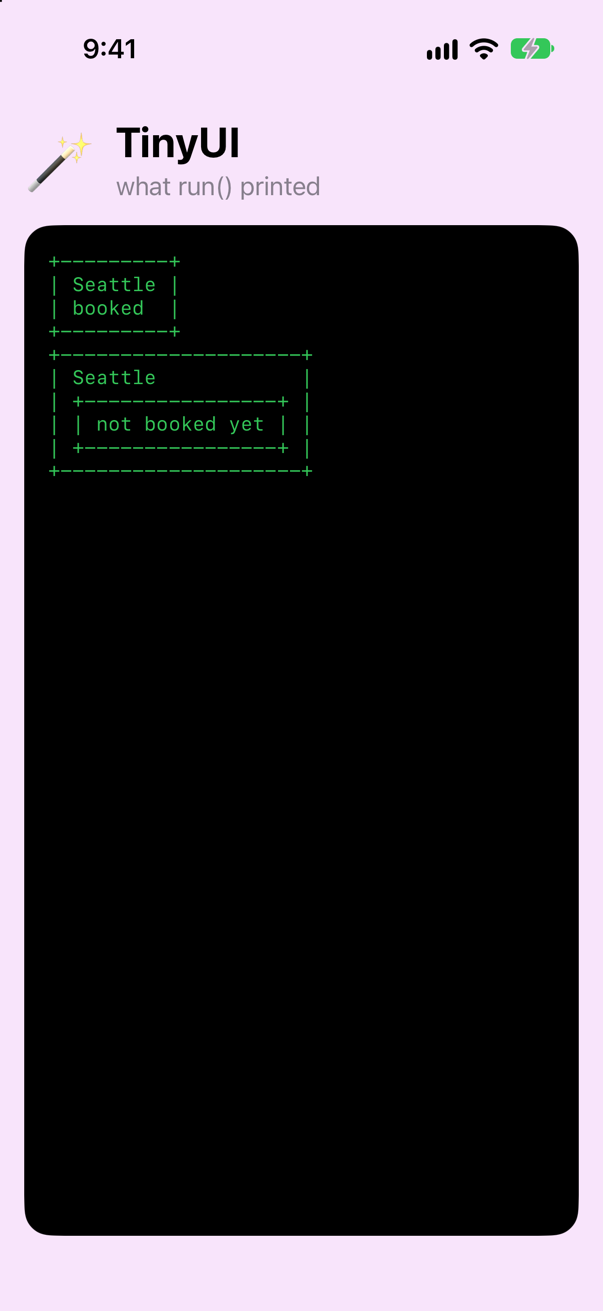
One branch is a Line, the other a Bordered<Line>, and the block still produces a single type. In the last lesson you wrote Either<…>.first(…) by hand. Now the builder writes it for you — which is exactly what SwiftUI does with _ConditionalContent.
for loops
A loop produces a list of widgets that all have the same type. Add a widget to hold such a list, and the builder method buildArray:
struct Repeated<Item: Widget>: Widget {
    let items: [Item]

    func render() -> [String] {
        items.flatMap { $0.render() }
    }
}@resultBuilderenum WidgetBuilder { static func buildPartialBlock<W: Widget>(first: W) -> W { first } static func buildPartialBlock<A: Widget, B: Widget>(accumulated: A, next: B) -> Column<A, B> { Column(accumulated, next) } static func buildOptional<W: Widget>(_ widget: W?) -> W? { widget } static func buildEither<First: Widget, Second: Widget>(first: First) -> Either<First, Second> { .first(first) } static func buildEither<First: Widget, Second: Widget>(second: Second) -> Either<First, Second> { .second(second) } static func buildArray<W: Widget>(_ widgets: [W]) -> Repeated<W> { Repeated(items: widgets) }}@resultBuilder
enum WidgetBuilder {
static func buildPartialBlock<W: Widget>(first: W) -> W {
first
}
static func buildPartialBlock<A: Widget, B: Widget>(accumulated: A, next: B) -> Column<A, B> {
Column(accumulated, next)
}
static func buildOptional<W: Widget>(_ widget: W?) -> W? {
widget
}
static func buildEither<First: Widget, Second: Widget>(first: First) -> Either<First, Second> {
.first(first)
}
static func buildEither<First: Widget, Second: Widget>(second: Second) -> Either<First, Second> {
.second(second)
}
static func buildArray<W: Widget>(_ widgets: [W]) -> Repeated<W> {
Repeated(items: widgets)
}
}func run() { for isBooked in [true, false] { show(Bordered { Line("Seattle") if isBooked { Line("booked") } else { Bordered(Line("not booked yet")) } }) } let stops = ["Pike Place", "Alki Beach", "Tiger Mountain"] show(Bordered { Line("Seattle") for stop in stops { Line("- " + stop) } })}func run() {
let stops = ["Pike Place", "Alki Beach", "Tiger Mountain"]
show(Bordered {
Line("Seattle")
for stop in stops {
Line("- " + stop)
}
})
}Run the app (⌘R). Xcode’s console shows
+------------------+
| Seattle          |
| - Pike Place     |
| - Alki Beach     |
| - Tiger Mountain |
+------------------+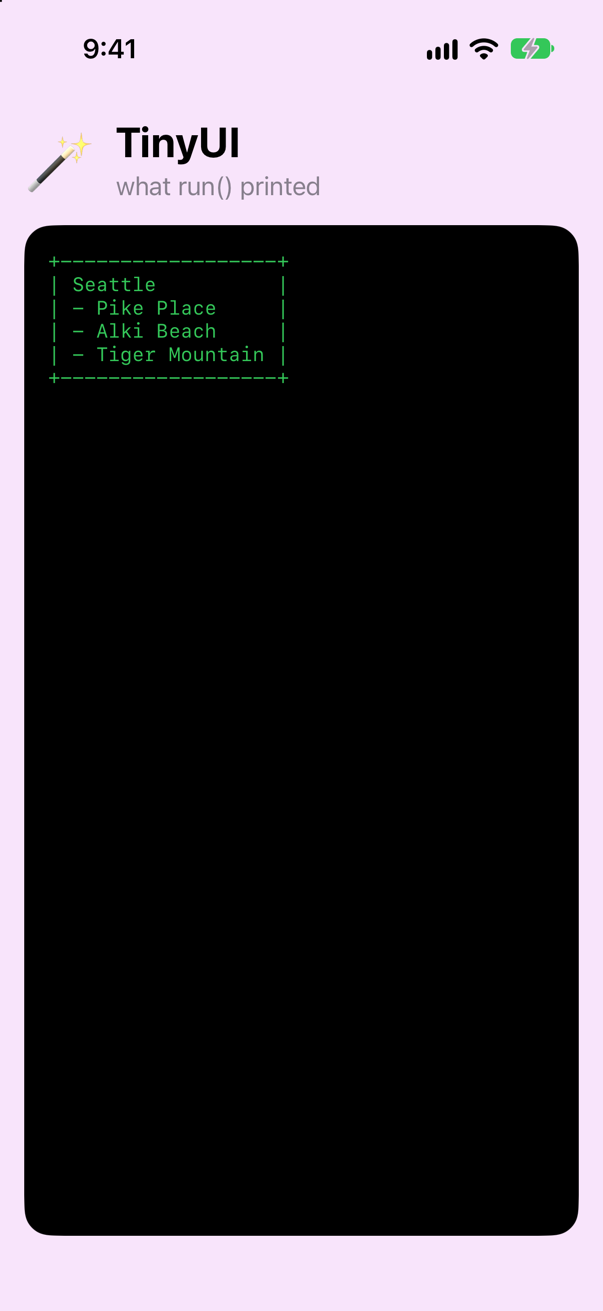
TinyUI's builder can now do something SwiftUI's cannot. The next step shows what — and undoes it.
SwiftUI has no buildArray: a loop that is a widget
SwiftUI's builder is ViewBuilder. In Xcode 27 you will also see it written @ContentBuilder, which is another name for the same type. It is a result builder like yours, and the iOS 27 SDK declares its methods: buildBlock for a list of statements, buildIf and buildEither for if and if/else, and buildLimitedAvailability for if #available. There is no buildArray, so a for loop cannot appear in a SwiftUI body.
TinyUI is meant to be SwiftUI in miniature, so take buildArray out again, and the Repeated widget it made:
@resultBuilderenum WidgetBuilder { static func buildPartialBlock<W: Widget>(first: W) -> W { first } static func buildPartialBlock<A: Widget, B: Widget>(accumulated: A, next: B) -> Column<A, B> { Column(accumulated, next) } static func buildOptional<W: Widget>(_ widget: W?) -> W? { widget } static func buildEither<First: Widget, Second: Widget>(first: First) -> Either<First, Second> { .first(first) } static func buildEither<First: Widget, Second: Widget>(second: Second) -> Either<First, Second> { .second(second) } static func buildArray<W: Widget>(_ widgets: [W]) -> Repeated<W> { Repeated(items: widgets) }}@resultBuilder
enum WidgetBuilder {
static func buildPartialBlock<W: Widget>(first: W) -> W {
first
}
static func buildPartialBlock<A: Widget, B: Widget>(accumulated: A, next: B) -> Column<A, B> {
Column(accumulated, next)
}
static func buildOptional<W: Widget>(_ widget: W?) -> W? {
widget
}
static func buildEither<First: Widget, Second: Widget>(first: First) -> Either<First, Second> {
.first(first)
}
static func buildEither<First: Widget, Second: Widget>(second: Second) -> Either<First, Second> {
.second(second)
}
}struct Repeated<Item: Widget>: Widget { let items: [Item] func render() -> [String] { items.flatMap { $0.render() } }}The loop from step 7 is still in run(), and it no longer builds — but inside Bordered { … } the message is muddled, because Bordered has a second initializer, the one that takes a widget, and the compiler tries that one too. Put the same loop in a stack, which takes only a block, and the message is plain:
func run() { let stops = ["Pike Place", "Alki Beach", "Tiger Mountain"] show(Bordered { show(stack { Line("Seattle") for stop in stops { Line("- " + stop) } })}func run() {
let stops = ["Pike Place", "Alki Beach", "Tiger Mountain"]
show(stack {
Line("Seattle")
for stop in stops {
Line("- " + stop)
}
})
}It does not compile. Xcode reports
closure containing control flow statement cannot be used with result builder 'WidgetBuilder'That is the message SwiftUI gives for a for loop in a body, word for word, with ViewBuilder in place of WidgetBuilder — step 10 shows it. SwiftUI's way out is not a builder method but a view, ForEach, which takes the collection and a closure. TinyUI's is a widget that does the same: LoopEach. It keeps the collection, the closure, and a key path to whatever tells two elements apart, and it calls the closure for each element only when it is drawn:
struct LoopEach<Data: RandomAccessCollection, ID: Hashable, Content: Widget>: Widget {
    var data: Data
    var content: (Data.Element) -> Content
    let id: KeyPath<Data.Element, ID>

    func render() -> [String] {
        data.flatMap { element in
            content(element).render()
        }
    }
}

// 1. any collection, plus a key path that says what identifies each element
extension LoopEach {
    init(_ data: Data, id: KeyPath<Data.Element, ID>, @WidgetBuilder content: @escaping (Data.Element) -> Content) {
        self.data = data
        self.id = id
        self.content = content
    }
}

// 2. elements that are Identifiable: their own `id` is used
extension LoopEach where ID == Data.Element.ID, Data.Element: Identifiable {
    init(_ data: Data, @WidgetBuilder content: @escaping (Data.Element) -> Content) {
        self.init(data, id: \.id, content: content)
    }
}

// 3. a range of integers: each number is its own identity
extension LoopEach where Data == Range<Int>, ID == Int {
    init(_ data: Range<Int>, @WidgetBuilder content: @escaping (Int) -> Content) {
        self.init(data, id: \.self, content: content)
    }
}
Its three initializers are the three ways you will call ForEach, each in an extension whose where clause says which kinds of data it is for. The first takes a key path that says what tells two elements apart. The second is for elements that are Identifiable, and uses their own id. The third counts through a range of numbers. Put all three in run(), in place of the loop:
func run() { let stops = ["Pike Place", "Alki Beach", "Tiger Mountain"] show(stack { Line("Seattle") for stop in stops { Line("- " + stop) struct Stop: Identifiable { let id: Int let name: String } let cities = ["Seattle", "Vancouver", "Victoria"] let stops = [Stop(id: 1, name: "Pike Place"), Stop(id: 2, name: "Alki Beach")] let list = stack { Line("Cities") LoopEach(cities, id: \.self) { city in Line("- " + city) } }) Line("Stops") LoopEach(stops) { stop in Line("#\(stop.id) " + stop.name) } Line("Days") LoopEach(0..<3) { day in Line("Day \(day + 1)") } } show(list) print(type(of: list))}func run() {
struct Stop: Identifiable {
let id: Int
let name: String
}
let cities = ["Seattle", "Vancouver", "Victoria"]
let stops = [Stop(id: 1, name: "Pike Place"), Stop(id: 2, name: "Alki Beach")]
let list = stack {
Line("Cities")
LoopEach(cities, id: \.self) { city in
Line("- " + city)
}
Line("Stops")
LoopEach(stops) { stop in
Line("#\(stop.id) " + stop.name)
}
Line("Days")
LoopEach(0..<3) { day in
Line("Day \(day + 1)")
}
}
show(list)
print(type(of: list))
}Run the app (⌘R). Xcode’s console shows
Cities
- Seattle
- Vancouver
- Victoria
Stops
#1 Pike Place
#2 Alki Beach
Days
Day 1
Day 2
Day 3
Column<Column<Column<Column<Column<Line, LoopEach<Array<String>, String, Line>>, Line>, LoopEach<Array<Stop>, Int, Line>>, Line>, LoopEach<Range<Int>, Int, Line>>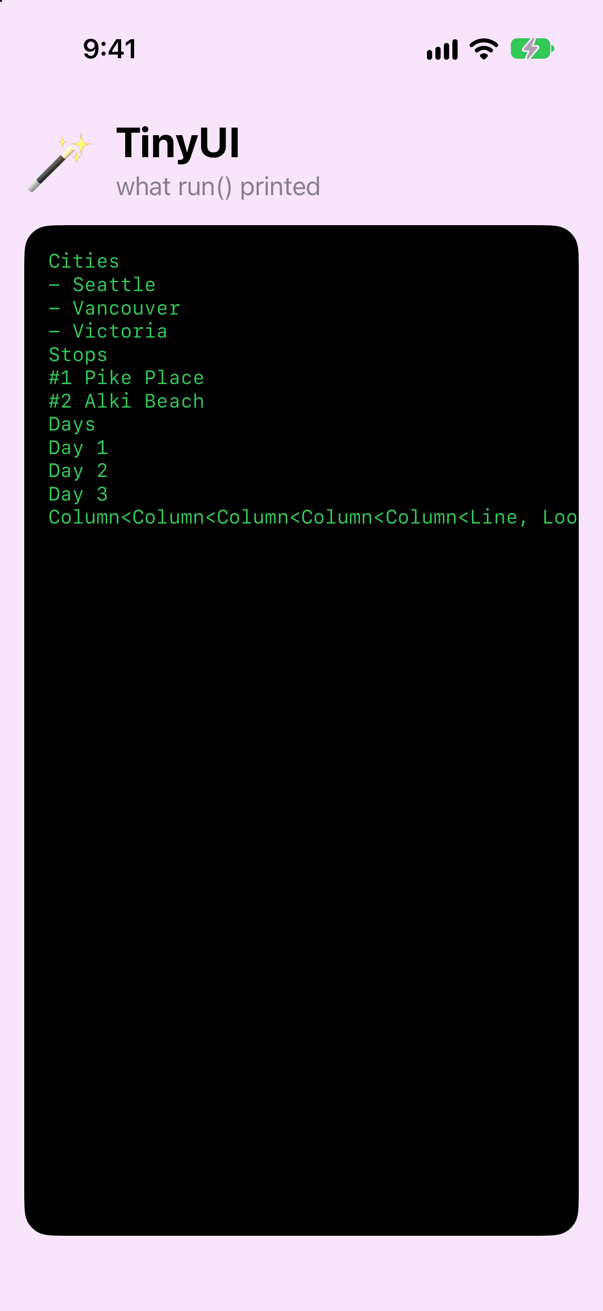
It builds again, with no for in sight. Read the last line: each loop is one value, LoopEach<Data, ID, Content> — what it repeats over, what identifies an element, and the widget it makes for each one. The number of rows is not part of the type. Three cities or three hundred, the type is the same; only the data changes.
Why would SwiftUI leave for out, when one method would let a builder accept it? Set the two side by side:
for, with buildArray | LoopEach — SwiftUI's ForEach | |
|---|---|---|
| When are the rows made? | All of them, before buildArray is even called | When they are drawn: the closure is kept, not called |
| What tells two rows apart? | Only their position | Each element's id |
TinyUI draws once and is done, so neither difference matters here. SwiftUI runs body again every time something changes, and it needs both: a List of a thousand rows makes only the rows on screen, and each row's identity tells SwiftUI which new row is which old one. Apple's documentation of ForEach puts it in exactly those two terms: views computed "on demand" from "identified data".
How ForEach makes its rows on demand and tells them apart — run on the simulator, with a List of a thousand rows and a city inserted at the top of a list — is in ForEach, in full. Every method a result builder can have, which statement makes the compiler call each one, and which of them SwiftUI's builder leaves out, is in Result builders, in full.
A body, like SwiftUI's
The last piece makes TinyUI look like the real thing. Define a protocol for widgets that are built out of other widgets. Such a widget only has to provide a body; rendering is handled for it:
protocol Component: Widget {
    associatedtype Body: Widget
    @WidgetBuilder var body: Body { get }
}

extension Component {
    func render() -> [String] {
        body.render()
    }
}
Now write one:
struct TripCard: Component {
    let city: String
    let isFavorite: Bool
    let stops: [String]

    var body: some Widget {
        Bordered {
            Line(city)
            if isFavorite {
                Line("* favorite")
            }
            LoopEach(stops, id: \.self) { stop in
                Line("- " + stop)
            }
        }
    }
}func run() { struct Stop: Identifiable { let id: Int let name: String } let cities = ["Seattle", "Vancouver", "Victoria"] let stops = [Stop(id: 1, name: "Pike Place"), Stop(id: 2, name: "Alki Beach")] let list = stack { Line("Cities") LoopEach(cities, id: \.self) { city in Line("- " + city) } Line("Stops") LoopEach(stops) { stop in Line("#\(stop.id) " + stop.name) } Line("Days") LoopEach(0..<3) { day in Line("Day \(day + 1)") } } show(list) print(type(of: list)) let card = TripCard(city: "Seattle", isFavorite: true, stops: ["Pike Place", "Alki Beach"]) show(card) print(type(of: card.body))}func run() {
let card = TripCard(city: "Seattle", isFavorite: true, stops: ["Pike Place", "Alki Beach"])
show(card)
print(type(of: card.body))
}Run the app (⌘R). Xcode’s console shows
+--------------+
| Seattle      |
| * favorite   |
| - Pike Place |
| - Alki Beach |
+--------------+
Bordered<Column<Column<Line, Optional<Line>>, LoopEach<Array<String>, String, Line>>>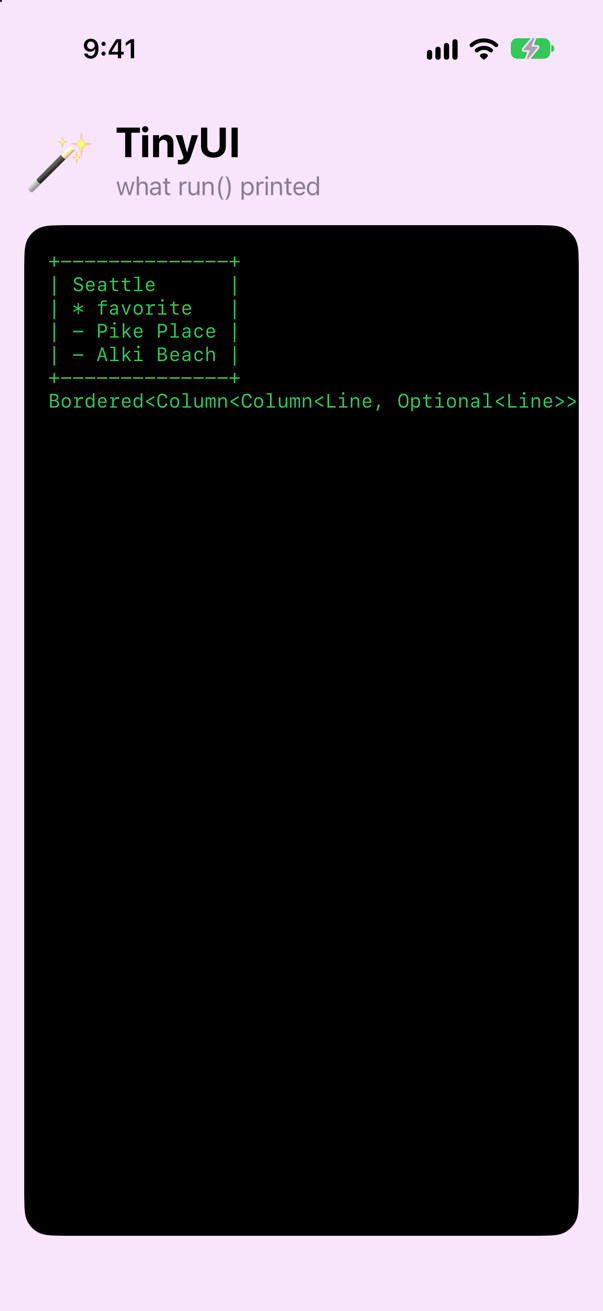
Look at TripCard. A struct with some properties, and var body: some Widget containing a block with an if and a LoopEach in it. Change Component and Widget to View, Line to Text, and LoopEach to ForEach, and that is very nearly a SwiftUI view.
Two details. First, you did not write @WidgetBuilder on body. It is on the protocol's requirement, and every conforming type inherits it — this is why you never write @ViewBuilder on a SwiftUI body. Second, the last line of output is the full type of that body. It describes the entire structure of the card. That long type is what some Widget is hiding, and it is what SwiftUI compares between updates.
The same card in real SwiftUI
Everything so far printed text. To finish, write the same card with the real framework and see it on the simulator's screen. It gets a project of its own, so that its TripCard cannot be confused with TinyUI's — a small starter with a place for the card, and this time no Run.swift:
Download SwiftUICard-starter.zip, this lesson's starting point. Double-click it in Finder to unzip it, then double-click
SwiftUICard.xcodeprojto open it in Xcode.Run it before changing anything. In the toolbar, open the run destination menu and pick an iPhone simulator — iPhone 17, for example. Choose Product ▸ Run (⌘R). Device Hub opens with the app:
The SwiftUICard starter, waiting for its cardScreenshot · iPhone 17, iOS 27.0
Now, in ContentView.swift, write your TripCard as a SwiftUI view:
import SwiftUIstruct TripCard: View { let city: String let isFavorite: Bool let stops: [String] var body: some View { VStack(alignment: .leading) { Text(city) if isFavorite { Text("* favorite") } ForEach(stops, id: \.self) { stop in Text("- " + stop) } } .padding() .border(.primary) }}struct ContentView: View { var body: some View { VStack(spacing: 12) { Text("🃏") .font(.system(size: 72)) Text("SwiftUICard") .font(.title.bold()) Text("Your card goes here.") .foregroundStyle(.secondary) } .frame(maxWidth: .infinity, maxHeight: .infinity) .background(Color.orange.opacity(0.15)) let card = TripCard(city: "Seattle", isFavorite: true, stops: ["Pike Place", "Alki Beach"]) card .onAppear { print(type(of: card.body)) } }}#Preview { ContentView()}import SwiftUI
struct TripCard: View {
let city: String
let isFavorite: Bool
let stops: [String]
var body: some View {
VStack(alignment: .leading) {
Text(city)
if isFavorite {
Text("* favorite")
}
ForEach(stops, id: \.self) { stop in
Text("- " + stop)
}
}
.padding()
.border(.primary)
}
}
struct ContentView: View {
var body: some View {
let card = TripCard(city: "Seattle", isFavorite: true, stops: ["Pike Place", "Alki Beach"])
card
.onAppear { print(type(of: card.body)) }
}
}
#Preview {
ContentView()
}Set it beside the TripCard from step 9. The properties are the same. Component became View, some Widget became some View, and each Line became a Text. Bordered { … } became a VStack with two modifiers after it, .padding() and .border(). The if did not change at all, and LoopEach became ForEach, with the same id: \.self. Had you kept a for loop there, as step 7 allowed, this is what SwiftUI says — the message step 8 gave you, because its builder has no buildArray either:
closure containing control flow statement cannot be used with result builder 'ViewBuilder'Run it (⌘R). The simulator shows
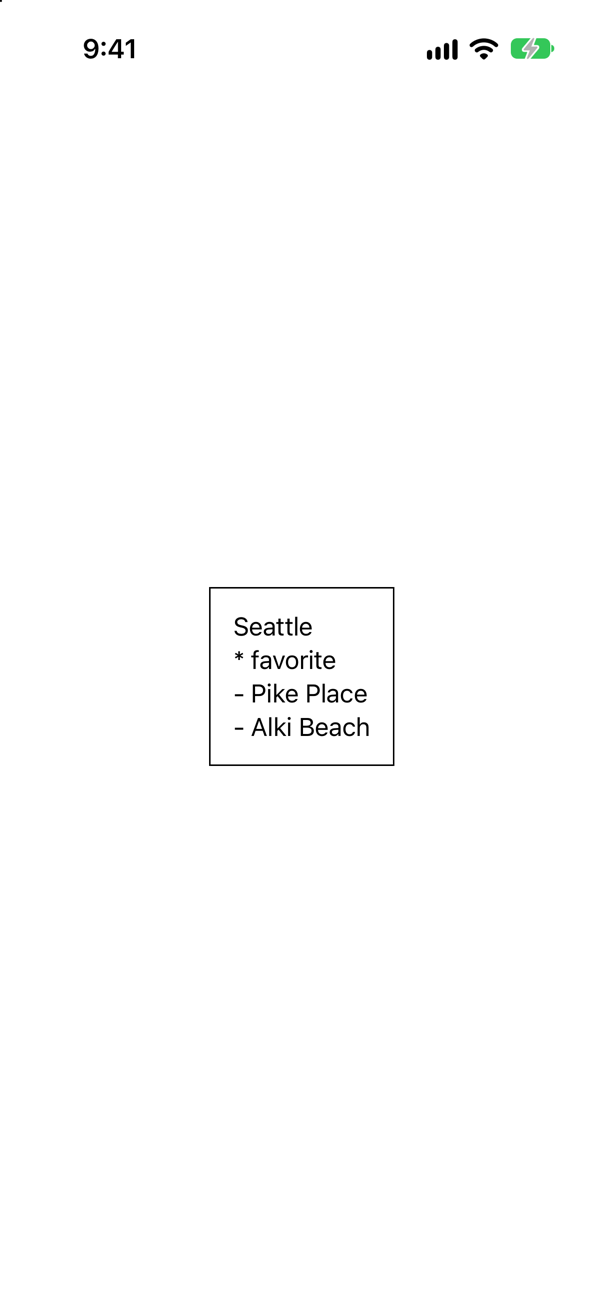
The last lines of ContentView print the type of the card's body, as you did in step 9. Look in Xcode's console:
ModifiedContent<ModifiedContent<VStack<TupleContent<Pack{Text, Optional<Text>, ForEach<Array<String>, String, Text>}>>, _PaddingLayout>, _OverlayModifier<_ShapeView<_StrokedShape<_Inset>, HierarchicalShapeStyle>>>Read that type from the inside out. TupleContent holds the three things in the block: it is your Column. The second of them is Optional<Text>: that is the if. The third is a ForEach: your LoopEach, with the same three type parameters. And each modifier wrapped everything before it in a ModifiedContent, the way Bordered wrapped its content. The real framework is made of the pieces you built this week.
TupleViewTupleContent is new in iOS 27. In a project whose deployment target is an earlier iOS, the same block is a TupleView<(Text, Optional<Text>, ForEach<…>)> — the name used in almost everything written about SwiftUI before 2026, and the one an interviewer is likely to say. They do the same job: one value holding the views of a block, side by side.
Now read SwiftUI again
Everything you built over three lessons has a counterpart in SwiftUI:
| What you built | SwiftUI's version |
|---|---|
Widget | View |
Line | Text |
Component and its body | View and its body |
WidgetBuilder | ViewBuilder |
Column<A, B> | TupleContent (TupleView before iOS 27) |
Either<First, Second> | _ConditionalContent |
Optional as a widget | Optional as a view |
LoopEach | ForEach |
Repeated and buildArray — added in step 7, taken out in step 8 | None: SwiftUI's builder has no buildArray |
Bordered<Content> | ModifiedContent, which is what modifiers such as .padding() and .border() return |
AnyWidget | AnyView |
Ref (lesson 2) | Binding |
Stored (lesson 2) | @AppStorage |
A piece of history that now makes sense: early versions of SwiftUI allowed at most ten views in one block. The builder had a separate method for two views, for three, and so on up to ten — and no more. Swift 5.9 added a feature (parameter packs) that removed the limit. Xcode 27 goes a step further: the builder no longer insists that everything in a block is a View, which lets one builder serve views, toolbars and menus alike — its new name is @ContentBuilder, an alias for ViewBuilder — and lets the compiler check large blocks much faster.
What you built
WidgetBuilder, a result builder that handles plain lists,ifandif/else— what SwiftUI's builder handles. (for, throughbuildArray, came in at step 7 and went out again at step 8.)LoopEach, a loop that is a widget — TinyUI'sForEach.Component, a protocol with abody— TinyUI'sView.TripCard, written the way you would write a SwiftUI view — and then written as one, and run.
Cheat sheet: the expansion from this lesson is collected, with the rest, on Expansions.
Guide: how ForEach works — what it keeps, when it makes its rows and how it tells them apart, all run on the simulator — is in ForEach, in full.
Guide: every method a result builder can have, each one run and written out by hand — and which of them SwiftUI's builder leaves out, and why — is in Result builders, in full.
That completes Part 2, and TinyUI for now: a miniature SwiftUI that prints to the console. The interview problem for this part is below, after the flash cards and the edge cases. Next you start a real app, Trips, and develop its first view without launching the simulator. TinyUI comes back on lesson 12, when a file of 2016 Swift is brought up to date inside it.
The finished projects
Stuck, or want to compare with your own? These are the projects as they stand at the end of this lesson, built and run before they were put here.
- TinyUI-lesson-04.zip — unzip it, then open
TinyUI.xcodeprojin Xcode. - SwiftUICard.zip — unzip it, then open
SwiftUICard.xcodeprojin Xcode.
Flash cards
19 cards for this lesson, each labelled with its topic. 10 ask how you would write something; the other 9 are trick questions, written to catch a misunderstanding. Answer in your head first, then tap the card.
Syntax · Result buildersDeclare a result builder.
Mark an enum or struct @resultBuilder and give it static build… methods. buildPartialBlock(first:) and buildPartialBlock(accumulated:next:) are enough for a plain list of statements.
Syntax · Result buildersWrite a function that takes a builder closure.
Write the builder's name before the parameter: @WidgetBuilder _ content: () -> Content.
Syntax · Result buildersWrite an initializer that takes a builder closure.
The same attribute, on a parameter of an initializer. This is what makes Bordered { … } possible.
Syntax · Control flow in buildersMake if (without else) work inside a builder block.
Add buildOptional. Its result is an optional widget, so Optional has to conform to Widget as well.
Syntax · Control flow in buildersMake if/else work inside a builder block.
Add the two buildEither methods. Both return the same type, Either<First, Second>, so the block still produces one type.
Syntax · Control flow in buildersMake for loops work inside a builder block.
Add buildArray. It receives one result for each pass through the loop, after the loop has finished. SwiftUI's own builder has no buildArray, so in SwiftUI a loop is a view instead: ForEach — TinyUI's LoopEach.
Syntax · Result buildersDeclare a protocol whose body is a builder block in every conforming type.
Put the builder attribute on the protocol's requirement. Conforming types inherit it — which is why you never write @ViewBuilder on a SwiftUI body.
Trick question · Result buildersInside a builder block, can you write let city = "Seattle" and then use city?
Yes. Declarations are allowed and are left alone. Only the expressions are collected and handed to the builder.
Trick question · Result buildersWhat happens if you write an explicit return inside a builder block?
The builder is switched off for that block. It becomes an ordinary closure, so only the returned value is used. This prints just Vancouver — the first line is thrown away, with nothing worse than a warning.
Trick question · Result buildersA builder block lists three Line widgets. Is the result an array of three?
No. It is a single value of a nested type: Column<Column<Line, Line>, Line>. Each statement is folded into the result of the ones before it.
Trick question · Control flow in buildersif isFavorite { Line("* favorite") } — when isFavorite is false, is that widget simply missing from the result?
No. The result's type is Column<Line, Optional<Line>> whether the condition is true or false. The slot is always there; it just holds nil. This is how SwiftUI keeps a view's position — its identity — stable while a condition changes.
Trick question · Result buildersDoes TripCard's body need @WidgetBuilder written in front of it?
No. The attribute is on the protocol's body requirement, and every conforming type inherits it. SwiftUI's View.body works the same way with @ViewBuilder.
Trick question · Control flow in buildersYour builder supports for. Does it support while?
No. closure containing control flow statement cannot be used with result builder 'WidgetBuilder' Result builders have methods for if, if/else, switch and for. There is none for while.
Syntax · Loops as widgetsWrite a widget that repeats over a collection the way SwiftUI's ForEach does: it keeps the data and a closure, and knows what identifies each element.
Store the collection, the closure and a key path to each element's identity, and call the closure only in render(). Each initializer sits in an extension whose where clause says which data it is for: any collection with id:, Identifiable elements, or a range of numbers — the same three as ForEach.
Trick question · Loops as widgetsnames is a [String]. Does LoopEach(names) { name in Line(name) } compile — with no id:?
No. referencing initializer 'init(_:content:)' on 'LoopEach' requires that 'String' conform to 'Identifiable' The initializer without id: is declared in the extension where Data.Element: Identifiable, and String is not Identifiable. Write LoopEach(names, id: \.self). SwiftUI's ForEach is declared the same way and refuses the same code for the same reason.
Trick question · Loops as widgetsWhen does LoopEach call its closure: when the LoopEach is created, or when it is drawn?
When it is drawn. Nothing was printed until show asked it to render: the first line is "created the LoopEach", and only then is each row made. The closure is stored, not called. SwiftUI's ForEach stores its closure too — its interface declares public var content: (Data.Element) -> Content — so a container can ask for a row only when it needs one.
Syntax · SwiftUI itselfIn SwiftUI, show one Text for each string in an array.
ForEach is a view that holds the data and a closure that makes each row — SwiftUI's version of your LoopEach. id: \.self says how to tell the elements apart: here, each string identifies itself.
Trick question · SwiftUI itselfTinyUI lets you write a for loop inside a builder block. Does SwiftUI?
No. closure containing control flow statement cannot be used with result builder 'ViewBuilder' SwiftUI's ViewBuilder has methods for if and if/else, but no buildArray. Use ForEach instead — a loop that is a view, like your LoopEach.
Syntax · Result buildersWhat does a @ViewBuilder block — two statements — expand to?
Calls on the builder, one per statement, nested: the block's result is the type those calls return — here a Column<Line, Line>. The sugar and the hand-written calls gave the same lines the same type. In SwiftUI, buildBlock, buildEither and buildOptional do the same for a body.
Edge cases and tricky questions
9 questions of the kind an interviewer uses to find out whether you really know this — the corners, the traps, and the things that changed recently. Each has its source. Wherever the answer is what some code does, that code was compiled and run, and what you see under “Show the answer” is what it really did. Say your answer aloud before you open it.
You want to know when body runs, so you add a print. Does this compile?
Show the answer
It does not compile. Xcode reports
type '()' cannot conform to 'View'No. Inside a builder block, every expression is handed to the builder as a piece of content. print(…) is an expression, and its value is () — which is not a view.
Declarations are different: the builder leaves them alone. So the standard trick is to turn the call into a declaration: let _ = print("body ran").

That version compiles and runs, and you will use it in lesson 7 to watch SwiftUI call body. For the same reason an assignment such as count += 1 cannot appear in a builder block: it is an expression of type ().
Where this comes from: SE-0289: Result Builders · Hacking with Swift interview question: What are result builders and when are they used? — SE-0289: declarations in a builder block are left alone; expression statements are collected.
The same if/else compiles inside body — but not here, in a helper property. Why?
Show the answer
It does not compile. Xcode reports
branches have mismatching types 'Text' and 'Image'Because badge is not a builder block. body is one only because the View protocol declares it with @ViewBuilder, and conforming types inherit that. A property you add yourself is ordinary Swift, where an if/else used as a value must produce one type on both branches.
Write @ViewBuilder var badge: some View and it compiles: the two branches become a single _ConditionalContent<Text, Image>.

The same goes for a function that returns some View. Forgetting the attribute on a helper is the most common way to meet this error.
Where this comes from: ViewBuilder · SE-0289: Result Builders — The View protocol declares @ViewBuilder var body: Self.Body { get }; an attribute on a protocol requirement is inherited by conforming types.
An early exit at the top of body. Does this compile?
Show the answer
It does not compile. Xcode reports
missing return in getter expected to return 'some View'No. The moment a block contains an explicit return, Swift stops treating it as a builder block. It becomes an ordinary function body. So the last line, Text(name), is no longer collected: it is a value that is created and thrown away, and the function reaches its end without returning anything.
In a builder you do not exit early; you branch. Write if let name { Text(name) } else { Text("No name") }. The rule to remember: a builder block and return do not mix.
Where this comes from: SE-0289: Result Builders — SE-0289: the result-builder transform is not applied to a closure or function body that contains an explicit return statement.
True or false: "A SwiftUI container can hold at most ten views. Beyond that you must wrap them in Group."
Show the answer
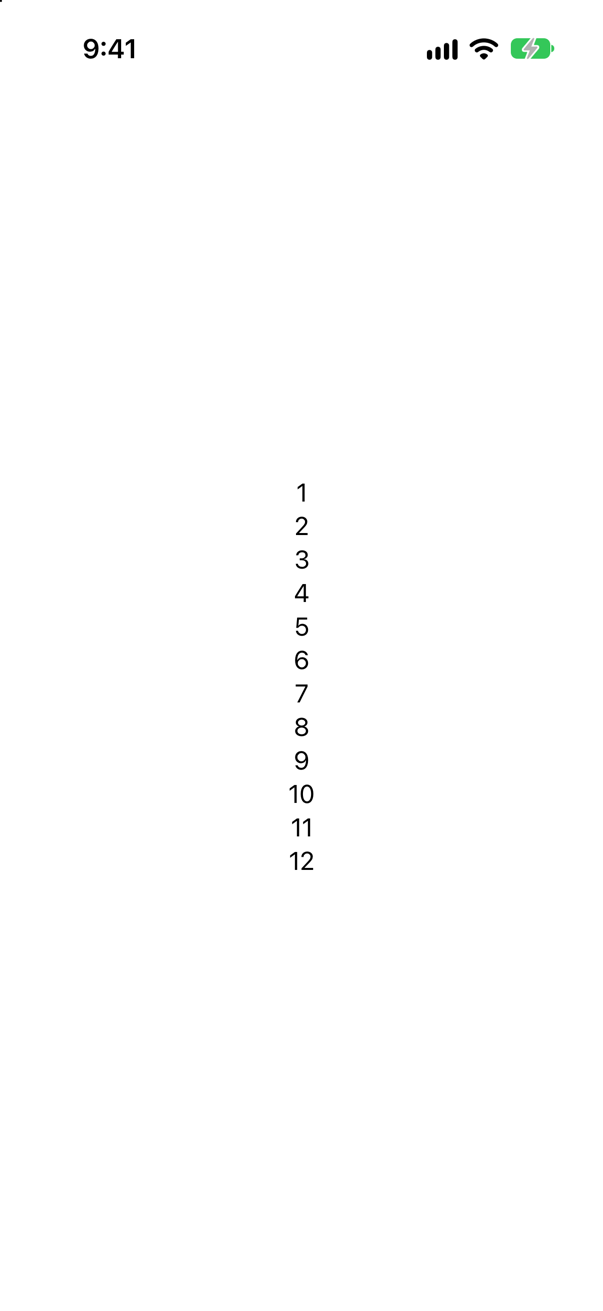
False — it was true until 2023. Twelve views compile. ViewBuilder used to have one buildBlock method for each count of views from zero to ten, and nothing for eleven. Swift 5.9 added parameter packs, which let a single generic method take any number of types, and SwiftUI's builder now has one buildBlock<each Content>.
It is worth knowing as history, because the workaround — nesting views in Group to get under the limit — is all over older code and older interview answers. Group still has real uses, such as applying a modifier to several views at once. Getting under a limit is no longer one of them.
Where this comes from: ViewBuilder · SE-0289: Result Builders — The iOS 27 SDK declares static func buildBlock<each Content>(_ content: repeat each Content).
An interviewer says: "a VStack with three Texts holds a TupleView." Your new Xcode 27 project prints something else. What does this print — and who is right?
Show the answer
Run it. The console shows
VStack<TupleContent<Pack{Text, Text, Text}>>Both of you. Built the way Xcode 27 sets up a new project — deployment target 27 — it prints VStack<TupleContent<Pack{Text, Text, Text}>>. The same code built with a deployment target of 26 prints VStack<TupleView<(Text, Text, Text)>>.
TupleContent is new in the 2026 SDKs. The builder has gained a second buildBlock, marked as available from iOS 27, which does not require its contents to be views; the compiler picks it when your deployment target allows. Everything written about SwiftUI before 2026, and every project that still supports an older iOS, says TupleView. They do the same job: one value that holds the views of a block, side by side. Say which one you mean and you will sound like someone who has read the release notes.
Where this comes from: TupleContent (iOS 27) · ContentBuilder (Xcode 27) · Fatbobman: ContentBuilder explained — the secret behind SwiftUI’s type-checking speedup (Aug 2026) — Apple: “TupleContent will be constructed on your behalf when using a ContentBuilder.”
Xcode 27 code is full of @ContentBuilder. Is it a new result builder that replaces @ViewBuilder?
Show the answer
Run it. The console shows
trueNo — it is the same type. It printed true: ContentBuilder is declared as typealias ContentBuilder = ViewBuilder, and your existing @ViewBuilder code is unchanged.
What changed is the builder itself. Its methods used to insist that every statement in a block was a View. They no longer do, so the one builder can now build toolbar content and menu commands as well as views — Apple calls it "the unified replacement for type-specific builders like ToolbarContentBuilder and CommandsBuilder" — and the new name says so.
The practical effect is speed. With the constraint gone, the compiler no longer has to try each kind of content at every level of nesting. Fatbobman measured one five-level view that took 11 seconds to type-check in Xcode 26.6 and 27 milliseconds in Xcode 27. So the dreaded "unable to type-check this expression in reasonable time" should be much rarer than older advice assumes.
Where this comes from: ContentBuilder (Xcode 27) · Fatbobman: ContentBuilder explained — the secret behind SwiftUI’s type-checking speedup (Aug 2026) · WWDC26: What’s new in SwiftUI · Apple: iOS & iPadOS 27 release notes — Apple's documentation of ContentBuilder; the timings are from Fatbobman's analysis (August 2026), measured on a beta.
A builder turns if/else into _ConditionalContent<A, B>. What does it do with if #available? Predict the type this prints.
Show the answer
Run it. The console shows
_ConditionalContent<AnyView, Image>_ConditionalContent<AnyView, Image>. The first branch is not a Text in the type — it has been wrapped in AnyView.
The reason is the purpose of #available: the branch may use a view type that does not exist on older systems. If that type appeared inside the block's own type, the whole view could not even be named on an older system. So the builder has a method for exactly this case, buildLimitedAvailability, and SwiftUI's version erases the type. It is the one place where SwiftUI puts an AnyView into your view tree without your asking — worth knowing if you ever chase a performance problem into an availability check.
Where this comes from: SE-0289: Result Builders · SE-0360: Opaque result types with limited availability · ViewBuilder — SE-0289, “Availability”: buildLimitedAvailability exists so that a type from a newer OS does not leak into the block's type.
if, if let, switch and ForEach all work inside a view builder. Does do/catch?
Show the answer
It does not compile. Xcode reports
closure containing control flow statement cannot be used with result builder 'ViewBuilder'No. A builder can only handle the statements it has a method for. if and if let use buildOptional or buildEither; switch uses buildEither too (the switch version of the same view compiles); for needs buildArray, which SwiftUI's builder does not have. There is no method at all for do/catch, while, break, continue or defer.
It also tells you something about design. A view's body is not the place for work that can fail. Do the throwing work elsewhere — in the model, or in a .task — store the outcome as state, and let body simply switch over that state:

Where this comes from: SE-0289: Result Builders · Hacking with Swift interview question: What are result builders and when are they used? — SE-0289 lists the statements a result builder can transform.
Each row of this ForEach is either a Text or an Image, decided as the row is made. Rows of two different types in one loop: does it compile — and what type is the loop?
Show the answer
Run it. The console shows
ForEach<Array<String>, String, _ConditionalContent<Text, Image>>Yes. It prints ForEach<Array<String>, String, _ConditionalContent<Text, Image>>. ForEach's closure is a builder block of its own: the SDK declares the parameter as @ContentBuilder content: @escaping (Data.Element) -> Content. So the if/else becomes one type, _ConditionalContent<Text, Image>, and that is the type of every row. Which branch a row takes is decided when the row is made; the set of branches it can take was fixed when the code was compiled.
That is the limit worth stating in an interview. A builder can describe any number of alternatives you can write down — add a third branch, a Divider, and the loop becomes ForEach<Array<String>, String, _ConditionalContent<_ConditionalContent<Text, Image>, Divider>> — but not a shape that only the data knows, such as views nested to a depth read from a server. That is the case AnyView is for: lesson 3's AnyWidget, in SwiftUI.
Where this comes from: SE-0289: Result Builders · ForEach — The iOS 27 SDK declares ForEach.init(_ data: Data, id: KeyPath<Data.Element, ID>, @ContentBuilder content: @escaping (Data.Element) -> Content).
Further reading
A helper that will not compile
“A colleague's helper refuses to build. Tell me why in one sentence. Then fix it three different ways, and say which one you would ship.”
Where this comes from: Senior iOS Interview Preparation (GitHub) · SE-0244: Opaque Result Types
Show the answer
The one sentence: some View promises the compiler one concrete type, chosen by the function — and these two return statements hand back a Text and a Label. The compiler says exactly that: “function declares an opaque return type 'some View', but the return statements in its body do not have matching underlying types.”
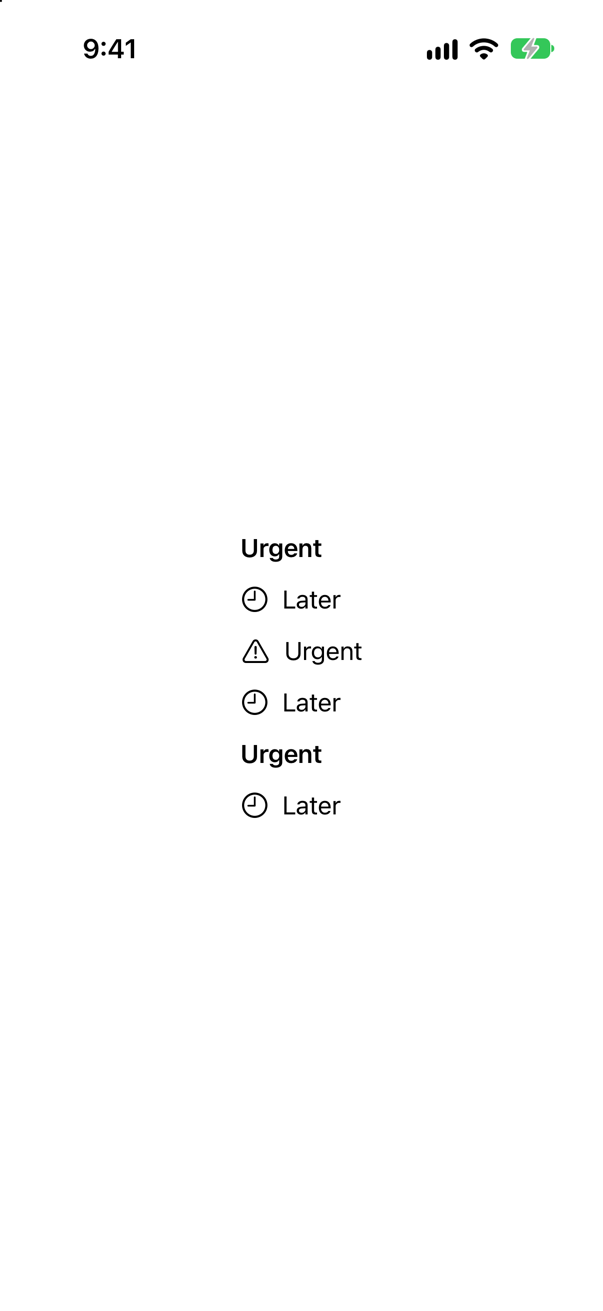
Ship the first. @ViewBuilder turns the if/else into a single type (_ConditionalContent), so the promise holds and SwiftUI keeps full type information. The second is best when both branches really are the same kind of thing. AnyView compiles, but it erases the type information SwiftUI uses to update efficiently, so use it last — and say so.
What interviewers listen for: That you can explain it plainly: the caller does not choose the type, the function does, and it must choose one. Then that you bring up the cost of AnyView without being asked.