A file from 2016, brought up to date
Macros · Everything else that changed since 2016
You will buildA data layer for TinyUI written the 2016 way — a failable initializer, JSONSerialization, a completion handler — brought up to date a piece at a time, printing the same five lines after every change: Codable, if let trip {, switch as a value, async/await, an error type the compiler checks. Then one macro, #Predicate, expanded and read.
TimeAbout 2 hours
WhyTen years of smaller language changes stand between the Swift you wrote in 2016 and the Swift in a SwiftUI project: Codable, if let trip {, switch as a value, key paths, async/await, errors with a type. The quickest way to learn what each is for is to take a file written the old way and modernize it a piece at a time, checking after each change that it still prints the same thing — which is what this lesson does. The four biggest changes get a lesson each, the four lessons after this one: key paths, Codable, async/await and Observation. This lesson uses the first three in passing and leaves the fourth alone. Then macros, the other thing that makes SwiftUI code look strange: one is expanded and read, so that none of them is magic.
Open TinyUI again
This lesson goes back to TinyUI, the miniature SwiftUI you built in Part 2 — it last ran on lesson 4 — so there is no new project to set up.
Open your
TinyUIproject from lesson 4: double-clickTinyUI.xcodeprojin Finder, or choose File ▸ Open… (⌘O) in Xcode.If you no longer have it, or would rather start from a known state, download TinyUI-lesson-04.zip instead. It is the project exactly as it stood at the end of lesson 4. Unzip it and open
TinyUI.xcodeproj.Run it (⌘R). Xcode's console shows where lesson 4 ended:
+--------------+
| Seattle      |
| * favorite   |
| - Pike Place |
| - Alki Beach |
+--------------+
Bordered<Column<Column<Line, Optional<Line>>, LoopEach<Array<String>, String, Line>>>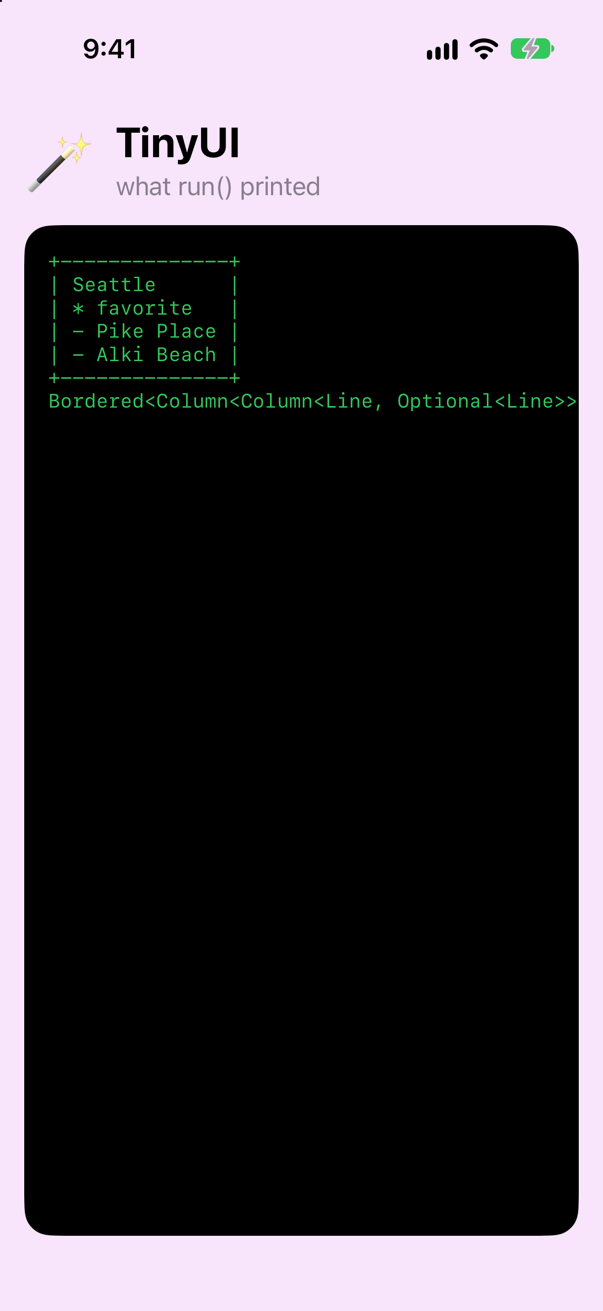
The same lines, on the phoneScreenshot · iPhone 17, iOS 27.0 Add a file for this lesson's data. Choose File ▸ New ▸ File from Template… (⌘N). Under Source, select Swift File, and click Next. Name it
Modeland click Create.
Start with code from 2016
Here is a small data layer written the way you would have written it in Swift 3. A struct with a failable initializer that picks its values out of a dictionary. JSONSerialization. A switch that assigns to a variable. if let trip = trip. A completion handler, called back on the main queue. All of it still compiles today.
Put it in Model.swift. This once, copy and paste: it is the old way, and you have typed enough of it in your life.
import Foundation

let sampleJSON = """
[
  { "id": 1, "city": "Seattle",   "nights": 5, "isFavorite": true  },
  { "id": 2, "city": "Vancouver", "nights": 3, "isFavorite": false },
  { "id": 3, "city": "Victoria",  "nights": 1, "isFavorite": false }
]
"""

struct Trip {
    let id: Int
    var city: String
    var nights: Int
    var isFavorite: Bool

    init?(json: [String: Any]) {
        guard let id = json["id"] as? Int,
              let city = json["city"] as? String,
              let nights = json["nights"] as? Int,
              let isFavorite = json["isFavorite"] as? Bool else {
            return nil
        }
        self.id = id
        self.city = city
        self.nights = nights
        self.isFavorite = isFavorite
    }
}

func loadTrips(from json: String) -> [Trip]? {
    guard let data = json.data(using: .utf8),
          let object = try? JSONSerialization.jsonObject(with: data, options: []),
          let array = object as? [[String: Any]] else {
        return nil
    }
    var trips: [Trip] = []
    for item in array {
        guard let trip = Trip(json: item) else {
            return nil
        }
        trips.append(trip)
    }
    return trips
}

func nightsLabel(for trip: Trip) -> String {
    var label: String
    switch trip.nights {
    case 0:
        label = "day trip"
    case 1:
        label = "1 night"
    default:
        label = "\(trip.nights) nights"
    }
    return label
}

func describe(_ trip: Trip?) -> String {
    if let trip = trip {
        var mark = " "
        if trip.isFavorite {
            mark = "*"
        }
        return "\(mark) \(trip.city), \(nightsLabel(for: trip))"
    } else {
        return "No trip selected"
    }
}

func fetchTrips(completion: @escaping ([Trip]?) -> Void) {
    DispatchQueue.main.asyncAfter(deadline: .now() + 0.3) {      // stands in for the network
        completion(loadTrips(from: sampleJSON))
    }
}
One thing in it is not from 2016: the three quotation marks around the JSON. Multi-line strings arrived a year later, in Swift 4. Before that you would have put a backslash in front of every quote.
Now use it, in the same style:
func run() { let card = TripCard(city: "Seattle", isFavorite: true, stops: ["Pike Place", "Alki Beach"]) show(card) print(type(of: card.body)) fetchTrips { trips in if let trips = trips { print(describe(trips.first)) print(describe(trips.first(where: { $0.city == "Portland" }))) print(trips.map { $0.city }) print(trips.sorted(by: { $0.nights < $1.nights }).map { nightsLabel(for: $0) }) print(trips.filter { $0.isFavorite }.count) } else { print("The trips could not be loaded.") } }}func run() {
fetchTrips { trips in
if let trips = trips {
print(describe(trips.first))
print(describe(trips.first(where: { $0.city == "Portland" })))
print(trips.map { $0.city })
print(trips.sorted(by: { $0.nights < $1.nights }).map { nightsLabel(for: $0) })
print(trips.filter { $0.isFavorite }.count)
} else {
print("The trips could not be loaded.")
}
}
}Run the app (⌘R). Xcode’s console shows
* Seattle, 5 nights
No trip selected
["Seattle", "Vancouver", "Victoria"]
["1 night", "3 nights", "5 nights"]
1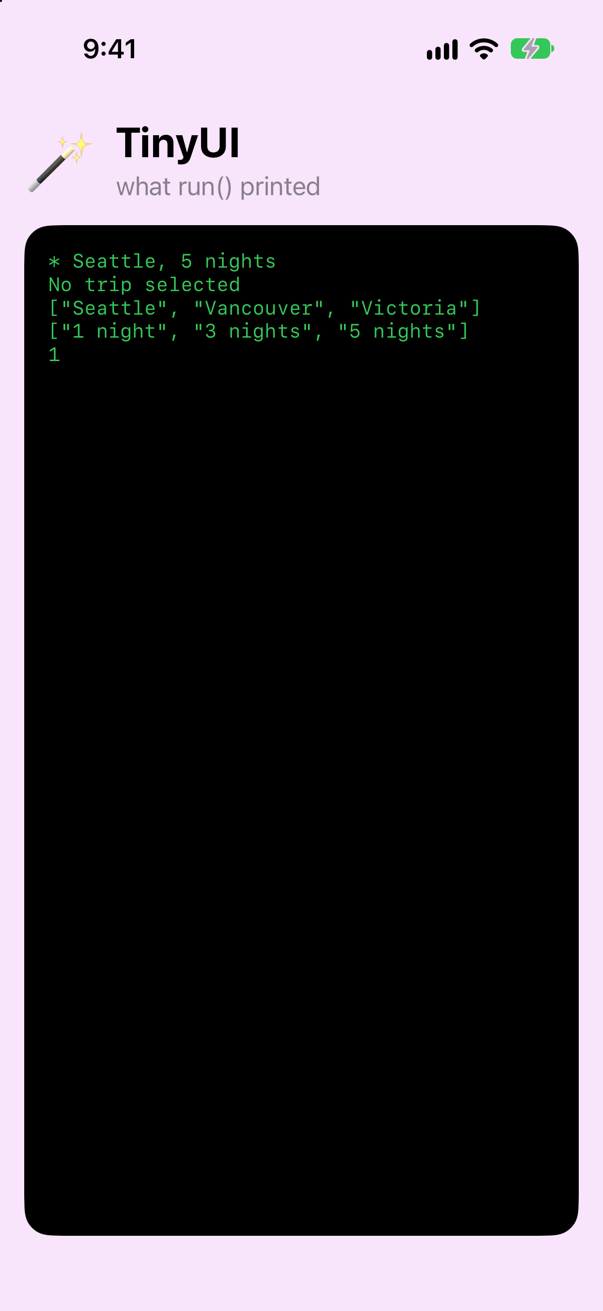
Remember those five lines. Each of the next four steps replaces part of the file with its modern form, and after each one the app must still print exactly this.
Codable: the compiler writes the parsing
The initializer of Trip says only one thing, four times over: this property comes from the key of the same name. Since Swift 4 the compiler can write that itself. Say that the struct is Codable, and delete the initializer:
struct Trip {struct Trip: Codable, Identifiable, Equatable { let id: Int var city: String var nights: Int var isFavorite: Bool init?(json: [String: Any]) { guard let id = json["id"] as? Int, let city = json["city"] as? String, let nights = json["nights"] as? Int, let isFavorite = json["isFavorite"] as? Bool else { return nil } self.id = id self.city = city self.nights = nights self.isFavorite = isFavorite }}struct Trip: Codable, Identifiable, Equatable {
let id: Int
var city: String
var nights: Int
var isFavorite: Bool
}Then JSONDecoder does the work of JSONSerialization, the casts and the loop:
func loadTrips(from json: String) -> [Trip]? { guard let data = json.data(using: .utf8), let object = try? JSONSerialization.jsonObject(with: data, options: []), let array = object as? [[String: Any]] else { return nil } var trips: [Trip] = [] for item in array { guard let trip = Trip(json: item) else { return nil } trips.append(trip) } return trips try? JSONDecoder().decode([Trip].self, from: Data(json.utf8))}func loadTrips(from json: String) -> [Trip]? {
try? JSONDecoder().decode([Trip].self, from: Data(json.utf8))
}Run the app again (⌘R), without touching run(). The same five lines
* Seattle, 5 nights
No trip selected
["Seattle", "Vancouver", "Victoria"]
["1 night", "3 nights", "5 nights"]
1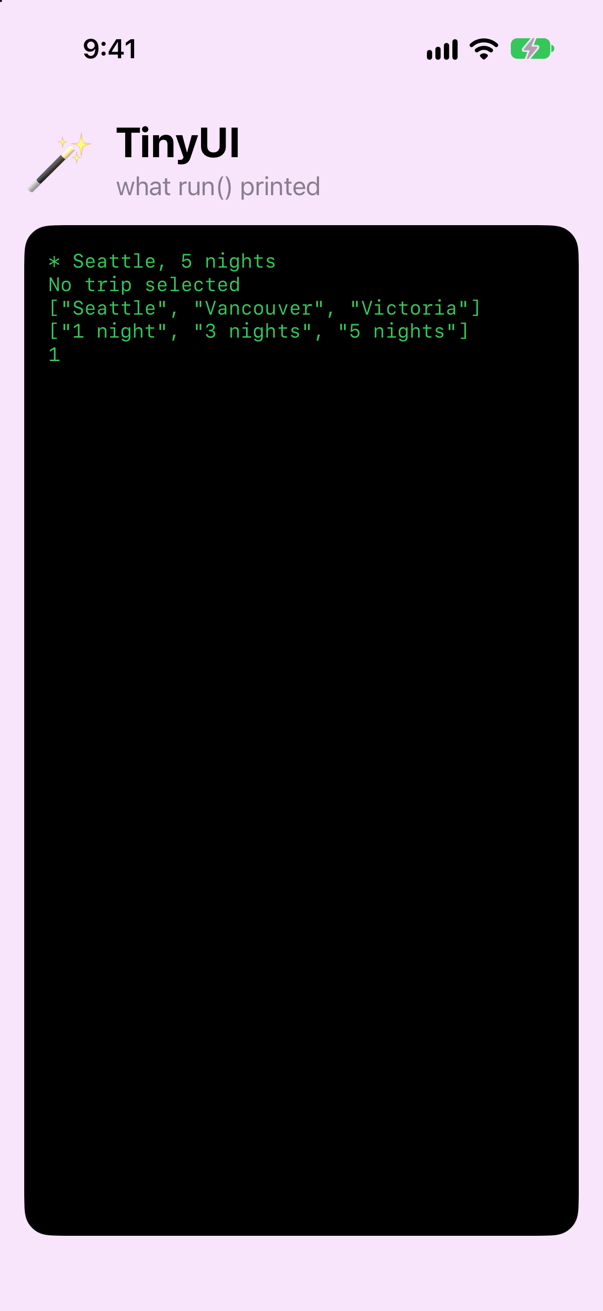
Thirty-four lines became nine. Three words in the new Trip did that, and each is something the compiler now writes for you:
| You write | The compiler adds | Since |
|---|---|---|
Codable | init(from:) and encode(to:), which read and write each property under its own name. (Codable is Decodable and Encodable together.) | Swift 4 |
Equatable | ==, comparing property by property. It works for any struct whose properties are all Equatable. | Swift 4.1 |
Identifiable | Nothing — it only promises that there is an id. SwiftUI's lists use it to tell one row from another. | Swift 5.1 |
Code that the compiler writes from the shape of your type: keep that idea in mind. What it writes for Codable, and how to take over when the JSON does not match, is a lesson of its own, lesson 14; for now the one word is enough.
Shorter optionals, and if and switch as values
Two functions in the file spend most of their lines on ceremony. nightsLabel declares a variable, assigns it in every branch, and returns it. Since Swift 5.9 a switch can simply be the value:
func nightsLabel(for trip: Trip) -> String { var label: String switch trip.nights { case 0: label = "day trip" case 1: label = "1 night" default: label = "\(trip.nights) nights" case 0: "day trip" case 1: "1 night" default: "\(trip.nights) nights" } return label}func nightsLabel(for trip: Trip) -> String {
switch trip.nights {
case 0: "day trip"
case 1: "1 night"
default: "\(trip.nights) nights"
}
}Each branch is one expression, and the value of the chosen branch is the value of the switch. There is no return either: a function whose body is a single expression returns it (Swift 5.1). You have been relying on that since lesson 3 — it is why var body: some View has no return.
describe unwraps an optional and builds a string:
func describe(_ trip: Trip?) -> String { if let trip = trip { var mark = " " if trip.isFavorite { mark = "*" } return "\(mark) \(trip.city), \(nightsLabel(for: trip))" } else { return "No trip selected" } guard let trip else { return "No trip selected" } let mark = if trip.isFavorite { "*" } else { " " } return "\(mark) \(trip.city), \(nightsLabel(for: trip))"}func describe(_ trip: Trip?) -> String {
guard let trip else { return "No trip selected" }
let mark = if trip.isFavorite { "*" } else { " " }
return "\(mark) \(trip.city), \(nightsLabel(for: trip))"
}guard let trip else is short for guard let trip = trip else (Swift 5.7); if let trip { works the same way. And if can be a value too, as long as every branch is one expression and there is an else.
The same tidying works in run(). Three of its closures do nothing but name a property:
func run() { fetchTrips { trips in if let trips = trips { if let trips { print(describe(trips.first)) print(describe(trips.first(where: { $0.city == "Portland" }))) print(trips.map { $0.city }) print(trips.sorted(by: { $0.nights < $1.nights }).map { nightsLabel(for: $0) }) print(trips.filter { $0.isFavorite }.count) print(describe(trips.first { $0.city == "Portland" })) print(trips.map(\.city)) print(trips.sorted(using: KeyPathComparator(\.nights)).map { nightsLabel(for: $0) }) print(trips.filter(\.isFavorite).count) } else { print("The trips could not be loaded.") } }}func run() {
fetchTrips { trips in
if let trips {
print(describe(trips.first))
print(describe(trips.first { $0.city == "Portland" }))
print(trips.map(\.city))
print(trips.sorted(using: KeyPathComparator(\.nights)).map { nightsLabel(for: $0) })
print(trips.filter(\.isFavorite).count)
} else {
print("The trips could not be loaded.")
}
}
}Run the app (⌘R). Xcode’s console shows
* Seattle, 5 nights
No trip selected
["Seattle", "Vancouver", "Victoria"]
["1 night", "3 nights", "5 nights"]
1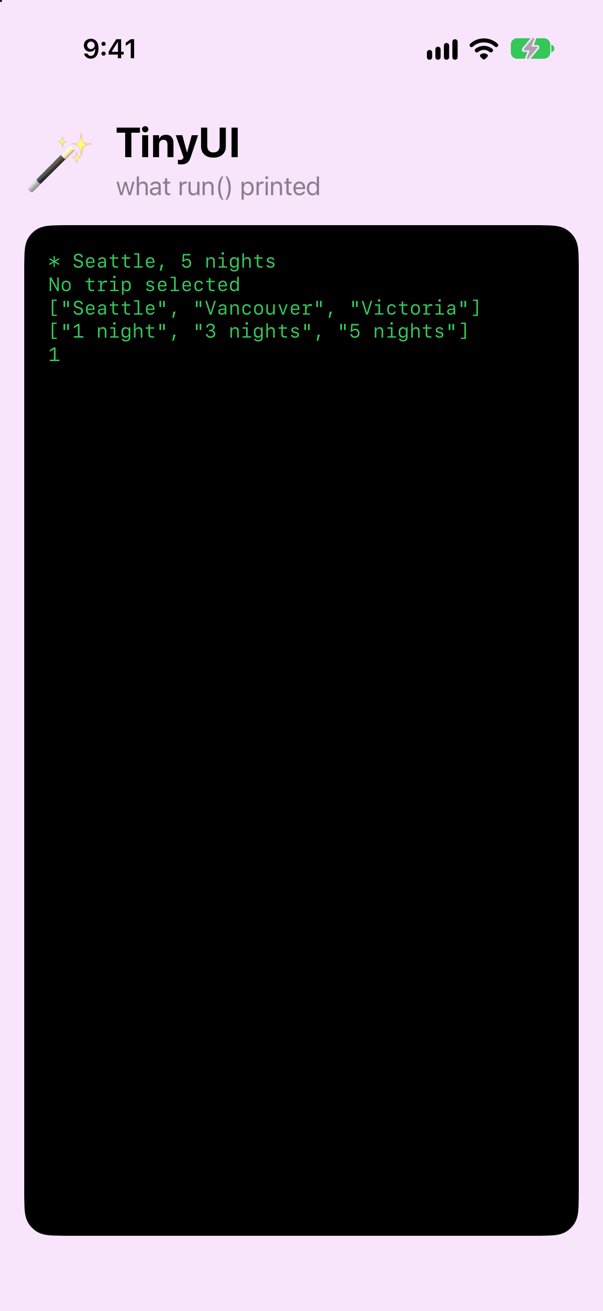
\.city is a key path: the property city, as a value you can pass around. Wherever Swift expects a function from a trip to something, you may hand it a key path instead (Swift 5.2): map(\.city) means map { $0.city }, and filter(\.isFavorite) means filter { $0.isFavorite }. KeyPathComparator(\.nights) is Foundation's way of saying "sort by this property". What a key path really is — and why SwiftUI takes one wherever it can — is the next lesson, lesson 13.
async and await instead of a completion handler
The last piece of 2016 is fetchTrips(completion:). Replace it:
func fetchTrips(completion: @escaping ([Trip]?) -> Void) { DispatchQueue.main.asyncAfter(deadline: .now() + 0.3) { // stands in for the network completion(loadTrips(from: sampleJSON)) }func fetchTrips() async -> [Trip]? { try? await Task.sleep(for: .milliseconds(300)) // stands in for the network return loadTrips(from: sampleJSON)}func fetchTrips() async -> [Trip]? {
try? await Task.sleep(for: .milliseconds(300)) // stands in for the network
return loadTrips(from: sampleJSON)
}It no longer takes a closure. It is marked async, and it returns the trips. A caller writes await in front of the call:
func run() { fetchTrips { trips in if let trips { Task { if let trips = await fetchTrips() { print(describe(trips.first)) print(describe(trips.first { $0.city == "Portland" })) print(trips.map(\.city)) print(trips.sorted(using: KeyPathComparator(\.nights)).map { nightsLabel(for: $0) }) print(trips.filter(\.isFavorite).count) } else { print("The trips could not be loaded.") } }}func run() {
Task {
if let trips = await fetchTrips() {
print(describe(trips.first))
print(describe(trips.first { $0.city == "Portland" }))
print(trips.map(\.city))
print(trips.sorted(using: KeyPathComparator(\.nights)).map { nightsLabel(for: $0) })
print(trips.filter(\.isFavorite).count)
} else {
print("The trips could not be loaded.")
}
}
}Run the app (⌘R). Xcode’s console shows
* Seattle, 5 nights
No trip selected
["Seattle", "Vancouver", "Victoria"]
["1 night", "3 nights", "5 nights"]
1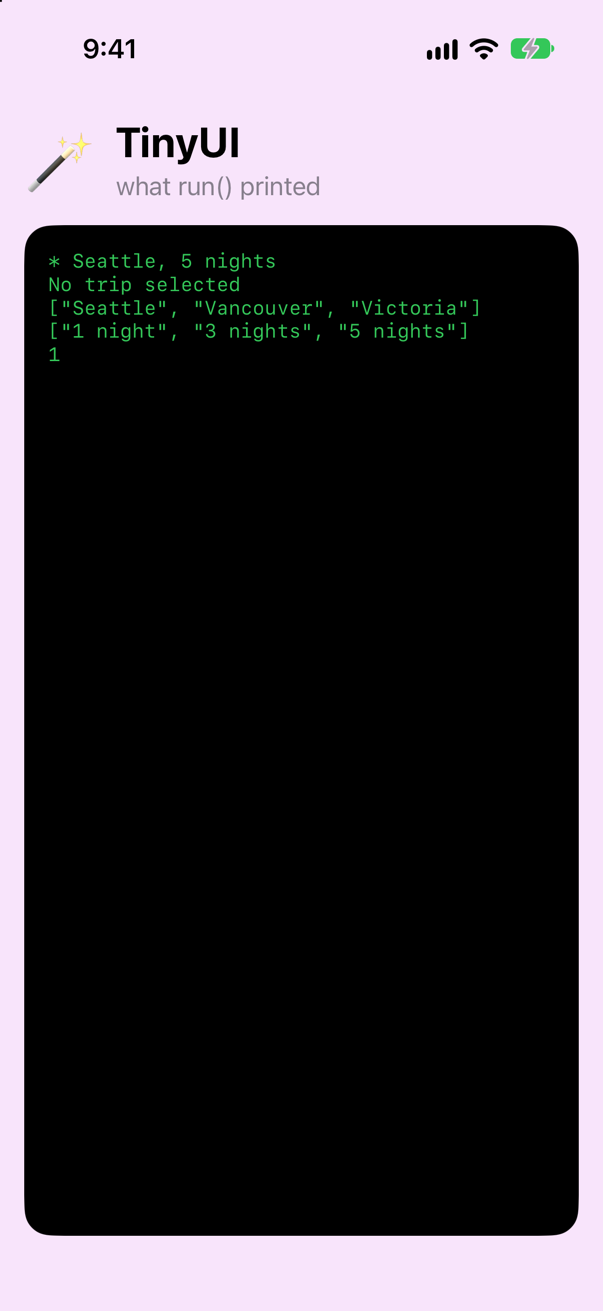
The code after the await runs when the result is there, as the body of the completion handler did. But it reads from top to bottom, it can use if let and return in the ordinary way, and there is no handler to forget to call.
Two details. run() is an ordinary function, and an ordinary function cannot wait: await is only allowed in code that is itself async. Task { … } is the bridge — it starts a piece of work that is allowed to wait. In a SwiftUI view you will use the .task modifier for the same job. And Task.sleep(for: .milliseconds(300)) is the modern asyncAfter: it pauses this piece of work without blocking a thread.
async and await get a lesson of their own, lesson 15, and concurrency a whole part of this course (Part 11). Until then, three words are enough: async on the function, await at the call, Task to start.
Errors that say what went wrong
One weakness is left. When anything goes wrong, loadTrips returns nil, so all a caller can say is "could not be loaded". throws existed in 2016. What is new is that a function can say which type of error it throws (Swift 6). Add an error type to Model.swift:
enum LoadError: Error {
    case notJSON
    case missing(field: String)
    case other(String)
}func loadTrips(from json: String) -> [Trip]? { try? JSONDecoder().decode([Trip].self, from: Data(json.utf8))func loadTrips(from json: String) throws(LoadError) -> [Trip] { do { return try JSONDecoder().decode([Trip].self, from: Data(json.utf8)) } catch DecodingError.keyNotFound(let key, _) { throw .missing(field: key.stringValue) } catch DecodingError.dataCorrupted { throw .notJSON } catch { throw .other("\(error)") }}func loadTrips(from json: String) throws(LoadError) -> [Trip] {
do {
return try JSONDecoder().decode([Trip].self, from: Data(json.utf8))
} catch DecodingError.keyNotFound(let key, _) {
throw .missing(field: key.stringValue)
} catch DecodingError.dataCorrupted {
throw .notJSON
} catch {
throw .other("\(error)")
}
}func fetchTrips() async -> [Trip]? {func fetchTrips() async throws(LoadError) -> [Trip] { try? await Task.sleep(for: .milliseconds(300)) // stands in for the network return loadTrips(from: sampleJSON) return try loadTrips(from: sampleJSON)}func fetchTrips() async throws(LoadError) -> [Trip] {
try? await Task.sleep(for: .milliseconds(300)) // stands in for the network
return try loadTrips(from: sampleJSON)
}Try it on JSON with a field missing:
func run() { Task { if let trips = await fetchTrips() { print(describe(trips.first)) print(describe(trips.first { $0.city == "Portland" })) print(trips.map(\.city)) print(trips.sorted(using: KeyPathComparator(\.nights)).map { nightsLabel(for: $0) }) print(trips.filter(\.isFavorite).count) } else { print("The trips could not be loaded.") let broken = #"[{ "id": 1, "city": "Seattle", "nights": 5 }]"# do { let trips = try loadTrips(from: broken) print(trips.count) } catch { switch error { case .notJSON: print("That is not JSON.") case .missing(let field): print("Every trip needs a value for \(field).") case .other(let message): print(message) } }}func run() {
let broken = #"[{ "id": 1, "city": "Seattle", "nights": 5 }]"#
do {
let trips = try loadTrips(from: broken)
print(trips.count)
} catch {
switch error {
case .notJSON: print("That is not JSON.")
case .missing(let field): print("Every trip needs a value for \(field).")
case .other(let message): print(message)
}
}
}Run the app (⌘R). Xcode’s console shows
Every trip needs a value for isFavorite.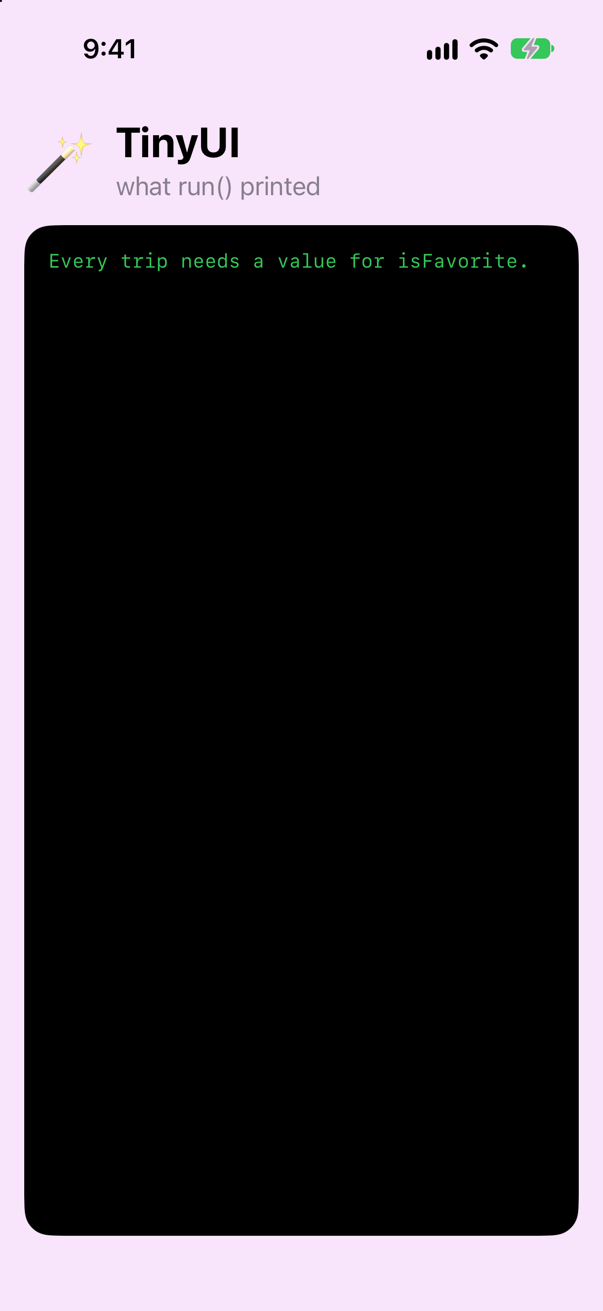
Four things to notice.
| In the code | What it means |
|---|---|
throws(LoadError) | This function throws a LoadError and nothing else. |
throw .missing(field: …) | The type is known, so the case name is enough. |
catch { switch error { | In the catch, error is a LoadError, not any Error. So the switch needs no default: the compiler knows the three cases are all there are. |
#"…"# | A raw string (Swift 5). Quotes and backslashes inside it are ordinary characters, which is what you want for a line of JSON. |
Now the real thing again, with try await — the five lines are back:
func run() { let broken = #"[{ "id": 1, "city": "Seattle", "nights": 5 }]"# do { let trips = try loadTrips(from: broken) print(trips.count) } catch { switch error { case .notJSON: print("That is not JSON.") case .missing(let field): print("Every trip needs a value for \(field).") case .other(let message): print(message) Task { do throws(LoadError) { let trips = try await fetchTrips() print(describe(trips.first)) print(describe(trips.first { $0.city == "Portland" })) print(trips.map(\.city)) print(trips.sorted(using: KeyPathComparator(\.nights)).map { nightsLabel(for: $0) }) print(trips.filter(\.isFavorite).count) } catch { switch error { case .notJSON: print("That is not JSON.") case .missing(let field): print("Every trip needs a value for \(field).") case .other(let message): print(message) } } }}func run() {
Task {
do throws(LoadError) {
let trips = try await fetchTrips()
print(describe(trips.first))
print(describe(trips.first { $0.city == "Portland" }))
print(trips.map(\.city))
print(trips.sorted(using: KeyPathComparator(\.nights)).map { nightsLabel(for: $0) })
print(trips.filter(\.isFavorite).count)
} catch {
switch error {
case .notJSON: print("That is not JSON.")
case .missing(let field): print("Every trip needs a value for \(field).")
case .other(let message): print(message)
}
}
}
}Run the app (⌘R). Xcode’s console shows
* Seattle, 5 nights
No trip selected
["Seattle", "Vancouver", "Victoria"]
["1 night", "3 nights", "5 nights"]
1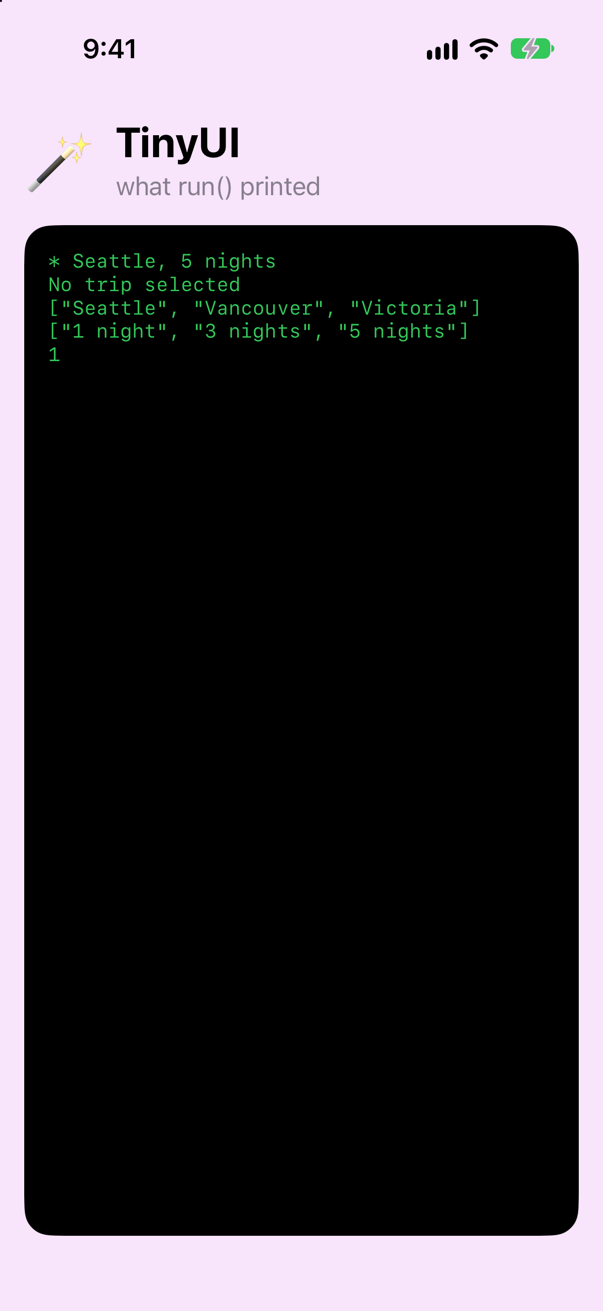
One difference from the code before it: do throws(LoadError). In the body of a function, Swift works out from the calls inside a do which error type it can throw. Inside a closure — and the braces of Task { … } are a closure — it does not do that yet, and error would be a plain any Error. So there you say it yourself.
ResultBetween 2019 and 2021 the usual way to hand success or failure to a completion handler was Result<[Trip], LoadError> (Swift 5). You will find it in code from those years. try result.get() turns one back into a value or a thrown error. With async functions that can throw, new code rarely needs it.
That is the whole file brought up to date. Look back at step 2: the same five lines of output, from about a third of the code.
A macro, expanded
A SwiftUI project is full of macros: @Observable, #Preview, @Model, @Entry, and since Xcode 27 @State. A macro (Swift 5.9) generates Swift source while your code is being compiled, and Xcode shows you every line it wrote. The attached kind is written with @ and adds code to the declaration it is attached to — @Observable, the biggest of them, has a lesson of its own, lesson 16, where you write by hand what it writes and then read its expansion. The other kind is freestanding: written with a #, it stands on its own and expands into code on the spot. #Preview, which you have used since lesson 5, is one. Another is #Predicate, which turns a closure into a description of the closure: a value that can be inspected, saved, or handed to a database. Try it on the trips:
func run() { Task { do throws(LoadError) { let trips = try await fetchTrips() print(describe(trips.first)) print(describe(trips.first { $0.city == "Portland" })) print(trips.map(\.city)) print(trips.sorted(using: KeyPathComparator(\.nights)).map { nightsLabel(for: $0) }) print(trips.filter(\.isFavorite).count) } catch { switch error { case .notJSON: print("That is not JSON.") case .missing(let field): print("Every trip needs a value for \(field).") case .other(let message): print(message) } guard let trips = try? await fetchTrips() else { return } let longStay = #Predicate<Trip> { $0.nights >= 3 } if let longStays = try? trips.filter(longStay) { print(longStays.map(\.city)) } }}func run() {
Task {
guard let trips = try? await fetchTrips() else { return }
let longStay = #Predicate<Trip> { $0.nights >= 3 }
if let longStays = try? trips.filter(longStay) {
print(longStays.map(\.city))
}
}
}Run the app (⌘R). Xcode’s console shows
["Seattle", "Vancouver"]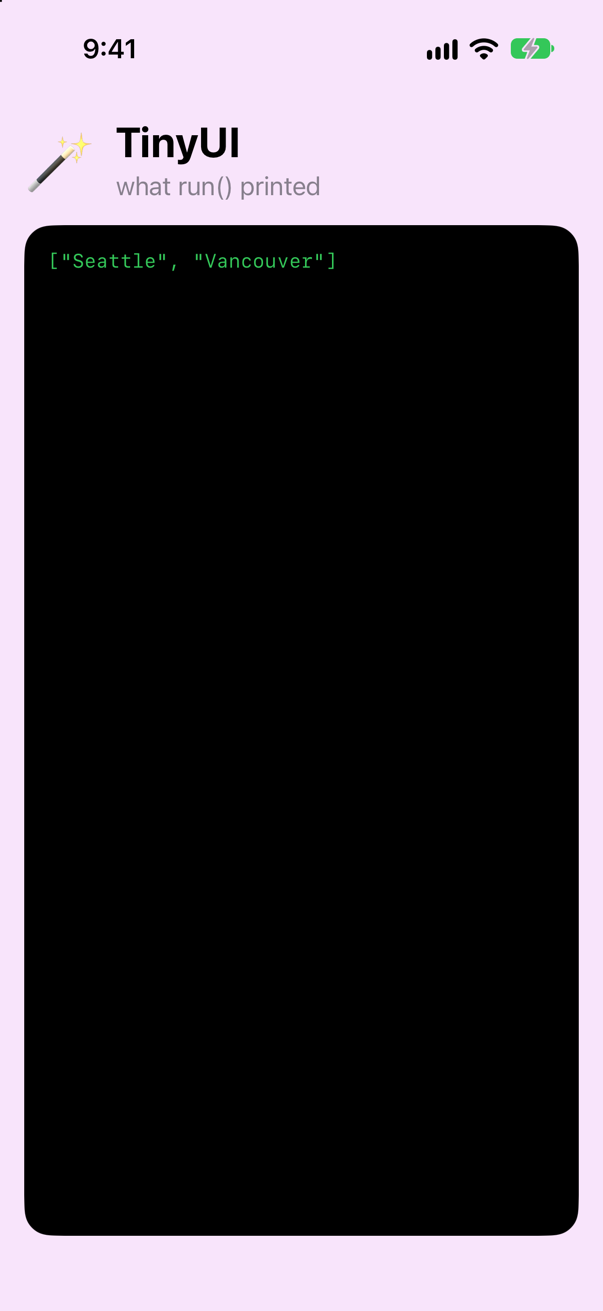
longStays holds the trips of three nights or more; Victoria, at one night, is gone. So far that is what filter { $0.nights >= 3 } would have done. The difference is what longStay is. Expand the macro (click on #Predicate, then Editor ▸ Expand Macro):
func run() {
    Task {
        guard let trips = try? await fetchTrips() else { return }
        let longStay = Foundation.Predicate<Trip>({
            PredicateExpressions.Foundation::build_Comparison(
                lhs: PredicateExpressions.Foundation::build_KeyPath(
                    root: PredicateExpressions.Foundation::build_Arg($0),
                    keyPath: \.nights
                ),
                rhs: PredicateExpressions.Foundation::build_Arg(3),
                op: .greaterThanOrEqual
            )
        })
        if let longStays = try? trips.filter(longStay) {
            print(longStays.map(\.city))
        }
    }
}
Your closure was never compiled as a closure. The macro read $0.nights >= 3 as source code and rewrote it as a tree of values: a comparison, between the key path \.nights and the number 3. A tree like that can be inspected and translated — SwiftData turns one into a database query (lesson 35) — which a closure cannot. (Foundation:: is Swift 6.3's way of writing "the Foundation module's", so that a name of yours can never be taken for it.)
A macro can only add. It cannot change or delete a line you wrote, and it cannot read anything but the code it is attached to — one of the edge cases below has the compiler say so. These are the macros you will meet in a SwiftUI project:
| Macro | Kind | What it writes |
|---|---|---|
@Observable | attached | Storage and accessors for every property, so that reads and changes can be tracked (lesson 16). |
@State | attached | The storage you met on lesson 2. A macro since Xcode 27, so that the initial value is created only once. |
#Preview | freestanding | A declaration that Xcode's canvas finds and draws (lesson 5). |
#Predicate | freestanding | A Predicate value built from the code of a closure. |
@Entry | attached | An environment key and its accessors (lesson 19). |
@Model | attached | What a class needs to be saved by SwiftData (lesson 35). |
What you built
- A file of 2016 Swift, brought up to date:
Codable,guard let trip,ifandswitchas values,async/await, an error type the compiler checks — and the same five lines of output after every change. - A macro expanded and read:
#Predicate, which turns a closure into a description of itself — and the list of the macros a SwiftUI project uses.
That is the last of TinyUI: a miniature SwiftUI that prints to the console, with a data layer from 2016 brought up to date inside it. Next, key paths — what \.city really is, and everything SwiftUI does with one — in a small app of its own.
The finished project
Stuck, or want to compare with your own? This is the project as it stands at the end of this lesson, built and run before it was put here.
- TinyUI-lesson-12.zip — unzip it, then open
TinyUI.xcodeprojin Xcode.
Flash cards
16 cards for this lesson, each labelled with its topic. 9 ask how you would write something; the other 7 are trick questions, written to catch a misunderstanding. Answer in your head first, then tap the card.
Syntax · CodableMake a struct that can be decoded from JSON — and decode an array of them.
Conform to Codable. The compiler writes init(from:) and encode(to:) from the property names, provided every property is itself Codable. JSONDecoder().decode(_:from:) does the rest. It printed Seattle 5.
Syntax · OptionalsUnwrap an optional into a constant with the same name — without writing the name twice.
if let nights { and guard let nights else { … } (Swift 5.7). They are short for if let nights = nights.
Syntax · `if` and `switch` as valuesGive a constant one of three strings, depending on a number — without declaring it first and assigning it in every branch.
A switch can be used as a value (Swift 5.9). Each branch must be a single expression. The function could be shorter still: leave out let unit = and return unit, and the switch itself is what the function returns.
Syntax · `if` and `switch` as valuesWrite if/else as a value.
let mark = if … { … } else { … } (Swift 5.9). Each branch is one expression, and the else is required — the constant must get a value either way.
Syntax · ErrorsDeclare a function that can throw only a LoadError — and catch it.
throws(LoadError) (Swift 6). Inside the function, throw .notANumber needs no type name. In the catch, error is a LoadError, so the switch needs no default.
Syntax · `async` and `await`Write a function that waits a tenth of a second and then returns a number — and call it.
Mark the function async, and write await where you call it. The caller pauses at the await and carries on when the value is there. No completion handler, and no thread is blocked while it waits.
Syntax · StringsWrite a string that contains double quotes without a single backslash. Then one that spans several lines.
A raw string, #"…"# (Swift 5): quotes and backslashes inside it are ordinary characters. A multi-line string, """ (Swift 4): the indentation of the closing """ is taken off every line.
Syntax · ErrorsTurn a call that can throw into a Result. Then get the value back out of a Result.
Result { try … } runs the code and keeps either the value or the error. try result.get() goes the other way. Result (Swift 5) is mostly found in completion handlers written before async/await.
Syntax · MacrosBuild a Predicate that is true for trips of three nights or more, and filter an array with it.
#Predicate<Trip> { … }, a freestanding macro. It turns the code of the closure into a Predicate value. filter with a predicate can throw, hence the try. It printed ["Seattle"].
Trick question · Optionalsif let nights { unwraps a variable. Does if let trip.nights { unwrap a property?
No. unwrap condition requires a valid identifier The short form only works for a plain name. For a property, write if let nights = trip.nights {.
Trick question · `if` and `switch` as valuesIn a switch used as a value, can one branch have two statements?
No. non-expression branch of 'switch' expression may only end with a 'throw' or 'fallthrough' Each branch must be exactly one expression. If a branch needs more, use an ordinary switch that assigns to a variable, or move the extra work into a function.
Trick question · StringsWhat is "👨👩👧👦".count?
1 11 — the first number is the answer. The second is the count in UTF-16 units, which is what NSString.length reports. A Swift String is a collection of characters as a person sees them, however many code units each one takes.
Trick question · ErrorsA function is declared throws(LoadError). In the catch block, what is the type of error?
LoadError — not any Error. That is the point of typed throws: the catch knows exactly what it has caught.
Trick question · MacrosCan you put @Observable on a struct?
No. '@Observable' cannot be applied to struct type 'Settings' (from macro 'Observable') Observation is for an object that several views share and watch: one thing with an identity. A struct is copied every time it is handed on, so there would be nothing lasting to watch.
Trick question · MacrosCan a macro change or delete code that you wrote?
No — a macro only adds. The Swift book: "Expanding a macro is always an additive operation: Macros add new code, but they never delete or modify existing code." @Observable leaves your var trips exactly as you typed it. It gives the property accessors and puts storage beside it, and that is enough to turn it into a computed property.
Trick question · MacrosWhat is the difference between a macro written with @ and one written with #?
@Name is an attached macro: it is attached to a declaration and adds code to it or beside it (@Observable, @Model, @Entry). #name is a freestanding macro: it stands on its own and expands into code where it is written (#Preview, #Predicate).
Edge cases and tricky questions
7 questions of the kind an interviewer uses to find out whether you really know this — the corners, the traps, and the things that changed recently. Each has its source. Wherever the answer is what some code does, that code was compiled and run, and what you see under “Show the answer” is what it really did. Say your answer aloud before you open it.
Macros
Child keeps its model in @State. Its parent is redrawn three times in the first two seconds. How many times is Model.init printed?
Show the answer

The console shows
Model.initOnce, in a project built with Xcode 27. Each time the parent is redrawn it creates a new Child struct, four in all. But the new @State creates its initial value only when the view first appears, and never again.
An interviewer who learned this before 2026 expects a different answer, and until Xcode 27 they were right. @State used to be a property wrapper, and a property wrapper's initial value is an ordinary expression: it was evaluated every time the struct was created. Written out the way the old @State stored it, the same view prints this:
The storage written by hand, as the property wrapper used to create it
Model.init
Model.init
Model.init
Model.init
Four objects were made and three thrown away at once. SwiftUI kept only the first, so the screen was right — but any work in Model.init ran every time: starting a timer, opening a database, subscribing to notifications. It was the best-known trap in moving from @StateObject to @Observable.
Apple's release notes: "Xcode 27 introduces a new @State implementation that avoids this repeated evaluation. This new behavior back-deploys to iOS 17." It is a macro now, which is what makes it possible. Say both halves in an interview: what it does today, and what it did before.
Where this comes from: Apple: iOS & iPadOS 27 release notes · Jesse Squires: SwiftUI’s Observable macro is not a drop-in replacement for ObservableObject (2024 — the behavior Xcode 27 changed) · WWDC26: What’s new in SwiftUI — iOS & iPadOS 27 release notes, SwiftUI: "In the case of @State private var model = Model(), this means Model.init() gets called many times throughout the view’s lifetime."
A colleague suggests a macro that reads Trips.json while the app is being compiled and generates a Trip struct with a matching property for every key. Can a Swift macro do that?
Show the answer
No. A macro is a small program that the compiler runs, and it runs in a sandbox. The Swift book: "The macro implementation runs in a sandboxed environment that prevents it from accessing the file system or the network." All a macro is given is the source code it was attached to, or the arguments written between its parentheses. It cannot open a file, and it cannot look at the rest of your project.
Two more limits belong in the same answer. A macro is additive: it can add declarations, accessors and conformances, but it cannot change or delete code you wrote. And the code it produces is type-checked like any other code, so a macro cannot generate something that would not compile if you had typed it yourself.
What the colleague wants is a build-tool plug-in, or a script that generates a Swift file before the build. Knowing where macros stop is part of knowing what they are.
Where this comes from: The Swift book: Macros · Apple: Applying Macros · SE-0382: Expression Macros — SE-0382, “Sandboxing macro implementations”; Apple, “Applying Macros”: "Calling a macro is always additive."
Everything else that changed since 2016
Xcode 27 ships the Swift 6.4 compiler. You make a new project and run this. What does it print?
Show the answer
Run it. The console shows
the compiler is Swift 6 or later
the language mode is Swift 5
Two lines: the compiler is Swift 6 or later, and the language mode is Swift 5.
The compiler's version and the language mode are two different things. A Swift 6 compiler can compile in Swift 5 mode, and Xcode 27's templates ask it to: a new project has the build setting Swift Language Version set to Swift 5. #if compiler tests the first; #if swift tests the second.
The difference is what the compiler does about data races. In Swift 6 mode, code that could race does not compile. In Swift 5 mode the same problems are warnings, or are not reported at all. Every new feature — typed throws, @Observable, if expressions — works in both modes.
So "are you on Swift 6?" is an ambiguous question, and a good answer separates the two: "We build with the Swift 6.4 compiler, in Swift 5 mode, with these upcoming features turned on" — or "in Swift 6 mode".
Where this comes from: Hacking with Swift interview question: What does the #if swift syntax do? · swift.org: Swift 6 migration guide · Adopting strict concurrency in Swift 6 apps — Hacking with Swift: “What does the #if swift syntax do?” The build setting was read from Xcode 27's own project templates.
load() throws only LoadError, and both of its cases are caught. Does this compile?
Show the answer
It does not compile. Xcode reports
errors thrown from here are not handled because the enclosing catch is not exhaustiveNo. errors thrown from here are not handled because the enclosing catch is not exhaustive A switch checks that its cases cover everything. A list of catch clauses does not. To the compiler, a do is fully handled only if it ends in a catch with no pattern.
So with typed throws you write one plain catch, and switch inside it. There the compiler does check, and needs no default:
The second thing it does not work out: move that same do/catch inside a closure — the braces of Task { … }, a button's action — and it fails with type 'any Error' has no member 'notJSON' In a closure, error is back to being any Error. The proposal's inference for closures was never implemented and is now listed under future directions. Until it is, write the type on the do: do throws(LoadError) { … } catch { … }. You met this in this lesson's tutorial.
And a point to have ready, because interviewers ask when you would use typed throws at all. The proposal itself says: not often. "Even with the addition of typed throws to Swift, untyped throws is better for most scenarios." A typed error is a promise about every future version of the function. It suits code where the caller really will handle each case — inside one module, or in generic code that passes an error through. For a public API, plain throws leaves you free to add new failures later.
Where this comes from: SE-0413: Typed throws — SE-0413: “When to use typed throws”, and the note at its head that the inference changes "did not get implemented in Swift 6.0".
The same method, in a struct and in a class. The closure escapes, and uses count without writing self.. Which of the two compiles?
Show the answer
It does not compile. Xcode reports
reference to property 'count' in closure requires explicit use of 'self' to make capture semantics explicitOnly the struct. For the class the compiler says: reference to property 'count' in closure requires explicit use of 'self' to make capture semantics explicit
The rule about writing self. in an escaping closure exists to make you notice a possible retain cycle: the closure keeps the object alive, and the object may keep the closure. A struct cannot be part of a cycle — a closure captures a copy of it — so since Swift 5.3 the compiler does not ask.
This is why SwiftUI code looks the way it does. Views are structs, so a Button action or a .task just says count += 1. There is no self., and no [weak self], anywhere in a view. If you catch yourself writing [weak self] in a SwiftUI view, stop: there is no object there to hold weakly.
In a class the modern form is short too. After guard let self, the self. may be left out (Swift 5.8):
Where this comes from: SE-0269: Increase availability of implicit self in @escaping closures · SE-0365: Allow implicit self for weak self captures, after self is unwrapped — SE-0269: implicit self is allowed in an escaping closure "when self is a value type".
Strings are collections of characters. So does city[0] give the first character?
Show the answer
It does not compile. Xcode reports
'subscript(_:)' is unavailable: cannot subscript String with an Int, use a String.Index instead.No. 'subscript(_:)' is unavailable: cannot subscript String with an Int, use a String.Index instead. A String is a collection, but not one you can index with an Int.
The reason is the same as for count. A Swift character is what a person sees as one character, and it may be one byte or twenty. So the compiler cannot jump to "character number 5": it has to walk there from the start. Swift makes you say so, with a String.Index, instead of hiding a slow operation behind [5].
What does work: first, prefix(3), an index moved two places — and a flag, counted three ways
S Sea a
1 2 8
In practice you rarely index at all: first, last, prefix, suffix, dropFirst, split and for character in city cover most needs. And count itself walks the whole string, so do not call it in a loop.
Where this comes from: Hacking with Swift interview question: What does it mean when we say “strings are collections in Swift”? · The Swift book: Strings and Characters — Hacking with Swift: “What does it mean when we say ‘strings are collections in Swift’?”
A global counter. Would this compile in Swift 6 mode, which refuses any code that could cause a data race?
Show the answer
Run it. The console shows
1It depends on a build setting, and knowing which one is the point of the question. In a new Xcode 27 app project it compiles in Swift 6 mode and prints 1. The same file in a Swift package, or in a project made before 2025, does not compile: var 'launches' is not concurrency-safe because it is nonisolated global shared mutable state
Swift 6 mode guarantees, at compile time, that a program has no data race: two threads touching the same memory at once, at least one of them writing. An ordinary global variable can be reached from any thread, so Swift 6 mode rejects it. It has not found a race. It refuses the possibility of one.
A new app project compiles the same line because of a setting introduced in Xcode 26: Default Actor Isolation is MainActor. Everything you declare — types, functions, globals — belongs to the main actor unless you say otherwise, so this global can only be touched from the main thread, and there is nothing to race with. It is why app code written today needs so few concurrency annotations.
The honest ways to make such a global safe without that setting are the vocabulary of the concurrency part of this course: make it a constant (let); give it to an actor (@MainActor var launches = 0); or put it inside a type that protects it, such as an actor or a Mutex. nonisolated(unsafe) is the escape hatch: a promise that you have checked it yourself.
Where this comes from: SE-0466: Default actor isolation · swift.org: Swift 6 migration guide · Adopting strict concurrency in Swift 6 apps — SE-0466, “Control default actor isolation inference”. The setting was read from Xcode 27's iOS App template.