Track a parcel with async and await
async and await
You will buildParcel, a tracker that asks a courier's server where a package is — the server faked with Task.sleep, so that no request leaves the phone. You write the courier the 2016 way, with completion handlers, and then as async functions called with await in a straight line; watch a clock on the screen tick through a wait and stop through a computation; prove that Task { } returns at once; time two parcels one after the other against async let; let an error cross an await; cancel a task; and give the screen a @MainActor model, with the compiler's real error when code off the main actor touches it — all in a project set to Swift 6's strictest settings, where every word about where code runs is written out.
TimeAbout two hours
WhyEvery network call, file read, AsyncImage and pull-to-refresh in SwiftUI is an await, and part 11 — structured concurrency, actors, Sendable, Swift 6's checking — is built on the two words. In 2016 the same work took a completion handler, and its result and its error arrived later, in a closure, on whatever thread the library chose. In this lesson you make the change on a small courier of your own, and measure, rather than take on trust, the three claims interviewers ask about: that await does not block the thread, that Task { } returns at once, and that async let runs two waits at the same time. The deep machinery — what a task is, how the compiler cuts a function at an await, @concurrent, actors — is lesson 37's. This lesson is the first contact, and from this lesson on the course's projects decide nothing about concurrency for you: every word that says where code runs is in the code.
Open the starter
WWDC21: Swift concurrency: Behind the scenes (2021 — the thread model is unchanged)
The talk behind this lesson, from the engineers who built Swift concurrency: why await gives the thread back instead of blocking it, where a suspended function's work is kept — continuations, in async frames on the heap — and how few threads all of it needs. Thirty-nine minutes. This lesson shows what await does from the outside; the talk, and lesson 37, show what it is.
This lesson's project is a new one, and it begins as a download. Parcel is a tracker: it asks a courier's server where a package is. The server is a fake — a wait stands in for the network, and no request leaves the phone — which is all this lesson needs, because it is about the waiting.
Download Parcel-starter.zip, this lesson's starting point. Double-click it in Finder to unzip it, then double-click
Parcel.xcodeprojto open it in Xcode.Run it before changing anything. In the toolbar, open the run destination menu and pick an iPhone simulator — iPhone 17, for example. Choose Product ▸ Run (⌘R). Device Hub opens with the app:
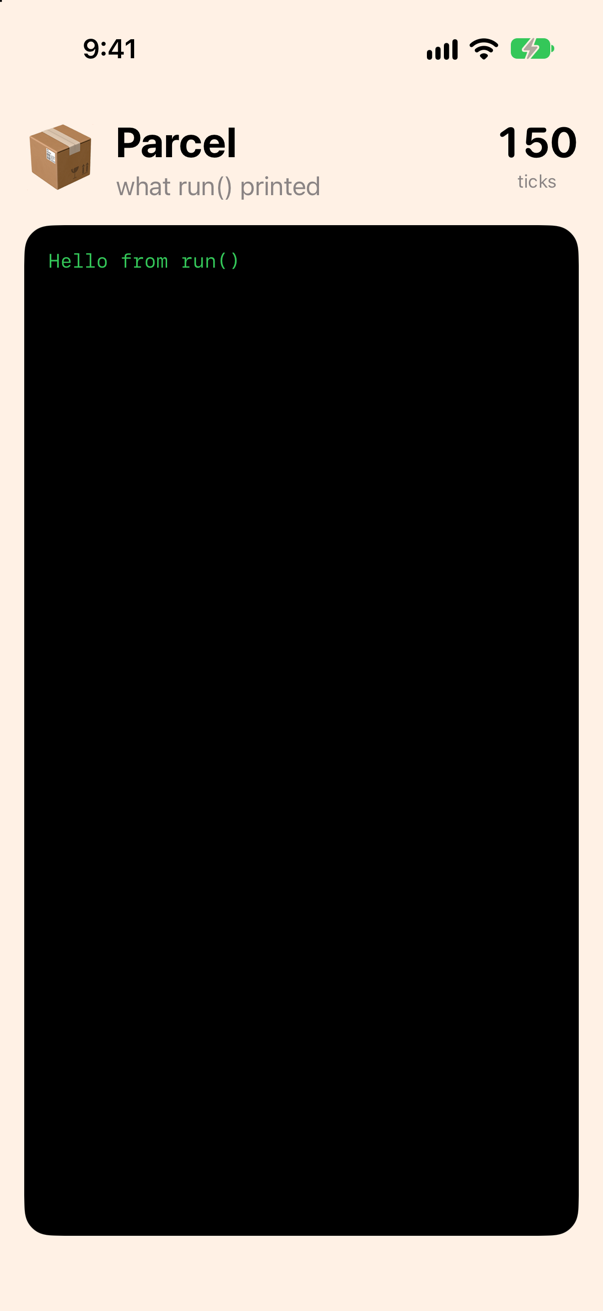
The starter: what run() printed, and the clock on the wallScreenshot · iPhone 17, iOS 27.0
Hello from run()Five files. ParcelApp.swift is Xcode's, with an init that calls run(). Run.swift holds run, where this lesson's code to try goes: the app runs it as it starts, and you read what it printed in Xcode's console, or on the phone. Courier.swift is empty, for this lesson's functions. Screen.swift puts on the phone whatever the app prints — it declares a print of its own, which Swift finds before the standard library's — and keeps the clock on the wall: the number at the top right, which goes up ten times a second for as long as the main actor is free to move it. You watch it in step 4. (It stops at 150, so that the pictures on this page could be taken; nothing in this lesson takes that long.) ContentView.swift draws all that, and step 10 reads one line of it.
One change before any code, and it holds for the rest of the course. A new Xcode 27 project decides three things about concurrency for you. It builds in the Swift 5 language mode, where a possible data race is only a warning. It sets Default Actor Isolation to MainActor, so that everything you write is on the main actor unless it says otherwise. And it turns on Approachable Concurrency, under which an async function that says nothing about where it runs follows its caller. Each is a decision made without a word in your code. From this lesson on, every project in the course makes all three the strict way, so that nothing about where code runs is decided for you: the code says it, in the words this lesson and part 11 teach, and the compiler holds it to them.
In the Project navigator, select the project — Parcel, at the top. In the editor, under TARGETS, select Parcel, open Build Settings, and click All. Type each name below into the search field, and set it:
Build setting Swift Language Version: Swift 6 SWIFT_VERSION = 6.0
Build setting Default Actor Isolation: nonisolated SWIFT_DEFAULT_ACTOR_ISOLATION = nonisolated
Build setting Approachable Concurrency: No SWIFT_APPROACHABLE_CONCURRENCY = NO
| Setting | Now | What it means for the code you write |
|---|---|---|
| Swift Language Version | Swift 6 | every possible data race is an error, and the project does not build until it is gone |
| Default Actor Isolation | nonisolated | nothing is on the main actor unless it says @MainActor; a type or a function with no word belongs to no actor |
| Approachable Concurrency | No | an async function with no word runs on the shared pool of threads; one that should follow its caller says nonisolated(nonsending) |
Run it again (⌘R). It builds, and prints what it printed before:
Hello from run()
It builds because the starter already says what the new settings require. Open Screen.swift: its two models, what the app printed and the clock, each begin with @MainActor, because the screen reads them and the screen is drawn on the main thread. Without the word they would belong to no actor, and Swift 6 refuses a static let shared that any thread could reach:
The same clock without @MainActor, in this project
static property 'shared' is not concurrency-safe because non-'Sendable' type 'WallClock' may have shared mutable state
note: class 'WallClock' does not conform to the 'Sendable' protocol
note: add '@MainActor' to make static property 'shared' part of global actor 'MainActor'
note: disable concurrency-safety checks if accesses are protected by an external synchronization mechanism
Every such word you write in this lesson is there for a reason the page gives, and each is a decision that a new project would otherwise make for you without saying so.
2016: a courier with completion handlers
Here is the courier as you would have written it in Swift 3. A function that cannot answer at once takes a closure, and calls it later, when the answer is in. Put it in Courier.swift:
/// The courier's records: the depot that holds each parcel, and how many hours away each depot is. Constants of plain
/// values: Swift 6 lets any code, on any thread, read them.
let depots = ["ZX-42": "Tacoma", "QF-7": "Spokane"]
let hoursAway = ["Tacoma": 3, "Spokane": 6]/// 2016: ask where a parcel is. The answer comes later, to the closure — after a wait that stands in for the network.
func locate(_ parcel: String, completion: @escaping (String?) -> Void) {
DispatchQueue.main.asyncAfter(deadline: .now() + 2) {
completion(depots[parcel])
}
}
/// 2016: ask how far away a depot is.
func hours(from depot: String, completion: @escaping (Int) -> Void) {
DispatchQueue.main.asyncAfter(deadline: .now() + 1) {
completion(hoursAway[depot] ?? 0)
}
}It does not compile. Xcode reports
sending 'completion' risks causing data racesSwift 6 refuses it, and the reason is the whole subject of this part of the course. completion is a closure, and asyncAfter hands it to the main queue, to be called later, from wherever the queue runs it. Nothing in the code says that is safe. In 2016 it was a convention, never written down: the main queue calls back on the main thread, so the closure may touch what the screen shows. Swift 6 wants the convention written as a type, where the compiler can check it — one word on each closure, saying where it runs. Replace the two functions:
/// 2016: ask where a parcel is. The answer comes later, to the closure — after a wait that stands in for the network.func locate(_ parcel: String, completion: @escaping (String?) -> Void) {/// `@MainActor` on the closure's type: the closure is called on the main actor. The main queue's convention, written/// down, so that the compiler can check it.func locate(_ parcel: String, completion: @escaping @MainActor (String?) -> Void) { DispatchQueue.main.asyncAfter(deadline: .now() + 2) { completion(depots[parcel]) }}/// 2016: ask how far away a depot is.func hours(from depot: String, completion: @escaping (Int) -> Void) {/// 2016: ask how far away a depot is. The answer, too, comes back on the main actor.func hours(from depot: String, completion: @escaping @MainActor (Int) -> Void) { DispatchQueue.main.asyncAfter(deadline: .now() + 1) { completion(hoursAway[depot] ?? 0) }}/// 2016: ask where a parcel is. The answer comes later, to the closure — after a wait that stands in for the network.
/// `@MainActor` on the closure's type: the closure is called on the main actor. The main queue's convention, written
/// down, so that the compiler can check it.
func locate(_ parcel: String, completion: @escaping @MainActor (String?) -> Void) {
DispatchQueue.main.asyncAfter(deadline: .now() + 2) {
completion(depots[parcel])
}
}
/// 2016: ask how far away a depot is. The answer, too, comes back on the main actor.
func hours(from depot: String, completion: @escaping @MainActor (Int) -> Void) {
DispatchQueue.main.asyncAfter(deadline: .now() + 1) {
completion(hoursAway[depot] ?? 0)
}
}@MainActor (String?) -> Void is the type of a closure that runs on the main actor. Now the promise is checked both ways: locate may call completion only from the main actor, which the main queue's closure is, and the caller may touch main-actor state inside it. asyncAfter stands in for the network: two seconds for the depot, one more for the distance. Now ask where ZX-42 is, and how far away that is. The second question needs the first answer, so it goes inside the first closure. Note the new first line, above func run(): @MainActor. The app calls run() as it starts, on the main actor, and in this project a function with no word belongs to no actor; the word says where run() runs, and, from step 3 on, where every task it starts begins:
@MainActor // the app calls run() on the main actor; each Task { } it starts begins there toofunc run() { print("Hello from run()") print("Asking the courier about ZX-42.") locate("ZX-42") { depot in guard let depot else { print("No parcel ZX-42.") return } hours(from: depot) { away in print("ZX-42 is at the \(depot) depot, \(away) hours away.") } } print("run() is done; the answer comes later.")}@MainActor // the app calls run() on the main actor; each Task { } it starts begins there too
func run() {
print("Asking the courier about ZX-42.")
locate("ZX-42") { depot in
guard let depot else {
print("No parcel ZX-42.")
return
}
hours(from: depot) { away in
print("ZX-42 is at the \(depot) depot, \(away) hours away.")
}
}
print("run() is done; the answer comes later.")
}Run the app (⌘R). Xcode’s console shows
Asking the courier about ZX-42.
run() is done; the answer comes later.
ZX-42 is at the Tacoma depot, 3 hours away.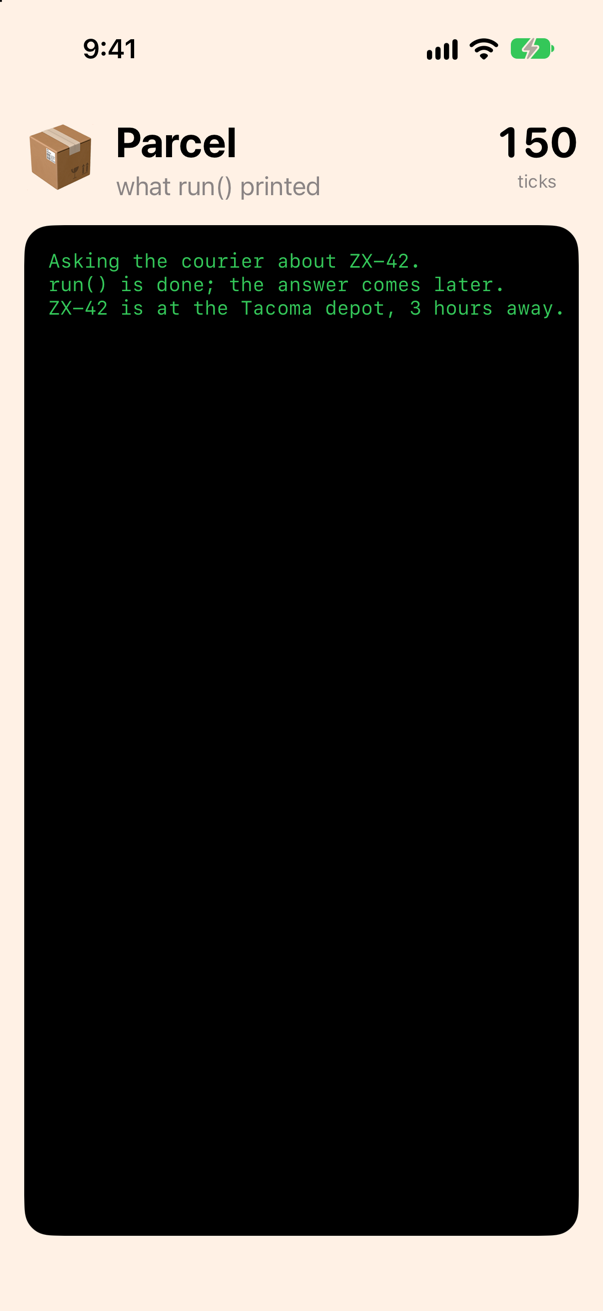
Three things to notice, because each is about to change. The last line of run() printed second: locate returned at once, and its closure ran two seconds later. Two questions made two levels of closure, and a third would make three — the pyramid every networking layer of the time had. And the failure case is a convention, nil, that a caller can forget to look at; an error would have been one more closure parameter.
async and await: the same, in a straight line
Replace the two functions. Each loses its closure, says async after its parameters, returns the answer — and says where it runs:
/// 2016: ask where a parcel is. The answer comes later, to the closure — after a wait that stands in for the network./// `@MainActor` on the closure's type: the closure is called on the main actor. The main queue's convention, written/// down, so that the compiler can check it.func locate(_ parcel: String, completion: @escaping @MainActor (String?) -> Void) { DispatchQueue.main.asyncAfter(deadline: .now() + 2) { completion(depots[parcel]) }/// Ask where a parcel is. The function says that it can wait — `async` — and returns the answer when it has it./// `nonisolated(nonsending)`: it runs on whatever actor calls it. It only waits, so it has no reason to move.nonisolated(nonsending) func locate(_ parcel: String) async -> String? { try? await Task.sleep(for: .seconds(2)) // stands in for the network return depots[parcel]}/// 2016: ask how far away a depot is. The answer, too, comes back on the main actor.func hours(from depot: String, completion: @escaping @MainActor (Int) -> Void) { DispatchQueue.main.asyncAfter(deadline: .now() + 1) { completion(hoursAway[depot] ?? 0) }/// Ask how far away a depot is. On its caller's actor, like `locate`.nonisolated(nonsending) func hours(from depot: String) async -> Int { try? await Task.sleep(for: .seconds(1)) return hoursAway[depot] ?? 0}/// Ask where a parcel is. The function says that it can wait — `async` — and returns the answer when it has it.
/// `nonisolated(nonsending)`: it runs on whatever actor calls it. It only waits, so it has no reason to move.
nonisolated(nonsending) func locate(_ parcel: String) async -> String? {
try? await Task.sleep(for: .seconds(2)) // stands in for the network
return depots[parcel]
}
/// Ask how far away a depot is. On its caller's actor, like `locate`.
nonisolated(nonsending) func hours(from depot: String) async -> Int {
try? await Task.sleep(for: .seconds(1))
return hoursAway[depot] ?? 0
}nonisolated(nonsending) means: on whatever actor the caller is on. In this project a function with no word belongs to no actor, and, with Approachable Concurrency off, an async one runs on the shared pool of threads. locate has no reason to go there. It computes nothing; it only waits, and waiting costs an actor nothing, as step 4 measures. So it stays with its caller, which here is the main actor. Lesson 37 measures each of these words.
Task.sleep is asyncAfter without the closure: it waits, and then the function goes on. A caller writes await in front of the call and takes the result as a plain value:
@MainActor // the app calls run() on the main actor; each Task { } it starts begins there toofunc run() { print("Asking the courier about ZX-42.") locate("ZX-42") { depot in guard let depot else { // the way in from code that cannot wait; it starts on run()'s actor Task { guard let depot = await locate("ZX-42") else { print("No parcel ZX-42.") return } hours(from: depot) { away in print("ZX-42 is at the \(depot) depot, \(away) hours away.") } let away = await hours(from: depot) print("ZX-42 is at the \(depot) depot, \(away) hours away.") } print("run() is done; the answer comes later.")}@MainActor // the app calls run() on the main actor; each Task { } it starts begins there too
func run() {
print("Asking the courier about ZX-42.")
// the way in from code that cannot wait; it starts on run()'s actor
Task {
guard let depot = await locate("ZX-42") else {
print("No parcel ZX-42.")
return
}
let away = await hours(from: depot)
print("ZX-42 is at the \(depot) depot, \(away) hours away.")
}
print("run() is done; the answer comes later.")
}Run the app (⌘R). Xcode’s console shows
Asking the courier about ZX-42.
run() is done; the answer comes later.
ZX-42 is at the Tacoma depot, 3 hours away.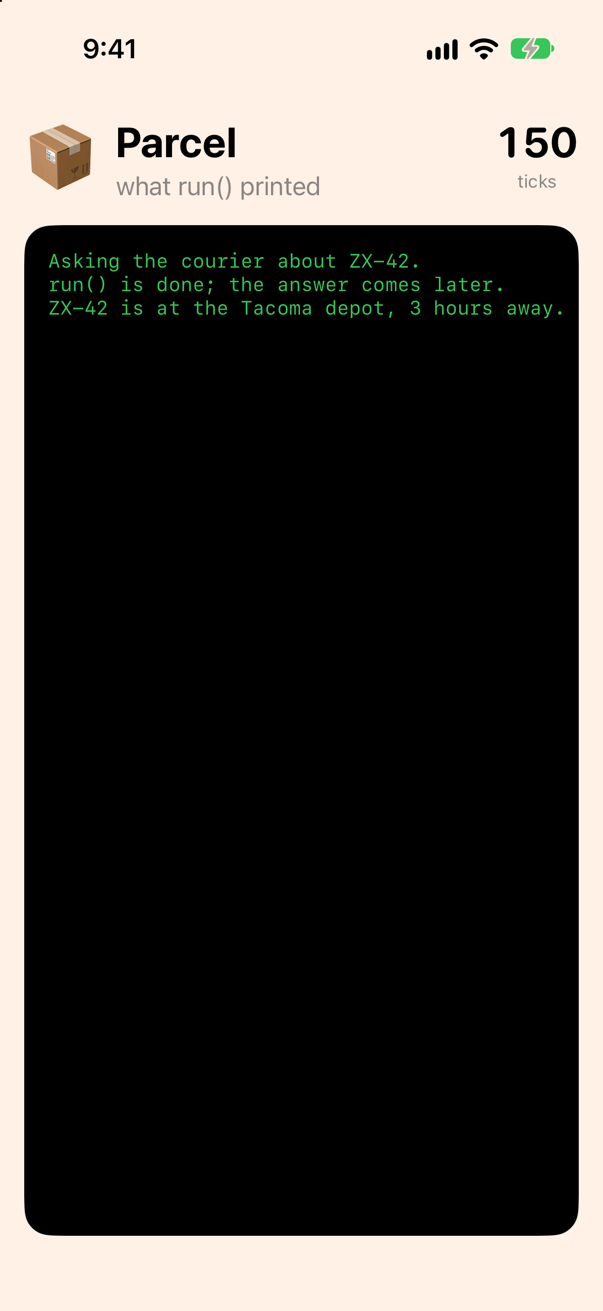
The same three lines, in the same order. But the code reads from top to bottom, guard let and return work as they do anywhere, and the second answer is a let under the first instead of a closure inside a closure. await marks each place where the task waits; the function carries on from there when the answer is in.
One new thing is in the way: Task { … }. run() is an ordinary function, and an ordinary function cannot wait — await is allowed only in code that is itself async. Task { } is the way in from code that cannot wait. Step 5 looks at it. First, the question everyone asks.
What await does to the thread
The clock on the wall is moved by the main actor — the same actor your Task runs on: a task starts on the actor of the code that makes it, and run() says @MainActor. If await blocked the thread for the two seconds the courier takes, the clock would stop. Watch it:
@MainActor // the app calls run() on the main actor; each Task { } it starts begins there toofunc run() { print("Asking the courier about ZX-42.") // the way in from code that cannot wait; it starts on run()'s actor // on the main actor, like run() — the actor that moves the clock Task { guard let depot = await locate("ZX-42") else { print("No parcel ZX-42.") return let before = WallClock.shared.ticks let depot = await locate("ZX-42") print("While the courier answered (\(depot ?? "?")), the clock ticked \(WallClock.shared.ticks - before) times.") let again = WallClock.shared.ticks let clock = ContinuousClock() let end = clock.now + .seconds(2) var steps = 0 while clock.now < end { // two seconds of arithmetic: nothing to wait for steps += 1 } let away = await hours(from: depot) print("ZX-42 is at the \(depot) depot, \(away) hours away.") print("While we computed (\(steps) steps), the clock ticked \(WallClock.shared.ticks - again) times.") } print("run() is done; the answer comes later.")}@MainActor // the app calls run() on the main actor; each Task { } it starts begins there too
func run() {
// on the main actor, like run() — the actor that moves the clock
Task {
let before = WallClock.shared.ticks
let depot = await locate("ZX-42")
print("While the courier answered (\(depot ?? "?")), the clock ticked \(WallClock.shared.ticks - before) times.")
let again = WallClock.shared.ticks
let clock = ContinuousClock()
let end = clock.now + .seconds(2)
var steps = 0
while clock.now < end { // two seconds of arithmetic: nothing to wait for
steps += 1
}
print("While we computed (\(steps) steps), the clock ticked \(WallClock.shared.ticks - again) times.")
}
}Run the app (⌘R). Xcode’s console shows
While the courier answered (Tacoma), the clock ticked 16 times.
While we computed (93831210 steps), the clock ticked 0 times.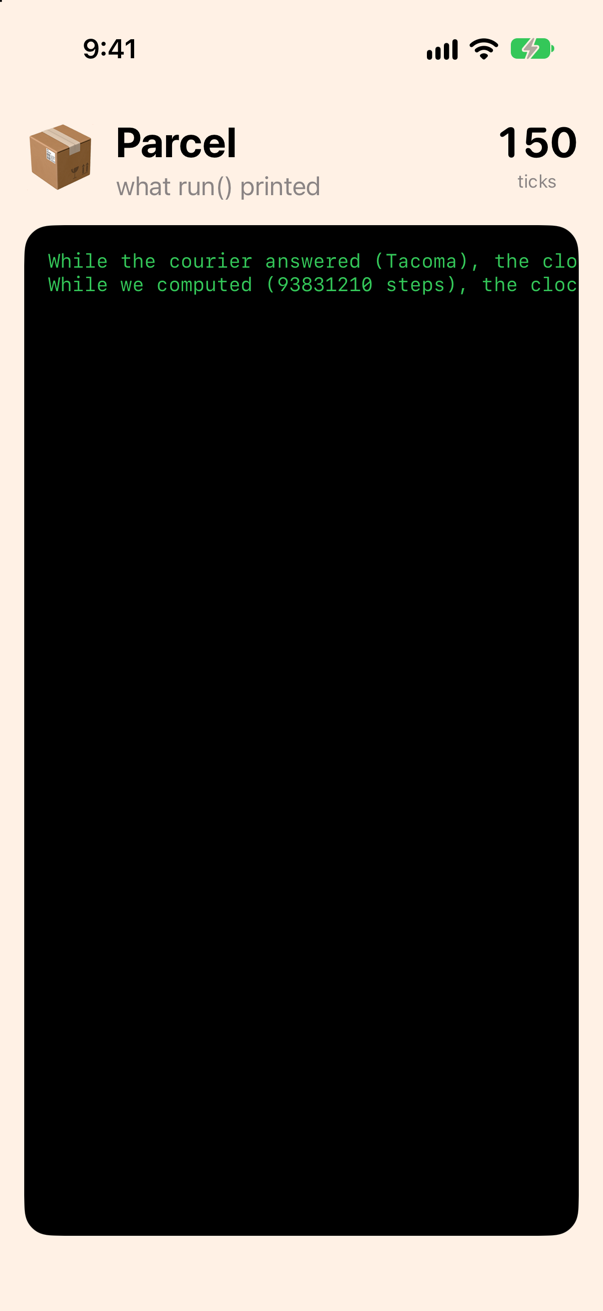
The clock ticked right through the wait, and did not move once during two seconds of arithmetic. That is the whole answer to "does await block the main thread?": no. await suspends the task. The compiler cuts the function in two at that point; the first half returns and gives the thread back, and the second half runs when the answer is in, on the actor the first half was on. The main actor was free for the whole wait, and went on moving the clock.
Where is the function while it waits, if not on the thread? In memory of its own. A function's local variables normally live on its thread's stack, in a frame that exists only while the function is running. An async function cannot keep them there: its first half returns at the await and gives the thread back, and the thread goes on to other work. So the compiler keeps what the second half will need — here, before — in a frame on the heap, held by the task. That frame and the second half together are what Apple calls a continuation: the rest of the function, waiting to be run. When the answer is in, the second half runs on a thread again and reads its frame back.
run()'s task across its await. Before it, the first half runs on the main thread and writes what it will need into the task's frame. During the wait nothing of the task's is on the thread, and the thread moves the clock. After it, the second half runs on the main thread and reads the frame. Lesson 37 watches the pieces run, and finds the frame in the task's memory.The loop is the other half of the lesson. It is inside the same task, after an await, and it froze the clock anyway, because nothing in it waits: arithmetic runs on whatever actor the code is on, and here that is the main actor. So, the rule: waiting on the main actor is free; computing on it is not. A request, a file read, a Task.sleep cost the main actor nothing. A parse, an image resize, a long loop keep it busy until they end — and the word that moves them elsewhere, @concurrent, is lesson 37's, where you also see the cut at the await written out by hand.
Think of the main actor as the main queue. A completion handler that hops back to DispatchQueue.main is exactly the second half of an async function, and the compiler now writes it. The difference is that a block on a queue holds its thread until it returns, while an async function hands the thread back at every await.
Where this comes from: SE-0296: Async/await · WWDC21: Swift concurrency: Behind the scenes (2021 — the thread model is unchanged)
Task { }: the way in, and it returns at once
Try to do without it:
@MainActor // the app calls run() on the main actor; each Task { } it starts begins there toofunc run() { // on the main actor, like run() — the actor that moves the clock Task { let before = WallClock.shared.ticks let depot = await locate("ZX-42") print("While the courier answered (\(depot ?? "?")), the clock ticked \(WallClock.shared.ticks - before) times.") let again = WallClock.shared.ticks let clock = ContinuousClock() let end = clock.now + .seconds(2) var steps = 0 while clock.now < end { // two seconds of arithmetic: nothing to wait for steps += 1 } print("While we computed (\(steps) steps), the clock ticked \(WallClock.shared.ticks - again) times.") } let depot = await locate("QF-7") print(depot ?? "?")}@MainActor // the app calls run() on the main actor; each Task { } it starts begins there too
func run() {
let depot = await locate("QF-7")
print(depot ?? "?")
}It does not compile. Xcode reports
'async' call in a function that does not support concurrencyThe compiler says it plainly: run() does not support concurrency. It is synchronous, like a button's action, an init, or main, and any of those gets into async code the same way, with Task { } — it starts a task, a piece of work that is allowed to wait, and returns at once. The numbers prove the order:
@MainActor // the app calls run() on the main actor; each Task { } it starts begins there toofunc run() { let depot = await locate("QF-7") print(depot ?? "?") print("1. Before the task.") // queued on the main actor, which run() is still using Task { print("3. Inside the task, before the wait.") let depot = await locate("QF-7") print("4. Inside the task, after the wait: \(depot ?? "?").") } print("2. After the task: run() returns here.")}@MainActor // the app calls run() on the main actor; each Task { } it starts begins there too
func run() {
print("1. Before the task.")
// queued on the main actor, which run() is still using
Task {
print("3. Inside the task, before the wait.")
let depot = await locate("QF-7")
print("4. Inside the task, after the wait: \(depot ?? "?").")
}
print("2. After the task: run() returns here.")
}Run the app (⌘R). Xcode’s console shows
1. Before the task.
2. After the task: run() returns here.
3. Inside the task, before the wait.
4. Inside the task, after the wait: Spokane.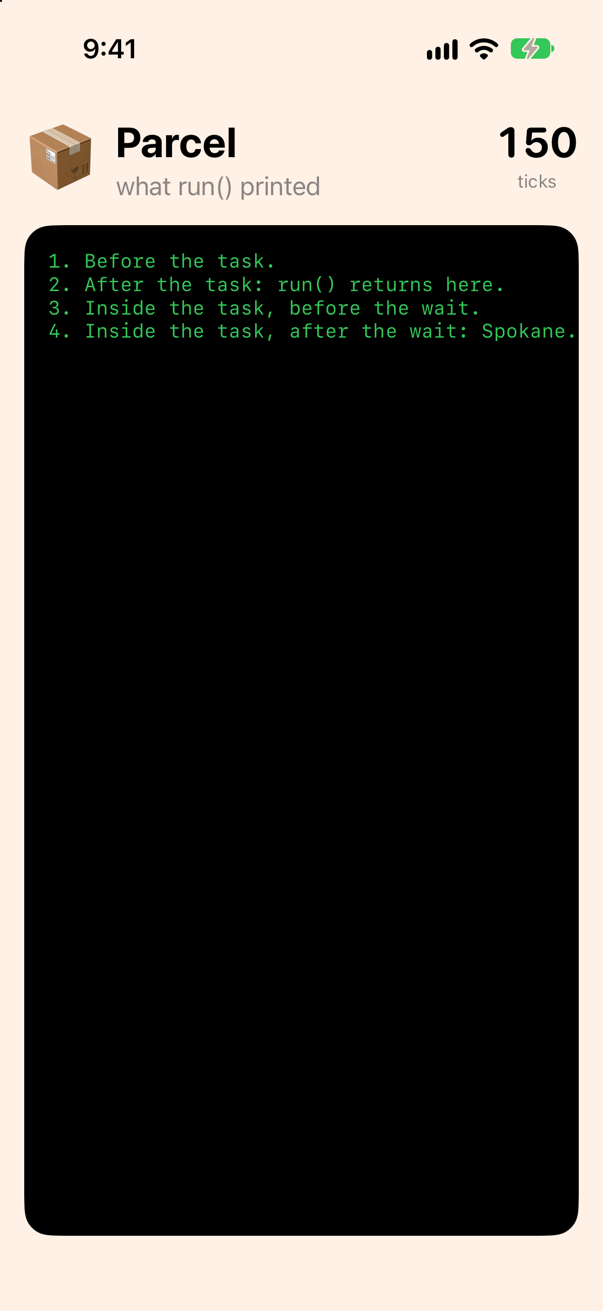
Line 2 before line 3: the task did not start until run() had returned. A task made from main-actor code waits for the main actor to be free, and run() was still using it. Then the task ran its first line, waited two seconds at the await, and ran its last. Everything after Task { } is the caller's business, and nothing in the task can be assumed to have happened yet.
In a SwiftUI view you seldom write Task { } yourself: the .task modifier starts one for you when the view appears, and cancels it when the view goes — step 10 shows the one that drives the clock. A button's action is the exception, because it is synchronous, and Task { } inside it is the idiom.
Two parcels: one after the other, or at once
Ask about both parcels. Two awaits in a row wait twice; async let starts both waits and collects them with one await. Time each with ContinuousClock, the clock Swift provides for measuring. A helper first, in Courier.swift:
/// A duration, as "4.1 s".
func seconds(_ took: Duration) -> String {
    (took / .seconds(1)).formatted(.number.precision(.fractionLength(1))) + " s"
}@MainActor // the app calls run() on the main actor; each Task { } it starts begins there toofunc run() { print("1. Before the task.") // queued on the main actor, which run() is still using Task { print("3. Inside the task, before the wait.") let depot = await locate("QF-7") print("4. Inside the task, after the wait: \(depot ?? "?").") let clock = ContinuousClock() let oneAfterTheOther = await clock.measure { let a = await locate("ZX-42") let b = await locate("QF-7") print(a ?? "?", b ?? "?") } print("One after the other:", seconds(oneAfterTheOther)) let together = await clock.measure { async let a = locate("ZX-42") // a child task, started here async let b = locate("QF-7") // and another, at once print(await a ?? "?", await b ?? "?") } print("Together, with async let:", seconds(together)) } print("2. After the task: run() returns here.")}@MainActor // the app calls run() on the main actor; each Task { } it starts begins there too
func run() {
Task {
let clock = ContinuousClock()
let oneAfterTheOther = await clock.measure {
let a = await locate("ZX-42")
let b = await locate("QF-7")
print(a ?? "?", b ?? "?")
}
print("One after the other:", seconds(oneAfterTheOther))
let together = await clock.measure {
async let a = locate("ZX-42") // a child task, started here
async let b = locate("QF-7") // and another, at once
print(await a ?? "?", await b ?? "?")
}
print("Together, with async let:", seconds(together))
}
}Run the app (⌘R). Xcode’s console shows
Tacoma Spokane
One after the other: 4.0 s
Tacoma Spokane
Together, with async let: 2.0 s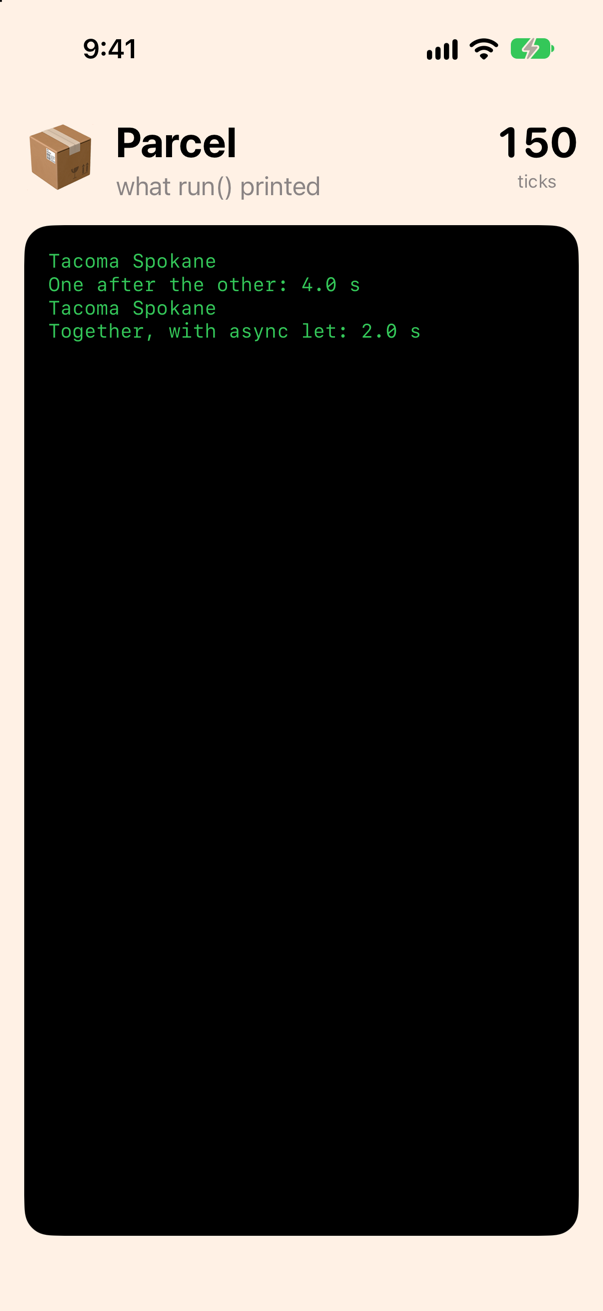
Two seconds each, one after the other: four. With async let, two — the second wait began before the first was over. The two async lets are child tasks of the one run() started: each begins at its declaration, the await at the end collects both, and neither can outlive the task that made them — cancel it, and both are cancelled. That is what structured means, and lesson 38 has the whole of it, with task groups for a list of any length.
A detail to carry: await a ?? "?" is one expression — the await covers everything to its right, as try does — so the two reads look like two plain optionals.
Errors cross an await like any other
So far an unknown parcel comes back as nil, the 2016 convention. Give the courier an error instead. Add the type:
/// What can go wrong with the courier. An `Error` must be `Sendable` — it may be thrown on one side of an `await` and
/// caught on the other — and an enum of strings is.
enum CourierError: Error {
    case unknownParcel(String)
}
And replace the two functions once more. locate now throws, and its wait is a try await too, for a reason step 8 shows:
/// Ask where a parcel is. The function says that it can wait — `async` — and returns the answer when it has it./// `nonisolated(nonsending)`: it runs on whatever actor calls it. It only waits, so it has no reason to move.nonisolated(nonsending) func locate(_ parcel: String) async -> String? { try? await Task.sleep(for: .seconds(2)) // stands in for the network return depots[parcel]/// Ask where a parcel is. The courier has records only for the parcels it carries: for any other, it throws. On its/// caller's actor, as before.nonisolated(nonsending) func locate(_ parcel: String) async throws -> String { // stands in for the network — and throws if nobody is waiting any more try await Task.sleep(for: .seconds(2)) guard let depot = depots[parcel] else { throw CourierError.unknownParcel(parcel) } return depot}/// Ask how far away a depot is. On its caller's actor, like `locate`.nonisolated(nonsending) func hours(from depot: String) async -> Int { try? await Task.sleep(for: .seconds(1)) return hoursAway[depot] ?? 0}/// Ask where a parcel is. The courier has records only for the parcels it carries: for any other, it throws. On its
/// caller's actor, as before.
nonisolated(nonsending) func locate(_ parcel: String) async throws -> String {
// stands in for the network — and throws if nobody is waiting any more
try await Task.sleep(for: .seconds(2))
guard let depot = depots[parcel] else {
throw CourierError.unknownParcel(parcel)
}
return depot
}
/// Ask how far away a depot is. On its caller's actor, like `locate`.
nonisolated(nonsending) func hours(from depot: String) async -> Int {
try? await Task.sleep(for: .seconds(1))
return hoursAway[depot] ?? 0
}A function that can wait and can fail is async throws, and a call to it is try await, in that order. Ask about ZX-42, and then about a parcel the courier has never seen:
@MainActor // the app calls run() on the main actor; each Task { } it starts begins there toofunc run() { Task { let clock = ContinuousClock() do { let depot = try await locate("ZX-42") let away = await hours(from: depot) print("ZX-42 is at the \(depot) depot, \(away) hours away.") let oneAfterTheOther = await clock.measure { let a = await locate("ZX-42") let b = await locate("QF-7") print(a ?? "?", b ?? "?") let other = try await locate("AB-1") print("AB-1 is at the \(other) depot.") } catch CourierError.unknownParcel(let number) { print("The courier has no parcel \(number).") } catch { print("Something else went wrong: \(error)") } print("One after the other:", seconds(oneAfterTheOther)) let together = await clock.measure { async let a = locate("ZX-42") // a child task, started here async let b = locate("QF-7") // and another, at once print(await a ?? "?", await b ?? "?") } print("Together, with async let:", seconds(together)) }}@MainActor // the app calls run() on the main actor; each Task { } it starts begins there too
func run() {
Task {
do {
let depot = try await locate("ZX-42")
let away = await hours(from: depot)
print("ZX-42 is at the \(depot) depot, \(away) hours away.")
let other = try await locate("AB-1")
print("AB-1 is at the \(other) depot.")
} catch CourierError.unknownParcel(let number) {
print("The courier has no parcel \(number).")
} catch {
print("Something else went wrong: \(error)")
}
}
}Run the app (⌘R). Xcode’s console shows
ZX-42 is at the Tacoma depot, 3 hours away.
The courier has no parcel AB-1.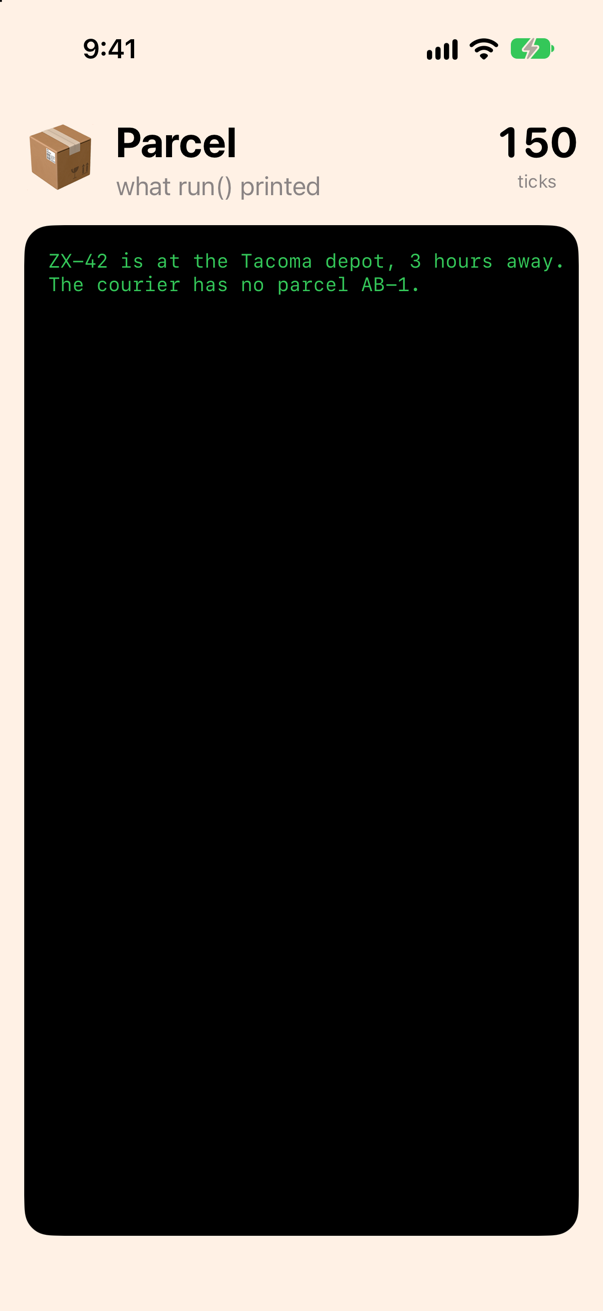
The first sentence is step 3's, and the error for AB-1 was thrown two seconds after the call, on the far side of an await — and the catch took it, as it would have taken an error thrown on the spot. That is the end of completion(nil), of Error? parameters, and of Result (where you meet Result in a completion handler, try result.get() turns it back into this). A catch can name a case, as this one does, and the typed throws from lesson 12 works with async too: async throws(CourierError).
Cancel: a request, not a stop
A parcel on a van reports every hour, and whoever is watching may lose interest. The watcher is a Task kept in a constant, so that it can be cancelled:
@MainActor // the app calls run() on the main actor; each Task { } it starts begins there toofunc run() { Task { do { let depot = try await locate("ZX-42") let away = await hours(from: depot) print("ZX-42 is at the \(depot) depot, \(away) hours away.") let other = try await locate("AB-1") print("AB-1 is at the \(other) depot.") } catch CourierError.unknownParcel(let number) { print("The courier has no parcel \(number).") } catch { print("Something else went wrong: \(error)") // a second task, also on the main actor; kept, so that it can be cancelled let watching = Task { do { for hour in 1... { // stop if nobody is watching any more try Task.checkCancellation() try await Task.sleep(for: .seconds(1)) // the van's next report print("Hour \(hour): still on the van.") } } catch is CancellationError { print("Stopped watching.") } catch { print("Something else went wrong: \(error)") } } try? await Task.sleep(for: .seconds(2.5)) print("That's enough; cancel it. isCancelled before: \(watching.isCancelled)") watching.cancel() print("isCancelled after: \(watching.isCancelled)") await watching.value print("The watcher is done.") }}@MainActor // the app calls run() on the main actor; each Task { } it starts begins there too
func run() {
Task {
// a second task, also on the main actor; kept, so that it can be cancelled
let watching = Task {
do {
for hour in 1... {
// stop if nobody is watching any more
try Task.checkCancellation()
try await Task.sleep(for: .seconds(1)) // the van's next report
print("Hour \(hour): still on the van.")
}
} catch is CancellationError {
print("Stopped watching.")
} catch {
print("Something else went wrong: \(error)")
}
}
try? await Task.sleep(for: .seconds(2.5))
print("That's enough; cancel it. isCancelled before: \(watching.isCancelled)")
watching.cancel()
print("isCancelled after: \(watching.isCancelled)")
await watching.value
print("The watcher is done.")
}
}Run the app (⌘R). Xcode’s console shows
Hour 1: still on the van.
Hour 2: still on the van.
That's enough; cancel it. isCancelled before: false
isCancelled after: true
Stopped watching.
The watcher is done.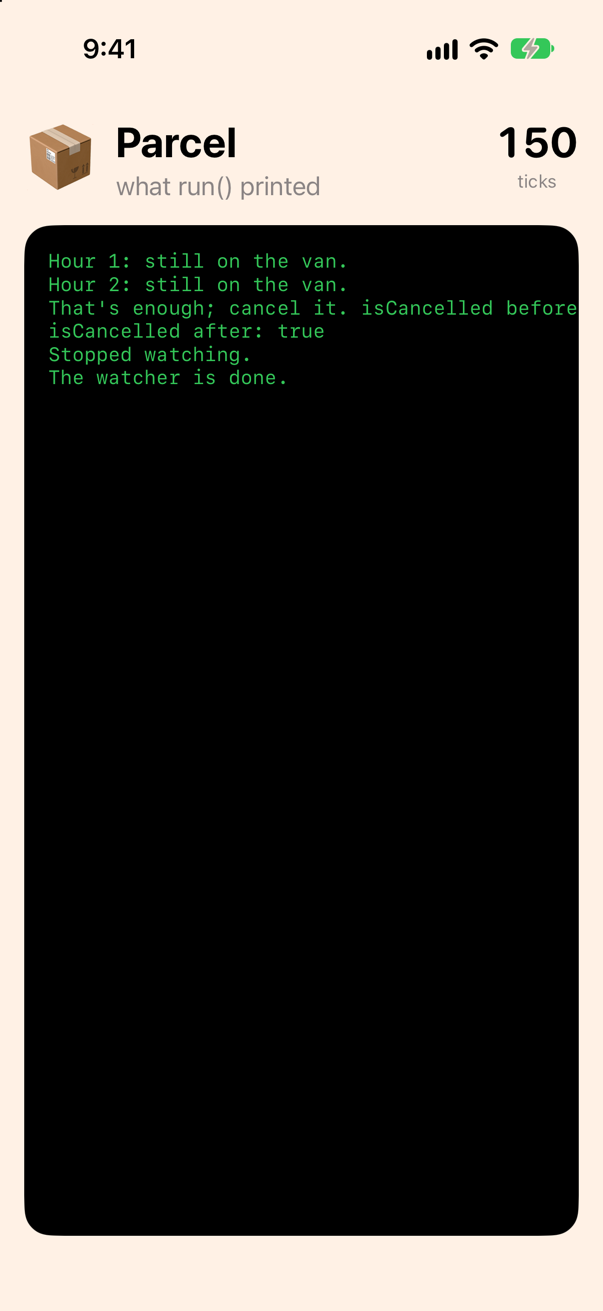
cancel() did not stop anything. It set a flag — isCancelled went from false to true — and returned at once. The watching task found out at its next await: Task.sleep looks at the flag and throws CancellationError, which is why locate's wait became a try await in step 7. Between awaits a task has to look for itself, with Task.isCancelled or try Task.checkCancellation(), which throws the same error; the check at the top of the loop would have caught a cancellation that arrived between two reports. Here the sleep caught it first. Nothing is ever stopped from outside: a loop with no await and no check runs to its end, and one of this lesson's edge cases measures that.
In SwiftUI the common case is done for you: .task cancels its task when the view goes away, and .task(id:) cancels the old one when the value changes (lesson 34).
@MainActor: a model the screen can trust
Make one more file, for the model. Choose File ▸ New ▸ File from Template… (⌘N), select Swift File, name it
Tracker, and click Create.
import Foundation

/// The latest word about a parcel — what a screen would show. `@MainActor`: its properties may only be touched on the
/// main thread, where the screen is drawn. In this project nothing is on the main actor unless it says so.
@MainActor
final class Tracker {
    var latest = "nothing yet"
}
The latest word about a parcel, as a screen would show it. @MainActor is the promise that its properties are only ever touched on the main thread, the thread the screen draws on. In this project the word is the whole promise: with Default Actor Isolation set to nonisolated in step 1, a type that does not say @MainActor belongs to no actor. A new Xcode project would make the promise for you instead (lesson 1). Written, it means the same in every project, every package and every interview.
Now a function on no actor. In this project a function with no word is on no actor already; nonisolated says so out loud, which is worth doing wherever the point is that any code may call it, from any thread. Add to Tracker.swift:
/// Words for the screen. A helper that belongs to no actor — `nonisolated`, said out loud — so that any code may call it.
nonisolated func report(_ depot: String, _ hours: Int, to tracker: Tracker) {
    tracker.latest = "At the \(depot) depot, \(hours) hours away"
}
It does not compile. Xcode reports
main actor-isolated property 'latest' can not be mutated from a nonisolated contextThe compiler holds nonisolated to its word: code on no actor cannot touch what belongs to the main actor. The 2016 version of this mistake — a completion handler on a background queue setting a property the screen reads — crashed now and then, and only in the field; one of this lesson's edge cases shows what the compiler says about that one. The fix is the shape of all main-actor code: the nonisolated function hands a value back, and the task, which is on the main actor again after its await, stores it:
/// Words for the screen. A helper that belongs to no actor — `nonisolated`, said out loud — so that any code may call it.nonisolated func report(_ depot: String, _ hours: Int, to tracker: Tracker) { tracker.latest = "At the \(depot) depot, \(hours) hours away"/// Words for the screen. A helper that belongs to no actor — `nonisolated`, said out loud — so that any code may call/// it. It cannot touch the tracker, which belongs to the main actor: it hands the words back, and main-actor code/// stores them.nonisolated func report(_ depot: String, _ hours: Int) -> String { "At the \(depot) depot, \(hours) hours away"}/// Words for the screen. A helper that belongs to no actor — `nonisolated`, said out loud — so that any code may call
/// it. It cannot touch the tracker, which belongs to the main actor: it hands the words back, and main-actor code
/// stores them.
nonisolated func report(_ depot: String, _ hours: Int) -> String {
"At the \(depot) depot, \(hours) hours away"
}@MainActor // the app calls run() on the main actor; each Task { } it starts begins there toofunc run() { let tracker = Tracker() Task { // a second task, also on the main actor; kept, so that it can be cancelled let watching = Task { do { for hour in 1... { // stop if nobody is watching any more try Task.checkCancellation() try await Task.sleep(for: .seconds(1)) // the van's next report print("Hour \(hour): still on the van.") } } catch is CancellationError { print("Stopped watching.") } catch { print("Something else went wrong: \(error)") } do { let depot = try await locate("ZX-42") let away = await hours(from: depot) // after the await, this task is back on the main actor tracker.latest = report(depot, away) print("The screen would show:", tracker.latest) } catch { print("Could not track it:", error) } try? await Task.sleep(for: .seconds(2.5)) print("That's enough; cancel it. isCancelled before: \(watching.isCancelled)") watching.cancel() print("isCancelled after: \(watching.isCancelled)") await watching.value print("The watcher is done.") }}@MainActor // the app calls run() on the main actor; each Task { } it starts begins there too
func run() {
let tracker = Tracker()
Task {
do {
let depot = try await locate("ZX-42")
let away = await hours(from: depot)
// after the await, this task is back on the main actor
tracker.latest = report(depot, away)
print("The screen would show:", tracker.latest)
} catch {
print("Could not track it:", error)
}
}
}Run the app (⌘R). Xcode’s console shows
The screen would show: At the Tacoma depot, 3 hours away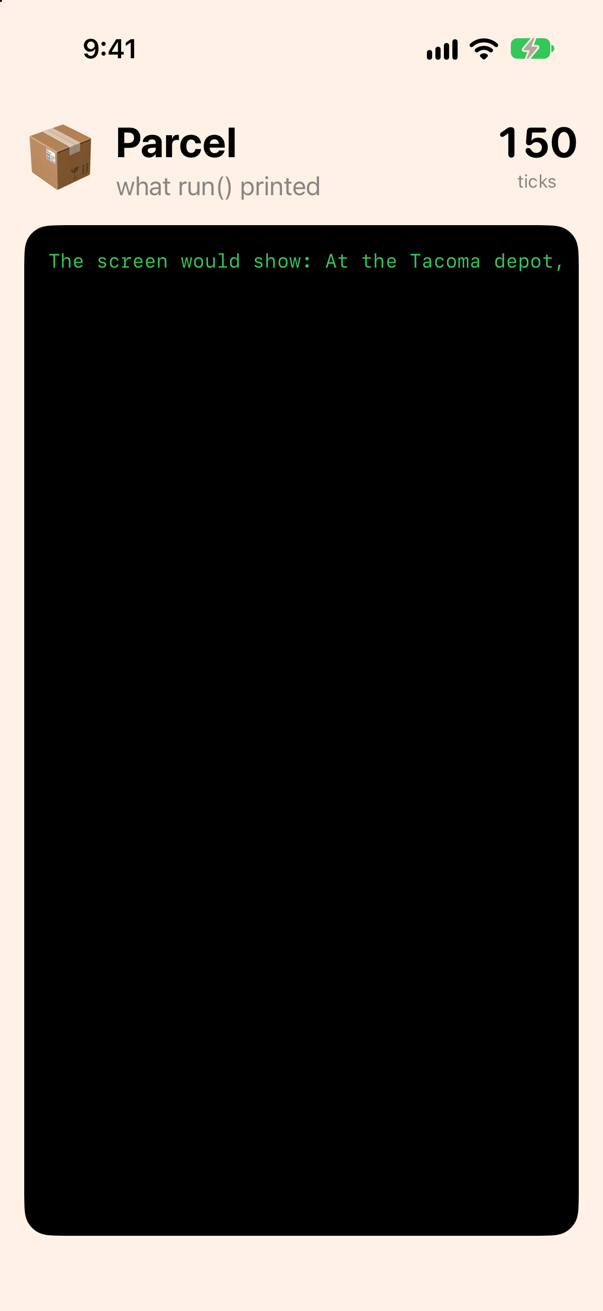
A Task { } started from main-actor code is on the main actor, and comes back to it after every await, so the line after try await locate may write to the tracker. The function that really leaves the main thread, @concurrent, is lesson 37's.
Where SwiftUI uses all this
Open ContentView.swift and look at its last modifier:
import SwiftUI

struct ContentView: View {
    var body: some View {
        VStack(alignment: .leading, spacing: 16) {
            HStack(alignment: .top, spacing: 12) {
                Text("📦")
                    .font(.system(size: 44))
                VStack(alignment: .leading) {
                    Text("Parcel")
                        .font(.title.bold())
                    Text("what run() printed")
                        .foregroundStyle(.secondary)
                }
                Spacer()
                VStack(spacing: 2) {
                    Text("\(WallClock.shared.ticks)")
                        .font(.system(.title, design: .rounded).monospacedDigit().bold())
                    Text("ticks")
                        .font(.caption)
                        .foregroundStyle(.secondary)
                }
            }
            ScrollView([.vertical, .horizontal]) {
                Text(Printed.shared.lines.joined(separator: "\n"))
                    .font(.system(size: 13, design: .monospaced))
                    .foregroundStyle(.green)
                    .fixedSize()
                    .padding()
            }
            .frame(maxWidth: .infinity, maxHeight: .infinity, alignment: .topLeading)
            .background(.black, in: .rect(cornerRadius: 18))
        }
        .padding()
        .background(Color.orange.opacity(0.12))
        .task {
            await WallClock.shared.tick(times: 150)
        }
    }
}

#Preview {
    ContentView()
}
That is the clock: a .task on the view, running an async method that sleeps and adds one, a hundred and fifty times. .task is SwiftUI's Task { }. It starts when the view appears, runs on the main actor, so that it may change what the view shows — a view is main-actor code because SwiftUI's View protocol is @MainActor, and the closure takes the view's actor — and is cancelled when the view goes away — which is why the method catches the error its Task.sleep throws then, and returns. Lesson 34 puts a real request in one, and .task(id:) restarts it when a value changes. The rest of SwiftUI's concurrency is the same two words in other places: AsyncImage awaits a picture for you, .refreshable takes an async closure and shows the spinner until it returns, and a Button's action, being synchronous, starts a Task { } of its own.
Six words, then, for the interview: async on the function, await at the call, Task { } to get in from code that cannot wait, async let for two waits at once, cancel() as a request the task has to hear, and @MainActor as the promise a screen's model makes — and, in a project that decides nothing for you, a word on every function that can wait, saying where it runs. Part 11 takes each one apart, starting with what the compiler makes of an await.
What you built
- A courier written with completion handlers —
locate(_:completion:),hours(from:completion:)and the pyramid two calls make — refused by Swift 6 until each closure said where it runs,@MainActor; and the same asasyncfunctions called in a straight line, with the same three lines of output. - A clock on the wall that ticked through a two-second wait and stopped through two seconds of arithmetic:
awaitsuspends the task and frees the thread; computing on the main actor does not. Task { }as the way in from code that cannot wait, proven to return at once; two parcels one after the other (4 s) againstasync let(2 s), timed withContinuousClock; an error thrown on the far side of anawaitand caught withdo/catch; a watcher cancelled withcancel(), whichTask.checkCancellation()andTask.sleepturn into aCancellationError.- A
@MainActorTrackerthe screen can trust, and the compiler's error when anonisolatedfunction tries to write to it. - A project set to the strictest settings — Swift 6, no default actor isolation, Approachable Concurrency off — and the words that then say where every piece of code runs:
@MainActoronrun()and on the screen's models,nonisolated(nonsending)on the courier.
Next, the screen hears a model change: Observation, written by hand first, and then what @Observable writes for you.
The finished project
Stuck, or want to compare with your own? This is the project as it stands at the end of this lesson, built and run before it was put here.
- Parcel.zip — unzip it, then open
Parcel.xcodeprojin Xcode.
Flash cards
16 cards for this lesson, each labelled with its topic. 9 ask how you would write something; the other 7 are trick questions, written to catch a misunderstanding. Answer in your head first, then tap the card.
Syntax · `async` and `await`Write a function that asks a server where a parcel is — with a stand-in for the network — and call it.
async after the parameters says the function can wait; await at the call marks where the caller waits. The caller's task pauses there and the thread is free. No handler, no closure: the answer is a plain return value, and the line after the await printed ZX-42 is at the Tacoma depot.
Syntax · TasksCall an async function from code that is not async — a button's action, an init, main.
Task { } starts a task — work that is allowed to wait — and returns at once; the await goes inside it. Here the action's own line printed first: tapped; the task is running, and the task's line after the wait: found at Tacoma. A task made from main-actor code runs on the main actor, so it may touch the screen's state after its await.
Syntax · `async let`Ask about two parcels at the same time, and wait for both answers.
async let starts the call at once, as a child task, and the await comes where the value is used. Two 300 ms waits took two 0.3 s waits took 0.3 s: the second began before the first was over. The children end with the scope that declared them, and are cancelled with it.
Syntax · ErrorsWrite a function that can wait and fail, and a caller that handles the failure.
async throws on the function, try await at the call — in that order — and do/catch around it, as for any throwing call. The error for AB-1 was thrown on the far side of an await and caught all the same: no parcel AB-1.
Syntax · ClocksMeasure how long an await took.
ContinuousClock().measure { … } runs the closure and returns a Duration (Swift 5.7): Duration — about 0.3 s. Divide by .seconds(1) for a Double, or compare it with .milliseconds(250) as here. Date() works too, but the continuous clock is made for intervals and never jumps.
Syntax · CancellationStart a long wait, and cancel it from outside.
Keep the Task in a constant and call cancel() on it. That only sets a flag; Task.sleep looks at the flag at once and throws, so the five-second wait ended after 0.2 s with: stopped early: CancellationError(). A network request cancelled the same way throws URLError.cancelled instead — the flag is the same.
Syntax · CancellationStop a loop of your own when its task is cancelled — a loop with nothing in it that sleeps or waits on the network.
try Task.checkCancellation() throws CancellationError once the task has been cancelled; Task.isCancelled is the same flag as a Bool, for a loop that would rather break. Nothing stops a task from outside: it has to look. It printed: stopped after some steps: CancellationError()
Syntax · `@MainActor`Declare a model whose properties may only be touched on the main thread, and update it after a wait.
@MainActor on the class. Code that is itself on the main actor — a view, a Task { } made from one, this program's main — touches the properties directly, and after an await it is back on the main actor, so the write is allowed: at the Tacoma depot. Code on no actor gets a compile error instead of a crash.
Syntax · `async` and `await`Write a function that takes a piece of async work as a closure — and runs it.
() async throws -> Void is the type of a closure that may wait and may fail; calling it is try await work(). A closure type can say where it runs, as a function does: nonisolated(nonsending) keeps the work on the caller's actor, which in a project like this one it would otherwise leave. rethrows makes the function throw only when the closure does, as it would without the async. SwiftUI's .task and .refreshable take exactly such a closure. It printed: a nap: 0.3 s
Trick question · TasksTask { print("inside") } is followed by print("after"). Which prints first?
after. It printed: after, then inside. Task { } returns at once, and a task made from main-actor code cannot run until the main actor is free — which it is not until the code that made the task returns. Never assume anything inside a Task { } has happened on the line after it.
Trick question · `async` and `await`In this course's projects, locate() is async and says nothing about where it runs. Called from the main actor, does its body run on the main thread?
No — on the shared pool of threads. It printed: asked on the main thread: false; answered on the main thread: false. In this project an async function with no word belongs to no actor, and with Approachable Concurrency off such a function runs on the pool, whoever calls it. Told to stay with its caller, nonisolated(nonsending) func locate(), the same body printed asked on the main thread: true; answered on the main thread: true. In a new Xcode project the bare function would have been on the main actor instead — which is why this course writes the word: so that the answer does not depend on the project. async alone says the function can wait, never where it runs.
Trick question · `async let`Two awaits in a row, each a 300 ms wait. Do the waits overlap?
No. An await waits for its value before the next line runs, so two in a row add up; async let starts both before waiting for either. Measured: in a row: 0.6 s — at once: 0.3 s
Trick question · Errorsawait try locate() or try await locate() — does the order matter?
try await. The other order compiles — for now — with a warning: 'try' must precede 'await' try covers the whole expression to its right, await included, which reads as "try the waiting and the call". The same rule puts try first in try? await and try! await.
Trick question · `async` and `await`An async function wants a pause, so it calls Thread.sleep(forTimeInterval: 1). Does it compile?
Not in this course's projects: class method 'sleep' is unavailable from asynchronous contexts; Use Task.sleep(until:clock:) instead. In the Swift 5 language mode a new Xcode project uses, the same call compiles with a warning: "class method 'sleep' is unavailable from asynchronous contexts; Use Task.sleep(until:clock:) instead.; this is an error in the Swift 6 language mode". Thread.sleep holds the thread — and with it the main actor and everything else waiting for it — for the whole second; Task.sleep suspends only the task. Foundation marks the old call unavailable from async contexts (SE-0340) so that the compiler can say so.
Trick question · `@MainActor`Tracker is @MainActor. A nonisolated function takes a Tracker and sets tracker.latest. Does it compile?
No. main actor-isolated property 'latest' can not be mutated from a nonisolated context nonisolated code may run on any thread, and the main actor's state may only be touched on the main thread; the compiler refuses what used to be a crash in the field. Return the value instead, and let main-actor code store it — or, from an async function, come back with await MainActor.run { … }.
Trick question · `async` and `await`You call an async function and leave out the await. What does the compiler say?
It does not compile: expression is 'async' but is not marked with 'await' Every call that may suspend is marked, so that a reader can see each place where the task may pause — and where the state of the world may have changed when it resumes. The marking is required even when the await would be the only one in the function.
Edge cases and tricky questions
9 questions of the kind an interviewer uses to find out whether you really know this — the corners, the traps, and the things that changed recently. Each has its source. Wherever the answer is what some code does, that code was compiled and run, and what you see under “Show the answer” is what it really did. Say your answer aloud before you open it.
A button's action starts Task { … } and then spends half a second computing before it returns. When does the task's first line run?
Show the answer
After the action returns. The task's line printed second, half a second late:
half a second of busy code (many steps) after Task { } is done
the task ran, after 0.5 s
A Task { } made from main-actor code inherits the main actor, and it is queued on it, not run: the main actor runs one job at a time, and the action is the job that is running. So the task waits for the action to return — and for anything else the main actor has queued ahead of it. Two consequences: nothing inside a Task { } can be assumed done on the next line; and a slow stretch after Task { } delays the task just as a slow stretch inside it would freeze the screen. Put the slow work in a @concurrent function (lesson 37) and await it from the task.
Where this comes from: SE-0304: Structured concurrency · Task — SE-0304: an unstructured task created with Task { } “inherits the actor context … and is scheduled on it”.
A completion handler on a background queue sets a property of a @MainActor model — the classic crash. Does the compiler stop it?
Show the answer
It compiles, with a warning
main actor-isolated property 'latest' can not be mutated from a Sendable closureIt warns — and only warns, even with this course's Swift 6 settings: "main actor-isolated property 'latest' can not be mutated from a Sendable closure". In a new project's Swift 5 mode it is the same warning: "main actor-isolated property 'latest' can not be mutated from a Sendable closure".
The reason is in the SDK. Dispatch's async and asyncAfter are declared @preconcurrency: they predate the checking, and the compiler downgrades what it finds inside their closures to warnings so that old code keeps building.
@preconcurrency public func async(group: DispatchGroup? = nil, qos: DispatchQoS = .unspecified, flags: DispatchWorkItemFlags = [], execute work: @escaping @Sendable @convention(block) () -> Void)The same mistake made with Swift's own words is treated as it should be. Task.detached { tracker.latest = … } — a task on no actor — is an error here: main actor-isolated property 'latest' can not be mutated from a nonisolated context In a new project's Swift 5 mode even that is only a warning, "main actor-isolated property 'latest' can not be mutated from a nonisolated context". So a warning in the GCD code of an old project is the compiler pointing at a real race; read it as the error it would be elsewhere.
Where this comes from: SE-0316: Global actors (`@MainActor`) · MainActor · DispatchQueue.asyncAfter(deadline:qos:flags:execute:) — SE-0316, “Global actors”; the @preconcurrency lines are quoted from the iOS 27 SDK's Dispatch.swiftinterface.
locate() is async. Which of these compiles: calling it without await; writing await in front of a call that is not async; await try in place of try await?
Show the answer
It does not compile. Xcode reports
expression is 'async' but is not marked with 'await'Only the last two, and each with a warning. The missing await is an error: expression is 'async' but is not marked with 'await' Every call that may suspend has to be marked, so that a reader sees each place where the task may pause.
An await with nothing to wait for compiles — the compiler says so: "no 'async' operations occur within 'await' expression". So does await try, with "'try' must precede 'await'". Write try await: try covers the whole expression to its right, the await included.
Where this comes from: SE-0296: Async/await — SE-0296: “a call to an async function must be marked with await”; the diagnostics are the compiler's own.
An async function pauses with Thread.sleep(forTimeInterval: 1) instead of Task.sleep. What does the compiler say — and what happens to the other work on the main actor meanwhile?
Show the answer
It does not compile. Xcode reports
class method 'sleep' is unavailable from asynchronous contexts; Use Task.sleep(until:clock:) instead.An error in this course's Swift 6 projects — class method 'sleep' is unavailable from asynchronous contexts; Use Task.sleep(until:clock:) instead. — and a warning in the Swift 5 language mode a new project uses: "class method 'sleep' is unavailable from asynchronous contexts; Use Task.sleep(until:clock:) instead.; this is an error in the Swift 6 language mode". Foundation marks the call unavailable from asynchronous contexts (SE-0340), because it does the one thing an async function must not: hold the thread.
Measured where it still compiles, in the Swift 5 mode, with a second task on the main actor ticking twenty times a second:
A clock task, through a Thread.sleep and then through a Task.sleep (Swift 5 mode)
after Thread.sleep: 0 ticks
after Task.sleep: 18 ticks
For the second the thread was held, the main actor could run nothing else: the clock did not tick once. Task.sleep suspended the task instead, and the clock ran. The same goes for DispatchSemaphore.wait, sleep() and any other call that blocks: in async code they stall every task that shares the thread, and on the main actor that is the screen.
Where this comes from: SE-0340: Unavailable From Async Attribute · Task.sleep(for:tolerance:clock:) — SE-0340, “Unavailable From Async Attribute”: the attribute Foundation puts on Thread.sleep.
A task runs a loop of its own for a second and a half, yielding politely at every step but never looking at the cancellation flag. After 0.2 s it is cancelled. When does it stop?
Show the answer
When it is done — a second and a half later. cancel() returned at once with the flag set, and the loop ran to its end:
cancel() returned after 0.2 s; isCancelled: true
finished all 55070 steps — 1.5 s
stopped at step 6547 — 0.2 s
Cancellation in Swift is cooperative: cancel() sets a flag and nothing more. The system's own waits — Task.sleep, URLSession, a task group's await — look at the flag and throw CancellationError; a loop of yours has to look too, with Task.isCancelled or try Task.checkCancellation(), as the second task does: it stopped at the first step after the cancel. A task that never looks runs to its end, and its result is delivered as if nothing had happened. Nothing is ever killed from outside — which is also why cancellation can never leave your data half-written.
Where this comes from: SE-0304: Structured concurrency · Task.isCancelled · Task.checkCancellation() — SE-0304, “Cancellation”: “cancellation is cooperative … a task that does not check for cancellation will run to completion”.
let t = Task { try await locate("nope") }, and locate throws for that parcel. Half a second later nothing has been printed. What is t, and where is the error?
Show the answer
t is a Task<String, any Error>, and the error is inside it, waiting:
t is a Task<String, Error>
half a second later: nothing has been said about the error
thrown when the value was asked for: unknownParcel("nope")
A task keeps its result — a value or an error — until someone asks with await t.value, and for a throwing task that is try await t.value, which rethrows the error there, in the asking code. That is how an error gets out of a task: not by escaping, but by being awaited. A task nobody keeps is never asked, and its error is dropped on the floor; since 2026 the compiler warns when you write one: unstructured throwing task created by 'init(name:priority:operation:)' is not used, which may accidentally ignore errors thrown inside the task Either keep the task and await its value, or catch inside the task.
Where this comes from: Task · Swift compiler documentation: Unused throwing unstructured task creation (2026) — Apple's Task documentation: “the task's result … or the error it threw” is read through value.
A protocol requires func locate(_:) async throws -> String. Can a synchronous, non-throwing method satisfy it? And can an async method satisfy a synchronous requirement?
Show the answer
Yes, and no. A method that neither waits nor fails can stand in for one that may — the caller still writes try await, and simply never suspends or catches. Through the protocol it printed Tacoma. This is what makes a stand-in courier for tests and previews so cheap: async throws in the protocol, a plain function in the fake.
The other way round is refused: type 'SlowCourier' does not conform to protocol 'Courier' A requirement that promises an answer without waiting cannot be met by a method that may need to wait, because the caller was never told to await.
Where this comes from: SE-0296: Async/await — SE-0296, “Protocol conformance”: a synchronous function may satisfy an async requirement, but not the reverse.
A @MainActor model reads latest, awaits for 300 ms, and then writes latest based on what it read. Meanwhile another task on the main actor changes latest. After the await, is the method back on the main thread — and what does it write?
Show the answer
On the main thread, yes — and it writes a value based on something that is no longer true.
after the await — main thread: true; latest is now "changed by someone else", I had read "nothing yet"
in the end: updated from "nothing yet"
After an await, main-actor code is back on the main actor: that part of the promise holds, and the write is safe in the sense that no two threads touched latest at once. But the main actor was free during the wait, and another task used it. Everything read before an await may be stale after it. The rule for a model: read what you need after the wait, not before, and treat every await as a place where the screen, the store and the user may all have moved on. Lesson 37 shows the same thing happening inside an actor of your own, where it loses 99 drops of honey.
Where this comes from: SE-0306: Actors · MainActor — SE-0306, “Actor reentrancy”: “the actor's state may have changed” across any suspension point.
This course's projects turn Approachable Concurrency off. work() is nonisolated and async, and says nothing more. Called from the main actor, does it run on a background thread — and would it in a new Xcode project?
Show the answer
Run it. The console shows
on the main thread: falseYes, in this course's projects: it printed on the main thread: false. With Approachable Concurrency off, an async function that belongs to no actor runs on the shared pool of threads, whoever calls it — the rule Swift had from 5.5 until 2025.
In a project made by Xcode 27 the same code prints on the main thread: true. There Approachable Concurrency is on, and such a function runs wherever its caller is: Swift 6.2 changed the default (SE-0461) as an upcoming feature that new projects turn on, because the old rule sent your own objects to another thread every time you called an async method on them. Most of what was written about Swift concurrency before 2025 describes the first rule; most new projects follow the second.
So one line of code means two things, depending on a build setting nobody reads. Say which you mean, and it means the same in every project:
With nonisolated(nonsending): on the caller's actor, in any project
on the main thread: trueWith @concurrent: on the pool, in any project
on the main thread: falseNeither async nor nonisolated says "in the background" by itself any more — and neither says "on the caller's actor". The two words that do are these.
Where this comes from: SE-0461: nonisolated(nonsending) and @concurrent · WWDC25: Embracing Swift concurrency · Apple: iOS & iPadOS 27 release notes — SE-0461. The iOS 27 release notes show Apple meeting the same trap in its own API: with the new defaults "an unannotated nonisolated async method runs on the main actor", so SwiftUI's document-reading methods are now declared @concurrent.
Further reading
- SE-0296: Async/await
- SE-0304: Structured concurrency
- SE-0317: async let bindings
- Task
- MainActor
- The Swift book: Concurrency
- WWDC21: Swift concurrency: Behind the scenes (2021 — the thread model is unchanged)
- Apple: Concurrency (the Swift standard library guide)
- Task.sleep(for:tolerance:clock:)
- ContinuousClock
- Task.cancel()
- Task.checkCancellation()
- CancellationError
- SE-0316: Global actors (`@MainActor`)
- task(name:priority:file:line:_:)
- AsyncImage
- refreshable(action:)
- Updating an app to use Swift concurrency