Tally: how a screen hears its model
Observation: how @Observable works
You will buildTally, a counter for the birds at a feeder — a model with two numbers, and a screen with a line for each. First the screen does not hear the model change. Then you make it hear, by writing Observation by hand: a registrar, access in a getter, withMutation in a setter. Then @Observable writes the same thing for you, and you read every line it wrote. On the way: exactly when onChange runs, why a view redraws only for the properties it read, and what changed from ObservableObject.
TimeAbout 90 minutes
WhySince lesson 6 the trips have lived in a class marked @Observable, and every screen that showed them has updated when they changed — and nothing has told you how. It is the one piece of SwiftUI an interviewer is most likely to dig into: "When does a view re-render?" The 2019 answer was "when the object says it changed". The answer since iOS 17 is "when a property the view read is about to change", and by the end of this lesson you can say why, because you will have written the mechanism yourself. It is small — a registrar, two calls, and a function that watches — and it is not SwiftUI's: it is a framework of its own, Observation, which works in any Swift code.
Open the starter
This lesson's project is a new one, small and on its own: Tally, a counter for the birds at a feeder. It begins as a download.
Download Tally-starter.zip, this lesson's starting point. Double-click it in Finder to unzip it, then double-click
Tally.xcodeprojto open it in Xcode.Run it before changing anything. In the toolbar, open the run destination menu and pick an iPhone simulator — iPhone 17, for example. Choose Product ▸ Run (⌘R). Device Hub opens with the app:
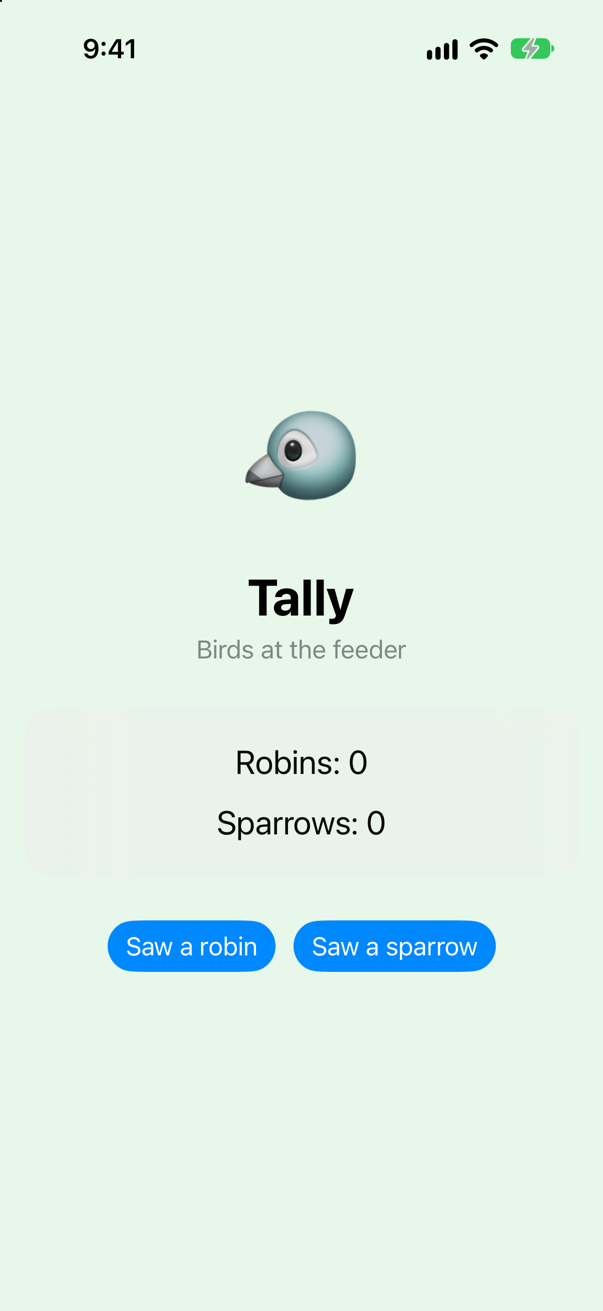
The starter: Tally, with nothing counted yetScreenshot · iPhone 17, iOS 27.0
Five files. TallyApp.swift is the App, with an init that calls run() — the arrangement from lesson 3, so that this lesson's console experiments have a place to go — and Run.swift holds run(), which so far prints one line. ContentView.swift is the screen: a title, the two counts in a card, and a button for each bird. It makes the model and keeps it in @State, as TripsApp keeps its store; lesson 17, the next lesson, is about that wrapper, and here it only has to keep the object alive. The model is in Sightings.swift:
The starter is set up as Parcel was at the end of lesson 15: Swift 6, Default Actor Isolation set to nonisolated, and Approachable Concurrency off, so that nothing about where code runs is decided for you. Two words follow from that in this lesson. run() says @MainActor, because the app calls it on the main actor and it makes a model the screen reads. And Sightings says @MainActor too — look for it in the file below — because the screen reads it, and the screen is drawn on the main thread. Without the word it would belong to no actor.
import Foundation

/// What the feeder has seen today. A plain class, for now. `@MainActor`: the screen reads it, and the screen is drawn
/// on the main thread.
@MainActor
final class Sightings {
    var robins = 0
    var sparrows = 0
}
And Lines.swift holds the two small views that show the counts:
import SwiftUI

/// One line of the tally. Each line is handed the model and reads one number of it, and nothing else.
struct RobinLine: View {
    let sightings: Sightings

    var body: some View {
        Text("Robins: \(sightings.robins)")
    }
}

struct SparrowLine: View {
    let sightings: Sightings

    var body: some View {
        Text("Sparrows: \(sightings.sparrows)")
    }
}
Each line is handed the model and reads one property of it in its body. That one fact — which property each view reads — is what the whole lesson turns on.
The screen does not hear the change
Run the app and tap Saw a robin. Watch the card.
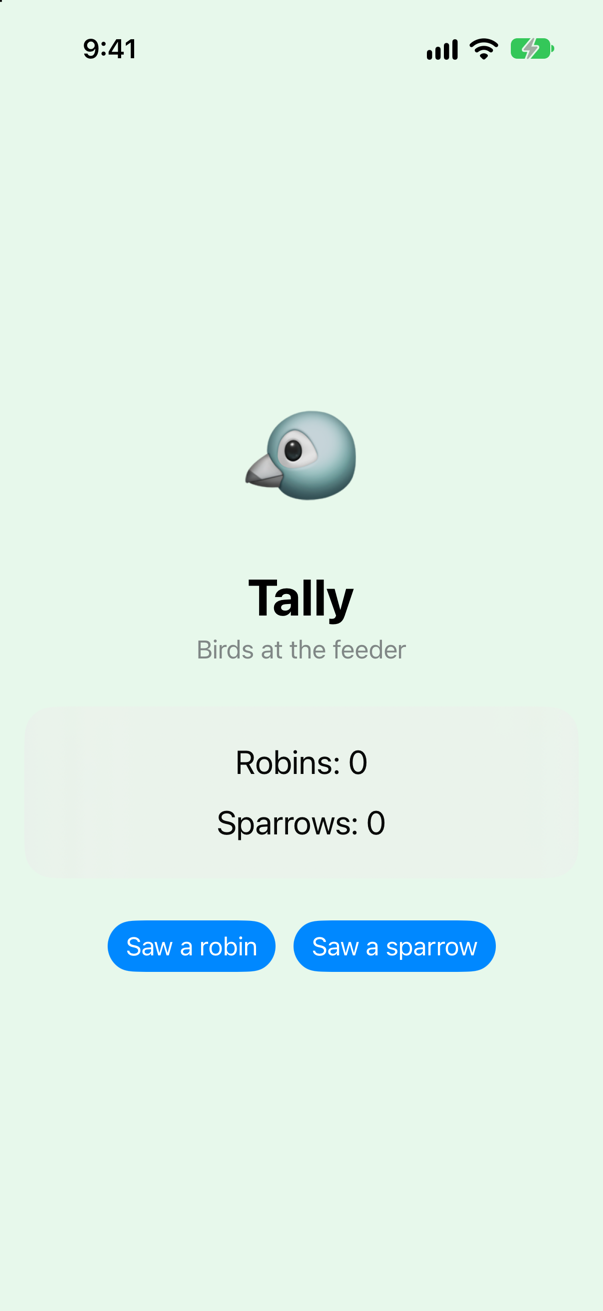
The button's action ran. The console says so:
robins in the model: 1The data changed and the screen did not. RobinLine read sightings.robins when it was drawn, and nothing has made it look again. In UIKit this is where you would set label.text yourself, or reload a table, or post a notification. SwiftUI's promise is that you never do: you change the data, and every view that shows it is drawn again. For that promise to hold, the model has to be able to tell a screen that something changed — and this plain class cannot tell anyone anything. (@State watches the value it holds, and that value is a reference to the object, which did not change.)
The rest of this lesson is how an object makes itself heard. You write it by hand first, in the smallest form that works, and then let a macro write it.
Observation, by hand
The idea has two halves. While a screen is being drawn, make a note of every property it reads. When one of those properties is about to change, tell the screen. Both halves need the property to run a little code when it is read and when it is set — so each stored property goes behind a computed one, and the code it runs talks to a registrar: an object that keeps the notes, one in each model.
Apple ships the registrar. Replace the Sightings class in Sightings.swift:
/// What the feeder has seen today. A plain class, for now. `@MainActor`: the screen reads it, and the screen is drawn/// on the main thread./// What the feeder has seen today — with Observation written by hand: a registrar, and each/// property reporting to it who reads it, and when it is about to change. On the main actor, as before.@MainActorfinal class Sightings { var robins = 0 var sparrows = 0final class Sightings: Observable { private let registrar = ObservationRegistrar() private var storedRobins = 0 private var storedSparrows = 0 var robins: Int { get { // someone is reading it: note who registrar.access(self, keyPath: \.robins) return storedRobins } set { // it is about to change: tell them registrar.withMutation(of: self, keyPath: \.robins) { storedRobins = newValue } } } var sparrows: Int { get { registrar.access(self, keyPath: \.sparrows) return storedSparrows } set { registrar.withMutation(of: self, keyPath: \.sparrows) { storedSparrows = newValue } } }}/// What the feeder has seen today — with Observation written by hand: a registrar, and each
/// property reporting to it who reads it, and when it is about to change. On the main actor, as before.
@MainActor
final class Sightings: Observable {
private let registrar = ObservationRegistrar()
private var storedRobins = 0
private var storedSparrows = 0
var robins: Int {
get {
// someone is reading it: note who
registrar.access(self, keyPath: \.robins)
return storedRobins
}
set {
// it is about to change: tell them
registrar.withMutation(of: self, keyPath: \.robins) {
storedRobins = newValue
}
}
}
var sparrows: Int {
get {
registrar.access(self, keyPath: \.sparrows)
return storedSparrows
}
set {
registrar.withMutation(of: self, keyPath: \.sparrows) {
storedSparrows = newValue
}
}
}
}Three things to read closely. The class now says it is Observable — a protocol with no requirements the compiler checks, only a promise: "this type reports its reads and changes to a registrar"; the registrar's methods accept only such types. The getter calls access: "the property at this key path is being read". The setter calls withMutation: "the property at this key path is about to change — tell whoever read it — and here is the change". A key path, from lesson 13, is how a property is named without reading it: \.robins is robins on a Sightings, as a value, and the registrar files every note under it.
Nothing is imported. The registrar lives in a framework of its own, Observation, and Foundation brings it in. Run the app and tap each button once:
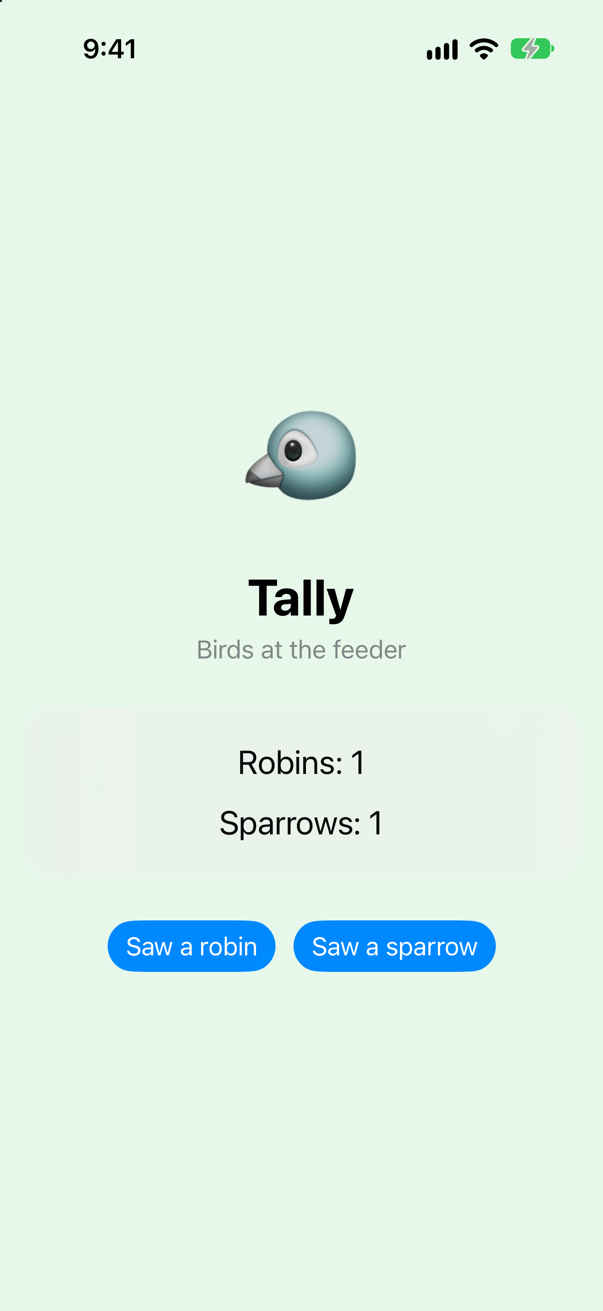
The screen hears the change. Nobody called RobinLine, and nobody told it to redraw: the property told the registrar, and the registrar told the screen. For that to work, something must have asked the registrar to be told — something that ran body and took the note. SwiftUI did, around the body of every view. The next step shows you the function it uses, and what exactly it promises.
withObservationTracking: who is told, and when
The function is withObservationTracking(_:onChange:), and it comes with the registrar. It runs the first closure, notes every observable property that closure read, and calls the second closure when one of those properties is about to change. Try it in run(), with a Sightings of its own, and read the console closely:
@MainActor // the app calls run() on the main actor; each Task { } it starts begins there toofunc run() { print("Hello from run()") let sightings = Sightings() // on the main actor, as run() is withObservationTracking { print("drawing:", sightings.robins, "robins") } onChange: { print("onChange: what the drawing read is about to change") } sightings.sparrows += 1 print("a sparrow was added, and onChange said nothing") sightings.robins += 1 print("a robin was added: robins is now", sightings.robins) sightings.robins += 1 print("another robin, and onChange said nothing")}@MainActor // the app calls run() on the main actor; each Task { } it starts begins there too
func run() {
let sightings = Sightings() // on the main actor, as run() is
withObservationTracking {
print("drawing:", sightings.robins, "robins")
} onChange: {
print("onChange: what the drawing read is about to change")
}
sightings.sparrows += 1
print("a sparrow was added, and onChange said nothing")
sightings.robins += 1
print("a robin was added: robins is now", sightings.robins)
sightings.robins += 1
print("another robin, and onChange said nothing")
}Run the app (⌘R). Xcode’s console shows
drawing: 0 robins
a sparrow was added, and onChange said nothing
onChange: what the drawing read is about to change
a robin was added: robins is now 1
another robin, and onChange said nothing
Three facts, and each is a rule of SwiftUI.
| What happened | The rule |
|---|---|
| Adding a sparrow said nothing | Only properties that were read are watched. The drawing read robins; sparrows is not its business. |
| The second robin said nothing | onChange runs once. When it has run, the tracking is over; to keep watching, you track again — which is what drawing again does. |
onChange printed before the line that follows the first robin | It is called as the property is about to change — look at the setter you wrote: withMutation tells the registrar first and runs your closure second. So onChange means "what you read is going out of date", not "here is the new value". One of this lesson's edge cases shows what that means for code that reads the model inside it. |
This is, in small, what SwiftUI does with every view. It evaluates body inside tracking like this. When a property that body read is about to change, it does not redraw on the spot — the value is not even there yet. It marks the view as out of date and evaluates body again shortly afterwards, once, however many properties changed in the meantime; and that body reads the properties again, and is signed up again. A view whose body did not read the property is left alone.
@Observable writes that for you
Look at what one observable property cost: a private stored property, a getter with a call in it, a setter with a call in it — eleven lines for var robins = 0, and the same eleven again for sparrows. Every property of every model in an app, written out like that, is code nobody should type. It is exactly the kind of code that should be generated from the shape of your type, and since Swift 5.9 the language has a general feature for that: a macro, code that writes code while your program is compiled. Lesson 12 is the lesson on them; @Observable is the biggest one you will meet. Put the class back the way the starter had it, with one word in front:
/// What the feeder has seen today — with Observation written by hand: a registrar, and each/// property reporting to it who reads it, and when it is about to change. On the main actor, as before./// What the feeder has seen today. On the main actor: the screen reads it.@MainActorfinal class Sightings: Observable { private let registrar = ObservationRegistrar() private var storedRobins = 0 private var storedSparrows = 0 var robins: Int { get { // someone is reading it: note who registrar.access(self, keyPath: \.robins) return storedRobins } set { // it is about to change: tell them registrar.withMutation(of: self, keyPath: \.robins) { storedRobins = newValue } } } var sparrows: Int { get { registrar.access(self, keyPath: \.sparrows) return storedSparrows } set { registrar.withMutation(of: self, keyPath: \.sparrows) { storedSparrows = newValue } } }@Observablefinal class Sightings { var robins = 0 var sparrows = 0}/// What the feeder has seen today. On the main actor: the screen reads it.
@MainActor
@Observable
final class Sightings {
var robins = 0
var sparrows = 0
}Run the app again (⌘R), with run() as it was. The console shows
drawing: 0 robins
a sparrow was added, and onChange said nothing
onChange: what the drawing read is about to change
a robin was added: robins is now 1
another robin, and onChange said nothing
The same five lines, to the character: the macro wrote what you wrote. The screen hears the taps as before — step 7 photographs it. First, read what the macro wrote.
How does reading a property register the view to be told when it changes?
Nothing in RobinLine registers anything: Text("Robins: \(sightings.robins)") is a plain read, and the getter the macro wrote is the one you wrote in step 3, with the same one call in it. The registration happens around the read. Before SwiftUI runs a view's body, it asks the graph which node is running and opens a list on the thread; the getter's access call adds sightings' registrar and the key path to that list; and when the body ends, SwiftUI gives each observable object's registrar in the list a closure holding the node's number. When the property changes, sightings' registrar runs that closure, and the node is invalidated. Here it is in order, with the names Apple uses:
@Observable, in fullThe six steps one at a time, where the list, the observable object's registrar and the closures live, and a model of the whole path, written with Apple's names, that compiles and runs.Open the guide →
Read what the macro wrote
A macro is not magic, and Xcode shows you its work.
In
Sightings.swift, click on the word@Observable.Choose Editor ▸ Expand Macro. The code that the macro generated appears in the editor, below the line it belongs to.
Among the new lines, each of your properties has gained an
@ObservationTracked. That is a second macro. Click on one and choose Editor ▸ Expand Macro again to see the accessors it adds.When you have finished reading, choose Editor ▸ Hide All Macro Expansions.
Here is your class with the expansion in place, the part that concerns robins; sparrows gets the same:
@MainActor
@Observable
final class Sightings {
    @ObservationIgnored private let _$observationRegistrar = Observation.ObservationRegistrar()

    internal nonisolated func access<Member>(
      keyPath: KeyPath<Sightings, Member>
    ) {
      _$observationRegistrar.access(self, keyPath: keyPath)
    }

    internal nonisolated func withMutation<Member, MutationResult>(
      keyPath: KeyPath<Sightings, Member>,
      _ mutation: () throws -> MutationResult
    ) rethrows -> MutationResult {
      try _$observationRegistrar.withMutation(of: self, keyPath: keyPath, mutation)
    }

    // …and four private overloads of shouldNotifyObservers, which the setter calls.

    @ObservationIgnored
    private var _robins = 0

    @ObservationTracked
    var robins = 0
    {
        @storageRestrictions(initializes: _robins)
        init(initialValue) {
            _robins = initialValue
        }
        get {
            access(keyPath: \.robins)
            return _robins
        }
        set {
            guard shouldNotifyObservers(_robins, newValue) else {
                _robins = newValue
                return
            }
            withMutation(keyPath: \.robins) {
                _robins = newValue
            }
        }
        _modify {
            access(keyPath: \.robins)
            _$observationRegistrar.willSet(self, keyPath: \.robins)
            defer {
                _$observationRegistrar.didSet(self, keyPath: \.robins)
            }
            yield &_robins
        }
    }

    // `sparrows` gets the same storage and accessors.
}

extension Sightings: nonisolated Observation.Observable {
}
Set it beside the version you wrote in step 3:
| Your version | What the macro wrote |
|---|---|
private let registrar = ObservationRegistrar() | _$observationRegistrar, the same object, under a name no code of yours would use |
private var storedRobins = 0 | private var _robins = 0, marked @ObservationIgnored so that the storage is not itself observed |
registrar.access(self, keyPath: \.robins) in the getter | access(keyPath: \.robins) — a method the macro added, which hands self and the key path to the registrar |
registrar.withMutation(of: self, keyPath: \.robins) { … } in the setter | withMutation(keyPath: \.robins) { … } — the same call, through a method of the same kind |
final class Sightings: Observable | extension Sightings: Observable — the conformance, added for you |
Two things have no counterpart in yours. guard shouldNotifyObservers(_robins, newValue): if the new value is equal to the old one, the setter stores it and tells nobody. That check is recent (Swift 6.2), and one of this lesson's edge cases is about it. And a third accessor, _modify, which is what sightings.robins += 1 uses: instead of a get and a set, it hands out the storage for the change and tells the registrar before (willSet) and after (didSet) — with no equality check, so += always counts as a change.
A macro can only add. It cannot change or delete what you typed: your var robins = 0 is still there, character for character. What the macro did was give it accessors and put storage beside it — which turns a stored property into a computed one without touching your line.
Only the views that read it
Now watch SwiftUI do what run() did. SwiftUI has a call for exactly this: Self._printChanges(), as the first line of a body, prints the view's name and the reason its body is running. Add it to the two lines, and to ContentView:
import SwiftUI/// One line of the tally. Each line is handed the model and reads one number of it, and nothing else.struct RobinLine: View { let sightings: Sightings var body: some View { let _ = Self._printChanges() Text("Robins: \(sightings.robins)") }}struct SparrowLine: View { let sightings: Sightings var body: some View { let _ = Self._printChanges() Text("Sparrows: \(sightings.sparrows)") }}import SwiftUI
/// One line of the tally. Each line is handed the model and reads one number of it, and nothing else.
struct RobinLine: View {
let sightings: Sightings
var body: some View {
let _ = Self._printChanges()
Text("Robins: \(sightings.robins)")
}
}
struct SparrowLine: View {
let sightings: Sightings
var body: some View {
let _ = Self._printChanges()
Text("Sparrows: \(sightings.sparrows)")
}
}struct ContentView: View { @State private var sightings = Sightings() var body: some View { let _ = Self._printChanges() VStack(spacing: 28) { Text("🐦") .font(.system(size: 80)) VStack(spacing: 4) { Text("Tally") .font(.largeTitle.bold()) Text("Birds at the feeder") .foregroundStyle(.secondary) } VStack(spacing: 14) { RobinLine(sightings: sightings) SparrowLine(sightings: sightings) } .font(.title2) .padding(24) .frame(maxWidth: .infinity) .background(.thinMaterial, in: RoundedRectangle(cornerRadius: 20)) HStack(spacing: 12) { Button("Saw a robin") { sightings.robins += 1 print("robins in the model:", sightings.robins) } Button("Saw a sparrow") { sightings.sparrows += 1 print("sparrows in the model:", sightings.sparrows) } } .buttonStyle(.borderedProminent) } .padding() .frame(maxWidth: .infinity, maxHeight: .infinity) .background(Color.green.opacity(0.12)) }}struct ContentView: View {
@State private var sightings = Sightings()
var body: some View {
let _ = Self._printChanges()
VStack(spacing: 28) {
Text("🐦")
.font(.system(size: 80))
VStack(spacing: 4) {
Text("Tally")
.font(.largeTitle.bold())
Text("Birds at the feeder")
.foregroundStyle(.secondary)
}
VStack(spacing: 14) {
RobinLine(sightings: sightings)
SparrowLine(sightings: sightings)
}
.font(.title2)
.padding(24)
.frame(maxWidth: .infinity)
.background(.thinMaterial, in: RoundedRectangle(cornerRadius: 20))
HStack(spacing: 12) {
Button("Saw a robin") {
sightings.robins += 1
print("robins in the model:", sightings.robins)
}
Button("Saw a sparrow") {
sightings.sparrows += 1
print("sparrows in the model:", sightings.sparrows)
}
}
.buttonStyle(.borderedProminent)
}
.padding()
.frame(maxWidth: .infinity, maxHeight: .infinity)
.background(Color.green.opacity(0.12))
}
}run() has done its work for this lesson. Put it back as the starter had it, so that the console is easy to read:
@MainActor // the app calls run() on the main actor; each Task { } it starts begins there toofunc run() { let sightings = Sightings() // on the main actor, as run() is withObservationTracking { print("drawing:", sightings.robins, "robins") } onChange: { print("onChange: what the drawing read is about to change") } sightings.sparrows += 1 print("a sparrow was added, and onChange said nothing") sightings.robins += 1 print("a robin was added: robins is now", sightings.robins) sightings.robins += 1 print("another robin, and onChange said nothing") print("Hello from run()")}@MainActor // the app calls run() on the main actor; each Task { } it starts begins there too
func run() {
print("Hello from run()")
}Run the app (⌘R). Xcode’s console shows
Hello from run()
ContentView: @self, @identity, __sightings changed.
RobinLine: @self changed.
SparrowLine: @self changed.
That is the launch: every body ran once, because nothing had been drawn yet, and each view says why — @self, the view itself is new. (ContentView names its @State storage as well.) Now tap Saw a robin, and then Saw a sparrow:
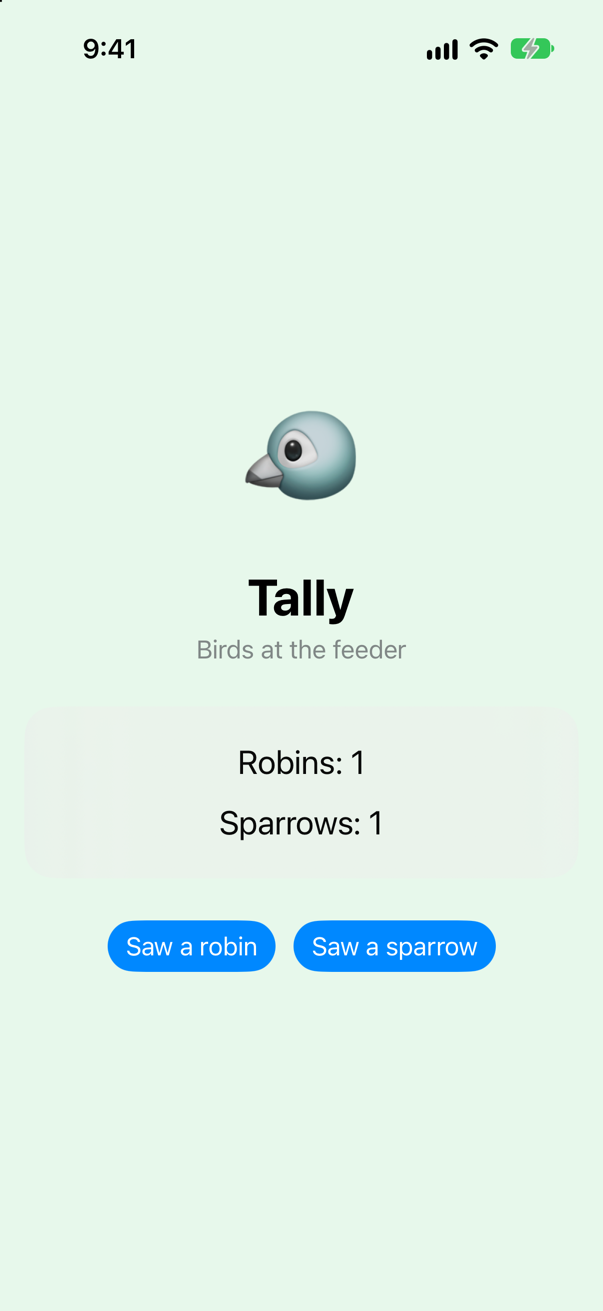
The tap on Saw a robin:
robins in the model: 1
RobinLine: \Sightings.robins changed.
One body out of three, and SwiftUI says why in the words of step 3: the property at the key path \Sightings.robins changed — the very key path your getter handed to the registrar. SparrowLine was left alone, because its body never read robins. So was ContentView, whose body reads no number at all: it only hands the model on. Then Saw a sparrow:
sparrows in the model: 1
SparrowLine: \Sightings.sparrows changed.
The mirror image. This is withObservationTracking with body as the first closure and "mark the view out of date" as the second, run again after every redraw. In the words of the WWDC23 session that introduced it, Discover Observation in SwiftUI: "When body is executed, SwiftUI tracks all access to properties used from 'Observable' types. It then takes that tracking information and uses it to determine when the next change to any of those properties on those specific instances will change." Reading a property is what subscribes a view to it.
A computed property needs nothing — and @ObservationIgnored
Give the model a total. It is a computed property, and it needs no marking of any kind:
/// What the feeder has seen today. On the main actor: the screen reads it.@MainActor@Observablefinal class Sightings { var robins = 0 var sparrows = 0 var total: Int { robins + sparrows }}/// What the feeder has seen today. On the main actor: the screen reads it.
@MainActor
@Observable
final class Sightings {
var robins = 0
var sparrows = 0
var total: Int {
robins + sparrows
}
}And a line that shows it. Add to Lines.swift:
struct TotalLine: View {
    let sightings: Sightings

    var body: some View {
        let _ = Self._printChanges()
        Text("\(sightings.total) birds so far")
            .foregroundStyle(.secondary)
    }
}struct ContentView: View { @State private var sightings = Sightings() var body: some View { let _ = Self._printChanges() VStack(spacing: 28) { Text("🐦") .font(.system(size: 80)) VStack(spacing: 4) { Text("Tally") .font(.largeTitle.bold()) Text("Birds at the feeder") .foregroundStyle(.secondary) } VStack(spacing: 14) { RobinLine(sightings: sightings) SparrowLine(sightings: sightings) TotalLine(sightings: sightings) } .font(.title2) .padding(24) .frame(maxWidth: .infinity) .background(.thinMaterial, in: RoundedRectangle(cornerRadius: 20)) HStack(spacing: 12) { Button("Saw a robin") { sightings.robins += 1 print("robins in the model:", sightings.robins) } Button("Saw a sparrow") { sightings.sparrows += 1 print("sparrows in the model:", sightings.sparrows) } } .buttonStyle(.borderedProminent) } .padding() .frame(maxWidth: .infinity, maxHeight: .infinity) .background(Color.green.opacity(0.12)) }}struct ContentView: View {
@State private var sightings = Sightings()
var body: some View {
let _ = Self._printChanges()
VStack(spacing: 28) {
Text("🐦")
.font(.system(size: 80))
VStack(spacing: 4) {
Text("Tally")
.font(.largeTitle.bold())
Text("Birds at the feeder")
.foregroundStyle(.secondary)
}
VStack(spacing: 14) {
RobinLine(sightings: sightings)
SparrowLine(sightings: sightings)
TotalLine(sightings: sightings)
}
.font(.title2)
.padding(24)
.frame(maxWidth: .infinity)
.background(.thinMaterial, in: RoundedRectangle(cornerRadius: 20))
HStack(spacing: 12) {
Button("Saw a robin") {
sightings.robins += 1
print("robins in the model:", sightings.robins)
}
Button("Saw a sparrow") {
sightings.sparrows += 1
print("sparrows in the model:", sightings.sparrows)
}
}
.buttonStyle(.borderedProminent)
}
.padding()
.frame(maxWidth: .infinity, maxHeight: .infinity)
.background(Color.green.opacity(0.12))
}
}Run it and tap Saw a robin:
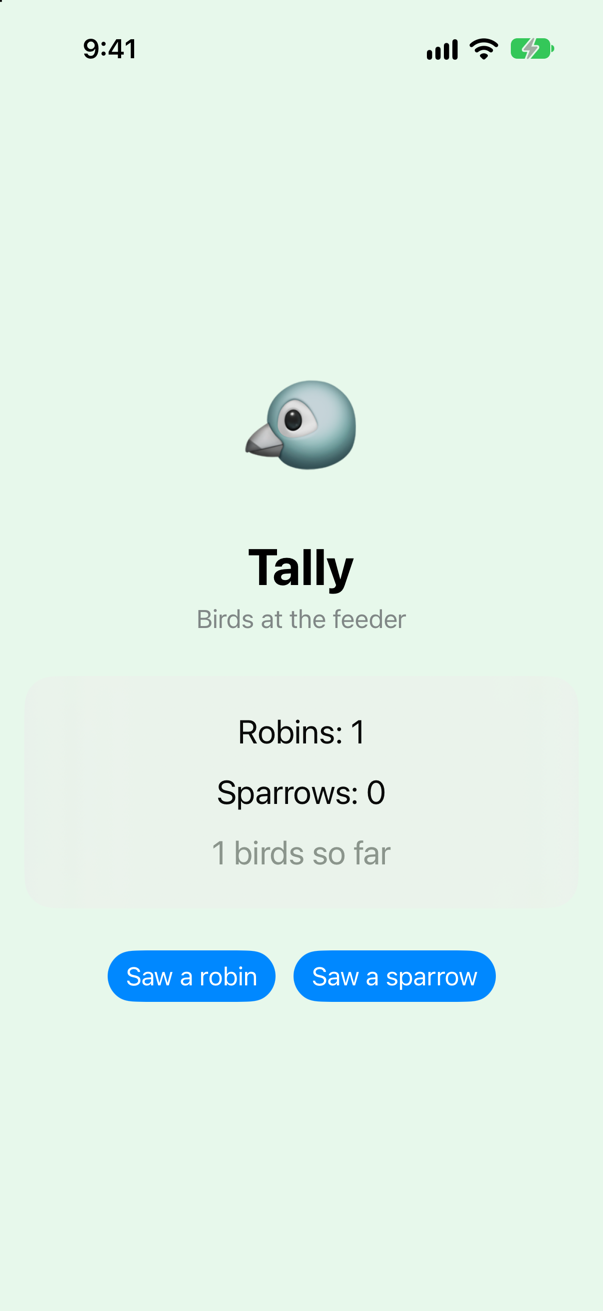
robins in the model: 1
RobinLine: \Sightings.robins changed.
TotalLine: \Sightings.robins changed.
Reading total ran its getter, which read robins and sparrows — two stored, tracked properties — so the registrar noted both for TotalLine, and the robin reached it. A computed property counts as reading whatever it reads. WWDC23: "if a computed property is composed from other stored properties, then the Observation will just work."
The opposite is @ObservationIgnored. Put it on sparrows for a moment, to see what it does:
/// What the feeder has seen today. On the main actor: the screen reads it.@MainActor@Observablefinal class Sightings { var robins = 0 var sparrows = 0 @ObservationIgnored var sparrows = 0 var total: Int { robins + sparrows }}/// What the feeder has seen today. On the main actor: the screen reads it.
@MainActor
@Observable
final class Sightings {
var robins = 0
@ObservationIgnored var sparrows = 0
var total: Int {
robins + sparrows
}
}Run it and tap Saw a sparrow twice:
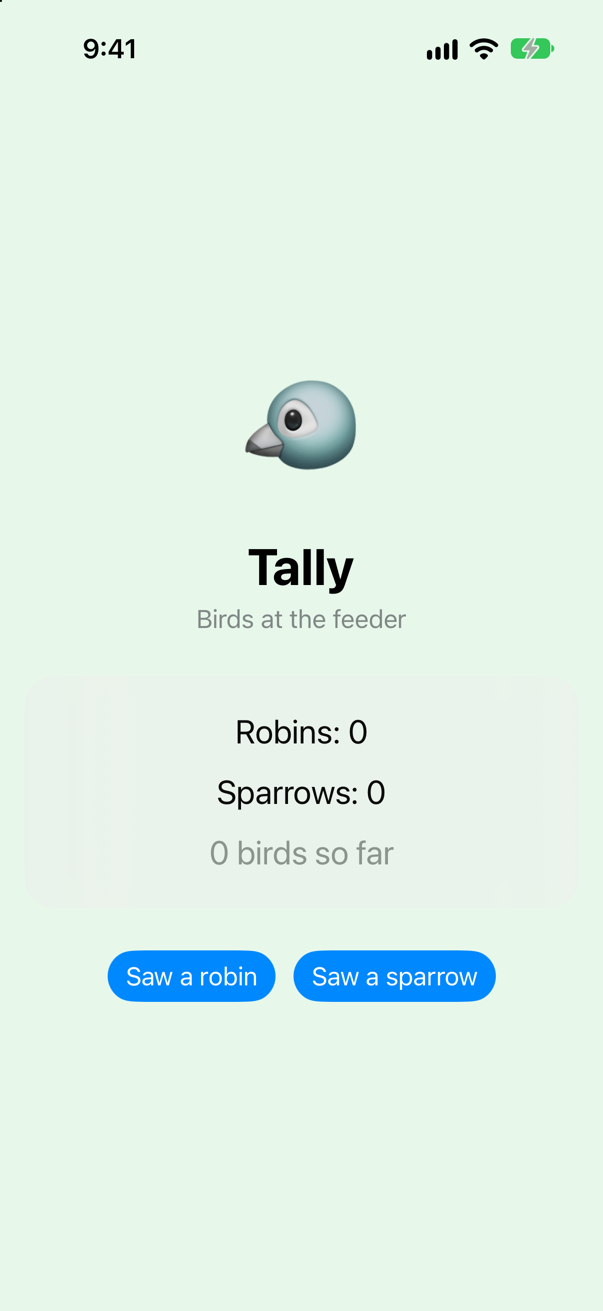
sparrows in the model: 1
sparrows in the model: 2
Two sparrows in the model, none on the screen, and no body ran — not even the total's, which reads sparrows. An ignored property is stored as in any class: reading it is not noted, and changing it tells nobody. It is for what no view shows — a cache, a formatter, a count kept for logging — and never for something on the screen. Take it off again:
/// What the feeder has seen today. On the main actor: the screen reads it.@MainActor@Observablefinal class Sightings { var robins = 0 @ObservationIgnored var sparrows = 0 var sparrows = 0 var total: Int { robins + sparrows }}/// What the feeder has seen today. On the main actor: the screen reads it.
@MainActor
@Observable
final class Sightings {
var robins = 0
var sparrows = 0
var total: Int {
robins + sparrows
}
}Before iOS 17: one signal for the whole object
Until iOS 17 the same model was written with a protocol from Combine, ObservableObject, and a property wrapper on each property, @Published; the view that made it said @StateObject, and a view that was handed it said @ObservedObject. You will meet it in most SwiftUI code written before 2024, and in interviews. To compare, write Tally once more that way, in a file of its own. Choose File ▸ New ▸ File from Template… (⌘N), Swift File, name it OldTally, and replace everything in it:
import SwiftUI
import Combine

/// The same model, the way it was written before iOS 17: a protocol from Combine, and a wrapper on each property.
/// `@MainActor` then too: SwiftUI must hear `objectWillChange` on the main thread.
@MainActor
final class OldSightings: ObservableObject {
    @Published var robins = 0
    @Published var sparrows = 0

    var total: Int {
        robins + sparrows
    }
}

struct OldRobinLine: View {
    @ObservedObject var sightings: OldSightings

    var body: some View {
        let _ = Self._printChanges()
        Text("Robins: \(sightings.robins)")
    }
}

struct OldSparrowLine: View {
    @ObservedObject var sightings: OldSightings

    var body: some View {
        let _ = Self._printChanges()
        Text("Sparrows: \(sightings.sparrows)")
    }
}

struct OldTally: View {
    @StateObject private var sightings = OldSightings()

    var body: some View {
        let _ = Self._printChanges()
        VStack(spacing: 28) {
            VStack(spacing: 14) {
                OldRobinLine(sightings: sightings)
                OldSparrowLine(sightings: sightings)
                Text("\(sightings.total) birds so far")
                    .foregroundStyle(.secondary)
            }
            .font(.title2)
            HStack(spacing: 12) {
                Button("Saw a robin") {
                    sightings.robins += 1
                }
                Button("Saw a sparrow") {
                    sightings.sparrows += 1
                }
            }
            .buttonStyle(.borderedProminent)
        }
        .padding()
    }
}
Show it instead of ContentView. In TallyApp.swift:
import SwiftUI@mainstruct TallyApp: App { init() { run() } var body: some Scene { WindowGroup { ContentView() OldTally() } }}import SwiftUI
@main
struct TallyApp: App {
init() {
run()
}
var body: some Scene {
WindowGroup {
OldTally()
}
}
}Run it and tap Saw a robin:
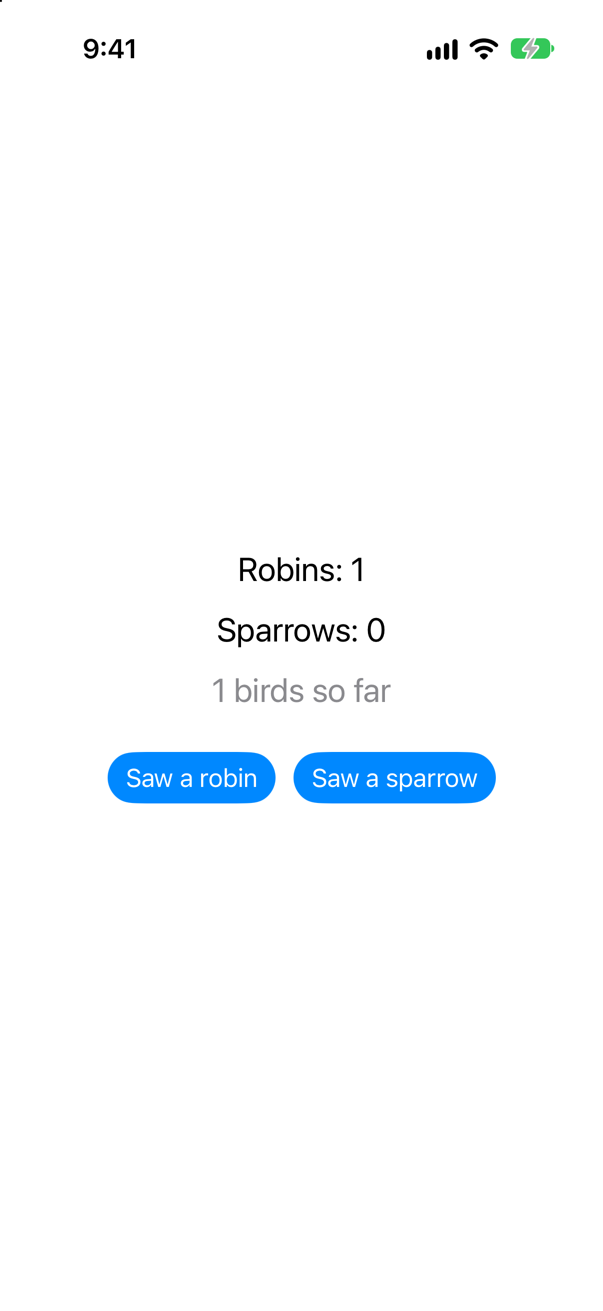
OldTally: _sightings changed.
OldRobinLine: _sightings changed.
OldSparrowLine: _sightings changed.
Every view that holds the object ran its body — OldSparrowLine included, which shows sparrows and nothing else. The reason is in what SwiftUI printed: _sightings changed, the object, not a key path. An ObservableObject has one signal for the whole object, objectWillChange, and every @Published property sends it. A view that observes the object cannot tell which property changed, so it runs again for all of them. Apple's migration guide puts the difference exactly: with @Observable, "SwiftUI updates a view only when an observable property changes and the view’s body reads the property directly", while with ObservableObject "a view updates when any published property of an ObservableObject instance changes, even if the view doesn’t read the property that changes."
Put Tally back: in TallyApp.swift, OldTally() becomes ContentView() again:
import SwiftUI@mainstruct TallyApp: App { init() { run() } var body: some Scene { WindowGroup { OldTally() ContentView() } }}import SwiftUI
@main
struct TallyApp: App {
init() {
run()
}
var body: some Scene {
WindowGroup {
ContentView()
}
}
}And delete OldTally.swift: select it in the Project navigator, press the Delete key, and choose Move to Trash. Lesson 18 has the whole table of replacements, and makes the change in Trips.
Where it goes next
Tally is complete, and so is the mechanism. What SwiftUI adds is a few ways of holding an @Observable object, each the subject of a coming lesson:
| Holding a model | What it is for | Where |
|---|---|---|
@State private var sightings = Sightings() | The view that makes the model keeps it. SwiftUI stores the object outside the view struct, so it survives every redraw, and makes it once. | lesson 17 |
let sightings: Sightings | A view that is handed a model needs no wrapper at all. Reading a property in body is what subscribes it — this lesson's lines. | lesson 18 |
@Bindable var sightings: Sightings | For a view that must write through a control: $sightings.robins is a Binding to one property, through a ReferenceWritableKeyPath (lesson 13). | lesson 18 |
.environment(sightings) and @Environment(Sightings.self) | One model for a whole tree of views, without handing it through every initializer. | lesson 19 |
Observations { sightings.total } | Watching from outside any view: an asynchronous sequence of values (iOS 26) — tracking again after every change, as a loop of your own would. | lesson 18 |
None of them needs @Published or objectWillChange. Each reads properties under tracking and is told through the registrar — the two calls you wrote by hand in step 3. That is the whole of Observation, and it is the modern answer to "when does a view re-render?": when a property its body read is about to change, and nothing more.
@Observable mutation takes the same road as @State: a note at the flush, one invalidated node, and only the bodies that read that property. The guide walks it with breakpoints.Open the guide →
What you built
- Tally: a model and a screen with a line per property, which hears the model change.
- Observation written by hand — an
ObservationRegistrar,accessin a getter,withMutationin a setter, each named by its key path — andwithObservationTracking, with exactly whenonChangeruns: once, only for what was read, as the property is about to change. - The same with
@Observable, read line by line in Xcode's expansion of the macro; a computed property that needs nothing;@ObservationIgnored, tried and taken off again. - Why a view redraws only for the properties its
bodyread, with SwiftUI naming the key path — and the old way,ObservableObject, where every view redraws for every change.
Guide: Inside the Attribute Graph — SwiftUI's graph read out of a running app: a view's nodes, how a write reaches body, modifiers as nodes, and a debugger stopped at every step.
Cheat sheet: the expansion from this lesson is collected, with the rest, on Expansions.
Guide: how reading an @Observable property signs the view up — the list on the thread, observableObject's registrar, the closure holding the node — is drawn step by step in @Observable, in full.
Guide: when an @Observable model leaks and when it is freed — a stored closure, an endless Observations loop, a reference that leads back — is taken apart and run, with a project of twelve leaks to open, in Retain cycles in SwiftUI.
That ends Part 5: key paths, Codable, async/await and Observation, each taken apart. The next lesson begins Part 6, state and data flow — @State and @Binding, back in Trips — and on lesson 18 you take @Observable into Trips itself, with @Bindable and Observations.
The finished project
Stuck, or want to compare with your own? This is the project as it stands at the end of this lesson, built and run before it was put here.
- Tally.zip — unzip it, then open
Tally.xcodeprojin Xcode.
Flash cards
15 cards for this lesson, each labelled with its topic. 9 ask how you would write something; the other 6 are trick questions, written to catch a misunderstanding. Answer in your head first, then tap the card.
Syntax · ObservationMake a class whose properties a screen can hear change.
Write @Observable in front of the class. Every stored var is tracked: nothing to import, no protocol to adopt by hand, nothing to write on each property. The macro writes the registrar and the two calls you wrote by hand in this lesson.
Syntax · ObservationWrite by hand what @Observable writes for one property.
A registrar; the value in a private stored property behind a computed one; access(_:keyPath:) in the getter and withMutation(of:keyPath:) around the change in the setter, each naming the property by its key path; and the class marked Observable. Read under tracking and then changed, it printed read: 0, then onChange: count is about to change.
Syntax · ObservationRun some code, and be told the first time any observable property it read is about to change.
withObservationTracking(_:onChange:). The first closure runs at once, and every observable property it reads is noted; the second runs once, when any of those properties is about to change. SwiftUI evaluates each body this way.
Syntax · ObservationKeep one property of an @Observable class out of observation.
@ObservationIgnored. The property is an ordinary stored property: reading it is not noted, and changing it tells nobody — the run printed the log has 0 entries, then appended, and nobody was told, and never out of date. For what no screen shows: a cache, a formatter, a record kept for later.
Syntax · ObservationA property worked out from others, which a view can watch like any other.
An ordinary computed property, with no marking. Reading total under tracking ran its getter, which read robins and sparrows, so both were noted — and a robin was reported: it printed total: 0, then the total is out of date. WWDC23: "if a computed property is composed from other stored properties, then the Observation will just work."
Syntax · SwiftUIA view that redraws only when the one property it shows changes — and prints why it ran.
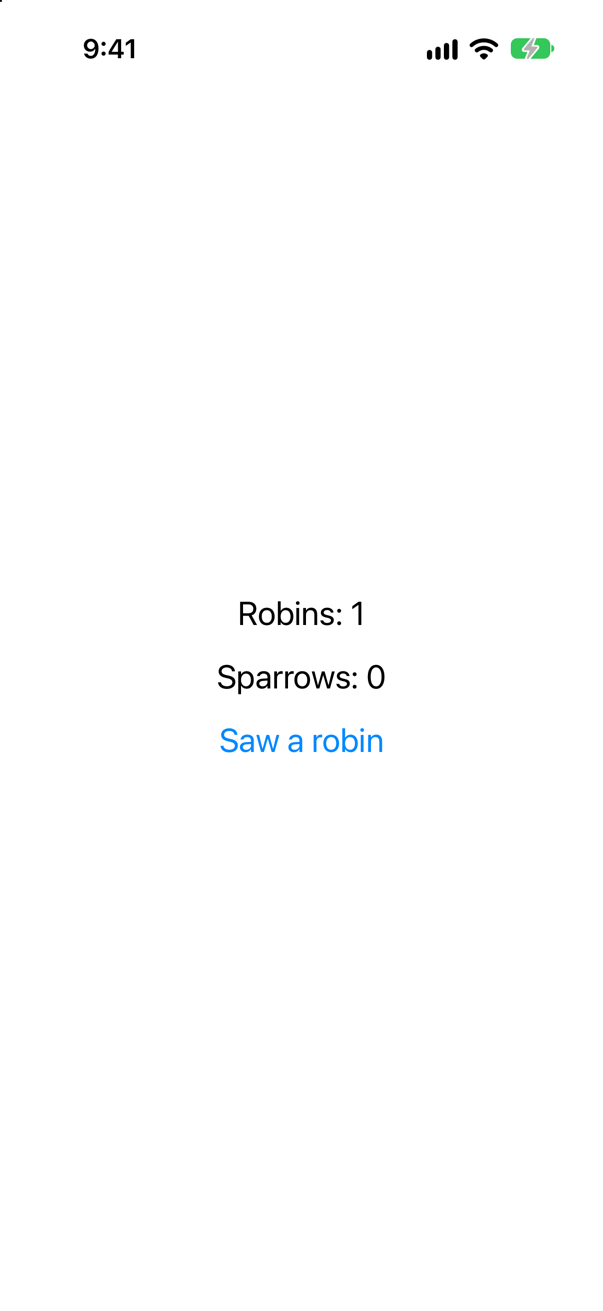
Hand the view the model in a plain let, and read one property in body: that read is the subscription. Self._printChanges() as the first line of body prints the reason the view runs. After a tap on Saw a robin the console showed one line, RobinLine: \Sightings.robins changed. — one view, and the key path that changed. SparrowLine did not run.
Syntax · ObservationsRun code every time a property of a model changes — from ordinary code, not a view.
Observations { … } (iOS 26): an asynchronous sequence of the closure's value — the value now, then a new one after each change to what the closure read. Under the surface it is withObservationTracking, tracking again after every change: the loop you would otherwise write yourself. for await is a for loop over values that have not arrived yet: it takes one, runs its body, then waits for the next without holding up the thread. This loop never ends by itself, so it has a Task of its own, and logger.cancel() ends it. It printed robins: 0, robins: 1, robins: 2.
Syntax · Old codeWrite the same model the way it was done before iOS 17.
ObservableObject, a protocol from Combine, with @Published on each property — and import Combine, which a new Xcode 27 project needs for them. Every @Published change sends the object's one signal, objectWillChange, and every view observing the object redraws, whatever it reads. Now you write @Observable and drop the rest.
Trick question · ObservationThe tracked code read only robins. Does changing sparrows call onChange?
No. The last line printed was sparrows changed, and out of date never came. Observation works property by property, under the key path each read was filed under: only what was actually read is watched. It is why a SwiftUI view redraws only when something it shows changes.
Trick question · ObservationAfter one call to withObservationTracking, the property it read changes three times. How many times is onChange called?
Once. It printed out of date a single time. onChange runs for the first change and the tracking is then over. To keep watching, you track again — which is what SwiftUI does at every body, and what Observations does in a loop.
Trick question · SwiftUIA view's body reads sightings.robins and nothing else. A button changes sightings.sparrows. Does that body run again?
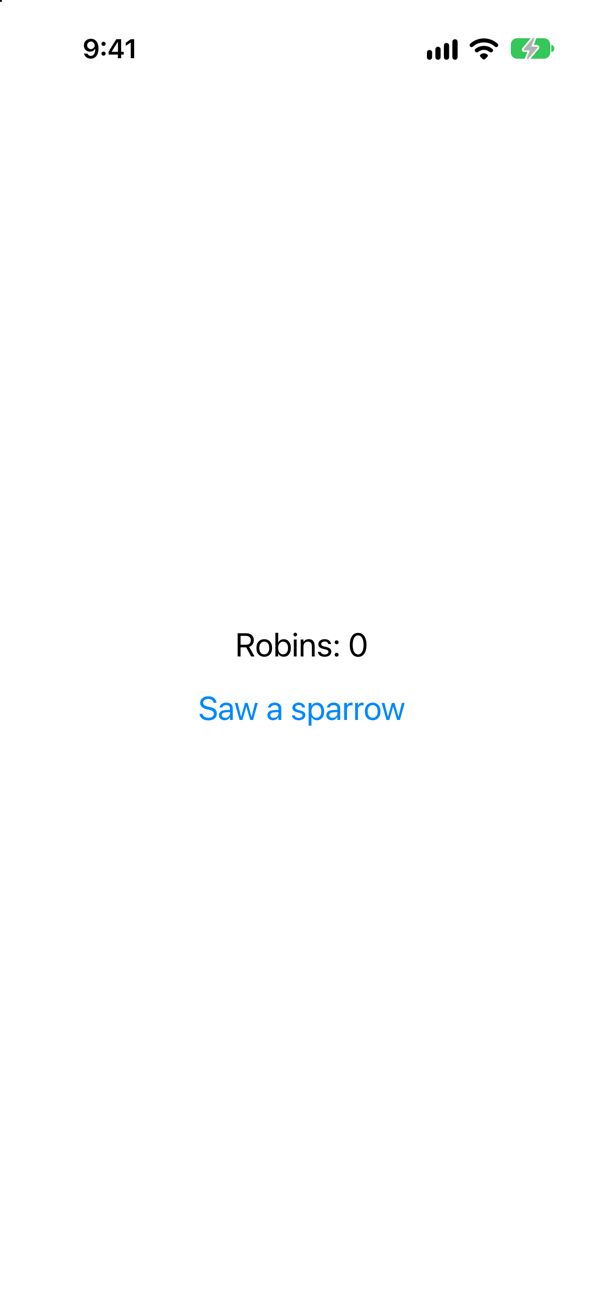
No. After the tap the console showed only sparrows in the model: 1: the button's own line, and no RobinLine. The view read robins, so only robins is its business. A change to a property that no body read costs nothing on the screen.
Trick question · ObservationYou assign to robins the value it already has. Are the observers told?
No — not since Swift 6.2. out of date came only for the second assignment. The setter the macro writes begins with guard shouldNotifyObservers(_robins, newValue), which compares the two values when the type is Equatable. A change made in place — += 0, append — goes through _modify and has no such check; one of this lesson's edge cases has all four cases.
Trick question · ObservationDoes @Observable change the line var robins = 0 that you typed?
From Xcode’s expansion of the macro (shortened) — not code to type
No — a macro only adds. The Swift book: "Macros add new code, but they never delete or modify existing code." Your line is still there, character for character. The macro gave it accessors — a getter that calls access, a setter that calls withMutation — and put the storage beside it as _robins, which turns a stored property into a computed one without touching what you wrote. Xcode shows all of it: click the macro, then Editor ▸ Expand Macro.
Trick question · ObservationIs Observation part of SwiftUI? Can withObservationTracking watch a model in code that has no view at all?
Yes. This program has no view and imports nothing but Foundation, and it printed told, with no SwiftUI in sight. Observation is a framework of its own (iOS 17): a registrar, withObservationTracking, and the macro. SwiftUI is one client of it, UIKit is another since iOS 26 (updateProperties()), and your own code can be a third.
Syntax · ObservationWhat does @Observable write into a class?
From Xcode’s expansion of the macro (shortened) — not code to type
Xcode's own expansion: an ObservationRegistrar; each stored property moved into an underscored one; and the property you wrote turned into accessors that tell the registrar on every read (access) and every write (withMutation). A view's body is tracked through those reads, and redrawn when one of the properties it read changes.
Edge cases and tricky questions
11 questions of the kind an interviewer uses to find out whether you really know this — the corners, the traps, and the things that changed recently. Each has its source. Wherever the answer is what some code does, that code was compiled and run, and what you see under “Show the answer” is what it really did. Say your answer aloud before you open it.
onChange draws the tally again. What does the second line of output show — the count after the change, or before it?
Show the answer
Run it. The console shows
drawing: 0 robins
drawing: 0 robins
drawing: 1 robins
Before it. The second line is drawing: 0 robins — the robin is not there yet. onChange is called when the property is about to change, not after it has changed: from the accessor, before the new value is stored. So anything that reads the model inside onChange still sees the old value. The third line, printed during the second change, shows the first robin at last and is still missing the second. The output never catches up.
onChange means "what you read is going out of date", not "here is the new value". The right thing to do in it is to schedule work for a moment later — Task { @MainActor in draw(sightings) } — and read the model then. Apple's own example of this function does nothing in onChange except print("Schedule renderer."). SwiftUI behaves the same way: it marks the view as needing an update and evaluates body afterwards.
That run was built as a new Xcode project builds it, and there the compiler makes the same point from another side, with a warning on the draw(sightings) line: call to main actor-isolated global function 'draw' in a synchronous nonisolated context In this course's projects the code does not build at all: capture of 'sightings' with non-Sendable type 'Sightings' in a '@Sendable' closure onChange is a @Sendable closure, run on whatever thread is changing the property, and here the model belongs to no actor, so that thread could be any. Put the model and draw on the main actor, and schedule the drawing for after the change, and both problems go:
The model and the drawing on the main actor, the drawing scheduled
drawing: 0 robins
drawing: 1 robins
drawing: 2 robins
Every line now shows the count after its change.
Where this comes from: withObservationTracking(_:onChange:) · SE-0395: Observation — SE-0395: the function will "call out upon the first change to any of those properties"; the notification is sent from the property's willSet.
Four changes to an @Observable object that is being watched. Which of them tell the observers?
Show the answer
Run it. The console shows
robins = 2, the value it already has
robins += 0   → observers are told
days.append(2)   → observers are told
robins = 3   → observers are told
Three of the four. Assigning a value that is equal to the current one tells nobody. Since Swift 6.2 the setter that @Observable generates begins with guard shouldNotifyObservers(_robins, newValue) — you read it in this lesson's expansion — and for an Equatable type that compares the two values. Before Swift 6.2, in Xcode 16, every assignment notified, equal or not.
The second line is the trap. robins += 0 leaves the value exactly as it was, and observers are told anyway. A change made in place — +=, append, toggle(), setting one property of a struct held in the property — does not go through the setter at all. It goes through the third accessor in the expansion, _modify, which tells the registrar before and after and has no equality check.
So the rule is: a plain assignment of an equal Equatable value is free, and everything else counts as a change. If a model is refreshed from a server every few seconds, assign whole values (sightings.robins = newCount) and the views that show them will not be re-evaluated when nothing has really changed. A type that is not Equatable always notifies.
Where this comes from: Swift pull request 78151: Observation, “distinctness notification” (Swift 6.2) · Nil Coalescing: Equatable properties in @Observable classes (July 2026) · SE-0395: Observation — The Swift pull request that added the check: "The types now house a distinctness check by testing shouldNotifyObservers which by default emits only on new values for things that conform to equatable."
You add Codable to an @Observable class and encode it to JSON. What are the keys?
Show the answer
Run it. The console shows
{"_$observationRegistrar":{},"_robins":0,"_sparrows":0}Not robins and sparrows. It printed {"_$observationRegistrar":{},"_robins":0,"_sparrows":0}.
Two pieces of compiler-written code have met. Codable encodes the stored properties of a type. But @Observable has turned robins and sparrows into computed properties, and the stored ones are now _robins, _sparrows and the registrar the macro added. Nothing warns you about the keys, and your server receives ones it has never heard of. (There is one warning, deep inside the macro's expansion, and it is about something else: immutable property will not be decoded because it is declared with an initial value which cannot be overwritten That is the registrar.)
The fix is a CodingKeys enum that names the real stored properties and gives each its proper key. Leaving the registrar out of the enum leaves it out of the JSON:
Now it encodes, and decodes, with the keys you meant
{"robins":0,"sparrows":0}
3 1
The cleaner design is often to keep the two jobs apart: a plain Codable struct for what goes over the wire (lesson 14), and an @Observable class that holds it.
Where this comes from: Hacking with Swift: Adding Codable conformance to an @Observable class · Apple Developer Forums: @Observable class not compatible with Codable? · SE-0395: Observation — SE-0395: the macro "converts each stored property to a computed property".
A feeder model that should also save its seed level. Does it compile?
Show the answer
It does not compile. Xcode reports
invalid redeclaration of synthesized property '_seedLevel'No. invalid redeclaration of synthesized property '_seedLevel' A property wrapper needs a stored property to wrap, and it creates hidden storage named _seedLevel. @Observable turns seedLevel into a computed property and creates storage named _seedLevel too. They collide.
The fix you will find everywhere is @ObservationIgnored @AppStorage("seedLevel") var seedLevel = 5. It compiles. But read the name: the property is now ignored by observation.
With @ObservationIgnored added, watch the property and change it
the seed level changed, and nobody was toldA view that shows feeder.seedLevel will not update when it changes. If views need to follow the value, keep @AppStorage in the view, where it belongs, or write the property's get and set yourself and call the macro's access(keyPath:) and withMutation(keyPath:) in them — the next question shows how.
lazy var fails for the same underlying reason: 'lazy' cannot be used on a computed property Inside an @Observable class a stored property is not really stored any more.
Where this comes from: Apple Developer Forums: @Observable and @AppStorage · SE-0395: Observation · Apple: iOS & iPadOS 27 release notes — The iOS 27 release notes say the same of the new @State macro: "Composing @State with other property wrappers or macros is not supported."
summary and bestDay are both computed properties of an @Observable class. Each is read under tracking, then changed. Which change is noticed?
Show the answer
Run it. The console shows
summary is out of date
bestDay is now 9
Only summary. Reading summary ran its getter, which read robins — a stored, tracked property. So the tracking recorded robins, and changing robins was noticed. A computed property built from observed properties needs nothing extra; this lesson's total is one.
bestDay reads and writes something the macro knows nothing about. No tracked property was touched, so nothing was recorded, and the change went unnoticed: the output has no bestDay is out of date line. A view showing sightings.bestDay would simply never update.
When the storage is somewhere else, you do by hand what the macro does for stored properties — the two calls you wrote in step 3, through the methods the macro added:
With those two calls, the change is noticed
bestDay is out of dateWhere this comes from: SE-0395: Observation · Observable() macro — SE-0395, “Computed properties”: those that "derive their values from stored properties are automatically tracked"; those that "source their value from remote storage or via indirection … must manually add tracking".
onChange runs once. A logger — not a view — should print every new count of robins. What do you write, and what did people write before iOS 26?
Show the answer
Run it. The console shows
robins: 0
robins: 1
robins: 2
Observations (Swift 6.2; iOS 26). You give it a closure that reads what you care about, and it is an AsyncSequence of that closure's values: the value now, then a new value each time something the closure read has changed. for await is a for loop over values that have not arrived yet: it takes one, runs its body, then waits for the next without holding up the thread, which is why the lines after the Task can go on to change the model. The loop never ends by itself, so it has a Task of its own, and logger.cancel() ends it. You met await in lesson 15; for await has a lesson of its own, lesson 40. Three lines were printed, and none for sparrows: the closure read only robins.
Before iOS 26 the answer was a loop written by hand — track, and in onChange schedule the next tracking for a moment later, when the change has been made:
The same three lines
robins: 0
robins: 1
robins: 2
Either way the point to make is that Observation is not part of SwiftUI. It is a small framework of its own, usable from any Swift code — and a SwiftUI body is this loop with "draw again" as its body.
Where this comes from: SE-0475: Transactional Observation of Values (`Observations`) · Observations (iOS 26) · SE-0395: Observation — SE-0475: Observations gives "an AsyncSequence of values" computed from observable properties, "transactionally".
The old way: OldSightings is an ObservableObject with two @Published properties. A subscriber that only cares about robins listens to the object. A sparrow is added. Is the subscriber told?
Show the answer
Run it. The console shows
objectWillChange: something in the object is about to change
a sparrow was added — told, though it never read sparrows
objectWillChange: something in the object is about to change
a robin was added — told again, for each change
Yes — for the sparrow, and for every change after it. An ObservableObject has one publisher, objectWillChange, and every @Published property sends through it, before its value changes. The subscriber is not asked what it read, because nothing in the design can know: there is no registrar and no key path, only one signal that means "something in me is about to change".
That is exactly what a SwiftUI view did with @ObservedObject and @StateObject: subscribe to objectWillChange, and run body on every signal — which is why, in step 9, every view holding the object redrew for one robin. Hacking with Swift's interview answer names the manual form too, objectWillChange.send(), "for times when you need more fine-grained control" — but the finest it gets is per object.
Observation turns the question round. Nothing is sent to anybody: a body reads properties, the registrar notes which, and only a change to one of those is reported. Say both halves in an interview: one signal per object before iOS 17, one key path per property since.
Where this comes from: ObservableObject (Combine) · Published (Combine) · Migrating from ObservableObject to @Observable · Hacking with Swift interview question: How can an observable object announce changes to SwiftUI? — Apple, “Migrating from the Observable Object protocol to the Observable macro”: with ObservableObject "a view updates when any published property of an ObservableObject instance changes, even if the view doesn’t read the property that changes."
A class is not marked @Observable. By hand it conforms to Observable, keeps an ObservationRegistrar, and calls access and withMutation in one property's accessors. A SwiftUI view reads that property and a button changes it. Does the screen update?
Show the answer
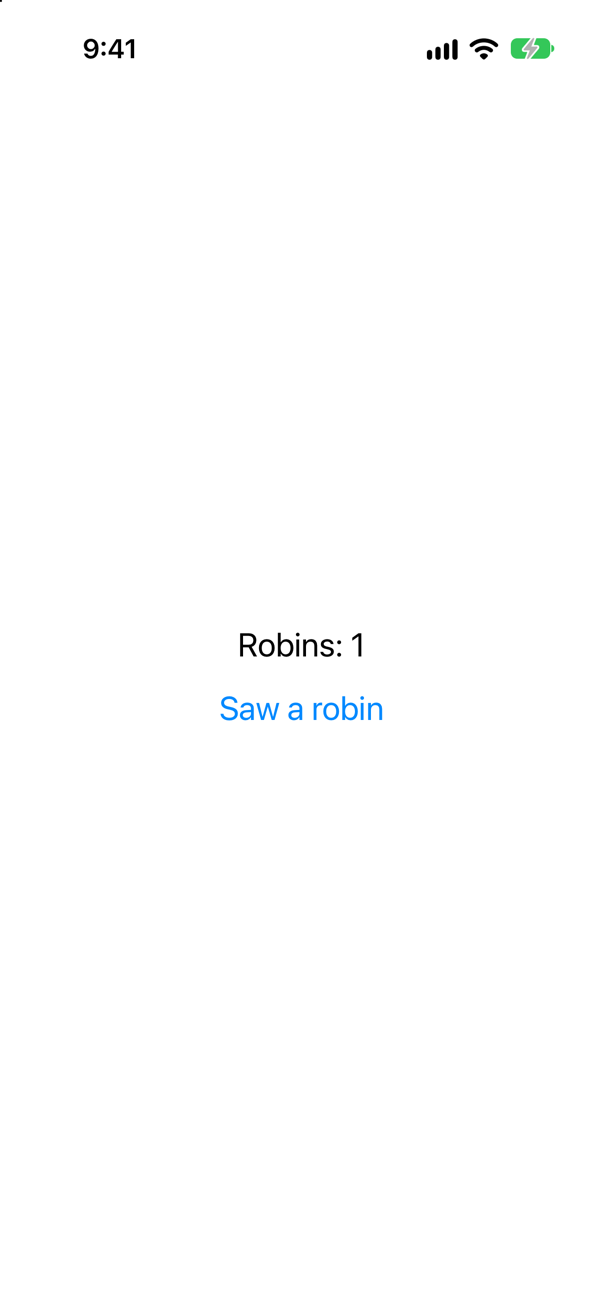
Yes. The macro is a convenience, not the mechanism. SwiftUI evaluates body under observation tracking, and tracking works through the registrar: access records the key path for whoever is tracking, and withMutation reports the change to whoever recorded it. A class that makes those calls itself is observed exactly like one the macro expanded — step 3 built Tally that way, and this screen does it in one property.
What @Observable adds is the conformance and the calls, for every stored property, so that you cannot forget one; the conformance is the last line of its expansion, extension Sightings: nonisolated Observation.Observable. SE-0395 keeps the pieces apart: Observable is a marker protocol that "doesn't have formal requirements" but "includes a semantic requirement that conforming types must implement tracking for each stored property using an ObservationRegistrar"; the registrar is "the required storage for tracking accesses and mutations"; and the macro "automatically synthesizes conformance to the Observable protocol" and "converts each stored property to a computed property". This class meets the semantic requirement by hand.
When would you write it by hand? Almost never for a stored property. But for a property whose storage is somewhere else — the previous question's bestDay — those two calls are the whole answer, and knowing that they are all the macro writes is what lets you write them.
Where this comes from: SE-0395: Observation · ObservationRegistrar · Observable (the protocol) — SE-0395: "Most types can meet that requirement simply by using the @Observable macro" — most, not all.
Bird is @Observable. Robin inherits from it and adds a stored property, songs, without the macro; Wren inherits and adds the same property, with the macro. Which properties are tracked?
Show the answer
Run it. The console shows
robin.seen, inherited   → observers are told
robin.songs, added without the macro
wren.seen, inherited   → observers are told
wren.songs, added with the macro   → observers are told
All but Robin.songs. The macro expands the class it is written on. Bird's seen became a computed property with the registrar calls, and both subclasses inherit that property as it is — so seen is tracked on a Robin and on a Wren alike. Robin.songs is a plain stored property of a plain class: nothing reports its reads or its changes, and the observers were not told. Wren has the macro, so its songs got accessors of its own.
The trap is that it compiles and runs without a word. A view showing robin.songs would never update, while the same view showing robin.seen would, and nothing in the code says why. SE-0395 states the rule in its section on subclasses: "Only the properties of a type that implements the Observable tracking requirements will be observed" — its example is the other way round, an observable subclass of a plain class, whose "superclass's stored properties will not be tracked". So every class in the chain that adds observable properties needs @Observable itself. (The macro on Wren adds a second registrar; the two coexist, each serving its own properties.)
The same holds for a property added in an extension with its own storage elsewhere, and for final left off Bird so that it can be subclassed at all — the macro does not require final, but most models are, because nothing inherits from them.
Where this comes from: Observable() macro · SE-0395: Observation — Apple, Observable(): "This macro adds observation support to a custom type and conforms the type to the Observable protocol" — that type, and not its subclasses; SE-0395, “Subclasses”, says which properties are observed.
A child view is handed a number from its parent's @State and an @Observable model. Its body runs more often than you expect. Without Instruments, how do you find out why — and what does each kind of change look like?
Show the answer
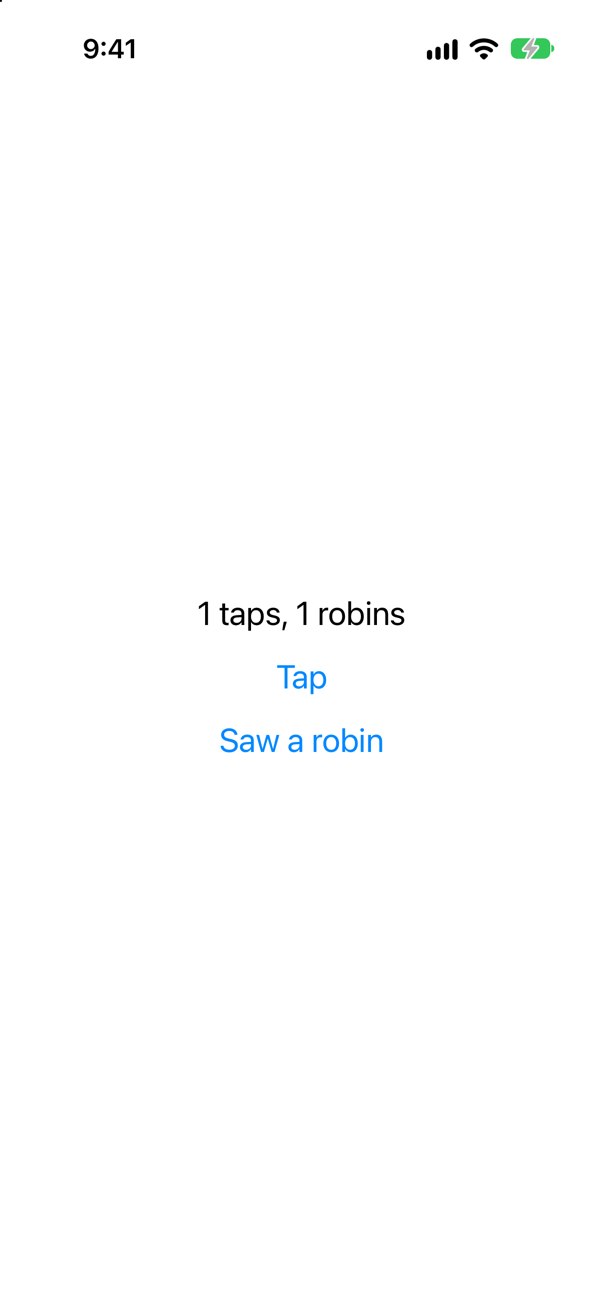
Self._printChanges(), as the first line of the body in question. It prints the view's name and every reason this run of body has, in SwiftUI's own terms. At launch:
ContentView: @self, @identity, __taps, __sightings changed.
Line: @self changed.
@self — the view is new; @identity — it has just been given its place in the tree; and the parent's two @State storages, which Xcode 27's macro names with two underscores. Then a tap on Tap:
ContentView: __taps changed.
Line: @self changed.
The parent ran because its @State changed, and the child ran because it was made again with a new value — @self: a different taps was handed in. That is a change of input, not of observation; a let on a view is compared by SwiftUI, and a view whose inputs are the same is skipped. Then Saw a robin:
Line: \Sightings.robins changed.Only the child, and only because of the key path it read; the parent's body reads no property of the model, so it did not run. Three reasons, three different lines: a new value from the parent, a @State of your own, an observed property — and _printChanges tells them apart. Since iOS 17.1 Self._logChanges() writes the same to the unified log, for a device you cannot attach to. Lesson 48 uses both in Trips.
Where this comes from: WWDC21: Demystify SwiftUI (2021 — still the reference on identity) · Managing model data in your app — WWDC21 “Demystify SwiftUI” introduced Self._printChanges() as a debugging aid; the lines above are what it printed on the iOS 27 simulator.
A screen shows how many guides there are. Guide is an @Observable class. One guide is renamed, then a guide is added. When is the screen told?
Show the answer
Run it. The console shows
drawing: 2 guides
renamed a guide
the screen is out of date
added a guide
Only when the guide is added. Renaming a guide changes a property of the Guide object. The array still holds the same two objects, so store.guides has not changed, and a screen that read only the array is not told. A view that shows that guide's name is told, and nothing else. This is the fine-grained updating that @Observable was built for: rename one row of a list, and only that row's view runs again.
Make Guide a struct and the answer flips:
The same code, with Guide as a struct
drawing: 2 guides
the screen is out of date
renamed a guide
Now a guide is a value inside the array, so renaming it changes the array, and everything that read store.guides is told — even a screen that only shows the count. Neither is wrong. But you should be able to say which you have, because it decides how much of the screen is redrawn.
Where this comes from: SE-0395: Observation · Managing model data in your app — SE-0395: "Mutations to the friends array will also cause a call to onChange, though changes to individual members of the array are not tracked."
Further reading
- SE-0395: Observation
- Observation framework
- Observable() macro
- withObservationTracking(_:onChange:)
- WWDC23: Discover Observation in SwiftUI
- Migrating from ObservableObject to @Observable
- ObservationIgnored() macro
- SE-0475: Transactional Observation of Values (`Observations`)
- ObservationRegistrar
- Observable (the protocol)