A trip of your own
@State and @Binding
You will buildA planner for a new trip: a draft that its fields edit as you type, a card that shows the draft as it changes, a picture picker of your own — written once the way nearly everybody writes it the first time, then the right way — and a button that adds the trip to the store. First, Trips moves to Swift 6's strictest settings, where every type says whose it is.
TimeAbout 90 minutes
WhyEvery value on a screen has an owner. In UIKit the owner was usually a view controller, and keeping the label, the text field and the model in agreement was your job, by hand, in delegate methods. SwiftUI asks one question instead: who owns this value? The owner keeps it in @State. Every other view either reads a copy, if it only shows the value, or is handed a Binding, if it must change it. Get that right and the screen cannot disagree with itself. Get it wrong and you meet the commonest bug in SwiftUI code, which you will write on purpose in this lesson.
Open your project
Open your
Tripsproject as lesson 11 left it: double-clickTrips.xcodeprojin Finder, or use File ▸ Open… (⌘O) in Xcode.If you did not finish lesson 11, or would rather start from a known state, download Trips-lesson-11.zip instead. It is the project exactly as it stood at the end of lesson 11. Unzip it and open
Trips.xcodeproj.Run it (⌘R) to check that it builds. You should see where lesson 11 ended:
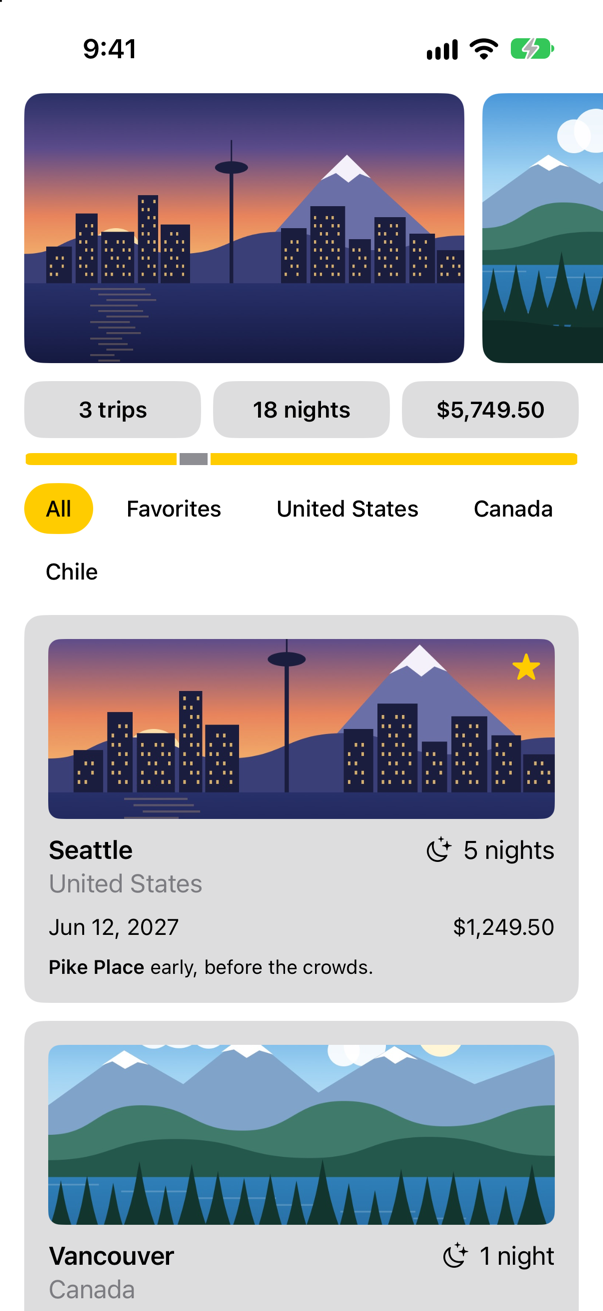
Trips, as it stood at the end of lesson 11Screenshot · iPhone 17, iOS 27.0
Every type says whose it is
Before the planner, one change that holds for the rest of the course. Parcel and Tally are built the strict way — Swift 6, Default Actor Isolation set to nonisolated, and Approachable Concurrency off — so that nothing about where code runs is decided for you; lesson 15 gave the reasons. Trips still has the settings a new Xcode project gets. Give it the same three.
In the Project navigator, select the project — Trips, at the top. In the editor, under TARGETS, select Trips, open Build Settings, and click All. Type each name below into the search field, and set it:
Build setting Swift Language Version: Swift 6 SWIFT_VERSION = 6.0
Build setting Default Actor Isolation: nonisolated SWIFT_DEFAULT_ACTOR_ISOLATION = nonisolated
Build setting Approachable Concurrency: No SWIFT_APPROACHABLE_CONCURRENCY = NO
Run it again (⌘R). It builds, and the app is as it was:
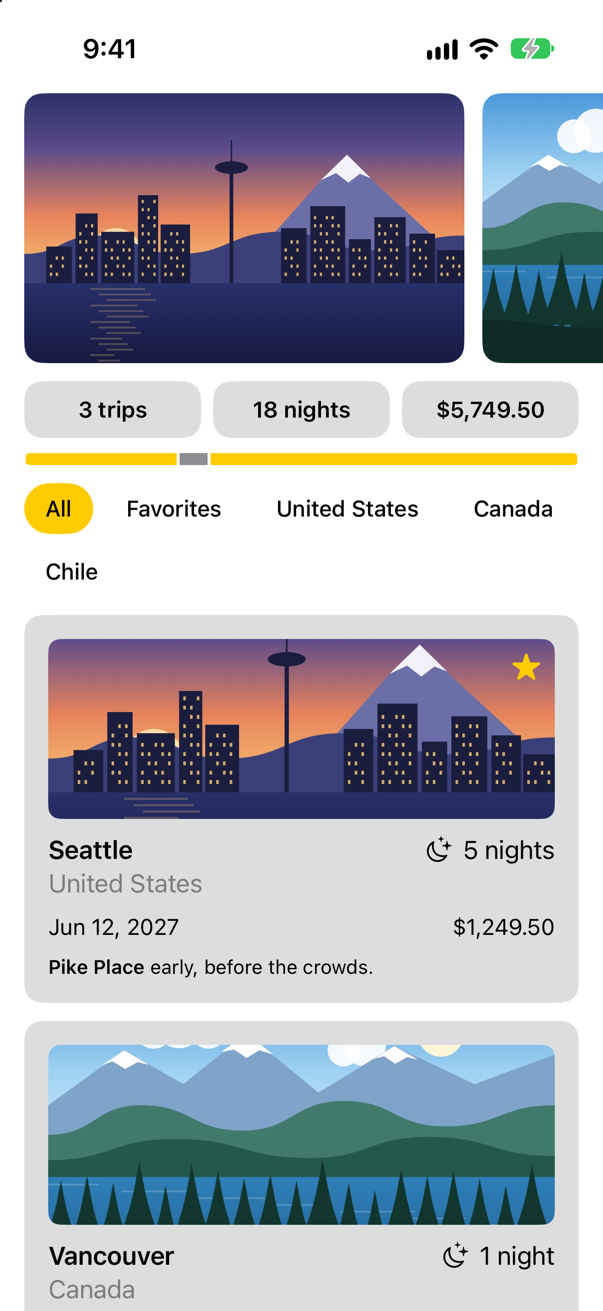
It builds because nothing in Trips yet hands a value from one actor to another, which is where Swift 6 looks for data races. But the project no longer decides anything for its types. Each one now says whose it is, or says nothing:
| Types | What they say | Whose they are |
|---|---|---|
TripsApp, the views, and the modifiers Tile and Chip | App, View, ViewModifier: protocols that SwiftUI declares @MainActor | the main actor's, through the protocol |
FlowLayout and Watch | Layout, which SwiftUI declares Sendable, on no actor | no actor's: plain values, which any thread may use |
TripStore | nothing | no actor's — yet it is a class, and the screen reads it |
Trip and TripFilter | nothing | no actor's, and Sendable only because Swift works it out |
The store matters most. It is a class, so whoever holds it can change it, and with no word it belongs to no actor. Swift 6 lets the views use it only because it never leaves them, and they are on the main actor. The first line that would let it go anywhere else does not compile — here, a view's .task handing it to a @concurrent function, which runs on the pool of threads:
A store with no word, handed from a view to the pool
sending 'self.store' risks causing data racesNothing in the store said that it was the main actor's. Swift 6 worked it out from where the store is kept, and refused the one call that would break it. Say it instead, as Tally's model does, and for the same reason: the views read it, and the views are drawn on the main thread. In TripStore.swift:
/// The trips, for the whole app. `@MainActor`: the views read it, and the views/// are drawn on the main thread.@MainActor@Observablefinal class TripStore { var trips = Trip.samples func save() { print("Saving \(trips.count) trips") // a real save comes in Part 10 }}/// The trips, for the whole app. `@MainActor`: the views read it, and the views
/// are drawn on the main thread.
@MainActor
@Observable
final class TripStore {
var trips = Trip.samples
func save() {
print("Saving \(trips.count) trips") // a real save comes in Part 10
}
}Now the store is the main actor's wherever it goes. The views use it as before. The function on the pool may be handed it too, and it waits, with await, to read the trips on the main actor:
With @MainActor on the store and await store.trips.count in the function, it builds, and the task printed
3 tripsA trip is the other kind of thing: plain data — numbers, text, a date and a price — copied wherever it goes. A type like that says Sendable, the promise that a value can be handed from one actor to another. Swift counts Trip as Sendable already, without being told, because every property it has is. Say it anyway: a promise that is written down is checked where it is written. To see what the word buys, here is a different trip, one with a notebook in it — and a notebook is a class. It is a small program of its own, compiled on its own: read it, there is nothing to type yet.
/// A notebook: a class, and so not `Sendable`.
final class Notebook {
    var pages: [String] = []
}

struct Trip: Identifiable {
    let id: Int
    var city: String
    var notebook = Notebook()
}

extension Trip {
    static let seattle = Trip(id: 1, city: "Seattle")
    static let samples = [seattle]
}- Compiled as it is, Swift 6 stops at the samples:
static property 'seattle' is not concurrency-safe because non-'Sendable' type 'Trip' may have shared mutable state - With
SendableafterIdentifiable, it stops at the notebook:stored property 'notebook' of 'Sendable'-conforming struct 'Trip' has non-Sendable type 'Notebook'
Without the word, the error is in another declaration, on samples that did nothing wrong. With it, the error is on the line that broke the promise. Now make the same promise for the real Trip, the one in your project: add Sendable to the first line of the struct, and a comment above it:
struct Trip: Identifiable {/// One trip: plain data. `Sendable`: a copy may be handed to any actor, and the/// compiler checks that every property may be too.struct Trip: Identifiable, Sendable { let id: Int var city: String var country: String var nights: Int var isFavorite: Bool var imageName: String var price: Decimal var start: Date var notes: String}/// One trip: plain data. `Sendable`: a copy may be handed to any actor, and the
/// compiler checks that every property may be too.
struct Trip: Identifiable, Sendable {
let id: Int
var city: String
var country: String
var nights: Int
var isFavorite: Bool
var imageName: String
var price: Decimal
var start: Date
var notes: String
}TripFilter is plain data too: a case, and at most the name of a country. The same word, on the enum:
import Foundation/// Which trips the list shows.enum TripFilter: Hashable {/// Which trips the list shows. `Sendable`: plain data, like a trip.enum TripFilter: Hashable, Sendable { case all case favorites case country(String) var title: String { switch self { case .all: "All" case .favorites: "Favorites" case .country(let name): name } } func includes(_ trip: Trip) -> Bool { switch self { case .all: true case .favorites: trip.isFavorite case .country(let name): trip.country == name } }}import Foundation
/// Which trips the list shows. `Sendable`: plain data, like a trip.
enum TripFilter: Hashable, Sendable {
case all
case favorites
case country(String)
var title: String {
switch self {
case .all: "All"
case .favorites: "Favorites"
case .country(let name): name
}
}
func includes(_ trip: Trip) -> Bool {
switch self {
case .all: true
case .favorites: trip.isFavorite
case .country(let name): trip.country == name
}
}
}Three words, and the app does what it did before: they change what the compiler checks, not what the app does. The first run of the next step builds with them. From here on every type in Trips says whose it is — the views through View, the data with Sendable, the store with @MainActor — and so does every type you add.
A value of its own
Trips can show trips. Now it learns to plan one. The planner will sit at the top of the list, folded away until it is wanted.
Choose File ▸ New ▸ File from Template… (⌘N), select SwiftUI View, and name it
TripPlanner.
struct TripPlanner: View { let store: TripStore @State private var isOpen = false var body: some View { Text("Hello, World!") VStack(alignment: .leading, spacing: 12) { Button(isOpen ? "Close the planner" : "Plan a trip", systemImage: isOpen ? "xmark" : "plus") { isOpen.toggle() } .buttonStyle(.bordered) if isOpen { Text("Where to?") .font(.title2.bold()) } } .frame(maxWidth: .infinity, alignment: .leading) .padding(.horizontal) }}struct TripPlanner: View {
let store: TripStore
@State private var isOpen = false
var body: some View {
VStack(alignment: .leading, spacing: 12) {
Button(isOpen ? "Close the planner" : "Plan a trip", systemImage: isOpen ? "xmark" : "plus") {
isOpen.toggle()
}
.buttonStyle(.bordered)
if isOpen {
Text("Where to?")
.font(.title2.bold())
}
}
.frame(maxWidth: .infinity, alignment: .leading)
.padding(.horizontal)
}
}#Preview { TripPlanner() TripPlanner(store: TripStore())}#Preview {
TripPlanner(store: TripStore())
}It takes the store, which it will need at the end of this lesson to add the trip you plan. In ContentView.swift, put it first in the stack:
struct ContentView: View { let store: TripStore @State private var filter = TripFilter.all var body: some View { ScrollView { LazyVStack(spacing: 12) { TripPlanner(store: store) PhotoStrip(trips: store.trips) TripSummary(trips: store.trips) FilterBar(filters: filters, selection: $filter) .frame(maxWidth: .infinity, alignment: .leading) .padding(.horizontal) LazyVGrid(columns: [GridItem(.adaptive(minimum: 300))], spacing: 12) { ForEach(store.trips.filter { filter.includes($0) }) { trip in TripCard(trip: trip) } } } } } /// All, Favorites, and then a filter for each country that has a trip. private var filters: [TripFilter] { var countries: [String] = [] for trip in store.trips where !countries.contains(trip.country) { countries.append(trip.country) } return [.all, .favorites] + countries.map { TripFilter.country($0) } }}struct ContentView: View {
let store: TripStore
@State private var filter = TripFilter.all
var body: some View {
ScrollView {
LazyVStack(spacing: 12) {
TripPlanner(store: store)
PhotoStrip(trips: store.trips)
TripSummary(trips: store.trips)
FilterBar(filters: filters, selection: $filter)
.frame(maxWidth: .infinity, alignment: .leading)
.padding(.horizontal)
LazyVGrid(columns: [GridItem(.adaptive(minimum: 300))], spacing: 12) {
ForEach(store.trips.filter { filter.includes($0) }) { trip in
TripCard(trip: trip)
}
}
}
}
}
/// All, Favorites, and then a filter for each country that has a trip.
private var filters: [TripFilter] {
var countries: [String] = []
for trip in store.trips where !countries.contains(trip.country) {
countries.append(trip.country)
}
return [.all, .favorites] + countries.map { TripFilter.country($0) }
}
}Run the app (⌘R), and tap Plan a trip:
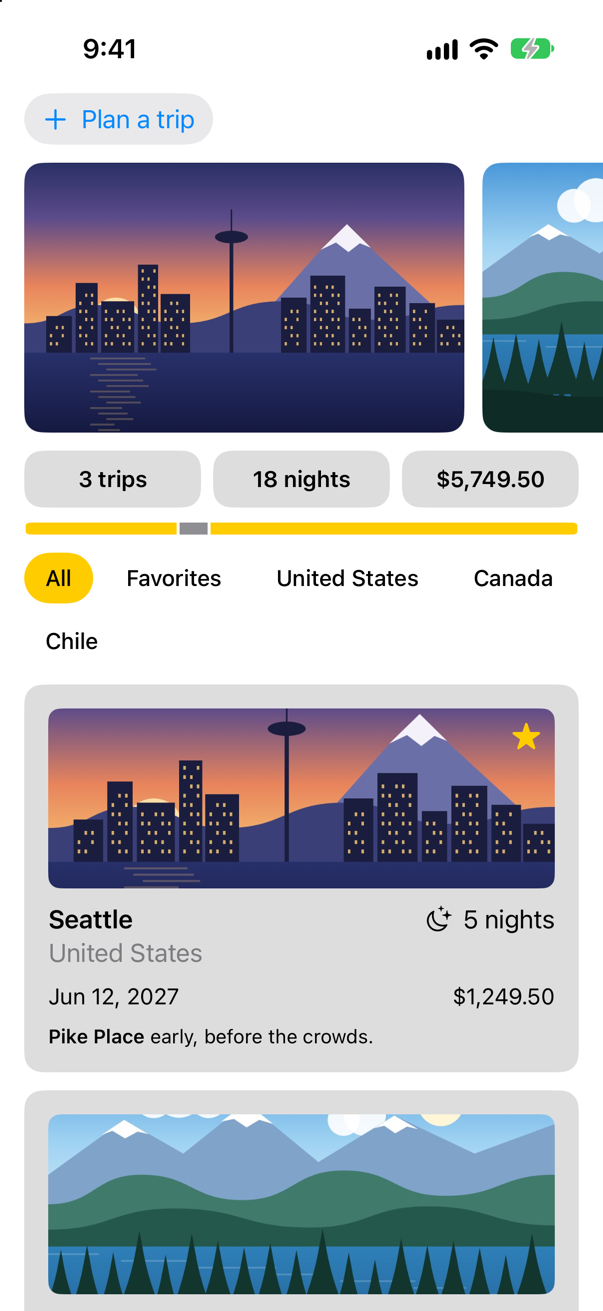
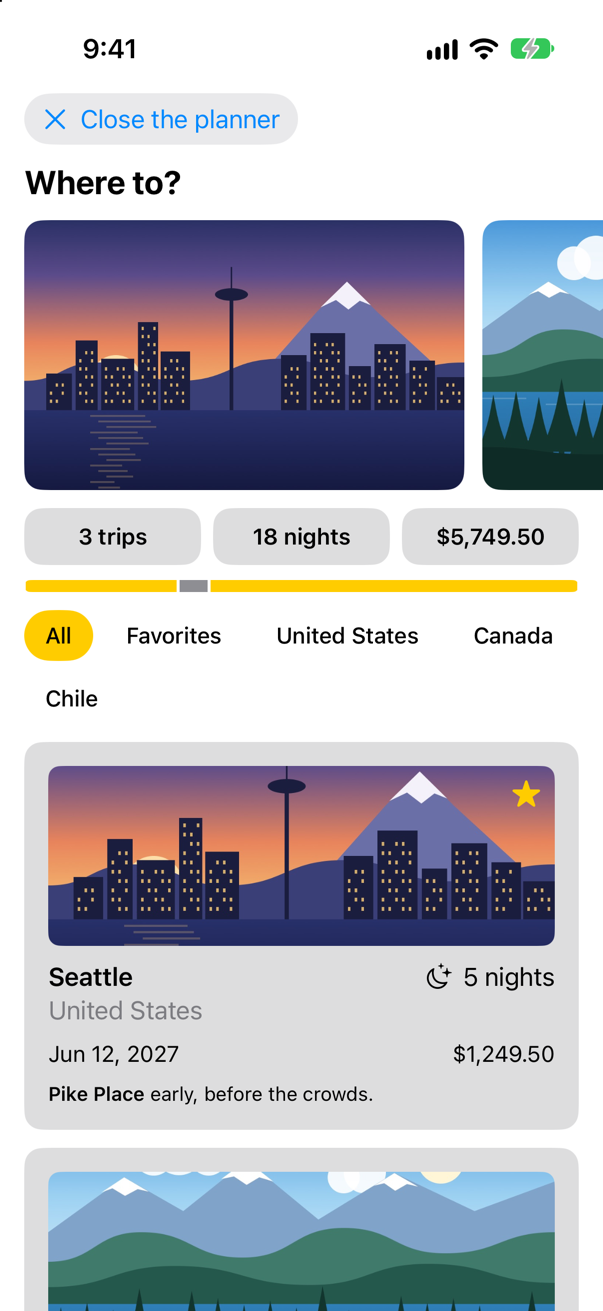
isOpen belongs to the planner and to nothing else, so the planner keeps it in @State. You met @State on lesson 7, and you saw there what it is for: SwiftUI makes a view's struct again and again — every time its parent's body runs — and a value stored in an ordinary property would be made again with it. A value in @State is kept by SwiftUI, outside the struct, for as long as the view is on the screen. Each new copy of the struct is handed the same storage.
And it is private. Apple's reference gives the reason: "Declare state as private to prevent setting it in a memberwise initializer, which can conflict with the storage management that SwiftUI provides." Nothing outside the planner has any business setting isOpen, and private makes the compiler say so.
A draft with several parts
A trip being planned has a city, a country, a number of nights, a budget, a picture, and whether it is a favorite. Several values that belong together are a struct. Add it at the bottom of Trip.swift:
/// A trip that is still being planned: what the planner's fields change.
/// `Sendable`: plain data, like a trip.
struct TripDraft: Sendable {
    var city = ""
    var country = ""
    var nights = 3
    var price: Decimal = 1000
    var imageName = "seattle"
    var isFavorite = false

    /// The trip this draft would make, given an id.
    func trip(id: Int) -> Trip {
        Trip(id: id, city: city.isEmpty ? "Somewhere new" : city, country: country,
             nights: nights, isFavorite: isFavorite, imageName: imageName,
             price: price, start: .on(2027, 9, 1), notes: "")
    }
}
Like Trip, it says Sendable: it is plain data. trip(id:) turns a draft into a Trip. Every new trip starts on the same date for now — a date picker is a control, and controls are Part 9.
The planner keeps one draft in @State, and its fields edit the draft's parts. Below the fields it shows the draft as a card — the same TripCard as the list, given the trip that the draft would make:
struct TripPlanner: View { let store: TripStore @State private var isOpen = false @State private var draft = TripDraft() var body: some View { VStack(alignment: .leading, spacing: 12) { Button(isOpen ? "Close the planner" : "Plan a trip", systemImage: isOpen ? "xmark" : "plus") { isOpen.toggle() VStack(spacing: 12) { VStack(alignment: .leading, spacing: 12) { Button(isOpen ? "Close the planner" : "Plan a trip", systemImage: isOpen ? "xmark" : "plus") { isOpen.toggle() } .buttonStyle(.bordered) if isOpen { TextField("City", text: $draft.city) TextField("Country", text: $draft.country) Stepper(value: $draft.nights, in: 1...60) { Text("^[\(draft.nights) night](inflect: true)") } Stepper(value: $draft.price, in: 0...20_000, step: 250) { Text(draft.price, format: .currency(code: "USD")) } } } .buttonStyle(.bordered) .textFieldStyle(.roundedBorder) .frame(maxWidth: .infinity, alignment: .leading) .padding(.horizontal) if isOpen { Text("Where to?") .font(.title2.bold()) TripCard(trip: draft.trip(id: 0)) } } .frame(maxWidth: .infinity, alignment: .leading) .padding(.horizontal) }}struct TripPlanner: View {
let store: TripStore
@State private var isOpen = false
@State private var draft = TripDraft()
var body: some View {
VStack(spacing: 12) {
VStack(alignment: .leading, spacing: 12) {
Button(isOpen ? "Close the planner" : "Plan a trip", systemImage: isOpen ? "xmark" : "plus") {
isOpen.toggle()
}
.buttonStyle(.bordered)
if isOpen {
TextField("City", text: $draft.city)
TextField("Country", text: $draft.country)
Stepper(value: $draft.nights, in: 1...60) {
Text("^[\(draft.nights) night](inflect: true)")
}
Stepper(value: $draft.price, in: 0...20_000, step: 250) {
Text(draft.price, format: .currency(code: "USD"))
}
}
}
.textFieldStyle(.roundedBorder)
.frame(maxWidth: .infinity, alignment: .leading)
.padding(.horizontal)
if isOpen {
TripCard(trip: draft.trip(id: 0))
}
}
}
}Run the app. Tap Plan a trip, type a city and a country, and tap + beside the nights:
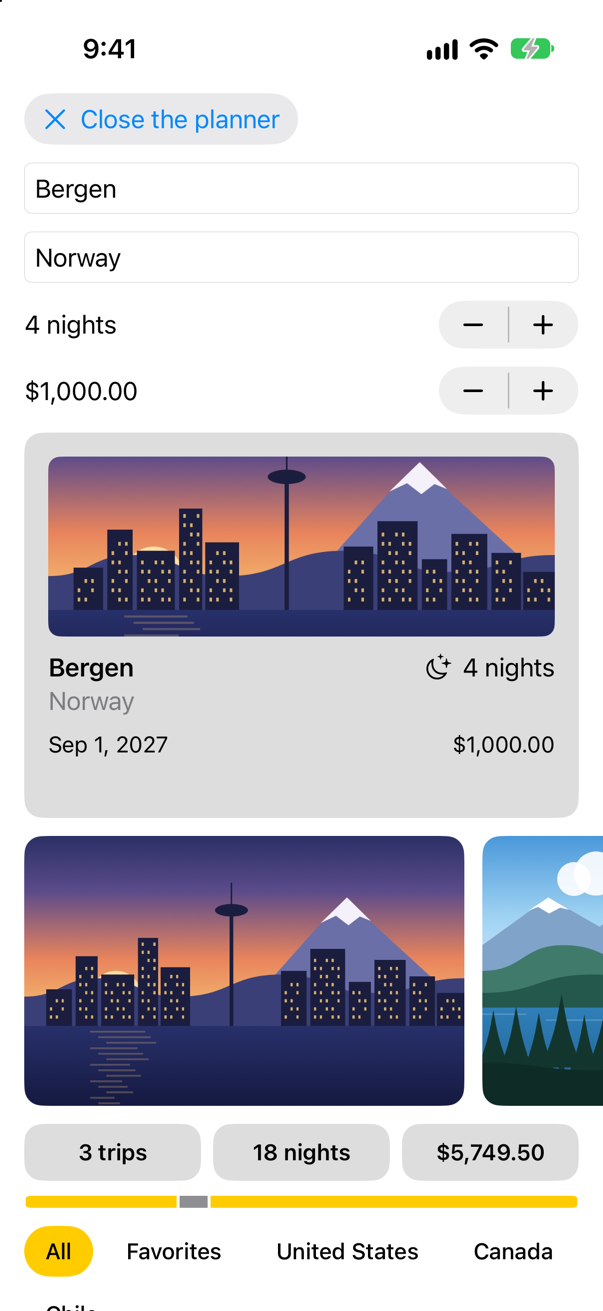
The card changed with every letter. Nothing told it to: the TextField changed draft.city, the planner's body read draft and ran again, and the card was made again from the new draft.
| In the code | What it is |
|---|---|
@State private var draft = TripDraft() | One value, owned by the planner: a struct with six parts. |
$draft | A Binding<TripDraft>. The $ asks the state for its projected value, which for state is a binding to the storage SwiftUI keeps. |
$draft.city | A Binding<String> to one part of it. Apple: "You can also get a binding to a scoped value within a state variable." Writing through it changes city, which changes draft. |
TextField("City", text: $draft.city) | A text field does not own text. It is handed a binding and writes every keystroke through it. |
TripCard(trip: draft.trip(id: 0)) | The card only shows the draft, so it gets a plain value — no $, no binding. |
Now close the planner and open it again:
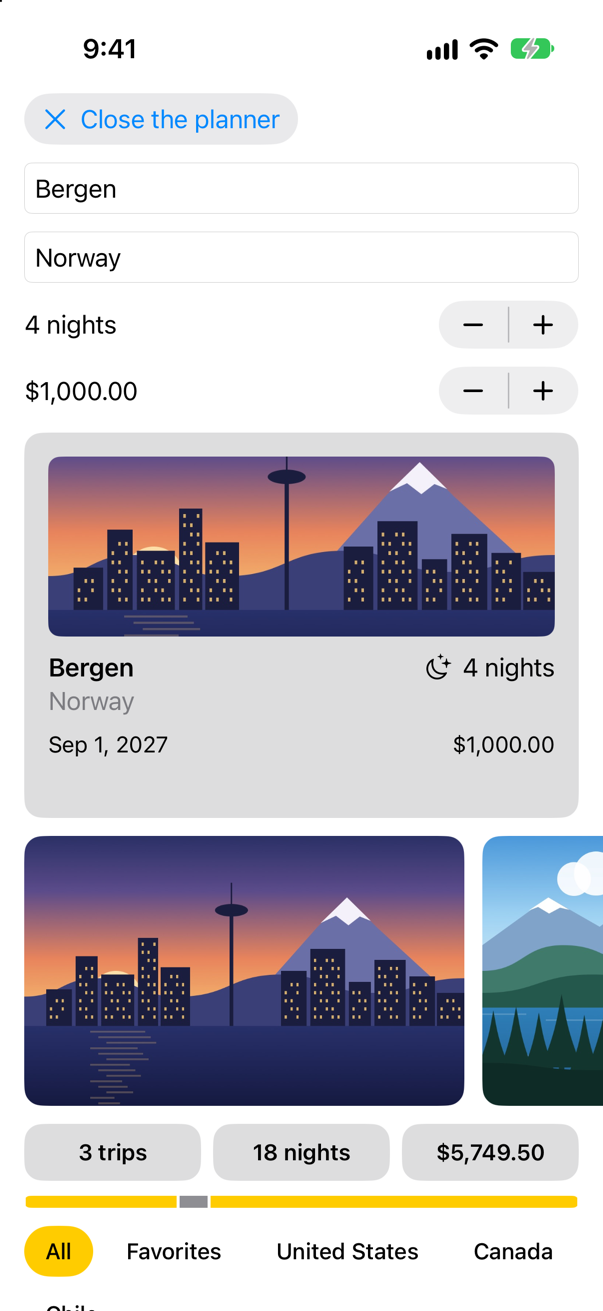
The fields went away and came back, and the draft did not go anywhere. It does not belong to the fields; it belongs to the planner, and the planner never left the screen. Keep that in mind for the edge cases at the end of the page: state lives exactly as long as the view that owns it.
A child that copies
A trip needs a picture, and choosing one deserves a little view of its own: the three pictures in a row, the chosen one ringed in yellow. Write it the way that seems obvious — the picker is handed the current picture, and keeps track of the choice itself.
Make another SwiftUI View, named
PicturePicker.
struct PicturePicker: View { @State private var selection: String init(selection: String) { self.selection = selection } private let names = ["seattle", "vancouver", "atacama"] var body: some View { Text("Hello, World!") HStack(spacing: 10) { ForEach(names, id: \.self) { name in Button { selection = name } label: { Image(name) .resizable() .scaledToFill() .frame(width: 64, height: 44) .clipShape(RoundedRectangle(cornerRadius: 8)) .contentShape(Rectangle()) .overlay { RoundedRectangle(cornerRadius: 8) .stroke(name == selection ? Color.yellow : Color.clear, lineWidth: 3) } } .buttonStyle(.plain) .accessibilityLabel("\(name.capitalized) picture") .accessibilityAddTraits(name == selection ? .isSelected : []) } } }}struct PicturePicker: View {
@State private var selection: String
init(selection: String) {
self.selection = selection
}
private let names = ["seattle", "vancouver", "atacama"]
var body: some View {
HStack(spacing: 10) {
ForEach(names, id: \.self) { name in
Button {
selection = name
} label: {
Image(name)
.resizable()
.scaledToFill()
.frame(width: 64, height: 44)
.clipShape(RoundedRectangle(cornerRadius: 8))
.contentShape(Rectangle())
.overlay {
RoundedRectangle(cornerRadius: 8)
.stroke(name == selection ? Color.yellow : Color.clear, lineWidth: 3)
}
}
.buttonStyle(.plain)
.accessibilityLabel("\(name.capitalized) picture")
.accessibilityAddTraits(name == selection ? .isSelected : [])
}
}
}
}#Preview { PicturePicker() PicturePicker(selection: "seattle")}#Preview {
PicturePicker(selection: "seattle")
}Each thumbnail is a Button, with the clip shape and the content shape from lesson 11. The two accessibility lines give each button a name that VoiceOver can read, and mark the chosen one as selected; lesson 51 is about both. In the planner, put the picker beside lesson 5's FavoriteButton:
struct TripPlanner: View { let store: TripStore @State private var isOpen = false @State private var draft = TripDraft() var body: some View { VStack(spacing: 12) { VStack(alignment: .leading, spacing: 12) { Button(isOpen ? "Close the planner" : "Plan a trip", systemImage: isOpen ? "xmark" : "plus") { isOpen.toggle() } .buttonStyle(.bordered) if isOpen { TextField("City", text: $draft.city) TextField("Country", text: $draft.country) Stepper(value: $draft.nights, in: 1...60) { Text("^[\(draft.nights) night](inflect: true)") } Stepper(value: $draft.price, in: 0...20_000, step: 250) { Text(draft.price, format: .currency(code: "USD")) } HStack { PicturePicker(selection: draft.imageName) Spacer() FavoriteButton(isFavorite: $draft.isFavorite) } } } .textFieldStyle(.roundedBorder) .frame(maxWidth: .infinity, alignment: .leading) .padding(.horizontal) if isOpen { TripCard(trip: draft.trip(id: 0)) } } }}struct TripPlanner: View {
let store: TripStore
@State private var isOpen = false
@State private var draft = TripDraft()
var body: some View {
VStack(spacing: 12) {
VStack(alignment: .leading, spacing: 12) {
Button(isOpen ? "Close the planner" : "Plan a trip", systemImage: isOpen ? "xmark" : "plus") {
isOpen.toggle()
}
.buttonStyle(.bordered)
if isOpen {
TextField("City", text: $draft.city)
TextField("Country", text: $draft.country)
Stepper(value: $draft.nights, in: 1...60) {
Text("^[\(draft.nights) night](inflect: true)")
}
Stepper(value: $draft.price, in: 0...20_000, step: 250) {
Text(draft.price, format: .currency(code: "USD"))
}
HStack {
PicturePicker(selection: draft.imageName)
Spacer()
FavoriteButton(isFavorite: $draft.isFavorite)
}
}
}
.textFieldStyle(.roundedBorder)
.frame(maxWidth: .infinity, alignment: .leading)
.padding(.horizontal)
if isOpen {
TripCard(trip: draft.trip(id: 0))
}
}
}
}Run the app, open the planner, and tap the second picture:
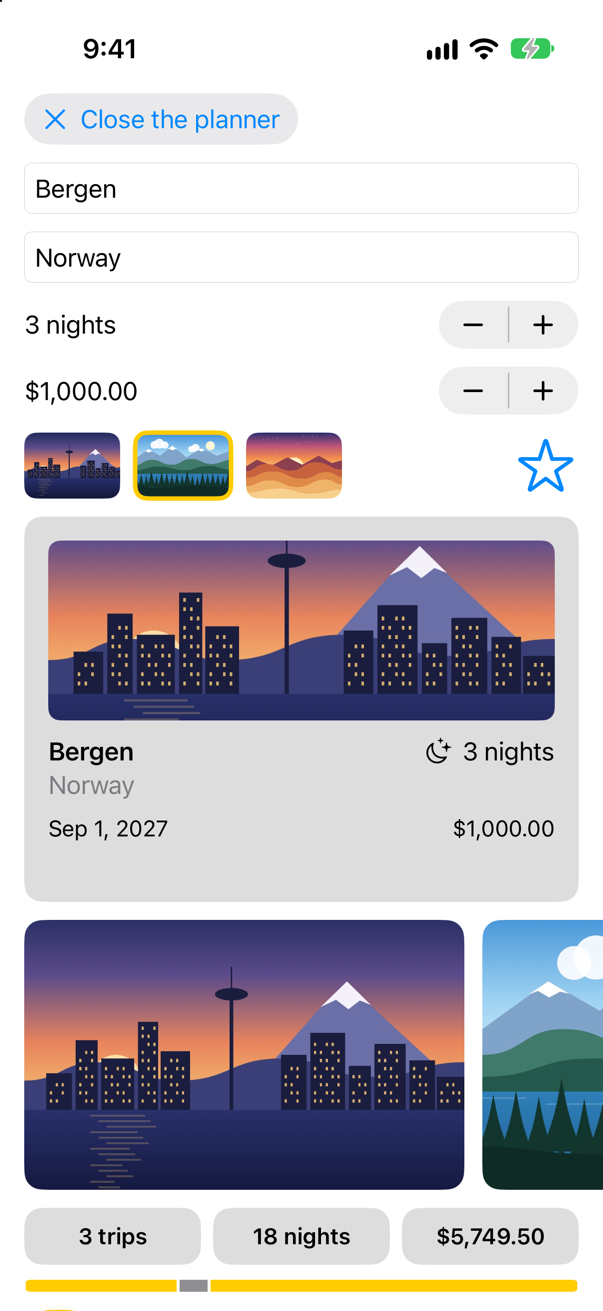
The ring moved. The card did not. There are now two values that are both "the chosen picture": draft.imageName in the planner, and selection in the picker, which began as a copy of it. A tap changed the copy. Nothing will ever bring the two together again — the picker's @State was given its first value when the picker first appeared, and from then on it is the picker's own. Apple calls the value a view keeps in state "the single source of truth", and this is what having two sources looks like.
In UIKit this was the bug where the label showed one thing and the model held another. Here it has one cure. The picker must not own the selection; it must change the planner's. That is what a Binding is: in Apple's words, it "connects a property to a source of truth stored elsewhere, instead of storing data directly." Replace the picker's state with a binding — the initializer goes too, because the memberwise one now takes a binding:
struct PicturePicker: View { @State private var selection: String init(selection: String) { self.selection = selection } @Binding var selection: String private let names = ["seattle", "vancouver", "atacama"] var body: some View { HStack(spacing: 10) { ForEach(names, id: \.self) { name in Button { selection = name } label: { Image(name) .resizable() .scaledToFill() .frame(width: 64, height: 44) .clipShape(RoundedRectangle(cornerRadius: 8)) .contentShape(Rectangle()) .overlay { RoundedRectangle(cornerRadius: 8) .stroke(name == selection ? Color.yellow : Color.clear, lineWidth: 3) } } .buttonStyle(.plain) .accessibilityLabel("\(name.capitalized) picture") .accessibilityAddTraits(name == selection ? .isSelected : []) } } }}struct PicturePicker: View {
@Binding var selection: String
private let names = ["seattle", "vancouver", "atacama"]
var body: some View {
HStack(spacing: 10) {
ForEach(names, id: \.self) { name in
Button {
selection = name
} label: {
Image(name)
.resizable()
.scaledToFill()
.frame(width: 64, height: 44)
.clipShape(RoundedRectangle(cornerRadius: 8))
.contentShape(Rectangle())
.overlay {
RoundedRectangle(cornerRadius: 8)
.stroke(name == selection ? Color.yellow : Color.clear, lineWidth: 3)
}
}
.buttonStyle(.plain)
.accessibilityLabel("\(name.capitalized) picture")
.accessibilityAddTraits(name == selection ? .isSelected : [])
}
}
}
}The preview has to change with it. A binding needs something to bind to, and in a preview that is state made with @Previewable, as for the star on lesson 5:
#Preview { PicturePicker(selection: "seattle") @Previewable @State var picture = "seattle" PicturePicker(selection: $picture)}#Preview {
@Previewable @State var picture = "seattle"
PicturePicker(selection: $picture)
}And in TripPlanner.swift, one character: the planner now hands the picker $draft.imageName, a binding, not draft.imageName, a copy.
struct TripPlanner: View { let store: TripStore @State private var isOpen = false @State private var draft = TripDraft() var body: some View { VStack(spacing: 12) { VStack(alignment: .leading, spacing: 12) { Button(isOpen ? "Close the planner" : "Plan a trip", systemImage: isOpen ? "xmark" : "plus") { isOpen.toggle() } .buttonStyle(.bordered) if isOpen { TextField("City", text: $draft.city) TextField("Country", text: $draft.country) Stepper(value: $draft.nights, in: 1...60) { Text("^[\(draft.nights) night](inflect: true)") } Stepper(value: $draft.price, in: 0...20_000, step: 250) { Text(draft.price, format: .currency(code: "USD")) } HStack { PicturePicker(selection: draft.imageName) PicturePicker(selection: $draft.imageName) Spacer() FavoriteButton(isFavorite: $draft.isFavorite) } } } .textFieldStyle(.roundedBorder) .frame(maxWidth: .infinity, alignment: .leading) .padding(.horizontal) if isOpen { TripCard(trip: draft.trip(id: 0)) } } }}struct TripPlanner: View {
let store: TripStore
@State private var isOpen = false
@State private var draft = TripDraft()
var body: some View {
VStack(spacing: 12) {
VStack(alignment: .leading, spacing: 12) {
Button(isOpen ? "Close the planner" : "Plan a trip", systemImage: isOpen ? "xmark" : "plus") {
isOpen.toggle()
}
.buttonStyle(.bordered)
if isOpen {
TextField("City", text: $draft.city)
TextField("Country", text: $draft.country)
Stepper(value: $draft.nights, in: 1...60) {
Text("^[\(draft.nights) night](inflect: true)")
}
Stepper(value: $draft.price, in: 0...20_000, step: 250) {
Text(draft.price, format: .currency(code: "USD"))
}
HStack {
PicturePicker(selection: $draft.imageName)
Spacer()
FavoriteButton(isFavorite: $draft.isFavorite)
}
}
}
.textFieldStyle(.roundedBorder)
.frame(maxWidth: .infinity, alignment: .leading)
.padding(.horizontal)
if isOpen {
TripCard(trip: draft.trip(id: 0))
}
}
}
}Run it again, open the planner, tap the second picture, and tap the star:
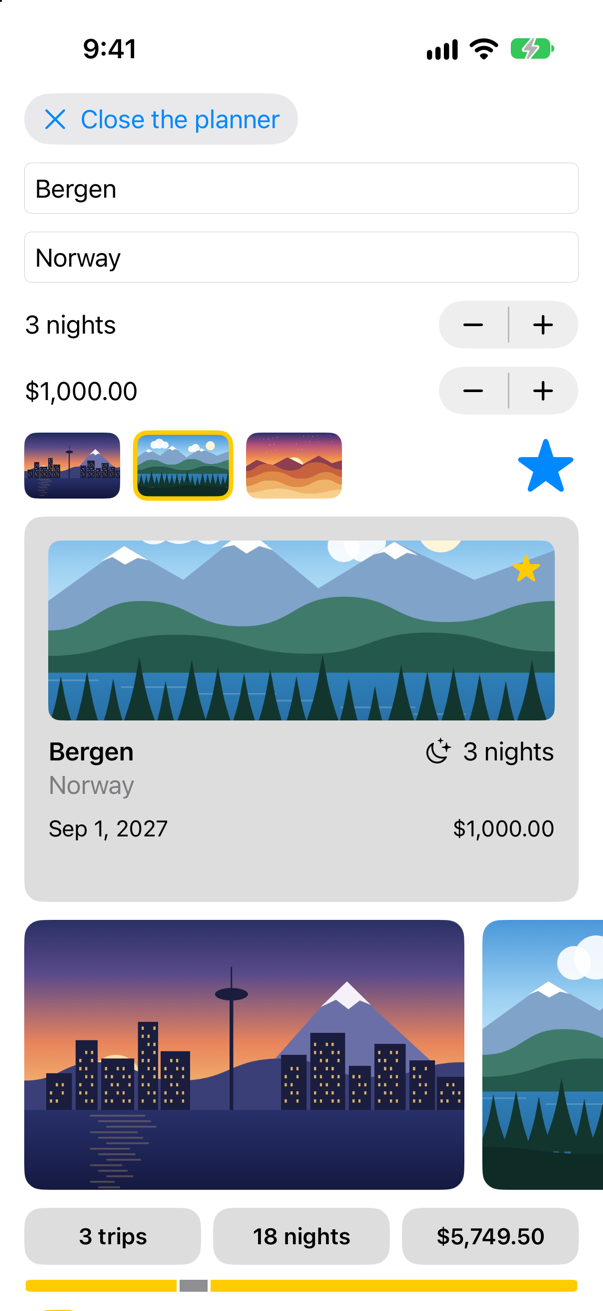
One source of truth: the planner's draft. The picker writes into it through one binding, the star through another — FavoriteButton has taken a Binding<Bool> since lesson 5, and $draft.isFavorite is one — and the card reads it. The rule, as Apple's article on managing state puts it: "Store data as state in the least common ancestor of the views that need the data", and hand the others "read-only" values or bindings.
Binding is a reference to the owner's storage, and that storage has one signal node in SwiftUI's graph. Two children and the parent all read it: tap a write, and see which bodies rerun.Open the guide →
| A child that… | gets… | Example |
|---|---|---|
| only shows the value | a plain property | TripCard(trip: draft.trip(id: 0)) |
| changes the value | a Binding, made with $ | PicturePicker(selection: $draft.imageName) |
| owns the value | nothing: it declares @State itself | @State private var isOpen = false |
Into the store
A draft is no use until it becomes a trip. Teach the store to add one. In TripStore.swift:
/// The trips, for the whole app. `@MainActor`: the views read it, and the views/// are drawn on the main thread.@MainActor@Observablefinal class TripStore { var trips = Trip.samples /// Adds the trip a draft describes, with an id no other trip has. func add(_ draft: TripDraft) { let id = (trips.map(\.id).max() ?? 0) + 1 trips.append(draft.trip(id: id)) } func save() { print("Saving \(trips.count) trips") // a real save comes in Part 10 }}/// The trips, for the whole app. `@MainActor`: the views read it, and the views
/// are drawn on the main thread.
@MainActor
@Observable
final class TripStore {
var trips = Trip.samples
/// Adds the trip a draft describes, with an id no other trip has.
func add(_ draft: TripDraft) {
let id = (trips.map(\.id).max() ?? 0) + 1
trips.append(draft.trip(id: id))
}
func save() {
print("Saving \(trips.count) trips") // a real save comes in Part 10
}
}The store picks the id, because only the store knows which ids are taken. And a button at the end of the planner's fields:
struct TripPlanner: View { let store: TripStore @State private var isOpen = false @State private var draft = TripDraft() var body: some View { VStack(spacing: 12) { VStack(alignment: .leading, spacing: 12) { Button(isOpen ? "Close the planner" : "Plan a trip", systemImage: isOpen ? "xmark" : "plus") { isOpen.toggle() } .buttonStyle(.bordered) if isOpen { TextField("City", text: $draft.city) TextField("Country", text: $draft.country) Stepper(value: $draft.nights, in: 1...60) { Text("^[\(draft.nights) night](inflect: true)") } Stepper(value: $draft.price, in: 0...20_000, step: 250) { Text(draft.price, format: .currency(code: "USD")) } HStack { PicturePicker(selection: $draft.imageName) Spacer() FavoriteButton(isFavorite: $draft.isFavorite) } Button("Add to my trips") { store.add(draft) draft = TripDraft() isOpen = false } .buttonStyle(.borderedProminent) .disabled(draft.city.isEmpty) } } .textFieldStyle(.roundedBorder) .frame(maxWidth: .infinity, alignment: .leading) .padding(.horizontal) if isOpen { TripCard(trip: draft.trip(id: 0)) } } }}struct TripPlanner: View {
let store: TripStore
@State private var isOpen = false
@State private var draft = TripDraft()
var body: some View {
VStack(spacing: 12) {
VStack(alignment: .leading, spacing: 12) {
Button(isOpen ? "Close the planner" : "Plan a trip", systemImage: isOpen ? "xmark" : "plus") {
isOpen.toggle()
}
.buttonStyle(.bordered)
if isOpen {
TextField("City", text: $draft.city)
TextField("Country", text: $draft.country)
Stepper(value: $draft.nights, in: 1...60) {
Text("^[\(draft.nights) night](inflect: true)")
}
Stepper(value: $draft.price, in: 0...20_000, step: 250) {
Text(draft.price, format: .currency(code: "USD"))
}
HStack {
PicturePicker(selection: $draft.imageName)
Spacer()
FavoriteButton(isFavorite: $draft.isFavorite)
}
Button("Add to my trips") {
store.add(draft)
draft = TripDraft()
isOpen = false
}
.buttonStyle(.borderedProminent)
.disabled(draft.city.isEmpty)
}
}
.textFieldStyle(.roundedBorder)
.frame(maxWidth: .infinity, alignment: .leading)
.padding(.horizontal)
if isOpen {
TripCard(trip: draft.trip(id: 0))
}
}
}
}Run the app, plan a trip, and tap Add to my trips:
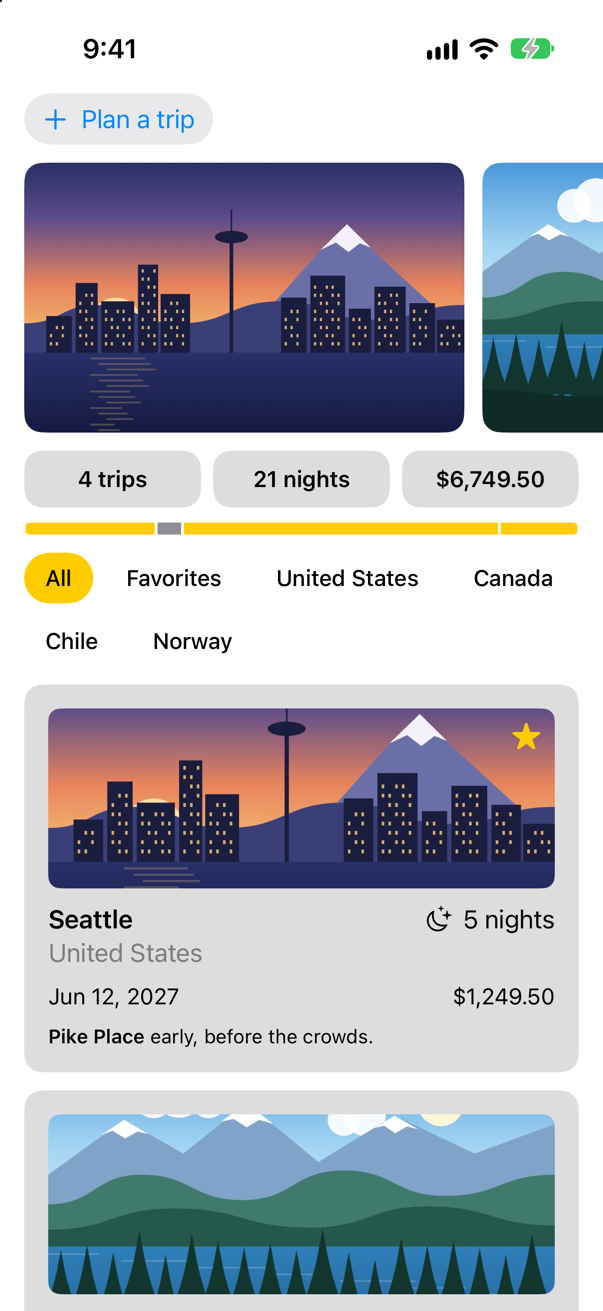
One call, store.add(draft), and the screen changed in five places: a fourth picture in the strip, four trips and more nights in the tiles, a new segment in the bar, a chip for Norway — and a new card. Tap the chip:
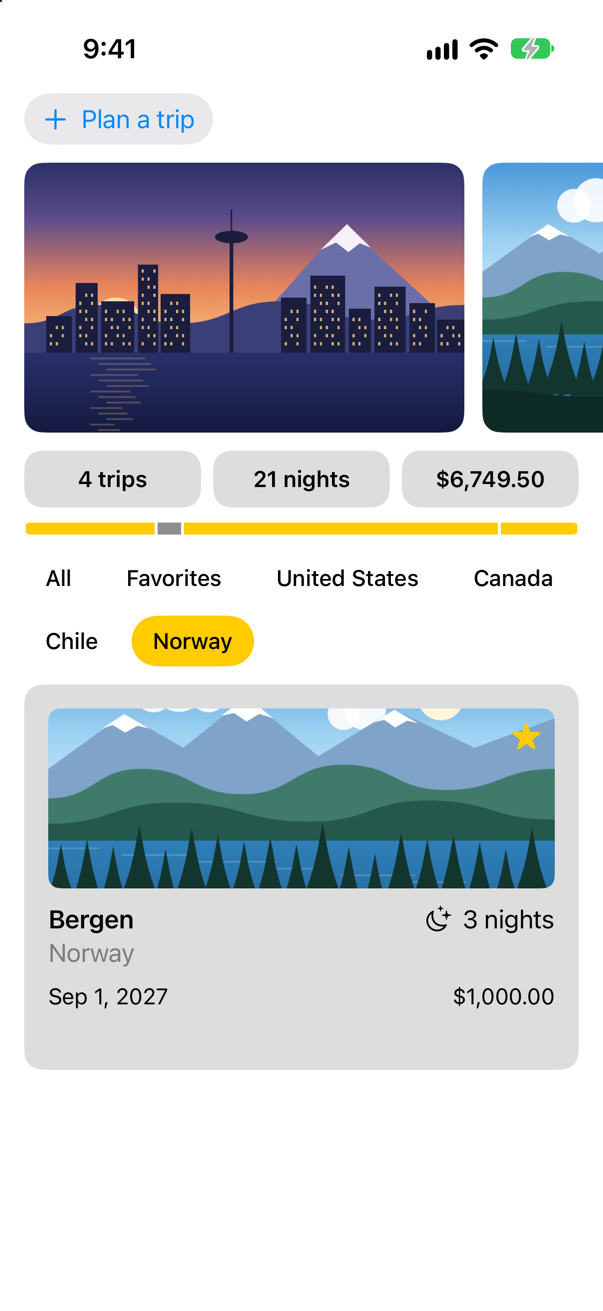
None of the views that changed was told. Each of them reads store.trips, and the store is @Observable, so each was updated when the array changed. You have used that since lesson 6; the next lesson is about how it works. Two details of the button are worth a sentence each. .disabled(draft.city.isEmpty) is computed from the state every time body runs, so the button turns itself on as you type the first letter. And draft = TripDraft() empties the planner: assigning a new value to state is how you reset it.
One more thing to notice: the planner holds let store: TripStore, a constant, and still changes it. A class is a reference. The constant is the reference — which store — not the store's contents. A struct held in let could not be changed at all; that difference between the two is the heart of the next lesson.
What you built
- Trips set to Swift 6's strict settings, with every type saying whose it is:
@MainActoron the store,Sendableon a trip, its filter and its draft — and the compiler's errors that show why each word is there. TripPlanner: a draft in@State, fields bound to its parts, and a card that shows the draft as it changes.PicturePicker: a control of your own that takes aBinding— after a version that copied its value and went stale.- A store that adds trips, and a screen that updates everywhere when it does.
Guide: Inside the Attribute Graph — SwiftUI's graph read out of a running app: a view's nodes, how a write reaches body, modifiers as nodes, and a debugger stopped at every step.
Guide: how Binding, @Binding and @Bindable are built, each from the one before, with an implementation that runs, is in Binding, @Binding and @Bindable.
The store has been @Observable since lesson 6, and every view that reads it updated in this lesson without being told. Next you find out how: what @Observable records, which views it updates and which it leaves alone, and how to make a binding to a property of a class.
The finished project
Stuck, or want to compare with your own? This is the project as it stands at the end of this lesson, built and run before it was put here.
- Trips-lesson-17.zip — unzip it, then open
Trips.xcodeprojin Xcode.
Flash cards
19 cards for this lesson, each labelled with its topic. 10 ask how you would write something; the other 9 are trick questions, written to catch a misunderstanding. Answer in your head first, then tap the card.
Syntax · StateA value that belongs to one view and changes: a switch that remembers whether it is on.

@State private var, with a default value. The view owns it; $remind hands the toggle a binding to it. private, because nothing outside the view should set it.
Syntax · BindingA child view that changes a number its parent owns.
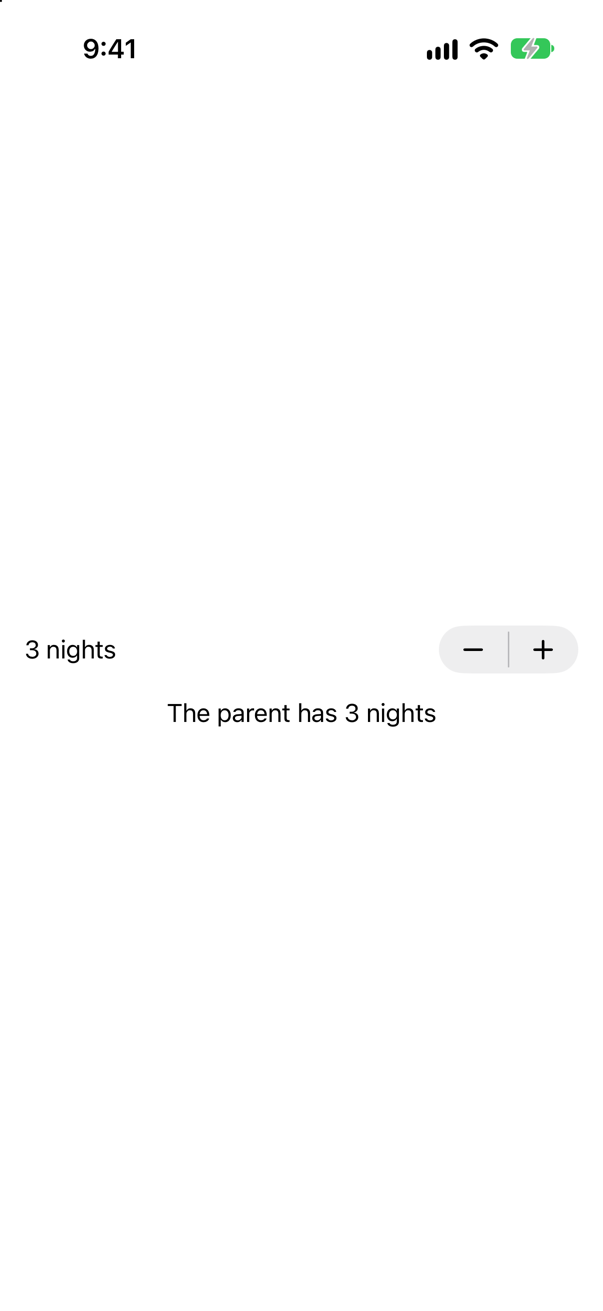
The child declares @Binding var nights: Int; the owner passes $nights. The child reads and writes it as if it were its own, and the owner's value is the one that changes.
Syntax · BindingA text field that edits one property of a struct kept in state.
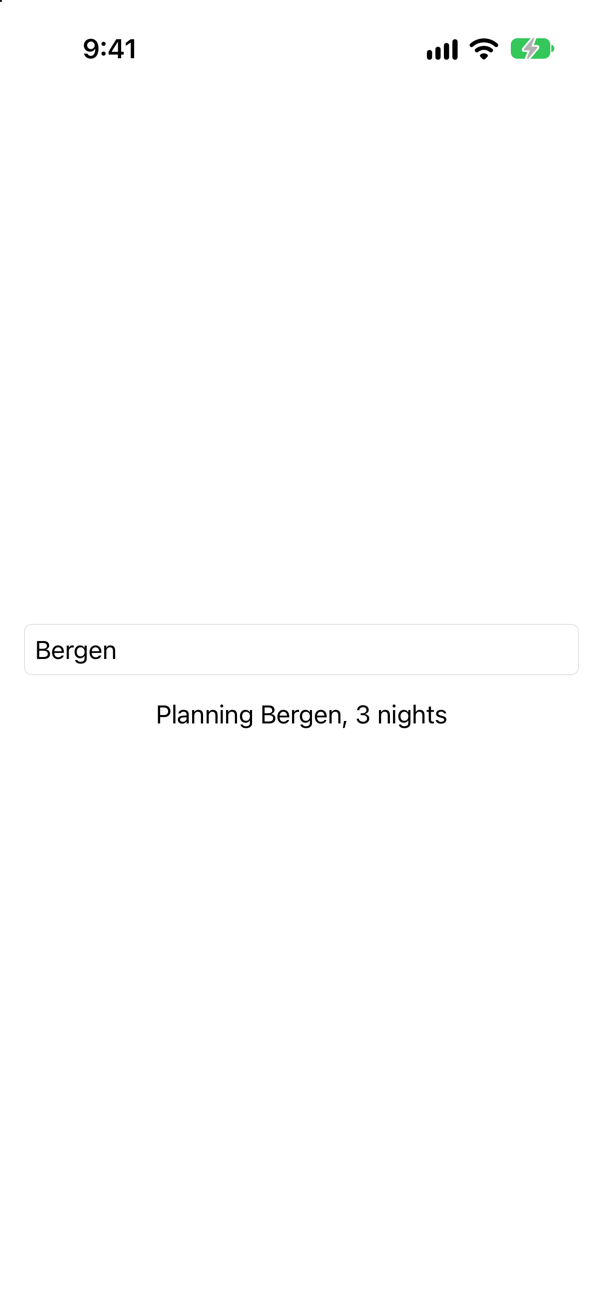
$draft.city. A binding to state can be narrowed to any property inside it: the $ comes first, then the path. Writing through it changes city, which changes draft.
Syntax · ControlsChange a money amount in steps of 250, between 0 and 20,000.

Stepper(value:in:step:), bound to the value. It works with any type that can be counted in steps — Decimal included. The picture is after one tap on +.
Syntax · PreviewsPreview a view that needs a binding, so that the value really changes in the canvas.

@Previewable @State inside the #Preview. Apple: "tagged declarations become properties on the view" that the macro makes, so the preview has real state to bind to.
Syntax · PreviewsPreview a view that takes a binding, showing one fixed value.

.constant(12): a binding to a value that cannot change. Apple suggests it for previews. The + and − do nothing, which is the point.
Syntax · BindingA switch for each city that is on when the city is in a set of favorites.
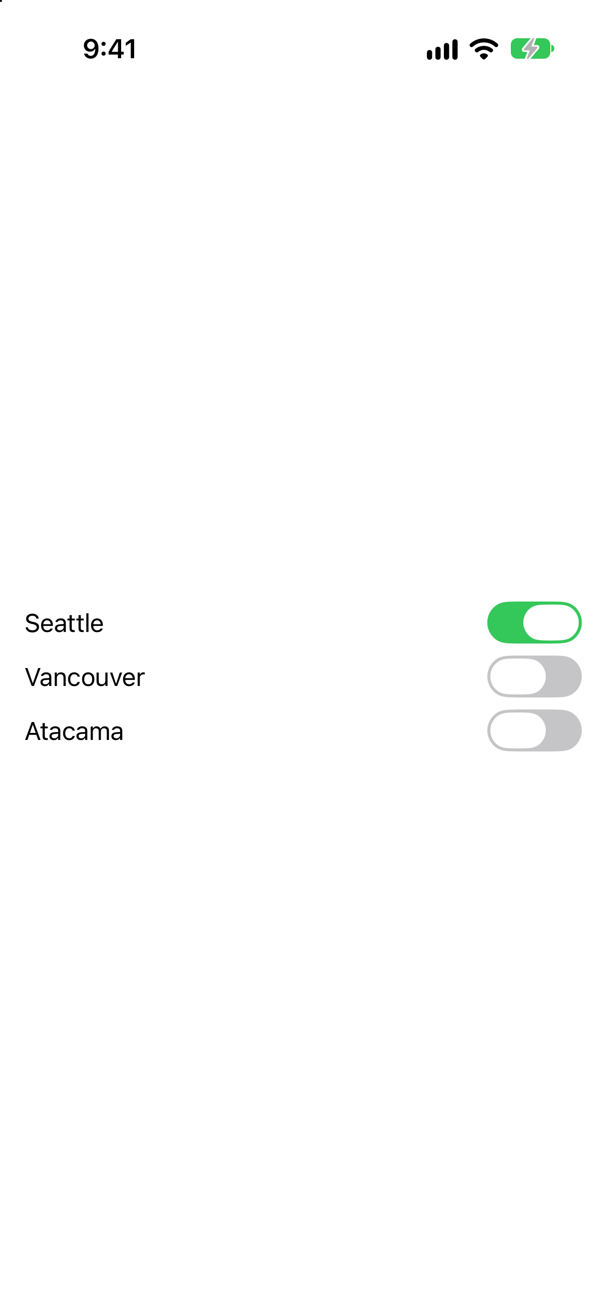
Binding(get:set:). When there is no single property to bind to, write the reading and the writing yourself. The source of truth is still the state, favorites.
Syntax · BindingOne text field for each item in an array kept in state, each editing its own item.
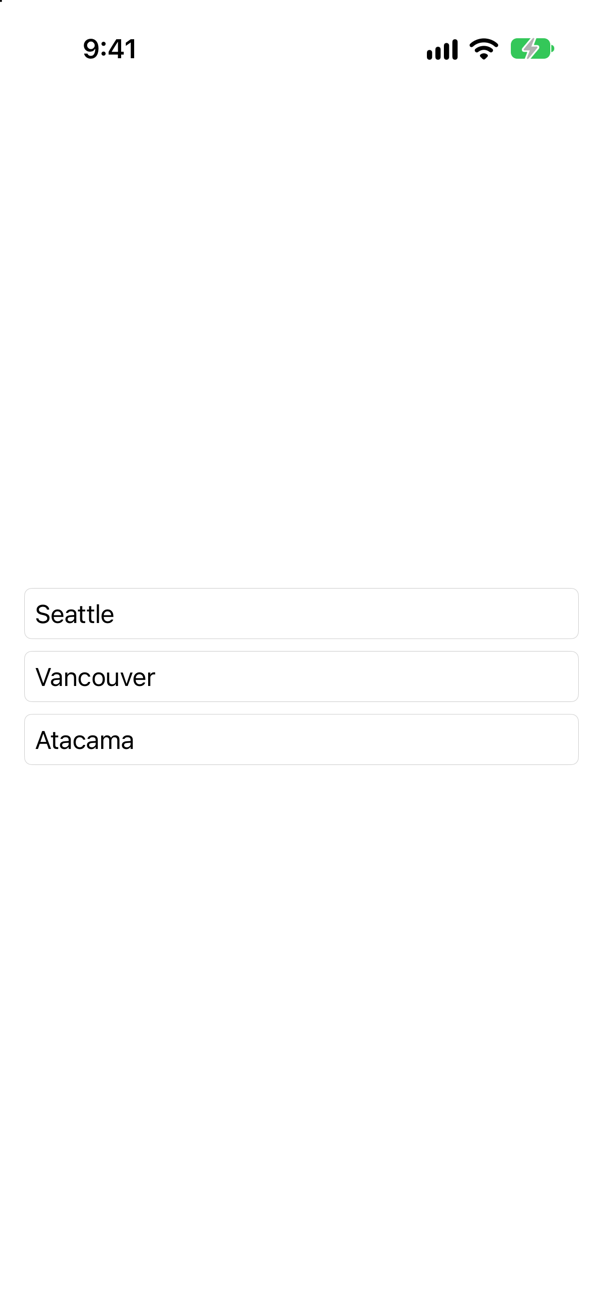
ForEach($cities) { $city in … }. Given a binding to the array, ForEach hands each row a binding to its element, and $city.name narrows it.
Syntax · StateDo something whenever a value kept in state changes.

.onChange(of:). The closure is given the old and the new value. After two taps on + the console showed from 3 to 4 and from 4 to 5. Use it for side effects — saving, logging — not to keep two pieces of state in step.
Syntax · StateA view whose state starts from a value its parent gives it, once.

_count = State(initialValue:) — or, with no default value, self.count = start. Only the first value is used; later values from the parent are ignored. Use it for a starting point, never to show the parent's current value.
Trick question · BindingNightsEditor(nights: nights) or NightsEditor(nights: $nights). What is the difference?
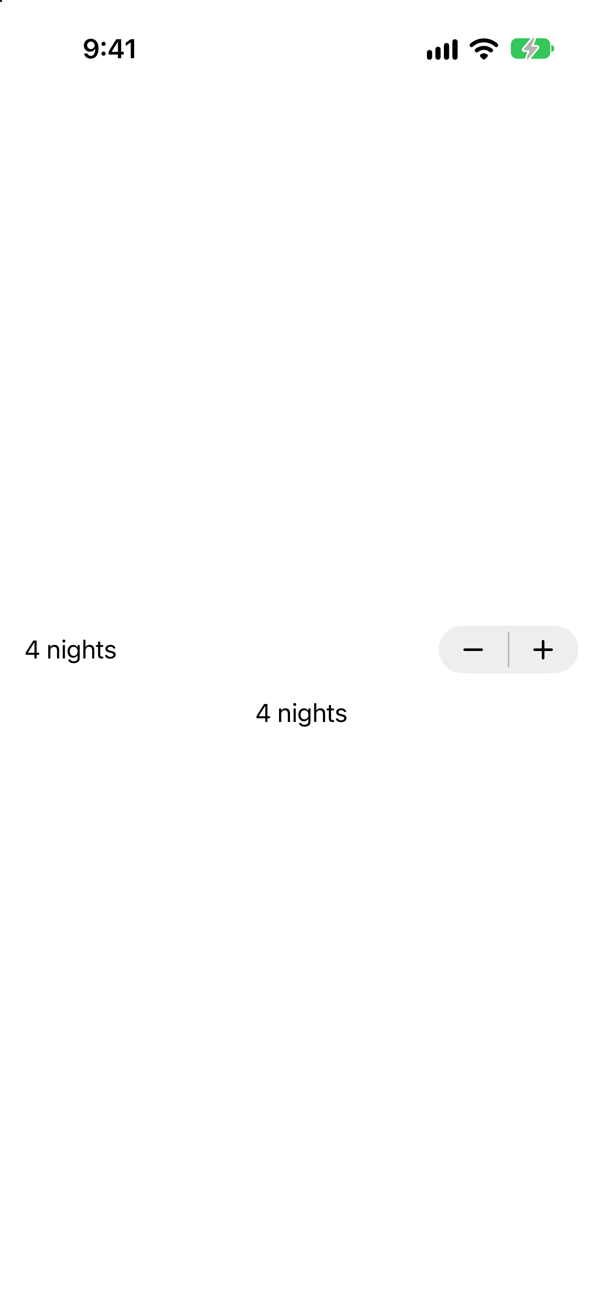
nights is the value; $nights is a binding to it. A child given the value can show it and is updated when it changes; only a child given the binding can change it. After one tap, both say 4.
Trick question · StateA child keeps the parent's nights in its own @State, set in init. The parent goes from 3 to 5. What does the child show?
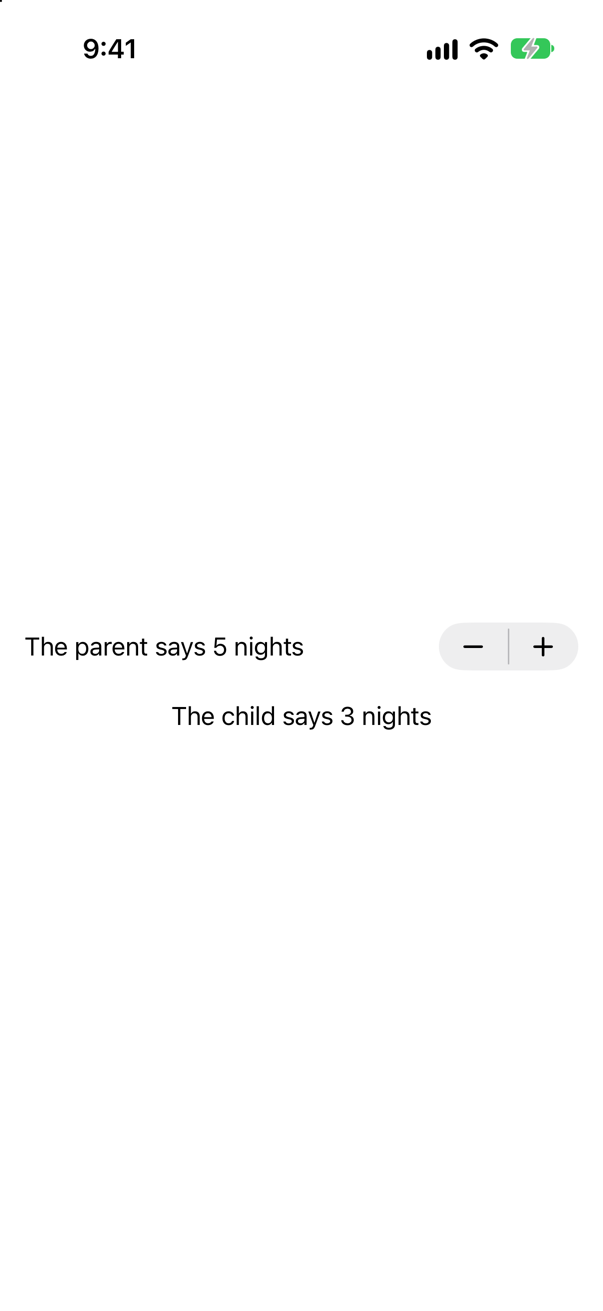
3, for ever. State takes its first value once, when the view first appears; after that it is the child's own, and new values from the parent are ignored. To show the parent's value, take a plain let; to change it, a @Binding.
Trick question · StateThe view struct is created again every time its parent's body runs. Does a @State count start again from 0?
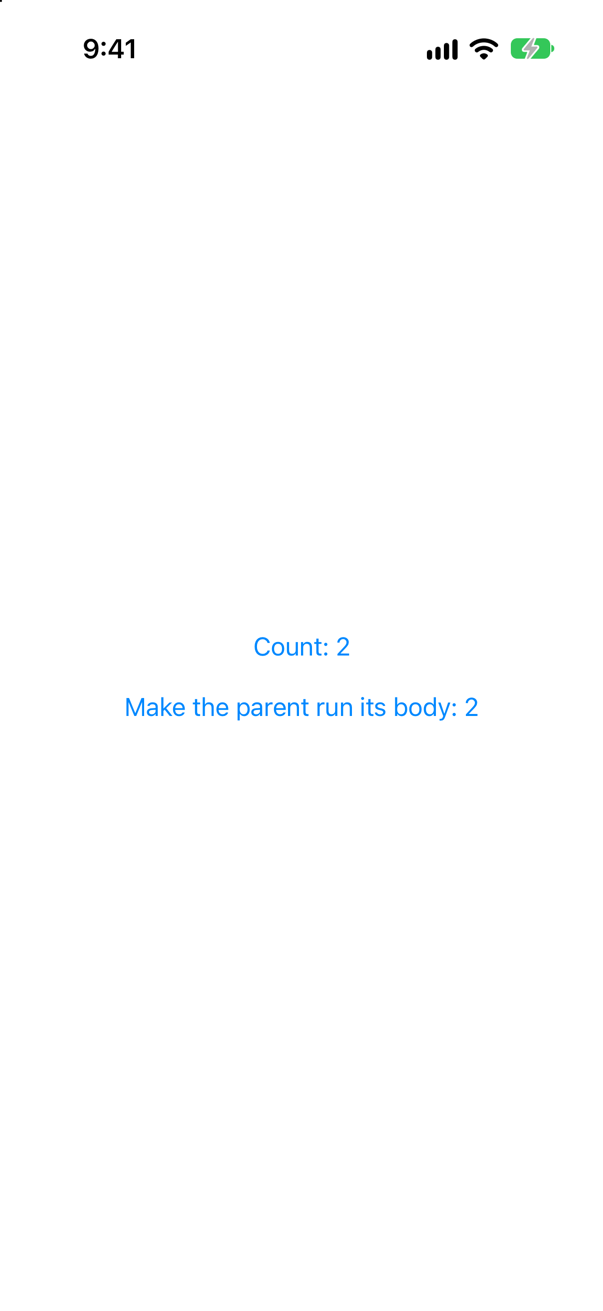
No. The struct is new; the state is not. SwiftUI keeps the value outside the struct, for as long as the view is on the screen, and hands each new copy the same storage. Two taps on the counter, two on the parent: the counter still says 2.
How it hands it over: the value lives in a location SwiftUI keeps for the view's node in its graph, and the node is found by the view's identity — here its type and its place in the parent. Before each body, SwiftUI writes that location into the new struct's hidden __count field, at the field's byte offset, so the starting value never runs again. lesson 7's card about Clock goes through it step by step, and another card here prints what is inside such a field before and after SwiftUI shows the view.
Trick question · StateThe same view twice in a stack, each with @State private var count = 0. You tap the first. What does the second show?
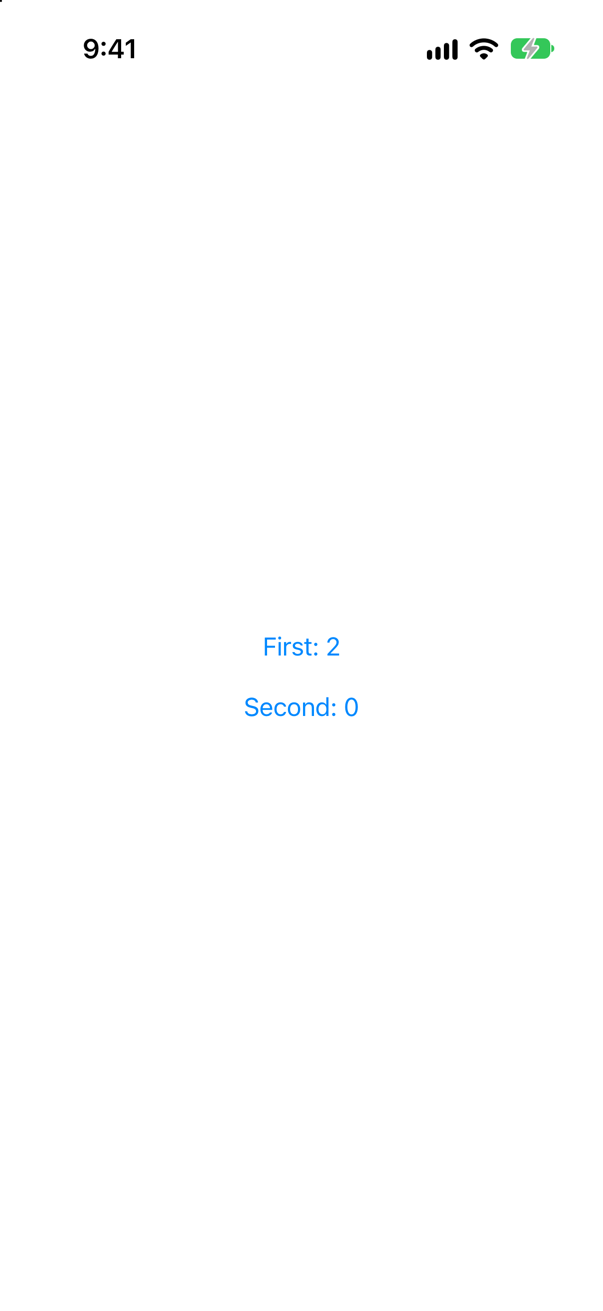
0. State belongs to each place a view appears, not to its type. Apple: "each of the views in the following VStack has its own isPlaying value." Two taps on the first: First 2, Second 0.
Trick question · StateA plain class (not @Observable) kept in @State. A button adds a night to it. Does the screen change?

No. The class holds 5 — the console says so — and the screen says 3. @State watches what it holds: here, a reference, which never changed. Make the class @Observable and SwiftUI watches its properties too (the next lesson).
Trick question · State@State var — not private — with a default of 3. The parent writes Nights(nights: 8). What is shown?

8 — the first time. Without private the memberwise initializer accepts a starting value, and it is used once, exactly like the trap on the card before last. Apple asks for private "to prevent setting it in a memberwise initializer, which can conflict with the storage management that SwiftUI provides."
Trick question · StateA view with @State is inside an if. The condition goes false, then true again. Is the state still there?
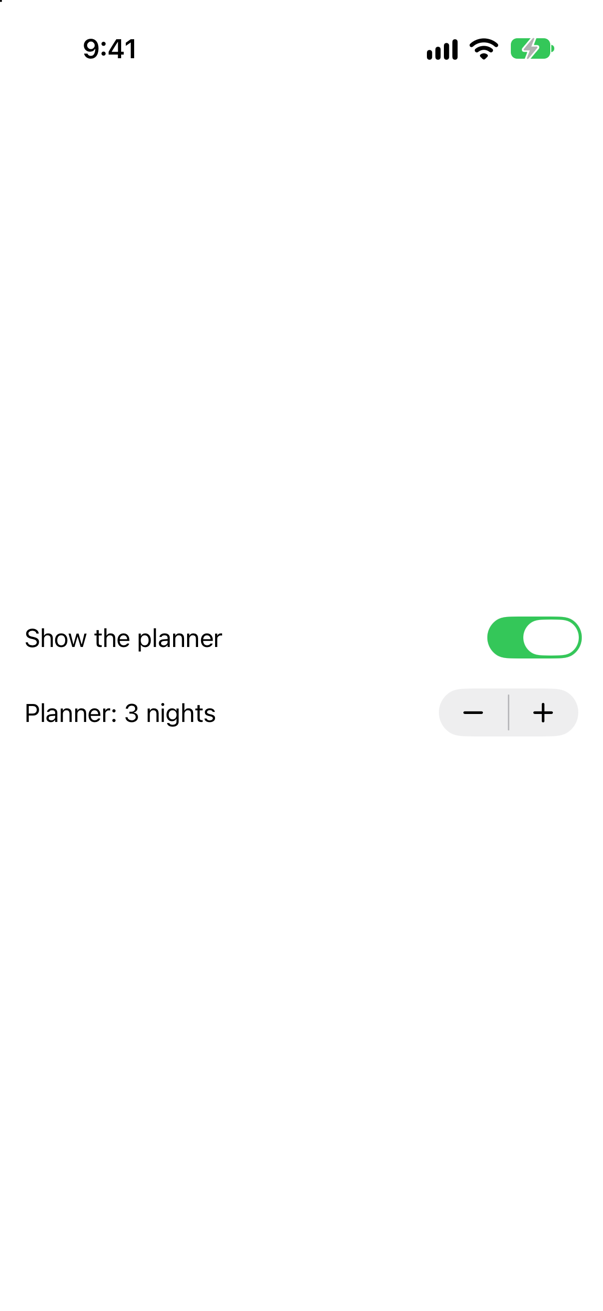
No. It was 5 when the planner went away, and it is 3 when it comes back. When a view leaves the screen its state goes with it. To keep a value, store it in a view that stays — as this lesson's planner keeps its draft while its fields come and go.
Trick question · Statebody adds one to a @State count every time it runs. What is on the screen?

Count: 0, and a purple warning in Xcode: "Modifying state during view update, this will cause undefined behavior." body describes the screen; it must not change what it describes. Change state in actions — a button, onChange, task — never while body runs.
Trick question · State@State private var favoritesOnly = false. What is inside the storage the macro writes, __favoritesOnly, before SwiftUI shows the view — and after?

Before: only a closure. After: the value, and a location. It printed:
init: _storage = thunk((Function)), _location = nil
body: false | _storage = value(false), _location = Optional(SwiftUI.StoredLocation<Swift.Bool>)
body: true | _storage = value(true), _location = Optional(SwiftUI.StoredLocation<Swift.Bool>)
In init, before SwiftUI has shown the view, the storage holds { false } as a closure that has not run (thunk), and no location. In body the closure has run, and SwiftUI has given the storage a StoredLocation: an object of its own that keeps the value while the view is on screen. The task then set favoritesOnly to true: the write went into that location, and body ran again. What happens between the write and body, node by node, is the guide's page on one write. The Toggle reads and writes the same place, through $favoritesOnly. This is why a value assigned to state in init lasts only until the view first appears: from then on the value is the location's.
Edge cases and tricky questions
9 questions of the kind an interviewer uses to find out whether you really know this — the corners, the traps, and the things that changed recently. Each has its source. Wherever the answer is what some code does, that code was compiled and run, and what you see under “Show the answer” is what it really did. Say your answer aloud before you open it.
A view keeps @State private var nights = 3, and its init takes a number and assigns it: self.nights = nights. The parent writes Nights(nights: 7). What is on the screen?
Show the answer

3 nights. The assignment compiled, with no warning, and changed nothing. While init runs, the view is not yet on the screen and SwiftUI has not yet connected the property to its storage. With a default value in the declaration, that default is what the storage gets, and a plain assignment in init is lost.
Two ways of writing it that do work. Leave the default out, and the assignment gives the first value:

Or keep the default and say plainly that you are setting the storage — _nights is the state itself, not its value:

Both put 7 on the screen, and both have the limitation of the next question: the value is used once. The rule fits in one sentence: give the initial value in one place only.
Where this comes from: State() (the macro, Xcode 27) · State — Apple, State(): "A State() property instantiates its default value the first time SwiftUI instantiates the view."
The interview classic. A child shows a number it is given, but keeps it in its own @State, set from its initializer. The parent's number goes from 3 to 5. What does the child show — and what are the three ways to fix it, depending on what the child is for?
Show the answer
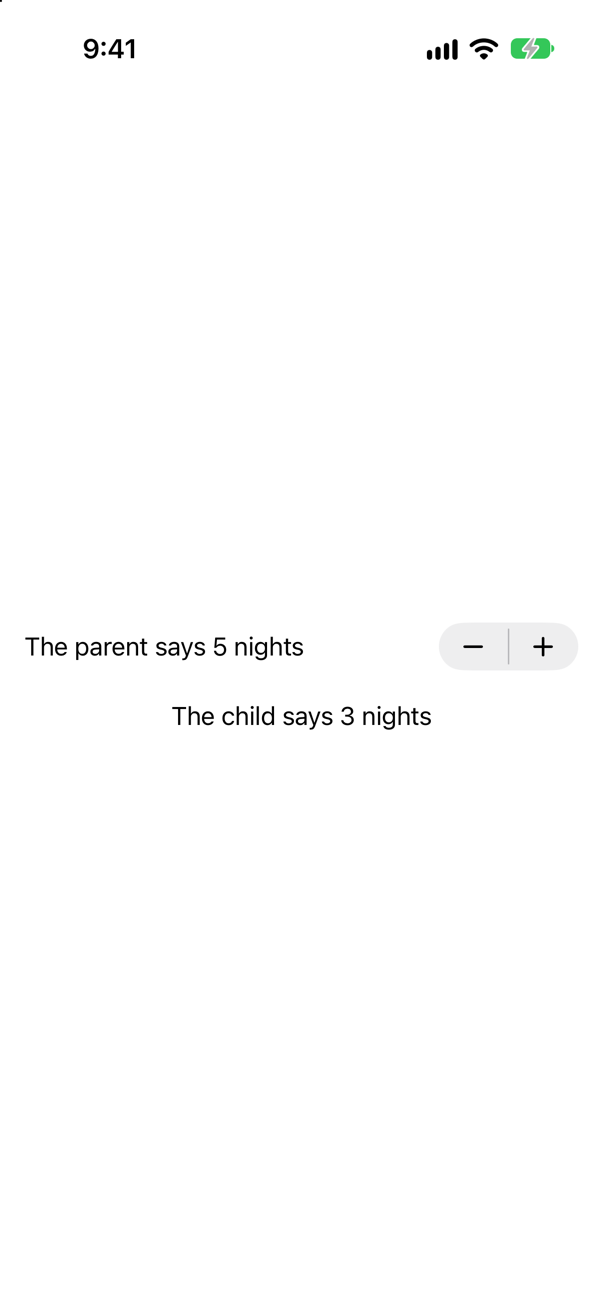
3. The interview-preparation repository's answer is one line: "Initial value used ONCE. New values from the parent are ignored." State(initialValue:) is read when the child first appears. From then on the value is the child's, and SwiftUI keeps it for the child exactly as it would keep a count the child had changed itself. A new parameter value arriving later is not a reason to throw that away.
It is the bug from this lesson's tutorial, where the picture picker kept its own copy of the choice. What to write instead depends on what the child is for:
| The child… | Write | Why |
|---|---|---|
| only shows the value | let nights: Int | A plain property is replaced with every new copy of the struct, so it is always the parent's current value. |
| changes the value | @Binding var nights: Int | There is one value, the parent's, and the child writes into it. |
| needs a fresh start whenever the value changes | keep the state, and add .id(nights) where the parent creates it | A new id is a new view, with new state. Lesson 20 explains. |
The third is real, and rare: a form that edits a copy until the user saves, and should start again when the record it edits changes. Here it is, with the same two taps:
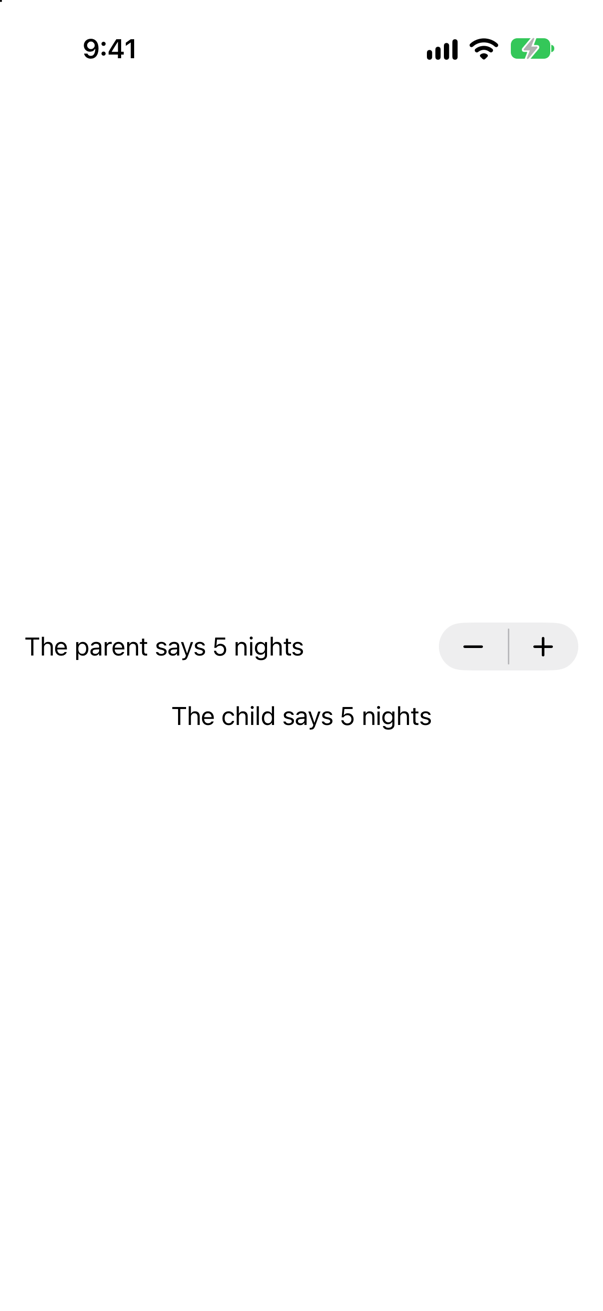
.id(nights): the child is made again each time, and says 5Screenshot · iPhone 17, iOS 27.0Say the first two in an interview, and the third as the exception. Most code that writes State(initialValue:) meant let or @Binding.
Where this comes from: State() (the macro, Xcode 27) · Managing user interface state · Senior iOS Interview Preparation (GitHub) — The interview-preparation repository: "Q: The @State initial value trap?"
Apple's documentation says to declare state private "to prevent setting it in a memberwise initializer". What happens without it — and what does private actually stop?
Show the answer
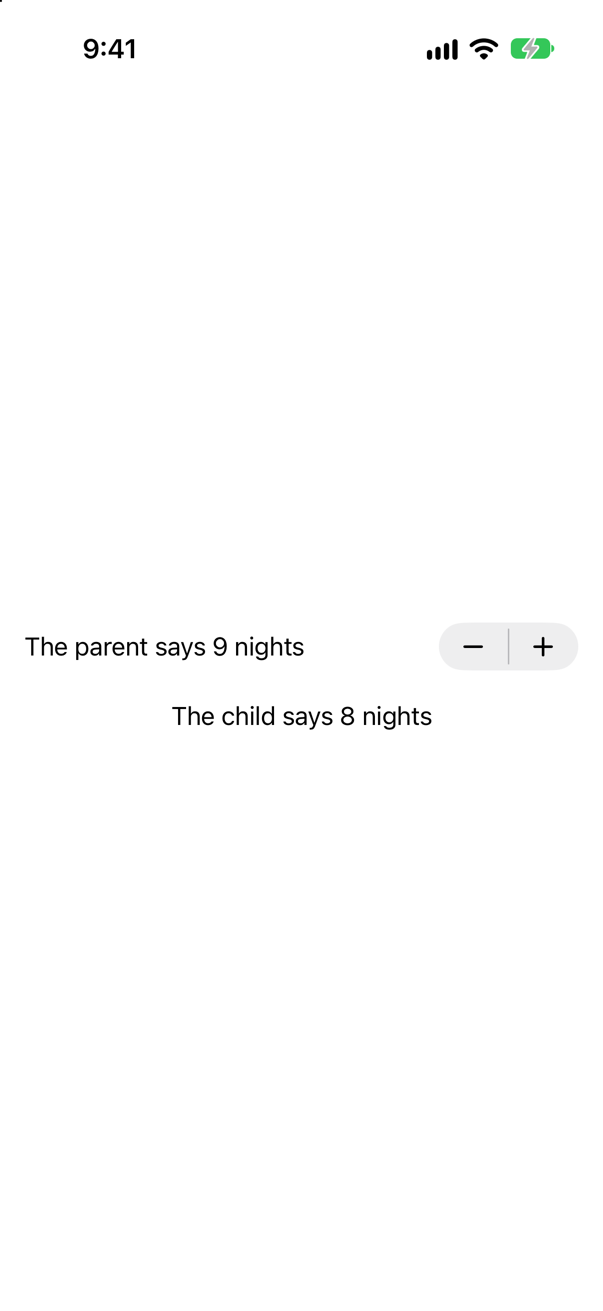
Without private, the struct's memberwise initializer takes the state as a parameter, Nights(nights: 8), and it works — once. The child began at 8, as asked. After a tap the parent says 9 and the child still says 8. It is the trap of the previous question, written without a single line of init: the parameter looks like an ordinary input, and behaves like a starting value.
With private, the compiler refuses to let anyone try:
It does not compile
argument passed to call that takes no argumentsRead the message closely: it does not say that nights is private. It says the initializer takes no arguments at all. A private state property is left out of the memberwise initializer, so the only initializer the struct has is Nights(), and a parent has no way to hand it a value. That is all private does, and it is enough. The value has one owner, and the owner is the only code that can set it. A parent that wants the child to show its number uses a let; one that wants the child to change it passes a binding. Hacking with Swift's interview answer about @State begins in the same place: it lets a view "mutate a value that belongs to a struct" — belongs, to that struct.
Where this comes from: State · Managing user interface state · Hacking with Swift interview question: What does the @State property wrapper do? — Apple, “Managing user interface state”: declaring state private "prevents setting the variable’s initial value in an initializer which can interfere with SwiftUI’s management of the variable."
A developer wants to count how often body runs, and writes let _ = count += 1 at the top of it, with count in @State. What is on the screen, and what does Xcode say?
Show the answer

Count: 0, and a purple warning in Xcode:
SwiftUI wrote this to the log while the app ran
Modifying state during view update, this will cause undefined behavior.body is a description of the screen, and SwiftUI calls it while it is in the middle of updating the screen. A description that changes the thing it describes would need another update, which would call body, which would change it again. SwiftUI does not let that loop start — the change was not shown — and it says so: the text promises "undefined behavior", and means it.
The same warning appears for less obvious writes: setting state from a computed property that body reads, or from a view's initializer that body calls. The rule is short. Change state in response to something — a button's action, onChange, onAppear, task — never as a side effect of describing the screen. To count how often body runs, use lesson 7's tools: Self._printChanges(), or a print in a let _ =.
Where this comes from: State · View — The warning is SwiftUI's own, read from the simulator's log; Xcode shows it as a runtime issue.
@State holds an instance of an ordinary class — not @Observable. A button changes one of its properties. Does the text that shows the property change? Then a second, @Observable class is added beside it, and the button changes both.
Show the answer

The console showed
the class now holds 4 nights
the class now holds 5 nights
The class changed, and the screen did not. @State watches the value it holds, and for a class that value is a reference — which object. The reference never changed. Apple says the same of the older protocol for observable classes: with ObservableObject in State, "the view will only update when the reference to the object changes … The view will not update if any of the object's published properties change."
Now the second version, with an @Observable class beside the plain one:

Both say 5 — and the plain class did not start working. The @Observable change made SwiftUI run body again, and body happened to read the plain class while it was at it. An update that depends on something else changing at the same moment is a bug waiting for that something to stop. In an interview, that is the detail that shows you have been bitten.
So: values in @State, and classes that a view owns made @Observable and kept in @State — which is exactly what TripsApp does with the store. The next lesson is about why that works.
Where this comes from: State · State() (the macro, Xcode 27) — Apple, State: "It’s possible to store an object that conforms to the ObservableObject protocol in a State property. However the view will only update when the reference to the object changes".
Three cities, a switch for each, and a Set<String> of favorites in @State. A switch needs a Binding<Bool>; the set holds strings. How do you bind them — and is that binding a second source of truth?
Show the answer
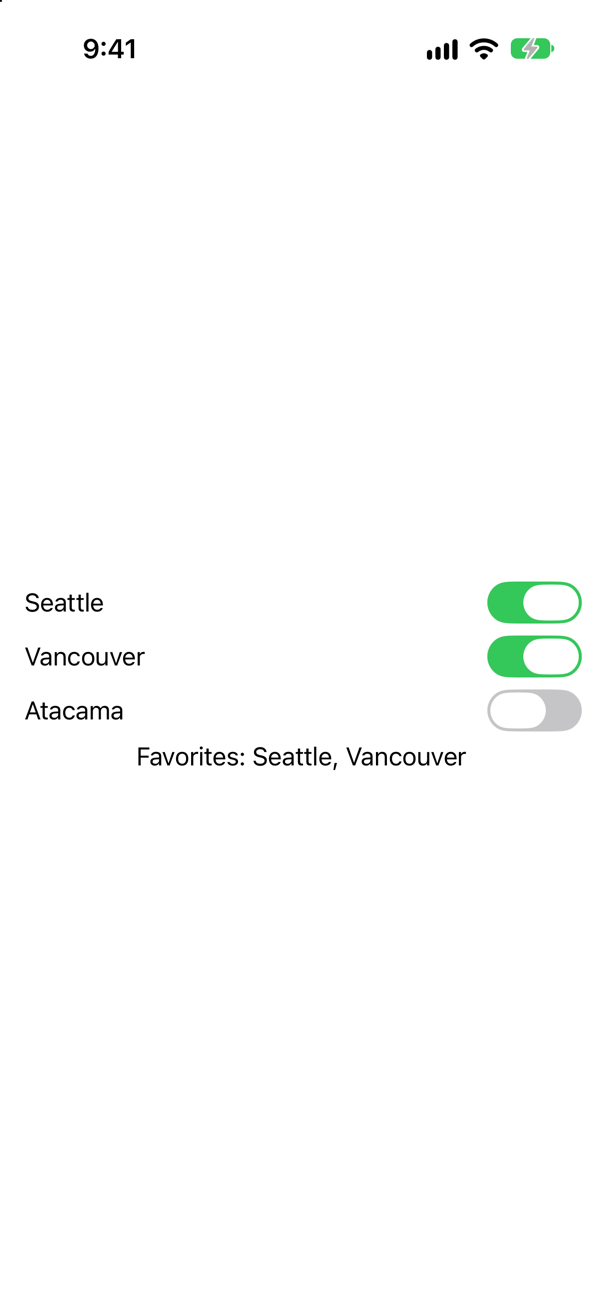
With Binding(get:set:): a binding whose reading and writing you write yourself. Reading asks whether the set contains the city; writing inserts or removes it. One tap on Vancouver's switch, and the line under the switches — which reads only the set — says Seattle and Vancouver.
It is not a second source of truth, because it stores nothing. It is a pair of closures over the one value that does, favorites. That is what every binding is: the interview-preparation repository describes one as "just 'get + set' pointing at someone else's storage", and $favorites is the same pair, written for you.
Two cautions with the hand-made kind. Keep the closures trivial: they run every time the control reads or writes, and a binding that does real work, or that changes something other than its own value, is hard to follow. And mind where they run. Apple's reference for this initializer: "a computed binding with closure arguments that are known (or inferred) to be isolated to the main actor must only ever access its wrapped value on the main actor as well". These two are inferred to be the main actor's, because they are written in a view, and SwiftUI declares View @MainActor: so is every binding you write in a view's body.
Where this comes from: Binding.init(get:set:) · Binding · Senior iOS Interview Preparation (GitHub) — Apple, Binding.init(get:set:).
A parent has two values in @State: nights and other. It hands $nights to an editor and nights to a label. Self._printChanges() is in both children. What do they print when other changes — and when nights does?
Show the answer
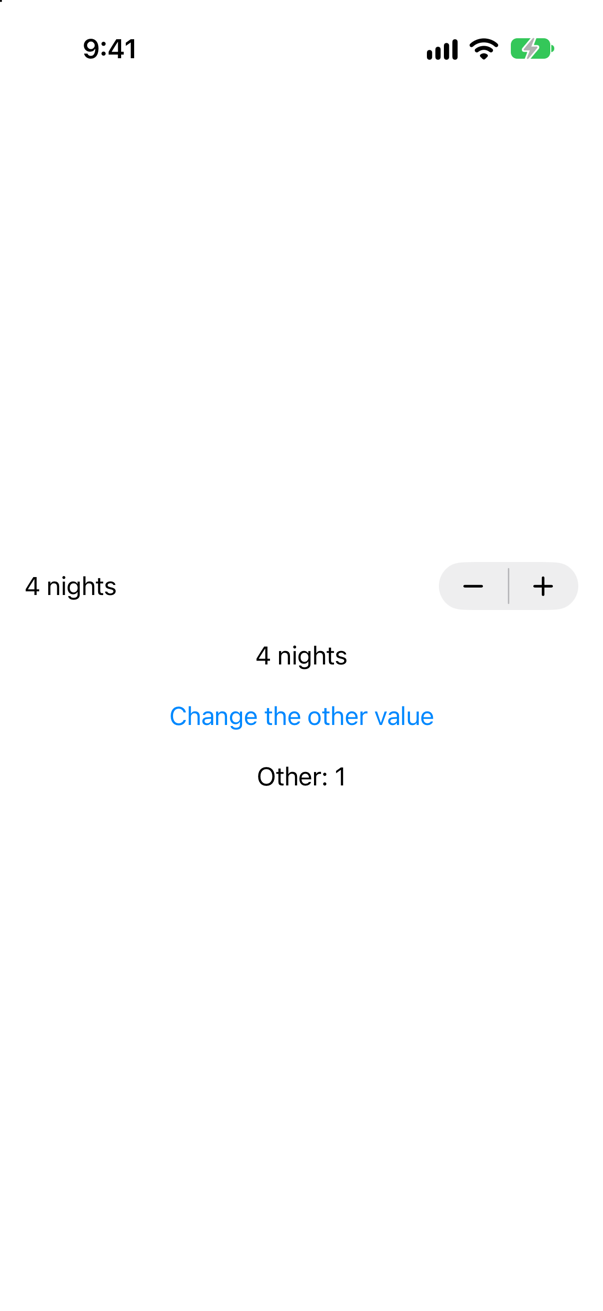
At launch, both print, as every view does when it first appears:
NightsEditor: @self, @identity, _nights changed.
NightsReader: @self changed.
Then a tap that changes other:
Nothing. The parent's body ran — it reads other, which changed — and made both children again. SwiftUI compared each new child with the old one, found the same nights and the same binding, and did not run either body. A binding is not a reason for extra work.
Then a tap on +, which changes nights:
NightsEditor: @self, _nights changed.
NightsReader: @self changed.
Both run. The editor reports _nights changed: SwiftUI names the binding by its storage, with the underscore, as it names state. The reader reports @self changed, because its let is part of the struct itself.
Two things worth saying in an interview. A child that is given a binding is updated when the bound value changes, exactly like one given the value — the difference is only who may write. And splitting a screen into small views, each given only what it reads, is how SwiftUI gets to skip work: lesson 7 measured the same thing from the other side.
Where this comes from: Binding · State · WWDC21: Demystify SwiftUI (2021 — still the reference on identity) — Self._printChanges() is SwiftUI's own debugging aid; its output is what the app printed.
A planner view keeps a count of nights in @State. The parent shows it inside if isShown. The user raises the count to 5, hides the planner, and shows it again. What does it say — and where should the state live if it must survive?
Show the answer
3. Before it was hidden, the screen said 5; after, 3. Apple's article on state gives the reason in one clause: "the life cycle of state variables mirrors the view life cycle." When the if stopped producing the planner, the planner left the view tree, and its storage was thrown away with it. Showing it again made a new planner, with new state.
WWDC21's "Demystify SwiftUI" puts it as a principle: "the persistence of your state is tied to the lifetime of your views." So the question to ask of any @State is: does the view that holds it stay on the screen as long as the value matters?
If not, move the state up to a view that does stay, and hand the child a binding — this lesson's planner does exactly that: its fields come and go inside if isOpen, and the draft they edit lives in the planner, which stays. If the value must outlive the screen altogether, it is not view state: it belongs in the model (Part 6, the next lesson) or in storage (Part 10). Apple: "Don't use state properties for persistent storage".
Where this comes from: Managing user interface state · WWDC21: Demystify SwiftUI (2021 — still the reference on identity) — Apple, “Managing user interface state”.
Two pieces of code that do not compile. NightsEditor(nights: $nights) where nights is a let; and @State private let nights = 3. What does the compiler say, and what does each message teach?
Show the answer
It does not compile. Xcode reports
cannot find '$nights' in scopeThere is no $nights, because nothing made one. $ is not an operator that turns any value into a binding. It asks a property wrapper — or, in Xcode 27, the @State macro — for its projected value, and only a property that has one has a $ name. Apple: "The $ prefix asks a property for its projectedValue, which for state is a binding to the underlying storage." A constant has no storage for a binding to point at, and a plain var in a view struct has storage that SwiftUI does not keep.
State that cannot change
'@State' can only be applied to a 'var' declaration (from macro 'State ')
expansion of macro 'State()' did not produce a non-observing accessor (such as 'get') as expected
The second message names the macro: in Xcode 27, @State is the State() macro, and it refuses a let, which could never change and so has no reason to be state.
The interview version of this is "what does the dollar sign mean?", and the answer has three parts: it is the projected value of a property wrapper; for @State and @Binding that is a Binding; and for @Bindable, in the next lesson, it is a way to get bindings to the properties of an object. Lesson 2 built a property wrapper with a projected value of its own; this is that, used by SwiftUI.
Where this comes from: State.projectedValue · Managing user interface state · SE-0258: Property Wrappers — Apple, State.projectedValue: "To access the projectedValue, prefix the property variable with a dollar sign ($)."