Who hears about a change
@Observable models
You will buildA lab that shows which views a change reaches — with @Observable, then the way it was done before iOS 17 — and then, in Trips, a star on every card that changes the trip in the store, and a store that saves whenever its trips change.
TimeAbout 90 minutes
WhySince lesson 6 the trips have lived in a class marked @Observable, and every view that shows them has updated when they changed — in the last lesson, five of them at once, from one line. In this lesson you find out how. It is a favorite of interviewers, because it changed in iOS 17: SwiftUI used to update every view that observed a model when anything in it changed, and now updates only the views that read what changed. You will see both, side by side, with the console counting.
Open your project
Open your
Tripsproject as lesson 17 left it: double-clickTrips.xcodeprojin Finder, or use File ▸ Open… (⌘O) in Xcode.If you did not finish lesson 17, or would rather start from a known state, download Trips-lesson-17.zip instead. It is the project exactly as it stood at the end of lesson 17. Unzip it and open
Trips.xcodeproj.Run it (⌘R) to check that it builds. You should see where lesson 17 ended:
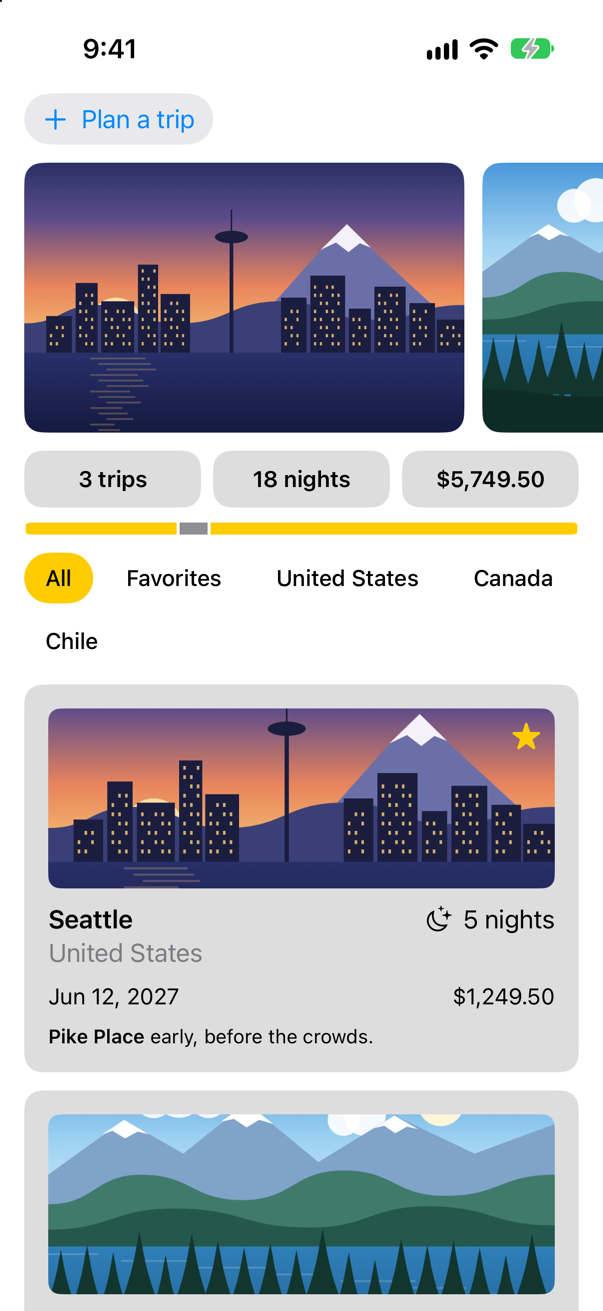
Trips, as it stood at the end of lesson 17Screenshot · iPhone 17, iOS 27.0
A lab: who runs body
To see what SwiftUI does, take everything else away. Choose File ▸ New ▸ File from Template… (⌘N). Under Source, select Swift File. Click Next. Name it ObservationLab, leave the other settings as they are, and click Create. Replace everything in the new file:
import SwiftUI

/// Two numbers, to watch which views a change reaches. `@MainActor`: the views read them.
@MainActor
@Observable
final class Counts {
    var trips = 3
    var nights = 18

    var summary: String {
        "\(trips) trips, \(nights) nights"
    }
}

struct TripsLine: View {
    let counts: Counts

    var body: some View {
        let _ = print("TripsLine.body")
        Text("\(counts.trips) trips")
    }
}

struct NightsLine: View {
    let counts: Counts

    var body: some View {
        let _ = print("NightsLine.body")
        Text("\(counts.nights) nights")
    }
}

struct SummaryLine: View {
    let counts: Counts

    var body: some View {
        let _ = print("SummaryLine.body")
        Text(counts.summary)
    }
}

struct ObservationLab: View {
    @State private var counts = Counts()

    var body: some View {
        let _ = print("ObservationLab.body")
        VStack(spacing: 16) {
            TripsLine(counts: counts)
            NightsLine(counts: counts)
            SummaryLine(counts: counts)
            Button("Add a trip") { counts.trips += 1 }
            Button("Add a night") { counts.nights += 1 }
        }
        .font(.title3)
    }
}
A model with two stored numbers and a computed property that reads both, on the main actor because the views read it; a small view for each, which prints its name whenever its body runs; and a lab that owns the model and has a button for each number. As on lesson 10, the lab takes the app's place for a while. In TripsApp.swift, one line changes — ContentView(store: store) becomes ObservationLab():
import SwiftUI@mainstruct TripsApp: App { @Environment(\.scenePhase) private var scenePhase @State private var store = TripStore() var body: some Scene { WindowGroup { ContentView(store: store) ObservationLab() } .onChange(of: scenePhase) { _, new in if new == .background { store.save() } } }}import SwiftUI
@main
struct TripsApp: App {
@Environment(\.scenePhase) private var scenePhase
@State private var store = TripStore()
var body: some Scene {
WindowGroup {
ObservationLab()
}
.onChange(of: scenePhase) { _, new in
if new == .background {
store.save()
}
}
}
}Run the app (⌘R). Tap Add a trip, then Add a night, and read the console:
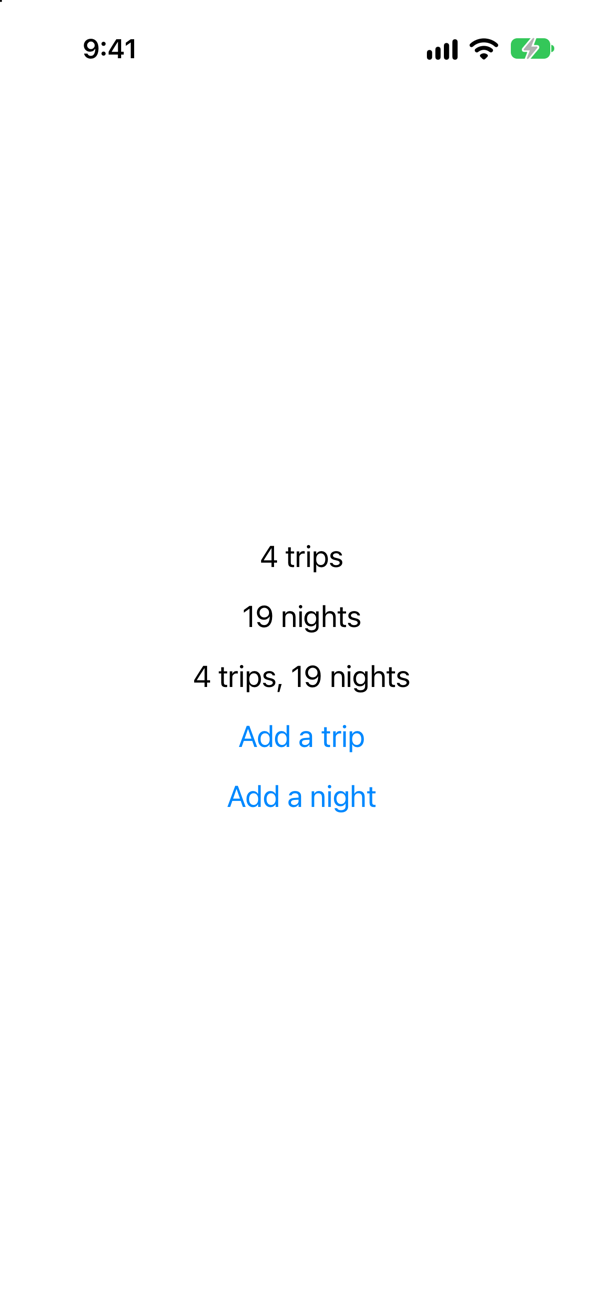
ObservationLab.body
TripsLine.body
NightsLine.body
SummaryLine.body
That was at launch: every view's body runs once, because nothing has been drawn yet. Then the tap on Add a trip:
TripsLine.body
SummaryLine.body
Two views out of four. TripsLine reads trips, and SummaryLine reads summary, which reads trips. NightsLine reads only nights, so it was left alone — and so was the lab itself, whose body reads no number at all: it only hands the model on. Then Add a night:
NightsLine.body
SummaryLine.body
The mirror image. This is what @Observable does, in the words of the WWDC23 session that introduced it, Discover Observation in SwiftUI: "When body is executed, SwiftUI tracks all access to properties used from 'Observable' types. It then takes that tracking information and uses it to determine when the next change to any of those properties on those specific instances will change." Reading a property is what subscribes a view to it. A view that never reads a property never hears about it, and a computed property counts as reading whatever it reads.
The same lab, the old way
Before iOS 17 the same model was written with a protocol from Combine, ObservableObject, and a property wrapper on each property, @Published. You will meet it in most SwiftUI code written before 2024, and in interviews, so write it once. In ObservationLab.swift:
import SwiftUIimport Combine/// Two numbers, to watch which views a change reaches. `@MainActor`: the views read them./// The same two numbers, the way it was done before iOS 17. `@MainActor` then too: SwiftUI must/// hear `objectWillChange` on the main thread.@MainActor@Observablefinal class Counts { var trips = 3 var nights = 18final class Counts: ObservableObject { @Published var trips = 3 @Published var nights = 18 var summary: String { "\(trips) trips, \(nights) nights" }}struct TripsLine: View { let counts: Counts @ObservedObject var counts: Counts var body: some View { let _ = print("TripsLine.body") Text("\(counts.trips) trips") }}struct NightsLine: View { let counts: Counts @ObservedObject var counts: Counts var body: some View { let _ = print("NightsLine.body") Text("\(counts.nights) nights") }}struct SummaryLine: View { let counts: Counts @ObservedObject var counts: Counts var body: some View { let _ = print("SummaryLine.body") Text(counts.summary) }}struct ObservationLab: View { @State private var counts = Counts() @StateObject private var counts = Counts() var body: some View { let _ = print("ObservationLab.body") VStack(spacing: 16) { TripsLine(counts: counts) NightsLine(counts: counts) SummaryLine(counts: counts) Button("Add a trip") { counts.trips += 1 } Button("Add a night") { counts.nights += 1 } } .font(.title3) }}import SwiftUI
import Combine
/// The same two numbers, the way it was done before iOS 17. `@MainActor` then too: SwiftUI must
/// hear `objectWillChange` on the main thread.
@MainActor
final class Counts: ObservableObject {
@Published var trips = 3
@Published var nights = 18
var summary: String {
"\(trips) trips, \(nights) nights"
}
}
struct TripsLine: View {
@ObservedObject var counts: Counts
var body: some View {
let _ = print("TripsLine.body")
Text("\(counts.trips) trips")
}
}
struct NightsLine: View {
@ObservedObject var counts: Counts
var body: some View {
let _ = print("NightsLine.body")
Text("\(counts.nights) nights")
}
}
struct SummaryLine: View {
@ObservedObject var counts: Counts
var body: some View {
let _ = print("SummaryLine.body")
Text(counts.summary)
}
}
struct ObservationLab: View {
@StateObject private var counts = Counts()
var body: some View {
let _ = print("ObservationLab.body")
VStack(spacing: 16) {
TripsLine(counts: counts)
NightsLine(counts: counts)
SummaryLine(counts: counts)
Button("Add a trip") { counts.trips += 1 }
Button("Add a night") { counts.nights += 1 }
}
.font(.title3)
}
}Four changes: the class conforms to ObservableObject instead of being @Observable; its stored properties are @Published; the views that are handed it say @ObservedObject; and the view that owns it says @StateObject. @MainActor stays as it was: SwiftUI must hear an ObservableObject's objectWillChange on the main thread. And a line that older code usually leaves out, import Combine. In a new Xcode 27 project the file does not compile without it — take it out for a moment and Xcode reports:
type 'Counts' does not conform to protocol 'ObservableObject'
initializer 'init(wrappedValue:)' is not available due to missing import of defining module 'Combine'
The names are found: ObservableObject and @Published reach the file through import SwiftUI. What is missing is what makes them work — @Published's initializer, and the objectWillChange that Combine gives every ObservableObject in an extension. Those are members of Combine's types, and the second message says what they lack: an import of the module that defines them. A new Xcode 27 project turns on a Swift setting called Member Import Visibility (SE-0444): "A reference to a member in a source file will only be accepted if that member is declared in a module that is contained in the set of visible modules for that source file." Without it, the proposal explains, a member is in scope "even if the module introducing the member is only transitively imported" — which is why so much older code never says import Combine. Put the line back.
Run it, and make the same two taps:
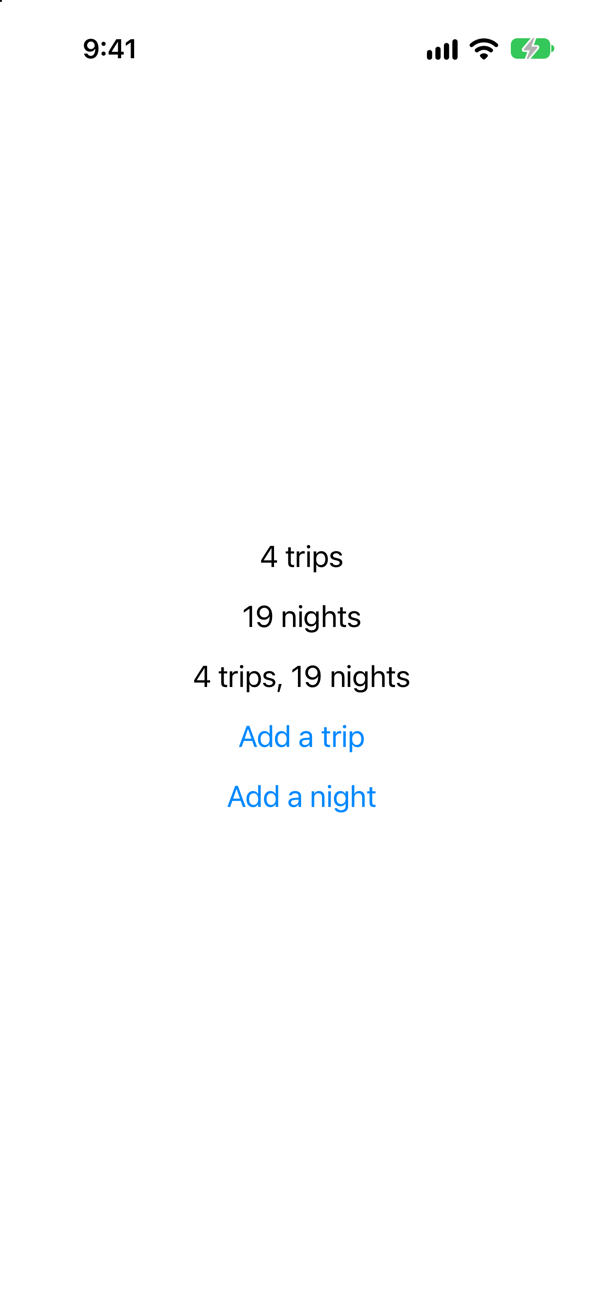
ObservationLab.body
TripsLine.body
NightsLine.body
SummaryLine.body
That was the tap on Add a trip. Every view that holds the model ran its body, NightsLine included, though it shows nights and nothing else. An ObservableObject has one signal for the whole object, objectWillChange, and every @Published property sends it. A view that observes the object cannot tell which property changed, so it runs again for all of them. Apple's migration guide puts the difference exactly: with @Observable, "SwiftUI updates a view only when an observable property changes and the view’s body reads the property directly", while with ObservableObject "a view updates when any published property of an ObservableObject instance changes, even if the view doesn’t read the property that changes."
| Before iOS 17 | Since iOS 17 | Why |
|---|---|---|
class M: ObservableObject | @Observable class M | A macro adds the tracking; there is no protocol to adopt by hand. |
@Published var x | var x | Every stored property is tracked. @ObservationIgnored opts one out. |
@StateObject var m = M() | @State var m = M() | The view that creates the model keeps it in ordinary state. |
@ObservedObject var m: M | let m: M | A view that only reads needs no wrapper at all. |
$m.x through @ObservedObject | @Bindable var m: M, then $m.x | A binding is asked for explicitly — the next step. |
The lab has done its work. Put the app back: in TripsApp.swift, ObservationLab() becomes ContentView(store: store) again:
import SwiftUI@mainstruct TripsApp: App { @Environment(\.scenePhase) private var scenePhase @State private var store = TripStore() var body: some Scene { WindowGroup { ObservationLab() ContentView(store: store) } .onChange(of: scenePhase) { _, new in if new == .background { store.save() } } }}import SwiftUI
@main
struct TripsApp: App {
@Environment(\.scenePhase) private var scenePhase
@State private var store = TripStore()
var body: some Scene {
WindowGroup {
ContentView(store: store)
}
.onChange(of: scenePhase) { _, new in
if new == .background {
store.save()
}
}
}
}And delete ObservationLab.swift: select it in the Project navigator, press the Delete key, and choose Move to Trash.
A star that changes the store
The star on a card has only ever shown whether a trip is a favorite. Make it change it. To write to its trip, the card must be given a binding. In TripCard.swift, two changes: let trip: Trip becomes @Binding var trip: Trip, and the star becomes lesson 5's FavoriteButton, bound to $trip.isFavorite:
struct TripCard: View { let trip: Trip @Binding var trip: Trip var body: some View { VStack(alignment: .leading, spacing: 10) { Image(trip.imageName) .resizable() .scaledToFill() .frame(height: 120) .clipShape(RoundedRectangle(cornerRadius: 8)) .contentShape(Rectangle()) .overlay(alignment: .topTrailing) { if trip.isFavorite { Image(systemName: "star.fill") .foregroundStyle(.yellow) .padding(8) } FavoriteButton(isFavorite: $trip.isFavorite) .accessibilityLabel("Favorite \(trip.city)") .tint(.yellow) .padding(8) } ViewThatFits(in: .horizontal) { HStack(alignment: .firstTextBaseline) { title Spacer() nights } VStack(alignment: .leading, spacing: 4) { title nights } } ViewThatFits(in: .horizontal) { HStack { start Spacer() price } VStack(alignment: .leading, spacing: 4) { start price } } .font(.subheadline) Text(trip.formattedNotes) .font(.footnote) } .padding() .background(.quaternary, in: RoundedRectangle(cornerRadius: 12)) .padding(.horizontal) } private var title: some View { VStack(alignment: .leading, spacing: 2) { Text(trip.city) .font(.headline) Text(trip.country) .foregroundStyle(.secondary) } } private var nights: some View { Label("^[\(trip.nights) night](inflect: true)", systemImage: "moon.stars") } private var start: some View { Text(trip.start, format: .dateTime.day().month().year()) } private var price: some View { Text(trip.price, format: .currency(code: "USD")) }}struct TripCard: View {
@Binding var trip: Trip
var body: some View {
VStack(alignment: .leading, spacing: 10) {
Image(trip.imageName)
.resizable()
.scaledToFill()
.frame(height: 120)
.clipShape(RoundedRectangle(cornerRadius: 8))
.contentShape(Rectangle())
.overlay(alignment: .topTrailing) {
FavoriteButton(isFavorite: $trip.isFavorite)
.accessibilityLabel("Favorite \(trip.city)")
.tint(.yellow)
.padding(8)
}
ViewThatFits(in: .horizontal) {
HStack(alignment: .firstTextBaseline) {
title
Spacer()
nights
}
VStack(alignment: .leading, spacing: 4) {
title
nights
}
}
ViewThatFits(in: .horizontal) {
HStack {
start
Spacer()
price
}
VStack(alignment: .leading, spacing: 4) {
start
price
}
}
.font(.subheadline)
Text(trip.formattedNotes)
.font(.footnote)
}
.padding()
.background(.quaternary, in: RoundedRectangle(cornerRadius: 12))
.padding(.horizontal)
}
private var title: some View {
VStack(alignment: .leading, spacing: 2) {
Text(trip.city)
.font(.headline)
Text(trip.country)
.foregroundStyle(.secondary)
}
}
private var nights: some View {
Label("^[\(trip.nights) night](inflect: true)", systemImage: "moon.stars")
}
private var start: some View {
Text(trip.start, format: .dateTime.day().month().year())
}
private var price: some View {
Text(trip.price, format: .currency(code: "USD"))
}
}.tint(.yellow) colors the button, which would otherwise take the app's blue. .accessibilityLabel gives each star a name that says which trip it belongs to — "Favorite Vancouver" — so that VoiceOver, and the taps on this page, can tell the stars apart.
It no longer compiles. Xcode reports, in the previews below the card
type 'Binding<Trip>' has no member 'seattle'
type 'Binding<Trip>' has no member 'vancouver'
Every place that makes a card hands it a plain Trip, and a card now takes a Binding<Trip>. The previews say it in a roundabout way: in TripCard(trip: .seattle), Swift looks up .seattle on the type the parameter now has, and Binding<Trip> has no seattle. Further down, Xcode says it plainly: "cannot convert value of type 'Trip' to expected argument type 'Binding<Trip>'".
Three places make cards: the previews, the planner, and the list. The previews first. A preview shows a card; it does not need to change one. So give each a binding that cannot change, .constant(…) — the same as lesson 17's flash card. Replace the five previews in TripCard.swift:
#Preview("Favorite") { TripCard(trip: .seattle) TripCard(trip: .constant(.seattle))}#Preview("Favorite") {
TripCard(trip: .constant(.seattle))
}#Preview("Not a favorite") { TripCard(trip: .vancouver) TripCard(trip: .constant(.vancouver))}#Preview("Not a favorite") {
TripCard(trip: .constant(.vancouver))
}#Preview("Long name") { TripCard(trip: .atacama) TripCard(trip: .constant(.atacama))}#Preview("Long name") {
TripCard(trip: .constant(.atacama))
}#Preview("Dark, largest text") { TripCard(trip: .atacama) TripCard(trip: .constant(.atacama)) .preferredColorScheme(.dark) .dynamicTypeSize(.accessibility5)}#Preview("Dark, largest text") {
TripCard(trip: .constant(.atacama))
.preferredColorScheme(.dark)
.dynamicTypeSize(.accessibility5)
}#Preview("All samples", arguments: Trip.samples) { trip in TripCard(trip: trip) TripCard(trip: .constant(trip))}#Preview("All samples", arguments: Trip.samples) { trip in
TripCard(trip: .constant(trip))
}The planner's card shows the trip being planned, and its star should do what the planner's own star does: mark the draft as a favorite. But there is no Trip to bind to. The draft is a TripDraft, and the card is shown draft.trip(id: 0), a trip made from it on the spot. So make the binding by hand, with Binding(get:set:), as on lesson 17's flash card about a set of favorites. Reading it makes the trip; writing it copies the one thing a card can change, isFavorite, back into the draft. In TripPlanner.swift:
struct TripPlanner: View { let store: TripStore @State private var isOpen = false @State private var draft = TripDraft() var body: some View { VStack(spacing: 12) { VStack(alignment: .leading, spacing: 12) { Button(isOpen ? "Close the planner" : "Plan a trip", systemImage: isOpen ? "xmark" : "plus") { isOpen.toggle() } .buttonStyle(.bordered) if isOpen { TextField("City", text: $draft.city) TextField("Country", text: $draft.country) Stepper(value: $draft.nights, in: 1...60) { Text("^[\(draft.nights) night](inflect: true)") } Stepper(value: $draft.price, in: 0...20_000, step: 250) { Text(draft.price, format: .currency(code: "USD")) } HStack { PicturePicker(selection: $draft.imageName) Spacer() FavoriteButton(isFavorite: $draft.isFavorite) } Button("Add to my trips") { store.add(draft) draft = TripDraft() isOpen = false } .buttonStyle(.borderedProminent) .disabled(draft.city.isEmpty) } } .textFieldStyle(.roundedBorder) .frame(maxWidth: .infinity, alignment: .leading) .padding(.horizontal) if isOpen { TripCard(trip: draft.trip(id: 0)) TripCard(trip: Binding( get: { draft.trip(id: 0) }, set: { draft.isFavorite = $0.isFavorite } )) } } }}struct TripPlanner: View {
let store: TripStore
@State private var isOpen = false
@State private var draft = TripDraft()
var body: some View {
VStack(spacing: 12) {
VStack(alignment: .leading, spacing: 12) {
Button(isOpen ? "Close the planner" : "Plan a trip", systemImage: isOpen ? "xmark" : "plus") {
isOpen.toggle()
}
.buttonStyle(.bordered)
if isOpen {
TextField("City", text: $draft.city)
TextField("Country", text: $draft.country)
Stepper(value: $draft.nights, in: 1...60) {
Text("^[\(draft.nights) night](inflect: true)")
}
Stepper(value: $draft.price, in: 0...20_000, step: 250) {
Text(draft.price, format: .currency(code: "USD"))
}
HStack {
PicturePicker(selection: $draft.imageName)
Spacer()
FavoriteButton(isFavorite: $draft.isFavorite)
}
Button("Add to my trips") {
store.add(draft)
draft = TripDraft()
isOpen = false
}
.buttonStyle(.borderedProminent)
.disabled(draft.city.isEmpty)
}
}
.textFieldStyle(.roundedBorder)
.frame(maxWidth: .infinity, alignment: .leading)
.padding(.horizontal)
if isOpen {
TripCard(trip: Binding(
get: { draft.trip(id: 0) },
set: { draft.isFavorite = $0.isFavorite }
))
}
}
}
}And the list. Each card must now be handed a binding to its own trip — the one in the store. ForEach can do that, given a binding to the array: ForEach($store.trips) { $trip in … }, as on lesson 17. The filter moves inside, as an if, because filter makes a new array, and a new array is not a place a binding can write to. In ContentView.swift:
struct ContentView: View { let store: TripStore @State private var filter = TripFilter.all var body: some View { ScrollView { LazyVStack(spacing: 12) { TripPlanner(store: store) PhotoStrip(trips: store.trips) TripSummary(trips: store.trips) FilterBar(filters: filters, selection: $filter) .frame(maxWidth: .infinity, alignment: .leading) .padding(.horizontal) LazyVGrid(columns: [GridItem(.adaptive(minimum: 300))], spacing: 12) { ForEach(store.trips.filter { filter.includes($0) }) { trip in TripCard(trip: trip) ForEach($store.trips) { $trip in if filter.includes(trip) { TripCard(trip: $trip) } } } } } } /// All, Favorites, and then a filter for each country that has a trip. private var filters: [TripFilter] { var countries: [String] = [] for trip in store.trips where !countries.contains(trip.country) { countries.append(trip.country) } return [.all, .favorites] + countries.map { TripFilter.country($0) } }}struct ContentView: View {
let store: TripStore
@State private var filter = TripFilter.all
var body: some View {
ScrollView {
LazyVStack(spacing: 12) {
TripPlanner(store: store)
PhotoStrip(trips: store.trips)
TripSummary(trips: store.trips)
FilterBar(filters: filters, selection: $filter)
.frame(maxWidth: .infinity, alignment: .leading)
.padding(.horizontal)
LazyVGrid(columns: [GridItem(.adaptive(minimum: 300))], spacing: 12) {
ForEach($store.trips) { $trip in
if filter.includes(trip) {
TripCard(trip: $trip)
}
}
}
}
}
}
/// All, Favorites, and then a filter for each country that has a trip.
private var filters: [TripFilter] {
var countries: [String] = []
for trip in store.trips where !countries.contains(trip.country) {
countries.append(trip.country)
}
return [.all, .favorites] + countries.map { TripFilter.country($0) }
}
}It does not compile. Xcode reports, on the ForEach line
cannot find '$store' in scope
generic parameter 'C' could not be inferred
There is no $store, and the second message follows from the first: without $store.trips, Swift cannot work out what ForEach was given. store is a plain let, and a $ belongs to a property wrapper that offers one. On lesson 17 that wrapper was @State. For a class that is @Observable, it is @Bindable — Apple: "A property wrapper type that supports creating bindings to the mutable properties of observable objects." It changes nothing else: the view still only holds the store. One line changes, let store: TripStore becomes @Bindable var store: TripStore:
struct ContentView: View { let store: TripStore @Bindable var store: TripStore @State private var filter = TripFilter.all var body: some View { ScrollView { LazyVStack(spacing: 12) { TripPlanner(store: store) PhotoStrip(trips: store.trips) TripSummary(trips: store.trips) FilterBar(filters: filters, selection: $filter) .frame(maxWidth: .infinity, alignment: .leading) .padding(.horizontal) LazyVGrid(columns: [GridItem(.adaptive(minimum: 300))], spacing: 12) { ForEach($store.trips) { $trip in if filter.includes(trip) { TripCard(trip: $trip) } } } } } } /// All, Favorites, and then a filter for each country that has a trip. private var filters: [TripFilter] { var countries: [String] = [] for trip in store.trips where !countries.contains(trip.country) { countries.append(trip.country) } return [.all, .favorites] + countries.map { TripFilter.country($0) } }}struct ContentView: View {
@Bindable var store: TripStore
@State private var filter = TripFilter.all
var body: some View {
ScrollView {
LazyVStack(spacing: 12) {
TripPlanner(store: store)
PhotoStrip(trips: store.trips)
TripSummary(trips: store.trips)
FilterBar(filters: filters, selection: $filter)
.frame(maxWidth: .infinity, alignment: .leading)
.padding(.horizontal)
LazyVGrid(columns: [GridItem(.adaptive(minimum: 300))], spacing: 12) {
ForEach($store.trips) { $trip in
if filter.includes(trip) {
TripCard(trip: $trip)
}
}
}
}
}
}
/// All, Favorites, and then a filter for each country that has a trip.
private var filters: [TripFilter] {
var countries: [String] = []
for trip in store.trips where !countries.contains(trip.country) {
countries.append(trip.country)
}
return [.all, .favorites] + countries.map { TripFilter.country($0) }
}
}Run the app, and tap the star on Vancouver's picture:
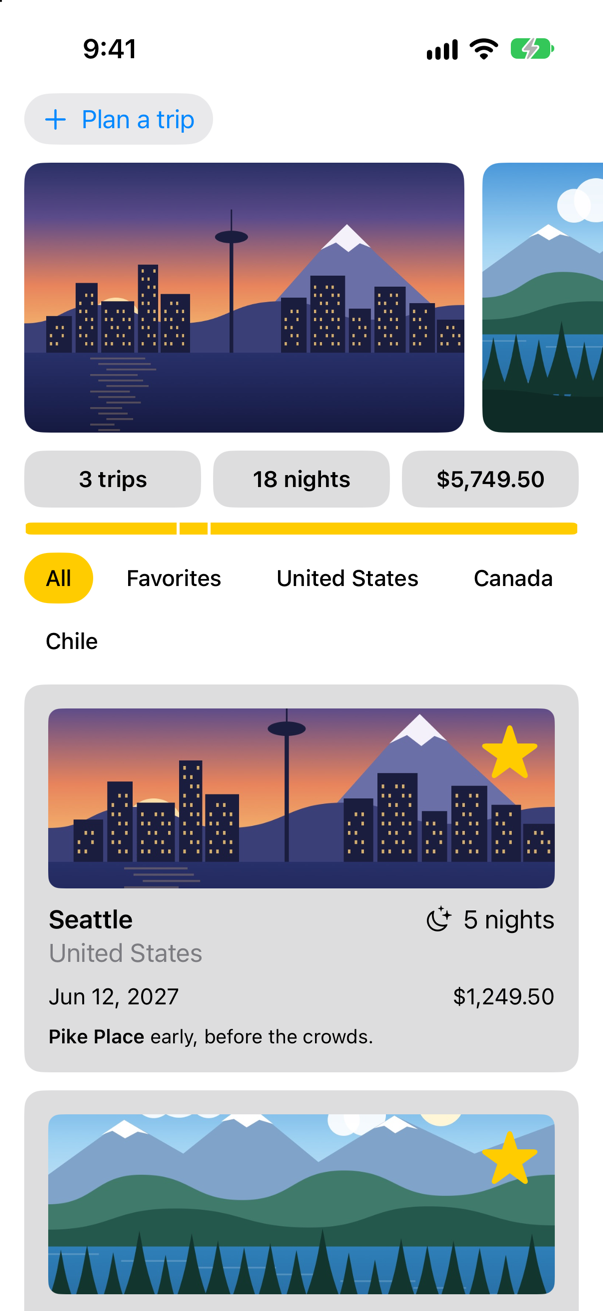
Tap Favorites. Vancouver is one of them now:
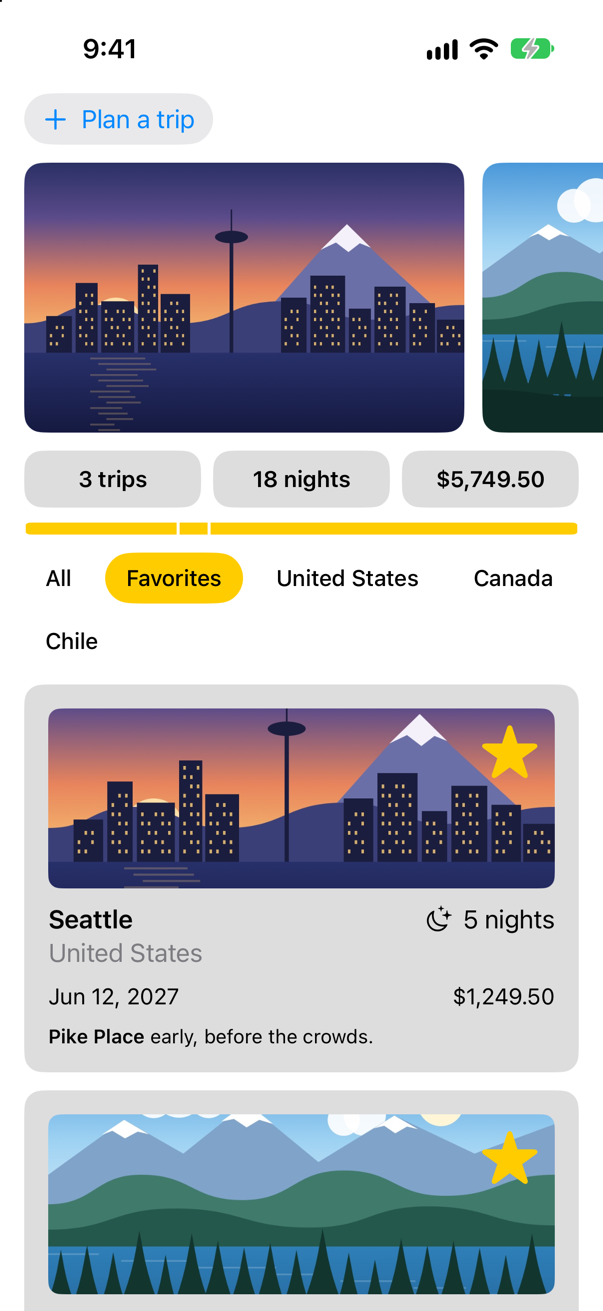
Follow the change. $store.trips is a binding to the array in the store; ForEach gives each card a binding to its own element, $trip; $trip.isFavorite narrows it to one Bool; and the button wrote true through it — into the store. The store is @Observable, ContentView reads store.trips, and so it ran again, and handed the bar and the cards the new array. No callback, no delegate, no notification: one binding, and one source of truth.
Last, tap Plan a trip, and the star on the card it shows:
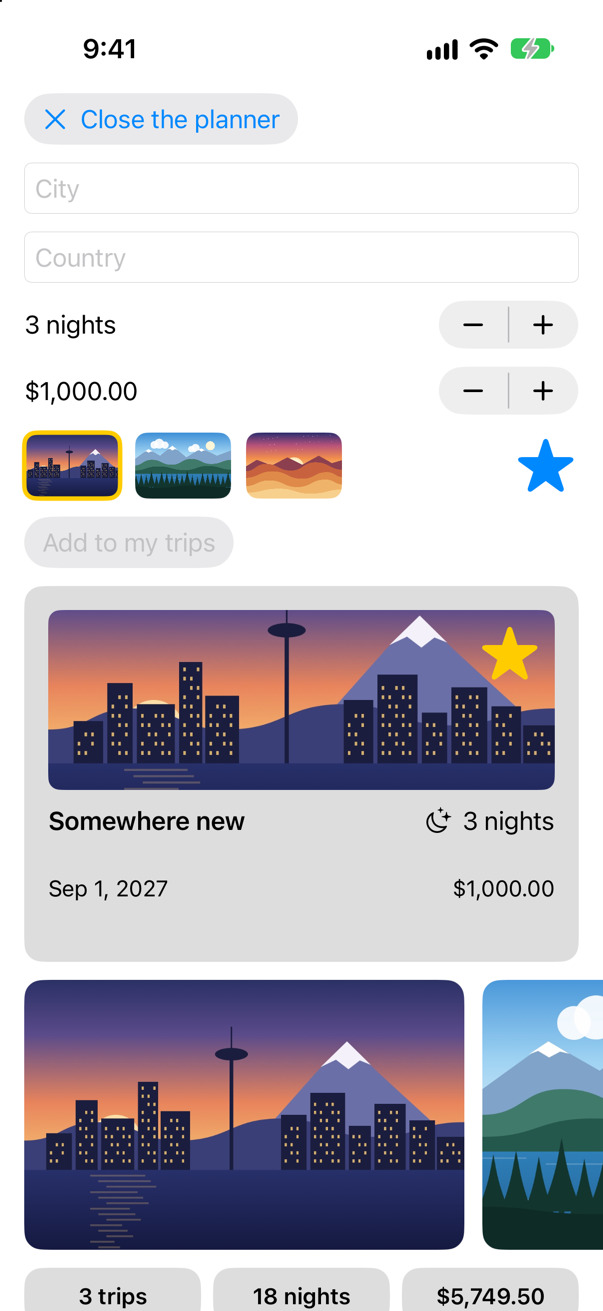
Both stars filled. The card wrote through the binding made by hand, the binding set draft.isFavorite, and the planner's own star reads draft.isFavorite. The WWDC23 session sums up this lesson's choices in three questions: "Does this model need to be state of the view itself? If so, use '@State'. Does this model need to be part of the global environment of the application? If so, use '@Environment'. Does this model just need bindings? If so, use the new '@Bindable'. And if none of these questions have the answer as yes, just use the model as a property of your view." The environment is the next lesson.
Watching from outside a view
Views are not the only code that wants to know when a model changes. Trips saves when it goes to the background (lesson 6), so a change made a moment before a crash is lost. Better: save whenever the trips change. Since iOS 26 Swift has a way to watch an @Observable model from ordinary code — Observations, an asynchronous sequence of values. In TripsApp.swift:
import SwiftUI@mainstruct TripsApp: App { @Environment(\.scenePhase) private var scenePhase @State private var store = TripStore() var body: some Scene { WindowGroup { ContentView(store: store) .task { // On the main actor, as the store is: `.task` and the closure take // the actor of the code they are written in. Each value is a [Trip], // handed on because a trip is Sendable. for await _ in Observations({ store.trips }) { store.save() } } } .onChange(of: scenePhase) { _, new in if new == .background { store.save() } } }}import SwiftUI
@main
struct TripsApp: App {
@Environment(\.scenePhase) private var scenePhase
@State private var store = TripStore()
var body: some Scene {
WindowGroup {
ContentView(store: store)
.task {
// On the main actor, as the store is: `.task` and the closure take
// the actor of the code they are written in. Each value is a [Trip],
// handed on because a trip is Sendable.
for await _ in Observations({ store.trips }) {
store.save()
}
}
}
.onChange(of: scenePhase) { _, new in
if new == .background {
store.save()
}
}
}
}Run the app. Tap Vancouver's star, then plan a trip to Bergen and add it, and read the console:
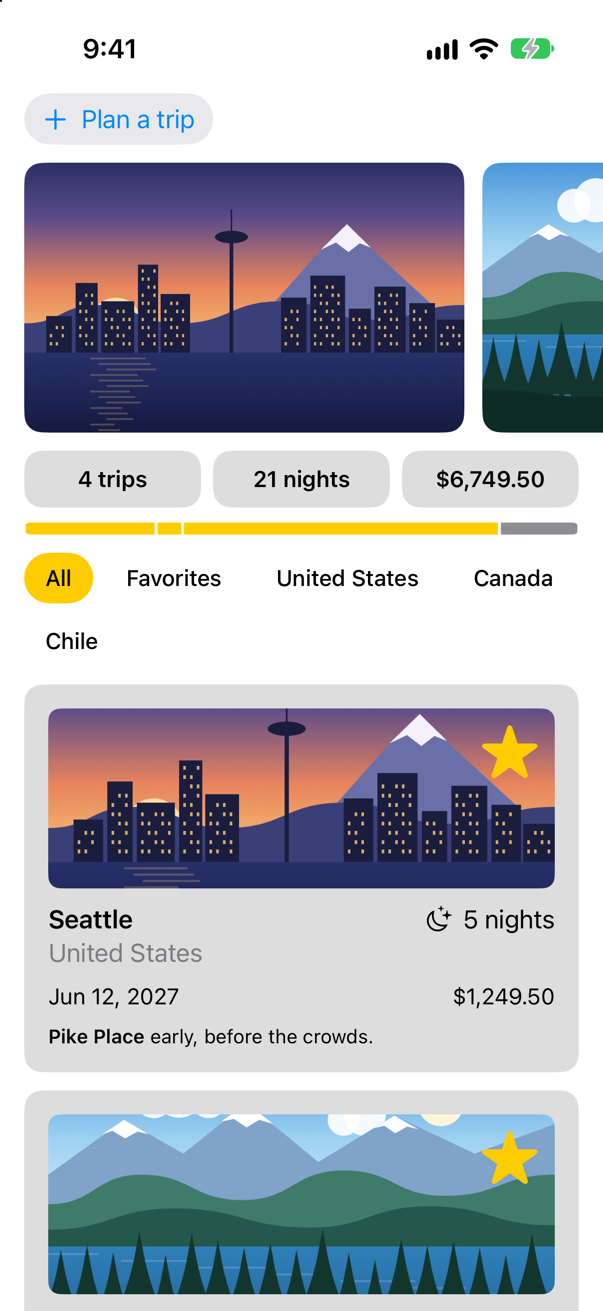
Saving 3 tripsThat line came at launch. SE-0475, the proposal that added Observations to Swift: "The closure is not run immediately it is run asynchronously upon the first call to the iterator's next method." The first time the loop asks for a value, the closure runs and its value is handed over — and the store saved what it had. Then the star:
Saving 3 tripsAnd the new trip:
Saving 4 tripsThe closure, { store.trips }, is tracked the way a body is: whatever it reads, it watches. Each change to the trips produced a new value, the loop went round once more, and the store saved. Typing in the planner saved nothing, because the draft is not in store.trips. The loop lives in .task, so it starts when the screen appears and is cancelled when the screen goes. One more property is in the proposal's title, Transactional Observation of Values: changes made together, with no pause between them, arrive as one value. One of this lesson's edge cases counts them.
Two things about concurrency are at work in those lines. The loop runs on the main actor, where the store is: .task, and the closure handed to Observations, take the actor of the code they are written in, and the app's body is the main actor's. And each value the sequence hands on is a [Trip], which it may hand on only because a trip is Sendable — the word lesson 17 gave it; Apple declares Observations for elements that are Sendable and no others. A trip with a class inside it stops the build:
The same loop, over trips that each hold a class
type 'Trip' does not conform to the 'Sendable' protocolWhat you built
- A lab that showed which views a change reaches: with
@Observable, only those that read it; withObservableObject, all of them. - A star on every card that changes the trip in the store, through
@Bindableand aForEachover bindings, and a binding made by hand for the planner's card. - A store that saves whenever its trips change, with
Observations— on the main actor, and only because a trip isSendable.
Guide: how Binding, @Binding and @Bindable are built, each from the one before, with an implementation that runs, is in Binding, @Binding and @Bindable.
Guide: how reading an @Observable property signs the view up — the list on the thread, observableObject's registrar, the closure holding the node — is drawn step by step in @Observable, in full.
Guide: when an @Observable model leaks and when it is freed — a stored closure, an endless Observations loop, a reference that leads back — is taken apart and run, with a project of twelve leaks to open, in Retain cycles in SwiftUI.
The store is handed down by hand: from TripsApp to ContentView, and from there to the planner. The next lesson is the other way to send things down a view tree, the environment — what SwiftUI already keeps there, how to put your own model in it, and when not to.
The finished project
Stuck, or want to compare with your own? This is the project as it stands at the end of this lesson, built and run before it was put here.
- Trips-lesson-18.zip — unzip it, then open
Trips.xcodeprojin Xcode.
Flash cards
20 cards for this lesson, each labelled with its topic. 12 ask how you would write something; the other 8 are trick questions, written to catch a misunderstanding. Answer in your head first, then tap the card.
Syntax · ObservableA model class whose properties SwiftUI watches one by one.

@Observable on the class. Every stored property is tracked, with no protocol to adopt and nothing to put on each property. A view whose body reads trip.nights runs again when nights changes. The picture is after one tap.
Syntax · ObservableA view makes a model, and keeps the same one for as long as it is on the screen.
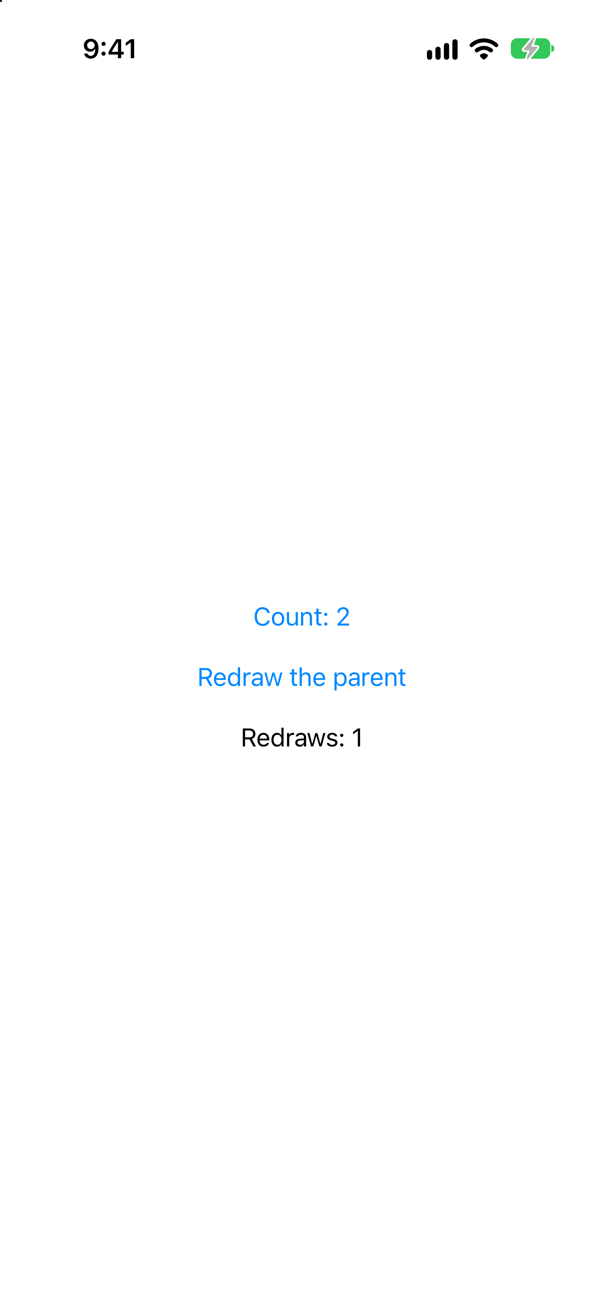
@State private var, exactly as for a value. SwiftUI keeps the instance outside the view struct, and every new copy of the struct is handed the same one. Two taps on the counter, then a redraw of the parent: still 2.
Syntax · ObservableA child view that only shows a model it is given.

A plain let, with no wrapper at all: reading trip.nights in body is what makes the child update. Apple's migration guide, on @ObservedObject: "This property wrapper isn’t needed when adopting Observation."
Syntax · BindableA child view that changes a property of a model it is given.
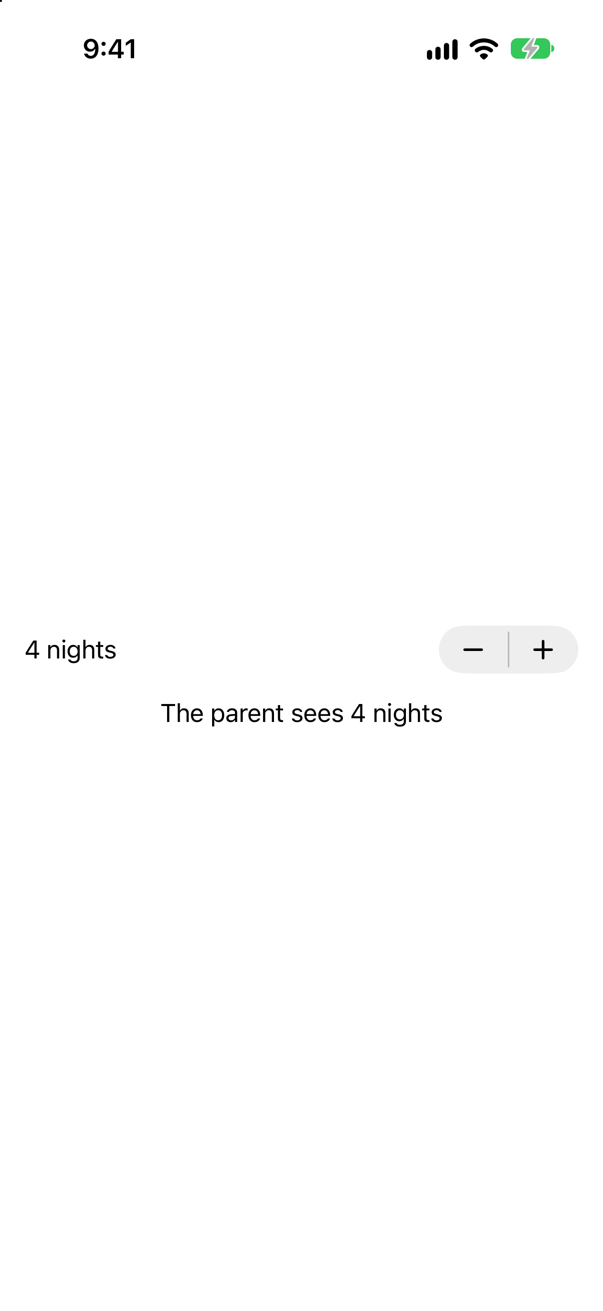
@Bindable var trip: Trip. It holds the model just as a plain property would, and adds what a plain property cannot give: $trip.nights, a binding to one property. Apple: @Bindable "supports creating bindings to the mutable properties of observable objects." After one tap on +, the parent sees 4.
Syntax · BindableA binding to one property of a model, in a view that holds the model in a plain let.
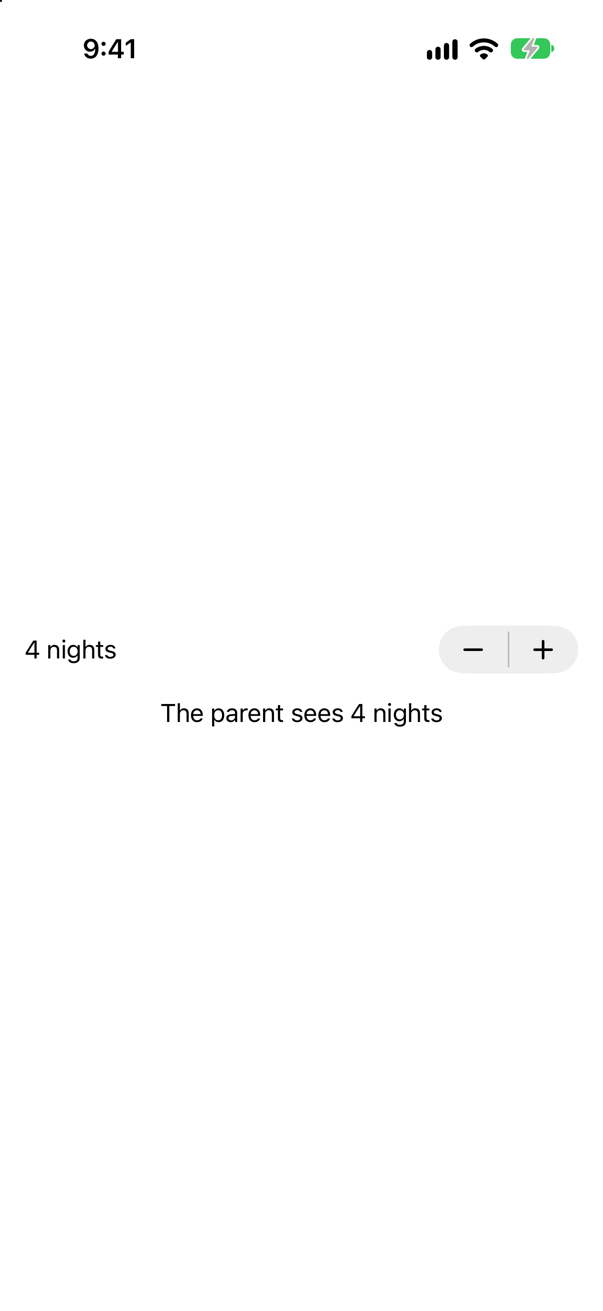
@Bindable var trip = trip, inside body. A local variable can be @Bindable too, and Apple's documentation shows exactly this. Bindable(trip).nights makes the same binding without the variable. Use it when one control needs a binding — or when the model came from the environment, in the next lesson.
Syntax · ObservableKeep a value in an observable class without any view reacting when it changes.

@ObservationIgnored. The property is stored as in any class, and nobody is told when it changes: after two taps the console said the model holds 5, and the screen still says 3. Use it for what no screen shows — a cache, a formatter, a count kept for logging — never for something a view displays.
Syntax · ObservableA property worked out from others, which views can watch like any other.

An ordinary computed property; it needs no marking. While body runs, summary reads trips and nights, so the view depends on both. WWDC23: "if a computed property is composed from other stored properties, then the Observation will just work."
Syntax · BindableOne switch for each trip in a store, each changing its own trip.
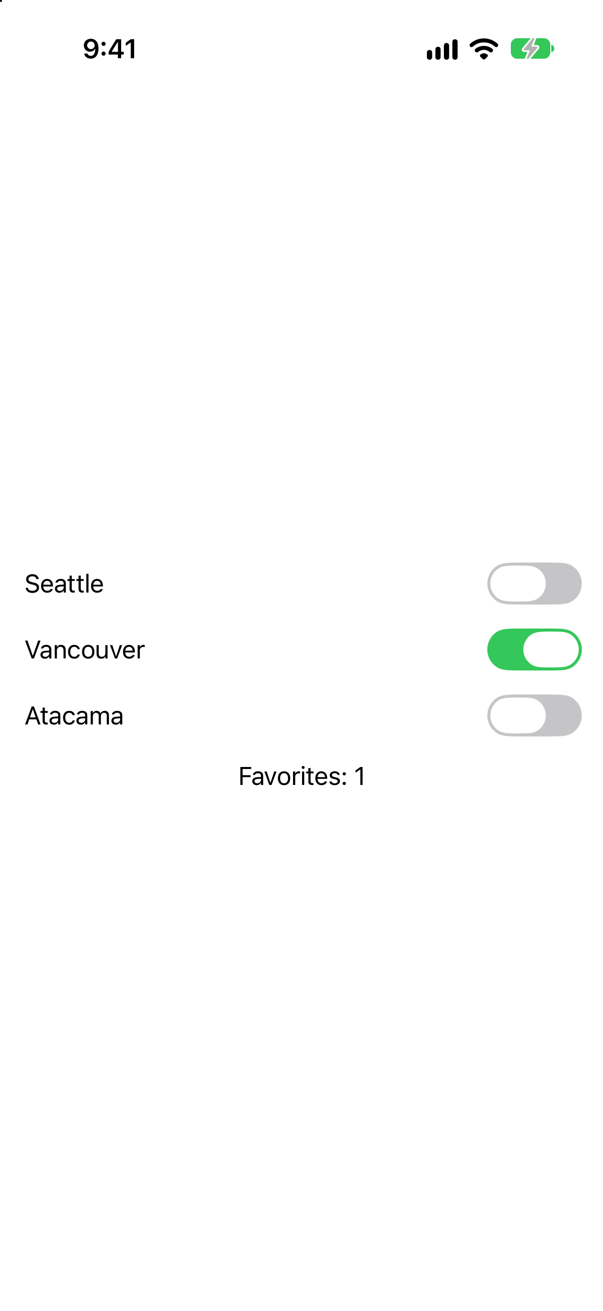
@Bindable on the store, then ForEach($store.trips) { $trip in … }. The first gives $store.trips, a binding to the array; ForEach hands each row a binding to its own element. This lesson's star works the same way.
Syntax · ObservationsRun code every time a property of a model changes — from outside any view's body.

Observations (iOS 26): an asynchronous sequence of the closure's value — the value now, then a new one after each change to what the closure read. After two taps the console showed 3, 4 and 5. Inside .task, the loop stops when the view goes.
Syntax · Old codeCode from before iOS 17: a model class that SwiftUI watches.

ObservableObject, with @Published on each property — and import Combine, where both come from. Now you write @Observable and drop the @Publisheds. The difference is more than shorter code: any @Published change updates every view that observes the object.
Syntax · Old codeCode from before iOS 17: the view that creates the object, and a child it hands the object to.
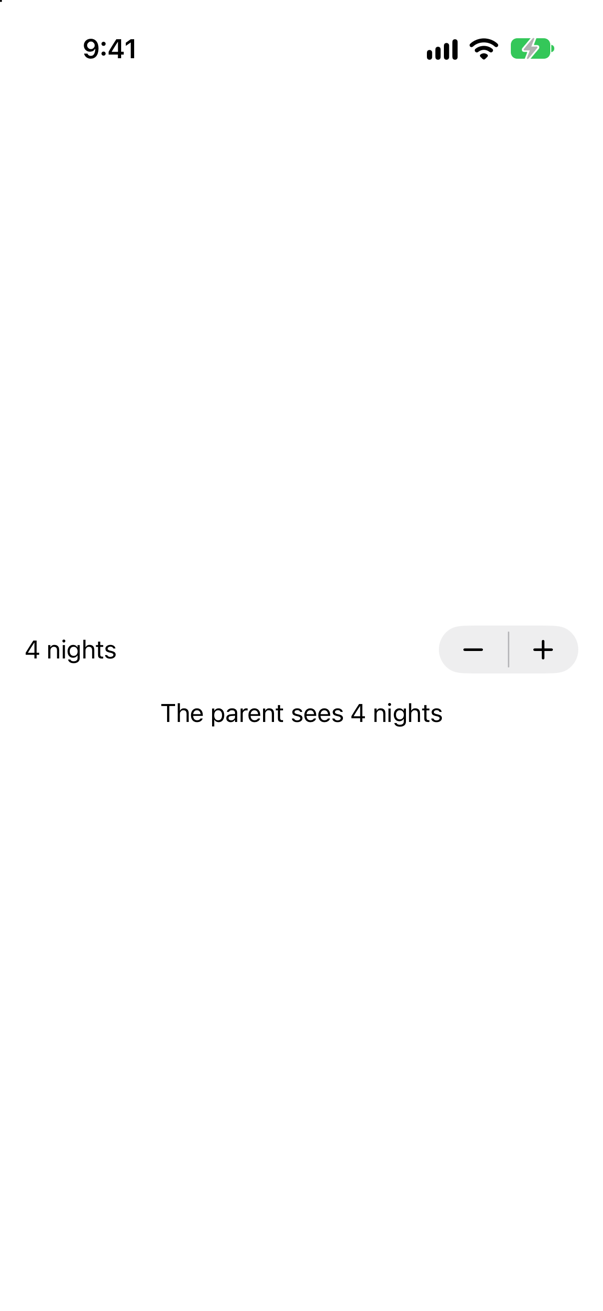
@StateObject in the view that creates it, @ObservedObject in a view that is handed it. Hacking with Swift's interview answer: @StateObject "is used when you create an object for the first time and want to retain ownership of it". Now: @State in the owner; in the child a plain property, or @Bindable when it needs $trip.nights, as this one does.
Syntax · Old codeCode from before iOS 17: tell SwiftUI about a change without @Published.

objectWillChange.send(), before the change — the name says when. It is what @Published does for you. Hacking with Swift's interview answer gives both, the manual call "for times when you need more fine-grained control". After two taps: 2.
Trick question · ObservableThree child views read one model: one shows trips, one nights, one a computed summary made from both. A tap changes nights. Which of them run their body again?
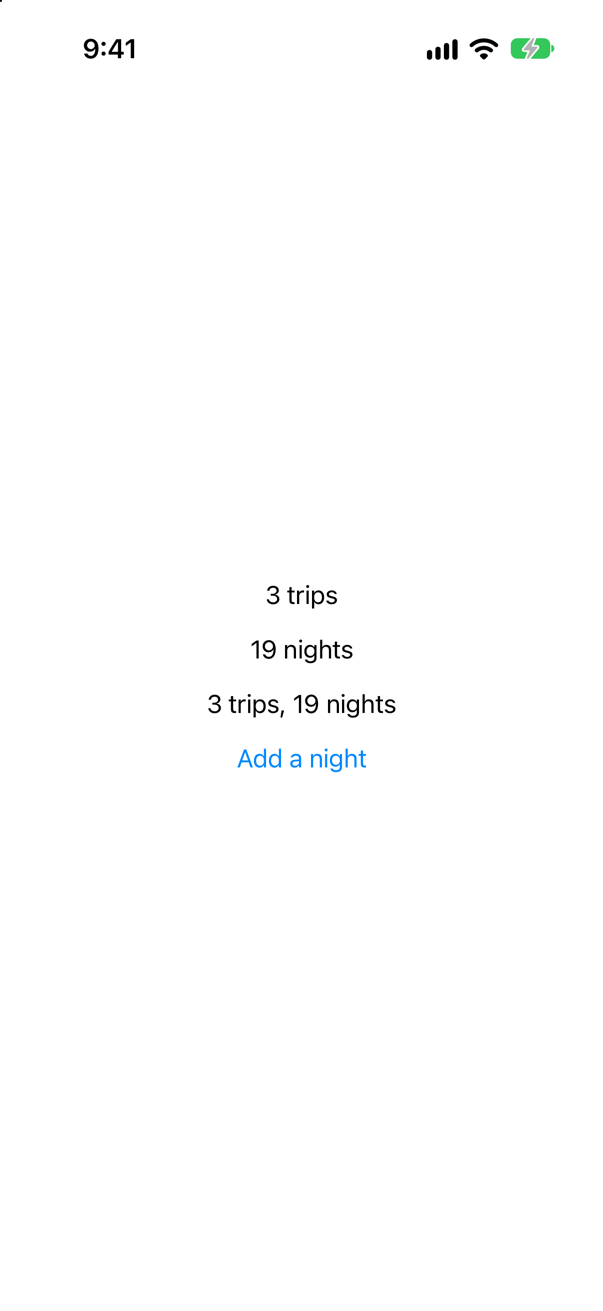
NightsLine and SummaryLine. The console, for the tap: NightsLine.body, SummaryLine.body. summary reads nights, so the view that reads summary depends on it too. TripsLine was left alone, and so was the parent, which hands the model on without reading a number.
Trick question · Old codeThe same three views written the old way — ObservableObject, @Published, @ObservedObject, and @StateObject in the parent. A tap changes nights. Which run their body again?
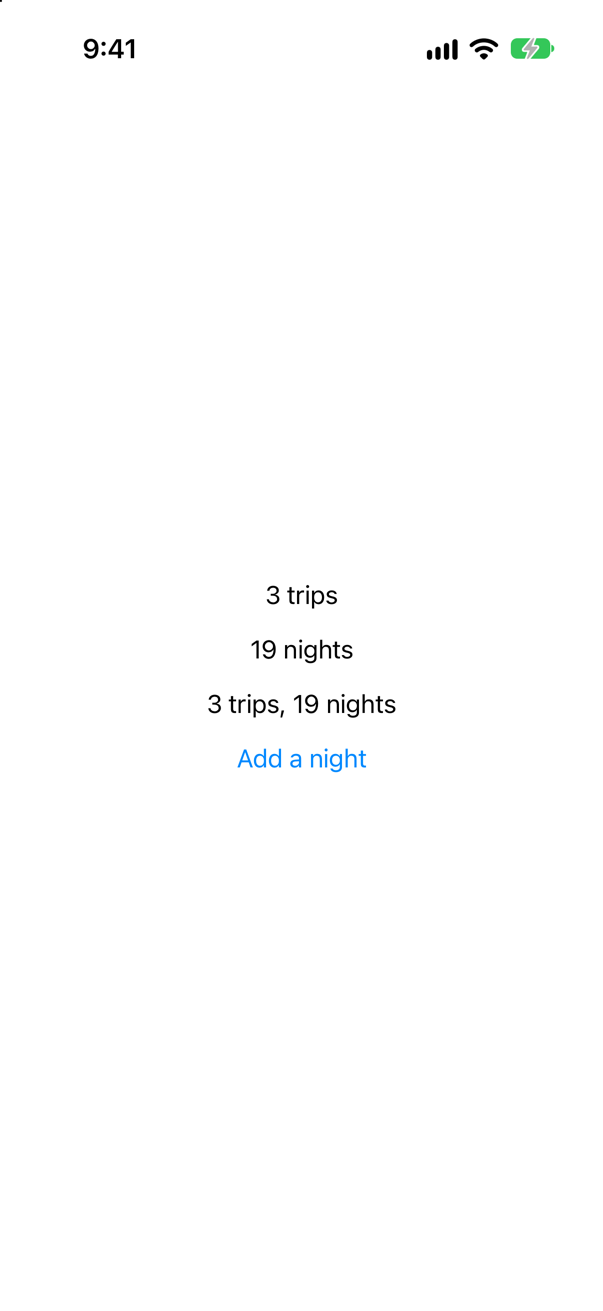
All four, the parent too. An ObservableObject sends one signal, objectWillChange, for any @Published property, and every view that observes the object — with @ObservedObject or @StateObject — runs again, whatever it reads. That is the performance argument for @Observable, in one console.
Trick question · ObservableA view makes its own model with let counter = Counter() — no @State. Tap its button twice, then make the parent redraw. What is the count?
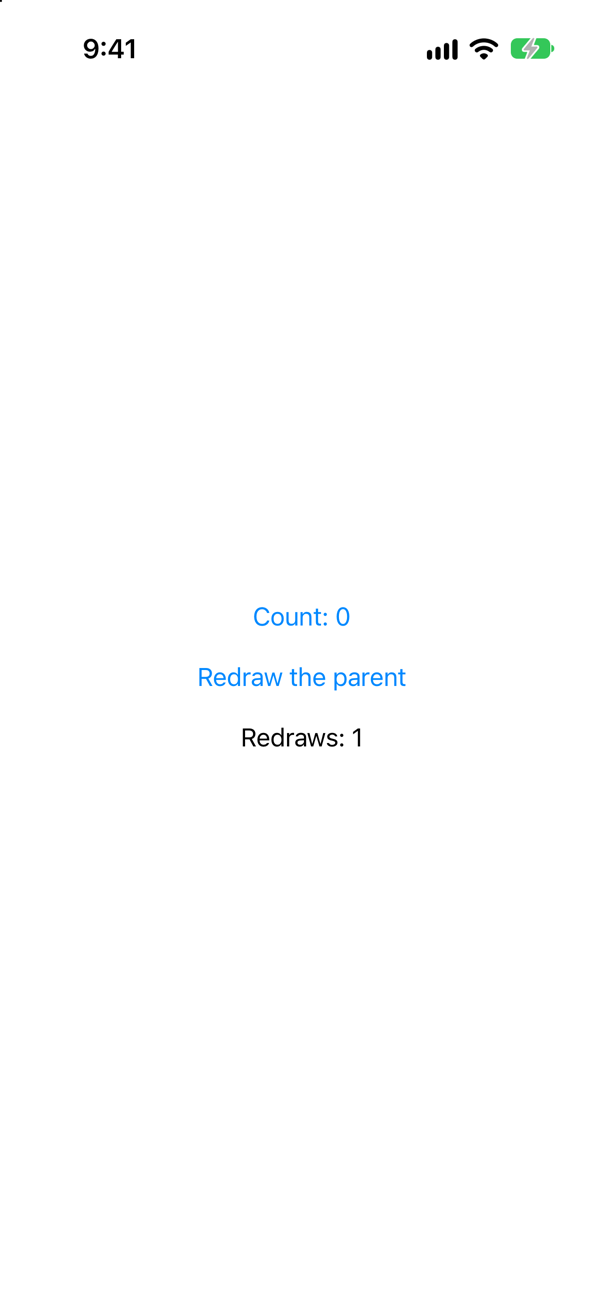
0. The parent's body made a new CounterView, and the new struct made a new Counter; the old one, with its 2, was thrown away. A view that creates its model keeps it in @State. A let is for a model it is handed.
Trick question · Observable@Observable struct Trip { var nights = 3 } — does it compile?
No: "'@Observable' cannot be applied to struct type 'Trip' (from macro 'Observable')" Observation follows instances — this object's nights — and a struct has none to follow: every assignment makes an independent copy. For a struct, @State already does the job, because a change to any part of a struct is a change to the whole value.
Trick question · Old codeAn ObservableObject kept in @State — not @StateObject. A button adds one to its @Published count, twice. What does the screen say?

Count: 0. The object holds 2 — the console says so — and nothing told SwiftUI. @State watches the reference, which never changed; only @StateObject, @ObservedObject and @EnvironmentObject listen to objectWillChange. A migration done in the wrong order looks exactly like this.
Trick question · BindableForEach($store.trips), in a view that holds the store as let store: TripStore. Does it compile?
No: "cannot find '$store' in scope" A $ needs a property wrapper that offers one, and a let has none. Write @Bindable var store: TripStore; nothing else changes.
Trick question · ObservationsA button adds 1 to a watched number twice, in the same action. How many values does an Observations loop receive for one tap?

One. Two taps gave Observations: 5 trips and Observations: 7 trips — never 4 or 6. Changes made together, with no pause between them, are one transaction, and the loop is given the value at its end. body ran once per tap as well.
Trick question · ObservableA child declares @State var trip: Trip for an @Observable trip its parent hands it. The parent switches to another trip. What does the child show?
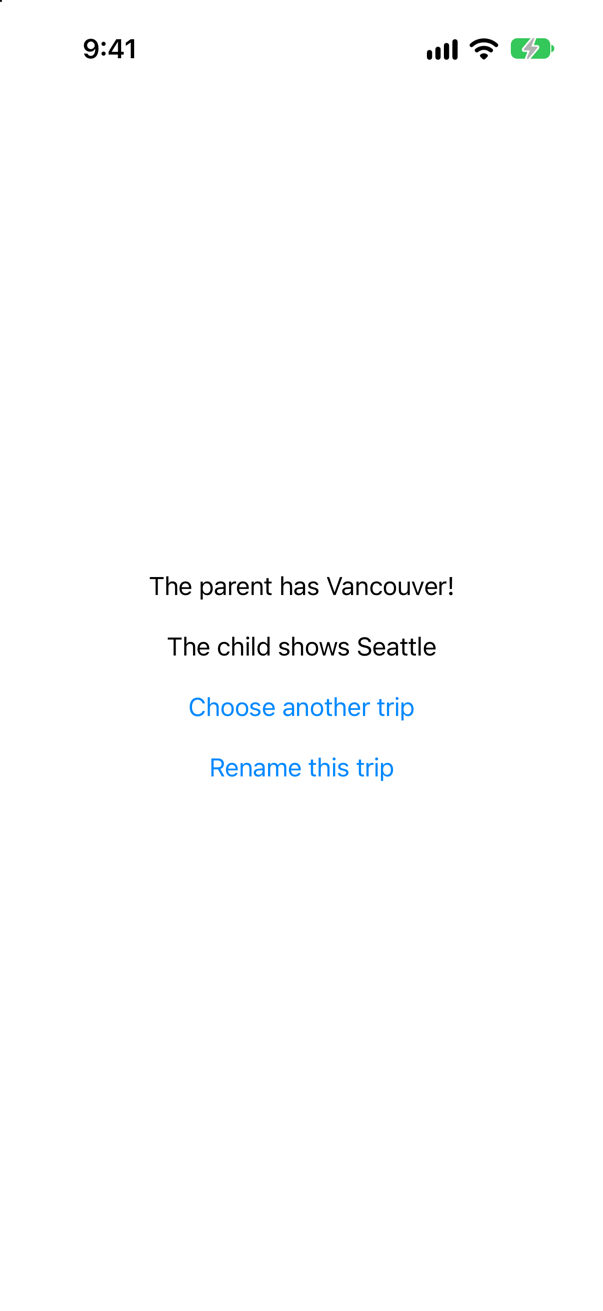
The first trip, for ever. @State takes its value once, when the view first appears — lesson 17's trap, with an object. The parent's later trips never reach the child. A view that is handed a model takes a plain property: let trip: Trip.
Edge cases and tricky questions
9 questions of the kind an interviewer uses to find out whether you really know this — the corners, the traps, and the things that changed recently. Each has its source. Wherever the answer is what some code does, that code was compiled and run, and what you see under “Show the answer” is what it really did. Say your answer aloud before you open it.
Two children are handed the same model. InitCopy reads counts.trips in its initializer and keeps the number; ActionOnly reads it only inside its button's action. Two taps on Add a trip. What does InitCopy show — and which bodys run?
Show the answer

5 — and the work was done by another view. The console, for the two taps:
ContentView.body
InitCopy.body
ContentView.body
InitCopy.bodyInitCopy's initializer is called from ContentView's body, so the read happened while that body was running, and Observation counted it as ContentView's. Each change made the parent run its whole body again, to make a new InitCopy with a new number. The screen is right; the cost is a parent's body per change, and on a real screen that is everything the parent draws.
ActionOnly's body never ran again. Its read happens later, when the button is tapped, outside any body, so it is not tracked — and it does not need to be: a tap on Print the trips printed the value as it was at that moment.
the model holds 5Apple's rule is that a view depends on a model "when the view’s body property reads a property of the object." So reads in an initializer count for whichever body called it, and reads in actions, onAppear and task count for nobody. Hand the view the model, and read it in the body that shows it.
Where this comes from: Managing model data in your app · WWDC23: Discover Observation in SwiftUI — Apple, “Managing model data in your app”: "If body doesn’t read any properties of an observable data model object, the view doesn’t track any dependencies."
A store keeps three places in an array, and a button renames the first. When Place is a struct, which bodys run? And when Place is an @Observable class?
Show the answer
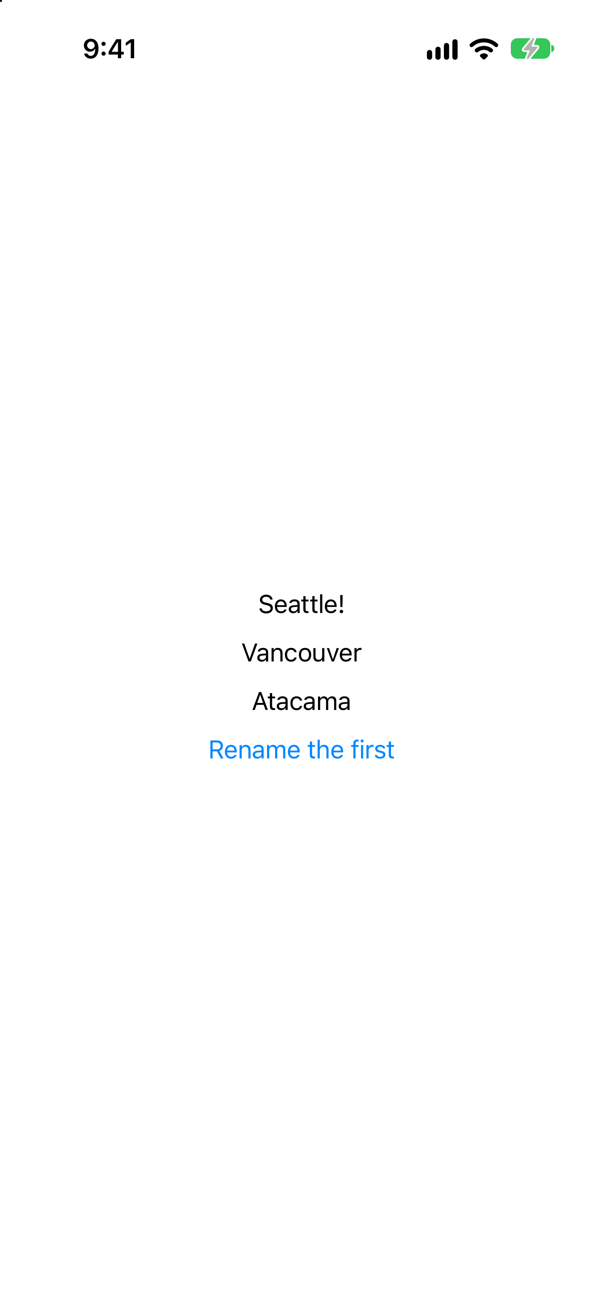
With structs, ContentView and the first row. The console, for the tap:
ContentView.body
Row 1.body
A struct in an array is part of the array's value, so renaming one place changed places itself — and ContentView, whose ForEach read places, ran its body again. SwiftUI then compared each row's new input with its last one, and only Row 1's place was different, so Rows 2 and 3 were not run. Apple: a view that reads a collection "tracks changes made to the collection itself".
With classes, Row 1 alone:
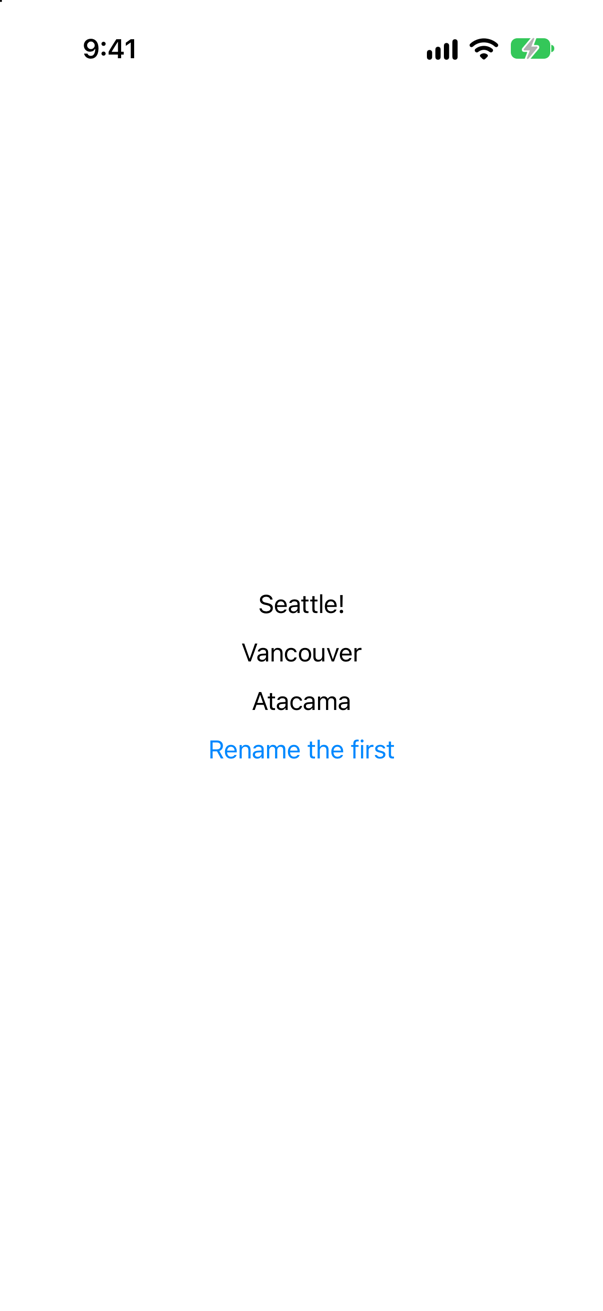
The whole console: four lines at launch, then one for the tap
ContentView.body
Row 1.body
Row 2.body
Row 3.body
Row 1.body
The array holds references, and none of them changed. The one property that did — the first place's name — was read by one body, Row 1's. WWDC23: "Because SwiftUI tracks access to fields per instance, it means that you can use arrays, optionals, or for that matter, any type that contains your observable models."
Which to choose is a favorite interview follow-up. Structs are simpler — values, with no shared mutable state — and SwiftUI's comparison keeps the rows cheap; the price is the parent's body on every edit. With thousands of rows edited often, objects keep each edit to one row. Trips uses structs, and should.
Where this comes from: Managing model data in your app · WWDC23: Discover Observation in SwiftUI — Apple, “Managing model data in your app”: "When a view forms a dependency on a collection of objects, of any collection type, the view tracks changes made to the collection itself."
A view makes its own model: let counter = Counter(). Tap its button twice, then make the parent redraw. What is the count — and what is the old-API version of the same mistake, the one behind the classic "@StateObject or @ObservedObject?" question?
Show the answer
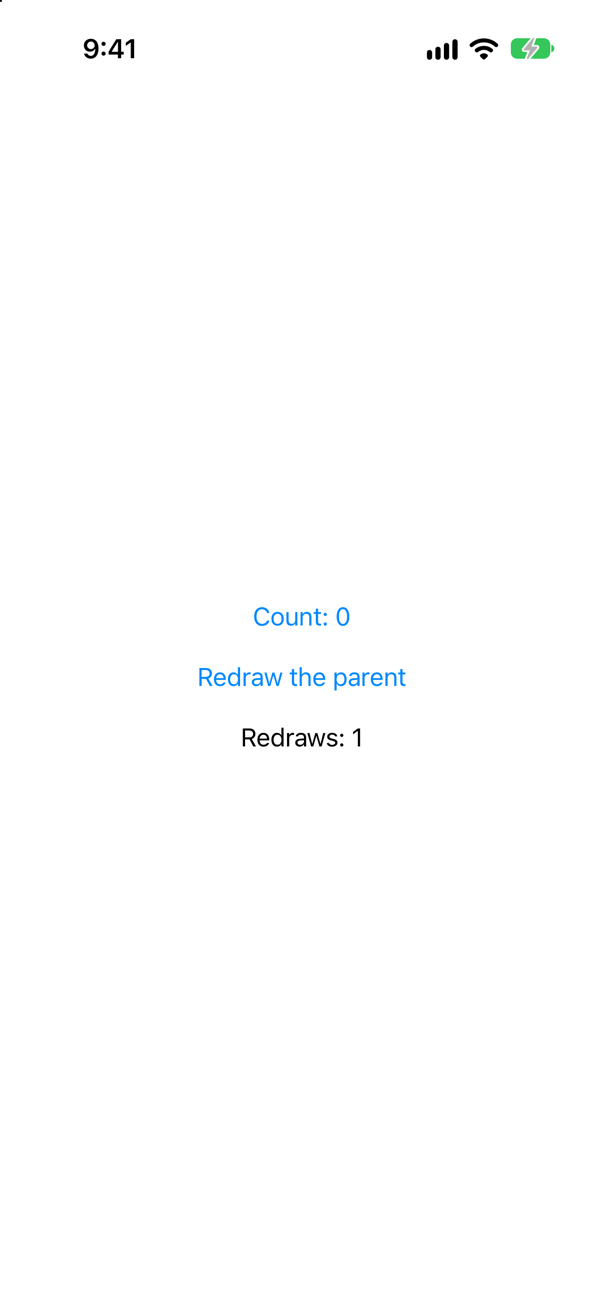
0. The console says why:
The console
Counter.init
Counter.init
Two Counters: one at launch, and one when the parent redrew. A view struct is made again every time its parent's body runs, and everything in it is made again with it — a model in a plain property included. The count of 2 was in the first object, and the first object was thrown away.
@State is the fix, because SwiftUI keeps state outside the struct:
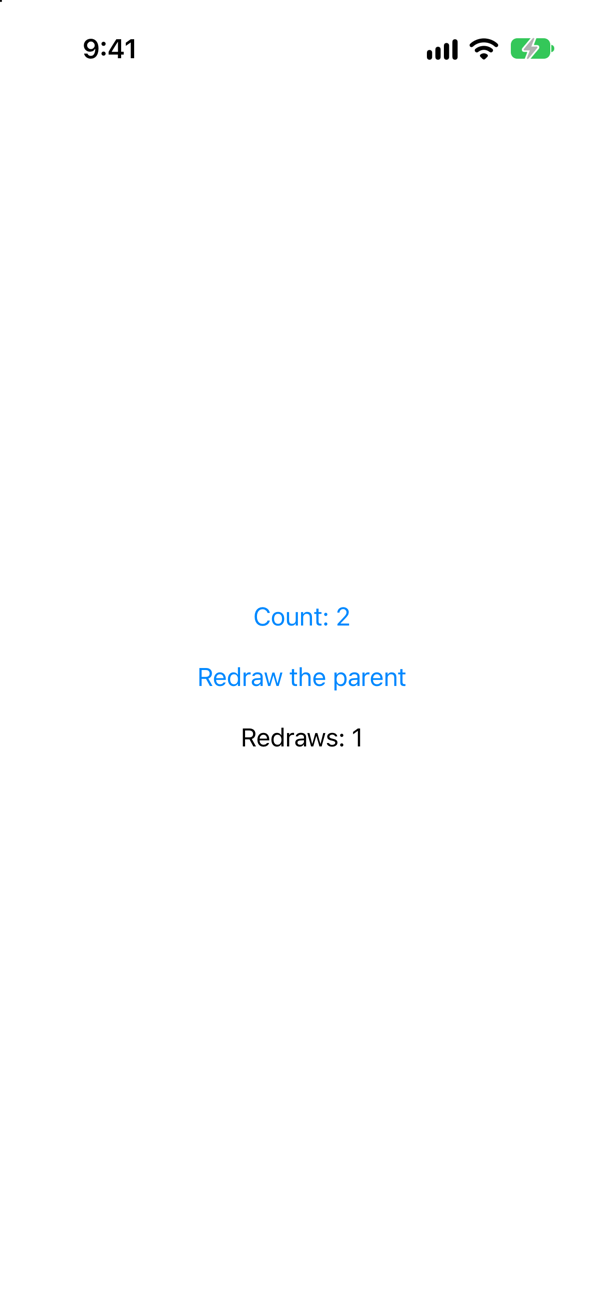
Still 2 after the redraw, and Counter.init printed once. (Before Xcode 27, @State also evaluated Counter() on every redraw, and threw the extra objects away — lesson 12's edge cases have that story.)
The old API had the same trap, and interviewers still ask about it: @ObservedObject with a default value.
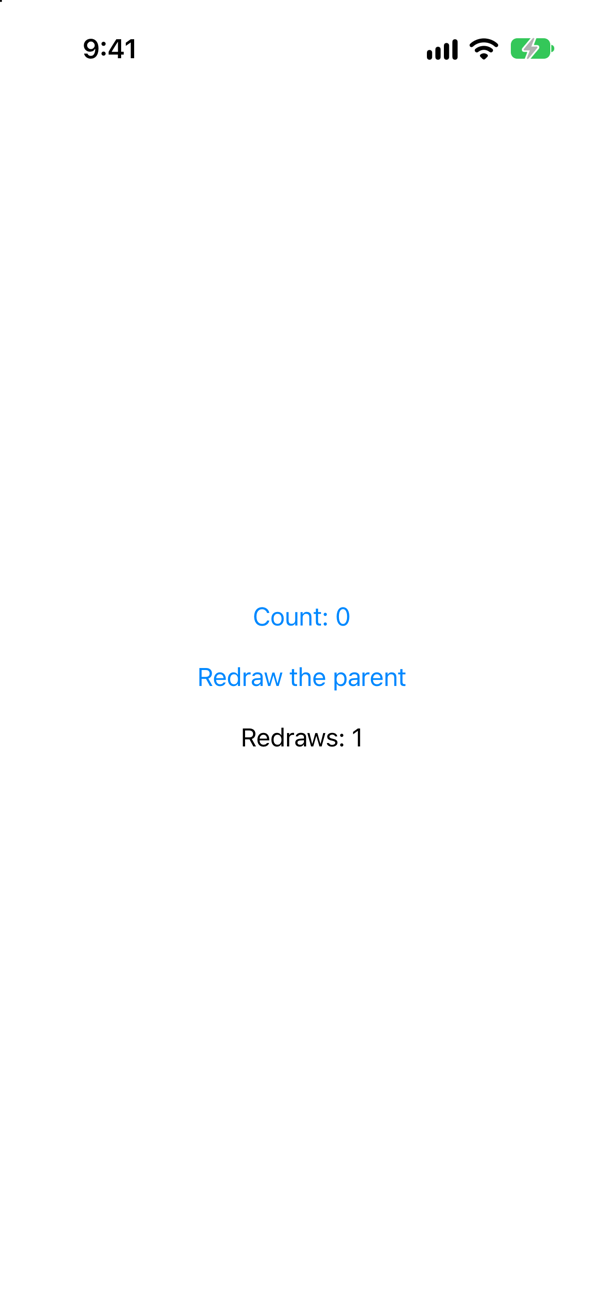
0 again. @ObservedObject observes; it does not own. Apple: "Don’t specify a default or initial value for the observed object." @StateObject owns, and in the same place it keeps its 2. Hacking with Swift's answer to the interview question: @StateObject "is used when you create an object for the first time and want to retain ownership of it", and @ObservedObject is for an object that was passed in.
Where this comes from: Managing model data in your app · ObservedObject (legacy) · StateObject (legacy) · Hacking with Swift interview question: When would you use @StateObject versus @ObservedObject? · Senior iOS Interview Preparation (GitHub) — Apple, “Managing model data in your app”: "By wrapping the book with State(), you’re telling SwiftUI to manage the storage of the instance."
A child declares @State var trip: Trip for an @Observable trip its parent hands it — a common slip when removing @ObservedObject in a migration. The parent switches to another trip, then renames it. What does the child show?
Show the answer
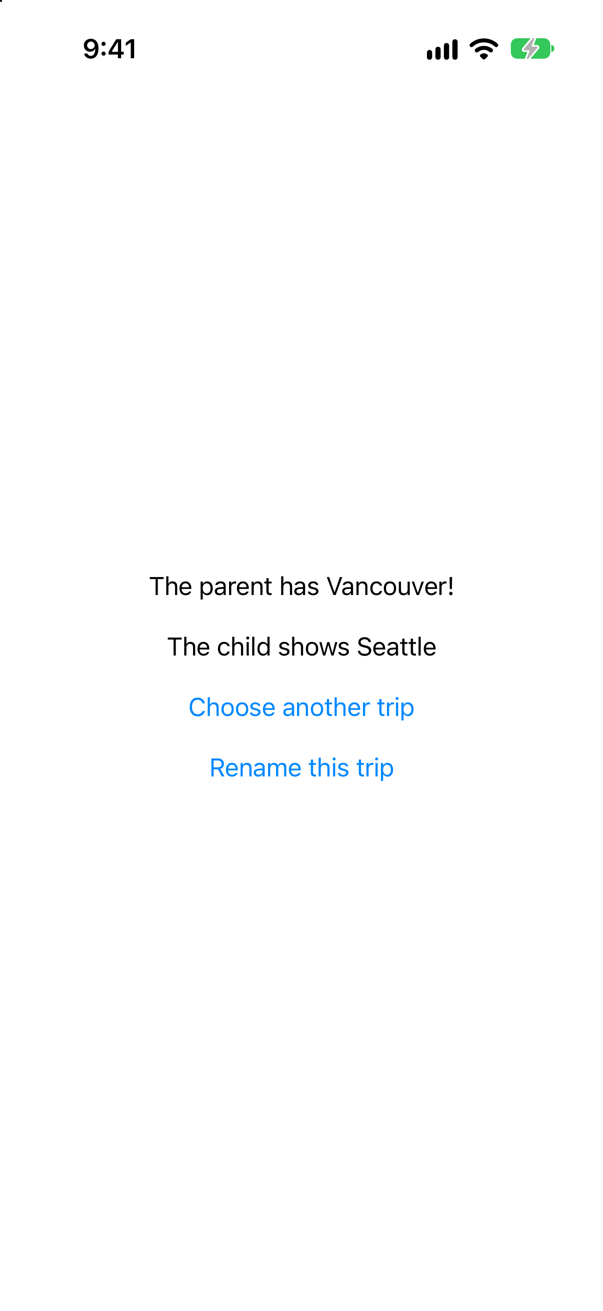
Seattle, for ever. @State takes its value once, when the view first appears, and keeps it — lesson 17's initial-value trap, with an object instead of a number. The parent's new trip never reaches the child, and neither does the rename, because it happens to an object the child does not have.
Apple's migration guide does not replace @ObservedObject with @State; it removes it: "This property wrapper isn’t needed when adopting Observation." A plain property:
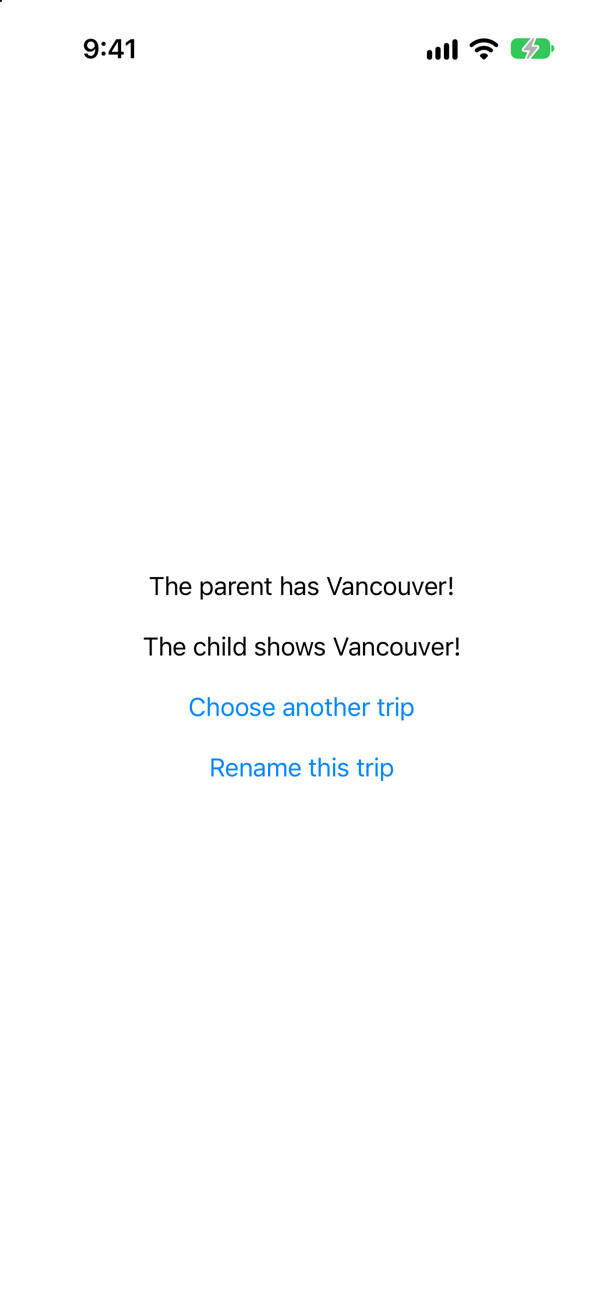
The child follows both changes. The rule fits in a line: @State for a model the view creates; a plain property — or @Bindable — for one it is given.
Where this comes from: Migrating from ObservableObject to @Observable · State() (the macro, Xcode 27) — Apple, “Migrating from the Observable Object protocol to the Observable macro”: "Next, remove the ObservedObject property wrapper from the book variable in the BookView."
A migration done halfway: the class is still an ObservableObject with @Published, but the view that creates it now keeps it in @State, as the new rules say. A button adds one to the count, twice. What does the screen say?
Show the answer

Count: 0 — with no error and no warning, while the object holds 2:
The console showed
the object holds 1
the object holds 2
The new rules are for the new kind of class. @State watches what it holds, and here that is a reference, which never changes. It does not subscribe to objectWillChange; only @StateObject, @ObservedObject and @EnvironmentObject do. Apple's documentation for State describes exactly this case: with an ObservableObject, "the view will only update when the reference to the object changes".
So migrate in the order Apple's guide gives — "begin by replacing ObservableObject in your data model type with the Observable() macro" — and change the views that hold it afterwards. Done the other way round, the app compiles and quietly stops updating.
Where this comes from: State · Migrating from ObservableObject to @Observable — Apple, State: "The view will not update if any of the object’s published properties change."
A property marked @ObservationIgnored is shown on the screen, and a button changes it twice. What does the screen say? Then a button changes a tracked property of the same object. What now?
Show the answer

3 trips, while the model holds 5:
The console showed
the model holds 4 trips
the model holds 5 trips
That is what the macro is for. Apple: "To prevent observation of an accessible property, attach the ObservationIgnored macro to the property." The property is stored as in any class, and changing it tells nobody. Then one tap on Add a night:

5 trips, 19 nights. The tracked change ran body, and body read the ignored property while it was at it. So an ignored value on the screen is not frozen: it is stale until something else happens to redraw it — a bug that appears and disappears with unrelated taps.
Use it for what no view shows: a cache, a formatter, a count kept for logging. The interview-preparation repository's one-line answer to "Do you still need @Published?" is the right shape: "No — all stored properties are tracked; @ObservationIgnored opts one out."
Where this comes from: ObservationIgnored() macro · Observable() macro · Senior iOS Interview Preparation (GitHub) — Apple, ObservationIgnored(): "By default, an object can observe any property of an observable type that is accessible to the observing object."
Can a struct be @Observable? What does the compiler say — and why is that the right answer?
Show the answer
It does not compile. Xcode reports
'@Observable' cannot be applied to struct type 'Trip' (from macro 'Observable')
expansion of macro 'ObservationTracked()' did not produce a non-observing accessor (such as 'get') as expected
No. The first message says so; the second is the macro failing to finish what it started.
Observation keeps track of who read which property of which instance: this object's nights. A struct has no instances to follow — var copy = trip makes a second, independent value, and changing one does not change the other. SE-0395 aimed the feature at classes from the start: it "applies to all Swift reference types".
Nor does a struct need it. @State already notices any change to a struct it holds, because changing any part of a struct changes the whole value:

So the split is simple: a value goes in @State as it is; a class that views share is marked @Observable.
Where this comes from: Observable() macro · SE-0395: Observation · State — SE-0395: Observation is "a more generally useful feature that applies to all Swift reference types".
A view holds a model in a let, and needs a binding for one text field. $draft.city does not compile. What are two ways to get the binding without changing how the view holds the model?
Show the answer
It does not compile. Xcode reports
cannot find '$draft' in scopeTwo, both in Apple's documentation for Bindable. A @Bindable local variable, inside body:
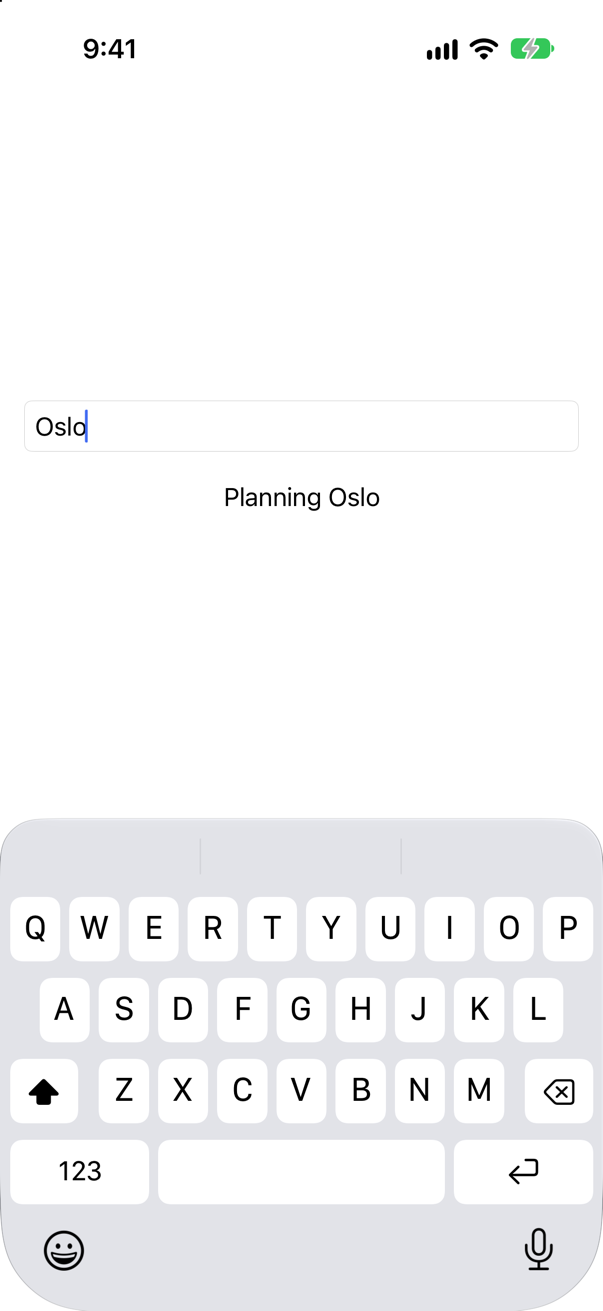
Or Bindable called like a function, for a single use:
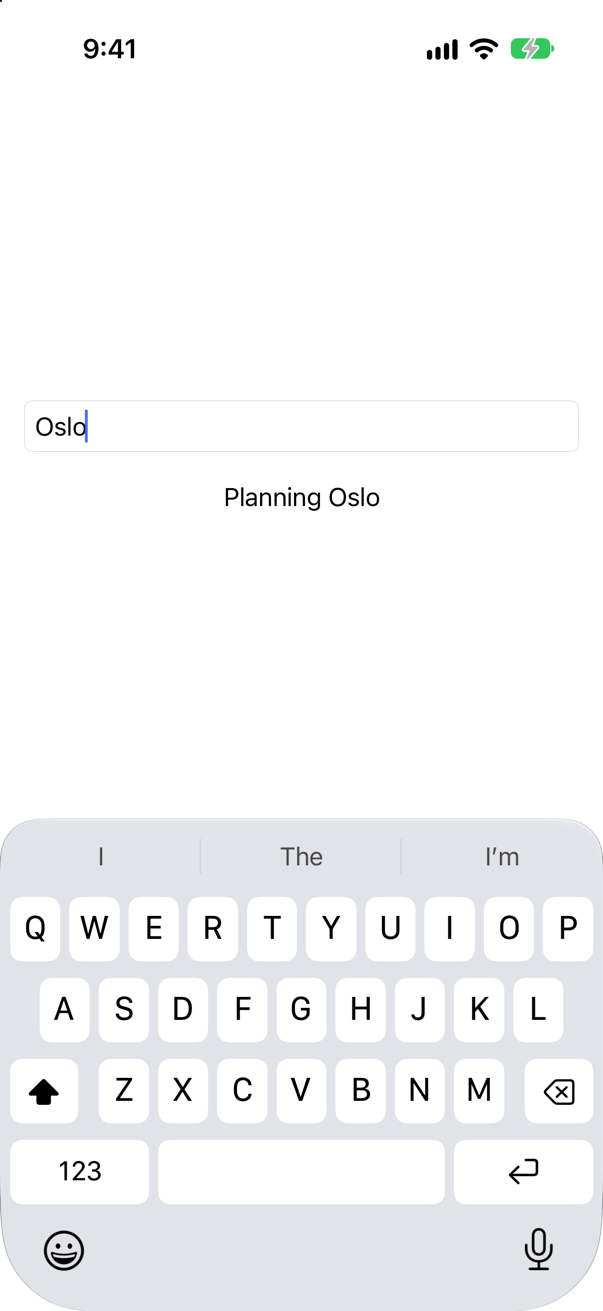
Both typed Oslo into the model, and the parent's text followed. They make the same binding that @Bindable var draft: Draft would. The local form matters most for a model read from the environment — the next lesson — where the property cannot be @Bindable: Apple's example for that case is exactly @Bindable var book = book inside body.
Where this comes from: Bindable · Managing model data in your app — Apple, Bindable: "You can use the Bindable property wrapper on properties and variables to an Observable object. This includes global variables, properties that exists outside of SwiftUI types, or even local variables."
A button changes a watched number twice in one action. A for await loop over Observations prints every value it is given, and body prints whenever it runs. Two taps. What does the console show?
Show the answer

At launch, one line each — the loop's first value comes when it first asks for one:
body: 3 trips
Observations: 3 trips
The first tap:
body: 5 trips
Observations: 5 trips
The second:
body: 7 trips
Observations: 7 trips
5 and 7 — never 4 or 6, in either place. SE-0475 calls Observations transactional: a transaction starts "on the first trigger of a leading edge (the willSet)" and completes "on the next suspension of that isolation". Both += 1s happened in one action on the main actor, with nothing in between that could pause, so the loop was handed the value once, at the end. The proposal says plainly that it is meant to drop values: "It is expected that some values may not be represented during the iteration because the transaction has not yet been handled by the iteration."
SwiftUI does the same with body: a change marks the view, and body runs at the next update, once, however many changes came before it. So never use either to count changes. To count, or to log every one, do it where the change is made.
Where this comes from: SE-0475: Transactional Observation of Values (`Observations`) · Observations (iOS 26) · WWDC23: Discover Observation in SwiftUI — SE-0475: the implementation is "transactional upon that suspension; starting the transaction on the first trigger of a leading edge (the willSet) and then completing the transaction on the next suspension of that isolation."