Handing things down
The environment
You will buildSummary tiles that stack themselves at the largest text sizes, a preview in German, a highlight color of the app's own that four views read and the planner changes, and the store handed to every view that needs it through the environment.
TimeAbout 80 minutes
WhySome things almost every view needs: the text size the person chose, the language they read, the app's colors, the app's data. Passing each of them through every initializer on the way down would be tedious and fragile. SwiftUI's answer is the environment, a set of values that flows down the view tree on its own. Interviewers ask about it in two ways: how it works — who sees a value, and who can change it — and when not to use it.
Open your project
Open your
Tripsproject as lesson 18 left it: double-clickTrips.xcodeprojin Finder, or use File ▸ Open… (⌘O) in Xcode.If you did not finish lesson 18, or would rather start from a known state, download Trips-lesson-18.zip instead. It is the project exactly as it stood at the end of lesson 18. Unzip it and open
Trips.xcodeproj.Run it (⌘R) to check that it builds. You should see where lesson 18 ended:
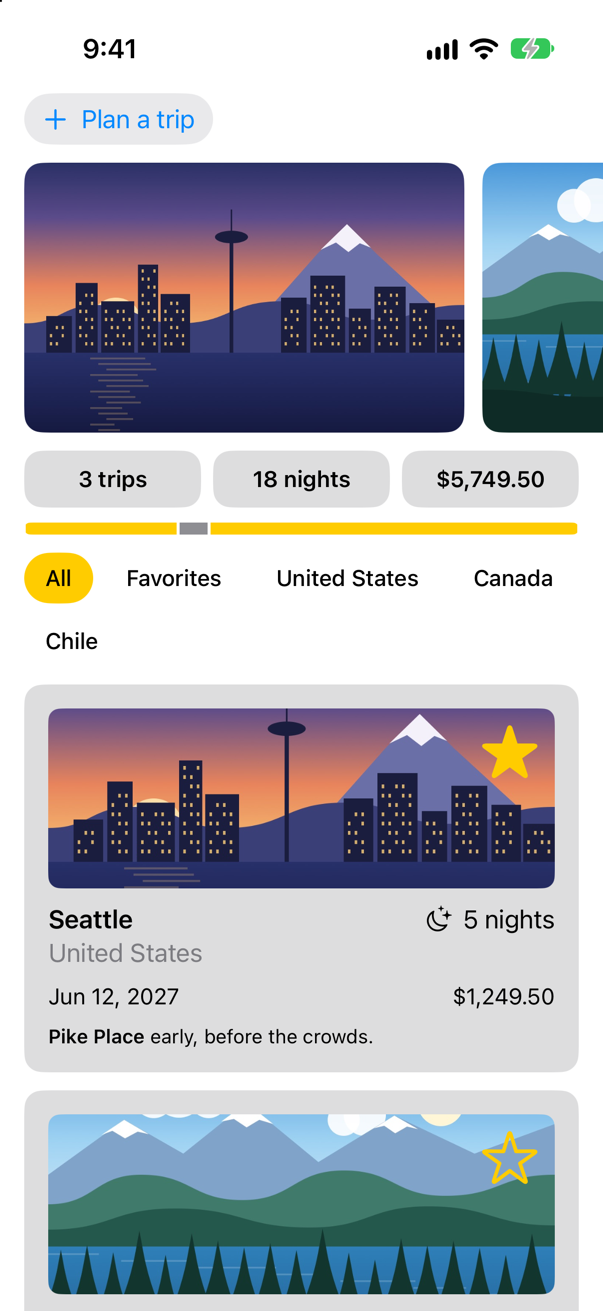
Trips, as it stood at the end of lesson 18Screenshot · iPhone 17, iOS 27.0
A value SwiftUI keeps for you
You have read the environment since lesson 6, perhaps without noticing: TripsApp declares @Environment(\.scenePhase) private var scenePhase, and SwiftUI keeps that value up to date as the app comes and goes. It keeps many others. One of them is the text size the person chose in Settings, and the summary's three tiles do not cope with the largest ones. Add a preview to TripSummary.swift, below the one that is there:
#Preview("Largest text") {
    TripSummary(trips: Trip.samples)
        .dynamicTypeSize(.accessibility3)
}
The canvas shows:
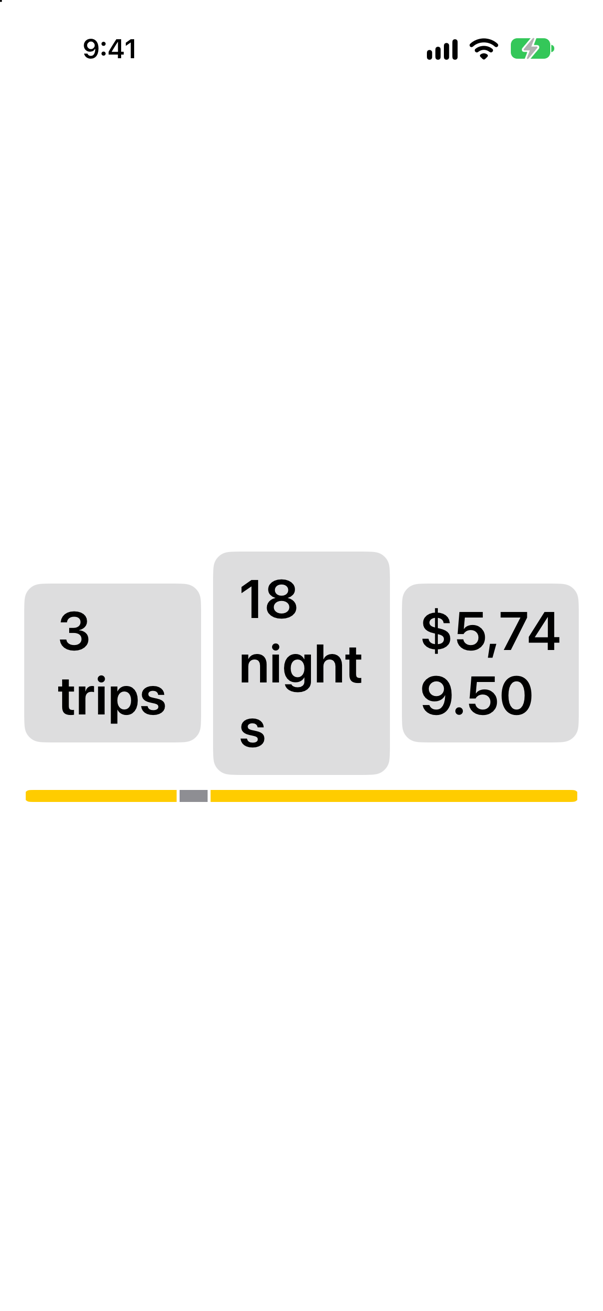
.dynamicTypeSize(.accessibility3) is itself an environment modifier: it sets the text size for the view it is attached to and everything inside it. That is how a preview can try a size without your changing Settings.
At sizes this large, the tiles belong in a column. Lesson 11's AnyLayout switches the container and keeps the views; what is new is how the summary knows the size. In TripSummary.swift, the summary reads it from the environment, and chooses its layout by it:
struct TripSummary: View { let trips: [Trip] @Environment(\.dynamicTypeSize) private var typeSize var body: some View { let tiles = typeSize.isAccessibilitySize ? AnyLayout(VStackLayout(spacing: 8)) : AnyLayout(HStackLayout()) VStack(spacing: 10) { HStack { tiles { Text("^[\(trips.count) trip](inflect: true)") .tile() Text("^[\(nights) night](inflect: true)") .tile() Text(total, format: .currency(code: "USD")) .tile() } GeometryReader { proxy in HStack(spacing: 0) { ForEach(trips) { trip in Rectangle() .fill(trip.isFavorite ? Color.yellow : Color.gray) .padding(.horizontal, 1) .frame(width: proxy.size.width * Double(trip.nights) / Double(nights)) } } } .frame(height: 8) .clipShape(Capsule()) } .font(.subheadline.weight(.semibold)) .padding(.horizontal) } private var nights: Int { trips.reduce(0) { $0 + $1.nights } } private var total: Decimal { trips.reduce(0) { $0 + $1.price } }}struct TripSummary: View {
let trips: [Trip]
@Environment(\.dynamicTypeSize) private var typeSize
var body: some View {
let tiles = typeSize.isAccessibilitySize ? AnyLayout(VStackLayout(spacing: 8)) : AnyLayout(HStackLayout())
VStack(spacing: 10) {
tiles {
Text("^[\(trips.count) trip](inflect: true)")
.tile()
Text("^[\(nights) night](inflect: true)")
.tile()
Text(total, format: .currency(code: "USD"))
.tile()
}
GeometryReader { proxy in
HStack(spacing: 0) {
ForEach(trips) { trip in
Rectangle()
.fill(trip.isFavorite ? Color.yellow : Color.gray)
.padding(.horizontal, 1)
.frame(width: proxy.size.width * Double(trip.nights) / Double(nights))
}
}
}
.frame(height: 8)
.clipShape(Capsule())
}
.font(.subheadline.weight(.semibold))
.padding(.horizontal)
}
private var nights: Int {
trips.reduce(0) { $0 + $1.nights }
}
private var total: Decimal {
trips.reduce(0) { $0 + $1.price }
}
}The same preview now shows:
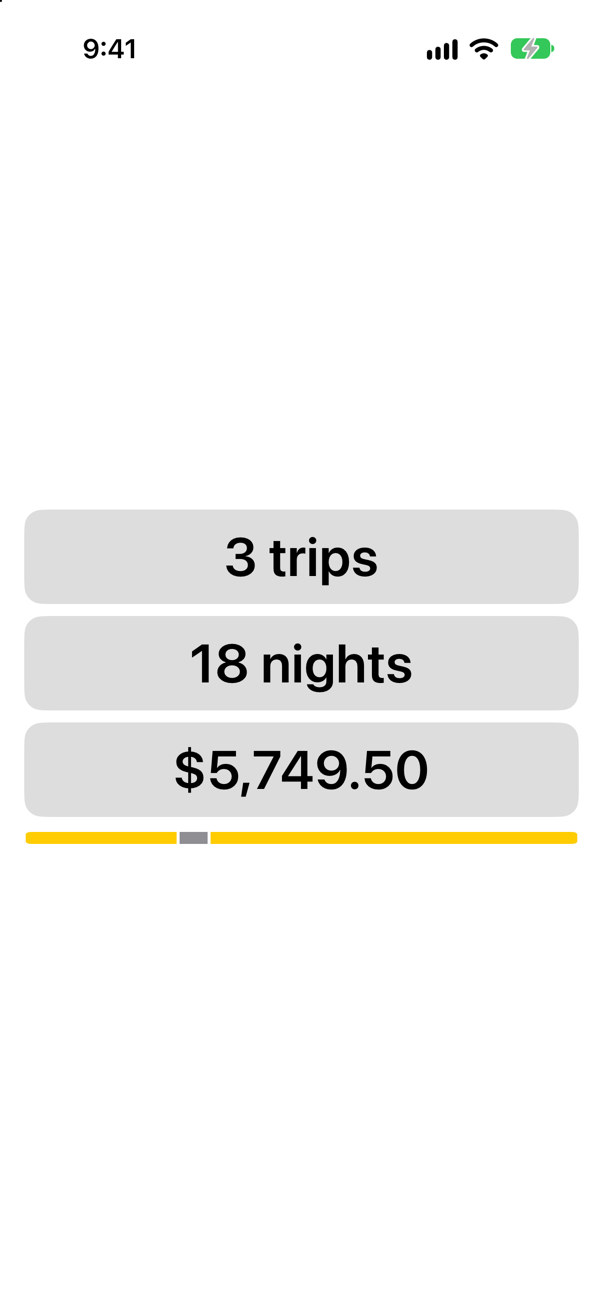
@Environment(\.dynamicTypeSize) reads a value by its key path into EnvironmentValues, the structure that holds them all. isAccessibilitySize is true for the five accessibility sizes, the ones beyond the standard range. And because it is the environment, the summary is updated the moment the size changes — in Settings, in Control Center, or in a preview — with no code of yours involved. At the default size the tiles still sit in a row, as the next run shows.
A value set for part of the tree
Setting a value works for any part of the tree, and for most system values. The trip facts on lesson 11 format a date, a number of nights and a price, and all three formats read the locale from the environment: the person's language and region. Add a preview to TripFacts.swift that sets a German one:
#Preview("German") {
    TripFacts(trip: .atacama)
        .environment(\.locale, Locale(identifier: "de_DE"))
}
Compare the two previews in the canvas. The first:
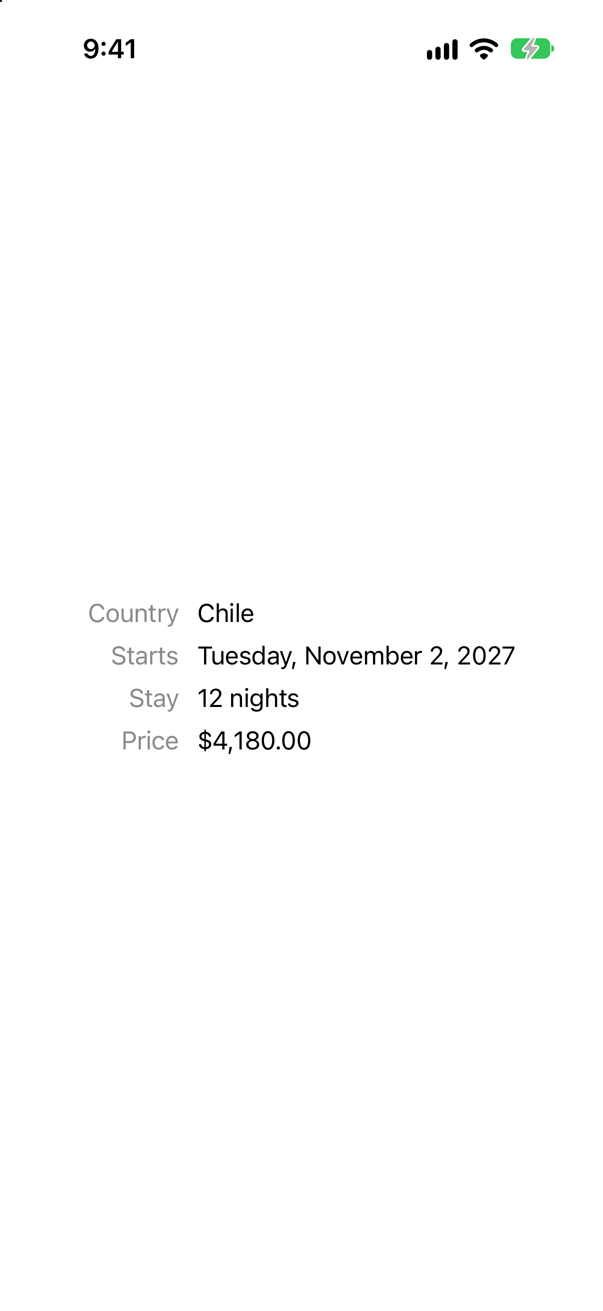
And the German one:
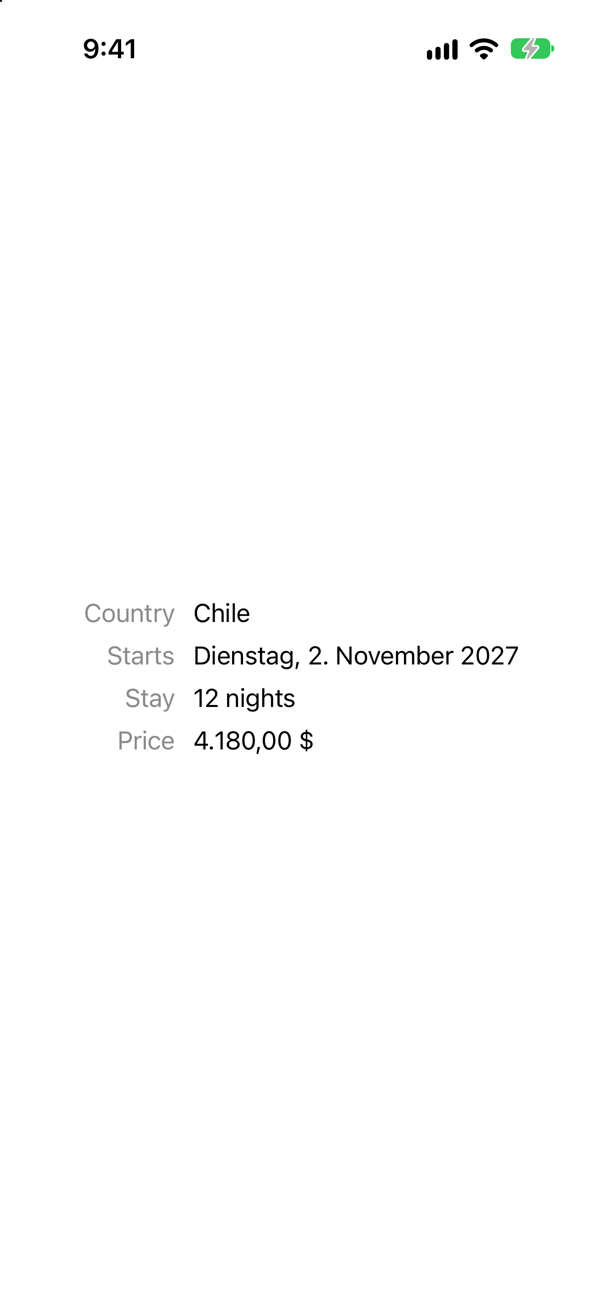
The date, the nights and the price follow the locale they were given; the labels, which are your own words, do not. Making those follow too is lesson 52's work. Apple describes the reach of a value set this way: it "affects the environment for the view that you modify — including its descendants in the view hierarchy — but only up to the point where you apply a different environment modifier."
A value of your own
Trips has a color of its own, the yellow that marks what is chosen or loved: the selected chip, the bar's favorite segments, the picture picked in the planner, the stars. It is written out in four files. Make it one environment value instead, with the @Entry macro, in an extension of EnvironmentValues. Add to Styles.swift:
extension EnvironmentValues {
    /// The color that marks what is chosen or loved: the selected chip, a favorite, the picture picked.
    /// Its default is made on no actor, wherever it is first read: a `Color`, plain data, can be.
    @Entry var highlight: Color = .yellow
}
@Entry writes the key, the default value and the property for you (lesson 12 expanded one). highlight is now a value like dynamicTypeSize, yellow wherever nobody sets it. Its default is made on no actor — Apple declares the key's defaultValue without one — so it must be something any code can make: a Color is plain data; a main-actor model is not, as an edge case below finds. Read it in the four places. In Styles.swift, the chip:
/// A filter chip: a yellow capsule when it is selected, plain text when it is not./// A filter chip: a capsule in the highlight color when it is selected, plain text when it is not.struct Chip: ViewModifier { let isSelected: Bool @Environment(\.highlight) private var highlight func body(content: Content) -> some View { content .padding(.horizontal, 14) .padding(.vertical, 8) .foregroundStyle(isSelected ? Color.black : Color.primary) .background(isSelected ? Color.yellow : Color.clear, in: Capsule()) .background(isSelected ? highlight : Color.clear, in: Capsule()) }}extension View { func chip(isSelected: Bool) -> some View { modifier(Chip(isSelected: isSelected)) }}/// A filter chip: a capsule in the highlight color when it is selected, plain text when it is not.
struct Chip: ViewModifier {
let isSelected: Bool
@Environment(\.highlight) private var highlight
func body(content: Content) -> some View {
content
.padding(.horizontal, 14)
.padding(.vertical, 8)
.foregroundStyle(isSelected ? Color.black : Color.primary)
.background(isSelected ? highlight : Color.clear, in: Capsule())
}
}
extension View {
func chip(isSelected: Bool) -> some View {
modifier(Chip(isSelected: isSelected))
}
}A ViewModifier can read the environment exactly as a view can. In TripSummary.swift, the bar:
struct TripSummary: View { let trips: [Trip] @Environment(\.dynamicTypeSize) private var typeSize @Environment(\.highlight) private var highlight var body: some View { let tiles = typeSize.isAccessibilitySize ? AnyLayout(VStackLayout(spacing: 8)) : AnyLayout(HStackLayout()) VStack(spacing: 10) { tiles { Text("^[\(trips.count) trip](inflect: true)") .tile() Text("^[\(nights) night](inflect: true)") .tile() Text(total, format: .currency(code: "USD")) .tile() } GeometryReader { proxy in HStack(spacing: 0) { ForEach(trips) { trip in Rectangle() .fill(trip.isFavorite ? Color.yellow : Color.gray) .fill(trip.isFavorite ? highlight : Color.gray) .padding(.horizontal, 1) .frame(width: proxy.size.width * Double(trip.nights) / Double(nights)) } } } .frame(height: 8) .clipShape(Capsule()) } .font(.subheadline.weight(.semibold)) .padding(.horizontal) } private var nights: Int { trips.reduce(0) { $0 + $1.nights } } private var total: Decimal { trips.reduce(0) { $0 + $1.price } }}struct TripSummary: View {
let trips: [Trip]
@Environment(\.dynamicTypeSize) private var typeSize
@Environment(\.highlight) private var highlight
var body: some View {
let tiles = typeSize.isAccessibilitySize ? AnyLayout(VStackLayout(spacing: 8)) : AnyLayout(HStackLayout())
VStack(spacing: 10) {
tiles {
Text("^[\(trips.count) trip](inflect: true)")
.tile()
Text("^[\(nights) night](inflect: true)")
.tile()
Text(total, format: .currency(code: "USD"))
.tile()
}
GeometryReader { proxy in
HStack(spacing: 0) {
ForEach(trips) { trip in
Rectangle()
.fill(trip.isFavorite ? highlight : Color.gray)
.padding(.horizontal, 1)
.frame(width: proxy.size.width * Double(trip.nights) / Double(nights))
}
}
}
.frame(height: 8)
.clipShape(Capsule())
}
.font(.subheadline.weight(.semibold))
.padding(.horizontal)
}
private var nights: Int {
trips.reduce(0) { $0 + $1.nights }
}
private var total: Decimal {
trips.reduce(0) { $0 + $1.price }
}
}In PicturePicker.swift, the frame round the picture picked:
struct PicturePicker: View { @Binding var selection: String @Environment(\.highlight) private var highlight private let names = ["seattle", "vancouver", "atacama"] var body: some View { HStack(spacing: 10) { ForEach(names, id: \.self) { name in Button { selection = name } label: { Image(name) .resizable() .scaledToFill() .frame(width: 64, height: 44) .clipShape(RoundedRectangle(cornerRadius: 8)) .contentShape(Rectangle()) .overlay { RoundedRectangle(cornerRadius: 8) .stroke(name == selection ? Color.yellow : Color.clear, lineWidth: 3) .stroke(name == selection ? highlight : Color.clear, lineWidth: 3) } } .buttonStyle(.plain) .accessibilityLabel("\(name.capitalized) picture") .accessibilityAddTraits(name == selection ? .isSelected : []) } } }}struct PicturePicker: View {
@Binding var selection: String
@Environment(\.highlight) private var highlight
private let names = ["seattle", "vancouver", "atacama"]
var body: some View {
HStack(spacing: 10) {
ForEach(names, id: \.self) { name in
Button {
selection = name
} label: {
Image(name)
.resizable()
.scaledToFill()
.frame(width: 64, height: 44)
.clipShape(RoundedRectangle(cornerRadius: 8))
.contentShape(Rectangle())
.overlay {
RoundedRectangle(cornerRadius: 8)
.stroke(name == selection ? highlight : Color.clear, lineWidth: 3)
}
}
.buttonStyle(.plain)
.accessibilityLabel("\(name.capitalized) picture")
.accessibilityAddTraits(name == selection ? .isSelected : [])
}
}
}
}And the star. Rather than tint each star from outside, let FavoriteButton tint itself. In FavoriteButton.swift:
struct FavoriteButton: View { @Binding var isFavorite: Bool @Environment(\.highlight) private var highlight var body: some View { Button("Favorite", systemImage: isFavorite ? "star.fill" : "star") { isFavorite.toggle() } .labelStyle(.iconOnly) .font(.largeTitle) .tint(highlight) }}struct FavoriteButton: View {
@Binding var isFavorite: Bool
@Environment(\.highlight) private var highlight
var body: some View {
Button("Favorite", systemImage: isFavorite ? "star.fill" : "star") {
isFavorite.toggle()
}
.labelStyle(.iconOnly)
.font(.largeTitle)
.tint(highlight)
}
}In TripCard.swift, take the .tint(.yellow) line out of the star's overlay — the button sees to its color now:
struct TripCard: View { @Binding var trip: Trip var body: some View { VStack(alignment: .leading, spacing: 10) { Image(trip.imageName) .resizable() .scaledToFill() .frame(height: 120) .clipShape(RoundedRectangle(cornerRadius: 8)) .contentShape(Rectangle()) .overlay(alignment: .topTrailing) { FavoriteButton(isFavorite: $trip.isFavorite) .accessibilityLabel("Favorite \(trip.city)") .tint(.yellow) .padding(8) } ViewThatFits(in: .horizontal) { HStack(alignment: .firstTextBaseline) { title Spacer() nights } VStack(alignment: .leading, spacing: 4) { title nights } } ViewThatFits(in: .horizontal) { HStack { start Spacer() price } VStack(alignment: .leading, spacing: 4) { start price } } .font(.subheadline) Text(trip.formattedNotes) .font(.footnote) } .padding() .background(.quaternary, in: RoundedRectangle(cornerRadius: 12)) .padding(.horizontal) } private var title: some View { VStack(alignment: .leading, spacing: 2) { Text(trip.city) .font(.headline) Text(trip.country) .foregroundStyle(.secondary) } } private var nights: some View { Label("^[\(trip.nights) night](inflect: true)", systemImage: "moon.stars") } private var start: some View { Text(trip.start, format: .dateTime.day().month().year()) } private var price: some View { Text(trip.price, format: .currency(code: "USD")) }}struct TripCard: View {
@Binding var trip: Trip
var body: some View {
VStack(alignment: .leading, spacing: 10) {
Image(trip.imageName)
.resizable()
.scaledToFill()
.frame(height: 120)
.clipShape(RoundedRectangle(cornerRadius: 8))
.contentShape(Rectangle())
.overlay(alignment: .topTrailing) {
FavoriteButton(isFavorite: $trip.isFavorite)
.accessibilityLabel("Favorite \(trip.city)")
.padding(8)
}
ViewThatFits(in: .horizontal) {
HStack(alignment: .firstTextBaseline) {
title
Spacer()
nights
}
VStack(alignment: .leading, spacing: 4) {
title
nights
}
}
ViewThatFits(in: .horizontal) {
HStack {
start
Spacer()
price
}
VStack(alignment: .leading, spacing: 4) {
start
price
}
}
.font(.subheadline)
Text(trip.formattedNotes)
.font(.footnote)
}
.padding()
.background(.quaternary, in: RoundedRectangle(cornerRadius: 12))
.padding(.horizontal)
}
private var title: some View {
VStack(alignment: .leading, spacing: 2) {
Text(trip.city)
.font(.headline)
Text(trip.country)
.foregroundStyle(.secondary)
}
}
private var nights: some View {
Label("^[\(trip.nights) night](inflect: true)", systemImage: "moon.stars")
}
private var start: some View {
Text(trip.start, format: .dateTime.day().month().year())
}
private var price: some View {
Text(trip.price, format: .currency(code: "USD"))
}
}Nothing has changed on the screen: every reader gets the default, yellow. Now set it once, at the root. In TripsApp.swift:
import SwiftUI@mainstruct TripsApp: App { @Environment(\.scenePhase) private var scenePhase @State private var store = TripStore() var body: some Scene { WindowGroup { ContentView(store: store) .environment(\.highlight, .orange) .task { // On the main actor, as the store is: `.task` and the closure take // the actor of the code they are written in. Each value is a [Trip], // handed on because a trip is Sendable. for await _ in Observations({ store.trips }) { store.save() } } } .onChange(of: scenePhase) { _, new in if new == .background { store.save() } } }}import SwiftUI
@main
struct TripsApp: App {
@Environment(\.scenePhase) private var scenePhase
@State private var store = TripStore()
var body: some Scene {
WindowGroup {
ContentView(store: store)
.environment(\.highlight, .orange)
.task {
// On the main actor, as the store is: `.task` and the closure take
// the actor of the code they are written in. Each value is a [Trip],
// handed on because a trip is Sendable.
for await _ in Observations({ store.trips }) {
store.save()
}
}
}
.onChange(of: scenePhase) { _, new in
if new == .background {
store.save()
}
}
}
}Run the app, and tap Vancouver's star:
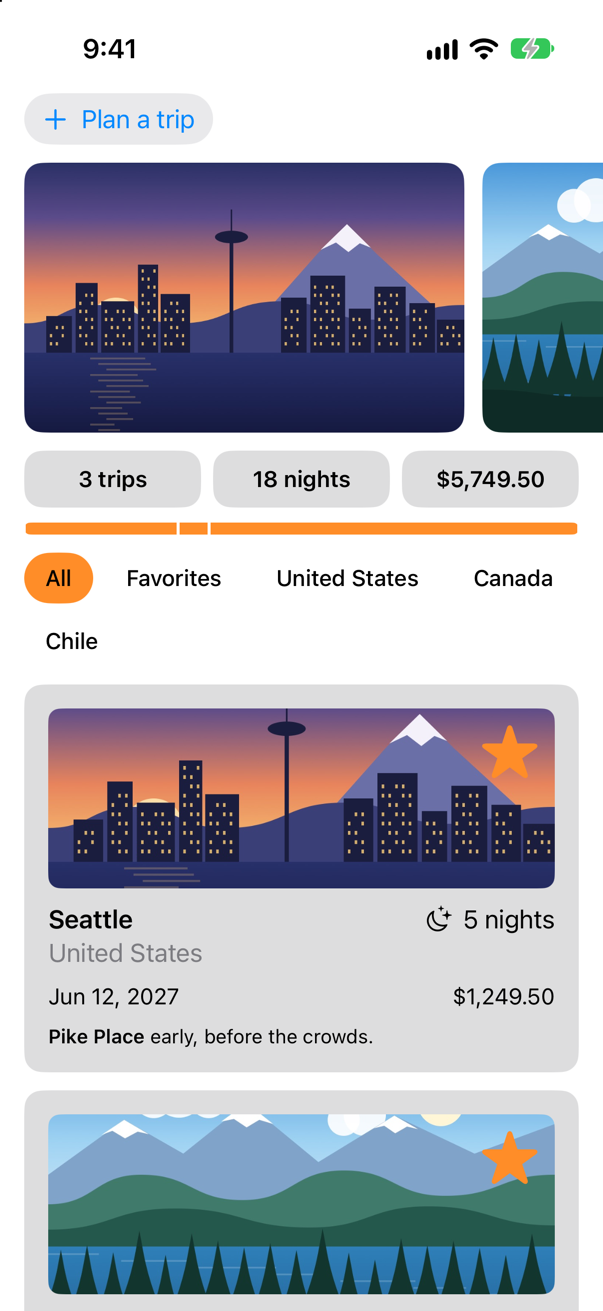
The chip, the bar, and both stars changed, from one line. The chip is three views below the line that set the color — TripsApp makes ContentView, which makes FilterBar, whose buttons' labels wear the Chip modifier — and nothing in between passed it on. Now give the planner a color of its own: a trip being planned is not yet a trip, and can look different. In ContentView.swift:
struct ContentView: View { @Bindable var store: TripStore @State private var filter = TripFilter.all var body: some View { ScrollView { LazyVStack(spacing: 12) { TripPlanner(store: store) .environment(\.highlight, .mint) PhotoStrip(trips: store.trips) TripSummary(trips: store.trips) FilterBar(filters: filters, selection: $filter) .frame(maxWidth: .infinity, alignment: .leading) .padding(.horizontal) LazyVGrid(columns: [GridItem(.adaptive(minimum: 300))], spacing: 12) { ForEach($store.trips) { $trip in if filter.includes(trip) { TripCard(trip: $trip) } } } } } } /// All, Favorites, and then a filter for each country that has a trip. private var filters: [TripFilter] { var countries: [String] = [] for trip in store.trips where !countries.contains(trip.country) { countries.append(trip.country) } return [.all, .favorites] + countries.map { TripFilter.country($0) } }}struct ContentView: View {
@Bindable var store: TripStore
@State private var filter = TripFilter.all
var body: some View {
ScrollView {
LazyVStack(spacing: 12) {
TripPlanner(store: store)
.environment(\.highlight, .mint)
PhotoStrip(trips: store.trips)
TripSummary(trips: store.trips)
FilterBar(filters: filters, selection: $filter)
.frame(maxWidth: .infinity, alignment: .leading)
.padding(.horizontal)
LazyVGrid(columns: [GridItem(.adaptive(minimum: 300))], spacing: 12) {
ForEach($store.trips) { $trip in
if filter.includes(trip) {
TripCard(trip: $trip)
}
}
}
}
}
}
/// All, Favorites, and then a filter for each country that has a trip.
private var filters: [TripFilter] {
var countries: [String] = []
for trip in store.trips where !countries.contains(trip.country) {
countries.append(trip.country)
}
return [.all, .favorites] + countries.map { TripFilter.country($0) }
}
}Run the app. Tap Plan a trip, and the star on the planner's card:
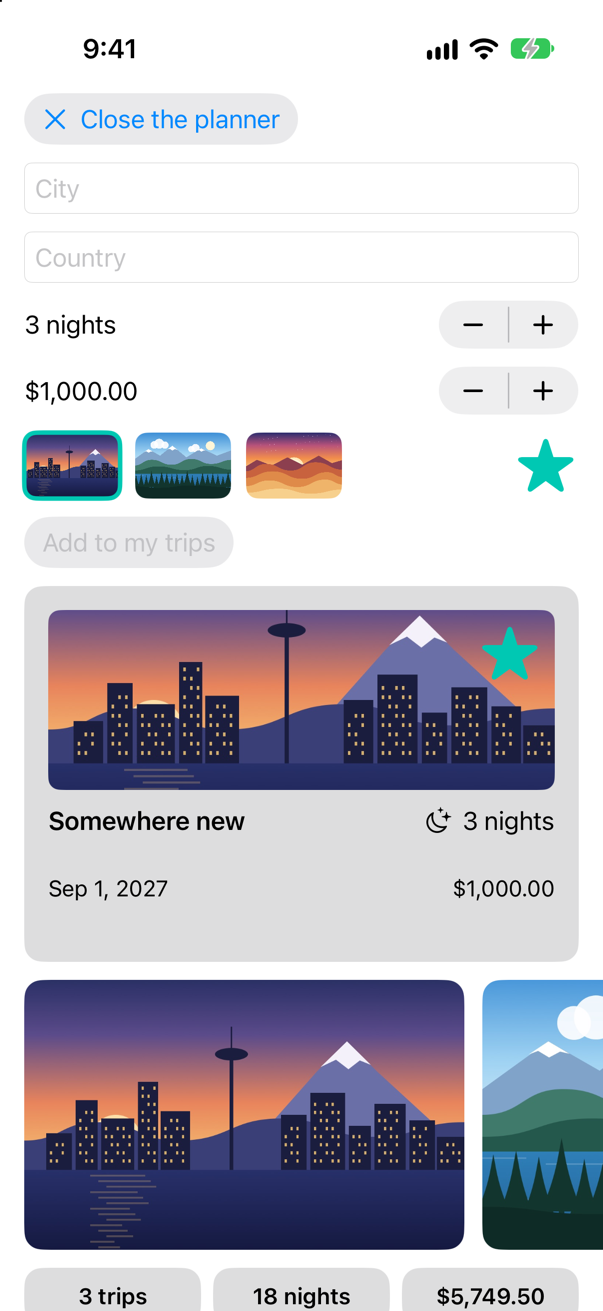
Inside the planner, the picture picked, the planner's star and the card's star are mint; outside it, the app is still orange. The nearer value wins: the planner's .environment(\.highlight, .mint) is closer to those views than the app's orange. The orange was only to see the value travel. Take that line out of TripsApp.swift again, and the app is yellow, with a mint planner:
import SwiftUI@mainstruct TripsApp: App { @Environment(\.scenePhase) private var scenePhase @State private var store = TripStore() var body: some Scene { WindowGroup { ContentView(store: store) .environment(\.highlight, .orange) .task { // On the main actor, as the store is: `.task` and the closure take // the actor of the code they are written in. Each value is a [Trip], // handed on because a trip is Sendable. for await _ in Observations({ store.trips }) { store.save() } } } .onChange(of: scenePhase) { _, new in if new == .background { store.save() } } }}import SwiftUI
@main
struct TripsApp: App {
@Environment(\.scenePhase) private var scenePhase
@State private var store = TripStore()
var body: some Scene {
WindowGroup {
ContentView(store: store)
.task {
// On the main actor, as the store is: `.task` and the closure take
// the actor of the code they are written in. Each value is a [Trip],
// handed on because a trip is Sendable.
for await _ in Observations({ store.trips }) {
store.save()
}
}
}
.onChange(of: scenePhase) { _, new in
if new == .background {
store.save()
}
}
}
}A model in the environment
The store travels the other way so far: by hand. TripsApp gives it to ContentView, which gives it to the planner, and every screen you add in the coming weeks would need it passed along too. An @Observable object can go in the environment whole, found by its type. ContentView asks for it there, with @Environment(TripStore.self). It still needs bindings into the store for the cards, so it makes a @Bindable copy of the reference at the top of body — an edge case of the last lesson, and Apple's own pattern for an object from the environment. In ContentView.swift:
struct ContentView: View { @Bindable var store: TripStore @Environment(TripStore.self) private var store @State private var filter = TripFilter.all var body: some View { @Bindable var store = store ScrollView { LazyVStack(spacing: 12) { TripPlanner(store: store) TripPlanner() .environment(\.highlight, .mint) PhotoStrip(trips: store.trips) TripSummary(trips: store.trips) FilterBar(filters: filters, selection: $filter) .frame(maxWidth: .infinity, alignment: .leading) .padding(.horizontal) LazyVGrid(columns: [GridItem(.adaptive(minimum: 300))], spacing: 12) { ForEach($store.trips) { $trip in if filter.includes(trip) { TripCard(trip: $trip) } } } } } } /// All, Favorites, and then a filter for each country that has a trip. private var filters: [TripFilter] { var countries: [String] = [] for trip in store.trips where !countries.contains(trip.country) { countries.append(trip.country) } return [.all, .favorites] + countries.map { TripFilter.country($0) } }}struct ContentView: View {
@Environment(TripStore.self) private var store
@State private var filter = TripFilter.all
var body: some View {
@Bindable var store = store
ScrollView {
LazyVStack(spacing: 12) {
TripPlanner()
.environment(\.highlight, .mint)
PhotoStrip(trips: store.trips)
TripSummary(trips: store.trips)
FilterBar(filters: filters, selection: $filter)
.frame(maxWidth: .infinity, alignment: .leading)
.padding(.horizontal)
LazyVGrid(columns: [GridItem(.adaptive(minimum: 300))], spacing: 12) {
ForEach($store.trips) { $trip in
if filter.includes(trip) {
TripCard(trip: $trip)
}
}
}
}
}
}
/// All, Favorites, and then a filter for each country that has a trip.
private var filters: [TripFilter] {
var countries: [String] = []
for trip in store.trips where !countries.contains(trip.country) {
countries.append(trip.country)
}
return [.all, .favorites] + countries.map { TripFilter.country($0) }
}
}It does not compile. Xcode reports
argument passed to call that takes no arguments
missing argument for parameter 'store' in call
Two messages. The first is about the places that still hand ContentView a store: two previews, and TripsApp. The second is the planner's: ContentView now makes TripPlanner() without one, and the planner still asks for it. The previews first — hand the store to the environment instead:
#Preview { ContentView(store: TripStore()) ContentView() .environment(TripStore())}#Preview {
ContentView()
.environment(TripStore())
}#Preview("Landscape", traits: .landscapeLeft) { ContentView(store: TripStore()) ContentView() .environment(TripStore())}#Preview("Landscape", traits: .landscapeLeft) {
ContentView()
.environment(TripStore())
}Then the planner, which reads the store the same way. In TripPlanner.swift, let store: TripStore becomes @Environment(TripStore.self) private var store, and its preview puts a store in the environment:
struct TripPlanner: View { let store: TripStore @Environment(TripStore.self) private var store @State private var isOpen = false @State private var draft = TripDraft() var body: some View { VStack(spacing: 12) { VStack(alignment: .leading, spacing: 12) { Button(isOpen ? "Close the planner" : "Plan a trip", systemImage: isOpen ? "xmark" : "plus") { isOpen.toggle() } .buttonStyle(.bordered) if isOpen { TextField("City", text: $draft.city) TextField("Country", text: $draft.country) Stepper(value: $draft.nights, in: 1...60) { Text("^[\(draft.nights) night](inflect: true)") } Stepper(value: $draft.price, in: 0...20_000, step: 250) { Text(draft.price, format: .currency(code: "USD")) } HStack { PicturePicker(selection: $draft.imageName) Spacer() FavoriteButton(isFavorite: $draft.isFavorite) } Button("Add to my trips") { store.add(draft) draft = TripDraft() isOpen = false } .buttonStyle(.borderedProminent) .disabled(draft.city.isEmpty) } } .textFieldStyle(.roundedBorder) .frame(maxWidth: .infinity, alignment: .leading) .padding(.horizontal) if isOpen { TripCard(trip: Binding( get: { draft.trip(id: 0) }, set: { draft.isFavorite = $0.isFavorite } )) } } }}struct TripPlanner: View {
@Environment(TripStore.self) private var store
@State private var isOpen = false
@State private var draft = TripDraft()
var body: some View {
VStack(spacing: 12) {
VStack(alignment: .leading, spacing: 12) {
Button(isOpen ? "Close the planner" : "Plan a trip", systemImage: isOpen ? "xmark" : "plus") {
isOpen.toggle()
}
.buttonStyle(.bordered)
if isOpen {
TextField("City", text: $draft.city)
TextField("Country", text: $draft.country)
Stepper(value: $draft.nights, in: 1...60) {
Text("^[\(draft.nights) night](inflect: true)")
}
Stepper(value: $draft.price, in: 0...20_000, step: 250) {
Text(draft.price, format: .currency(code: "USD"))
}
HStack {
PicturePicker(selection: $draft.imageName)
Spacer()
FavoriteButton(isFavorite: $draft.isFavorite)
}
Button("Add to my trips") {
store.add(draft)
draft = TripDraft()
isOpen = false
}
.buttonStyle(.borderedProminent)
.disabled(draft.city.isEmpty)
}
}
.textFieldStyle(.roundedBorder)
.frame(maxWidth: .infinity, alignment: .leading)
.padding(.horizontal)
if isOpen {
TripCard(trip: Binding(
get: { draft.trip(id: 0) },
set: { draft.isFavorite = $0.isFavorite }
))
}
}
}
}#Preview { TripPlanner(store: TripStore()) TripPlanner() .environment(TripStore())}#Preview {
TripPlanner()
.environment(TripStore())
}And TripsApp puts the store in the environment of everything it shows, with .environment(store):
import SwiftUI@mainstruct TripsApp: App { @Environment(\.scenePhase) private var scenePhase @State private var store = TripStore() var body: some Scene { WindowGroup { ContentView(store: store) ContentView() .environment(store) .task { // On the main actor, as the store is: `.task` and the closure take // the actor of the code they are written in. Each value is a [Trip], // handed on because a trip is Sendable. for await _ in Observations({ store.trips }) { store.save() } } } .onChange(of: scenePhase) { _, new in if new == .background { store.save() } } }}import SwiftUI
@main
struct TripsApp: App {
@Environment(\.scenePhase) private var scenePhase
@State private var store = TripStore()
var body: some Scene {
WindowGroup {
ContentView()
.environment(store)
.task {
// On the main actor, as the store is: `.task` and the closure take
// the actor of the code they are written in. Each value is a [Trip],
// handed on because a trip is Sendable.
for await _ in Observations({ store.trips }) {
store.save()
}
}
}
.onChange(of: scenePhase) { _, new in
if new == .background {
store.save()
}
}
}
}Run the app. Tap Vancouver's star, then plan a trip to Bergen and add it:
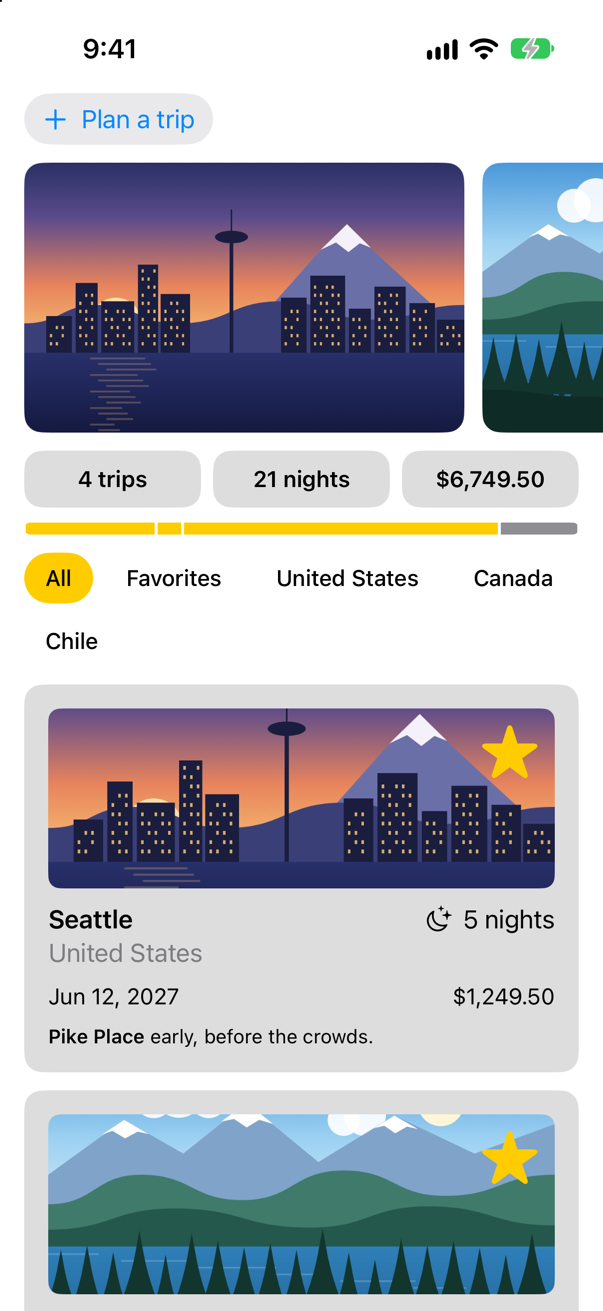
Saving 4 tripsThe trip was added through the planner's store, and saved by the app's: the same object, found by type in the environment. Nothing in between mentions it. Two things to know about it, both edge cases below. The object must be there: a view that asks for a TripStore where none was set stops the app. And it is still @Observable, so a view that reads store.trips is updated exactly as before, and only when what it read changes.
Was this the right move? Apple: "To share model data throughout a view hierarchy without needing to pass it to each view, add the model data to the view’s environment." The WWDC23 session's second question asks the same thing, whether a model needs "to be part of the global environment of the application". The store is the app's data, and almost every screen to come needs it. A view's own settings, or a value one child needs, still belong in an initializer, where you can see where they come from, and a preview has to supply them.
One store for every preview
Three previews now end in the same line, .environment(TripStore()), and so will the preview of every view that reads the store from here on. Leave the line out and the canvas crashes: an edge case below shows it. Xcode has a place to say it once, a preview modifier (iOS 18). Make a new Swift File named SampleStore, and replace everything in it:
import SwiftUI

// What every preview of a view that reads the store needs, written once. On the main actor:
// Apple declares `PreviewModifier` `@MainActor`, so both its parts run there.
struct SampleStore: PreviewModifier {
    // Made once, then shared by every preview that asks for it — on the main actor,
    // where a store may be made.
    static func makeSharedContext() async throws -> TripStore {
        TripStore()
    }

    // For each preview that asks: put the shared store in its environment.
    func body(content: Content, context: TripStore) -> some View {
        content.environment(context)
    }
}

extension PreviewTrait where T == Preview.ViewTraits {
    @MainActor      // as `PreviewTrait` itself is: said here, not left to be inferred
    static var sampleStore: Self = .modifier(SampleStore())
}
A preview modifier has two parts. makeSharedContext() builds what the previews need, and the preview system calls it once and keeps the result. Apple: conforming types "define shared contexts that will be cached by the preview system, then reused across participating previews". body(content:context:) runs for each preview that asks for it, and applies that result — here, by putting the store in the environment, which is all .environment(TripStore()) does in the other previews. The extension gives the modifier a short name, so that a preview can ask for it as a trait: the same kind of argument as the .landscapeLeft of ContentView's second preview. All of it runs on the main actor: Apple declares PreviewModifier @MainActor, so makeSharedContext() — which may wait, and so says async — runs there without a word of its own, and may make a TripStore, a main-actor model. PreviewTrait is @MainActor too, and the extension says it out loud.
Try it on the planner. Add a second preview at the bottom of TripPlanner.swift, one that asks for the store instead of making one:
#Preview("Shared store", traits: .sampleStore) {
    TripPlanner()
}
Both previews give the planner a store; the difference is who makes it. The first makes its own. The second names .sampleStore, and every preview that names it shares the one store the modifier made. Either way works. Reach for the trait when many previews need the same setup, and when the setup is slow — sample trips loaded from a file, say — because it runs once instead of once per preview. A preview modifier is used by the canvas and nothing else, so the app itself is unchanged:
Run it (⌘R). The simulator shows
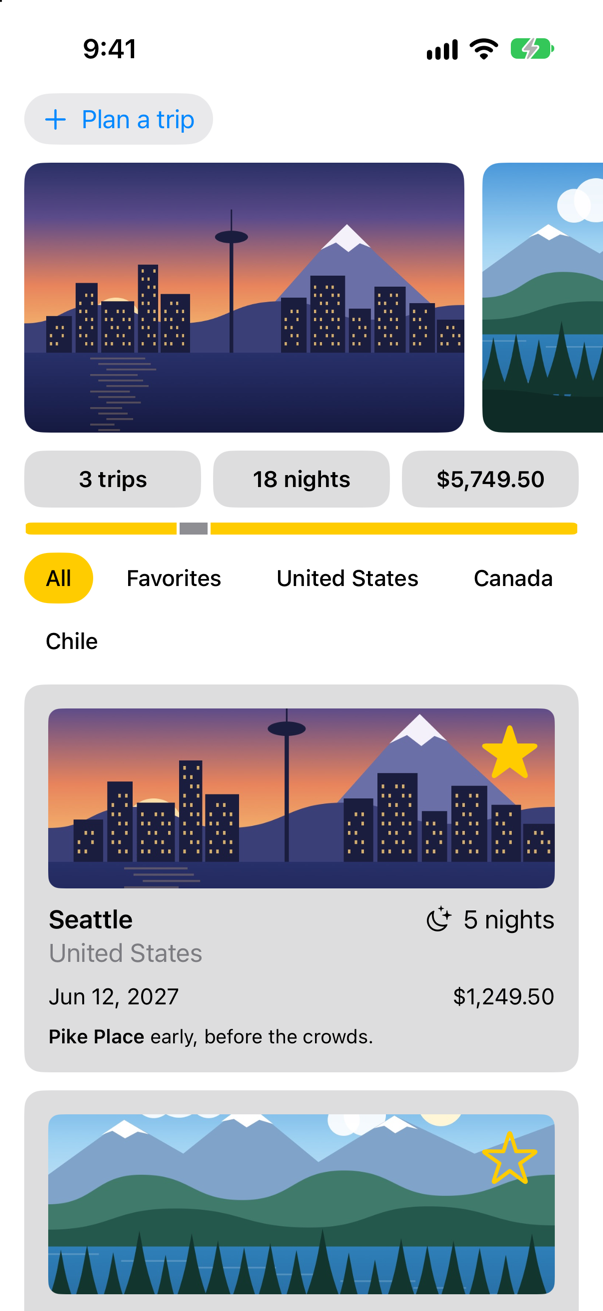
What you built
- Summary tiles that read the text size from the environment and stack themselves at the largest sizes.
- A preview in German, by setting the locale for part of the tree.
- A
highlightvalue of the app's own, read in four files, set at the root and overridden for the planner. - The store in the environment, found by its type wherever it is needed.
- A preview modifier that gives any preview the store, set up once.
Twice in this lesson a value reset or kept itself depending on where a view was — the planner's draft on lesson 17, the tiles that changed container without losing anything. The next lesson names the rule behind both: a view's identity, and how it decides how long the view, and its state, live.
The finished project
Stuck, or want to compare with your own? This is the project as it stands at the end of this lesson, built and run before it was put here.
- Trips-lesson-19.zip — unzip it, then open
Trips.xcodeprojin Xcode.
Flash cards
21 cards for this lesson, each labelled with its topic. 13 ask how you would write something; the other 8 are trick questions, written to catch a misunderstanding. Answer in your head first, then tap the card.
Syntax · EnvironmentRead a value SwiftUI keeps up to date for you: whether the screen is in dark mode.

@Environment(\.colorScheme) — a key path into EnvironmentValues. SwiftUI sets it, and updates every view that reads it when the person switches; the picture is the simulator in dark mode. You read it; you do not set it this way.
Syntax · EnvironmentPut two pieces of text side by side — or one above the other at the largest text sizes.
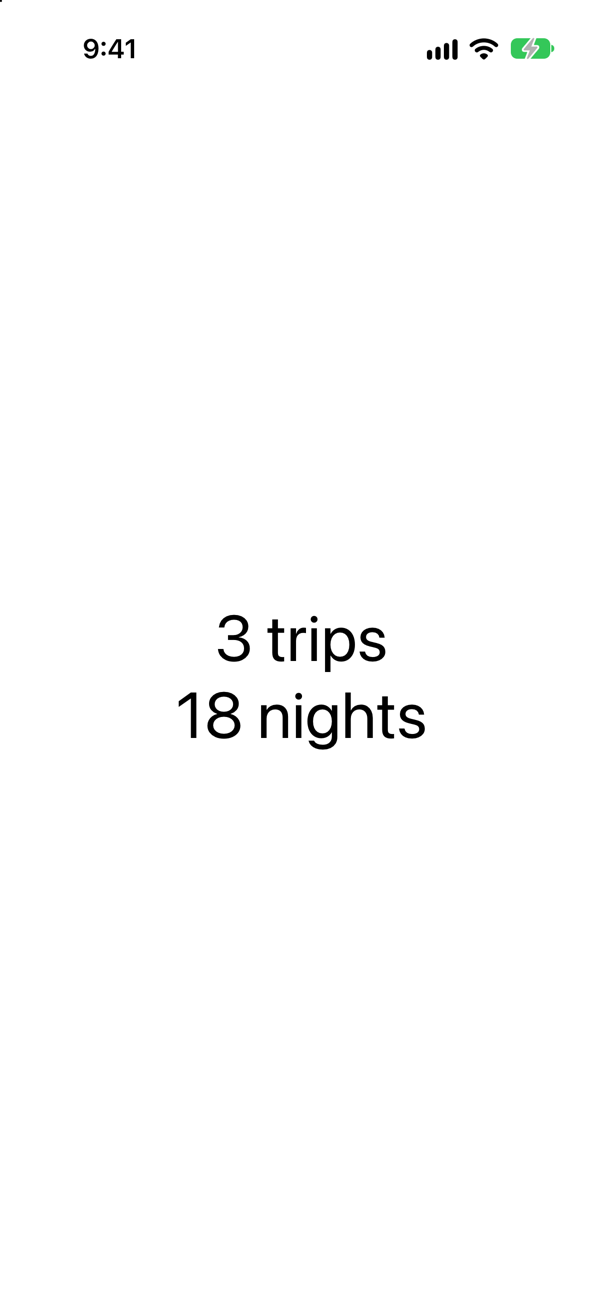
@Environment(\.dynamicTypeSize), and its isAccessibilitySize: true for the five sizes beyond the standard range. The picture is at one of them, so the two are stacked. AnyLayout changes the container without making new views.
Syntax · Custom valuesA value of your own in the environment, with a default every view gets until someone sets it.

@Entry, on a property in an extension of EnvironmentValues. A view reads it as @Environment(\.currencyCode), like any system value. Older code writes out what the macro writes: an EnvironmentKey type with a defaultValue, and a computed property that reads and writes it.
Syntax · Custom valuesSet your value for one part of the screen only.
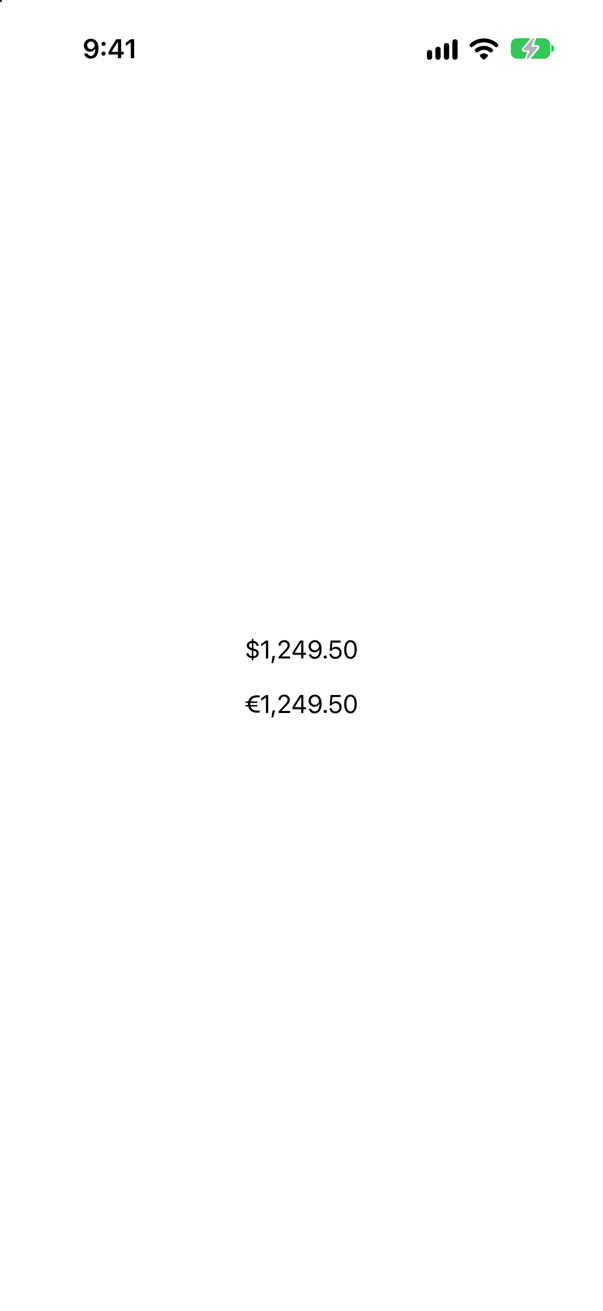
.environment(\.currencyCode, "EUR") on that view. It sets the value for the view and everything inside it; the price above, outside it, still gets the default.
Syntax · Custom valuesGive your value a modifier of its own, the way SwiftUI gives lineLimit one.

An extension on View that calls environment(_:_:). Apple's documentation for EnvironmentValues shows exactly this shape, and recommends SwiftUI's own dedicated modifiers over setting their values directly: .lineLimit(2) rather than .environment(\.lineLimit, 2).
Syntax · ObjectsPut an @Observable object in the environment, and read it, by its type, further down.
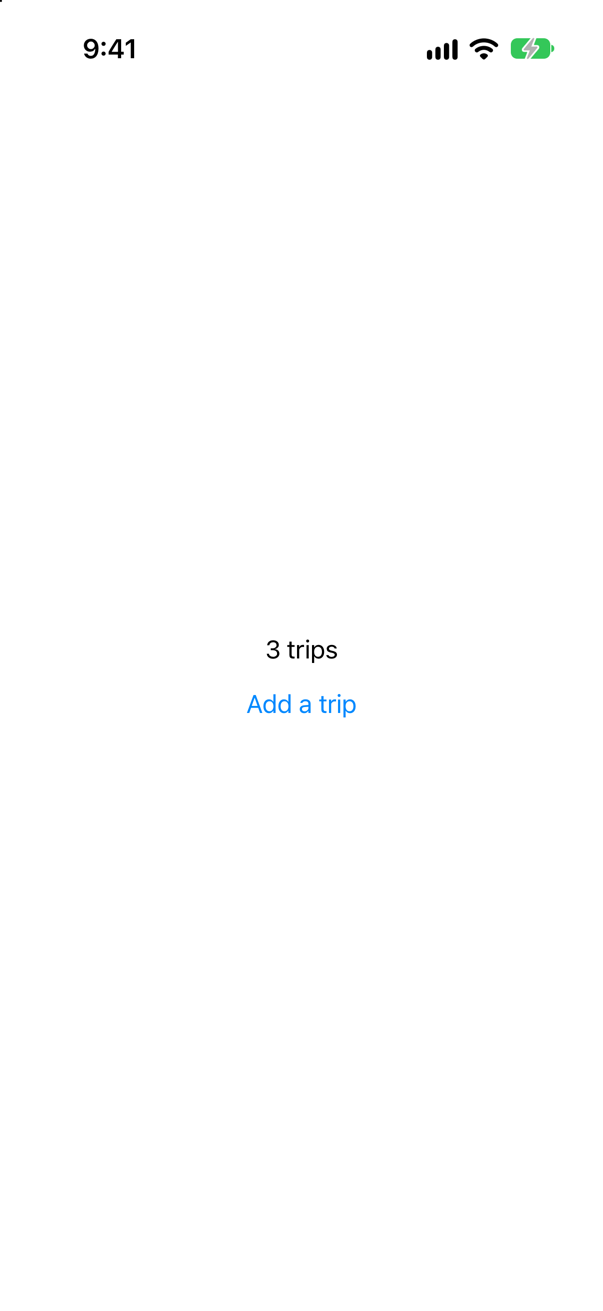
.environment(store) above, @Environment(TripStore.self) below: the type is the key. The object is still @Observable, so TripCount, which reads store.trips in its body, updates when a trip is added. The picture is after one tap.
Syntax · ObjectsA text field bound to a property of an object that came from the environment.
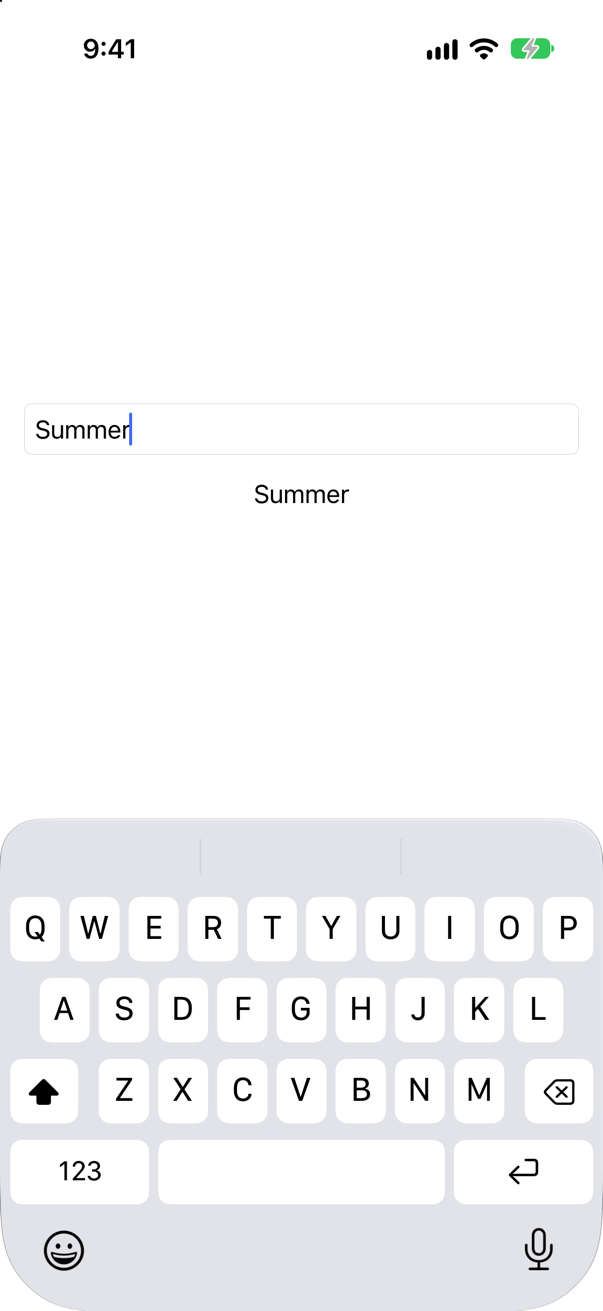
@Bindable var store = store at the top of body. @Environment gives no $store, and a property cannot be both; a @Bindable local can. Apple's documentation for Bindable shows this exact case.
Syntax · ObjectsRead an object from the environment when it may not be there.
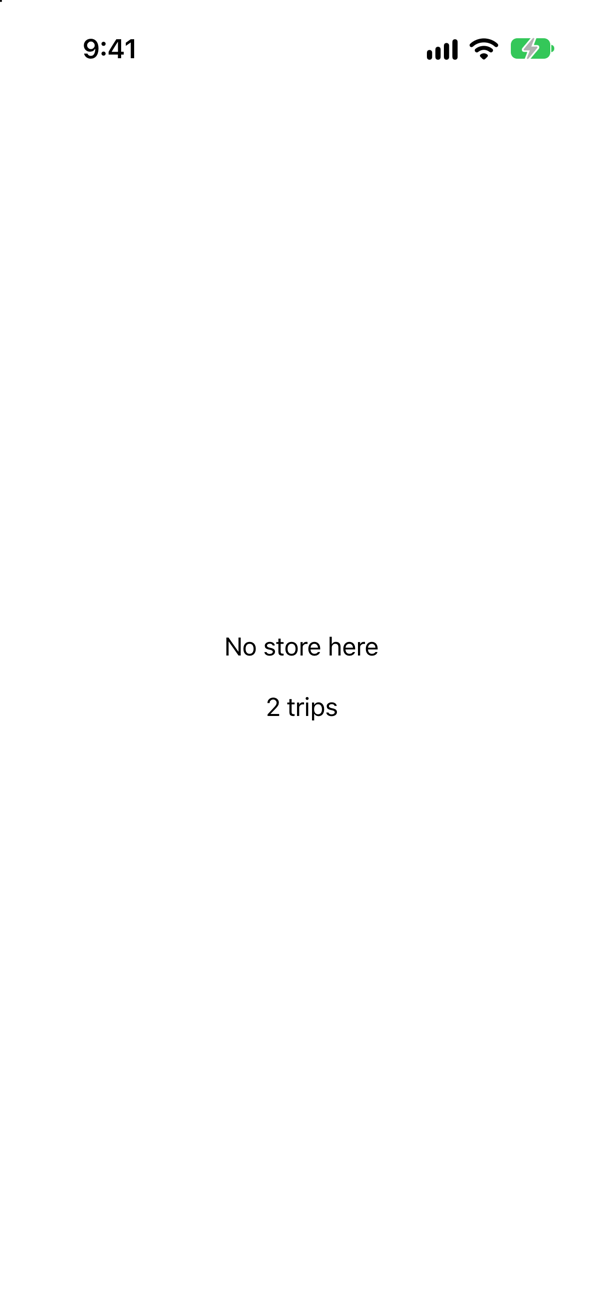
Declare the property optional. Apple: "If the object isn’t available the environment, SwiftUI returns nil instead of throwing an exception." Without the ?, the first TripCount would have stopped the app.
Syntax · EnvironmentShow dates and prices the way a German reader expects, in one view.
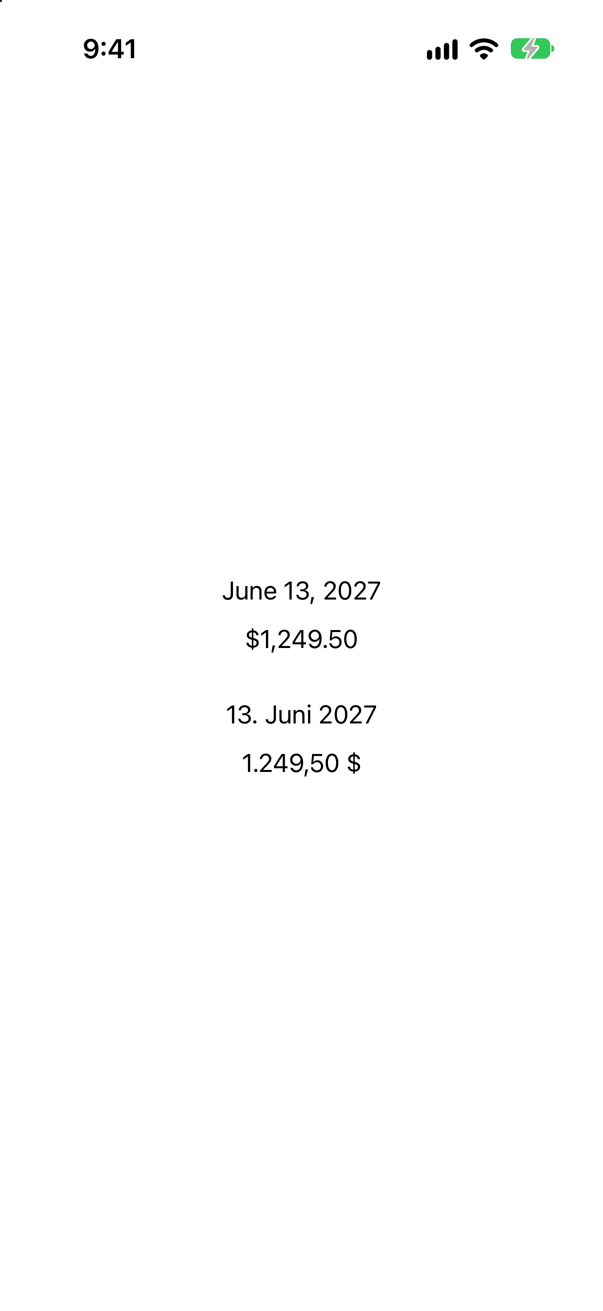
.environment(\.locale, …). Formatted text reads the locale from the environment: the second copy shows the same date and price as a German reader expects them, 13. Juni 2027 and 1.249,50 $, with the day first, a dot after it, and a comma for the decimals.
Syntax · EnvironmentTry one view at a large text size and in dark mode, without touching Settings.

Set the environment values on the view itself: .dynamicTypeSize(…) and .environment(\.colorScheme, .dark). Everything inside sees them, nothing outside does — the row is large and dark on a light screen. It is the quickest way to check a view in a preview, and the reason previews never need the Settings app.
Syntax · EnvironmentClose a sheet from a button inside it.
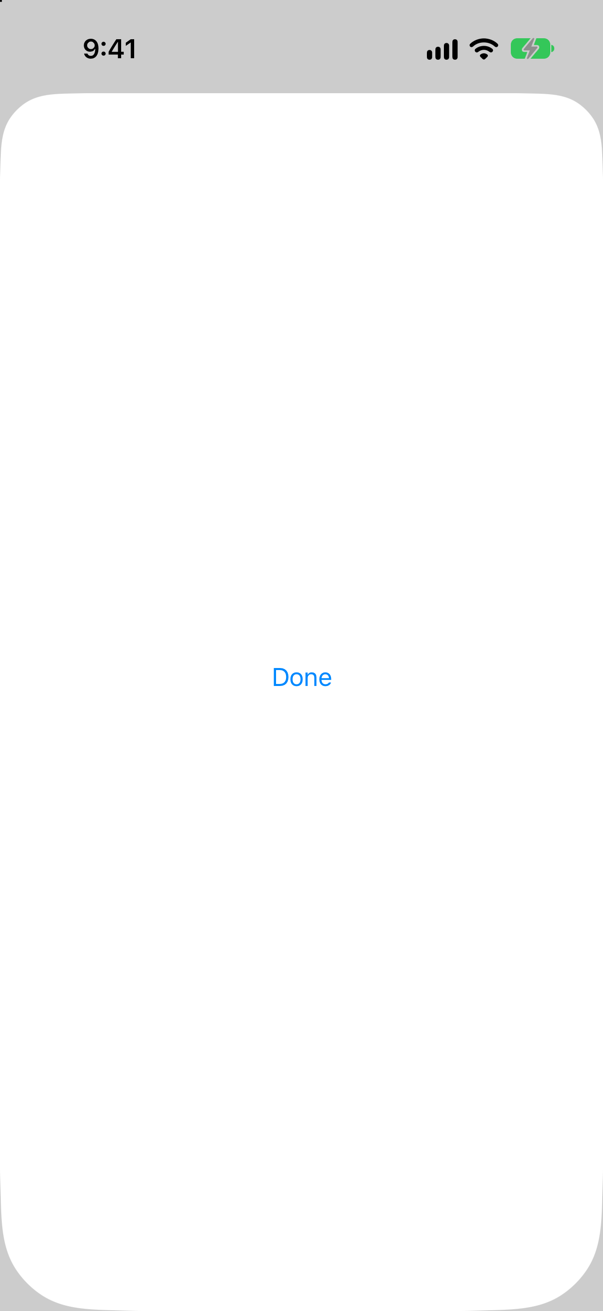
@Environment(\.dismiss), then call it. The sheet does not need a binding to isShown: SwiftUI puts an action in the environment of whatever it presents. The picture is the sheet; after the tap on Done, only Show the sheet was left.
Syntax · Old codeCode from before iOS 17: an ObservableObject shared with the whole tree.
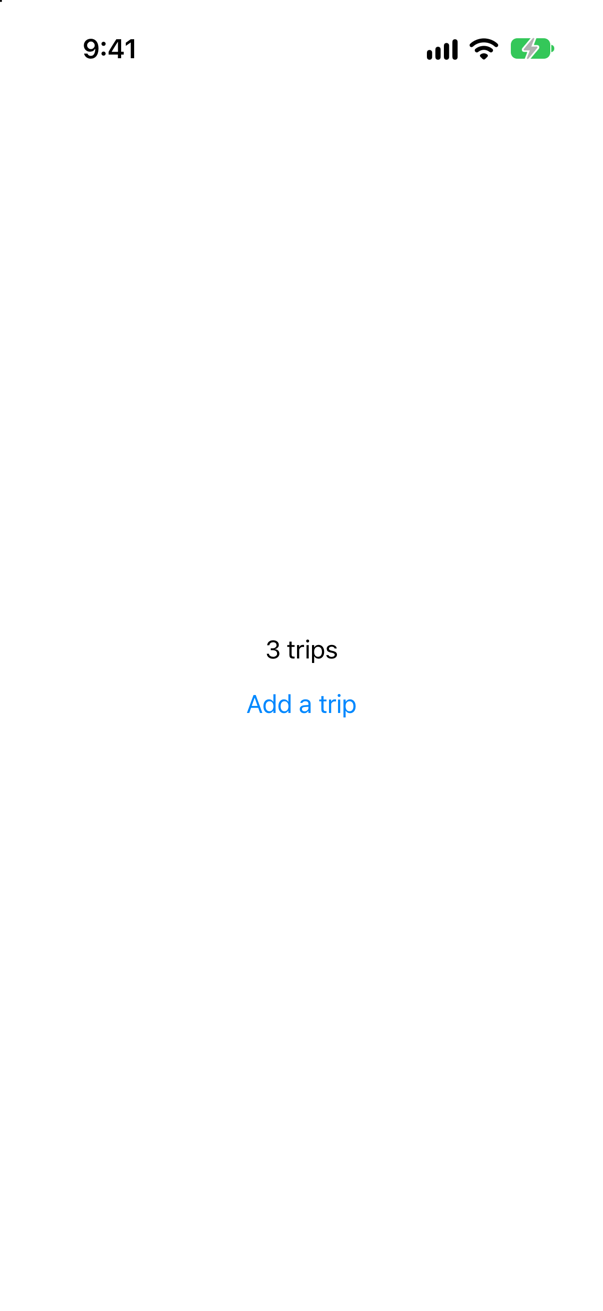
.environmentObject(store) and @EnvironmentObject. Apple, today: "If your observable object conforms to the Observable protocol, use Environment instead of EnvironmentObject." The migration is two words: .environment(store), @Environment(TripStore.self).
Syntax · ObjectsMany previews read a TripStore from the environment. Set the store up once, for all of them.

A PreviewModifier: makeSharedContext() makes the store, once, and body(content:context:) puts it in each preview's environment. The PreviewTrait extension names it, and a preview asks for it with #Preview(traits: .sampleStore). Every preview that names it shares the one store.
Trick question · EnvironmentThe stack sets highlight to orange; the second reader inside it sets mint for itself; a third reader is outside the stack, and the parent reads the value too. What does each say?
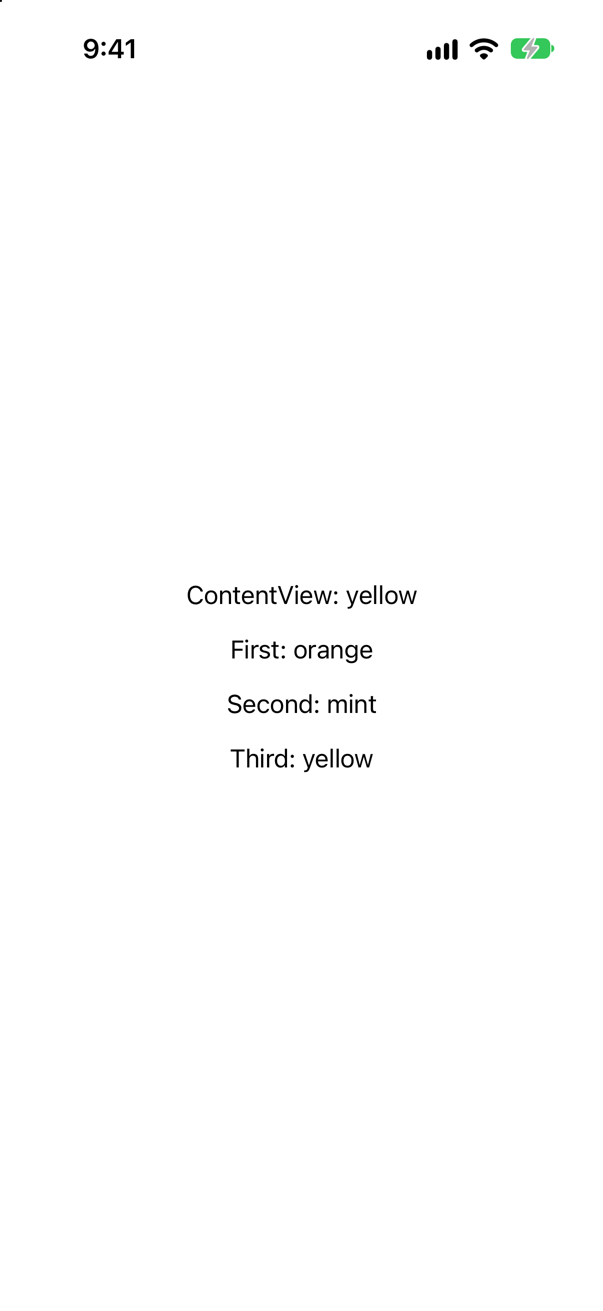
Yellow, orange, mint, yellow. A value goes down, to the view it is set on and everything inside it, and the nearest setting wins. The parent and the third reader are not inside the stack, so they get the default.
Trick question · Environment.preferredColorScheme(.dark) on one panel out of two. What turns dark?
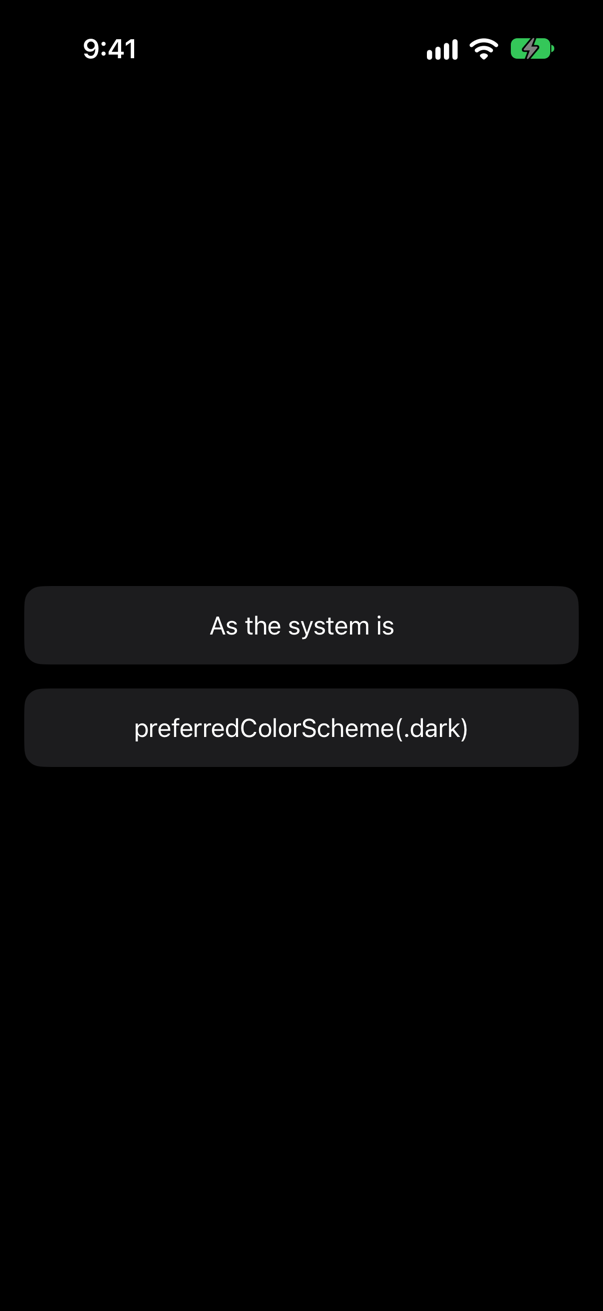
The whole screen. Unlike nearly every other setting, a preferred color scheme goes up: it is a request to the window, from wherever it is written. To darken one view only, set the value for it — .environment(\.colorScheme, .dark) — as one of this lesson's edge cases shows.
Trick question · EnvironmentA view reads @Environment(\.colorScheme) in its init, and again in its body. Its parent has set dark. What does each read get?
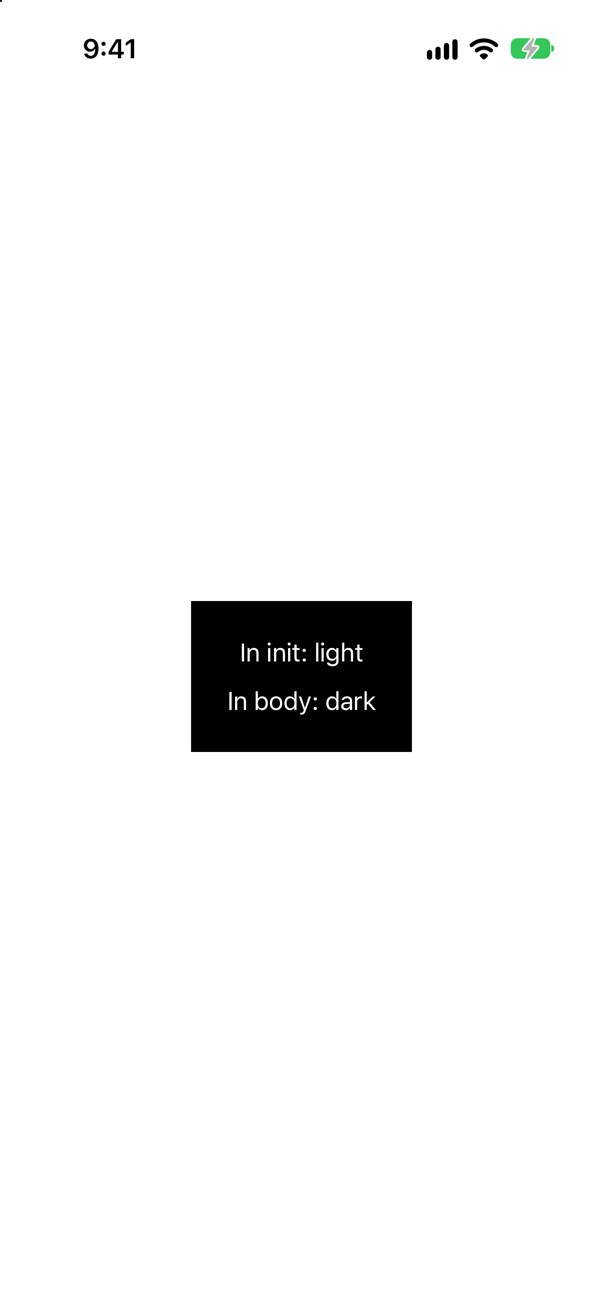
Light in init, dark in body, and a purple warning: "Accessing Environment<ColorScheme>'s value outside of being installed on a View. This will always read the default value and will not update." While init runs, the view is not yet in the tree, so there is no environment to read. Read it in body, or in onAppear and task.
Trick question · ObjectsA view reads @Environment(TripStore.self), and nobody put a store in the environment. Does it compile? What happens when it runs?
It compiles, and stops at launch: "SwiftUICore/Environment+Objects.swift:34: Fatal error: No Observable object of type TripStore found. A View.environmentObject(_:) for TripStore may be missing as an ancestor of this view." The compiler cannot check the environment; only running it can. If the object may be missing, declare the property optional, TripStore?, and SwiftUI gives you nil instead.
Trick question · Custom values@Entry var counter = Counter(), where Counter is an @Observable class and — like every model in Trips — @MainActor. Does it build?
No: "main actor-isolated default value in a nonisolated context" An @Entry's default is made on no actor — the key's defaultValue, which Apple declares without one — so a main-actor object cannot be made there. And where it does build, in a new Xcode project, each read makes a new object, so two readers never share one. Make the object once, in @State, and set it with .environment.
Trick question · EnvironmentA view sets a value and an object in the environment, outside a .sheet. Does the sheet's content see them?
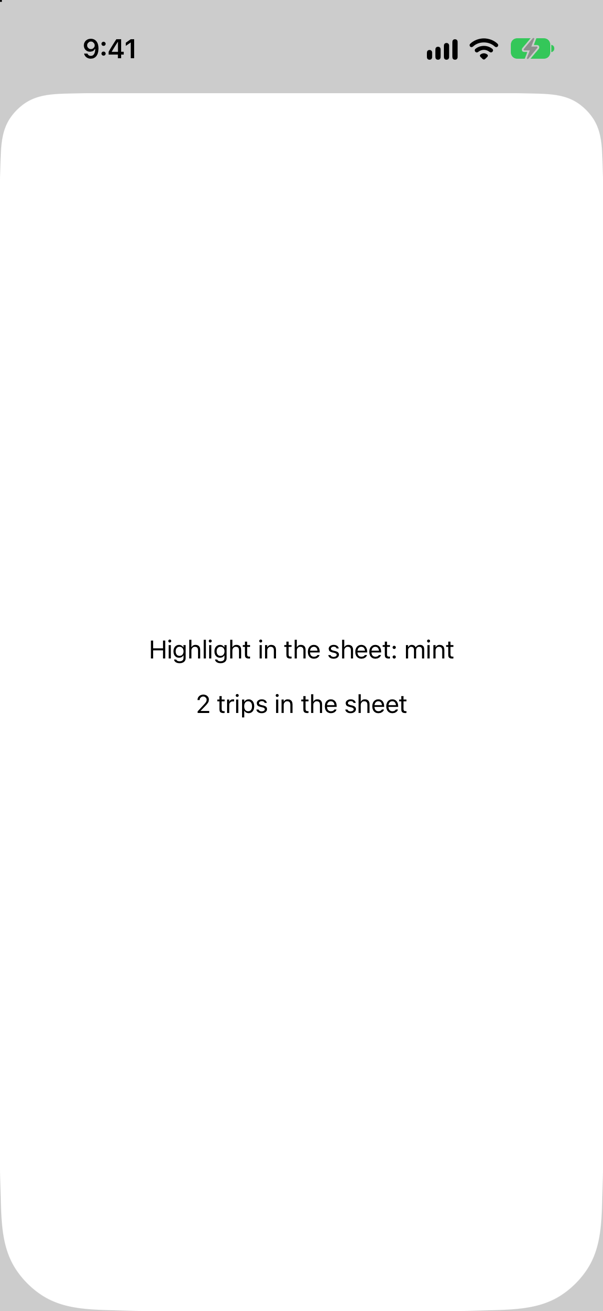
Yes, both. A sheet is presented by the .sheet modifier, and its content inherits the environment at that point — here, everything set outside it.
Trick question · EnvironmentThe same sheet, but the two .environment lines come before .sheet in the chain. Does the sheet see them now?
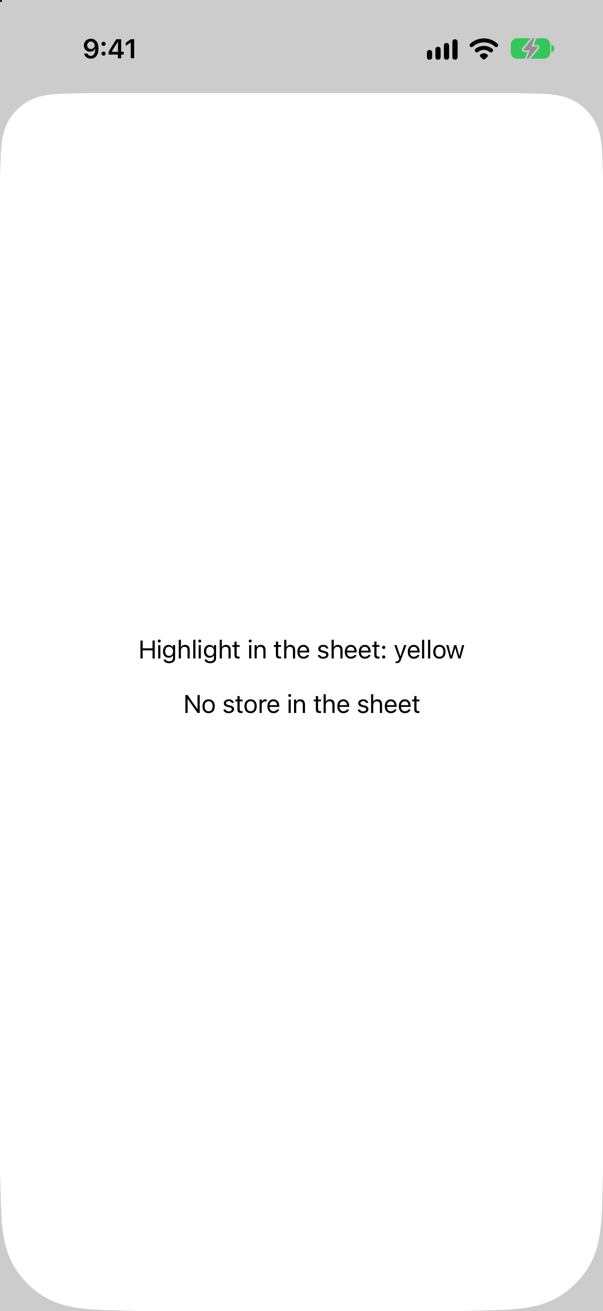
No. Each modifier wraps the view before it. Written first, the two values apply to the button alone; the .sheet outside them presents its content with the environment it has itself — the default yellow, and no store.
Trick question · EnvironmentThree views: one reads the color scheme, one reads highlight, one reads nothing. The parent changes highlight. Which run their body again?
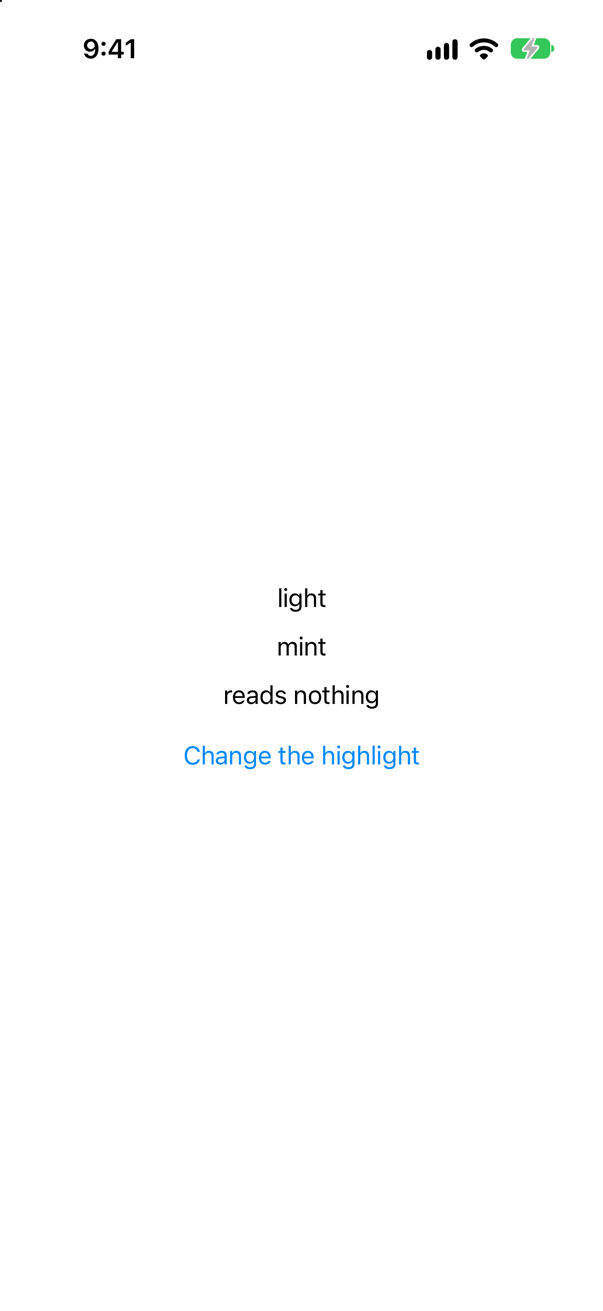
Only the one that reads highlight — the console printed HighlightReader.body and nothing else. SwiftUI keeps track of which environment values each view reads, much as @Observable keeps track of properties.
Edge cases and tricky questions
11 questions of the kind an interviewer uses to find out whether you really know this — the corners, the traps, and the things that changed recently. Each has its source. Wherever the answer is what some code does, that code was compiled and run, and what you see under “Show the answer” is what it really did. Say your answer aloud before you open it.
A view needs the store. Hand it over as a parameter, or put it in the environment — and then forget to, each way. What happens?
Show the answer
The parameter is checked when you build; the environment, only when the screen is drawn. Forget the parameter, and Xcode will not build the app:
missing argument for parameter 'store' in callForget the environment — the code in the question — and it builds without a word, then stops at launch, the moment the view reads the store:
The console
SwiftUICore/Environment+Objects.swift:34: Fatal error: No Observable object of type TripStore found. A View.environmentObject(_:) for TripStore may be missing as an ancestor of this view.Apple: "If a view attempts to retrieve an object using its type and that object isn’t in the environment, SwiftUI throws an exception." (The message still names environmentObject(_:), the older API; lesson 5 met the same crash in a preview.) Where an object may honestly be absent, ask for an optional, and SwiftUI returns nil instead:
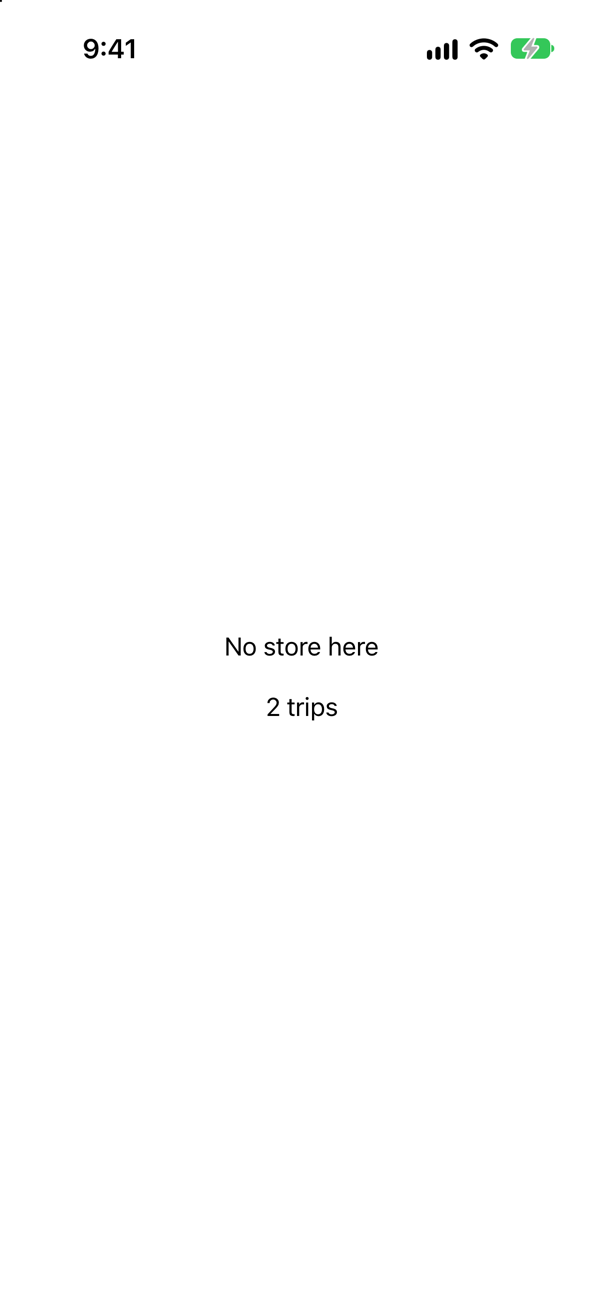
That is the trade-off to give in an interview. The environment saves passing a value through views that do not use it, and gives up the compiler's check that it was passed at all. Use it for what the whole app shares — the store, a theme — and pass everything else.
Where this comes from: Environment · Managing model data in your app · Senior iOS Interview Preparation (GitHub) — Apple, Environment: "If the object isn’t available the environment, SwiftUI returns nil instead of throwing an exception."
The stack sets highlight to orange; the second reader inside it sets mint for itself; a third reader sits outside the stack, and the parent reads the value as well. What does each say — and what is the rule?
Show the answer
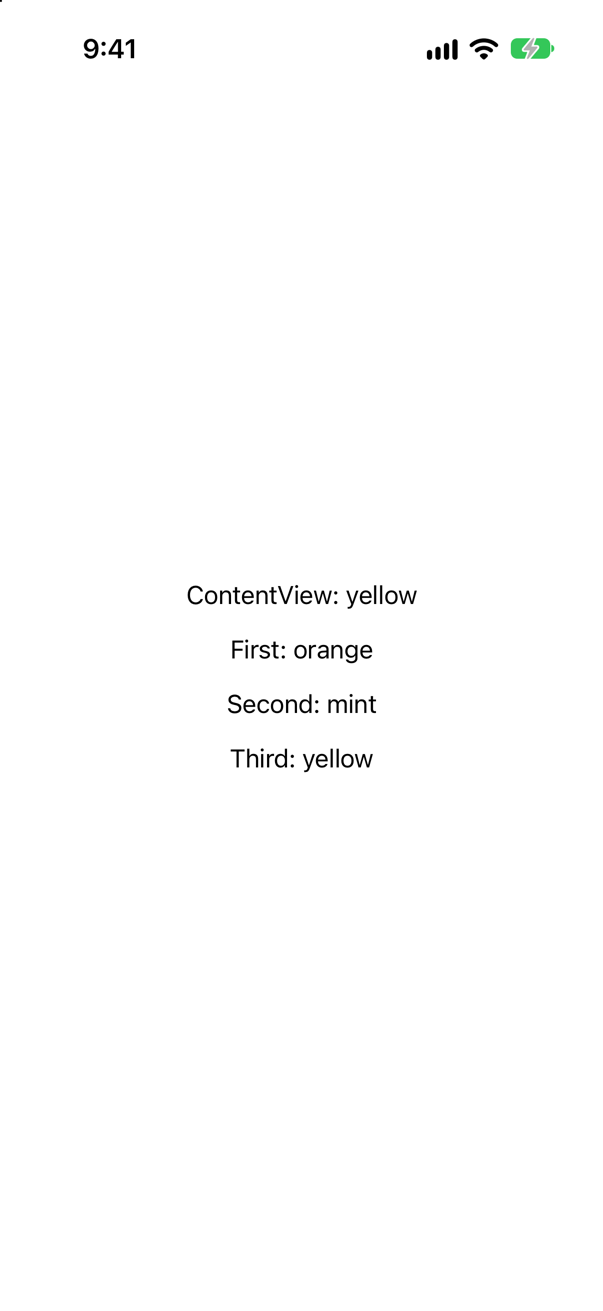
Yellow, orange, mint, yellow. Two rules. A value goes down only: to the view it is set on and to everything inside it. The parent, which sets the orange, does not see it, and neither does the third reader, which is beside the stack, not inside it. And the nearest setting wins: the second reader's mint is closer to it than the stack's orange.
Apple: the value "affects the environment for the view that you modify — including its descendants in the view hierarchy — but only up to the point where you apply a different environment modifier." You have used it without the name: .font sets an environment value too — the summary sets .font(.subheadline.weight(.semibold)) once, on its stack, for every tile inside.
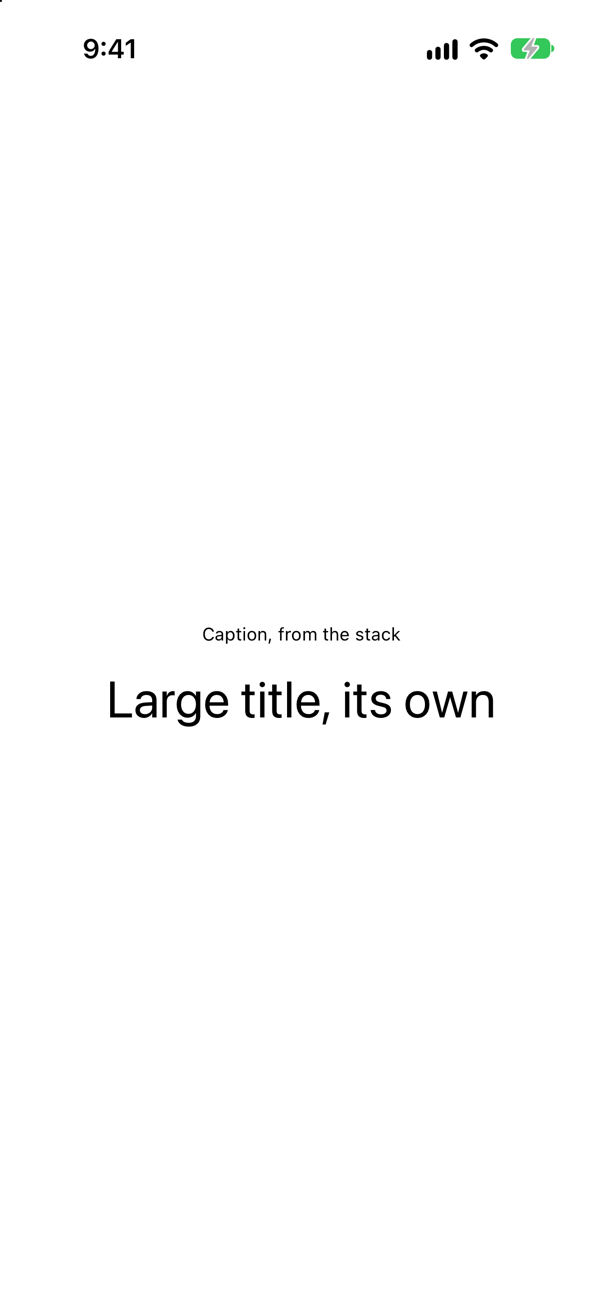
The stack's caption reaches the first text; the second text's own font is nearer. So in an interview, "how would you change the font of everything in this view except one label?" has a one-line answer: set it on the container, and again on the label.
Where this comes from: EnvironmentValues · Environment — Apple, EnvironmentValues: "The value that you set affects the environment for the view that you modify — including its descendants in the view hierarchy."
Two ways to make one panel dark: .environment(\.colorScheme, .dark) and .preferredColorScheme(.dark). Each is attached to the second of two panels. What does the screen look like?
Show the answer
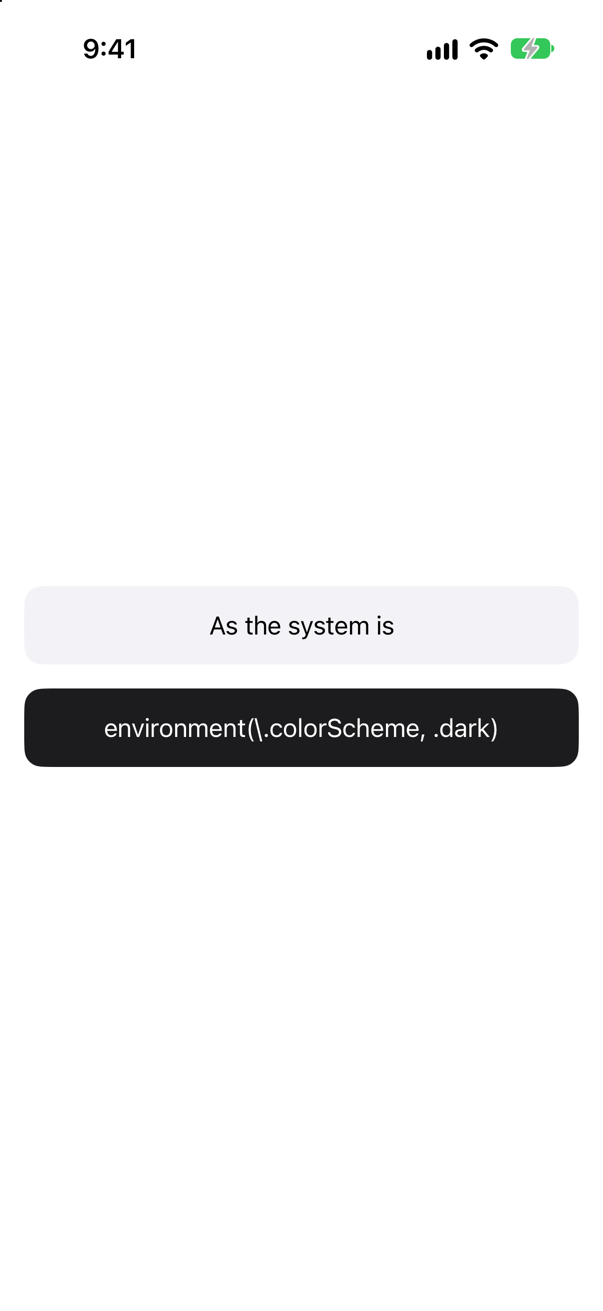
With .environment(\.colorScheme, .dark), one panel is dark and nothing else is. It sets a value for that view and the views inside it, like any other — and the panel's background, .background.secondary, is drawn for dark.
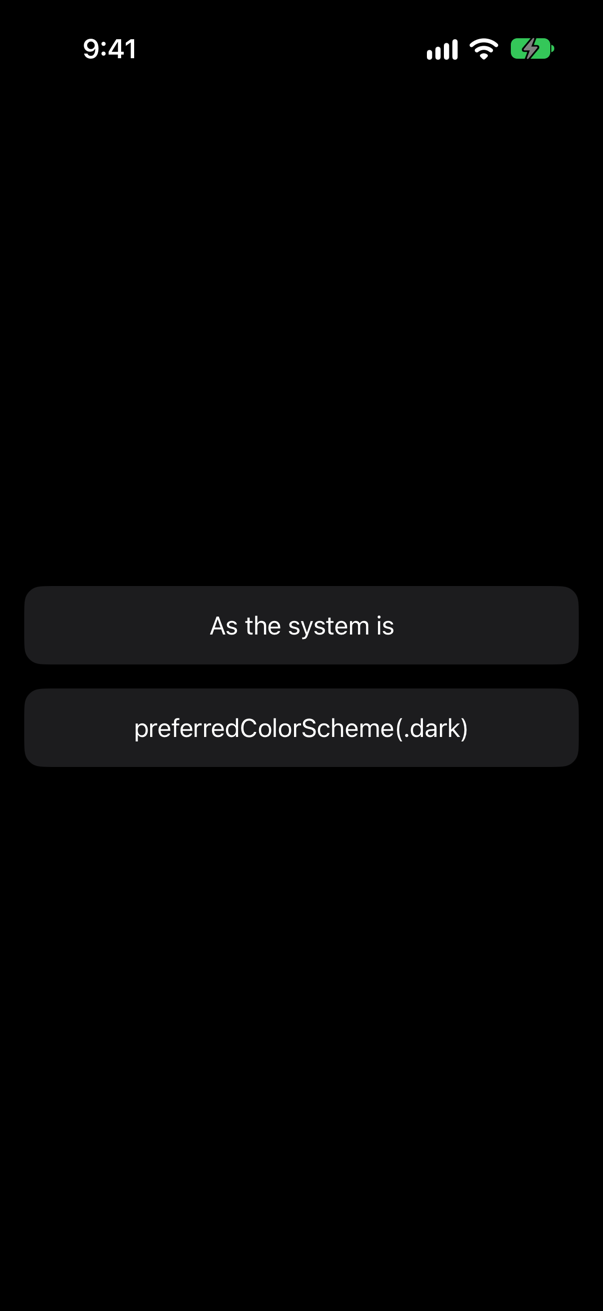
With .preferredColorScheme(.dark), the whole screen is dark, though the modifier is on one panel. It is a preference: it travels up, to the window that presents the view, and the window changes its appearance for everything in it. Apple's documentation for EnvironmentValues draws the same line for a popover: "you must use the preferredColorScheme(_:) modifier rather than setting colorScheme directly to ensure that the new value propagates up to the presenting container".
So the answer to "how do I force dark mode?" depends on what is being forced. A whole screen: the preference, once, near the top. One view — a card that is always dark, a preview — the environment value.
Where this comes from: EnvironmentValues · preferredColorScheme(_:) — Apple, EnvironmentValues: "In some cases, using a dedicated view modifier provides additional functionality."
A view reads @Environment(\.colorScheme) in its initializer and keeps what it found, then reads it again in body. Its parent has set dark. What does the screen say?
Show the answer
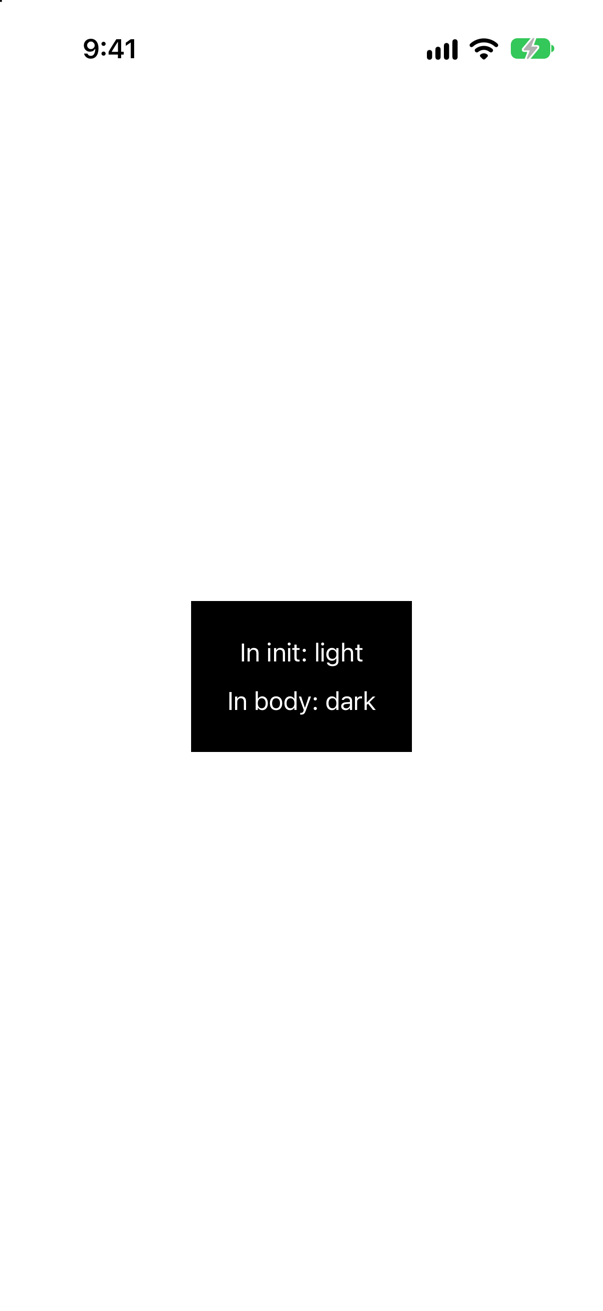
"In init: light", "In body: dark", and SwiftUI says why, as a purple warning in Xcode:
SwiftUI wrote this to the log while the app ran
Accessing Environment<ColorScheme>'s value outside of being installed on a View. This will always read the default value and will not update.A view's initializer runs when the parent's body creates the struct — before SwiftUI has put the view in the tree. There is no environment to read yet, so the property gives its default; and since nothing ties that copy to the environment, it never updates. By the time body runs, the view is in place, and the property reads the real value.
The same goes for @State and the other dynamic properties: they hold their real values in body, in actions, and in onAppear and task — not in init. Hacking with Swift's interview question on a view's initializer and onAppear() turns on the same point: the initializer only makes the description; onAppear runs when the view is really on the screen.
Where this comes from: Environment · Hacking with Swift interview question: What’s the difference between a view’s initializer and onAppear()? — The warning is SwiftUI's own, read from the simulator's log; Xcode shows it as a runtime issue.
@Entry var counter = Counter() — an @Observable class as the default value, which nobody sets; like every model in Trips, it is @MainActor. Does it build? And in a project where it does, two buttons read it and you tap the first: what does the second show?
Show the answer
It does not build in this course's projects: "main actor-isolated default value in a nonisolated context" @Entry writes an EnvironmentKey, and the key's defaultValue is a static property that belongs to no actor: Apple declares the protocol without one. So the default is made on no actor, and a @MainActor model cannot be made there.
A new Xcode project, which puts everything on the main actor unless it says otherwise, builds the same lines — the key's default is the main actor's there too — with a warning: "Storing a class type in '@Entry var counter' may invalidate dependents on every update because the default value is reallocated on every access. Initialize the default value elsewhere and reference it from the '@Entry' declaration. (from macro '_SwiftUIEntryTypeCheck')" And then the trap shows. One tap on the first button:
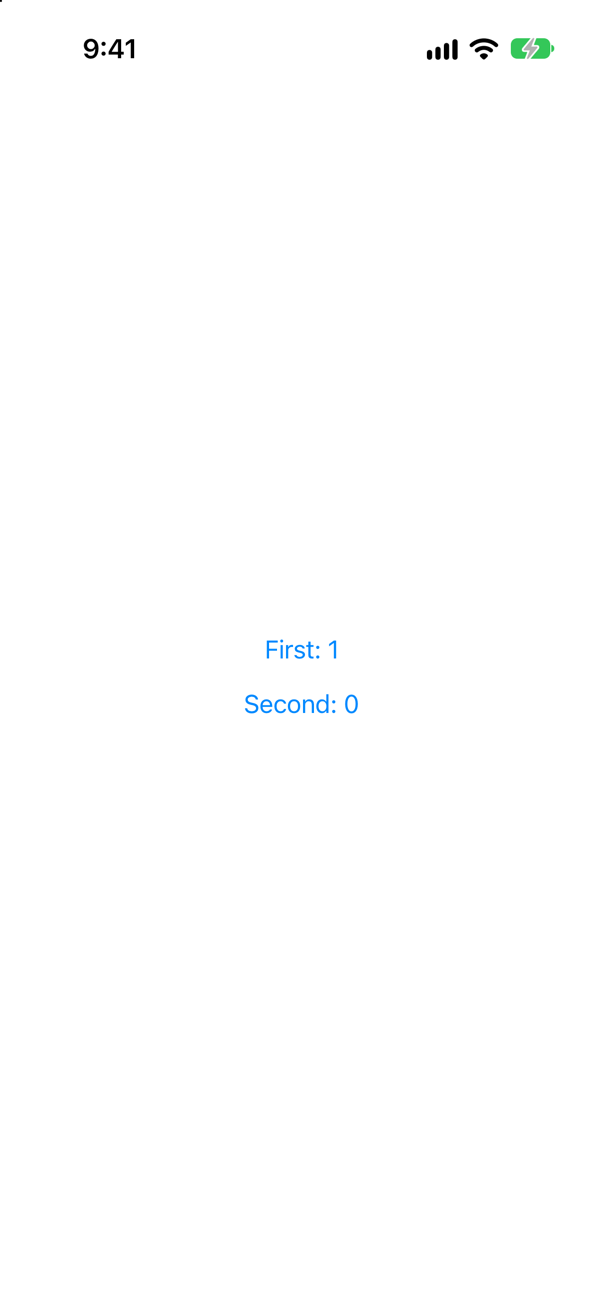
Second: 0. The two buttons never shared a counter. @Entry turns the default into a computed value, so Counter() runs every time a view reads the value and nobody has set it:
The console, from launch to the tap
Counter.init
Counter.init
Counter.init
Counter.init
Counter.init
Counter.init
Counter.init
Counter.init
Each reader gets an object of its own — and a new object on every read is a new value, which counts as a change. The cure, in either project, is to make the object once and put it in the environment yourself: a view keeps it in @State, and the entry holds an optional whose default is nil, which any actor can make.
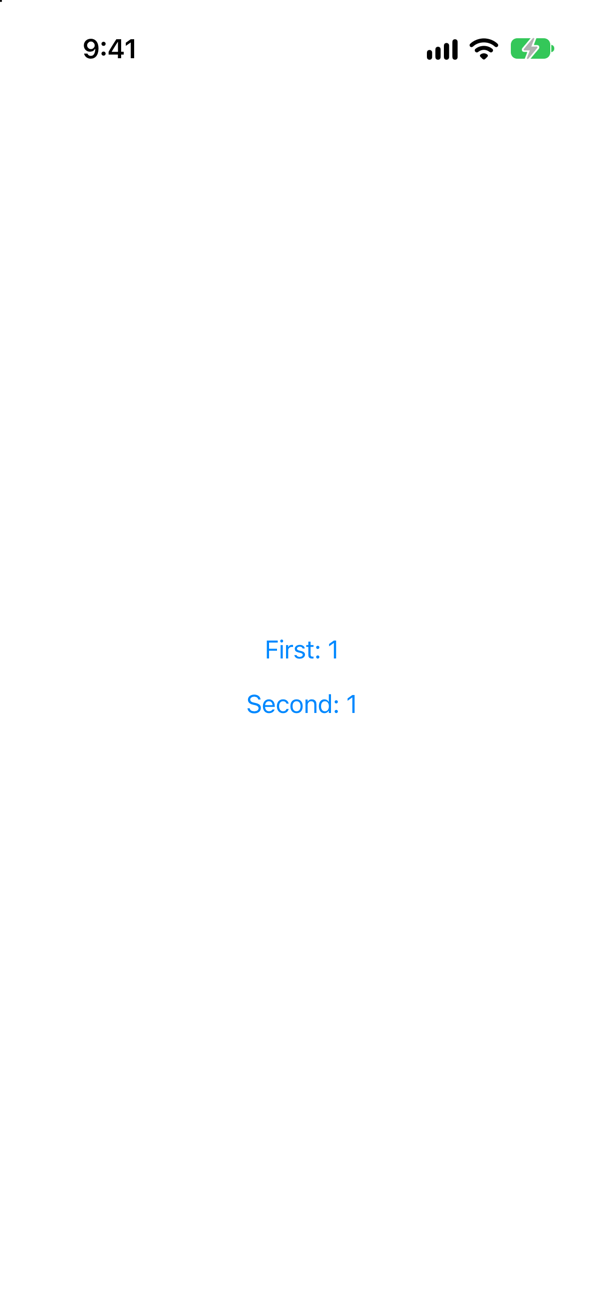
One Counter.init, and after the tap both buttons say 1. For an @Observable class, .environment(counter) with @Environment(Counter.self) does the same with less code; the key-path form is for when you want a name of your own, or a default of nil.
Where this comes from: Entry() macro · Environment — The error is Swift 6's; the warning is the Xcode 27 compiler's, from the @Entry macro itself.
An action — a closure — handed down with @Entry, so that a row deep in the tree can tell an ancestor something happened. What does Xcode 27 say about it, and what should you write instead?
Show the answer
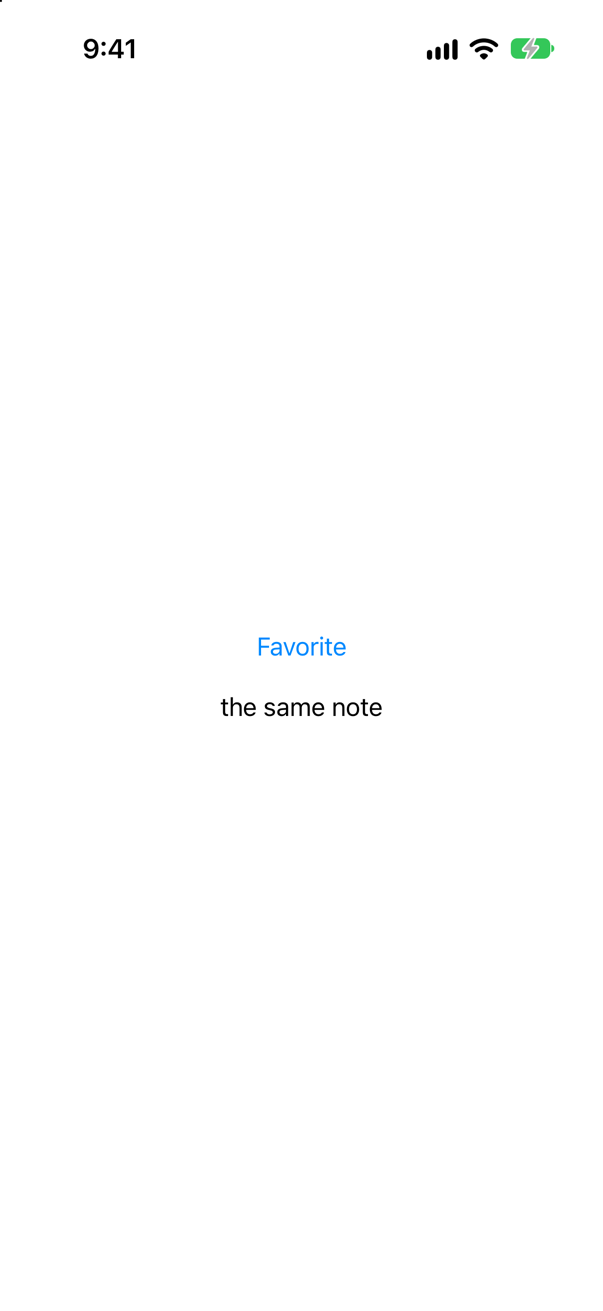
A warning: "Storing a closure in '@Entry var onFavorite' may invalidate dependents on every update because closures may not be comparable. (from macro 'Entry ')"
To decide which views must run again, SwiftUI compares each environment value with the one before. A string can be compared; a closure cannot, so SwiftUI has to assume it changed. The question's app shows the cost already at launch, while SwiftUI settles the screen's environment:
NoteReader.body
ClosureReader.body
ClosureReader.body
ClosureReader.body
The view that reads the string ran its body once; the view that reads the closure ran it again and again, for nothing. On a busy screen, that happens on every update.
Look at how SwiftUI hands down its own actions: dismiss is a DismissAction and openURL an OpenURLAction — structs you call like functions, not closures. Do the same, and make yours comparable:
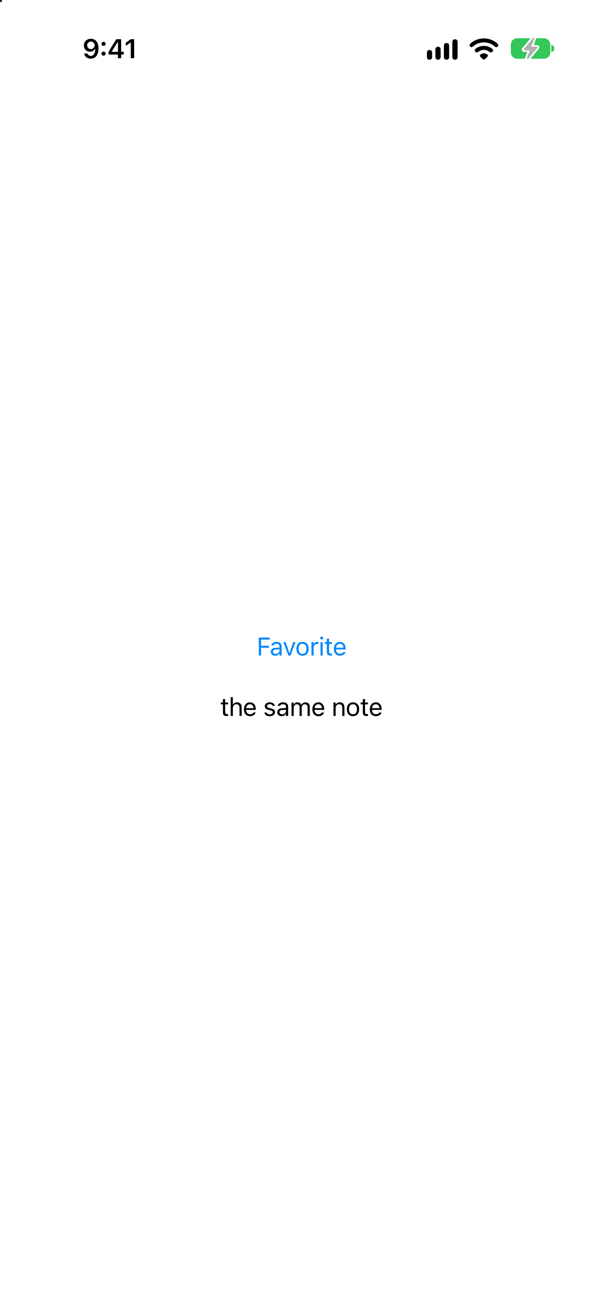
The whole console: one body each at launch, then the tap
NoteReader.body
ActionReader.body
favorite: Vancouver
No warning, one body, and onFavorite("Vancouver") still reads like a function call, thanks to callAsFunction. Two actions are equal when their names are — honest as long as a name says what the action does. And often the plainest answer is better still: hand the action to the one view that needs it, as a parameter, the way a Button takes its action.
Where this comes from: Entry() macro · DismissAction · OpenURLAction — The warning is the Xcode 27 compiler's, from the @Entry macro itself. DismissAction and OpenURLAction are declared as structs in SwiftUI's interface.
A value and an object are put in the environment in the same chain of modifiers as a .sheet. Does the sheet's content see them — and does it matter which comes first?
Show the answer
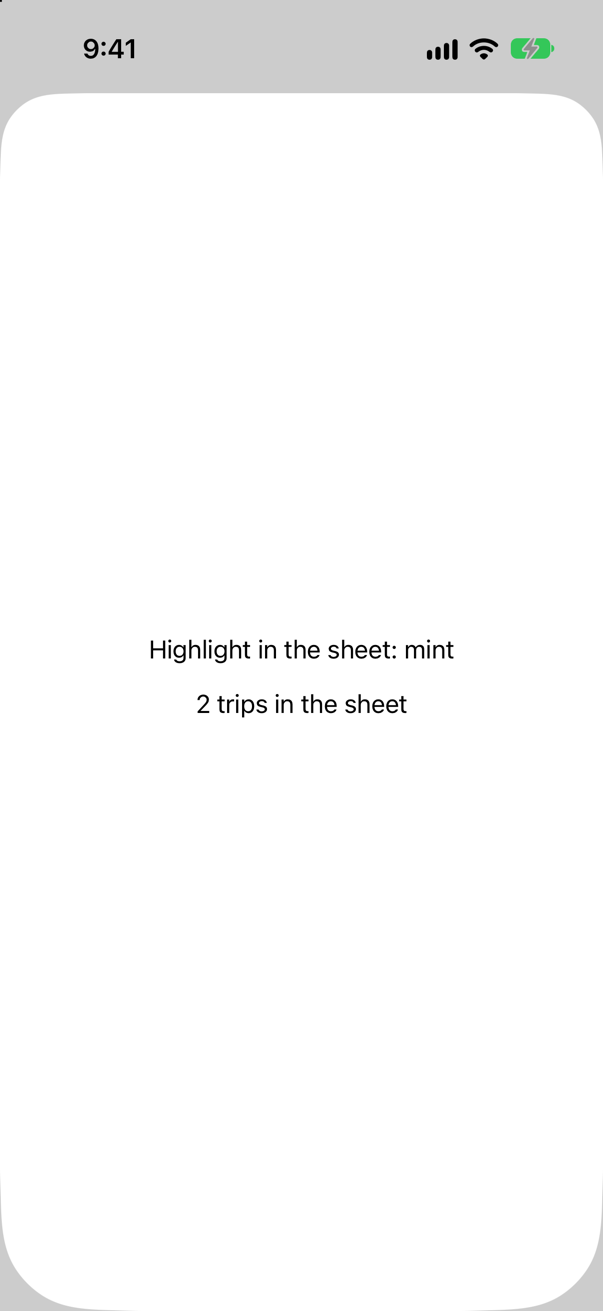
Yes — when they are set outside the .sheet modifier, as in the question. The sheet's content inherits the environment where .sheet is written, so both reached it. (In iOS 13, an object put there with .environmentObject did not reach a sheet, and "my sheet crashes" was a well-known question. That is long fixed; the question's app ran on iOS 27.)
Order does matter. Put the same two lines before .sheet:
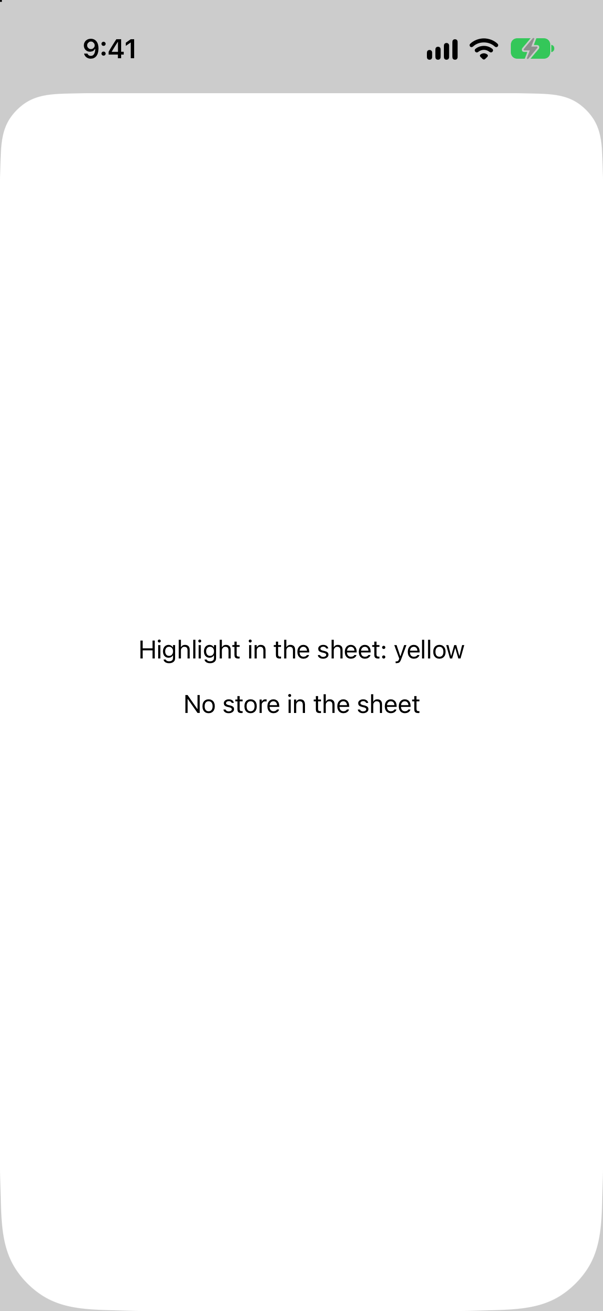
Each modifier wraps the view before it, so the two values now apply to the button alone, and the .sheet outside them presents its content with the environment it has itself. Hence the habit: put .environment(…) on the screen, as far out as it needs to be — not on the button that happens to open the sheet.
Where this comes from: Environment · EnvironmentValues — Apple, EnvironmentValues: a value applies to the view you modify and its descendants, "but only up to the point where you apply a different environment modifier."
Three views under one parent: one reads the color scheme, one reads highlight, one reads nothing. The parent changes highlight. Which bodys run again? And with an @Observable store in the environment, when one of its properties changes?
Show the answer
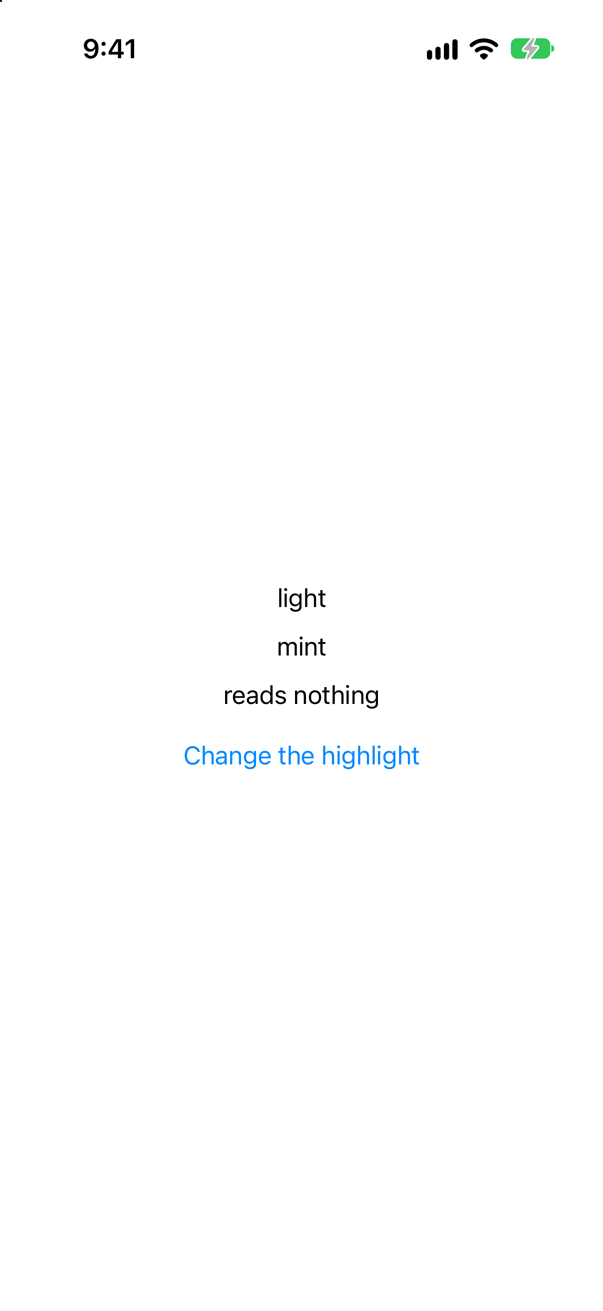
Only HighlightReader. The console, for the change:
HighlightReader.bodySwiftUI keeps track of which environment values each view reads, and runs a view again when one of those changes — not whenever the environment does. Readers, the container in between, did not run either: it reads nothing, and its inputs did not change. So a value set high in the tree costs nothing for the views that ignore it.
An @Observable object in the environment keeps its own, finer tracking. Add a trip to a store that two views read:
The whole console: three lines at launch, then one for the tap
ContentView.body
CountReader.body
TitleReader.body
CountReader.body
Only CountReader, which read trips. TitleReader read the same object, but not that property; and ContentView, which owns the store, did not read it in body at all. Being in the environment changes how a view finds the object, not how its changes are tracked.
Where this comes from: Environment · Managing model data in your app · WWDC23: Discover Observation in SwiftUI — Apple, Environment: "If the value changes, SwiftUI updates any parts of your view that depend on the value."
A project is moving from ObservableObject to @Observable one class at a time. Someone reads an @Observable store with @EnvironmentObject; someone else passes an ObservableObject with .environment(_:). Which of these mistakes does Xcode catch?
Show the answer
It does not compile. Xcode reports
generic struct 'EnvironmentObject' requires that 'TripStore' conform to 'ObservableObject'Both, at build time. That was the first; here is the other way round:
instance method 'environment' requires that 'TripStore' conform to 'Observable'The two systems have separate doors, and the types guard them: an @Observable object goes in with .environment(_:) and comes out with @Environment(Type.self); an ObservableObject goes in with .environmentObject(_:) and comes out with @EnvironmentObject. What the compiler cannot check is the pairing across the tree — whether something above really put the object in — which ends, as in the first question, in a crash at run time. Apple's advice for the migration is one sentence: "If your observable object conforms to the Observable protocol, use Environment instead of EnvironmentObject."
Where this comes from: EnvironmentObject (legacy) · Environment · Migrating from ObservableObject to @Observable · Senior iOS Interview Preparation (GitHub) — Apple, EnvironmentObject: "If your observable object conforms to the Observable protocol, use Environment instead of EnvironmentObject and set the model object in an ancestor view by calling its environment(_:) or environment(_:_:) modifiers."
TripCount works in the app, where the store is put in the environment at the top. Its preview is just TripCount(). What does the canvas show?
Show the answer
A crash. Shown on its own, with nothing above it, the view stops with this message:
SwiftUICore/Environment+Objects.swift:34: Fatal error: No Observable object of type TripStore found. A View.environmentObject(_:) for TripStore may be missing as an ancestor of this view.A preview shows your view with nothing around it. Whatever the app sets up above the view — objects in the environment, a model container, a navigation stack — is not there unless the preview puts it there. @Environment(TripStore.self) has no default to fall back on, so the first read of store is fatal. (The message says environmentObject, the older name; the fix today is .environment(_:).)
So give the preview what the app gives the view:

A missing environment is the most common reason for a preview to crash when the app runs perfectly, and it is an argument for the simpler design, where a small view is handed plain values — TripCount(count: 2) — and needs no environment at all.
Where this comes from: Environment · Adding previews to your interface files — Apple, “Adding previews to your interface files”, shows the same pattern: a view that reads an object from the environment is previewed with .environment(…), or with a PreviewModifier.
Six previews each create the same large sample store, and the canvas is slow to show any of them. What does SwiftUI provide for this?
Show the answer

A PreviewModifier. It has two parts. makeSharedContext() builds the costly thing, and the preview system calls it once and keeps the result. body(content:context:) applies that result to a preview — here, by putting the store in the environment. A preview asks for it with a trait: traits: .modifier(SampleStore()).
Every preview that names the same modifier shares the one store, instead of each building its own. It also solves the crash in the question before, in one place: the environment a view needs is written once, not repeated in every preview. It is the SampleStore from the last step.
It was designed with SwiftData in mind, where the costly thing is a model container filled with sample records, but it works for anything a preview has to set up.
Where this comes from: PreviewModifier · Adding previews to your interface files — Apple: conforming types "define shared contexts that will be cached by the preview system, then reused across participating previews".