The same card, or a new one
View identity and lifetime
You will buildTrip cards whose details open and close, a Sort menu that keeps an open card open as it moves, and a Close all button — with, on the way, the version that opens the wrong card.
TimeAbout 75 minutes
WhyIn every lesson so far SwiftUI has made your views again, and kept their state anyway — most of the time. Which state survives, and which is lost, follows one rule: SwiftUI keeps a view's state for as long as it considers the view the same view, and it decides that by the view's identity. WWDC21's "Demystify SwiftUI" calls identity, lifetime and dependencies the three things SwiftUI sees in your code. Interviewers like this one, because most of SwiftUI's surprises — a text field that empties itself, an animation that fades instead of moving, a row that opens the wrong item — are this rule at work.
Open your project
Open your
Tripsproject as lesson 19 left it: double-clickTrips.xcodeprojin Finder, or use File ▸ Open… (⌘O) in Xcode.If you did not finish lesson 19, or would rather start from a known state, download Trips-lesson-19.zip instead. It is the project exactly as it stood at the end of lesson 19. Unzip it and open
Trips.xcodeproj.Run it (⌘R) to check that it builds. You should see where lesson 19 ended:
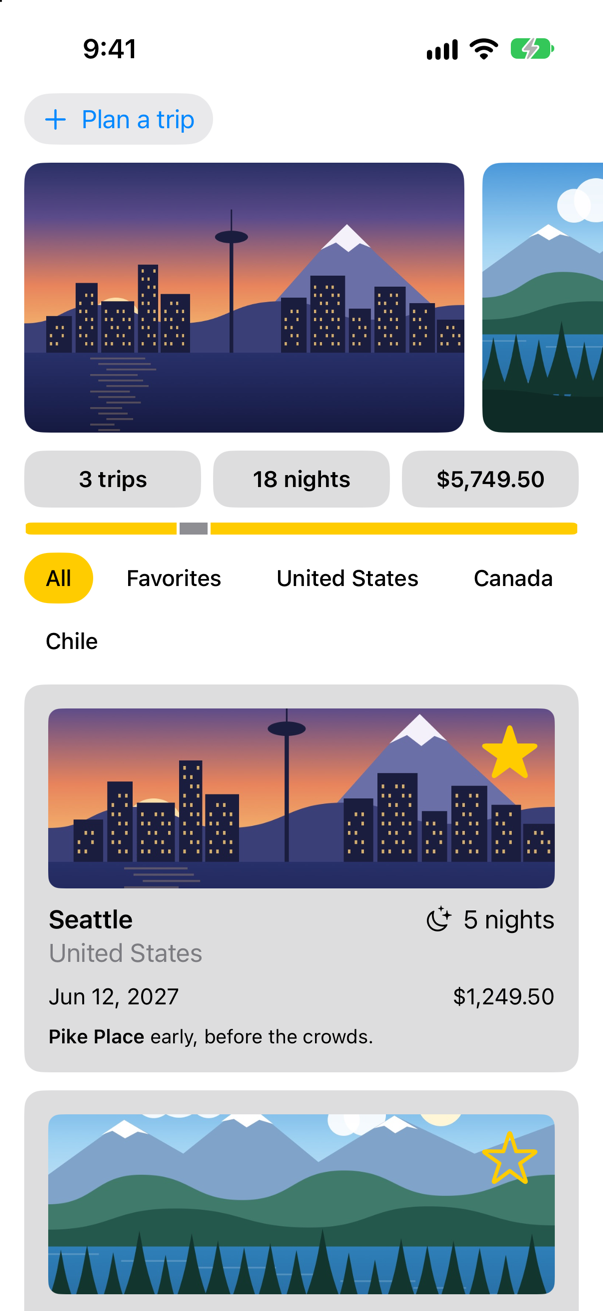
Trips, as it stood at the end of lesson 19Screenshot · iPhone 17, iOS 27.0
Details that open
A card shows a trip's start and its price. Let it open to show more: the day the trip ends, and what a night costs. The trip facts from lesson 11 can show exactly that, if they show the right things. In TripFacts.swift, replace the struct:
struct TripFacts: View { let trip: Trip var body: some View { Grid(alignment: .leading, horizontalSpacing: 12, verticalSpacing: 8) { GridRow { Text("Country") Text("Leaves") .foregroundStyle(.secondary) .gridColumnAlignment(.trailing) Text(trip.country) Text(trip.start, format: .dateTime.weekday(.wide).day().month(.wide)) } GridRow { Text("Starts") Text("Returns") .foregroundStyle(.secondary) Text(trip.start, format: .dateTime.weekday(.wide).day().month(.wide).year()) Text(returns, format: .dateTime.weekday(.wide).day().month(.wide)) } GridRow { Text("Stay") Text("A night") .foregroundStyle(.secondary) Text("^[\(trip.nights) night](inflect: true)") } GridRow { Text("Price") .foregroundStyle(.secondary) Text(trip.price, format: .currency(code: "USD")) Text(trip.price / Decimal(trip.nights), format: .currency(code: "USD")) } } } /// The day the trip ends: its start, plus its nights. private var returns: Date { Calendar.current.date(byAdding: .day, value: trip.nights, to: trip.start) ?? trip.start }}struct TripFacts: View {
let trip: Trip
var body: some View {
Grid(alignment: .leading, horizontalSpacing: 12, verticalSpacing: 8) {
GridRow {
Text("Leaves")
.foregroundStyle(.secondary)
.gridColumnAlignment(.trailing)
Text(trip.start, format: .dateTime.weekday(.wide).day().month(.wide))
}
GridRow {
Text("Returns")
.foregroundStyle(.secondary)
Text(returns, format: .dateTime.weekday(.wide).day().month(.wide))
}
GridRow {
Text("A night")
.foregroundStyle(.secondary)
Text(trip.price / Decimal(trip.nights), format: .currency(code: "USD"))
}
}
}
/// The day the trip ends: its start, plus its nights.
private var returns: Date {
Calendar.current.date(byAdding: .day, value: trip.nights, to: trip.start) ?? trip.start
}
}Whether a card is open belongs to that card and to nothing else, so it is @State in TripCard. In TripCard.swift, two additions: the state, showsFacts, and, below the notes, a button that flips it and the facts it shows:
struct TripCard: View { @Binding var trip: Trip @State private var showsFacts = false var body: some View { VStack(alignment: .leading, spacing: 10) { Image(trip.imageName) .resizable() .scaledToFill() .frame(height: 120) .clipShape(RoundedRectangle(cornerRadius: 8)) .contentShape(Rectangle()) .overlay(alignment: .topTrailing) { FavoriteButton(isFavorite: $trip.isFavorite) .accessibilityLabel("Favorite \(trip.city)") .padding(8) } ViewThatFits(in: .horizontal) { HStack(alignment: .firstTextBaseline) { title Spacer() nights } VStack(alignment: .leading, spacing: 4) { title nights } } ViewThatFits(in: .horizontal) { HStack { start Spacer() price } VStack(alignment: .leading, spacing: 4) { start price } } .font(.subheadline) Text(trip.formattedNotes) .font(.footnote) Button(showsFacts ? "Hide the details" : "Show the details", systemImage: showsFacts ? "chevron.up" : "chevron.down") { showsFacts.toggle() } .font(.footnote.weight(.semibold)) .accessibilityLabel(showsFacts ? "Hide the details of \(trip.city)" : "Show the details of \(trip.city)") if showsFacts { TripFacts(trip: trip) .font(.subheadline) } } .padding() .background(.quaternary, in: RoundedRectangle(cornerRadius: 12)) .padding(.horizontal) } private var title: some View { VStack(alignment: .leading, spacing: 2) { Text(trip.city) .font(.headline) Text(trip.country) .foregroundStyle(.secondary) } } private var nights: some View { Label("^[\(trip.nights) night](inflect: true)", systemImage: "moon.stars") } private var start: some View { Text(trip.start, format: .dateTime.day().month().year()) } private var price: some View { Text(trip.price, format: .currency(code: "USD")) }}struct TripCard: View {
@Binding var trip: Trip
@State private var showsFacts = false
var body: some View {
VStack(alignment: .leading, spacing: 10) {
Image(trip.imageName)
.resizable()
.scaledToFill()
.frame(height: 120)
.clipShape(RoundedRectangle(cornerRadius: 8))
.contentShape(Rectangle())
.overlay(alignment: .topTrailing) {
FavoriteButton(isFavorite: $trip.isFavorite)
.accessibilityLabel("Favorite \(trip.city)")
.padding(8)
}
ViewThatFits(in: .horizontal) {
HStack(alignment: .firstTextBaseline) {
title
Spacer()
nights
}
VStack(alignment: .leading, spacing: 4) {
title
nights
}
}
ViewThatFits(in: .horizontal) {
HStack {
start
Spacer()
price
}
VStack(alignment: .leading, spacing: 4) {
start
price
}
}
.font(.subheadline)
Text(trip.formattedNotes)
.font(.footnote)
Button(showsFacts ? "Hide the details" : "Show the details", systemImage: showsFacts ? "chevron.up" : "chevron.down") {
showsFacts.toggle()
}
.font(.footnote.weight(.semibold))
.accessibilityLabel(showsFacts ? "Hide the details of \(trip.city)" : "Show the details of \(trip.city)")
if showsFacts {
TripFacts(trip: trip)
.font(.subheadline)
}
}
.padding()
.background(.quaternary, in: RoundedRectangle(cornerRadius: 12))
.padding(.horizontal)
}
private var title: some View {
VStack(alignment: .leading, spacing: 2) {
Text(trip.city)
.font(.headline)
Text(trip.country)
.foregroundStyle(.secondary)
}
}
private var nights: some View {
Label("^[\(trip.nights) night](inflect: true)", systemImage: "moon.stars")
}
private var start: some View {
Text(trip.start, format: .dateTime.day().month().year())
}
private var price: some View {
Text(trip.price, format: .currency(code: "USD"))
}
}The accessibilityLabel names the trip, as the star's did on lesson 18, so that VoiceOver — and the taps on this page — can tell one card's button from another's.
Run the app, and open Vancouver's details:
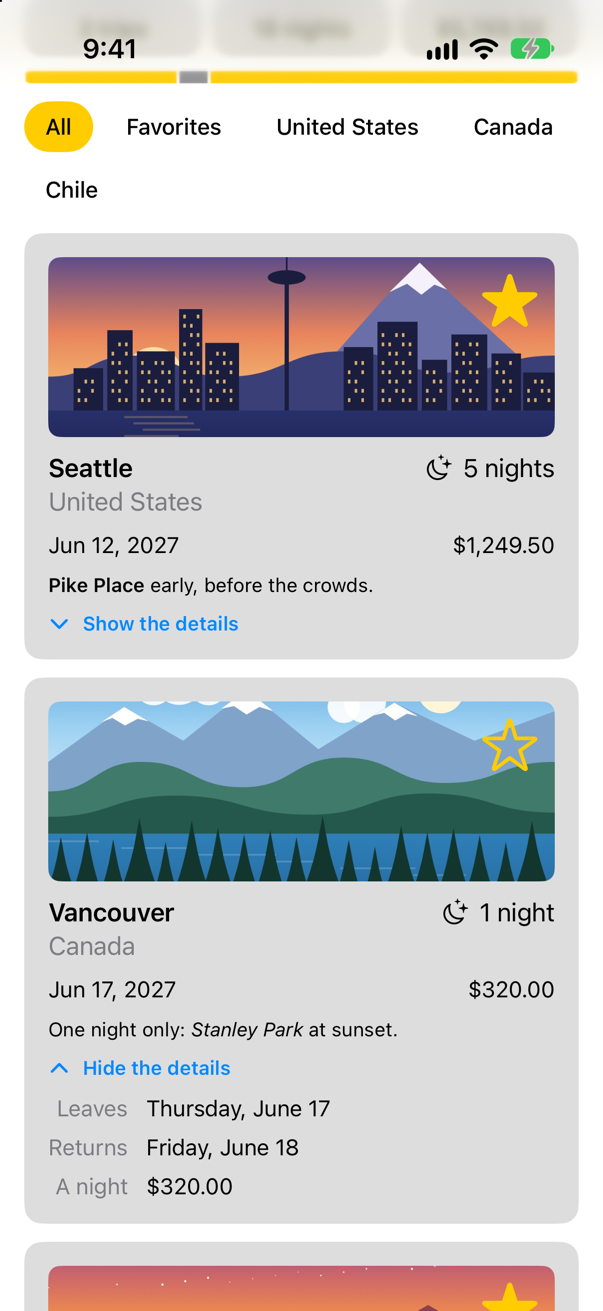
Each card has a showsFacts of its own. Nothing new so far; what is worth noticing is that it stays the card's. Tap Vancouver's star:
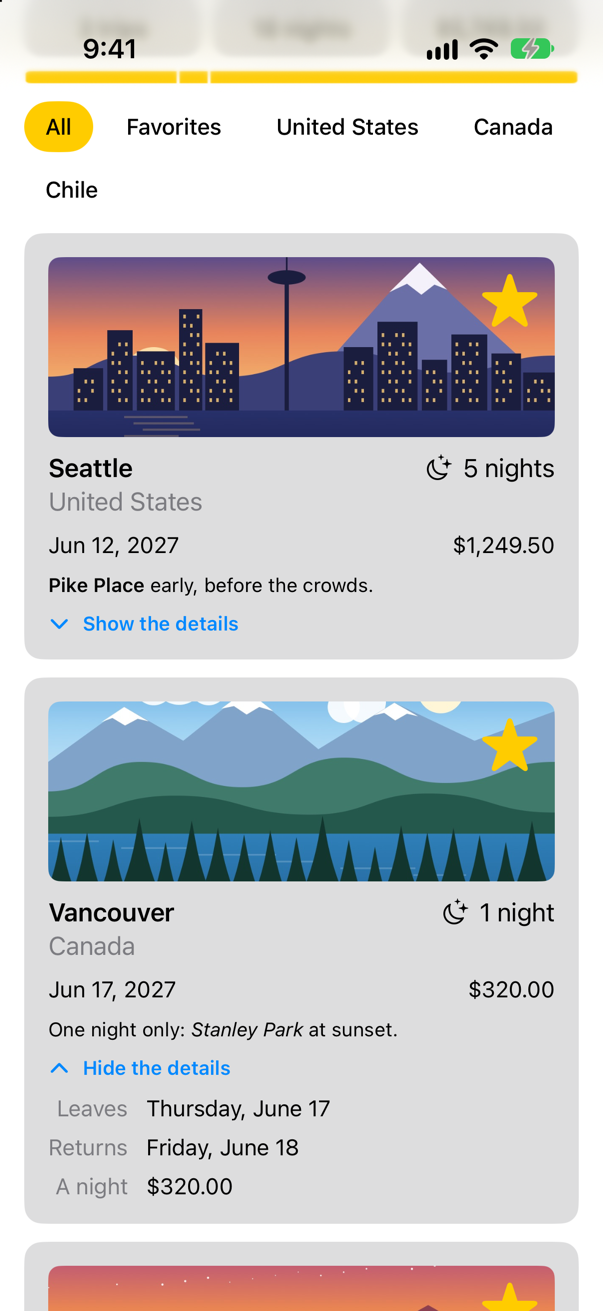
The star changed the store. ContentView reads the store in its body, so its body ran again, and made a new TripCard value for every trip — each one declaring showsFacts = false. Vancouver stayed open all the same. SwiftUI kept the card's storage and handed it to the new value, because it decided that the new TripCard for Vancouver was the same view as the old one. How it decides is this lesson's subject.
Sorting, and who stays open
Add a way to reorder the trips. A Menu is a button that opens a short list of choices; each choice sorts the store's array. In ContentView.swift, a row above the cards:
struct ContentView: View { @Environment(TripStore.self) private var store @State private var filter = TripFilter.all var body: some View { @Bindable var store = store ScrollView { LazyVStack(spacing: 12) { TripPlanner() .environment(\.highlight, .mint) PhotoStrip(trips: store.trips) TripSummary(trips: store.trips) FilterBar(filters: filters, selection: $filter) .frame(maxWidth: .infinity, alignment: .leading) .padding(.horizontal) HStack { Menu("Sort", systemImage: "arrow.up.arrow.down") { Button("By date") { store.trips.sort { $0.start < $1.start } } Button("By price") { store.trips.sort { $0.price < $1.price } } } Spacer() } .padding(.horizontal) LazyVGrid(columns: [GridItem(.adaptive(minimum: 300))], spacing: 12) { ForEach($store.trips) { $trip in if filter.includes(trip) { TripCard(trip: $trip) } } } } } } /// All, Favorites, and then a filter for each country that has a trip. private var filters: [TripFilter] { var countries: [String] = [] for trip in store.trips where !countries.contains(trip.country) { countries.append(trip.country) } return [.all, .favorites] + countries.map { TripFilter.country($0) } }}struct ContentView: View {
@Environment(TripStore.self) private var store
@State private var filter = TripFilter.all
var body: some View {
@Bindable var store = store
ScrollView {
LazyVStack(spacing: 12) {
TripPlanner()
.environment(\.highlight, .mint)
PhotoStrip(trips: store.trips)
TripSummary(trips: store.trips)
FilterBar(filters: filters, selection: $filter)
.frame(maxWidth: .infinity, alignment: .leading)
.padding(.horizontal)
HStack {
Menu("Sort", systemImage: "arrow.up.arrow.down") {
Button("By date") { store.trips.sort { $0.start < $1.start } }
Button("By price") { store.trips.sort { $0.price < $1.price } }
}
Spacer()
}
.padding(.horizontal)
LazyVGrid(columns: [GridItem(.adaptive(minimum: 300))], spacing: 12) {
ForEach($store.trips) { $trip in
if filter.includes(trip) {
TripCard(trip: $trip)
}
}
}
}
}
}
/// All, Favorites, and then a filter for each country that has a trip.
private var filters: [TripFilter] {
var countries: [String] = []
for trip in store.trips where !countries.contains(trip.country) {
countries.append(trip.country)
}
return [.all, .favorites] + countries.map { TripFilter.country($0) }
}
}Run the app. Open Vancouver's details, then choose Sort ▸ By price:
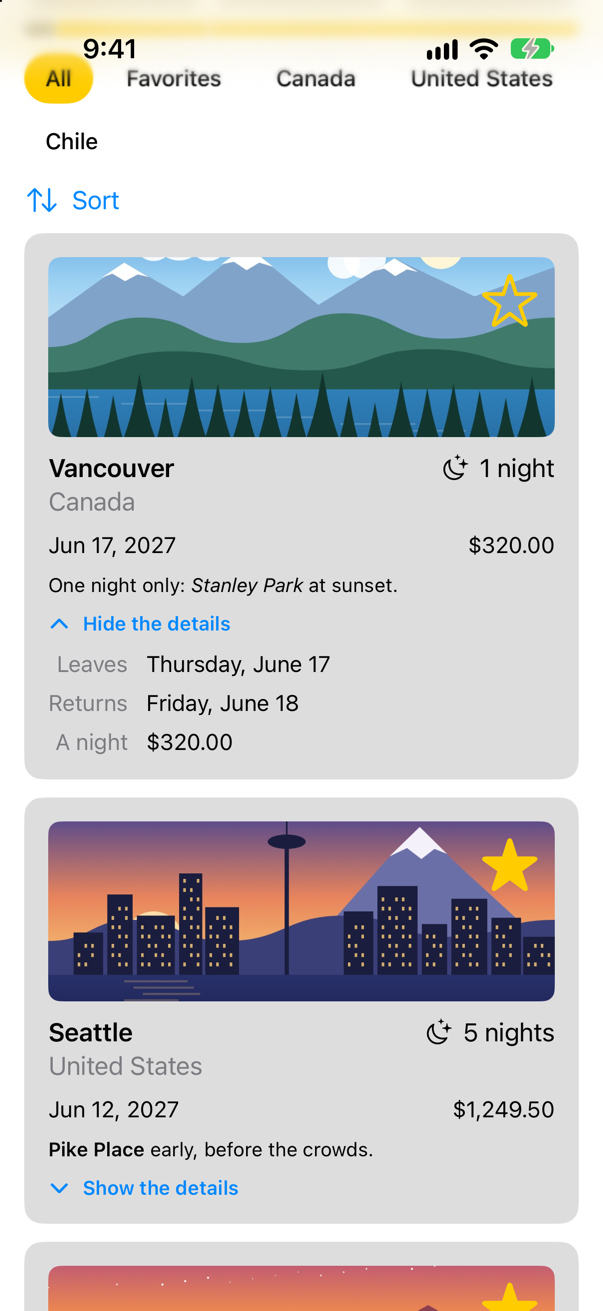
Vancouver, the cheapest, moved to the top — and its details are still open. The open card moved with its trip. That is ForEach at work: given $store.trips, it knows each card by its trip's id, because Trip is Identifiable. After the sort the trip with id 2 is first, so the card with id 2 — state and all — is first. WWDC21 calls this explicit identity: "using custom or data-driven identifiers".
The same list, by position
To see why that matters, take the ids away for a moment. A common way to get a binding to each element, in code written before ForEach($array) existed, is to go through the array's indices: ForEach(store.trips.indices, id: \.self) { index in … }, and $store.trips[index] for the binding. In ContentView.swift, only the ForEach and what is inside it change:
struct ContentView: View { @Environment(TripStore.self) private var store @State private var filter = TripFilter.all var body: some View { @Bindable var store = store ScrollView { LazyVStack(spacing: 12) { TripPlanner() .environment(\.highlight, .mint) PhotoStrip(trips: store.trips) TripSummary(trips: store.trips) FilterBar(filters: filters, selection: $filter) .frame(maxWidth: .infinity, alignment: .leading) .padding(.horizontal) HStack { Menu("Sort", systemImage: "arrow.up.arrow.down") { Button("By date") { store.trips.sort { $0.start < $1.start } } Button("By price") { store.trips.sort { $0.price < $1.price } } } Spacer() } .padding(.horizontal) LazyVGrid(columns: [GridItem(.adaptive(minimum: 300))], spacing: 12) { ForEach($store.trips) { $trip in if filter.includes(trip) { TripCard(trip: $trip) ForEach(store.trips.indices, id: \.self) { index in if filter.includes(store.trips[index]) { TripCard(trip: $store.trips[index]) } } } } } } /// All, Favorites, and then a filter for each country that has a trip. private var filters: [TripFilter] { var countries: [String] = [] for trip in store.trips where !countries.contains(trip.country) { countries.append(trip.country) } return [.all, .favorites] + countries.map { TripFilter.country($0) } }}struct ContentView: View {
@Environment(TripStore.self) private var store
@State private var filter = TripFilter.all
var body: some View {
@Bindable var store = store
ScrollView {
LazyVStack(spacing: 12) {
TripPlanner()
.environment(\.highlight, .mint)
PhotoStrip(trips: store.trips)
TripSummary(trips: store.trips)
FilterBar(filters: filters, selection: $filter)
.frame(maxWidth: .infinity, alignment: .leading)
.padding(.horizontal)
HStack {
Menu("Sort", systemImage: "arrow.up.arrow.down") {
Button("By date") { store.trips.sort { $0.start < $1.start } }
Button("By price") { store.trips.sort { $0.price < $1.price } }
}
Spacer()
}
.padding(.horizontal)
LazyVGrid(columns: [GridItem(.adaptive(minimum: 300))], spacing: 12) {
ForEach(store.trips.indices, id: \.self) { index in
if filter.includes(store.trips[index]) {
TripCard(trip: $store.trips[index])
}
}
}
}
}
}
/// All, Favorites, and then a filter for each country that has a trip.
private var filters: [TripFilter] {
var countries: [String] = []
for trip in store.trips where !countries.contains(trip.country) {
countries.append(trip.country)
}
return [.all, .favorites] + countries.map { TripFilter.country($0) }
}
}Run the app, and make the same two choices — open Vancouver, then sort by price:
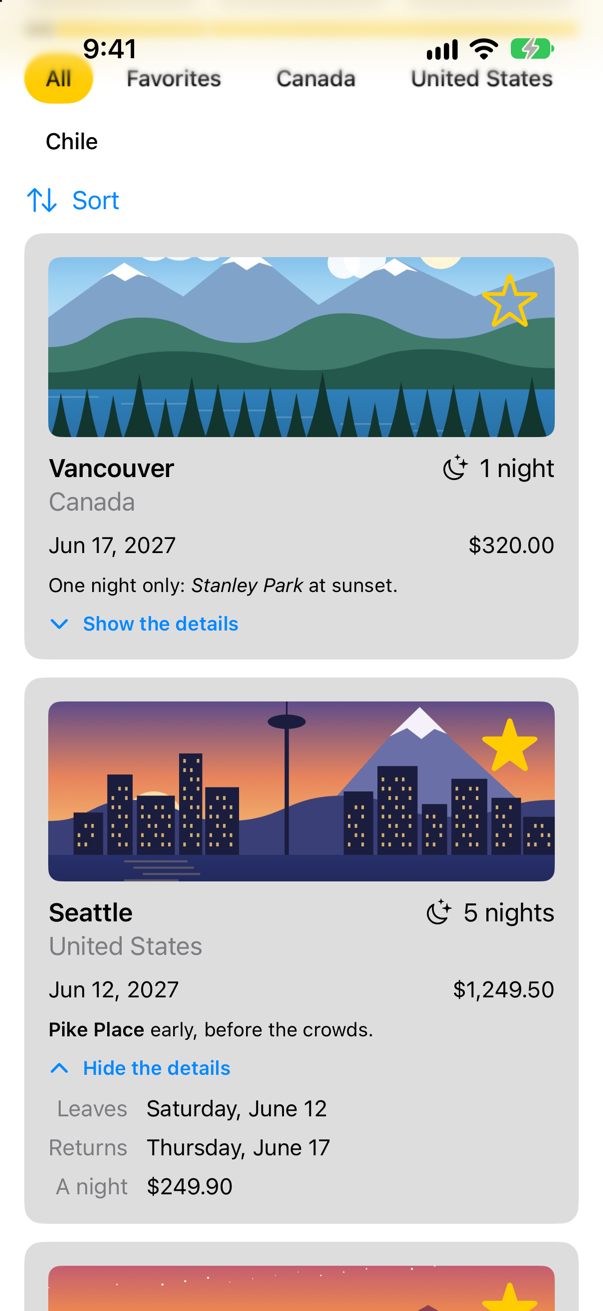
Now the second card is open, and the second card is Seattle. Nobody opened Seattle. With id: \.self on the indices, a card is known by its position: the card at position 1 was open, the sort put Seattle at position 1, and so Seattle got position 1's state. WWDC21: "indices are not a stable form of identity". With details, that is a nuisance; with a text field, a half-typed note would move to another trip.
Put the ForEach back as it was — by the trips themselves:
struct ContentView: View { @Environment(TripStore.self) private var store @State private var filter = TripFilter.all var body: some View { @Bindable var store = store ScrollView { LazyVStack(spacing: 12) { TripPlanner() .environment(\.highlight, .mint) PhotoStrip(trips: store.trips) TripSummary(trips: store.trips) FilterBar(filters: filters, selection: $filter) .frame(maxWidth: .infinity, alignment: .leading) .padding(.horizontal) HStack { Menu("Sort", systemImage: "arrow.up.arrow.down") { Button("By date") { store.trips.sort { $0.start < $1.start } } Button("By price") { store.trips.sort { $0.price < $1.price } } } Spacer() } .padding(.horizontal) LazyVGrid(columns: [GridItem(.adaptive(minimum: 300))], spacing: 12) { ForEach(store.trips.indices, id: \.self) { index in if filter.includes(store.trips[index]) { TripCard(trip: $store.trips[index]) ForEach($store.trips) { $trip in if filter.includes(trip) { TripCard(trip: $trip) } } } } } } /// All, Favorites, and then a filter for each country that has a trip. private var filters: [TripFilter] { var countries: [String] = [] for trip in store.trips where !countries.contains(trip.country) { countries.append(trip.country) } return [.all, .favorites] + countries.map { TripFilter.country($0) } }}struct ContentView: View {
@Environment(TripStore.self) private var store
@State private var filter = TripFilter.all
var body: some View {
@Bindable var store = store
ScrollView {
LazyVStack(spacing: 12) {
TripPlanner()
.environment(\.highlight, .mint)
PhotoStrip(trips: store.trips)
TripSummary(trips: store.trips)
FilterBar(filters: filters, selection: $filter)
.frame(maxWidth: .infinity, alignment: .leading)
.padding(.horizontal)
HStack {
Menu("Sort", systemImage: "arrow.up.arrow.down") {
Button("By date") { store.trips.sort { $0.start < $1.start } }
Button("By price") { store.trips.sort { $0.price < $1.price } }
}
Spacer()
}
.padding(.horizontal)
LazyVGrid(columns: [GridItem(.adaptive(minimum: 300))], spacing: 12) {
ForEach($store.trips) { $trip in
if filter.includes(trip) {
TripCard(trip: $trip)
}
}
}
}
}
}
/// All, Favorites, and then a filter for each country that has a trip.
private var filters: [TripFilter] {
var countries: [String] = []
for trip in store.trips where !countries.contains(trip.country) {
countries.append(trip.country)
}
return [.all, .favorites] + countries.map { TripFilter.country($0) }
}
}How long a card lives
Identity also decides how long a view lives, and its state lives exactly as long. Try it with the filter.
Run the app. Open Vancouver's details, tap Favorites — Vancouver is not a favorite, so its card goes — then tap All:
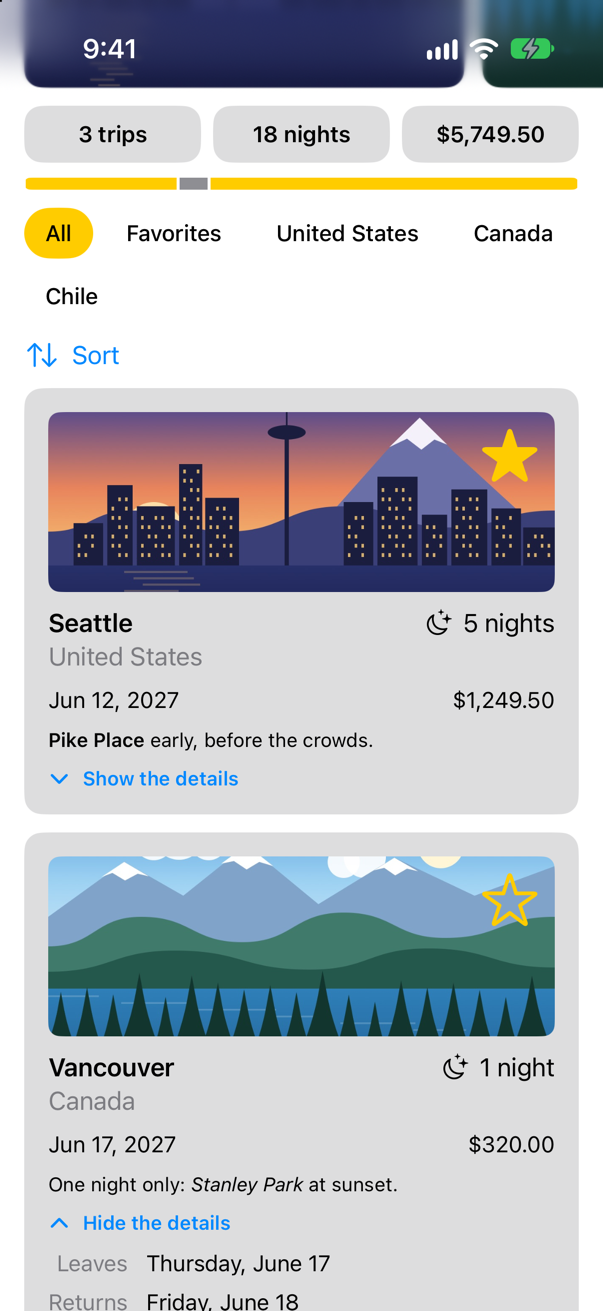
Vancouver came back open. That is worth a second look, because the card really did go: while the filter was on Favorites, filter.includes(trip) was false and the if inside the ForEach produced nothing for Vancouver. What brought its state back is the grid. A LazyVGrid, like a LazyVStack, keeps the state of the views it has made, by their ids, for a while after they leave: Vancouver's card came back with Vancouver's id, and the grid handed it its old state. Lesson 9 measured where that memory ends — a row scrolled far enough away comes back with nothing. In a plain VStack the same card comes back closed at once; one of this lesson's edge cases runs both.
@State last when you scroll?Apple doesn't say. Its documentation says when a lazy stack creates a row, but not when it lets one go, so what follows is what was measured on iOS 27, not a promise.
There's no fixed number of rows. With a finger, a row lost its state after about three screens of scrolling: by around row 65 with short rows, or row 30 with tall ones. Scrolled slowly in code, it was lost after about two.
Always keep important state outside the row, in the store, or in the parent, keyed by the row's id. State that's only nice to keep, like a details drawer being open, is fine in @State. A short list can use a plain VStack, which keeps each row's state for as long as the row stays in the stack. A List is no safer than a lazy stack: it lost the state sooner.
Where this comes from: Managing user interface state · LazyVStack · Creating performant scrollable stacks
For a lifetime that certainly ends, look inside a view instead of at a lazy container's rows. The planner shows a card for the trip being planned, inside its own if isOpen:
Run the app. Tap Plan a trip, open the details of the card it shows, then close the planner and open it again:
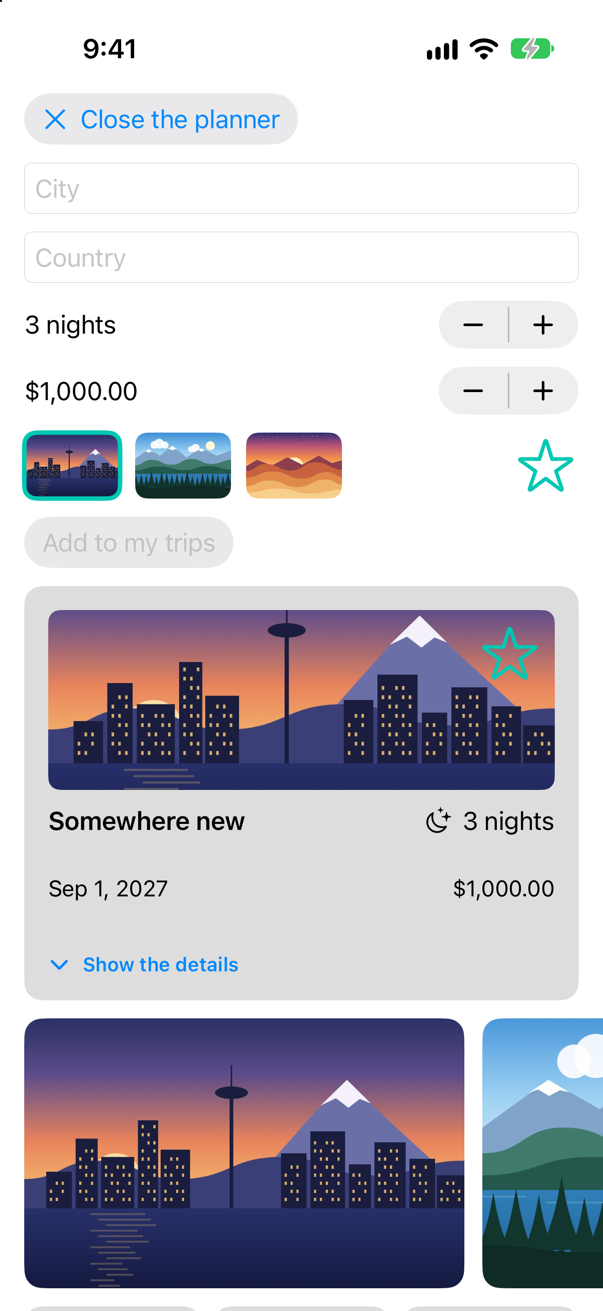
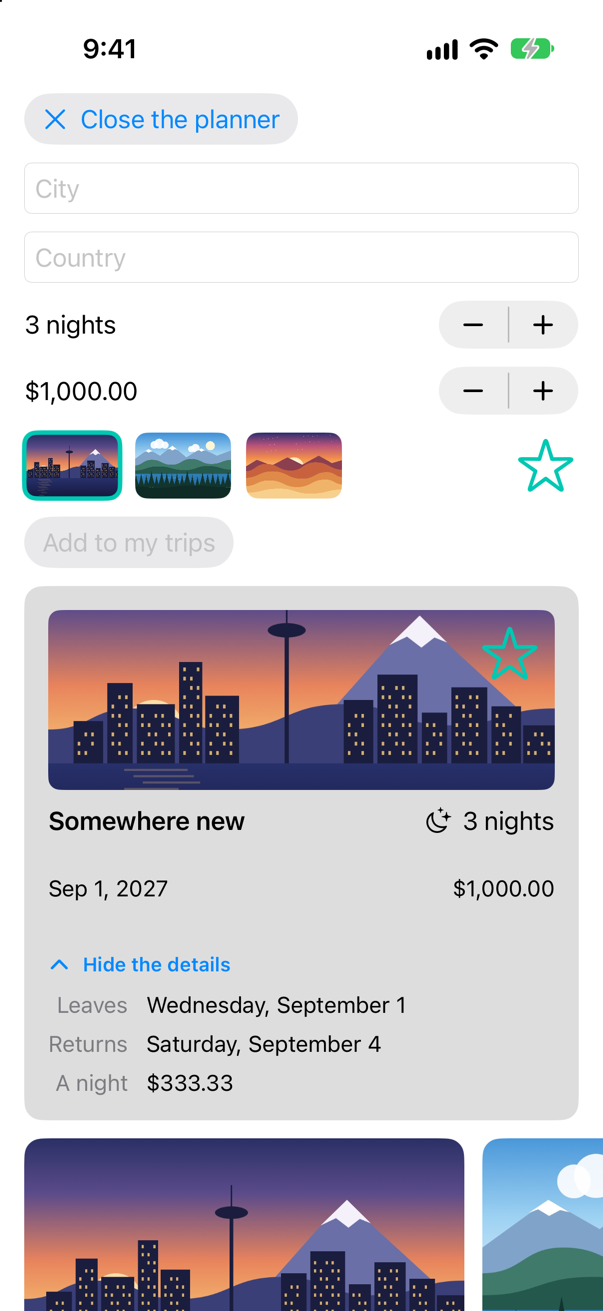
The card in the planner came back closed. When isOpen became false, that card left the tree; when it became true again, the if made a new card, whose showsFacts started from false. WWDC21's "Demystify SwiftUI": "the persistence of your state is tied to the lifetime of your views." Usually that is what you want — a card that has gone should not hold on to anything — and when it is not, the state belongs further up, in a view that stays. The planner keeps its draft in TripPlanner for exactly that reason (lesson 17), which is why the city you typed survives closing the planner while the card's details do not.
A new card on purpose
Identity can also be given — and changed — on purpose, with .id(_:). A view whose id changes is, to SwiftUI, a different view: the old one ends, and a new one starts from scratch. That is exactly what a "Close all" button needs. Give the grid an id that the button changes. In ContentView.swift: a counter, closings; the button, beside the Sort menu; and .id(closings) on the grid:
struct ContentView: View { @Environment(TripStore.self) private var store @State private var filter = TripFilter.all @State private var closings = 0 var body: some View { @Bindable var store = store ScrollView { LazyVStack(spacing: 12) { TripPlanner() .environment(\.highlight, .mint) PhotoStrip(trips: store.trips) TripSummary(trips: store.trips) FilterBar(filters: filters, selection: $filter) .frame(maxWidth: .infinity, alignment: .leading) .padding(.horizontal) HStack { Menu("Sort", systemImage: "arrow.up.arrow.down") { Button("By date") { store.trips.sort { $0.start < $1.start } } Button("By price") { store.trips.sort { $0.price < $1.price } } } Spacer() Button("Close all", systemImage: "chevron.up") { closings += 1 } } .padding(.horizontal) LazyVGrid(columns: [GridItem(.adaptive(minimum: 300))], spacing: 12) { ForEach($store.trips) { $trip in if filter.includes(trip) { TripCard(trip: $trip) } } } .id(closings) } } } /// All, Favorites, and then a filter for each country that has a trip. private var filters: [TripFilter] { var countries: [String] = [] for trip in store.trips where !countries.contains(trip.country) { countries.append(trip.country) } return [.all, .favorites] + countries.map { TripFilter.country($0) } }}struct ContentView: View {
@Environment(TripStore.self) private var store
@State private var filter = TripFilter.all
@State private var closings = 0
var body: some View {
@Bindable var store = store
ScrollView {
LazyVStack(spacing: 12) {
TripPlanner()
.environment(\.highlight, .mint)
PhotoStrip(trips: store.trips)
TripSummary(trips: store.trips)
FilterBar(filters: filters, selection: $filter)
.frame(maxWidth: .infinity, alignment: .leading)
.padding(.horizontal)
HStack {
Menu("Sort", systemImage: "arrow.up.arrow.down") {
Button("By date") { store.trips.sort { $0.start < $1.start } }
Button("By price") { store.trips.sort { $0.price < $1.price } }
}
Spacer()
Button("Close all", systemImage: "chevron.up") { closings += 1 }
}
.padding(.horizontal)
LazyVGrid(columns: [GridItem(.adaptive(minimum: 300))], spacing: 12) {
ForEach($store.trips) { $trip in
if filter.includes(trip) {
TripCard(trip: $trip)
}
}
}
.id(closings)
}
}
}
/// All, Favorites, and then a filter for each country that has a trip.
private var filters: [TripFilter] {
var countries: [String] = []
for trip in store.trips where !countries.contains(trip.country) {
countries.append(trip.country)
}
return [.all, .favorites] + countries.map { TripFilter.country($0) }
}
}Run the app. Open Seattle's details and Vancouver's:
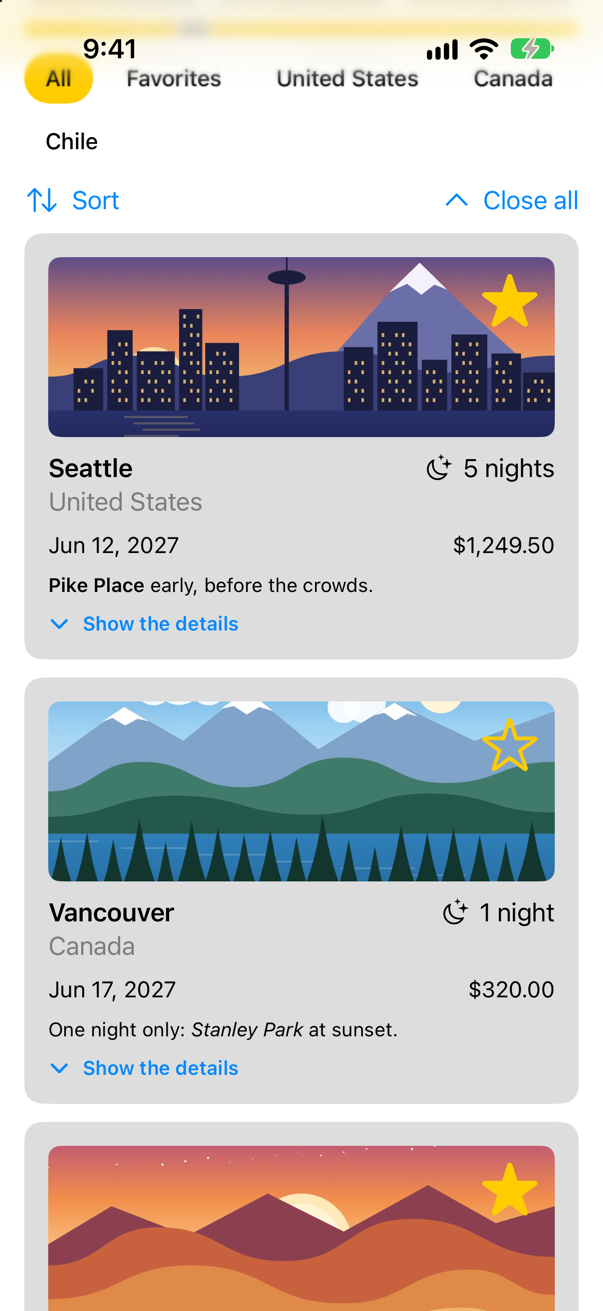
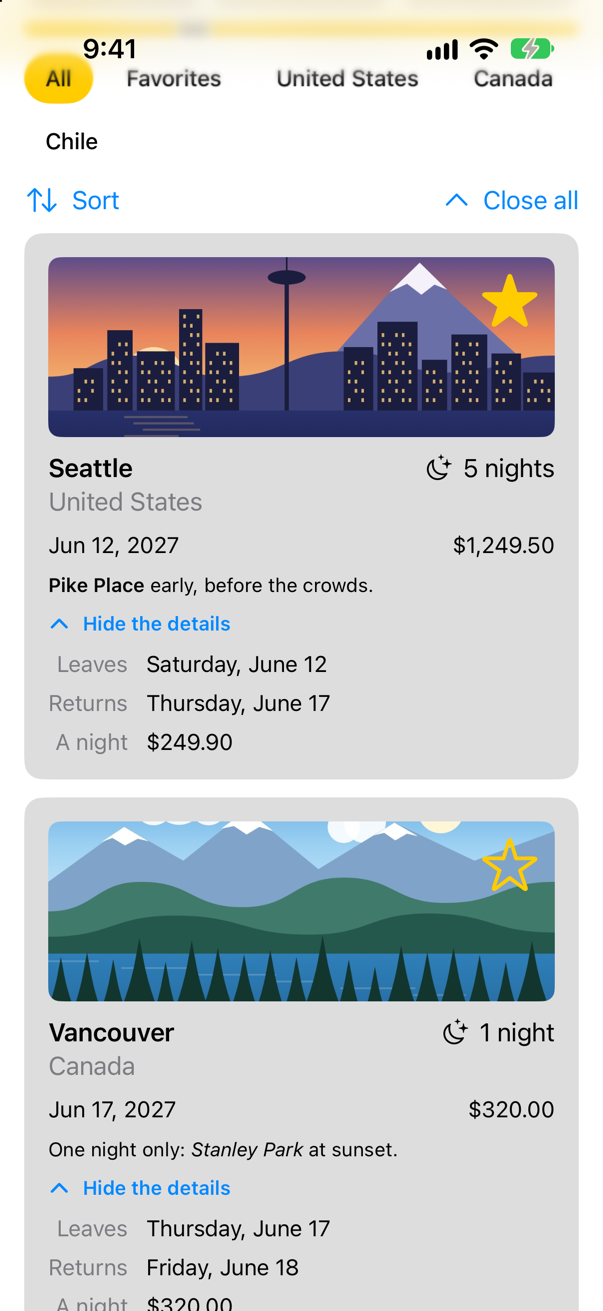
Then tap Close all: the picture at the top of this step. One line of state, no loop over the cards, and no showsFacts moved out of TripCard to make it reachable. A new id for the grid means a new grid, with new cards inside it, and each new card starts closed.
Use .id for this deliberately and sparingly. Everything inside the view is made again — every card, every picture — so it is the right tool for "start this part of the screen over", and the wrong one for anything that happens often. Lesson 17's edge case used it the same way: .id(nights) to start a child's state over when its input changed.
What you built
- Cards that open to show when a trip ends and what a night costs: state that belongs to each card.
- A Sort menu, and the proof that an open card moves with its trip — and, by position, does not.
- A Close all button, made with
.id: a new identity, and so new cards.
Guide: Inside the Attribute Graph — SwiftUI's graph read out of a running app: a view's nodes, how a write reaches body, modifiers as nodes, and a debugger stopped at every step.
Guide: how ForEach works — what it keeps, when it makes its rows and how it tells them apart, all run on the simulator — is in ForEach, in full.
Part 6 ends here. Part 7, on lists and navigation, starts with the next lesson: the trips go into a List — rows with swipe actions and sections — where the ids you met in this lesson do even more work.
The finished project
Stuck, or want to compare with your own? This is the project as it stands at the end of this lesson, built and run before it was put here.
- Trips-lesson-20.zip — unzip it, then open
Trips.xcodeprojin Xcode.
Flash cards
17 cards for this lesson, each labelled with its topic. 9 ask how you would write something; the other 8 are trick questions, written to catch a misunderstanding. Answer in your head first, then tap the card.
Syntax · IdentityA row for each trip, each row known by its trip — so that its state follows the trip when the order changes.

Make the element type Identifiable, and hand ForEach the collection. Each row is known by its element's id, so Atacama's open row went with Atacama to the bottom when the sort put it last.
Syntax · IdentityA row for each string in an array of unique strings, which have no id property.
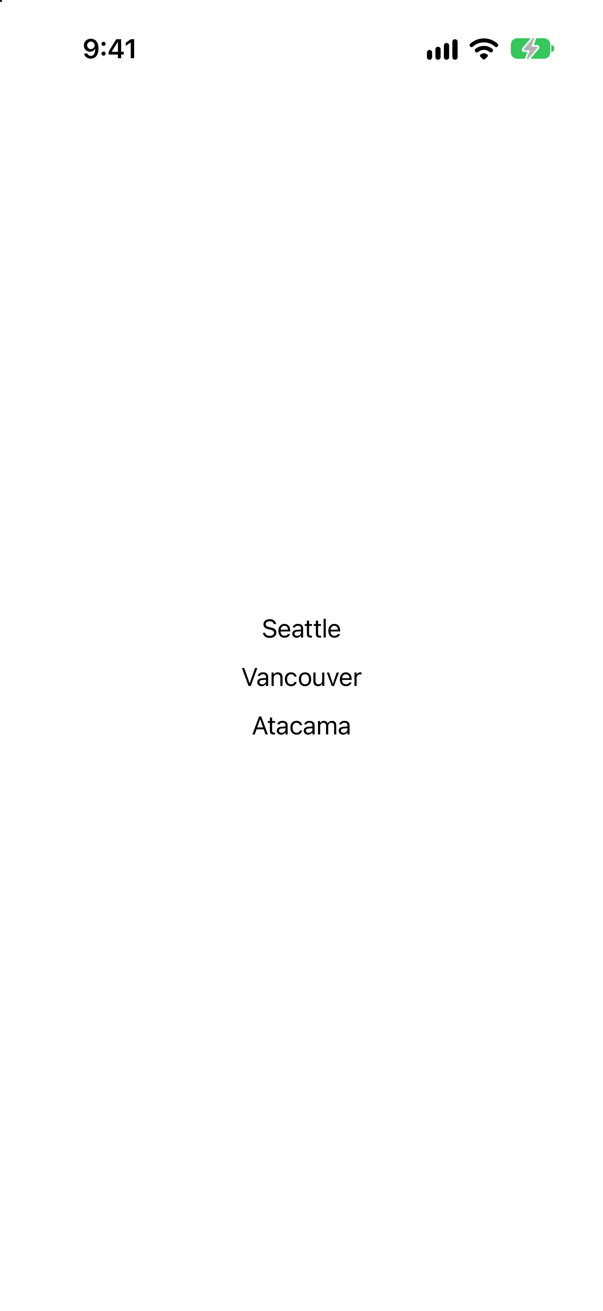
id: \.self — the value is its own identity. Safe only while the values are unique and do not change; two "Seattle"s, or a string that is being edited, break it (both are edge cases below).
Syntax · IdentityStart a view over from scratch, state and all, when you choose to.

.id(_:) with a value you change. A new id is a new view: SwiftUI ends the old one, state and all, and makes a fresh one. Two taps, then Start again: 0.
Syntax · IdentityDim a row when it is done — without making it a different view.
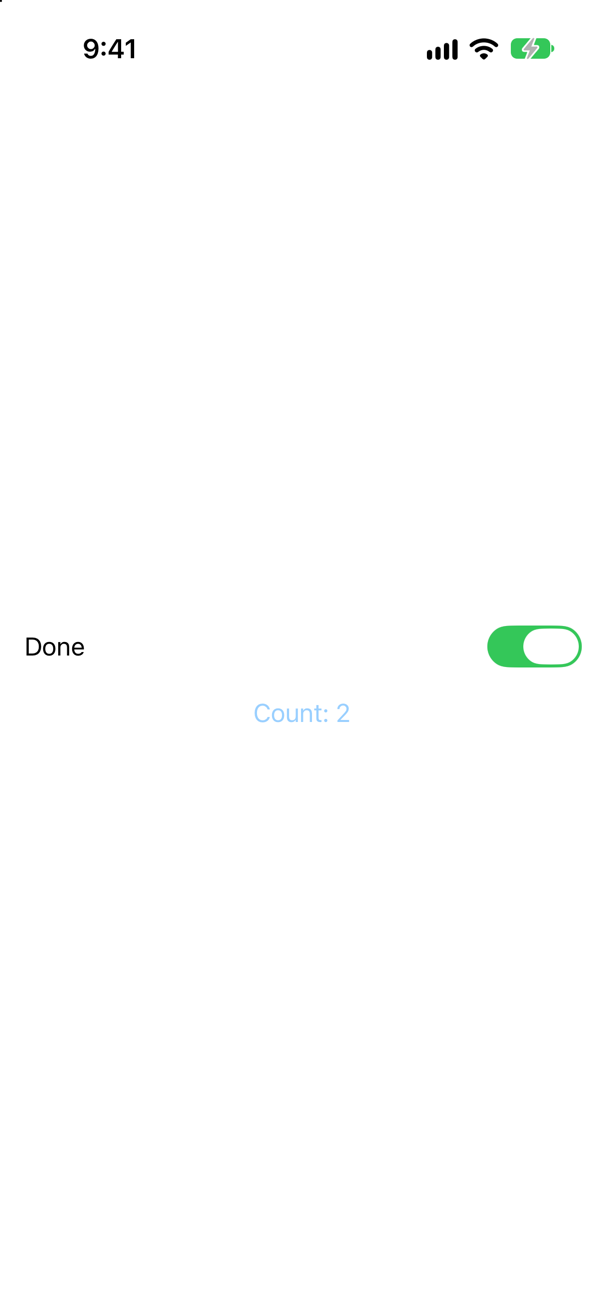
Put the condition inside the modifier, not around the view. One view, one identity: the count survived the switch, and the change can animate smoothly. WWDC21: "By default, try to preserve identity and provide more fluid transitions."
Syntax · LifetimeRun code when a view arrives on the screen, and when it leaves.

.onAppear and .onDisappear mark the two ends of a view's lifetime. The switch off and on again printed appeared, disappeared, appeared: the second Seattle is a new view.
Syntax · ControlsA button that opens a short list of actions.

Menu, with a label and buttons inside. The picture is the menu open; choosing By price set order.
Syntax · SwiftPut an array of trips in order of price, cheapest first.
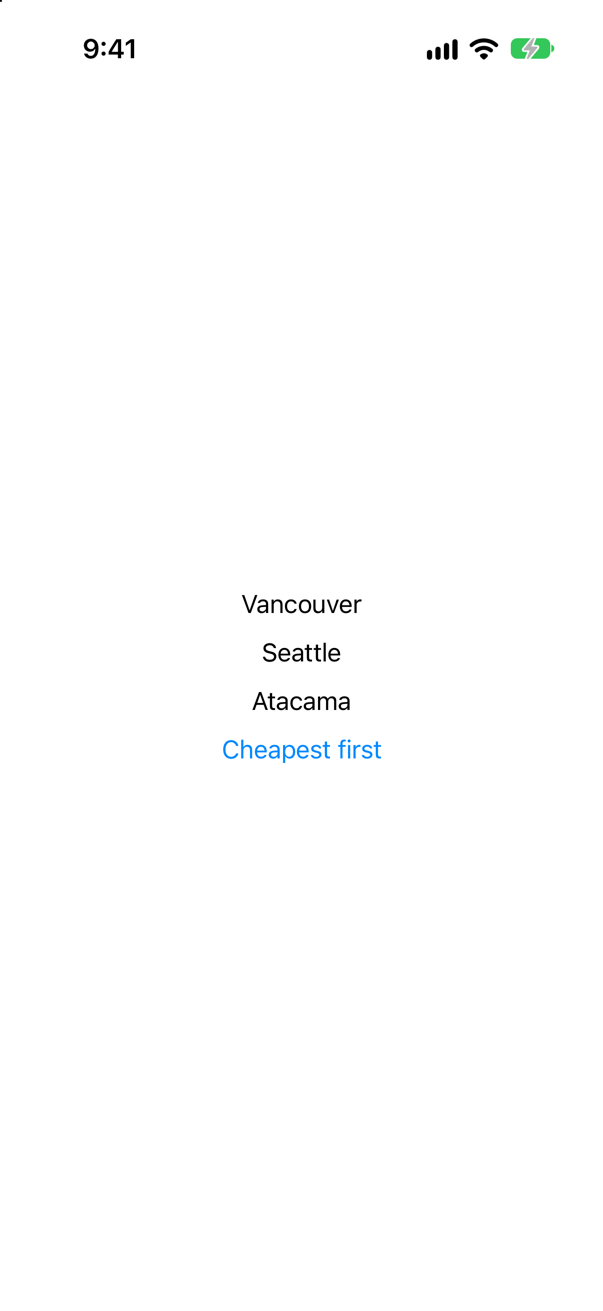
sort(by:) sorts in place; sorted(by:) returns a sorted copy. The closure answers "should the first come before the second?" After the tap: Vancouver, Seattle, Atacama.
Syntax · SwiftThe date five nights after a trip starts.

Ask the calendar: date(byAdding:value:to:). Adding 5 * 86_400 seconds is not the same thing: on a night the clocks change, a day is 23 or 25 hours long. June 12, 2027 plus five days: Thursday, June 17.
Syntax · IdentityA counter that should start again whenever the city it counts for changes.
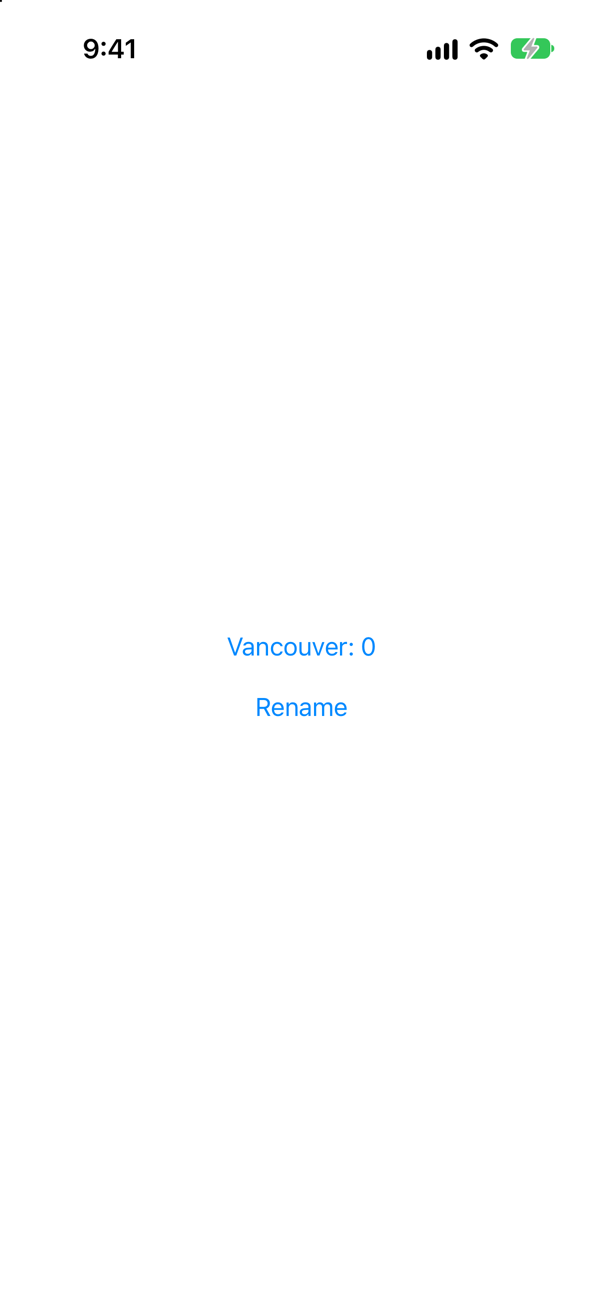
.id(title). A new title is then a new view, so the count starts over: "Vancouver: 0". Without it, a new title is only a new input, and the count stays — one of this lesson's edge cases.
Trick question · IdentityThe same Counter in both branches of an if — large in one, normal in the other. Tap it twice, then flip the switch. What does it say?
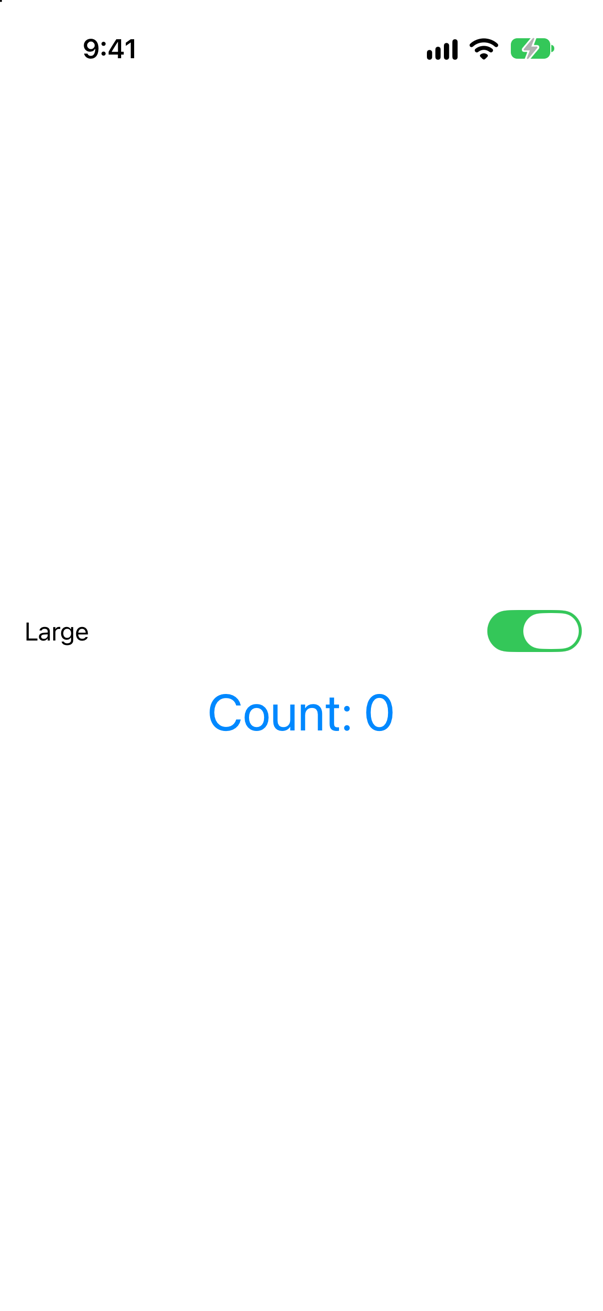
Count: 0. Two branches are two views, whatever their type: each has its own place in the code, so its own identity, and its own state. Write one Counter with .font(isLarge ? .largeTitle : .body), and the count survives.
Trick question · IdentityA handy extension, .if(isLarge) { $0.font(.largeTitle) }, applies a modifier only when a condition holds. Tap the counter twice, then flip the condition. What does it say?
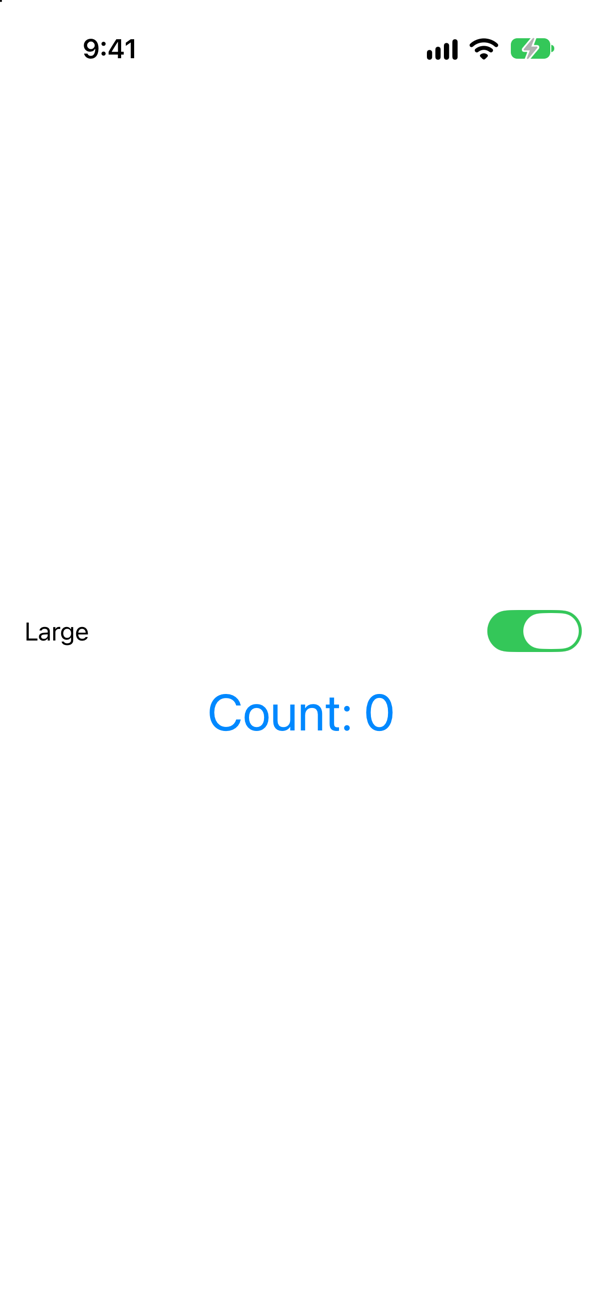
Count: 0. The extension is an if in disguise: its two branches are two views, so flipping the condition replaces the counter. WWDC21 warns about exactly this: "Note that the branch here is in a modifier."
Trick question · IdentityRows made with ForEach(trips.indices, id: \.self). You open Atacama, the first row, then sort Z to A. Which row is open?

Vancouver — now first, and never opened. Each row is known by its position; the open state stayed at position 0, and the sort put Vancouver there. With ForEach(trips), Atacama would have taken its state to the bottom.
Trick question · Identitystruct Trip: Identifiable { let id = UUID() … }, and the rows come from a computed property that builds the trips. You open Seattle, then something makes the parent redraw. Is Seattle still open?
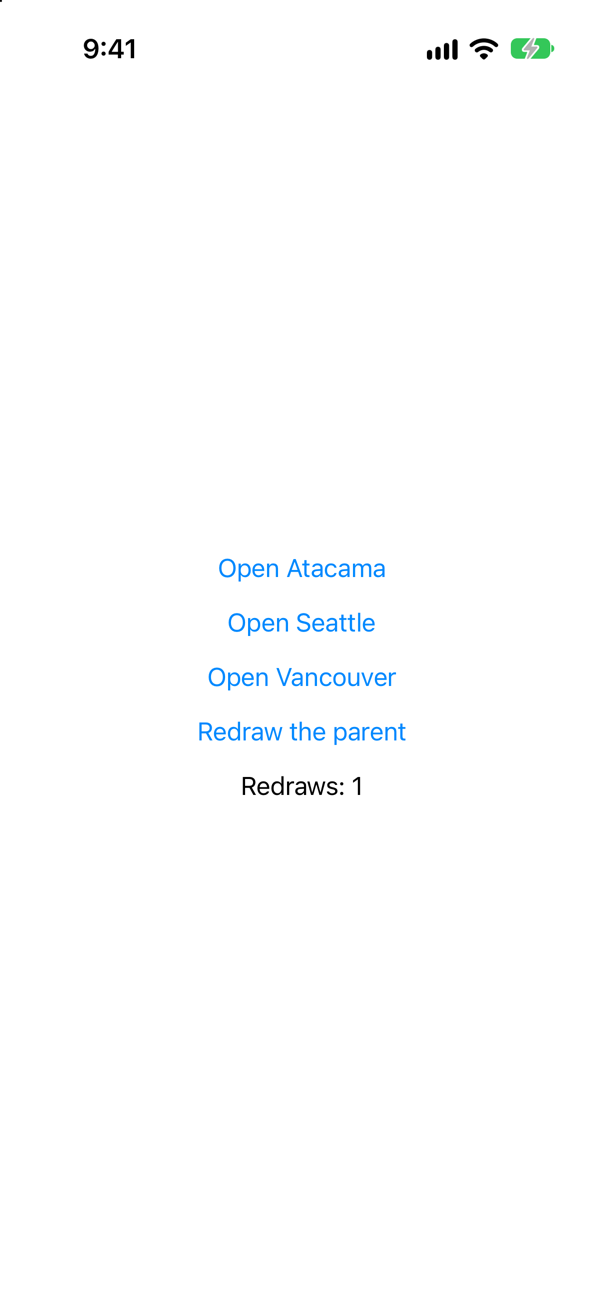
No. Every run of body builds three new trips with three new ids, so every row is a new row — its state starts over. An id must be made once, when the item is, and kept: store the items, or derive the id from something that does not change.
Trick question · IdentityA counter shows a title it is given. Tap it twice, then the parent changes the title from Seattle to Vancouver. What is the count?
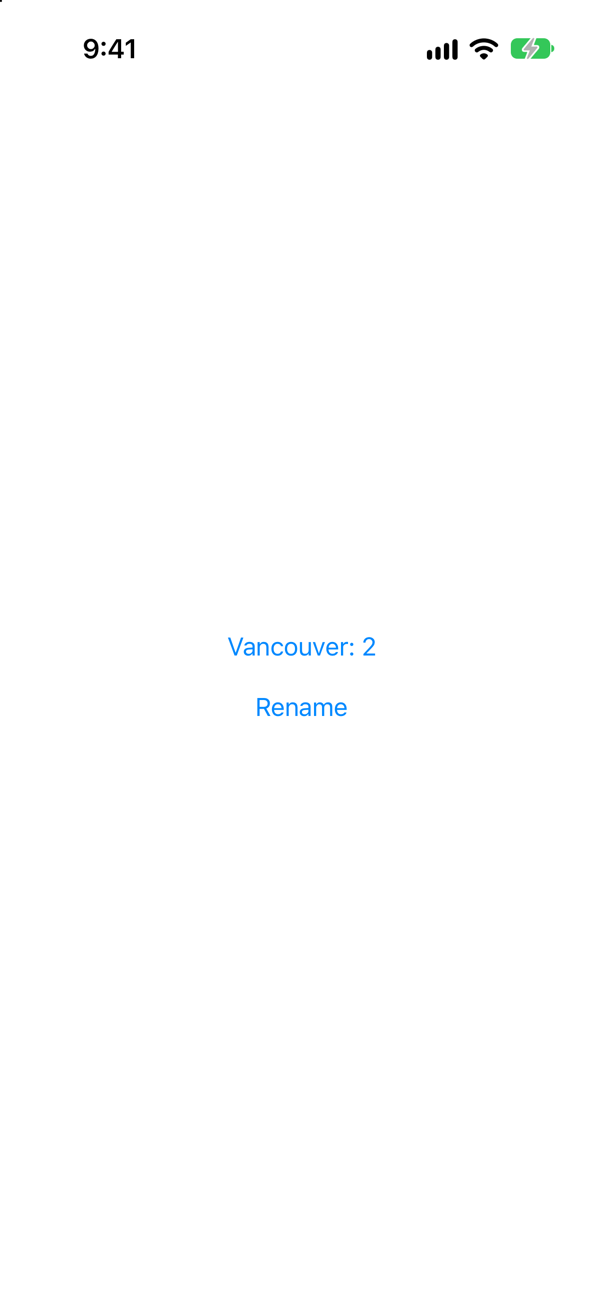
2 — now "Vancouver: 2". New inputs are not a new identity. The counter is in the same place in the code, so it is the same view, with the same state, showing the new title.
Trick question · IdentityThree trips, and by mistake two of them have id 1: Seattle, Vancouver, Atacama. What does a ForEach over them show?

Seattle, Vancouver, Seattle — Atacama never appears, and SwiftUI logs: "ForEach<Array<Trip>, Int, Text>: the ID 1 occurs multiple times within the collection, this will give undefined results!" Two items with one id are one view to SwiftUI. Ids must be unique as well as stable.
Trick question · LifetimeA counter with .id(generation) prints when it appears and when it disappears. You change generation. In what order do the two lines come?

"appeared", then "disappeared" — the new counter arrives before the old one is gone. They are two different views, and for a moment both exist. Do not rely on onDisappear having run before the next onAppear.
Trick question · IdentityForEach($names, id: \.self) with a text field for each name. You tap the first field and type "abc". What is in the field?

"Seattlea". The id is the name, so the first letter changed the row's id: a new row, a new text field, and the keyboard was gone before "b". Give each item an id of its own — a UUID made once, in a struct — and all three letters arrive.
Edge cases and tricky questions
10 questions of the kind an interviewer uses to find out whether you really know this — the corners, the traps, and the things that changed recently. Each has its source. Wherever the answer is what some code does, that code was compiled and run, and what you see under “Show the answer” is what it really did. Say your answer aloud before you open it.
The same Counter appears in both branches of an if: large in one, normal in the other. Tap it twice, then flip the switch. What does it say — and how would you write it so that it keeps its count?
Show the answer
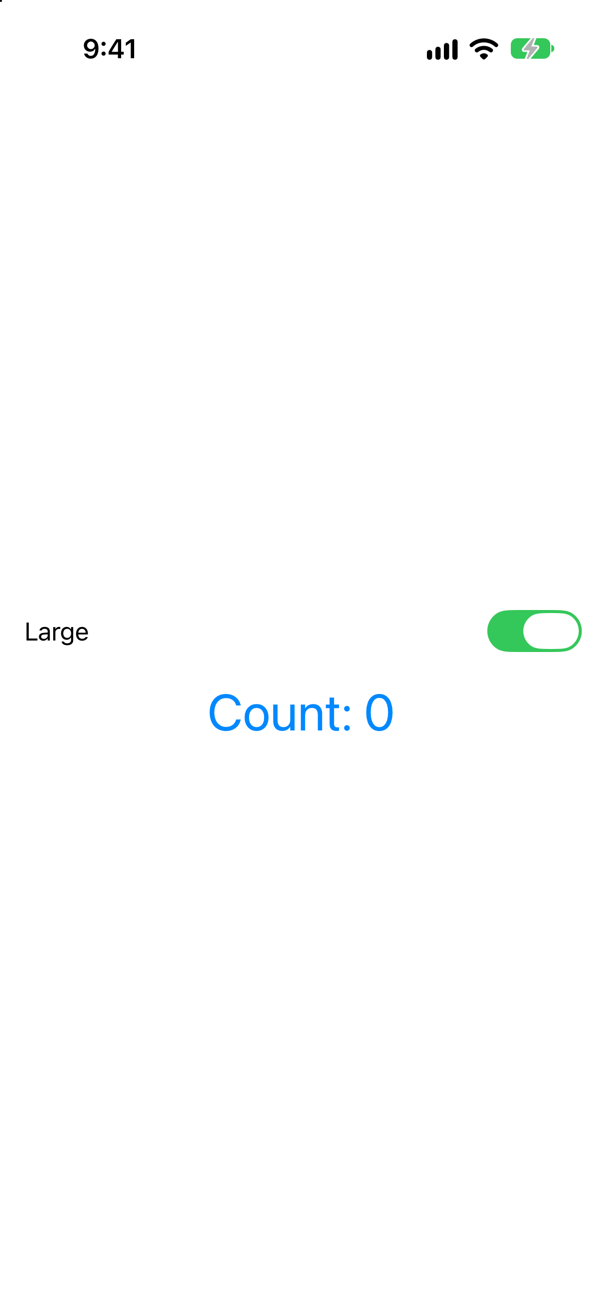
Count: 0. Two branches are two views, even when both are a Counter: each has its own place in the code, so its own structural identity, and its own state. Flipping the switch ends one and starts the other. WWDC21: "each branch of the if statement represents a different view with a distinct identity."
Keep one view, and put the condition inside the modifier:
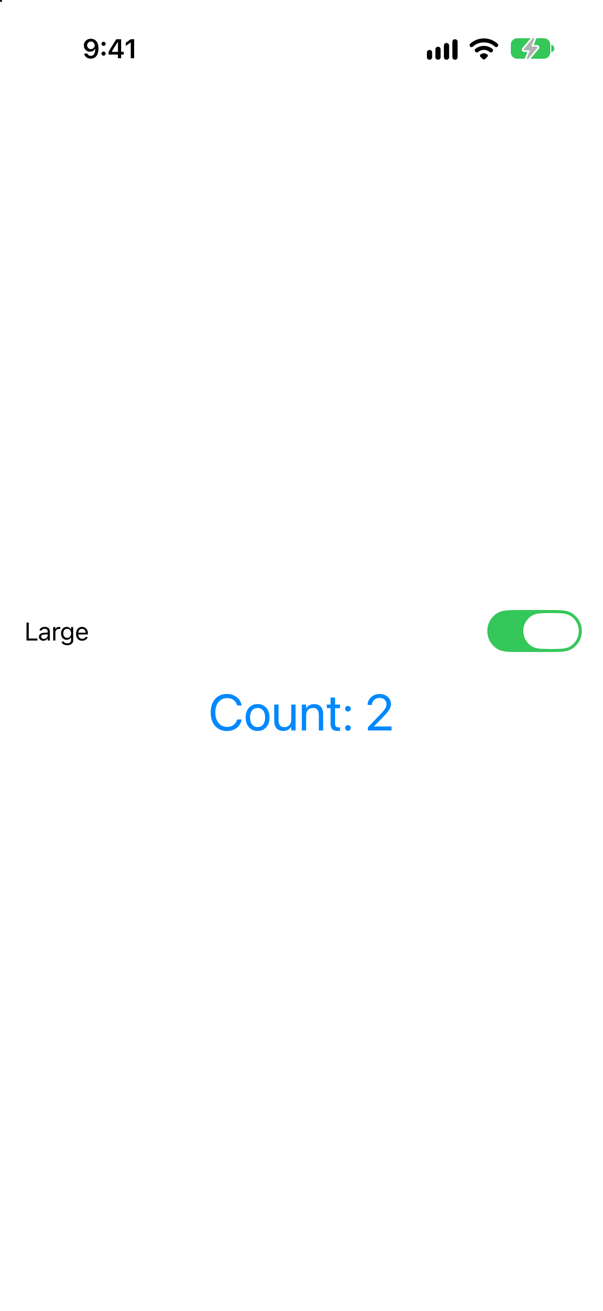
Still 2. The session's advice is the general rule: "By default, try to preserve identity and provide more fluid transitions." It matters most where the state is something the person typed. The lesson's exercise — a text field in each branch:
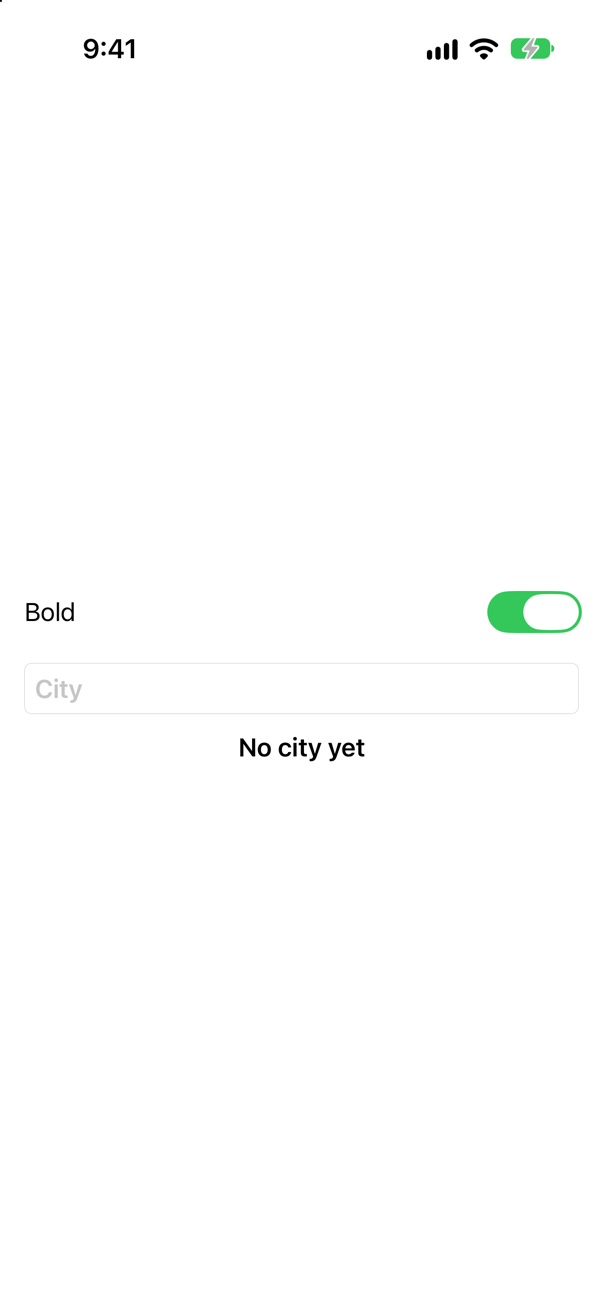
The interview-preparation repository's answer is one line: "Each branch is a different view identity — one is destroyed, the other created."
Where this comes from: WWDC21: Demystify SwiftUI (2021 — still the reference on identity) · Senior iOS Interview Preparation (GitHub) — WWDC21, "Demystify SwiftUI": "whenever the identity changes, the state is replaced."
A popular extension — .if(condition) { $0.someModifier() } — applies a modifier only when a condition holds. What happens to the view's state when the condition flips?
Show the answer
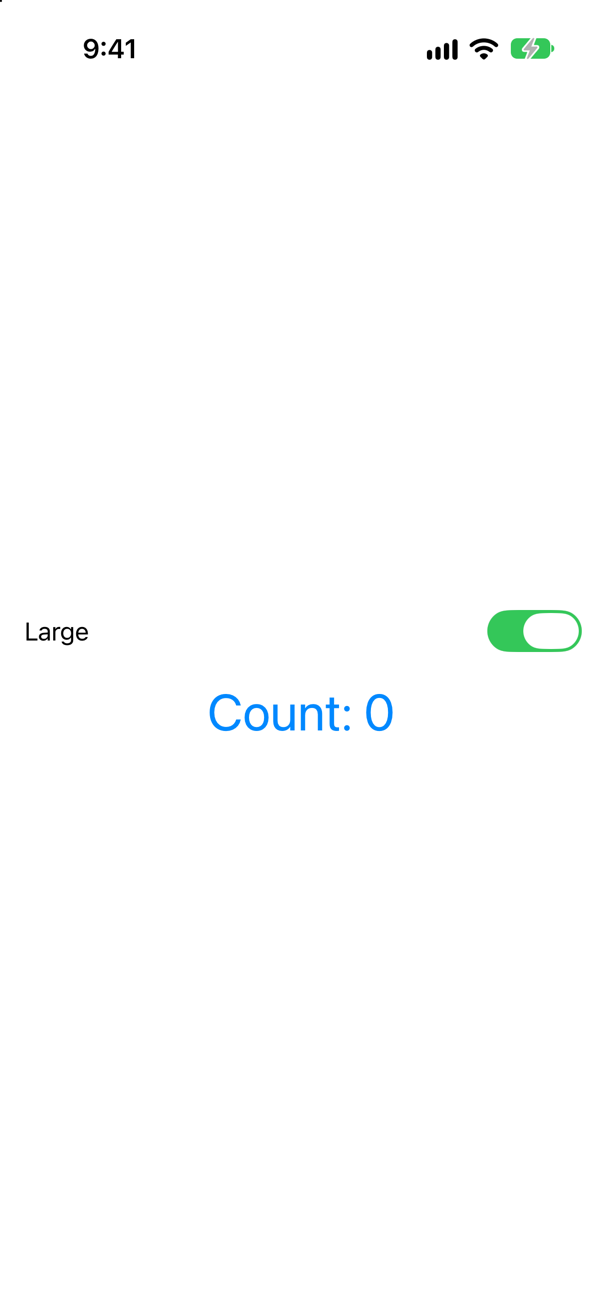
It is lost: Count: 0. The extension hides an if, and an if makes two views. Whether transform returns the view with a font or the view without one, the two branches have two identities — the same reset as the previous question, behind a name that sounds harmless.
WWDC21 shows this very case: "we have two copies of the content instead of a single, optionally modified copy. Note that the branch here is in a modifier." Its recommendation is the inert modifier — one that is always there, with a value that sometimes does nothing: .font(isLarge ? .largeTitle : .body), .opacity(isDim ? 0.5 : 1), .padding(isWide ? 16 : 0).
The extension is not wrong when the view has no state and does not animate. Say in an interview why it is risky everywhere else: it changes identity, so it loses state and turns smooth animations into fades.
Where this comes from: WWDC21: Demystify SwiftUI (2021 — still the reference on identity) — WWDC21, "Demystify SwiftUI": "branches are a form of structural identity."
A computed property returns AnyView, wrapping the counter large or normal. Tap it twice and flip the switch. Is the count kept? Does it matter what the AnyView wraps?
Show the answer
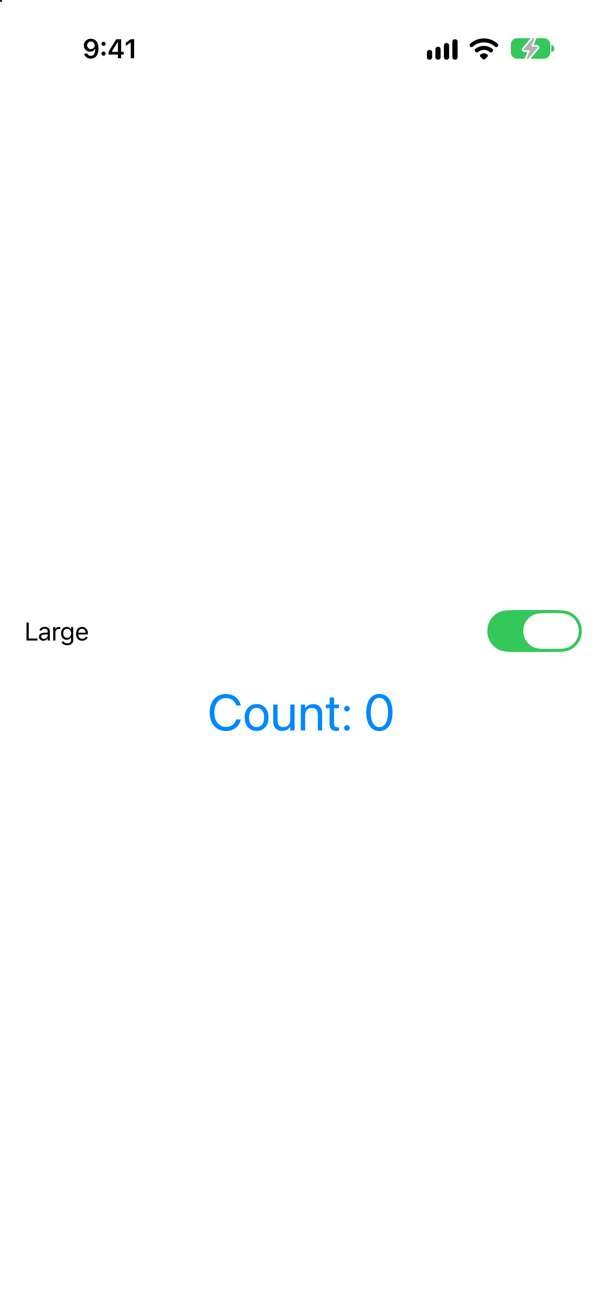
Lost — here. AnyView hides the type of what it wraps from the compiler, but SwiftUI still looks inside when it updates: if the wrapped type changes, the old view is thrown away. Counter().font(.largeTitle) and Counter() are different types, so the switch replaced the counter.
Wrap the same type in both, with the difference in a parameter, and the count survives:
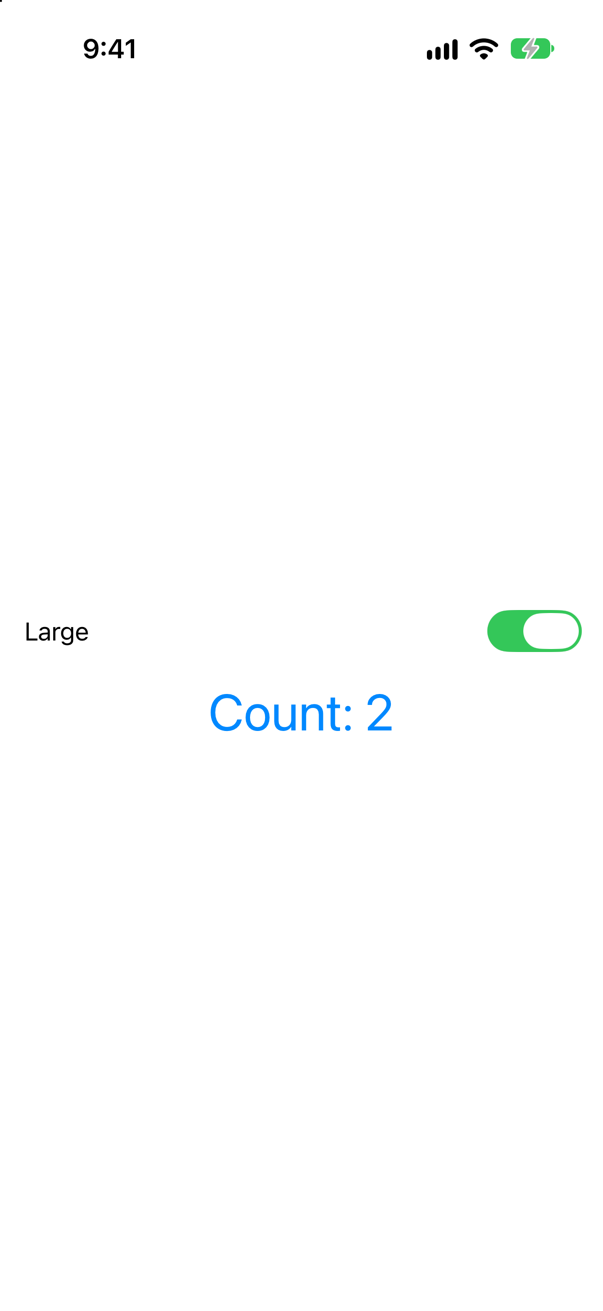
Still 2. So the honest answer about AnyView is not "it always loses state". It is that SwiftUI can no longer see your structure ahead of time — WWDC21 calls it structural identity's "evil nemesis" — so whether a view survives depends on what you happen to put inside at run time, and SwiftUI does extra work to find out. A @ViewBuilder property with an if, or one view with a parameter, says the same thing in a way SwiftUI can see.
Where this comes from: WWDC21: Demystify SwiftUI (2021 — still the reference on identity) · Senior iOS Interview Preparation (GitHub) — WWDC21, "Demystify SwiftUI": AnyView "hides the type of the view it is wrapping from its generic signature."
Three trips, and by mistake two of them have id 1 — Seattle and Atacama. What does a ForEach over them show? And inside a List?
Show the answer

Seattle, Vancouver, Seattle. Atacama never appears — its row is drawn with Seattle's content, because to SwiftUI the two are one view. It said so in Xcode's console:
SwiftUI wrote this to the log while the app ran
ForEach<Array<Trip>, Int, Text>: the ID 1 occurs multiple times within the collection, this will give undefined results!A List does the same, with the same message:
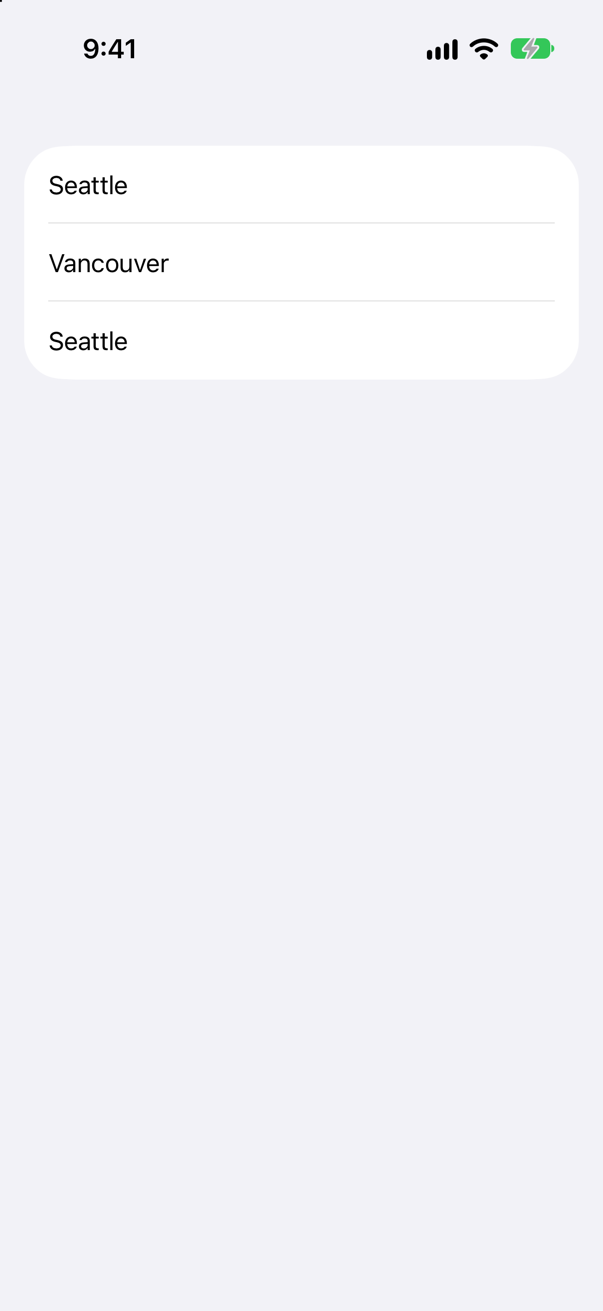
"Undefined results" is meant: what you see may differ between releases and between containers, so the fix is never to work around a particular picture. Ids must be unique, and stable — the next question is the other half. A database key, a server's id, or a UUID made once when the item is made are all good ids; a name, a title or a price are not, because two trips can share one.
Where this comes from: ForEach · WWDC21: Demystify SwiftUI (2021 — still the reference on identity) · Senior iOS Interview Preparation (GitHub) — The warning is SwiftUI's own, read from the simulator's log; Xcode shows it as a runtime issue.
Trip gets let id = UUID(), which looks like the textbook answer. The rows come from a computed property that builds the trips from a list of names. You open Seattle, then something makes the parent redraw. What happens?
Show the answer
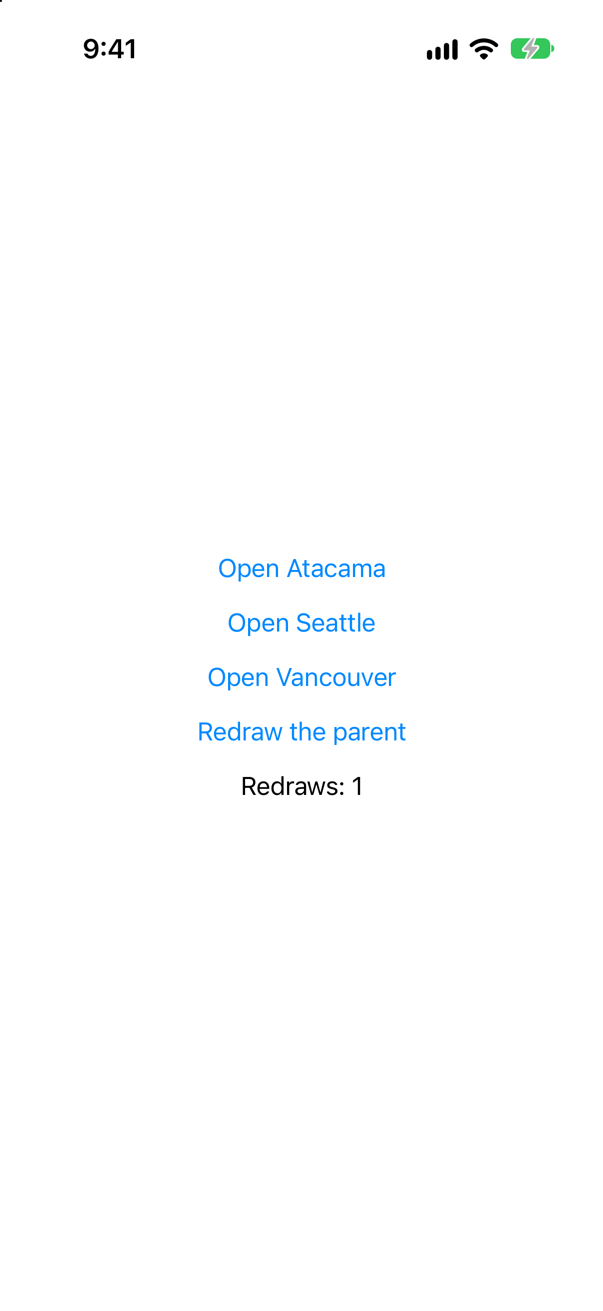
Seattle closes. UUID() runs every time a Trip is made, and the computed property makes three new trips every time body reads it — so after the redraw every row had an id SwiftUI had never seen, and every row was new. WWDC21 groups this with indices: "like computed random identifiers, indices are not a stable form of identity." And: "An identifier that isn't stable can result in a shorter view lifetime."
The UUID was not the mistake; when it was made was. Make each item once and keep it — in @State, in a store, in SwiftData — and its UUID is a perfectly stable id. Hacking with Swift's interview answer on UUIDs says what they are for — "ensuring some value is guaranteed to be unique" — and uniqueness is only half of what an id needs. The other half is staying the same.
This is also a performance bug, not only a state bug. New ids mean SwiftUI throws away and rebuilds every row on every update, instead of updating the rows that changed.
Where this comes from: WWDC21: Demystify SwiftUI (2021 — still the reference on identity) · Hacking with Swift interview question: What is a UUID, and when might you use it? — WWDC21, "Demystify SwiftUI": "having a stable identifier also helps performance."
A counter shows a title it is given. Tap it twice; then the parent changes the title from Seattle to Vancouver. Does the counter start again? Many people expect it to.
Show the answer
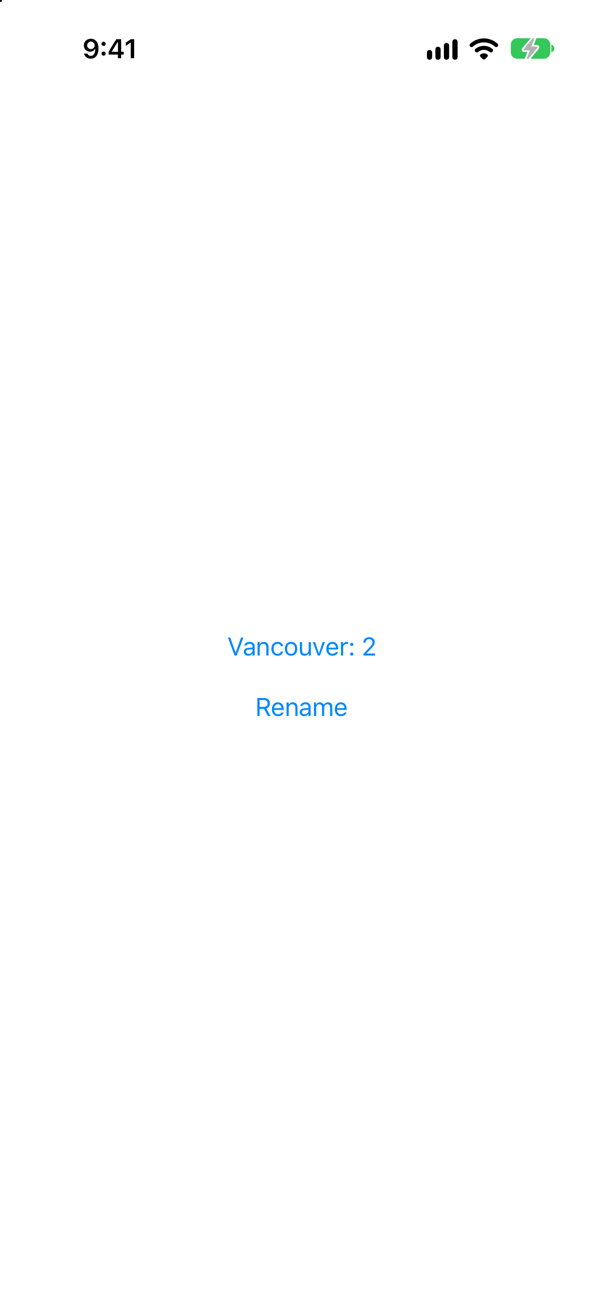
No — "Vancouver: 2". A view's identity is where it is (and, in a ForEach, the id it was given); its inputs are what it is given. Changing the inputs makes SwiftUI run body again with the new values, and the state stays. Lesson 17's initial-value trap is the flip side: a child that copies an input into its own @State keeps the old copy, because the view, and so its state, never started again.
When a change of input should start the view over — the counter really belongs to one city — say so with explicit identity: Counter(title: title).id(title). A new title is then a new view, with a new count. That is a decision to make on purpose, not a side effect to discover.
Where this comes from: WWDC21: Demystify SwiftUI (2021 — still the reference on identity) · id(_:) — WWDC21, "Demystify SwiftUI": "the persistence of your state is tied to the lifetime of your views."
A counter has .id(generation) and prints when it appears and disappears. Tap it twice, then change generation. What does the console show, in what order — and what is the count?
Show the answer

Count: 0, and the console, for the change:
Counter appeared
Counter disappeared
The new counter appeared before the old one disappeared. They are two views, and for a moment both exist — the old one on its way out, the new one on its way in. So code that cleans up in onDisappear and sets up in onAppear must not assume the clean-up came first; if both touch the same resource, the new view finds the old one still holding it.
.id is the tool for "this part of the screen starts over": a form after it is submitted, a detail view when the item changes, this lesson's Close all. The interview-preparation repository's answer to "How do you reset a view's state on purpose?" is the same three words: "Change its .id(value)."
Where this comes from: id(_:) · WWDC21: Demystify SwiftUI (2021 — still the reference on identity) · Senior iOS Interview Preparation (GitHub) — Apple, id(_:): "When the proxy value specified by the id parameter changes, the identity of the view — for example, its state — is reset."
ForEach($names, id: \.self) makes a text field for each name in an array of strings. You tap the first field and type "abc". What ends up in the field?
Show the answer

"Seattlea". With id: \.self, the id of a row is its string. Typing "a" changed the string, so it changed the row's id, so the row was a new row — with a new text field, which did not have the keyboard. "b" and "c" went nowhere. In a real app the symptom is a text field that loses the keyboard after every letter.
Give each item an identity of its own, which editing does not touch:

All three letters arrive: "Seattleabc". id: \.self is safe only for values that are unique and never change while they are shown — which an edited string, by definition, is not.
Where this comes from: ForEach · WWDC21: Demystify SwiftUI (2021 — still the reference on identity) · Senior iOS Interview Preparation (GitHub) — WWDC21, "Demystify SwiftUI": "it's important to choose a stable identifier for your data."
A view keeps an @Observable model in @State; the model prints when it is made and when it is freed. The view sits in an if/else, large in one branch and normal in the other. What happens to the model each time the switch flips?
Show the answer
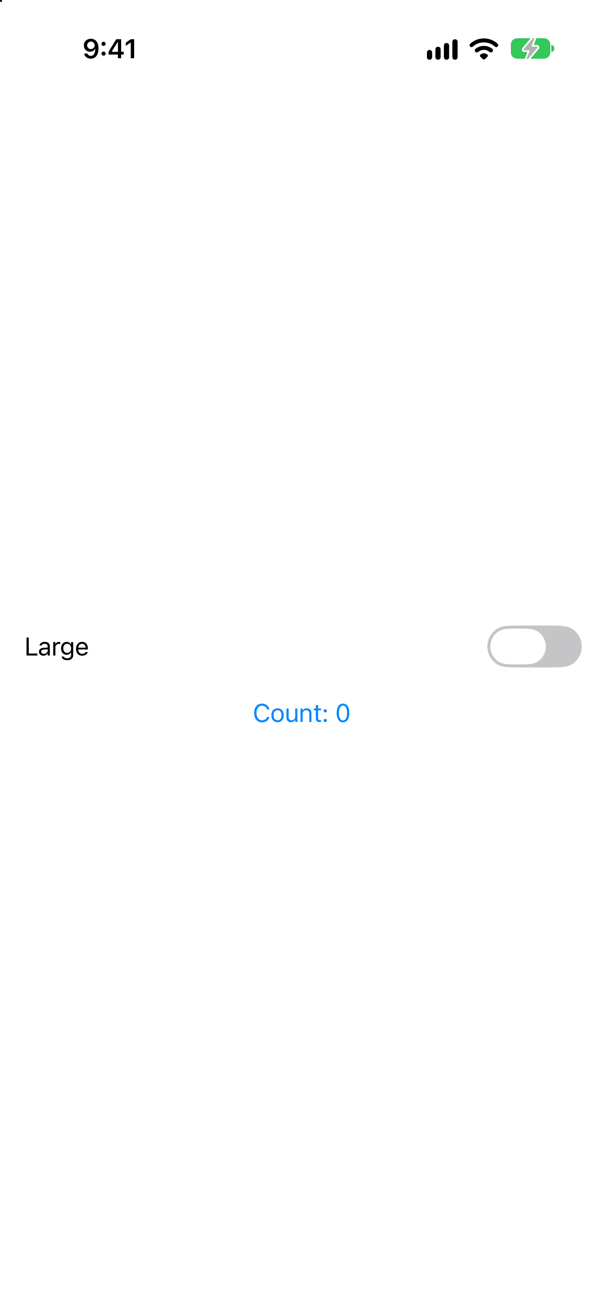
A new model each time, and the old one freed. At launch, then for each flip of the switch:
TripModel.initTripModel.init
TripModel.deinitTripModel.init
TripModel.deinit@State belongs to the view's identity, and so does whatever it holds. WWDC21: "State and StateObject are the persistent storage associated with your view's identity." A new branch is a new identity, so SwiftUI made a new TripModel for it, and freed the old one with the old view.
This is the answer to a common interview question — "why does my view model keep re-initializing?" — when the code looks fine: something above the view changes its identity. An if around it, an .id that changes, a ForEach id that is not stable. Find the identity change, and the model stops starting over.
Where this comes from: WWDC21: Demystify SwiftUI (2021 — still the reference on identity) · State — WWDC21, "Demystify SwiftUI": "the persistence of your state is tied to the lifetime of your views."
Rows in a LazyVStack, each with an open-or-closed state. You open Vancouver, then a filter removes Vancouver from the data, and puts it back. Is it open? What if the stack is a plain VStack?
Show the answer

Open, in the LazyVStack — though the row really went. The console, while it was gone and when it came back:
Vancouver disappearedVancouver appearedonDisappear ran, Vancouver was not in the data at all, and still the row that came back had its old state. A lazy container keeps the state of the rows it has made, by their ids, for a while after they leave, so that a row that returns soon — scrolled back, or filtered back — need not start over.
Closed, in a VStack, with the same console:

An eager stack keeps nothing it is not showing. So a disappearing row is not proof that its state is gone, and neither is a returning row proof that it was kept: in a lazy container the answer depends on how far, and for how long, the row went (lesson 9 measured a long scroll, which did lose it). Treat a lazy row's @State as something that may or may not survive, and keep anything that must survive in the model, keyed by the row's id. This lesson's Trips grid is lazy, which is why its Vancouver came back open.
Where this comes from: WWDC21: Demystify SwiftUI (2021 — still the reference on identity) · Creating performant scrollable stacks — Measured on iOS 27; Apple documents lazy stacks as creating items "until it needs to render them onscreen" and does not promise when their state is released.
Further reading
The counter that resets
“Tap the counter up to five, then flip the toggle. The count snaps back to zero. Why? And how would you write this in 2026?”
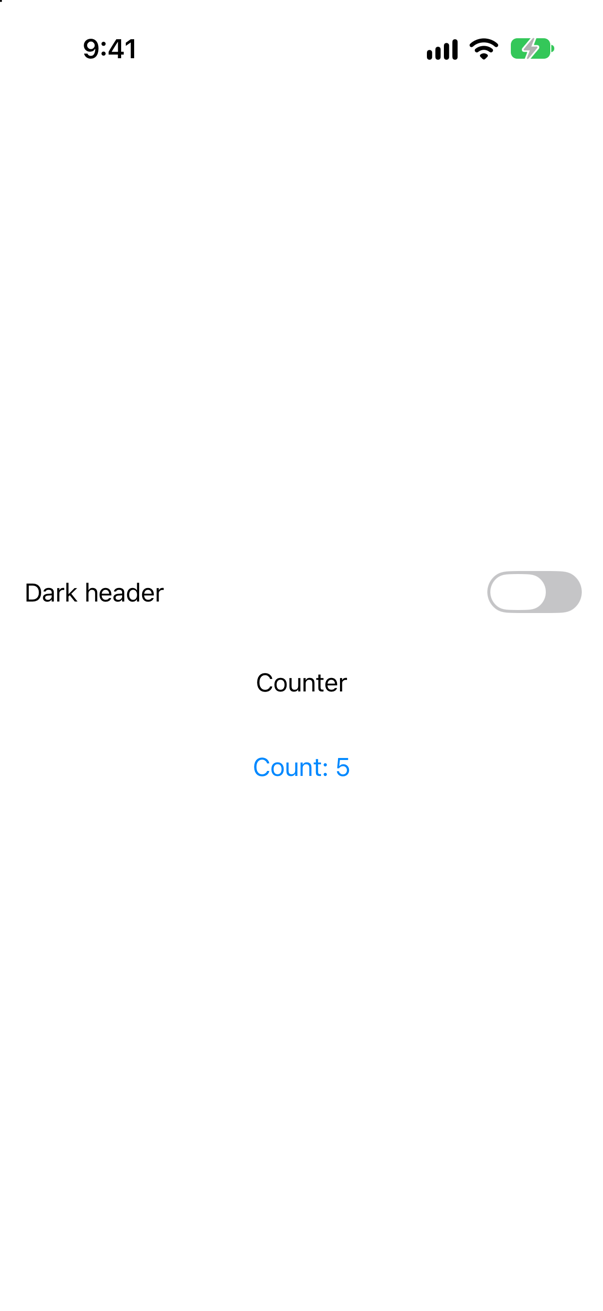
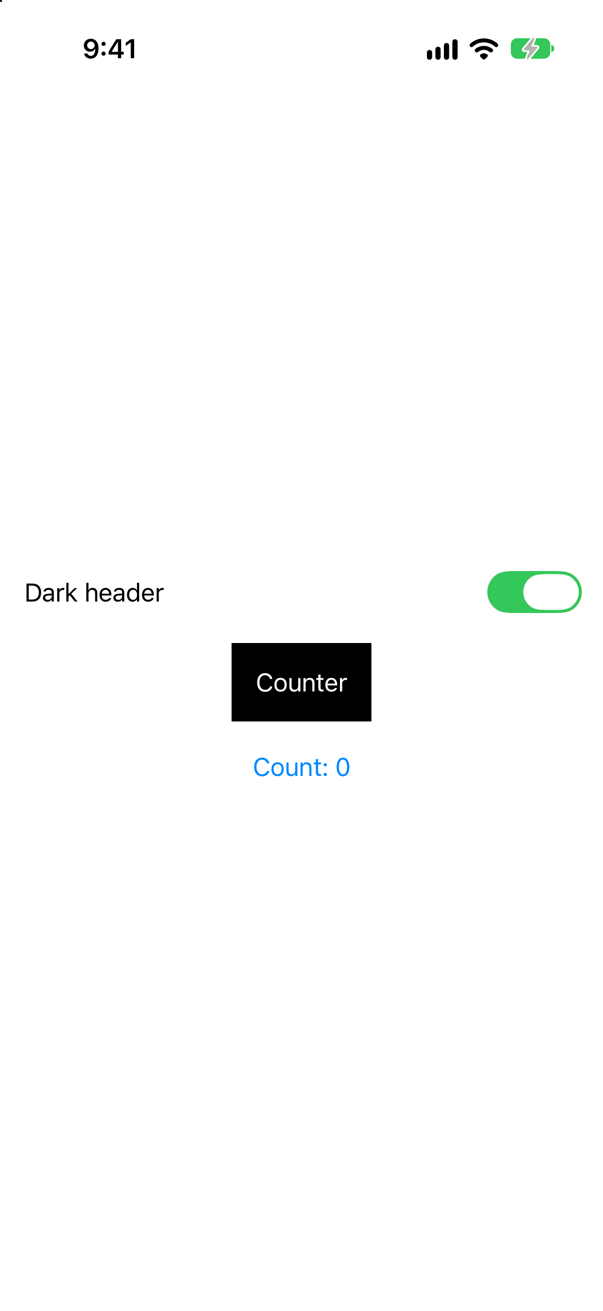
Where this comes from: Hacking with Swift: iOS interview questions · StateObject (legacy) — from Hacking with Swift's question list: “When would you use @StateObject versus @ObservedObject?”
Show the answer
@ObservedObject watches an object. It does not own one. Flipping the toggle re-runs Screen.body, which builds a new CounterView value, whose default expression builds a new CounterModel. The view kept its identity; the model did not survive. The older fix is @StateObject, which ties the object to the view's lifetime.
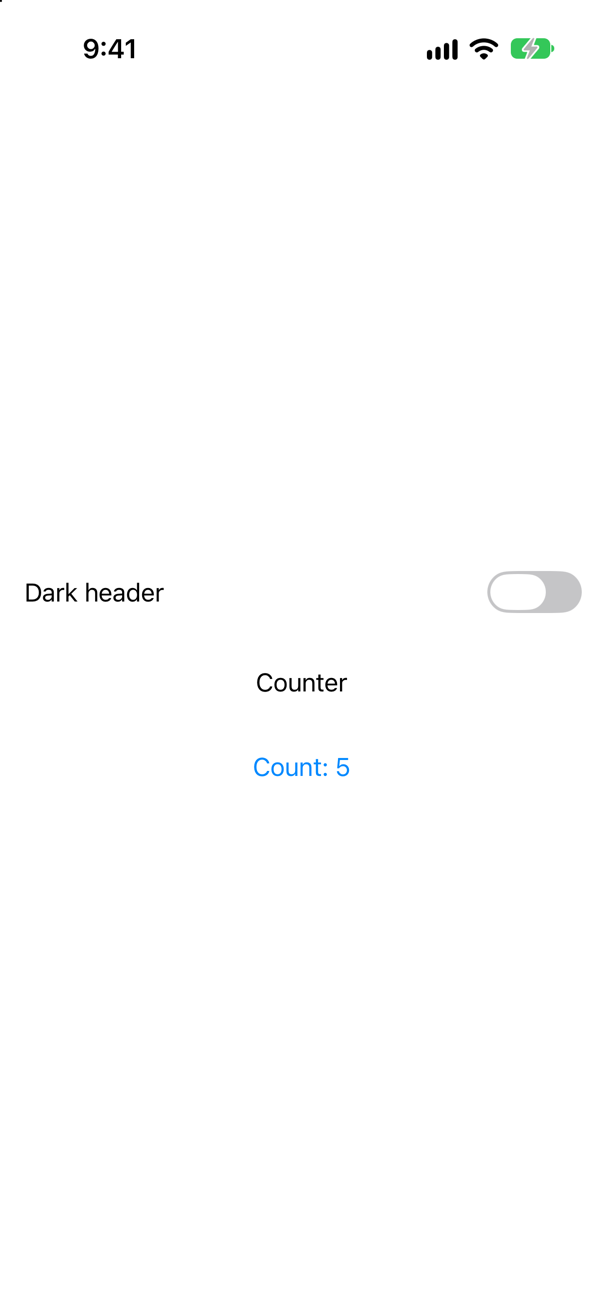
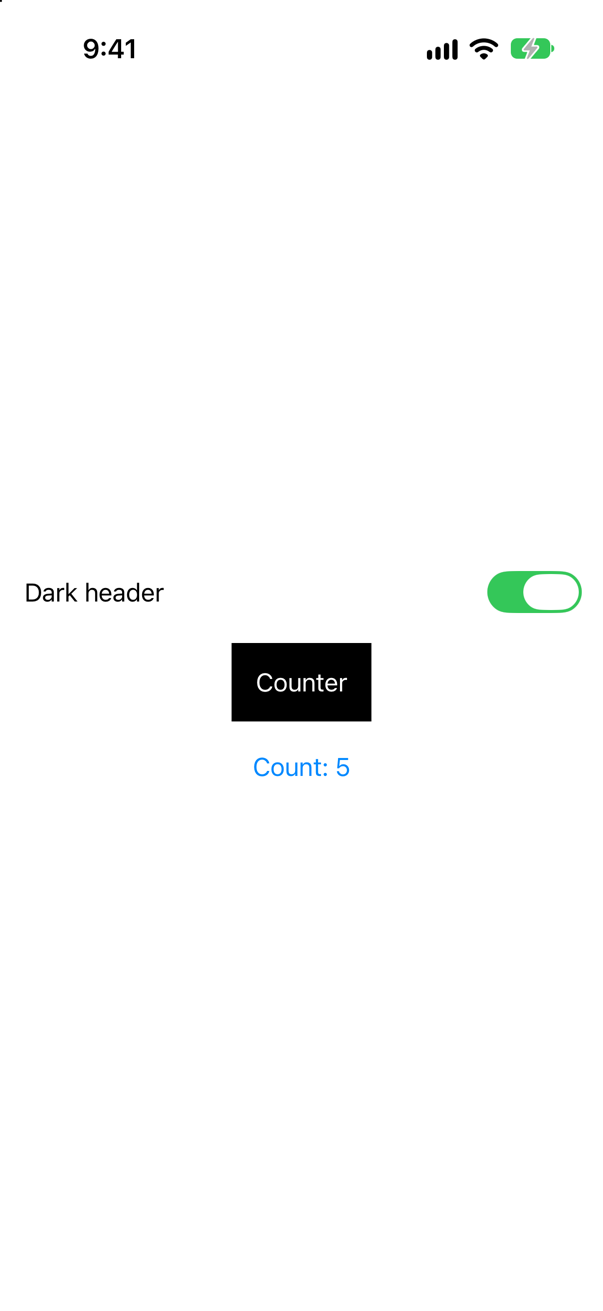
In 2026 the pair to use is @Observable with @State: no @Published, no Combine, and a view re-renders only for the properties it actually reads. As of Xcode 27, @State initializes lazily, so Counter() runs exactly once.
What interviewers listen for: The difference between owning and observing, in those words — and the modern form, offered without being asked.