Search, a menu, and an overflow
Toolbars, menus, and search
You will buildA search field on the Trips list that narrows it as you type — by city or country, whatever the case or the accents — with suggestions and a "No Results" screen; a menu in the toolbar that shows all trips or only the favorites; and Delete moved into iOS 27's overflow menu.
TimeAbout 60 minutes, then the interview problem
WhySearch in SwiftUI is two halves that you join yourself: SwiftUI draws the field and keeps its text in a string of yours, and your code decides what matches. Toolbars are the same bargain — you say what each item is, and the system decides where it goes. Interviewers ask both ways round: "add search to this list" as live coding, and "why did my toolbar button disappear?" as a question.
Open your project
Open your
Tripsproject as lesson 23 left it: double-clickTrips.xcodeprojin Finder, or use File ▸ Open… (⌘O) in Xcode.If you did not finish lesson 23, or would rather start from a known state, download Trips-lesson-23.zip instead. It is the project exactly as it stood at the end of lesson 23. Unzip it and open
Trips.xcodeproj.Run it (⌘R) to check that it builds. You should see where lesson 23 ended:
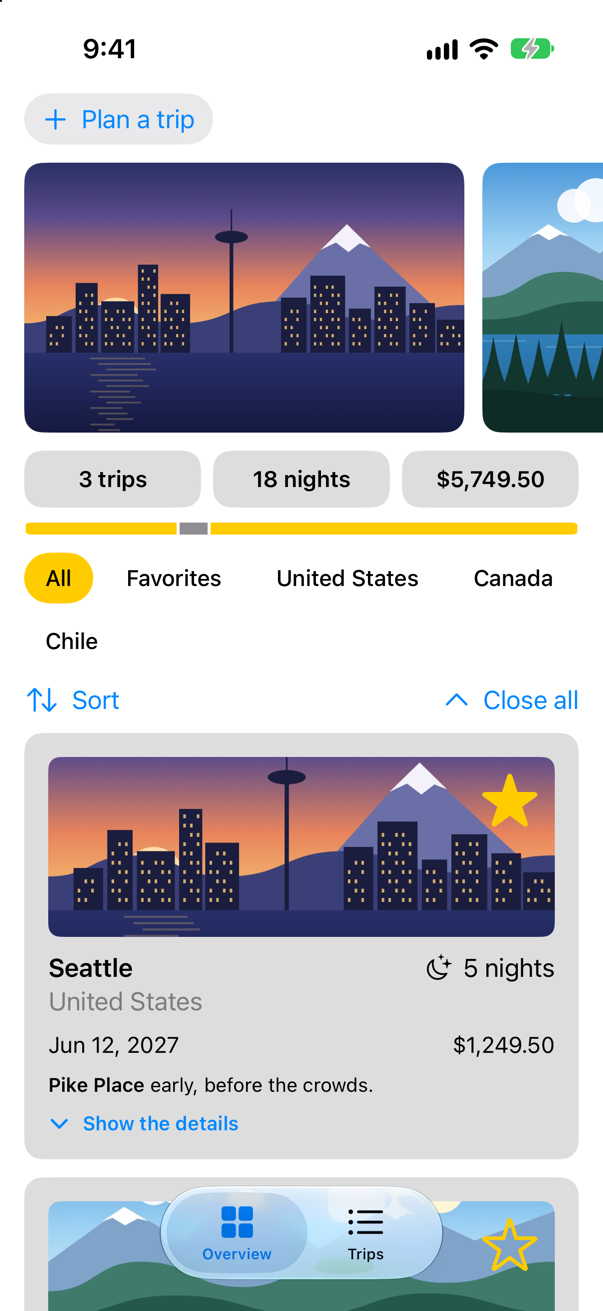
Trips, as it stood at the end of lesson 23Screenshot · iPhone 17, iOS 27.0
A search field
A search field is one modifier: .searchable(text:prompt:), given a binding to a string that you keep. Apple: "Add a search interface to your app by applying one of the searchable view modifiers … to a NavigationSplitView or NavigationStack, or to a view inside one of these." Put on the sidebar's list, it searches that column. The field only holds the text. Deciding what matches is your code: a computed property, shown, keeps the trips whose city or country contains what was typed, and the month sections are made from shown instead of from every trip. When the search matches nothing, Apple's ready-made ContentUnavailableView.search says so. In TripList.swift:
struct TripList: View { @Environment(TripStore.self) private var store @Environment(\.highlight) private var highlight @State private var selection: Trip.ID? @State private var path: [Trip.ID] = [] @State private var query = "" var body: some View { NavigationSplitView { List(selection: $selection) { ForEach(months, id: \.self) { month in let inMonth = trips(in: month) Section(month.formatted(.dateTime.month(.wide).year())) { ForEach(inMonth) { trip in NavigationLink(value: trip.id) { TripRow(trip: trip) } .swipeActions(edge: .leading) { Button(trip.isFavorite ? "Unfavorite" : "Favorite", systemImage: trip.isFavorite ? "star.slash" : "star") { store.toggleFavorite(trip) } .tint(highlight) } } .onDelete { offsets in store.delete(offsets.map { inMonth[$0] }) } } } } .navigationTitle("Trips") .searchable(text: $query, prompt: "City or country") .overlay { if !query.isEmpty && shown.isEmpty { ContentUnavailableView.search(text: query) } } .toolbar { Button("Soonest", systemImage: "calendar") { selection = store.trips.min(by: { $0.start < $1.start })?.id } } } detail: { NavigationStack(path: $path) { Group { if let selection { TripDetail(id: selection, selection: $selection) } else { ContentUnavailableView("Choose a trip", systemImage: "airplane", description: Text("Its details will appear here.")) } } .navigationDestination(for: Trip.ID.self) { id in TripDetail(id: id, selection: $selection) } } } .onChange(of: path) { print("path:", path) } } /// The first day of every month in which a trip starts, earliest first. private var months: [Date] { Set(store.trips.map(\.start.startOfMonth)).sorted() /// The trips whose city or country contains what was typed — all of them while the field is empty. private var shown: [Trip] { if query.isEmpty { return store.trips } return store.trips.filter { trip in trip.city.localizedStandardContains(query) || trip.country.localizedStandardContains(query) } } /// The trips that start in that month, earliest first. /// The first day of every month in which a shown trip starts, earliest first. private var months: [Date] { Set(shown.map(\.start.startOfMonth)).sorted() } /// The shown trips that start in that month, earliest first. private func trips(in month: Date) -> [Trip] { store.trips.filter { $0.start.startOfMonth == month }.sorted { $0.start < $1.start } shown.filter { $0.start.startOfMonth == month }.sorted { $0.start < $1.start } }}struct TripList: View {
@Environment(TripStore.self) private var store
@Environment(\.highlight) private var highlight
@State private var selection: Trip.ID?
@State private var path: [Trip.ID] = []
@State private var query = ""
var body: some View {
NavigationSplitView {
List(selection: $selection) {
ForEach(months, id: \.self) { month in
let inMonth = trips(in: month)
Section(month.formatted(.dateTime.month(.wide).year())) {
ForEach(inMonth) { trip in
NavigationLink(value: trip.id) {
TripRow(trip: trip)
}
.swipeActions(edge: .leading) {
Button(trip.isFavorite ? "Unfavorite" : "Favorite",
systemImage: trip.isFavorite ? "star.slash" : "star") {
store.toggleFavorite(trip)
}
.tint(highlight)
}
}
.onDelete { offsets in
store.delete(offsets.map { inMonth[$0] })
}
}
}
}
.navigationTitle("Trips")
.searchable(text: $query, prompt: "City or country")
.overlay {
    if !query.isEmpty && shown.isEmpty {
        ContentUnavailableView.search(text: query)
    }
}
.toolbar {
Button("Soonest", systemImage: "calendar") {
selection = store.trips.min(by: { $0.start < $1.start })?.id
}
}
} detail: {
NavigationStack(path: $path) {
Group {
if let selection {
TripDetail(id: selection, selection: $selection)
} else {
ContentUnavailableView("Choose a trip", systemImage: "airplane",
description: Text("Its details will appear here."))
}
}
.navigationDestination(for: Trip.ID.self) { id in
TripDetail(id: id, selection: $selection)
}
}
}
.onChange(of: path) {
print("path:", path)
}
}
/// The trips whose city or country contains what was typed — all of them while the field is empty.
private var shown: [Trip] {
if query.isEmpty {
return store.trips
}
return store.trips.filter { trip in
trip.city.localizedStandardContains(query) || trip.country.localizedStandardContains(query)
}
}
/// The first day of every month in which a shown trip starts, earliest first.
private var months: [Date] {
Set(shown.map(\.start.startOfMonth)).sorted()
}
/// The shown trips that start in that month, earliest first.
private func trips(in month: Date) -> [Trip] {
shown.filter { $0.start.startOfMonth == month }.sorted { $0.start < $1.start }
}
}localizedStandardContains is the comparison to use for a search box. Apple: "This is the most appropriate method for doing user-level string searches, similar to how searches are done generally in the system. The search is locale-aware, case and diacritic insensitive." And shown checks for an empty field first, because an empty string is not contained in anything — without that check, clearing the field would empty the list (one of this lesson's edge cases runs it).
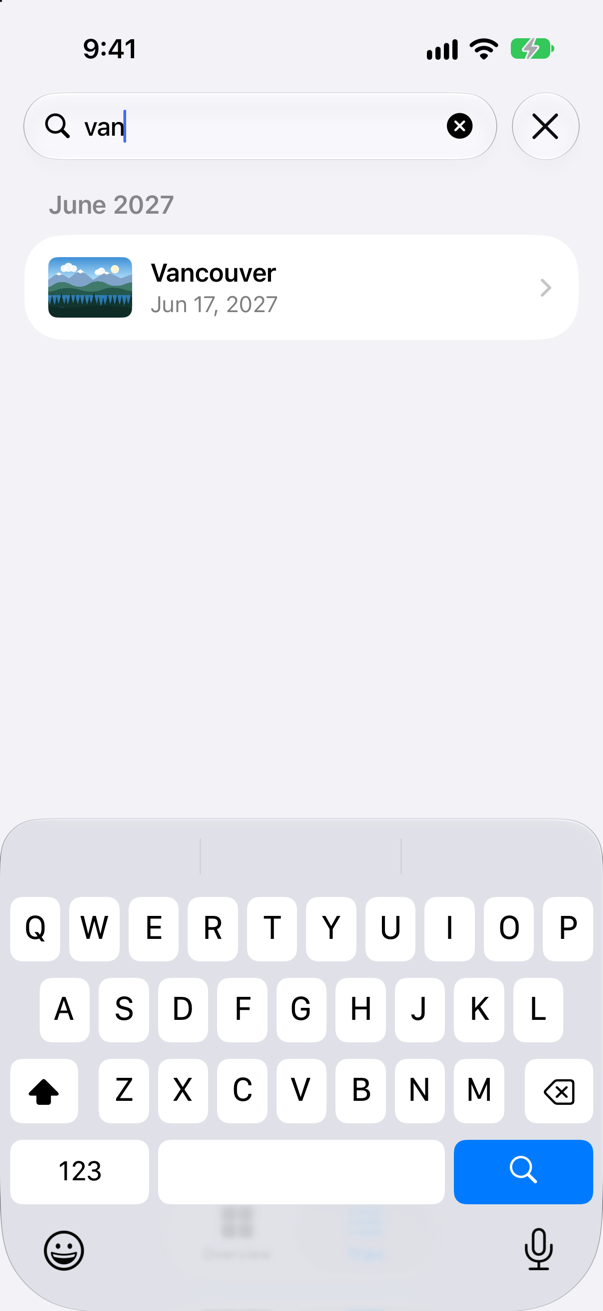
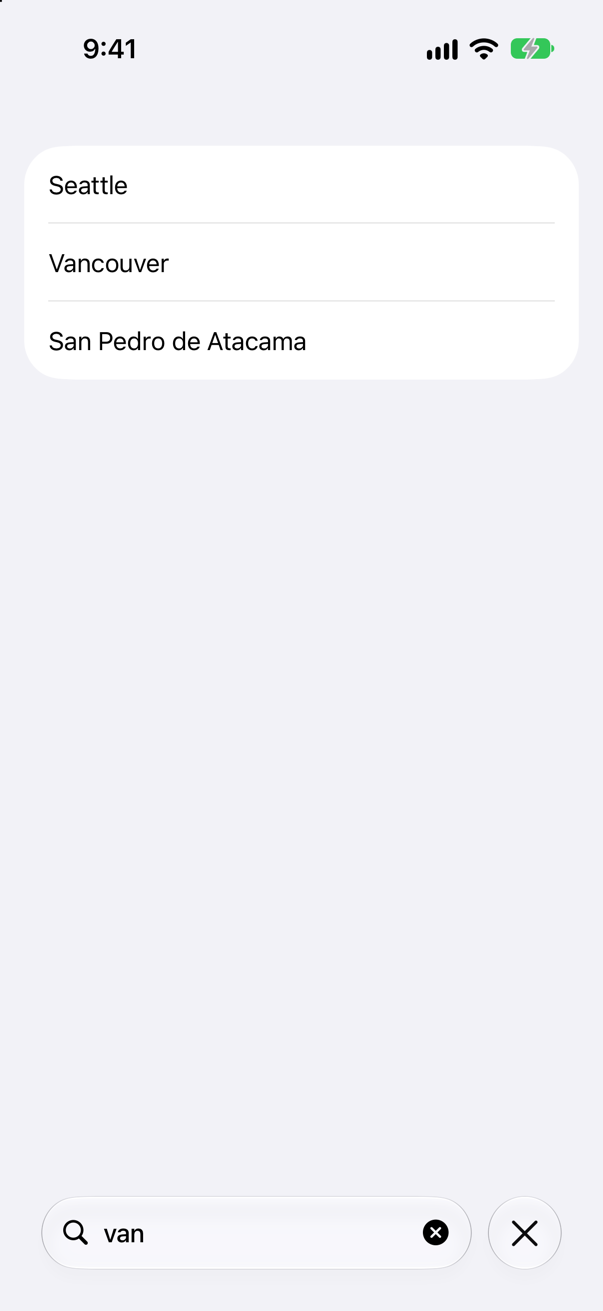
Run the app, tap Trips, pull the list down to show the search field, tap it and type van:
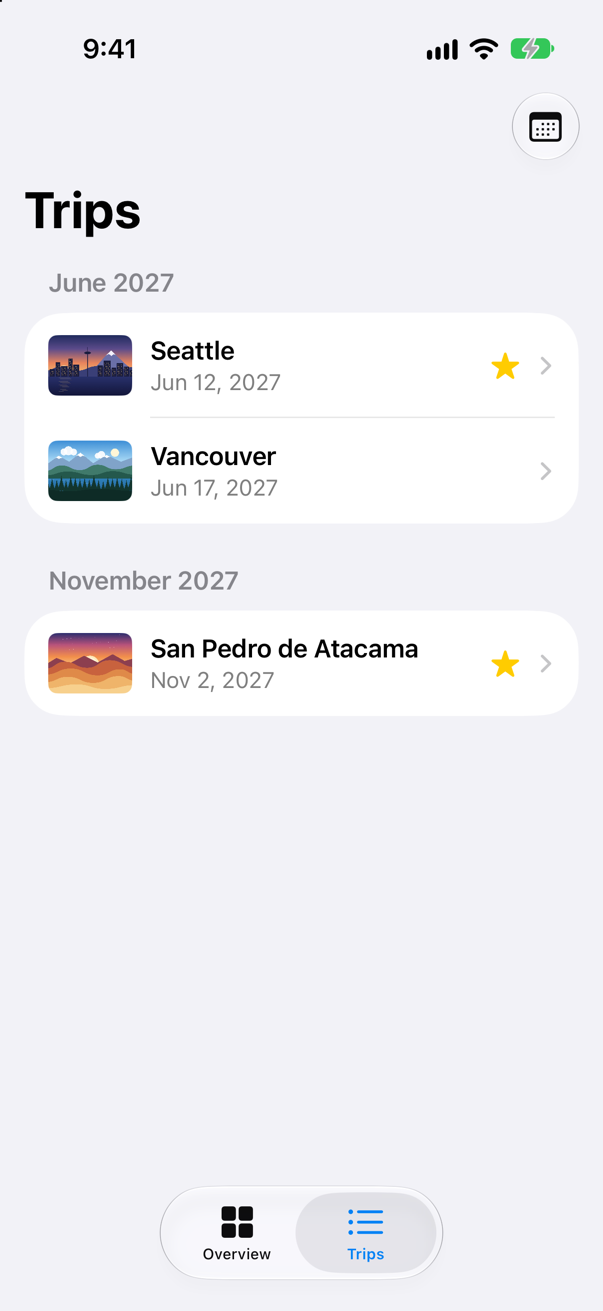
Where was the field before the pull? In a tab, iOS keeps it tucked under the title until the list is pulled down — this is how the screen first looked:
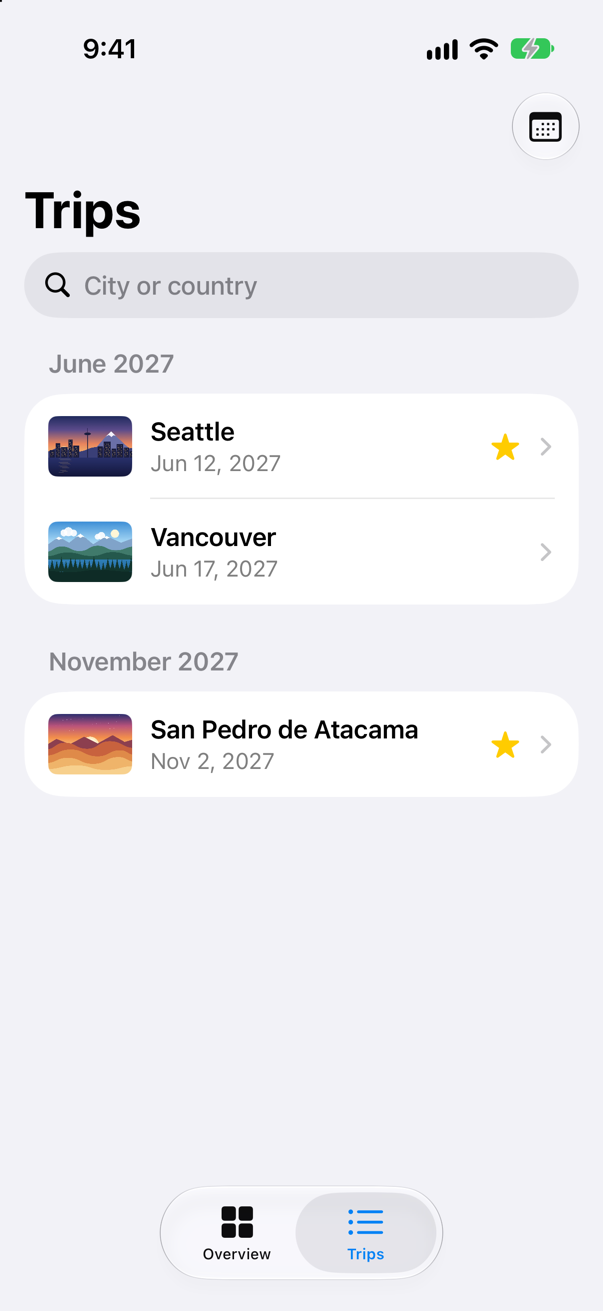
and the pull brought it out:
Apple: "The precise placement and appearance of the search field depends on the platform, where you put the modifier in code, and its configuration." On an iPhone with no tab bar it sits at the bottom of the screen instead, and .searchable(text:placement:prompt:) can ask for it to stay in view — this lesson's edge cases measure all three. As the text changed, so did query, and each change ran TripList's body again with a shorter shown. Now replace "van" with CHILE, in capitals:
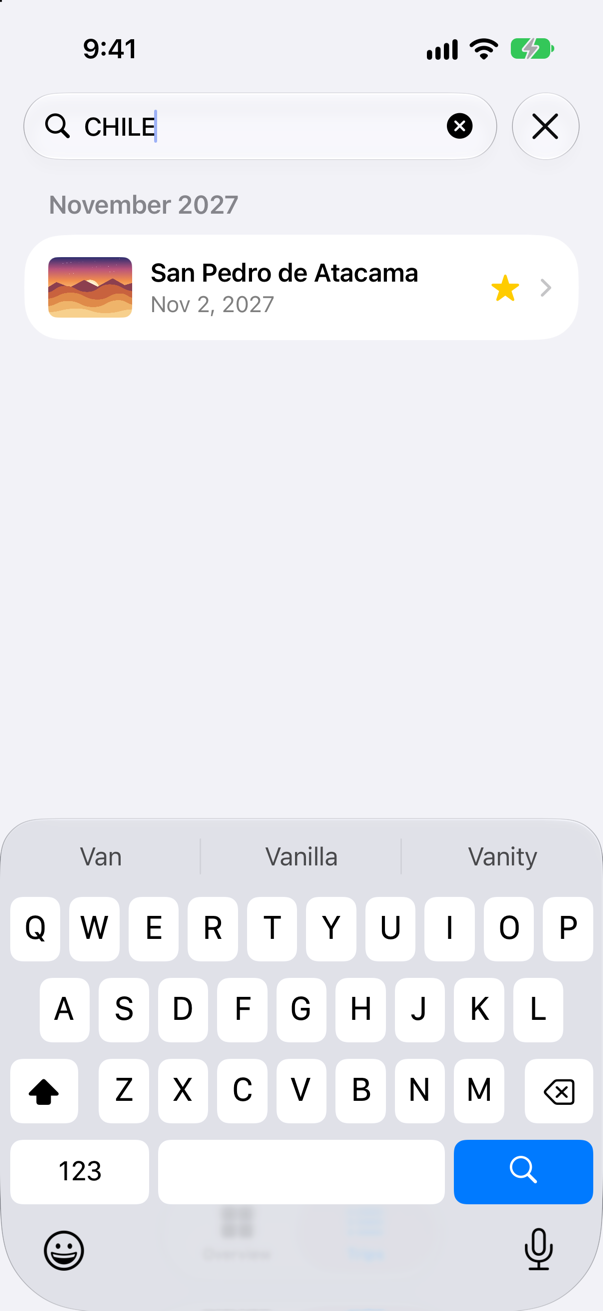
Capitals made no difference, and the match came from the country. Last, try a city there is no trip to — Tokyo:
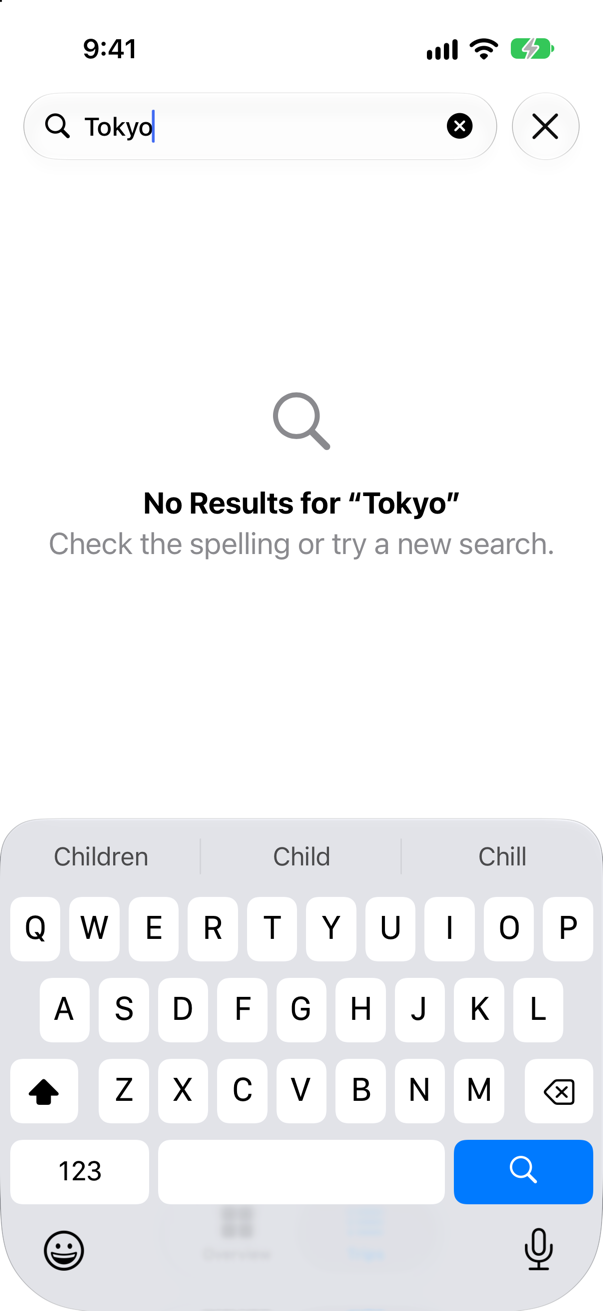
Opening the search field can make SwiftUI log lesson 22's line about its own glass effect in Xcode's console. It appears in some runs and not in others, and it is SwiftUI's, not yours.
Suggestions
A search field can suggest what to type. .searchSuggestions takes views, and .searchCompletion gives each the text that choosing it puts in the field — Apple: "When someone chooses a suggestion, SwiftUI replaces the text in the search field with the search completion string." Trips suggests the countries there are trips to, while the field is still empty. In TripList.swift:
struct TripList: View { @Environment(TripStore.self) private var store @Environment(\.highlight) private var highlight @State private var selection: Trip.ID? @State private var path: [Trip.ID] = [] @State private var query = "" var body: some View { NavigationSplitView { List(selection: $selection) { ForEach(months, id: \.self) { month in let inMonth = trips(in: month) Section(month.formatted(.dateTime.month(.wide).year())) { ForEach(inMonth) { trip in NavigationLink(value: trip.id) { TripRow(trip: trip) } .swipeActions(edge: .leading) { Button(trip.isFavorite ? "Unfavorite" : "Favorite", systemImage: trip.isFavorite ? "star.slash" : "star") { store.toggleFavorite(trip) } .tint(highlight) } } .onDelete { offsets in store.delete(offsets.map { inMonth[$0] }) } } } } .navigationTitle("Trips") .searchable(text: $query, prompt: "City or country") .searchSuggestions { if query.isEmpty { ForEach(countries, id: \.self) { country in Text(country) .searchCompletion(country) } } } .overlay { if !query.isEmpty && shown.isEmpty { ContentUnavailableView.search(text: query) } } .toolbar { Button("Soonest", systemImage: "calendar") { selection = store.trips.min(by: { $0.start < $1.start })?.id } } } detail: { NavigationStack(path: $path) { Group { if let selection { TripDetail(id: selection, selection: $selection) } else { ContentUnavailableView("Choose a trip", systemImage: "airplane", description: Text("Its details will appear here.")) } } .navigationDestination(for: Trip.ID.self) { id in TripDetail(id: id, selection: $selection) } } } .onChange(of: path) { print("path:", path) } } /// Every country there is a trip to, in alphabetical order. private var countries: [String] { Set(store.trips.map(\.country)).sorted() } /// The trips whose city or country contains what was typed — all of them while the field is empty. private var shown: [Trip] { if query.isEmpty { return store.trips } return store.trips.filter { trip in trip.city.localizedStandardContains(query) || trip.country.localizedStandardContains(query) } } /// The first day of every month in which a shown trip starts, earliest first. private var months: [Date] { Set(shown.map(\.start.startOfMonth)).sorted() } /// The shown trips that start in that month, earliest first. private func trips(in month: Date) -> [Trip] { shown.filter { $0.start.startOfMonth == month }.sorted { $0.start < $1.start } }}struct TripList: View {
@Environment(TripStore.self) private var store
@Environment(\.highlight) private var highlight
@State private var selection: Trip.ID?
@State private var path: [Trip.ID] = []
@State private var query = ""
var body: some View {
NavigationSplitView {
List(selection: $selection) {
ForEach(months, id: \.self) { month in
let inMonth = trips(in: month)
Section(month.formatted(.dateTime.month(.wide).year())) {
ForEach(inMonth) { trip in
NavigationLink(value: trip.id) {
TripRow(trip: trip)
}
.swipeActions(edge: .leading) {
Button(trip.isFavorite ? "Unfavorite" : "Favorite",
systemImage: trip.isFavorite ? "star.slash" : "star") {
store.toggleFavorite(trip)
}
.tint(highlight)
}
}
.onDelete { offsets in
store.delete(offsets.map { inMonth[$0] })
}
}
}
}
.navigationTitle("Trips")
.searchable(text: $query, prompt: "City or country")
.searchSuggestions {
if query.isEmpty {
ForEach(countries, id: \.self) { country in
Text(country)
.searchCompletion(country)
}
}
}
.overlay {
if !query.isEmpty && shown.isEmpty {
ContentUnavailableView.search(text: query)
}
}
.toolbar {
Button("Soonest", systemImage: "calendar") {
selection = store.trips.min(by: { $0.start < $1.start })?.id
}
}
} detail: {
NavigationStack(path: $path) {
Group {
if let selection {
TripDetail(id: selection, selection: $selection)
} else {
ContentUnavailableView("Choose a trip", systemImage: "airplane",
description: Text("Its details will appear here."))
}
}
.navigationDestination(for: Trip.ID.self) { id in
TripDetail(id: id, selection: $selection)
}
}
}
.onChange(of: path) {
print("path:", path)
}
}
/// Every country there is a trip to, in alphabetical order.
private var countries: [String] {
Set(store.trips.map(\.country)).sorted()
}
/// The trips whose city or country contains what was typed — all of them while the field is empty.
private var shown: [Trip] {
if query.isEmpty {
return store.trips
}
return store.trips.filter { trip in
trip.city.localizedStandardContains(query) || trip.country.localizedStandardContains(query)
}
}
/// The first day of every month in which a shown trip starts, earliest first.
private var months: [Date] {
Set(shown.map(\.start.startOfMonth)).sorted()
}
/// The shown trips that start in that month, earliest first.
private func trips(in month: Date) -> [Trip] {
shown.filter { $0.start.startOfMonth == month }.sorted { $0.start < $1.start }
}
}Run the app, tap Trips, pull the list down, and tap the search field:
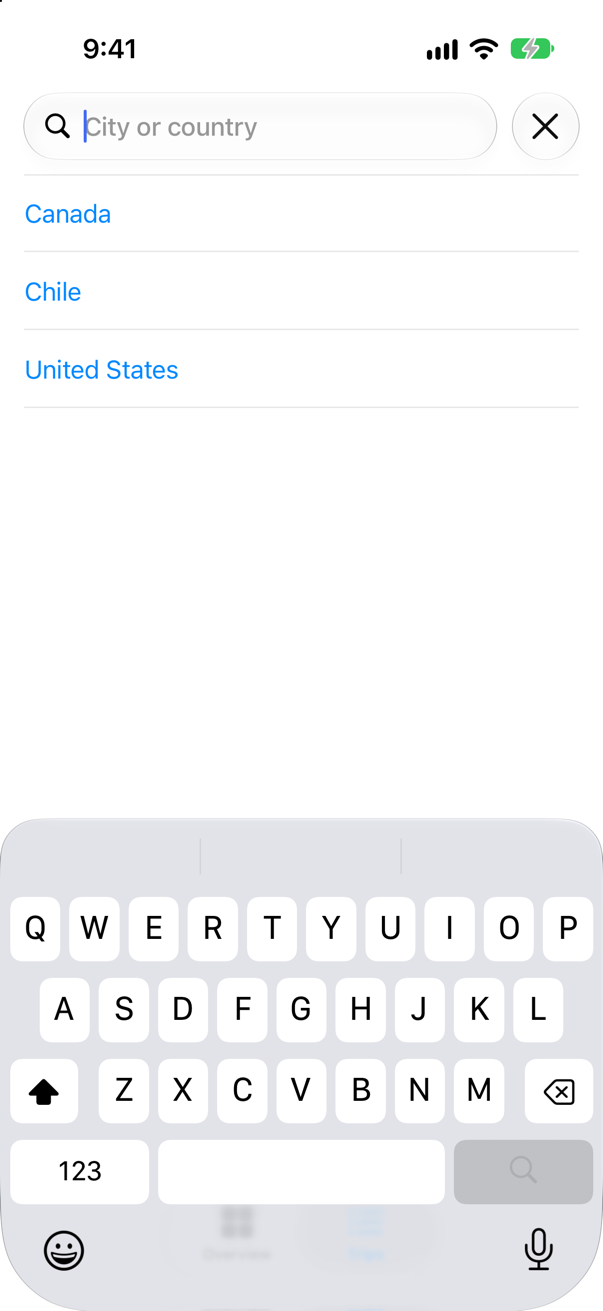
Tap Canada:
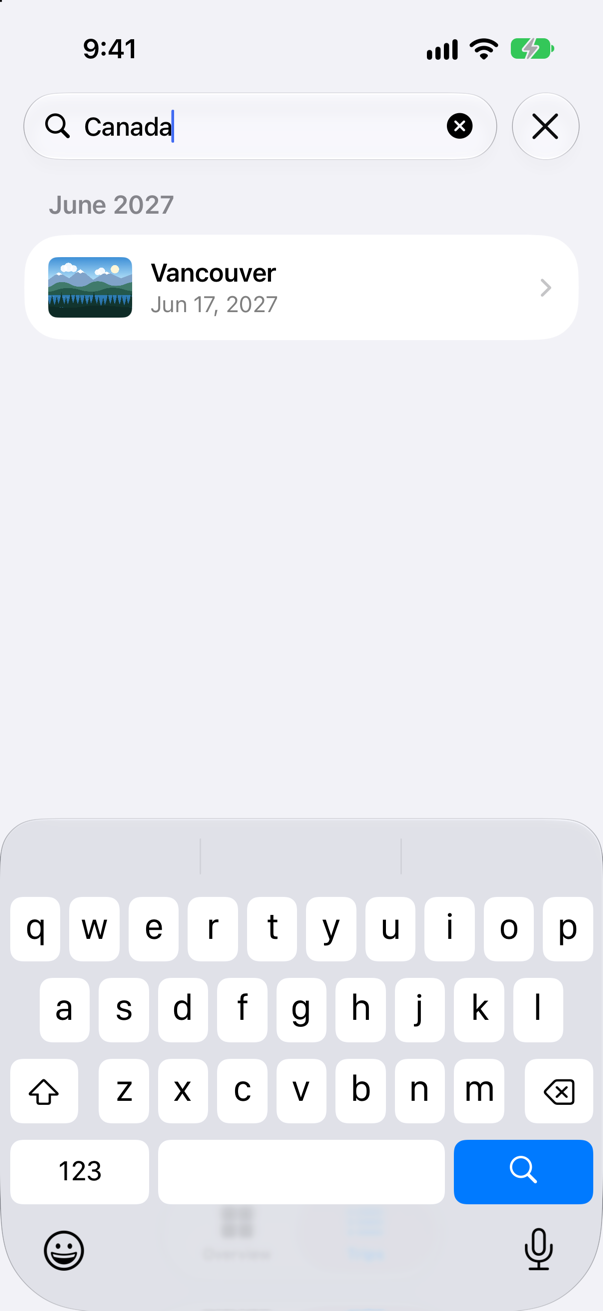
The suggestions are views, so they could be anything — a flag beside the name, recent searches in a section of their own. A suggestion without .searchCompletion is shown but does nothing when tapped.
A menu in the toolbar
Lesson 20 put a Menu of buttons on the Overview. A menu can also hold a Picker, and then it shows a list of choices with a tick beside the current one — the right control for "show me all trips, or only the favorites". It goes in the toolbar beside Soonest, and shown now asks two questions of each trip. In TripList.swift:
struct TripList: View { @Environment(TripStore.self) private var store @Environment(\.highlight) private var highlight @State private var selection: Trip.ID? @State private var path: [Trip.ID] = [] @State private var query = "" @State private var favoritesOnly = false var body: some View { NavigationSplitView { List(selection: $selection) { ForEach(months, id: \.self) { month in let inMonth = trips(in: month) Section(month.formatted(.dateTime.month(.wide).year())) { ForEach(inMonth) { trip in NavigationLink(value: trip.id) { TripRow(trip: trip) } .swipeActions(edge: .leading) { Button(trip.isFavorite ? "Unfavorite" : "Favorite", systemImage: trip.isFavorite ? "star.slash" : "star") { store.toggleFavorite(trip) } .tint(highlight) } } .onDelete { offsets in store.delete(offsets.map { inMonth[$0] }) } } } } .navigationTitle("Trips") .searchable(text: $query, prompt: "City or country") .searchSuggestions { if query.isEmpty { ForEach(countries, id: \.self) { country in Text(country) .searchCompletion(country) } } } .overlay { if !query.isEmpty && shown.isEmpty { ContentUnavailableView.search(text: query) } } .toolbar { Menu("Show", systemImage: "line.3.horizontal.decrease") { Picker("Show", selection: $favoritesOnly) { Text("All trips").tag(false) Text("Favorites").tag(true) } } Button("Soonest", systemImage: "calendar") { selection = store.trips.min(by: { $0.start < $1.start })?.id } } } detail: { NavigationStack(path: $path) { Group { if let selection { TripDetail(id: selection, selection: $selection) } else { ContentUnavailableView("Choose a trip", systemImage: "airplane", description: Text("Its details will appear here.")) } } .navigationDestination(for: Trip.ID.self) { id in TripDetail(id: id, selection: $selection) } } } .onChange(of: path) { print("path:", path) } } /// Every country there is a trip to, in alphabetical order. private var countries: [String] { Set(store.trips.map(\.country)).sorted() } /// The trips whose city or country contains what was typed — all of them while the field is empty. /// The trips to list: the favorites, if that is what the menu says, whose city or country contains what was typed. private var shown: [Trip] { if query.isEmpty { return store.trips store.trips.filter { trip in (!favoritesOnly || trip.isFavorite) && matches(trip) } return store.trips.filter { trip in trip.city.localizedStandardContains(query) || trip.country.localizedStandardContains(query) } } /// Whether the trip's city or country contains what was typed. An empty field matches every trip. private func matches(_ trip: Trip) -> Bool { query.isEmpty || trip.city.localizedStandardContains(query) || trip.country.localizedStandardContains(query) } /// The first day of every month in which a shown trip starts, earliest first. private var months: [Date] { Set(shown.map(\.start.startOfMonth)).sorted() } /// The shown trips that start in that month, earliest first. private func trips(in month: Date) -> [Trip] { shown.filter { $0.start.startOfMonth == month }.sorted { $0.start < $1.start } }}struct TripList: View {
@Environment(TripStore.self) private var store
@Environment(\.highlight) private var highlight
@State private var selection: Trip.ID?
@State private var path: [Trip.ID] = []
@State private var query = ""
@State private var favoritesOnly = false
var body: some View {
NavigationSplitView {
List(selection: $selection) {
ForEach(months, id: \.self) { month in
let inMonth = trips(in: month)
Section(month.formatted(.dateTime.month(.wide).year())) {
ForEach(inMonth) { trip in
NavigationLink(value: trip.id) {
TripRow(trip: trip)
}
.swipeActions(edge: .leading) {
Button(trip.isFavorite ? "Unfavorite" : "Favorite",
systemImage: trip.isFavorite ? "star.slash" : "star") {
store.toggleFavorite(trip)
}
.tint(highlight)
}
}
.onDelete { offsets in
store.delete(offsets.map { inMonth[$0] })
}
}
}
}
.navigationTitle("Trips")
.searchable(text: $query, prompt: "City or country")
.searchSuggestions {
if query.isEmpty {
ForEach(countries, id: \.self) { country in
Text(country)
.searchCompletion(country)
}
}
}
.overlay {
if !query.isEmpty && shown.isEmpty {
ContentUnavailableView.search(text: query)
}
}
.toolbar {
Menu("Show", systemImage: "line.3.horizontal.decrease") {
    Picker("Show", selection: $favoritesOnly) {
        Text("All trips").tag(false)
        Text("Favorites").tag(true)
    }
}
Button("Soonest", systemImage: "calendar") {
selection = store.trips.min(by: { $0.start < $1.start })?.id
}
}
} detail: {
NavigationStack(path: $path) {
Group {
if let selection {
TripDetail(id: selection, selection: $selection)
} else {
ContentUnavailableView("Choose a trip", systemImage: "airplane",
description: Text("Its details will appear here."))
}
}
.navigationDestination(for: Trip.ID.self) { id in
TripDetail(id: id, selection: $selection)
}
}
}
.onChange(of: path) {
print("path:", path)
}
}
/// Every country there is a trip to, in alphabetical order.
private var countries: [String] {
Set(store.trips.map(\.country)).sorted()
}
/// The trips to list: the favorites, if that is what the menu says, whose city or country contains what was typed.
private var shown: [Trip] {
store.trips.filter { trip in
(!favoritesOnly || trip.isFavorite) && matches(trip)
}
}
/// Whether the trip's city or country contains what was typed. An empty field matches every trip.
private func matches(_ trip: Trip) -> Bool {
query.isEmpty || trip.city.localizedStandardContains(query) || trip.country.localizedStandardContains(query)
}
/// The first day of every month in which a shown trip starts, earliest first.
private var months: [Date] {
Set(shown.map(\.start.startOfMonth)).sorted()
}
/// The shown trips that start in that month, earliest first.
private func trips(in month: Date) -> [Trip] {
shown.filter { $0.start.startOfMonth == month }.sorted { $0.start < $1.start }
}
}Run the app, tap Trips, and tap the menu's button at the top:
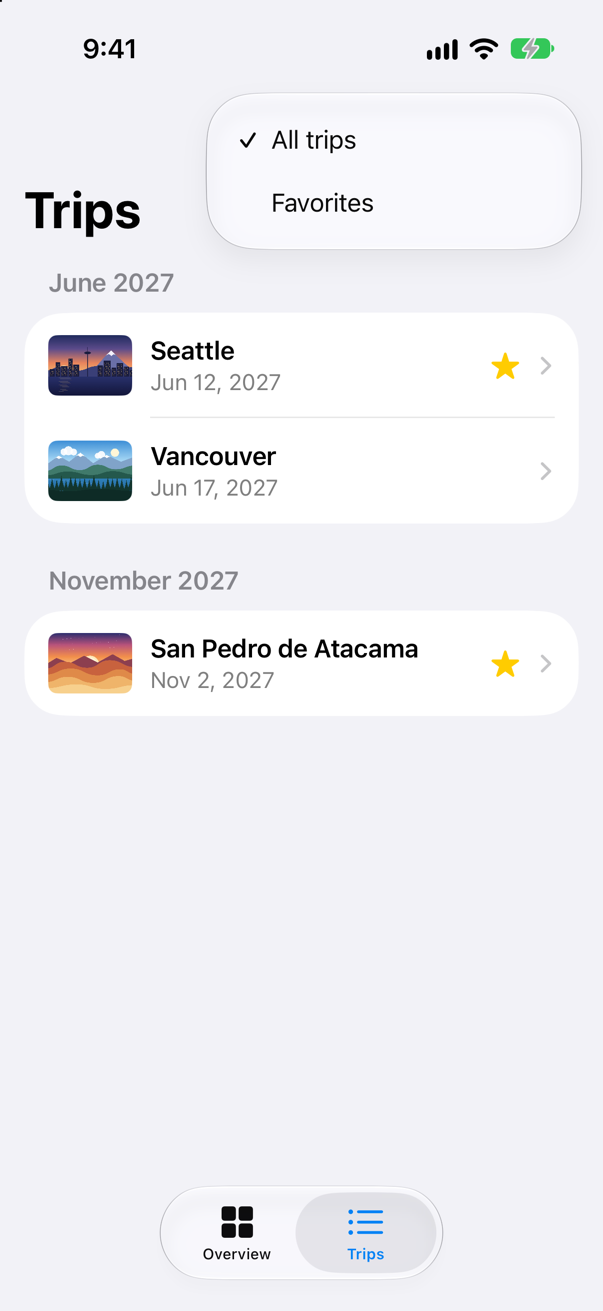
Choose Favorites:
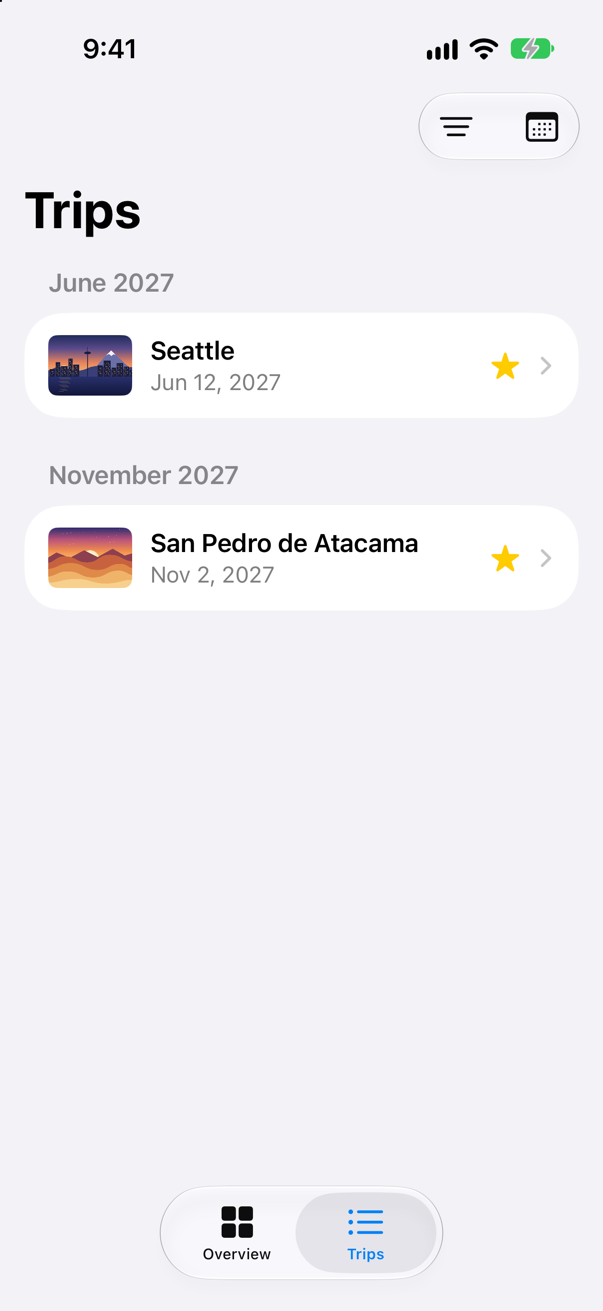
The picker wrote true into favoritesOnly, and the list followed. The menu and the search work together, because both are only inputs to shown. Neither knows the other exists.
Rare actions in the overflow menu
A trip's screen has three buttons at the top: All trips, Edit, and the trash can. Deleting is rare and cannot be undone, and it does not need a place in the bar. New in iOS 27, ToolbarOverflowMenu holds actions that, in Apple's words, "are always placed in the toolbar's overflow menu, regardless of the toolbar mode, platform, or customizability." The obvious change is to wrap the Delete button in one and leave the other two alone. Try it in TripDetail.swift, and Xcode reports:
referencing instance method 'toolbar(content:)' on 'TupleContent' requires that 'ToolbarOverflowMenu<Button<Label<Text, Image>>>' conform to 'View'.toolbar reads its closure one of two ways. Given views — a plain Button — it reads everything as views, and ToolbarOverflowMenu is not a view: it is toolbar content, like ToolbarItem. One closure cannot mix the two, so each button goes into a ToolbarItem of its own. In TripDetail.swift:
struct TripDetail: View { let id: Trip.ID @Binding var selection: Trip.ID? @Environment(TripStore.self) private var store @State private var editing: Trip? @State private var isConfirmingDelete = false var body: some View { @Bindable var store = store if let index = store.trips.firstIndex(where: { $0.id == id }) { ScrollView { VStack(spacing: 16) { TripCard(trip: $store.trips[index]) if let next = next(after: store.trips[index]) { NavigationLink("Next: \(next.city)", value: next.id) } } } .navigationTitle(store.trips[index].city) .toolbar { Button("All trips", systemImage: "list.bullet") { selection = nil ToolbarItem { Button("All trips", systemImage: "list.bullet") { selection = nil } } Button("Edit") { editing = store.trips[index] ToolbarItem { Button("Edit") { editing = store.trips[index] } } Button("Delete trip", systemImage: "trash", role: .destructive) { isConfirmingDelete = true ToolbarOverflowMenu { Button("Delete trip", systemImage: "trash", role: .destructive) { isConfirmingDelete = true } } } .alert("Delete \(store.trips[index].city)?", isPresented: $isConfirmingDelete) { Button("Delete", role: .destructive) { store.delete([store.trips[index]]) } Button("Cancel", role: .cancel) { } } message: { Text("This cannot be undone.") } .sheet(item: $editing) { trip in TripEditor(trip: trip) { edited in store.update(edited) } .presentationDetents([.medium, .large]) } } else { ContentUnavailableView("This trip is gone", systemImage: "airplane.departure") } } /// The trip that starts soonest after this one, if there is one. private func next(after trip: Trip) -> Trip? { store.trips.filter { $0.start > trip.start }.min { $0.start < $1.start } }}struct TripDetail: View {
let id: Trip.ID
@Binding var selection: Trip.ID?
@Environment(TripStore.self) private var store
@State private var editing: Trip?
@State private var isConfirmingDelete = false
var body: some View {
@Bindable var store = store
if let index = store.trips.firstIndex(where: { $0.id == id }) {
ScrollView {
VStack(spacing: 16) {
TripCard(trip: $store.trips[index])
if let next = next(after: store.trips[index]) {
NavigationLink("Next: \(next.city)", value: next.id)
}
}
}
.navigationTitle(store.trips[index].city)
.toolbar {
ToolbarItem {
Button("All trips", systemImage: "list.bullet") {
selection = nil
}
}
ToolbarItem {
Button("Edit") {
editing = store.trips[index]
}
}
ToolbarOverflowMenu {
Button("Delete trip", systemImage: "trash", role: .destructive) {
isConfirmingDelete = true
}
}
}
.alert("Delete \(store.trips[index].city)?", isPresented: $isConfirmingDelete) {
Button("Delete", role: .destructive) {
store.delete([store.trips[index]])
}
Button("Cancel", role: .cancel) { }
} message: {
Text("This cannot be undone.")
}
.sheet(item: $editing) { trip in
TripEditor(trip: trip) { edited in
store.update(edited)
}
.presentationDetents([.medium, .large])
}
} else {
ContentUnavailableView("This trip is gone", systemImage: "airplane.departure")
}
}
/// The trip that starts soonest after this one, if there is one.
private func next(after trip: Trip) -> Trip? {
store.trips.filter { $0.start > trip.start }.min { $0.start < $1.start }
}
}Run the app, open Seattle, and tap the button with three dots:
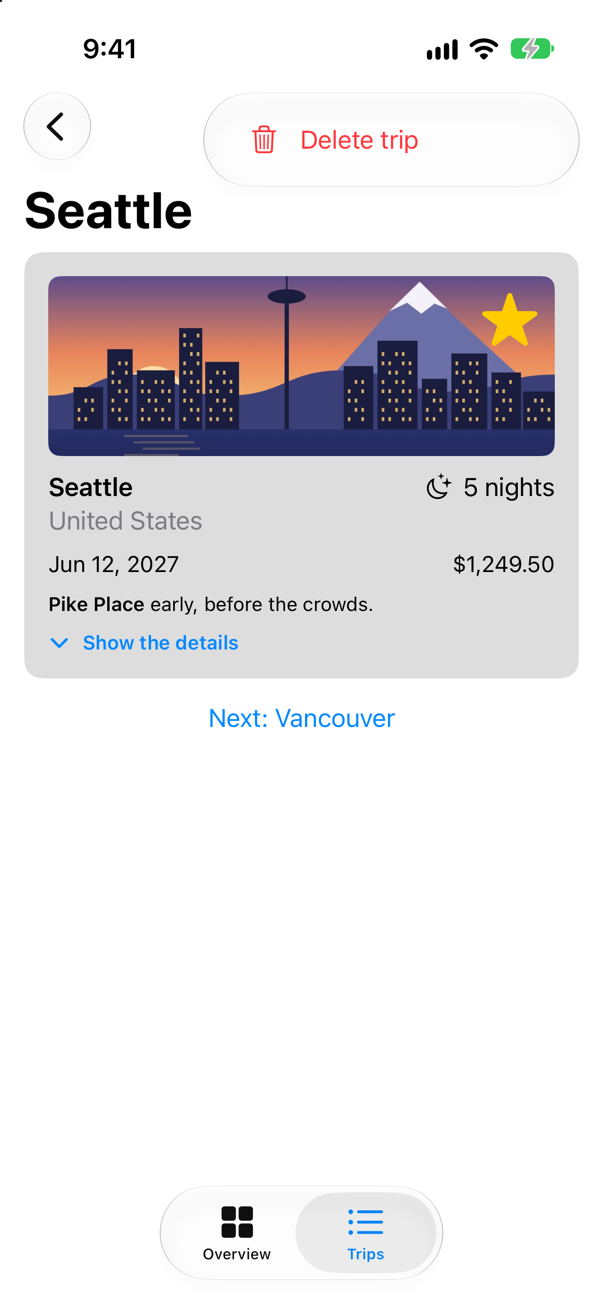
Tap Delete trip, and the last lesson's alert asks as before:
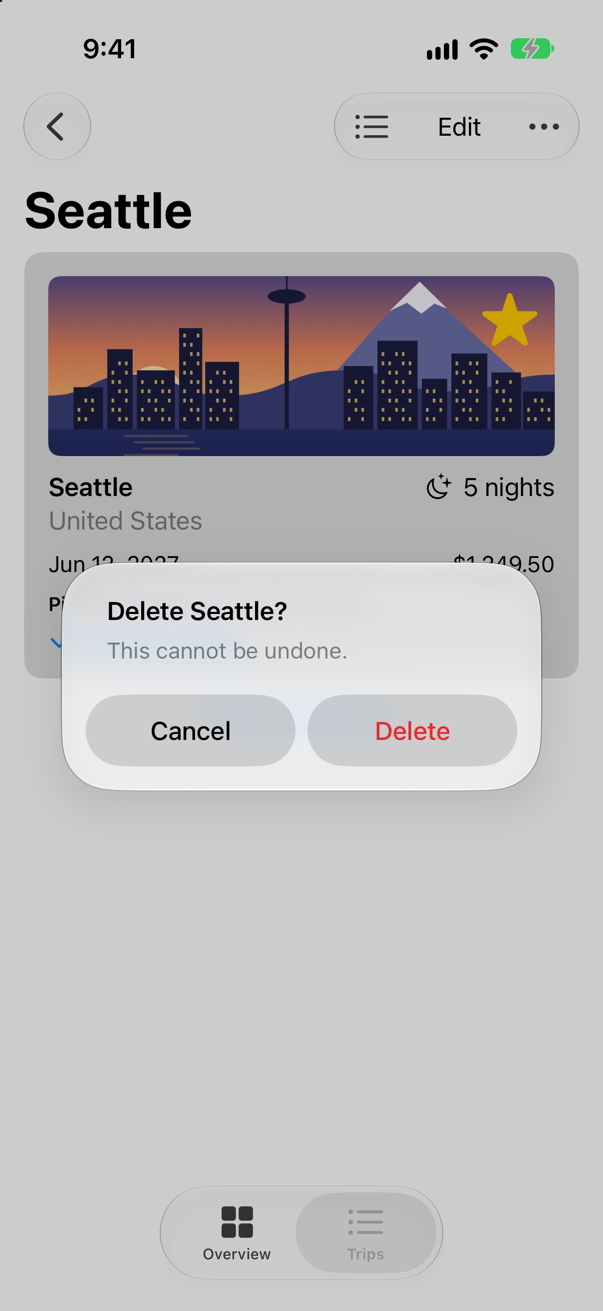
Nothing about deleting changed — the button sets the same Boolean, and the alert still asks. Only its place did. A crowded bar also moves items into that menu on its own, last item first; iOS 27's .visibilityPriority(.high) keeps one in the bar longer (a card in this lesson runs ten items).
What you built
- A search field on the Trips list, filtering by city or country with
localizedStandardContains, andContentUnavailableView.searchwhen nothing matches. - Search suggestions, each with a
searchCompletion. - A
Menuholding aPickerin the toolbar: all trips, or only the favorites. - A
ToolbarOverflowMenufor the action people need least.
That is Part 7. Below the cards and the edge cases is its interview problem, a deep link into a navigation stack, which lesson 22's path makes short work of. Next, Part 8 begins, with drawing: shapes and paths, and a header for Trips drawn in code.
The finished project
Stuck, or want to compare with your own? This is the project as it stands at the end of this lesson, built and run before it was put here.
- Trips-lesson-24.zip — unzip it, then open
Trips.xcodeprojin Xcode.
Flash cards
20 cards for this lesson, each labelled with its topic. 12 ask how you would write something; the other 8 are trick questions, written to catch a misunderstanding. Answer in your head first, then tap the card.
Syntax · SearchA search field over a list, whose text is kept in a string of yours.
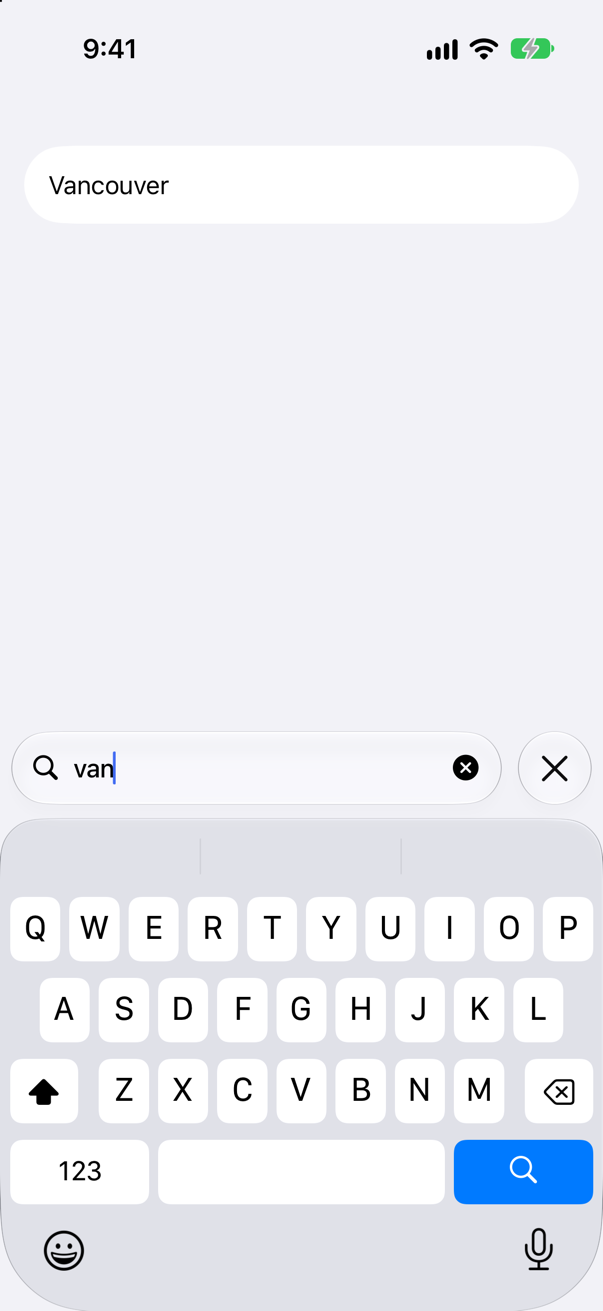
.searchable(text: $query) on a view inside a NavigationStack or a NavigationSplitView. SwiftUI draws the field and writes each keystroke into query; which rows match is your code (shown). The picture is after typing "van".
Syntax · SearchMatch what was typed the way the system does — ignoring capitals and accents.
localizedStandardContains(_:). Apple calls it "the most appropriate method for doing user-level string searches": locale-aware, and insensitive to case and diacritics. It printed ["São Paulo"] and ["Zürich"].
Syntax · SearchSay that a search found nothing, the way Apple's own apps do.
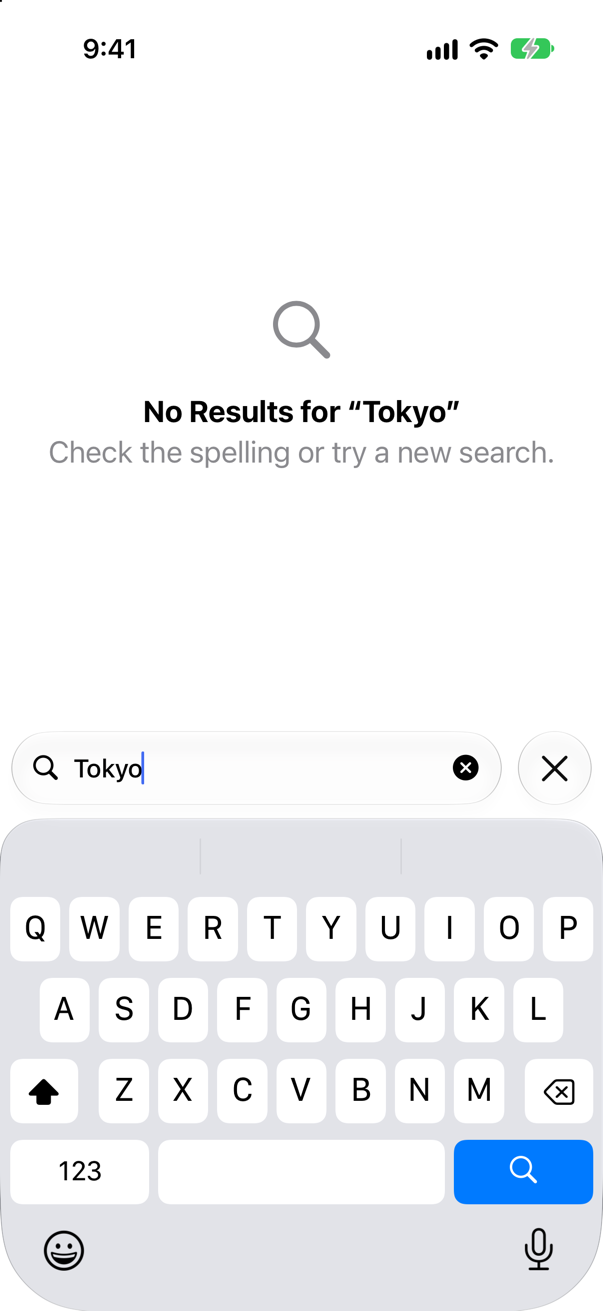
ContentUnavailableView.search(text:): a ready-made "No Results" screen that repeats what was typed. Put it in an .overlay on the list, shown only while a search matches nothing.
Syntax · SearchOffer suggestions under the search field; choosing one fills it in.
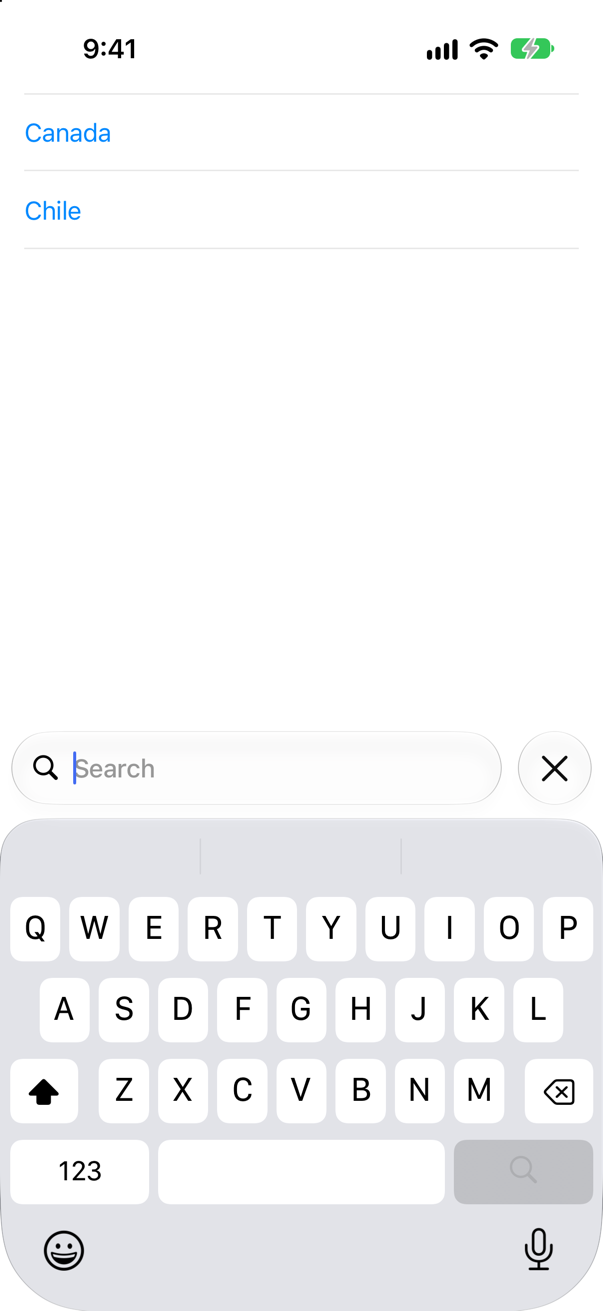
.searchSuggestions { }, after .searchable, with .searchCompletion(_:) on each suggestion: the text that choosing it puts in the field. The picture is the field just tapped. A suggestion without searchCompletion is shown but does nothing.
Syntax · SearchLet the searcher narrow a search to one of a few categories.
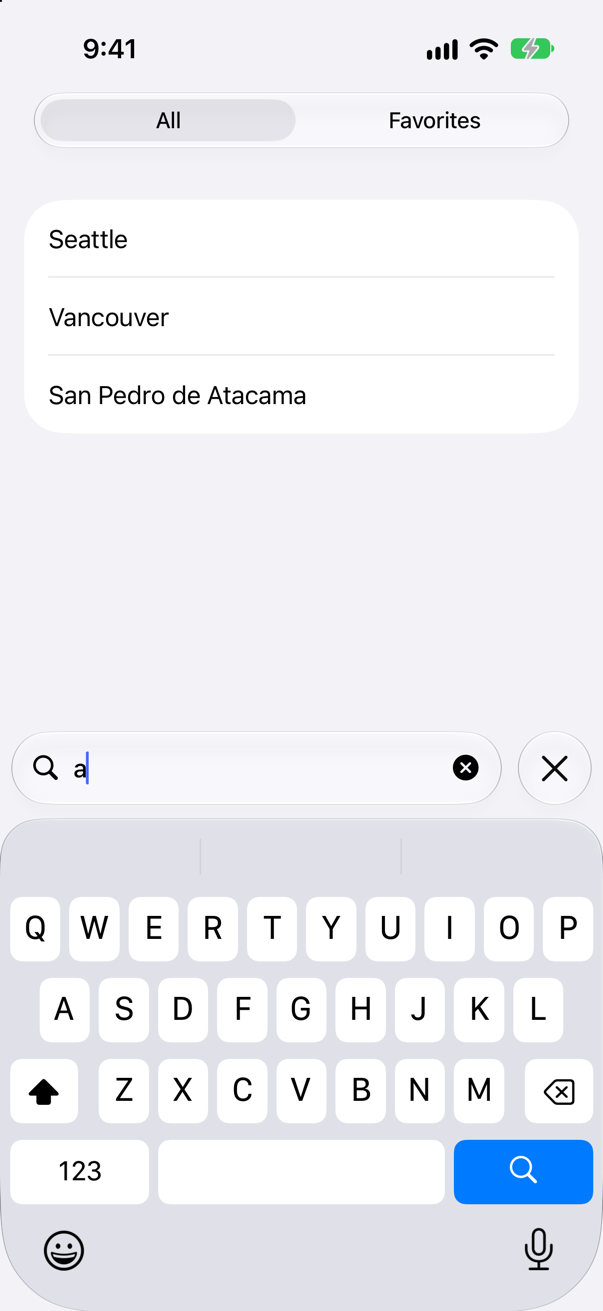
.searchScopes($scope) { }, after .searchable, with a tag on each scope of the same type as scope. Your filter reads scope beside the text. On iOS the scopes appear once typing begins — the picture is after one letter.
Syntax · SearchKnow, inside a searched view, whether the user is searching right now.
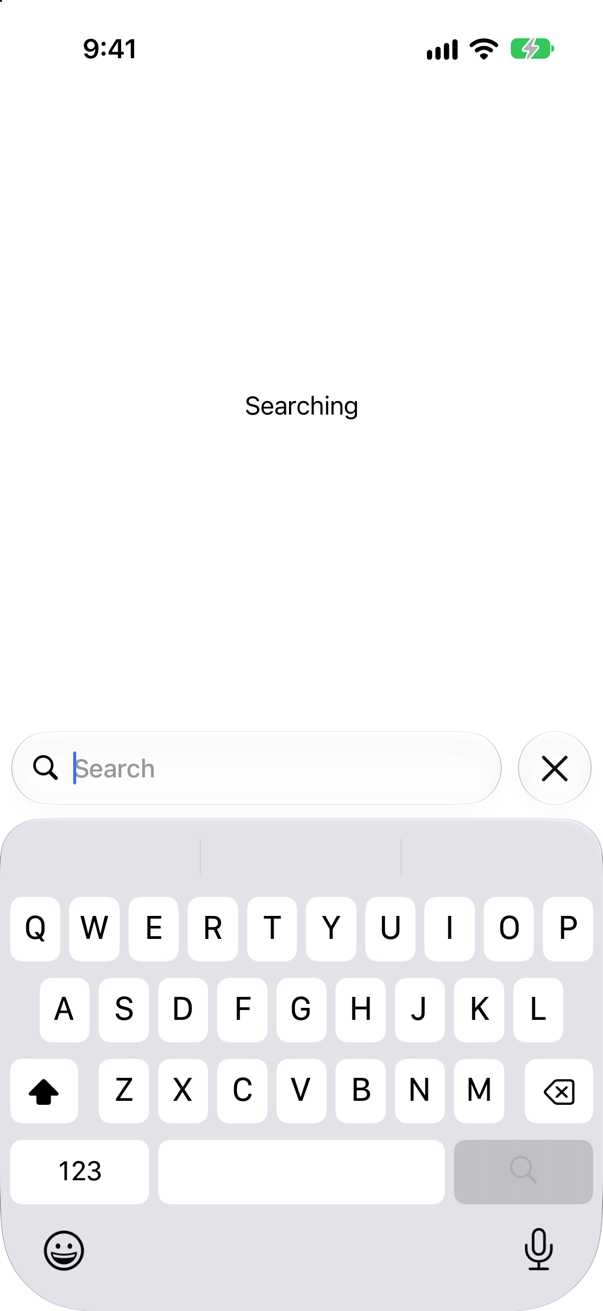
@Environment(\.isSearching) — read in a view inside the one with .searchable; the picture is after a tap on the field. Read in the view that applies .searchable, it is always false (a trick card in this lesson).
Syntax · SearchEnd the search from code: empty the field and put the keyboard away.
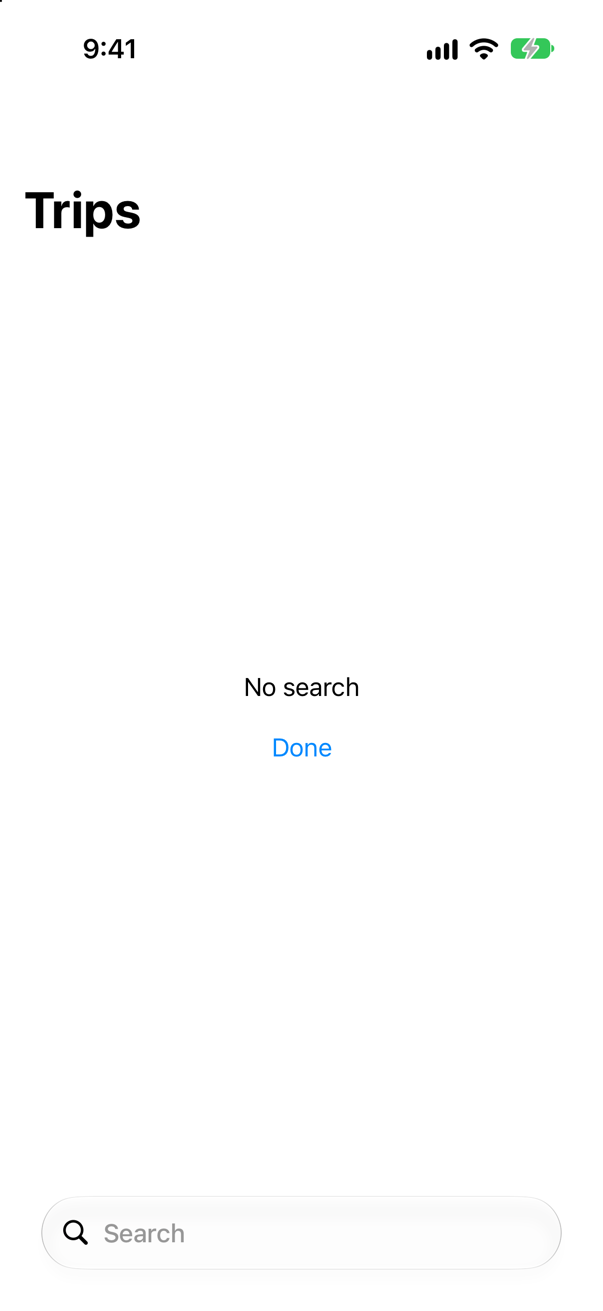
@Environment(\.dismissSearch), called like a function. Apple: it sets isSearching to false, "Clears any text from the search field" and "Removes focus from the search field". Like isSearching, read it inside the searched view. The picture is after typing "van" and tapping Done.
Syntax · SearchSearch only when Return is pressed, not at every keystroke.
.onSubmit(of: .search) { }. It runs when the user presses Return in the search field — for a search that costs something, such as a request to a server. Typing "van" printed nothing; Return printed Searching for van.
Syntax · ToolbarsA menu of choices in the toolbar, with a tick beside the current one.
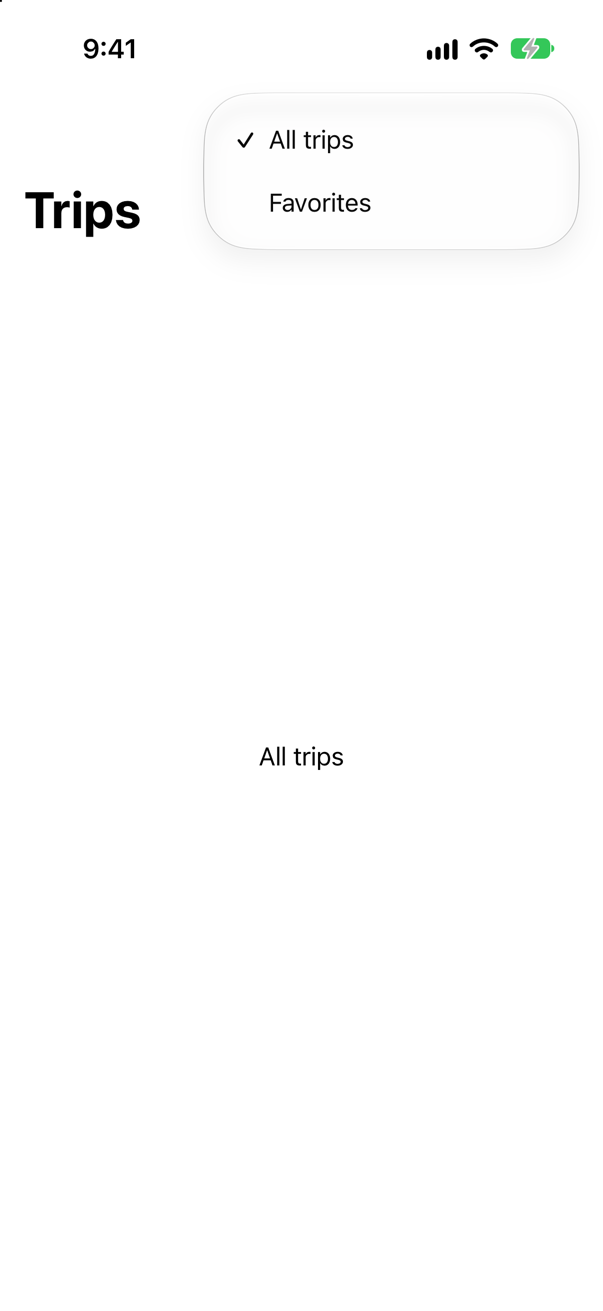
A Picker inside a Menu: the menu lists the choices and ticks the one the binding holds. The picture is the menu just opened.
Syntax · ToolbarsA toolbar button that does one thing when tapped, and offers more when held.
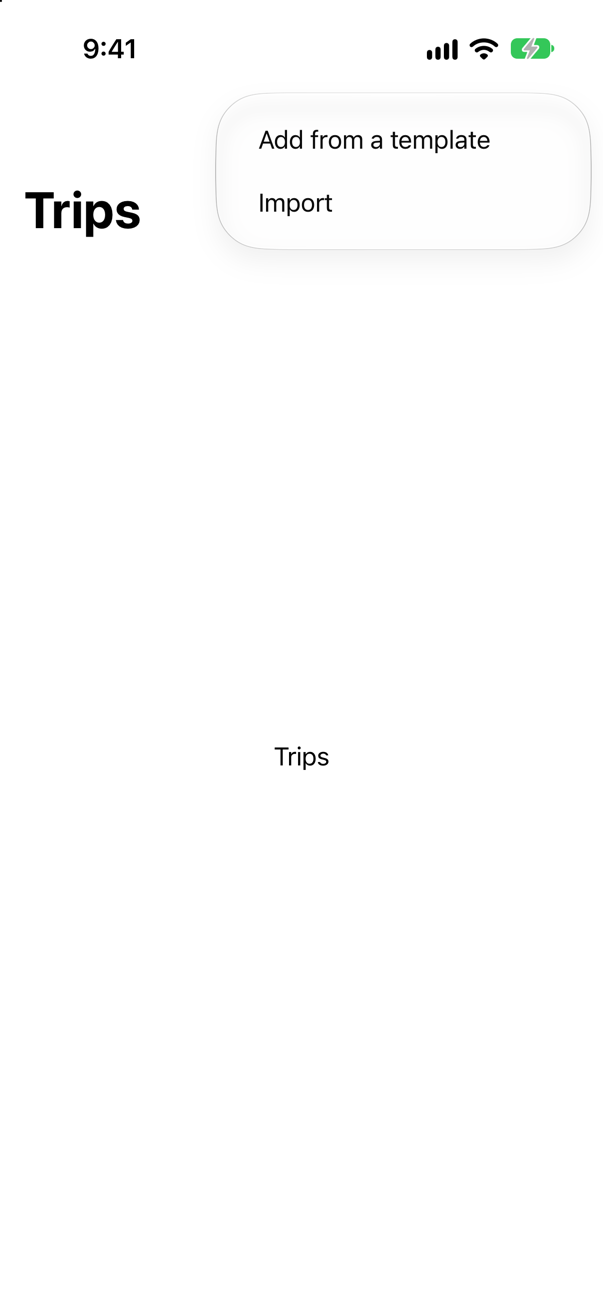
Menu { } primaryAction: { }. Apple: "The primary action will be performed when the user taps or clicks on the body of the control, and the menu presentation will happen on a secondary gesture, such as on long press or on click of the menu indicator." A tap printed add a trip; the picture is after a long press.
Syntax · ToolbarsActions that always go in the toolbar's overflow menu (iOS 27).
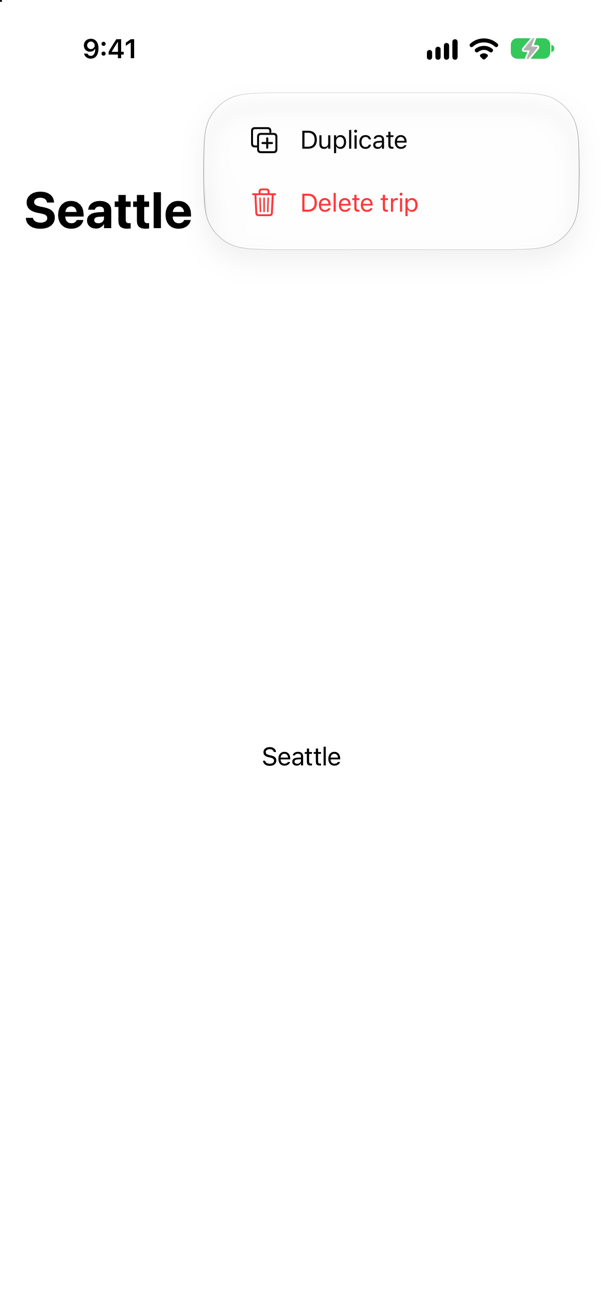
ToolbarOverflowMenu { } in the .toolbar, new in iOS 27, beside items written as ToolbarItems (a plain Button beside it does not compile). Apple: its actions "are always placed in the toolbar's overflow menu, regardless of the toolbar mode, platform, or customizability." The picture is the menu opened.
Syntax · ToolbarsWhen the toolbar runs out of room, keep this item in the bar the longest (iOS 27).
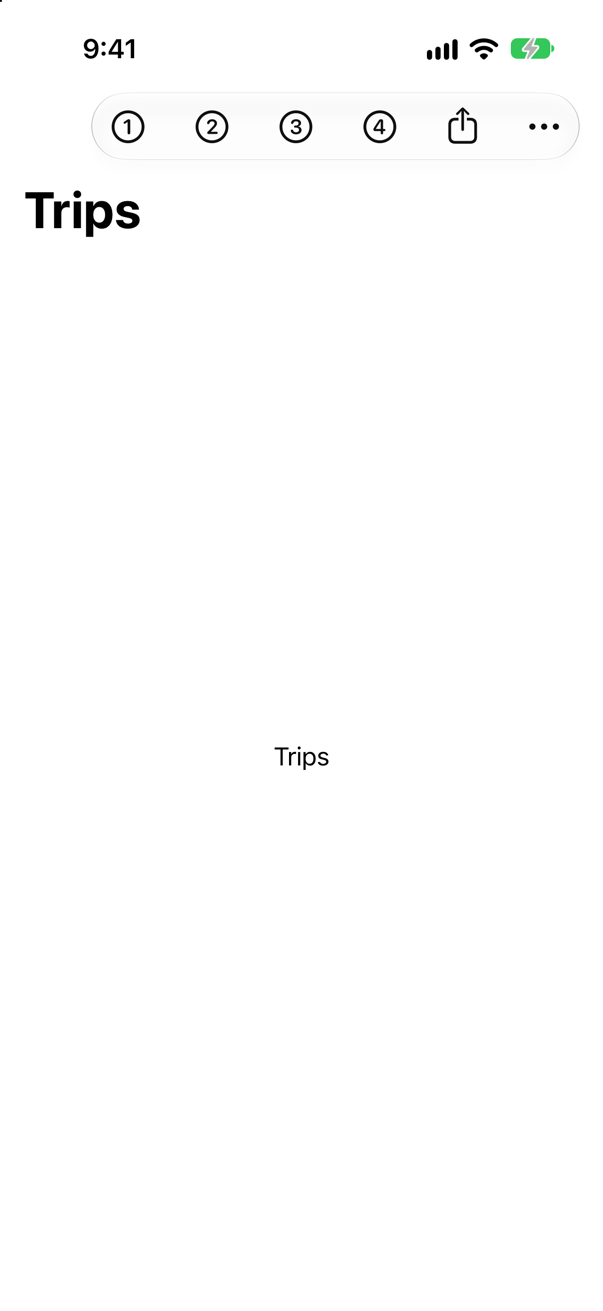
.visibilityPriority(.high) on the toolbar item, new in iOS 27. Apple: "When toolbar space is limited, items with a lower priority move into the overflow menu before items with a higher priority." Ten items do not fit on an iPhone: the bar kept One to Four and Share, and put Five to Nine behind More.
Trick question · SearchA view applies .searchable and also reads @Environment(\.isSearching). The user taps the field and types. What does that view see?
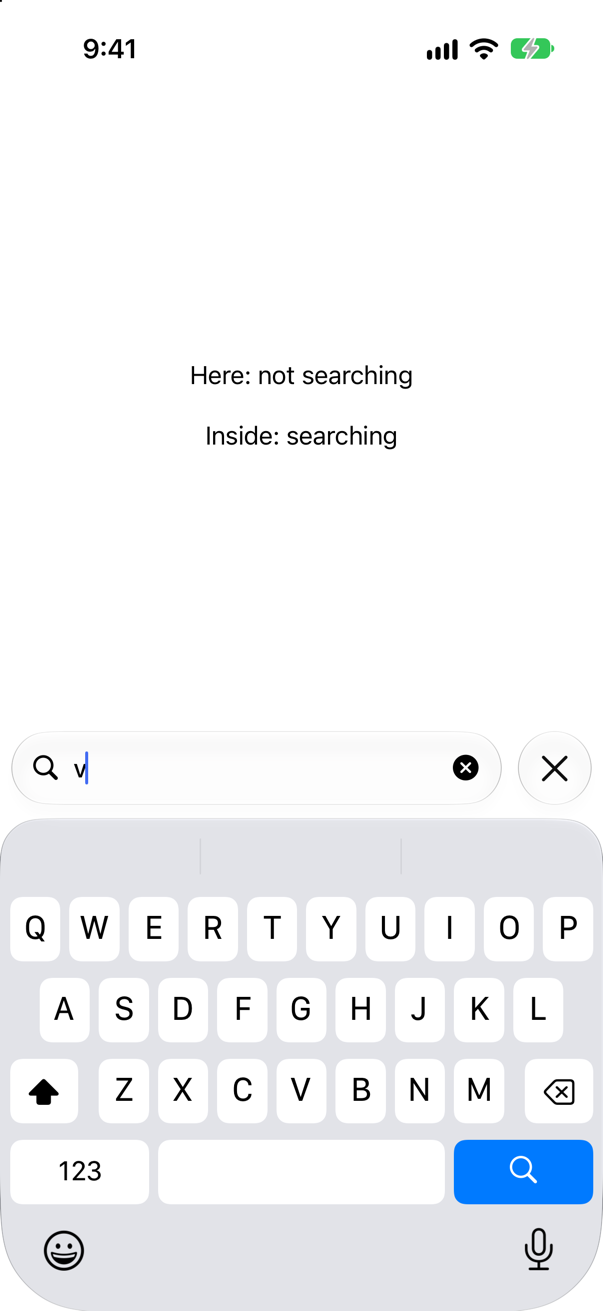
false, the whole time. Apple: SwiftUI "sets the value in the environment of the view that you apply the searchable modifier to, and doesn't propagate the value up the view hierarchy." Only views inside see it: the picture's second line comes from a child view.
Trick question · Search.searchable(text: $query) on a List that is not inside a NavigationStack or a NavigationSplitView. Where is the search field?
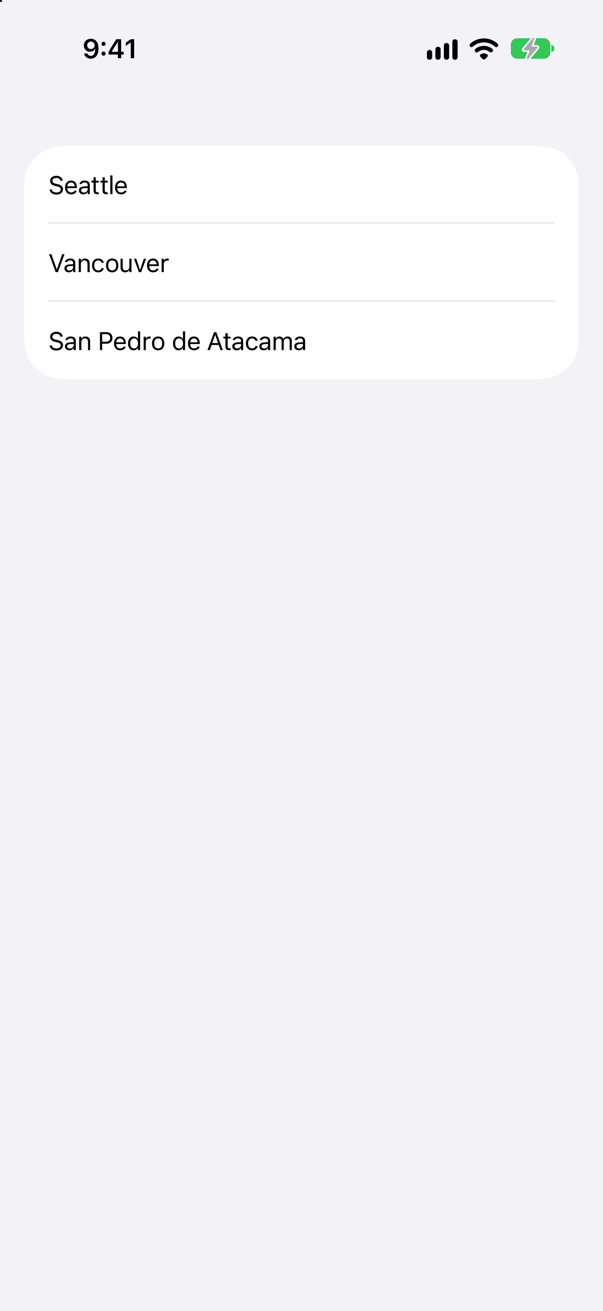
Nowhere. It compiles, runs, and draws no field. Apple: apply it "to a NavigationSplitView or NavigationStack, or to a view inside one of these. A search field then appears in the toolbar" — and without one there is no toolbar to put it in.
Trick question · Toolbars.toolbar { Button("Add", systemImage: "plus") { } } is attached to the NavigationStack itself. Where is the button?
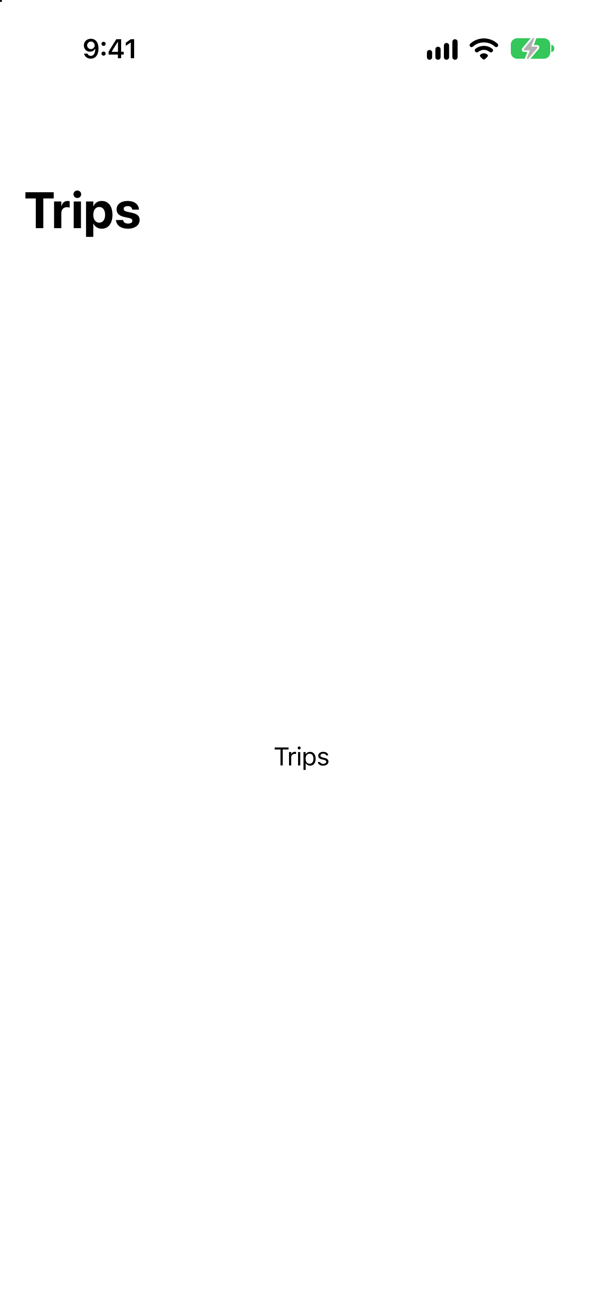
Nowhere. Toolbar items, like the title, are read from the views inside the stack. Attached outside it, nothing reads them. Move .toolbar onto the view inside, next to .navigationTitle.
Trick question · ToolbarsA toolbar Menu has a primaryAction:. The user taps it once. Does the menu open?
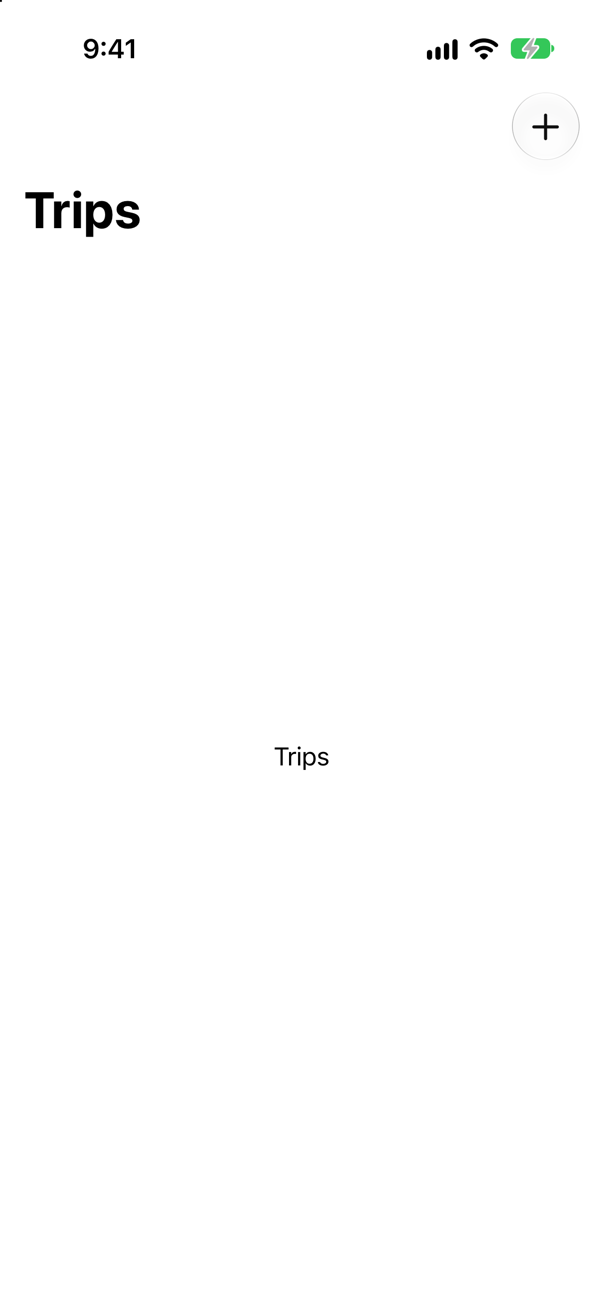
No. The tap ran the primary action — the console says add a trip — and the menu stayed shut. It opens on a long press. A menu without primaryAction opens on a tap.
Trick question · ToolbarsA .toolbar holds a Button("Edit") and a ToolbarOverflowMenu { … }. Does it compile?
No. With a plain Button in it, the closure is read as views, and ToolbarOverflowMenu is not a view: "referencing instance method 'toolbar(content:)' on 'TupleContent' requires that 'Button<Text>' conform to 'ToolbarContent'". Write every item as toolbar content — ToolbarItem { Button("Edit") { } } — and the two can sit together.
Trick question · SearchA search has .searchScopes. The user taps the search field. When do the scopes appear?
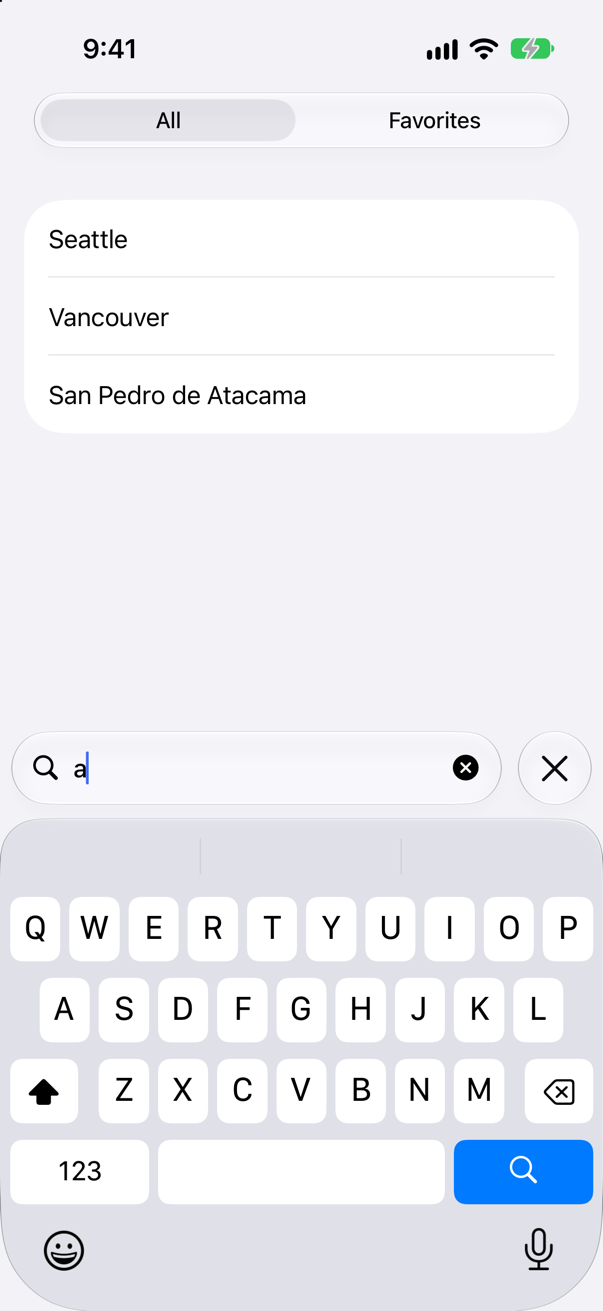
Only once something is typed. A tap on the field showed no scopes; the first letter brought them (the picture). Apple: on iOS the picker appears "when someone starts entering text into the search field". .searchScopes(_:activation: .onSearchPresentation) shows them as soon as the field is tapped.
Trick question · SearchA search filters with cities.filter { $0.localizedStandardContains(query) }, and nothing else. The app opens with an empty field. What does the list show?
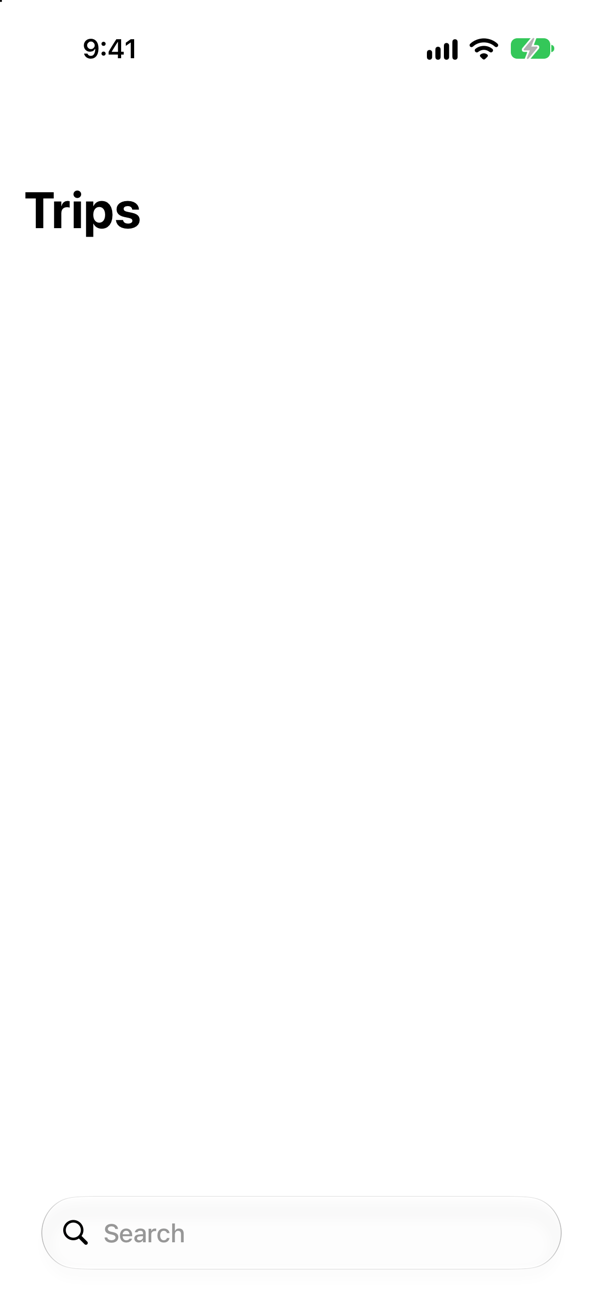
Nothing. An empty string is not contained in anything — localizedStandardContains("") is false — so an empty field matches no city. Check for an empty query first and return everything, as Trips does.
Trick question · Search"Vancouver".contains("van") — true or false?
false. contains compares character for character, so "v" is not "V". It printed false; localizedStandardContains, which ignores case and accents, printed true. A search box wants the second.
Edge cases and tricky questions
10 questions of the kind an interviewer uses to find out whether you really know this — the corners, the traps, and the things that changed recently. Each has its source. Wherever the answer is what some code does, that code was compiled and run, and what you see under “Show the answer” is what it really did. Say your answer aloud before you open it.
A view applies .searchable and shows isSearching, read with @Environment(\.isSearching). A child view inside it shows the same value. The user taps the field and types a letter. What does each show?
Show the answer
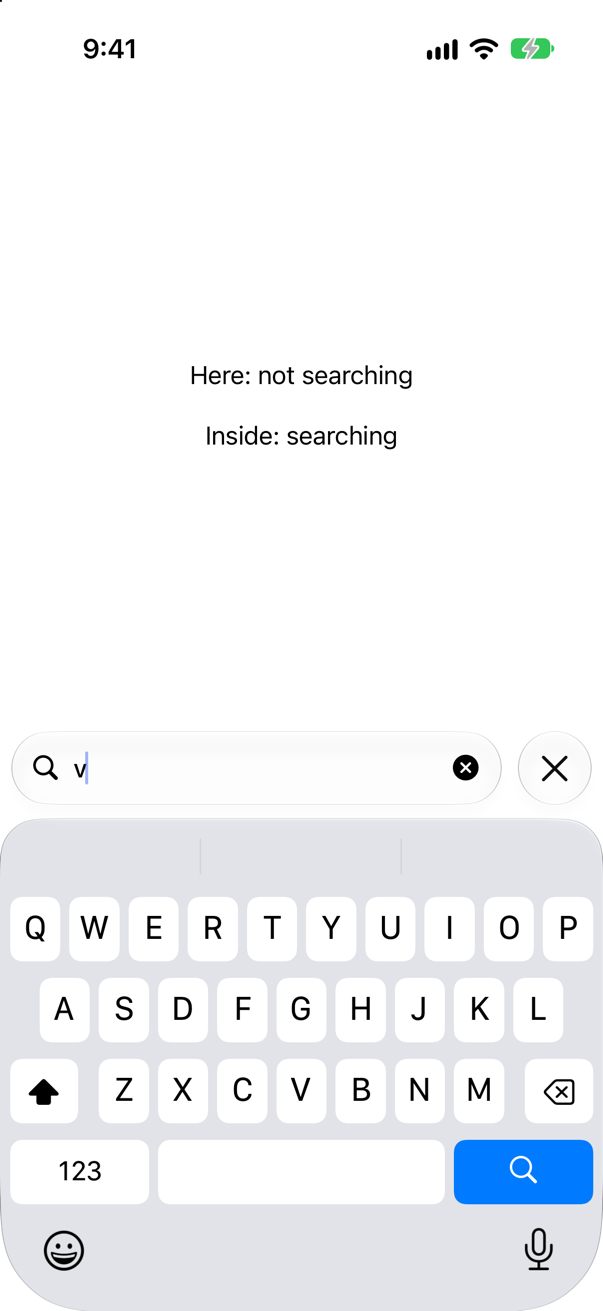
The view with .searchable never sees it change; the child does. Apple: "SwiftUI sets the value in the environment of the view that you apply the searchable modifier to, and doesn't propagate the value up the view hierarchy." The modifier puts the value in the environment of the view it wraps — the VStack and everything in it — and a view's own @Environment properties read the environment above it, where the modifier is not.
Lesson 19's rule, seen from below: values flow down only. Read isSearching (and dismissSearch) in a child view of the searched content, as the second line does, or pass what it needs down.
Where this comes from: isSearching · Managing search interface activation — Apple, Managing search interface activation: "You won't detect any change in the property value if you read it from outside of that context."
A search filters with cities.filter { $0.localizedStandardContains(query) } and nothing more. What does the list show before anything is typed — and what is the fix?
Show the answer
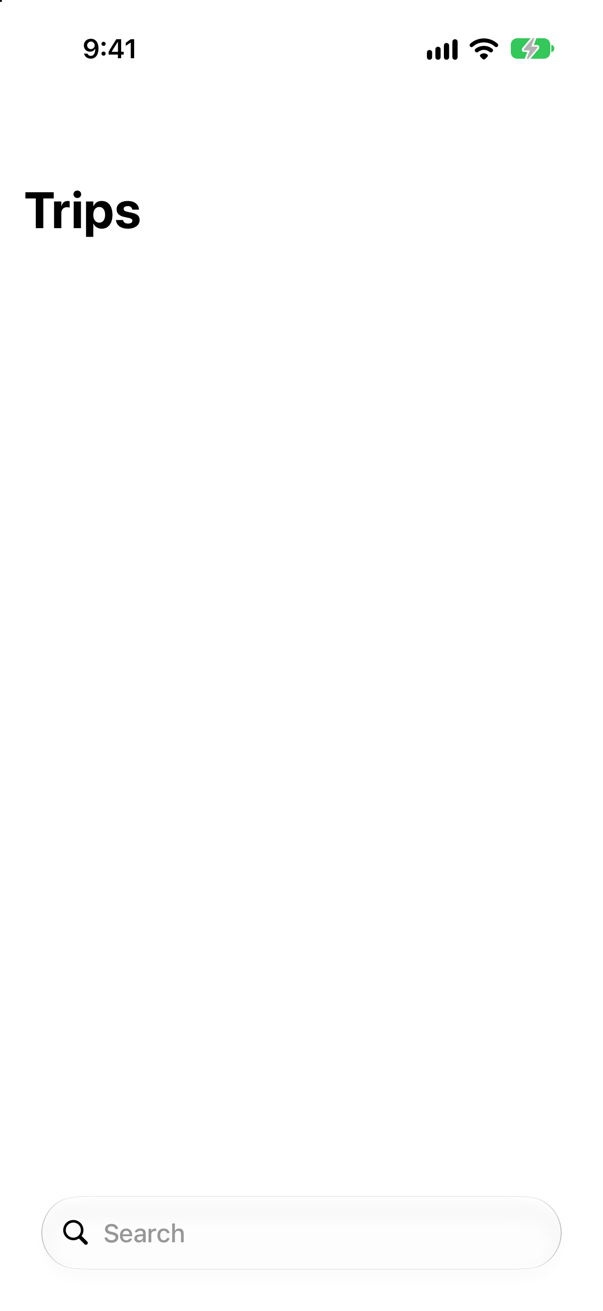
An empty list. The empty string is not "contained" in any string, as Foundation counts it:
The console
false
false
So an empty field matches no city at all, and the list is empty from launch until the user types. The fix is one condition — an empty query means no filter:
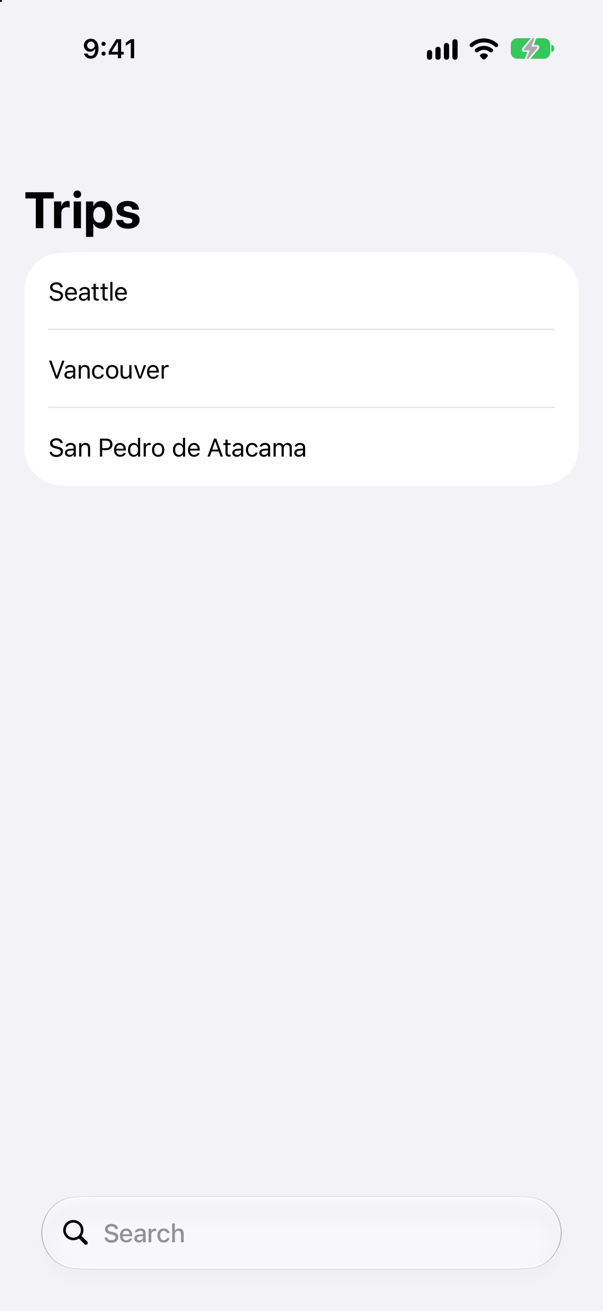
Every row, until a letter is typed. Trips' shown starts the same way. (localizedCaseInsensitiveContains and range(of:) treat the empty string the same, so the check belongs in any search.)
Where this comes from: localizedStandardContains(_:) · Performing a search operation — Measured on iOS 27: both comparisons printed false for an empty string.
Three cities — São Paulo, Vancouver, Zürich — and three searches: "sao", "VAN" and "zurich". Which does contains find, which does localizedCaseInsensitiveContains find, and which does localizedStandardContains find?
Show the answer
The console
sao [] [] ["São Paulo"]
VAN [] ["Vancouver"] ["Vancouver"]
zurich [] [] ["Zürich"]
contains finds none of them; the case-insensitive one finds only VAN; localizedStandardContains finds all three. contains compares exactly, so capitals and accents both stop it. localizedCaseInsensitiveContains forgives capitals but not accents: "sao" is not "São". localizedStandardContains forgives both — Apple: "The search is locale-aware, case and diacritic insensitive."
A user does not type accents into a search box, and should not have to. Apple calls the last one "the most appropriate method for doing user-level string searches, similar to how searches are done generally in the system" — use it unless you have a reason not to.
Where this comes from: localizedStandardContains(_:) — Apple, localizedStandardContains(_:): "The exact list of search options applied may change over time."
A user types "van " — with a space after it, as people do. With Trips' localizedStandardContains, is Vancouver still found? What about "san pedro"?
Show the answer
The console
"van " []
"san pedro" ["San Pedro de Atacama"]
" van" []
trimmed: ["Vancouver"]
"van " finds nothing. The space is a character like any other, and "Vancouver" has no "van " in it. A space in the middle is fine — "san pedro" matches, because the city has that space too — but one at either end quietly empties the list.
Trim before you compare: query.trimmingCharacters(in: .whitespaces), as the last line does. Do it in the filter, not on the binding — rewriting the field's own text while someone types would take their space away under the cursor.
Where this comes from: localizedStandardContains(_:) · Performing a search operation — Measured on iOS 27.
The same .searchable list in three places on an iPhone with iOS 27: in a NavigationStack on its own, in a NavigationStack inside a TabView, and in no navigation container at all. Where is the field in each?
Show the answer
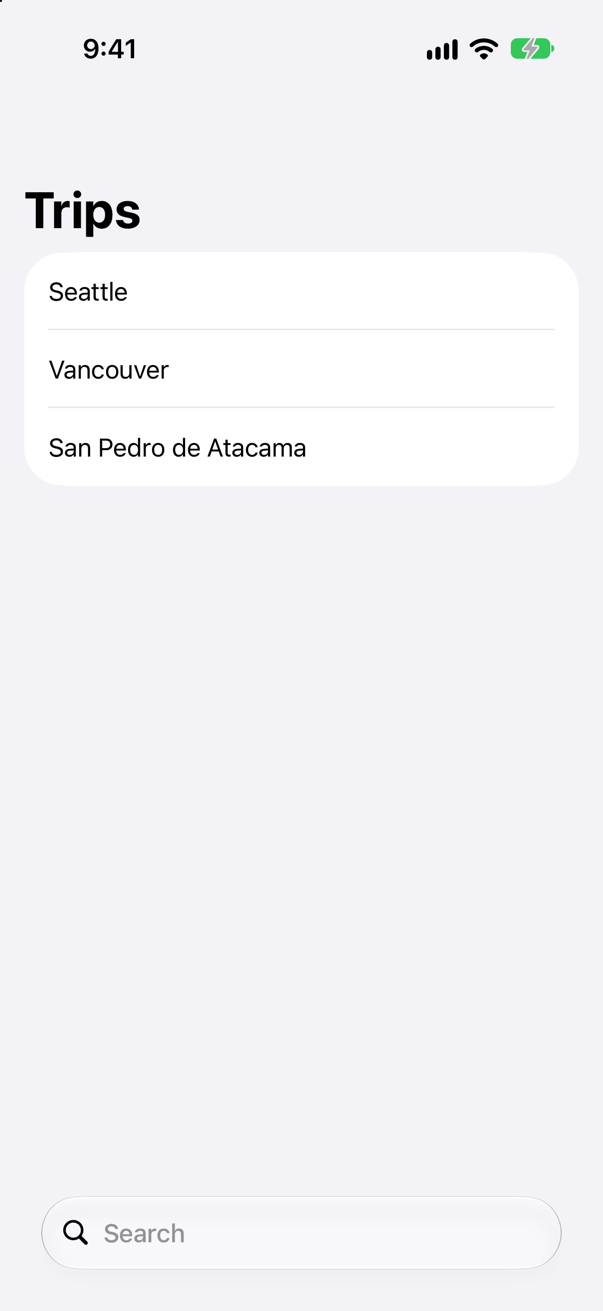
At the bottom; hidden under the title; and nowhere. In a stack on its own, iOS 27 puts the field at the bottom of an iPhone's screen, within reach of a thumb. In a stack inside a TabView, the tab bar has the bottom, and the field waits under the large title — not on the screen at all until the list is pulled down:
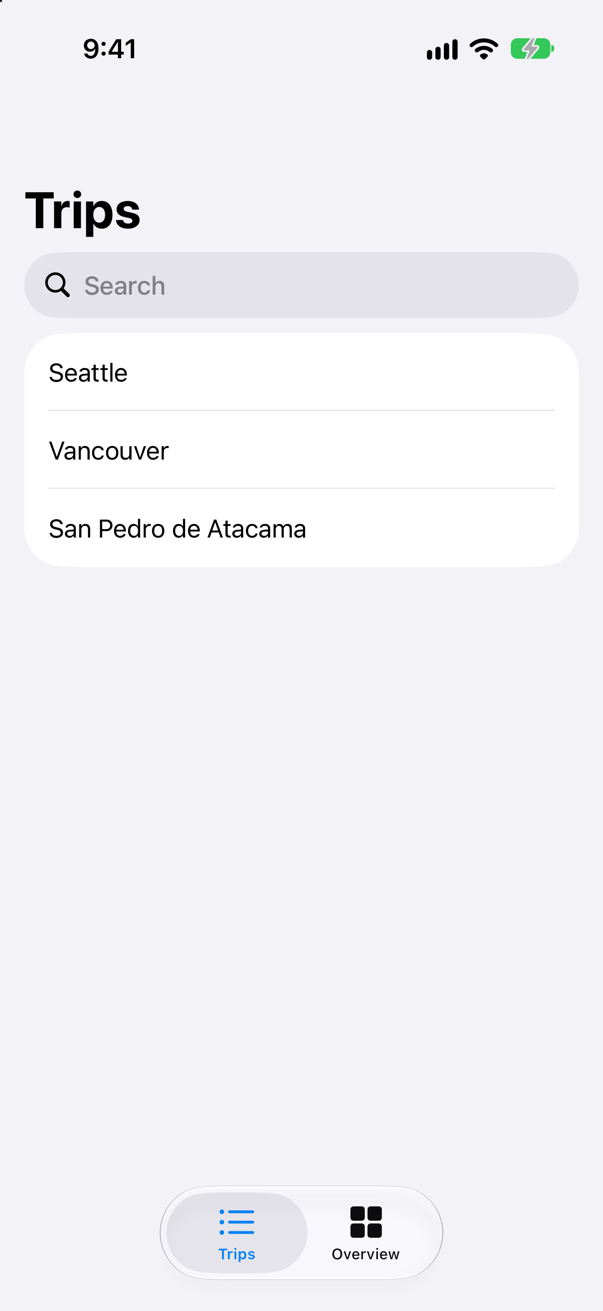
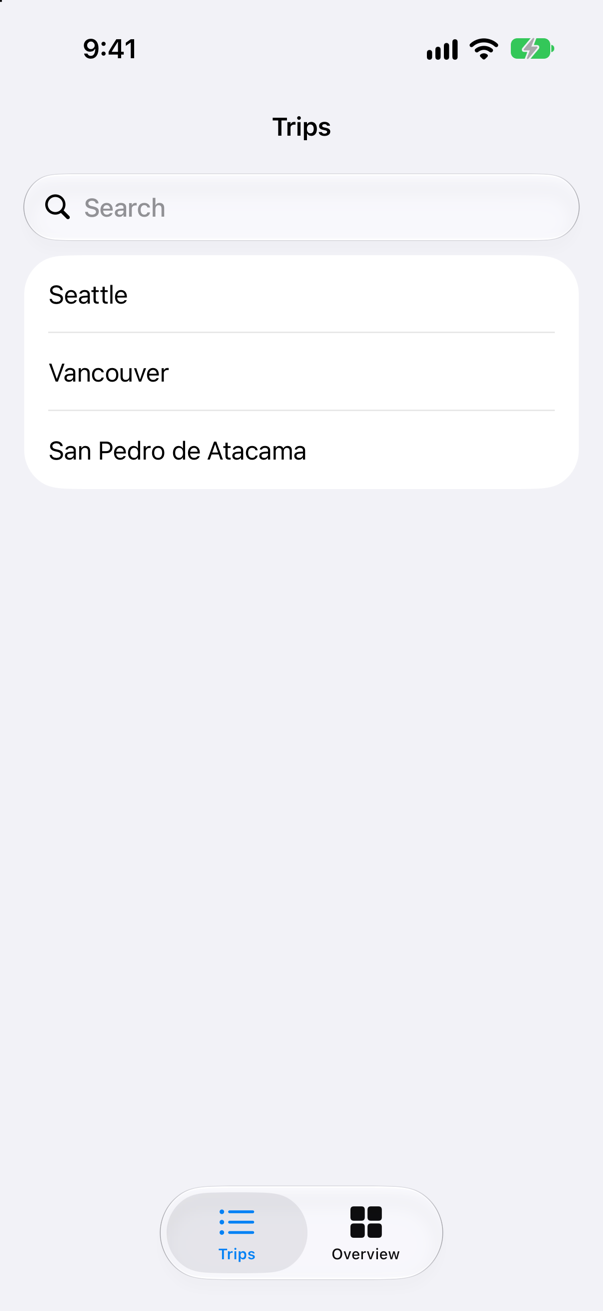
Before the pull, the driver found no field on the screen. Apple's article gives the rule and its limits: apply the modifier "to a NavigationSplitView or NavigationStack, or to a view inside one of these. A search field then appears in the toolbar. The precise placement and appearance of the search field depends on the platform, where you put the modifier in code, and its configuration." The configuration is placement:. Ask for the navigation bar's drawer always to show, and the field is there from the start:
And with no container at all, it compiles and runs, and there is no field:
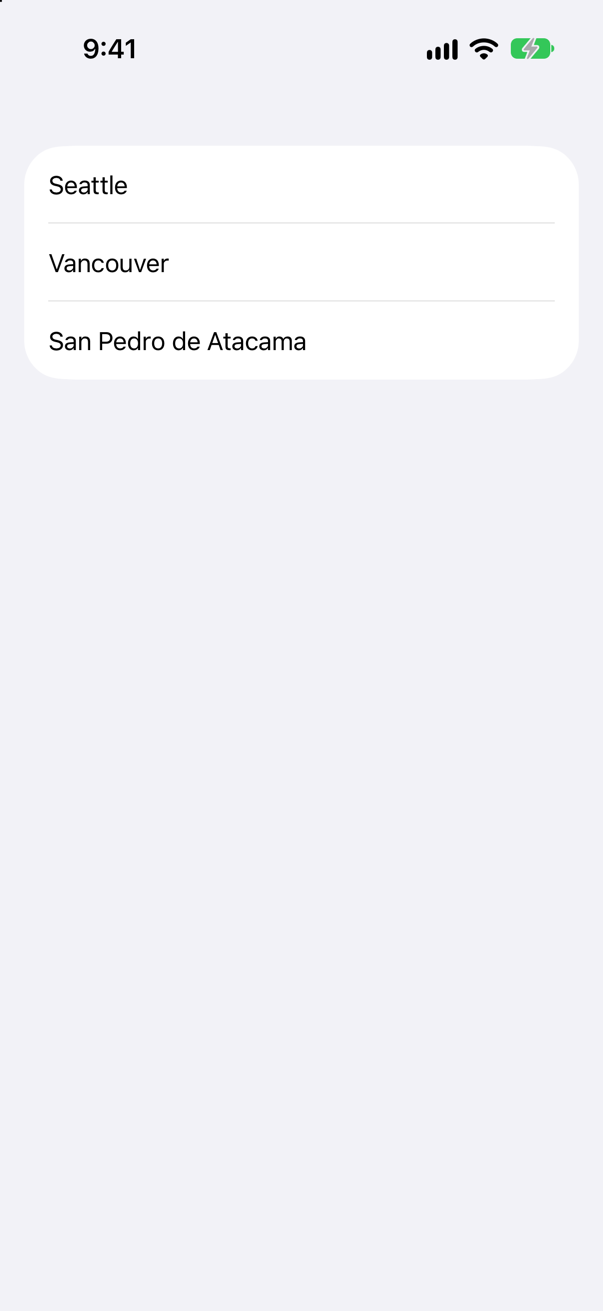
So when a search field does not show up, look for the stack — and then for the tab bar. Trips is in a tab, which is why this lesson's tutorial pulls the list down first.
Where this comes from: Adding a search interface to your app · searchable(text:placement:prompt:) — Measured on an iPhone 17 simulator: in a stack alone the field was found in the bottom fifth of the screen; in a tab, not at all until the pull, then near the top.
Lesson 22 found that a .navigationTitle written on the NavigationStack itself shows nowhere. What about .toolbar?
Show the answer
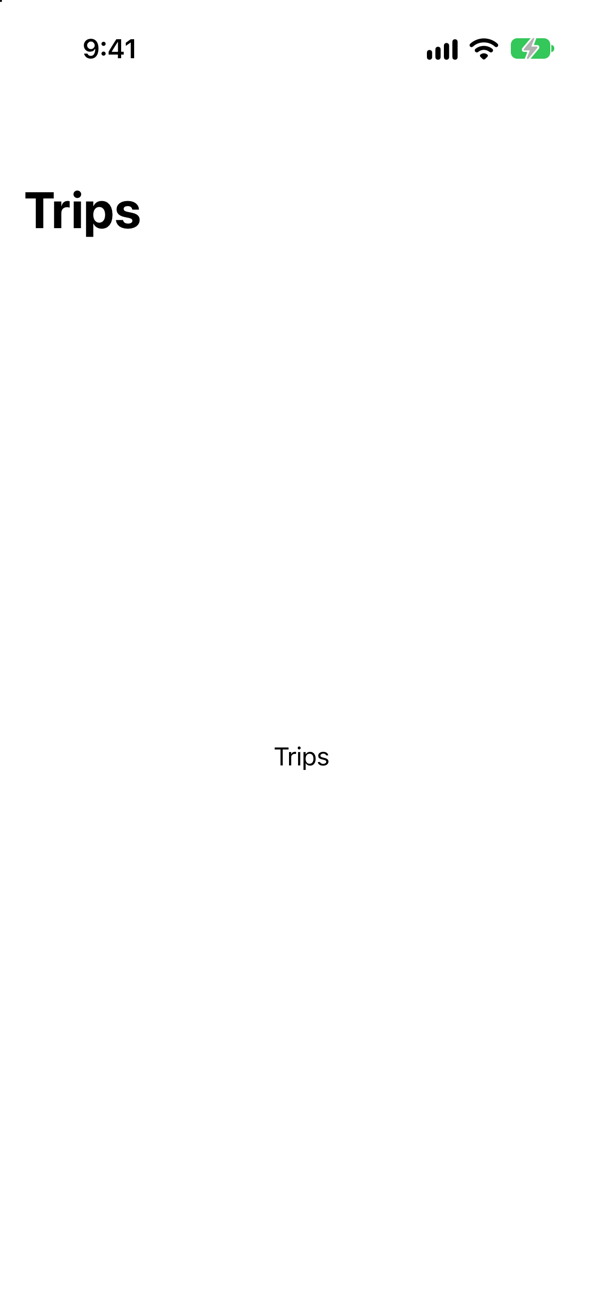
The same: no button, and no complaint. A stack builds its bar from what the screen inside it asks for — the title, the toolbar, the search field — and a modifier on the stack is outside every screen it shows. Inside, on the screen's own view:
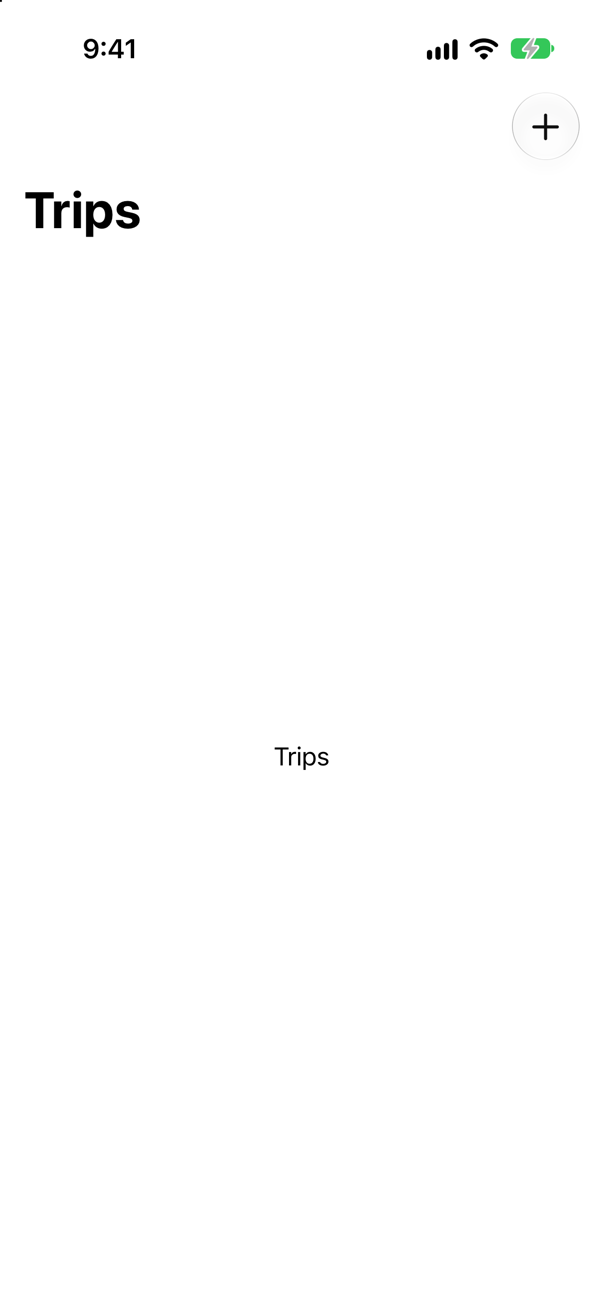
The button is there. The habit that avoids both: .navigationTitle, .toolbar and .searchable go together, on the root view of each screen — which is also what lets each pushed screen bring a toolbar of its own.
Where this comes from: toolbar(content:) · NavigationStack — Measured on iOS 27: the toolbar read no buttons when attached to the stack, and one when attached inside it.
A toolbar Menu("Add") has two items and a primaryAction:. What does a tap do, and how does the user reach the two items?
Show the answer
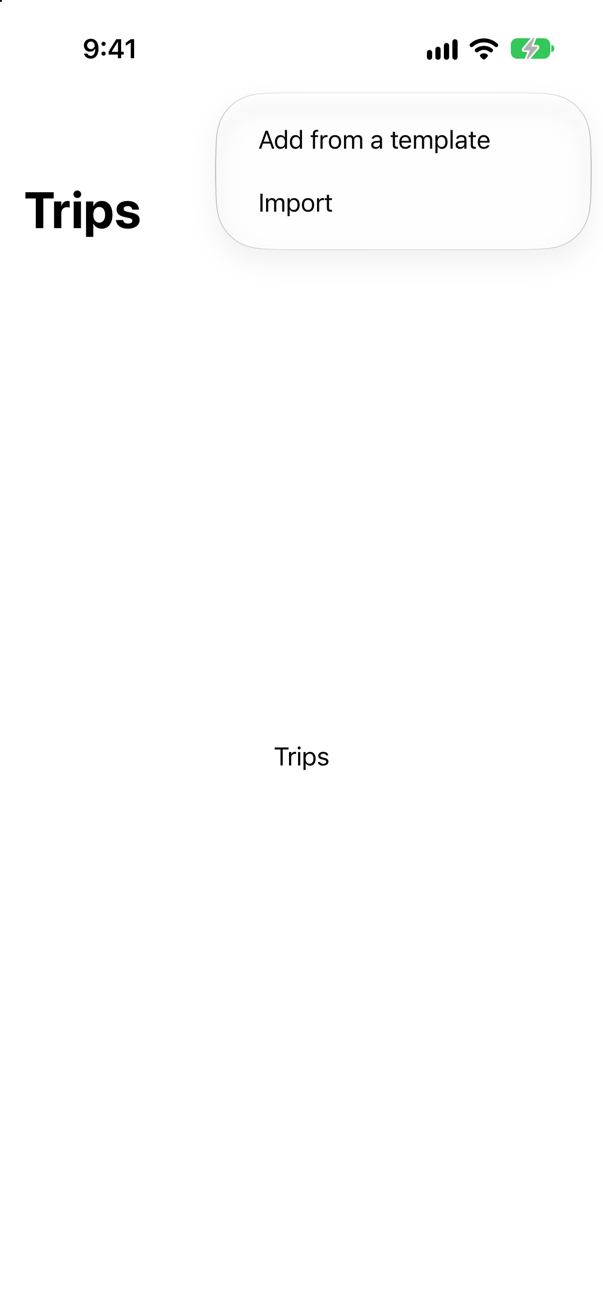
A tap runs the primary action; a long press opens the menu. The tap printed:
add a tripand left only the Add button on the screen. Holding it opened the menu, in the picture. Apple: "The primary action will be performed when the user taps or clicks on the body of the control, and the menu presentation will happen on a secondary gesture, such as on long press or on click of the menu indicator."
It suits a button with one obvious job and a few variations — Add, or Add from a template — but the variations are hidden from anyone who never holds the button. Anything people need regularly should not live only there.
Where this comes from: Menu — Measured on iOS 27: a tap ran the primary action and opened nothing; a long press opened the menu.
A search has two scopes, All and Favorites. When does the scope bar appear: when the field is tapped, or when the user starts typing? And can you change that?
Show the answer
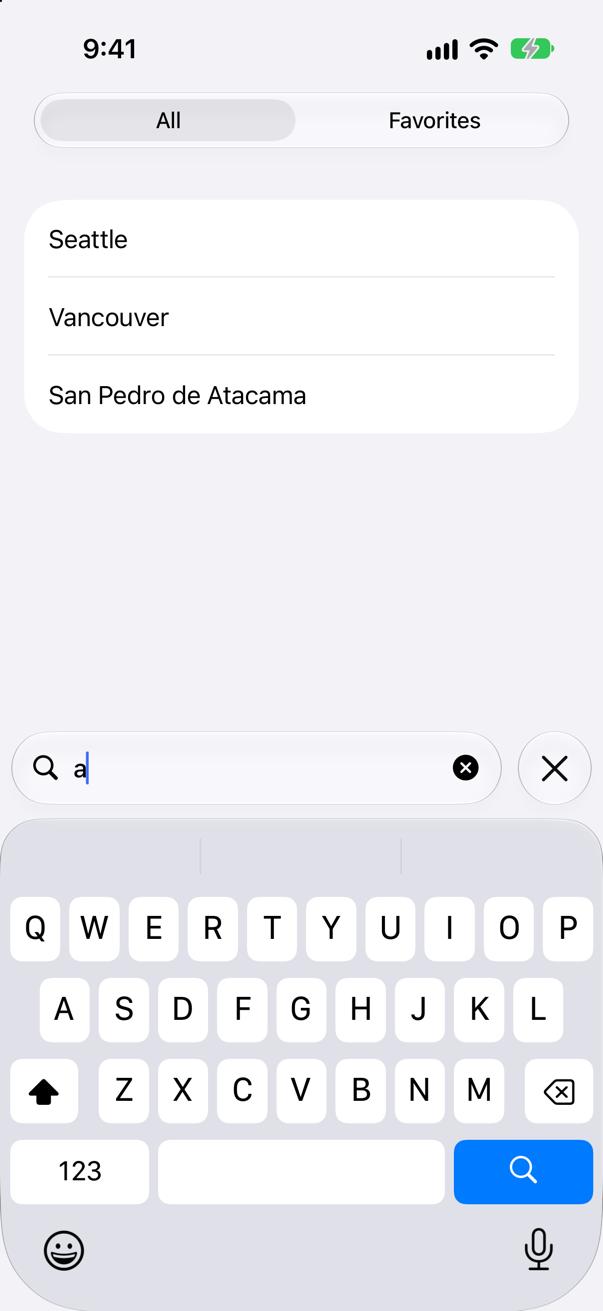
When the user starts typing. A tap on the field brought the keyboard and no scopes; the first letter brought the bar in the picture. Apple's article says the same: by default the picker appears "in iOS when someone starts entering text into the search field".
activation: changes it. With .onSearchPresentation the scopes are there as soon as the field is tapped:
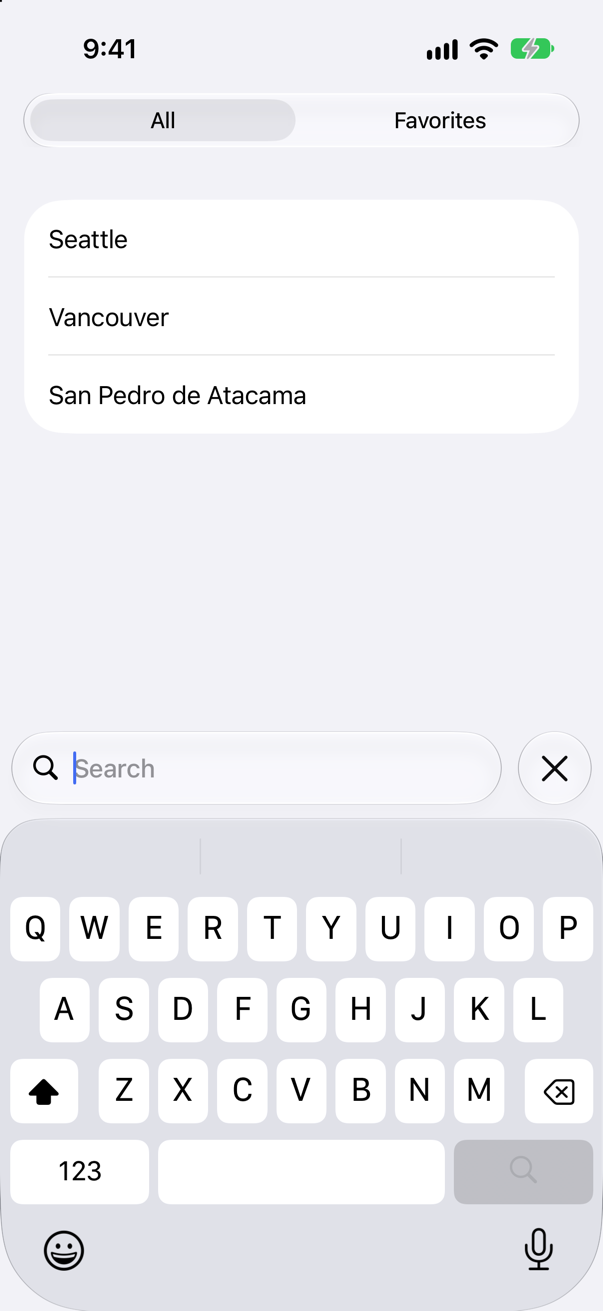
Use that when the scope is a choice people make before they search — "search my favorites" — rather than a way to narrow results they already have.
Where this comes from: Scoping a search operation — Apple, Scoping a search operation: "You can change when the picker appears by using the searchScopes(_:activation:_:) modifier instead".
The same search field has .onChange(of: query) and .onSubmit(of: .search), each printing. The user types "van" and presses Return. What is printed, and when?
Show the answer
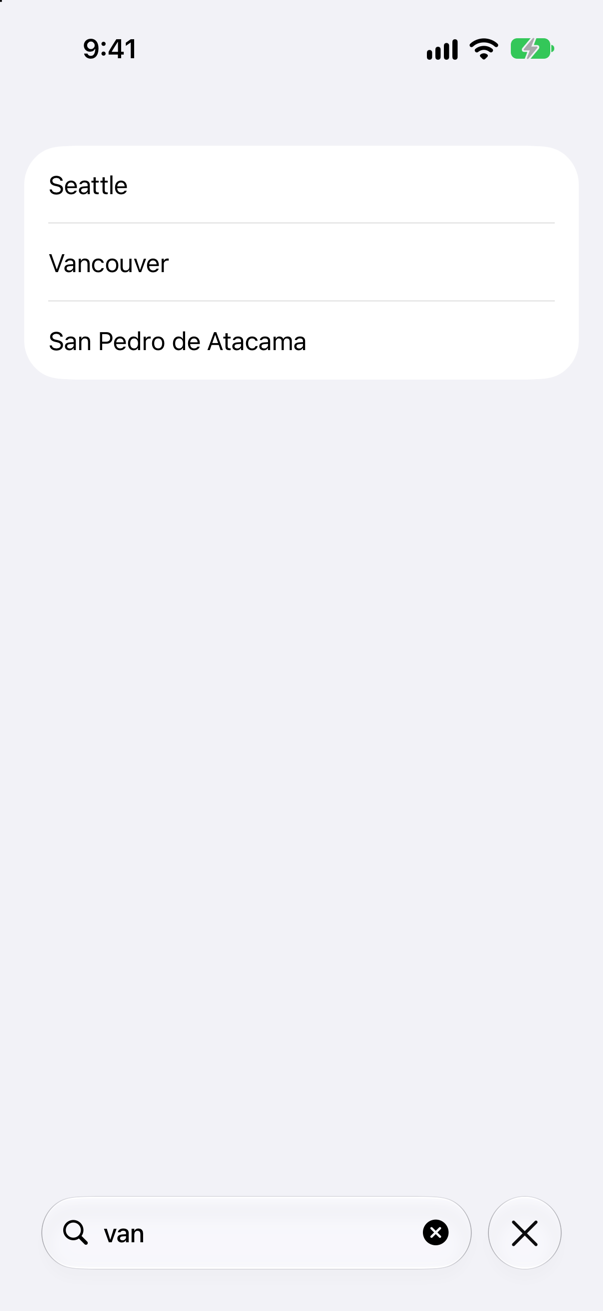
Changes while typing, and one submission for Return. While typing:
changed: v
changed: van
and on Return:
submitted: vanonChange runs once per update of the text, and an update can carry more than one letter when they arrive quickly — one run of this logged v, va and van, another v and van. Code that must see every keystroke cannot rely on it; code that wants the latest text, which is nearly all code, can. onSubmit ran exactly once.
So there are two kinds of search, and the choice is yours. Filtering data you already have can run at every change, as Trips does — it is cheap, and the list keeps up with the fingers. Asking a server should not: either wait for onSubmit, or wait for the typing to pause (a debounce — Part 11's interview problem tests one without waiting on real time).
Where this comes from: Managing search interface activation · Performing a search operation — Apple, Managing search interface activation, lists "Wait for a search submission event before starting to search" among the controls SwiftUI provides.
iOS 27's ToolbarOverflowMenu goes in a .toolbar beside an ordinary Button("Edit"). Does it compile — and if not, what does?
Show the answer
It does not compile. Xcode reports
referencing instance method 'toolbar(content:)' on 'TupleContent' requires that 'Button<Text>' conform to 'ToolbarContent'It does not compile. .toolbar has two forms. Given views — a Button on its own — it reads the whole closure as views. Given toolbar content — ToolbarItem, ToolbarItemGroup, ToolbarSpacer, ToolbarOverflowMenu — it reads it as that. One closure cannot mix the two, and ToolbarOverflowMenu exists only as toolbar content. Wrap the button:
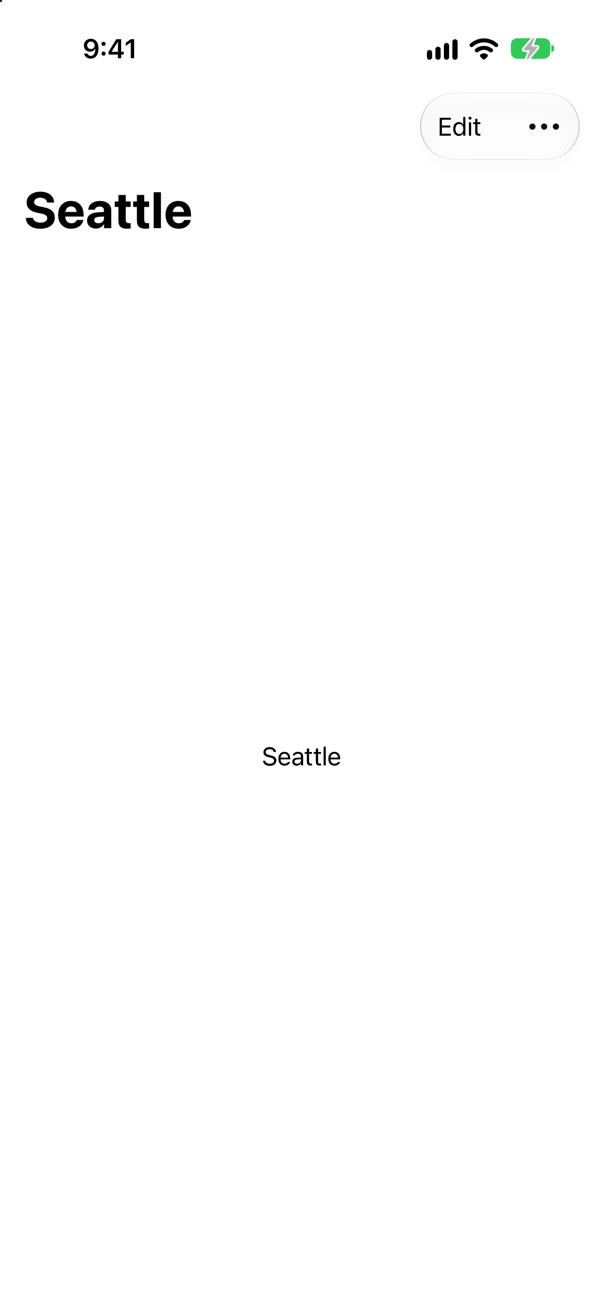
Edit is in the bar; Delete trip is not, because it waits in the overflow menu. The same applies to ToolbarSpacer and to .visibilityPriority: the moment a toolbar needs one of them, every item in it becomes a ToolbarItem.
Where this comes from: ToolbarOverflowMenu · toolbar(content:) — Measured with Xcode 27.
Further reading
A deep link into a navigation stack
“A notification arrives carrying https://quest.example/trips/42/log. Write the navigation so that the app opens trip 42 and then its log — and so that a Home button anywhere returns to the root. Then tell me how you would unit test it.”
Where this comes from: Hacking with Swift: iOS interview questions · NavigationStack — from Hacking with Swift's question list: “How would you create programmatic navigation in SwiftUI?”
Show the answer
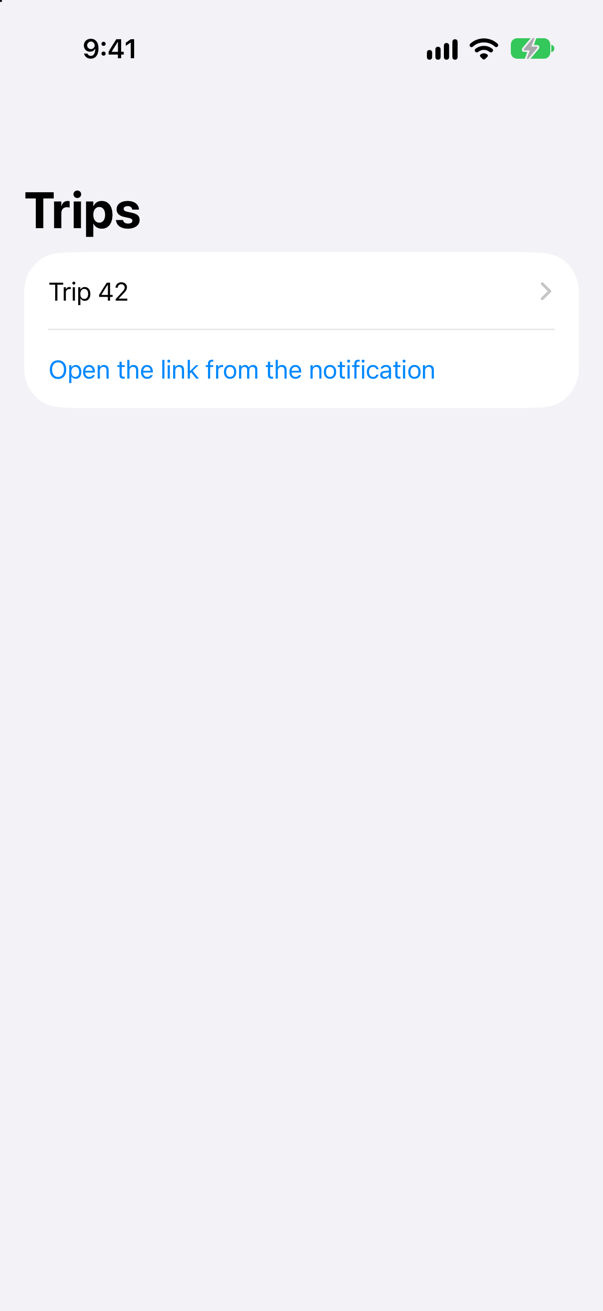
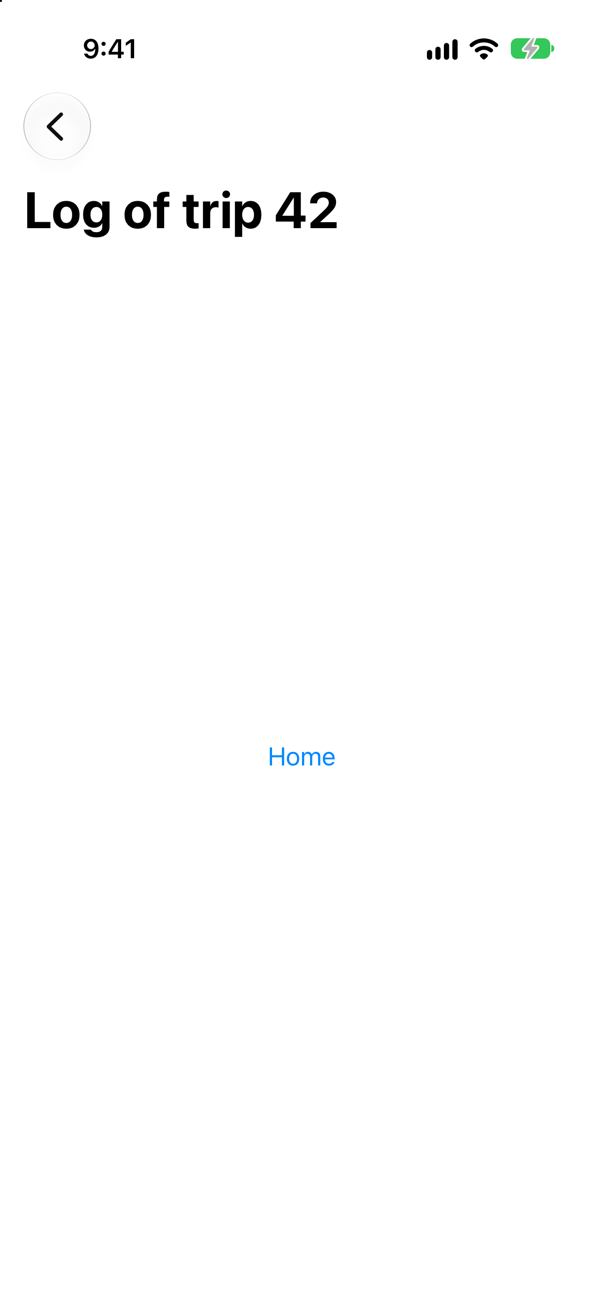
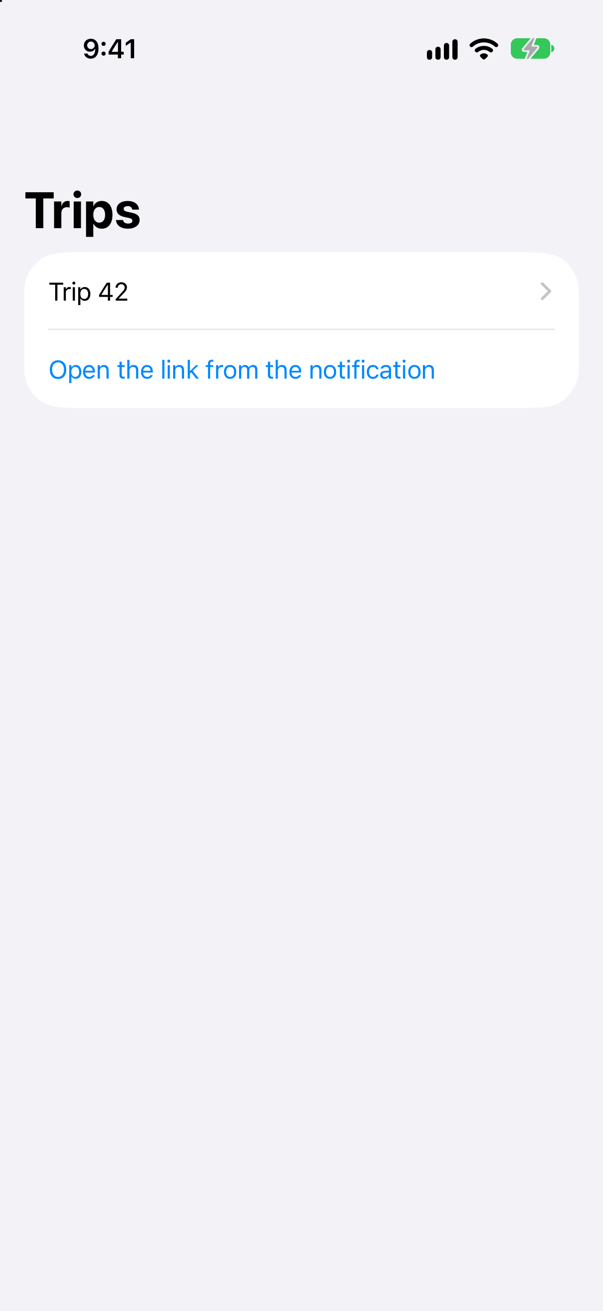
Navigation is state. The stack on screen is a rendering of router.path. Opening a deep link is assigning an array. Returning to the root is emptying it. Restoring a session is decoding it.
The test comes for free, because the router is plain logic with no view involved: create a Router, call open(url), and assert that path == [.trip(id: 42), .log(tripID: 42)]. Then give it a malformed URL and assert that the path did not change.
What interviewers listen for: Routes that are types rather than strings, one source of truth for the stack, and the observation that turning navigation into data is what made it testable.