Tests for the weather, without the network
Testing async code
You will buildA test target for Trips, run with ⌘U; a weather cache and model that take their source of weather as a parameter, so that tests can stand in for Open-Meteo; async tests of a success and a failure; a test made to fail, to see what it says; and a test that counts requests with confirmation.
TimeAbout 60 minutes
WhyTesting async code is mostly testing: a test function can be async, so it awaits the code it checks, then checks. What makes code testable is the same as ever — whatever it depends on is handed to it, so that a test can hand in something it controls. Trips' weather depends on the network; in this lesson it gets a seam where a test can put a stand-in, and the reentrancy fix from lesson 38 gets a test that would fail without it.
Open your project
Open your
Tripsproject as lesson 42 left it: double-clickTrips.xcodeprojin Finder, or use File ▸ Open… (⌘O) in Xcode.If you did not finish lesson 42, or would rather start from a known state, download Trips-lesson-42.zip instead. It is the project exactly as it stood at the end of lesson 42. Unzip it and open
Trips.xcodeproj.Run it (⌘R) to check that it builds. You should see where lesson 42 ended:
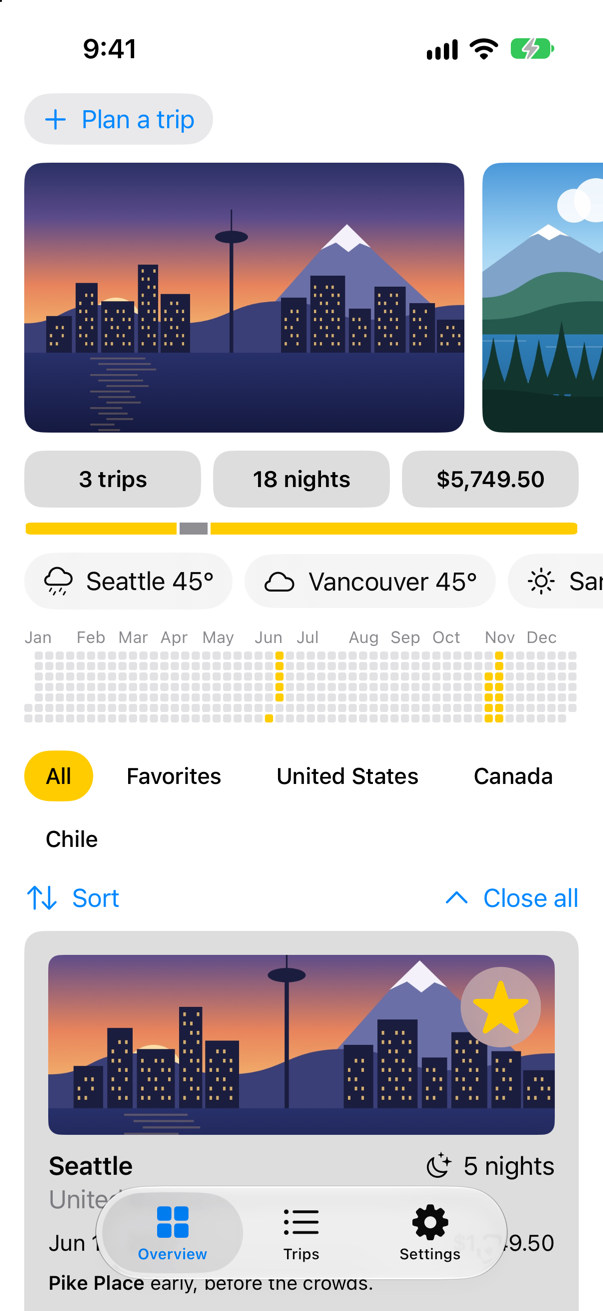
Trips, as it stood at the end of lesson 42Screenshot · iPhone 17, iOS 27.0
A test target
Trips gets a test target of its own, made as Kitty's was in lesson 43: a Unit Testing Bundle, whose Testing System is Swift Testing.
In Xcode, choose File ▸ New ▸ Target….
In the Test section of the templates, choose Unit Testing Bundle, and click Next.
Set Testing System: to Swift Testing. Xcode fills in Product Name: with
TripsTestsand Target to be Tested: withTrips; leave them as they are. Click Finish.
Xcode adds a folder, TripsTests, beside Trips, holding TripsTests.swift:
import Testing

struct TripsTests {

    @Test func example() async throws {
        // Write your test here and use APIs like `#expect(...)` to check expected conditions.
        // Swift Testing Documentation
        // https://developer.apple.com/documentation/testing
    }

}
A new target comes with Xcode's own settings, whatever the app's are: Swift 5, and Approachable Concurrency on. Give it Trips' three, so that its code is checked as strictly as the code it works with — select the TripsTests target, open Build Settings, and set:
Build setting of TripsTests Swift Language Version: Swift 6 SWIFT_VERSION = 6.0
Build setting of TripsTests Default Actor Isolation: nonisolated SWIFT_DEFAULT_ACTOR_ISOLATION = nonisolated
Build setting of TripsTests Approachable Concurrency: No SWIFT_APPROACHABLE_CONCURRENCY = NO
Choose Product ▸ Test (⌘U). Xcode builds the app and the tests, starts the app in the simulator, and runs every test in it:
✓ TripsTests › example(): passed (0.000 s)One test, and it passed: it checks nothing yet. As in Kitty, the test bundle runs inside the app — the template set Trips as its host — so @testable import Trips will reach the app's types, internal ones included, and Trips starts on every ⌘U.
A seam for the network
WeatherModel asks WeatherCache.shared, and the cache asks Open-Meteo. A test of the model would wait on the network, and fail when it is down. So each takes what it depends on as a parameter, with a default that is what the app uses. The cache takes a fetch function — Weather.now(in:) unless told otherwise — in the initializer that already takes its disk. It is @Sendable because the cache keeps it and calls it from its own tasks, on WeatherActor. A test's cache has no disk, so nothing an earlier run saved can answer in its place. In WeatherCache.swift:
import Foundation/// The weather already asked for, shared by every screen — with the questions still on their way, and, for the cache/// every screen shares, a copy on disk.@WeatherActorfinal class WeatherCache { /// The cache every screen shares, with a copy on disk. `nonisolated`: any code may reach it with no `await`, as it /// could when the cache was an actor; its methods are WeatherActor's. nonisolated static let shared = WeatherCache(disk: WeatherDisk()) private var answers: [String: Task<Weather, any Error>] = [:] private let disk: WeatherDisk? private let fetch: @Sendable (String) async throws -> Weather /// `disk`: where answers are kept between launches — nowhere, unless the cache is given one. `nonisolated`, so that /// any code may make a cache. nonisolated init(disk: WeatherDisk? = nil) { /// `disk`: where answers are kept between launches — nowhere, unless the cache is given one. `fetch` asks for one /// city's weather: Open-Meteo, unless a test hands in something else. `nonisolated`, so that any code may make a cache. nonisolated init(disk: WeatherDisk? = nil, fetch: @escaping @Sendable (String) async throws -> Weather = { try await Weather.now(in: $0) }) { self.disk = disk self.fetch = fetch } /// The weather in a city: an answer already given, a question already asked, an answer on disk from the last ten /// minutes, or a new question. func weather(in city: String) async throws -> Weather { if let asked = answers[city] { return try await asked.value } // the disk is on WeatherActor too: no await, so no gap if let recent = disk?.recent(in: city) { print("Found \(city) on disk") return recent } let question = Task { try await Weather.now(in: city) } let question = Task { try await fetch(city) } answers[city] = question do { let answer = try await question.value disk?.save(answer, for: city) return answer } catch { answers[city] = nil // a failure is not kept: the next question asks again throw error } } /// Forgets a city's weather — in memory and on disk — so that the next question asks Open-Meteo again. func forget(_ city: String) { answers[city] = nil disk?.forget(city) }}import Foundation
/// The weather already asked for, shared by every screen — with the questions still on their way, and, for the cache
/// every screen shares, a copy on disk.
@WeatherActor
final class WeatherCache {
/// The cache every screen shares, with a copy on disk. `nonisolated`: any code may reach it with no `await`, as it
/// could when the cache was an actor; its methods are WeatherActor's.
nonisolated static let shared = WeatherCache(disk: WeatherDisk())
private var answers: [String: Task<Weather, any Error>] = [:]
private let disk: WeatherDisk?
private let fetch: @Sendable (String) async throws -> Weather
/// `disk`: where answers are kept between launches — nowhere, unless the cache is given one. `fetch` asks for one
/// city's weather: Open-Meteo, unless a test hands in something else. `nonisolated`, so that any code may make a cache.
nonisolated init(disk: WeatherDisk? = nil,
fetch: @escaping @Sendable (String) async throws -> Weather = { try await Weather.now(in: $0) }) {
self.disk = disk
self.fetch = fetch
}
/// The weather in a city: an answer already given, a question already asked, an answer on disk from the last ten
/// minutes, or a new question.
func weather(in city: String) async throws -> Weather {
if let asked = answers[city] {
return try await asked.value
}
// the disk is on WeatherActor too: no await, so no gap
if let recent = disk?.recent(in: city) {
print("Found \(city) on disk")
return recent
}
let question = Task { try await fetch(city) }
answers[city] = question
do {
let answer = try await question.value
disk?.save(answer, for: city)
return answer
} catch {
answers[city] = nil // a failure is not kept: the next question asks again
throw error
}
}
/// Forgets a city's weather — in memory and on disk — so that the next question asks Open-Meteo again.
func forget(_ city: String) {
answers[city] = nil
disk?.forget(city)
}
}And the model takes its cache. TripDetail still writes WeatherModel(), so the app does not change. In WeatherModel.swift:
import Foundation/// The weather where a trip goes, as its screen shows it: on its way, here, or not to be had./// `@MainActor`: the screen reads it.@MainActor@Observablefinal class WeatherModel { /// `Sendable`: plain data — and a type nested in the class does not take the class's actor. enum Phase: Sendable { case loading case loaded(Weather) case failed(String) } private(set) var phase = Phase.loading private let cache: WeatherCache /// `cache` is where the weather comes from: the one every screen shares, unless a test hands in its own. init(cache: WeatherCache = .shared) { self.cache = cache } /// Starts from nothing: the screen says the weather is on its way. func load(for city: String) async { phase = .loading await show(city) } /// Asks Open-Meteo again, and keeps what the screen shows until the answer comes. func refresh(for city: String) async { await WeatherCache.shared.forget(city) await cache.forget(city) await show(city) } /// The city's weather from the cache, which asks Open-Meteo only if nobody has yet. private func show(_ city: String) async { let next: Phase do { next = .loaded(try await WeatherCache.shared.weather(in: city)) next = .loaded(try await cache.weather(in: city)) } catch { next = .failed(error.localizedDescription) } // the screen went away, or the city changed: nobody is waiting for this answer now if !Task.isCancelled { phase = next } }}import Foundation
/// The weather where a trip goes, as its screen shows it: on its way, here, or not to be had.
/// `@MainActor`: the screen reads it.
@MainActor
@Observable
final class WeatherModel {
/// `Sendable`: plain data — and a type nested in the class does not take the class's actor.
enum Phase: Sendable {
case loading
case loaded(Weather)
case failed(String)
}
private(set) var phase = Phase.loading
private let cache: WeatherCache
/// `cache` is where the weather comes from: the one every screen shares, unless a test hands in its own.
init(cache: WeatherCache = .shared) {
self.cache = cache
}
/// Starts from nothing: the screen says the weather is on its way.
func load(for city: String) async {
phase = .loading
await show(city)
}
/// Asks Open-Meteo again, and keeps what the screen shows until the answer comes.
func refresh(for city: String) async {
await cache.forget(city)
await show(city)
}
/// The city's weather from the cache, which asks Open-Meteo only if nobody has yet.
private func show(_ city: String) async {
let next: Phase
do {
next = .loaded(try await cache.weather(in: city))
} catch {
next = .failed(error.localizedDescription)
}
// the screen went away, or the city changed: nobody is waiting for this answer now
if !Task.isCancelled {
phase = next
}
}
}Run the app (⌘R) and open Seattle, to see that nothing changed:
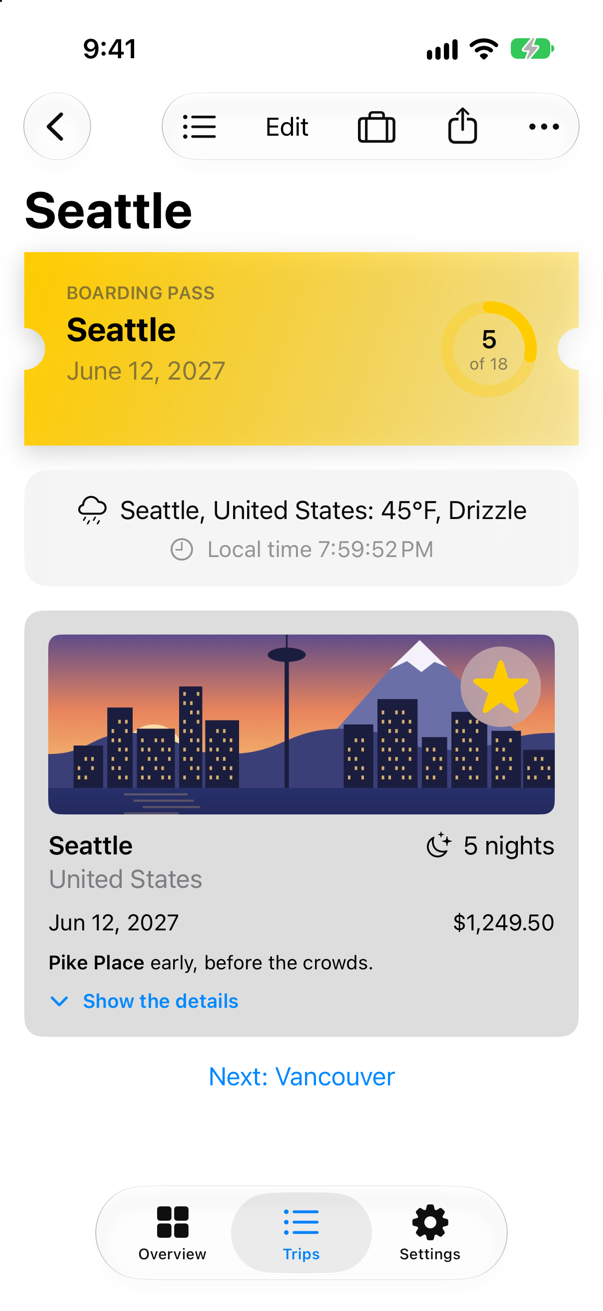
Tests that need no network
A test can be async, and throws: a test of async code awaits it, then checks with #expect as any test does. These hand the model a cache whose fetch answers at once with a made-up Seattle — or throws, for the failure. WeatherModel belongs to the main actor (everything in the app does), but the test target is not set up that way, so the suite says @MainActor itself. In the Project navigator, select the TripsTests folder, make a new Swift File named WeatherTests, and replace everything in it:
import Testing
@testable import Trips

/// The weather model, with a stand-in for Open-Meteo: no network, the same answer every time.
@MainActor
struct WeatherTests {
    @Test func showsTheWeatherItWasGiven() async throws {
        let seattle = Weather(place: "Seattle, Testland", temperature: 61, code: 2)
        let model = WeatherModel(cache: WeatherCache(fetch: { _ in seattle }))
        await model.load(for: "Seattle")
        guard case .loaded(let weather) = model.phase else {
            Issue.record("expected the weather, but the phase is \(model.phase)")
            return
        }
        #expect(weather.place == "Seattle, Testland")
        #expect(weather.temperature == 61)
    }

    @Test func saysWhatWentWrong() async {
        let model = WeatherModel(cache: WeatherCache(fetch: { city in throw WeatherError.noSuchPlace(city) }))
        await model.load(for: "Hogsmeade")
        guard case .failed(let reason) = model.phase else {
            Issue.record("expected a failure, but the phase is \(model.phase)")
            return
        }
        #expect(reason == "Open-Meteo knows no place called Hogsmeade.")
    }
}
Run the tests (⌘U):
✓ TripsTests › example(): passed (0.000 s)
✓ WeatherTests › showsTheWeatherItWasGiven(): passed (0.001 s)
✓ WeatherTests › saysWhatWentWrong(): passed (0.002 s)
Both pass, offline, in a few milliseconds. Issue.record fails a test from a branch the test did not expect to reach; a guard case with it is how to look inside an enum such as Phase.
Now see what a failure looks like. In WeatherTests.swift, change the expected temperature from 61 to 60:
/// The weather model, with a stand-in for Open-Meteo: no network, the same answer every time.@MainActorstruct WeatherTests { @Test func showsTheWeatherItWasGiven() async throws { let seattle = Weather(place: "Seattle, Testland", temperature: 61, code: 2) let model = WeatherModel(cache: WeatherCache(fetch: { _ in seattle })) await model.load(for: "Seattle") guard case .loaded(let weather) = model.phase else { Issue.record("expected the weather, but the phase is \(model.phase)") return } #expect(weather.place == "Seattle, Testland") #expect(weather.temperature == 61) #expect(weather.temperature == 60) } @Test func saysWhatWentWrong() async { let model = WeatherModel(cache: WeatherCache(fetch: { city in throw WeatherError.noSuchPlace(city) })) await model.load(for: "Hogsmeade") guard case .failed(let reason) = model.phase else { Issue.record("expected a failure, but the phase is \(model.phase)") return } #expect(reason == "Open-Meteo knows no place called Hogsmeade.") }}/// The weather model, with a stand-in for Open-Meteo: no network, the same answer every time.
@MainActor
struct WeatherTests {
@Test func showsTheWeatherItWasGiven() async throws {
let seattle = Weather(place: "Seattle, Testland", temperature: 61, code: 2)
let model = WeatherModel(cache: WeatherCache(fetch: { _ in seattle }))
await model.load(for: "Seattle")
guard case .loaded(let weather) = model.phase else {
Issue.record("expected the weather, but the phase is \(model.phase)")
return
}
#expect(weather.place == "Seattle, Testland")
#expect(weather.temperature == 60)
}
@Test func saysWhatWentWrong() async {
let model = WeatherModel(cache: WeatherCache(fetch: { city in throw WeatherError.noSuchPlace(city) }))
await model.load(for: "Hogsmeade")
guard case .failed(let reason) = model.phase else {
Issue.record("expected a failure, but the phase is \(model.phase)")
return
}
#expect(reason == "Open-Meteo knows no place called Hogsmeade.")
}
}Run the tests again:
✓ TripsTests › example(): passed (0.000 s)
✗ WeatherTests › showsTheWeatherItWasGiven(): failed (0.004 s)
    Expectation failed: weather.temperature == 60
    weather.temperature → 61.0
    60 → 60.0
✓ WeatherTests › saysWhatWentWrong(): passed (0.002 s)
As in lesson 43, #expect reports the value of each side of the comparison, and it does not stop the test: the checks after it still run. Put the 61 back.
Counting with confirmation
Lesson 38's cache keeps a question while it is on its way, so that two screens asking at once cause one request. A test can hold it to that. confirmation(expectedCount:) hands its closure a value to call when something happens, and fails the test unless it was called exactly that many times by the time the closure returns. Here the stand-in fetch calls it once per request, and waits a moment, as a real request would, while two callers ask. In WeatherTests.swift, add the test at the end of the struct:
/// The weather model, with a stand-in for Open-Meteo: no network, the same answer every time.@MainActorstruct WeatherTests { @Test func showsTheWeatherItWasGiven() async throws { let seattle = Weather(place: "Seattle, Testland", temperature: 61, code: 2) let model = WeatherModel(cache: WeatherCache(fetch: { _ in seattle })) await model.load(for: "Seattle") guard case .loaded(let weather) = model.phase else { Issue.record("expected the weather, but the phase is \(model.phase)") return } #expect(weather.place == "Seattle, Testland") #expect(weather.temperature == 60) #expect(weather.temperature == 61) } @Test func saysWhatWentWrong() async { let model = WeatherModel(cache: WeatherCache(fetch: { city in throw WeatherError.noSuchPlace(city) })) await model.load(for: "Hogsmeade") guard case .failed(let reason) = model.phase else { Issue.record("expected a failure, but the phase is \(model.phase)") return } #expect(reason == "Open-Meteo knows no place called Hogsmeade.") } @Test func asksOnceForTwoScreens() async throws { let seattle = Weather(place: "Seattle, Testland", temperature: 61, code: 2) try await confirmation(expectedCount: 1) { asked in let cache = WeatherCache(fetch: { _ in asked() try await Task.sleep(for: .milliseconds(100)) // a request takes a moment return seattle }) async let strip = cache.weather(in: "Seattle") async let screen = cache.weather(in: "Seattle") _ = try await (strip, screen) } }}/// The weather model, with a stand-in for Open-Meteo: no network, the same answer every time.
@MainActor
struct WeatherTests {
@Test func showsTheWeatherItWasGiven() async throws {
let seattle = Weather(place: "Seattle, Testland", temperature: 61, code: 2)
let model = WeatherModel(cache: WeatherCache(fetch: { _ in seattle }))
await model.load(for: "Seattle")
guard case .loaded(let weather) = model.phase else {
Issue.record("expected the weather, but the phase is \(model.phase)")
return
}
#expect(weather.place == "Seattle, Testland")
#expect(weather.temperature == 61)
}
@Test func saysWhatWentWrong() async {
let model = WeatherModel(cache: WeatherCache(fetch: { city in throw WeatherError.noSuchPlace(city) }))
await model.load(for: "Hogsmeade")
guard case .failed(let reason) = model.phase else {
Issue.record("expected a failure, but the phase is \(model.phase)")
return
}
#expect(reason == "Open-Meteo knows no place called Hogsmeade.")
}
@Test func asksOnceForTwoScreens() async throws {
let seattle = Weather(place: "Seattle, Testland", temperature: 61, code: 2)
try await confirmation(expectedCount: 1) { asked in
let cache = WeatherCache(fetch: { _ in
asked()
try await Task.sleep(for: .milliseconds(100)) // a request takes a moment
return seattle
})
async let strip = cache.weather(in: "Seattle")
async let screen = cache.weather(in: "Seattle")
_ = try await (strip, screen)
}
}
}Run the tests:
✓ TripsTests › example(): passed (0.000 s)
✓ WeatherTests › showsTheWeatherItWasGiven(): passed (0.000 s)
✓ WeatherTests › saysWhatWentWrong(): passed (0.002 s)
✓ WeatherTests › asksOnceForTwoScreens(): passed (0.104 s)
One request for two callers. Had the cache kept only answers, as a first version usually does, the test would fail with "confirmed 2 times" — an edge case below shows exactly that.
What you built
- A Swift Testing target for Trips, run with Product ▸ Test (⌘U).
- A weather cache that takes its
fetchfunction, and a weather model that takes its cache — Open-Meteo by default, a stand-in in tests. asynctests of the model's success and failure, a look at what a failing#expectreports, and aconfirmationthat two screens cause one request.
Next, time: testing code that waits — a debounce, a timeout — without making the test wait. Then Part 11's interview problem.
The finished project
Stuck, or want to compare with your own? This is the project as it stands at the end of this lesson, built and run before it was put here.
- Trips-lesson-44.zip — unzip it, then open
Trips.xcodeprojin Xcode.
Flash cards
14 cards for this lesson, each labelled with its topic. 9 ask how you would write something; the other 5 are trick questions, written to catch a misunderstanding. Answer in your head first, then tap the card.
Syntax · Swift TestingTest an async function.
Mark the test async (and throws if it calls throwing code), await the call, then #expect. No expectation objects, no waiting by hand.
Syntax · Swift TestingCheck that an async function throws a particular error.
#expect(throws: Type.self) { … } passes if the closure throws that type — and await goes in front when the closure is async. It fails if nothing is thrown.
Syntax · Swift TestingUnwrap an optional in a test, stopping the test if it is nil.
try #require(…): it returns the unwrapped value, or records the failure and throws, ending the test. #expect records and carries on; #require records and stops.
Syntax · confirmationCheck that a callback is called a given number of times.
confirmation(expectedCount:): call what it hands you each time the event happens; the test fails unless the count matches when the closure returns. The default count is 1.
Syntax · Swift TestingRun one test with several inputs.
@Test(arguments:): the function takes a parameter, and runs once for each argument — each run is reported on its own, so a failure names the input that failed.
Syntax · Swift TestingTest a model that belongs to the main actor.
@MainActor on the suite, as on the model. A test target's code belongs to no actor unless it says so — in a new Xcode project, where the app's code is the main actor's by default, as much as in Trips — so a test that works with a main-actor model says @MainActor too.
Syntax · XCTestWrite an async test in XCTest.
An XCTestCase method named test… can be async throws too. XCTest and Swift Testing run side by side in one target, so old tests can stay while new ones are written with @Test.
Syntax · XCTestIn XCTest, wait for a completion handler.
expectation(description:), fulfill() in the callback, and await fulfillment(of:timeout:) — the async form of wait(for:timeout:), which must not be called from async code.
Syntax · Swift TestingKeep a test for a known bug from failing the run, without deleting it.
withKnownIssue(_:_:): failures inside it are recorded as expected, and the test does not fail. When the bug is fixed and nothing fails any more, the known issue itself is reported — an edge case shows it.
Trick question · Swift TestingTwo tests in one suite each add to the suite's array. Does the second see the first's change?
No: each test gets a new instance of its suite, so both pass. init is the set-up, and nothing carries over — which is also why tests can run at the same time.
Trick question · Swift TestingA test has two #expects, and both are false. How many failures are reported?
Two. #expect records a failure and carries on, so one run shows every broken check — the first: "Expectation failed: 1 == 2". #require stops at the first.
Trick question · Swift TestingCan the expression inside #expect await?
Yes: #expect(await visits.count == 1). The macro sees the whole expression, await included, and still reports the value if it fails.
Trick question · confirmationconfirmation { … } with no count, and the event happens twice. Does the test pass?
No: "Issue recorded: Confirmation was confirmed 2 times, but expected to be confirmed 1 time" The default count is exactly one, not "at least one". Say expectedCount: 2 — or give a range: with expectedCount: 1..., "at least once", the same two calls pass.
Trick question · Swift TestingA throws test calls code that throws an error the test did not expect. Passed, failed, or skipped?
Failed: "Caught error: Offline()" An error thrown out of a test is a failure, recorded with the error. That makes try the shortest way to say "this must not throw".
Edge cases and tricky questions
8 questions of the kind an interviewer uses to find out whether you really know this — the corners, the traps, and the things that changed recently. Each has its source. Wherever the answer is what some code does, that code was compiled and run, and what you see under “Show the answer” is what it really did. Say your answer aloud before you open it.
A test confirms that an old API calls back: await confirmation { answered in fetchLater { _ in answered() } }. The API answers a moment later, on another thread. Does the test pass?
Show the answer
No: "Issue recorded: Confirmation was confirmed 0 times, but expected to be confirmed 1 time"
confirmation counts until its closure returns — and this closure returned at once, before the callback came. It does not wait. Make the closure wait for the callback, with a continuation:
The run
✓ callsBack(): passed (0.104 s)Or, better, test the async version of the API (lesson 40's continuation wrapper), and the question goes away.
Where this comes from: Swift Testing: Confirmation · Testing asynchronous code — Run with Xcode 27 on the iOS 27 simulator.
A model's start() begins the work in a Task { } and returns. A test calls start() and then checks the result. What does it find?
Show the answer
The old value: "Expectation failed: loader.status == "done" — loader.status → "idle""
The Task belongs to nobody, so nothing tells the test when it is done, and the test checked first. Sleeping in the test until it is probably done makes a slow test that fails on a busy machine. Make the method async, and let the caller — the view's .task, or the test — await it:
The run
✓ LoaderTests › finishes(): passed (0.054 s)Where this comes from: Testing asynchronous code · Task — Run with Xcode 27 on the iOS 27 simulator.
Lesson 38's first cache kept only answers. A test asks for Seattle twice at once and confirms that the cache made one request. Does that cache pass?
Show the answer
No: "Issue recorded: Confirmation was confirmed 2 times, but expected to be confirmed 1 time"
Both callers found nothing, and both asked — the reentrancy bug, now caught by a test that runs in a fraction of a second with no network. The fix is the one Trips uses: keep the question, not just the answer. A test written before the fix, and failing like this, is the proof that the fix fixed something.
Where this comes from: Swift Testing: Confirmation · WWDC21: Protect mutable state with Swift actors (2021 — fundamentals unchanged) — Run with Xcode 27 on the iOS 27 simulator.
An XCTest waits with await fulfillment(of: [answered], timeout: 0.2), but the callback never fulfills it. What does the run report?
Show the answer
A failure, after the timeout: "Asynchronous wait failed: Exceeded timeout of 0.2 seconds, with unfulfilled expectations: "answered"."
The timeout is the test's only defence against a callback that never comes; without one, the test would wait for ever. Keep it short, and make it the only real time a test depends on (the next lesson is about removing even that).
Where this comes from: XCTestCase fulfillment(of:timeout:enforceOrder:) · Testing asynchronous code — Run with Xcode 27 on the iOS 27 simulator.
let first = try #require(trips.first) on an empty array, followed by #expect(first == "Seattle"). How many failures?
Show the answer
One: "Expectation failed: trips.first — trips → [] — first → nil"
#require threw, so the test ended there; the #expect after it never ran — which is what you want when everything after depends on the value. Two #expects, by contrast, both report (a flash card shows it).
Where this comes from: Swift Testing: Expectations and confirmations (#expect, #require) · Swift Testing — Run with Xcode 27 on the iOS 27 simulator.
A test wraps a failing check in withKnownIssue. Then the bug is fixed, and the check passes. What happens to the test?
Show the answer
It fails: "Known issue was not recorded: rain in Bergen is not modelled yet"
A known issue is a claim that something is broken, and Swift Testing checks the claim: when nothing inside fails any more, it reports that, so the marker cannot be forgotten. Remove the withKnownIssue, and the test is an ordinary test again.
Where this comes from: Swift Testing: Known issues · Swift Testing — Run with Xcode 27 on the iOS 27 simulator.
@Test(arguments: ["Seattle", "", "Kyoto"]) checks that a city name is not empty. One argument is empty. What does the run say?
Show the answer
The run
✗ hasAName(city:): failed (0.004 s)
    ✗ "": failed
        Expectation failed: !city.isEmpty
        city.isEmpty → false
    ✓ "Kyoto": passed
    ✓ "Seattle": passed
The test fails, once, for the empty argument. Each argument is a case of its own, run on its own — at the same time as the others — and a failure says which input broke it. Twenty @Test functions that differ only in their input become one.
Where this comes from: Swift Testing: Implementing parameterized tests · Swift Testing — Run with Xcode 27 on the iOS 27 simulator.
In a new Xcode project the app's model is on the main actor, as everything in the app is by default. A test without @MainActor makes it and calls it. What does the compiler say — and where does the model's code run?
Show the answer
Nothing at all — it builds without a warning, and the count is right. But the second check fails: the model's main-actor code ran on another thread.
The run
✗ adds(): failed (0.017 s)
    Expectation failed: counter.ranOnMainThread
    counter → Probe.Counter
    ranOnMainThread → false
A new test target does not put its code on the main actor, as the app does, and it is in the Swift 5 language mode, where calling main-actor code from an unmarked synchronous function is not checked. Swift Testing runs such a test away from the main thread, so the model ran where it never runs in the app. In the Swift 6 language mode the same call does not compile:
Swift 6
call to main actor-isolated instance method 'add()' in a synchronous nonisolated contextPut @MainActor on the suite or the test, and the model runs where it always does. In Trips the model says @MainActor itself, and then the same plain test does not build: the compiler sees the call from no actor into the main actor's code.
Where this comes from: SE-0466: Default actor isolation · Swift Testing — Built and run with Xcode 27 on the iOS 27 simulator, in a new test target's settings; the Swift 6 error from the compiler.