Smaller views, and a stand-in for the network
Breaking a screen into small views · Passing dependencies
You will buildThe Overview's body split into named pieces, TripControls and TripGrid, each with a preview of its own and the screen unchanged; then a weather strip that takes its cache from the environment — the real one in the app, a stand-in in its preview, so the preview needs no network. Part 12 begins.
TimeAbout 50 minutes
WhyPart 12 is about the shape of the code rather than what it does. Two habits carry most of it. Keep views small and named: a piece of a screen that has a name — the controls, the grid — becomes a struct of its own, which is easier to read, and also cheaper, because SwiftUI can skip a struct whose inputs did not change. And hand a view what it needs instead of letting it reach for it: a view that calls a singleton cannot be previewed or tested without the real thing behind it. Interviewers ask about both — "how would you structure this screen?", "how do you test a view that talks to the network?" — and want reasons, not a pattern's name.
Open your project
Open your
Tripsproject as lesson 45 left it: double-clickTrips.xcodeprojin Finder, or use File ▸ Open… (⌘O) in Xcode.If you did not finish lesson 45, or would rather start from a known state, download Trips-lesson-45.zip instead. It is the project exactly as it stood at the end of lesson 45. Unzip it and open
Trips.xcodeproj.Run it (⌘R) to check that it builds. You should see where lesson 45 ended:
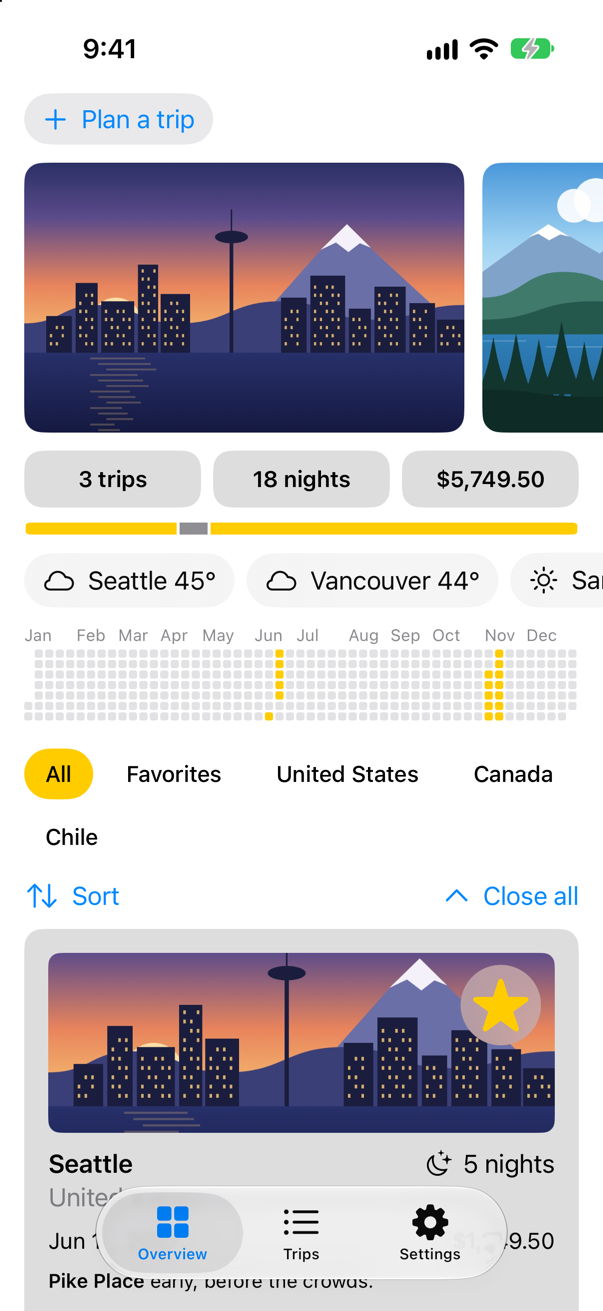
Trips, as it stood at the end of lesson 45Screenshot · iPhone 17, iOS 27.0
Named pieces
The Overview's body has grown a screenful long. Two parts of it already have names in anyone's head — the row of controls under the filters, and the grid of cards — so they become views of their own. Each takes only what it needs: the controls a binding to the count of "close all" taps, the grid the filter and that count; both find the store in the environment, as the Overview did. Make a new SwiftUI View named TripControls, and replace everything in it:
import SwiftUI

/// Sorting the trips, and closing every open card.
struct TripControls: View {
    @Environment(TripStore.self) private var store
    @Binding var closings: Int

    var body: some View {
        HStack {
            Menu("Sort", systemImage: "arrow.up.arrow.down") {
                Button("By date") { store.trips.sort { $0.start < $1.start } }
                Button("By price") { store.trips.sort { $0.price < $1.price } }
            }
            Spacer()
            Button("Close all", systemImage: "chevron.up") { closings += 1 }
        }
        .padding(.horizontal)
    }
}

#Preview {
    @Previewable @State var closings = 0
    TripControls(closings: $closings)
        .environment(TripStore())
}
Make another, named TripGrid, and replace everything in it:
import SwiftUI

/// The trip cards that pass the filter, in an order that can be changed by dragging.
struct TripGrid: View {
    @Environment(TripStore.self) private var store
    let filter: TripFilter
    let closings: Int

    var body: some View {
        @Bindable var store = store
        LazyVGrid(columns: [GridItem(.adaptive(minimum: 300))], spacing: 12) {
            ForEach($store.trips.filter { filter.includes($0.wrappedValue) }) { $trip in
                TripCard(trip: $trip)
            }
            .reorderable()
        }
        .reorderContainer(for: Trip.self, isEnabled: filter == .all) { difference in
            switch difference.destination.position {
            case .before(let id): store.move(difference.sources, before: id)
            case .end: store.move(difference.sources, before: nil)
            }
        }
        .id(closings)
    }
}

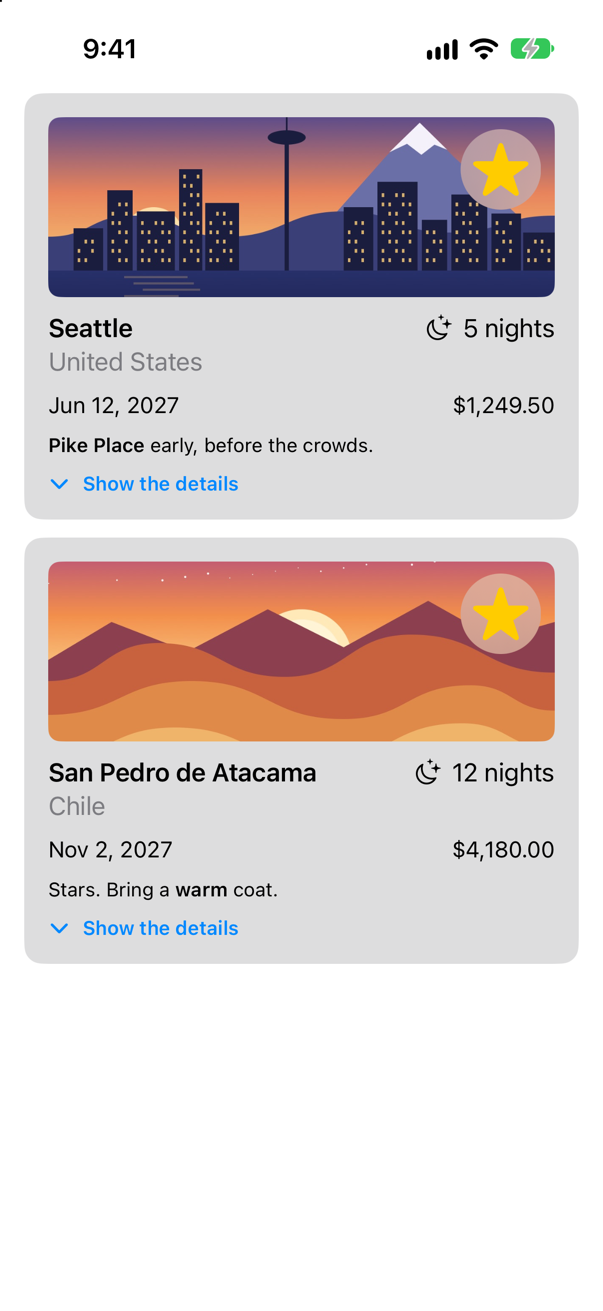
#Preview {
    ScrollView {
        TripGrid(filter: .favorites, closings: 0)
    }
    .environment(TripStore())
}
And the Overview shrinks to the list of what is on it. It no longer needs @Bindable — the grid makes its own bindings. In ContentView.swift:
struct ContentView: View { @Environment(TripStore.self) private var store @AppStorage(Settings.showsYearKey) private var showsYear = true @State private var filter = TripFilter.all @State private var closings = 0 var body: some View { @Bindable var store = store ScrollView { LazyVStack(spacing: 12) { TripPlanner() .environment(\.highlight, .mint) PhotoStrip(trips: store.trips) TripSummary(trips: store.trips) WeatherStrip(cities: store.trips.map(\.city)) if showsYear { YearGrid(trips: store.trips) } FilterBar(filters: filters, selection: $filter) { trips in store.makeFavorites(trips) } .frame(maxWidth: .infinity, alignment: .leading) .padding(.horizontal) HStack { Menu("Sort", systemImage: "arrow.up.arrow.down") { Button("By date") { store.trips.sort { $0.start < $1.start } } Button("By price") { store.trips.sort { $0.price < $1.price } } } Spacer() Button("Close all", systemImage: "chevron.up") { closings += 1 } } .padding(.horizontal) LazyVGrid(columns: [GridItem(.adaptive(minimum: 300))], spacing: 12) { ForEach($store.trips.filter { filter.includes($0.wrappedValue) }) { $trip in TripCard(trip: $trip) } .reorderable() } .reorderContainer(for: Trip.self, isEnabled: filter == .all) { difference in switch difference.destination.position { case .before(let id): store.move(difference.sources, before: id) case .end: store.move(difference.sources, before: nil) } } .id(closings) TripControls(closings: $closings) TripGrid(filter: filter, closings: closings) } } .sensoryFeedback(.success, trigger: store.trips.filter(\.isFavorite).count) } /// All, Favorites, and then a filter for each country that has a trip. private var filters: [TripFilter] { var countries: [String] = [] for trip in store.trips where !countries.contains(trip.country) { countries.append(trip.country) } return [.all, .favorites] + countries.map { TripFilter.country($0) } }}struct ContentView: View {
@Environment(TripStore.self) private var store
@AppStorage(Settings.showsYearKey) private var showsYear = true
@State private var filter = TripFilter.all
@State private var closings = 0
var body: some View {
ScrollView {
LazyVStack(spacing: 12) {
TripPlanner()
.environment(\.highlight, .mint)
PhotoStrip(trips: store.trips)
TripSummary(trips: store.trips)
WeatherStrip(cities: store.trips.map(\.city))
if showsYear {
YearGrid(trips: store.trips)
}
FilterBar(filters: filters, selection: $filter) { trips in
store.makeFavorites(trips)
}
.frame(maxWidth: .infinity, alignment: .leading)
.padding(.horizontal)
TripControls(closings: $closings)
TripGrid(filter: filter, closings: closings)
}
}
.sensoryFeedback(.success, trigger: store.trips.filter(\.isFavorite).count)
}
/// All, Favorites, and then a filter for each country that has a trip.
private var filters: [TripFilter] {
var countries: [String] = []
for trip in store.trips where !countries.contains(trip.country) {
countries.append(trip.country)
}
return [.all, .favorites] + countries.map { TripFilter.country($0) }
}
}Run the app, and scroll down to the cards:
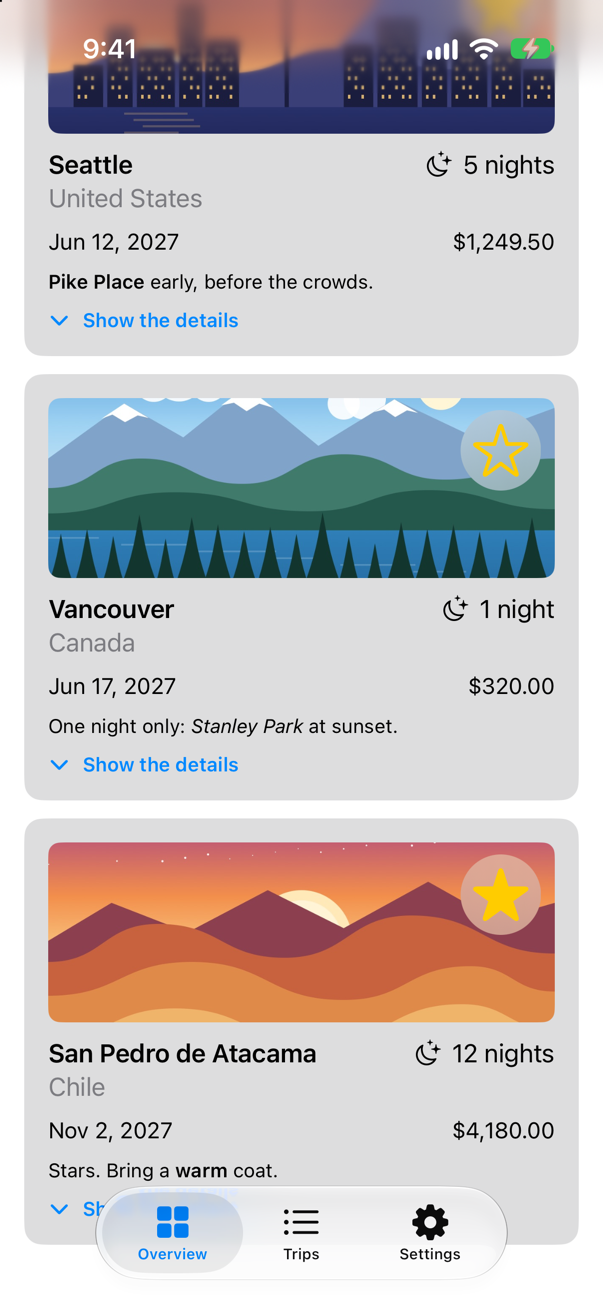
Nothing moved: a view is only a struct, and taking a piece out of body into one changes nothing on the screen. What changed is that each piece can now be looked at alone. The grid's preview, showing only the favorites:
There is also a reason of speed. When something a view reads changes, SwiftUI runs its body again — and for each struct inside it, compares the inputs with last time and skips the struct's body if they are the same. A piece written as a computed property, var controls: some View, is part of the parent's body, and runs every time the parent does; an edge case measures the difference.
A dependency through the environment
The weather strip asks WeatherCache.shared directly. In the app that is right; in a preview it means the preview waits on the network, and shows nothing when the network is not there. Lesson 44 gave the cache a fetch parameter for tests; a view gets its dependency another way, because a view is made by its parent, which should not have to know what every view below it needs. The environment carries it down: an @Entry gives the cache a place there, with the shared one as the default, and any view below a .environment(\.weatherCache, …) gets whatever was put there instead. EnvironmentValues belongs to SwiftUI, and WeatherCache.swift imports only Foundation, so the entry goes with the view that reads it. At the end of WeatherStrip.swift:
extension EnvironmentValues {
    /// The weather cache that views ask: the shared one, unless a preview or a test puts another in its place.
    @Entry var weatherCache = WeatherCache.shared
}
The strip reads it with @Environment(\.weatherCache), and its child tasks capture it — [cache] — so that what crosses into them is the actor, not the whole view. In WeatherStrip.swift:
import SwiftUI/// The weather in every city the trips go to.struct WeatherStrip: View { let cities: [String] @State private var weather: [String: Weather] = [:] @Environment(\.weatherCache) private var cache var body: some View { ScrollView(.horizontal) { HStack { ForEach(cities, id: \.self) { city in if let now = weather[city] { Label("\(city) \(now.temperature, format: .number.precision(.fractionLength(0)))°", systemImage: now.sky.symbol) } else { Label("\(city) …", systemImage: "cloud") } } .padding(.horizontal, 12) .padding(.vertical, 8) .background(.thinMaterial, in: .capsule) } .padding(.horizontal) } .scrollIndicators(.hidden) .task { let start = ContinuousClock.now /// How long since the strip began asking, such as "0.42 sec". func elapsed() -> String { start.duration(to: .now).formatted(.units(allowed: [.seconds], fractionalPart: .show(length: 2))) } await withTaskGroup(of: (String, Weather?).self) { group in for city in cities { group.addTask { group.addTask { [cache] in print("asked about \(city) at \(elapsed())") return (city, try? await WeatherCache.shared.weather(in: city)) return (city, try? await cache.weather(in: city)) } } for await (city, answer) in group { print("answered about \(city) at \(elapsed())") weather[city] = answer } } } }}import SwiftUI
/// The weather in every city the trips go to.
struct WeatherStrip: View {
let cities: [String]
@State private var weather: [String: Weather] = [:]
@Environment(\.weatherCache) private var cache
var body: some View {
ScrollView(.horizontal) {
HStack {
ForEach(cities, id: \.self) { city in
if let now = weather[city] {
Label("\(city) \(now.temperature, format: .number.precision(.fractionLength(0)))°", systemImage: now.sky.symbol)
} else {
Label("\(city) …", systemImage: "cloud")
}
}
.padding(.horizontal, 12)
.padding(.vertical, 8)
.background(.thinMaterial, in: .capsule)
}
.padding(.horizontal)
}
.scrollIndicators(.hidden)
.task {
let start = ContinuousClock.now
/// How long since the strip began asking, such as "0.42 sec".
func elapsed() -> String {
start.duration(to: .now).formatted(.units(allowed: [.seconds], fractionalPart: .show(length: 2)))
}
await withTaskGroup(of: (String, Weather?).self) { group in
for city in cities {
group.addTask { [cache] in
print("asked about \(city) at \(elapsed())")
return (city, try? await cache.weather(in: city))
}
}
for await (city, answer) in group {
print("answered about \(city) at \(elapsed())")
weather[city] = answer
}
}
}
}
}And a preview that puts a stand-in in its place, answering at once — 61° for Seattle and Kyoto, 52° and rain for Bergen. At the end of WeatherStrip.swift:
#Preview("A stand-in for Open-Meteo") {
    WeatherStrip(cities: ["Seattle", "Bergen", "Kyoto"])
        .environment(\.weatherCache, WeatherCache(fetch: { city in
            Weather(place: city, temperature: city == "Bergen" ? 52 : 61, code: city == "Bergen" ? 61 : 2)
        }))
}
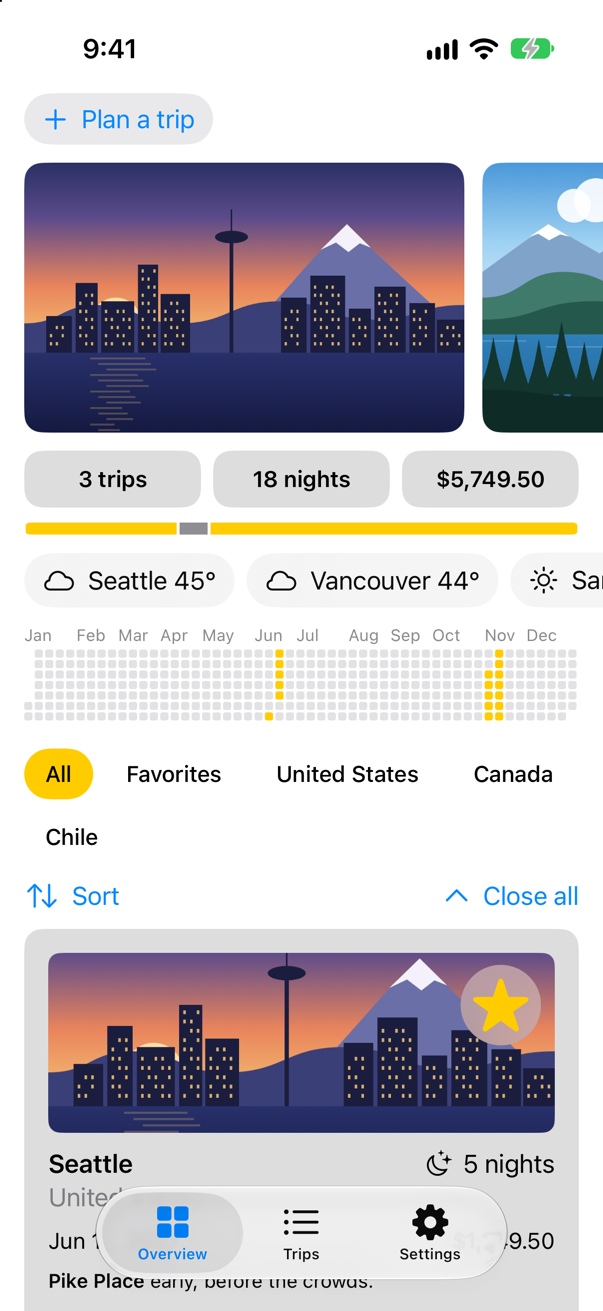
Three cities, three answers, no request: the preview never touched Open-Meteo. The app, which puts nothing in the environment, gets the default — the shared cache — and asks the network as before:
Run the app:
Two ways of handing over a dependency, then, and each has its place. Through the initializer, like the models' init(cache:): plain to read, and the obvious way for a model that a test makes. Through the environment: for a view, and for anything many views at different depths need — a theme, a store, a client — so that the views between need not pass it along. Either way, the view does not make its own dependency or reach for a singleton, and so it can be previewed and tested.
What you built
TripControlsandTripGrid, named pieces of the Overview with previews of their own; the screen unchanged.- An
@Entryfor the weather cache, and a strip that reads it from the environment. - A preview of the strip with a stand-in cache: weather with no network.
Next, previews and tests together: what to preview, what to test, and how the same stand-ins serve both.
The finished project
Stuck, or want to compare with your own? This is the project as it stands at the end of this lesson, built and run before it was put here.
- Trips-lesson-46.zip — unzip it, then open
Trips.xcodeprojin Xcode.
Flash cards
9 cards for this lesson, each labelled with its topic. 7 ask how you would write something; the other 2 are trick questions, written to catch a misunderstanding. Answer in your head first, then tap the card.
Syntax · Small viewsTake a piece of a screen out into a view of its own, giving it only what it needs.

A struct conforming to View, with lets for what it shows. Plain values in, nothing it reaches for: it can be previewed with any values, and SwiftUI can skip it when they did not change.
Syntax · PreviewsPreview a view that needs a Binding, with state the preview itself owns.

@Previewable @State declares state inside #Preview, so the preview can hand out a real binding and the stepper works in the canvas. .constant(3) would show it, frozen.
Syntax · Small viewsGive a toolbar a type of its own.
A ToolbarContent whose body is some ToolbarContent. A long .toolbar { … } is one of the first things worth taking out of a screen's body.
Syntax · DependenciesHand a model what it depends on through its initializer, with the real one as the default.
A parameter with a default: the app writes Forecast() and gets the real thing — "Seattle: from the network" — and a test or preview passes its own — "Bergen: 61°F, from a stand-in". The dependency is plain to see in the signature.
Syntax · DependenciesDescribe a dependency as a protocol, and give tests a fake that conforms.
A protocol with the operations, a real type and a fake one; the code takes some WeatherSource (or any). More ceremony than a closure, worth it when the dependency has several operations that belong together. It printed "Today: always 61°F" for the fake.
Syntax · DependenciesDescribe a dependency as a struct of closures, so that a stand-in is one line.
A struct whose properties are the operations. The live value is a static let; a test copies it and replaces just the operation it cares about. Popular in SwiftUI codebases for exactly that.
Syntax · Small viewsLet a subview say that something happened, without knowing who handles it.

A closure parameter: the row reports the event, the parent decides what it means. The row stays reusable and previewable — its preview can pass { _ in }.
Trick question · Dependencies@Entry var cache = Cache.shared, and two views read it without anyone setting it. Same cache, or two?
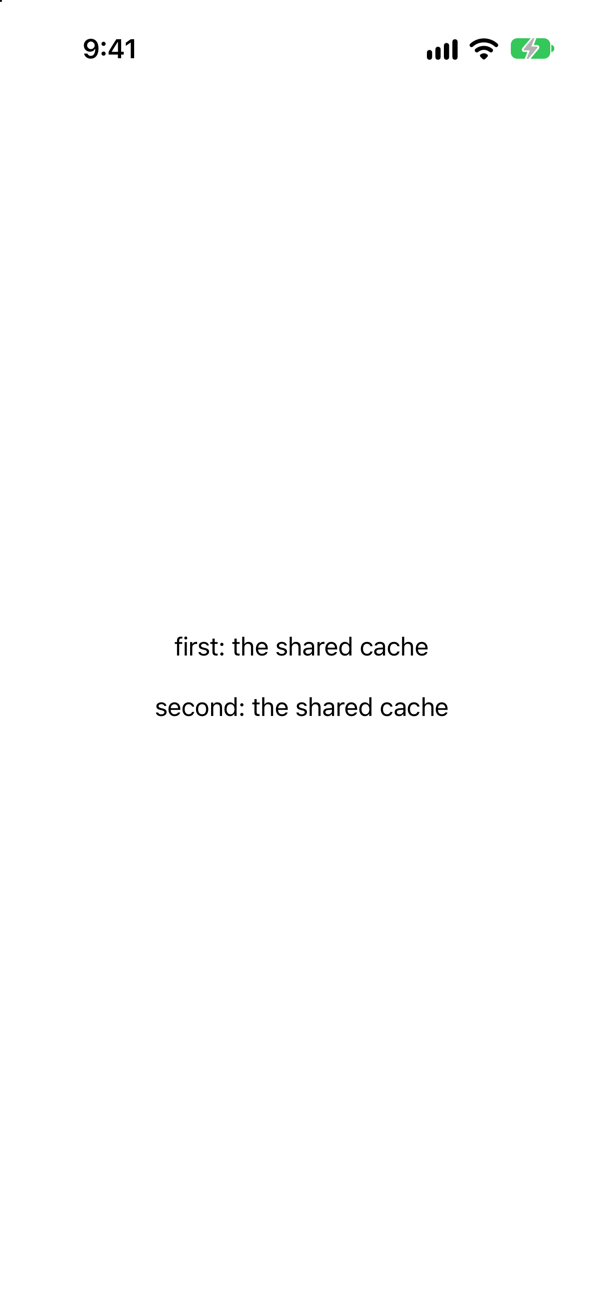
The same one — both say "the shared cache". The default is evaluated each time it is read (lesson 19 showed = Counter() making a new counter each time), so it should name an instance that exists once, as Cache.shared does, rather than make one.
Trick question · DependenciesAn @Observable model declares @Environment(\.locale) var locale. Does it get the screen's locale?

No: the screen says "the model sees" and then nothing — the default locale's empty identifier, not de_DE. SwiftUI says why, in the log: "Accessing Environment<Locale>'s value outside of being installed on a View. This will always read the default value and will not update." @Environment works only in a view that is part of the hierarchy, and a model is not one. Pass what the model needs from the view, through its methods or its initializer.
Edge cases and tricky questions
18 questions of the kind an interviewer uses to find out whether you really know this — the corners, the traps, and the things that changed recently. Each has its source. Wherever the answer is what some code does, that code was compiled and run, and what you see under “Show the answer” is what it really did. Say your answer aloud before you open it.
Breaking a screen into small views
A row takes a closure, so SwiftUI cannot tell whether its inputs changed, and runs its body whenever the parent's does. The row is made Equatable, comparing only its title, and the parent writes .equatable(). Now?
Show the answer
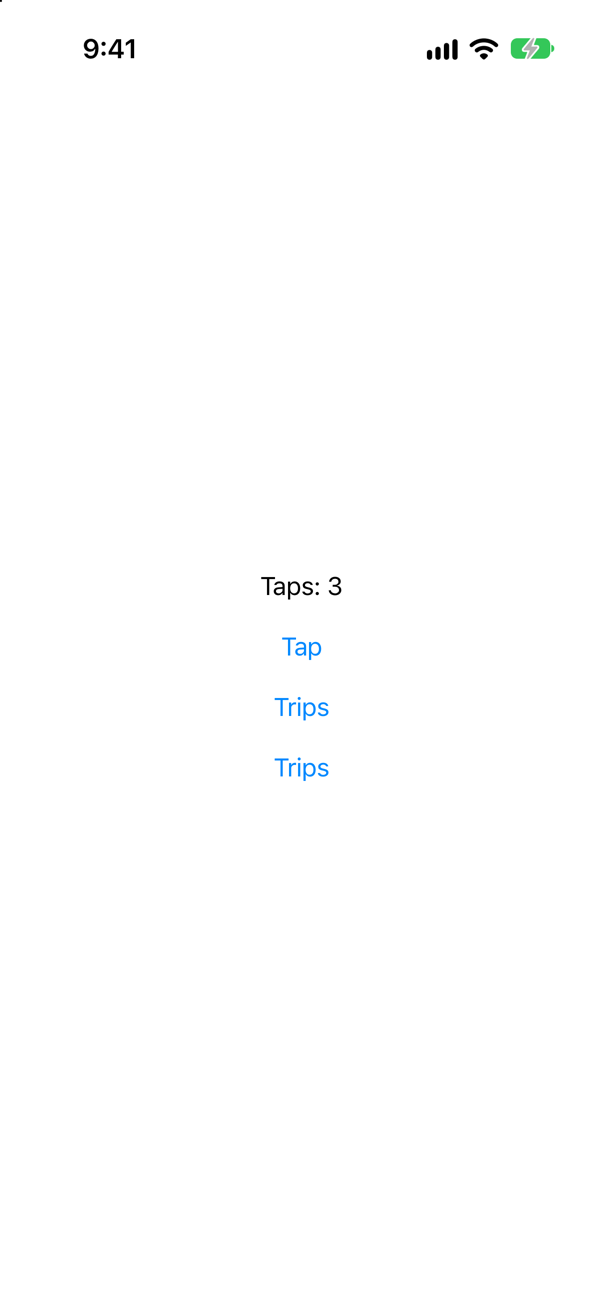
After the first tap, the equatable row stopped running its body; the plain one ran every time:
The console, from launch through three taps
the parent's body
EquatableRow's body
Row's body
the parent's body
EquatableRow's body
Row's body
the parent's body
EquatableRow's == said true
Row's body
the parent's body
EquatableRow's == said true
Row's body
From the second tap on, SwiftUI asked the row's own == — which ignores the closure — got true, and skipped its body. The first update after launch ran the body without asking at all, in every run of this measurement; Apple does not document that, so expect .equatable() to save work on repeated updates, not on the first. Use it when a subview's inputs include something that cannot be compared — a closure, a reference — and its body is expensive; the == must still say different whenever the screen should change.
Where this comes from: equatable() · WWDC21: Demystify SwiftUI (2021 — still the reference on identity) — Measured in the iOS 27 simulator.
Two subviews: one is handed the whole @Observable store and shows its title; the other is handed only the title, as a String. A button changes the store's trips — not the title. Which subview's body runs?
Show the answer

Neither. Each printed once, at launch, and not again after the tap:
The console
JustTheTitle's body
WholeStore's body
JustTheTitle was skipped because its input, a string, was unchanged. WholeStore's input — the same store — was unchanged too, and Observation re-runs a body only when something that body read has changed: it read only title, not trips. So with @Observable, handing a subview the whole model costs nothing extra; what matters is what each body reads. (With an old ObservableObject held in @ObservedObject, any @Published change redraws every view watching the object.)
Where this comes from: Observable() macro · Declaring a custom view — Measured in the iOS 27 simulator.
A screen's header is written twice: once as a computed property, var header: some View, and once as a struct of its own, Header(). A button in the screen changes its @State. Whose code runs again?
Show the answer
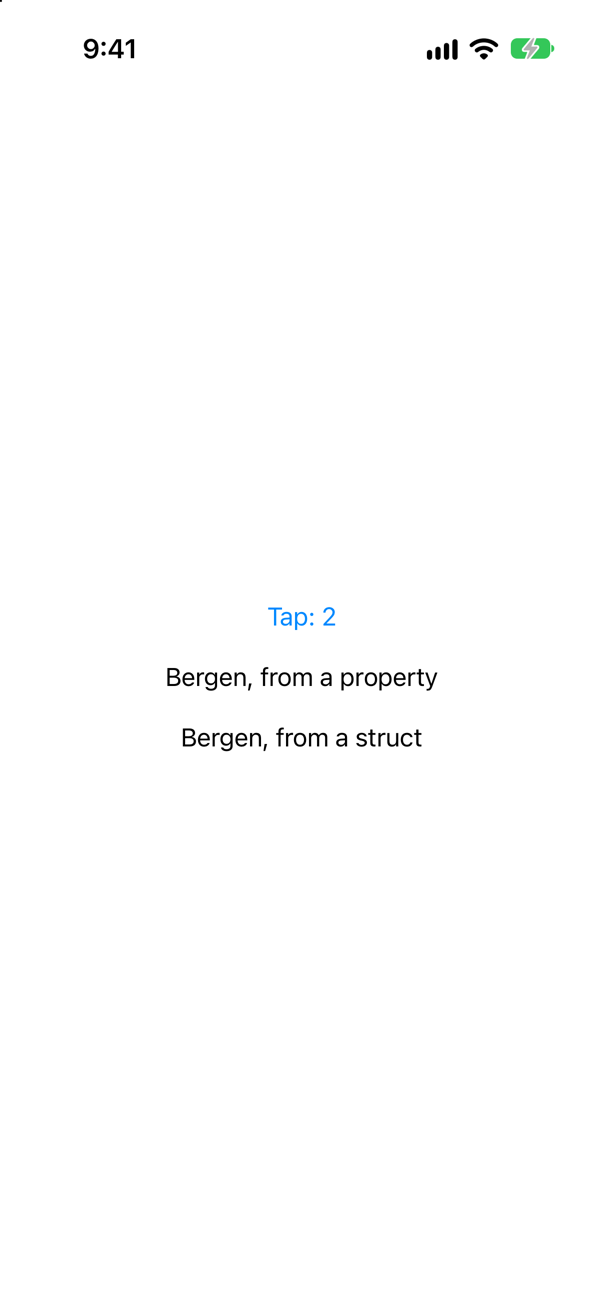
Only the property's. At launch both ran; over two taps, the console printed:
the property's body
the property's body
A computed property is part of the parent's body: it runs whenever the parent's does. A struct is a view of its own. SwiftUI compared the new Header() with the old one, found nothing different — it has no inputs at all — and skipped its body. That is why a real piece of interface belongs in a struct: it is a boundary where SwiftUI can stop. A computed property is fine for a few lines that change with the parent anyway.
Where this comes from: WWDC23: Demystify SwiftUI performance · Declaring a custom view — Measured in the iOS 27 simulator.
A computed property marked @ViewBuilder returns two texts. Where it is used, .padding(8).border(.red) follows it, and then an .onAppear that prints. One border round both texts, or one each? And how many times does .onAppear run?
Show the answer
One each — two red boxes — and .onAppear ran once: the console printed "appeared".

A @ViewBuilder property with two views returns two views, not one container: there is no stack around them. A modifier applied to several views is applied to each of them — Apple says the same of Group, which exists for this: "any modifier you apply to the group affects all of that group's members." Not every modifier is repeated, though: here .onAppear ran once, not twice, so check before counting on it. When the piece is one thing — a card, a header — give it its own container inside the property (a VStack), and the border goes round the whole.
Where this comes from: Group · ViewBuilder — Measured in the iOS 27 simulator.
A function returns some View: an image when the trip is a favorite, a text when it is not, each with its own return. Does it compile?
Show the answer
It does not compile. Xcode reports
function declares an opaque return type 'some View', but the return statements in its body do not have matching underlying typesNo: function declares an opaque return type 'some View', but the return statements in its body do not have matching underlying types
some View promises one concrete type, chosen by the function's body — and these two returns have two, Image and Text. Mark the function @ViewBuilder and drop the returns: the builder turns the if/else into a single type that holds whichever branch is taken. Both badges then draw:

A body needs no marking, because the View protocol declares its body requirement @ViewBuilder and every conforming type inherits it. A helper function or property you write yourself does not — it needs the attribute as soon as it has more than one possible result.
Where this comes from: ViewBuilder · Swift compiler documentation: Underlying type inference for opaque result types (OpaqueTypeInference) · The Swift Programming Language: Opaque and Boxed Protocol Types — Compiled with Xcode 27, with the strict settings Trips uses (Swift 6, no default actor isolation, Approachable Concurrency off), and run in the iOS 27 simulator.
A VStack holds twelve Texts, written out one after another. Does it compile?
Show the answer
Yes. All twelve appear, and the running app listed them in order, 1 to 12:
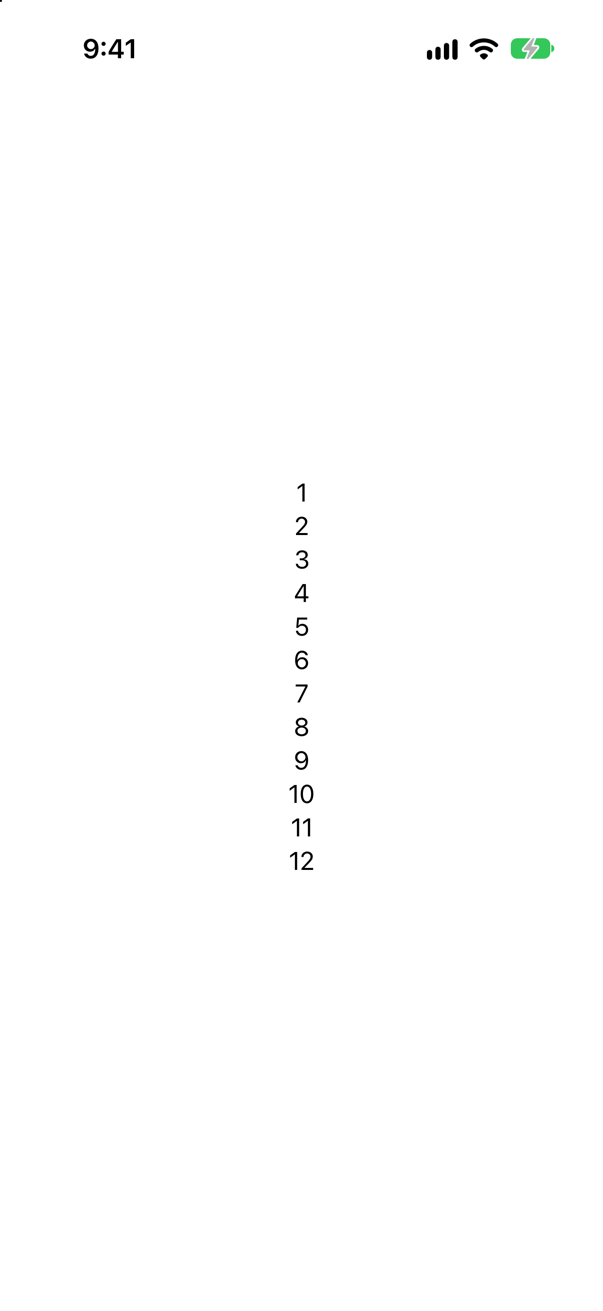
Older answers say no, and Apple's own Group page still shows ten texts gathered into a Group so that a stack has fewer children. The iOS 27 SDK's ViewBuilder declares a single buildBlock<each Content>(_ content: repeat each Content) — a parameter pack, the Swift 5.9 feature for functions that take any number of values of different types — so the count no longer matters. Splitting a long body into named views is still worth doing, for the reader.
Where this comes from: ViewBuilder · SE-0393: Value and Type Parameter Packs (Swift 5.9) · Group — Measured in the iOS 27 simulator; the declaration is in the iOS 27 SDK's SwiftUICore interface.
A parent's body runs again, and hands a subview the same title as before. Does the subview's init run? Its body?
Show the answer

init, every time; body, not at all. Over two taps:
Header.init
Header.init
To compare the new subview with the old one, SwiftUI first needs the new one — so the parent's body makes it, and its init runs. Only the comparison saves the body. So keep initializers cheap: no formatting, sorting or loading, because whatever an init does is paid on every update of the parent. Do the work in body, which SwiftUI can skip, or in .task.
Where this comes from: WWDC23: Demystify SwiftUI performance · State — Measured in the iOS 27 simulator.
A row takes a closure, so SwiftUI cannot compare it field by field. It conforms to Equatable, comparing only its title — but the parent never writes .equatable(). Does SwiftUI ask its ==?
Show the answer

Yes — from the second update on:
The console, from launch through three taps
Row.body
Row.body
Row's == was asked
Row's == was asked
The first tap ran the row's body without asking, just as with .equatable() in this lesson's first question; after that SwiftUI asked ==, got true, and skipped the body. The conformance alone was enough. Apple documents .equatable() — it "prevents the view from updating its child view when its new value is the same as its old value" — and does not document this, so write .equatable() where you rely on it: the intent is then on the page, and does not hang on undocumented behavior.
Where this comes from: equatable() · WWDC23: Demystify SwiftUI performance — Measured in the iOS 27 simulator.
A subview declares @State private var notes = Notes(), and Notes.init prints. The parent's body runs three more times, making the subview again each time. How many Notes are made — and how many when the same thing is written out as State(initialValue: Notes())?
Show the answer

One @State copy, and four written-out ones — over three taps the console printed:
Notes.init for State(initialValue:)
Notes.init for State(initialValue:)
Notes.init for State(initialValue:)
Since Xcode 27, @State is a macro, and Apple's page for it says it "instantiates its default value the first time SwiftUI instantiates the view." Editor ▸ Expand Macro on the property shows how: the starting value is wrapped in a closure — SwiftUICore.State._makeStorage({ Notes() }) — which ran once. A plain State(initialValue: Notes()) builds its Notes every time the view is made, and every copy but the first is thrown away: that is how the old property wrapper behaved, which "always instantiates its default value when SwiftUI instantiates the view." A project built with Xcode 26 or earlier still gets the wrapper, and with it Apple's advice to create such objects in .task.
Where this comes from: State() (the macro, Xcode 27) · State — Measured in the iOS 27 simulator, built with Xcode 27.
Passing dependencies
A view asks Forecasts.shared, which goes to the network. Another view gets its forecasts from the environment, and a stand-in is put there. What does each ask when it is shown?
Show the answer

The singleton went to the network; the injected one did not:
The console
the stand-in was asked about Bergen
the network was asked about Seattle
A view that reaches for shared takes the real thing into every preview and every test, wanted or not. One that is given its dependency — through the environment or its initializer — can be given anything. That is the whole case against singletons inside views.
Where this comes from: Environment · EnvironmentValues — Measured in the iOS 27 simulator.
The protocol-and-fake card, in a real test: a model takes some WeatherSource, and the test hands it a fake that throws. Does the model report the failure?
Show the answer
The run
✓ saysWhenThereIsNoWeather(): passed (0.001 s)Yes, and the test needed no network to find out. A fake that throws is the easiest way to test the path that is hardest to produce for real — the network failing at the right moment. Whether the seam is a protocol, a closure or a struct of closures matters less than that there is one.
Where this comes from: Swift Testing · Managing model data in your app — Run with Xcode 27 on the iOS 27 simulator.
The app's Store is an @Observable class, and previews use SampleStore, a subclass with sample data. A view reads @Environment(Store.self); the preview writes .environment(SampleStore()). What happens?
Show the answer
It stops at launch — although an object of a subclass of Store was right there: "SwiftUICore/Environment+Objects.swift:34: Fatal error: No Observable object of type Store found. A View.environmentObject(_:) for Store may be missing as an ancestor of this view."
environment(_:) is generic — environment<T>(_ object: T?) — so the object is filed under T, the type of the expression it was handed: SampleStore. Apple: "The environment of a given view hierarchy holds only one observable object of a given type." The view asked for Store, another type, and found nothing. Say which type you mean, and the sample store is read:

The same goes for any object whose static type is narrower than what the reader asks for. (For swapping implementations, a protocol is usually the better seam — but not as an environment object; the next question shows why.)
Where this comes from: environment(_:) — placing an observable object in the environment · Environment — Measured in the iOS 27 simulator.
To swap the weather source in tests, a view reads @Environment((any WeatherSource).self), where WeatherSource is a protocol for @Observable classes. Does it compile?
Show the answer
It does not compile. Xcode reports
no exact matches in call to initializerNo: no exact matches in call to initializer
The object form of @Environment takes a class that is Observable — its initializers require T: AnyObject, T: Observable — and any WeatherSource is a box that can hold such a class, not a class itself, so none of them fits. For a dependency described by a protocol, use an environment value instead: an @Entry whose type is the protocol, with the real implementation as its default.
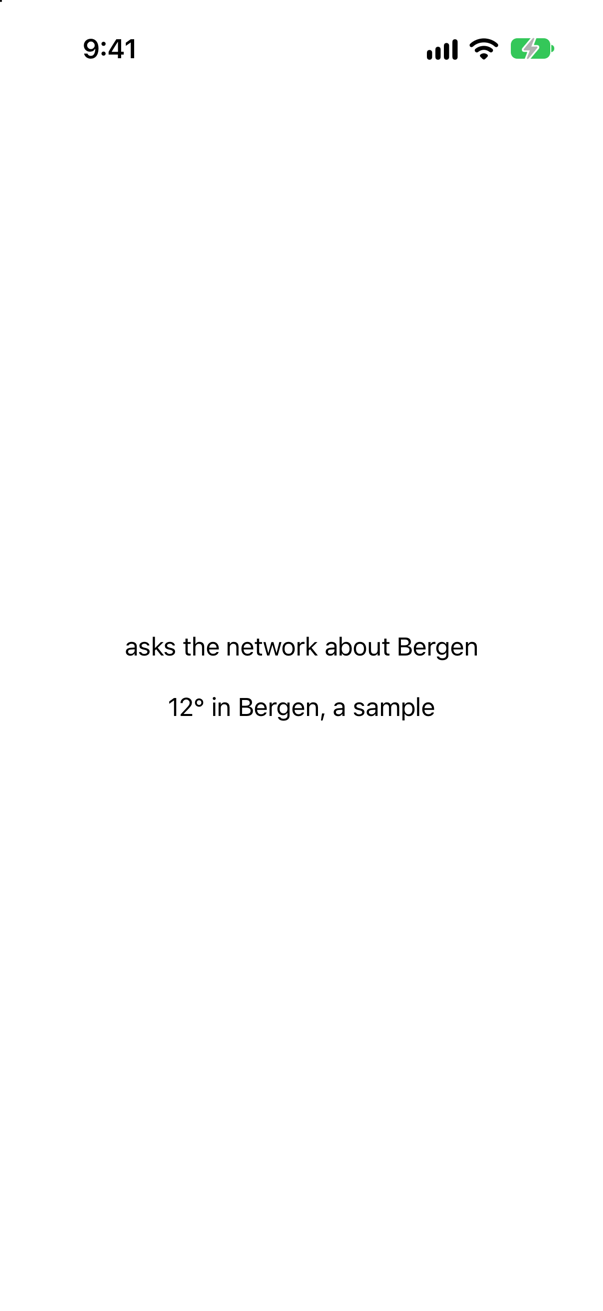
The first strip got the default; the second, the stand-in set just above it. The conformers here are structs on purpose: an @Entry default that makes a new class instance is made again on every read, as a lesson 19 card found.
Where this comes from: Environment · Entry() macro — Compiled with Xcode 27, with the strict settings Trips uses (Swift 6, no default actor isolation, Approachable Concurrency off), and run in the iOS 27 simulator.
A view reads @Environment(\.locale) and, in its own body, wraps its content in .environment(\.locale, Locale(identifier: "de_DE")). Which locale does the view itself see — and its child?
Show the answer
The view sees the phone's locale, en_US; only its child sees de_DE.

A modifier inside body wraps what body returns — the view's children — and the environment flows down from there. The view's own @Environment properties were filled in from above it, before its body ran. To change what a view itself reads, set the value where the view is used: Greeting().environment(\.locale, …).
Where this comes from: Environment · EnvironmentValues — Measured in the iOS 27 simulator, whose region is the United States.
A model cannot read @Environment — a lesson 46 card found it gets only the default. Can a ViewModifier?
Show the answer
Yes: it showed "(nb_NO)", the locale set around it.

A ViewModifier is part of the view tree — SwiftUI renders its body(content:) the way it renders a view's body — so its @Environment properties are filled in like a view's. A model is not part of the tree, which is why it has to be handed what it needs, through its initializer or its methods.
Where this comes from: ViewModifier · Environment — Measured in the iOS 27 simulator.
A screen has a Link to a forecast. In a preview or a UI test you would rather it did not open Safari. Without changing the screen's code, can you stop it — and see what it would have opened?
Show the answer
Yes: replace the action it uses. Tapped, the link printed "asked to open https://www.yr.no/en" — and the app stayed where it was:

Opening a URL is a dependency like any other, and SwiftUI hands it down the environment as openURL, a value of type OpenURLAction. Apple: "Any views that read the action from the environment, including the built-in Link view and Text views with markdown links … use your action." Here the modifier sits in the screen to keep the example short; in a preview it goes round the screen instead.
Where this comes from: OpenURLAction · Environment — Measured in the iOS 27 simulator.
final class Settings { static var shared = Settings() … } — the classic singleton. Does it compile in a new Xcode project? In a Swift 6 package?
Show the answer
Run it. The console shows
metricIn a new Xcode project, yes — it printed "metric". In a Swift 6 package, no: static property 'shared' is not concurrency-safe because it is nonisolated global shared mutable state
An Xcode 27 app puts code on the main actor unless it says otherwise, so shared belongs to the main actor and only main-actor code may touch it: safe, and silent. In a package, where nothing is on the main actor by default, Swift 6 sees mutable state that any thread could reach, and refuses. A constant of a Sendable type is accepted everywhere:
Trips is set up like the package — Swift 6, and nothing on an actor unless it says so — so there the singleton fails as it does in the package, until it says whose it is: @MainActor on the class, or the Sendable constant above.
Either way, a singleton is still a hidden dependency: a test cannot hand the code a different Settings without changing it for every other test as well. Pass it in, as this lesson's tutorial does with the weather cache.
Where this comes from: Swift compiler documentation: Unsafe mutable global and static variables (MutableGlobalVariable) · SE-0412: Strict concurrency for global variables — Compiled with Xcode 27's Swift 6.4 compiler: with a new iOS App project's settings, and in the Swift 6 language mode without them.
This view loads its trips itself, in .task. What happens each time the canvas draws its preview — and how would you change the view so that previewing it costs nothing?
Show the answer

It makes the request. A preview is not a drawing of your view: it is your view, really running. Apple describes the canvas's live mode as "similar to running your app on a simulated or physical device". So .task runs, the request goes out to the real server, and it does so again whenever the canvas starts the preview afresh. The preview is slow, it shows nothing without a network, and it shows different things on different days.
The cure is the habit from this lesson's tutorial: a view is given what it shows. Split the screen in two — a view that displays trips it is handed, and a thin one above it that loads them — and pass the loading in, so that a preview can supply its own:
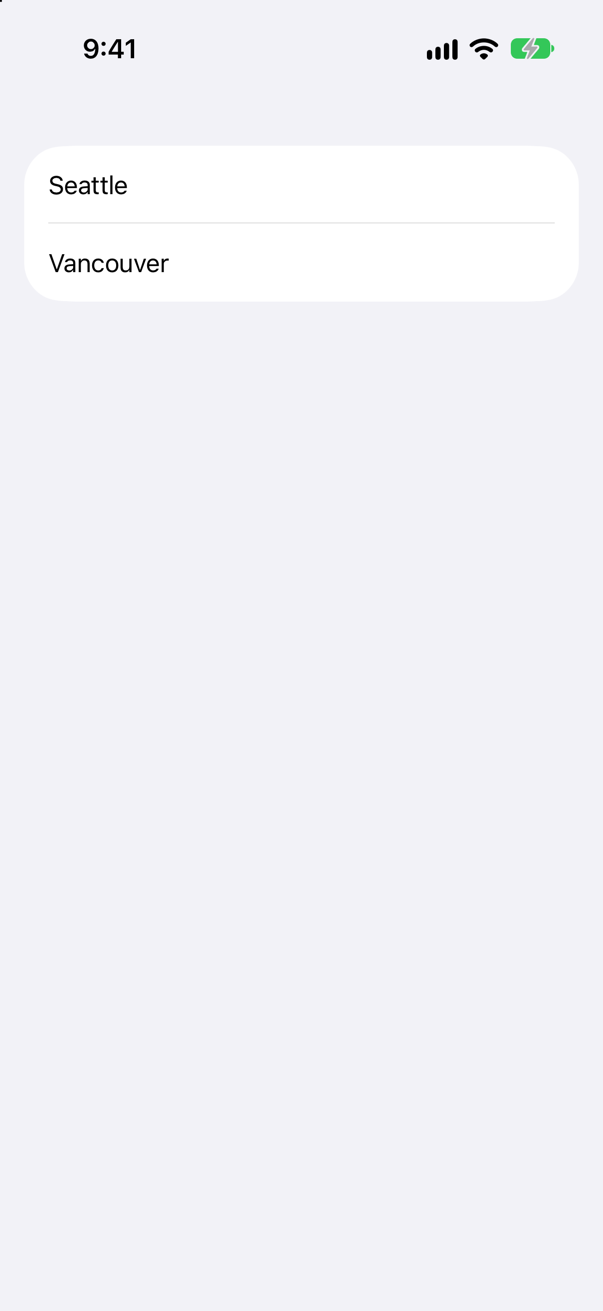
Apple's guidance says the same: "When creating views, pass in only the data the view needs to display. Avoid passing in objects that fetch data."
You will also meet a shortcut in older code: ProcessInfo.processInfo.environment["XCODE_RUNNING_FOR_PREVIEWS"] == "1", to skip work when running in the canvas. It works, but Apple does not document it, and it means your app's code knows about your tools. Mention it; do not reach for it first.
Where this comes from: Adding previews to your interface files · Interacting with previews in the canvas · Sarunw: Detecting if a SwiftUI app is in Xcode Previews (an undocumented environment variable) — Apple, “Adding previews to your interface files”, section “Pass views only the data they need”.