Tests for the logic, a picture, and the flow
Previews and tests
You will buildThe Overview's filters worked out by TripFilter instead of by the view, with tests — some parameterized; a test that draws a trip's row at the largest text size and attaches the picture to its result; and a UI test that plans a trip in the running app and finds it in the list.
TimeAbout 60 minutes
WhyTrips already has a preview for each phase of the weather card, and a test for each path through the weather model. This lesson fills in the rest of the usual answer to "how do you test a SwiftUI view?". Keep views thin, so that the logic they hold can move somewhere a unit test can reach it. Check how a view looks in previews while you work — and, where it must stay right, in a test that draws it. And cover the few flows that must never break with UI tests, which drive the real app from outside, as a person would: slower, and more fragile, so there are few of them.
Open your project
Open your
Tripsproject as lesson 46 left it: double-clickTrips.xcodeprojin Finder, or use File ▸ Open… (⌘O) in Xcode.If you did not finish lesson 46, or would rather start from a known state, download Trips-lesson-46.zip instead. It is the project exactly as it stood at the end of lesson 46. Unzip it and open
Trips.xcodeproj.Run it (⌘R) to check that it builds. You should see where lesson 46 ended:
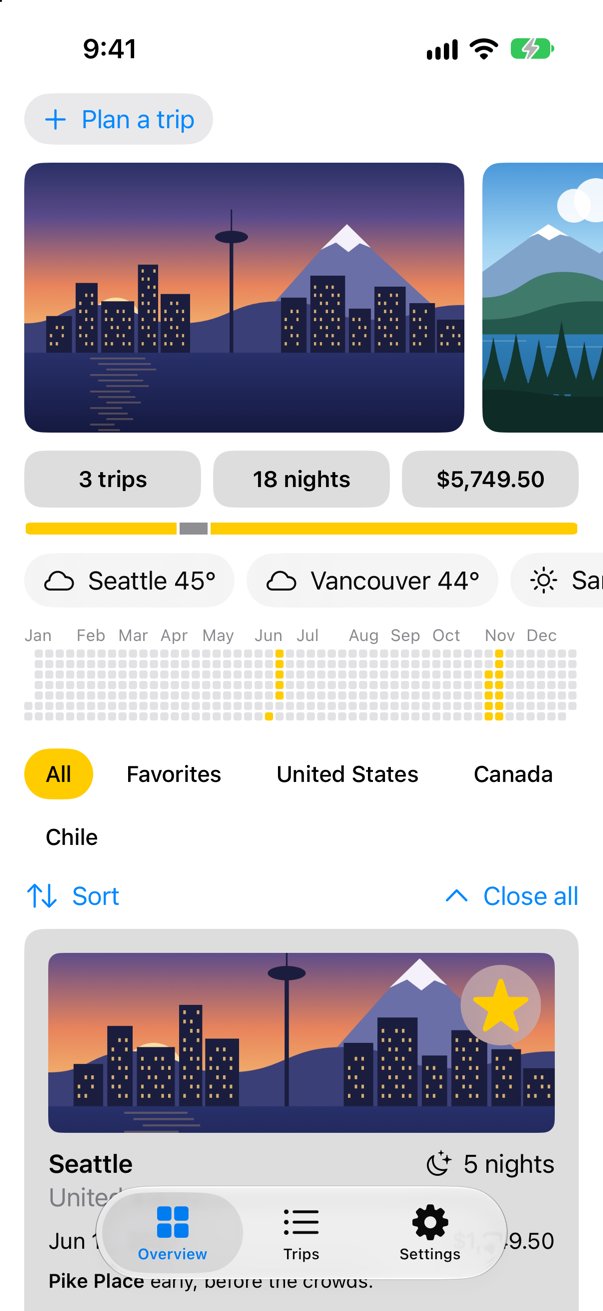
Trips, as it stood at the end of lesson 46Screenshot · iPhone 17, iOS 27.0
The logic leaves the view
The Overview works out its filters itself — All, Favorites, and one per country — in a private property of the view. Nothing outside the view can call it, so nothing can test it without making the whole screen. Moved into TripFilter, it is a function from trips to filters that any test can call. At the end of TripFilter.swift:
extension TripFilter {
    /// All, Favorites, and then a filter for each country that has a trip, in the order the trips first name them.
    static func choices(for trips: [Trip]) -> [TripFilter] {
        var countries: [String] = []
        for trip in trips where !countries.contains(trip.country) {
            countries.append(trip.country)
        }
        return [.all, .favorites] + countries.map { TripFilter.country($0) }
    }
}
The Overview asks for it, and loses its own copy. In ContentView.swift:
struct ContentView: View { @Environment(TripStore.self) private var store @AppStorage(Settings.showsYearKey) private var showsYear = true @State private var filter = TripFilter.all @State private var closings = 0 var body: some View { ScrollView { LazyVStack(spacing: 12) { TripPlanner() .environment(\.highlight, .mint) PhotoStrip(trips: store.trips) TripSummary(trips: store.trips) WeatherStrip(cities: store.trips.map(\.city)) if showsYear { YearGrid(trips: store.trips) } FilterBar(filters: filters, selection: $filter) { trips in FilterBar(filters: TripFilter.choices(for: store.trips), selection: $filter) { trips in store.makeFavorites(trips) } .frame(maxWidth: .infinity, alignment: .leading) .padding(.horizontal) TripControls(closings: $closings) TripGrid(filter: filter, closings: closings) } } .sensoryFeedback(.success, trigger: store.trips.filter(\.isFavorite).count) } /// All, Favorites, and then a filter for each country that has a trip. private var filters: [TripFilter] { var countries: [String] = [] for trip in store.trips where !countries.contains(trip.country) { countries.append(trip.country) } return [.all, .favorites] + countries.map { TripFilter.country($0) } }}struct ContentView: View {
@Environment(TripStore.self) private var store
@AppStorage(Settings.showsYearKey) private var showsYear = true
@State private var filter = TripFilter.all
@State private var closings = 0
var body: some View {
ScrollView {
LazyVStack(spacing: 12) {
TripPlanner()
.environment(\.highlight, .mint)
PhotoStrip(trips: store.trips)
TripSummary(trips: store.trips)
WeatherStrip(cities: store.trips.map(\.city))
if showsYear {
YearGrid(trips: store.trips)
}
FilterBar(filters: TripFilter.choices(for: store.trips), selection: $filter) { trips in
store.makeFavorites(trips)
}
.frame(maxWidth: .infinity, alignment: .leading)
.padding(.horizontal)
TripControls(closings: $closings)
TripGrid(filter: filter, closings: closings)
}
}
.sensoryFeedback(.success, trigger: store.trips.filter(\.isFavorite).count)
}
}Now the tests. Two check choices(for:); two more check includes(_:) with several filters each: @Test(arguments:) runs the test once per argument, and reports each case on its own. In the TripsTests folder, make a new Swift File named FilterTests, and replace everything in it:
import Testing
@testable import Trips

/// The Overview's filters: logic that used to live inside a view, where no test could reach it.
@MainActor
struct FilterTests {
    @Test func oneChoicePerCountry() {
        let trips = [Trip.seattle, .vancouver, .atacama, .seattle]
        #expect(TripFilter.choices(for: trips) == [.all, .favorites, .country("United States"), .country("Canada"), .country("Chile")])
    }

    @Test func noTripsStillOffersAllAndFavorites() {
        #expect(TripFilter.choices(for: []) == [.all, .favorites])
    }

    @Test(arguments: [TripFilter.all, .favorites, .country("Chile")])
    func includesAtacama(filter: TripFilter) {
        #expect(filter.includes(.atacama))
    }

    @Test(arguments: [TripFilter.country("Canada"), .country("United States")])
    func leavesOutAtacama(filter: TripFilter) {
        #expect(!filter.includes(.atacama))
    }
}
Run the tests (⌘U):
✓ FilterTests › oneChoicePerCountry(): passed (0.001 s)
✓ FilterTests › noTripsStillOffersAllAndFavorites(): passed (0.000 s)
✓ FilterTests › includesAtacama(filter:): passed (0.001 s)
    ✓ .all: passed
    ✓ .country("Chile"): passed
    ✓ .favorites: passed
✓ FilterTests › leavesOutAtacama(filter:): passed (0.000 s)
    ✓ .country("Canada"): passed
    ✓ .country("United States"): passed
✓ PlannerWeatherTests › asksOnceTypingPauses(): passed (0.510 s)
✓ PlannerWeatherTests › nothingBeforeTheWaitIsOver(): passed (0.002 s)
✓ PlannerWeatherTests › aNewLetterCancelsTheWait(): passed (0.006 s)
✓ TripsTests › example(): passed (0.000 s)
✓ WeatherTests › showsTheWeatherItWasGiven(): passed (0.000 s)
✓ WeatherTests › saysWhatWentWrong(): passed (0.002 s)
✓ WeatherTests › asksOnceForTwoScreens(): passed (0.100 s)
Each argument is a case of its own, under its test. The Overview looks the same as before — run the app if you like — but its logic now has tests, and the view is a little thinner.
A picture of a view, from a test
Previews show a view while you work on it; they are not run again when someone else changes the code. A test can draw a view instead: ImageRenderer renders a SwiftUI view to an image, with no window and no simulator screen, and Attachment.record keeps the image with the test's result, where Xcode's test report shows it. This one draws a trip's row at the largest accessibility text size — a size that previews are seldom set to — and checks its width. (import UIKit is what lets a UIImage be attached: the conformance that allows it comes from Swift Testing and UIKit together.) Snapshot-testing libraries take the same idea further, by comparing the picture with one saved earlier. In the TripsTests folder, make a new Swift File named TripRowPictures, and replace everything in it:
import Testing
import SwiftUI
import UIKit
@testable import Trips

/// A trip's row drawn by a test, at a size the canvas is rarely set to.
@MainActor
struct TripRowPictures {
    @Test func atTheLargestTextSize() throws {
        let row = TripRow(trip: .seattle)
            .dynamicTypeSize(.accessibility5)
            .padding()
            .frame(width: 390)
            .background(.white)
        let renderer = ImageRenderer(content: row)
        renderer.scale = 3
        let picture = try #require(renderer.uiImage)
        Attachment.record(picture, named: "trip-row-largest-text", as: .png)
        #expect(picture.size.width == 390)
    }
}
Run the tests:
✓ FilterTests › oneChoicePerCountry(): passed (0.000 s)
✓ FilterTests › noTripsStillOffersAllAndFavorites(): passed (0.000 s)
✓ FilterTests › includesAtacama(filter:): passed (0.000 s)
    ✓ .all: passed
    ✓ .country("Chile"): passed
    ✓ .favorites: passed
✓ FilterTests › leavesOutAtacama(filter:): passed (0.000 s)
    ✓ .country("Canada"): passed
    ✓ .country("United States"): passed
✓ PlannerWeatherTests › asksOnceTypingPauses(): passed (0.513 s)
✓ PlannerWeatherTests › nothingBeforeTheWaitIsOver(): passed (0.003 s)
✓ PlannerWeatherTests › aNewLetterCancelsTheWait(): passed (0.003 s)
✓ TripRowPictures › atTheLargestTextSize(): passed (0.011 s)
✓ TripsTests › example(): passed (0.000 s)
✓ WeatherTests › showsTheWeatherItWasGiven(): passed (0.000 s)
✓ WeatherTests › saysWhatWentWrong(): passed (0.004 s)
✓ WeatherTests › asksOnceForTwoScreens(): passed (0.102 s)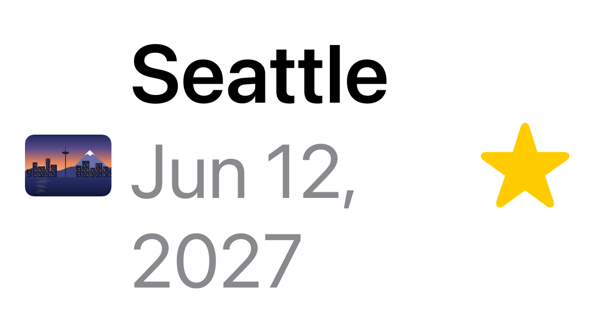
The row copes: the date wraps onto a second line and nothing is cut off — though the picture stays small beside text this big, which is worth a designer's look. ImageRenderer draws what SwiftUI draws itself — text, images, shapes — but not materials or most controls, which is why this test draws a row and not the weather card: an edge case below shows what happens to those.
A UI test for the flow that matters
A UI test drives the real app from outside: it launches it, finds buttons and fields by what they say — through the same accessibility labels VoiceOver reads — taps and types, and checks what appears. It runs in a process of its own, so it cannot reach the app's types; all it knows is the screen. Planning a trip and finding it in the list is the flow to protect.
First, a known start. The app opens with whatever it saved last time, and a test that depends on that passes or fails depending on what ran before it. A test can pass the app launch arguments; when the app finds -fresh-start among them, it starts with the samples instead. At the end of TripStore.swift:
extension TripStore {
    /// A store that starts with these trips, whatever was saved — for a UI test that needs to know where it begins.
    convenience init(trips: [Trip]) {
        self.init()
        self.trips = trips
    }
}
In TripsApp.swift:
import SwiftUIimport SwiftData@mainstruct TripsApp: App { @Environment(\.scenePhase) private var scenePhase @State private var store = TripStore() /// The saved trips — or, when a UI test asks for a fresh start, the samples. @State private var store = ProcessInfo.processInfo.arguments.contains("-fresh-start") ? TripStore(trips: Trip.samples) : TripStore() @State private var settings = Settings() @AppStorage(Settings.highlightKey) private var highlight = Settings.Highlight.yellow var body: some Scene { WindowGroup { MainTabs() .environment(store) .environment(settings) .environment(\.highlight, highlight.color) .task { // On the main actor, as the store is: `.task` and the closure take // the actor of the code they are written in. Each value is a [Trip], // handed on because a trip is Sendable. for await _ in Observations({ store.trips }) { store.save() } } } .modelContainer(for: PackingItem.self) .onChange(of: scenePhase) { _, new in if new == .background { store.save() } } }}import SwiftUI
import SwiftData
@main
struct TripsApp: App {
@Environment(\.scenePhase) private var scenePhase
/// The saved trips — or, when a UI test asks for a fresh start, the samples.
@State private var store = ProcessInfo.processInfo.arguments.contains("-fresh-start")
? TripStore(trips: Trip.samples) : TripStore()
@State private var settings = Settings()
@AppStorage(Settings.highlightKey) private var highlight = Settings.Highlight.yellow
var body: some Scene {
WindowGroup {
MainTabs()
.environment(store)
.environment(settings)
.environment(\.highlight, highlight.color)
.task {
// On the main actor, as the store is: `.task` and the closure take
// the actor of the code they are written in. Each value is a [Trip],
// handed on because a trip is Sendable.
for await _ in Observations({ store.trips }) {
store.save()
}
}
}
.modelContainer(for: PackingItem.self)
.onChange(of: scenePhase) { _, new in
if new == .background {
store.save()
}
}
}
}UI tests live in a target of their own, made from a different template:
In Xcode, choose File ▸ New ▸ Target….
In the Test section of the templates, choose UI Testing Bundle, and click Next.
Xcode fills in Product Name: with
TripsUITests, Language: with Swift and Target to be Tested: withTrips. Testing System: shows XCTest and cannot be changed: UI tests are written with XCTest. Click Finish.
Xcode adds a folder, TripsUITests, beside Trips, holding TripsUITests.swift:
import XCTest

final class TripsUITests: XCTestCase {

    override func setUpWithError() throws {
        // Put setup code here. This method is called before the invocation of each test method in the class.

        // In UI tests it is usually best to stop immediately when a failure occurs.
        continueAfterFailure = false

        // In UI tests it’s important to set the initial state - such as interface orientation - required for your tests before they run. The setUp method is a good place to do this.
    }

    override func tearDownWithError() throws {
        // Put teardown code here. This method is called after the invocation of each test method in the class.
    }

    @MainActor
    func testExample() throws {
        // UI tests must launch the application that they test.
        let app = XCUIApplication()
        app.launch()

        // Use XCTAssert and related functions to verify your tests produce the correct results.
        // XCUIAutomation Documentation
        // https://developer.apple.com/documentation/xcuiautomation
    }

    @MainActor
    func testLaunchPerformance() throws {
        // This measures how long it takes to launch your application.
        measure(metrics: [XCTApplicationLaunchMetric()]) {
            XCUIApplication().launch()
        }
    }
}
A new target comes with Xcode's own settings, whatever the app's are: Swift 5, and Approachable Concurrency on. Give it Trips' three, so that its code is checked as strictly as the code it works with — select the TripsUITests target, open Build Settings, and set:
Build setting of TripsUITests Swift Language Version: Swift 6 SWIFT_VERSION = 6.0
Build setting of TripsUITests Default Actor Isolation: nonisolated SWIFT_DEFAULT_ACTOR_ISOLATION = nonisolated
Build setting of TripsUITests Approachable Concurrency: No SWIFT_APPROACHABLE_CONCURRENCY = NO
The template's testExample launches the app and checks nothing; testLaunchPerformance launches it several times and measures how long it takes. Replace them with the flow. continueAfterFailure = false stops the test at the first failure, because each step depends on the one before. Each query names an element by its label: app.buttons["Plan a trip"], app.textFields["City"]. waitForExistence(timeout:) waits for the list to show the new trip instead of checking at once, and XCTAttachment(screenshot:) keeps a picture of the end. In TripsUITests.swift:
import XCTestfinal class TripsUITests: XCTestCase { override func setUpWithError() throws { // Put setup code here. This method is called before the invocation of each test method in the class. // In UI tests it is usually best to stop immediately when a failure occurs. // In a UI test each step depends on the one before: stop at the first failure. continueAfterFailure = false // In UI tests it’s important to set the initial state - such as interface orientation - required for your tests before they run. The setUp method is a good place to do this. } override func tearDownWithError() throws { // Put teardown code here. This method is called after the invocation of each test method in the class. } @MainActor func testExample() throws { // UI tests must launch the application that they test. func testPlanningATripAddsItToTheList() throws { let app = XCUIApplication() // the samples, whatever an earlier run saved app.launchArguments = ["-fresh-start"] app.launch() // Use XCTAssert and related functions to verify your tests produce the correct results. // XCUIAutomation Documentation // https://developer.apple.com/documentation/xcuiautomation } // the app remembers its tab: do not assume one app.tabBars.buttons["Overview"].tap() app.buttons["Plan a trip"].tap() let city = app.textFields["City"] city.tap() city.typeText("Lisbon") let country = app.textFields["Country"] country.tap() country.typeText("Portugal") app.buttons["Add to my trips"].tap() @MainActor func testLaunchPerformance() throws { // This measures how long it takes to launch your application. measure(metrics: [XCTApplicationLaunchMetric()]) { XCUIApplication().launch() } app.tabBars.buttons["Trips"].tap() XCTAssertTrue(app.staticTexts["Lisbon"].waitForExistence(timeout: 2)) let screenshot = XCTAttachment(screenshot: app.screenshot()) screenshot.lifetime = .keepAlways add(screenshot) }}import XCTest
final class TripsUITests: XCTestCase {
override func setUpWithError() throws {
// In a UI test each step depends on the one before: stop at the first failure.
continueAfterFailure = false
}
@MainActor
func testPlanningATripAddsItToTheList() throws {
let app = XCUIApplication()
// the samples, whatever an earlier run saved
app.launchArguments = ["-fresh-start"]
app.launch()
// the app remembers its tab: do not assume one
app.tabBars.buttons["Overview"].tap()
app.buttons["Plan a trip"].tap()
let city = app.textFields["City"]
city.tap()
city.typeText("Lisbon")
let country = app.textFields["Country"]
country.tap()
country.typeText("Portugal")
app.buttons["Add to my trips"].tap()
app.tabBars.buttons["Trips"].tap()
XCTAssertTrue(app.staticTexts["Lisbon"].waitForExistence(timeout: 2))
let screenshot = XCTAttachment(screenshot: app.screenshot())
screenshot.lifetime = .keepAlways
add(screenshot)
}
}Run the tests (⌘U). The simulator comes to the front, and the app plans a trip by itself:
✓ FilterTests › oneChoicePerCountry(): passed (0.000 s)
✓ FilterTests › noTripsStillOffersAllAndFavorites(): passed (0.000 s)
✓ FilterTests › includesAtacama(filter:): passed (0.000 s)
    ✓ .all: passed
    ✓ .country("Chile"): passed
    ✓ .favorites: passed
✓ FilterTests › leavesOutAtacama(filter:): passed (0.000 s)
    ✓ .country("Canada"): passed
    ✓ .country("United States"): passed
✓ PlannerWeatherTests › asksOnceTypingPauses(): passed (0.508 s)
✓ PlannerWeatherTests › nothingBeforeTheWaitIsOver(): passed (0.004 s)
✓ PlannerWeatherTests › aNewLetterCancelsTheWait(): passed (0.003 s)
✓ TripRowPictures › atTheLargestTextSize(): passed (0.006 s)
✓ TripsTests › example(): passed (0.000 s)
✓ WeatherTests › showsTheWeatherItWasGiven(): passed (0.000 s)
✓ WeatherTests › saysWhatWentWrong(): passed (0.004 s)
✓ WeatherTests › asksOnceForTwoScreens(): passed (0.102 s)
✓ TripsUITests › testPlanningATripAddsItToTheList(): passed (14.026 s)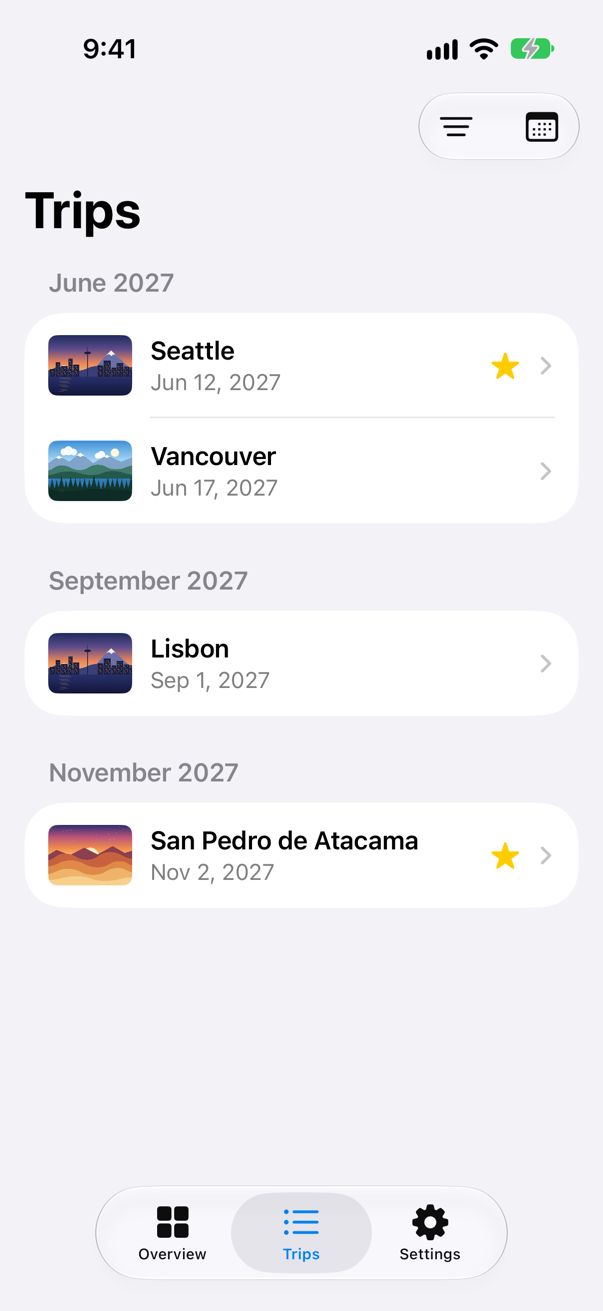
Every test passed — and the UI test took seconds where the unit tests took milliseconds, because it launched the app and waited for each screen. That is why a suite has many unit tests, a few picture tests, and only a handful of UI tests, for the flows that must not break.
What you built
TripFilter.choices(for:), logic moved out of the Overview, with tests — two of them parameterized.- A test that draws a trip's row at the largest text size with
ImageRendererand attaches the picture. - A UI test target, and a test that plans a trip in the running app — after a fresh start — and finds it in the list.
Next, performance: why a view's body runs, how to see it happen, and how to make it happen less. Then Part 12's interview problem.
The finished project
Stuck, or want to compare with your own? This is the project as it stands at the end of this lesson, built and run before it was put here.
- Trips-lesson-47.zip — unzip it, then open
Trips.xcodeprojin Xcode.
Flash cards
15 cards for this lesson, each labelled with its topic. 12 ask how you would write something; the other 3 are trick questions, written to catch a misunderstanding. Answer in your head first, then tap the card.
Syntax · Swift TestingRun one test with pairs of input and expected output.
An array of tuples, and a test function with one parameter per element of the tuple: each pair is a case of its own. Three cases ran, each reported with its pair.
Syntax · Swift TestingPair two lists of arguments element by element.
zip(a, b): Seattle with 61, Bergen with 52 — two cases. Two collections passed separately, arguments: a, b, would test every combination instead: four.
Syntax · Swift TestingTurn a test off, saying why, without deleting it.
The .disabled(_:) trait. The test is reported as skipped, with its reason — "Open-Meteo is changing its API" — so it is not forgotten the way a commented-out test is. .enabled(if:) takes a condition instead.
Syntax · Swift TestingLabel tests, so that a group of them can be run or filtered together.
Declare a tag with @Tag in an extension of Tag, and add it with the .tags(_:) trait. Xcode's test navigator can group and filter by tag, and a test plan can include or exclude one.
Syntax · SnapshotDraw a SwiftUI view in a test, and keep the picture with the result.
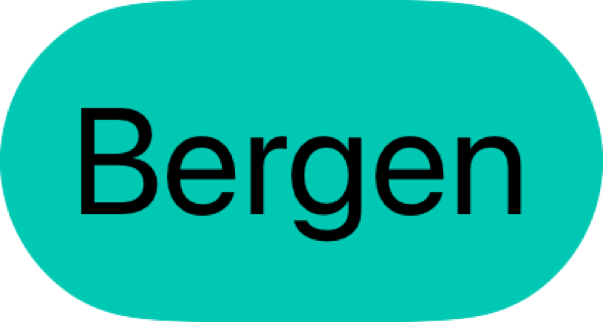
ImageRenderer(content:) draws the view with no window; uiImage is the result (set scale for a sharper one). Attachment.record keeps it with the test — in Xcode's report. This is the picture it attached.
Syntax · UI testingIn a UI test, launch the app and tap a button.
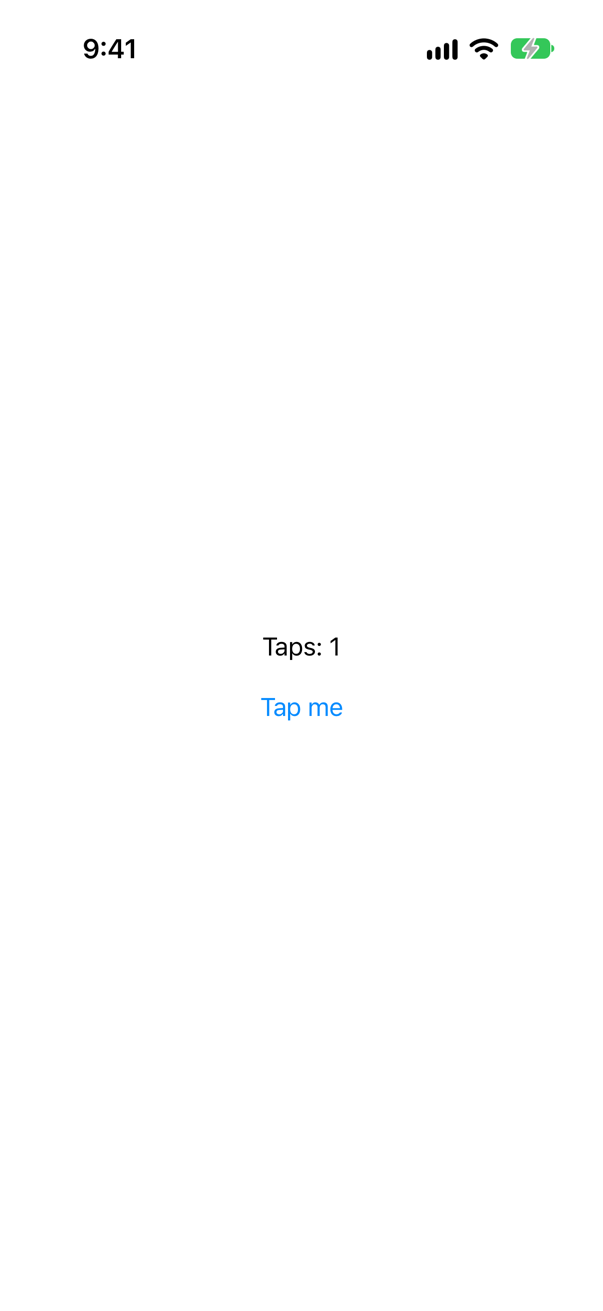
XCUIApplication() is the app under test; launch() starts it afresh. app.buttons["Tap me"] finds a button by its label; staticTexts finds text. The picture is the screenshot the test attached at the end.
Syntax · UI testingType into a text field, and check what it holds.
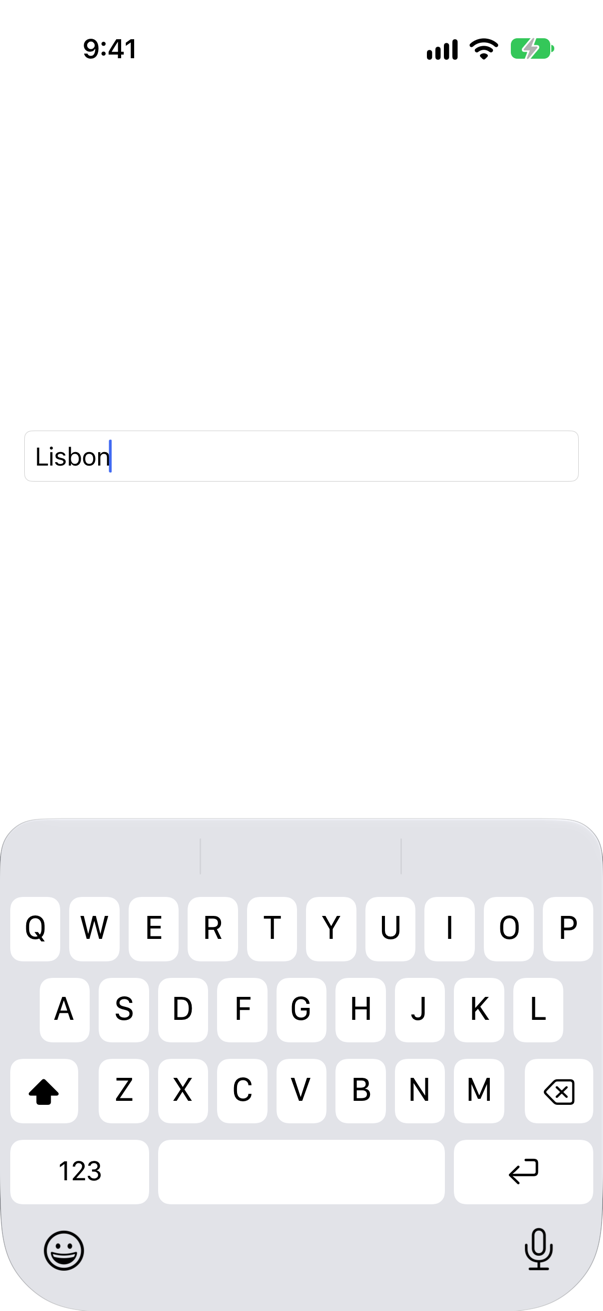
Tap the field to give it the keyboard, then typeText(_:). A field's text is its value. The field is found by its placeholder, which is its label.
Syntax · UI testingWait for something that appears a moment later.

waitForExistence(timeout:) returns as soon as the element appears — true — or false when the time runs out. Never sleep in a UI test: it is either too short or too long.
Syntax · UI testingStart the app in a known state for a UI test.

launchArguments, set before launch(), reach the app as ProcessInfo.processInfo.arguments. The app decides what they mean — here, to ignore what it saved. launchEnvironment works the same way, through environment variables.
Syntax · UI testingFind a button by an identifier that does not change with its wording.
.accessibilityIdentifier(_:) gives the element a name that VoiceOver never reads and translators never touch; a query's subscript matches identifiers as well as labels. Use one where the wording will change — in a localized app, for instance.
Syntax · UI testingKeep a screenshot with a UI test's result.

XCTAttachment(screenshot:), kept even when the test passes (.keepAlways), and add(_:) attaches it to the test. Xcode's report shows it beside the test — this one is the picture above.
Syntax · UI testingAnswer an alert in a UI test.

app.alerts["title"] is the alert; its buttons are found inside it. Searching inside an element is how to tell apart two buttons with the same label.
Trick question · UI testingTwo rows each have a button labelled "Delete". A UI test taps app.buttons["Delete"]. What happens?
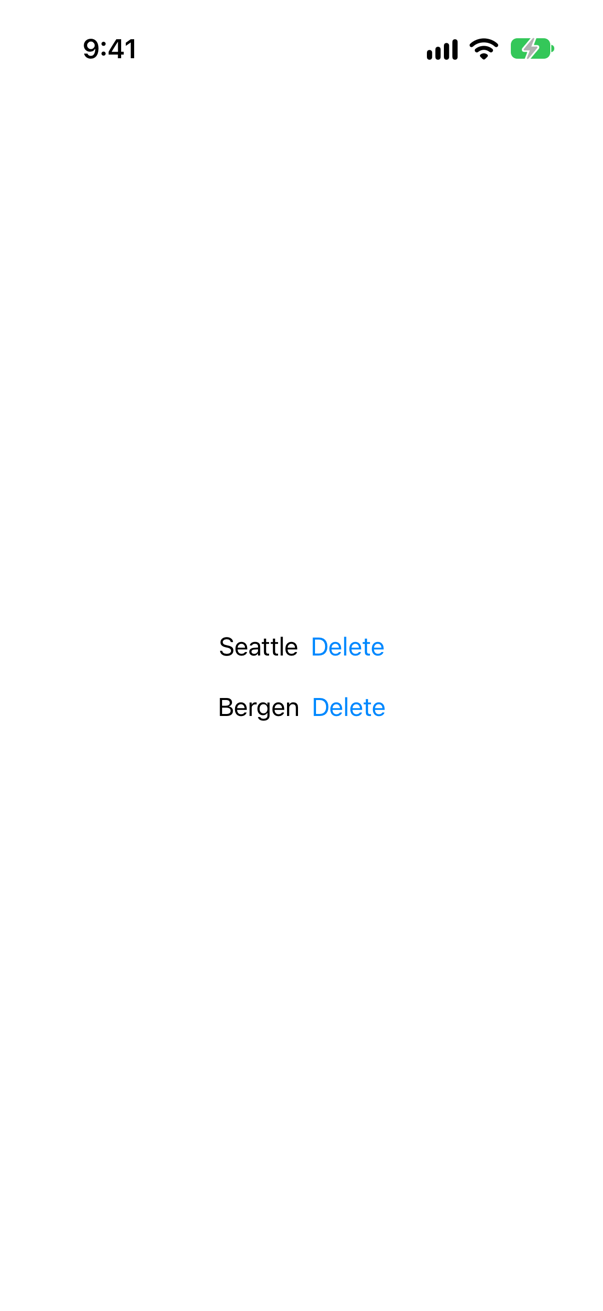
The test fails: "Failed to tap "Delete" Button: Find single matching element. Multiple matching elements found for <XCUIElementQuery: 0x109ab7660>." A query that matches more than one element cannot be tapped — Xcode's report also lists both matches. Narrow it: .firstMatch, an element looked for inside another, or an identifier on each.
Trick question · Swift Testing@Test(arguments: [1, 2, 3], ["a", "b"]) — how many cases run?
Six: two collections give every combination, 3 × 2. To pair them off one to one, pass zip(numbers, letters) — three cases.
Trick question · UI testingCan a UI test write @testable import of the app, to check its model directly?
No. It even compiles — and then the link fails: "Undefined symbol: Probe.Counter.count.getter : Swift.Int" A UI test bundle runs in a process of its own and is not linked against the app, so the app's code is not there to call. It sees only what is on the screen. To check a model, write a unit test.
Edge cases and tricky questions
8 questions of the kind an interviewer uses to find out whether you really know this — the corners, the traps, and the things that changed recently. Each has its source. Wherever the answer is what some code does, that code was compiled and run, and what you see under “Show the answer” is what it really did. Say your answer aloud before you open it.
A screen says "Loading…" and, three seconds later, "Loaded". A UI test launches the app and checks XCTAssertTrue(app.staticTexts["Loaded"].exists). Does it pass?
Show the answer

No: "XCTAssertTrue failed" — exists answers at once, and at once the screen still said "Loading…": the screenshot was taken straight after the check.
Wait for it instead. waitForExistence(timeout:) keeps looking until the element appears, and only fails when the time is up:
The run
✓ ProbeUITests › testIt(): passed (12.782 s)A fixed sleep would have to guess instead: too short and the test fails, long enough and every run pays for the wait — and the guess fails the day the machine is slower.
Where this comes from: XCUIElement waitForExistence(timeout:) · XCUIApplication — Run with Xcode 27 on the iOS 27 simulator.
A setting is @AppStorage("showsYear") var showsYear = true. A UI test sets app.launchArguments = ["-showsYear", "NO"] — and the app has no code that reads launch arguments. What does the toggle show?
Show the answer
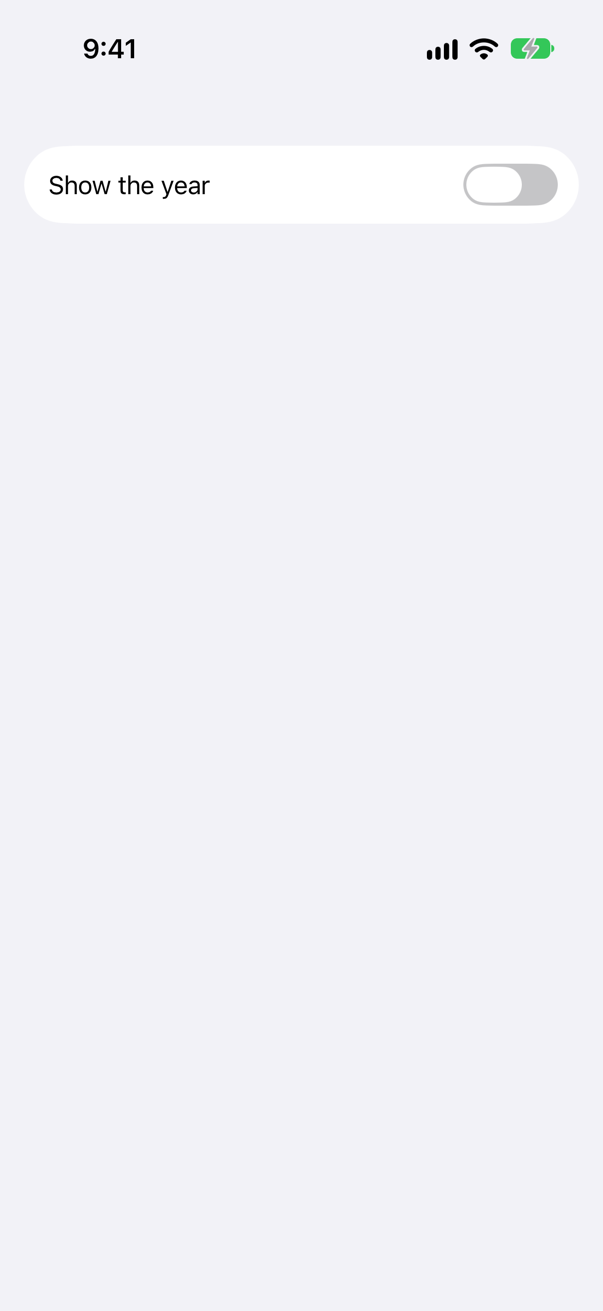
Off — the test passed, and the screenshot shows the switch off. UserDefaults reads launch arguments of the form -key value into its argument domain, which it searches before the values the app saved — and @AppStorage reads UserDefaults. So a UI test can set any stored setting, with no code in the app. Apple calls that domain "volatile": it "resets with each app launch", so nothing the app saved is changed.
Where this comes from: UserDefaults argumentDomain · XCUIApplication launchArguments — Run with Xcode 27 on the iOS 27 simulator.
A button is written Button("Plan a trip") { … }.accessibilityLabel("Start planning"), for VoiceOver. A UI test taps app.buttons["Plan a trip"]. What happens?
Show the answer
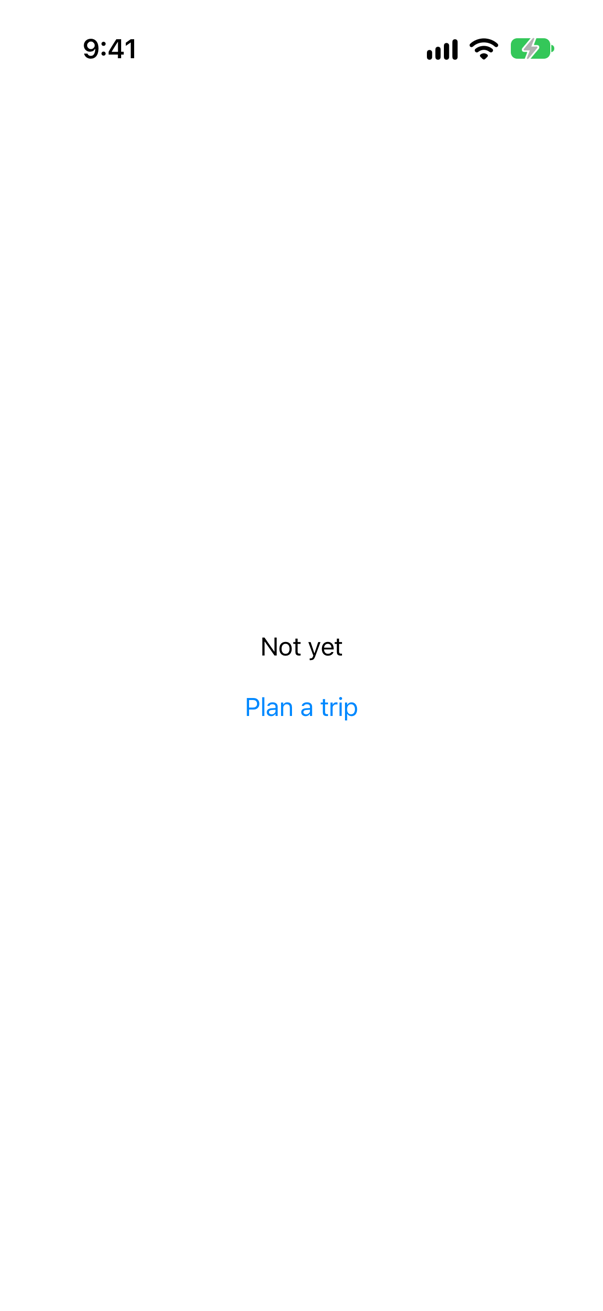
The test fails: "Failed to tap "Plan a trip" Button: No matches found for Elements matching predicate '"Plan a trip" IN identifiers' from input {( — Button, label: 'Start planning' — )}"
A UI test sees the app the way VoiceOver does. The button's label is now "Start planning", and the words on the screen no longer find it. app.buttons["Start planning"] does:
The run, with the new label
✓ ProbeUITests › testIt(): passed (12.603 s)So an accessibility change can break UI tests — and a UI test that finds nothing is often a sign of an accessibility problem. Where the wording is expected to change, give the element an accessibilityIdentifier.
Where this comes from: accessibilityLabel(_:) · XCUIElementQuery — Run with Xcode 27 on the iOS 27 simulator.
An XCTest has two failing assertions, one after the other. How many failures are reported — with XCTest's default, and with continueAfterFailure = false?
Show the answer
The run
✗ GoesOn › testTwoChecks(): failed (0.079 s)
    XCTAssertEqual failed: ("1") is not equal to ("2")
    XCTAssertEqual failed: ("2") is not equal to ("3")
✗ Stops › testTwoChecks(): failed (0.005 s)
    XCTAssertEqual failed: ("1") is not equal to ("2")
Two by default, one when told to stop. XCTest carries on after a failed assertion unless continueAfterFailure is false, when it stops the test at the first. A UI test should stop — every later step taps something that the failed step was meant to bring up, and only adds noise — which is why the UI test template sets it in setUpWithError. (Swift Testing's equivalents: #expect carries on, #require stops.)
Where this comes from: XCTestCase continueAfterFailure · Swift Testing: Expectations and confirmations (#expect, #require) — Run with Xcode 27 on the iOS 27 simulator.
A snapshot test draws a little form with ImageRenderer: a text, a circle, a ProgressView, a Toggle, a TextField, and a text on a material. What is in the picture?
Show the answer
The picture the test attached:
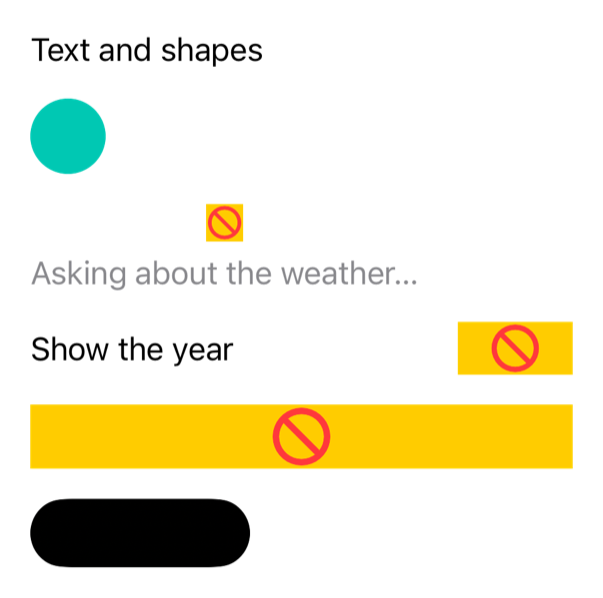
The text, the circle and the labels — but not the spinner, the switch, the field or the material. The three controls are each a yellow box with a red sign, ImageRenderer's placeholder. The material came out solid black, and the black text on it vanished with it. Apple's documentation gives the rule: it draws only what SwiftUI rasterizes with its own drawing primitives — text, images, shapes and views made of them — and not "views whose contents are composited by Core Animation layers", such as more complex controls; a material's blur is one of those. A snapshot test built on ImageRenderer can pass while what is on the real screen is wrong. Look at the picture before trusting a snapshot.
Where this comes from: ImageRenderer · Point-Free: swift-snapshot-testing — Run with Xcode 27 on the iOS 27 simulator; the picture is the one the test attached.
Two UI tests: testAddsATrip taps "Add Lisbon", which saves a list in @AppStorage; testStartsEmpty checks that the list starts empty. Each passes when run alone. Run together?
Show the answer
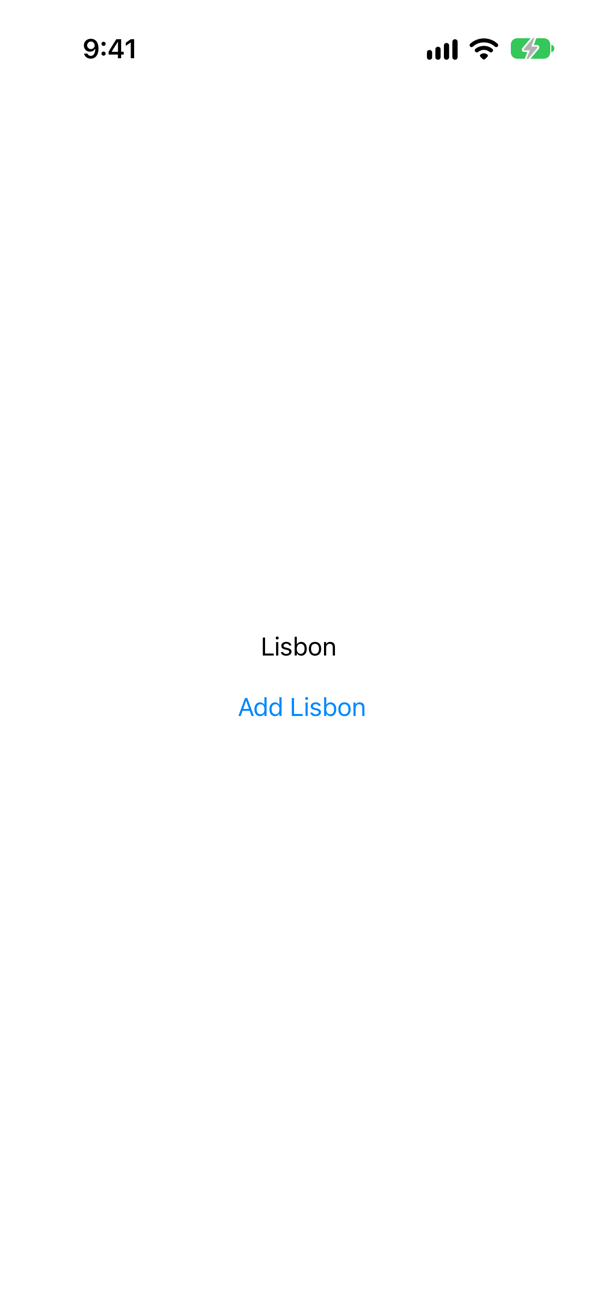
The run
✓ ProbeUITests › testAddsATrip(): passed (11.551 s)
✗ ProbeUITests › testStartsEmpty(): failed (10.094 s)
    XCTAssertTrue failed
The second fails. XCTest ran testAddsATrip first — test methods run in alphabetical order unless the scheme asks for a random order — and the app saved what it did. The next launch was a new process, but the same app with the same saved data. UI tests share everything the app keeps between launches: files, UserDefaults, a SwiftData store. Give each test a known start: a launch argument the app obeys, as Trips' -fresh-start, or -key value for a stored setting (question 2).
Where this comes from: XCUIApplication launchArguments · WWDC18: What's New in Testing (2018 — the random test order it added is still an option) — Run with Xcode 27 on the iOS 27 simulator.
New tests are written in Swift Testing. Can a UI test be one — @Test with XCUIApplication inside?
Show the answer
It does not compile. Xcode reports
Unable to resolve module dependency: '_Testing_Unavailable' (in target 'ProbeUITests' from project 'Probe')No — it does not even build. That is deliberate. Xcode builds every UI Testing Bundle with the compiler flag -module-alias Testing=_Testing_Unavailable, so import Testing finds a module that does not exist — which is also why the template's Testing System: offers only XCTest. Write UI tests as XCTestCase methods; the unit tests, in their own target, can still be @Tests.
Where this comes from: XCUIApplication · WWDC26: Migrate to Swift Testing — Built with Xcode 27; the alias is in Xcode's own definition of a UI Testing Bundle (DarwinProductTypes.xcspec, in Xcode's build system).
A UI test looks for a button's title with app.staticTexts["Add to my trips"]. Does it find it?
Show the answer

No — both checks passed: the button exists, the static text does not.
Accessibility merges a button's contents into one element, a button whose label is its title. Text inside a button is not a separate text element. Ask for the kind of element a person would say it is.
Where this comes from: XCUIElementQuery · Accessibility fundamentals — Run with Xcode 27 on the iOS 27 simulator.