Trips, in German
Localization
You will buildA String Catalog that the build fills with every string in Trips; German translations; the app run in German from the scheme; fixes for the strings, and the temperature, that did not follow; plural variants that work in any language, previewed in German; and the app in the right-to-left and double-length pseudolanguages.
TimeAbout 60 minutes
WhyIn SwiftUI, almost every string you type into a view is already ready for translation: Text("Trips") takes a LocalizedStringKey, and its English words are the key under which a translation is looked up. Xcode collects those keys into a String Catalog every time it builds, and the translations live there, beside plural forms for each language. What it cannot do is notice text that never went through a key — a String made somewhere else and shown as it is — or a number with a unit glued on by hand. You find those by running the app in another language. Interviewers ask how strings get into the catalog, how plurals work, and why .leading beats .left.
Open your project
Open your
Tripsproject as lesson 51 left it: double-clickTrips.xcodeprojin Finder, or use File ▸ Open… (⌘O) in Xcode.If you did not finish lesson 51, or would rather start from a known state, download Trips-lesson-51.zip instead. It is the project exactly as it stood at the end of lesson 51. Unzip it and open
Trips.xcodeproj.Run it (⌘R) to check that it builds. You should see where lesson 51 ended:
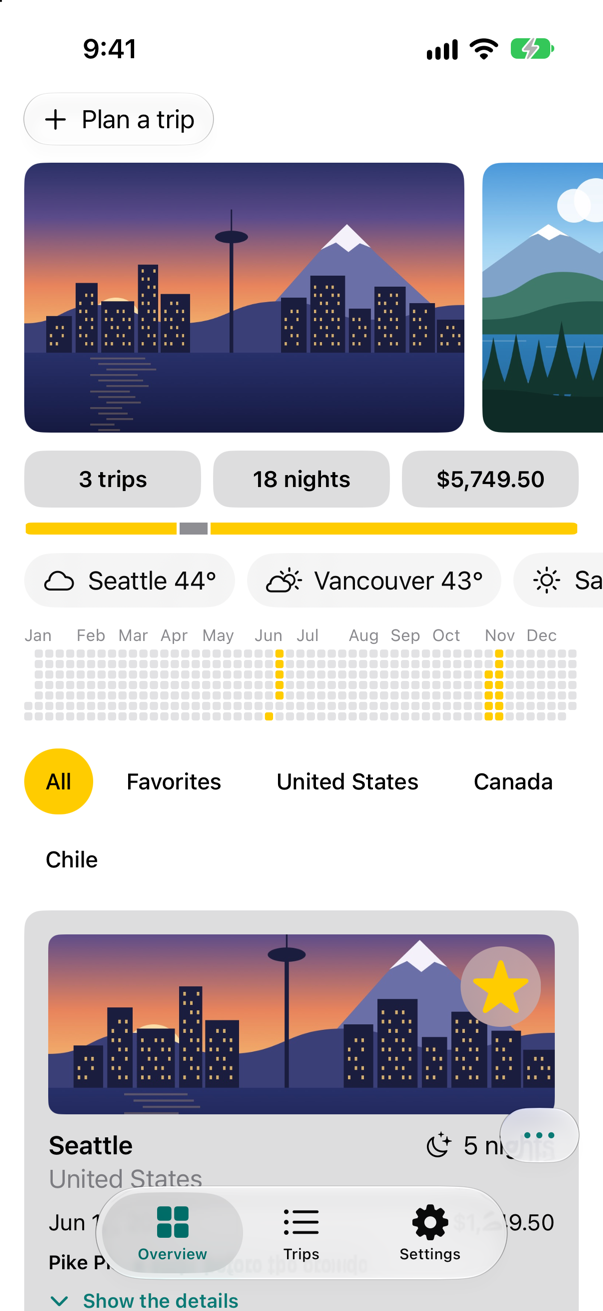
Trips, as it stood at the end of lesson 51Screenshot · iPhone 17, iOS 27.0
A catalog of every string
A String Catalog is one file that holds every localizable string of the app and its translations. Xcode fills it for you: each build, the compiler notes every string literal that is a localizable key — the titles of Text, Button, Label, Tab, an accessibility label — and Xcode adds the new ones to the catalog.
Choose File ▸ New ▸ File from Template… (⌘N). In the sheet, select iOS, type string in the filter field, select String Catalog under Resource, and click Next. Keep the name
Localizable, and click Create. The catalog opens, empty.Choose Product ▸ Build (⌘B). When the build finishes, the catalog holds what it found:
A few of the strings the build put in the catalog — 76 strings in all
Key English OverviewOverview TripsTrips SettingsSettings Plan a tripPlan a trip ^[%lld trip](inflect: true)^[%lld trip](inflect: true) ^[%lld night](inflect: true)^[%lld night](inflect: true) Show the detailsShow the details %@ %@°%1$@ %2$@° Favorite %@Favorite %@
Each key is the English text exactly as it appears in the code, with a placeholder where a value is interpolated: %@ for a string — a city, here — and %lld for an integer. The ^[…](inflect: true) markup that Trips has used since lesson 8 to get "1 night" and "18 nights" is part of its key. Every string starts in the New state. Look for one that is missing, though: the filter chips' "All" is nowhere in the catalog. ("Favorites" is there — but it comes from the picker on the Trips tab, not from the chip.) Keep that in mind.
German
At the bottom of the catalog editor's sidebar, click + and choose German (de). German joins English in the sidebar.
Select German. For each string below, click its field in the German column and type the translation. Keep the placeholders and the markup exactly as they are —
%@,%lld,^[…](inflect: true):Key German OverviewÜbersichtTripsReisenSettingsEinstellungenPlan a tripReise planen^[%lld trip](inflect: true)^[%lld Reise](inflect: true)^[%lld night](inflect: true)^[%lld Nacht](inflect: true)Show the detailsDetails zeigenHide the detailsDetails ausblendenFavorite %@%@ merken
The inflect markup goes into German too: Foundation's grammar agreement knows German, and turns %lld Nacht into "1 Nacht" and "18 Nächte" by itself. Apple's guide to String Catalogs also describes having Xcode generate translations for a language; however they arrive, have someone who speaks the language read them.
Trips, in German
Choose Product ▸ Scheme ▸ Edit Scheme…. Select Run in the sidebar, and click Options.
Set App Language to German, and App Region to Germany. Click Close.
Run the app (⌘R):
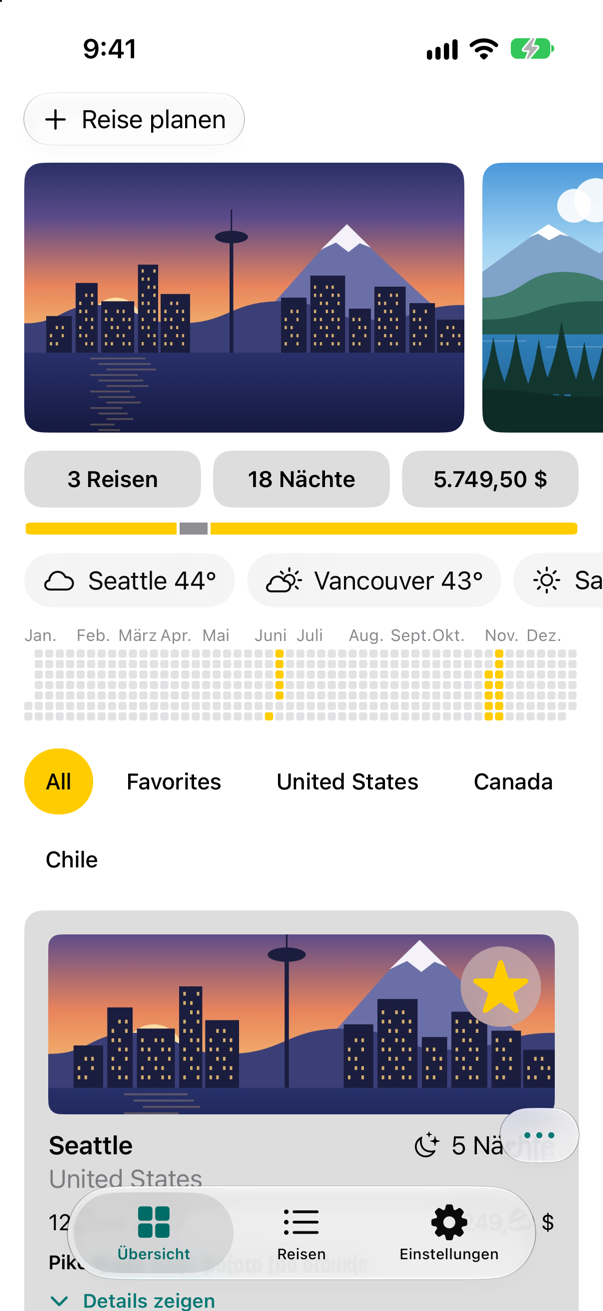
Trips, with App Language German and App Region GermanyScreenshot · iPhone 17, iOS 27.0
The tabs, the button and the totals are German — "3 Reisen", "18 Nächte" — and so is everything that was already a format style: the price reads "5.749,50 $", with the separators of Germany, the cards' dates read "12. Juni 2027", and the month names of the year chart are German — without a single translation typed for them. (Look closely: "Sept." and "Okt." already touch. Longer words need room, which the last step is about.) Three things did not follow. The chips still say All and Favorites. The weather shows a bare number of degrees — Fahrenheit, which a German reader takes for Celsius: a heat wave. And, unseen, the glass button in the corner still tells VoiceOver "Sort and close" — in English.
Strings that are not keys
Why was "All" never found, and why does the chip say "Favorites" in English when the catalog has the word? TripFilter.title returns a String, and Text(filter.title) shows a String as it is: only a LocalizedStringKey is looked up. String(localized:) makes a String that has already been looked up — and the compiler notes its literal for the catalog, like any key.
In TripFilter, look the two words up as they are made:
/// Which trips the list shows. `Sendable`: plain data, like a trip.enum TripFilter: Hashable, Sendable { case all case favorites case country(String) var title: String { switch self { case .all: "All" case .favorites: "Favorites" case .all: String(localized: "All") case .favorites: String(localized: "Favorites") case .country(let name): name } } func includes(_ trip: Trip) -> Bool { switch self { case .all: true case .favorites: trip.isFavorite case .country(let name): trip.country == name } }}/// Which trips the list shows. `Sendable`: plain data, like a trip.
enum TripFilter: Hashable, Sendable {
case all
case favorites
case country(String)
var title: String {
switch self {
case .all: String(localized: "All")
case .favorites: String(localized: "Favorites")
case .country(let name): name
}
}
func includes(_ trip: Trip) -> Bool {
switch self {
case .all: true
case .favorites: trip.isFavorite
case .country(let name): trip.country == name
}
}
}The glass button has the same trouble one step removed. Its helper takes _ title: String and hands it to Label, which shows a String as it is. Give the parameter the type LocalizedStringKey, and every literal passed to it becomes a key.
In TripControls, change the type of action's title:
import SwiftUI/// Sorting the trips, and closing every open card: one glass button, floating over the cards, that opens into three.struct TripControls: View { @Environment(TripStore.self) private var store @Binding var closings: Int @State private var isOpen = false @Namespace private var glass var body: some View { GlassEffectContainer(spacing: 12) { HStack(spacing: 12) { if isOpen { action("By date", systemImage: "calendar", id: "date") { store.trips.sort { $0.start < $1.start } } action("By price", systemImage: "dollarsign", id: "price") { store.trips.sort { $0.price < $1.price } } action("Close all", systemImage: "chevron.up", id: "close") { closings += 1 } } action(isOpen ? "Done" : "Sort and close", systemImage: isOpen ? "xmark" : "ellipsis", id: "toggle") { withAnimation { isOpen.toggle() } } } } } /// One round glass button that can melt into its neighbors. private func action(_ title: String, systemImage: String, id: String, perform: @escaping () -> Void) -> some View { private func action(_ title: LocalizedStringKey, systemImage: String, id: String, perform: @escaping () -> Void) -> some View { Button(action: perform) { Label(title, systemImage: systemImage) .labelStyle(.iconOnly) .font(.title2) .padding(14) } .glassEffect() .glassEffectID(id, in: glass) }}#Preview { @Previewable @State var closings = 0 TripControls(closings: $closings) .environment(TripStore())}import SwiftUI
/// Sorting the trips, and closing every open card: one glass button, floating over the cards, that opens into three.
struct TripControls: View {
@Environment(TripStore.self) private var store
@Binding var closings: Int
@State private var isOpen = false
@Namespace private var glass
var body: some View {
GlassEffectContainer(spacing: 12) {
HStack(spacing: 12) {
if isOpen {
action("By date", systemImage: "calendar", id: "date") {
store.trips.sort { $0.start < $1.start }
}
action("By price", systemImage: "dollarsign", id: "price") {
store.trips.sort { $0.price < $1.price }
}
action("Close all", systemImage: "chevron.up", id: "close") {
closings += 1
}
}
action(isOpen ? "Done" : "Sort and close", systemImage: isOpen ? "xmark" : "ellipsis", id: "toggle") {
withAnimation { isOpen.toggle() }
}
}
}
}
/// One round glass button that can melt into its neighbors.
private func action(_ title: LocalizedStringKey, systemImage: String, id: String, perform: @escaping () -> Void) -> some View {
Button(action: perform) {
Label(title, systemImage: systemImage)
.labelStyle(.iconOnly)
.font(.title2)
.padding(14)
}
.glassEffect()
.glassEffectID(id, in: glass)
}
}
#Preview {
@Previewable @State var closings = 0
TripControls(closings: $closings)
.environment(TripStore())
}Build again (⌘B). The catalog has five new strings:
The strings the second build added — 81 strings in all
Key English AllAll Sort and closeSort and close By dateBy date By priceBy price Close allClose all In German, translate them — and "Favorites" and "Done", which were in the catalog all along, from the Trips tab and the editors:
Key German AllAlleFavoritesFavoritenSort and closeSortieren und schließenBy dateNach DatumBy priceNach PreisClose allAlle schließenDoneFertigRun the app:
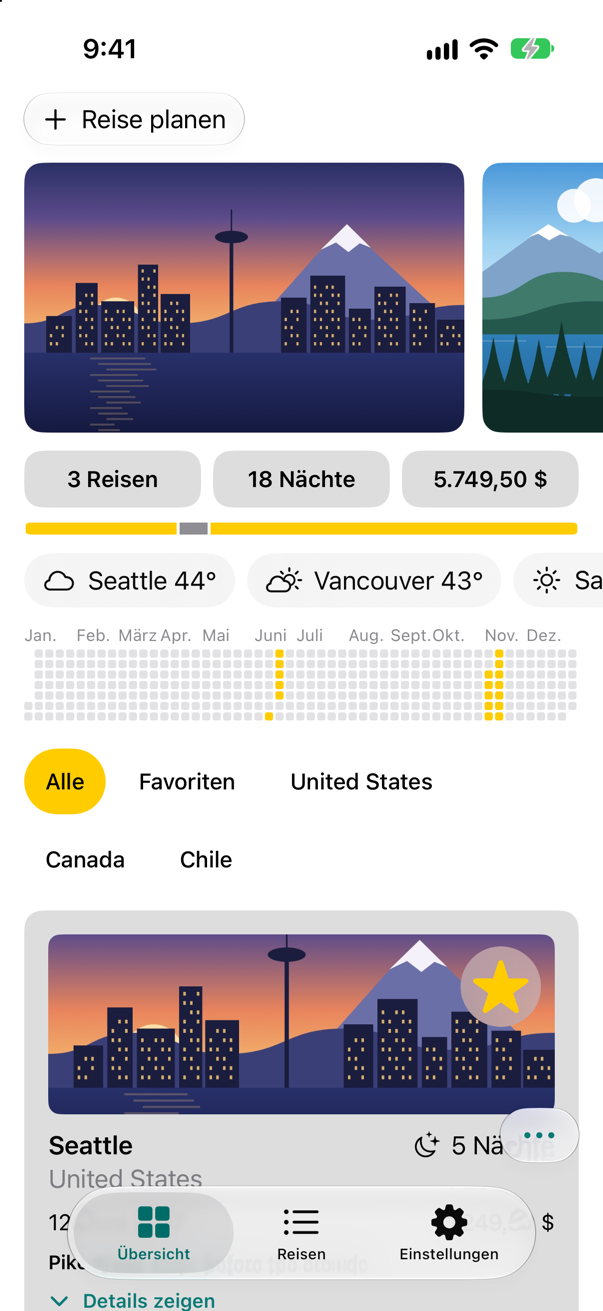
The chips, in GermanScreenshot · iPhone 17, iOS 27.0
"Alle" and "Favoriten" — and asked for the corner button's label, the app now answers "Sortieren und schließen". A rule worth keeping: text that a person will see or hear travels as a LocalizedStringKey or a LocalizedStringResource until it reaches the view, or is looked up with String(localized:) where it is made.
A temperature that follows the reader
Prices and dates were German without help because they are formatted with format styles, which follow the reader's locale. The temperature is a number with "°" glued on. Make it a Measurement, which knows its unit, and format it for weather: the format style converts it to the unit the reader's region uses.
In WeatherStrip, replace the label of a city whose weather has come:
import SwiftUI/// The weather in every city the trips go to.struct WeatherStrip: View { let cities: [String] @State private var weather: [String: Weather] = [:] @Environment(\.weatherCache) private var cache var body: some View { ScrollView(.horizontal) { HStack { ForEach(cities, id: \.self) { city in if let now = weather[city] { Label("\(city) \(now.temperature, format: .number.precision(.fractionLength(0)))°", systemImage: now.sky.symbol) let reading = Measurement(value: now.temperature, unit: UnitTemperature.fahrenheit) Label("\(city) \(reading, format: .measurement(width: .narrow, usage: .weather, numberFormatStyle: .number.precision(.fractionLength(0))))", systemImage: now.sky.symbol) } else { Label("\(city) …", systemImage: "cloud") } } .padding(.horizontal, 12) .padding(.vertical, 8) .background(.thinMaterial, in: .capsule) } .padding(.horizontal) } .scrollIndicators(.hidden) .task { let start = ContinuousClock.now /// How long since the strip began asking, such as "0.42 sec". func elapsed() -> String { start.duration(to: .now).formatted(.units(allowed: [.seconds], fractionalPart: .show(length: 2))) } await withTaskGroup(of: (String, Weather?).self) { group in for city in cities { group.addTask { [cache] in print("asked about \(city) at \(elapsed())") return (city, try? await cache.weather(in: city)) } } for await (city, answer) in group { print("answered about \(city) at \(elapsed())") weather[city] = answer } } } }}import SwiftUI
/// The weather in every city the trips go to.
struct WeatherStrip: View {
let cities: [String]
@State private var weather: [String: Weather] = [:]
@Environment(\.weatherCache) private var cache
var body: some View {
ScrollView(.horizontal) {
HStack {
ForEach(cities, id: \.self) { city in
if let now = weather[city] {
let reading = Measurement(value: now.temperature, unit: UnitTemperature.fahrenheit)
Label("\(city) \(reading, format: .measurement(width: .narrow, usage: .weather, numberFormatStyle: .number.precision(.fractionLength(0))))",
systemImage: now.sky.symbol)
} else {
Label("\(city) …", systemImage: "cloud")
}
}
.padding(.horizontal, 12)
.padding(.vertical, 8)
.background(.thinMaterial, in: .capsule)
}
.padding(.horizontal)
}
.scrollIndicators(.hidden)
.task {
let start = ContinuousClock.now
/// How long since the strip began asking, such as "0.42 sec".
func elapsed() -> String {
start.duration(to: .now).formatted(.units(allowed: [.seconds], fractionalPart: .show(length: 2)))
}
await withTaskGroup(of: (String, Weather?).self) { group in
for city in cities {
group.addTask { [cache] in
print("asked about \(city) at \(elapsed())")
return (city, try? await cache.weather(in: city))
}
}
for await (city, answer) in group {
print("answered about \(city) at \(elapsed())")
weather[city] = answer
}
}
}
}
}Run it, still in German:
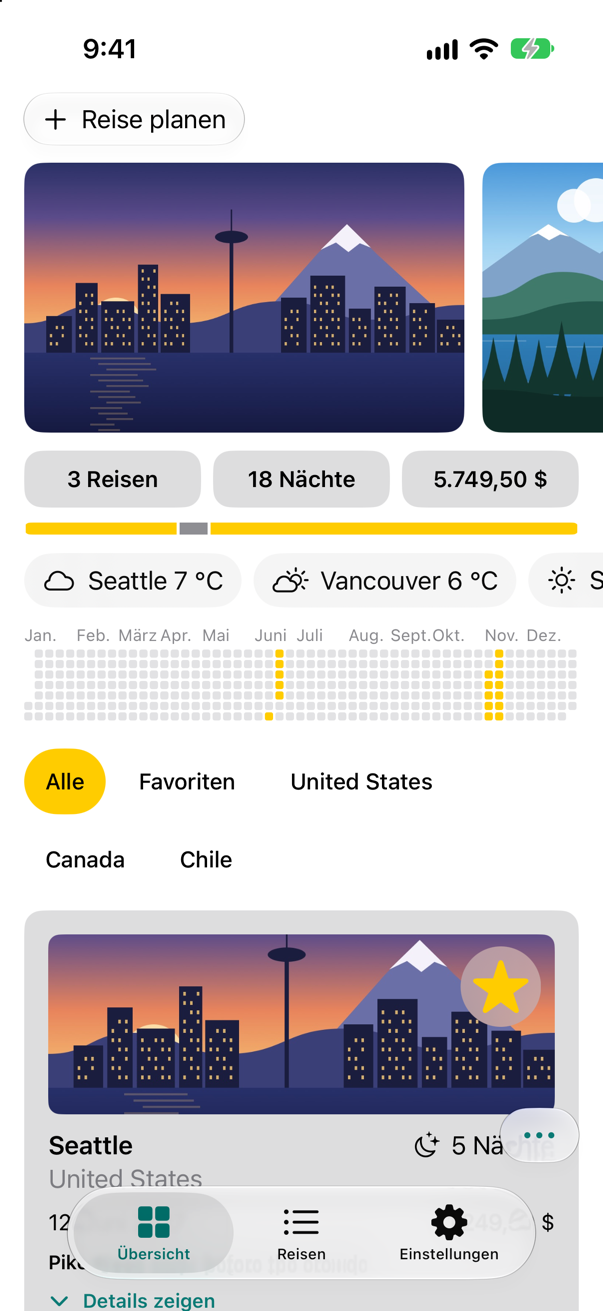
Degrees Celsius, now — the strip shows °C. In the United States the same line still shows a bare number of degrees: usage: .weather picks Fahrenheit there, and the narrow width leaves off the letter — a flash card below shows both. The unit the data arrives in no longer decides what the reader sees.
One trip, many trips
The inflect markup that Trips uses works in a handful of languages; Foundation knows their grammar. For the rest — Russian has four plural forms, Arabic six — a String Catalog holds plural variants: one text for each form a language has, chosen by the number. Try them on the trips count. First, count the trips plainly. In TripSummary, replace the first tile's text:
struct TripSummary: View { let trips: [Trip] @Environment(\.dynamicTypeSize) private var typeSize @Environment(\.highlight) private var highlight var body: some View { let tiles = typeSize.isAccessibilitySize ? AnyLayout(VStackLayout(spacing: 8)) : AnyLayout(HStackLayout()) VStack(spacing: 10) { tiles { Text("^[\(trips.count) trip](inflect: true)") Text("\(trips.count) trips") .tile() Text("^[\(nights) night](inflect: true)") .tile() Text(total, format: .currency(code: "USD")) .tile() } GeometryReader { proxy in HStack(spacing: 0) { ForEach(trips) { trip in Rectangle() .fill(trip.isFavorite ? highlight : Color.gray) .padding(.horizontal, 1) .frame(width: proxy.size.width * Double(trip.nights) / Double(nights)) } } } .frame(height: 8) .clipShape(Capsule()) } .font(.subheadline.weight(.semibold)) .padding(.horizontal) } private var nights: Int { trips.reduce(0) { $0 + $1.nights } } private var total: Decimal { trips.reduce(0) { $0 + $1.price } }}struct TripSummary: View {
let trips: [Trip]
@Environment(\.dynamicTypeSize) private var typeSize
@Environment(\.highlight) private var highlight
var body: some View {
let tiles = typeSize.isAccessibilitySize ? AnyLayout(VStackLayout(spacing: 8)) : AnyLayout(HStackLayout())
VStack(spacing: 10) {
tiles {
Text("\(trips.count) trips")
.tile()
Text("^[\(nights) night](inflect: true)")
.tile()
Text(total, format: .currency(code: "USD"))
.tile()
}
GeometryReader { proxy in
HStack(spacing: 0) {
ForEach(trips) { trip in
Rectangle()
.fill(trip.isFavorite ? highlight : Color.gray)
.padding(.horizontal, 1)
.frame(width: proxy.size.width * Double(trip.nights) / Double(nights))
}
}
}
.frame(height: 8)
.clipShape(Capsule())
}
.font(.subheadline.weight(.semibold))
.padding(.horizontal)
}
private var nights: Int {
trips.reduce(0) { $0 + $1.nights }
}
private var total: Decimal {
trips.reduce(0) { $0 + $1.price }
}
}A preview can show a view in German without changing the scheme: the locale in the environment chooses the language that Text looks its keys up in. Add one, with a single trip:
#Preview("One trip, in German") {
    TripSummary(trips: [.vancouver])
        .environment(\.locale, Locale(identifier: "de"))
}
Build (⌘B), and select the catalog. Find %lld trips, Control-click it, and choose Vary by Plural. In English, fill in the two forms:
Key English %lld tripsOne: %lld trip
Other:%lld tripsSelect German, find the same string — Xcode has given it German's forms — and fill them in:
Key German %lld tripsOne: %lld Reise
Other:%lld ReisenShow the new preview:
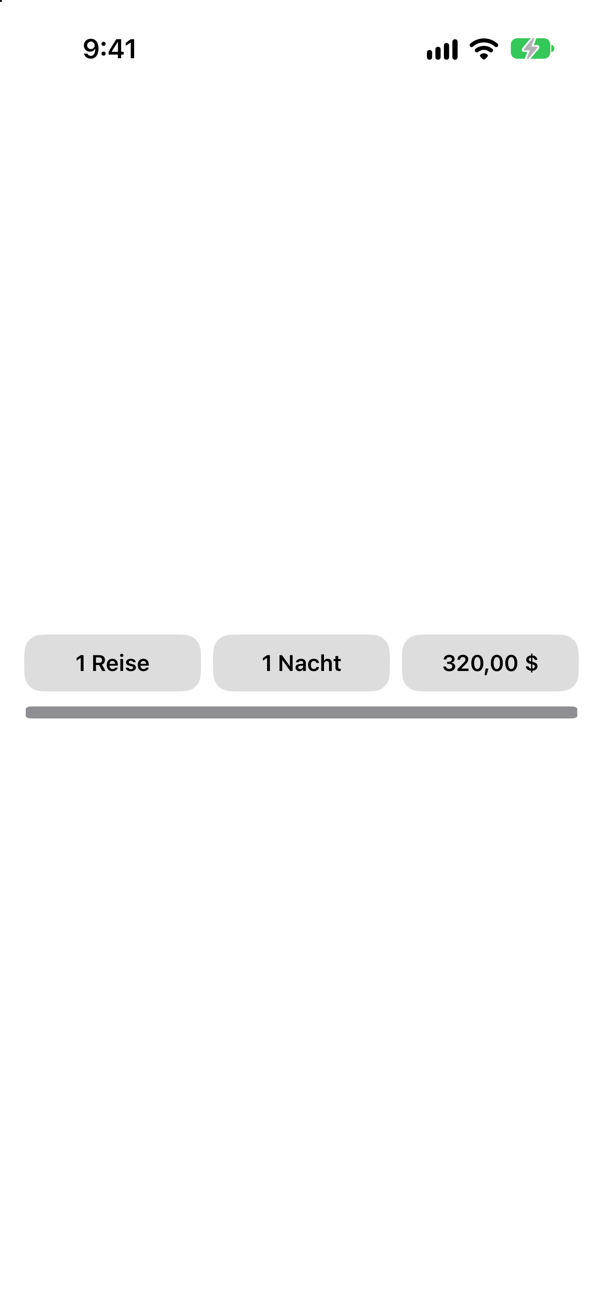
The preview “One trip, in German”Screenshot · iPhone 17, iOS 27.0
"1 Reise", from the One form; the app, with three trips, says "3 Reisen", from Other. English has the same two forms; for Russian, Apple's guide says, Xcode adds four — One, Few, Many and Other.
Right to left, and twice as long
Two pseudolanguages test the layout before any translator is involved. Right-to-left mirrors the app as it would be in Arabic or Hebrew. Double-length repeats every localizable string, to show where longer translations would not fit.
In Edit Scheme…, set App Language to Right-to-Left Pseudolanguage, and run the app:
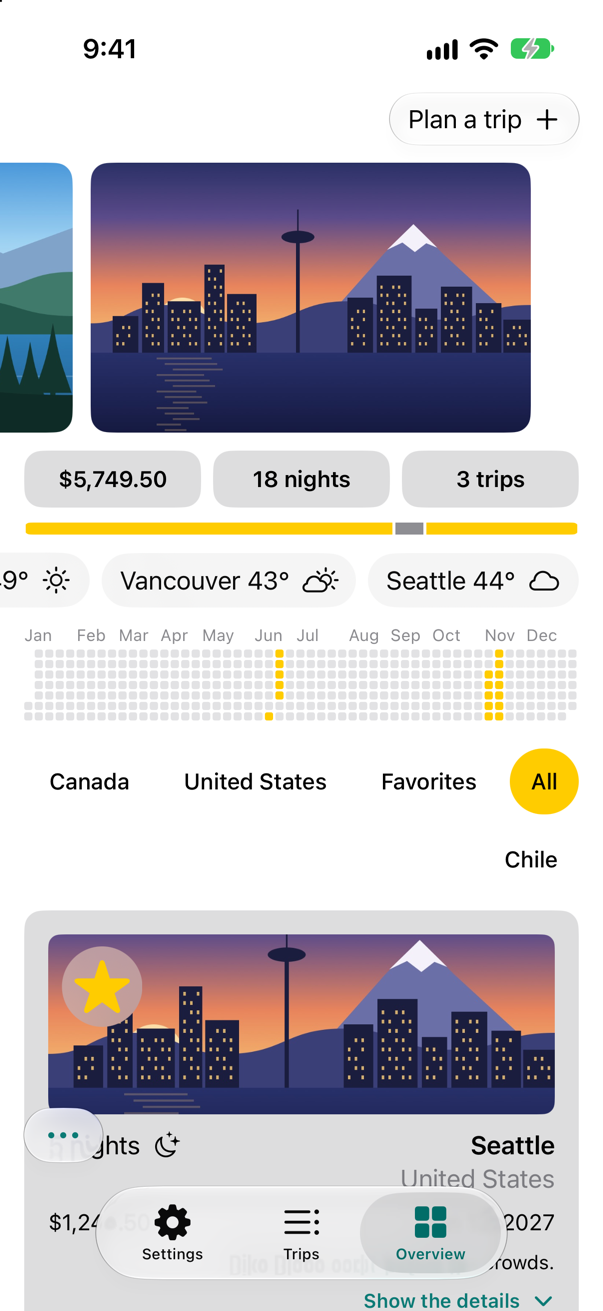
Trips in the Right-to-Left PseudolanguageScreenshot · iPhone 17, iOS 27.0 Then Double-Length Pseudolanguage:
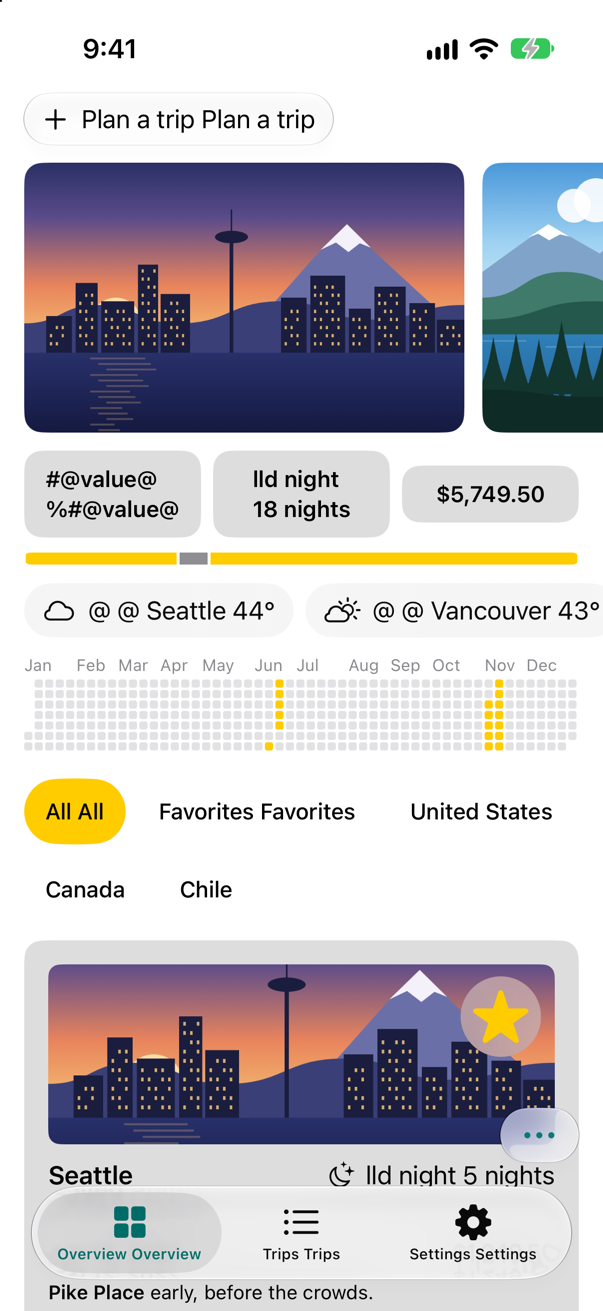
Trips in the Double-Length PseudolanguageScreenshot · iPhone 17, iOS 27.0
Right to left, nearly everything moved: the plan button is at the right edge, the photos start from the right, the totals run the other way, the chips flow from the right, and the tab bar has Overview on the right — because Trips was laid out with stacks and leading and trailing, never left and right, SwiftUI could mirror it. One thing did not: the year chart still runs from January on the left. It is drawn in a Canvas, by position, and a drawing is not mirrored for you — yet a timeline should run with the reading direction; Apple's guidelines say to reverse anything that shows progress or a counting direction.
Twice as long, the plan button and the chips grow and wrap, and the totals take two lines — room that a German or Finnish translation would need. The strings with placeholders come out garbled ("#@value@", "lld night"): that is the pseudolanguage doubling formats it cannot double, not the app; look past it, at the layout. Turning the chart around for right-to-left is the exercise, and the edge cases below show what mirrors and what does not.
What you built
- A String Catalog, filled by the build, with German translations.
- Text that reaches the screen as keys:
String(localized:)and aLocalizedStringKeyparameter. - A temperature formatted as a
Measurement, in the reader's unit. - Plural variants for the trips count, and a preview in German.
Next, the app outside the app — a widget, an App Intent and the on-device language model — and then shipping it.
The finished project
Stuck, or want to compare with your own? This is the project as it stands at the end of this lesson, built and run before it was put here.
- Trips-lesson-52.zip — unzip it, then open
Trips.xcodeprojin Xcode.
Flash cards
10 cards for this lesson, each labelled with its topic. 9 ask how you would write something; the other one is a trick question, written to catch a misunderstanding. Answer in your head first, then tap the card.
Syntax · StringsMake a String — not a view's text — that is looked up in the String Catalog.

String(localized:). The literal is a key: the compiler notes it for the catalog, and the initializer returns the translation — run in German, "Packliste". For text that travels before it is shown, Apple recommends LocalizedStringResource, which a later card shows.
Syntax · StringsTell the translator what a string is for.

The comment: argument. It goes into the catalog beside the key, where translators see it — "Save" alone could be a file or money. Apple's guide also describes Xcode generating comments from the code around a string. The comment does not separate two meanings of one word, though: an edge case shows what does.
Syntax · StringsShow text exactly as written — never translated, never in the catalog.

Text(verbatim:). For codes, names and anything that must not change. A String variable passed to Text is shown as it is too — which is right for data such as a city, and a bug for a label.
Syntax · StringsLet your own view take text that will be translated.

A LocalizedStringResource (or LocalizedStringKey) property, not a String. The literal at the call site becomes a key, and Text(title) looks it up: in German, "Favoriten". With let title: String the badge would show "Favorites" whatever the language. Apple calls LocalizedStringResource "the recommended type for passing strings".
Syntax · PreviewsPreview a view in German.

Set the locale in the environment — Apple's own advice for previewing a localization. Text looks its keys up in the environment's language, so the preview shows "Packliste" once the catalog has German. One preview per language puts them side by side.
Syntax · Right to leftPreview a view laid out right to left.

.environment(\.layoutDirection, .rightToLeft). The row is mirrored — the stack runs from the right, the airplane points left — with the text itself unchanged. The scheme's Right-to-Left Pseudolanguage does the same for the whole running app.
Syntax · Right to leftMake a picture of your own flip when the layout is right to left.
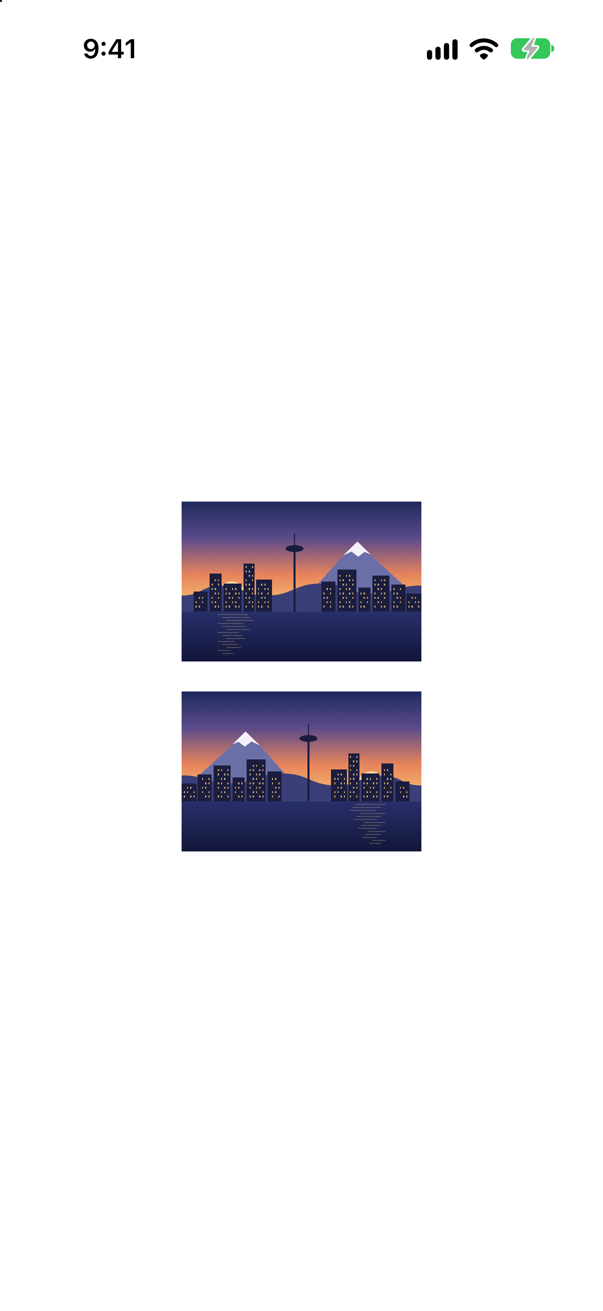
.flipsForRightToLeftLayoutDirection(true). In a right-to-left layout the second picture is mirrored and the first is not: pictures stay as drawn unless you ask. Use it for pictures with a direction — an arrow, a progress bar — and never for photos or logos; the skyline here is flipped only to show the effect.
Syntax · PluralsGet "1 night" and "5 nights" without plural variants in a catalog.
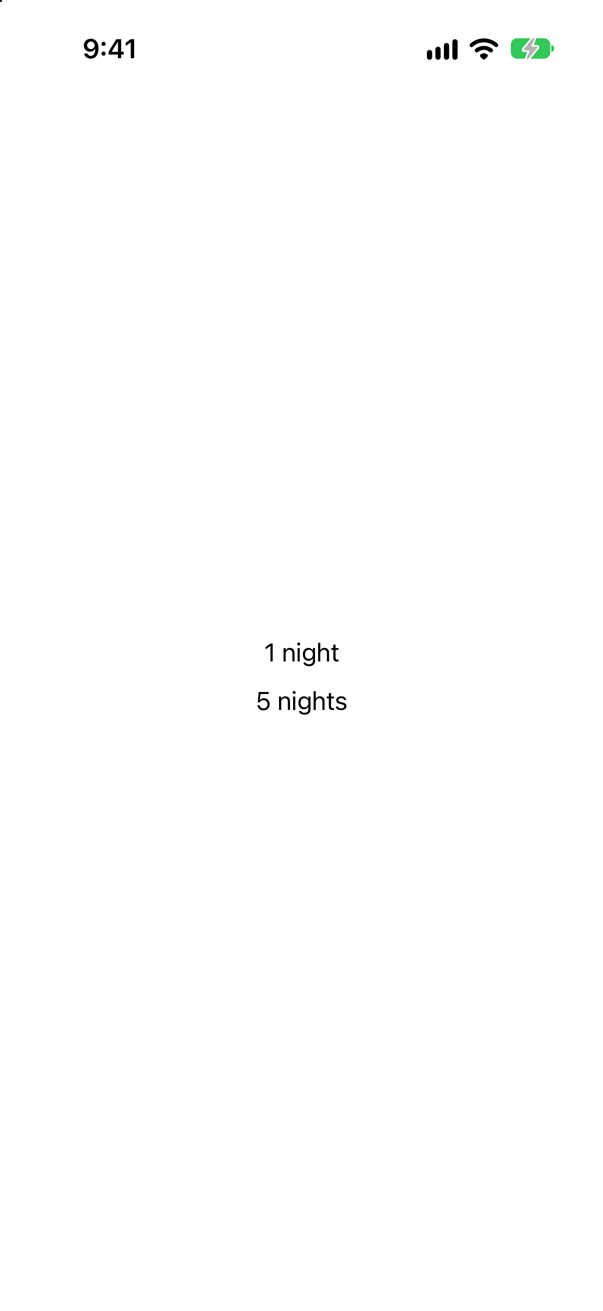
Automatic grammar agreement: ^[…](inflect: true) in the string. Foundation makes the noun agree with the number — "1 night", "5 nights" — in the languages whose grammar it knows; for the others, use plural variants in the catalog.
Syntax · FormattingShow a temperature in the unit the reader's region uses.
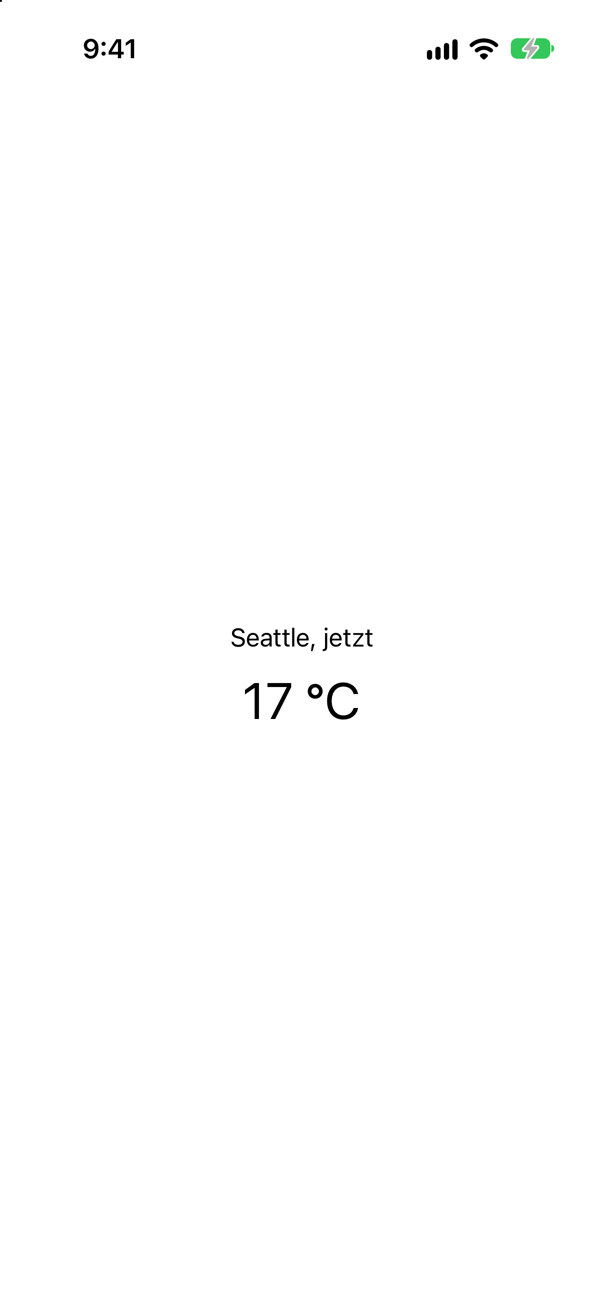
A Measurement, formatted with usage: .weather. In an app with German, run with the region Germany, 62 °F reads "17 °C"; with the United States, "62°". Give it a number style: without one, the converted value kept every digit it had — "16,666667 °C".
Trick question · PluralsText("\(n) nights"), with no plural variants in the catalog and no inflect markup. What does it show for 1?
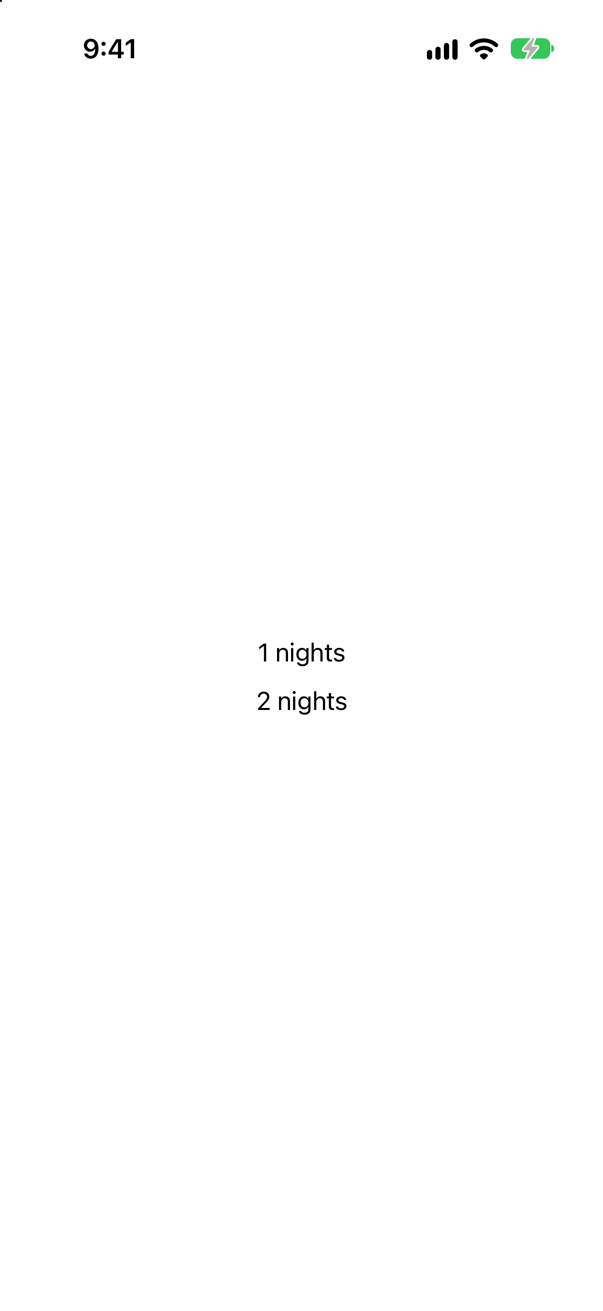
"1 nights". The key is %lld nights, and with nothing else to go on, the number is put in and the words stay. Plural variants in the catalog (Vary by Plural), or ^[…](inflect: true), fix it.
Edge cases and tricky questions
11 questions of the kind an interviewer uses to find out whether you really know this — the corners, the traps, and the things that changed recently. Each has its source. Wherever the answer is what some code does, that code was compiled and run, and what you see under “Show the answer” is what it really did. Say your answer aloud before you open it.
The catalog has German for "Packing list", and the app runs in German. Which of these four lines are translated?
Show the answer
All but the second — the screen read "Packliste", "Packing list", "Packliste", "Packliste":
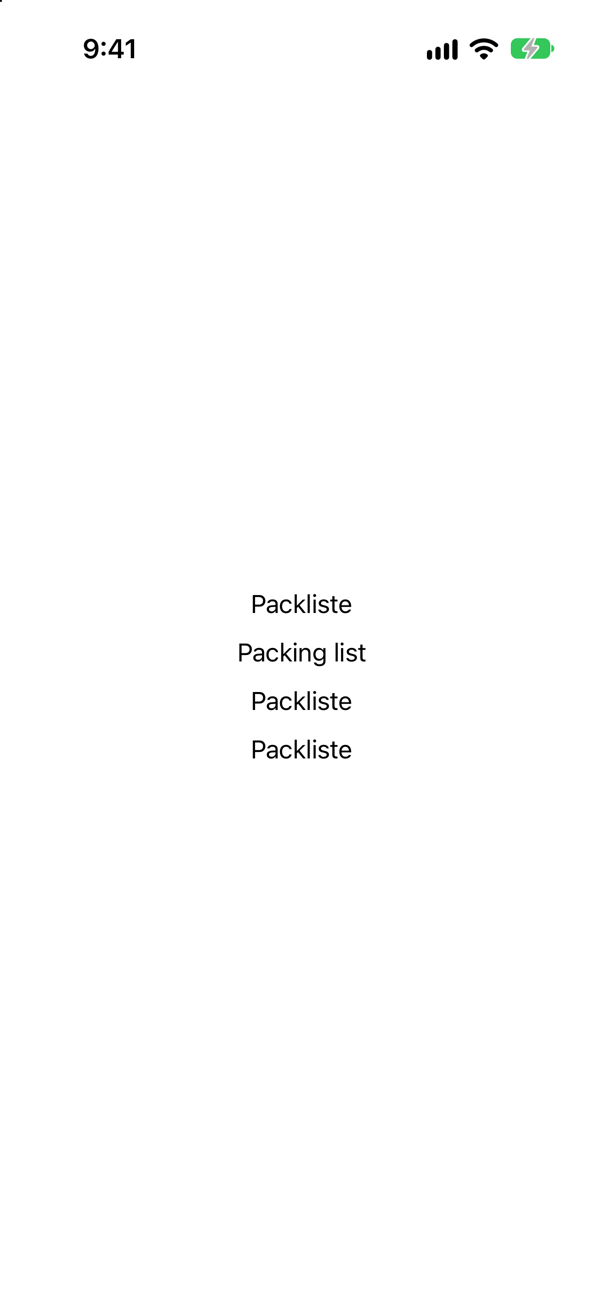
Text has two initializers that take text: one for a LocalizedStringKey, which a string literal becomes, and one for any StringProtocol value, which it shows verbatim. title is a String, so the second line takes the second initializer. Apple: "all string literals of type LocalizedStringKey within a view are automatically localizable" — a variable is not a literal. Wrap it (LocalizedStringKey(title), looked up at run time but never found by the build), or make it localized where it is created (String(localized:), which the build does find).
Where this comes from: Preparing your app’s text for translation · LocalizedStringKey — Measured in the iOS 27 simulator, launched with App Language German.
The catalog's Russian for "%lld nights" has all four forms Xcode offers for Russian — One, Few, Many, Other. Which form do 1, 2, 5, 11, 21, 22 and 25 get?
Show the answer
One for 1 and 21, Few for 2 and 22, Many for 5, 11 and 25:
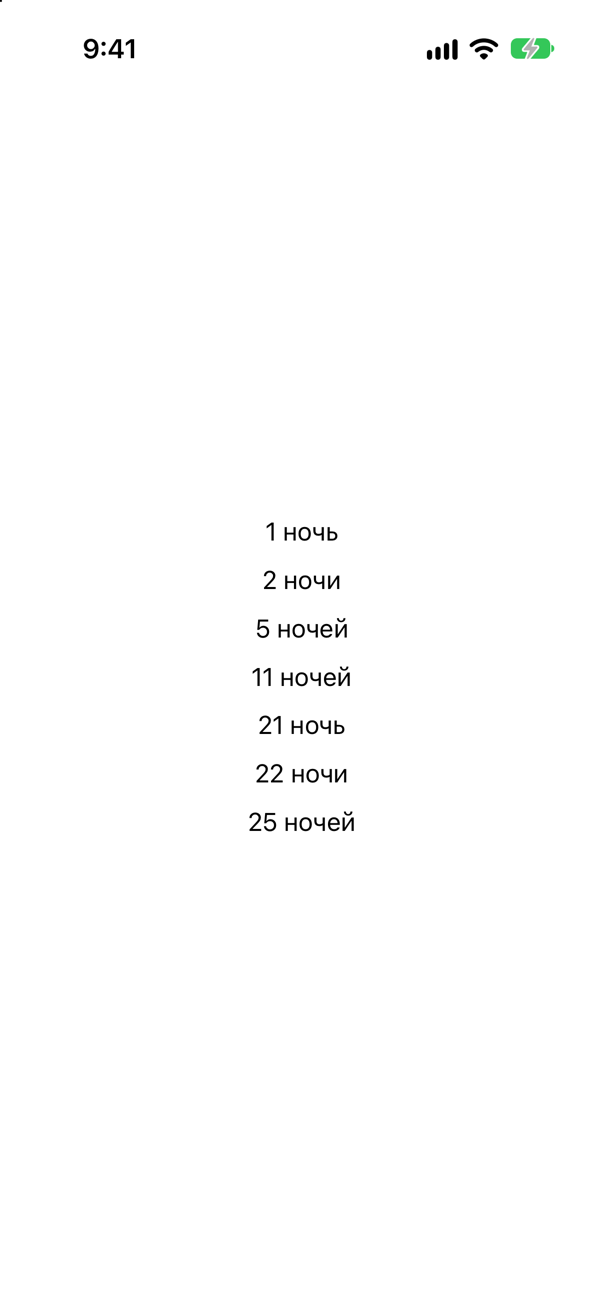
The forms are not "one" and "more than one". Russian's rules, from the Unicode CLDR that Apple's platforms follow, look at the last digits: 21 ends in 1, so it takes the One form — but 11 does not, because numbers ending in 11 to 14 take Many. That is why the catalog asks for the forms a language has rather than letting you write if n == 1. Japanese has a single form in those rules, Other — given only that, every number read the same: "1泊", "21泊".
Where this comes from: Localizing and varying text with a string catalog · Unicode CLDR: Language plural rules — Measured in the iOS 27 simulator, launched with App Language Russian, and Japanese.
^[\(n) night](inflect: true) makes the noun agree with the number, in German too, as this lesson's tutorial found. In which languages can Foundation do that?
Show the answer
Asked on iOS 27, Foundation says:
What InflectionRule.canInflect(language:) answered
en true
de true
fr true
es true
it true
pt true
ru false
ja false
ar false
Grammar agreement needs Foundation to know a language's grammar, and it knows only some. For the others the markup does nothing — the words stay as written. So inflect is a convenience for the languages it covers; for an app translated more widely, plural variants in the catalog work everywhere, which is why this lesson's tutorial moved the trips count to them.
Where this comes from: InflectionRule.canInflect(language:) · WWDC21: What’s new in Foundation (format styles, AttributedString, grammar agreement) — Run on the iOS 27 simulator.
The app runs in English. One Text("Packing list") gets .environment(\.locale, Locale(identifier: "de")). Translated, or only its dates and numbers?
Show the answer
Translated — "Packliste" — and the month is "Juli":
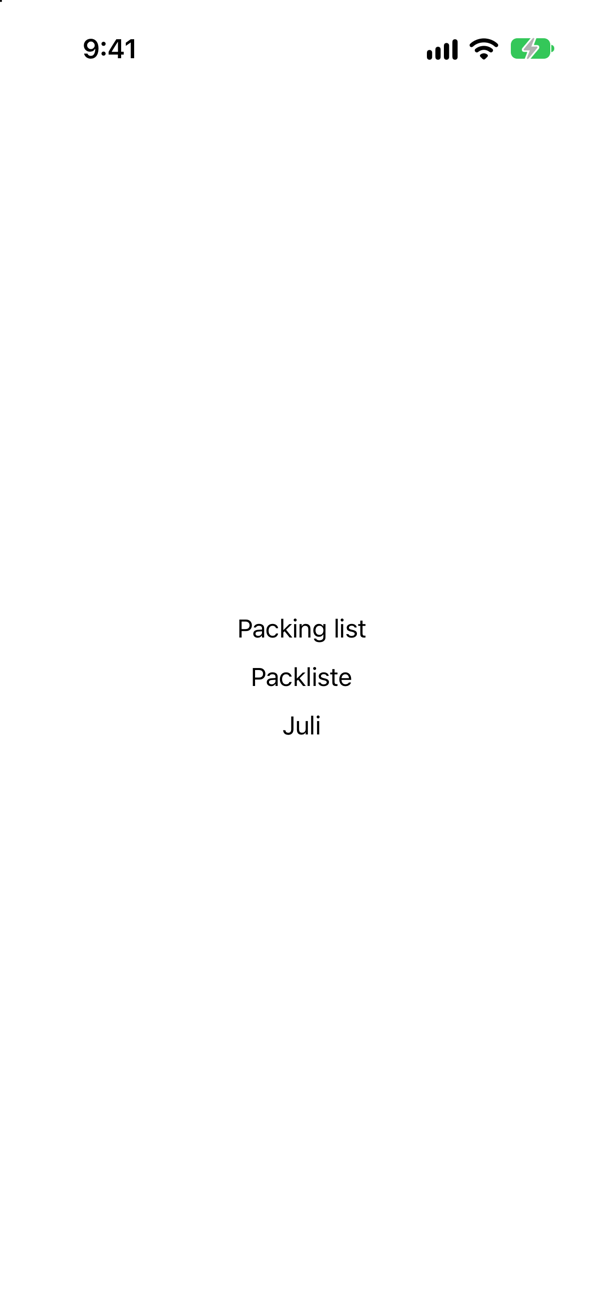
Text looks its key up in the language of the locale in its environment, not only formats with it. That is how a preview shows a view in German (Apple's advice for previewing localizations), and it works the same in a running app — provided the bundle has that language. It is also why a LocalizedStringKey should reach the Text unresolved: the last question shows what happens to text looked up too early.
Where this comes from: Previewing localizations · EnvironmentValues.locale — Measured in the iOS 27 simulator, App Language English.
In an app translated into German, a DateFormatter with dateFormat = "MMM d" shows July 3 to a reader in Germany. What do they see — and with setLocalizedDateFormatFromTemplate("MMM d") instead?
Show the answer
"Juli 3" — German words in an American order. The template gives "3. Juli", and so does the format style:
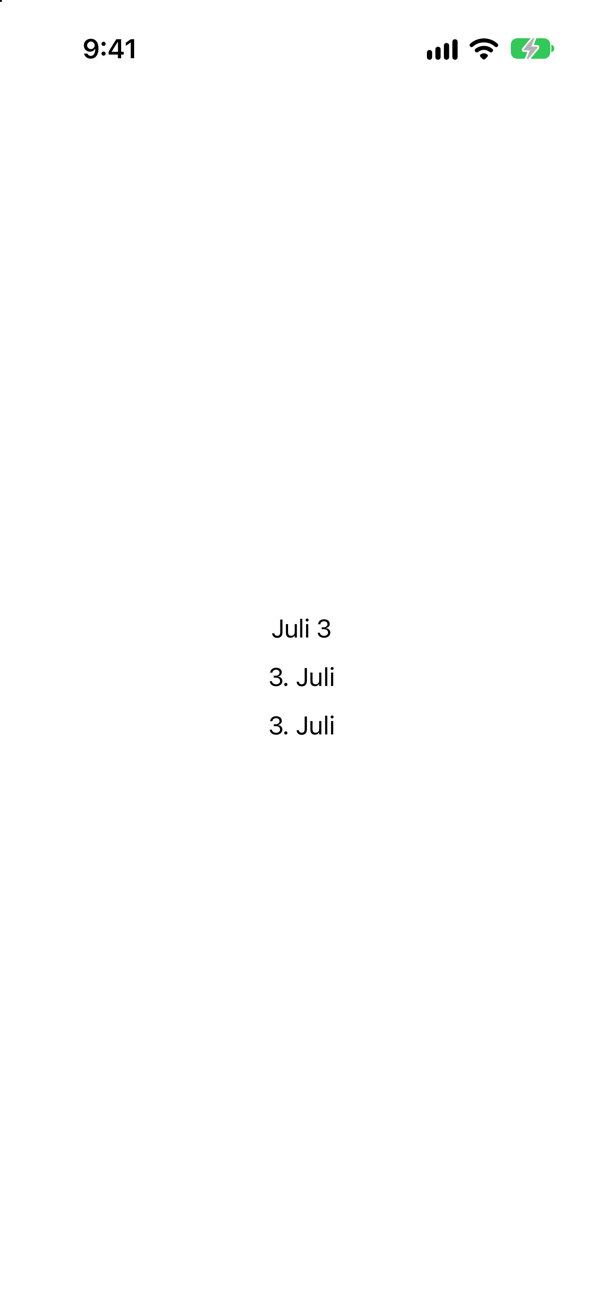
A dateFormat is a fixed pattern: the month name is translated, but the order, the punctuation and the day's period are exactly as written. A template only lists what to show, and the formatter arranges it for the locale. In SwiftUI, a format style — .dateTime.month(.abbreviated).day() — is the template's modern form.
Where this comes from: DateFormatter.setLocalizedDateFormatFromTemplate(_:) · Text.init(_:format:) — Measured in the iOS 27 simulator, App Language German, App Region Germany.
Labels with the symbols chevron.right, chevron.forward, arrow.right, arrow.forward and airplane, in the Right-to-Left Pseudolanguage. Which ones turn around?
Show the answer
Left to right, all five point the same way:
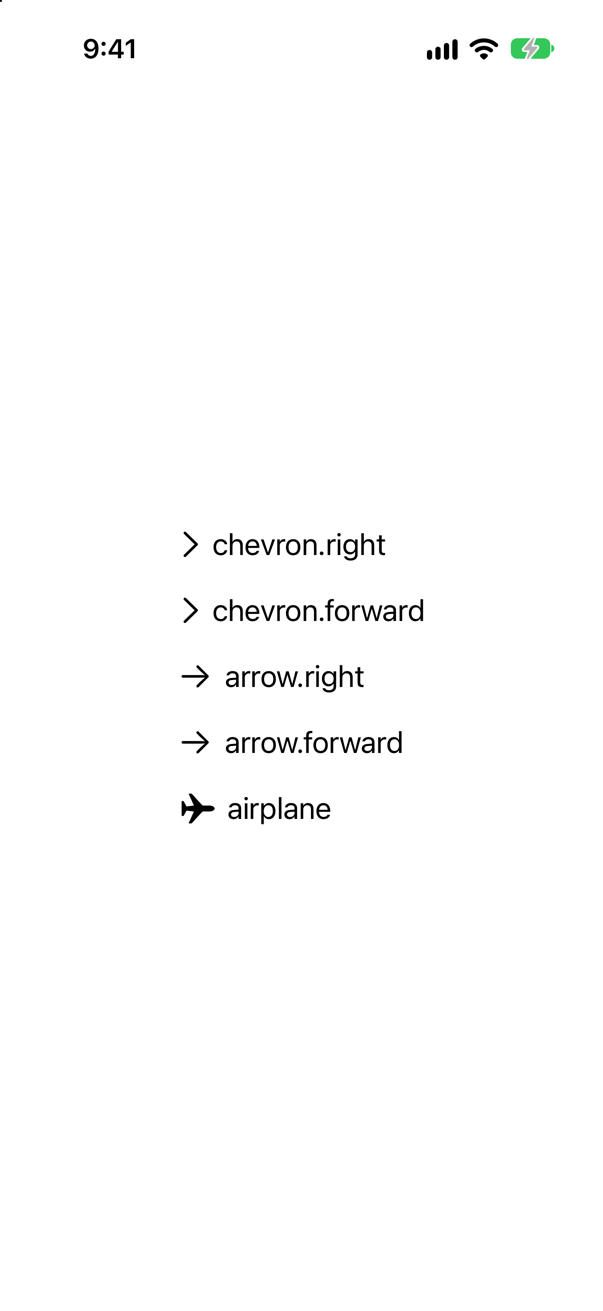
Right to left, chevron.forward, arrow.forward and airplane turn around; chevron.right and arrow.right do not:
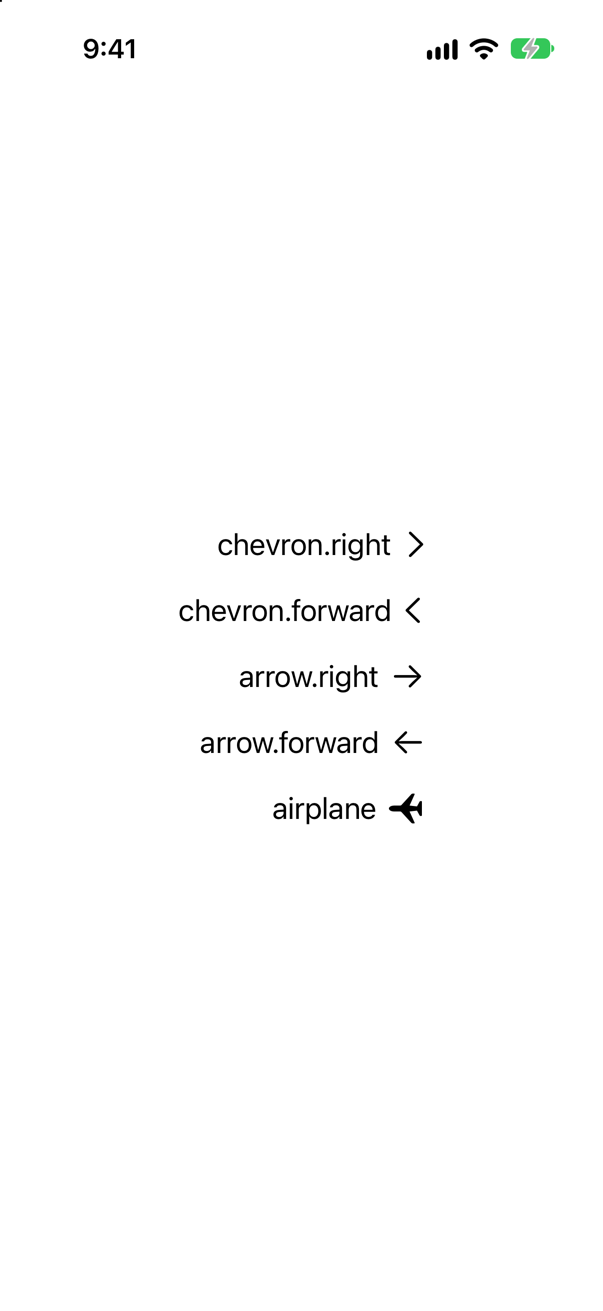
Forward and backward name a direction in reading order, so they mirror with the layout; right and left name a side of the screen, and stay. Use the forward and backward symbols for anything that means "next" or "back". The airplane turned too: Apple's guidelines say that with SF Symbols "you get variants for the RTL context" — check each symbol you use in the pseudolanguage.
Where this comes from: Human Interface Guidelines: Right to left · SF Symbols — Measured in the iOS 27 simulator, launched with the Right-to-Left Pseudolanguage.
.padding(.leading, 40) moves to the other side in a right-to-left layout. Does .offset(x: 40) still move a view to the right?
Show the answer
No — it moves to the left. Right to left, the two texts line up on the right — the leading side now — and the moved one ends 40 points further left than the anchor:
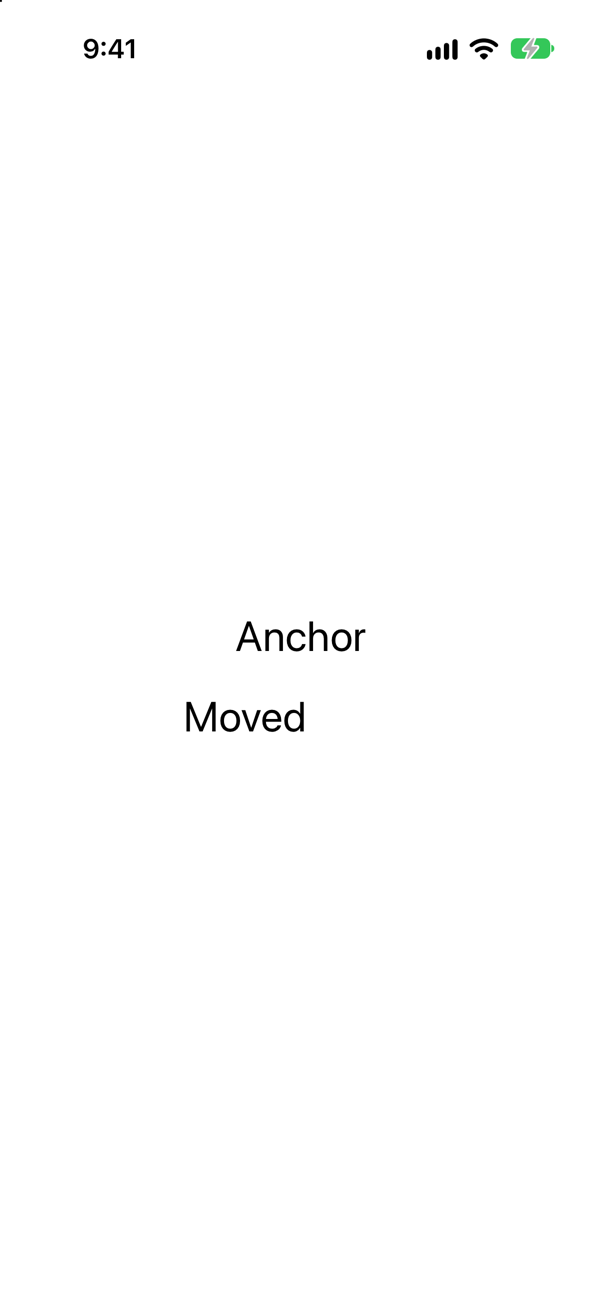
In a right-to-left layout SwiftUI mirrors the coordinates of the whole layout, and an offset is a move within them: a positive x means "towards the trailing side". The text inside is not mirrored — the glyphs read normally. Absolute positions, a Canvas drawing, a custom path: check each in the pseudolanguage, because each was written for one direction.
Where this comes from: Human Interface Guidelines: Right to left · EnvironmentValues.layoutDirection — Measured in the iOS 27 simulator, launched with the Right-to-Left Pseudolanguage; the frames are the ones the running app reported.
In the Double-Length Pseudolanguage, which of these change: a Text("Packing list"), a Text("Plan a trip") in a 120-point frame, and a Text(verbatim: "Seattle")?
Show the answer
The first two double; the verbatim one does not — and the one in a fixed frame is cut short:
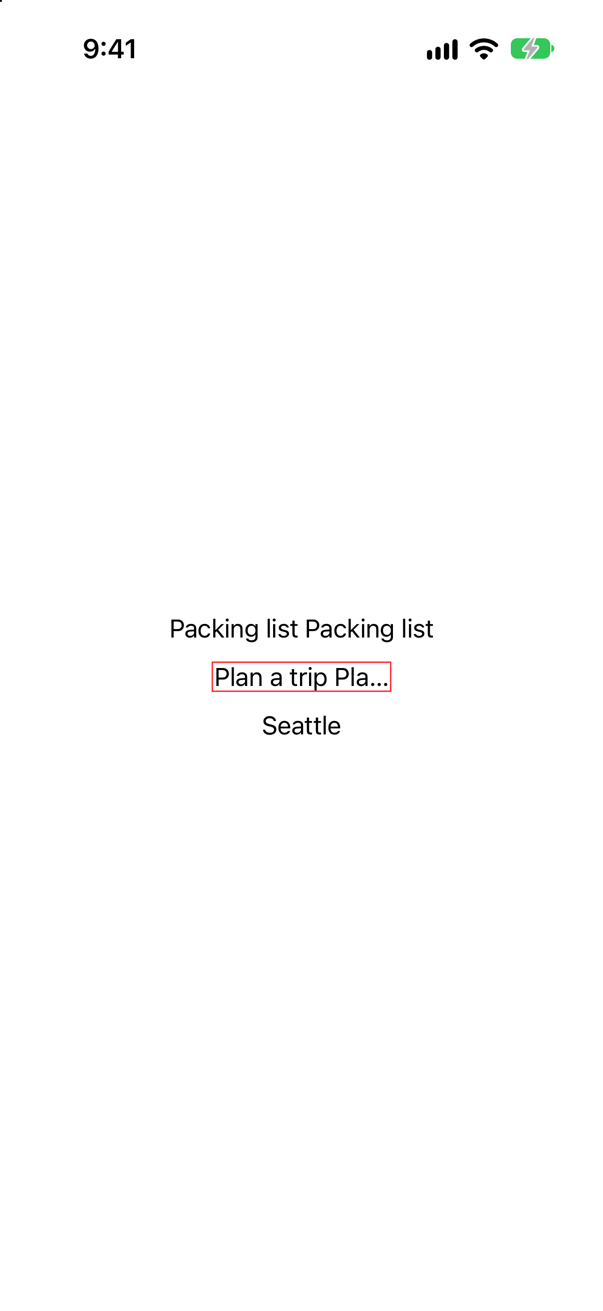
The pseudolanguage repeats every string that goes through localization, so two things stand out at once: layouts that cannot take longer text, and text that never goes through localization — which, unless it is data such as a city's name, is a string somebody forgot to make a key. German runs about a third longer than English; a fixed width is where it breaks.
Where this comes from: Testing localizations when running your app · Text.init(verbatim:) — Measured in the iOS 27 simulator, launched with the Double-Length Pseudolanguage.
"Save" is a button that saves the trip, and also a heading over ways to save money, written Text("Save", comment: "A heading: ways to save money"). The catalog's German for "Save" is "Speichern". What does the heading say in German?
Show the answer
"Speichern" — wrong. The comment did not make a different string; the third line, with a key of its own, says "Sparen":
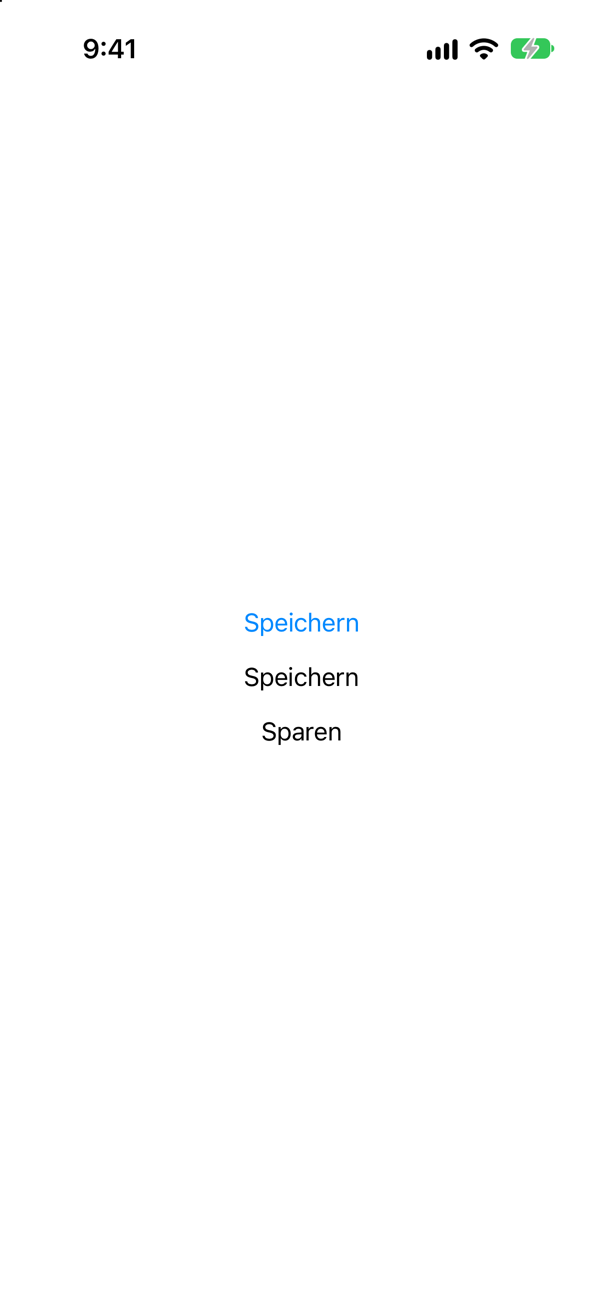
The key is the text, so two uses of "Save" are one string with one translation, however they are commented. When one English word has two meanings, give one of them its own key and keep the English as its default value — LocalizedStringResource("save.money", defaultValue: "Save"), or String(localized:defaultValue:) — so that translators see two strings.
Where this comes from: Preparing your app’s text for translation · LocalizedStringResource — Measured in the iOS 27 simulator, App Language German.
Two properties: let resource: LocalizedStringResource = "Packing list" and let string = String(localized: "Packing list"). The app runs in English; the view sets .environment(\.locale, Locale(identifier: "de")). What do Text(resource) and Text(string) show?
Show the answer
"Packliste" and "Packing list":
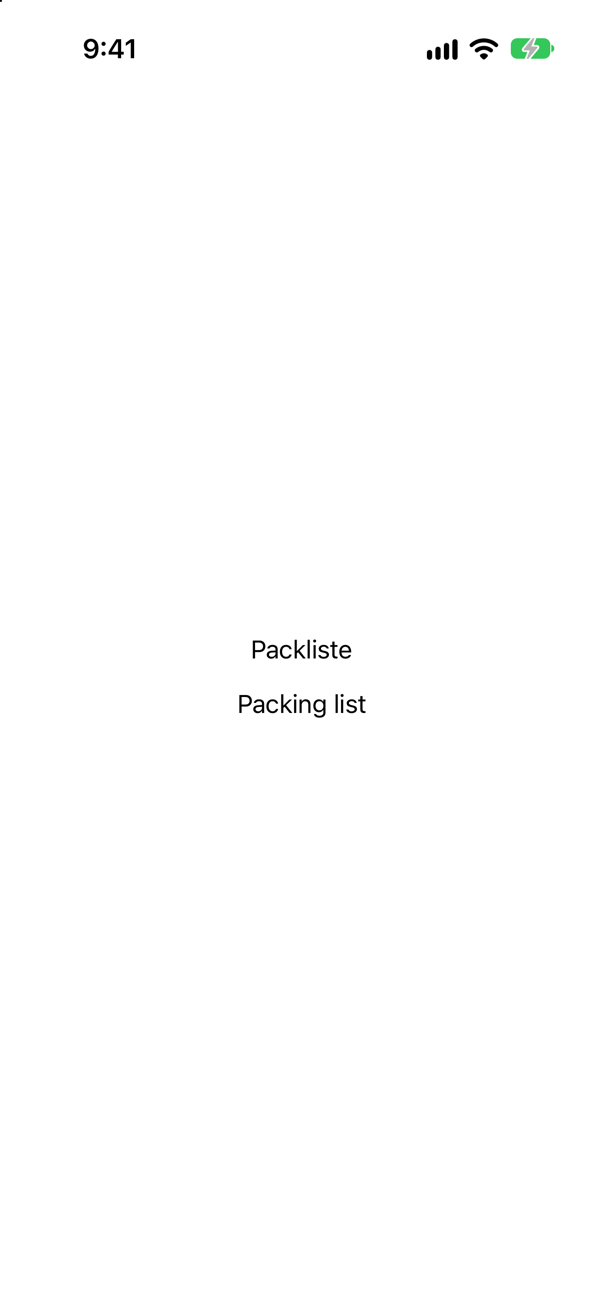
A LocalizedStringResource is a key still waiting to be looked up; Text looks it up when it draws, in the locale of its environment. String(localized:) looked its key up when the property was made, in the app's language — by the time it reached the view it was an ordinary English String. That is why Apple recommends passing text as a LocalizedStringResource, and why this lesson's tutorial used String(localized:) only for a title that is made and shown in the app's own language.
Where this comes from: LocalizedStringResource · Preparing your app’s text for translation — Measured in the iOS 27 simulator, App Language English.
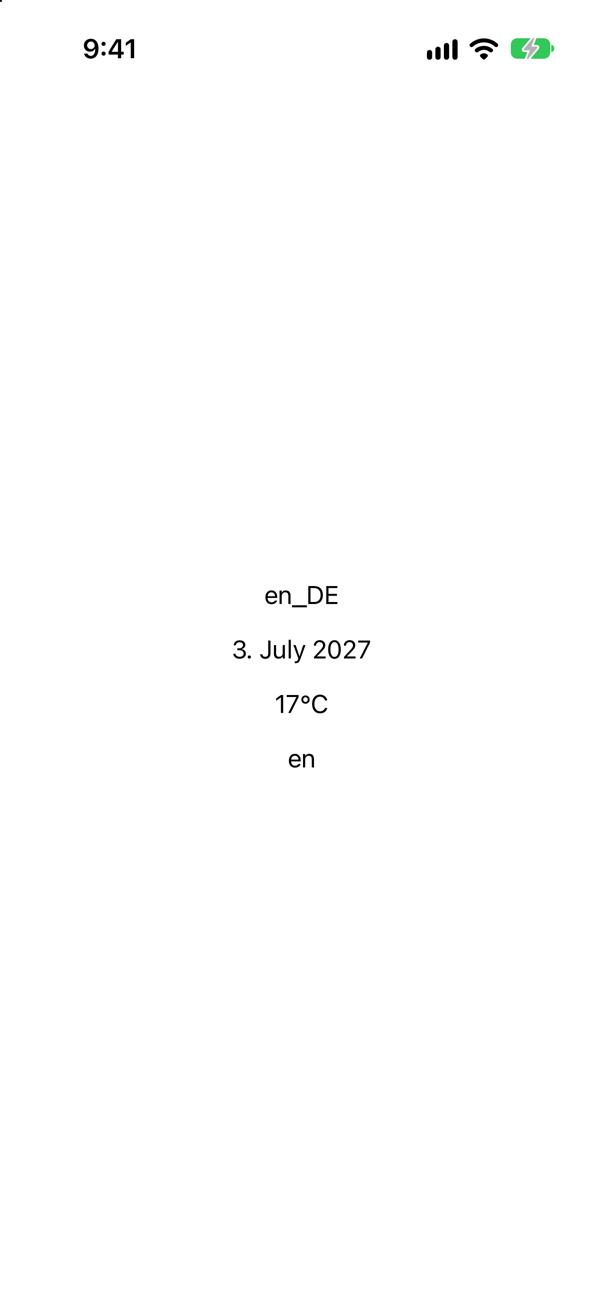
A reader's language is German and their region Germany, but the app has no German yet — only English. What do Locale.current, a date and a temperature say? And once the app has German?
Show the answer
en_DE: English words in Germany's formats — "3. July 2027", "17°C" — and the app's own language is en:
Once the app has German — a catalog with a single German string was enough — the same lines read de_DE, "3. Juli 2027", "17 °C" and de:
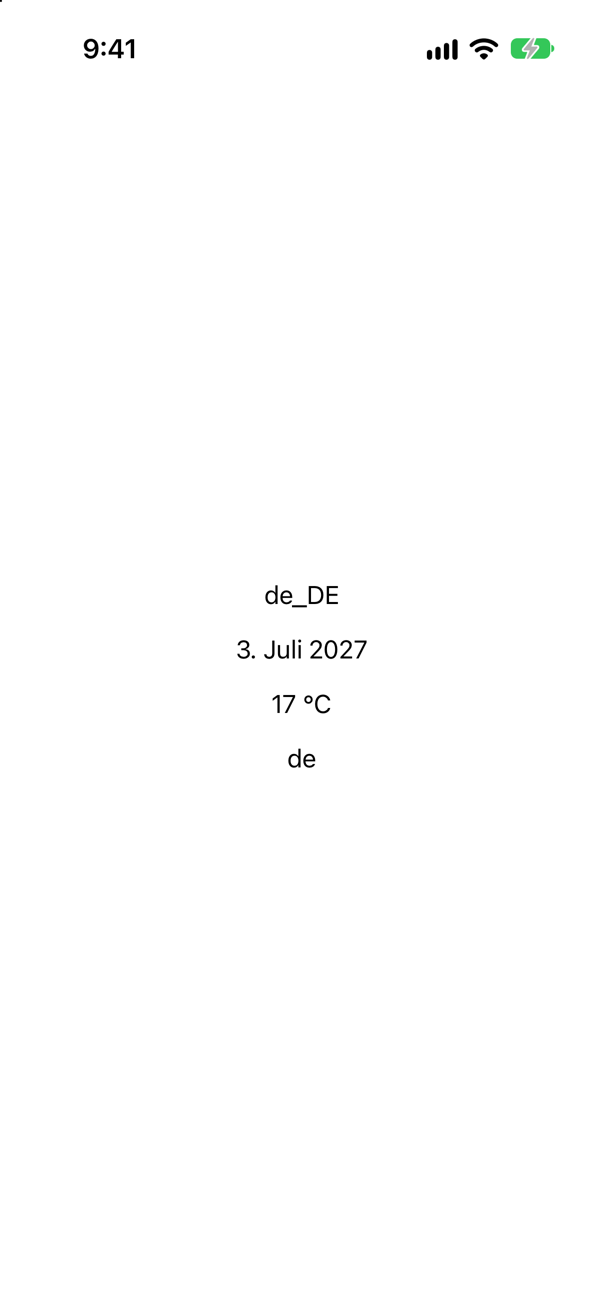
The system chooses the app's language from the languages the app has, and builds Locale.current from that language and the reader's region. So formatting follows the region from the start, but its words follow the app's language. Test formats in a build that really has the language, not by changing the region alone.
Where this comes from: Testing localizations when running your app · EnvironmentValues.locale — Measured in the iOS 27 simulator, launched with App Language German and App Region Germany, with and without a German catalog.