Trips, outside Trips
Widgets, App Intents, and Foundation Models · Shipping to the App Store
You will buildA widget on the Home Screen that shows the next trip; an App Intent that answers "what is my next trip?" from Spotlight; three things to pack, suggested by the on-device language model as a typed Swift value; and the work before shipping — a build number, a privacy manifest, and an archive.
TimeAbout 75 minutes
WhyAn app is more than its screens. The system shows parts of it elsewhere — a widget on the Home Screen, an action in Spotlight or Siri — and each of those is a small, separate piece of code the system runs when it chooses, not a view of your running app. iOS 26 added a language model that runs on the device itself, which your code calls like any Swift API and which returns typed values, not just text. And before any of it reaches a person, the app has to be numbered, describe its use of private data, and be archived for App Store Connect. Interviewers ask why a widget uses a timeline, what App Intents make possible, and how a build gets to TestFlight.
Open your project
Open your
Tripsproject as lesson 52 left it: double-clickTrips.xcodeprojin Finder, or use File ▸ Open… (⌘O) in Xcode.If you did not finish lesson 52, or would rather start from a known state, download Trips-lesson-52.zip instead. It is the project exactly as it stood at the end of lesson 52. Unzip it and open
Trips.xcodeproj.Run it (⌘R) to check that it builds. You should see where lesson 52 ended:
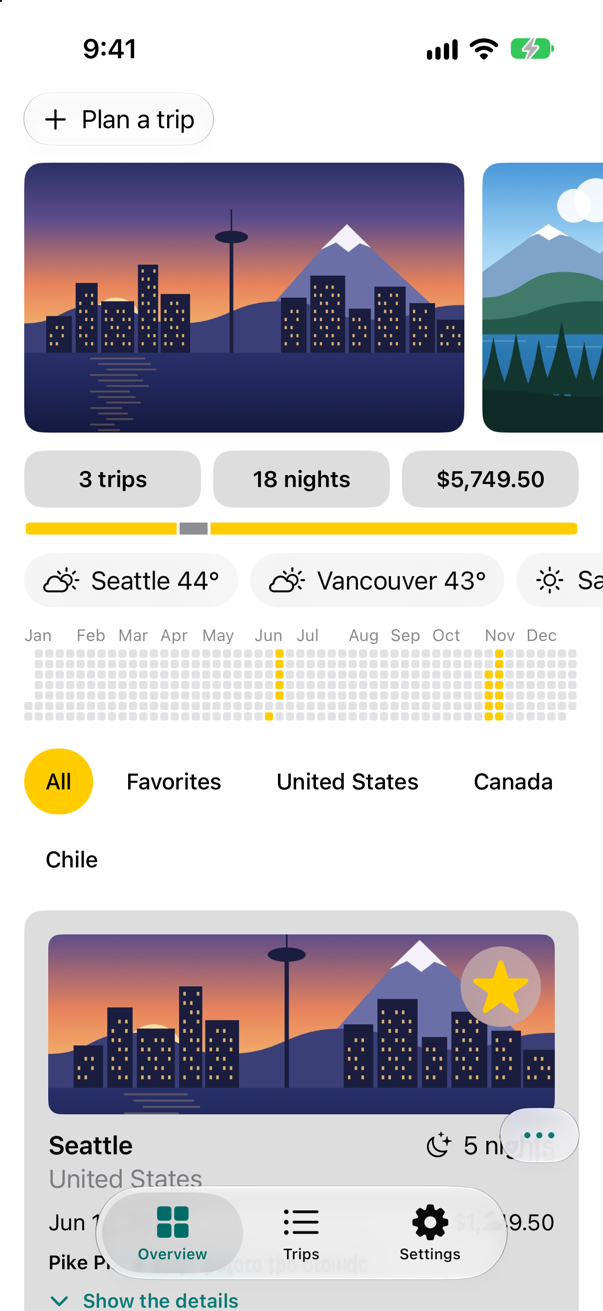
Trips, as it stood at the end of lesson 52Screenshot · iPhone 17, iOS 27.0
A widget extension
A widget is not your app running in a small window. It is an extension — a separate, small program that the system runs when it needs to — and what it gives the system is a timeline: entries, each a moment and the data to show from then on, with a view that draws an entry. The system draws the views ahead of time and shows each at its moment, so a widget costs almost nothing while it sits on the Home Screen.
In Xcode, choose File ▸ New ▸ Target….
In the Application Extension section of the iOS templates, choose Widget Extension, and click Next.
Type
TripsWidgetinto Product Name:. Turn off Include Live Activity, Include Control and Include Configuration App Intent — this widget needs none of them — and leave Embed in Application: set to Trips. Click Finish.If Xcode offers to switch to a scheme for the new extension, keep Trips chosen in the toolbar's scheme menu: a widget is installed with its app, so the app is what you run.
Xcode adds a target named TripsWidgetExtension and a folder, TripsWidget, beside Trips. Its entry point is TripsWidgetBundle.swift, a WidgetBundle that lists the widgets the extension offers:
import WidgetKit
import SwiftUI

@main
struct TripsWidgetBundle: WidgetBundle {
    var body: some Widget {
        TripsWidget()
    }
}
A new target comes with Xcode's own settings, whatever the app's are: Swift 5, and Approachable Concurrency on. Give it Trips' three, so that its code is checked as strictly as the code it works with — select the TripsWidgetExtension target, open Build Settings, and set:
Build setting of TripsWidgetExtension Swift Language Version: Swift 6 SWIFT_VERSION = 6.0
Build setting of TripsWidgetExtension Default Actor Isolation: nonisolated SWIFT_DEFAULT_ACTOR_ISOLATION = nonisolated
Build setting of TripsWidgetExtension Approachable Concurrency: No SWIFT_APPROACHABLE_CONCURRENCY = NO
Beside it, TripsWidget.swift holds the template's example — a timeline of five entries an hour apart, each showing the time and an emoji. Ours will show the next trip, so the extension needs to know what a trip is.
Sharing Trip with the widget
The widget is built as a separate target, and Trip lives in the app's folder. A file can belong to more than one target: each compiles its own copy.
In the Project navigator, select
Trip.swift.Open the File inspector: View ▸ Inspectors ▸ File (⌥⌘1).
Under Target Membership, add TripsWidgetExtension to the targets the file belongs to.
Trip.swiftis now compiled into both.
Now the widget, in place of the template's. Its provider finds the first trip that has not started; the timeline holds one entry, and its policy asks for a new timeline after midnight, when the countdown would change.
import WidgetKitimport SwiftUI/// The entries of the widget's timeline: the trip to show, from a moment on.struct Provider: TimelineProvider { func placeholder(in context: Context) -> SimpleEntry { SimpleEntry(date: Date(), emoji: "😀") func placeholder(in context: Context) -> TripEntry { TripEntry(date: .now, trip: .seattle) } func getSnapshot(in context: Context, completion: @escaping (SimpleEntry) -> ()) { let entry = SimpleEntry(date: Date(), emoji: "😀") completion(entry) func getSnapshot(in context: Context, completion: @escaping (TripEntry) -> ()) { completion(TripEntry(date: .now, trip: nextTrip())) } func getTimeline(in context: Context, completion: @escaping (Timeline<Entry>) -> ()) { var entries: [SimpleEntry] = [] // Generate a timeline consisting of five entries an hour apart, starting from the current date. let currentDate = Date() for hourOffset in 0 ..< 5 { let entryDate = Calendar.current.date(byAdding: .hour, value: hourOffset, to: currentDate)! let entry = SimpleEntry(date: entryDate, emoji: "😀") entries.append(entry) } let timeline = Timeline(entries: entries, policy: .atEnd) completion(timeline) func getTimeline(in context: Context, completion: @escaping (Timeline<TripEntry>) -> ()) { let entry = TripEntry(date: .now, trip: nextTrip()) let tomorrow = Calendar.current.startOfDay(for: .now.addingTimeInterval(24 * 60 * 60)) // ask again after midnight completion(Timeline(entries: [entry], policy: .after(tomorrow))) }// func relevances() async -> WidgetRelevances<Void> {// // Generate a list containing the contexts this widget is relevant in.// } /// The first trip that has not started yet. private func nextTrip() -> Trip { Trip.samples.filter { $0.start > .now }.min { $0.start < $1.start } ?? .seattle }}struct SimpleEntry: TimelineEntry {struct TripEntry: TimelineEntry { let date: Date let emoji: String let trip: Trip}struct TripsWidgetEntryView : View { var entry: Provider.Entry var body: some View { VStack { Text("Time:") Text(entry.date, style: .time) Text("Emoji:") Text(entry.emoji) VStack(alignment: .leading, spacing: 4) { Text("Next trip") .font(.caption) .foregroundStyle(.secondary) Text(entry.trip.city) .font(.headline) Text(entry.trip.start, style: .date) .font(.caption) Label("^[\(entry.trip.nights) night](inflect: true)", systemImage: "moon.stars") .font(.caption2) } }}struct TripsWidget: Widget { let kind: String = "TripsWidget" var body: some WidgetConfiguration { StaticConfiguration(kind: kind, provider: Provider()) { entry in if #available(iOS 17.0, *) { TripsWidgetEntryView(entry: entry) .containerBackground(.fill.tertiary, for: .widget) } else { TripsWidgetEntryView(entry: entry) .padding() .background() } TripsWidgetEntryView(entry: entry) .containerBackground(.fill.tertiary, for: .widget) } .configurationDisplayName("My Widget") .description("This is an example widget.") .configurationDisplayName("Next trip") .description("The next trip you have planned.") .supportedFamilies([.systemSmall]) }}#Preview(as: .systemSmall) { TripsWidget()} timeline: { SimpleEntry(date: .now, emoji: "😀") SimpleEntry(date: .now, emoji: "🤩") TripEntry(date: .now, trip: .seattle) TripEntry(date: .now, trip: .atacama)}import WidgetKit
import SwiftUI
/// The entries of the widget's timeline: the trip to show, from a moment on.
struct Provider: TimelineProvider {
func placeholder(in context: Context) -> TripEntry {
TripEntry(date: .now, trip: .seattle)
}
func getSnapshot(in context: Context, completion: @escaping (TripEntry) -> ()) {
completion(TripEntry(date: .now, trip: nextTrip()))
}
func getTimeline(in context: Context, completion: @escaping (Timeline<TripEntry>) -> ()) {
let entry = TripEntry(date: .now, trip: nextTrip())
let tomorrow = Calendar.current.startOfDay(for: .now.addingTimeInterval(24 * 60 * 60))
// ask again after midnight
completion(Timeline(entries: [entry], policy: .after(tomorrow)))
}
/// The first trip that has not started yet.
private func nextTrip() -> Trip {
Trip.samples.filter { $0.start > .now }.min { $0.start < $1.start } ?? .seattle
}
}
struct TripEntry: TimelineEntry {
let date: Date
let trip: Trip
}
struct TripsWidgetEntryView : View {
var entry: Provider.Entry
var body: some View {
VStack(alignment: .leading, spacing: 4) {
Text("Next trip")
.font(.caption)
.foregroundStyle(.secondary)
Text(entry.trip.city)
.font(.headline)
Text(entry.trip.start, style: .date)
.font(.caption)
Label("^[\(entry.trip.nights) night](inflect: true)", systemImage: "moon.stars")
.font(.caption2)
}
}
}
struct TripsWidget: Widget {
let kind: String = "TripsWidget"
var body: some WidgetConfiguration {
StaticConfiguration(kind: kind, provider: Provider()) { entry in
TripsWidgetEntryView(entry: entry)
.containerBackground(.fill.tertiary, for: .widget)
}
.configurationDisplayName("Next trip")
.description("The next trip you have planned.")
.supportedFamilies([.systemSmall])
}
}
#Preview(as: .systemSmall) {
TripsWidget()
} timeline: {
TripEntry(date: .now, trip: .seattle)
TripEntry(date: .now, trip: .atacama)
}On the Home Screen
Run the app (⌘R), so that the new version — with its extension inside — is installed.
In Device Hub, choose Controls ▸ Home.
Touch and hold an empty spot of the Home Screen until the icons jiggle, then tap Edit at the top left, and Add Widget.
Tap Search Widgets, type Trips, and tap Trips in the results. The gallery shows the widget, with the name and description the code gave it:
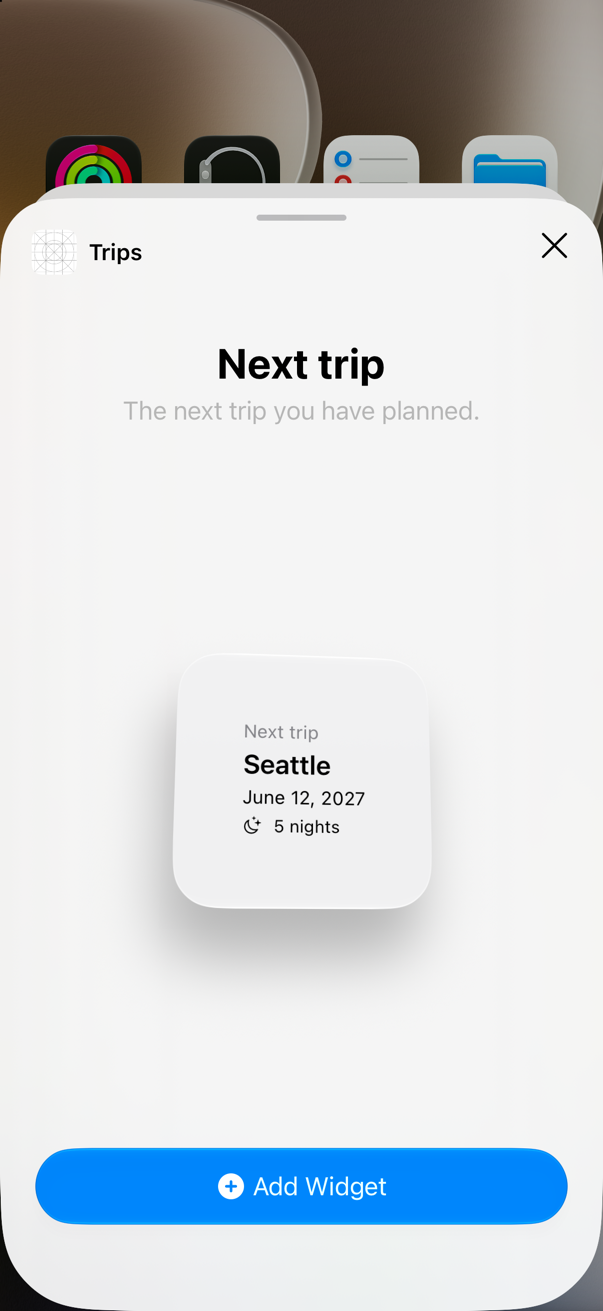
The widget in the galleryScreenshot · iPhone 17, iOS 27.0 Tap Add Widget, then Done at the top right:
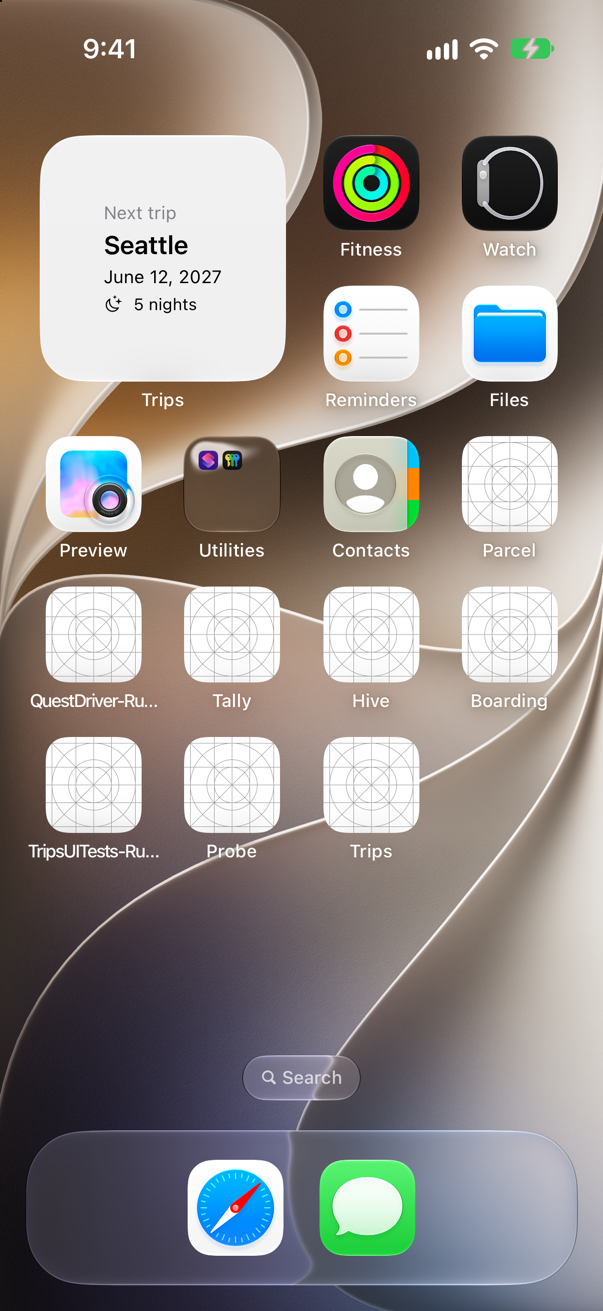
The widget on the Home ScreenScreenshot · iPhone 17, iOS 27.0
There it is, among the apps — a view the system drew from the extension's timeline, not the app running. It shows Seattle — but it would show Seattle even if you had deleted that trip in the app. The extension runs in a process of its own, with its own container, so it cannot read the file the app saves; here it shows the samples compiled into it. To show the real trips, the app and the extension share an App Group container — a capability added under Signing & Capabilities — and the app writes there. That is the exercise.
An App Intent
App Intents describe what your app can do to the rest of the system: Shortcuts, Siri and Spotlight all run them. An intent is a struct with a title and a perform() method; an AppShortcutsProvider gives it phrases, and then it works with nothing for the person to set up. Make a new Swift File named NextTripIntent, and replace everything in it:
import AppIntents

/// Says which trip comes next — from Spotlight, Siri or the Shortcuts app.
struct NextTripIntent: AppIntent {
    static let title: LocalizedStringResource = "Next trip"
    static let description = IntentDescription("Says which of your trips comes next.")

    @MainActor
    func perform() async throws -> some IntentResult & ProvidesDialog {
        let upcoming = TripStore().trips.filter { $0.start > .now }.sorted { $0.start < $1.start }
        guard let next = upcoming.first else {
            return .result(dialog: "No trips are planned.")
        }
        return .result(dialog: "\(next.city), on \(next.start.formatted(date: .long, time: .omitted)).")
    }
}

/// The phrases that run the intent, with nothing for anyone to set up first.
struct TripsShortcuts: AppShortcutsProvider {
    static var appShortcuts: [AppShortcut] {
        AppShortcut(intent: NextTripIntent(), phrases: ["What is my next trip in \(.applicationName)"],
                    shortTitle: "Next trip", systemImageName: "airplane")
    }
}
perform() is marked @MainActor because TripStore is on the main actor — it says so — and perform(), a requirement of the AppIntent protocol, belongs to no actor unless it says otherwise: without the mark, Swift 6 asks for an await, as an edge case below shows. The intent reads the saved trips with TripStore(): an App Intent in the app's own target runs in the app's process, so it can.
Run the app again, then choose Controls ▸ Home in Device Hub.
Tap Search at the bottom of the Home Screen, type next trip, and tap Next trip — the top hit, with an airplane:
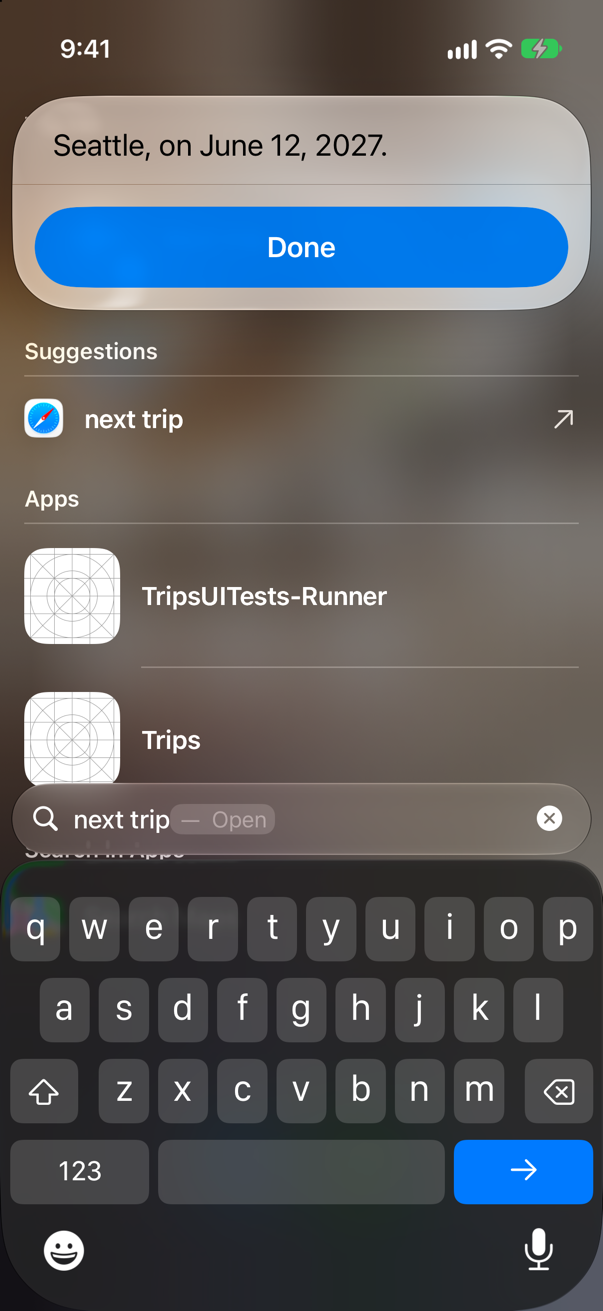
The intent's answer, in SpotlightScreenshot · iPhone 17, iOS 27.0
Spotlight ran the intent and showed its dialog: the next trip, and when. Nobody made a shortcut first; the phrase in TripsShortcuts is enough, and Siri can be asked the same thing.
Three things to pack
iOS 26 added the Foundation Models framework: the language model behind Apple Intelligence, on the device, called from Swift. Ask it for text and you get text; ask it for a type marked @Generable and you get a value of that type, because the framework constrains what the model may produce to that type's shape. @Guide adds more: a description, a number of items, a list of allowed values. Make a new Swift File named PackingSuggestions, and replace everything in it:
import Foundation
import FoundationModels

/// Three things to pack for a trip, as the on-device model suggests them. `Sendable`: the model fills it in away
/// from the main actor, and it crosses back to the screen.
@Generable
struct PackingSuggestions: Sendable {
    @Guide(description: "Things to pack for this trip", .count(3))
    var items: [Idea]

    @Generable
    struct Idea: Sendable {
        @Guide(description: "A short name for the thing to pack, such as Rain jacket")
        var name: String
        @Guide(.anyOf(["Clothes", "Documents", "Gear"]))
        var category: String
    }
}
The type belongs to no actor — in Trips nothing does unless it says so — because the model fills it in away from the main actor, and it says Sendable, as the type inside it does, because the answer crosses back to the screen. (In a new Xcode project, where everything is on the main actor by default, it would have to say nonisolated instead.) Now a button in the packing list that asks for three, and adds them. The model is not on every device — it needs Apple Intelligence — so the button checks first. In PackingList, import the framework, add a state for "asking", the button under Add to the list, and the two members before save():
import SwiftUIimport SwiftDataimport FoundationModels/// What to pack for a trip, kept by SwiftData.struct PackingList: View { let trip: Trip @Environment(\.modelContext) private var context @Environment(\.dismiss) private var dismiss @Query(sort: \PackingItem.name, sectionBy: \PackingItem.category) private var sections: SectionedResults<PackingItem, String> @State private var newName = "" @State private var newCategory = "Clothes" @State private var isSuggesting = false /// The query is made here, because only here is the trip known. init(trip: Trip) { self.trip = trip let id = trip.id _sections = Query(filter: #Predicate<PackingItem> { $0.tripID == id }, sort: \.name, sectionBy: \.category) } var body: some View { NavigationStack { List { Section { TextField("Something to pack", text: $newName) Picker("Category", selection: $newCategory) { ForEach(PackingItem.categories, id: \.self) { Text($0) } } Button("Add to the list", systemImage: "plus") { context.insert(PackingItem(name: newName, category: newCategory, tripID: trip.id)) newName = "" save() } .disabled(newName.isEmpty) Button("Suggest three things", systemImage: "sparkles") { Task { await suggest() } } .disabled(isSuggesting || !canSuggest) } ForEach(sections) { section in Section(section.title) { ForEach(section) { item in Button { item.isPacked.toggle() save() } label: { Label(item.name, systemImage: item.isPacked ? "checkmark.circle.fill" : "circle") } .accessibilityValue(item.isPacked ? "Packed" : "Not packed") } .onDelete { offsets in for offset in offsets { context.delete(section[offset]) } save() } } } if sections.isEmpty { ContentUnavailableView("Nothing to pack yet", systemImage: "suitcase", description: Text("Add the first thing above.")) } } .navigationTitle("Packing for \(trip.city)") .navigationBarTitleDisplayMode(.inline) .toolbar { ToolbarItem(placement: .confirmationAction) { Button("Done") { dismiss() } } } } } /// Whether the on-device model can answer on this device, now. private var canSuggest: Bool { if case .available = SystemLanguageModel.default.availability { true } else { false } } /// Asks the on-device model for three things to pack, and adds them to the list. private func suggest() async { isSuggesting = true defer { isSuggesting = false } let session = LanguageModelSession(instructions: "You help travelers pack. Keep each name short.") do { let answer = try await session.respond(to: "Packing for \(trip.nights) nights in \(trip.city), \(trip.country).", generating: PackingSuggestions.self) for idea in answer.content.items { context.insert(PackingItem(name: idea.name, category: idea.category, tripID: trip.id)) } save() print("The model suggested \(answer.content.items.count) things") } catch { print("No suggestions:", error) } } /// Writes the changes to disk now. Autosave would too — but at moments of its own choosing. private func save() { do { try context.save() } catch { print("Could not save the packing list:", error) } }}#Preview { PackingList(trip: .seattle) .modelContainer(for: PackingItem.self, inMemory: true)}import SwiftUI
import SwiftData
import FoundationModels
/// What to pack for a trip, kept by SwiftData.
struct PackingList: View {
let trip: Trip
@Environment(\.modelContext) private var context
@Environment(\.dismiss) private var dismiss
@Query(sort: \PackingItem.name, sectionBy: \PackingItem.category) private var sections: SectionedResults<PackingItem, String>
@State private var newName = ""
@State private var newCategory = "Clothes"
@State private var isSuggesting = false
/// The query is made here, because only here is the trip known.
init(trip: Trip) {
self.trip = trip
let id = trip.id
_sections = Query(filter: #Predicate<PackingItem> { $0.tripID == id }, sort: \.name, sectionBy: \.category)
}
var body: some View {
NavigationStack {
List {
Section {
TextField("Something to pack", text: $newName)
Picker("Category", selection: $newCategory) {
ForEach(PackingItem.categories, id: \.self) { Text($0) }
}
Button("Add to the list", systemImage: "plus") {
context.insert(PackingItem(name: newName, category: newCategory, tripID: trip.id))
newName = ""
save()
}
.disabled(newName.isEmpty)
Button("Suggest three things", systemImage: "sparkles") {
Task { await suggest() }
}
.disabled(isSuggesting || !canSuggest)
}
ForEach(sections) { section in
Section(section.title) {
ForEach(section) { item in
Button {
item.isPacked.toggle()
save()
} label: {
Label(item.name, systemImage: item.isPacked ? "checkmark.circle.fill" : "circle")
}
.accessibilityValue(item.isPacked ? "Packed" : "Not packed")
}
.onDelete { offsets in
for offset in offsets {
context.delete(section[offset])
}
save()
}
}
}
if sections.isEmpty {
ContentUnavailableView("Nothing to pack yet", systemImage: "suitcase",
description: Text("Add the first thing above."))
}
}
.navigationTitle("Packing for \(trip.city)")
.navigationBarTitleDisplayMode(.inline)
.toolbar {
ToolbarItem(placement: .confirmationAction) {
Button("Done") { dismiss() }
}
}
}
}
/// Whether the on-device model can answer on this device, now.
private var canSuggest: Bool {
if case .available = SystemLanguageModel.default.availability { true } else { false }
}
/// Asks the on-device model for three things to pack, and adds them to the list.
private func suggest() async {
isSuggesting = true
defer { isSuggesting = false }
let session = LanguageModelSession(instructions: "You help travelers pack. Keep each name short.")
do {
let answer = try await session.respond(to: "Packing for \(trip.nights) nights in \(trip.city), \(trip.country).",
generating: PackingSuggestions.self)
for idea in answer.content.items {
context.insert(PackingItem(name: idea.name, category: idea.category, tripID: trip.id))
}
save()
print("The model suggested \(answer.content.items.count) things")
} catch {
print("No suggestions:", error)
}
}
/// Writes the changes to disk now. Autosave would too — but at moments of its own choosing.
private func save() {
do {
try context.save()
} catch {
print("Could not save the packing list:", error)
}
}
}
#Preview {
PackingList(trip: .seattle)
.modelContainer(for: PackingItem.self, inMemory: true)
}Run the app, open Seattle, then Packing list, and tap Suggest three things. After a few seconds:
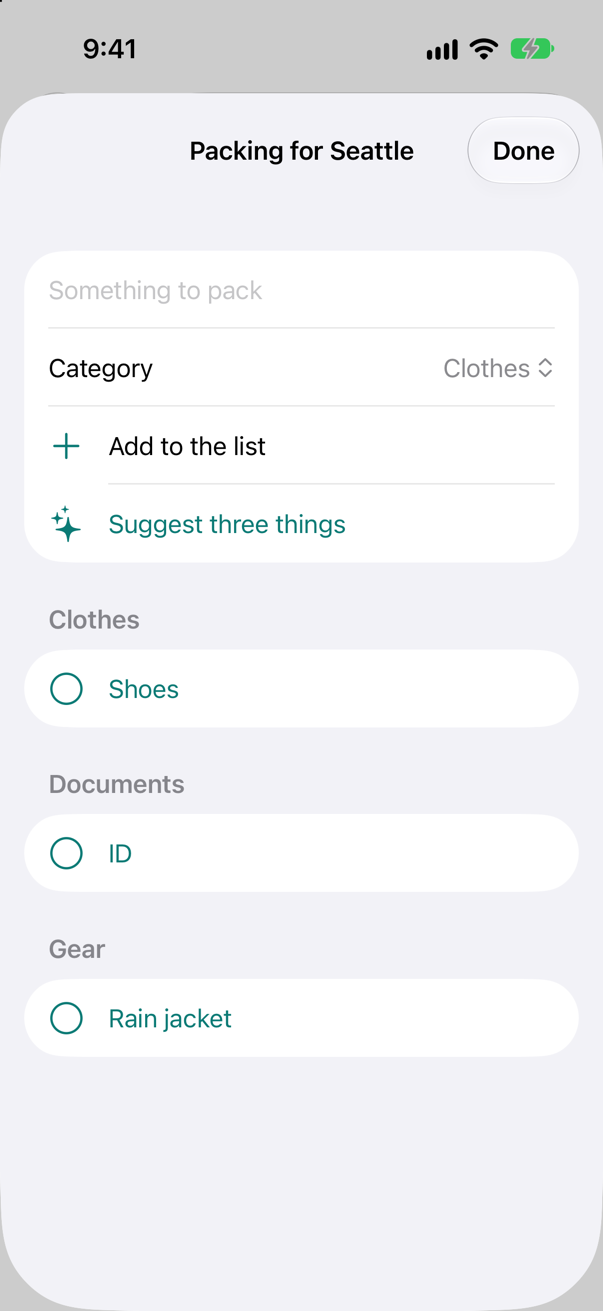
The model suggested 3 thingsThree items, each in one of the list's categories. Run it again and the words will differ — the model is not a lookup table — but there will be three, and each category will be Clothes, Documents or Gear, because the type allows nothing else. Nothing left the phone to get them.
Numbered, and honest about its data
Before a build can go to App Store Connect, each upload needs a build string higher than the last for its version. Apple: "In the project editor, select the General pane, expand Identity, and set the version number and build string." Set Build to 2 — Xcode stores it as the build setting Current Project Version:
Build setting Current Project Version: 2 CURRENT_PROJECT_VERSION = 2
Trips also uses UserDefaults — @AppStorage keeps the settings there — and UserDefaults is one of the APIs for which Apple requires a stated reason, in a privacy manifest. Choose File ▸ New ▸ File from Template… (⌘N), select App Privacy under Resource, click Next, and keep the name PrivacyInfo. In the property list editor, add these rows:
| Key | Type | Value |
|---|---|---|
| Privacy Accessed API Types | Array | one item: a dictionary holding the two keys below |
| Privacy Accessed API Type | String | User Defaults |
| Privacy Accessed API Reasons | Array | one item: User Defaults - CA92.1: Access info from same app, per documentation |
CA92.1 is the reason that fits: Apple says to declare it "to access user defaults to read and write information that is only accessible to the app itself". Build (⌘B), and look at what the built app holds:
| In the built app’s Info.plist | Value |
|---|---|
CFBundleShortVersionString | 1.0 |
CFBundleVersion | 2 |
The version is 1.0 and the build 2, and the privacy manifest sits at the top of the app bundle, where Apple says an iOS app's belongs.
An archive, and the Organizer
What goes to App Store Connect is an archive: the app built for release, with its debugging symbols beside it. Apple: "choose Product > Archive to build the targets included in that scheme, for the class of device you select". With a simulator chosen — as here — it needs no signing, and holds every architecture the simulators use:
| In the archive’s Info.plist (ApplicationProperties) | Value |
|---|---|
Architectures | x86_64, arm64 |
CFBundleShortVersionString | 1.0 |
CFBundleVersion | 2 |
SigningIdentity | (none) |
For the App Store, choose a real device — Any iOS Device — in the run destination menu first, and Xcode signs the archive with your team. The rest happens in the Organizer, in Apple's words: "choosing Window > Organizer", "select your archive and then click Validate App" to check it without submitting, then "select Archives in the sidebar and click Distribute App", and choose App Store Connect. Xcode uploads it; App Store Connect processes it; and the build appears in TestFlight, where you add testers. When testing is done, you submit the same build for App Review from App Store Connect. All of this needs a membership in the Apple Developer Program — the one step the page cannot run for you.
What you built
- A widget extension that shows the next trip on the Home Screen.
- An App Intent with a phrase, run from Spotlight.
- Packing suggestions from the on-device model, as a
@Generabletype. - Build 2, a privacy manifest, and an archive.
Next, a new project and a new subject — scenes: Burrow, a warren of bunnies who fall asleep when the app goes to the background, one to a window.
The finished project
Stuck, or want to compare with your own? This is the project as it stands at the end of this lesson, built and run before it was put here.
- Trips-lesson-53.zip — unzip it, then open
Trips.xcodeprojin Xcode.
Flash cards
11 cards for this lesson, each labelled with its topic. 10 ask how you would write something; the other one is a trick question, written to catch a misunderstanding. Answer in your head first, then tap the card.
Syntax · WidgetsLet a widget's timeline say when to ask for the next one.
The timeline's policy: Timeline(entries: [entry], policy: .after(tomorrow)) asks again after that moment; .atEnd after the last entry; .never until the app says so. This lesson's widget uses .after, with tomorrow's midnight. It is a request: the system decides when, within the budget it gives each widget.
Syntax · WidgetsTell the widgets that the app's data has changed.
WidgetCenter.shared.reloadAllTimelines(), from the app, after it saves — or reloadTimelines(ofKind:) for one kind of widget. The system then asks each provider for a new timeline, instead of waiting for the old one's policy.
Syntax · WidgetsPreview a widget, entry by entry, in Xcode's canvas.
#Preview(as: .systemSmall) { TripsWidget() } timeline: { TripEntry(…); TripEntry(…) } — the macro takes the size and the entries to show. This lesson's widget file ends with one, for Seattle and San Pedro de Atacama; the canvas steps through the entries.
Syntax · App IntentsGive an App Intent an input that Shortcuts and Siri can ask for.
A property marked @Parameter(title:). The system shows the title where it asks for the value — Siri asks aloud, Shortcuts shows a field — and sets the property before calling perform().
Syntax · App IntentsMake an App Intent work from a phrase, with nothing for the person to set up.
An AppShortcutsProvider whose appShortcuts pair the intent with phrases — each containing \(.applicationName) — a short title and a symbol. Installed with the app, they work at once in Spotlight, Siri and Shortcuts; this lesson's TripsShortcuts made "Next trip" the top hit in Spotlight.
Syntax · Foundation ModelsCheck whether the on-device model can answer, before asking it.

SystemLanguageModel.default.availability: .available, or .unavailable with a reason — the device is not eligible, Apple Intelligence is turned off, or the model is still downloading. On this simulator, running on a Mac with Apple Intelligence, it said ready.
Syntax · Foundation ModelsGet a Swift value from the model, not a paragraph of text.
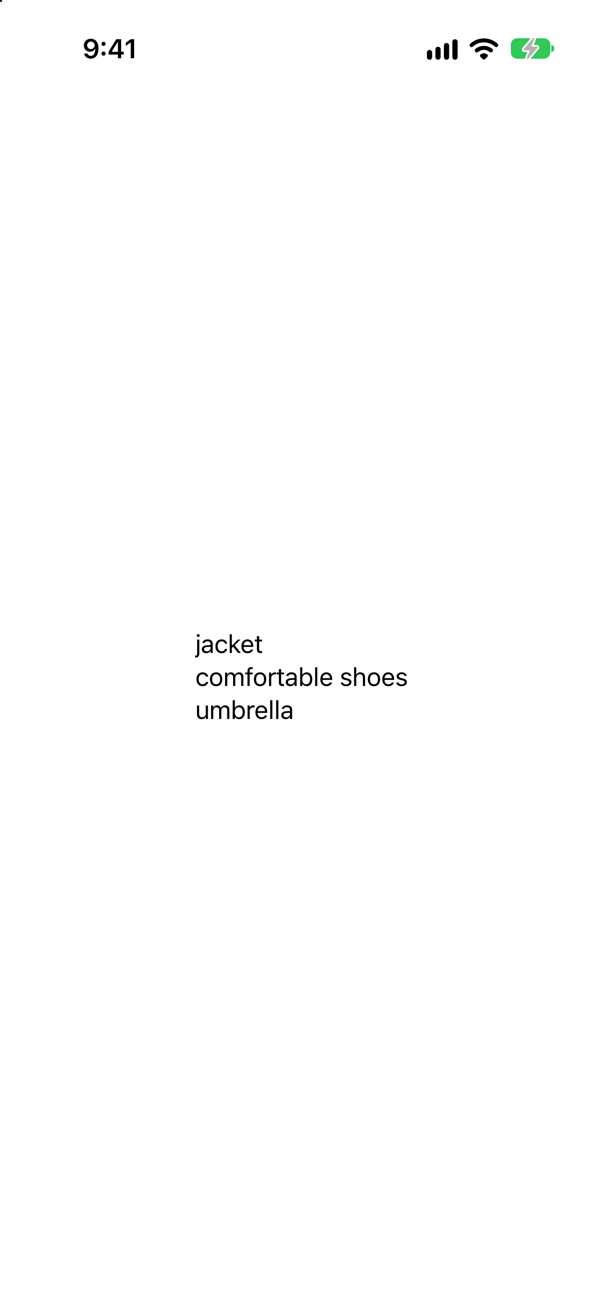
Mark the type @Generable and pass it to respond(to:generating:). The framework guides the model's output into that shape, so answer.content is an Answer — here, three strings, as the @Guide asks; it printed "items: 3".
Syntax · Foundation ModelsKeep a generated number inside a range.

@Guide(.range(1...5)) on an Int. Like .count and .anyOf, it is not advice in the prompt but a limit on what the model may produce: the answer was in the range, as it always will be.
Syntax · ShippingRead the app's version and build number while it runs.

CFBundleShortVersionString is the version people see in the App Store; CFBundleVersion is the build. Xcode writes them from the build settings Marketing Version and Current Project Version — here 2.1 and 7, so the screen said "Version 2.1 (7)".
Syntax · ShippingDeclare why the app uses UserDefaults.
A privacy manifest, PrivacyInfo.xcprivacy (File ▸ New ▸ File from Template… ▸ App Privacy), with Privacy Accessed API Types: the type User Defaults and the reason CA92.1 — "information that is only accessible to the app itself". This lesson's app has one; the built app carries it at the top of its bundle.
Trick question · Foundation ModelsThe same question, twice, to the on-device model. Same words both times?

Not unless you ask for it. By default the model samples — it picks among likely words at random — so answers vary. GenerationOptions(samplingMode: .greedy) always takes the likeliest, and the two greedy answers came back identical. Useful in tests; the varied default is usually better for people.
Edge cases and tricky questions
16 questions of the kind an interviewer uses to find out whether you really know this — the corners, the traps, and the things that changed recently. Each has its source. Wherever the answer is what some code does, that code was compiled and run, and what you see under “Show the answer” is what it really did. Say your answer aloud before you open it.
Widgets, App Intents, and Foundation Models
In an app whose code is on the main actor by default, an App Intent's perform() calls TripStore() — a main-actor class. In Swift 6, does it compile?
Show the answer
It does not compile. Xcode reports
expression is 'async' but is not marked with 'await'No: expression is 'async' but is not marked with 'await'
The default isolation puts the intent struct on the main actor — but perform() is a requirement of the AppIntent protocol, which is not, so it runs off the main actor and reaching TripStore means a hop. Mark perform() @MainActor, as this lesson's tutorial does, or await the work. Swift 6, the language mode Trips builds in since lesson 17, makes this an error — and there TripStore says @MainActor itself, so the hop is plain to see.
Where this comes from: AppIntent · SE-0466: Default actor isolation — Compiled with Xcode 27's Swift 6.4 compiler, Swift 6 mode, with a new iOS App project's settings.
An AppShortcutsProvider gives its intent the phrase "What is my next trip" — without \(.applicationName). Does the app build?
Show the answer
It does not compile. Xcode reports
Every App Shortcut utterance should contain '${applicationName}'No — the build stops with an error from App Intents, not from Swift: Every App Shortcut utterance should contain '${applicationName}'
Every App Shortcut phrase has to name the app, so that Siri and Spotlight know whose shortcut a sentence is. Xcode checks this while it builds, when it extracts the app's intents for the system — a compiler of its own, after Swift's. "What is my next trip in \(.applicationName)", this lesson's phrase, builds.
Where this comes from: AppShortcutsProvider · AppShortcut — Built with Xcode 27 for the iOS 27 simulator.
The prompt asks for "five things to pack", but the @Generable type says @Guide(.count(3)). How many come back?
Show the answer
Three — the run printed "items: 3":
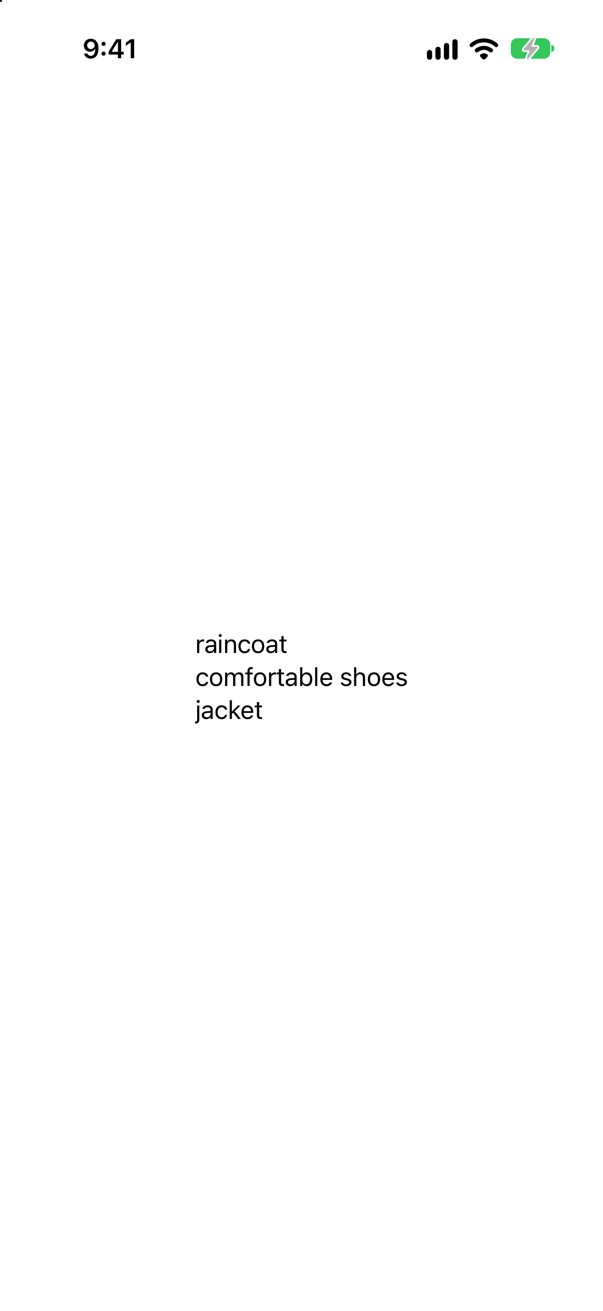
Guided generation does not ask the model nicely: while the model writes, the framework allows only output that fits the type, so an array with .count(3) cannot have five elements. The prompt still matters for what the items are; the type decides their shape. Put rules in the type when they must hold.
Where this comes from: Generable · Guide(description:) — Run in the iOS 27 simulator, on a Mac with Apple Intelligence; the items differ from run to run, the count does not.
The prompt says to put everything under "Toiletries", but the type allows only .anyOf(["Clothes", "Documents", "Gear"]). Which categories come back?
Show the answer
Only the three allowed ones — the run printed "every category allowed: true":
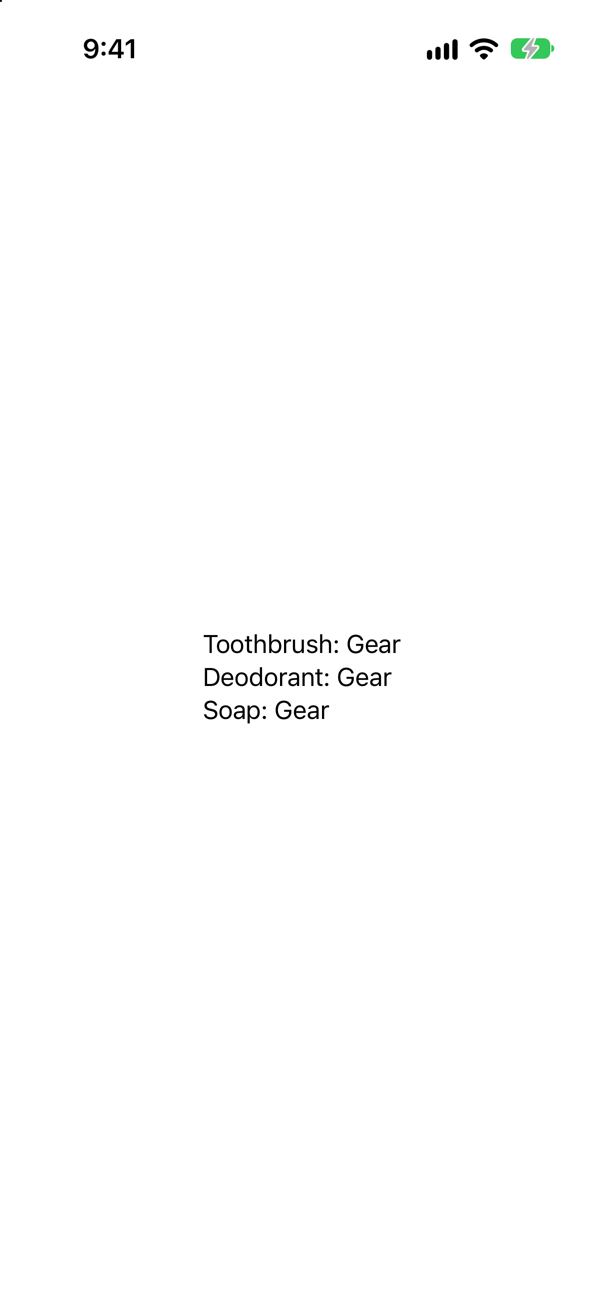
.anyOf turns the property into a choice from a list, enforced as the model generates, so no prompt can produce "Toiletries". It is how this lesson's packing suggestions stay inside the app's own categories.
Where this comes from: Guide(description:) · Generable — Run in the iOS 27 simulator, on a Mac with Apple Intelligence.
One LanguageModelSession is told "My next trip is to Seattle." Then, in the same session, it is asked which city was mentioned. What does it answer?
Show the answer

Seattle — "same session: Seattle".
A session keeps a transcript: every prompt and response so far goes to the model with the next one, so it can refer back. A new session starts empty. Keep one session for one conversation, and start a new one when the context should not carry over — the transcript also uses up the model's limited context window.
Where this comes from: LanguageModelSession · Foundation Models — Run in the iOS 27 simulator, on a Mac with Apple Intelligence.
perform() is declared to return some IntentResult & ProvidesDialog, and returns .result(). Does it compile?
Show the answer
It does not compile. Xcode reports
no exact matches in call to static method 'result'No: no exact matches in call to static method 'result'
The return type is a promise about what the result carries, and each .result overload makes a result of a particular kind, chosen by its arguments. None of those that take no arguments makes one that ProvidesDialog — so, to the compiler, no .result fits. Pass dialog: — or drop & ProvidesDialog from the return type if the intent has nothing to say. The message names the call, not the missing dialog, which is what makes it a good interview question.
Where this comes from: AppIntent · IntentResult — Compiled with Xcode 27's Swift 6.4 compiler, with the strict settings Trips uses (Swift 6, no default actor isolation, Approachable Concurrency off).
Can @Generable be put on a class?
Show the answer
It does not compile. Xcode reports
'@Generable' can only be used on structs and enums. (from macro 'Generable')No: '@Generable' can only be used on structs and enums. (from macro 'Generable')
Generated content is a value: the model fills in a struct (or picks a case of an enum), and the framework builds it from the generated text. Use a struct, and convert to a class of your own afterwards if the app needs one.
Where this comes from: Generable — Compiled with Xcode 27's Swift 6.4 compiler.
An app shows a "Suggest" button that uses the on-device model. On an iPhone without Apple Intelligence, what should happen — and what does the API say?
Show the answer

Here, on a simulator running on a Mac with Apple Intelligence, it says "availability: available". On a device that cannot run the model, availability is .unavailable(reason) — Apple lists the reasons as the device not being eligible, Apple Intelligence not being enabled, and the model not being ready yet.
So the feature must be optional: check first, and hide or disable what needs the model — this lesson's packing list disables Suggest three things — rather than letting a call fail. "Model not ready" can also be temporary, while the model downloads.
Where this comes from: SystemLanguageModel.Availability · Foundation Models — Run in the iOS 27 simulator; the reasons are from Apple's documentation of SystemLanguageModel.Availability.
Shipping to the App Store
In the General pane, the version is changed to 2.0 and the build is left alone. What does the running app report as its build?
Show the answer
Still 1 — the screen said "Version 2.0 (1)".

The two numbers are separate settings with separate jobs: the version is what people see in the App Store and names a release; the build identifies one upload of it. A new version can start its builds again at 1, but every upload needs a build its version has not had — so in practice it is the build that goes up most often, often by the Organizer itself.
Where this comes from: Preparing your app for distribution · CFBundleVersion — Measured in the iOS 27 simulator.
A screen for testing is wrapped in #if DEBUG … #endif. Is it in the build you upload?
Show the answer

No. The words were in a file of the Debug build, and in no file of the Release build.
Xcode defines the condition DEBUG only for the Debug configuration, and an archive is built with Release. Code inside #if DEBUG is not compiled into it at all — not hidden, absent. It is the right place for test screens and verbose logging; never put something there that the shipped app needs.
Where this comes from: The Swift Programming Language: Statements (Compiler Control Statements) · Preparing your app for distribution — Built with Xcode 27 for Debug and for Release.
Are print calls taken out of a Release build?
Show the answer

No. The printed words were in the Release build too, as they were in the Debug build.
print is an ordinary function: optimization keeps it, and its strings stay in the binary, where anyone can read them. Wrap debugging output in #if DEBUG, or log with os.Logger, whose messages can be marked private.
Where this comes from: Logger · Preparing your app for distribution — Built with Xcode 27 for Debug and for Release.
In a build optimized as Release builds are (-O), assert(nights > 0) and precondition(nights > 0) both see nights == 0. What happens at each?
Show the answer
Run it. The console shows
after the assertThe assert does nothing; the precondition stops the program. It printed "after the assert" and then ended with an error.
How it ended
Child process terminated with signal 5: Trace/BPT trapIn an optimized build assert is not checked at all — it is for catching mistakes while developing. precondition is checked in Debug and Release alike. Use precondition for a condition the shipped app must not run past; assert for checks that are worth their cost only in development.
Where this comes from: assert(_:_:file:line:) · precondition(_:_:file:line:) — Compiled with Xcode 27's Swift 6.4 compiler with -O, as Release builds are, and run in the iOS 27 simulator.
In an optimized build (-O), an Int8 holding 127 has 1 added with +, and again with &+. What happens?
Show the answer
Run it. The console shows
wrapping: -128&+ wraps to -128; + stops the program, Release or not — it printed "wrapping: -128" and crashed.
Swift checks arithmetic for overflow in optimized builds too: -O keeps the checks, and only -Ounchecked, which no new project uses, removes them. When wrapping is what you want — a hash, a checksum — say so with &+, &- and &*.
Where this comes from: The Swift Programming Language: Advanced Operators (Overflow Operators) · Int8 — Compiled with Xcode 27's Swift 6.4 compiler with -O, and run in the iOS 27 simulator.
A typo in the privacy manifest: the key NSPrivacyAccesedAPITypes, with one s. Does Xcode refuse to build?
Show the answer

No — it builds, and the app carries the typo: the running app found its manifest and said "shipped with the typo".
Xcode copies the file; nothing checks its keys at build time. Apple: "App Store Connect rejects app submissions that include invalid privacy manifest files" — so the mistake shows up only when you upload, as an email. Build the manifest in the property list editor, whose rows offer only the real keys, rather than by typing XML.
Where this comes from: Adding a privacy manifest to your app or third-party SDK · Privacy manifest files — Built and run in the iOS 27 simulator.
Each upload, App Store Connect asks whether the app uses encryption. The app only talks HTTPS through URLSession. How do you answer once, in the app itself?
Show the answer

With the Info.plist key ITSAppUsesNonExemptEncryption set to NO — here through the build setting App Uses Non-Exempt Encryption (INFOPLIST_KEY_ITSAppUsesNonExemptEncryption); the running app read it back as 0, which is false.
Encryption that only uses the system's HTTPS is exempt from the export documentation; declaring that in the Info.plist answers App Store Connect's question for every upload. Apple's guide, "Complying with encryption export regulations", says when an app's encryption is not exempt — then the answer is yes, and paperwork follows.
Where this comes from: Complying with encryption export regulations · ITSAppUsesNonExemptEncryption — Measured in the iOS 27 simulator; the exemption rules are Apple's.
The project is named Trips, but the name under the icon should read "Trips!". Which setting — and does the code see it?
Show the answer

The display name, CFBundleDisplayName — the build setting Bundle Display Name (INFOPLIST_KEY_CFBundleDisplayName), under Info.plist Values. The app read it back: "Display name: Trips!".
With GENERATE_INFOPLIST_FILE on, as in every new project, Xcode builds the Info.plist from INFOPLIST_KEY_… settings; there is no Info.plist file to edit unless you add one. The bundle name and the bundle identifier stay as they were — the identifier, in particular, is fixed once a build is uploaded.
Where this comes from: CFBundleDisplayName · Preparing your app for distribution — Measured in the iOS 27 simulator.